99x.io
Web API testing
with Postman
By : Tharinda Liyanage
Agenda
• Software Testing and Test pyramid
• About APIs- classifications of APIs
• RESTful Web APIs
• Execute APIs using Postman
• Testing APIs with Postman
• Other features available with Postman
• Q&A
Software Testing
• The primary goal of software testing is to ensure that the software functions correctly, meets its
intended requirements, and delivers a satisfactory user experience.
• Quality Assurance/ quality control activities
• Functional and nonfunctional testing through manual and automated means
• Unit tests, API integration testing, Automated end to end testing, Exploratory testing
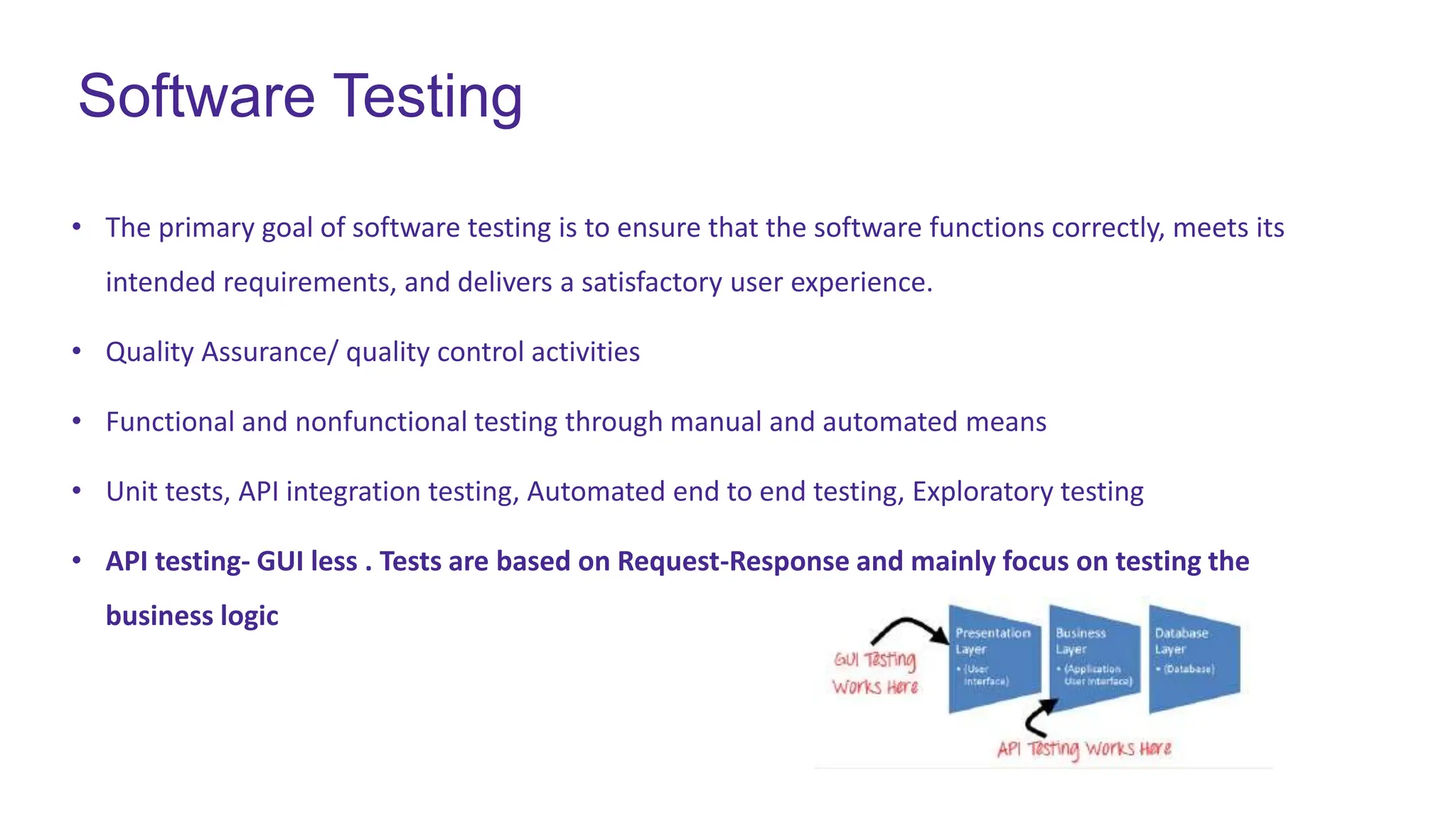
• API testing- GUI less . Tests are based on Request-Response and mainly focus on testing the
business logic
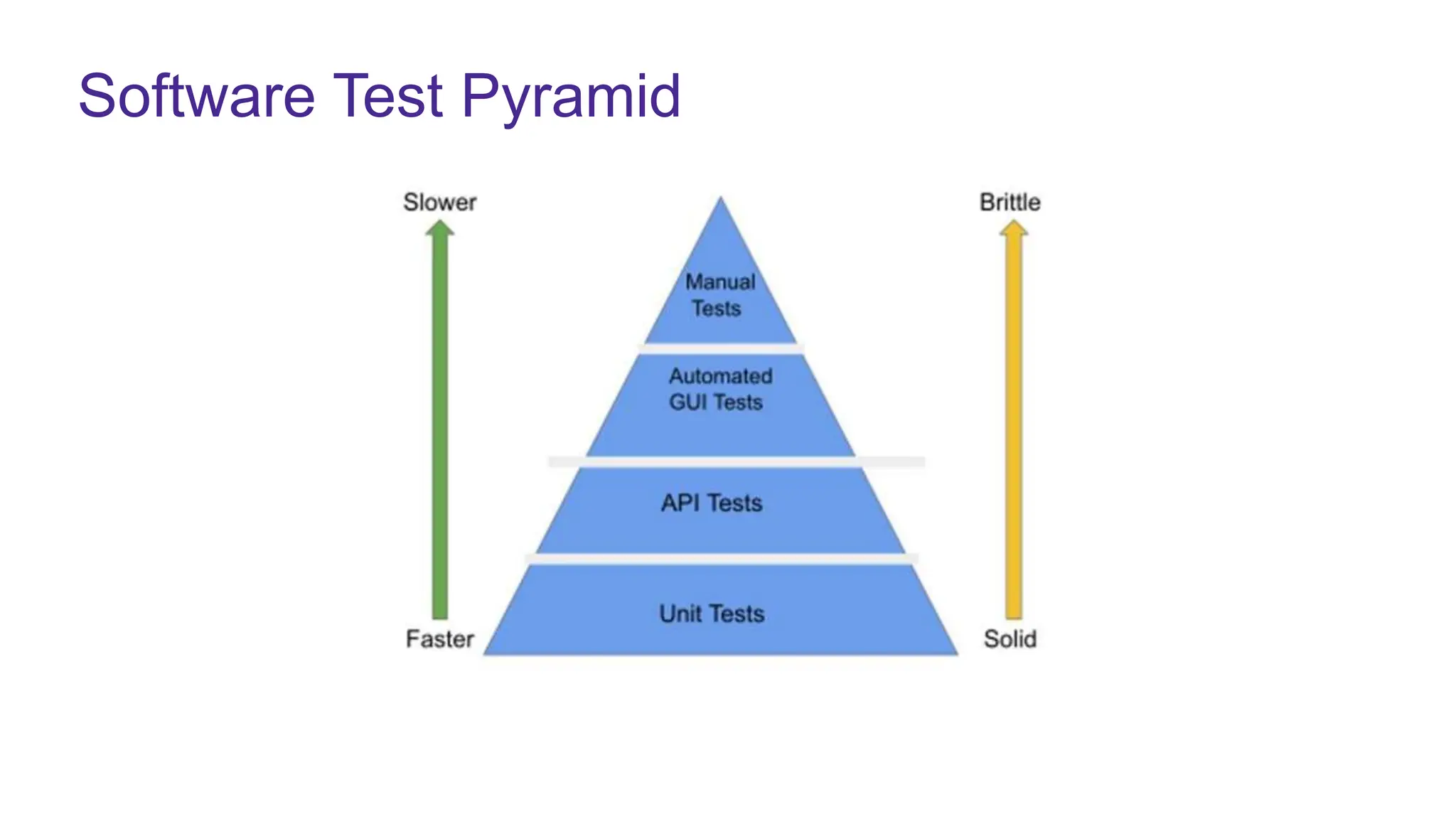
Software Test Pyramid
What is an API
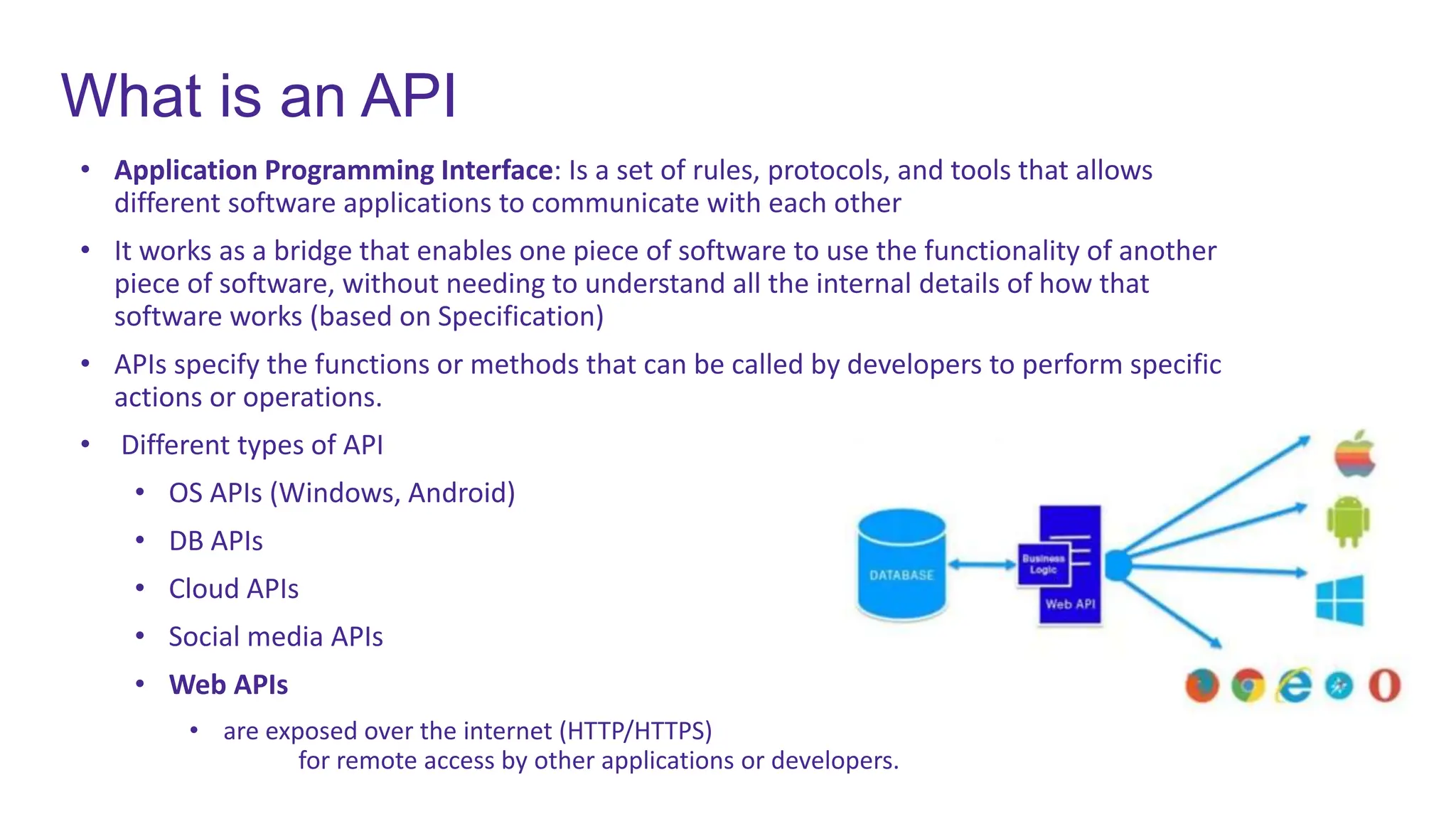
• Application Programming Interface: Is a set of rules, protocols, and tools that allows
different software applications to communicate with each other
• It works as a bridge that enables one piece of software to use the functionality of another
piece of software, without needing to understand all the internal details of how that
software works (based on Specification)
• APIs specify the functions or methods that can be called by developers to perform specific
actions or operations.
• Different types of API
• OS APIs (Windows, Android)
• DB APIs
• Cloud APIs
• Social media APIs
• Web APIs
• are exposed over the internet (HTTP/HTTPS)
for remote access by other applications or developers.
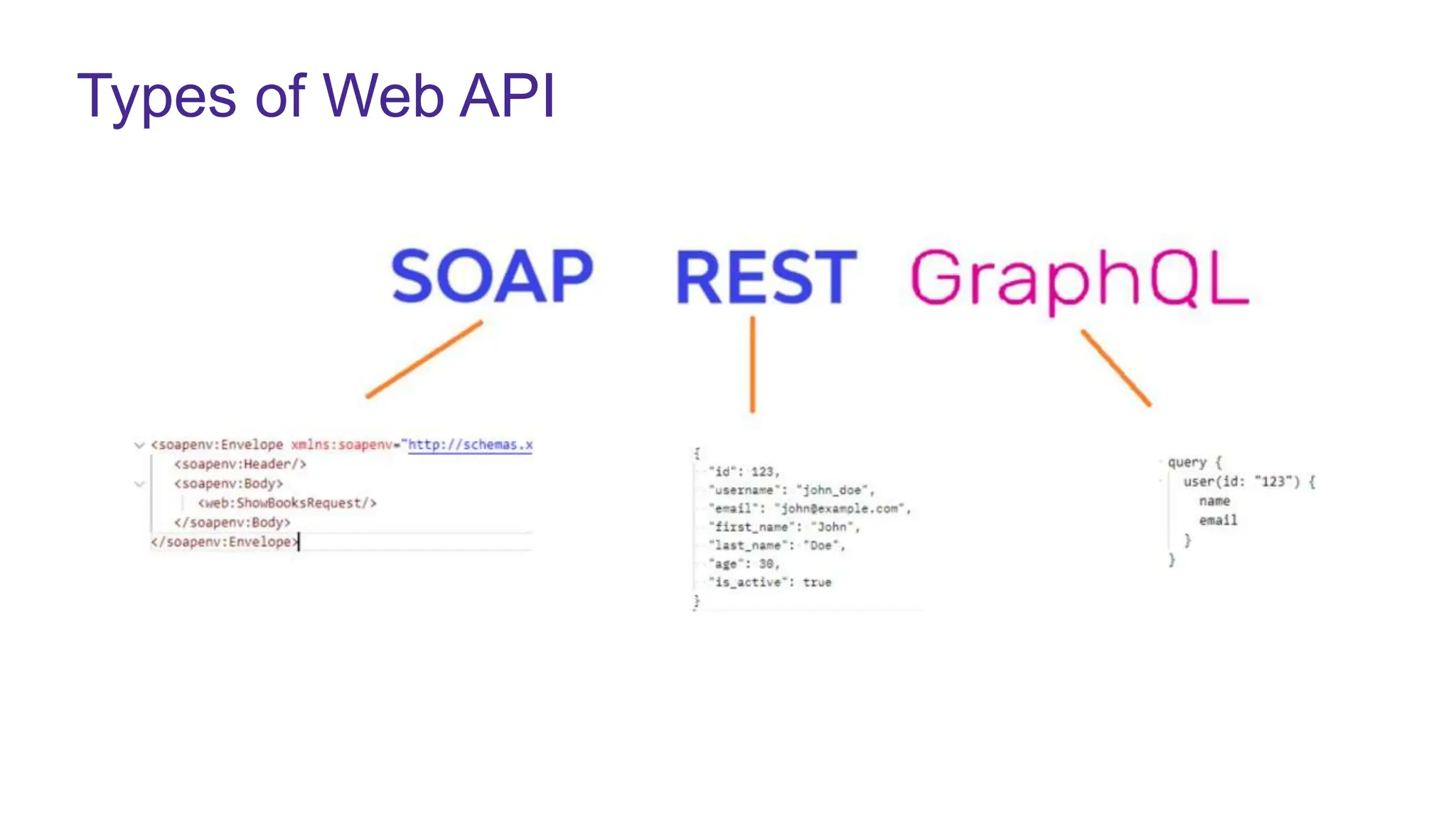
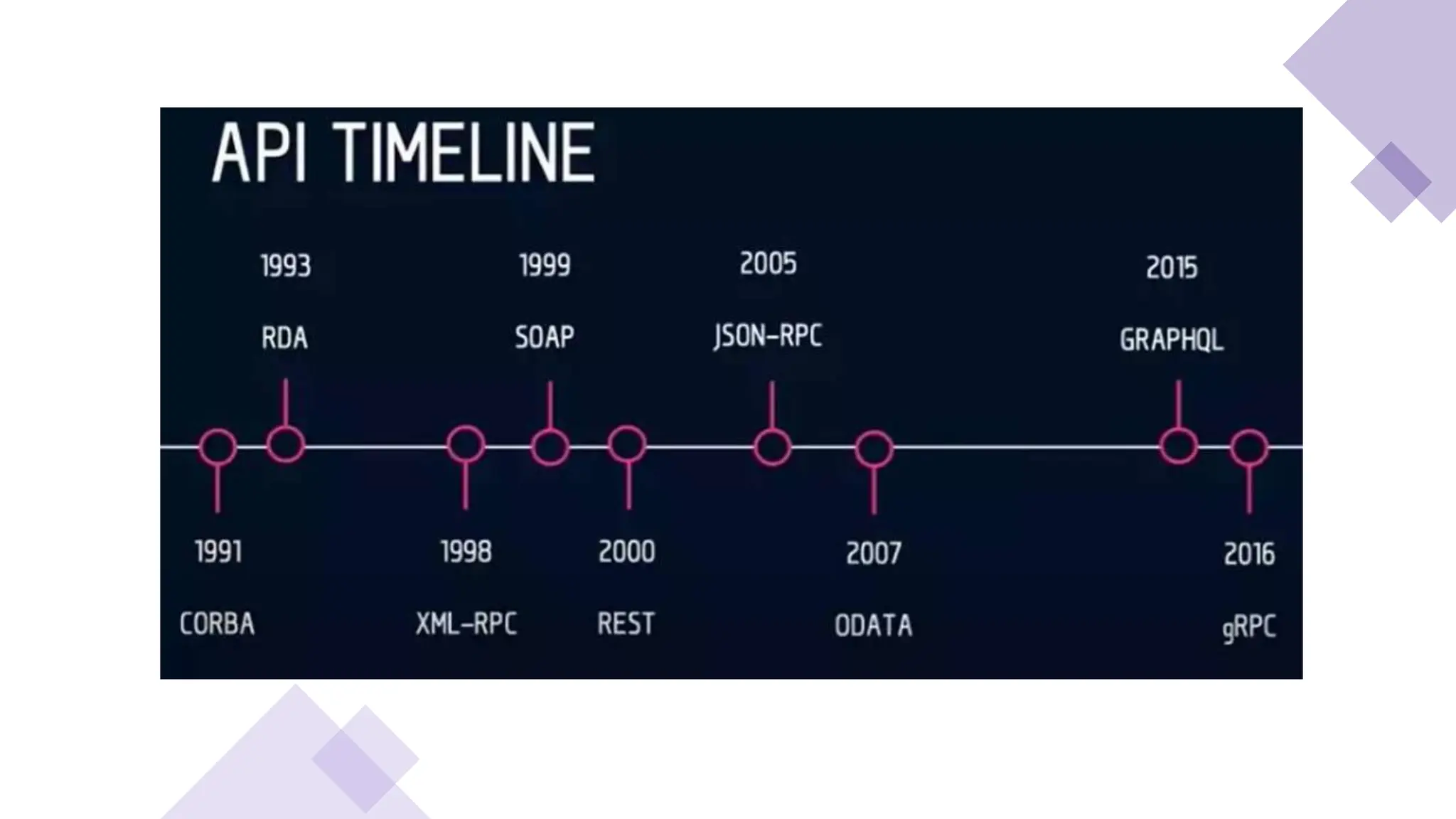
Types of Web API
RESTful Web API
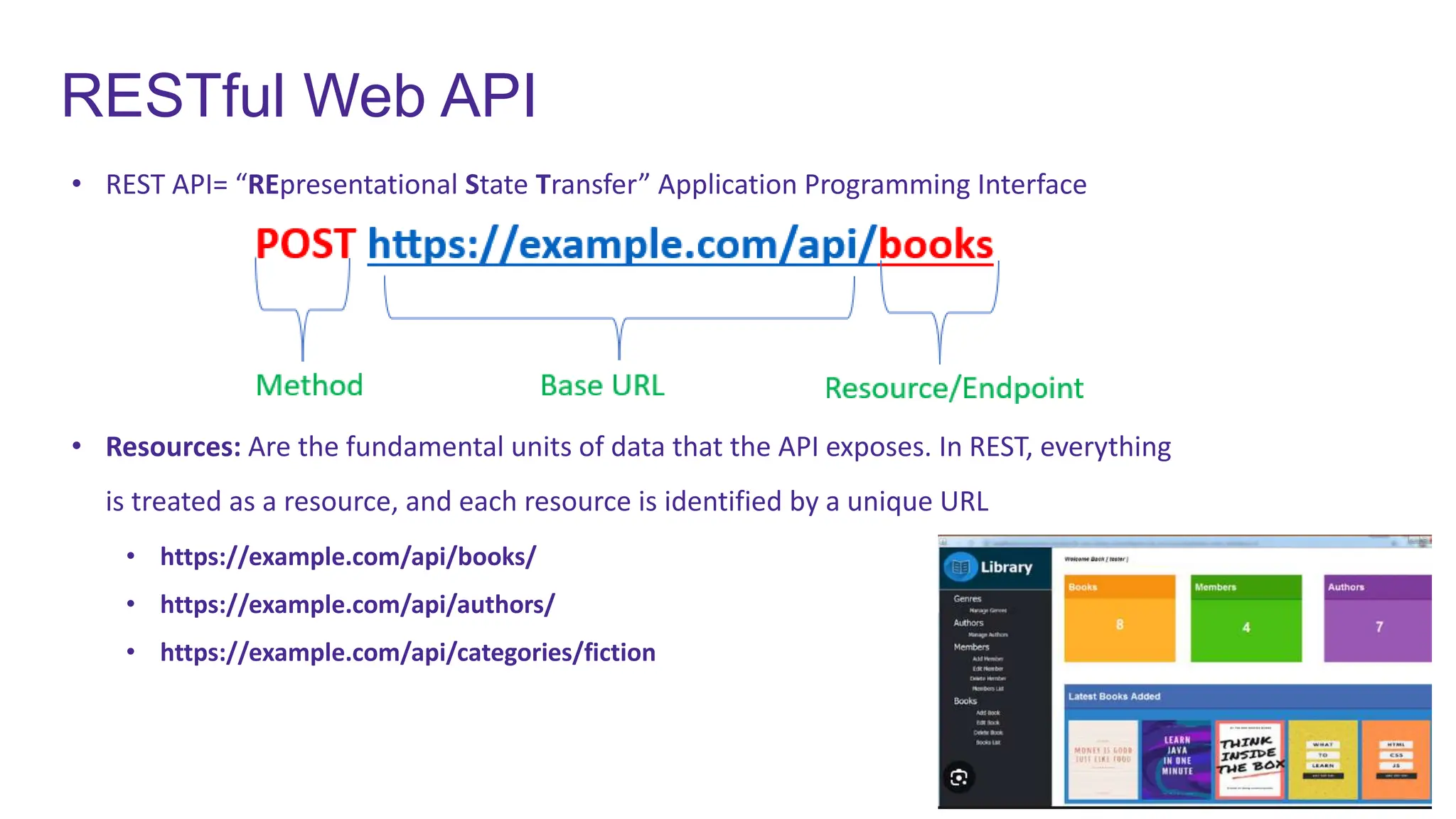
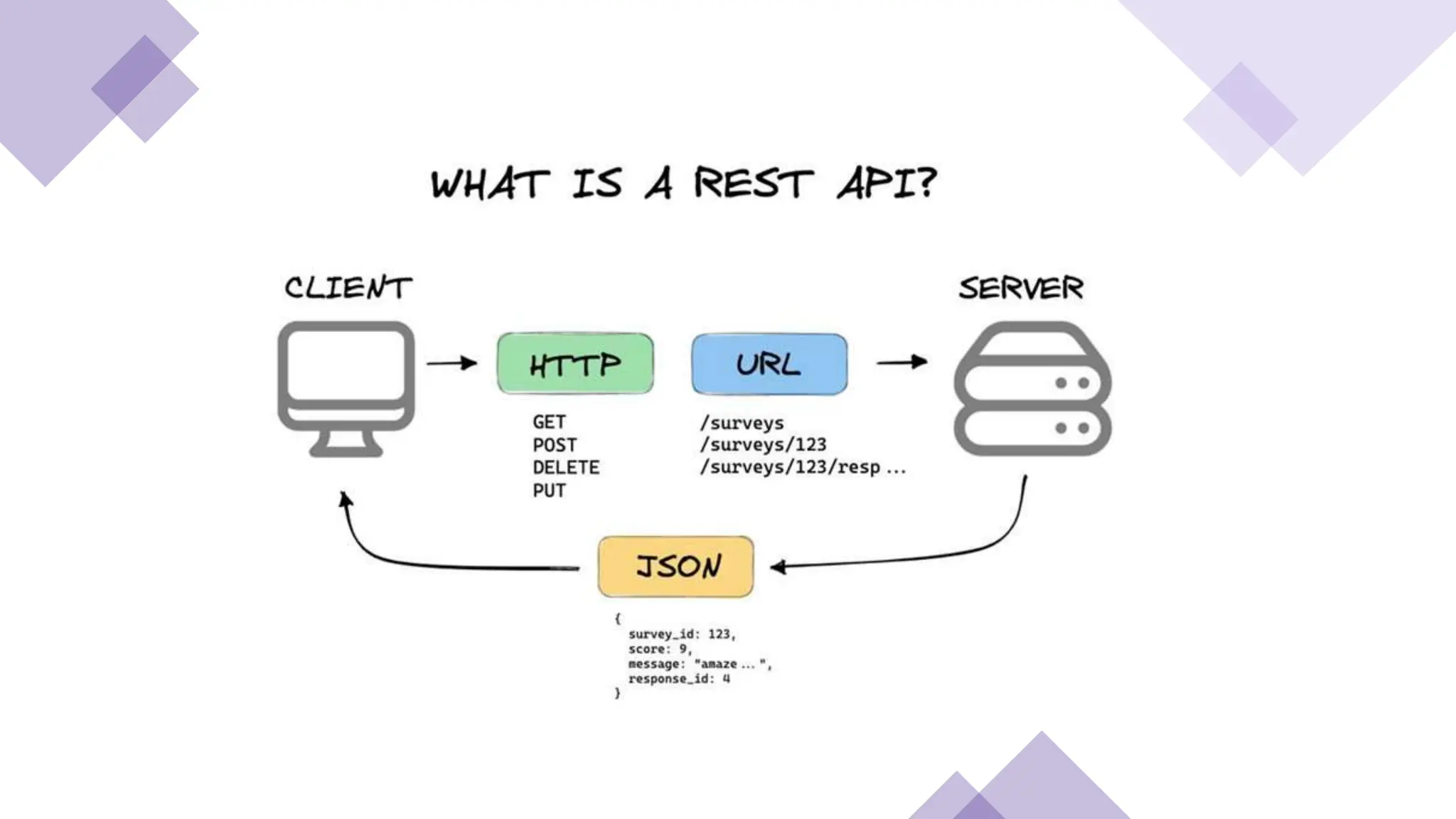
• REST API= “REpresentational State Transfer” Application Programming Interface
• Resources: Are the fundamental units of data that the API exposes. In REST, everything
is treated as a resource, and each resource is identified by a unique URL
• https://example.com/api/books/
• https://example.com/api/authors/
• https://example.com/api/categories/fiction
HTTP Methods
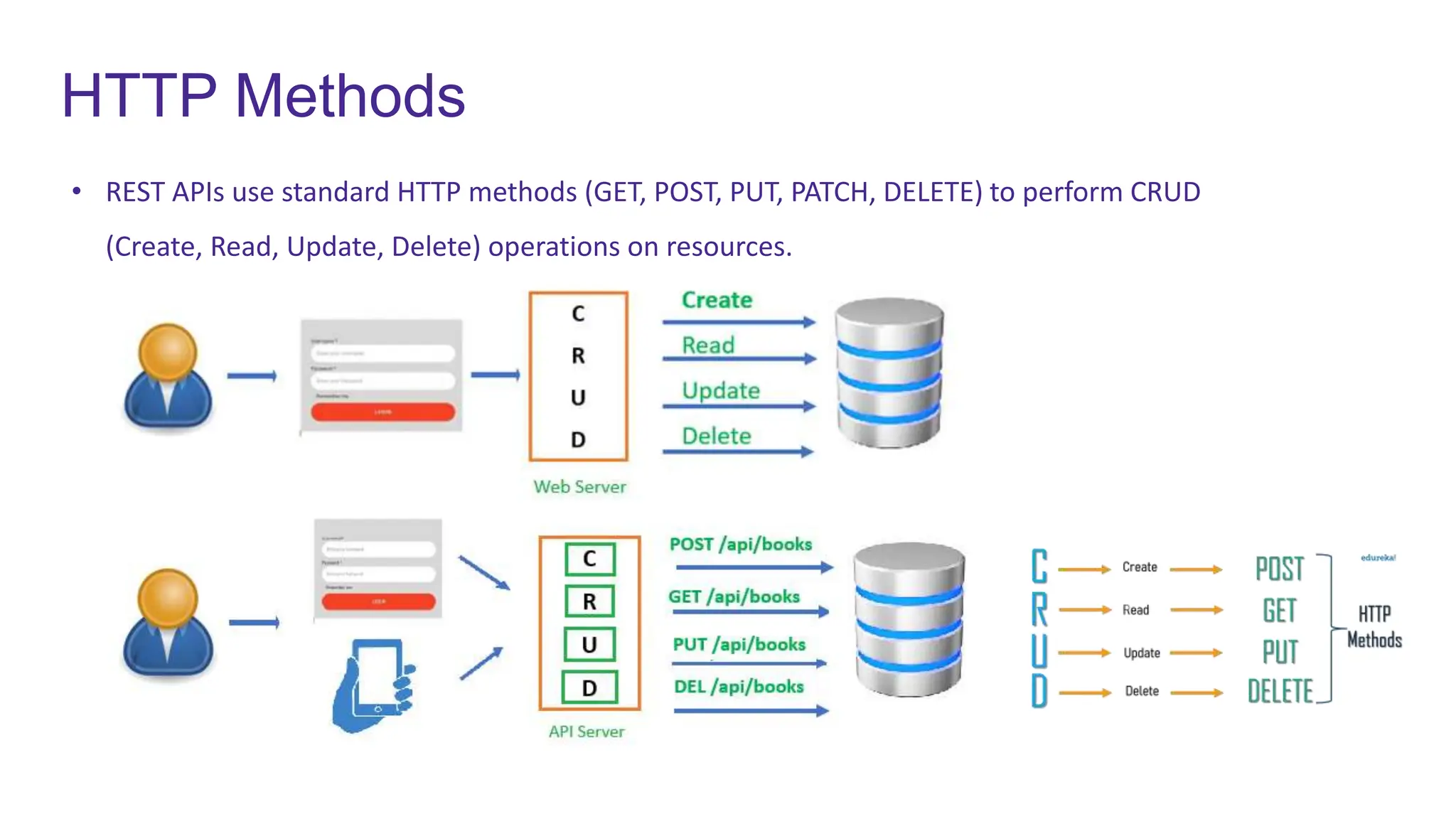
• REST APIs use standard HTTP methods (GET, POST, PUT, PATCH, DELETE) to perform CRUD
(Create, Read, Update, Delete) operations on resources.
REST API & JSON
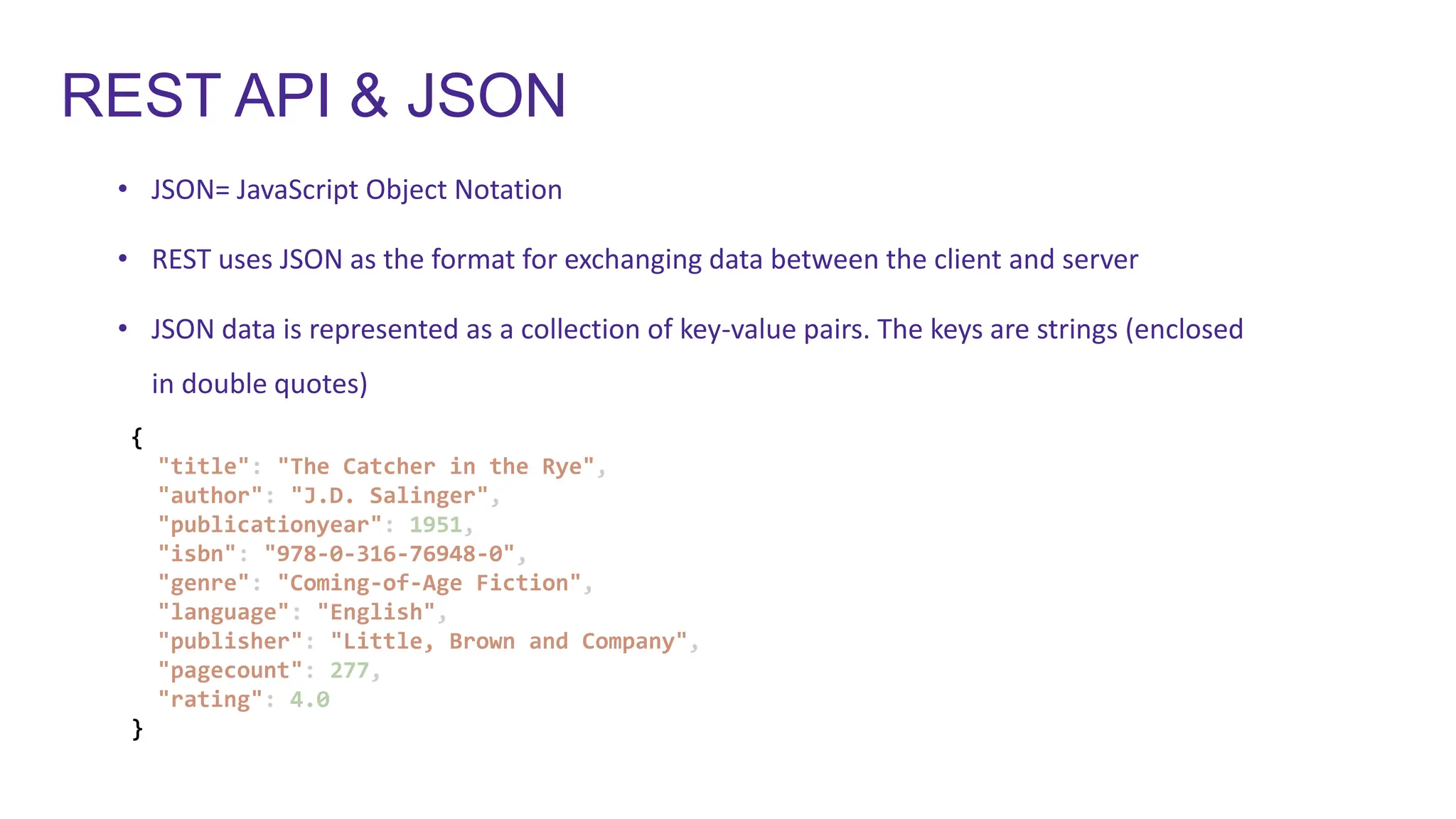
• JSON= JavaScript Object Notation
• REST uses JSON as the format for exchanging data between the client and server
• JSON data is represented as a collection of key-value pairs. The keys are strings (enclosed
in double quotes)
{
"title": "The Catcher in the Rye",
"author": "J.D. Salinger",
"publicationyear": 1951,
"isbn": "978-0-316-76948-0",
"genre": "Coming-of-Age Fiction",
"language": "English",
"publisher": "Little, Brown and Company",
"pagecount": 277,
"rating": 4.0
}
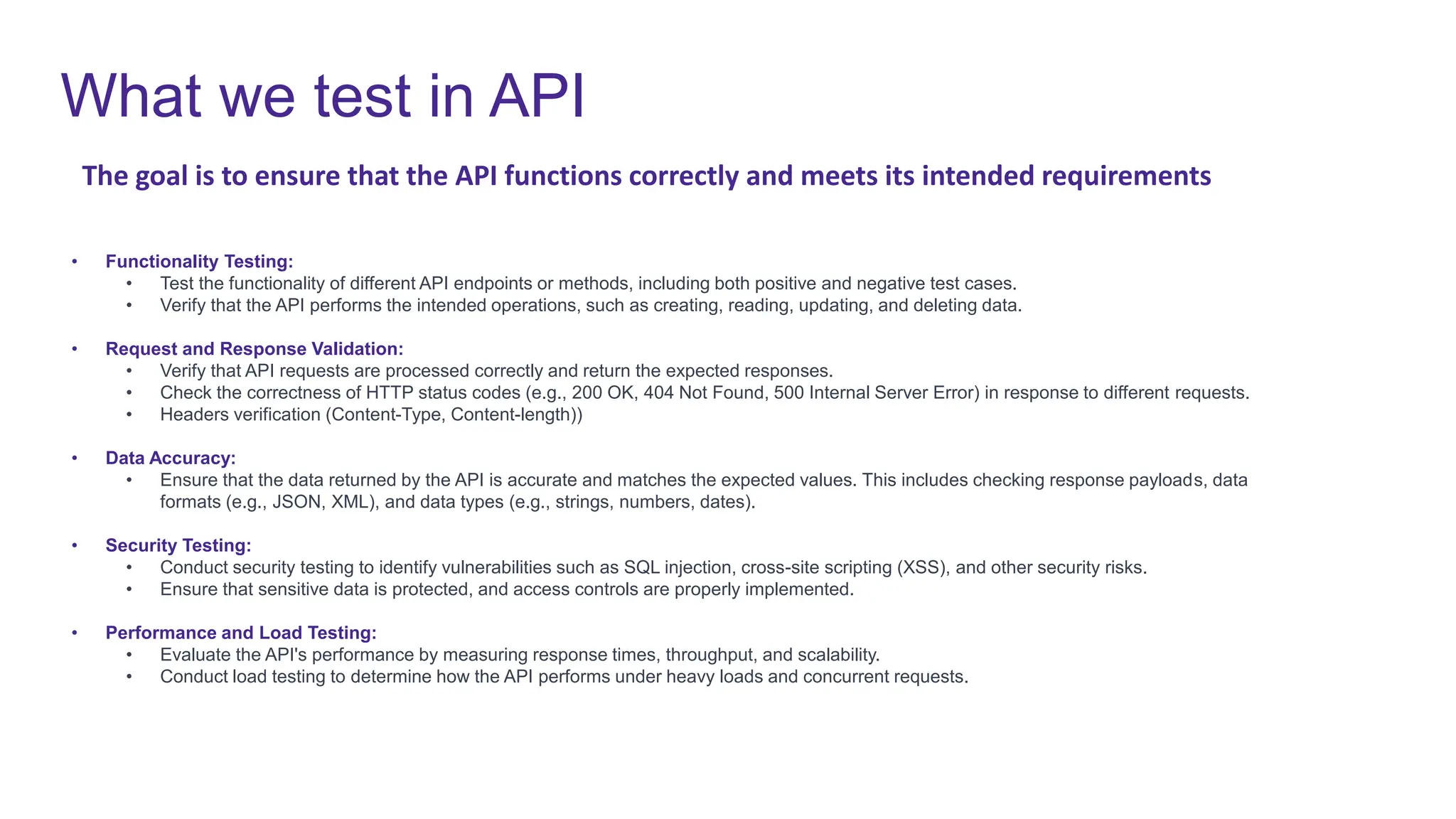
What we test in API
• Functionality Testing:
• Test the functionality of different API endpoints or methods, including both positive and negative test cases.
• Verify that the API performs the intended operations, such as creating, reading, updating, and deleting data.
• Request and Response Validation:
• Verify that API requests are processed correctly and return the expected responses.
• Check the correctness of HTTP status codes (e.g., 200 OK, 404 Not Found, 500 Internal Server Error) in response to different requests.
• Headers verification (Content-Type, Content-length))
• Data Accuracy:
• Ensure that the data returned by the API is accurate and matches the expected values. This includes checking response payloads, data
formats (e.g., JSON, XML), and data types (e.g., strings, numbers, dates).
• Security Testing:
• Conduct security testing to identify vulnerabilities such as SQL injection, cross-site scripting (XSS), and other security risks.
• Ensure that sensitive data is protected, and access controls are properly implemented.
• Performance and Load Testing:
• Evaluate the API's performance by measuring response times, throughput, and scalability.

• Conduct load testing to determine how the API performs under heavy loads and concurrent requests.
The goal is to ensure that the API functions correctly and meets its intended requirements
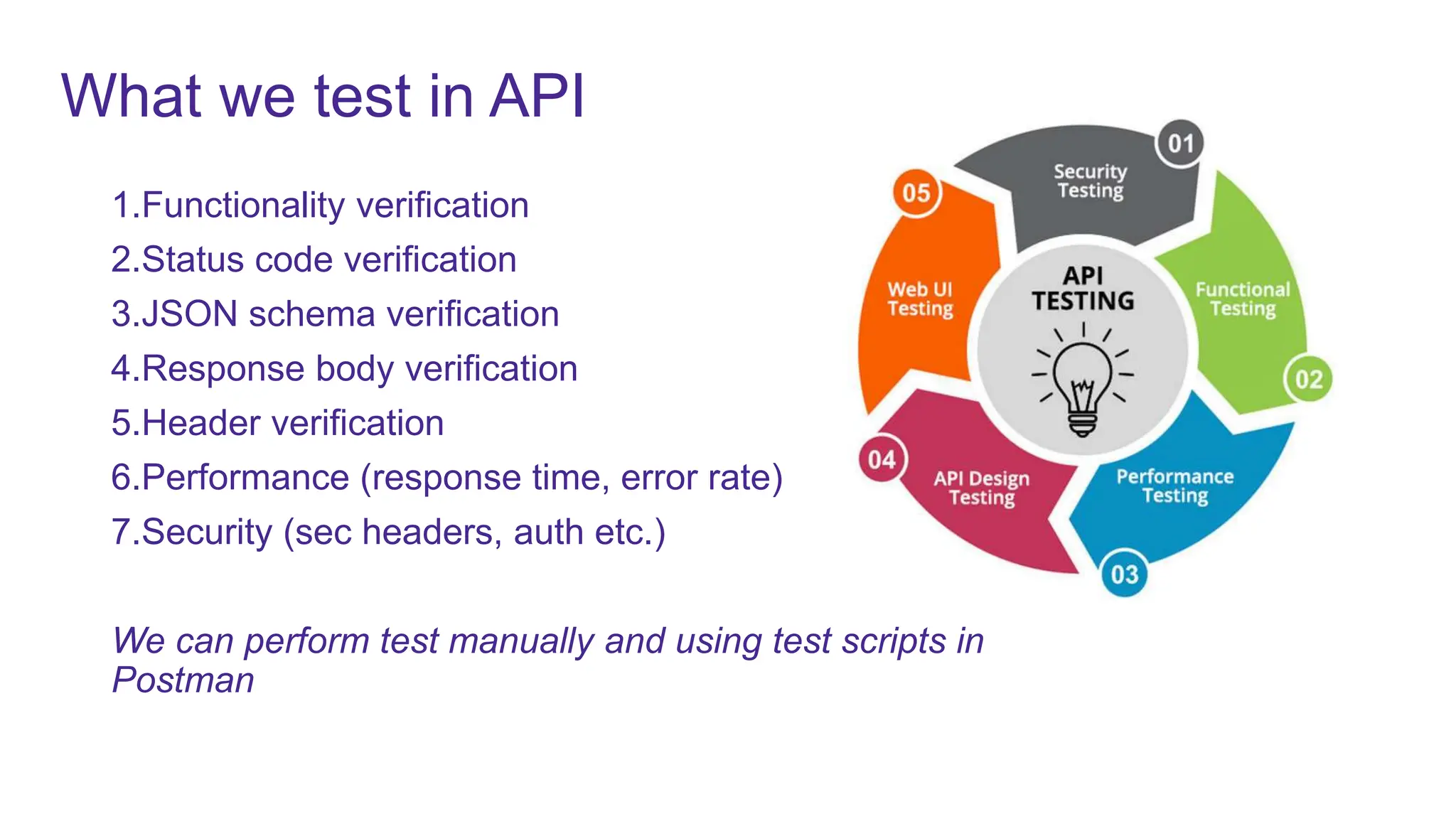
1.Functionality verification
2.Status code verification
3.JSON schema verification
4.Response body verification
5.Header verification
6.Performance (response time, error rate)
7.Security (sec headers, auth etc.)
We can perform test manually and using test scripts in
Postman
What we test in API
Postman
• https://www.postman.com/
• Current version 10
• Postman is an API platform for building and Testing APIs
• Create an Postman account to access all the features and Postman cloud
• VS code plugin and browser extensions also available
• Free and paid license
• Features available for scheduling, performance testing
Demo use case
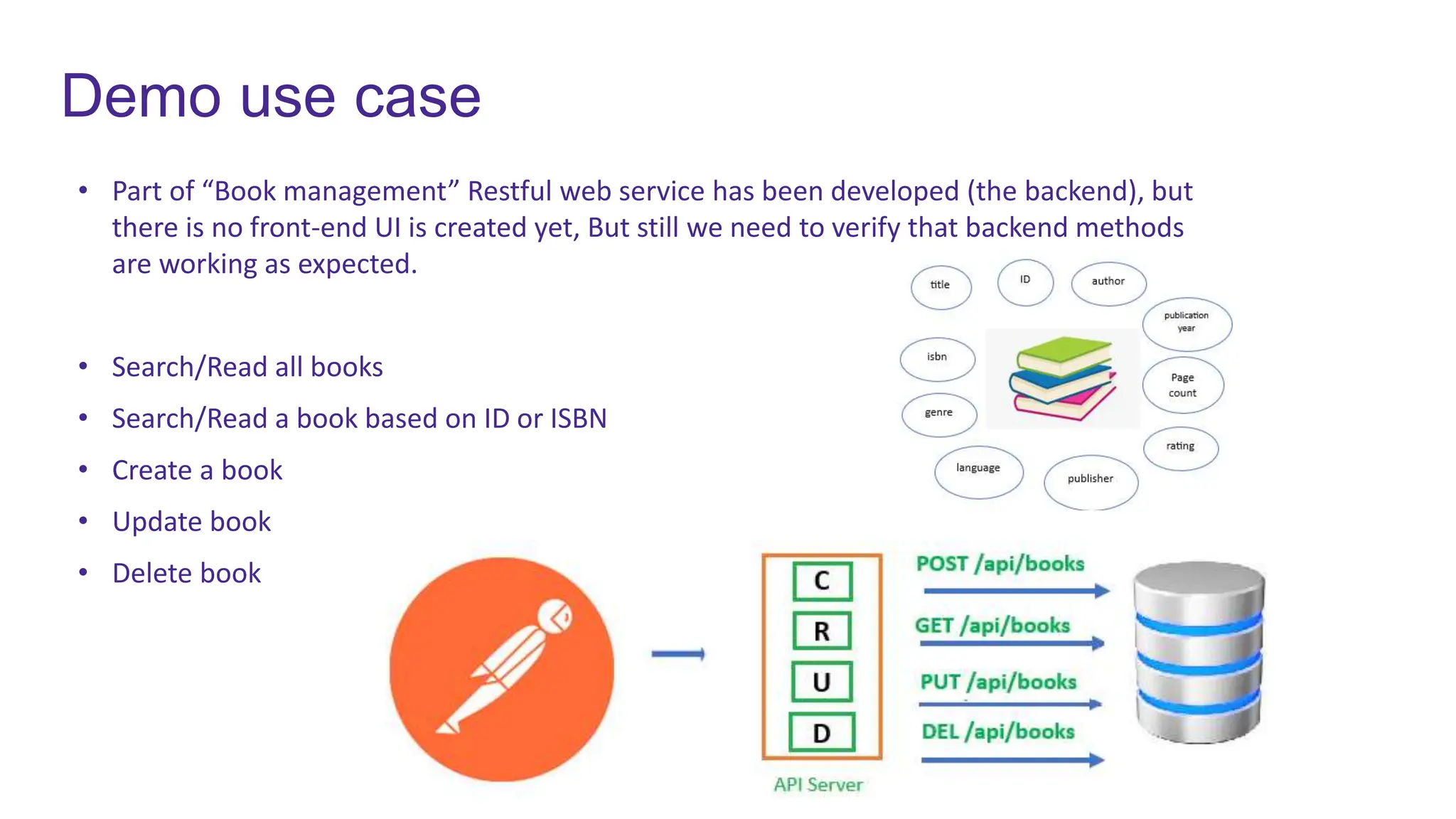
• Part of “Book management” Restful web service has been developed (the backend), but
there is no front-end UI is created yet, But still we need to verify that backend methods
are working as expected.
• Search/Read all books
• Search/Read a book based on ID or ISBN
• Create a book
• Update book
• Delete book
Demo scenarios
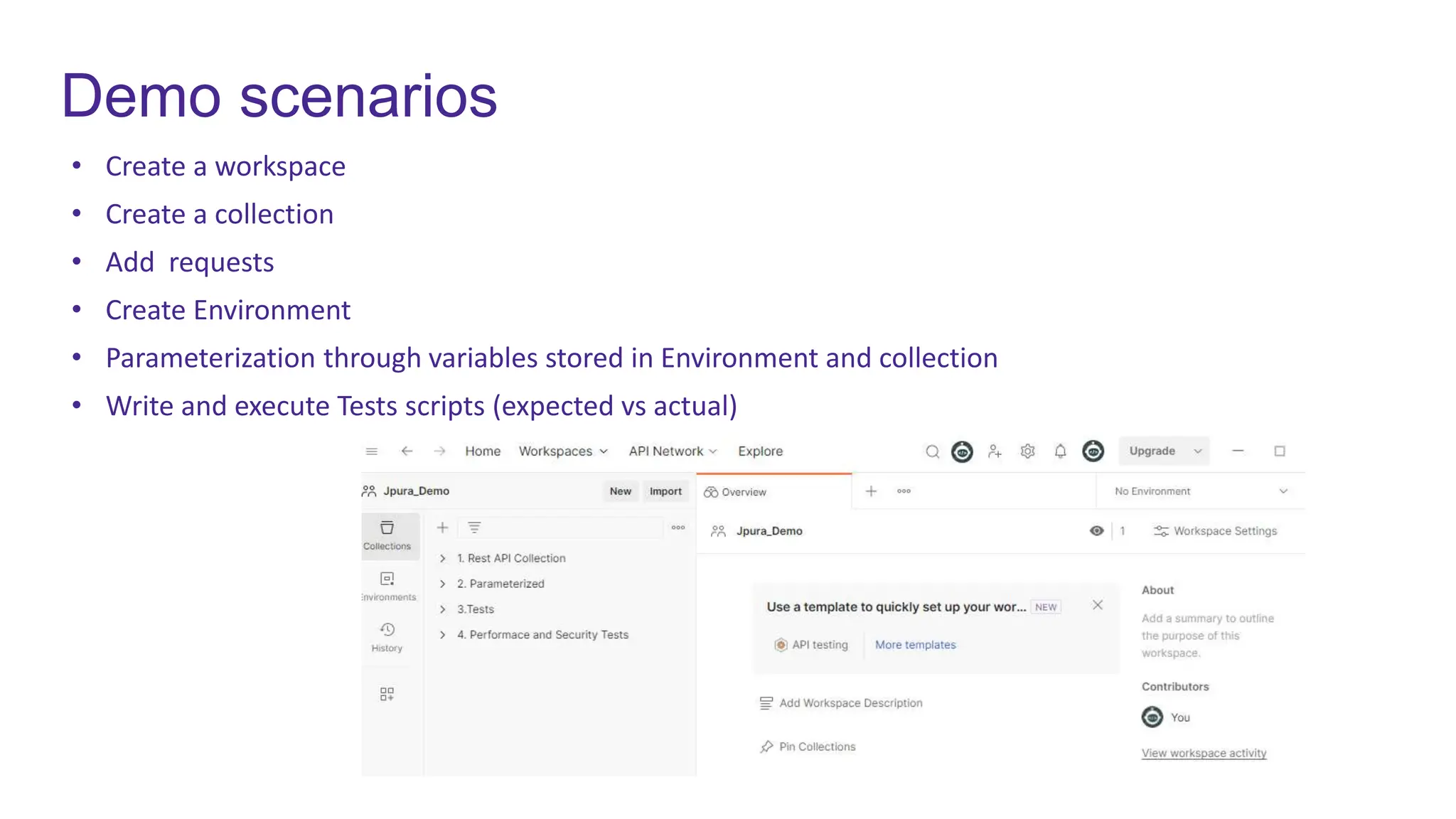
• Create a workspace
• Create a collection
• Add requests
• Create Environment
• Parameterization through variables stored in Environment and collection
• Write and execute Tests scripts (expected vs actual)
Environment details
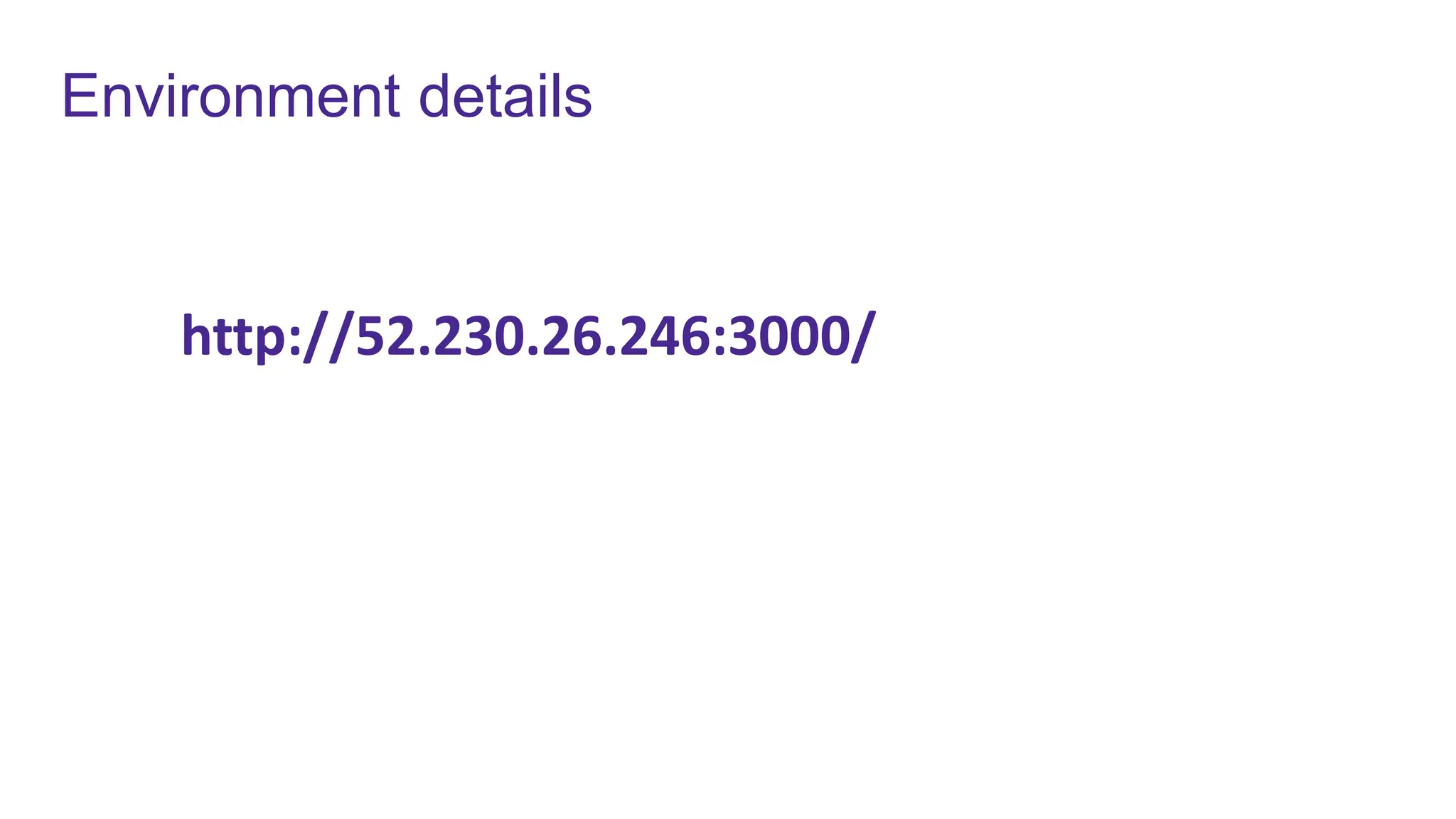
http://52.230.26.246:3000/
API Endpoints
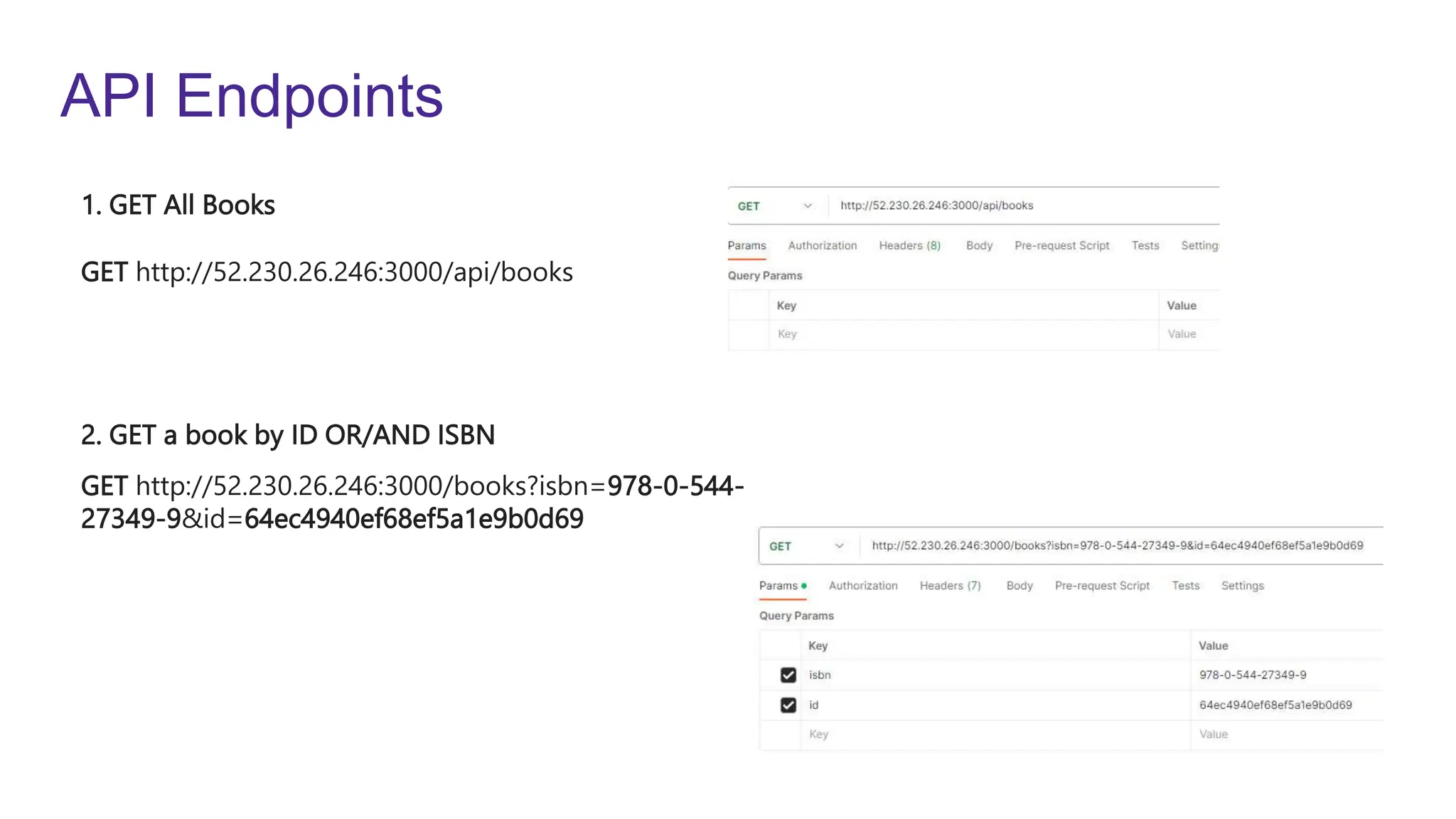
GET http://52.230.26.246:3000/api/books
GET http://52.230.26.246:3000/books?isbn=978-0-544-
27349-9&id=64ec4940ef68ef5a1e9b0d69
1. GET All Books
2. GET a book by ID OR/AND ISBN
API Endpoints
GET
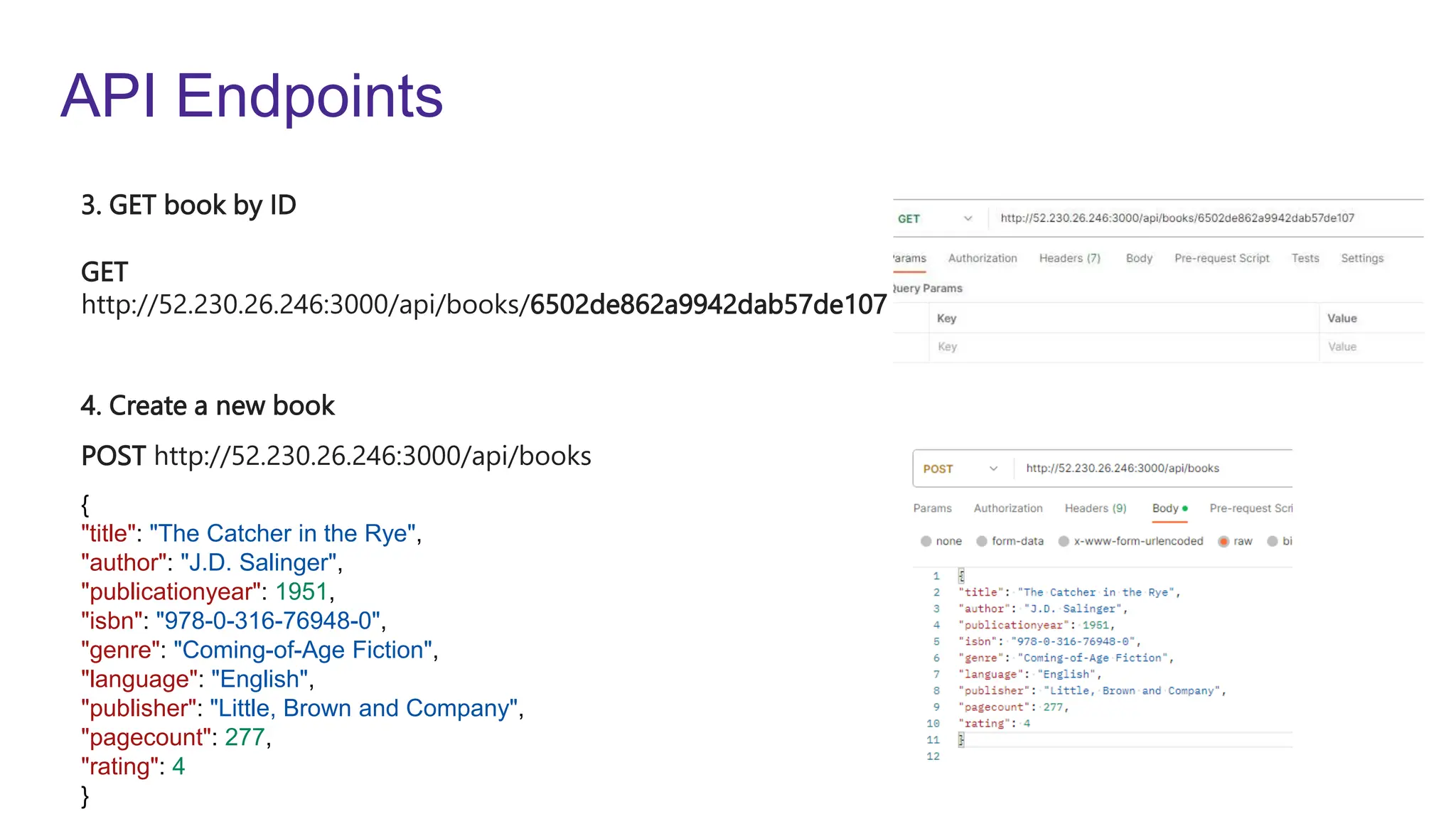
http://52.230.26.246:3000/api/books/6502de862a9942dab57de107
POST http://52.230.26.246:3000/api/books
3. GET book by ID
4. Create a new book
{
"title": "The Catcher in the Rye",
"author": "J.D. Salinger",
"publicationyear": 1951,
"isbn": "978-0-316-76948-0",
"genre": "Coming-of-Age Fiction",
"language": "English",
"publisher": "Little, Brown and Company",
"pagecount": 277,
"rating": 4
}
API Endpoints
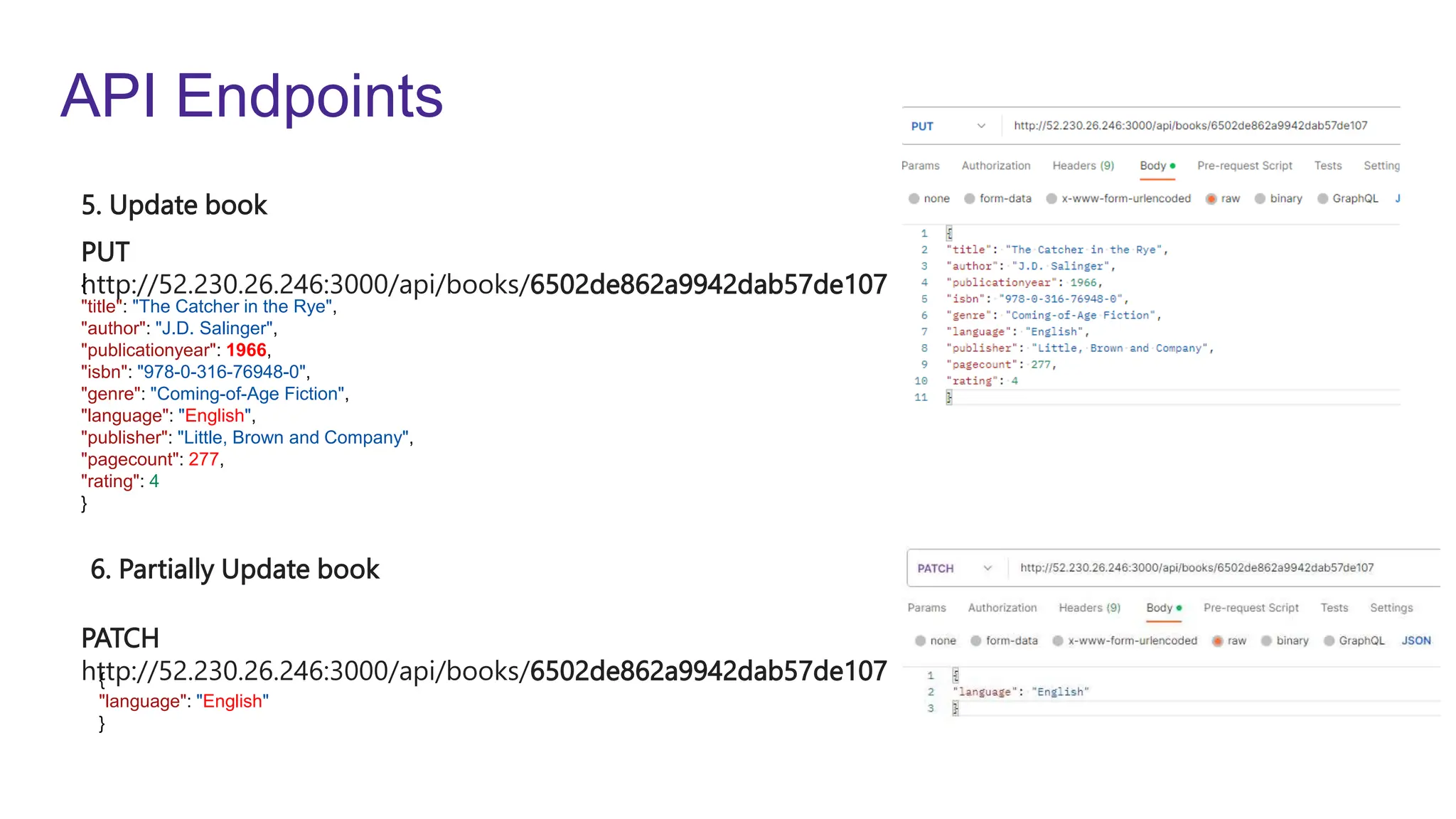
PUT
http://52.230.26.246:3000/api/books/6502de862a9942dab57de107
PATCH
http://52.230.26.246:3000/api/books/6502de862a9942dab57de107
5. Update book
6. Partially Update book
{
"title": "The Catcher in the Rye",
"author": "J.D. Salinger",
"publicationyear": 1966,
"isbn": "978-0-316-76948-0",
"genre": "Coming-of-Age Fiction",
"language": "English",
"publisher": "Little, Brown and Company",
"pagecount": 277,
"rating": 4
}
{
"language": "English"
}
API Endpoints
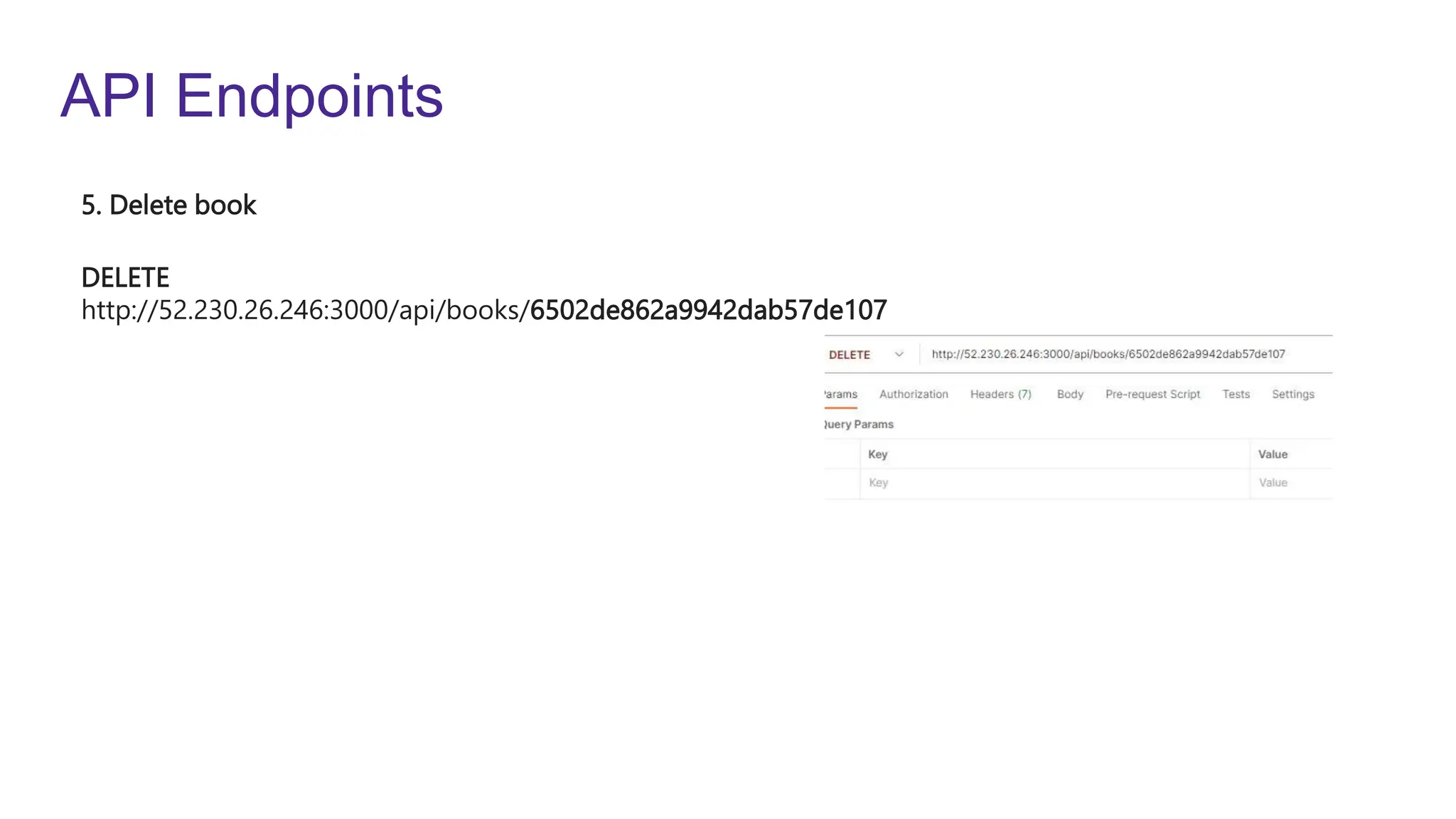
DELETE
http://52.230.26.246:3000/api/books/6502de862a9942dab57de107
5. Delete book
Variables
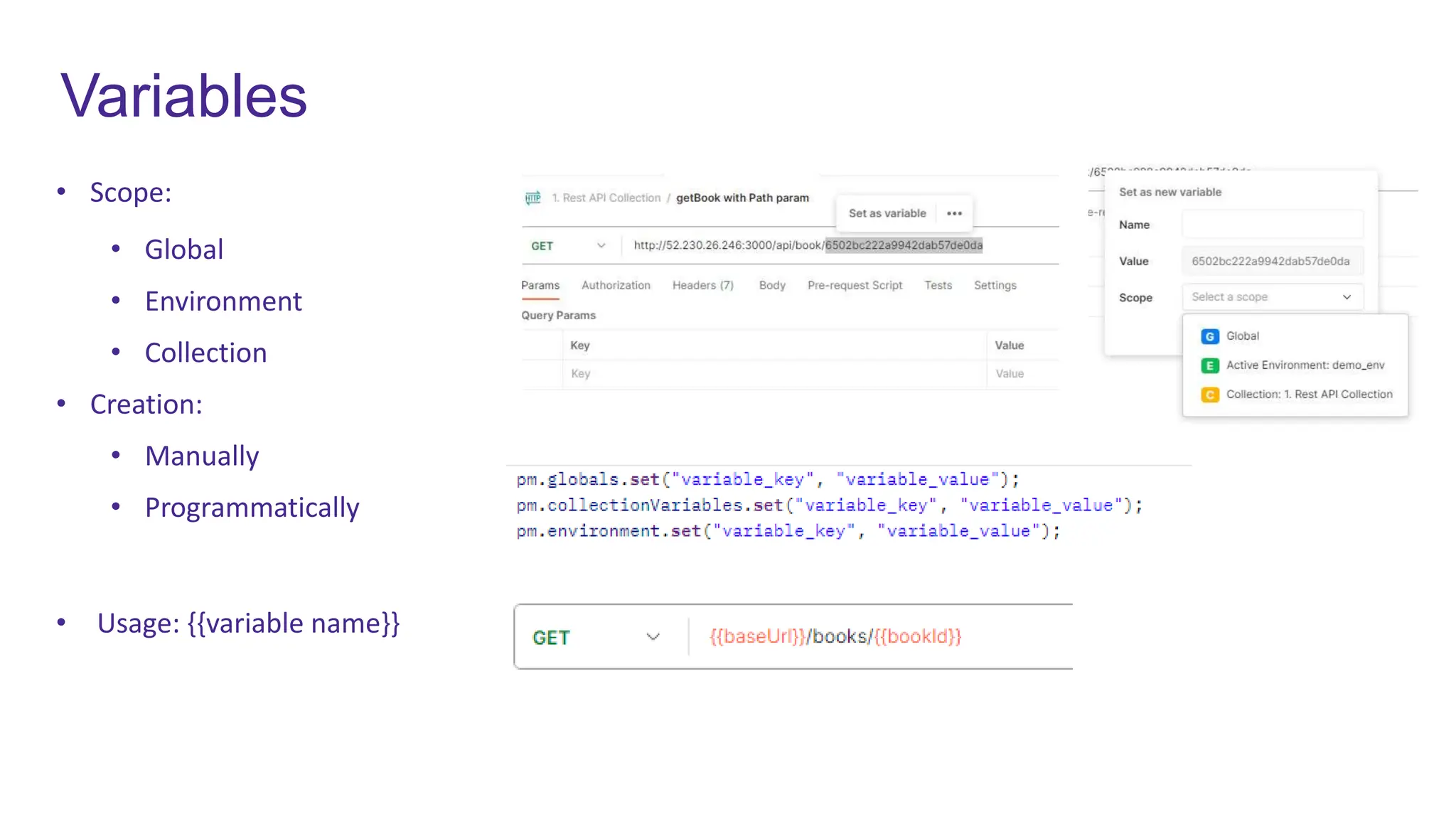
• Scope:
• Global
• Environment
• Collection
• Creation:
• Manually
• Programmatically
• Usage: {{variable name}}
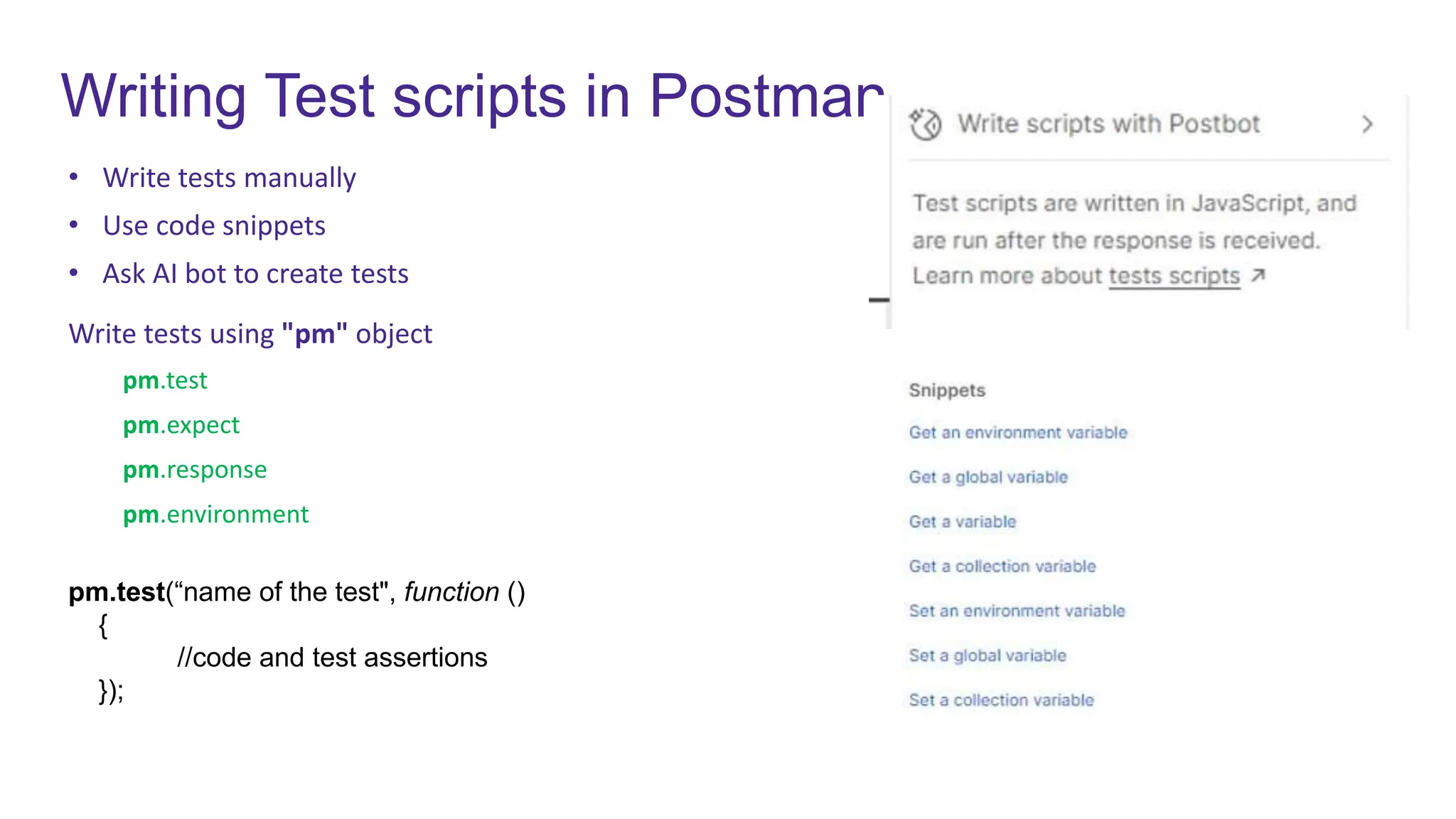
Writing Test scripts in Postman
• Write tests manually
• Use code snippets
• Ask AI bot to create tests
Write tests using "pm" object
pm.test
pm.expect
pm.response
pm.environment
pm.test(“name of the test", function ()
{
//code and test assertions
});
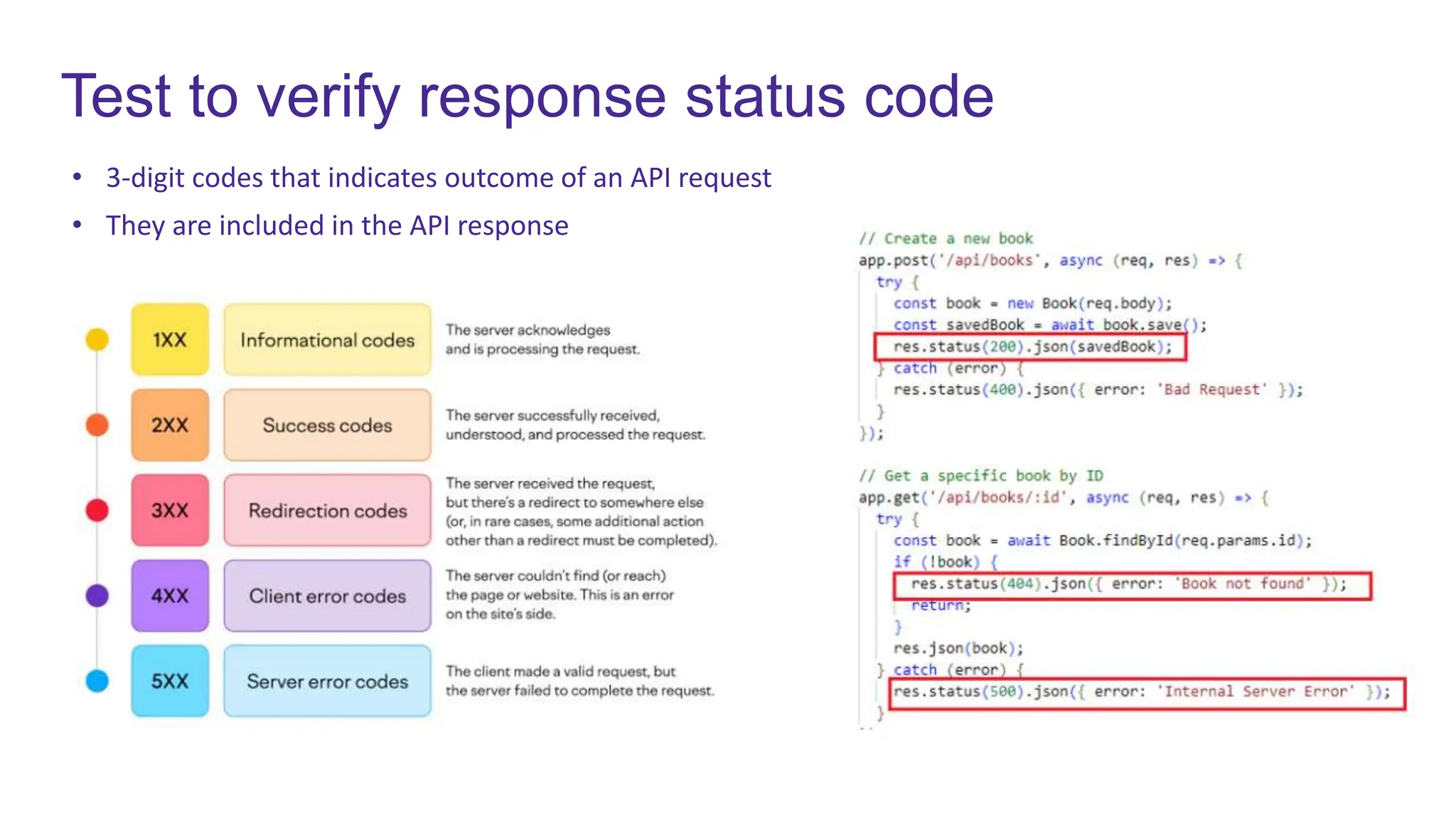
Test to verify response status code
• 3-digit codes that indicates outcome of an API request
• They are included in the API response
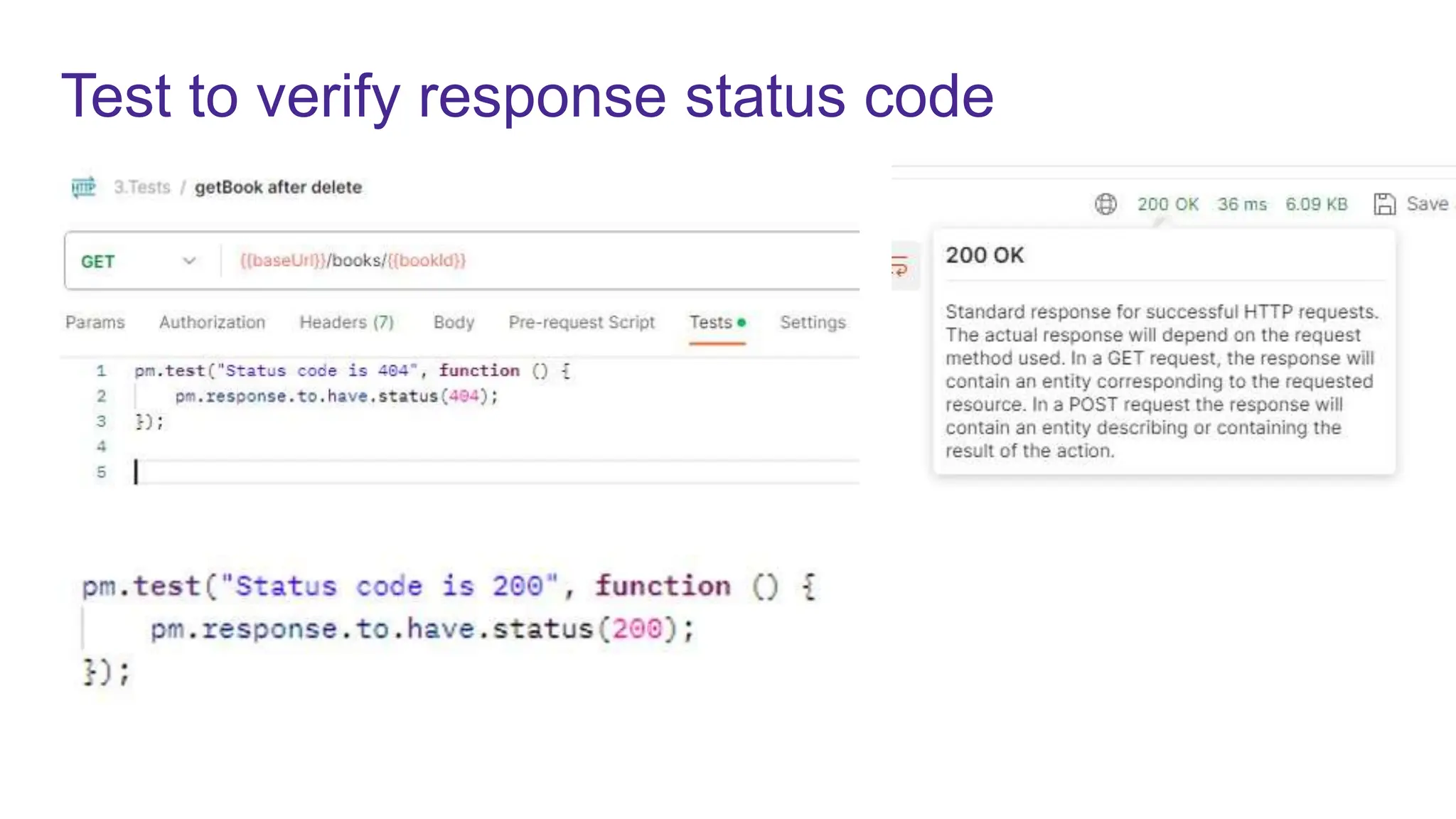
Test to verify response status code
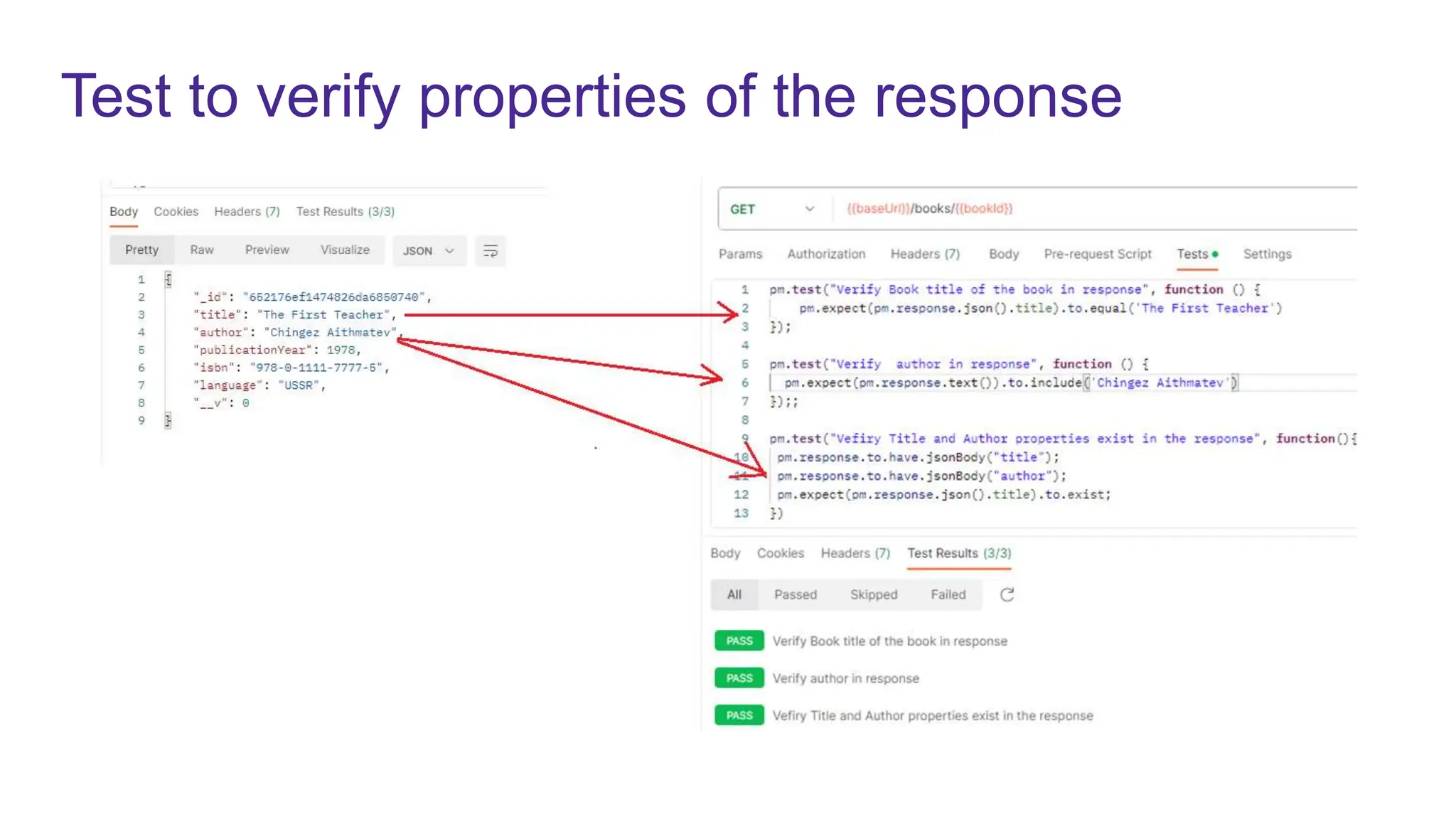
Test to verify properties of the response
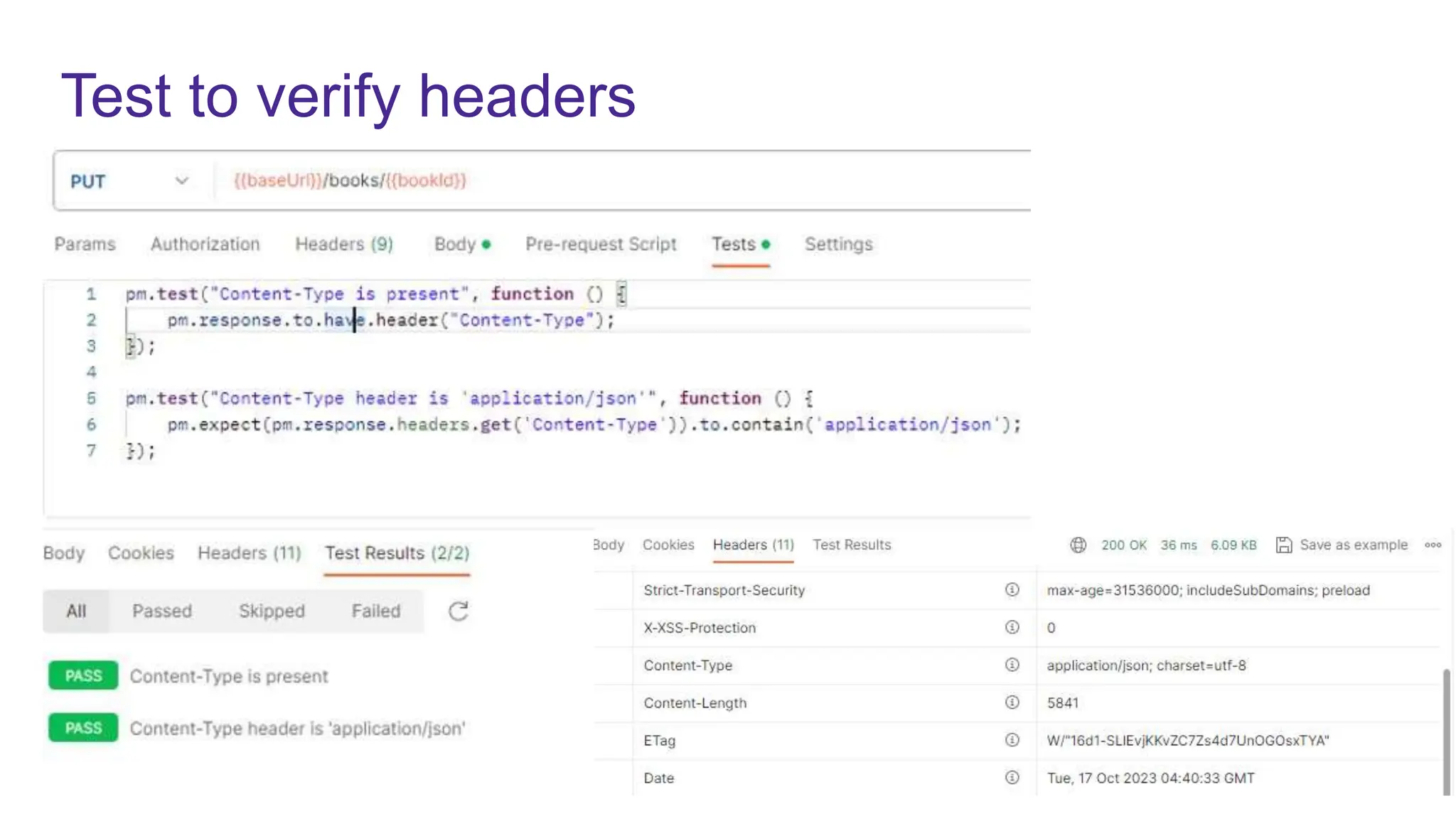
Test to verify headers
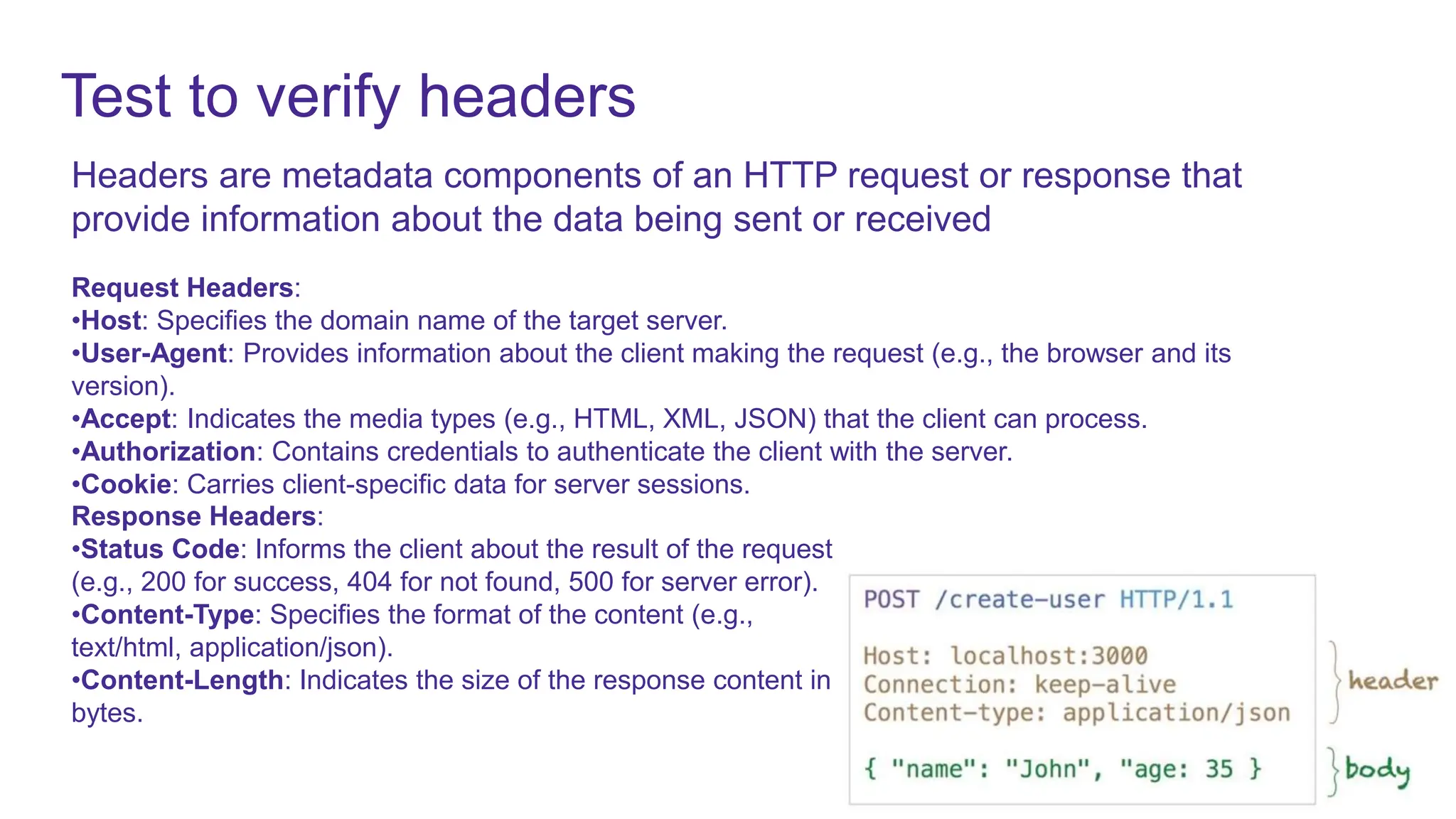
Headers are metadata components of an HTTP request or response that
provide information about the data being sent or received
Request Headers:
•Host: Specifies the domain name of the target server.
•User-Agent: Provides information about the client making the request (e.g., the browser and its
version).
•Accept: Indicates the media types (e.g., HTML, XML, JSON) that the client can process.
•Authorization: Contains credentials to authenticate the client with the server.
•Cookie: Carries client-specific data for server sessions.
Response Headers:
•Status Code: Informs the client about the result of the request
(e.g., 200 for success, 404 for not found, 500 for server error).
•Content-Type: Specifies the format of the content (e.g.,
text/html, application/json).
•Content-Length: Indicates the size of the response content in
bytes.
Test to verify headers
Test to verify Performance
Performance testing for APIs is essential to ensure that APIs can handle the expected load and perform
efficiently under various conditions
Response Time Measurement:
Measure the response times for API requests under different load conditions and compare them to
performance objectives.
Load Testing:
Conduct load testing to determine how the API behaves under expected load conditions. Gradually
increase the load until performance degrades or fails to meet your defined criteria.
Stress Testing:
Perform stress testing by increasing the load beyond the system's expected capacity. This helps

identify the system's breaking point and any potential bottlenecks or performance issues under
extreme conditions.
Scalability Testing:
Evaluate the API's scalability by adding more resources, such as servers, and measuring how it
responds to increased demand
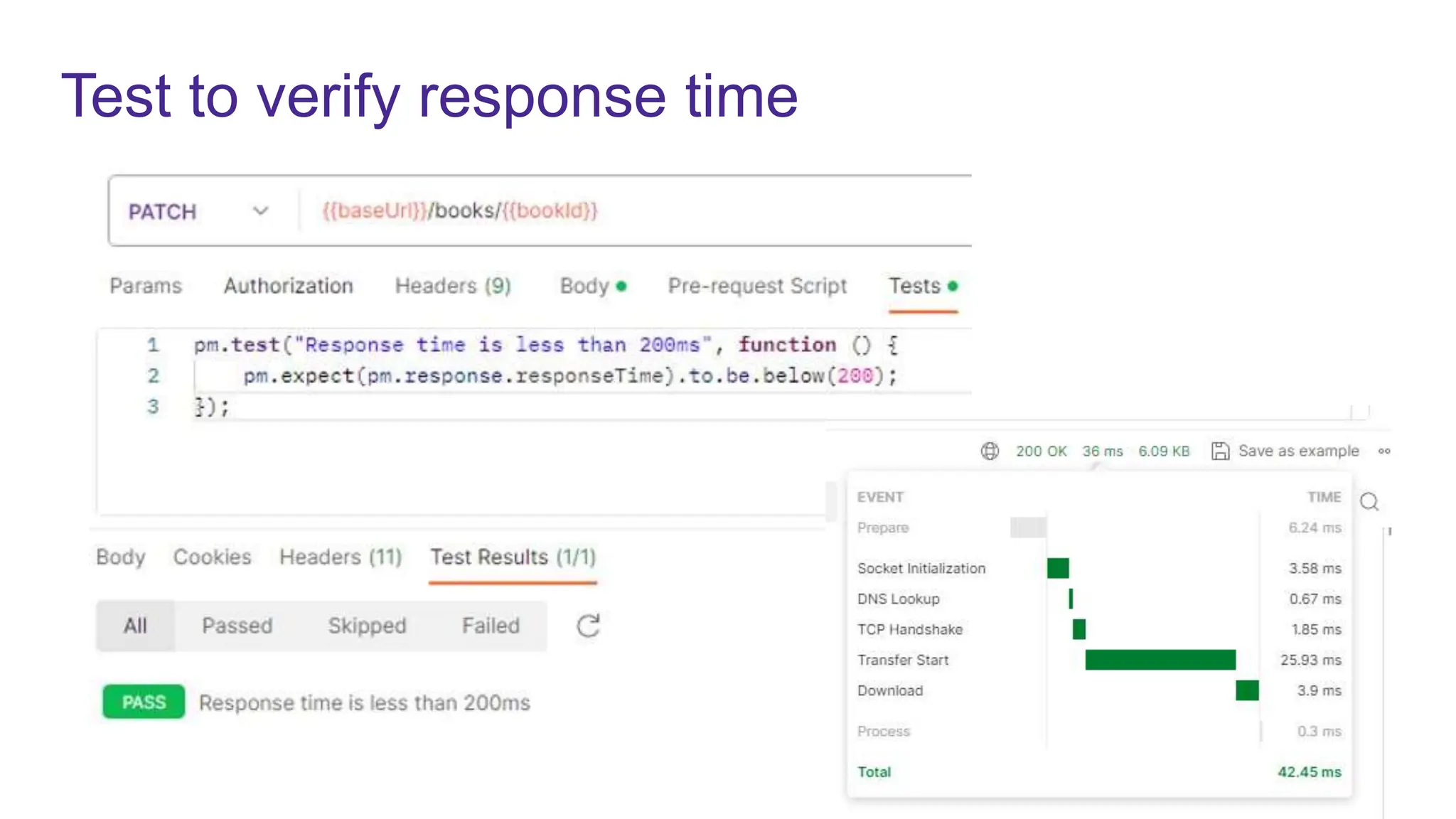
Test to verify response time
Test to verify API security
Authentication and Authorization Testing
Input Validation and Parameter Tampering Testing:
Rate Limiting and Resource Throttling
Security Scanning and Penetration Testing
Security Headers and CORS Policies
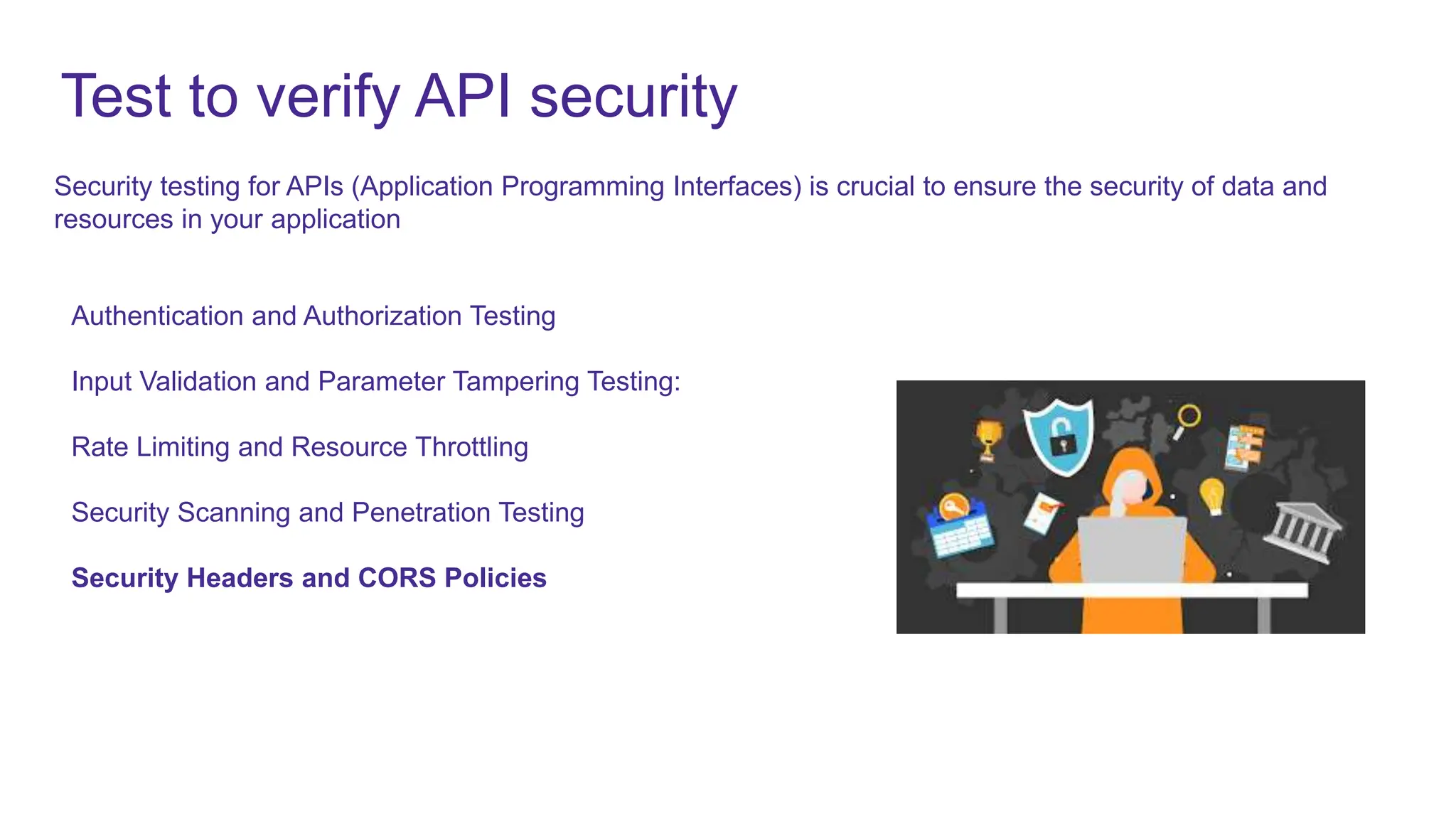
Security testing for APIs (Application Programming Interfaces) is crucial to ensure the security of data and
resources in your application
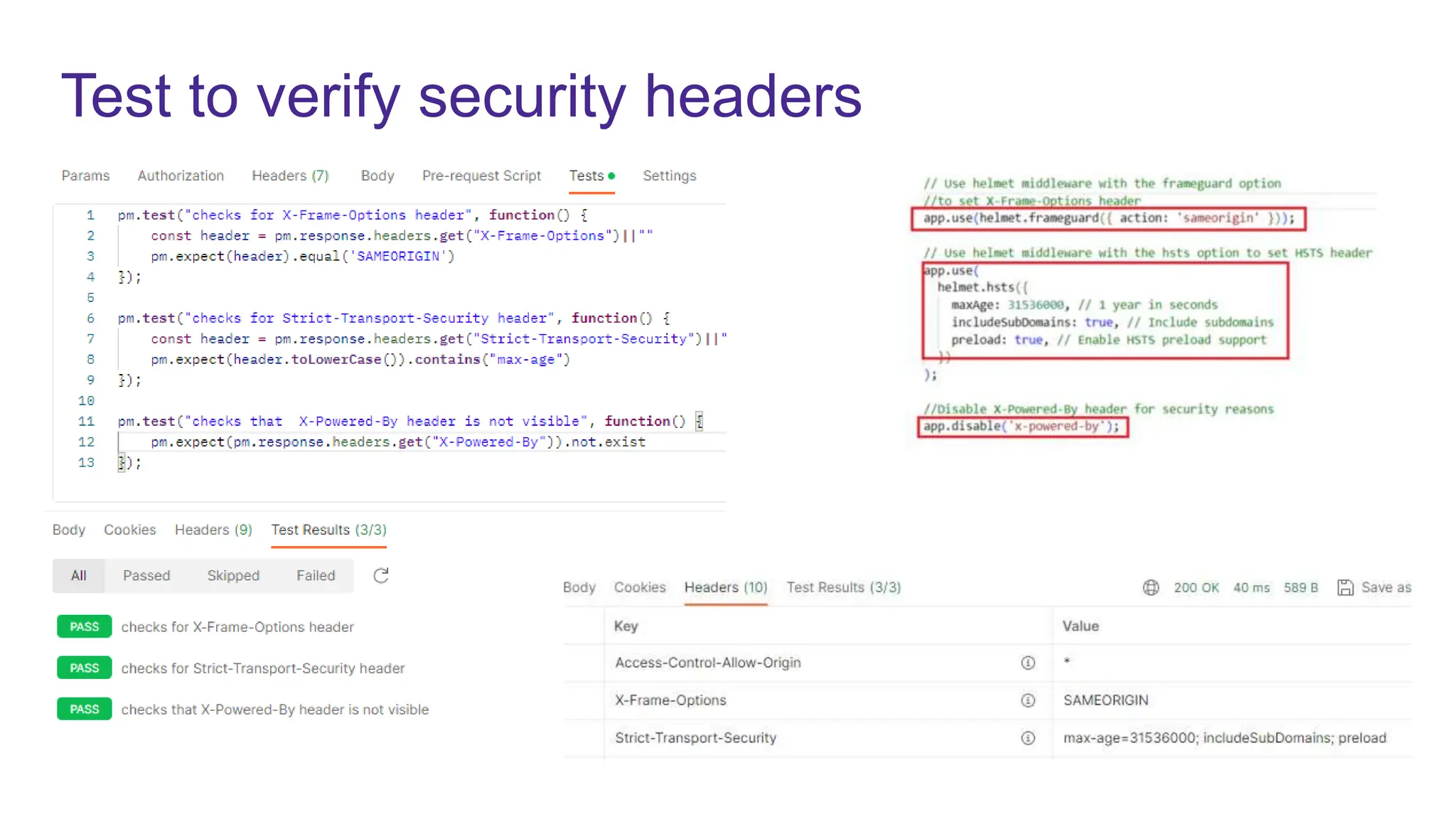
Test to verify security headers
HTTP security headers are a set of HTTP response headers that web servers can use to enhance the
security of web applications and protect against various web-related attacks.
X-Powered-By header describes the technologies used by the webserver. This information exposes the
server to attackers
Strict-Transport-Security (HSTS): HSTS ensures that a web application communicates over HTTPS only,
even if the user tries to access it via HTTP. This helps prevent man-in-the-middle attacks and SSL-stripping.
X-Frame-Options: This header helps prevent clickjacking attacks by specifying whether a web page can be
displayed in an iframe. It can be set to "DENY" to disallow framing, or "SAMEORIGIN" to allow framing only
from the same origin.
Test to verify security headers
Other features
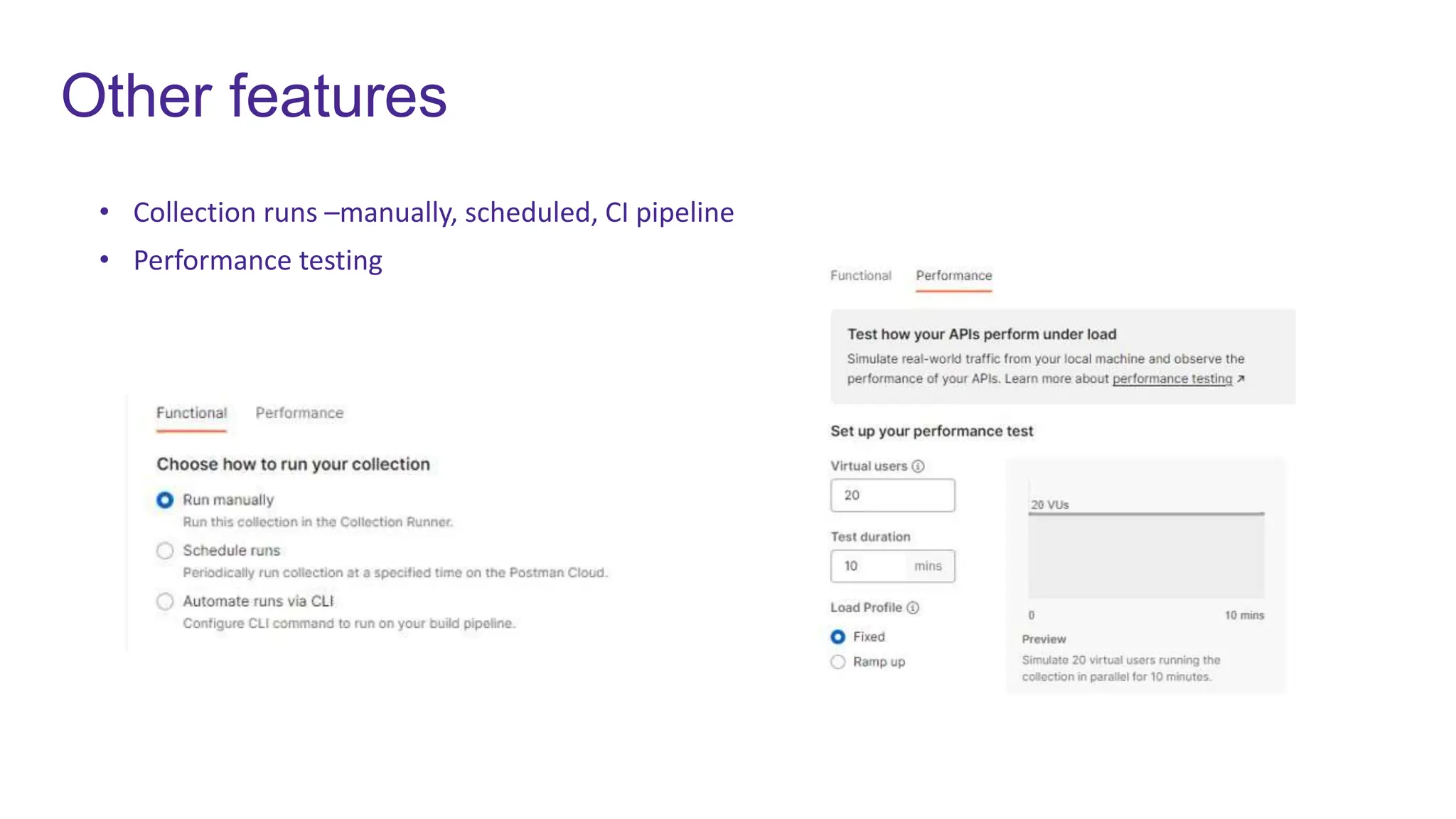
• Collection runs –manually, scheduled, CI pipeline​
• Performance testing
Q&A
99x.io
Thank You!

API testing - Japura.pptx

  • 1.
    99x.io Web API testing withPostman By : Tharinda Liyanage
  • 2.
    Agenda • Software Testingand Test pyramid • About APIs- classifications of APIs • RESTful Web APIs • Execute APIs using Postman • Testing APIs with Postman • Other features available with Postman • Q&A
  • 3.
    Software Testing • Theprimary goal of software testing is to ensure that the software functions correctly, meets its intended requirements, and delivers a satisfactory user experience. • Quality Assurance/ quality control activities • Functional and nonfunctional testing through manual and automated means • Unit tests, API integration testing, Automated end to end testing, Exploratory testing • API testing- GUI less . Tests are based on Request-Response and mainly focus on testing the business logic
  • 4.
  • 5.
    What is anAPI • Application Programming Interface: Is a set of rules, protocols, and tools that allows different software applications to communicate with each other • It works as a bridge that enables one piece of software to use the functionality of another piece of software, without needing to understand all the internal details of how that software works (based on Specification) • APIs specify the functions or methods that can be called by developers to perform specific actions or operations. • Different types of API • OS APIs (Windows, Android) • DB APIs • Cloud APIs • Social media APIs • Web APIs • are exposed over the internet (HTTP/HTTPS) for remote access by other applications or developers.
  • 6.
  • 8.
    RESTful Web API •REST API= “REpresentational State Transfer” Application Programming Interface • Resources: Are the fundamental units of data that the API exposes. In REST, everything is treated as a resource, and each resource is identified by a unique URL • https://example.com/api/books/ • https://example.com/api/authors/ • https://example.com/api/categories/fiction
  • 9.
    HTTP Methods • RESTAPIs use standard HTTP methods (GET, POST, PUT, PATCH, DELETE) to perform CRUD (Create, Read, Update, Delete) operations on resources.
  • 10.
    REST API &JSON • JSON= JavaScript Object Notation • REST uses JSON as the format for exchanging data between the client and server • JSON data is represented as a collection of key-value pairs. The keys are strings (enclosed in double quotes) { "title": "The Catcher in the Rye", "author": "J.D. Salinger", "publicationyear": 1951, "isbn": "978-0-316-76948-0", "genre": "Coming-of-Age Fiction", "language": "English", "publisher": "Little, Brown and Company", "pagecount": 277, "rating": 4.0 }
  • 12.
    What we testin API • Functionality Testing: • Test the functionality of different API endpoints or methods, including both positive and negative test cases. • Verify that the API performs the intended operations, such as creating, reading, updating, and deleting data. • Request and Response Validation: • Verify that API requests are processed correctly and return the expected responses. • Check the correctness of HTTP status codes (e.g., 200 OK, 404 Not Found, 500 Internal Server Error) in response to different requests. • Headers verification (Content-Type, Content-length)) • Data Accuracy: • Ensure that the data returned by the API is accurate and matches the expected values. This includes checking response payloads, data formats (e.g., JSON, XML), and data types (e.g., strings, numbers, dates). • Security Testing: • Conduct security testing to identify vulnerabilities such as SQL injection, cross-site scripting (XSS), and other security risks. • Ensure that sensitive data is protected, and access controls are properly implemented. • Performance and Load Testing: • Evaluate the API's performance by measuring response times, throughput, and scalability. • Conduct load testing to determine how the API performs under heavy loads and concurrent requests. The goal is to ensure that the API functions correctly and meets its intended requirements
  • 13.
    1.Functionality verification 2.Status codeverification 3.JSON schema verification 4.Response body verification 5.Header verification 6.Performance (response time, error rate) 7.Security (sec headers, auth etc.) We can perform test manually and using test scripts in Postman What we test in API
  • 14.
    Postman • https://www.postman.com/ • Currentversion 10 • Postman is an API platform for building and Testing APIs • Create an Postman account to access all the features and Postman cloud • VS code plugin and browser extensions also available • Free and paid license • Features available for scheduling, performance testing
  • 15.
    Demo use case •Part of “Book management” Restful web service has been developed (the backend), but there is no front-end UI is created yet, But still we need to verify that backend methods are working as expected. • Search/Read all books • Search/Read a book based on ID or ISBN • Create a book • Update book • Delete book
  • 16.
    Demo scenarios • Createa workspace • Create a collection • Add requests • Create Environment • Parameterization through variables stored in Environment and collection • Write and execute Tests scripts (expected vs actual)
  • 17.
  • 18.
    API Endpoints GET http://52.230.26.246:3000/api/books GEThttp://52.230.26.246:3000/books?isbn=978-0-544- 27349-9&id=64ec4940ef68ef5a1e9b0d69 1. GET All Books 2. GET a book by ID OR/AND ISBN
  • 19.
    API Endpoints GET http://52.230.26.246:3000/api/books/6502de862a9942dab57de107 POST http://52.230.26.246:3000/api/books 3.GET book by ID 4. Create a new book { "title": "The Catcher in the Rye", "author": "J.D. Salinger", "publicationyear": 1951, "isbn": "978-0-316-76948-0", "genre": "Coming-of-Age Fiction", "language": "English", "publisher": "Little, Brown and Company", "pagecount": 277, "rating": 4 }
  • 20.
    API Endpoints PUT http://52.230.26.246:3000/api/books/6502de862a9942dab57de107 PATCH http://52.230.26.246:3000/api/books/6502de862a9942dab57de107 5. Updatebook 6. Partially Update book { "title": "The Catcher in the Rye", "author": "J.D. Salinger", "publicationyear": 1966, "isbn": "978-0-316-76948-0", "genre": "Coming-of-Age Fiction", "language": "English", "publisher": "Little, Brown and Company", "pagecount": 277, "rating": 4 } { "language": "English" }
  • 21.
  • 22.
    Variables • Scope: • Global •Environment • Collection • Creation: • Manually • Programmatically • Usage: {{variable name}}
  • 23.
    Writing Test scriptsin Postman • Write tests manually • Use code snippets • Ask AI bot to create tests Write tests using "pm" object pm.test pm.expect pm.response pm.environment pm.test(“name of the test", function () { //code and test assertions });
  • 24.
    Test to verifyresponse status code • 3-digit codes that indicates outcome of an API request • They are included in the API response
  • 25.
    Test to verifyresponse status code
  • 26.
    Test to verifyproperties of the response
  • 27.
    Test to verifyheaders Headers are metadata components of an HTTP request or response that provide information about the data being sent or received Request Headers: •Host: Specifies the domain name of the target server. •User-Agent: Provides information about the client making the request (e.g., the browser and its version). •Accept: Indicates the media types (e.g., HTML, XML, JSON) that the client can process. •Authorization: Contains credentials to authenticate the client with the server. •Cookie: Carries client-specific data for server sessions. Response Headers: •Status Code: Informs the client about the result of the request (e.g., 200 for success, 404 for not found, 500 for server error). •Content-Type: Specifies the format of the content (e.g., text/html, application/json). •Content-Length: Indicates the size of the response content in bytes.
  • 28.
  • 29.
    Test to verifyPerformance Performance testing for APIs is essential to ensure that APIs can handle the expected load and perform efficiently under various conditions Response Time Measurement: Measure the response times for API requests under different load conditions and compare them to performance objectives. Load Testing: Conduct load testing to determine how the API behaves under expected load conditions. Gradually increase the load until performance degrades or fails to meet your defined criteria. Stress Testing: Perform stress testing by increasing the load beyond the system's expected capacity. This helps identify the system's breaking point and any potential bottlenecks or performance issues under extreme conditions. Scalability Testing: Evaluate the API's scalability by adding more resources, such as servers, and measuring how it responds to increased demand
  • 30.
    Test to verifyresponse time
  • 31.
    Test to verifyAPI security Authentication and Authorization Testing Input Validation and Parameter Tampering Testing: Rate Limiting and Resource Throttling Security Scanning and Penetration Testing Security Headers and CORS Policies Security testing for APIs (Application Programming Interfaces) is crucial to ensure the security of data and resources in your application
  • 32.
    Test to verifysecurity headers HTTP security headers are a set of HTTP response headers that web servers can use to enhance the security of web applications and protect against various web-related attacks. X-Powered-By header describes the technologies used by the webserver. This information exposes the server to attackers Strict-Transport-Security (HSTS): HSTS ensures that a web application communicates over HTTPS only, even if the user tries to access it via HTTP. This helps prevent man-in-the-middle attacks and SSL-stripping. X-Frame-Options: This header helps prevent clickjacking attacks by specifying whether a web page can be displayed in an iframe. It can be set to "DENY" to disallow framing, or "SAMEORIGIN" to allow framing only from the same origin.
  • 33.
    Test to verifysecurity headers
  • 34.
    Other features • Collectionruns –manually, scheduled, CI pipeline​ • Performance testing
  • 35.
  • 36.