アプリで簡単にスタンプを
販売するためのAPI開発
⾃⼰紹介
Adam
Millerchip
LINE Fukuoka 株式会社
Creators Market Engineer
ミラーチップ・アダム
LINE Creators Market
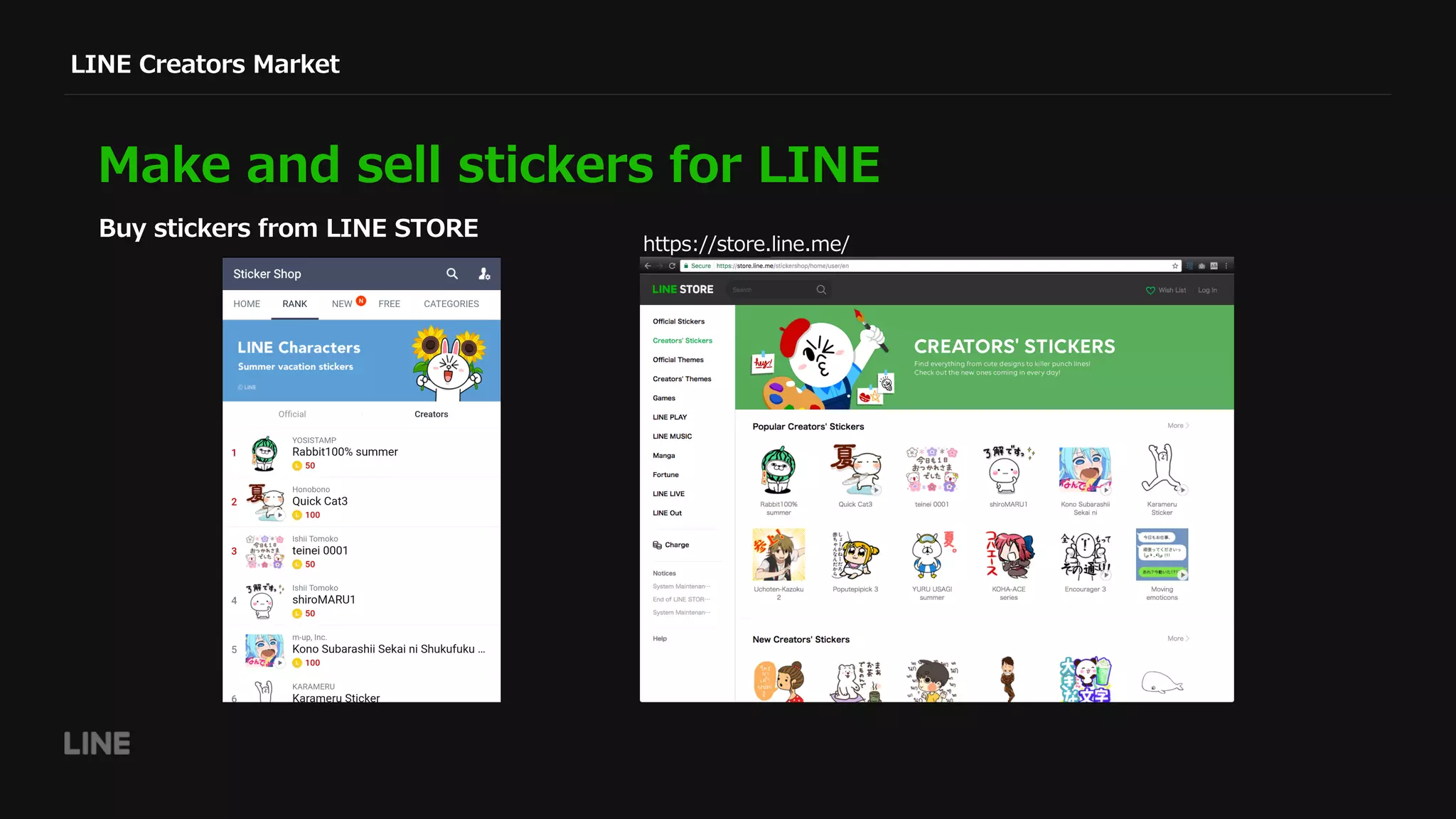
Make and sell stickers for LINE
Buy stickers from LINE STORE
https://store.line.me/
LINE Creators Market
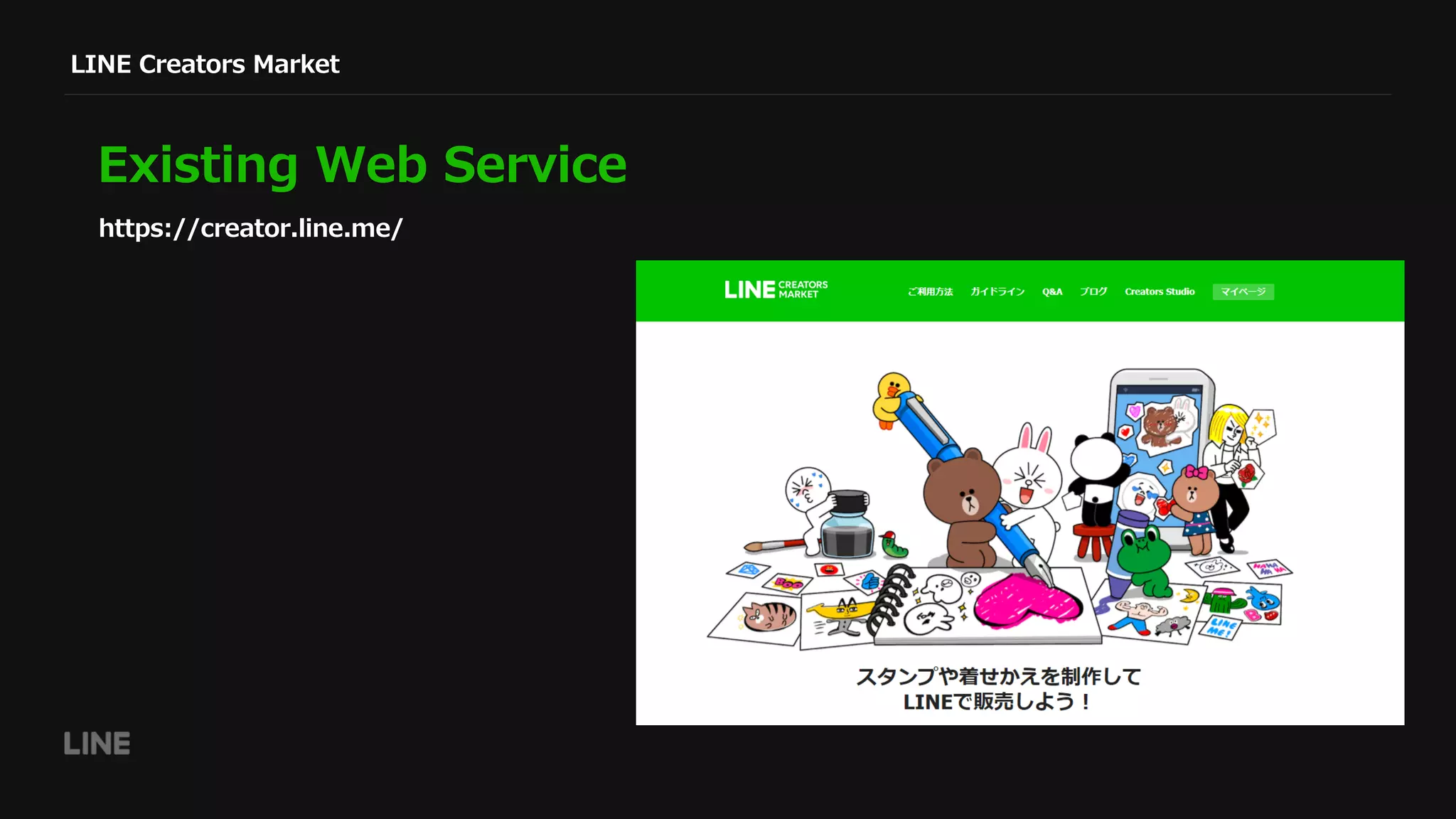
Existing Web Service
https://creator.line.me/
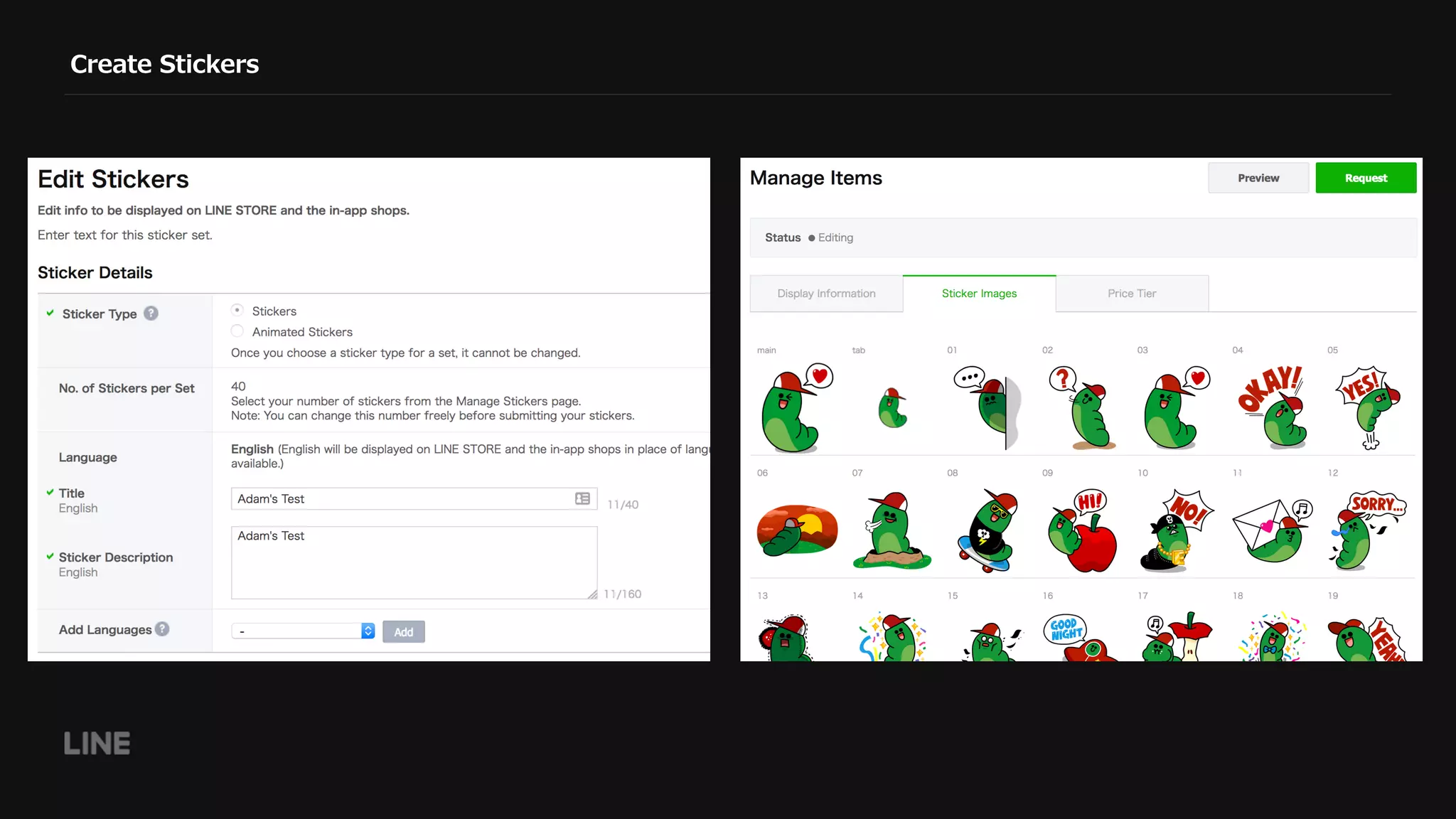
Create Stickers
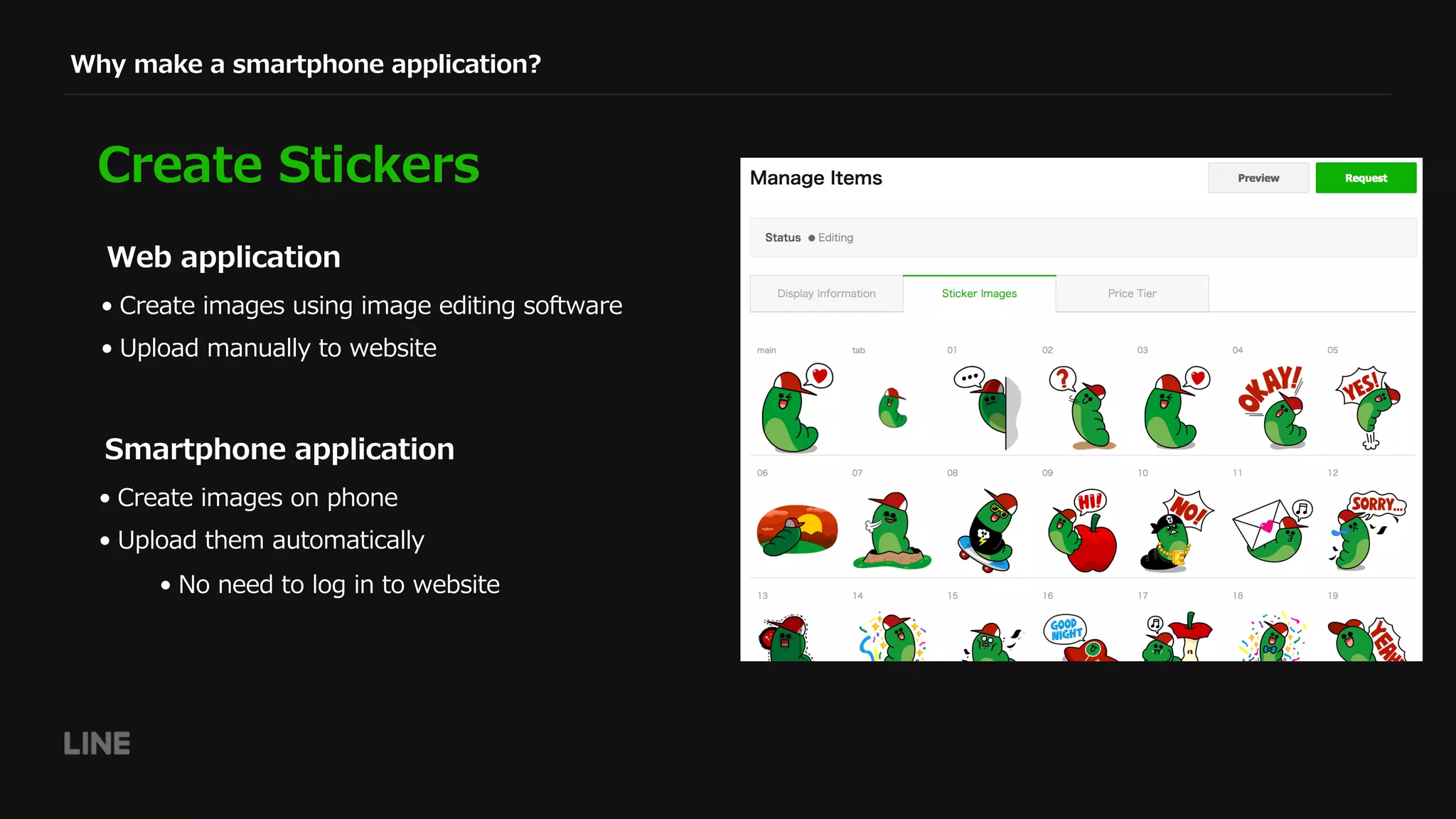
Why make a smartphone application?
Create Stickers
• Create images on phone
• Upload them automatically
• No need to log in to website
Smartphone application
• Create images using image editing software
• Upload manually to website
Web application
LINE Creators Studio
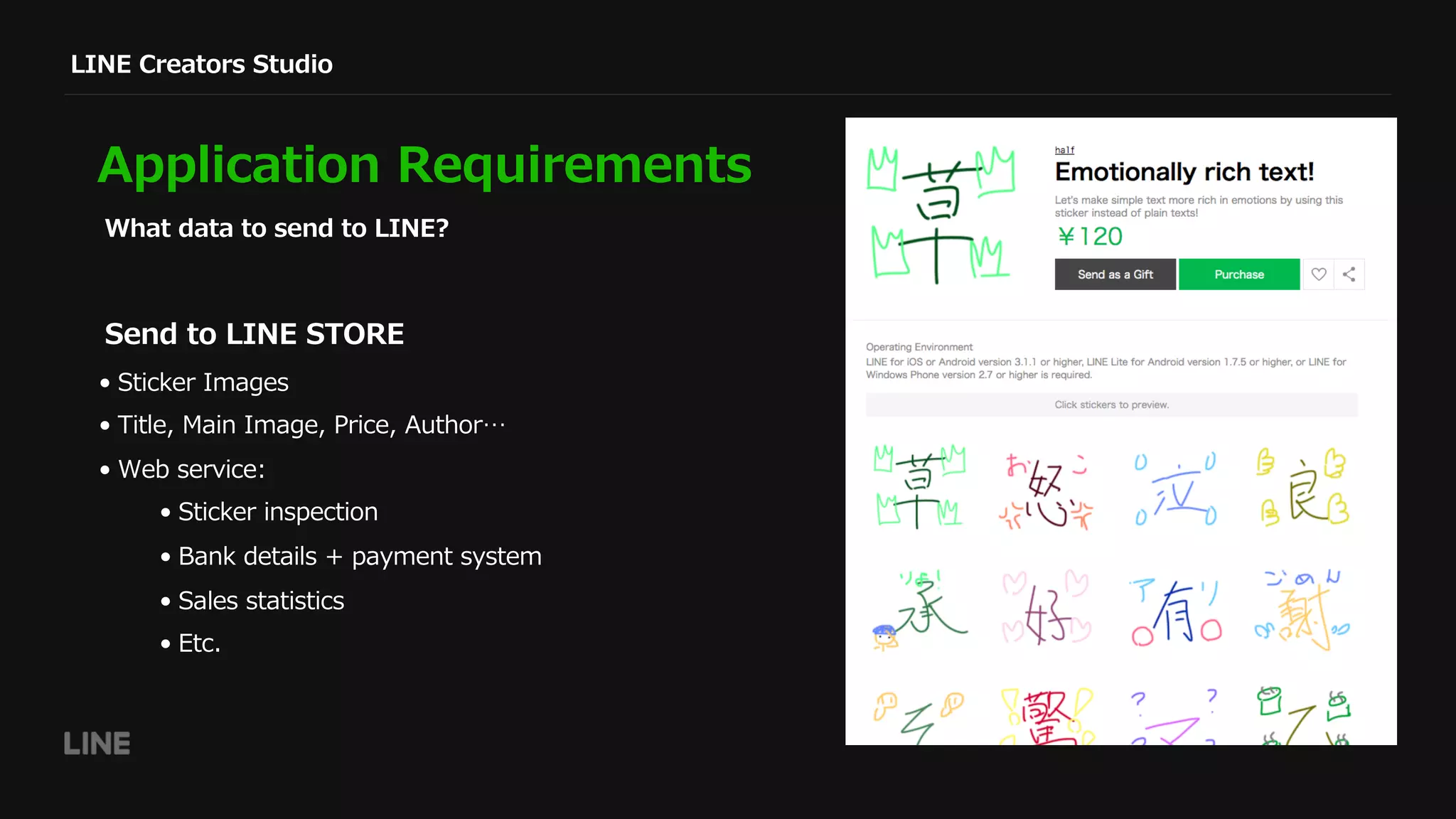
Application Requirements
What data to send to LINE?
• Sticker Images
• Title, Main Image, Price, Author…
• Web service:
• Sticker inspection
• Bank details + payment system
• Sales statistics
• Etc.
Send to LINE STORE
Technology
Design decisions:
• Refuse existing system
• Create a new API for the mobile app to use
• RESTful JSON API
• Authentication
• Documentation: JSON Schema
Technologies introduced for this API:
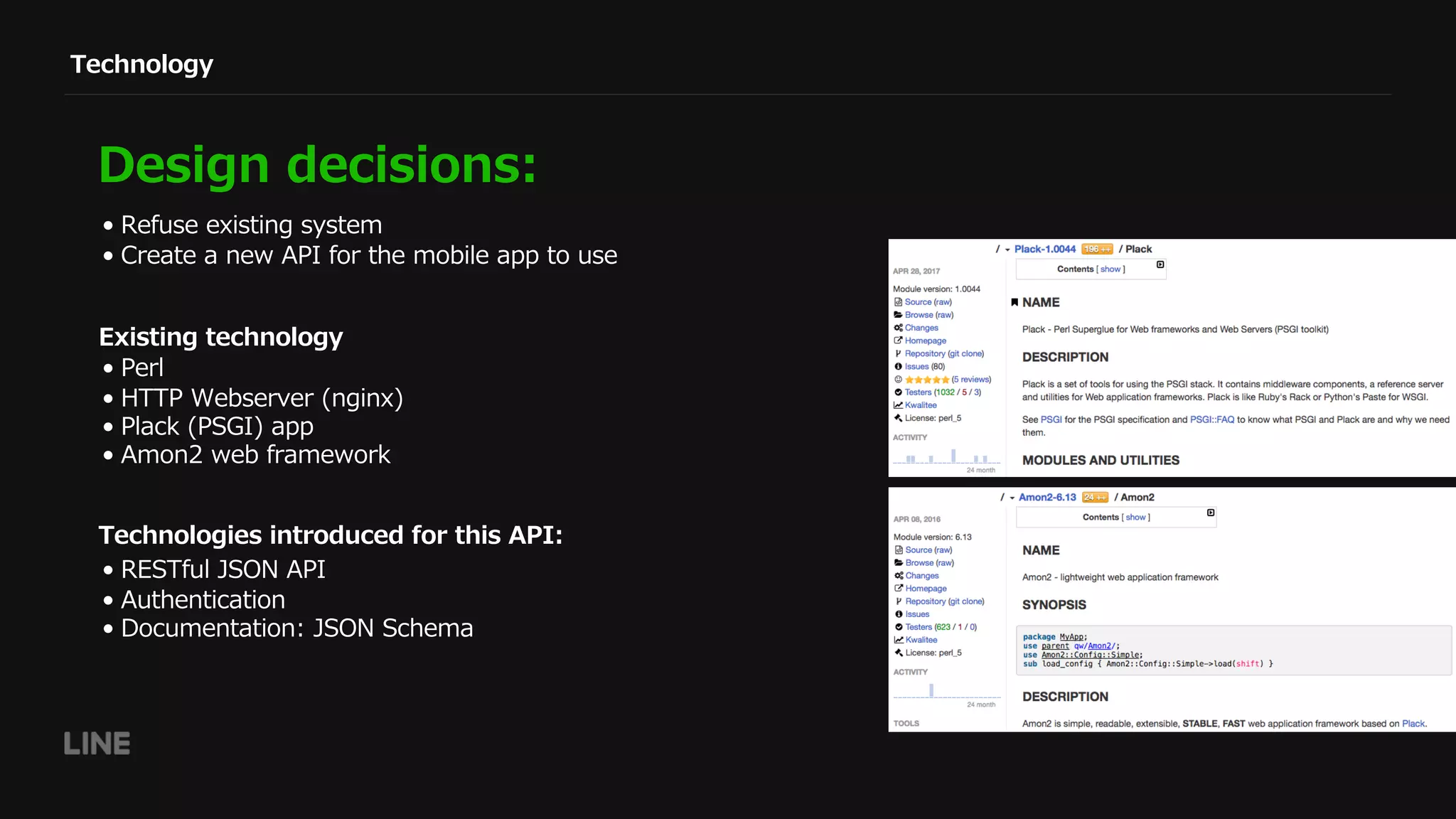
• Perl
• HTTP Webserver (nginx)
• Plack (PSGI) app
• Amon2 web framework
Existing technology
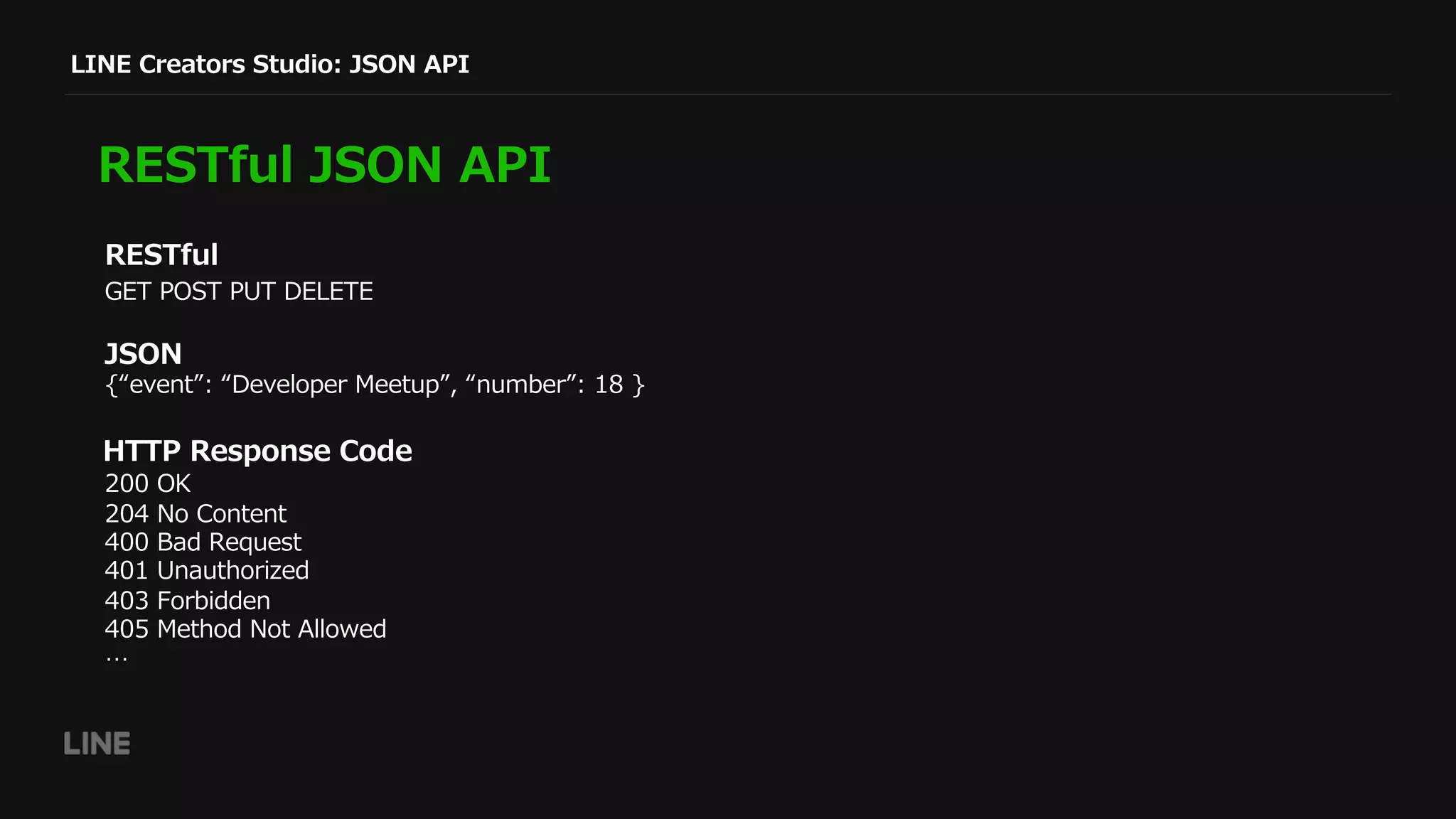
GET POST PUT DELETE
LINE Creators Studio: JSON API
RESTful JSON API
RESTful
JSON
HTTP Response Code
200 OK
204 No Content
400 Bad Request
401 Unauthorized
403 Forbidden
405 Method Not Allowed
…
{“event”: “Developer Meetup”, “number”: 18 }
LINE Creators Studio: JSON API
RESTful JSON API
get '/api/v1/languages' => ‘Languages#list';
get '/api/v1/sellable_areas' => 'SellableAreas#list';
get '/api/v1/my/price_tiers'
=> ‘My::PriceTiers#list’;
post '/api/v1/token'
=> 'Token#create';
post '/api/v1/token/refresh'
=> 'Token#refresh';
delete_ '/api/v1/token'
=> 'Token#remove';
sub list {
my ($class, $c) = @_;
my @languages = LCM::Language->sticker_languages;
return $c->render_json([
map {
name => $_->name,
code => $_->code,
}, @languages
]);
}
Language Controller
Amon2::Web::Dispatcher::RouterBoom
LINE Creators Studio: JSON API
RESTful JSON API
get '/api/v1/my/author_names' => 'My::AuthorNames#list';
post '/api/v1/my/author_names' => 'My::AuthorNames#create';
put '/api/v1/my/author_names' => 'My::AuthorNames#update';
curl -i -X GET https://example.com/api/v1/my/author_names
-H "Authorization: Bearer $ACCESS_TOKEN"
HTTP/1.1 200 OK
Server: nginx
Date: Fri, 14 Jul 2017 08:49:24 GMT
Content-Type: application/json; charset=utf-8
Content-Length: 57
Connection: keep-alive
Keep-Alive: timeout=3
X-Content-Type-Options: nosniff
08:49:24 GMT; path=/
[{"name":"Adam Creator","can_edit":true,"language":"en"}]
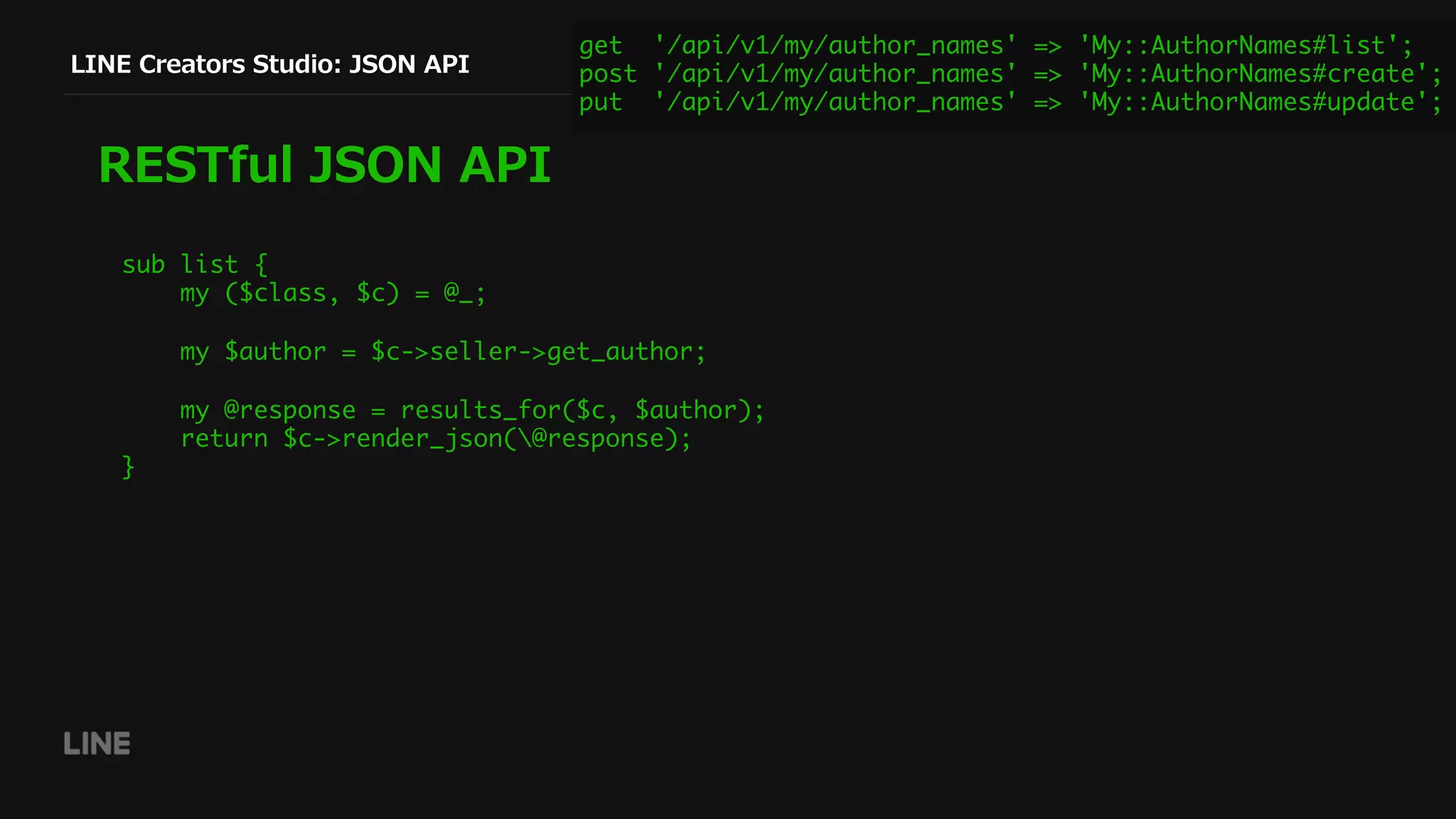
LINE Creators Studio: JSON API
RESTful JSON API
get '/api/v1/my/author_names' => 'My::AuthorNames#list';
post '/api/v1/my/author_names' => 'My::AuthorNames#create';
put '/api/v1/my/author_names' => 'My::AuthorNames#update';
sub list {
my ($class, $c) = @_;
my $author = $c->seller->get_author;
my @response = results_for($c, $author);
return $c->render_json(@response);
}
LINE Creators Studio: JSON API
RESTful JSON API
$ curl -i -X PUT
https://example.com/api/v1/my/author_names 
-d '[
{
"language": "en",
"name": "Adam Creator"
},
{
"language": "ja",
"name": "アダムクリエーター"
}
]' 
-H "Content-Type: application/json" 
-H "Authorization: Bearer $ACCESS_TOKEN"
HTTP/1.1 200 OK
Server: nginx
Date: Fri, 14 Jul 2017 08:57:46 GMT
Content-Type: application/json; charset=utf-
8
Content-Length: 128
Connection: keep-alive
Keep-Alive: timeout=3
X-Content-Type-Options: nosniff
[
{"name":"Adam Creator”, “can_edit":true,
"language":"en"},
{“language":"ja", “name":"アダムクリエータ
ー", "can_edit":true}
]
get '/api/v1/my/author_names' => 'My::AuthorNames#list';
post '/api/v1/my/author_names' => 'My::AuthorNames#create';
put '/api/v1/my/author_names' => 'My::AuthorNames#update';
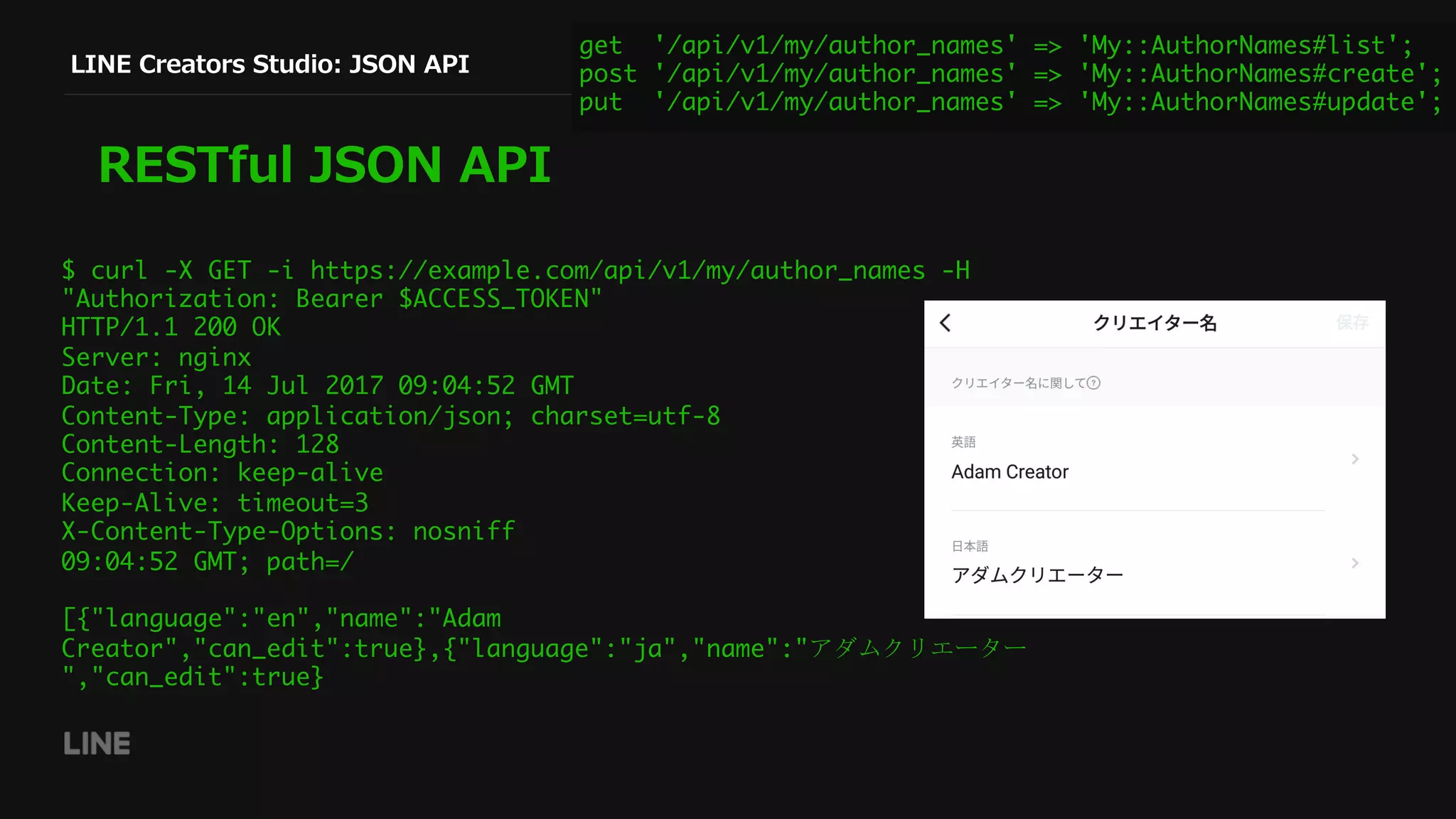
LINE Creators Studio: JSON API
RESTful JSON API
$ curl -X GET -i https://example.com/api/v1/my/author_names -H
"Authorization: Bearer $ACCESS_TOKEN"
HTTP/1.1 200 OK
Server: nginx
Date: Fri, 14 Jul 2017 09:04:52 GMT
Content-Type: application/json; charset=utf-8
Content-Length: 128
Connection: keep-alive
Keep-Alive: timeout=3
X-Content-Type-Options: nosniff
09:04:52 GMT; path=/
[{"language":"en","name":"Adam
Creator","can_edit":true},{"language":"ja","name":"アダムクリエーター
","can_edit":true}
get '/api/v1/my/author_names' => 'My::AuthorNames#list';
post '/api/v1/my/author_names' => 'My::AuthorNames#create';
put '/api/v1/my/author_names' => 'My::AuthorNames#update';
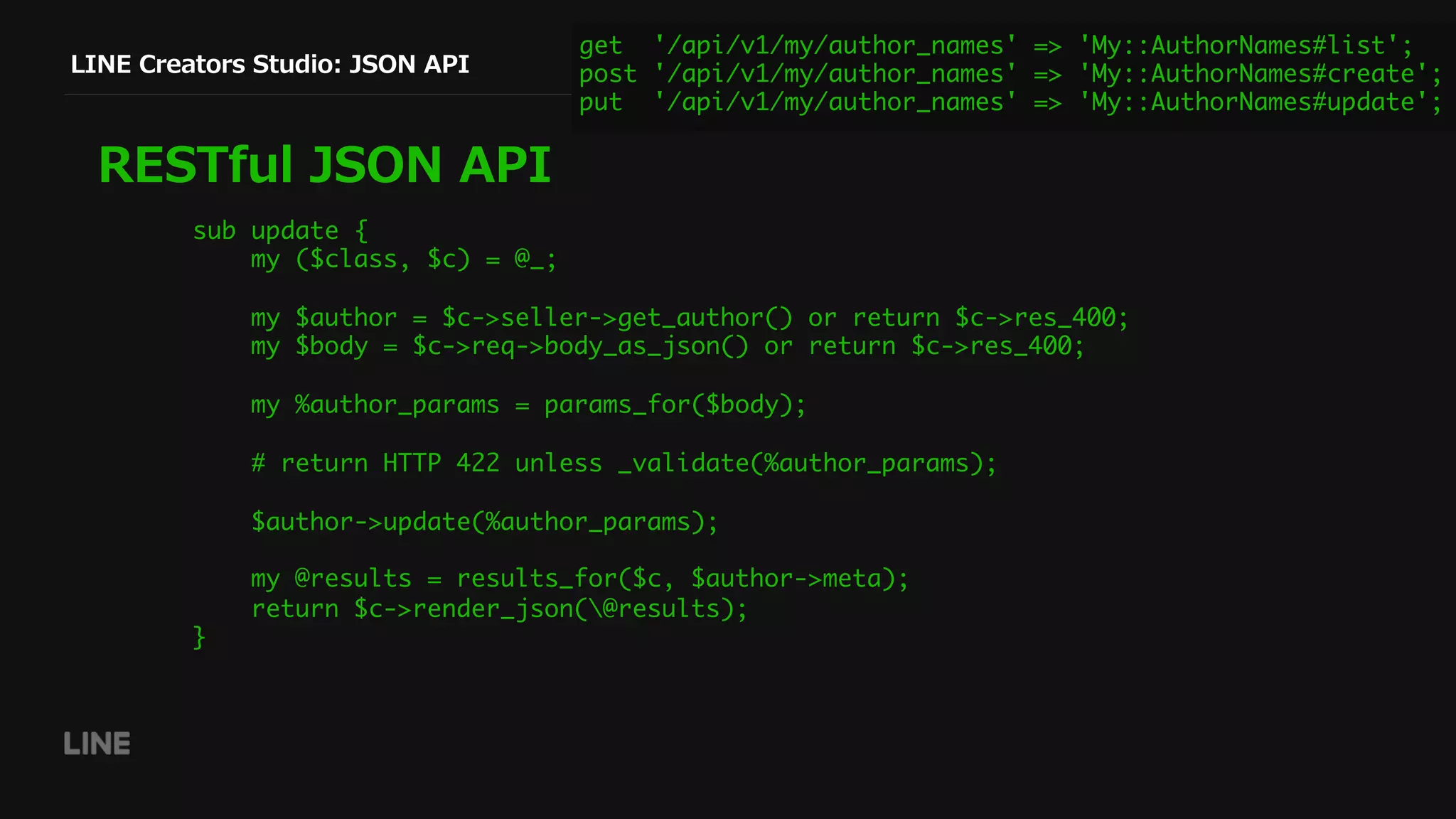
LINE Creators Studio: JSON API
RESTful JSON API
get '/api/v1/my/author_names' => 'My::AuthorNames#list';
post '/api/v1/my/author_names' => 'My::AuthorNames#create';
put '/api/v1/my/author_names' => 'My::AuthorNames#update';
sub update {
my ($class, $c) = @_;
my $author = $c->seller->get_author() or return $c->res_400;
my $body = $c->req->body_as_json() or return $c->res_400;
my %author_params = params_for($body);
# return HTTP 422 unless _validate(%author_params);
$author->update(%author_params);
my @results = results_for($c, $author->meta);
return $c->render_json(@results);
}
LINE Creators Studio: JSON API
RESTful JSON API
curl -i -X POST
https://example.com/api/v1/my/author_names -d
‘[
// { … JSON data … }
]’ 
-H "Content-Type: application/json” 
-H "Authorization: Bearer $ACCESS_TOKEN"
HTTP/1.1 400 Bad Request
Date: Fri, 14 Jul 2017 09:29:12 GMT
Content-Type: application/json; charset=utf-8
Content-Length: 52
{"message":"'author_name' resource already exists."}
sub create {
my ($class, $c) = @_;
if ($c->seller->get_author) {
return $c->res_400(sprintf q{'%s' resource already exists.}, RESOURCE_NAME);
}
Creator Name (AuthorNames) Controller
get '/api/v1/my/author_names' => 'My::AuthorNames#list';
post '/api/v1/my/author_names' => 'My::AuthorNames#create';
put '/api/v1/my/author_names' => 'My::AuthorNames#update';
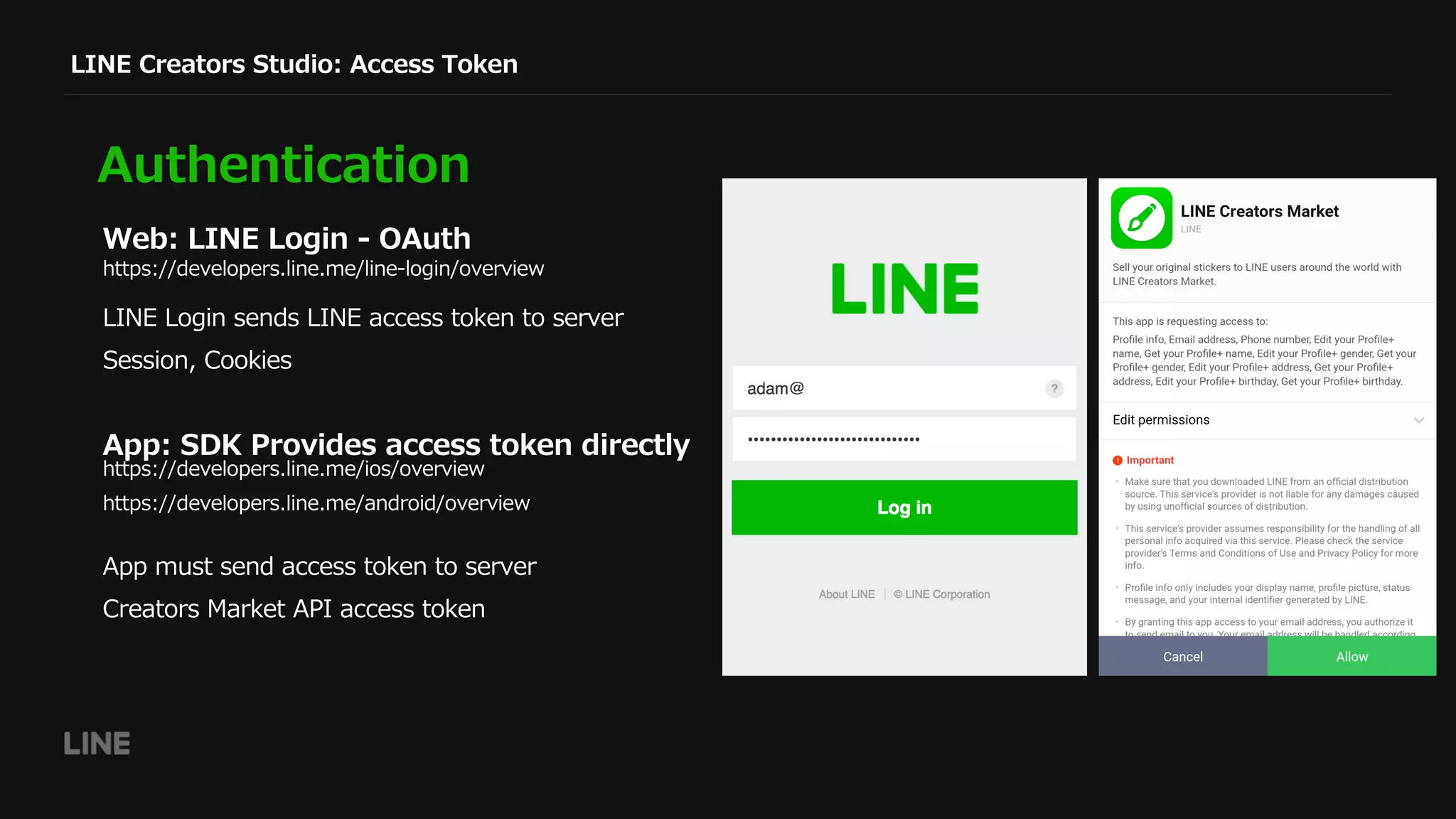
LINE Creators Studio: Access Token
Authentication
Web: LINE Login - OAuth
https://developers.line.me/line-login/overview
https://developers.line.me/ios/overview
https://developers.line.me/android/overview
LINE Login sends LINE access token to server
Session, Cookies
App: SDK Provides access token directly
App must send access token to server
Creators Market API access token
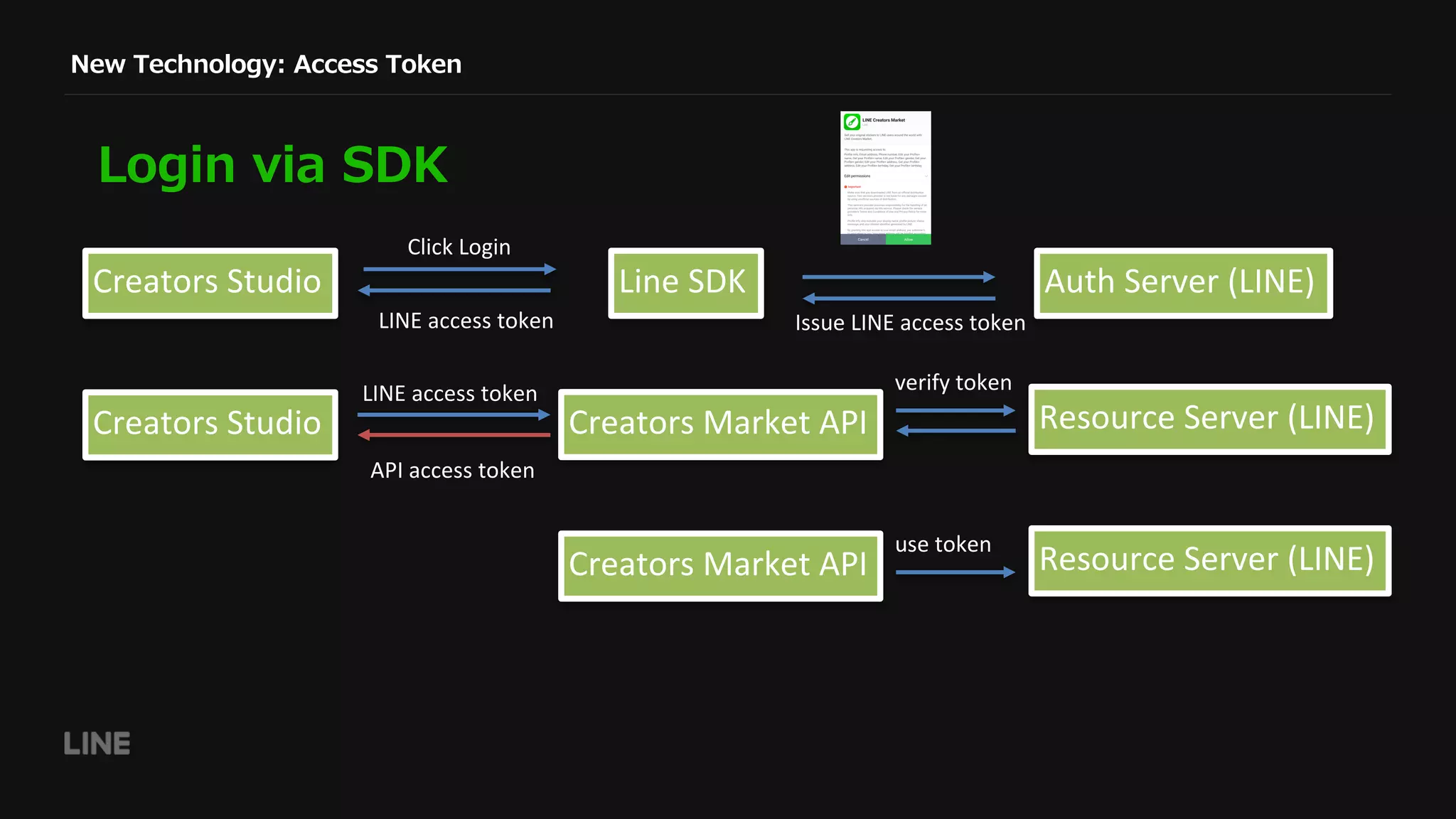
New Technology: Access Token
Login via SDK
Creators	Studio
Click	Login
LINE	access	token
Line	SDK
Creators	Market	API
Auth	Server	(LINE)
Issue	LINE	access	token
Creators	Studio
LINE	access	token
Resource	Server	(LINE)
verify	token
API	access	token
Resource	Server	(LINE)
use	token
Creators	Market	API
JSON (or YAML) file
LINE Creators Studio: JSON Schema
JSON Schema
Use prmd to generate markdown documentation
Use JSV::Validator to validate objects
http://json-schema.org/
https://github.com/interagent/prmd
'$schema': http://json-schema.org/draft-
04/hyper-schema
title: Language
description: Language
stability: prototype
strictProperties: true
type: object
id: schemata/language
properties:
code:
type: string
example: en
description: Code identifying the
language
name:
type: string
example: English
description: Human readable name
required: [ 'code', 'name' ]
links:
- description: List existing languages.
href: '/languages'
http_header:
Authorization: Bearer <token>
method: GET
rel: instances
title: List
Documentation separated from code
Can forget to update (but tests help)
New Technology: JSON Schema
JSON Schema: prmd
https://github.com/interagent/prmd
properties:
code:
type: string
example: en
description: Code identifying the language
name:
type: string
example: English
description: Human readable name
required: [ 'code', 'name' ]
links:
- description: List existing languages.
href: '/languages'
http_header:
Authorization: Bearer <token>
method: GET
rel: instances
title: List
$ prmd combine schemata | prmd doc > Readme.md
New Technology: JSON Schema
JSON Schema: JSV::Validator
https://metacpan.org/pod/JSV::Validator
properties:
code:
type: string
example: en
description: Code identifying the
language
name:
type: string
example: English
description: Human readable name
required: [ 'code', 'name' ]
links:
- description: List existing languages.
href: '/languages'
http_header:
Authorization: Bearer <token>
method: GET
rel: instances
title: List
use JSV::Validator;
use Test::Kantan;
use YAML::XS;
my $validator = JSV::Validator->new;
my $schema = YAML::XS::LoadFile('language.yml');
When 'Request is `GET /api/v1/languages`';
$mech->get_ok('/api/v1/languages');
Then 'Response is as expected';
my @languages = @{ $mech->json_content };
foreach (@languages) {
expect($validator->validate($schema, $_))->to_be_true;
};
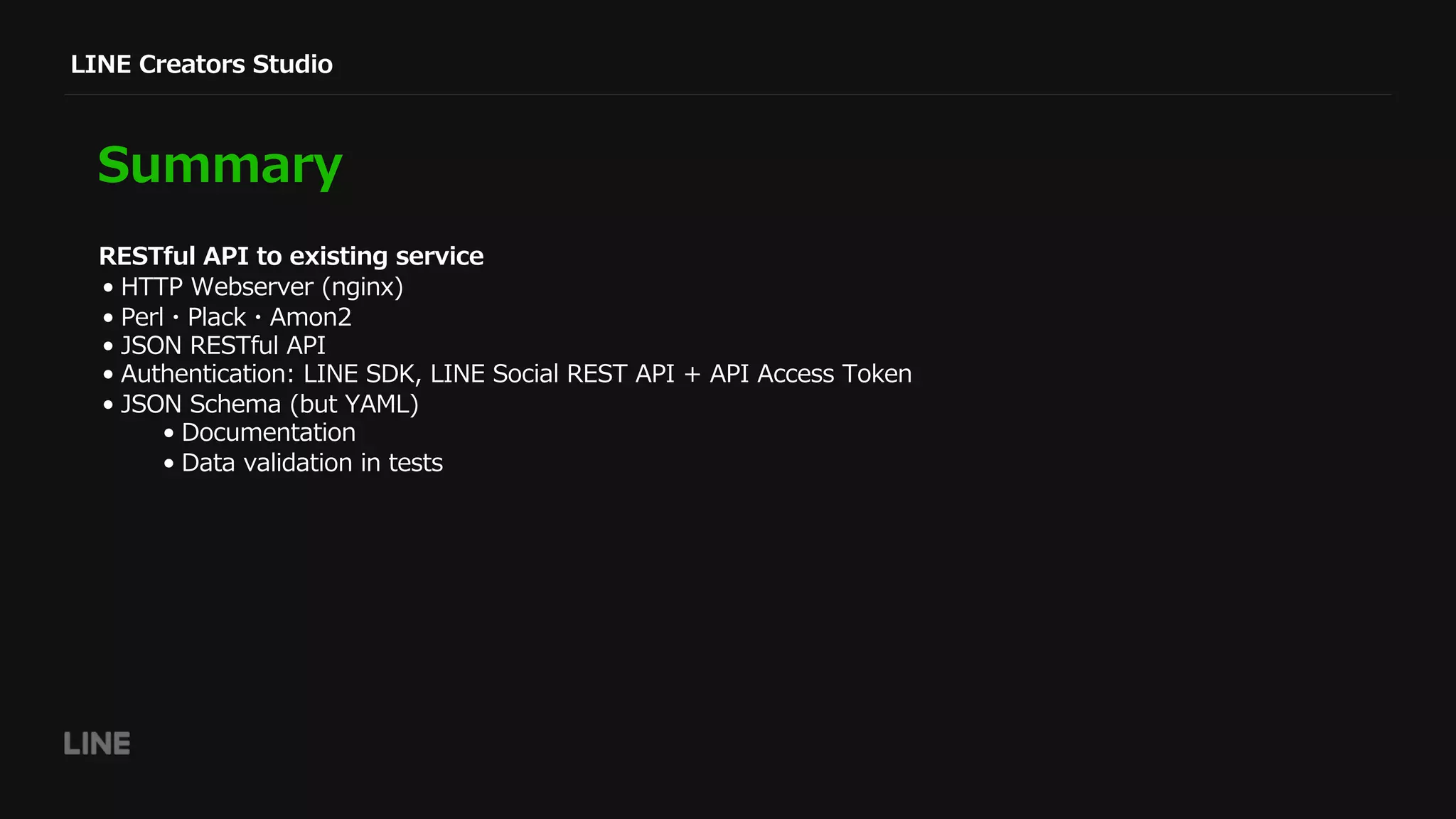
LINE Creators Studio
Summary
• HTTP Webserver (nginx)
• Perl・Plack・Amon2
• JSON RESTful API
• Authentication: LINE SDK, LINE Social REST API + API Access Token
• JSON Schema (but YAML)
• Documentation
• Data validation in tests
RESTful API to existing service
Thank you.

アプリで簡単にスタンプを販売するためのAPI開発

  • 1.
  • 2.
    ⾃⼰紹介 Adam Millerchip LINE Fukuoka 株式会社 CreatorsMarket Engineer ミラーチップ・アダム
  • 3.
    LINE Creators Market Makeand sell stickers for LINE Buy stickers from LINE STORE https://store.line.me/
  • 4.
    LINE Creators Market ExistingWeb Service https://creator.line.me/
  • 5.
  • 6.
    Why make asmartphone application? Create Stickers • Create images on phone • Upload them automatically • No need to log in to website Smartphone application • Create images using image editing software • Upload manually to website Web application
  • 7.
    LINE Creators Studio ApplicationRequirements What data to send to LINE? • Sticker Images • Title, Main Image, Price, Author… • Web service: • Sticker inspection • Bank details + payment system • Sales statistics • Etc. Send to LINE STORE
  • 8.
    Technology Design decisions: • Refuseexisting system • Create a new API for the mobile app to use • RESTful JSON API • Authentication • Documentation: JSON Schema Technologies introduced for this API: • Perl • HTTP Webserver (nginx) • Plack (PSGI) app • Amon2 web framework Existing technology
  • 9.
    GET POST PUTDELETE LINE Creators Studio: JSON API RESTful JSON API RESTful JSON HTTP Response Code 200 OK 204 No Content 400 Bad Request 401 Unauthorized 403 Forbidden 405 Method Not Allowed … {“event”: “Developer Meetup”, “number”: 18 }
  • 10.
    LINE Creators Studio:JSON API RESTful JSON API get '/api/v1/languages' => ‘Languages#list'; get '/api/v1/sellable_areas' => 'SellableAreas#list'; get '/api/v1/my/price_tiers' => ‘My::PriceTiers#list’; post '/api/v1/token' => 'Token#create'; post '/api/v1/token/refresh' => 'Token#refresh'; delete_ '/api/v1/token' => 'Token#remove'; sub list { my ($class, $c) = @_; my @languages = LCM::Language->sticker_languages; return $c->render_json([ map { name => $_->name, code => $_->code, }, @languages ]); } Language Controller Amon2::Web::Dispatcher::RouterBoom
  • 11.
    LINE Creators Studio:JSON API RESTful JSON API get '/api/v1/my/author_names' => 'My::AuthorNames#list'; post '/api/v1/my/author_names' => 'My::AuthorNames#create'; put '/api/v1/my/author_names' => 'My::AuthorNames#update'; curl -i -X GET https://example.com/api/v1/my/author_names -H "Authorization: Bearer $ACCESS_TOKEN" HTTP/1.1 200 OK Server: nginx Date: Fri, 14 Jul 2017 08:49:24 GMT Content-Type: application/json; charset=utf-8 Content-Length: 57 Connection: keep-alive Keep-Alive: timeout=3 X-Content-Type-Options: nosniff 08:49:24 GMT; path=/ [{"name":"Adam Creator","can_edit":true,"language":"en"}]
  • 12.
    LINE Creators Studio:JSON API RESTful JSON API get '/api/v1/my/author_names' => 'My::AuthorNames#list'; post '/api/v1/my/author_names' => 'My::AuthorNames#create'; put '/api/v1/my/author_names' => 'My::AuthorNames#update'; sub list { my ($class, $c) = @_; my $author = $c->seller->get_author; my @response = results_for($c, $author); return $c->render_json(@response); }
  • 13.
    LINE Creators Studio:JSON API RESTful JSON API $ curl -i -X PUT https://example.com/api/v1/my/author_names -d '[ { "language": "en", "name": "Adam Creator" }, { "language": "ja", "name": "アダムクリエーター" } ]' -H "Content-Type: application/json" -H "Authorization: Bearer $ACCESS_TOKEN" HTTP/1.1 200 OK Server: nginx Date: Fri, 14 Jul 2017 08:57:46 GMT Content-Type: application/json; charset=utf- 8 Content-Length: 128 Connection: keep-alive Keep-Alive: timeout=3 X-Content-Type-Options: nosniff [ {"name":"Adam Creator”, “can_edit":true, "language":"en"}, {“language":"ja", “name":"アダムクリエータ ー", "can_edit":true} ] get '/api/v1/my/author_names' => 'My::AuthorNames#list'; post '/api/v1/my/author_names' => 'My::AuthorNames#create'; put '/api/v1/my/author_names' => 'My::AuthorNames#update';
  • 14.
    LINE Creators Studio:JSON API RESTful JSON API $ curl -X GET -i https://example.com/api/v1/my/author_names -H "Authorization: Bearer $ACCESS_TOKEN" HTTP/1.1 200 OK Server: nginx Date: Fri, 14 Jul 2017 09:04:52 GMT Content-Type: application/json; charset=utf-8 Content-Length: 128 Connection: keep-alive Keep-Alive: timeout=3 X-Content-Type-Options: nosniff 09:04:52 GMT; path=/ [{"language":"en","name":"Adam Creator","can_edit":true},{"language":"ja","name":"アダムクリエーター ","can_edit":true} get '/api/v1/my/author_names' => 'My::AuthorNames#list'; post '/api/v1/my/author_names' => 'My::AuthorNames#create'; put '/api/v1/my/author_names' => 'My::AuthorNames#update';
  • 15.
    LINE Creators Studio:JSON API RESTful JSON API get '/api/v1/my/author_names' => 'My::AuthorNames#list'; post '/api/v1/my/author_names' => 'My::AuthorNames#create'; put '/api/v1/my/author_names' => 'My::AuthorNames#update'; sub update { my ($class, $c) = @_; my $author = $c->seller->get_author() or return $c->res_400; my $body = $c->req->body_as_json() or return $c->res_400; my %author_params = params_for($body); # return HTTP 422 unless _validate(%author_params); $author->update(%author_params); my @results = results_for($c, $author->meta); return $c->render_json(@results); }
  • 16.
    LINE Creators Studio:JSON API RESTful JSON API curl -i -X POST https://example.com/api/v1/my/author_names -d ‘[ // { … JSON data … } ]’ -H "Content-Type: application/json” -H "Authorization: Bearer $ACCESS_TOKEN" HTTP/1.1 400 Bad Request Date: Fri, 14 Jul 2017 09:29:12 GMT Content-Type: application/json; charset=utf-8 Content-Length: 52 {"message":"'author_name' resource already exists."} sub create { my ($class, $c) = @_; if ($c->seller->get_author) { return $c->res_400(sprintf q{'%s' resource already exists.}, RESOURCE_NAME); } Creator Name (AuthorNames) Controller get '/api/v1/my/author_names' => 'My::AuthorNames#list'; post '/api/v1/my/author_names' => 'My::AuthorNames#create'; put '/api/v1/my/author_names' => 'My::AuthorNames#update';
  • 17.
    LINE Creators Studio:Access Token Authentication Web: LINE Login - OAuth https://developers.line.me/line-login/overview https://developers.line.me/ios/overview https://developers.line.me/android/overview LINE Login sends LINE access token to server Session, Cookies App: SDK Provides access token directly App must send access token to server Creators Market API access token
  • 18.
    New Technology: AccessToken Login via SDK Creators Studio Click Login LINE access token Line SDK Creators Market API Auth Server (LINE) Issue LINE access token Creators Studio LINE access token Resource Server (LINE) verify token API access token Resource Server (LINE) use token Creators Market API
  • 19.
    JSON (or YAML)file LINE Creators Studio: JSON Schema JSON Schema Use prmd to generate markdown documentation Use JSV::Validator to validate objects http://json-schema.org/ https://github.com/interagent/prmd '$schema': http://json-schema.org/draft- 04/hyper-schema title: Language description: Language stability: prototype strictProperties: true type: object id: schemata/language properties: code: type: string example: en description: Code identifying the language name: type: string example: English description: Human readable name required: [ 'code', 'name' ] links: - description: List existing languages. href: '/languages' http_header: Authorization: Bearer <token> method: GET rel: instances title: List Documentation separated from code Can forget to update (but tests help)
  • 20.
    New Technology: JSONSchema JSON Schema: prmd https://github.com/interagent/prmd properties: code: type: string example: en description: Code identifying the language name: type: string example: English description: Human readable name required: [ 'code', 'name' ] links: - description: List existing languages. href: '/languages' http_header: Authorization: Bearer <token> method: GET rel: instances title: List $ prmd combine schemata | prmd doc > Readme.md
  • 21.
    New Technology: JSONSchema JSON Schema: JSV::Validator https://metacpan.org/pod/JSV::Validator properties: code: type: string example: en description: Code identifying the language name: type: string example: English description: Human readable name required: [ 'code', 'name' ] links: - description: List existing languages. href: '/languages' http_header: Authorization: Bearer <token> method: GET rel: instances title: List use JSV::Validator; use Test::Kantan; use YAML::XS; my $validator = JSV::Validator->new; my $schema = YAML::XS::LoadFile('language.yml'); When 'Request is `GET /api/v1/languages`'; $mech->get_ok('/api/v1/languages'); Then 'Response is as expected'; my @languages = @{ $mech->json_content }; foreach (@languages) { expect($validator->validate($schema, $_))->to_be_true; };
  • 22.
    LINE Creators Studio Summary •HTTP Webserver (nginx) • Perl・Plack・Amon2 • JSON RESTful API • Authentication: LINE SDK, LINE Social REST API + API Access Token • JSON Schema (but YAML) • Documentation • Data validation in tests RESTful API to existing service
  • 23.