Apache Ignite 🕯
Do-It-All Key/Value DB?
hello!
I am Zaar Hai
Cloud Architect at DoiT International
linkedin.com/in/zaar
2
1.
In a nutshell
3
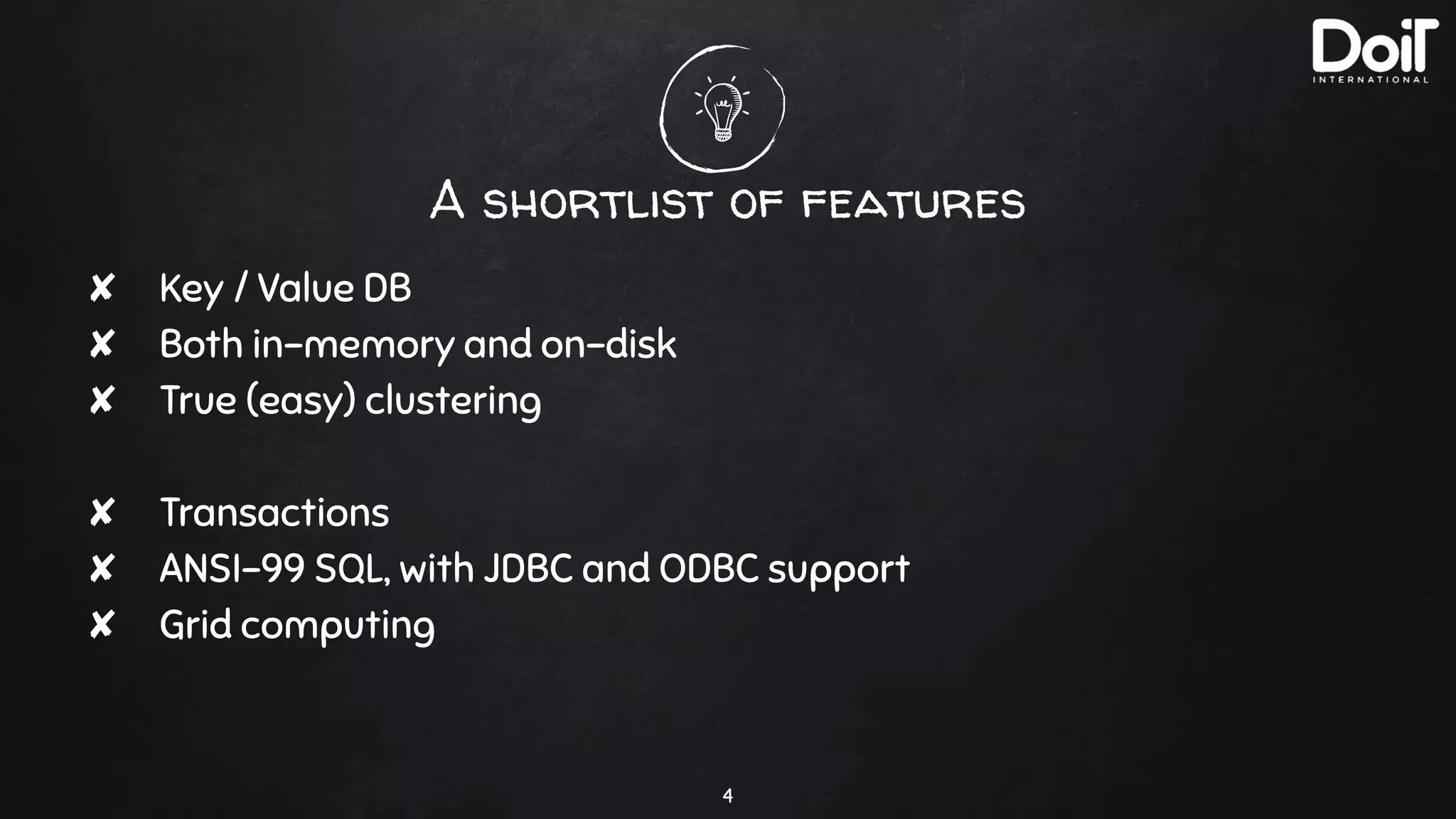
A shortlist of features
✘ Key / Value DB
✘ Both in-memory and on-disk
✘ True (easy) clustering
✘ Transactions
✘ ANSI-99 SQL, with JDBC and ODBC support
✘ Grid computing
4
2.
Use Cases
5
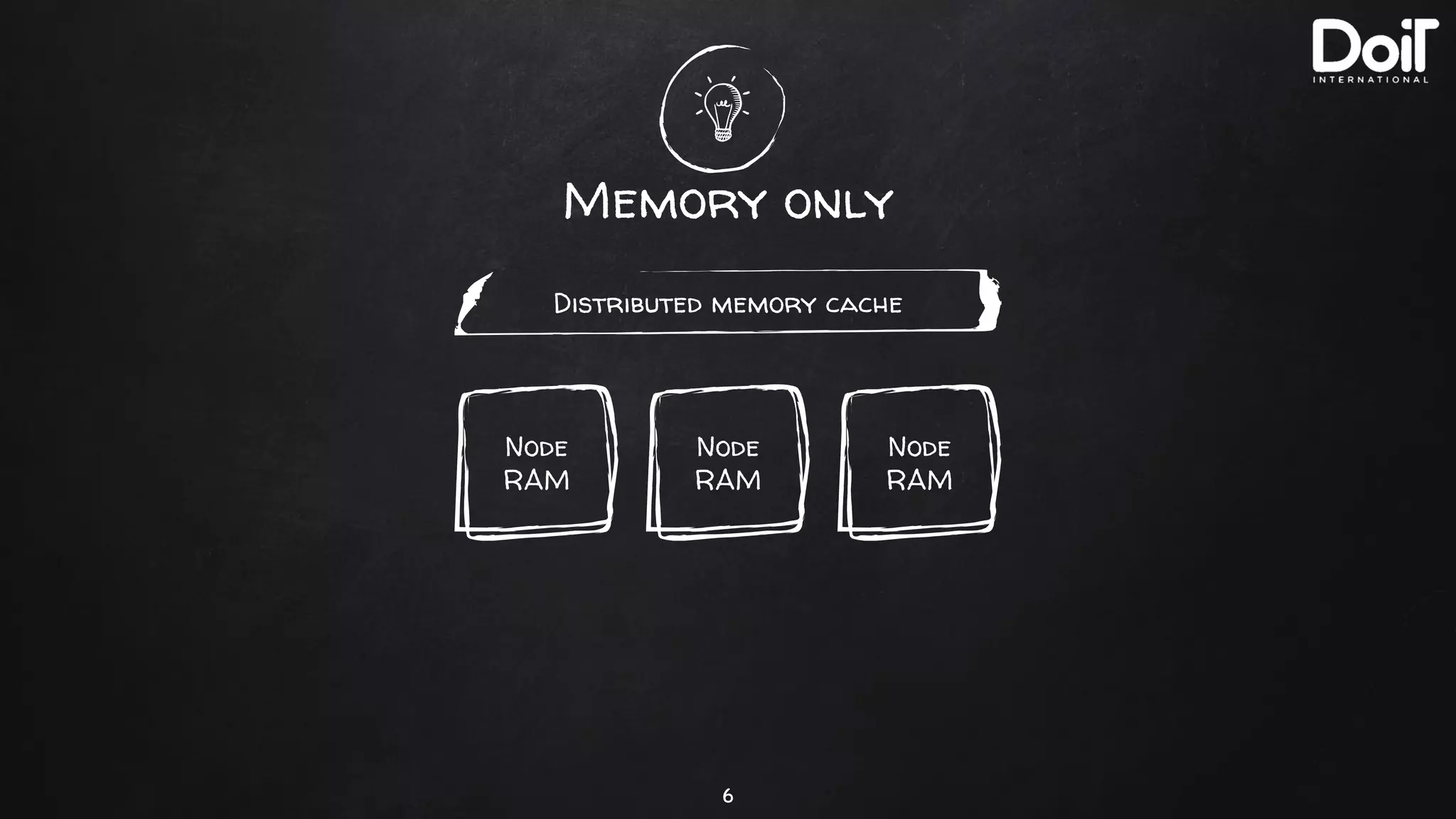
Memory only
6
Distributed memory cache
Node
RAM
Node
RAM
Node
RAM
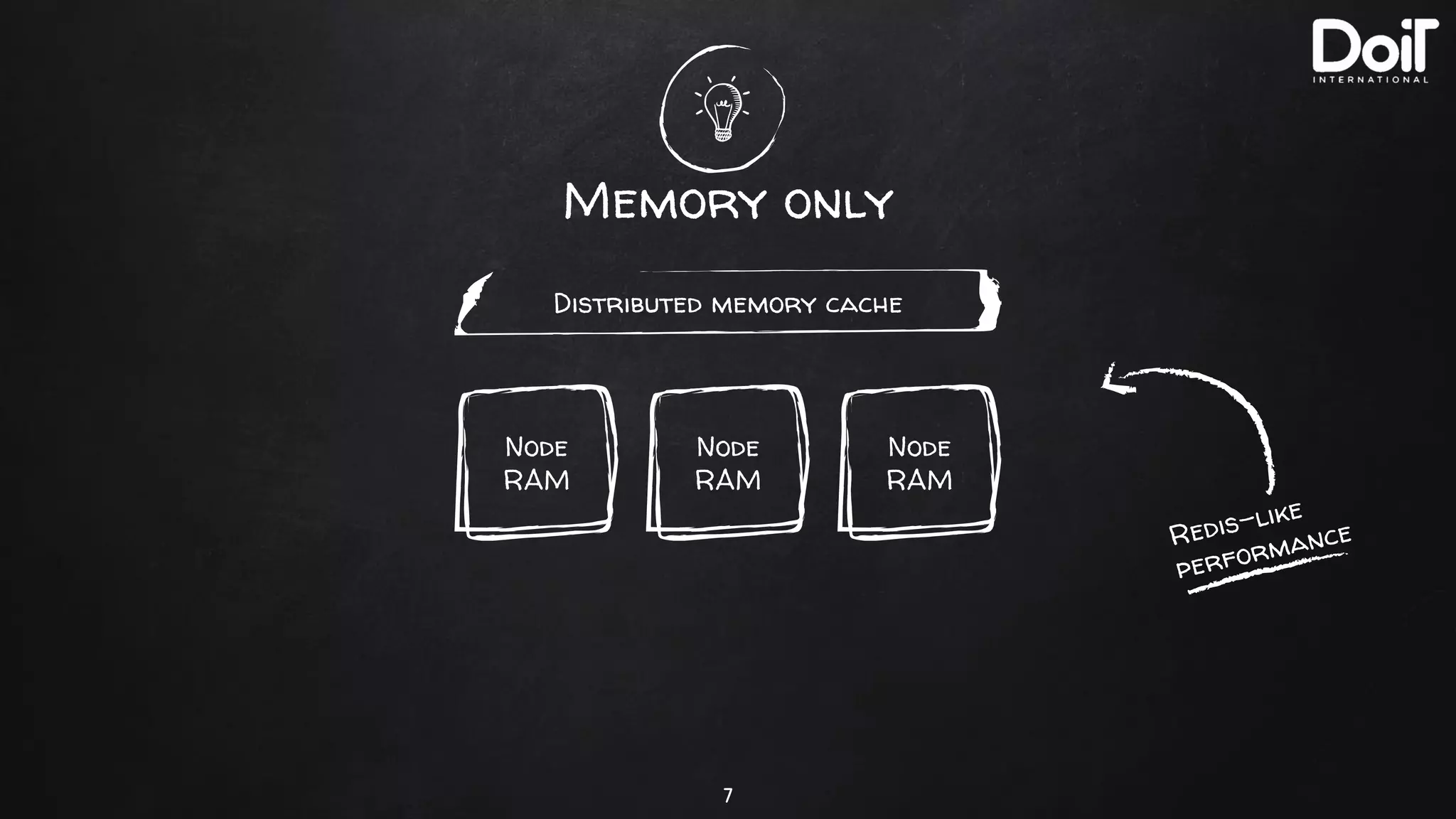
Memory only
7
Distributed memory cache
Node
RAM
Node
RAM
Node
RAM
Redis-like
performance
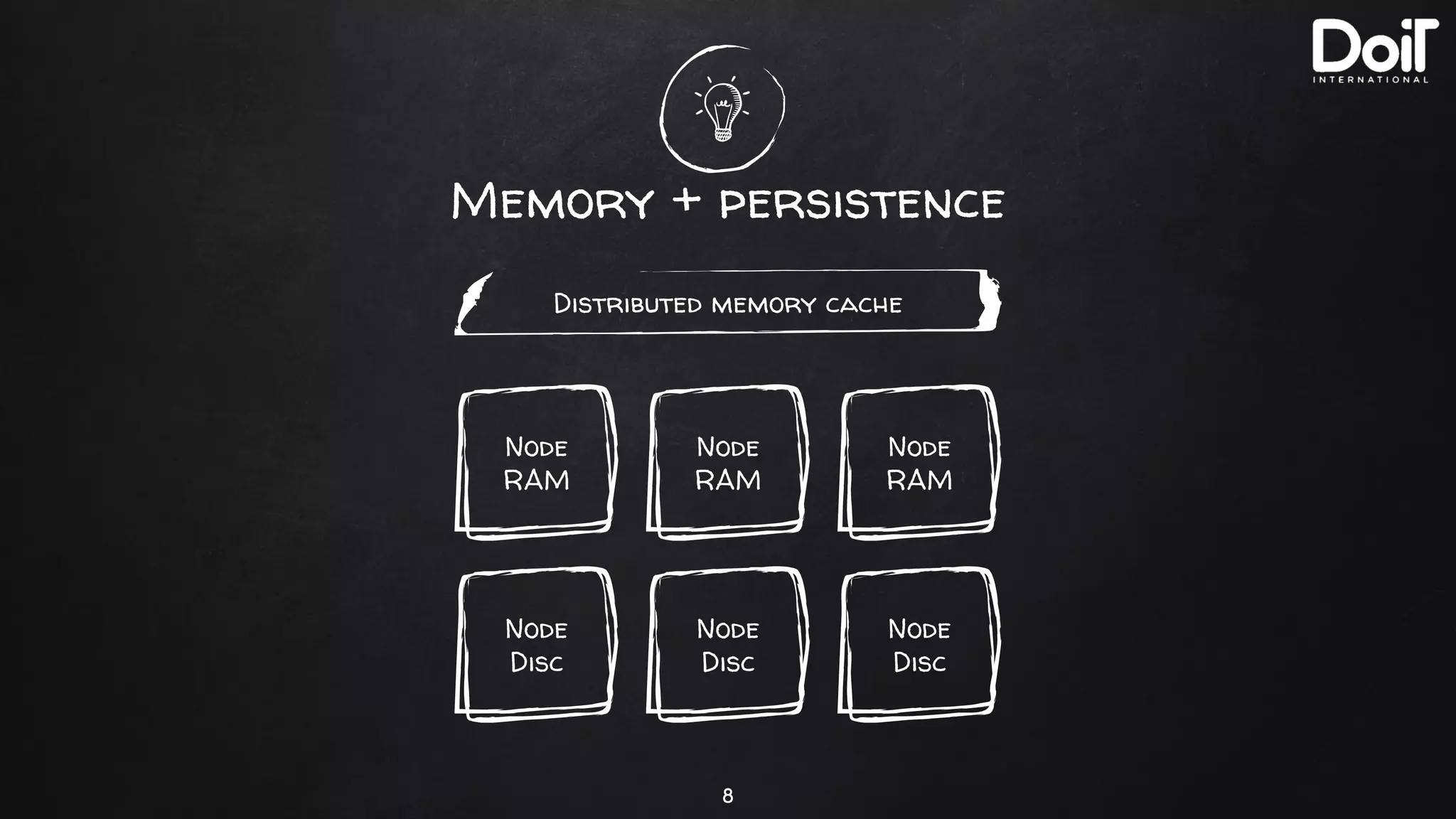
Memory + persistence
8
Distributed memory cache
Node
RAM
Node
RAM
Node
RAM
Node
Disc
Node
Disc
Node
Disc
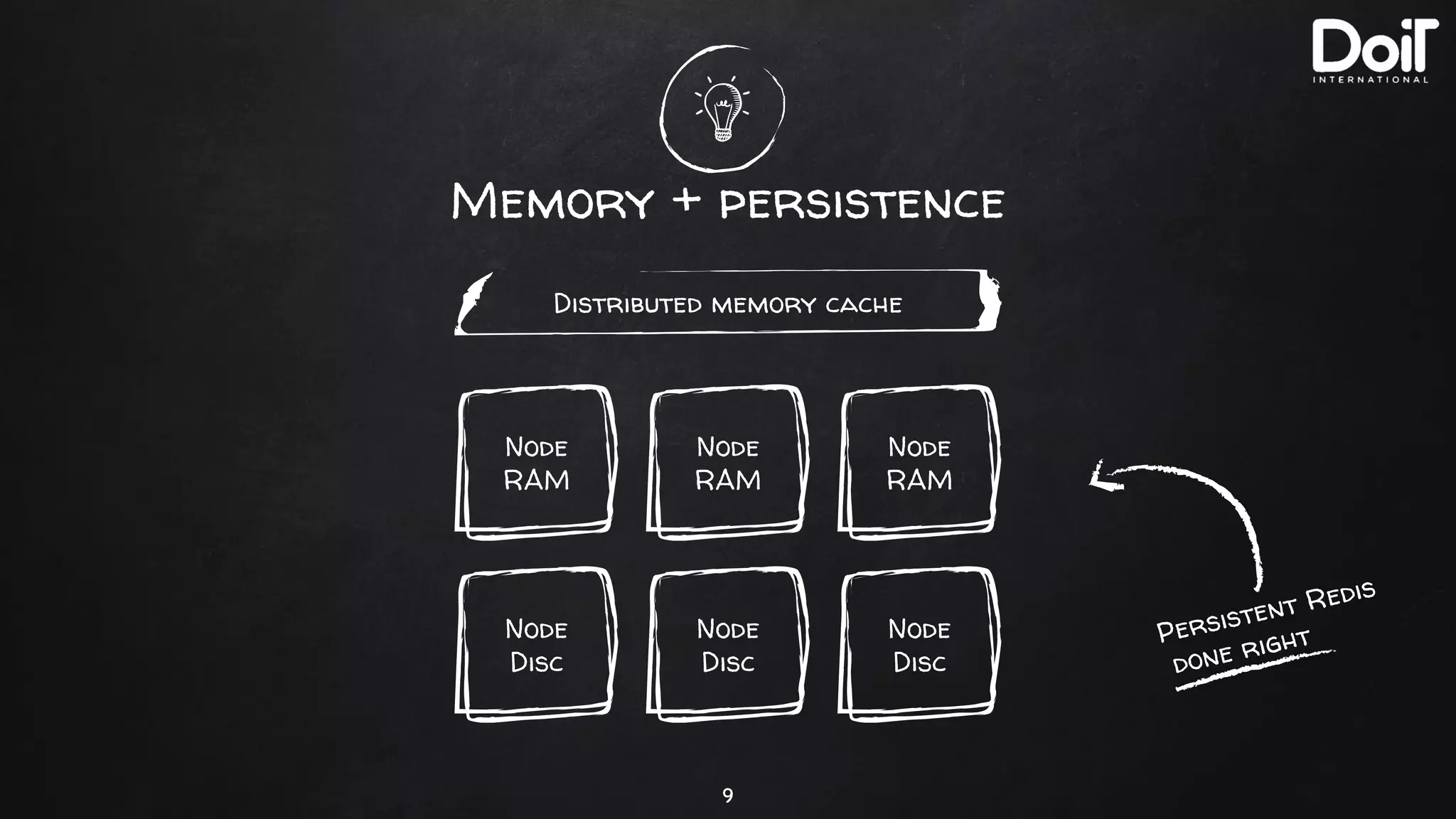
Memory + persistence
9
Distributed memory cache
Node
RAM
Node
RAM
Node
RAM
Persistent Redis
done rightNode
Disc
Node
Disc
Node
Disc
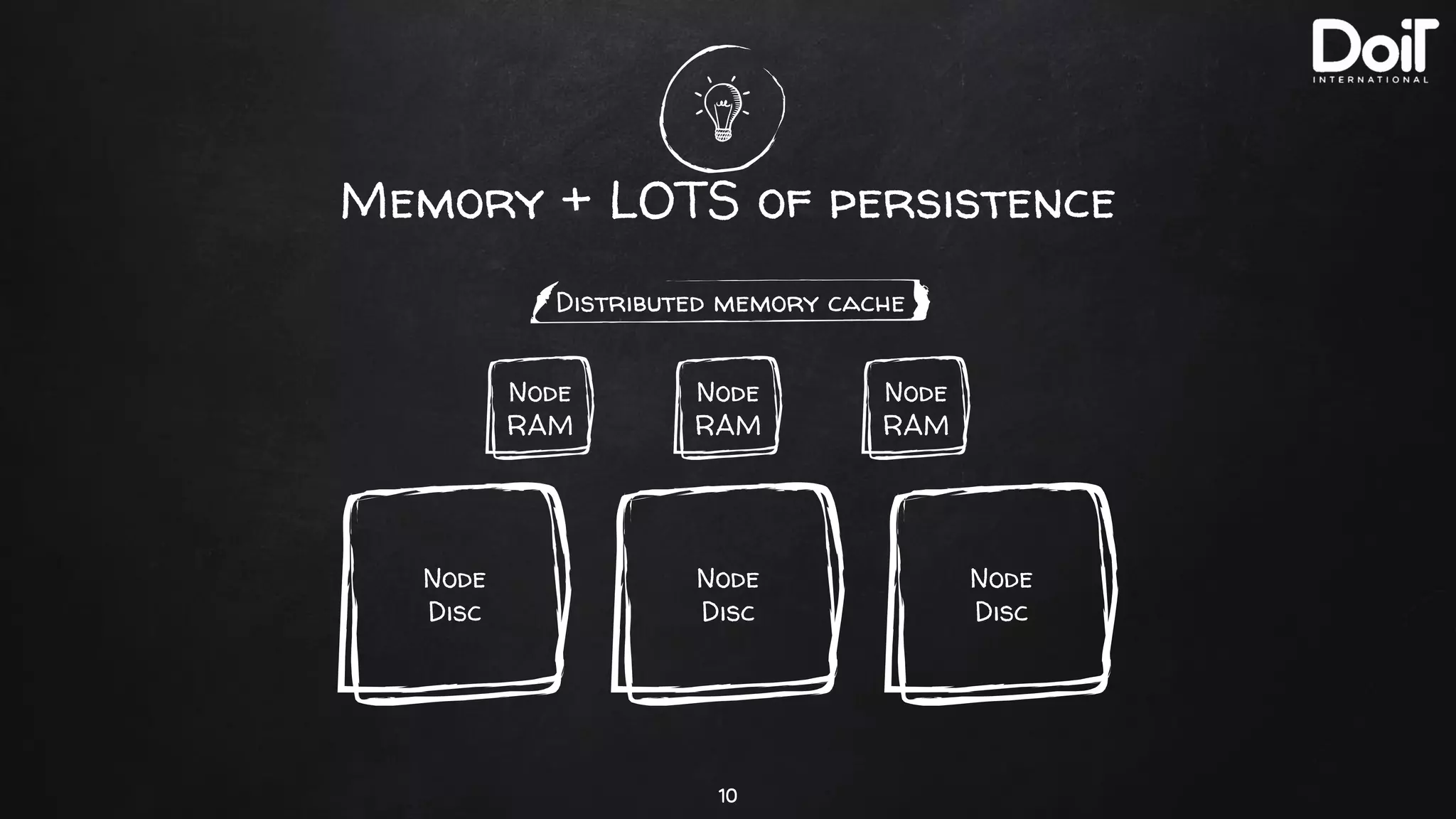
Memory + LOTS of persistence
10
Distributed memory cache
Node
RAM
Node
RAM
Node
RAM
Node
Disc
Node
Disc
Node
Disc
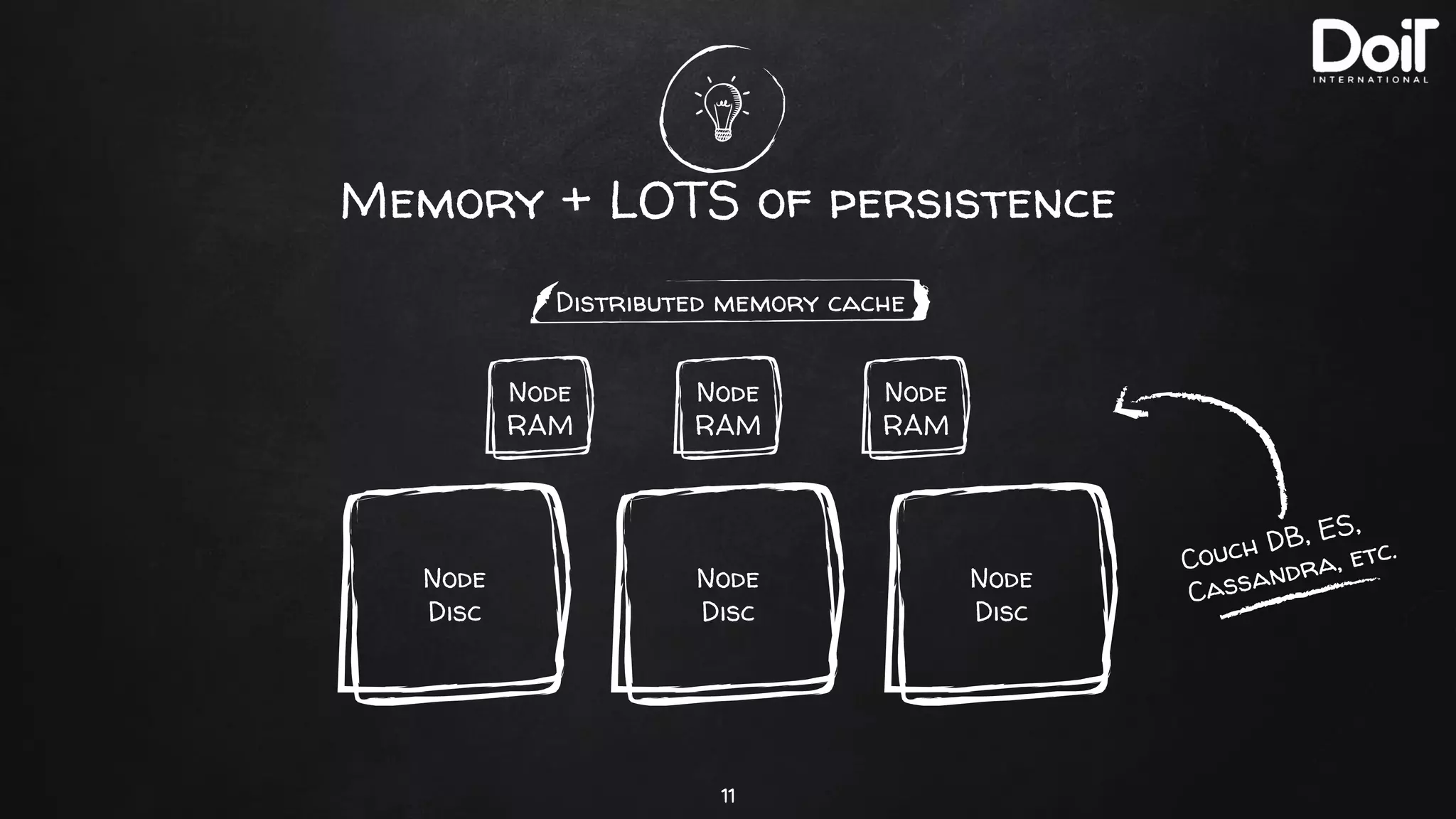
Memory + LOTS of persistence
11
Node
RAM
Node
RAM
Node
RAM
Couch DB, ES,
Cassandra, etc.
Node
Disc
Node
Disc
Node
Disc
Distributed memory cache
3.
Easy Clustering
12
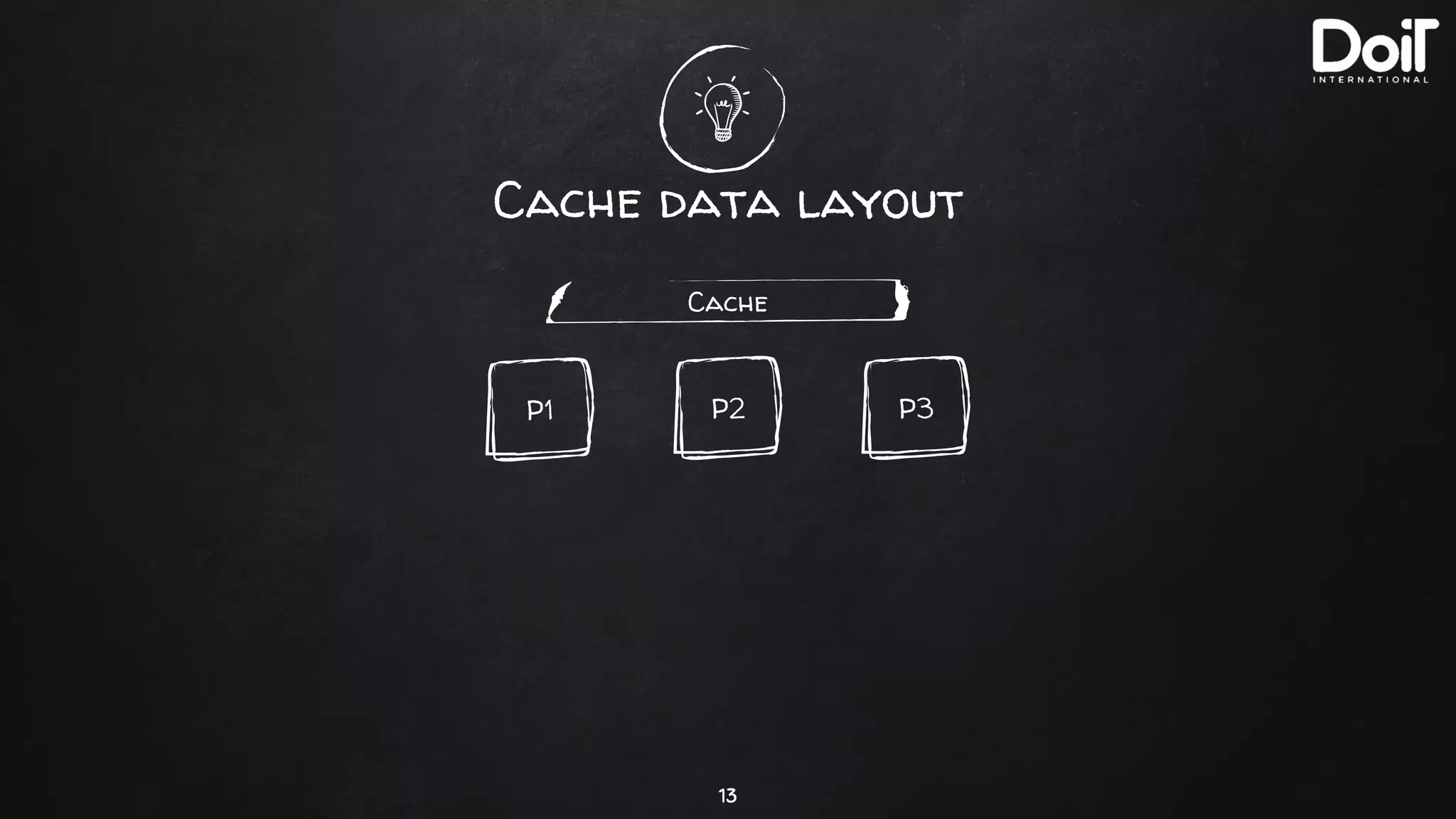
Cache data layout
13
Cache
P3P2P1
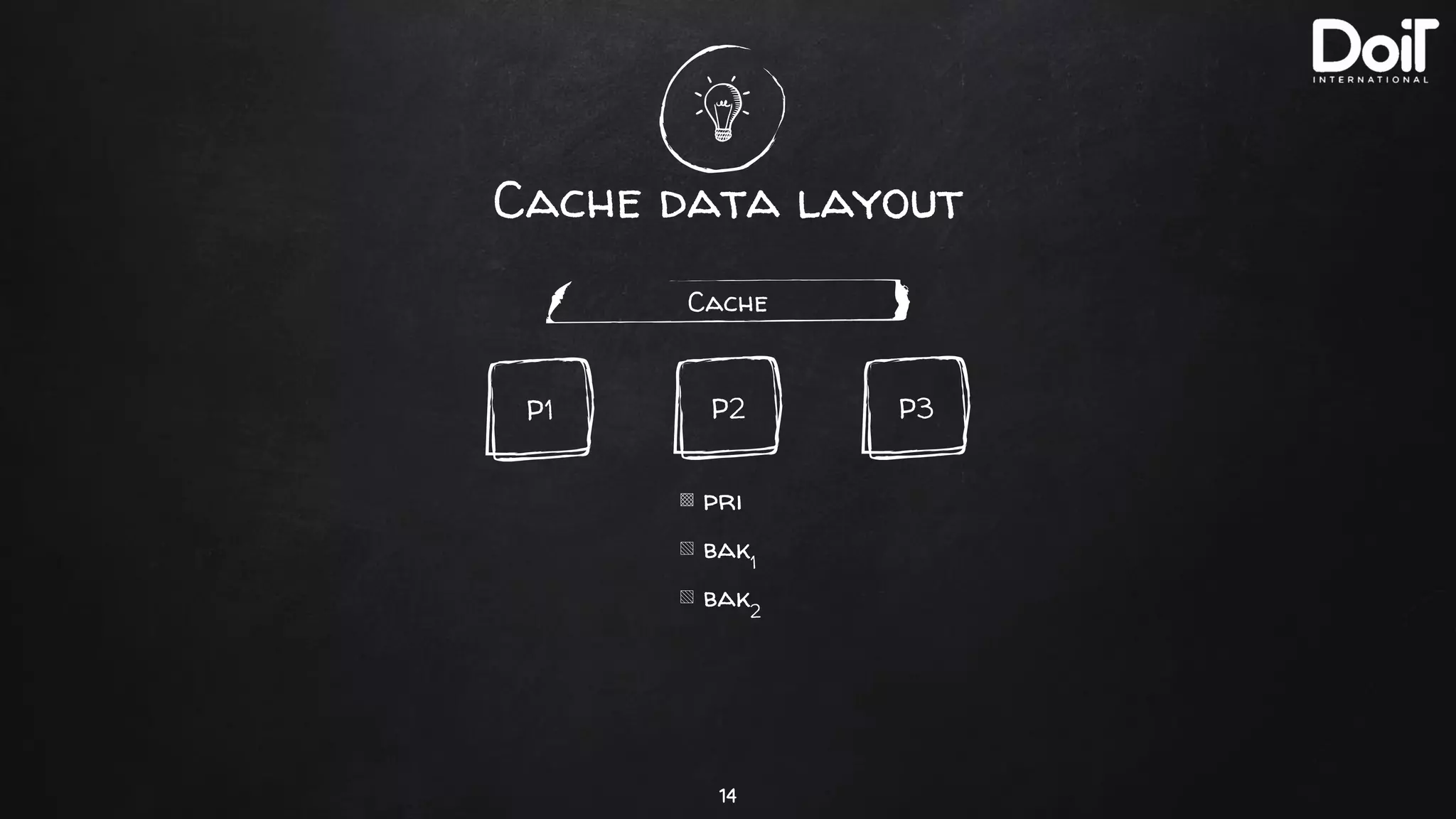
Cache data layout
14
Cache
P3P2P1
▩ pri
▧ bak1
▧ bak2
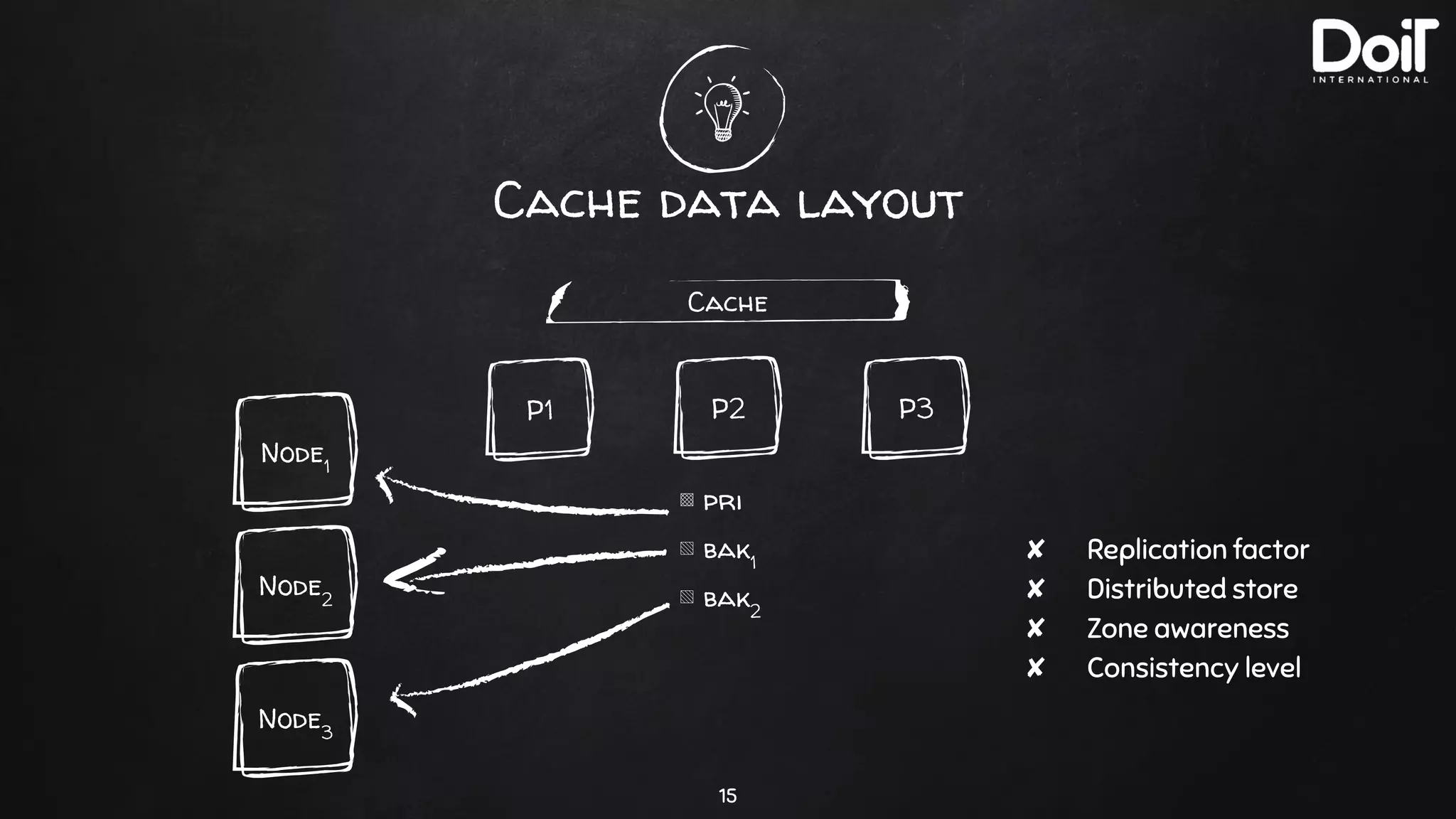
Cache data layout
15
Cache
P3P2P1
▩ pri
▧ bak1
▧ bak2
Node3
Node1
Node2
✘ Replication factor
✘ Distributed store
✘ Zone awareness
✘ Consistency level
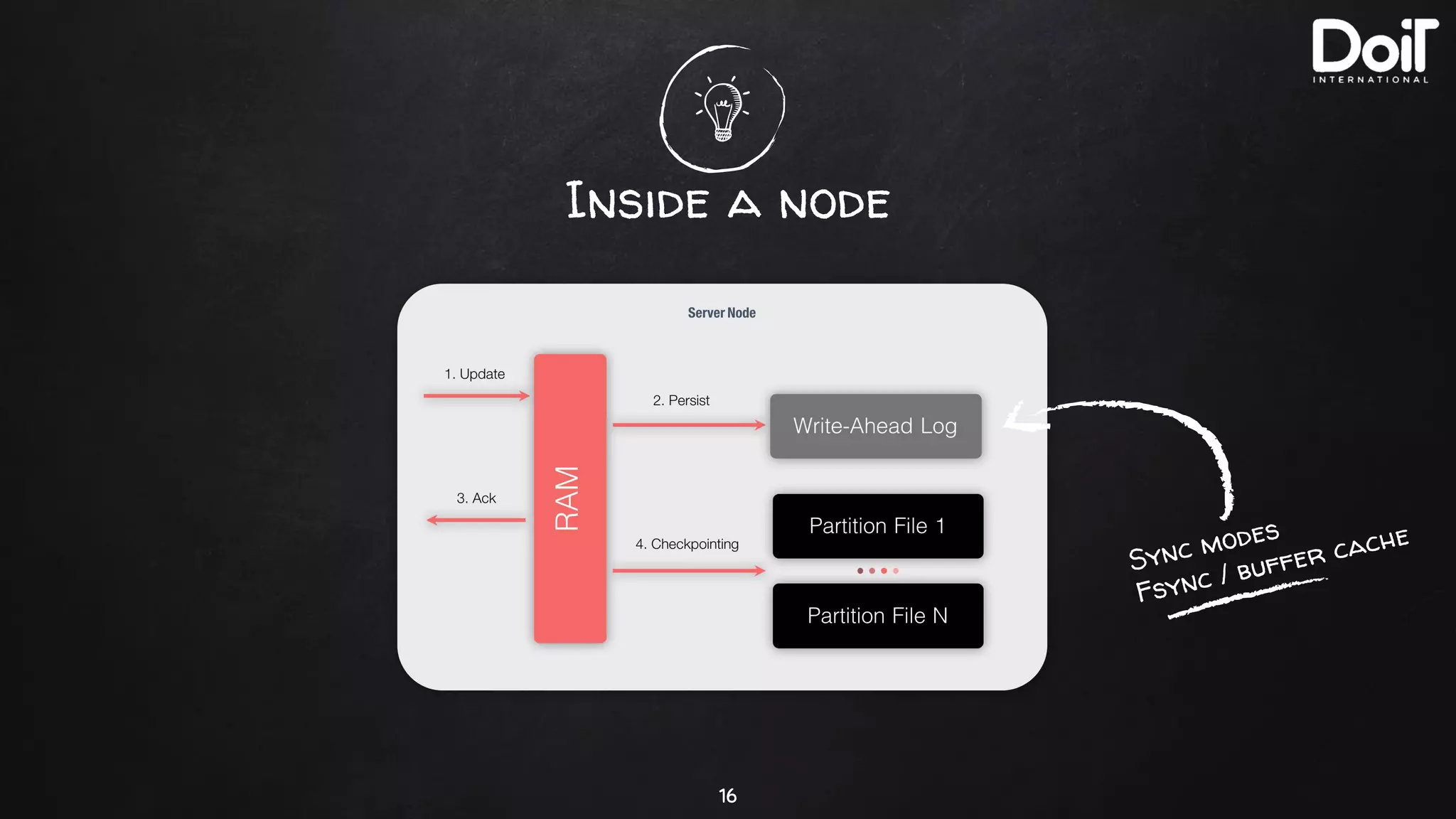
Inside a node
16
Sync modes
Fsync / buffer cache
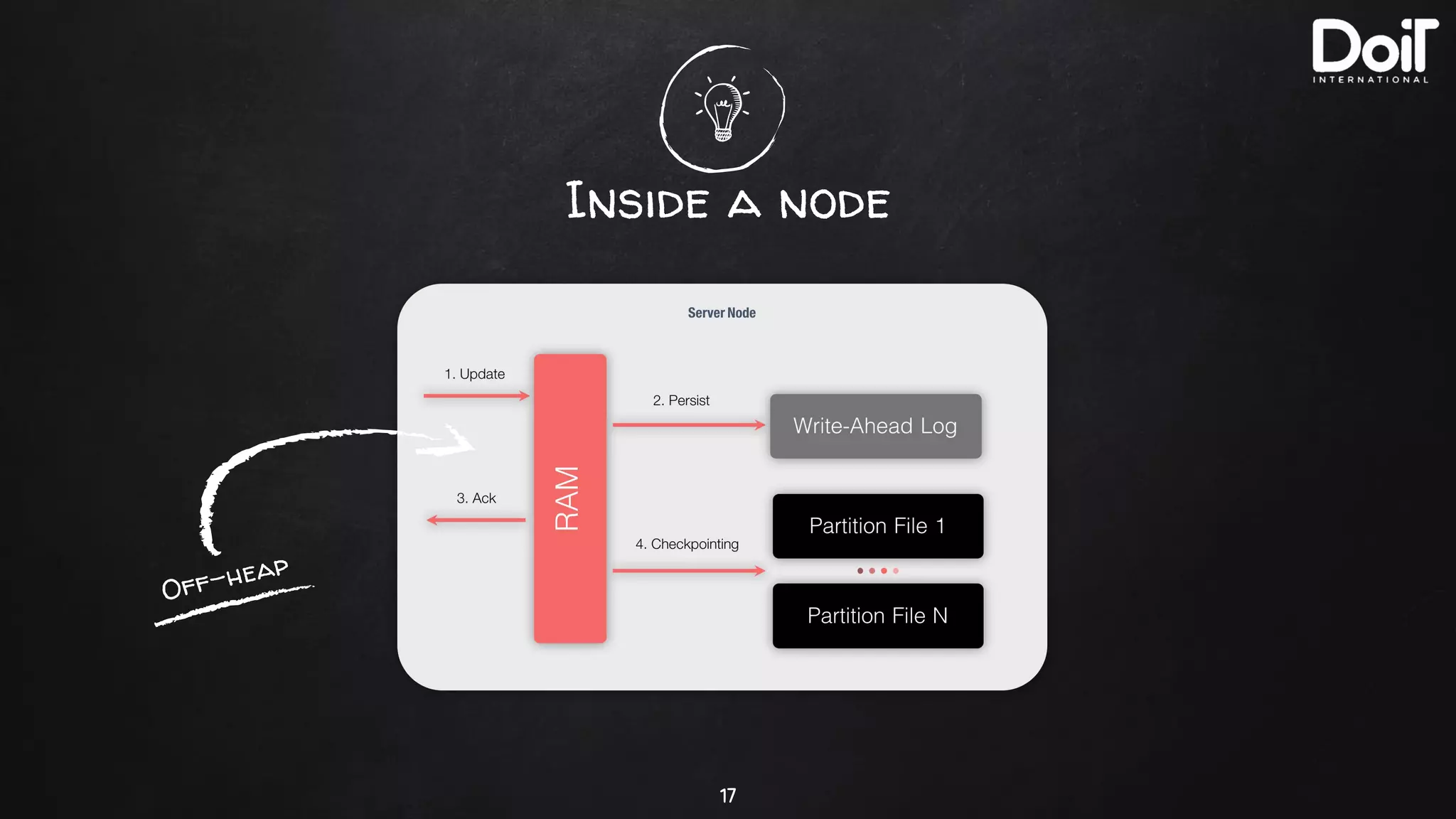
Inside a node
17
Off-heap
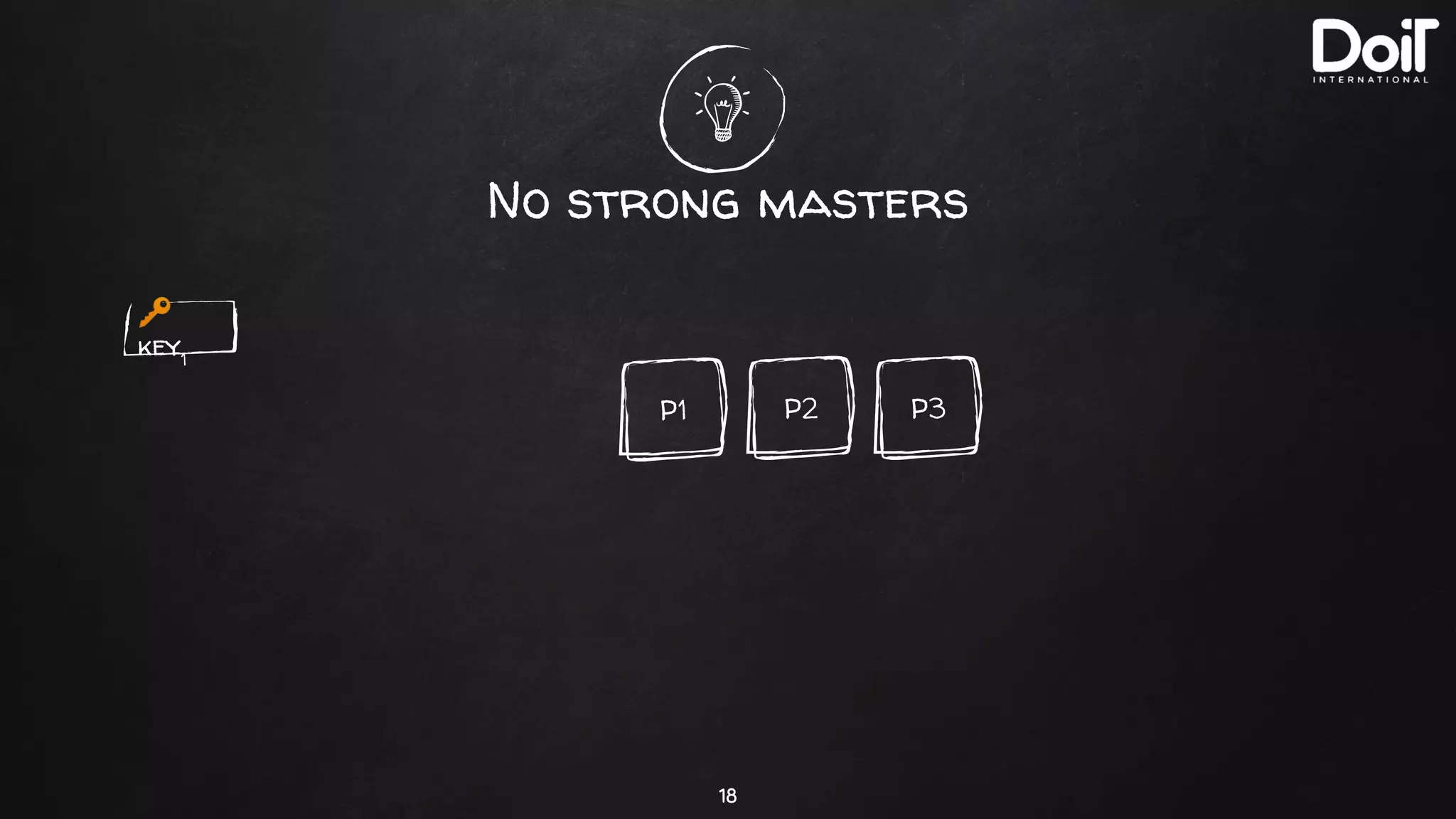
No strong masters
18
🔑
key1
P3P2P1
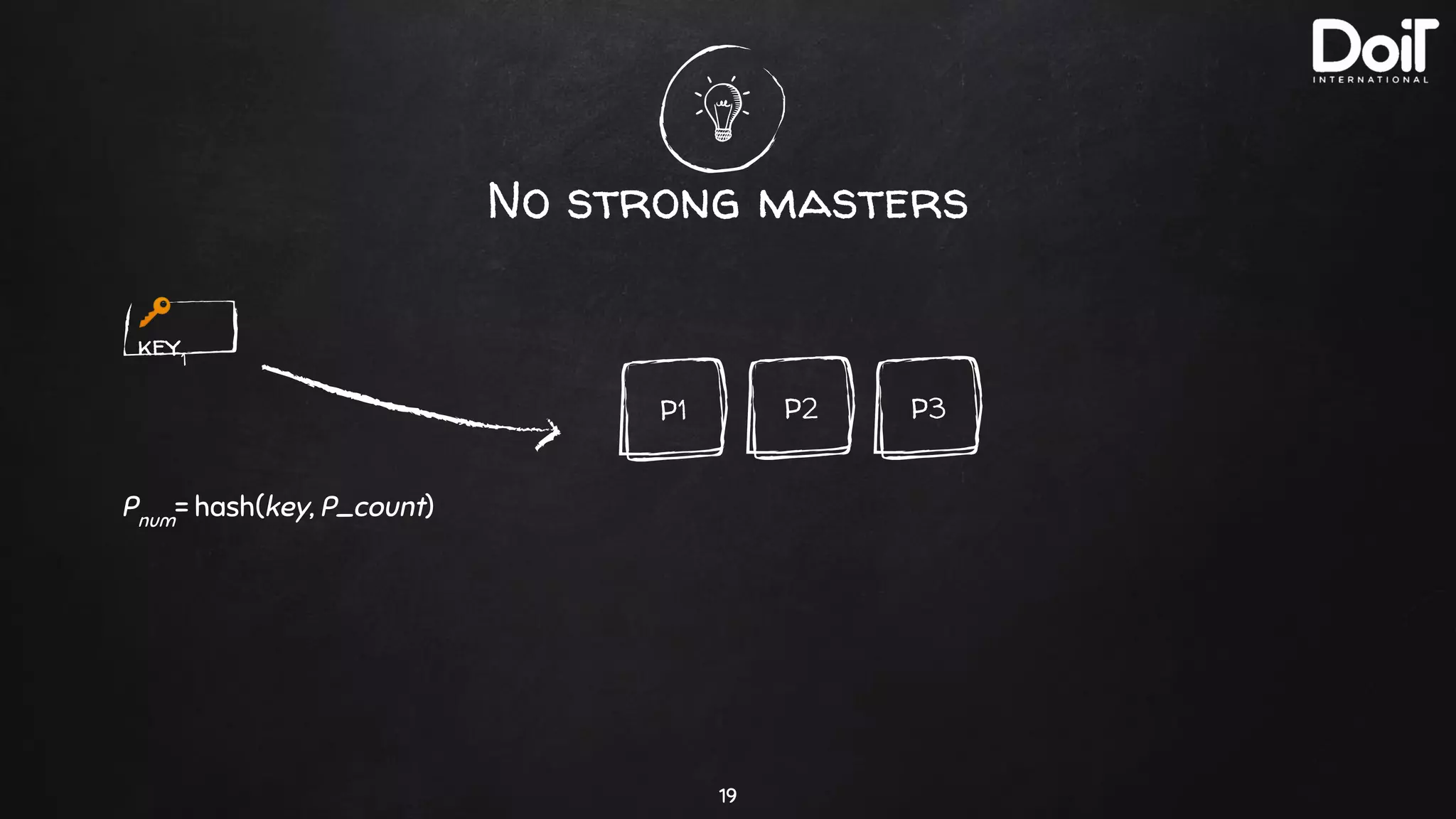
No strong masters
19
🔑
key1
Pnum
= hash(key, P_count)
P3P2P1
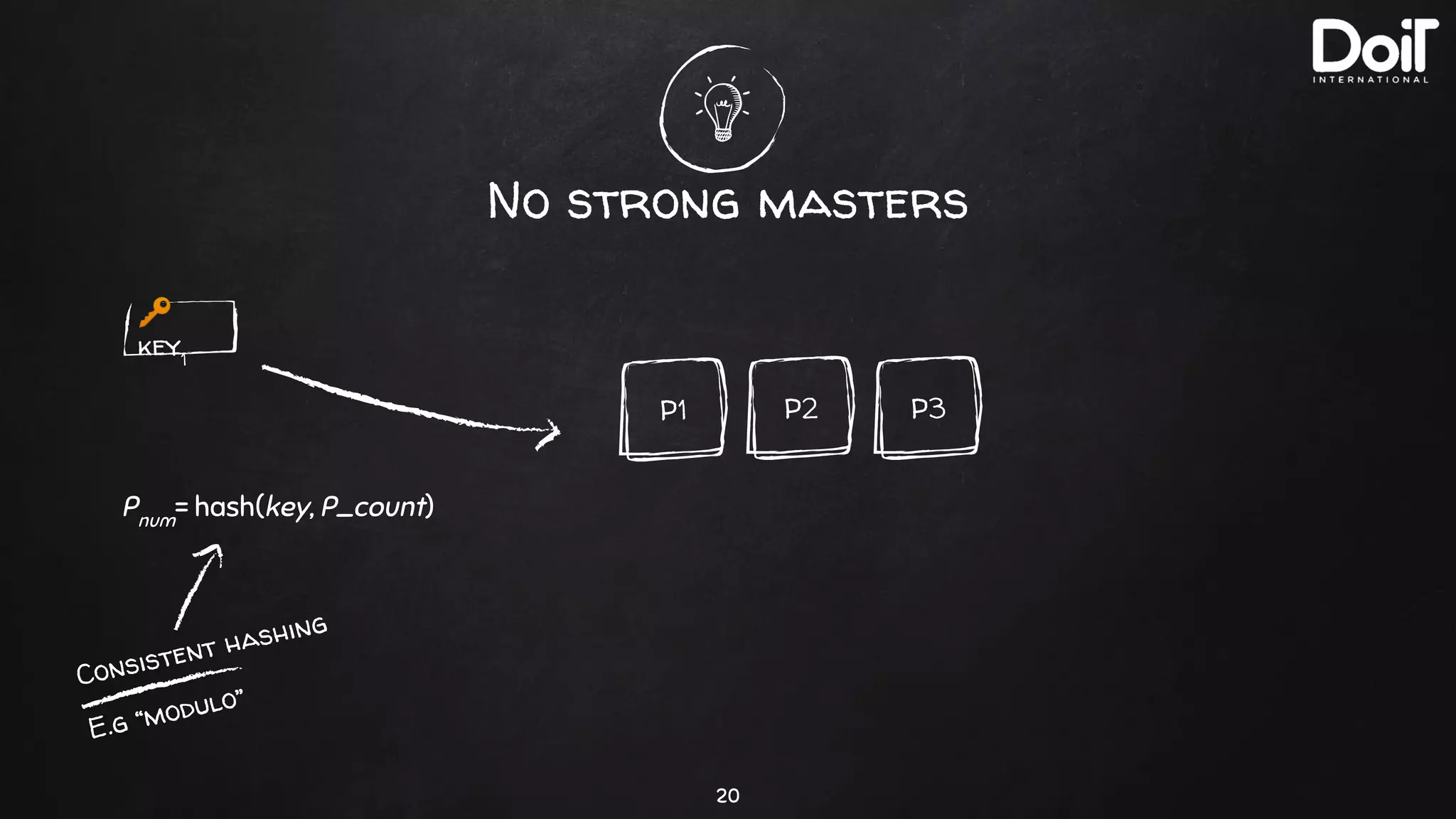
No strong masters
20
🔑
key1
Pnum
= hash(key, P_count)
Consistent hashing
E.g “modulo”
P3P2P1
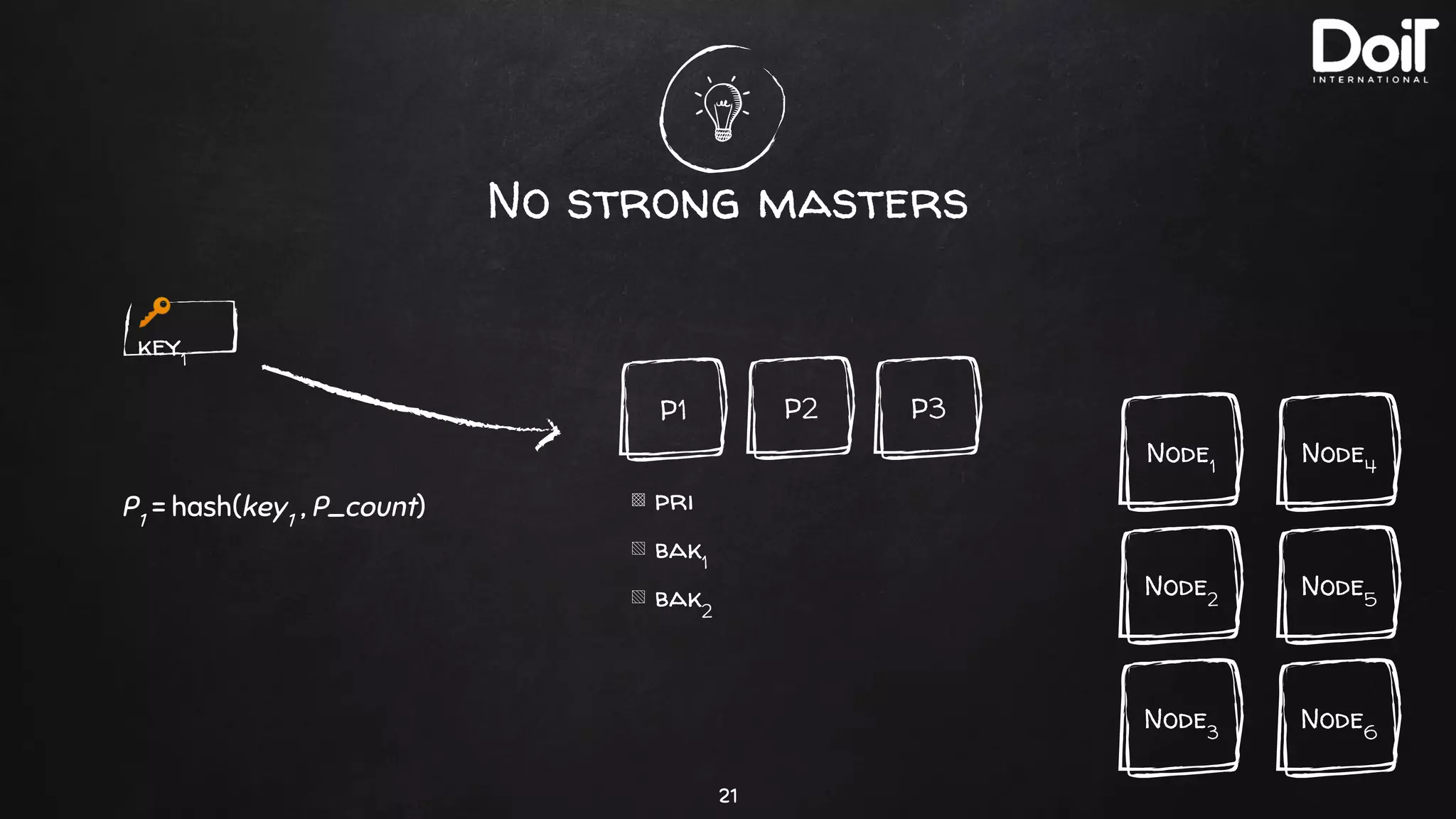
No strong masters
21
P3P2P1
▩ pri
▧ bak1
▧ bak2
Node3
Node1
Node2
🔑
key1
P1
= hash(key1
, P_count)
Node6
Node4
Node5
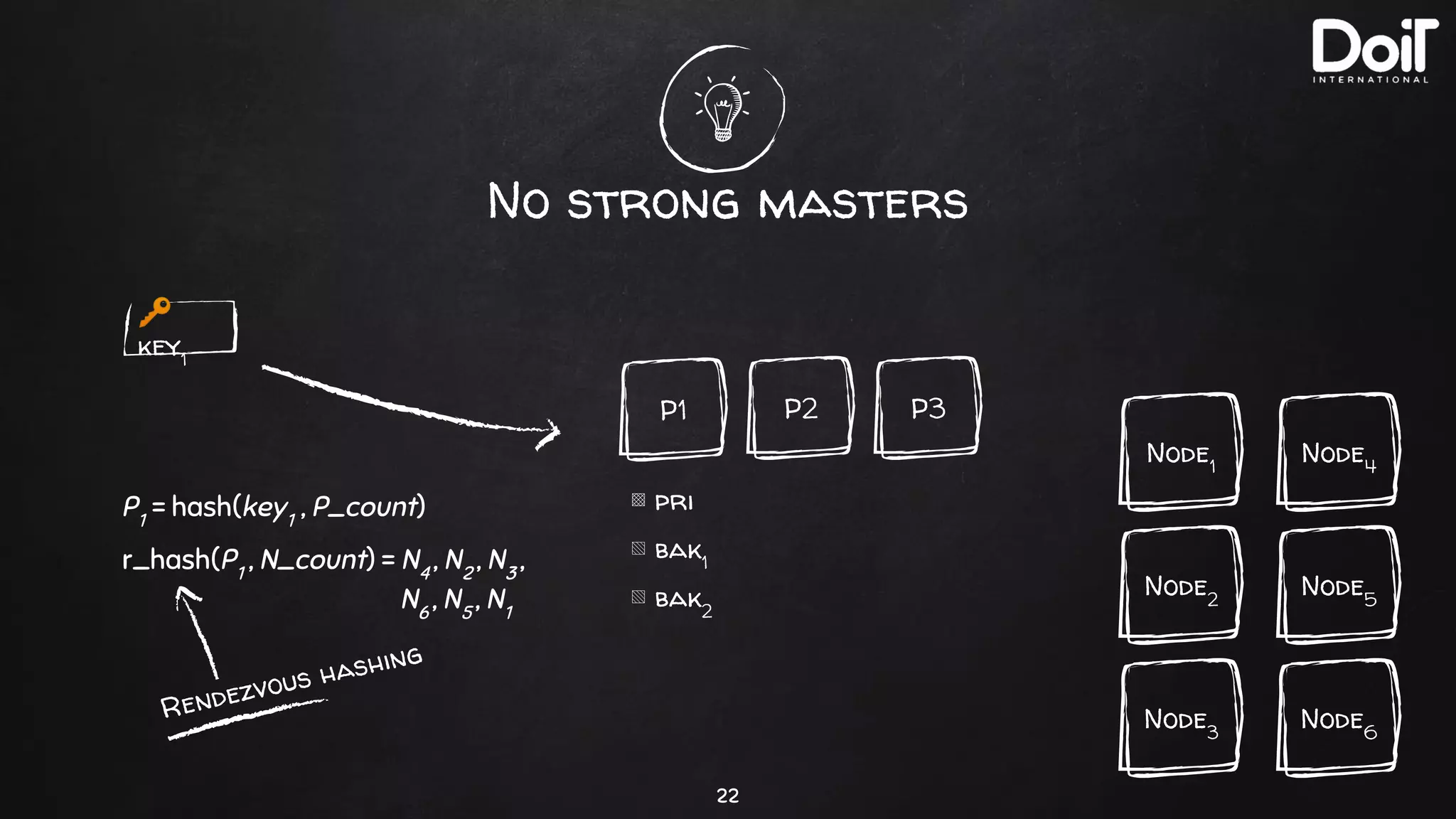
No strong masters
22
P3P2P1
▩ pri
▧ bak1
▧ bak2
Node3
Node1
Node2
🔑
key1
P1
= hash(key1
, P_count)
r_hash(P1
, N_count) = N4
, N2
, N3
,
N6
, N5
, N1
Node6
Node4
Node5
Rendezvous hashing
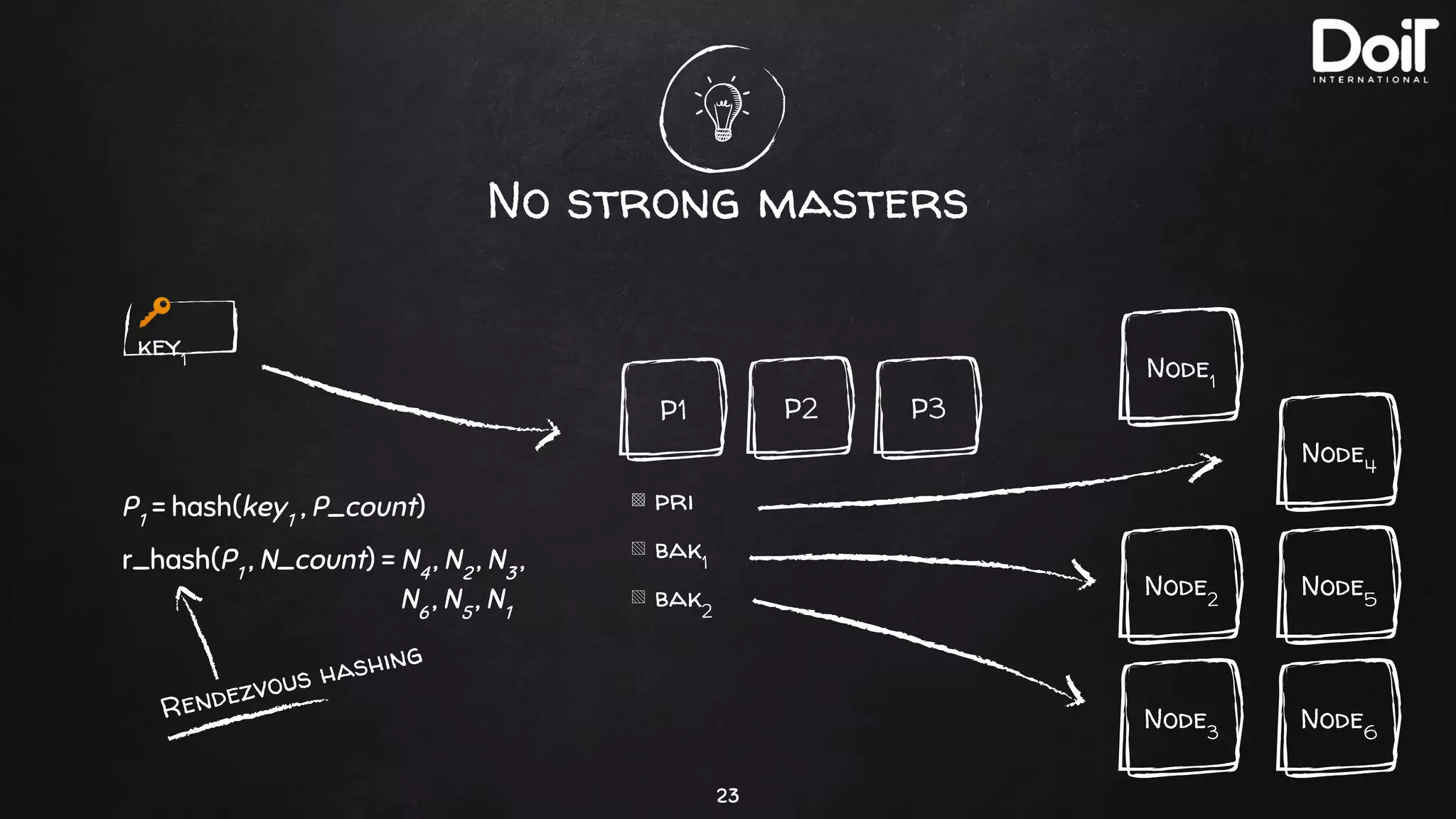
No strong masters
23
P3P2P1
▩ pri
▧ bak1
▧ bak2
Node3
Node1
Node2
🔑
key1
P1
= hash(key1
, P_count)
Rendezvous hashing
Node6
Node4
Node5
r_hash(P1
, N_count) = N4
, N2
, N3
,
N6
, N5
, N1
Grid Computing
24
✘ Write your own function
✘ Load them as Jars into Ignite nodes
✘ Run computations close to your data
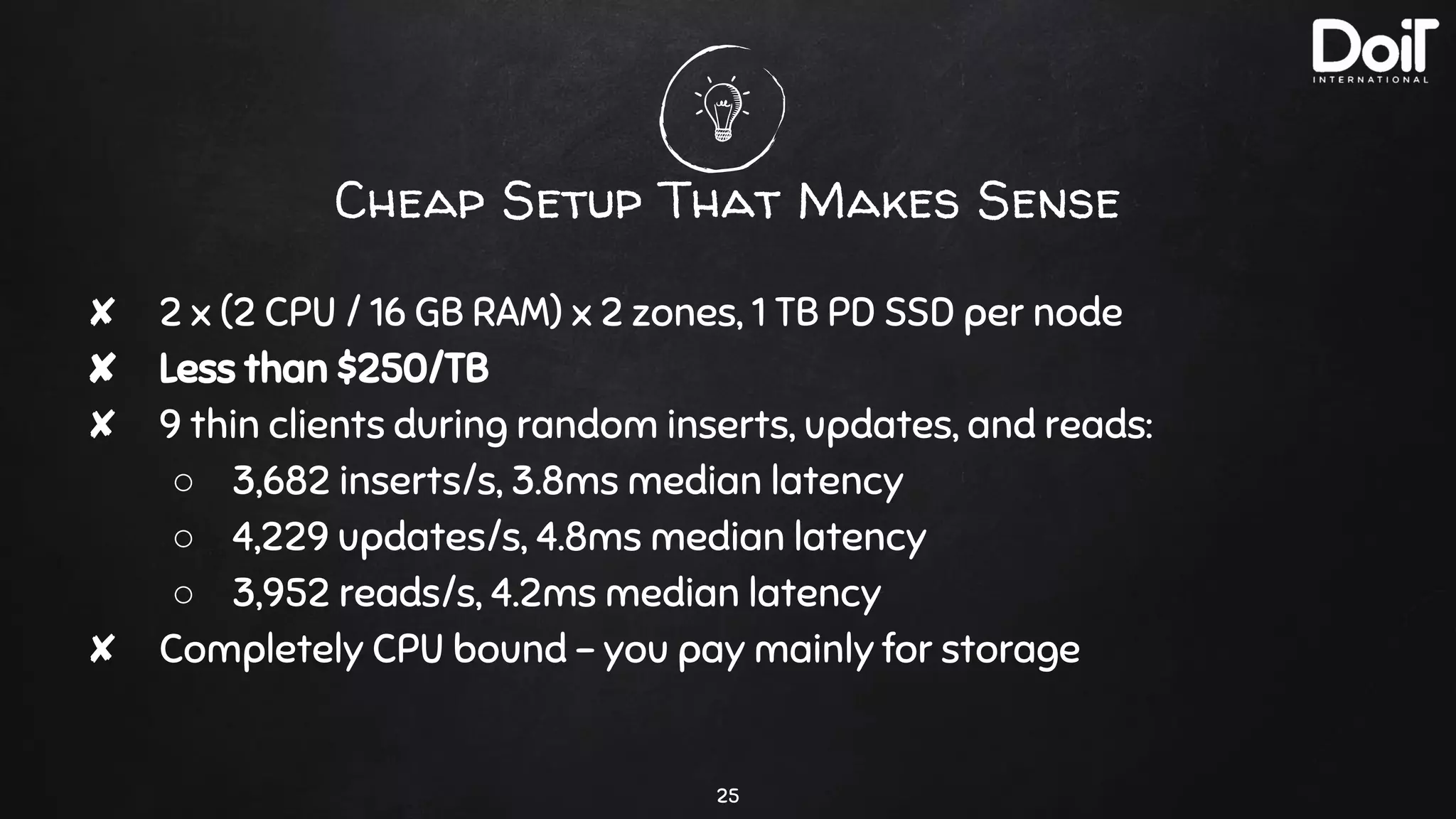
Cheap Setup That Makes Sense
25
✘ 2 x (2 CPU / 16 GB RAM) x 2 zones, 1 TB PD SSD per node
✘ Less than $250/TB
✘ 9 thin clients during random inserts, updates, and reads:
○ 3,682 inserts/s, 3.8ms median latency
○ 4,229 updates/s, 4.8ms median latency
○ 3,952 reads/s, 4.2ms median latency
✘ Completely CPU bound - you pay mainly for storage
4.
DevOps
Theory to practice
26
Running on K8s
27
✘ There are official docker images for Ignite Server
✘ There are guides for EKS, GKE, etc.
✘ Our improvements: https://github.com/doitintl/ignite-gke
No backups
28
✘ Snapshotting can work but quite tricky
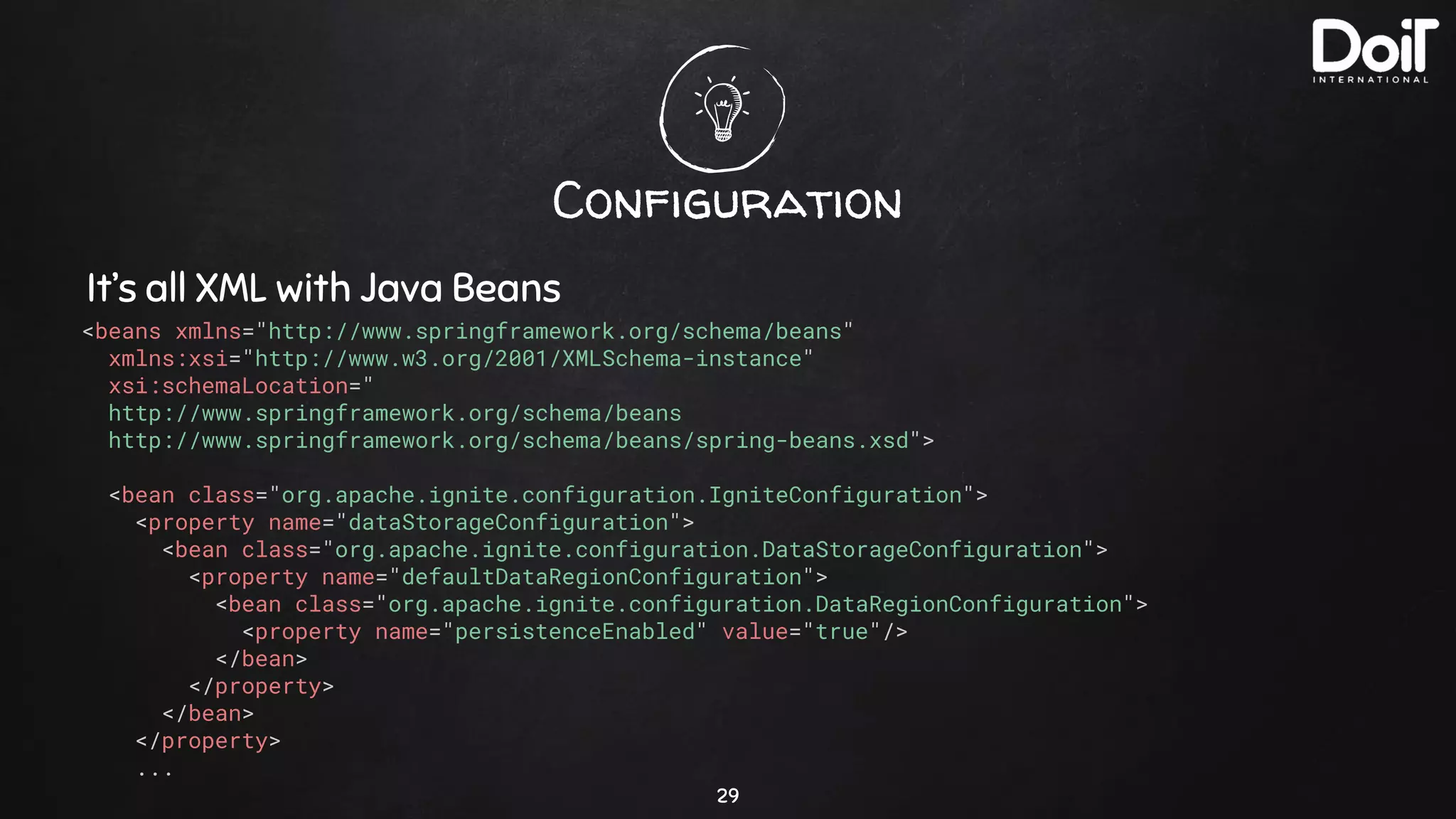
Configuration
29
It’s all XML with Java Beans
<beans xmlns="http://www.springframework.org/schema/beans"
xmlns:xsi="http://www.w3.org/2001/XMLSchema-instance"
xsi:schemaLocation="
http://www.springframework.org/schema/beans
http://www.springframework.org/schema/beans/spring-beans.xsd">
<bean class="org.apache.ignite.configuration.IgniteConfiguration">
<property name="dataStorageConfiguration">
<bean class="org.apache.ignite.configuration.DataStorageConfiguration">
<property name="defaultDataRegionConfiguration">
<bean class="org.apache.ignite.configuration.DataRegionConfiguration">
<property name="persistenceEnabled" value="true"/>
</bean>
</property>
</bean>
</property>
...
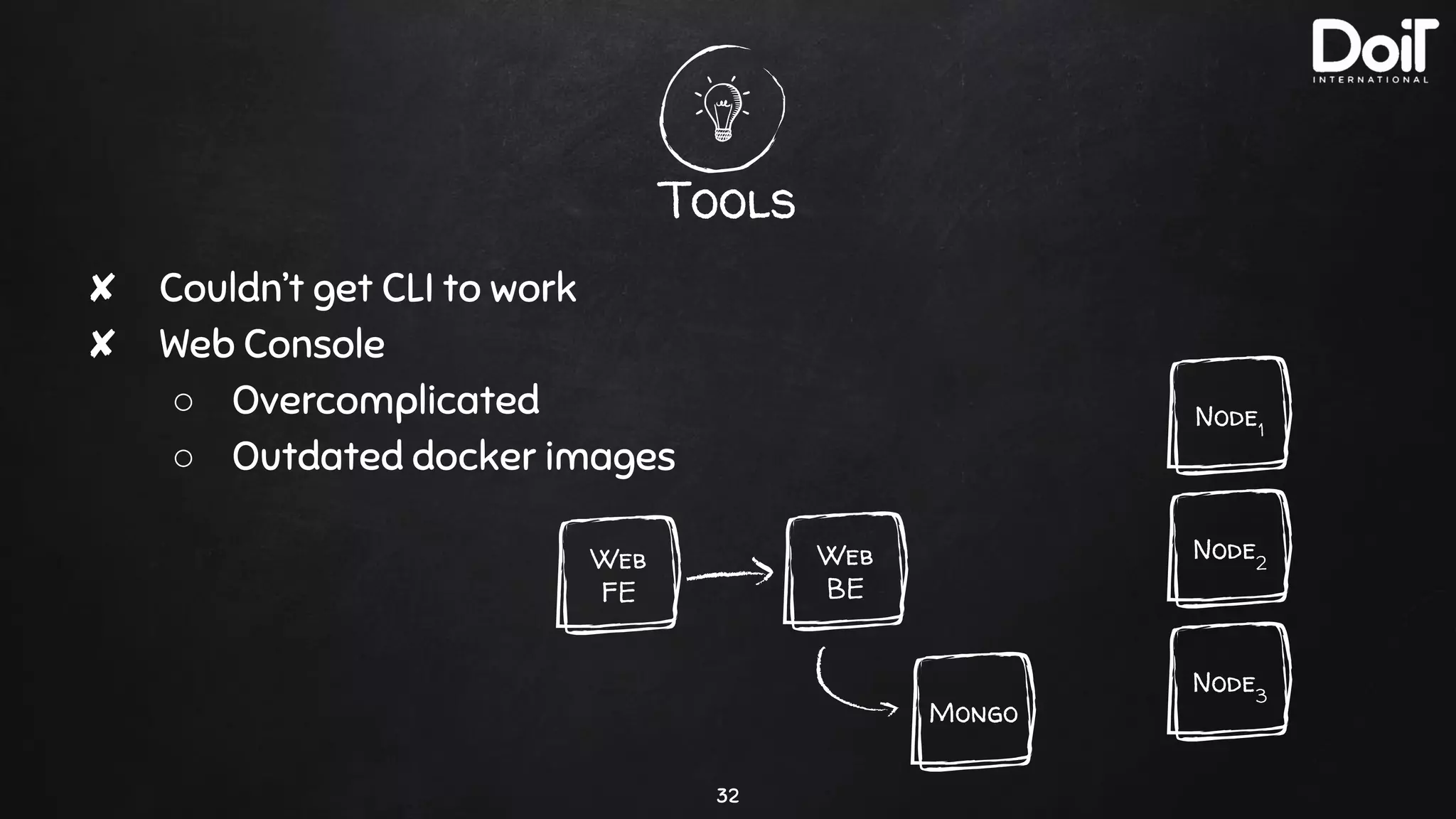
Tools
30
✘ Couldn’t get CLI to work
✘ Web Console
○ Overcomplicated
○ Outdated docker images
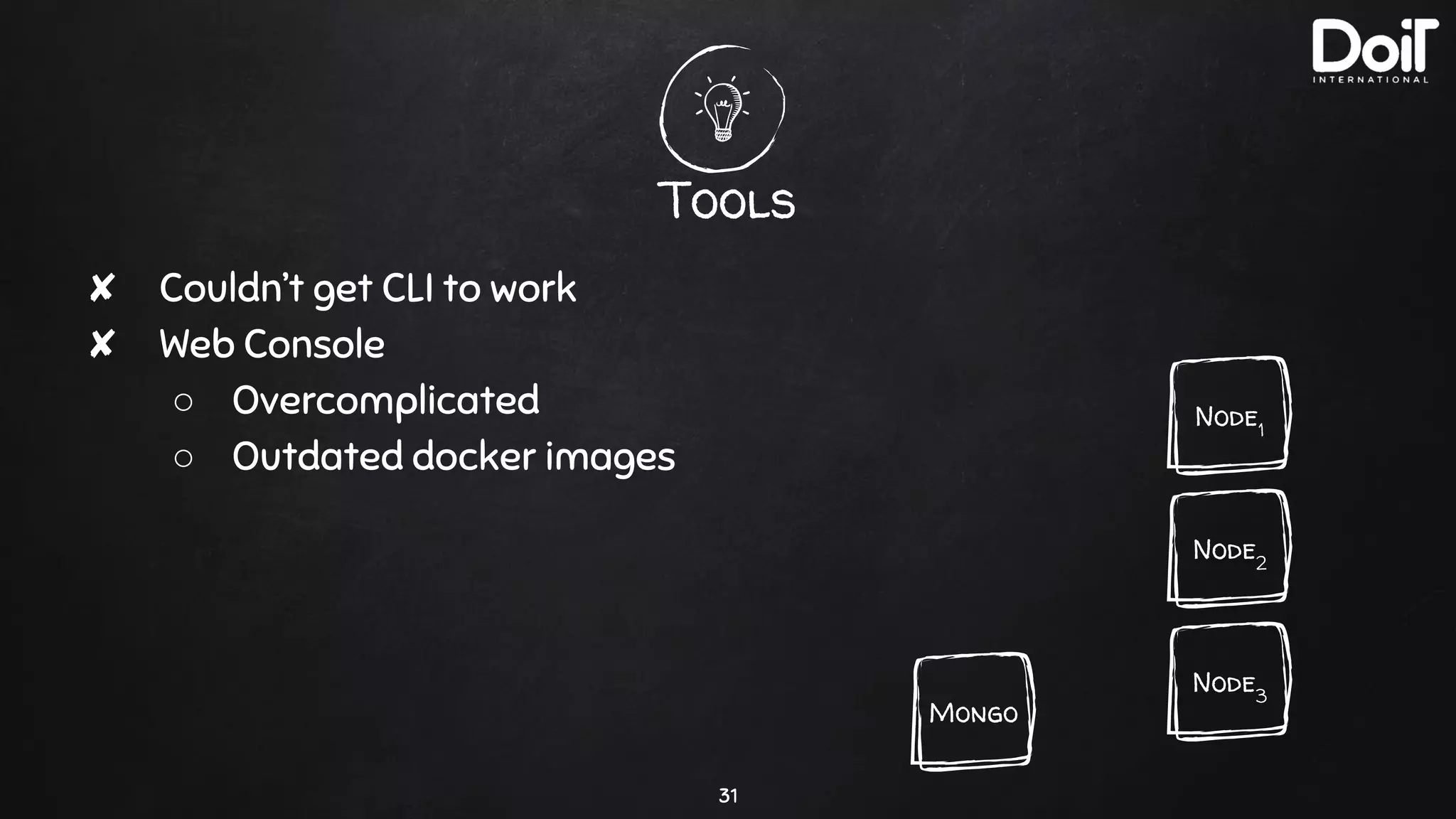
Tools
31
✘ Couldn’t get CLI to work
✘ Web Console
○ Overcomplicated
○ Outdated docker images
Node3
Node1
Node2
Mongo
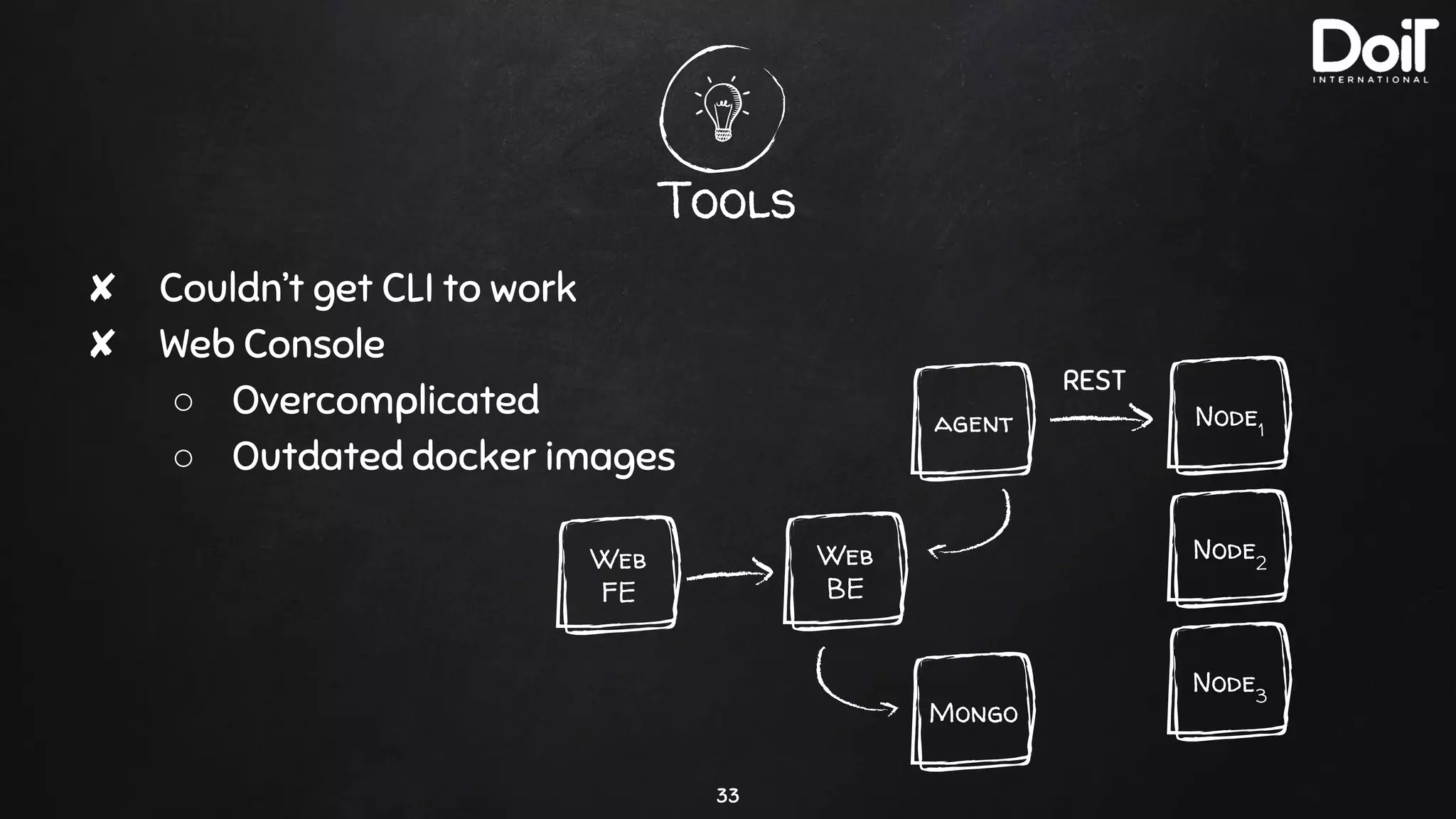
Tools
32
✘ Couldn’t get CLI to work
✘ Web Console
○ Overcomplicated
○ Outdated docker images
Node3
Node1
Node2
Mongo
Web
FE
Web
BE
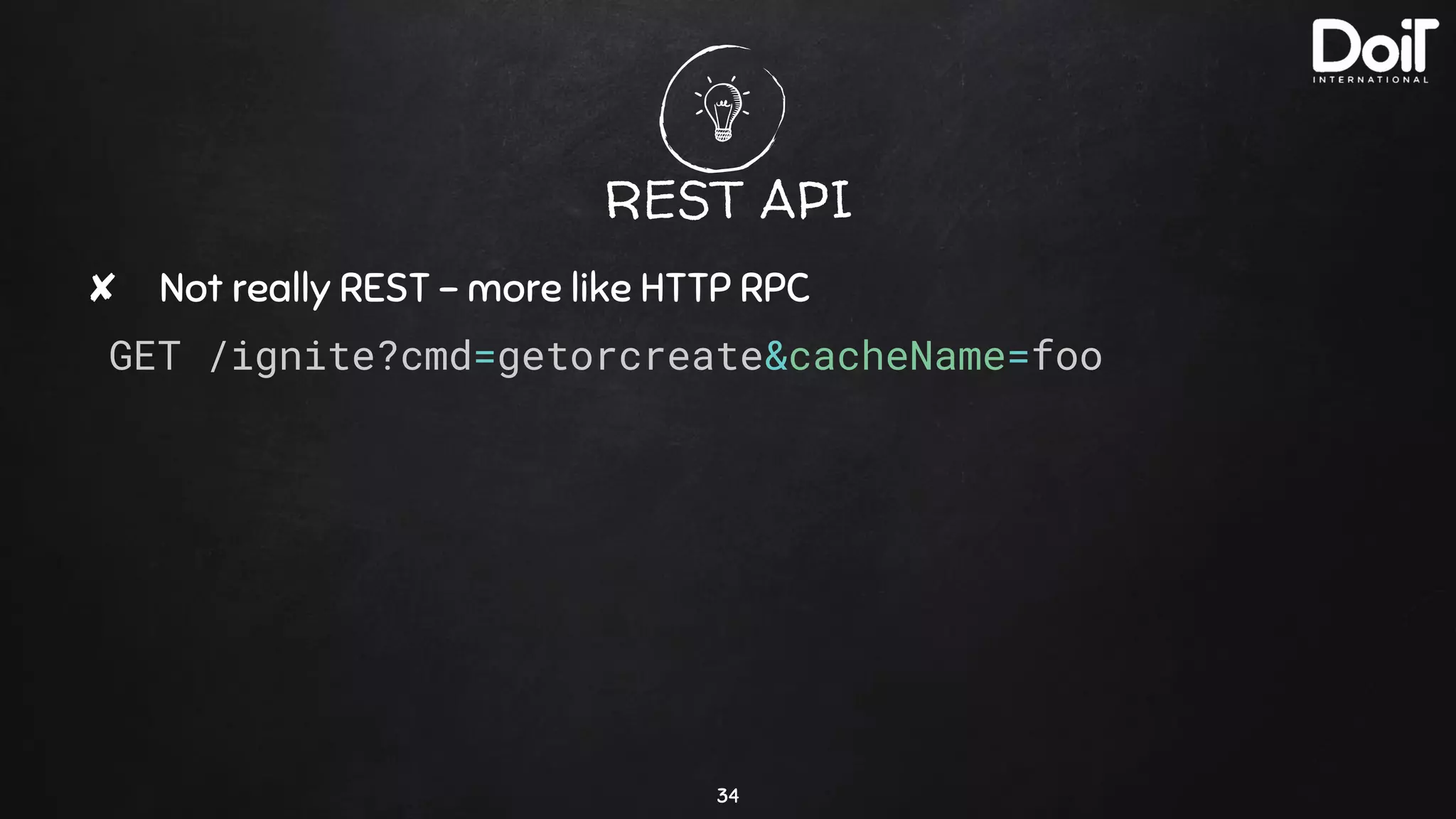
Tools
33
✘ Couldn’t get CLI to work
✘ Web Console
○ Overcomplicated
○ Outdated docker images
Node3
Node1
Node2
Mongo
Web
FE
Web
BE
agent
REST
REST API
✘ Not really REST - more like HTTP RPC
GET /ignite?cmd=getorcreate&cacheName=foo
34
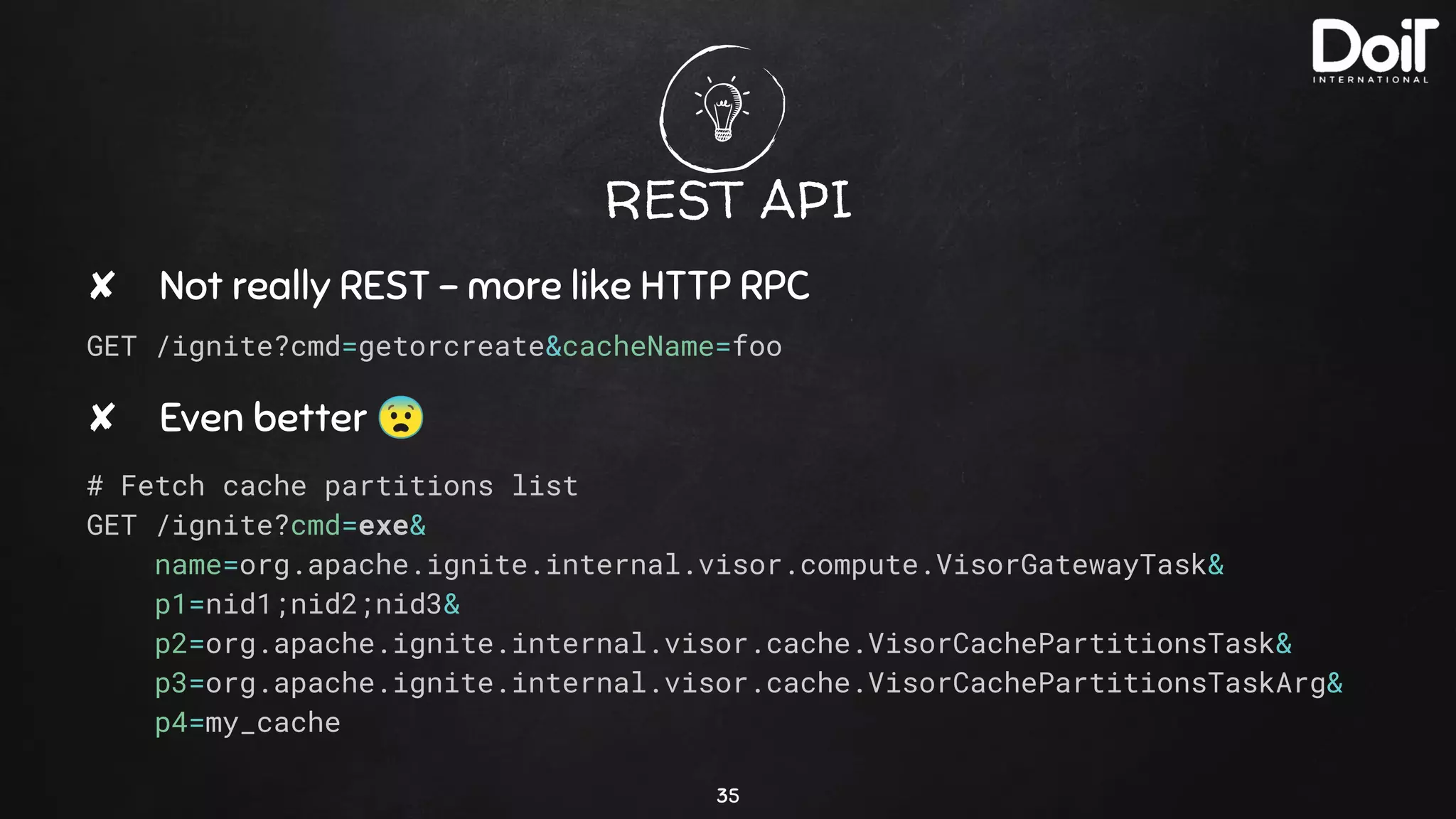
REST API
✘ Not really REST - more like HTTP RPC
GET /ignite?cmd=getorcreate&cacheName=foo
✘ Even better 😨
# Fetch cache partitions list
GET /ignite?cmd=exe&
name=org.apache.ignite.internal.visor.compute.VisorGatewayTask&
p1=nid1;nid2;nid3&
p2=org.apache.ignite.internal.visor.cache.VisorCachePartitionsTask&
p3=org.apache.ignite.internal.visor.cache.VisorCachePartitionsTaskArg&
p4=my_cache
35
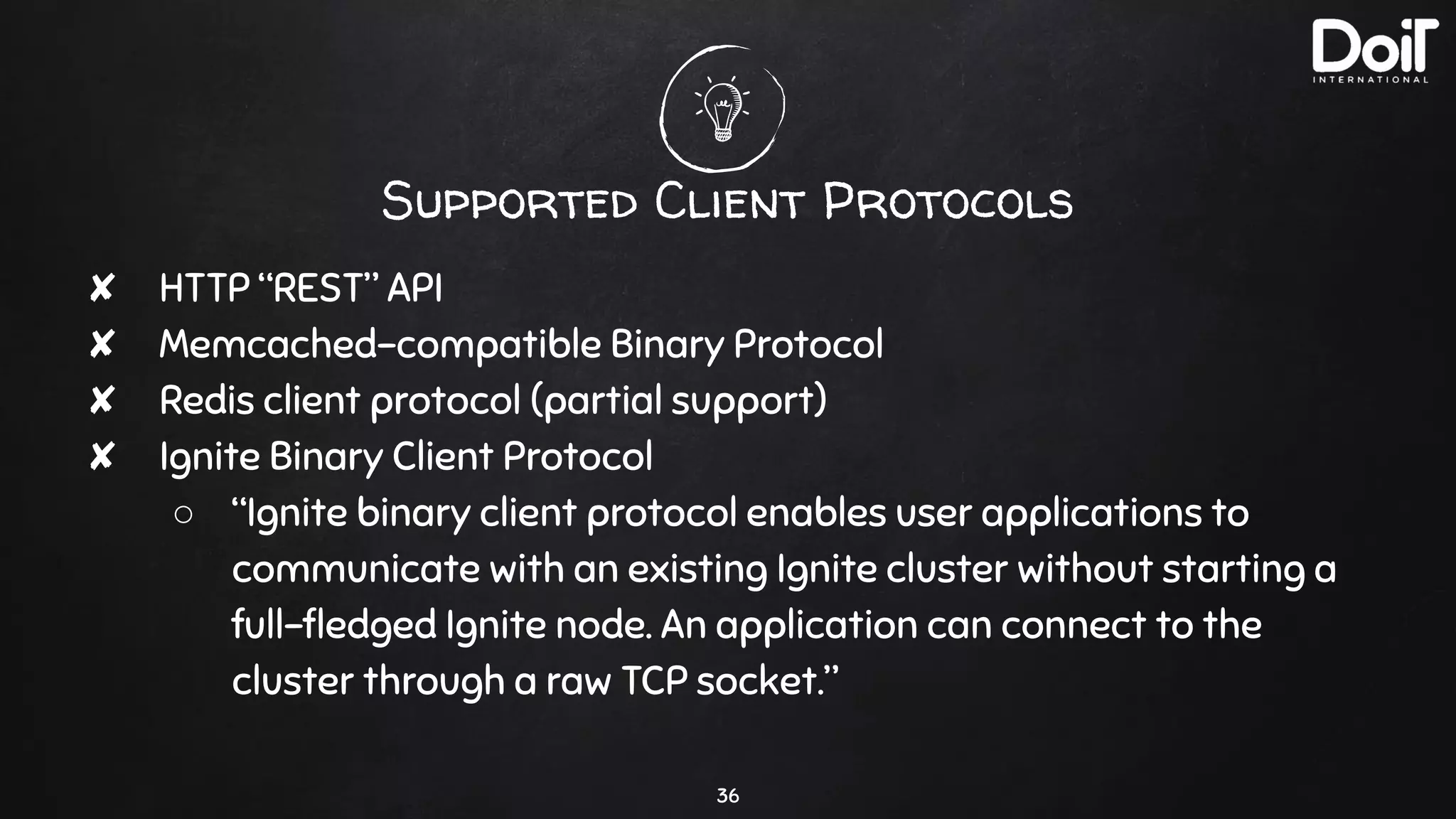
Supported Client Protocols
✘ HTTP “REST” API
✘ Memcached-compatible Binary Protocol
✘ Redis client protocol (partial support)
✘ Ignite Binary Client Protocol
○ “Ignite binary client protocol enables user applications to
communicate with an existing Ignite cluster without starting a
full-fledged Ignite node. An application can connect to the
cluster through a raw TCP socket.”
36
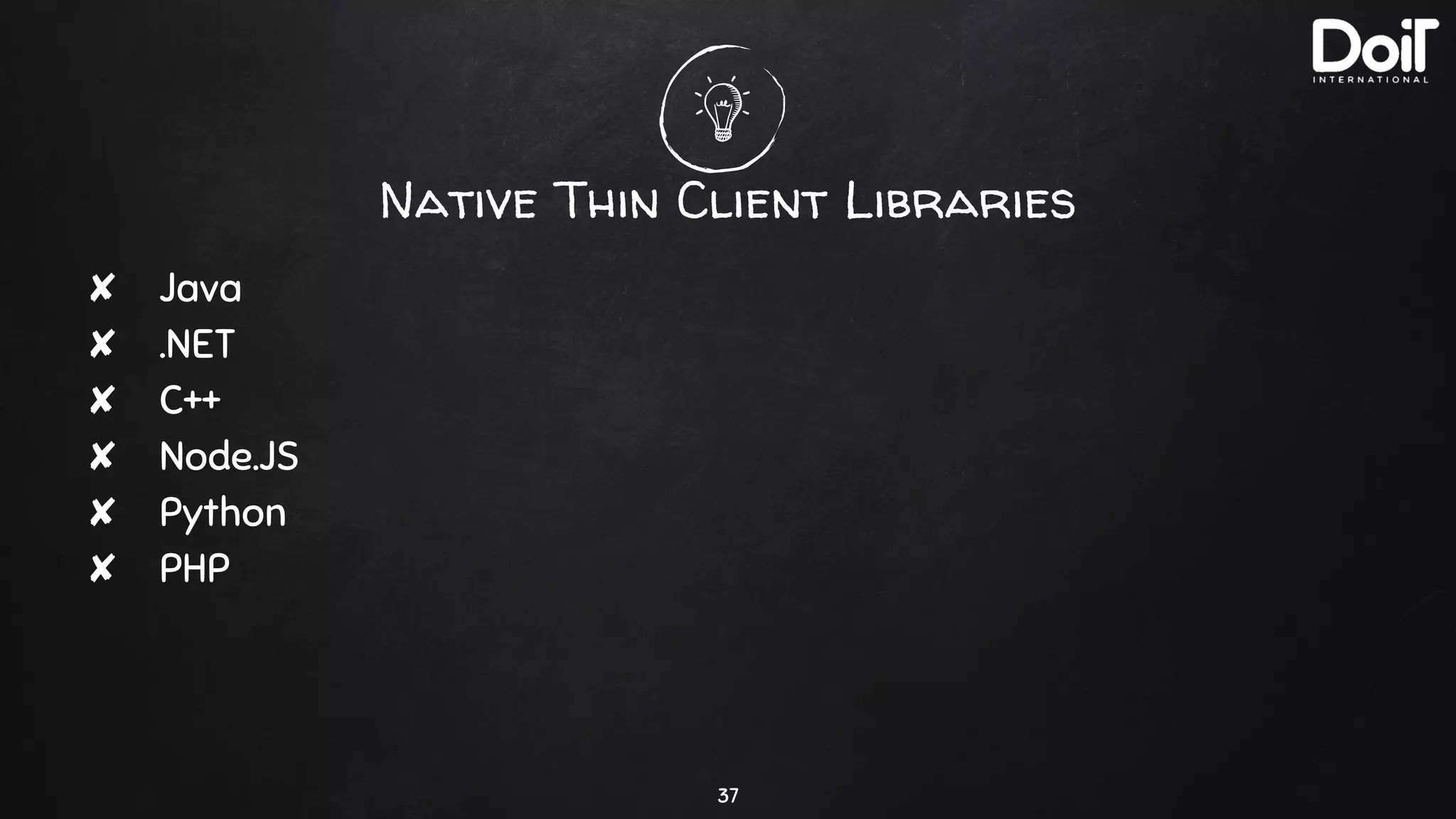
Native Thin Client Libraries
✘ Java
✘ .NET
✘ C++
✘ Node.JS
✘ Python
✘ PHP
37
Thin Client Example (Java)
38
public static void main(String[] args) {
ClientConfiguration cfg = new ClientConfiguration().setAddresses("127.0.0.1:10800");
try (IgniteClient igniteClient = Ignition.startClient(cfg)) {
System.out.println(">>> Thin client put-get example started.");
final String CACHE_NAME = "put-get-example";
ClientCache<Integer, Address> cache = igniteClient.getOrCreateCache(CACHE_NAME);
System.out.format(">>> Created cache [%s].n", CACHE_NAME);
Integer key = 1;
Address val = new Address("1545 Jackson Street", 94612);
cache.put(key, val);
System.out.format(">>> Saved [%s] in the cache.n", val);
Address cachedVal = cache.get(key);
System.out.format(">>> Loaded [%s] from the cache.n", cachedVal);
}
catch (ClientException e) {
System.err.println(e.getMessage());
}
catch (Exception e) {
System.err.format("Unexpected failure: %sn", e);
}
}
Output:
>>> Thin client put-get example started.
>>> Created cache [put-get-example].
>>> Saved [Address [street=1545 Jackson Street, zip=94612]] in the cache.
>>> Loaded [Address [street=1545 Jackson Street, zip=94612]] from the cache.
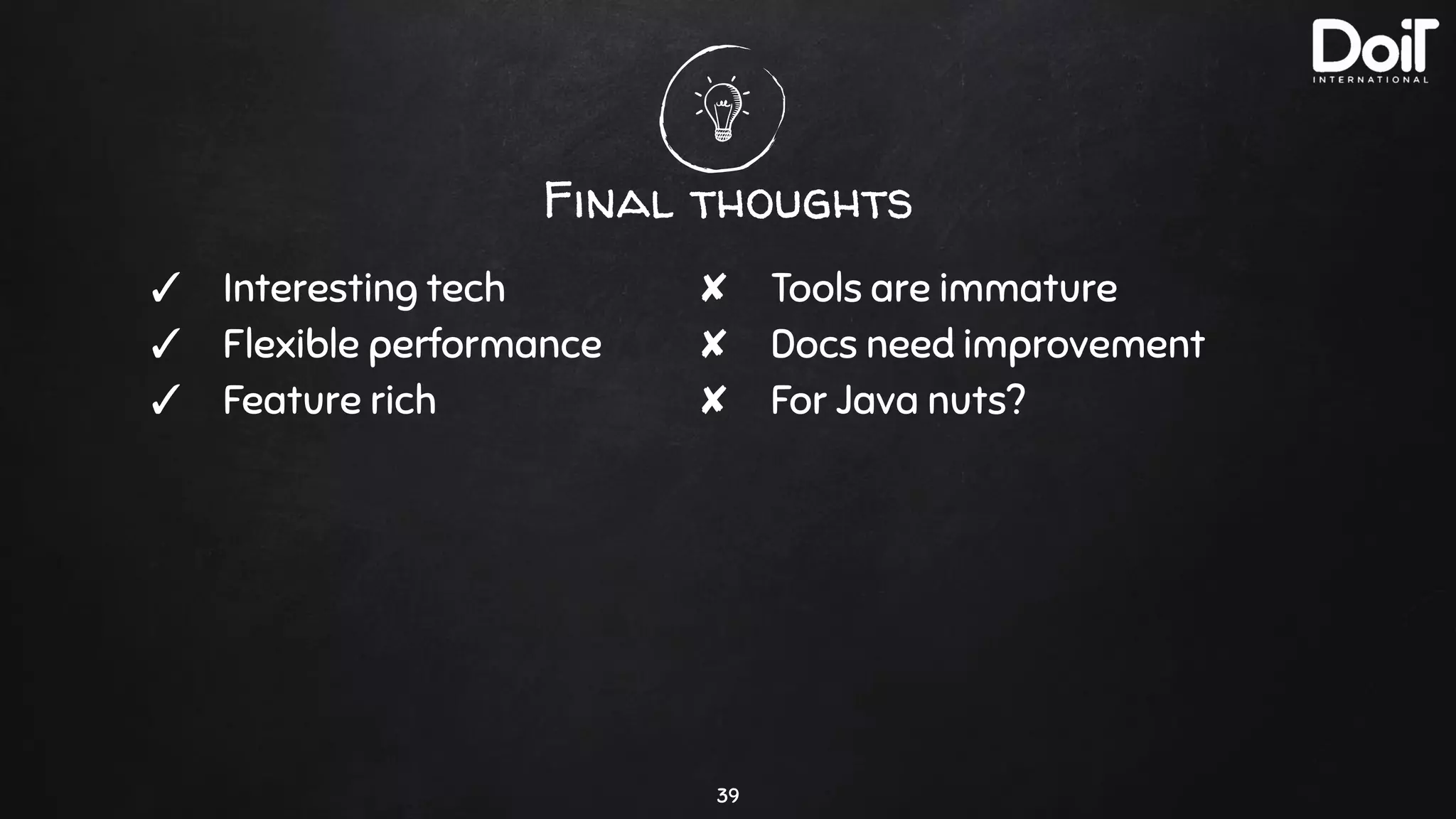
Final thoughts
39
✓ Interesting tech
✓ Flexible performance
✓ Feature rich
✘ Tools are immature
✘ Docs need improvement
✘ For Java nuts?
thanks!
Any questions?
40

Apache ignite - a do-it-all key-value db?

  • 1.
  • 2.
    hello! I am ZaarHai Cloud Architect at DoiT International linkedin.com/in/zaar 2
  • 3.
  • 4.
    A shortlist offeatures ✘ Key / Value DB ✘ Both in-memory and on-disk ✘ True (easy) clustering ✘ Transactions ✘ ANSI-99 SQL, with JDBC and ODBC support ✘ Grid computing 4
  • 5.
  • 6.
    Memory only 6 Distributed memorycache Node RAM Node RAM Node RAM
  • 7.
    Memory only 7 Distributed memorycache Node RAM Node RAM Node RAM Redis-like performance
  • 8.
    Memory + persistence 8 Distributedmemory cache Node RAM Node RAM Node RAM Node Disc Node Disc Node Disc
  • 9.
    Memory + persistence 9 Distributedmemory cache Node RAM Node RAM Node RAM Persistent Redis done rightNode Disc Node Disc Node Disc
  • 10.
    Memory + LOTSof persistence 10 Distributed memory cache Node RAM Node RAM Node RAM Node Disc Node Disc Node Disc
  • 11.
    Memory + LOTSof persistence 11 Node RAM Node RAM Node RAM Couch DB, ES, Cassandra, etc. Node Disc Node Disc Node Disc Distributed memory cache
  • 12.
  • 13.
  • 14.
  • 15.
    Cache data layout 15 Cache P3P2P1 ▩pri ▧ bak1 ▧ bak2 Node3 Node1 Node2 ✘ Replication factor ✘ Distributed store ✘ Zone awareness ✘ Consistency level
  • 16.
    Inside a node 16 Syncmodes Fsync / buffer cache
  • 17.
  • 18.
  • 19.
    No strong masters 19 🔑 key1 Pnum =hash(key, P_count) P3P2P1
  • 20.
    No strong masters 20 🔑 key1 Pnum =hash(key, P_count) Consistent hashing E.g “modulo” P3P2P1
  • 21.
    No strong masters 21 P3P2P1 ▩pri ▧ bak1 ▧ bak2 Node3 Node1 Node2 🔑 key1 P1 = hash(key1 , P_count) Node6 Node4 Node5
  • 22.
    No strong masters 22 P3P2P1 ▩pri ▧ bak1 ▧ bak2 Node3 Node1 Node2 🔑 key1 P1 = hash(key1 , P_count) r_hash(P1 , N_count) = N4 , N2 , N3 , N6 , N5 , N1 Node6 Node4 Node5 Rendezvous hashing
  • 23.
    No strong masters 23 P3P2P1 ▩pri ▧ bak1 ▧ bak2 Node3 Node1 Node2 🔑 key1 P1 = hash(key1 , P_count) Rendezvous hashing Node6 Node4 Node5 r_hash(P1 , N_count) = N4 , N2 , N3 , N6 , N5 , N1
  • 24.
    Grid Computing 24 ✘ Writeyour own function ✘ Load them as Jars into Ignite nodes ✘ Run computations close to your data
  • 25.
    Cheap Setup ThatMakes Sense 25 ✘ 2 x (2 CPU / 16 GB RAM) x 2 zones, 1 TB PD SSD per node ✘ Less than $250/TB ✘ 9 thin clients during random inserts, updates, and reads: ○ 3,682 inserts/s, 3.8ms median latency ○ 4,229 updates/s, 4.8ms median latency ○ 3,952 reads/s, 4.2ms median latency ✘ Completely CPU bound - you pay mainly for storage
  • 26.
  • 27.
    Running on K8s 27 ✘There are official docker images for Ignite Server ✘ There are guides for EKS, GKE, etc. ✘ Our improvements: https://github.com/doitintl/ignite-gke
  • 28.
    No backups 28 ✘ Snapshottingcan work but quite tricky
  • 29.
    Configuration 29 It’s all XMLwith Java Beans <beans xmlns="http://www.springframework.org/schema/beans" xmlns:xsi="http://www.w3.org/2001/XMLSchema-instance" xsi:schemaLocation=" http://www.springframework.org/schema/beans http://www.springframework.org/schema/beans/spring-beans.xsd"> <bean class="org.apache.ignite.configuration.IgniteConfiguration"> <property name="dataStorageConfiguration"> <bean class="org.apache.ignite.configuration.DataStorageConfiguration"> <property name="defaultDataRegionConfiguration"> <bean class="org.apache.ignite.configuration.DataRegionConfiguration"> <property name="persistenceEnabled" value="true"/> </bean> </property> </bean> </property> ...
  • 30.
    Tools 30 ✘ Couldn’t getCLI to work ✘ Web Console ○ Overcomplicated ○ Outdated docker images
  • 31.
    Tools 31 ✘ Couldn’t getCLI to work ✘ Web Console ○ Overcomplicated ○ Outdated docker images Node3 Node1 Node2 Mongo
  • 32.
    Tools 32 ✘ Couldn’t getCLI to work ✘ Web Console ○ Overcomplicated ○ Outdated docker images Node3 Node1 Node2 Mongo Web FE Web BE
  • 33.
    Tools 33 ✘ Couldn’t getCLI to work ✘ Web Console ○ Overcomplicated ○ Outdated docker images Node3 Node1 Node2 Mongo Web FE Web BE agent REST
  • 34.
    REST API ✘ Notreally REST - more like HTTP RPC GET /ignite?cmd=getorcreate&cacheName=foo 34
  • 35.
    REST API ✘ Notreally REST - more like HTTP RPC GET /ignite?cmd=getorcreate&cacheName=foo ✘ Even better 😨 # Fetch cache partitions list GET /ignite?cmd=exe& name=org.apache.ignite.internal.visor.compute.VisorGatewayTask& p1=nid1;nid2;nid3& p2=org.apache.ignite.internal.visor.cache.VisorCachePartitionsTask& p3=org.apache.ignite.internal.visor.cache.VisorCachePartitionsTaskArg& p4=my_cache 35
  • 36.
    Supported Client Protocols ✘HTTP “REST” API ✘ Memcached-compatible Binary Protocol ✘ Redis client protocol (partial support) ✘ Ignite Binary Client Protocol ○ “Ignite binary client protocol enables user applications to communicate with an existing Ignite cluster without starting a full-fledged Ignite node. An application can connect to the cluster through a raw TCP socket.” 36
  • 37.
    Native Thin ClientLibraries ✘ Java ✘ .NET ✘ C++ ✘ Node.JS ✘ Python ✘ PHP 37
  • 38.
    Thin Client Example(Java) 38 public static void main(String[] args) { ClientConfiguration cfg = new ClientConfiguration().setAddresses("127.0.0.1:10800"); try (IgniteClient igniteClient = Ignition.startClient(cfg)) { System.out.println(">>> Thin client put-get example started."); final String CACHE_NAME = "put-get-example"; ClientCache<Integer, Address> cache = igniteClient.getOrCreateCache(CACHE_NAME); System.out.format(">>> Created cache [%s].n", CACHE_NAME); Integer key = 1; Address val = new Address("1545 Jackson Street", 94612); cache.put(key, val); System.out.format(">>> Saved [%s] in the cache.n", val); Address cachedVal = cache.get(key); System.out.format(">>> Loaded [%s] from the cache.n", cachedVal); } catch (ClientException e) { System.err.println(e.getMessage()); } catch (Exception e) { System.err.format("Unexpected failure: %sn", e); } } Output: >>> Thin client put-get example started. >>> Created cache [put-get-example]. >>> Saved [Address [street=1545 Jackson Street, zip=94612]] in the cache. >>> Loaded [Address [street=1545 Jackson Street, zip=94612]] from the cache.
  • 39.
    Final thoughts 39 ✓ Interestingtech ✓ Flexible performance ✓ Feature rich ✘ Tools are immature ✘ Docs need improvement ✘ For Java nuts?
  • 40.