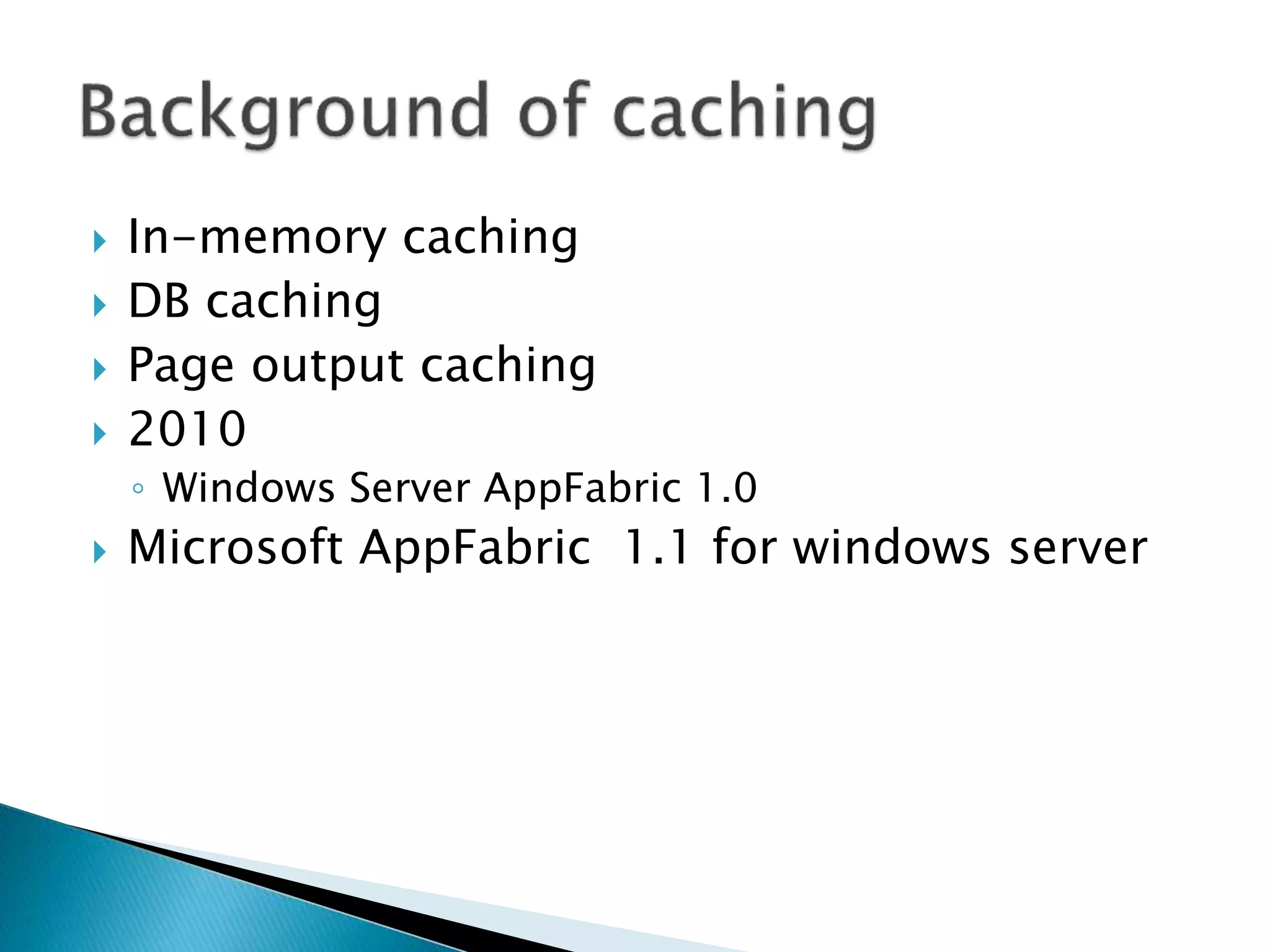
 In-memory caching 
 DB caching 
 Page output caching 
 2010 
◦ Windows Server AppFabric 1.0 
 Microsoft AppFabric 1.1 for windows server
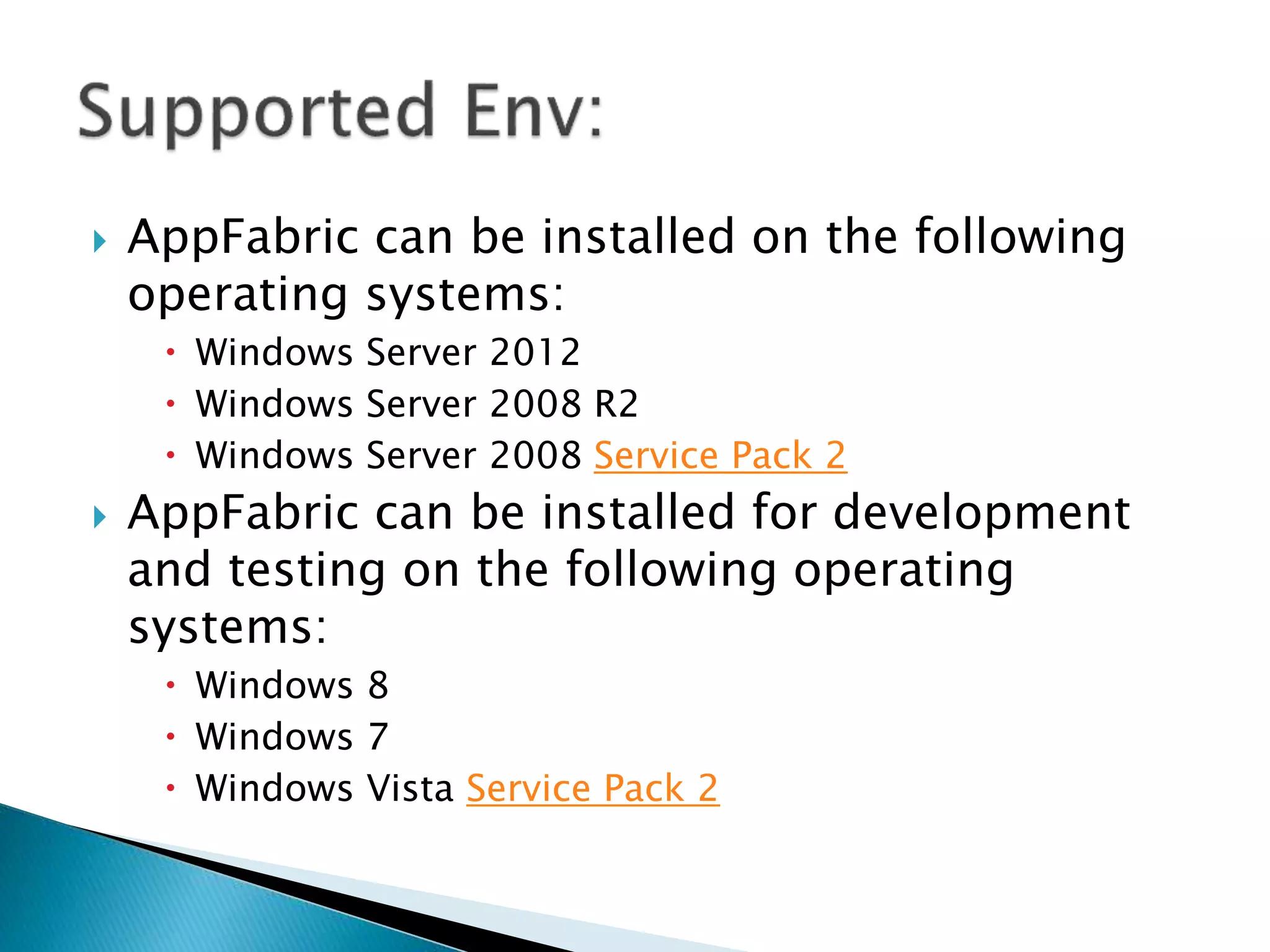
 AppFabric can be installed on the following 
operating systems: 
 Windows Server 2012 
 Windows Server 2008 R2 
 Windows Server 2008 Service Pack 2 
 AppFabric can be installed for development 
and testing on the following operating 
systems: 
 Windows 8 
 Windows 7 
 Windows Vista Service Pack 2
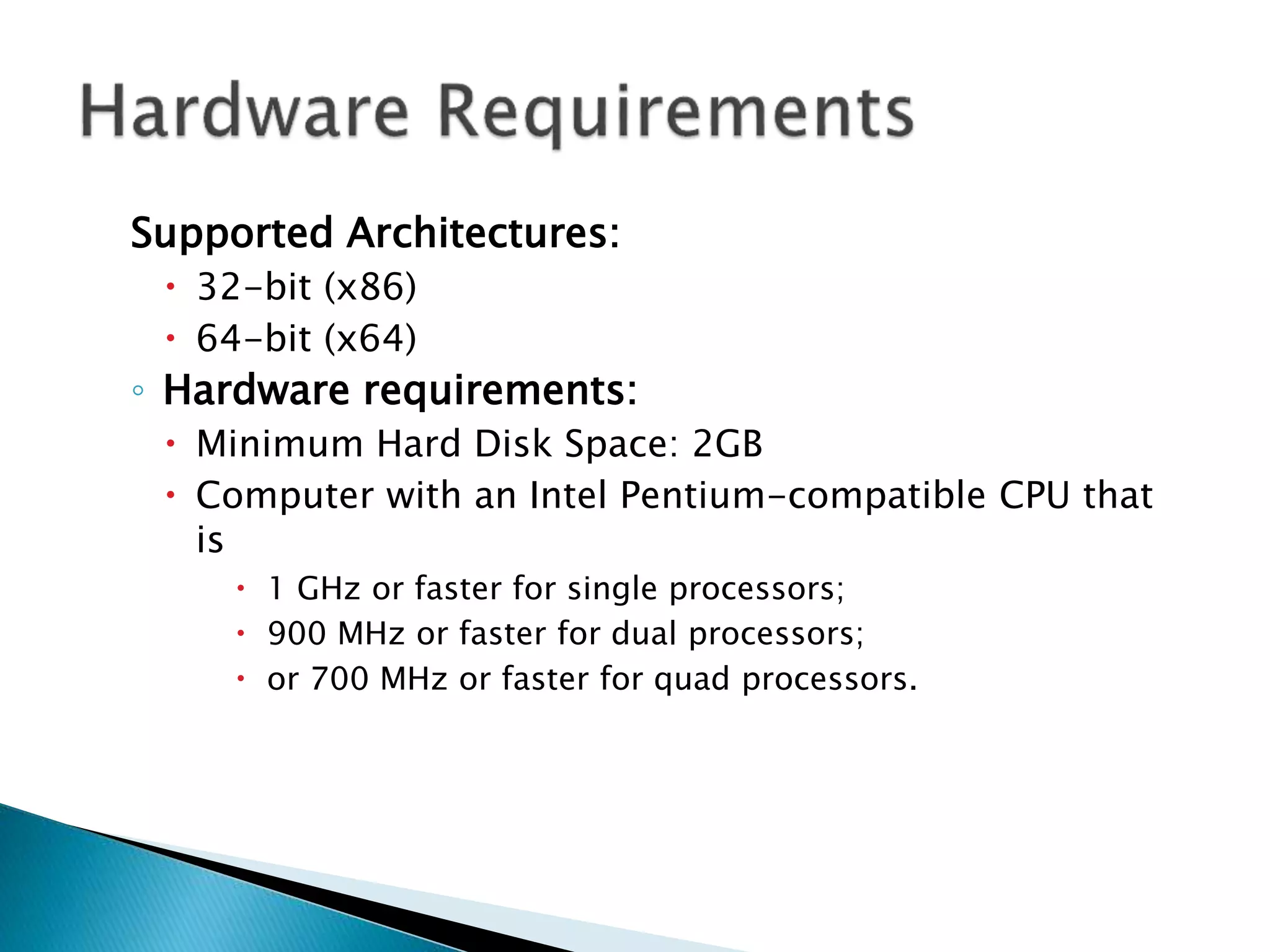
Supported Architectures: 
 32-bit (x86) 
 64-bit (x64) 
◦ Hardware requirements: 
 Minimum Hard Disk Space: 2GB 
 Computer with an Intel Pentium-compatible CPU that 
is 
 1 GHz or faster for single processors; 
 900 MHz or faster for dual processors; 
 or 700 MHz or faster for quad processors.
 All features of AppFabric require a .NET 
Framework: 
 Microsoft .NET Framework 4 and optionally requires 
Microsoft .NET Framework 3.5 Service Pack 1 
 Internet Information Services (IIS) 7 
 Internet Information Services (IIS) 7 Hotfix #980423 
 IIS Web Deployment tool 
 Windows PowerShell 2.0 (final version) (this is 
not required for users on Windows 7,Windows 
Server 2008 R2, or later)
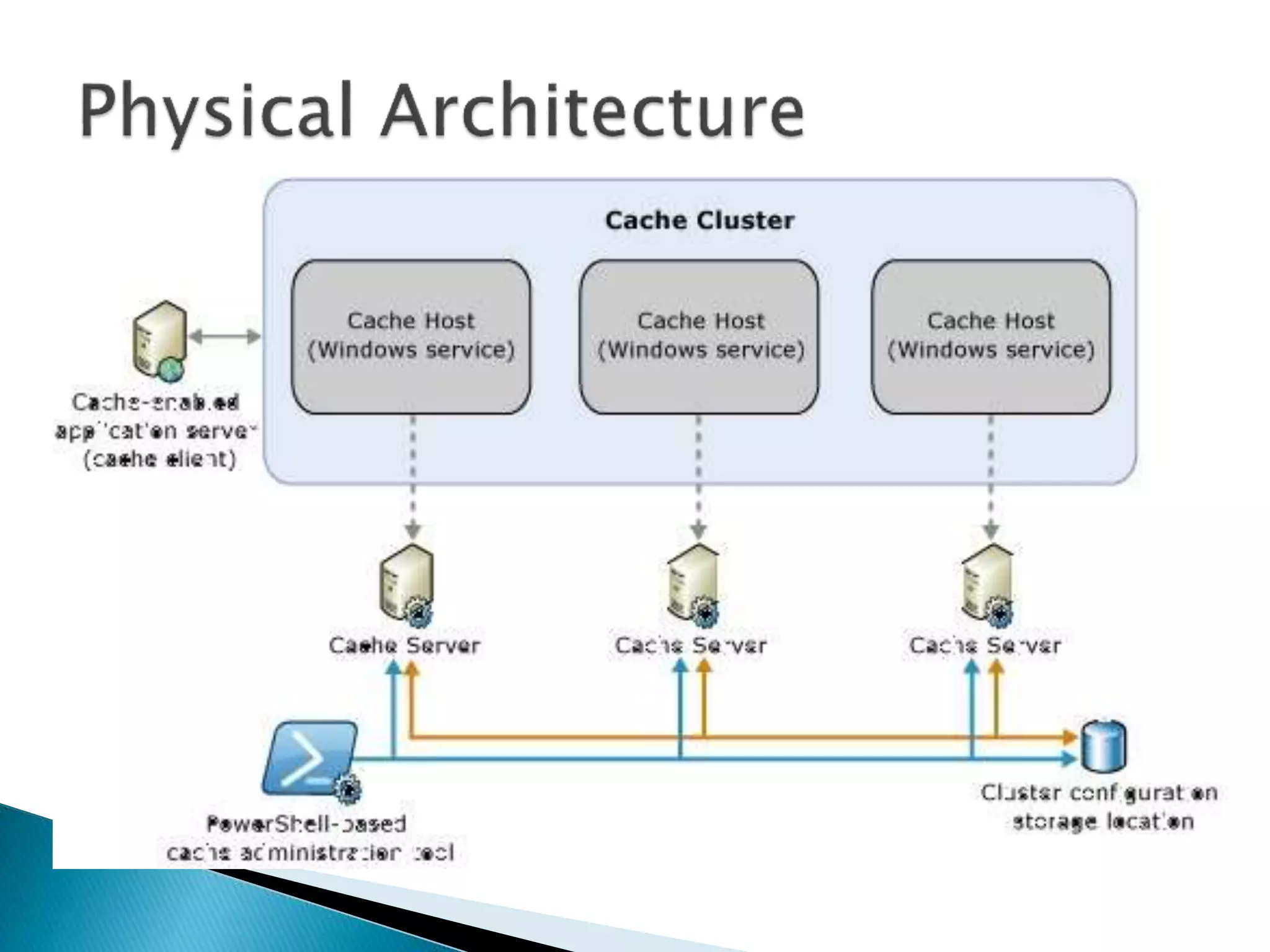
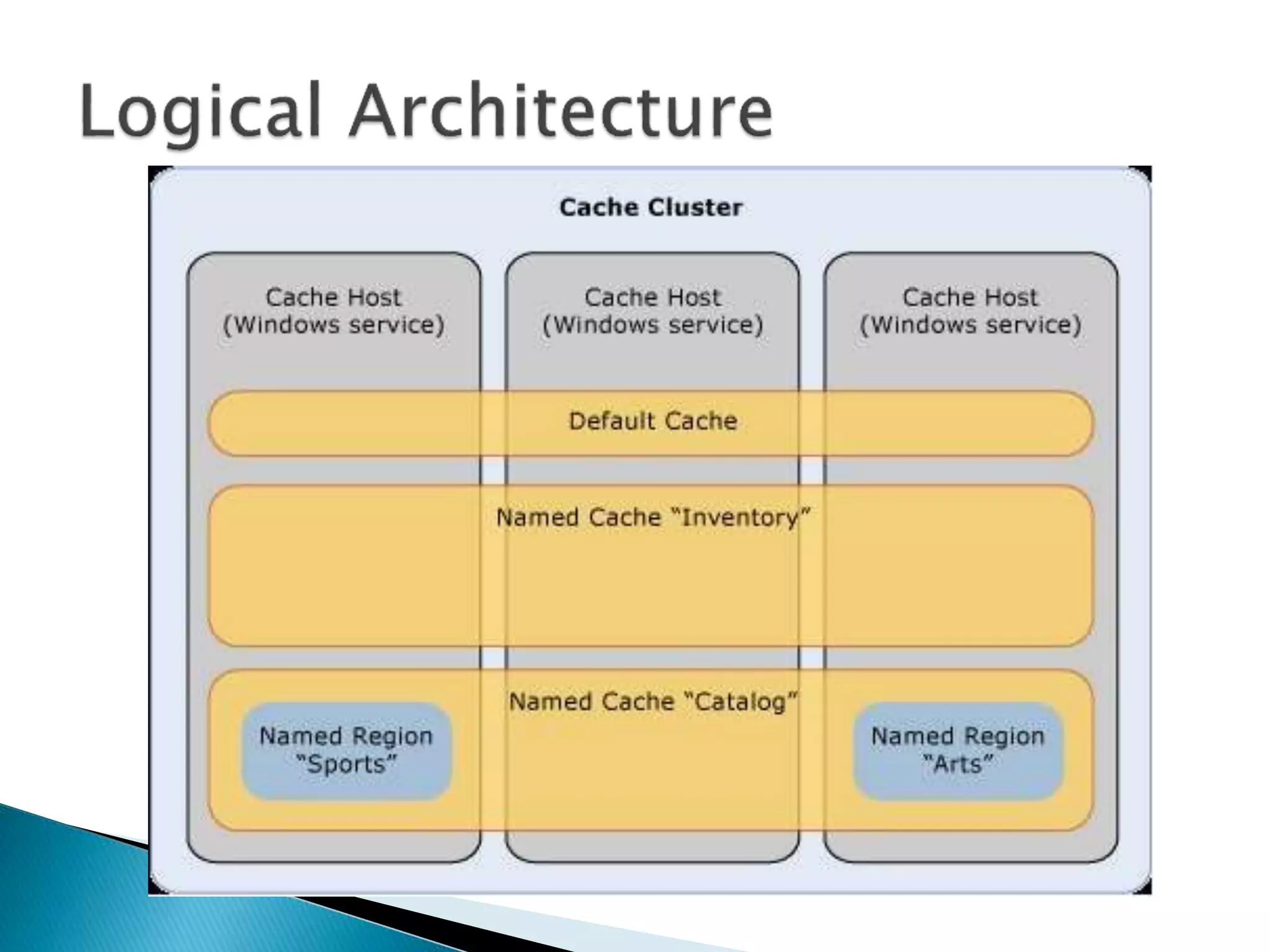
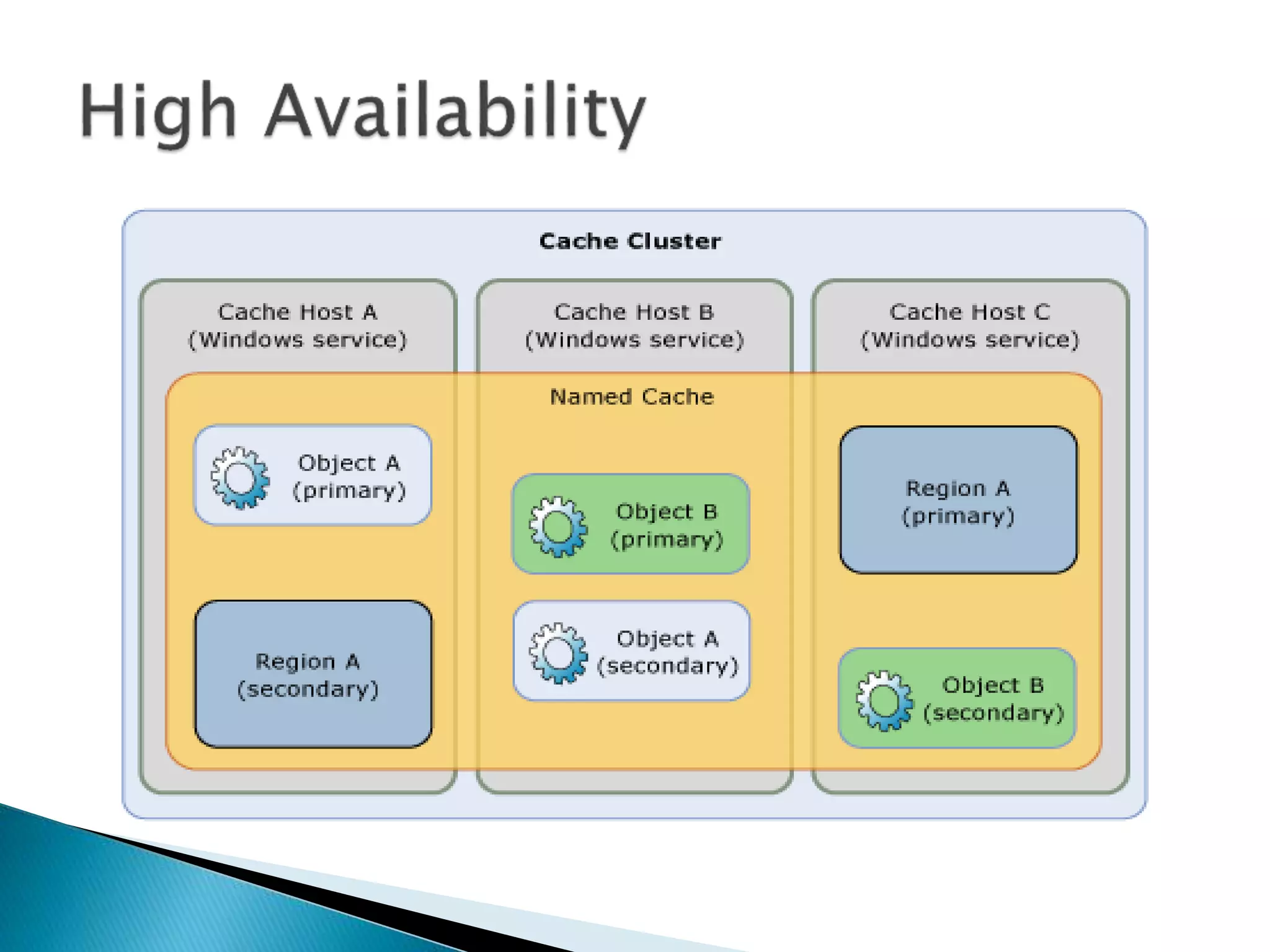
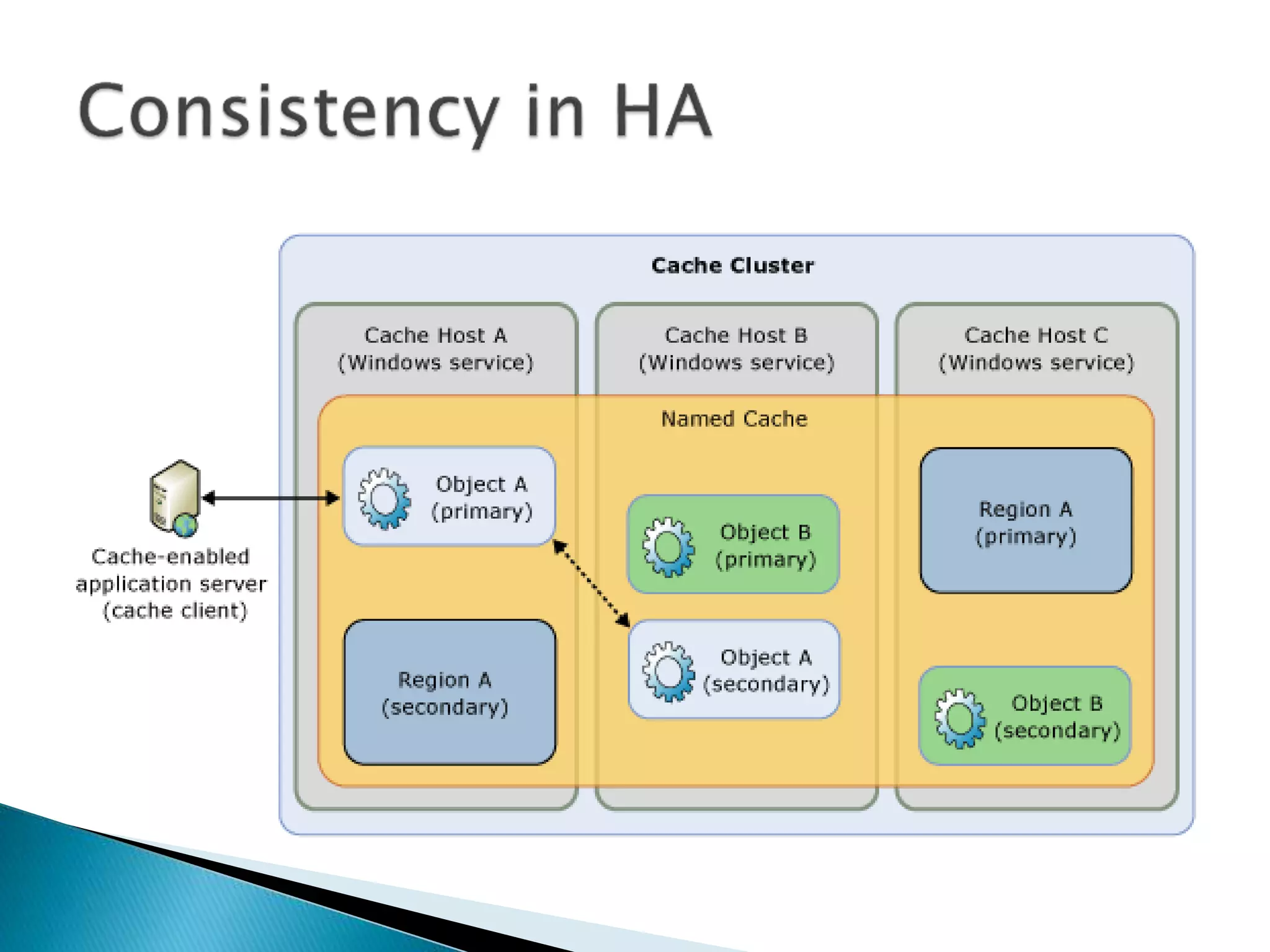
 Cache Host 
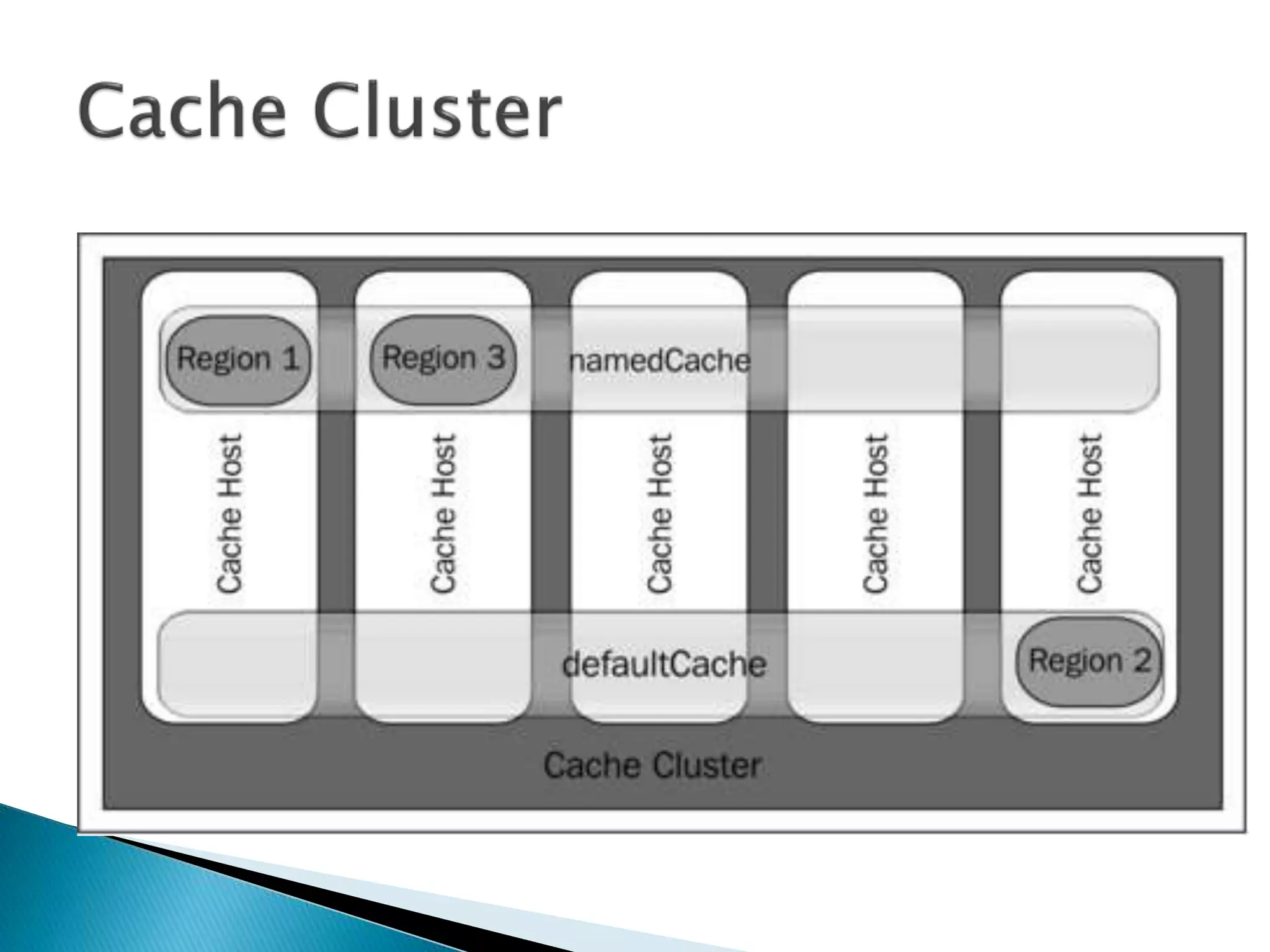
 Cache Cluster 
 Cache Client 
 Cache server 
 Cache Configuration storage 
 Cache Administration
 Named Caches 
 Regions 
 Cached Objects
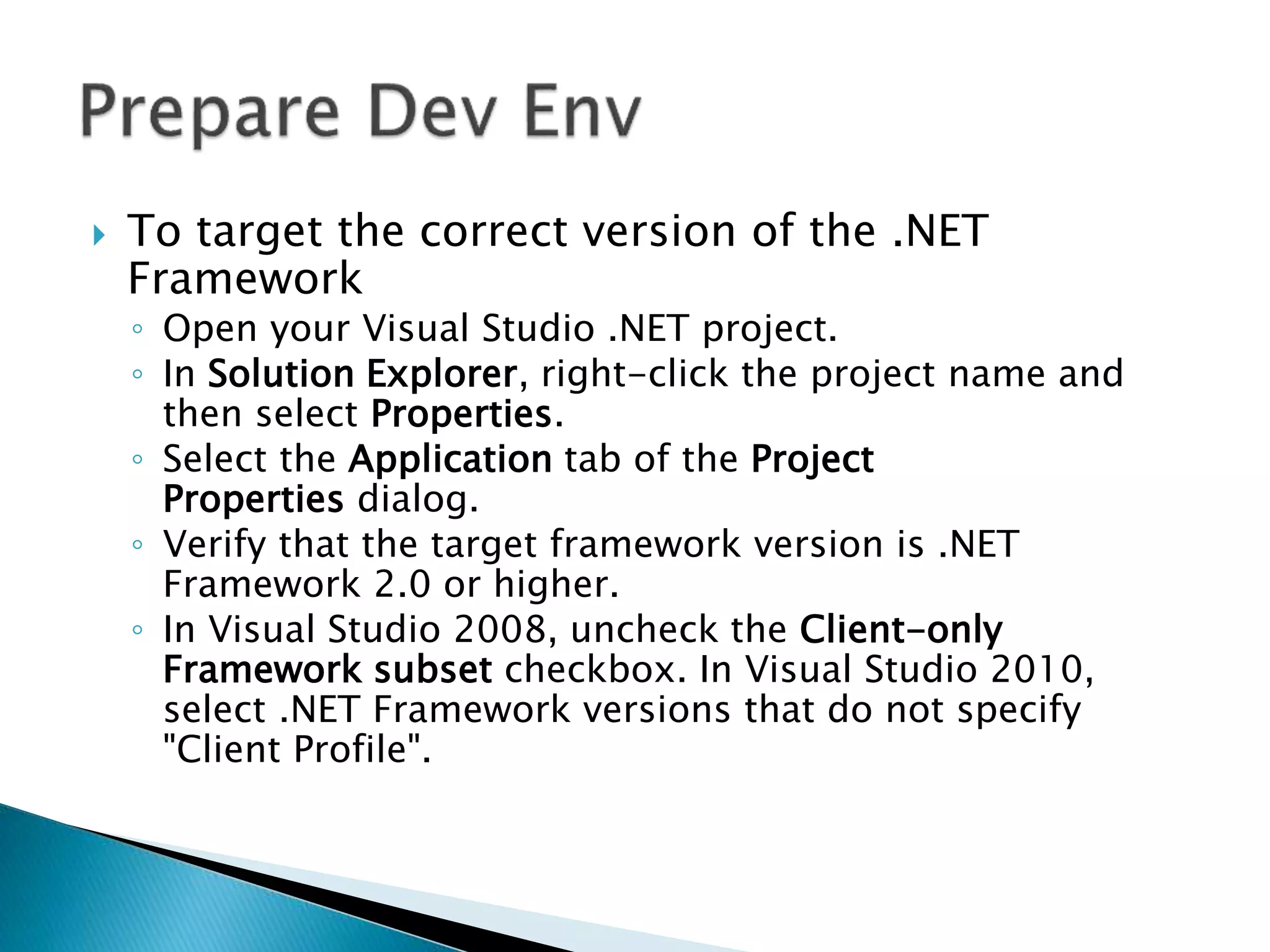
 To target the correct version of the .NET 
Framework 
◦ Open your Visual Studio .NET project. 
◦ In Solution Explorer, right-click the project name and 
then select Properties. 
◦ Select the Application tab of the Project 
Properties dialog. 
◦ Verify that the target framework version is .NET 
Framework 2.0 or higher. 
◦ In Visual Studio 2008, uncheck the Client-only 
Framework subset checkbox. In Visual Studio 2010, 
select .NET Framework versions that do not specify 
"Client Profile".
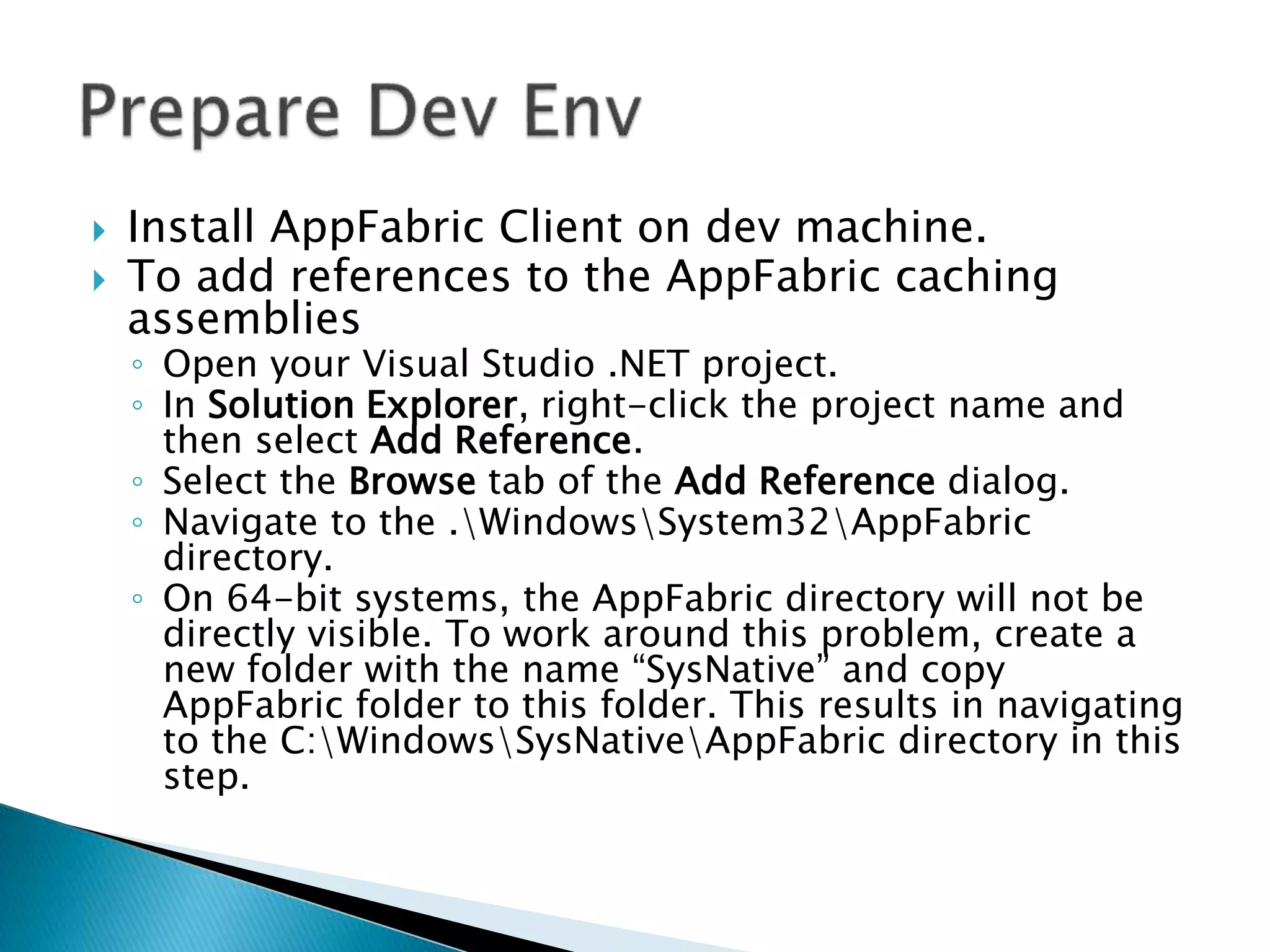
 Install AppFabric Client on dev machine. 
 To add references to the AppFabric caching 
assemblies 
◦ Open your Visual Studio .NET project. 
◦ In Solution Explorer, right-click the project name and 
then select Add Reference. 
◦ Select the Browse tab of the Add Reference dialog. 
◦ Navigate to the .WindowsSystem32AppFabric 
directory. 
◦ On 64-bit systems, the AppFabric directory will not be 
directly visible. To work around this problem, create a 
new folder with the name “SysNative” and copy 
AppFabric folder to this folder. This results in navigating 
to the C:WindowsSysNativeAppFabric directory in this 
step.
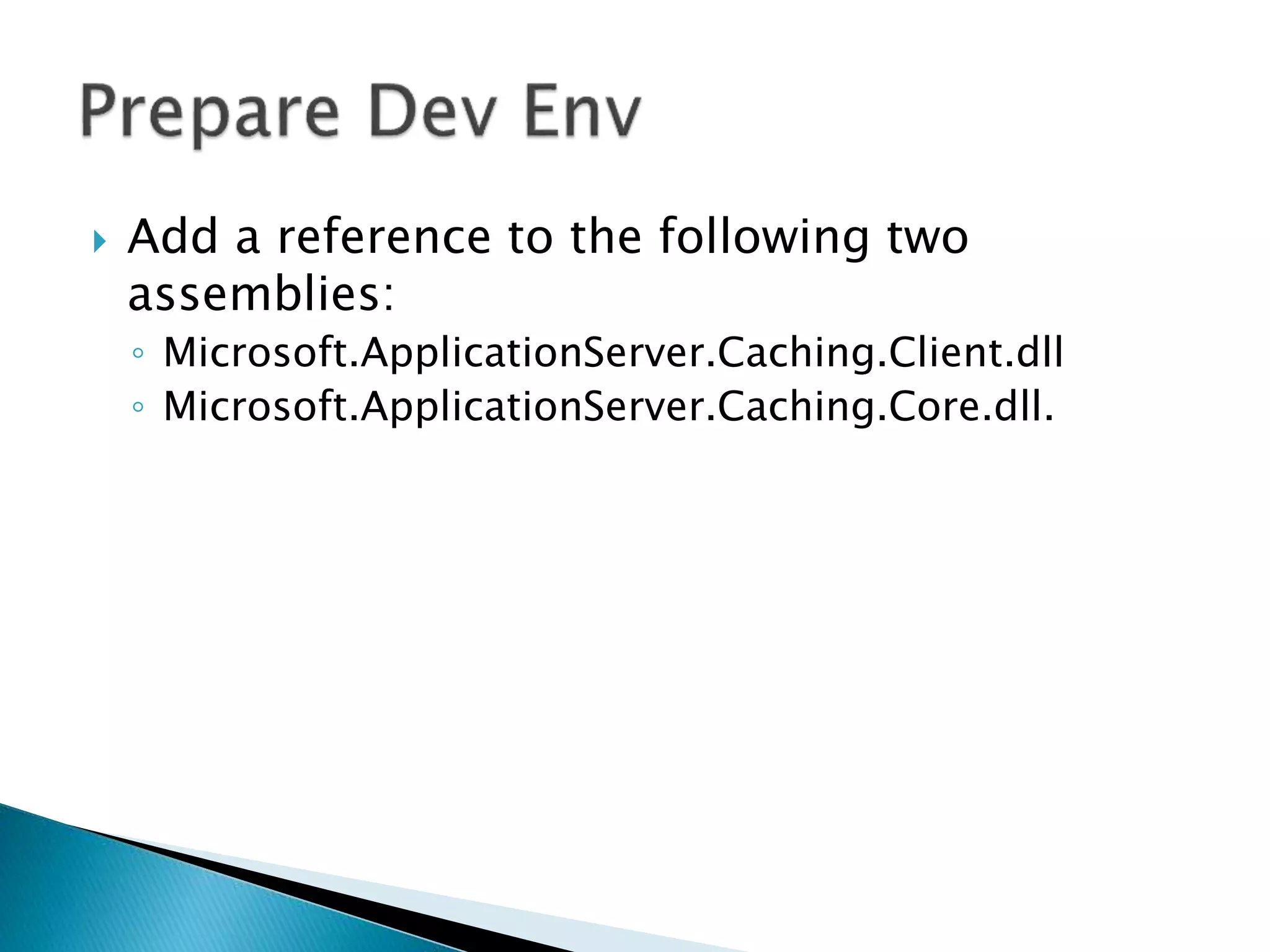
 Add a reference to the following two 
assemblies: 
◦ Microsoft.ApplicationServer.Caching.Client.dll 
◦ Microsoft.ApplicationServer.Caching.Core.dll.
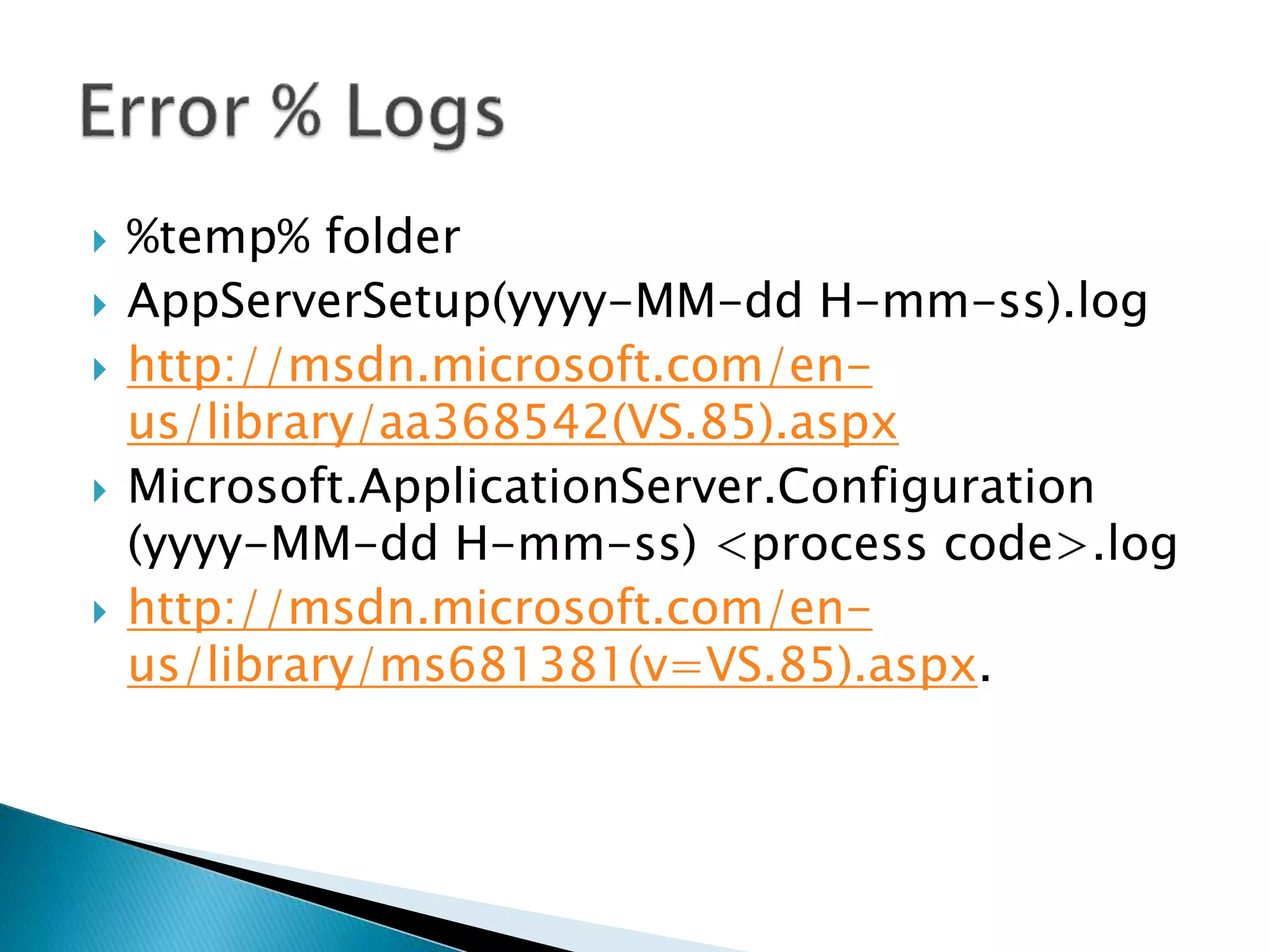
 %temp% folder 
 AppServerSetup(yyyy-MM-dd H-mm-ss).log 
 http://msdn.microsoft.com/en-us/ 
library/aa368542(VS.85).aspx 
 Microsoft.ApplicationServer.Configuration 
(yyyy-MM-dd H-mm-ss) <process code>.log 
 http://msdn.microsoft.com/en-us/ 
library/ms681381(v=VS.85).aspx.
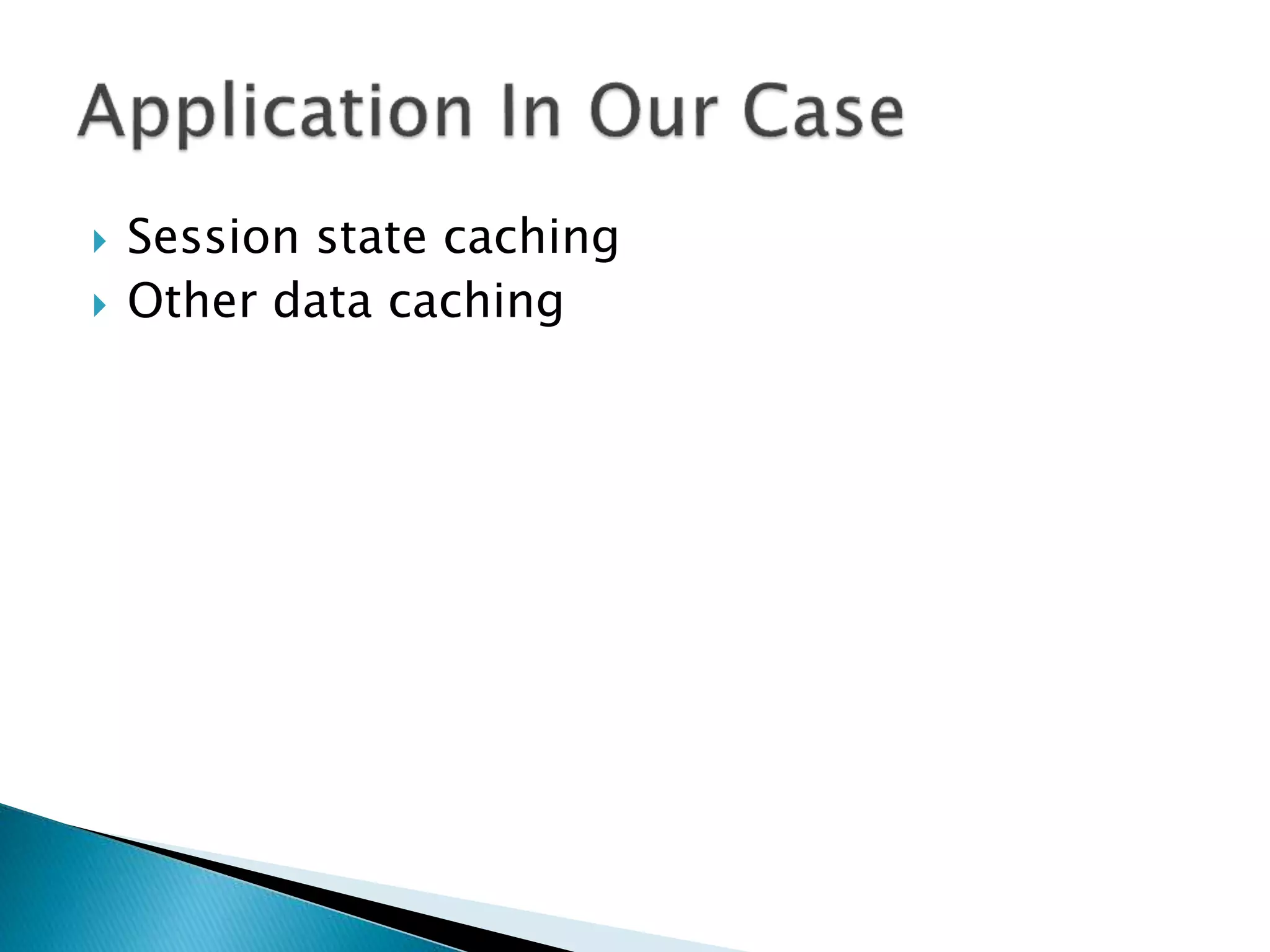
 Session state caching 
 Other data caching
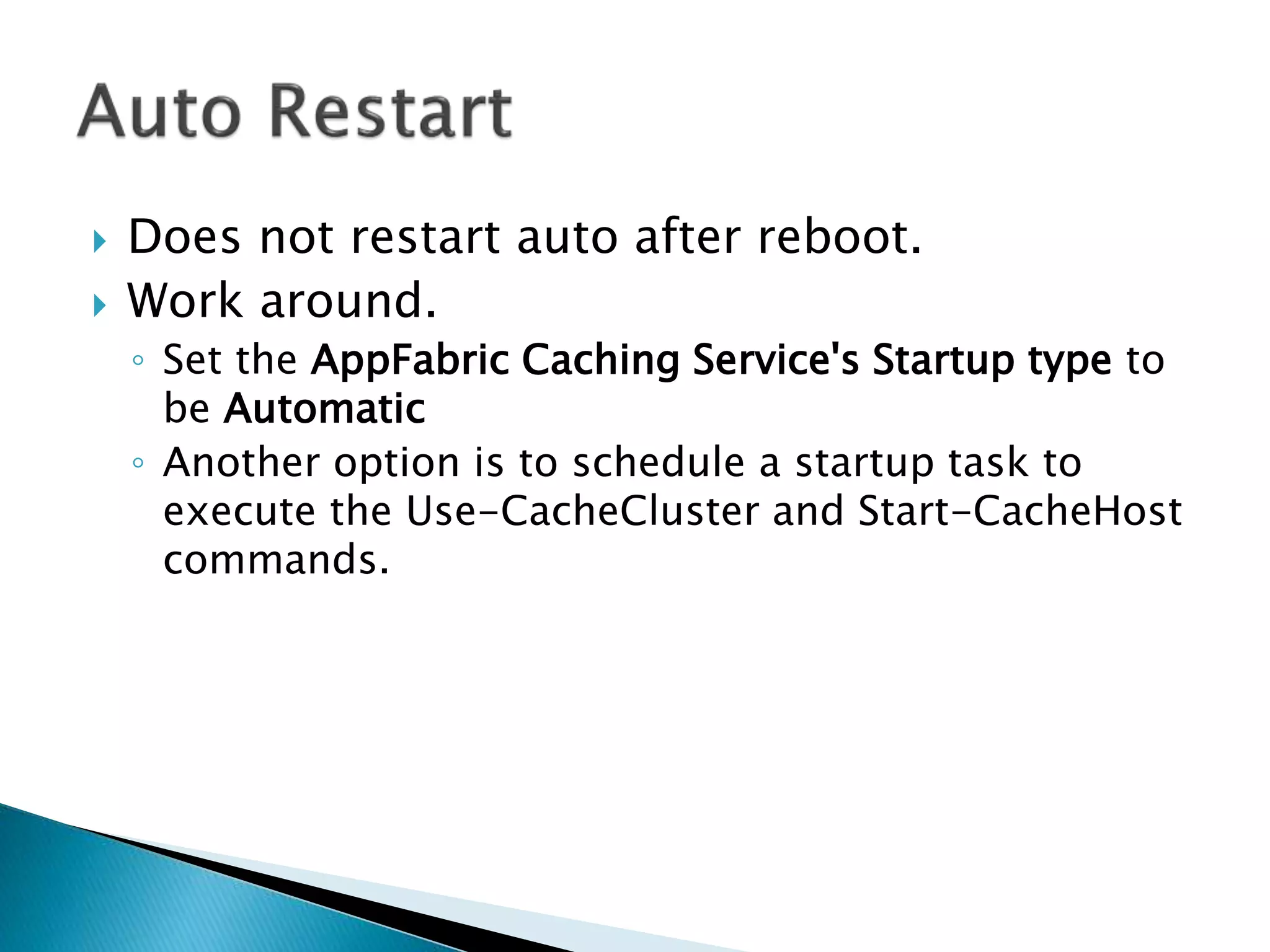
 Does not restart auto after reboot. 
 Work around. 
◦ Set the AppFabric Caching Service's Startup type to 
be Automatic 
◦ Another option is to schedule a startup task to 
execute the Use-CacheCluster and Start-CacheHost 
commands.
 For development and testing environments, 
◦ with licenses for Windows Vista (SP2 or later) and 
Windows 7 at no additional cost. 
 For production environments, 
◦ with licenses for Windows Server 2008 (SP2 or later) and 
Windows Server 2008 R2 at no additional cost. 
 In production environments, 
◦ only active directory domain joined machines. 
◦ The high availability caching feature in Windows Server 
AppFabric is available only on Windows Server 2008/R2 
Enterprise Edition. 
 There are no client access licenses for Windows 
Server AppFabric.
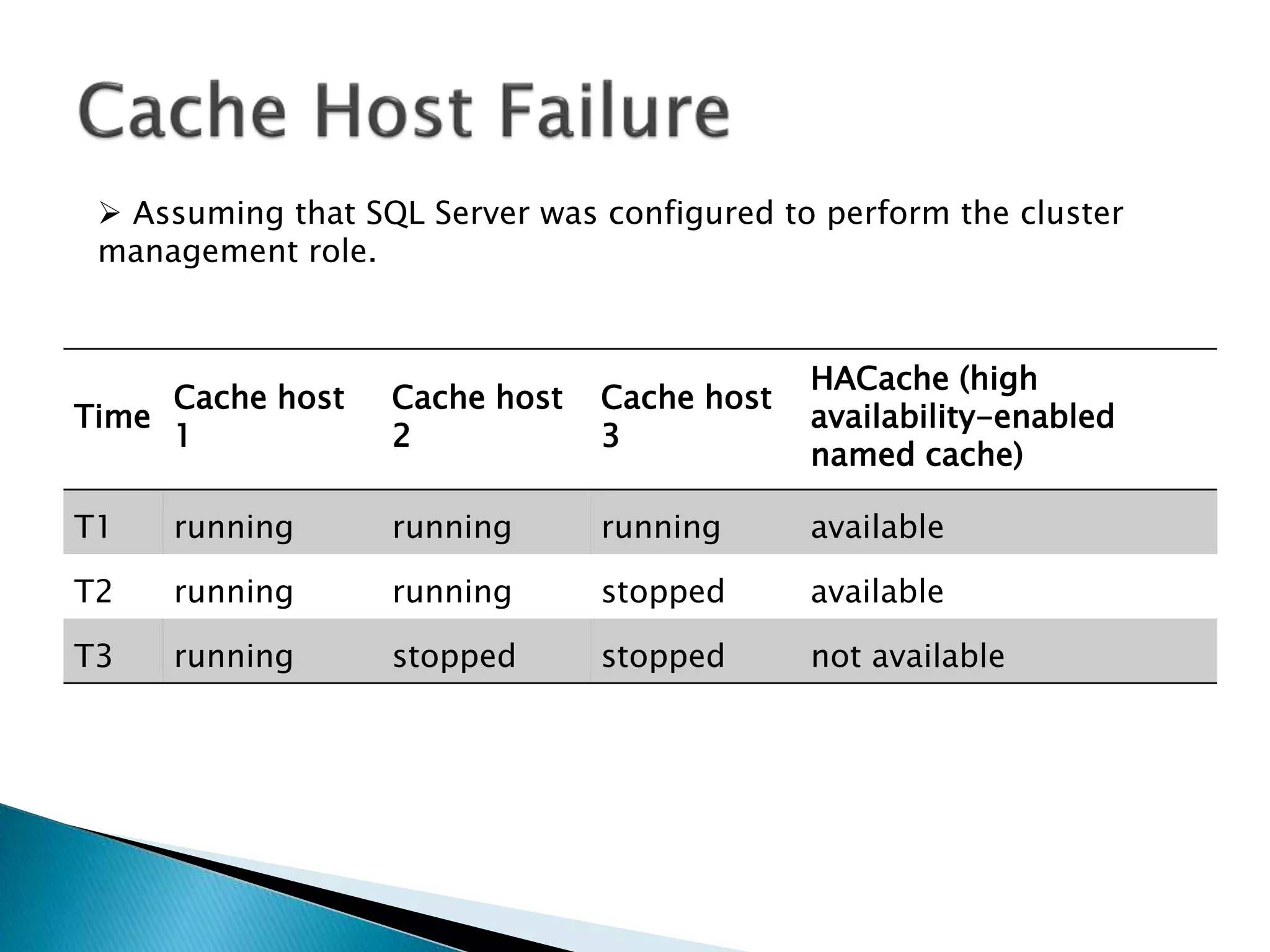
 Assuming that SQL Server was configured to perform the cluster 
management role. 
Time 
Cache host 
1 
Cache host 
2 
Cache host 
3 
HACache (high 
availability-enabled 
named cache) 
T1 running running running available 
T2 running running stopped available 
T3 running stopped stopped not available
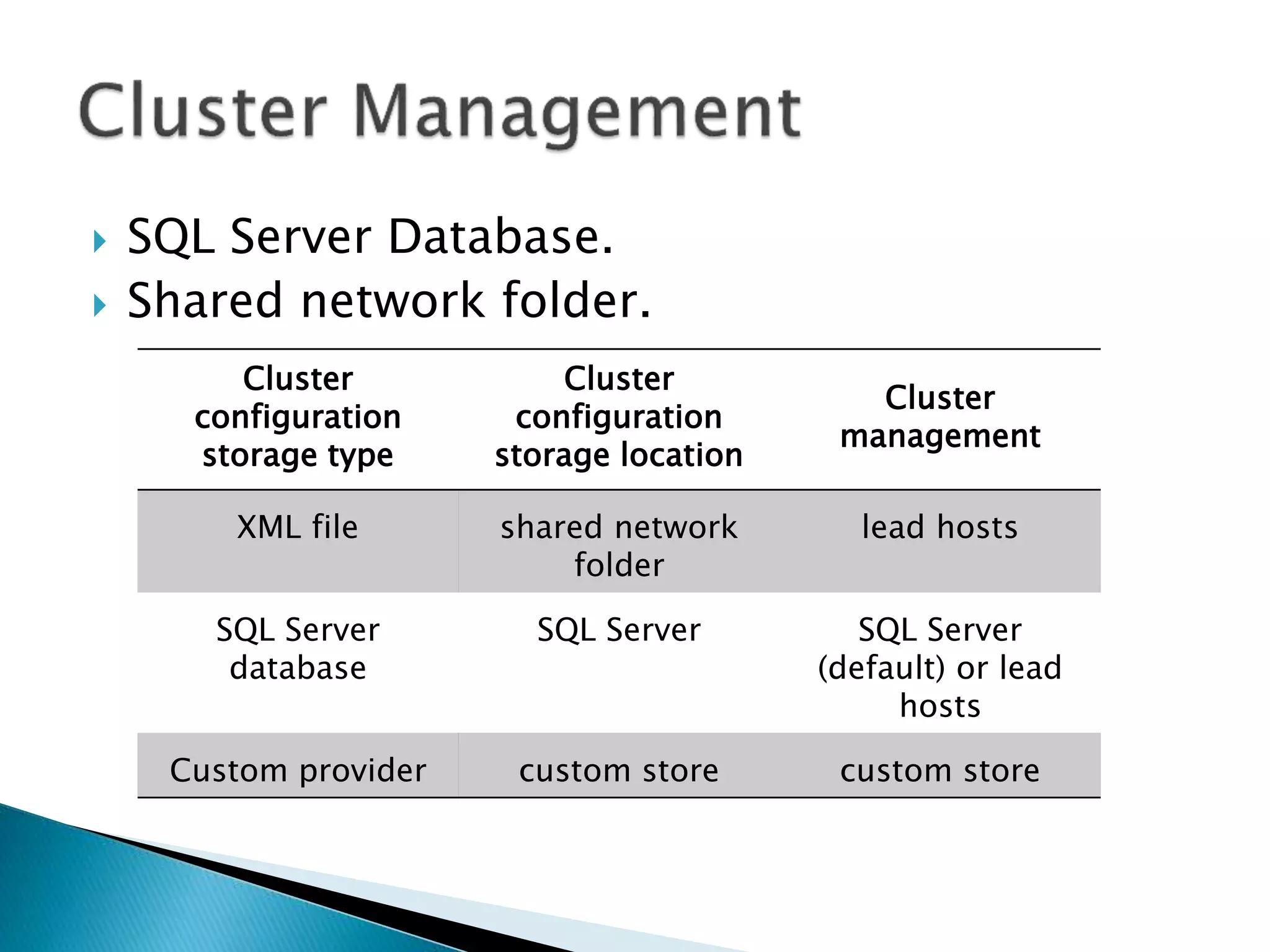
 SQL Server Database. 
 Shared network folder. 
Cluster 
configuration 
storage type 
Cluster 
configuration 
storage location 
Cluster 
management 
XML file shared network 
folder 
lead hosts 
SQL Server 
database 
SQL Server SQL Server 
(default) or lead 
hosts 
Custom provider custom store custom store
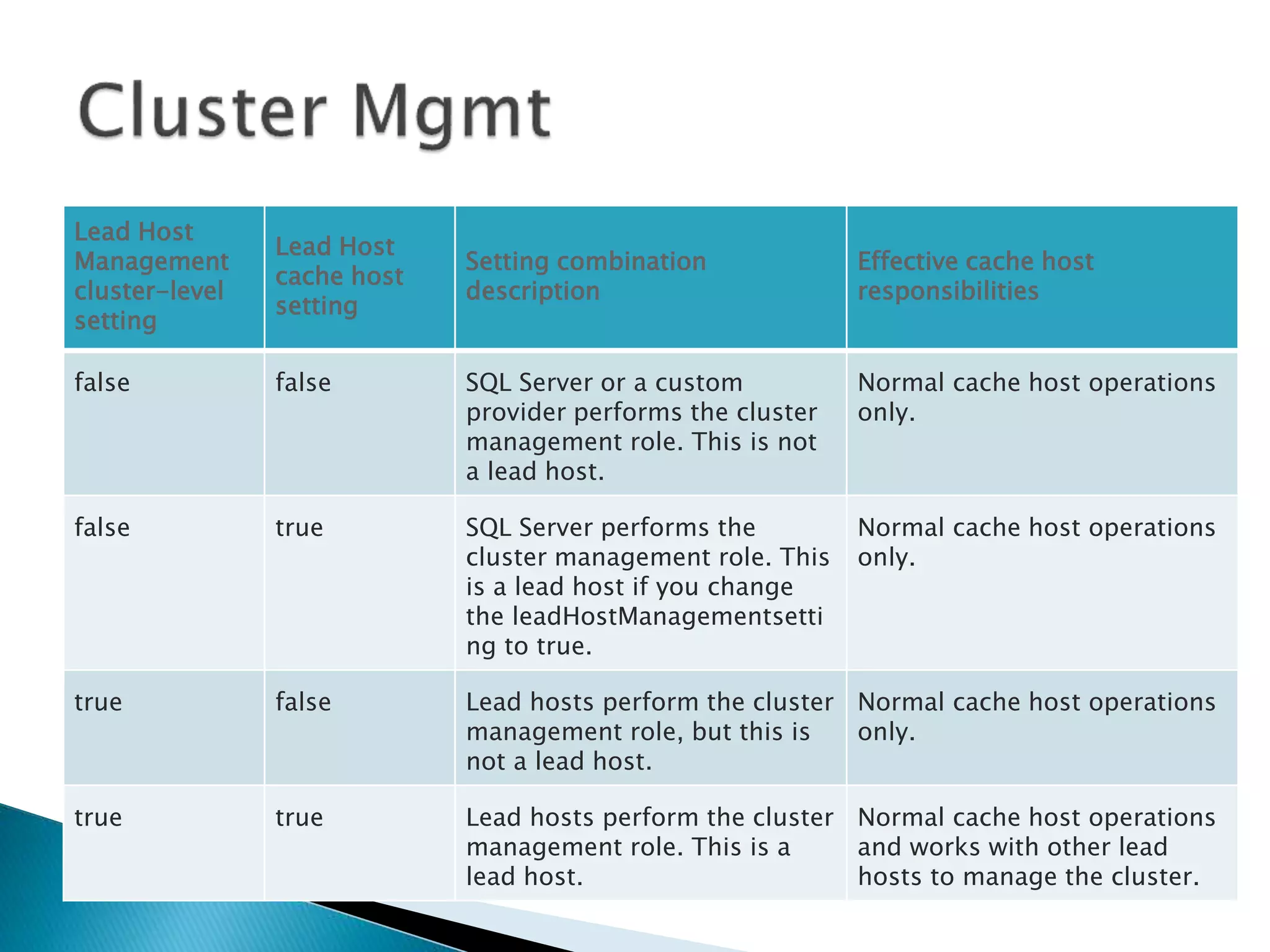
Lead Host 
Management 
cluster-level 
setting 
Lead Host 
cache host 
setting 
Setting combination 
description 
Effective cache host 
responsibilities 
false false SQL Server or a custom 
provider performs the cluster 
management role. This is not 
a lead host. 
Normal cache host operations 
only. 
false true SQL Server performs the 
cluster management role. This 
is a lead host if you change 
the leadHostManagementsetti 
ng to true. 
Normal cache host operations 
only. 
true false Lead hosts perform the cluster 
management role, but this is 
not a lead host. 
Normal cache host operations 
only. 
true true Lead hosts perform the cluster 
management role. This is a 
lead host. 
Normal cache host operations 
and works with other lead 
hosts to manage the cluster.
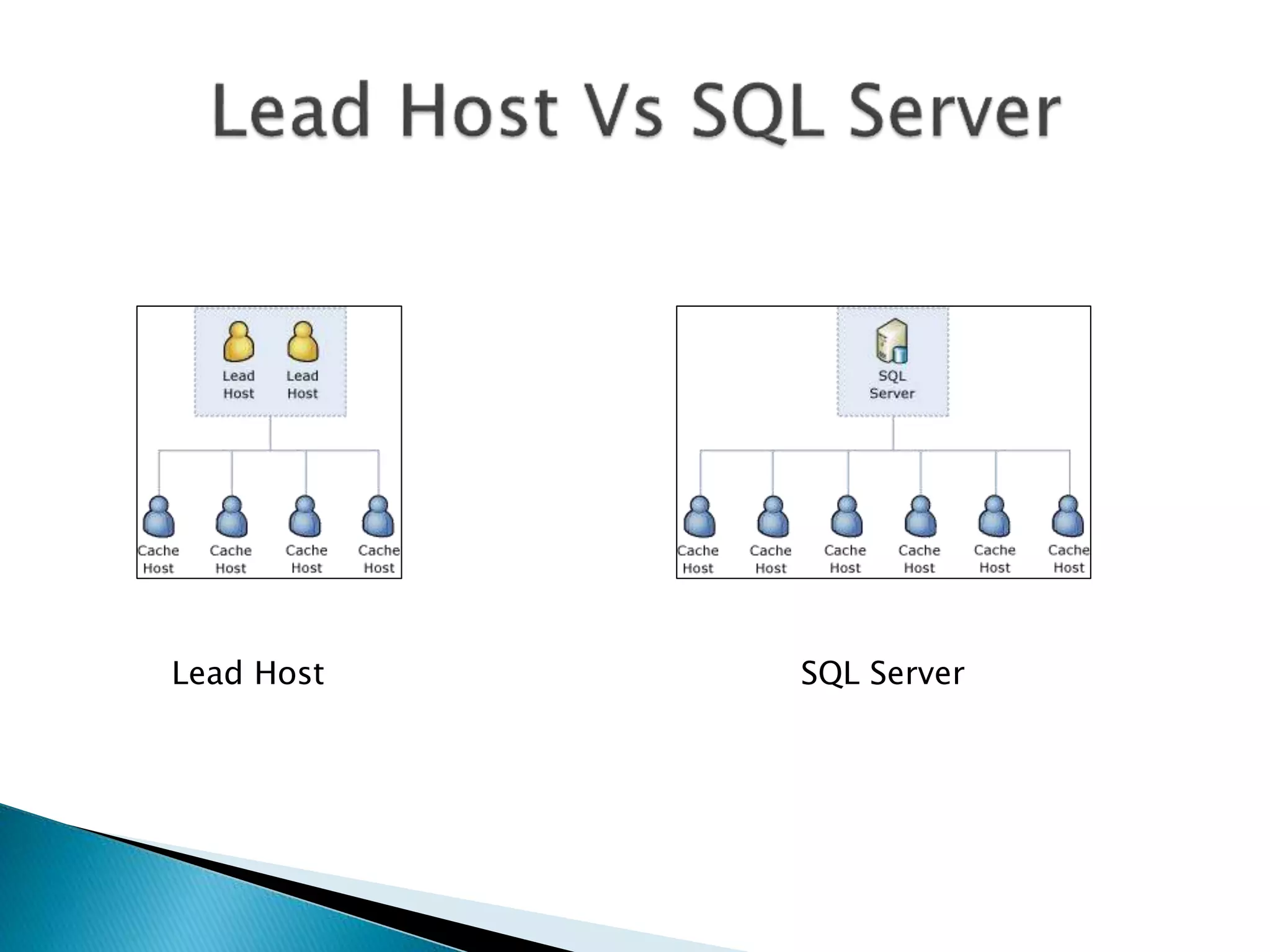
Lead Host SQL Server
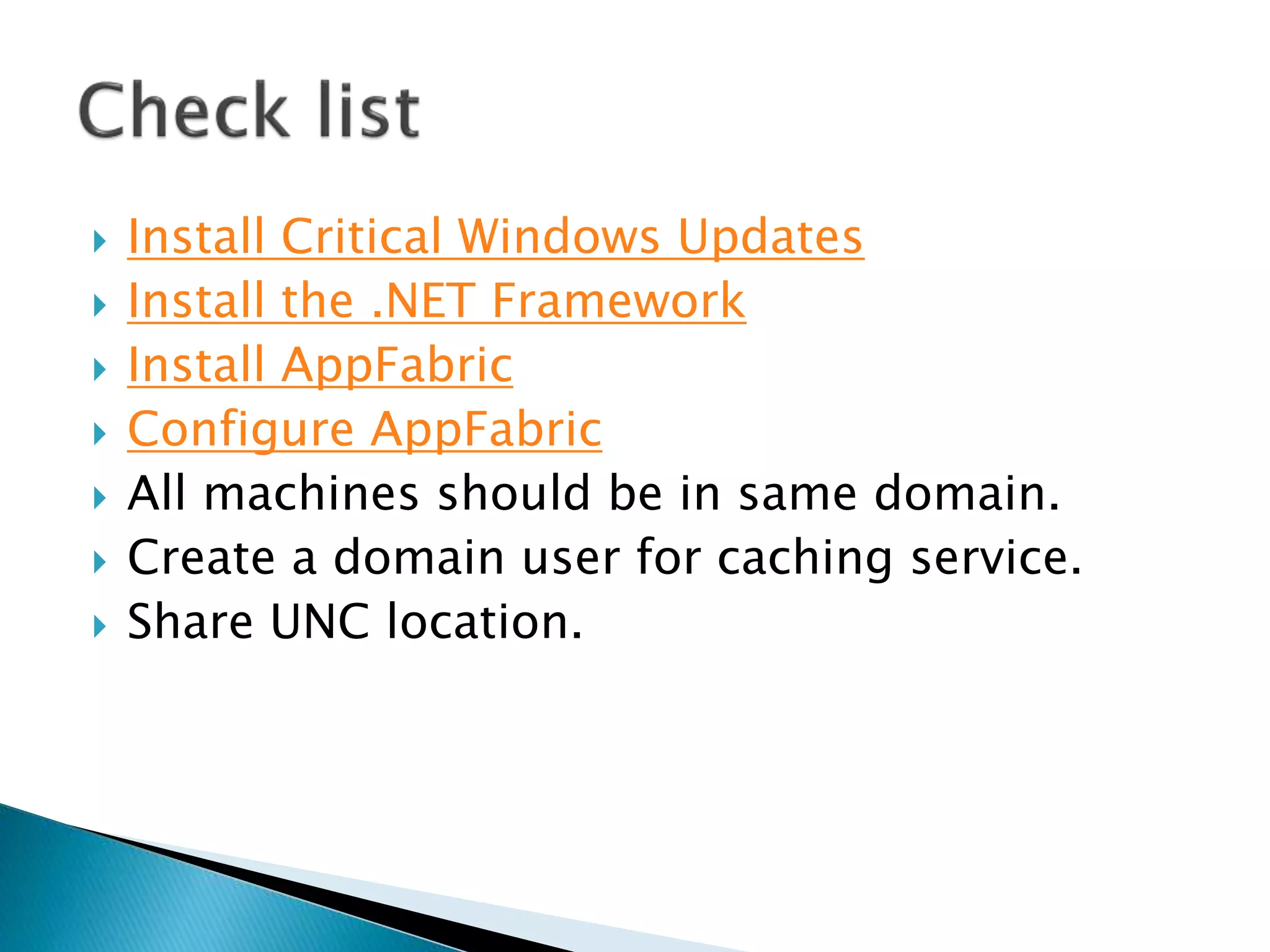
 Install Critical Windows Updates 
 Install the .NET Framework 
 Install AppFabric 
 Configure AppFabric 
 All machines should be in same domain. 
 Create a domain user for caching service. 
 Share UNC location.
 Error: The target principal name is incorrect. A call to SSPI failed. 
 http://blogs.msdn.com/b/distributedservices/archive/2012/10/29/authenticationexception-in-appfabric-1-1- 
caching-for-windows-server.aspx?CommentPosted=true#commentmessage 
 Solution:
 http://www.hanselman.com/blog/InstallingConfiguringAndUsingWindowsServerAppFabr 
icAndTheVelocityMemoryCacheIn10Minutes.aspx 
 http://msdn.microsoft.com/en-us/library/ee790859.aspx 
 http://msdn.microsoft.com/en-us/library/hh361709(v=azure.10).aspx 
 http://msdn.microsoft.com/en-us/library/hh334311(v=azure.10).aspx 
 Capacity planning - http://msdn.microsoft.com/en-us/ 
library/gg186017(v=azure.10).aspx 
 Cache-cluster commands - http://msdn.microsoft.com/en-us/ 
library/ee790886(v=azure.10).aspx 
 Granting access to host/cluster: http://msdn.microsoft.com/en-us/ 
library/ff921012(v=azure.10).aspx

Exploring App fabric

  • 3.
     In-memory caching  DB caching  Page output caching  2010 ◦ Windows Server AppFabric 1.0  Microsoft AppFabric 1.1 for windows server
  • 4.
     AppFabric canbe installed on the following operating systems:  Windows Server 2012  Windows Server 2008 R2  Windows Server 2008 Service Pack 2  AppFabric can be installed for development and testing on the following operating systems:  Windows 8  Windows 7  Windows Vista Service Pack 2
  • 5.
    Supported Architectures: 32-bit (x86)  64-bit (x64) ◦ Hardware requirements:  Minimum Hard Disk Space: 2GB  Computer with an Intel Pentium-compatible CPU that is  1 GHz or faster for single processors;  900 MHz or faster for dual processors;  or 700 MHz or faster for quad processors.
  • 6.
     All featuresof AppFabric require a .NET Framework:  Microsoft .NET Framework 4 and optionally requires Microsoft .NET Framework 3.5 Service Pack 1  Internet Information Services (IIS) 7  Internet Information Services (IIS) 7 Hotfix #980423  IIS Web Deployment tool  Windows PowerShell 2.0 (final version) (this is not required for users on Windows 7,Windows Server 2008 R2, or later)
  • 9.
     Cache Host  Cache Cluster  Cache Client  Cache server  Cache Configuration storage  Cache Administration
  • 11.
     Named Caches  Regions  Cached Objects
  • 12.
     To targetthe correct version of the .NET Framework ◦ Open your Visual Studio .NET project. ◦ In Solution Explorer, right-click the project name and then select Properties. ◦ Select the Application tab of the Project Properties dialog. ◦ Verify that the target framework version is .NET Framework 2.0 or higher. ◦ In Visual Studio 2008, uncheck the Client-only Framework subset checkbox. In Visual Studio 2010, select .NET Framework versions that do not specify "Client Profile".
  • 13.
     Install AppFabricClient on dev machine.  To add references to the AppFabric caching assemblies ◦ Open your Visual Studio .NET project. ◦ In Solution Explorer, right-click the project name and then select Add Reference. ◦ Select the Browse tab of the Add Reference dialog. ◦ Navigate to the .WindowsSystem32AppFabric directory. ◦ On 64-bit systems, the AppFabric directory will not be directly visible. To work around this problem, create a new folder with the name “SysNative” and copy AppFabric folder to this folder. This results in navigating to the C:WindowsSysNativeAppFabric directory in this step.
  • 14.
     Add areference to the following two assemblies: ◦ Microsoft.ApplicationServer.Caching.Client.dll ◦ Microsoft.ApplicationServer.Caching.Core.dll.
  • 15.
     %temp% folder  AppServerSetup(yyyy-MM-dd H-mm-ss).log  http://msdn.microsoft.com/en-us/ library/aa368542(VS.85).aspx  Microsoft.ApplicationServer.Configuration (yyyy-MM-dd H-mm-ss) <process code>.log  http://msdn.microsoft.com/en-us/ library/ms681381(v=VS.85).aspx.
  • 16.
     Session statecaching  Other data caching
  • 17.
     Does notrestart auto after reboot.  Work around. ◦ Set the AppFabric Caching Service's Startup type to be Automatic ◦ Another option is to schedule a startup task to execute the Use-CacheCluster and Start-CacheHost commands.
  • 18.
     For developmentand testing environments, ◦ with licenses for Windows Vista (SP2 or later) and Windows 7 at no additional cost.  For production environments, ◦ with licenses for Windows Server 2008 (SP2 or later) and Windows Server 2008 R2 at no additional cost.  In production environments, ◦ only active directory domain joined machines. ◦ The high availability caching feature in Windows Server AppFabric is available only on Windows Server 2008/R2 Enterprise Edition.  There are no client access licenses for Windows Server AppFabric.
  • 21.
     Assuming thatSQL Server was configured to perform the cluster management role. Time Cache host 1 Cache host 2 Cache host 3 HACache (high availability-enabled named cache) T1 running running running available T2 running running stopped available T3 running stopped stopped not available
  • 22.
     SQL ServerDatabase.  Shared network folder. Cluster configuration storage type Cluster configuration storage location Cluster management XML file shared network folder lead hosts SQL Server database SQL Server SQL Server (default) or lead hosts Custom provider custom store custom store
  • 23.
    Lead Host Management cluster-level setting Lead Host cache host setting Setting combination description Effective cache host responsibilities false false SQL Server or a custom provider performs the cluster management role. This is not a lead host. Normal cache host operations only. false true SQL Server performs the cluster management role. This is a lead host if you change the leadHostManagementsetti ng to true. Normal cache host operations only. true false Lead hosts perform the cluster management role, but this is not a lead host. Normal cache host operations only. true true Lead hosts perform the cluster management role. This is a lead host. Normal cache host operations and works with other lead hosts to manage the cluster.
  • 24.
  • 25.
     Install CriticalWindows Updates  Install the .NET Framework  Install AppFabric  Configure AppFabric  All machines should be in same domain.  Create a domain user for caching service.  Share UNC location.
  • 26.
     Error: Thetarget principal name is incorrect. A call to SSPI failed.  http://blogs.msdn.com/b/distributedservices/archive/2012/10/29/authenticationexception-in-appfabric-1-1- caching-for-windows-server.aspx?CommentPosted=true#commentmessage  Solution:
  • 27.
     http://www.hanselman.com/blog/InstallingConfiguringAndUsingWindowsServerAppFabr icAndTheVelocityMemoryCacheIn10Minutes.aspx  http://msdn.microsoft.com/en-us/library/ee790859.aspx  http://msdn.microsoft.com/en-us/library/hh361709(v=azure.10).aspx  http://msdn.microsoft.com/en-us/library/hh334311(v=azure.10).aspx  Capacity planning - http://msdn.microsoft.com/en-us/ library/gg186017(v=azure.10).aspx  Cache-cluster commands - http://msdn.microsoft.com/en-us/ library/ee790886(v=azure.10).aspx  Granting access to host/cluster: http://msdn.microsoft.com/en-us/ library/ff921012(v=azure.10).aspx