
Rajab Davudov
Preferences are Important
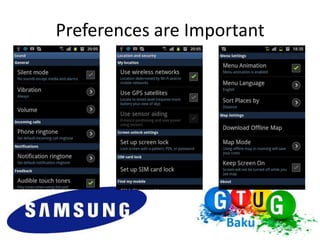
• Preferences are an important part of an
  Android application. It is important to let
  the users have the choice to modify and
  personalize their application depending
  on their needs.
Preferences are Important
How To
• res/xml/preferences.xml
• an Activity extends PreferenceActivity
Preference Types
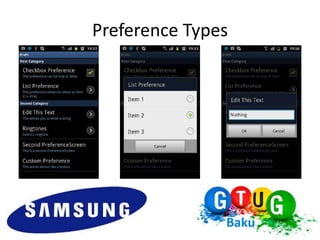
• The CheckBoxPreference is a simple checkbox, that can return
  true or false.
• The ListPreference, which shows a radioGroup where only 1
  item can be selected a time.
• The EditTextPreference shows a dialog with an editText view
  which returns a String.
Preference Types
Preference Types
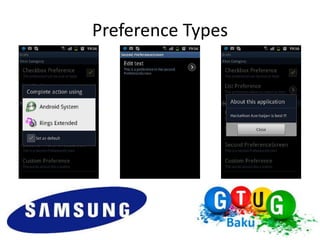
• The RingtonePreference shows a radioGroup that shows the
  ringtones.
• The Preference is a custom preference.
• The PreferenceScreen is a screen with preferences. When you
  have a PreferenceScreen inside an other PreferenceScreen, it
  simply opens a new screen with other preferences.
Preference Types
CheckBoxPreference
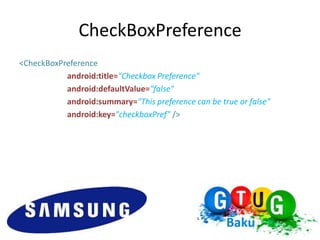
<CheckBoxPreference
           android:title="Checkbox Preference"
           android:defaultValue="false"
           android:summary="This preference can be true or false"
           android:key="checkboxPref" />
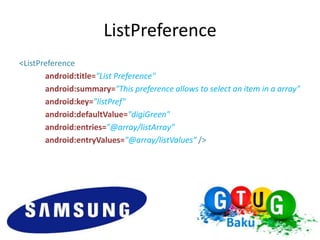
ListPreference
<ListPreference
       android:title="List Preference"
       android:summary="This preference allows to select an item in a array"
       android:key="listPref"
       android:defaultValue="digiGreen"
       android:entries="@array/listArray"
       android:entryValues="@array/listValues" />
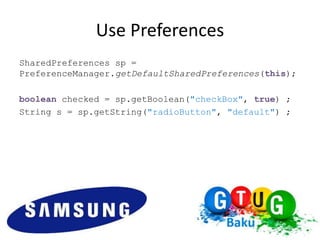
Use Preferences
SharedPreferences sp =
PreferenceManager.getDefaultSharedPreferences(this);

boolean checked = sp.getBoolean("checkBox", true) ;
String s = sp.getString("radioButton", "default") ;
Think, Design, Code !!!
Rajab Davudov
  Senior Developer at Azerfon
            radjab@gmail.com
https://play.google.com/store/apps/developer?id=RADJAB
http://gplus.to/radjab
http://www.fb.me/rajab.davudov
http://www.linkedin.com/in/radjab

Android Preferences

  • 1.
  • 2.
    Preferences are Important •Preferences are an important part of an Android application. It is important to let the users have the choice to modify and personalize their application depending on their needs.
  • 3.
  • 4.
    How To • res/xml/preferences.xml •an Activity extends PreferenceActivity
  • 5.
    Preference Types • TheCheckBoxPreference is a simple checkbox, that can return true or false. • The ListPreference, which shows a radioGroup where only 1 item can be selected a time. • The EditTextPreference shows a dialog with an editText view which returns a String.
  • 6.
  • 7.
    Preference Types • TheRingtonePreference shows a radioGroup that shows the ringtones. • The Preference is a custom preference. • The PreferenceScreen is a screen with preferences. When you have a PreferenceScreen inside an other PreferenceScreen, it simply opens a new screen with other preferences.
  • 8.
  • 9.
    CheckBoxPreference <CheckBoxPreference android:title="Checkbox Preference" android:defaultValue="false" android:summary="This preference can be true or false" android:key="checkboxPref" />
  • 10.
    ListPreference <ListPreference android:title="List Preference" android:summary="This preference allows to select an item in a array" android:key="listPref" android:defaultValue="digiGreen" android:entries="@array/listArray" android:entryValues="@array/listValues" />
  • 11.
    Use Preferences SharedPreferences sp= PreferenceManager.getDefaultSharedPreferences(this); boolean checked = sp.getBoolean("checkBox", true) ; String s = sp.getString("radioButton", "default") ;
  • 12.
  • 13.
    Rajab Davudov Senior Developer at Azerfon radjab@gmail.com https://play.google.com/store/apps/developer?id=RADJAB http://gplus.to/radjab http://www.fb.me/rajab.davudov http://www.linkedin.com/in/radjab