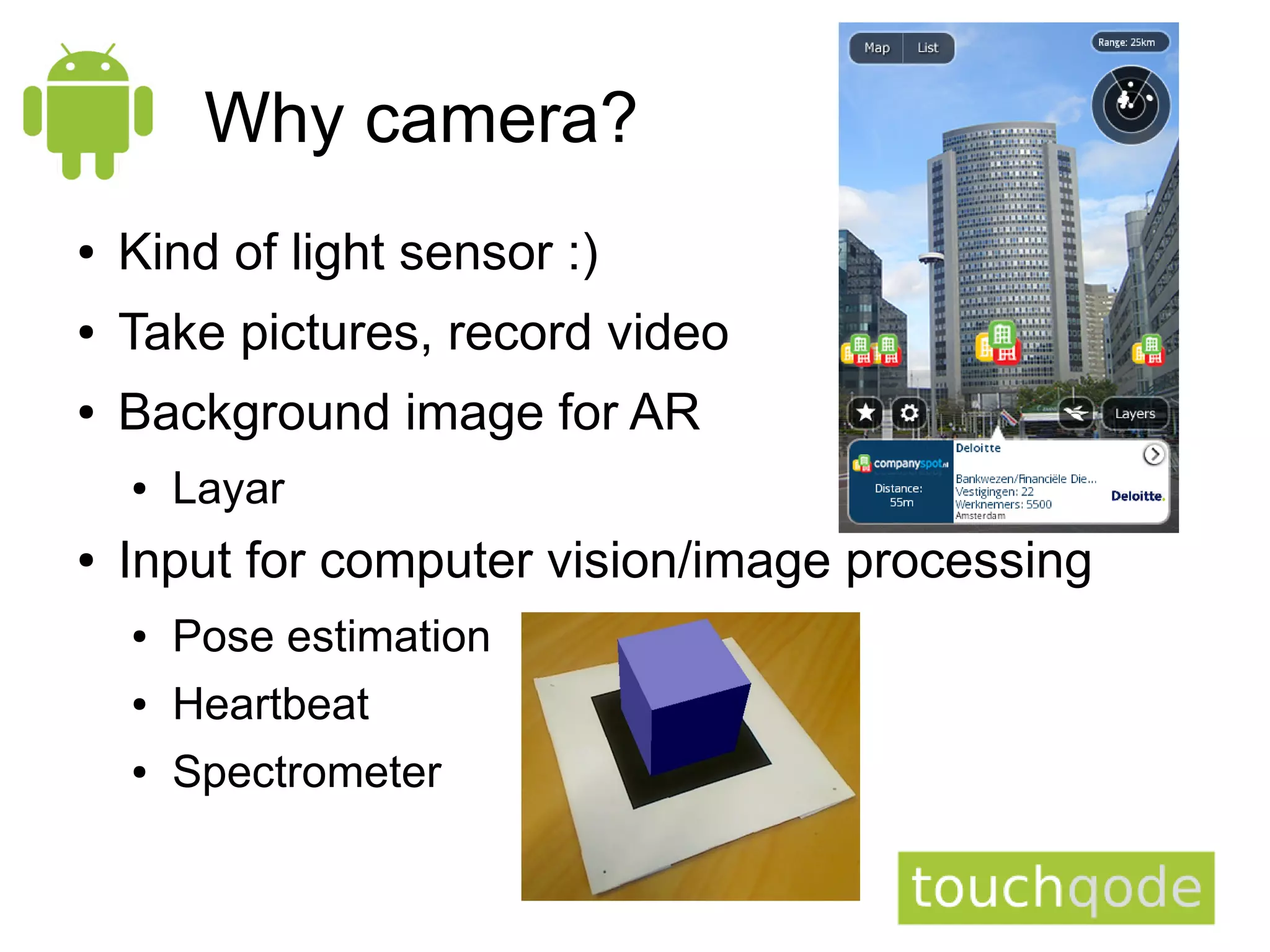
Why camera?
●   Kind of light sensor :)
●   Take pictures, record video
●   Background image for AR
    ●   Layar
●   Input for computer vision/image processing
    ●   Pose estimation
    ●   Heartbeat
    ●   Spectrometer
Outline
●   Why is camera important
●   Camera API
●   Basic usage
●   Camera in emulator
●   Image formats
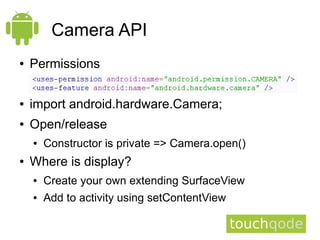
Camera API
●   Permissions

●   import android.hardware.Camera;
●   Open/release
    ●   Constructor is private => Camera.open()
●   Where is display?
    ●   Create your own extending SurfaceView
    ●   Add to activity using setContentView
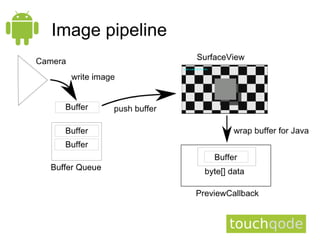
Image pipeline
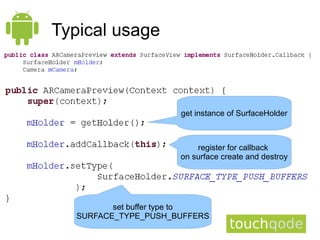
Typical usage


                     get instance of SurfaceHolder


                         register for callback
                     on surface create and destroy


         set buffer type to
  SURFACE_TYPE_PUSH_BUFFERS
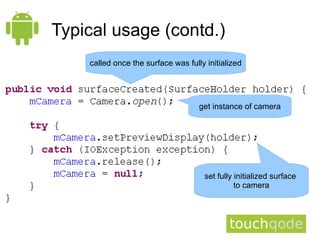
Typical usage (contd.)
    called once the surface was fully initialized


                                    get instance of camera


                                      set fully initialized surface
                                                to camera
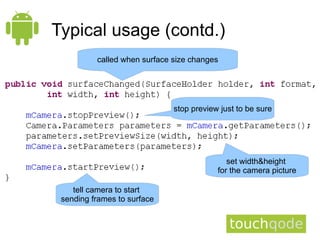
Typical usage (contd.)
          called when surface size changes


                              stop preview just to be sure


                                             set width&height
                                          for the camera picture

    tell camera to start
 sending frames to surface
Typical usage (contd.)
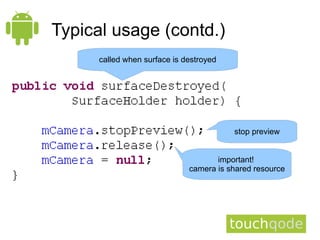
      called when surface is destroyed


                                         stop preview


                                     important!
                              camera is shared resource
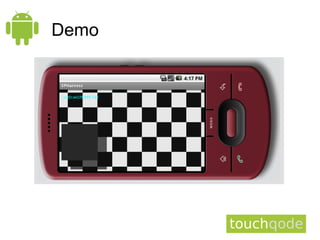
Demo
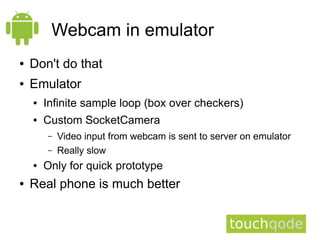
Webcam in emulator
●   Don't do that
●   Emulator
    ●   Infinite sample loop (box over checkers)
    ●   Custom SocketCamera
        –   Video input from webcam is sent to server on emulator
        –   Really slow
    ●   Only for quick prototype
●   Real phone is much better
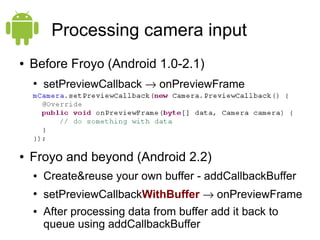
Processing camera input
●   Before Froyo (Android 1.0-2.1)
    ●
        setPreviewCallback → onPreviewFrame


●   Froyo and beyond (Android 2.2)
    ●   Create&reuse your own buffer - addCallbackBuffer
    ●
        setPreviewCallbackWithBuffer → onPreviewFrame
    ●   After processing data from buffer add it back to
        queue using addCallbackBuffer
What is in byte[] data?
●   Image byte by byte
●   PixelFormat – YUV/NV21, RGB565
    ●   Luckily many algorithms work in grayscale
●   YUV (YCbCr_420_SP/NV21)
What is in byte[] data? (contd.)
●   YUV (YCbCr_420_SP/NV21)
    ●   Default format (on older versions the only available)
    ●   Full greyscale (people are more sensitive)
        –   First width*height bytes
    ●   Subsampled blue and red (chroma)
    ●   Use greyscale - first width*height bytes – and don't
        bother with the rest
What is in byte[] data? (contd.)
●   RGB565 – 16 bits – 2 bytes per pixel
          5         6         5
    ●   RRRRRGGG|GGGBBBBB
         data[2n]       data[2n+1]
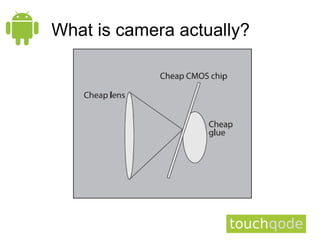
What is camera actually?
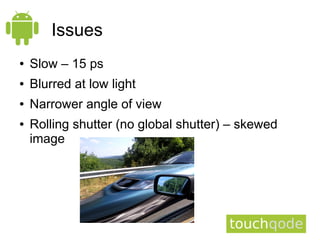
Issues
●   Slow – 15 ps
●   Blurred at low light
●   Narrower angle of view
●   Rolling shutter (no global shutter) – skewed
    image
Issues (contd.)
●   Getting image from sensor takes time – smaller
    time slot for calculations
    ●   Caution - onPreviewFrame called too many times
        when you do much processing =>
        setOneShotPreviewCallback
●   Distortion
More fun with camera
●   Do something with computer vision
    ●   We worked with OpenCV on android
        –   Works but be careful about performance
    ●   Edge detection
    ●   Feature tracking
    ●   Face detection
●   Motion detection
●   Daylight sensor
●   Whatever you can think of :)
Use the source, Luke!
●   http://android.git.kernel.org
    is your friend

●   Camera:
    ●   [platform/frameworks/base.git]
        /core/java/android/hardware
        /Camera.java
    ●   [platform/frameworks/base.git]
        /jni/android_hardware_Camera.cpp

Android Camera

  • 1.
    Why camera? ● Kind of light sensor :) ● Take pictures, record video ● Background image for AR ● Layar ● Input for computer vision/image processing ● Pose estimation ● Heartbeat ● Spectrometer
  • 2.
    Outline ● Why is camera important ● Camera API ● Basic usage ● Camera in emulator ● Image formats
  • 3.
    Camera API ● Permissions ● import android.hardware.Camera; ● Open/release ● Constructor is private => Camera.open() ● Where is display? ● Create your own extending SurfaceView ● Add to activity using setContentView
  • 4.
  • 5.
    Typical usage get instance of SurfaceHolder register for callback on surface create and destroy set buffer type to SURFACE_TYPE_PUSH_BUFFERS
  • 6.
    Typical usage (contd.) called once the surface was fully initialized get instance of camera set fully initialized surface to camera
  • 7.
    Typical usage (contd.) called when surface size changes stop preview just to be sure set width&height for the camera picture tell camera to start sending frames to surface
  • 8.
    Typical usage (contd.) called when surface is destroyed stop preview important! camera is shared resource
  • 9.
  • 10.
    Webcam in emulator ● Don't do that ● Emulator ● Infinite sample loop (box over checkers) ● Custom SocketCamera – Video input from webcam is sent to server on emulator – Really slow ● Only for quick prototype ● Real phone is much better
  • 11.
    Processing camera input ● Before Froyo (Android 1.0-2.1) ● setPreviewCallback → onPreviewFrame ● Froyo and beyond (Android 2.2) ● Create&reuse your own buffer - addCallbackBuffer ● setPreviewCallbackWithBuffer → onPreviewFrame ● After processing data from buffer add it back to queue using addCallbackBuffer
  • 12.
    What is inbyte[] data? ● Image byte by byte ● PixelFormat – YUV/NV21, RGB565 ● Luckily many algorithms work in grayscale ● YUV (YCbCr_420_SP/NV21)
  • 13.
    What is inbyte[] data? (contd.) ● YUV (YCbCr_420_SP/NV21) ● Default format (on older versions the only available) ● Full greyscale (people are more sensitive) – First width*height bytes ● Subsampled blue and red (chroma) ● Use greyscale - first width*height bytes – and don't bother with the rest
  • 14.
    What is inbyte[] data? (contd.) ● RGB565 – 16 bits – 2 bytes per pixel 5 6 5 ● RRRRRGGG|GGGBBBBB data[2n] data[2n+1]
  • 15.
    What is cameraactually?
  • 16.
    Issues ● Slow – 15 ps ● Blurred at low light ● Narrower angle of view ● Rolling shutter (no global shutter) – skewed image
  • 17.
    Issues (contd.) ● Getting image from sensor takes time – smaller time slot for calculations ● Caution - onPreviewFrame called too many times when you do much processing => setOneShotPreviewCallback ● Distortion
  • 18.
    More fun withcamera ● Do something with computer vision ● We worked with OpenCV on android – Works but be careful about performance ● Edge detection ● Feature tracking ● Face detection ● Motion detection ● Daylight sensor ● Whatever you can think of :)
  • 19.
    Use the source,Luke! ● http://android.git.kernel.org is your friend ● Camera: ● [platform/frameworks/base.git] /core/java/android/hardware /Camera.java ● [platform/frameworks/base.git] /jni/android_hardware_Camera.cpp