Amazon Web Services
Introduction
Dan-Claudiu DRAGOȘ
14/07/2016
IN YOUR ZONE
About the Presenter
2
Dan-Claudiu DRAGOȘ:
• Senior Developer (Development)
• 2 years in Endava / 15 years of experience
• Linux (LPIC-2) certified since April 2016
• Amazon Certified since May 2016
IN YOUR ZONE
Agenda
3
1. Cloud Computing
2. AWS: yesterday, today and (maybe) tomorrow
3. AWS services
4. AWS infrastructure
5. AWS free offering
6. AWS pricing
7. Where from here?
IN YOUR ZONE
Cloud Computing
4
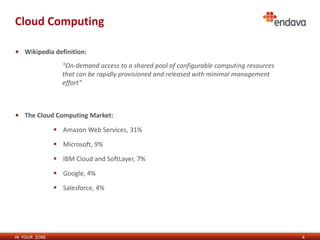
• Wikipedia definition:
• The Cloud Computing Market:
 Amazon Web Services, 31%
 Microsoft, 9%
 IBM Cloud and SoftLayer, 7%
 Google, 4%
 Salesforce, 4%
“On-demand access to a shared pool of configurable computing resources
that can be rapidly provisioned and released with minimal management
effort”
IN YOUR ZONE
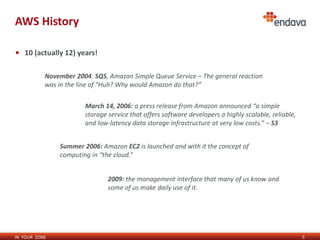
AWS History
5
• 10 (actually 12) years!
November 2004: SQS, Amazon Simple Queue Service – The general reaction
was in the line of “Huh? Why would Amazon do that?”
March 14, 2006: a press release from Amazon announced “a simple
storage service that offers software developers a highly scalable, reliable,
and low-latency data storage infrastructure at very low costs.” – S3
Summer 2006: Amazon EC2 is launched and with it the concept of
computing in “the cloud.”
2009: the management interface that many of us know and
some of us make daily use of it.
IN YOUR ZONE
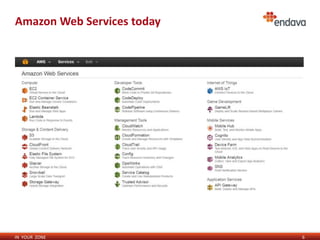
Amazon Web Services today
6
IN YOUR ZONE
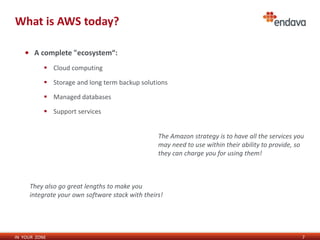
What is AWS today?
7
• A complete "ecosystem“:
 Cloud computing
 Storage and long term backup solutions
 Managed databases
 Support services
The Amazon strategy is to have all the services you
may need to use within their ability to provide, so
they can charge you for using them!
They also go great lengths to make you
integrate your own software stack with theirs!
IN YOUR ZONE
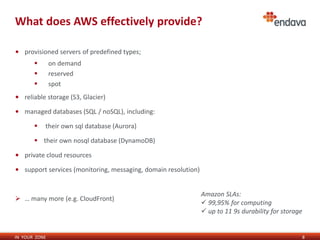
What does AWS effectively provide?
8
• provisioned servers of predefined types;
 on demand
 reserved
 spot
• reliable storage (S3, Glacier)
• managed databases (SQL / noSQL), including:
 their own sql database (Aurora)
 their own nosql database (DynamoDB)
• private cloud resources
• support services (monitoring, messaging, domain resolution)
 … many more (e.g. CloudFront)
Amazon SLAs:
 99,95% for computing
 up to 11 9s durability for storage
IN YOUR ZONE
AWS Cloud Computing (servers)
9
• all servers are virtual, no exceptions (Xen)
• one can choose shared or dedicated hardware
 that’s just so they can charge more money out of some people
• 2 magical keywords: paravirtual and hvm
• Storage:
 network attached (persistent)
 machine-local (ephemeral)
Virtual machines (e.g from Oracle VirtualBox)
can be imported into Amazon as EC2 servers!
IN YOUR ZONE
AWS Security
10
• The “Shared Responsibility” Model:
 Amazon:
 Physical data center security
 Software security (hypervisors, cloud management)
 DDos filtering
 The Customer:
 Data encryption
 Security credentials (Cloud Access)
 Operating system security
 Customer data access
Amazon is responsible for the security “of” The Cloud
The customer is responsible for the security “in” The Cloud
IN YOUR ZONE
AWS Infrastructure
11
• 11 public AWS data centers (3 USA, 2 Europe, 5 Asia, 1 South America)
 the closest one to Romania is in Frankfurt (~60ms latency away)
• 2 with limited access:
 the US government
 Beijing
• 2 more are planned, in UK and China
• 50+ edge locations (CloudFront)
 The closest ones to Romania are in Warsaw and Milan (~50ms latency away)
Each data center provides 2 or more availability zones.
IN YOUR ZONE
How to access AWS services
12
• graphical management interface
 with user/password;
 there is a complete user management engine (IAM);
 2 factor authentication possible;
 Integration with identity providers also possible.
• command line
• various APIs (e.g. Python, JavaScript)
 these require key pairs that uniquely identify the account and the user.
Some functions are available through command line only!
(e.g. instance console output, import / export instances)
IN YOUR ZONE
AWS Free Tier
13
• 1 full year of using some AWS services for free!
• able to have 1 server up & running for the whole year
 t2.micro (Intel Xeon 3ghz, 1Gb memory, capped performance) + 30Gb storage
• some services are free (completely free or with some limitations):
 cloud formation
 opsworks
 code commit
 monitoring (CloudWatch)
 notifications (SNS)
The free offering is useful mostly for devs/admins, not
necessarily for businesses. Of course, it depends…
IN YOUR ZONE
AWS Pricing
14
• AWS charges for nearly everything!
• watch your clicks in the interface (e.g. S3)
• the cheapest on-demand server option goes in the area of $7/month
• example pricing for a "one size fits all" web server:
 EC2 costs (on demand / reserved)
 OS costs (e.g. RHEL, Windows server)
 storage
 traffic in/out
 dns resolution
 fixed cost per zone file
 variable, per request count
IN YOUR ZONE
If you want to know more…
15
• I didn’t get to actually “know more” before working with AWS in a professional environment.
• The free year helps if one has a purpose when making use of it:
 … a professional purpose;
 (otherwise it’s just another checkbox, like getting a book and not reading it)
• The formal preparation for the certification really helped fill in the gaps.
 I have used Cloud Academy for quizes, tests, labs;
 AWS certifications are a side result of preparation / experience.
IN YOUR ZONE
Conclusion
16
• Amazon is here to stay!
 the core concepts do not change frequently;
 they have a well-defined culture;
 they are >5 years in front of the competition;
 a way of doing things that did not change since the beginning;
 somehow, I feel they own a significant portion of the future of computing.
IN YOUR ZONE
Thank you
17
Dan-Claudiu DRAGOȘ

Amazon Web Services presentation

  • 1.
  • 2.
    IN YOUR ZONE Aboutthe Presenter 2 Dan-Claudiu DRAGOȘ: • Senior Developer (Development) • 2 years in Endava / 15 years of experience • Linux (LPIC-2) certified since April 2016 • Amazon Certified since May 2016
  • 3.
    IN YOUR ZONE Agenda 3 1.Cloud Computing 2. AWS: yesterday, today and (maybe) tomorrow 3. AWS services 4. AWS infrastructure 5. AWS free offering 6. AWS pricing 7. Where from here?
  • 4.
    IN YOUR ZONE CloudComputing 4 • Wikipedia definition: • The Cloud Computing Market:  Amazon Web Services, 31%  Microsoft, 9%  IBM Cloud and SoftLayer, 7%  Google, 4%  Salesforce, 4% “On-demand access to a shared pool of configurable computing resources that can be rapidly provisioned and released with minimal management effort”
  • 5.
    IN YOUR ZONE AWSHistory 5 • 10 (actually 12) years! November 2004: SQS, Amazon Simple Queue Service – The general reaction was in the line of “Huh? Why would Amazon do that?” March 14, 2006: a press release from Amazon announced “a simple storage service that offers software developers a highly scalable, reliable, and low-latency data storage infrastructure at very low costs.” – S3 Summer 2006: Amazon EC2 is launched and with it the concept of computing in “the cloud.” 2009: the management interface that many of us know and some of us make daily use of it.
  • 6.
    IN YOUR ZONE AmazonWeb Services today 6
  • 7.
    IN YOUR ZONE Whatis AWS today? 7 • A complete "ecosystem“:  Cloud computing  Storage and long term backup solutions  Managed databases  Support services The Amazon strategy is to have all the services you may need to use within their ability to provide, so they can charge you for using them! They also go great lengths to make you integrate your own software stack with theirs!
  • 8.
    IN YOUR ZONE Whatdoes AWS effectively provide? 8 • provisioned servers of predefined types;  on demand  reserved  spot • reliable storage (S3, Glacier) • managed databases (SQL / noSQL), including:  their own sql database (Aurora)  their own nosql database (DynamoDB) • private cloud resources • support services (monitoring, messaging, domain resolution)  … many more (e.g. CloudFront) Amazon SLAs:  99,95% for computing  up to 11 9s durability for storage
  • 9.
    IN YOUR ZONE AWSCloud Computing (servers) 9 • all servers are virtual, no exceptions (Xen) • one can choose shared or dedicated hardware  that’s just so they can charge more money out of some people • 2 magical keywords: paravirtual and hvm • Storage:  network attached (persistent)  machine-local (ephemeral) Virtual machines (e.g from Oracle VirtualBox) can be imported into Amazon as EC2 servers!
  • 10.
    IN YOUR ZONE AWSSecurity 10 • The “Shared Responsibility” Model:  Amazon:  Physical data center security  Software security (hypervisors, cloud management)  DDos filtering  The Customer:  Data encryption  Security credentials (Cloud Access)  Operating system security  Customer data access Amazon is responsible for the security “of” The Cloud The customer is responsible for the security “in” The Cloud
  • 11.
    IN YOUR ZONE AWSInfrastructure 11 • 11 public AWS data centers (3 USA, 2 Europe, 5 Asia, 1 South America)  the closest one to Romania is in Frankfurt (~60ms latency away) • 2 with limited access:  the US government  Beijing • 2 more are planned, in UK and China • 50+ edge locations (CloudFront)  The closest ones to Romania are in Warsaw and Milan (~50ms latency away) Each data center provides 2 or more availability zones.
  • 12.
    IN YOUR ZONE Howto access AWS services 12 • graphical management interface  with user/password;  there is a complete user management engine (IAM);  2 factor authentication possible;  Integration with identity providers also possible. • command line • various APIs (e.g. Python, JavaScript)  these require key pairs that uniquely identify the account and the user. Some functions are available through command line only! (e.g. instance console output, import / export instances)
  • 13.
    IN YOUR ZONE AWSFree Tier 13 • 1 full year of using some AWS services for free! • able to have 1 server up & running for the whole year  t2.micro (Intel Xeon 3ghz, 1Gb memory, capped performance) + 30Gb storage • some services are free (completely free or with some limitations):  cloud formation  opsworks  code commit  monitoring (CloudWatch)  notifications (SNS) The free offering is useful mostly for devs/admins, not necessarily for businesses. Of course, it depends…
  • 14.
    IN YOUR ZONE AWSPricing 14 • AWS charges for nearly everything! • watch your clicks in the interface (e.g. S3) • the cheapest on-demand server option goes in the area of $7/month • example pricing for a "one size fits all" web server:  EC2 costs (on demand / reserved)  OS costs (e.g. RHEL, Windows server)  storage  traffic in/out  dns resolution  fixed cost per zone file  variable, per request count
  • 15.
    IN YOUR ZONE Ifyou want to know more… 15 • I didn’t get to actually “know more” before working with AWS in a professional environment. • The free year helps if one has a purpose when making use of it:  … a professional purpose;  (otherwise it’s just another checkbox, like getting a book and not reading it) • The formal preparation for the certification really helped fill in the gaps.  I have used Cloud Academy for quizes, tests, labs;  AWS certifications are a side result of preparation / experience.
  • 16.
    IN YOUR ZONE Conclusion 16 •Amazon is here to stay!  the core concepts do not change frequently;  they have a well-defined culture;  they are >5 years in front of the competition;  a way of doing things that did not change since the beginning;  somehow, I feel they own a significant portion of the future of computing.
  • 17.
    IN YOUR ZONE Thankyou 17 Dan-Claudiu DRAGOȘ