More Related Content

PDF
The Twelve-Factor Appで考えるAWSのサービス開発 ![[AWS Developers Meetup 2017] Developerのための�ライブAWSウォークスルー �〜 AWS SDKの使い方 〜](https://cdn.slidesharecdn.com/ss_thumbnails/20171207awsdevelopersmeetuplivewalkthrogh-171213024216-thumbnail.jpg?width=640&height=640&fit=bounds)
PDF
[AWS Developers Meetup 2017] Developerのための�ライブAWSウォークスルー �〜 AWS SDKの使い方 〜 
PDF
Windows 開発者のための Dev&Ops on AWS 
PDF
AWS Black Belt Online Seminar AWSサービスを利用したアプリケーション開発を始めよう 
PDF

PDF
JAWS-UG アーキテクチャ専門支部 re:Invent Management Tools ダイジェスト 
PDF
20200708サーバーレスでのAPI管理の考え方 
PPTX
Similar to Amazon EKS上の開発体験を最大化するプレビュー環境の作り方

PDF
20180221 AWS Black Belt Online Seminar AWS Lambda@Edge 
PDF

PDF
20201118 AWS Black Belt Online Seminar 形で考えるサーバーレス設計 サーバーレスユースケースパターン解説 
PDF
AWS Black Belt Online Seminar 2017 AWS re:Invent 2017速報 
PDF

PDF
AWS Solution Architect Associate試験勉強メモ 
PDF
AWSマネージドサービスとOSSによるミッションクリティカルなシステムの実現 
PDF
ハイブリットクラウド環境におけるモダンアプリケーション開発 
PDF
突発イベントにおけるEC2の極力排除ならびにサービス徹底活用 
PPTX

PDF
AWS初心者向けWebinar .NET開発者のためのAWS超入門 
PDF
20120528 aws meister-reloaded-awssd-kforjava-public 
PDF
Aws meister-cloud formation-summit2012 
PDF
20120303 jaws summit-meister-04_cloud_formation 
PDF
AWS Black Belt Tech シリーズ 2015 - AWS CodeCommit & AWS CodePipeline & AWS CodeD... 
PDF
AWS Black Belt Tech シリーズ 2015 - Amazon API Gateway 
PDF

PDF
![[SAPPORO CEDEC] サービスの効果を高めるグリー内製ツールの技術と紹介](https://cdn.slidesharecdn.com/ss_thumbnails/greetools-141130213632-conversion-gate02-thumbnail.jpg?width=640&height=640&fit=bounds)
PPTX
[SAPPORO CEDEC] サービスの効果を高めるグリー内製ツールの技術と紹介 
PDF
CEDEC2015_OpenStack で運用する Private Cloud の泥臭い(リアル)な話 Amazon EKS上の開発体験を最大化するプレビュー環境の作り方
- 1.
© 2022, AmazonWeb Services, Inc. or its affiliates. All rights reserved.
D E V D AY
N O V 9 , 2 0 2 2
- 2.
© 2022, AmazonWeb Services, Inc. or its affiliates. All rights reserved.
© 2022, Amazon Web Services, Inc. or its affiliates. All rights reserved.
Amazon EKS上の
開発体験を最⼤化する
プレビュー環境の作り⽅
⼭﨑理弘(かたいなか)
C - 2
SRE
株式会社リブセンス
- 3.
© 2022, AmazonWeb Services, Inc. or its affiliates. All rights reserved.
© 2022, Amazon Web Services, Inc. or its affiliates. All rights reserved.
⾃⼰紹介
- 4.
© 2022, AmazonWeb Services, Inc. or its affiliates. All rights reserved.
⾃⼰紹介
• ⼭﨑理弘(かたいなか)
• 株式会社リブセンス SRE
• コンテナ関連の技術が好き
• Twitter,GitHub: @katainaka0503
- 5.
© 2022, AmazonWeb Services, Inc. or its affiliates. All rights reserved.
© 2022, Amazon Web Services, Inc. or its affiliates. All rights reserved.
アジェンダ
- 6.
© 2022, AmazonWeb Services, Inc. or its affiliates. All rights reserved.
アジェンダ
• プレビュー環境とは
• プレビュー環境の構成要素
• Amazon EKS上での
ArgoCDとIstioを使った実装例
• プレビュー環境導⼊までのロードマップ
• まとめ
- 7.
© 2022, AmazonWeb Services, Inc. or its affiliates. All rights reserved.
© 2022, Amazon Web Services, Inc. or its affiliates. All rights reserved.
プレビュー環境とは
- 8.
© 2022, AmazonWeb Services, Inc. or its affiliates. All rights reserved.
マイクロサービス開発での悩み
• 呼び出される側のマイクロサービスの動作確認が⼤変
§ 開発環境にデプロイするまで
他マイクロサービスと結合して動作確認できない
• 動作確認は後からになりPR Reviewの精度が低下
§ ローカルで動かして動作確認することもできるが、
⼤量のマイクロサービスをローカルで動かすのは⼤変
• バグ修正Pull Requestが頻発
- 9.
© 2022, AmazonWeb Services, Inc. or its affiliates. All rights reserved.
プレビュー環境とは
• Pull Request(以降PR)のブランチから作成されたコンテナイメージを
他のマイクロサービスと結合して動作確認できる環境
§ 既存の環境を壊したり占有したりしない
§ PR作成などのタイミングで⾃動で環境が作成される
§ PRごとに専⽤の特別なURLから動作確認できる
– 例: “pr-1.preview.example.com”
- 10.
© 2022, AmazonWeb Services, Inc. or its affiliates. All rights reserved.
© 2022, Amazon Web Services, Inc. or its affiliates. All rights reserved.
プレビュー環境の構成要素
- 11.
© 2022, AmazonWeb Services, Inc. or its affiliates. All rights reserved.
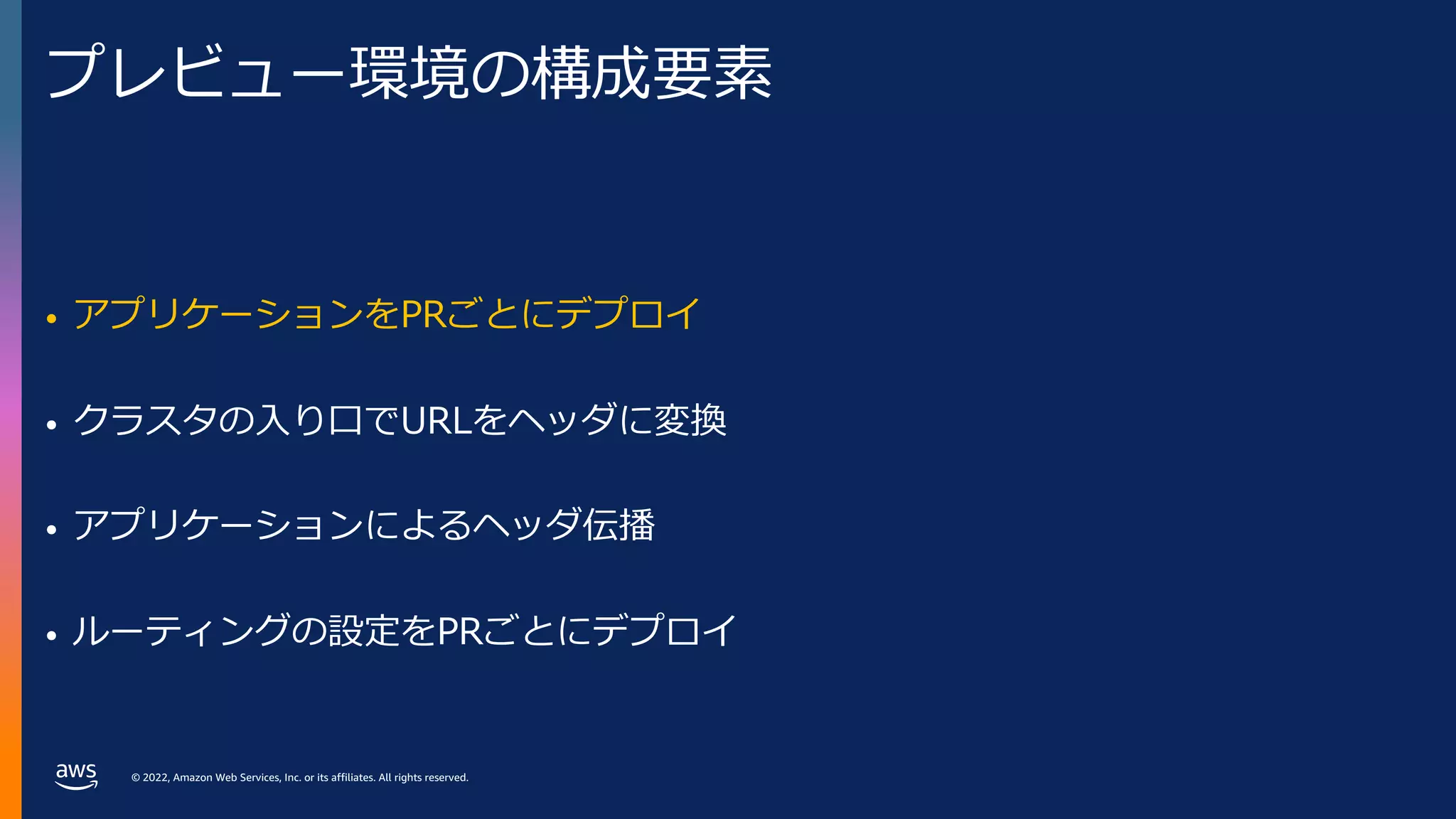
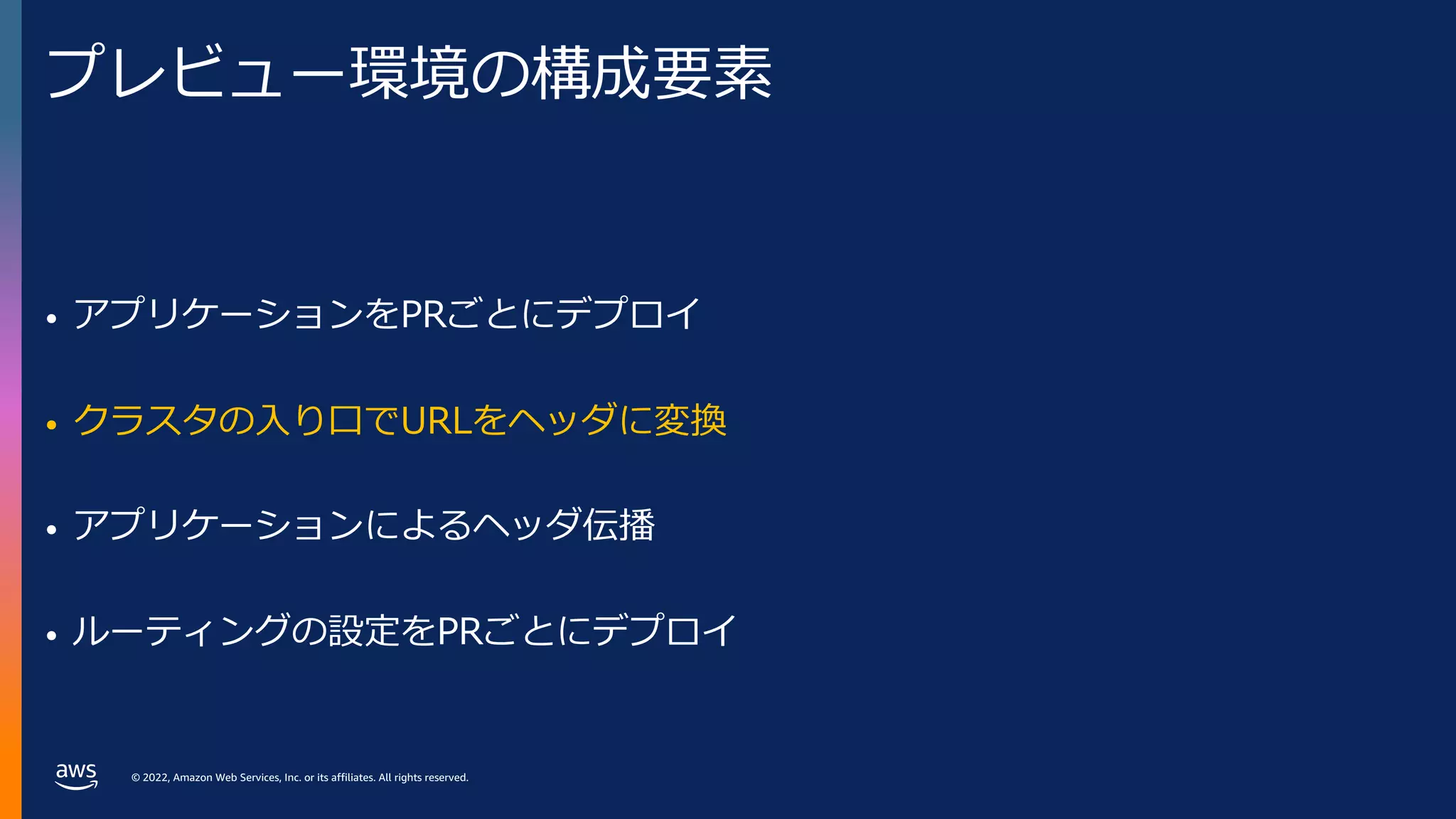
プレビュー環境の構成要素
• アプリケーションをPRごとにデプロイ
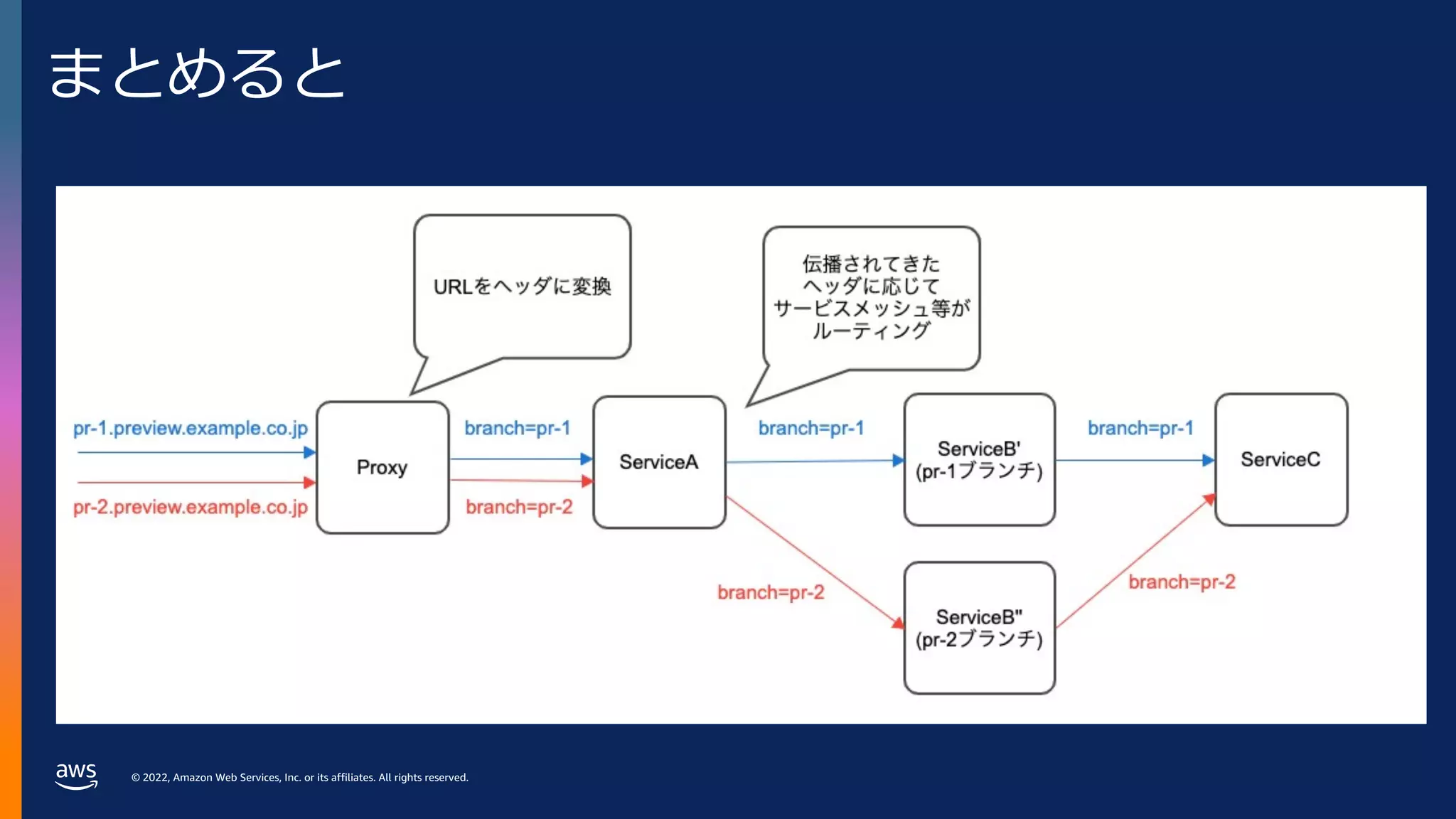
• クラスタの⼊り⼝でURLをヘッダに変換
• アプリケーションによるヘッダ伝播
• ルーティングの設定をPRごとにデプロイ
- 12.
© 2022, AmazonWeb Services, Inc. or its affiliates. All rights reserved.
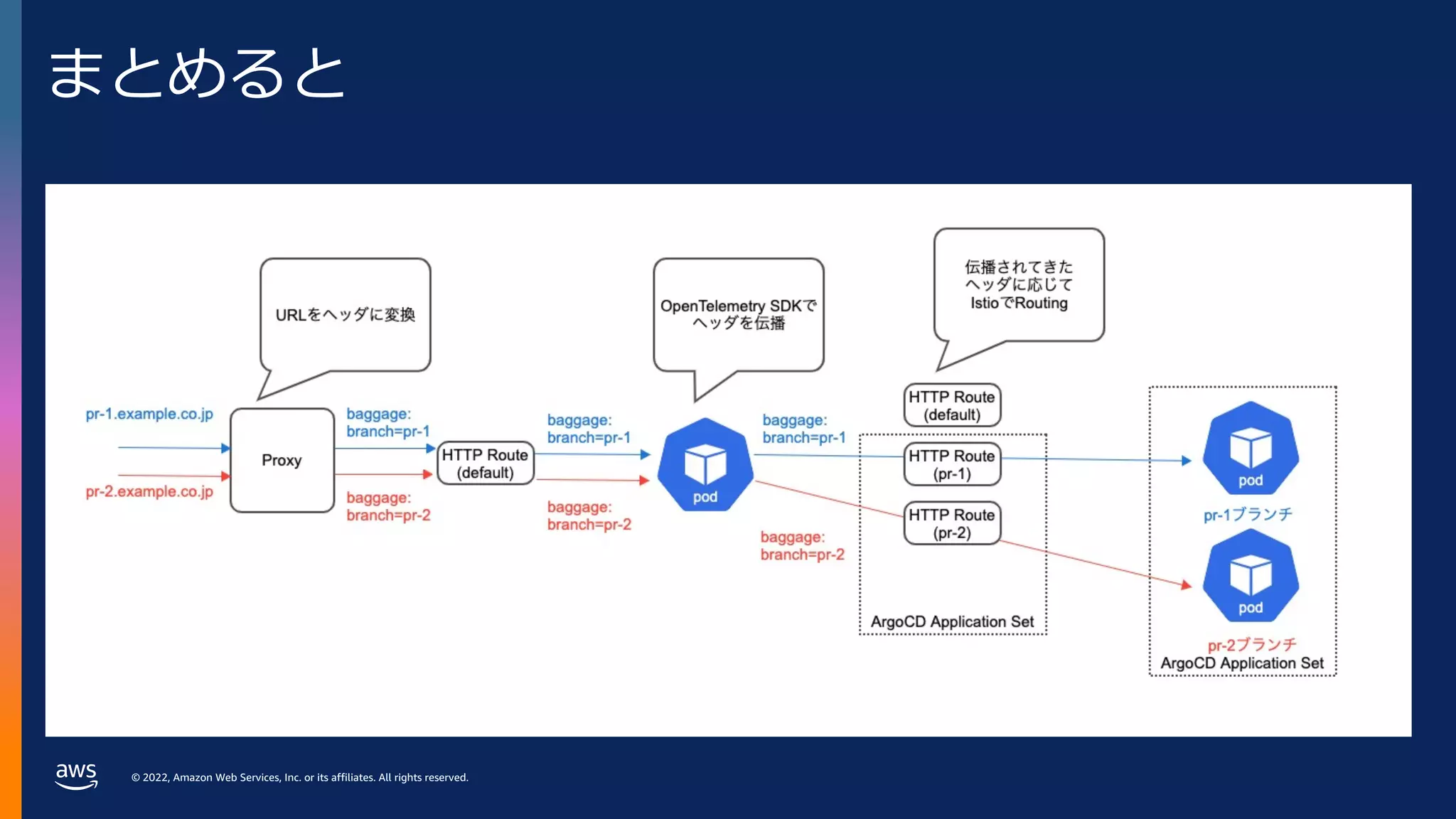
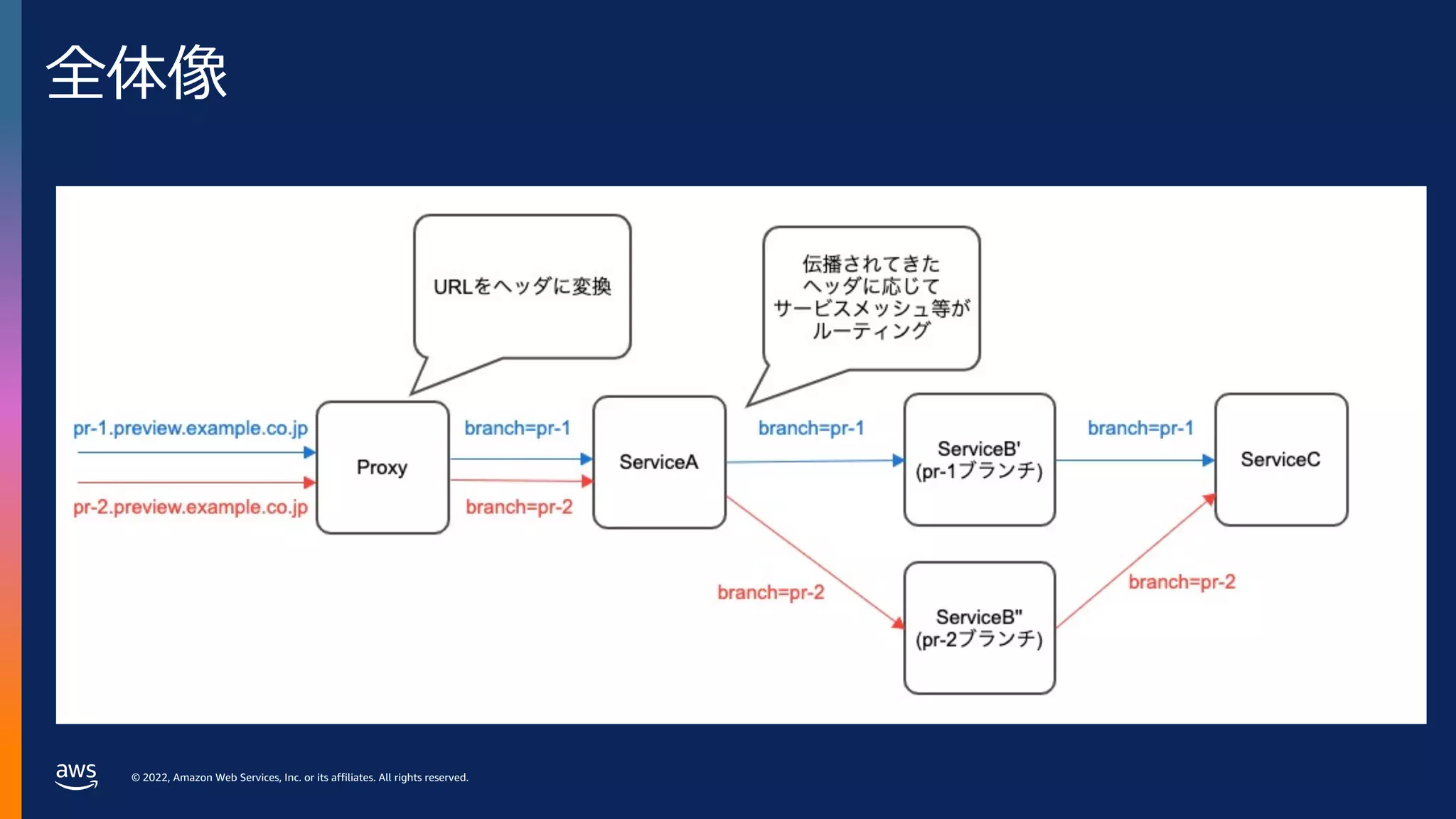
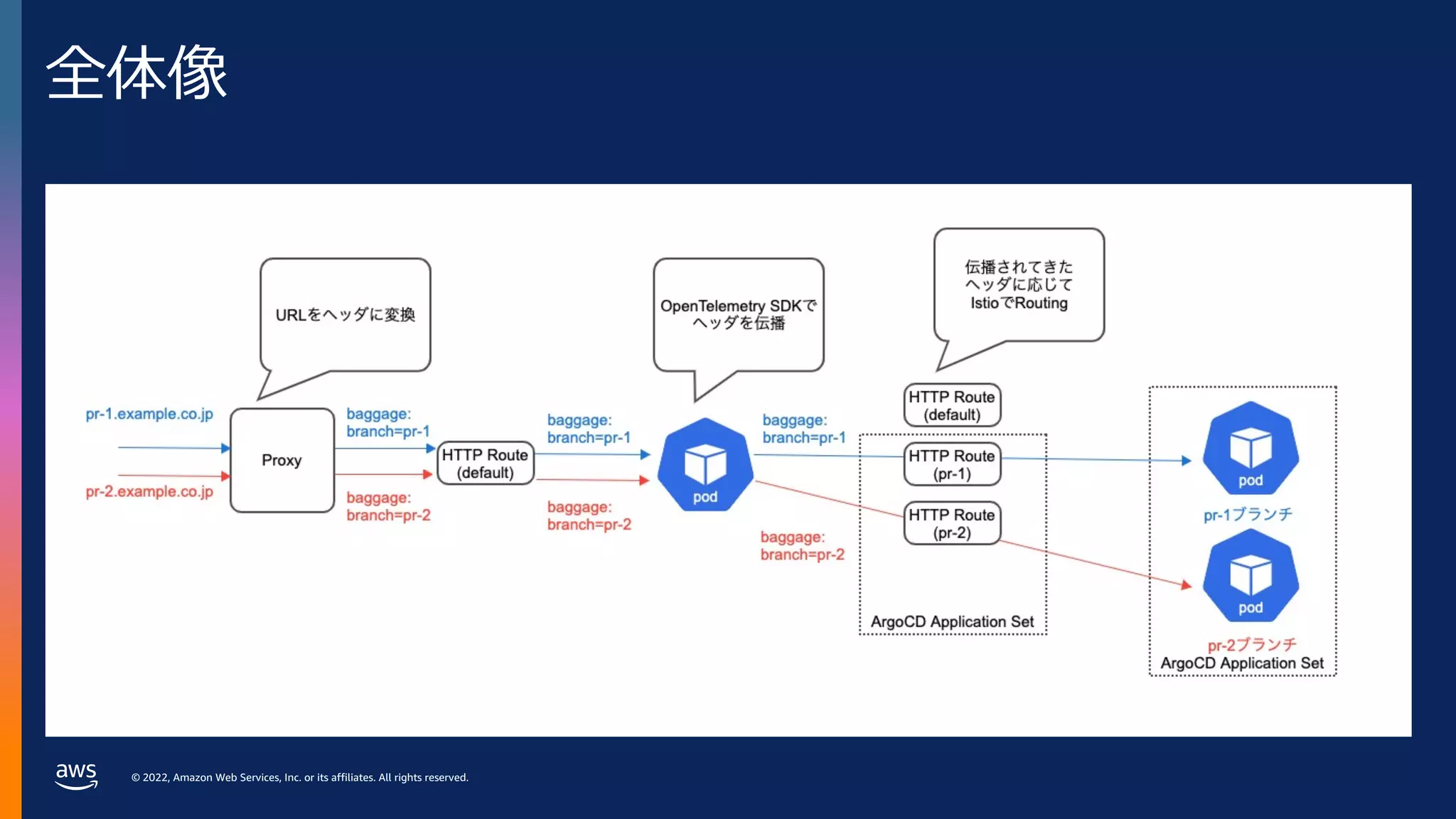
全体像
- 13.
© 2022, AmazonWeb Services, Inc. or its affiliates. All rights reserved.
プレビュー環境の構成要素
• アプリケーションをPRごとにデプロイ
• クラスタの⼊り⼝でURLをヘッダに変換
• アプリケーションによるヘッダ伝播
• ルーティングの設定をPRごとにデプロイ
- 14.
© 2022, AmazonWeb Services, Inc. or its affiliates. All rights reserved.
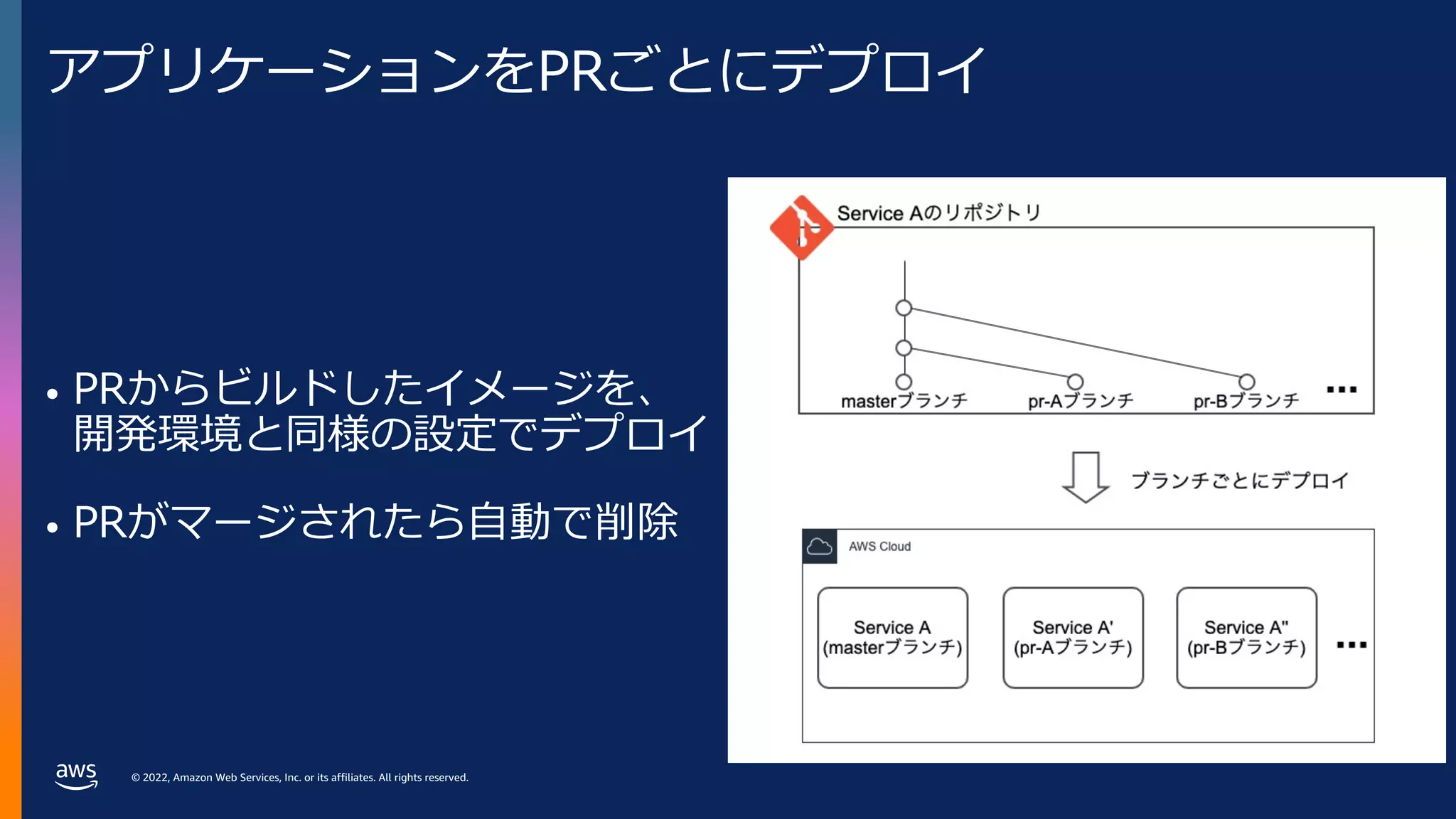
アプリケーションをPRごとにデプロイ
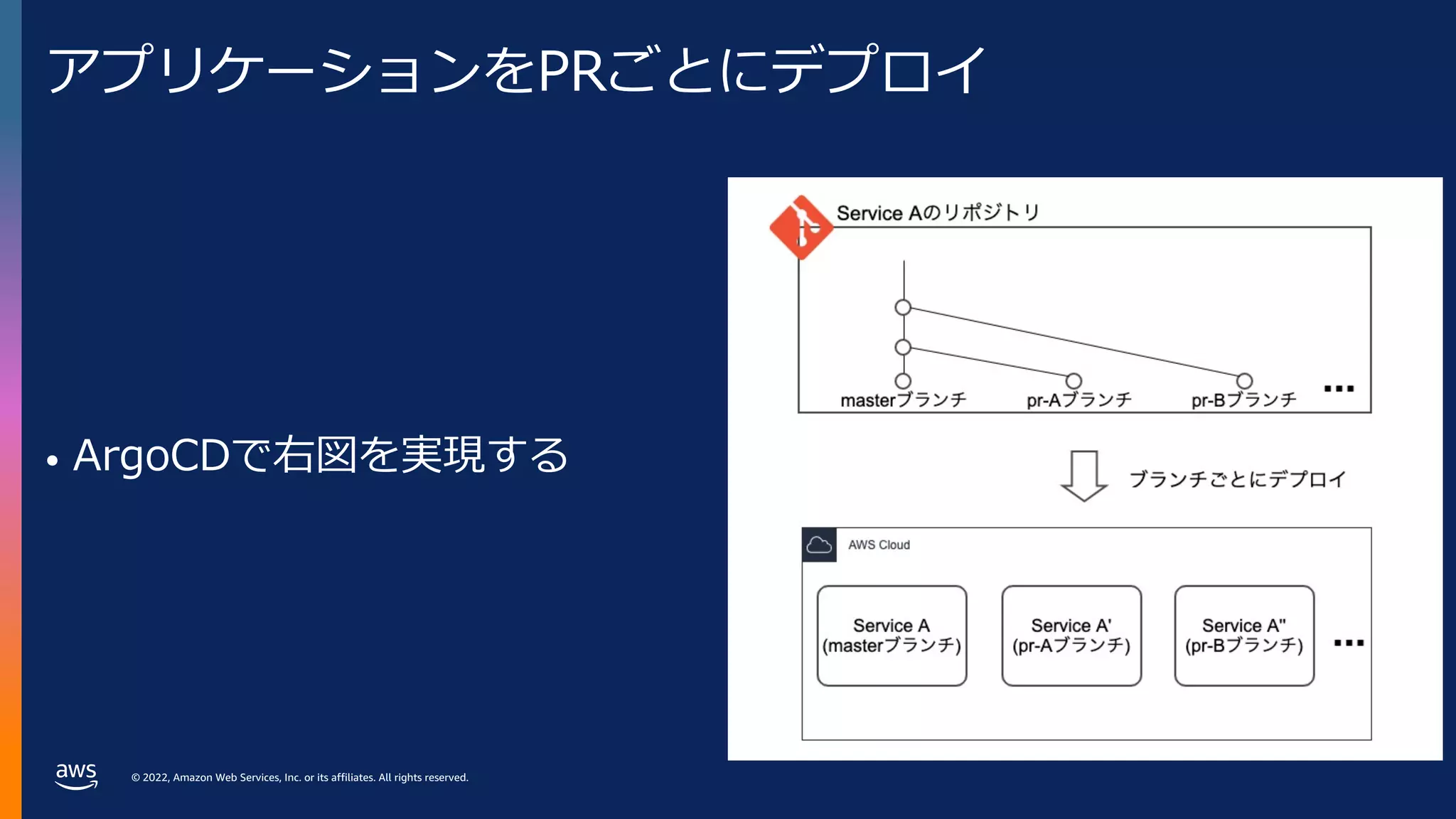
• PRからビルドしたイメージを、
開発環境と同様の設定でデプロイ
• PRがマージされたら⾃動で削除
- 15.
© 2022, AmazonWeb Services, Inc. or its affiliates. All rights reserved.
プレビュー環境の構成要素
• アプリケーションをPRごとにデプロイ
• クラスタの⼊り⼝でURLをヘッダに変換
• アプリケーションによるヘッダ伝播
• ルーティングの設定をPRごとにデプロイ
- 16.
© 2022, AmazonWeb Services, Inc. or its affiliates. All rights reserved.
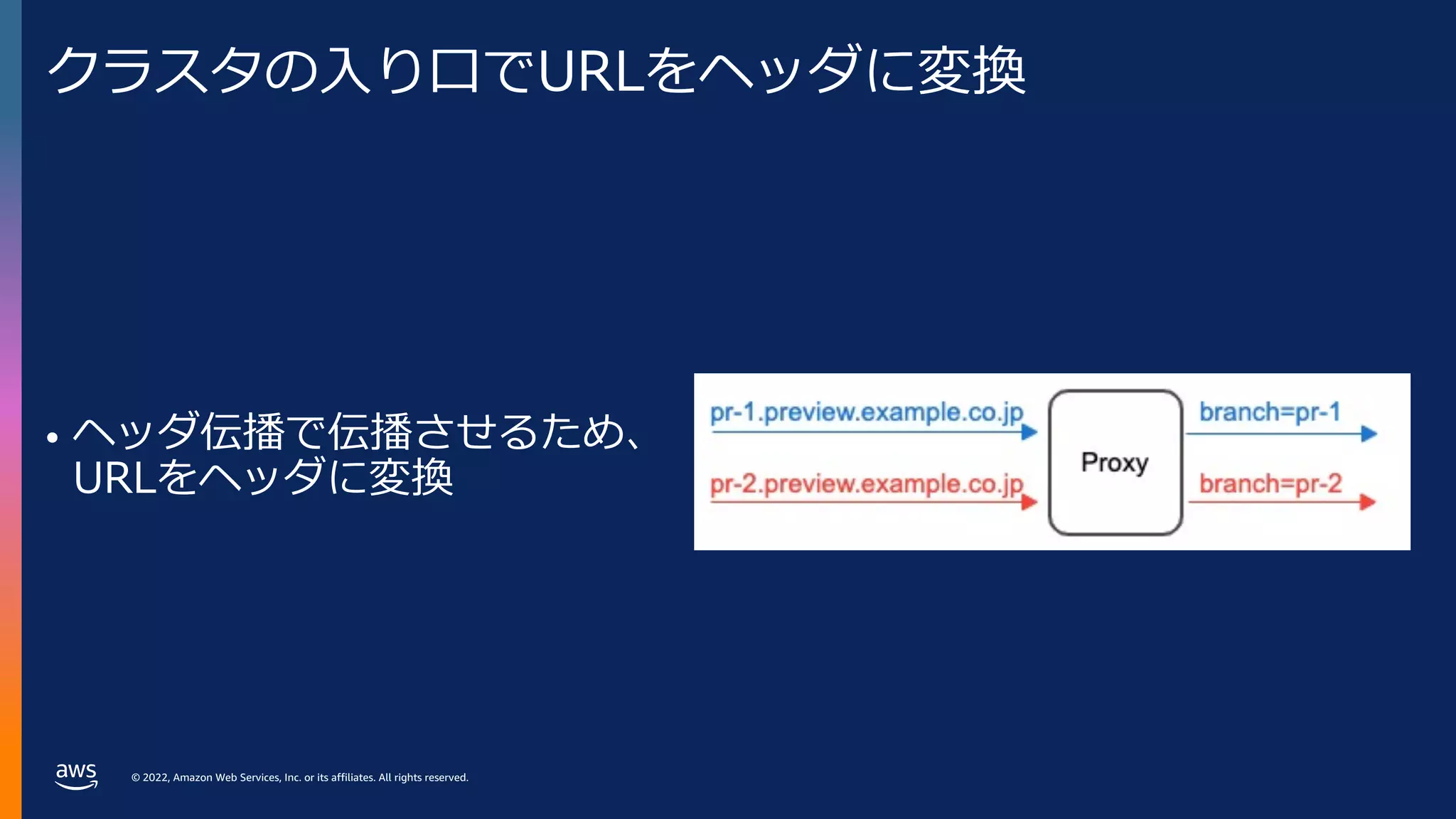
クラスタの⼊り⼝でURLをヘッダに変換
• ヘッダ伝播で伝播させるため、
URLをヘッダに変換
- 17.
© 2022, AmazonWeb Services, Inc. or its affiliates. All rights reserved.
プレビュー環境の構成要素
• アプリケーションをPRごとにデプロイ
• クラスタの⼊り⼝でURLをヘッダに変換
• アプリケーションによるヘッダ伝播
• ルーティングの設定をPRごとにデプロイ
- 18.
© 2022, AmazonWeb Services, Inc. or its affiliates. All rights reserved.
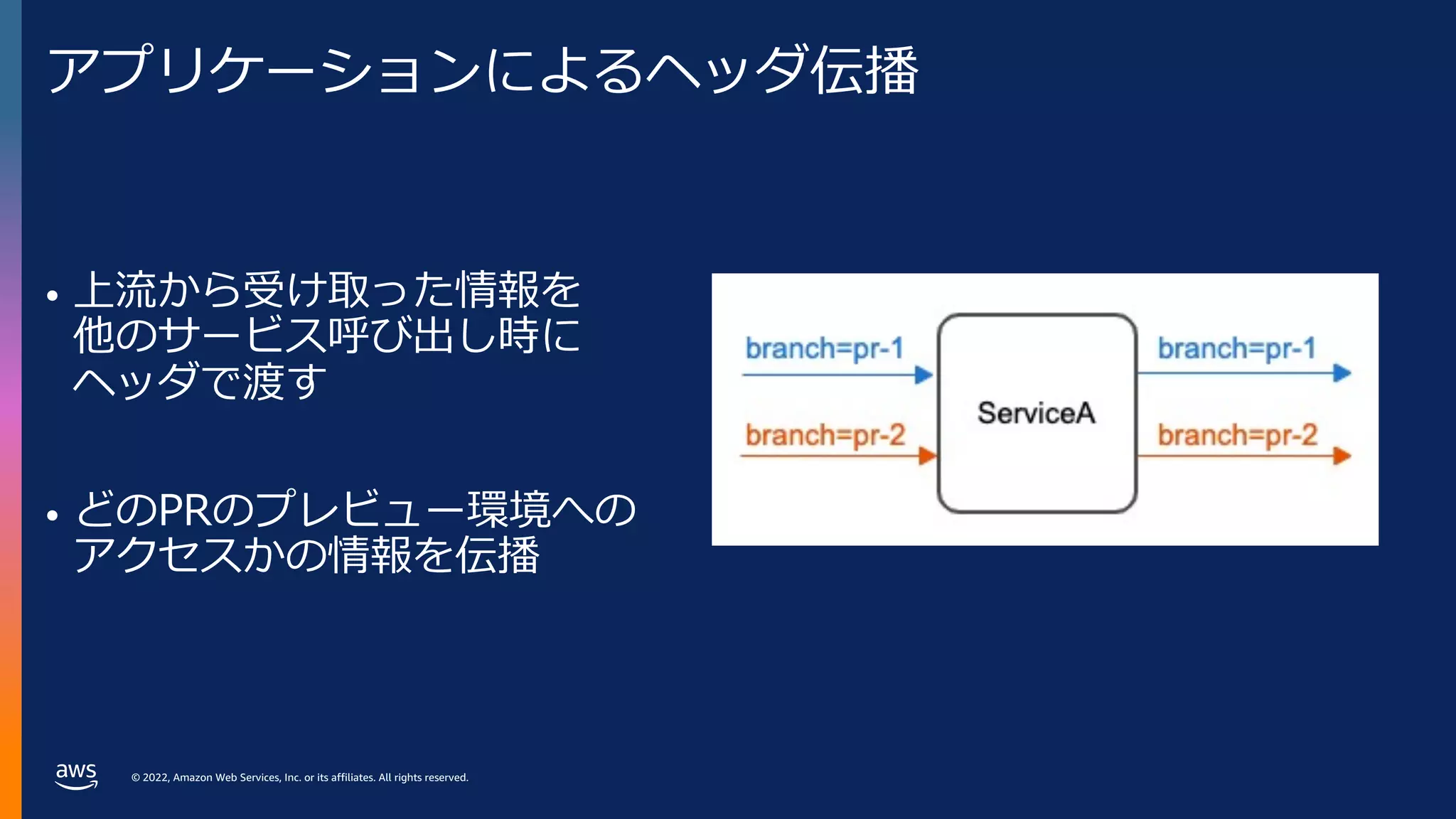
アプリケーションによるヘッダ伝播
• 上流から受け取った情報を
他のサービス呼び出し時に
ヘッダで渡す
• どのPRのプレビュー環境への
アクセスかの情報を伝播
- 19.
© 2022, AmazonWeb Services, Inc. or its affiliates. All rights reserved.
プレビュー環境の構成要素
• アプリケーションをPRごとにデプロイ
• クラスタの⼊り⼝でURLをヘッダに変換
• アプリケーションによるヘッダ伝播
• ルーティングの設定をPRごとにデプロイ
- 20.
© 2022, AmazonWeb Services, Inc. or its affiliates. All rights reserved.
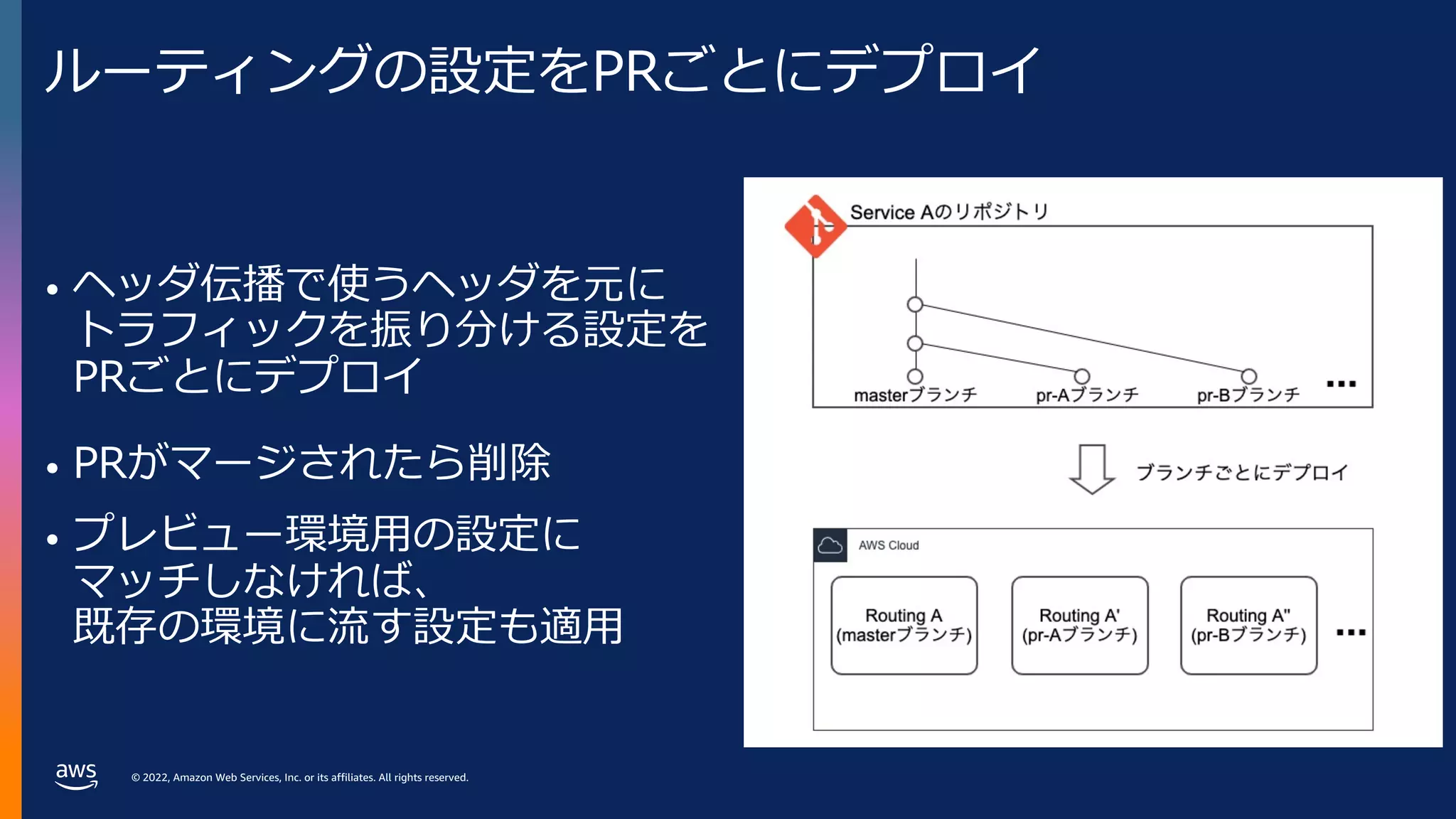
ルーティングの設定をPRごとにデプロイ
• ヘッダ伝播で使うヘッダを元に
トラフィックを振り分ける設定を
PRごとにデプロイ
• PRがマージされたら削除
• プレビュー環境⽤の設定に
マッチしなければ、
既存の環境に流す設定も適⽤
- 21.
© 2022, AmazonWeb Services, Inc. or its affiliates. All rights reserved.
まとめると
- 22.
© 2022, AmazonWeb Services, Inc. or its affiliates. All rights reserved.
© 2022, Amazon Web Services, Inc. or its affiliates. All rights reserved.
Amazon EKS上での
Argo CDとIstioを使った実装例
- 23.
© 2022, AmazonWeb Services, Inc. or its affiliates. All rights reserved.
実装に使⽤する技術
• Argo CD
• Istio
• Open Telemetry
- 24.
© 2022, AmazonWeb Services, Inc. or its affiliates. All rights reserved.
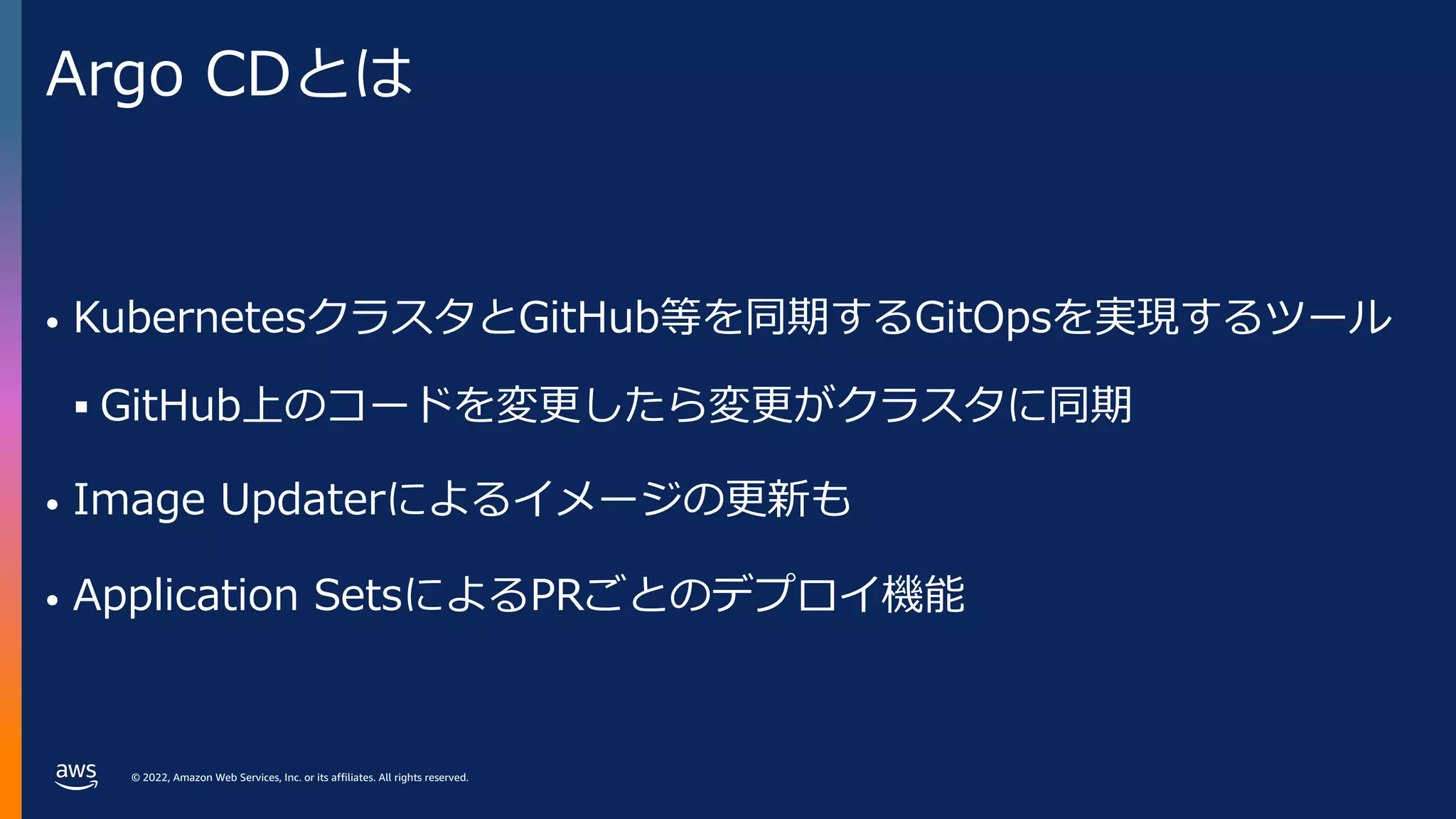
Argo CDとは
• KubernetesクラスタとGitHub等を同期するGitOpsを実現するツール
§ GitHub上のコードを変更したら変更がクラスタに同期
• Image Updaterによるイメージの更新も
• Application SetsによるPRごとのデプロイ機能
- 25.
© 2022, AmazonWeb Services, Inc. or its affiliates. All rights reserved.
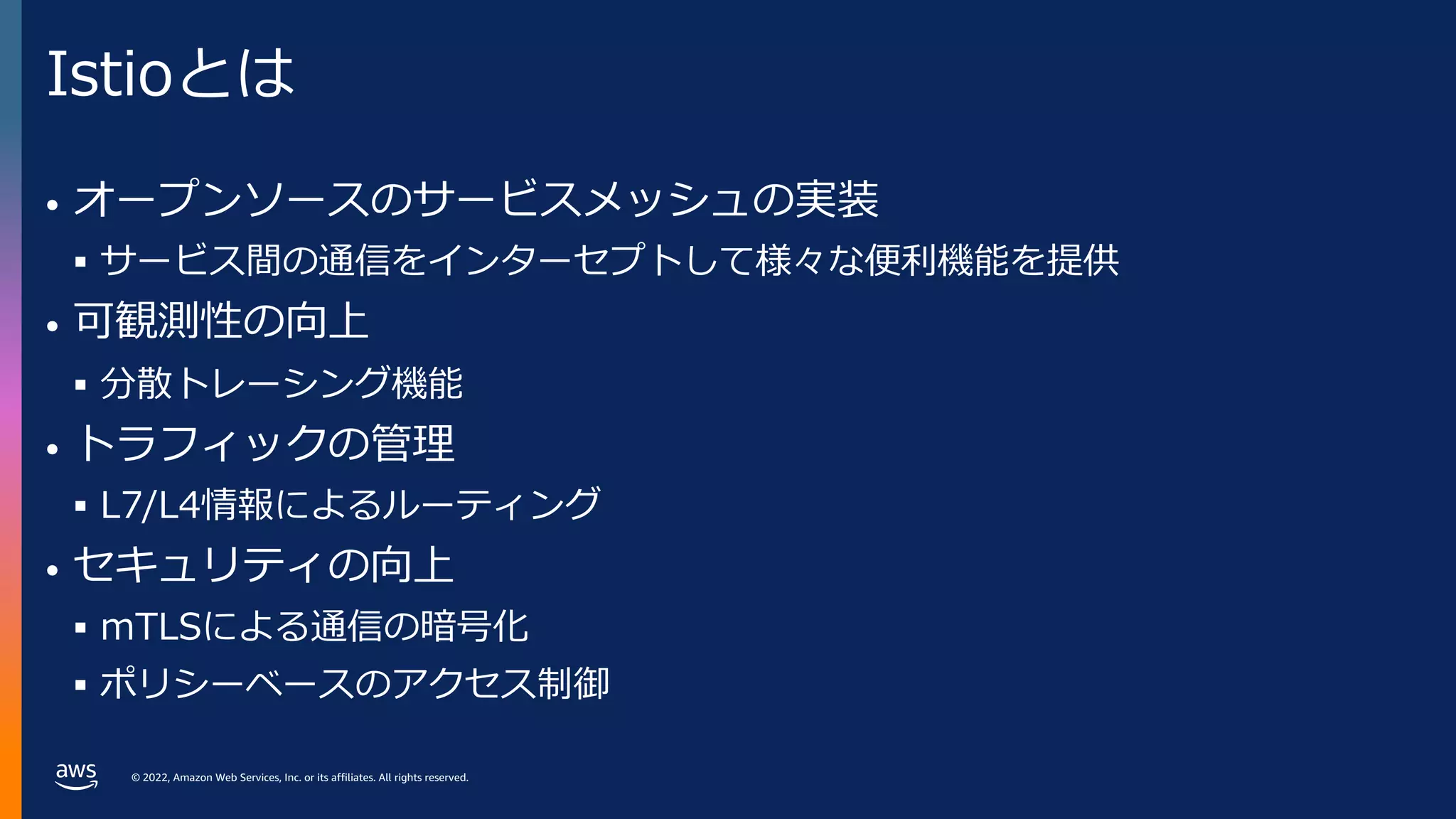
Istioとは
• オープンソースのサービスメッシュの実装
§ サービス間の通信をインターセプトして様々な便利機能を提供
• 可観測性の向上
§ 分散トレーシング機能
• トラフィックの管理
§ L7/L4情報によるルーティング
• セキュリティの向上
§ mTLSによる通信の暗号化
§ ポリシーベースのアクセス制御
- 26.
© 2022, AmazonWeb Services, Inc. or its affiliates. All rights reserved.
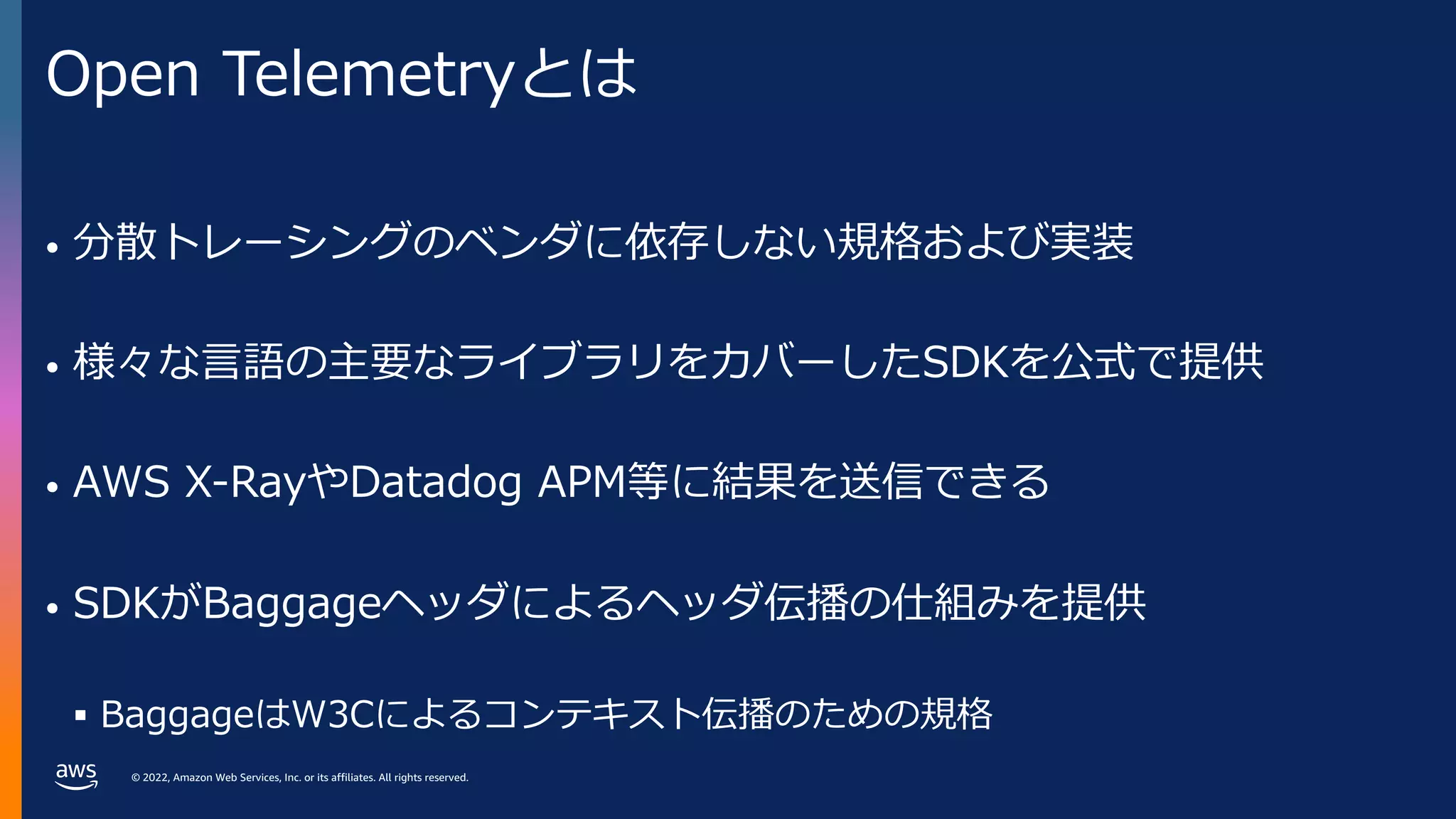
Open Telemetryとは
• 分散トレーシングのベンダに依存しない規格および実装
• 様々な⾔語の主要なライブラリをカバーしたSDKを公式で提供
• AWS X-RayやDatadog APM等に結果を送信できる
• SDKがBaggageヘッダによるヘッダ伝播の仕組みを提供
§ BaggageはW3Cによるコンテキスト伝播のための規格
- 27.
© 2022, AmazonWeb Services, Inc. or its affiliates. All rights reserved.
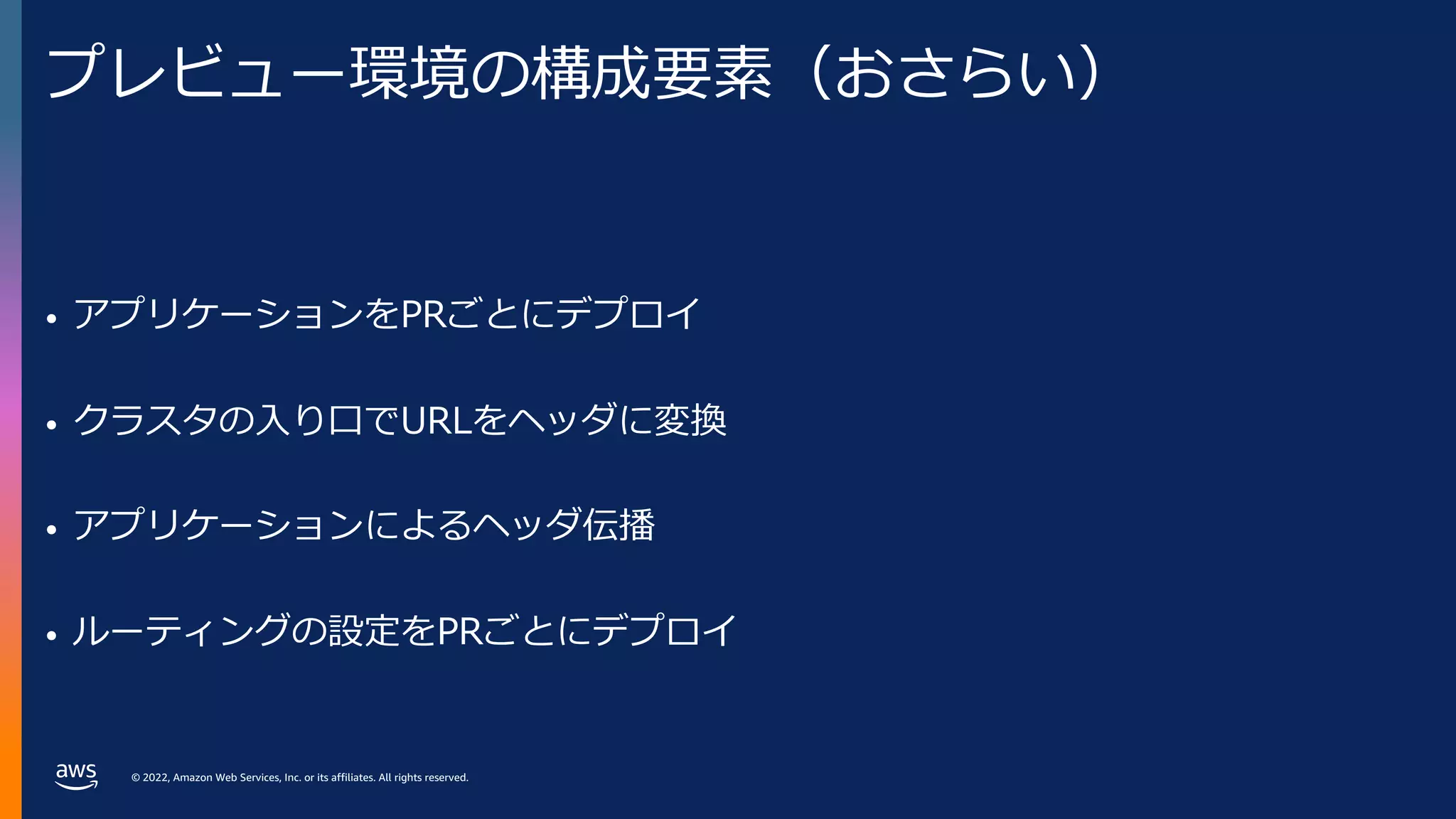
プレビュー環境の構成要素(おさらい)
• アプリケーションをPRごとにデプロイ
• クラスタの⼊り⼝でURLをヘッダに変換
• アプリケーションによるヘッダ伝播
• ルーティングの設定をPRごとにデプロイ
- 28.
© 2022, AmazonWeb Services, Inc. or its affiliates. All rights reserved.
全体像
- 29.
© 2022, AmazonWeb Services, Inc. or its affiliates. All rights reserved.
プレビュー環境の構成要素
• アプリケーションをPRごとにデプロイ
• クラスタの⼊り⼝でURLをヘッダに変換
• アプリケーションによるヘッダ伝播
• ルーティングの設定をPRごとにデプロイ
- 30.
© 2022, AmazonWeb Services, Inc. or its affiliates. All rights reserved.
アプリケーションをPRごとにデプロイ
• ArgoCDで右図を実現する
- 31.
© 2022, AmazonWeb Services, Inc. or its affiliates. All rights reserved.
アプリケーションをPRごとにデプロイ
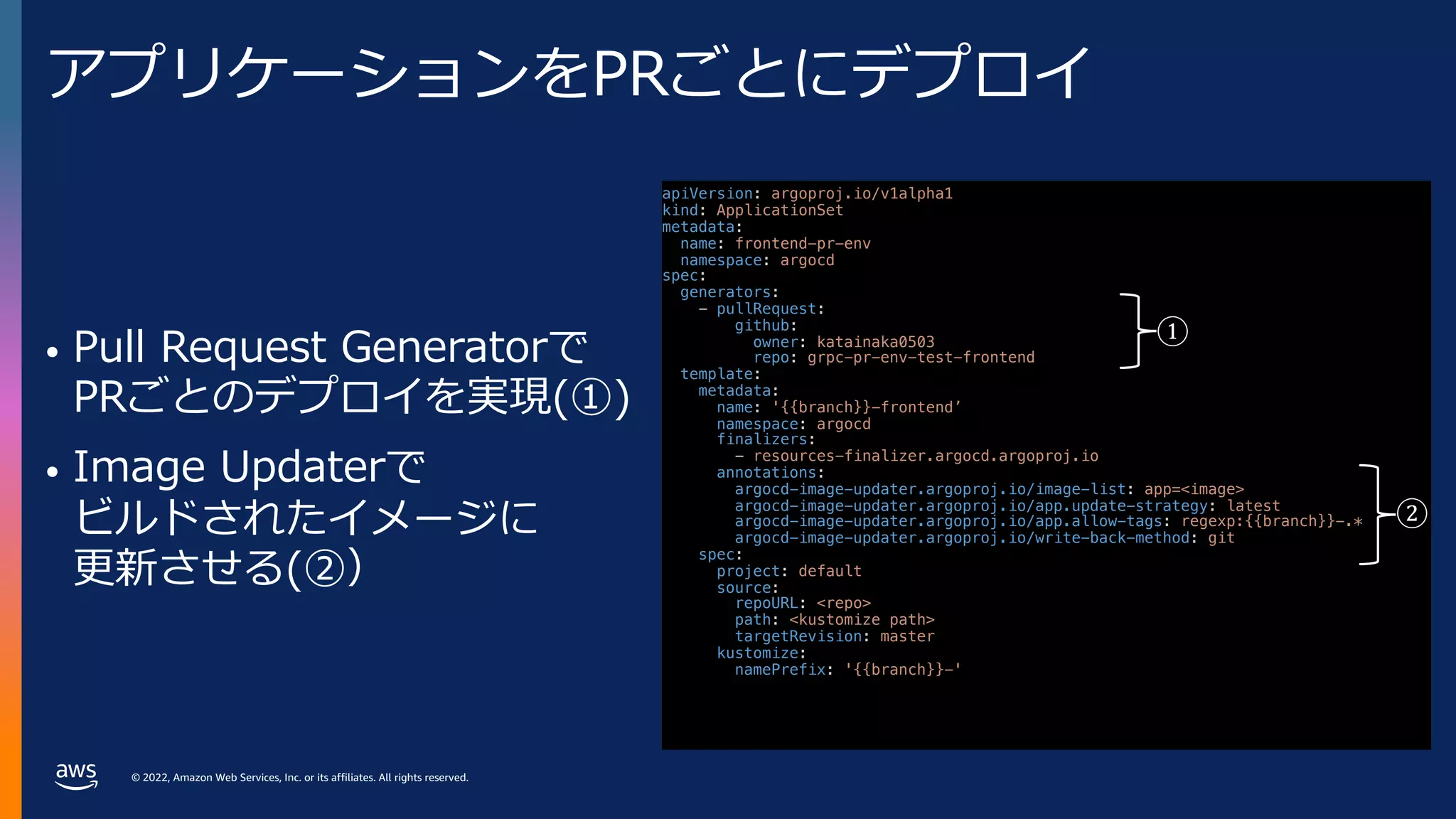
• Pull Request Generatorで
PRごとのデプロイを実現(①)
• Image Updaterで
ビルドされたイメージに
更新させる(②)
apiVersion: argoproj.io/v1alpha1
kind: ApplicationSet
metadata:
name: frontend-pr-env
namespace: argocd
spec:
generators:
- pullRequest:
github:
owner: katainaka0503
repo: grpc-pr-env-test-frontend
template:
metadata:
name: '{{branch}}-frontend’
namespace: argocd
finalizers:
- resources-finalizer.argocd.argoproj.io
annotations:
argocd-image-updater.argoproj.io/image-list: app=<image>
argocd-image-updater.argoproj.io/app.update-strategy: latest
argocd-image-updater.argoproj.io/app.allow-tags: regexp:{{branch}}-.*
argocd-image-updater.argoproj.io/write-back-method: git
spec:
project: default
source:
repoURL: <repo>
path: <kustomize path>
targetRevision: master
kustomize:
namePrefix: '{{branch}}-'
①
②
- 32.
© 2022, AmazonWeb Services, Inc. or its affiliates. All rights reserved.
プレビュー環境の構成要素
• アプリケーションをPRごとにデプロイ
• クラスタの⼊り⼝でURLをヘッダに変換
• アプリケーションによるヘッダ伝播
• ルーティングの設定をPRごとにデプロイ
- 33.
© 2022, AmazonWeb Services, Inc. or its affiliates. All rights reserved.
クラスタの⼊り⼝でURLをヘッダに変換
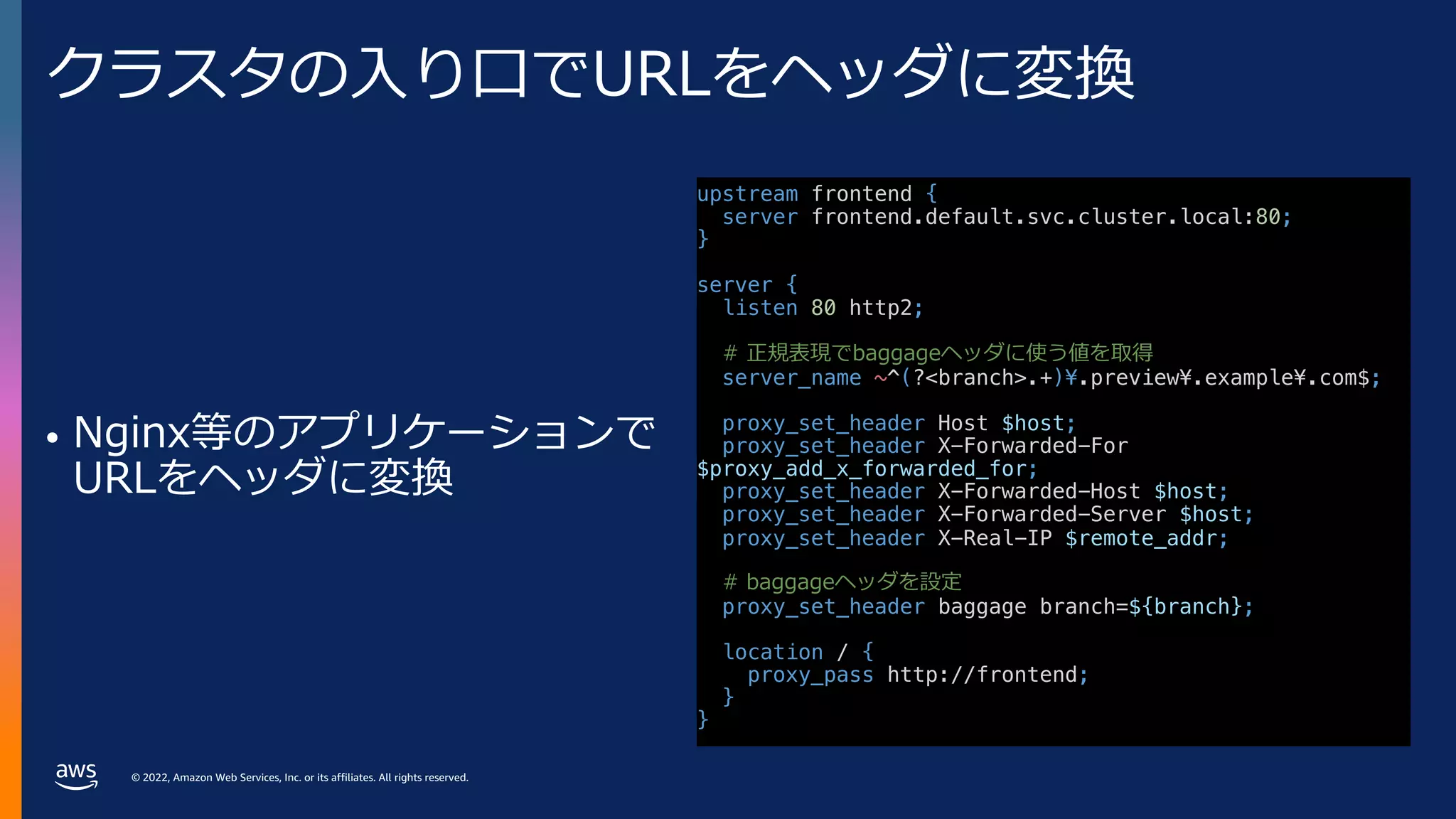
• Nginx等のアプリケーションで
URLをヘッダに変換
upstream frontend {
server frontend.default.svc.cluster.local:80;
}
server {
listen 80 http2;
# 正規表現でbaggageヘッダに使う値を取得
server_name ~^(?<branch>.+)¥.preview¥.example¥.com$;
proxy_set_header Host $host;
proxy_set_header X-Forwarded-For
$proxy_add_x_forwarded_for;
proxy_set_header X-Forwarded-Host $host;
proxy_set_header X-Forwarded-Server $host;
proxy_set_header X-Real-IP $remote_addr;
# baggageヘッダを設定
proxy_set_header baggage branch=${branch};
location / {
proxy_pass http://frontend;
}
}
- 34.
© 2022, AmazonWeb Services, Inc. or its affiliates. All rights reserved.
プレビュー環境の構成要素
• アプリケーションをPRごとにデプロイ
• クラスタの⼊り⼝でURLをヘッダに変換
• アプリケーションによるヘッダ伝播
• ルーティングの設定をPRごとにデプロイ
- 35.
© 2022, AmazonWeb Services, Inc. or its affiliates. All rights reserved.
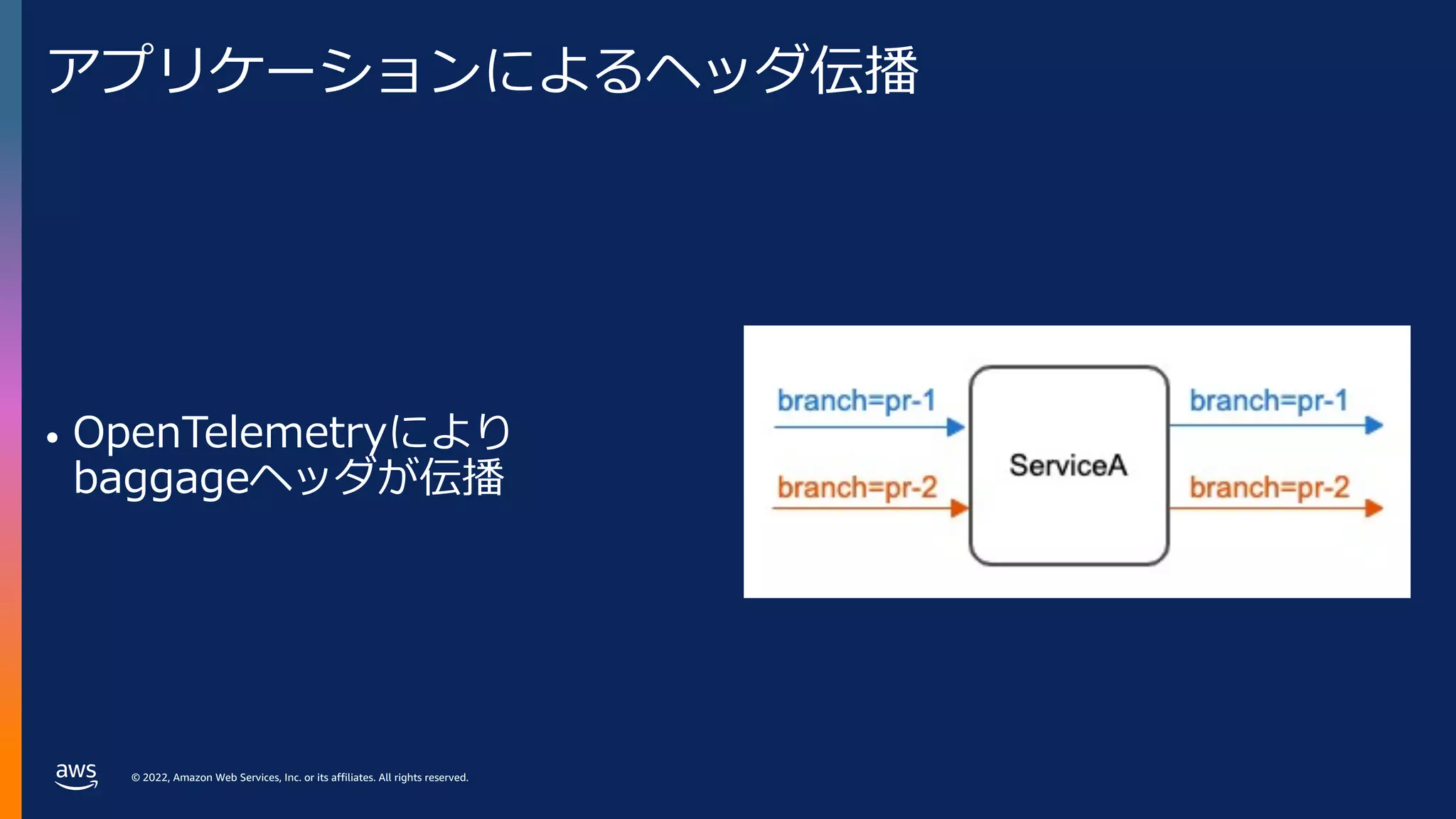
アプリケーションによるヘッダ伝播
• OpenTelemetryにより
baggageヘッダが伝播
- 36.
© 2022, AmazonWeb Services, Inc. or its affiliates. All rights reserved.
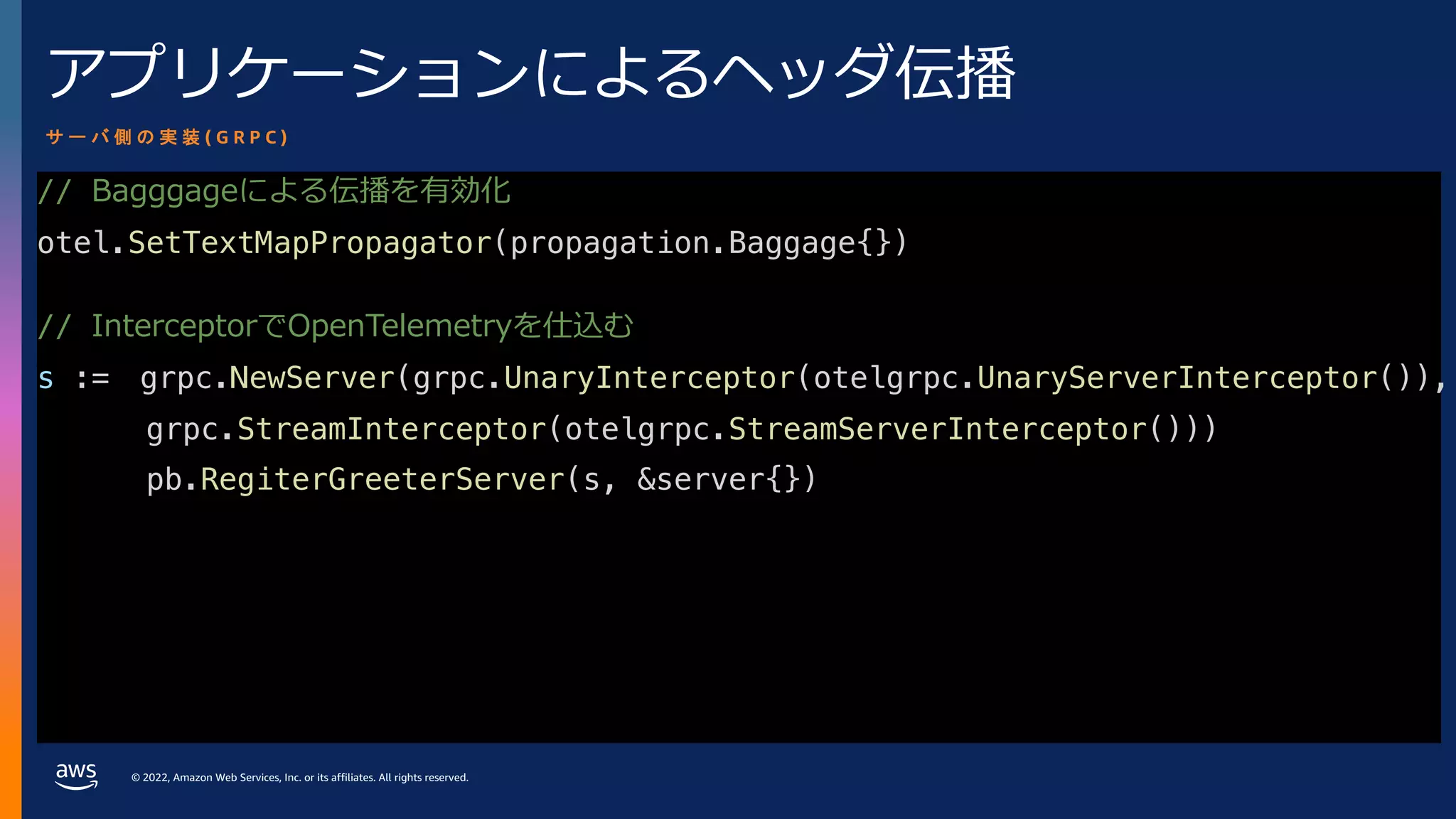
アプリケーションによるヘッダ伝播
// Bagggageによる伝播を有効化
otel.SetTextMapPropagator(propagation.Baggage{})
// InterceptorでOpenTelemetryを仕込む
s := grpc.NewServer(grpc.UnaryInterceptor(otelgrpc.UnaryServerInterceptor()),
grpc.StreamInterceptor(otelgrpc.StreamServerInterceptor()))
pb.RegiterGreeterServer(s, &server{})
サ ー バ 側 の 実 装 ( G R P C )
- 37.
© 2022, AmazonWeb Services, Inc. or its affiliates. All rights reserved.
アプリケーションによるヘッダ伝播
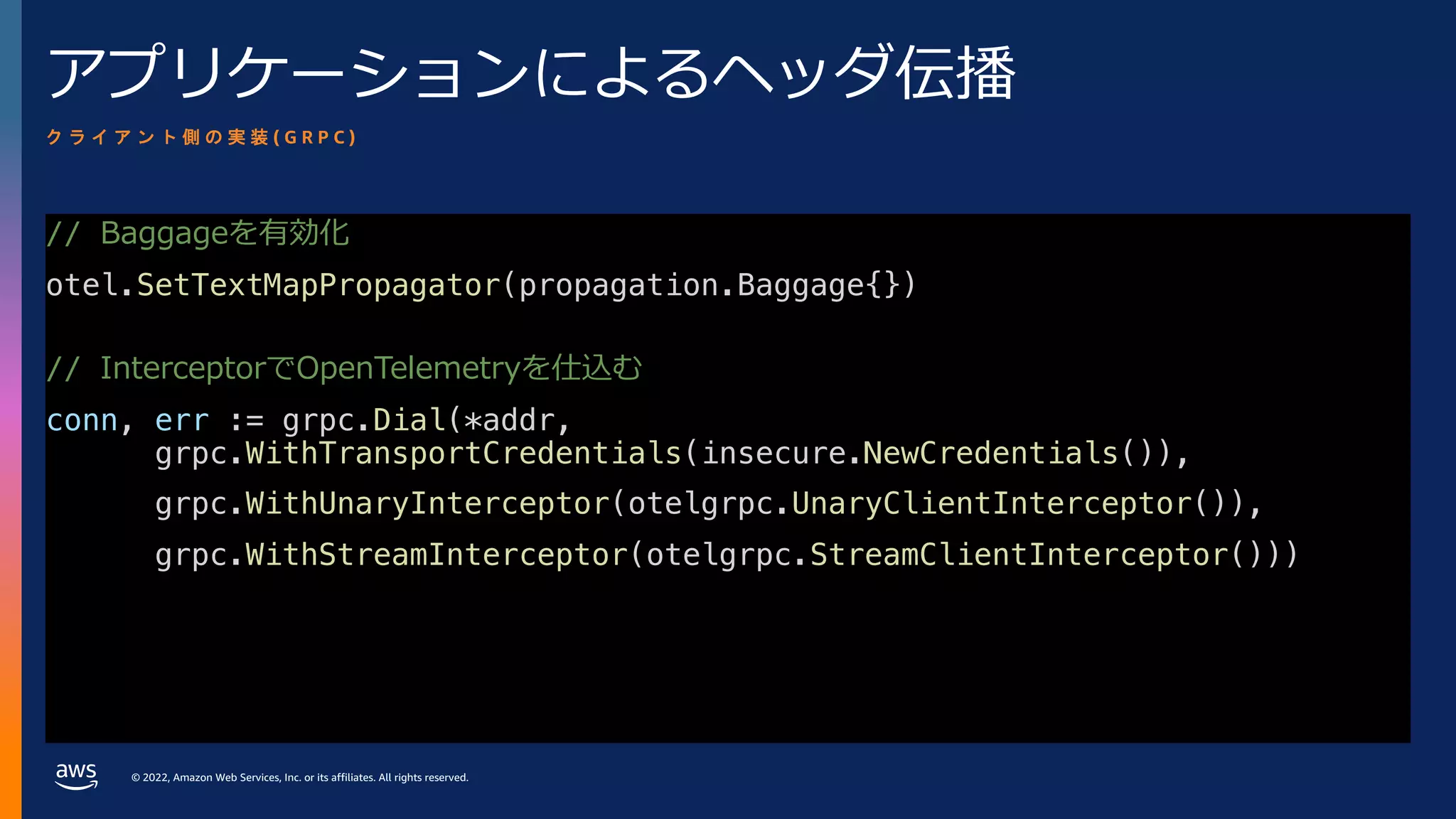
// Baggageを有効化
otel.SetTextMapPropagator(propagation.Baggage{})
// InterceptorでOpenTelemetryを仕込む
conn, err := grpc.Dial(*addr,
grpc.WithTransportCredentials(insecure.NewCredentials()),
grpc.WithUnaryInterceptor(otelgrpc.UnaryClientInterceptor()),
grpc.WithStreamInterceptor(otelgrpc.StreamClientInterceptor()))
ク ラ イ ア ン ト 側 の 実 装 ( G R P C )
- 38.
© 2022, AmazonWeb Services, Inc. or its affiliates. All rights reserved.
プレビュー環境の構成要素
• アプリケーションをPRごとにデプロイ
• クラスタの⼊り⼝でURLをヘッダに変換
• アプリケーションによるヘッダ伝播
• ルーティングの設定をPRごとにデプロイ
- 39.
© 2022, AmazonWeb Services, Inc. or its affiliates. All rights reserved.
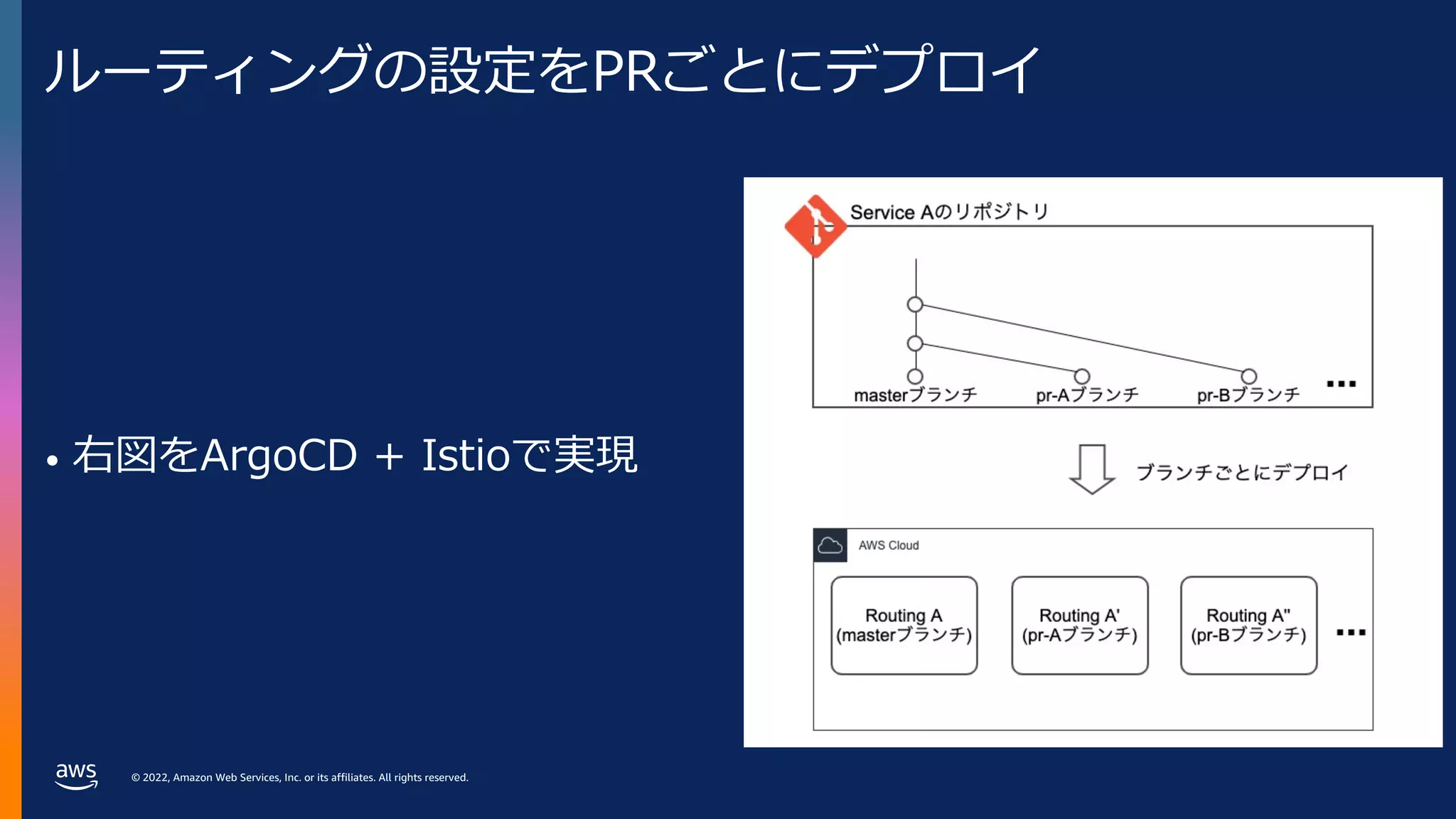
ルーティングの設定をPRごとにデプロイ
• 右図をArgoCD + Istioで実現
- 40.
© 2022, AmazonWeb Services, Inc. or its affiliates. All rights reserved.
ルーティングの設定をPRごとにデプロイ
• Baggageヘッダを元に
ルーティング
• PRごとにデプロイした際に
優先順位で問題が⽣じない
Gateway APIを使⽤
apiVersion: gateway.networking.k8s.io/v1alpha2
kind: HTTPRoute
metadata:
name: {{ .Release.Name }}
spec:
parentRefs:
- kind: Mesh
name: istio
hostnames: ["{{ .Values.app }}.default.svc.cluster.local"]
rules:
- matches:
- headers:
- type: RegularExpression
name: baggage
value: ^(.*¥s*;)?branch¥s*=¥s*{{ .Values.branch }}(¥s*;.*)?$
backendRefs:
- name: {{ .Values.branch }}-{{ .Values.app }}
port: 80
- 41.
© 2022, AmazonWeb Services, Inc. or its affiliates. All rights reserved.
ルーティングの設定をPRごとにデプロイ
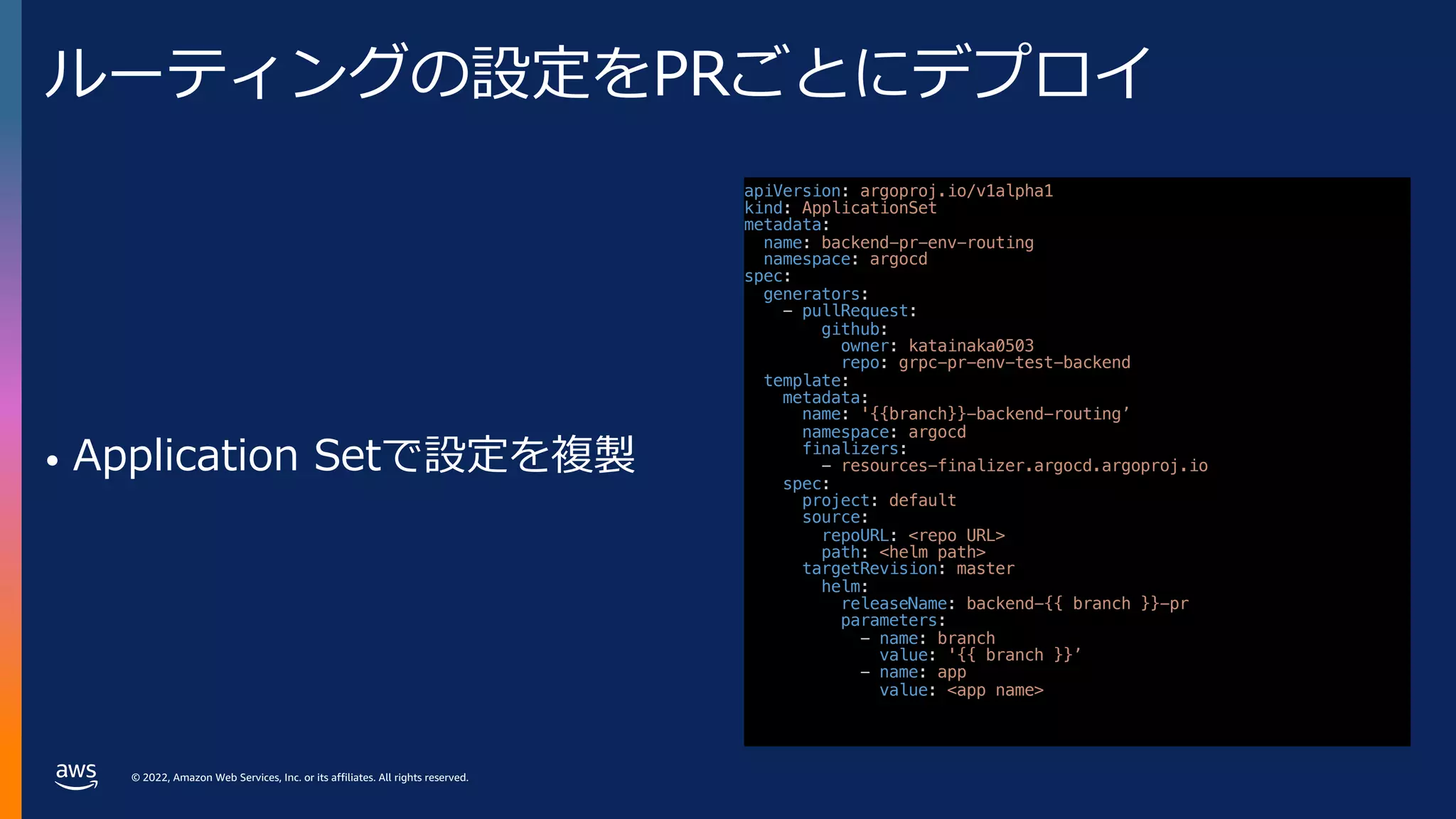
• Application Setで設定を複製
apiVersion: argoproj.io/v1alpha1
kind: ApplicationSet
metadata:
name: backend-pr-env-routing
namespace: argocd
spec:
generators:
- pullRequest:
github:
owner: katainaka0503
repo: grpc-pr-env-test-backend
template:
metadata:
name: '{{branch}}-backend-routing’
namespace: argocd
finalizers:
- resources-finalizer.argocd.argoproj.io
spec:
project: default
source:
repoURL: <repo URL>
path: <helm path>
targetRevision: master
helm:
releaseName: backend-{{ branch }}-pr
parameters:
- name: branch
value: '{{ branch }}’
- name: app
value: <app name>
- 42.
© 2022, AmazonWeb Services, Inc. or its affiliates. All rights reserved.
まとめると
- 43.
© 2022, AmazonWeb Services, Inc. or its affiliates. All rights reserved.
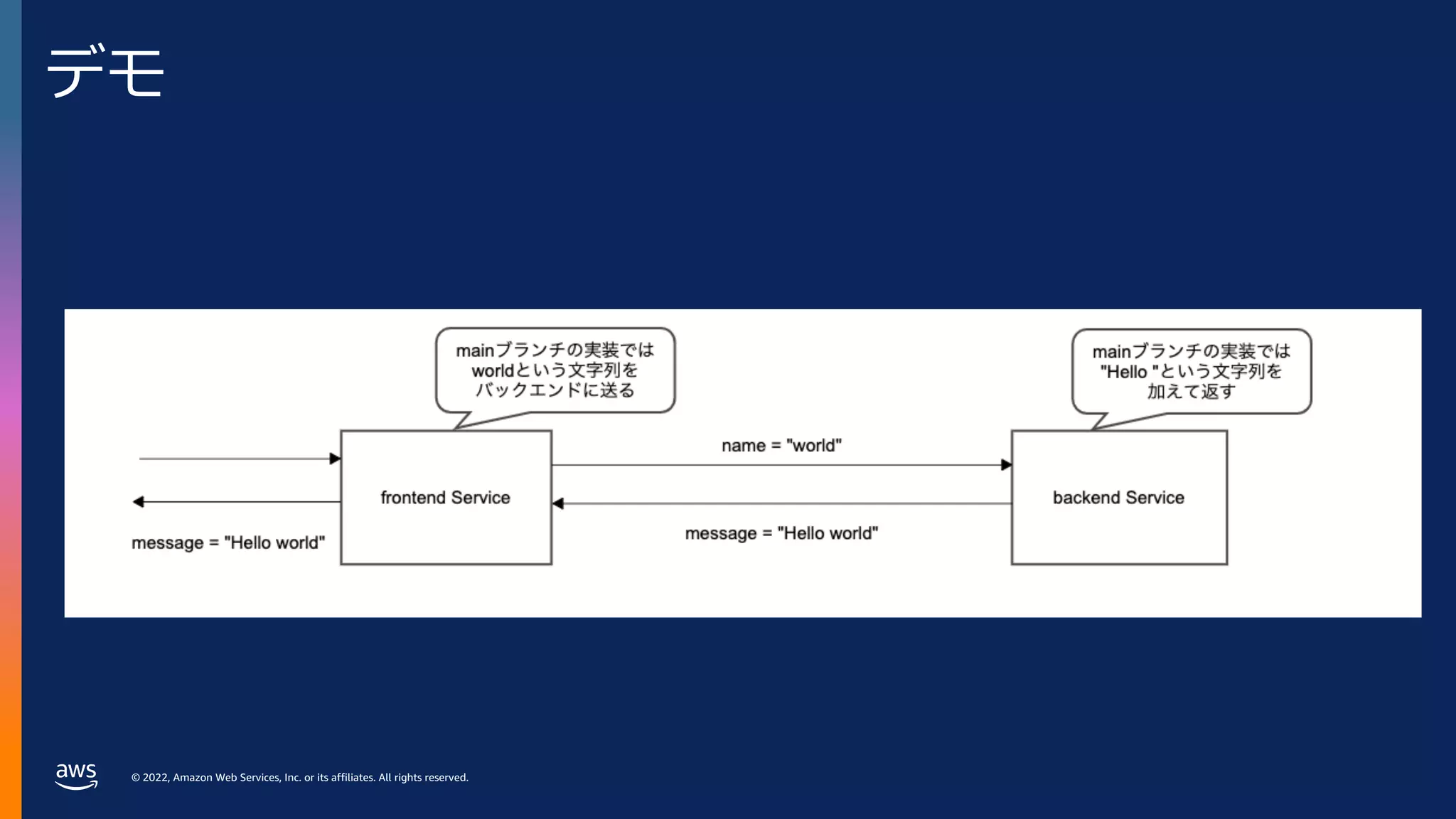
デモ
- 44.
© 2022, AmazonWeb Services, Inc. or its affiliates. All rights reserved.
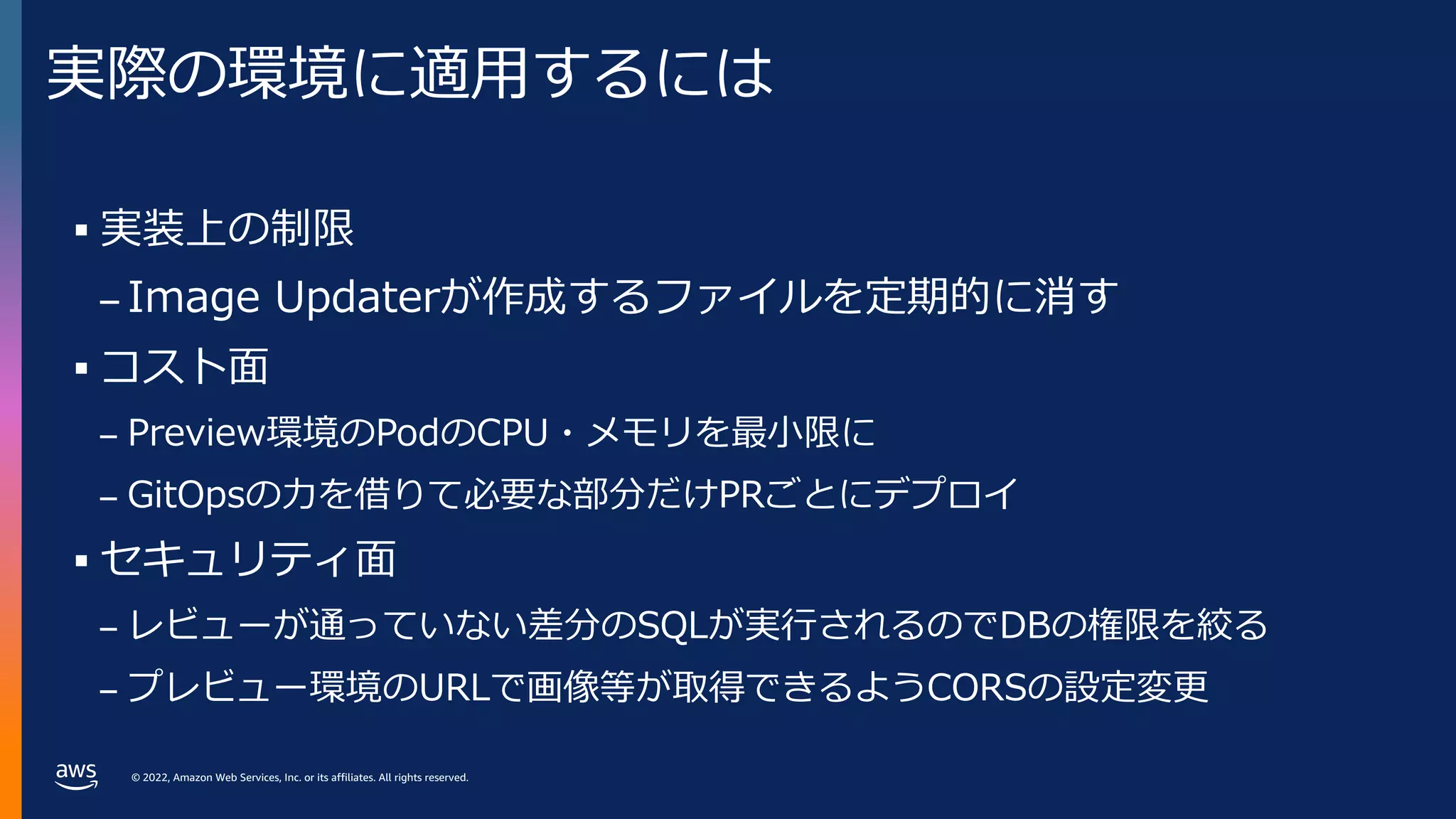
実際の環境に適⽤するには
§ 実装上の制限
– Image Updaterが作成するファイルを定期的に消す
§ コスト⾯
– Preview環境のPodのCPU・メモリを最⼩限に
– GitOpsの⼒を借りて必要な部分だけPRごとにデプロイ
§ セキュリティ⾯
– レビューが通っていない差分のSQLが実⾏されるのでDBの権限を絞る
– プレビュー環境のURLで画像等が取得できるようCORSの設定変更
- 45.
© 2022, AmazonWeb Services, Inc. or its affiliates. All rights reserved.
© 2022, Amazon Web Services, Inc. or its affiliates. All rights reserved.
プレビュー環境導入までの
ロードマップ
- 46.
© 2022, AmazonWeb Services, Inc. or its affiliates. All rights reserved.
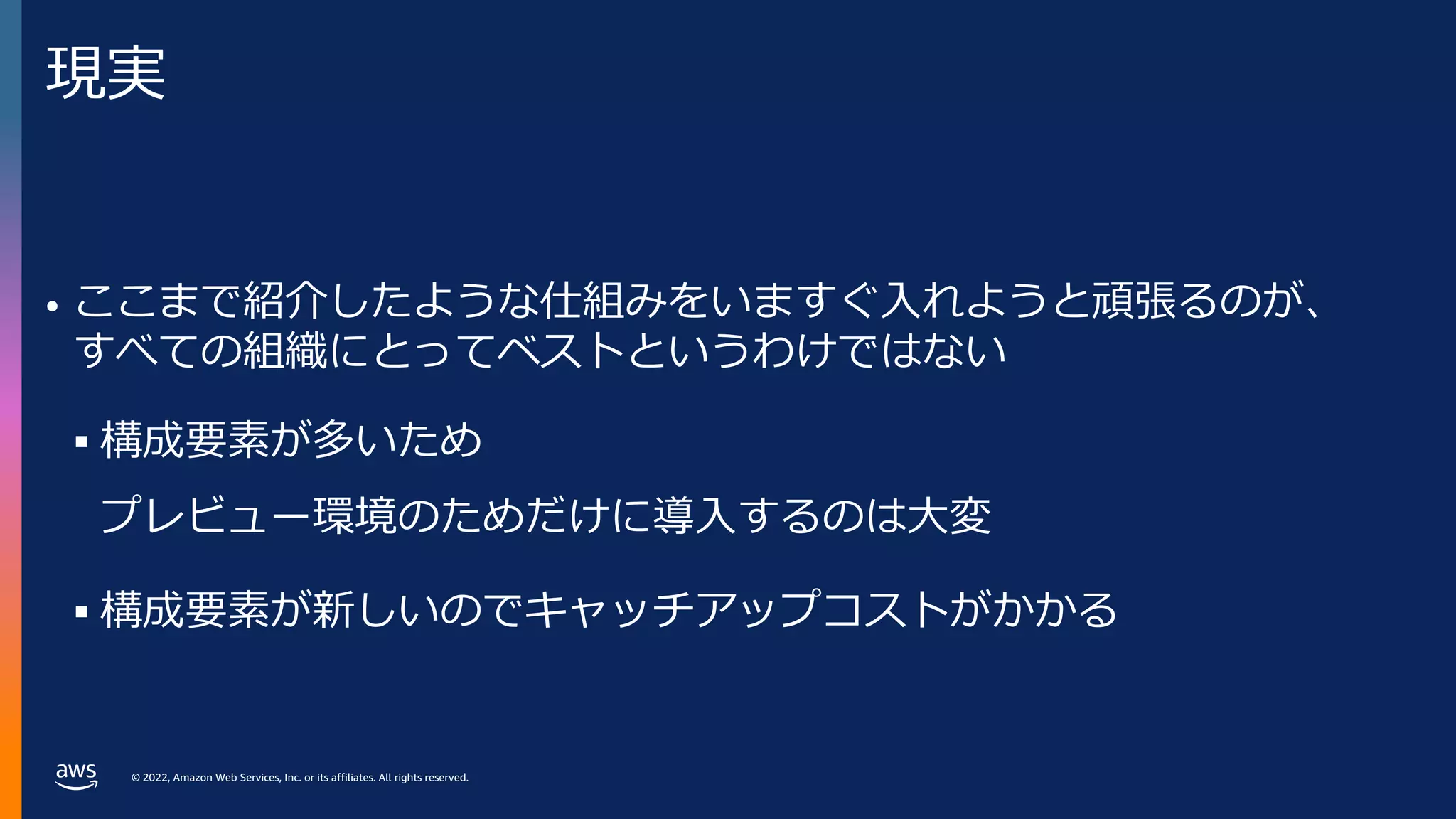
現実
• ここまで紹介したような仕組みをいますぐ⼊れようと頑張るのが、
すべての組織にとってベストというわけではない
§ 構成要素が多いため
プレビュー環境のためだけに導⼊するのは⼤変
§ 構成要素が新しいのでキャッチアップコストがかかる
- 47.
© 2022, AmazonWeb Services, Inc. or its affiliates. All rights reserved.
⼀⽅で
• プレビュー環境の実装に使えるツールは
プレビュー環境が関係ない⽂脈でも便利
§ Argo CD
§ Istio
§ Open Telemetry
- 48.
© 2022, AmazonWeb Services, Inc. or its affiliates. All rights reserved.
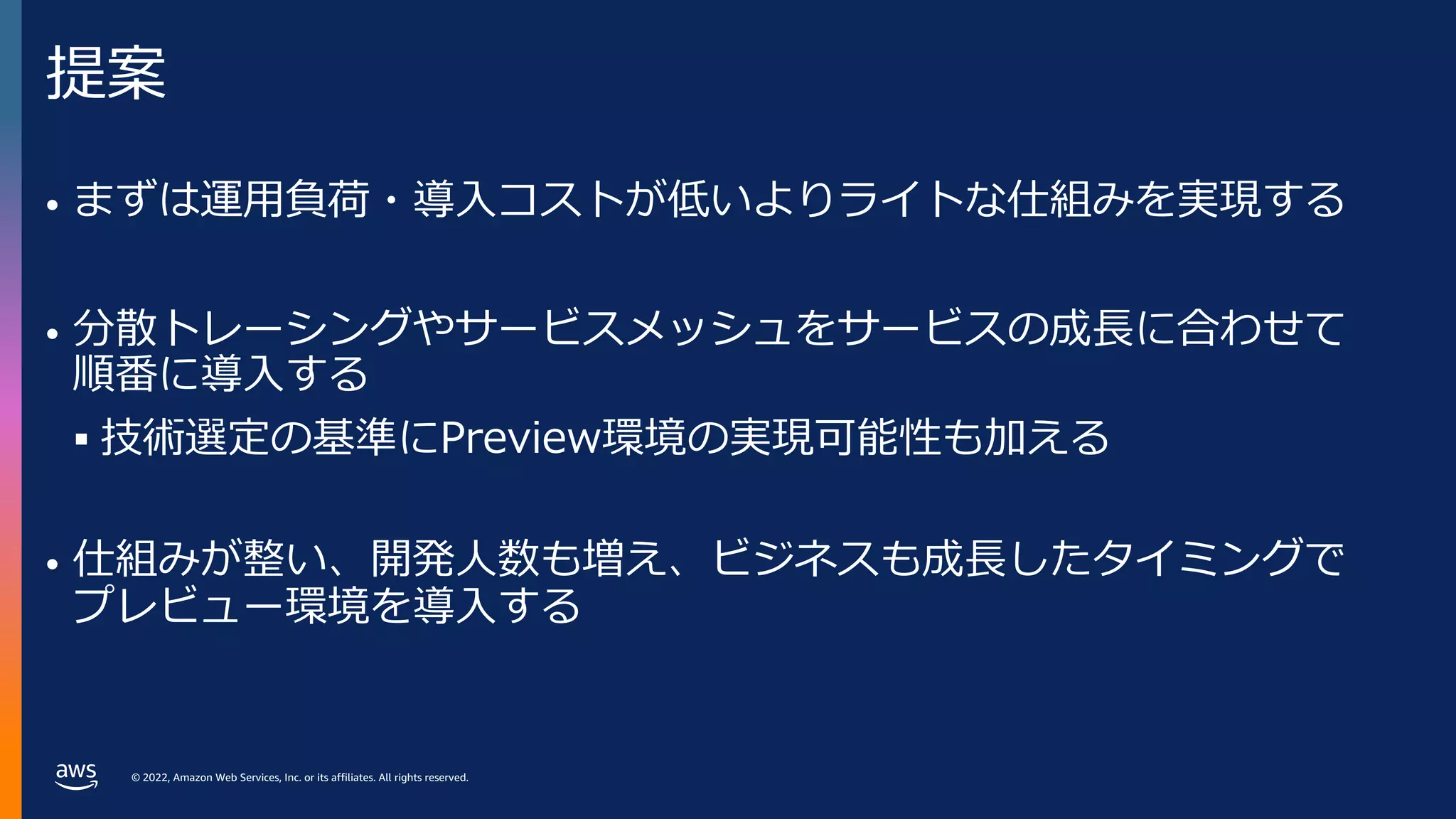
提案
• まずは運⽤負荷・導⼊コストが低いよりライトな仕組みを実現する
• 分散トレーシングやサービスメッシュをサービスの成⻑に合わせて
順番に導⼊する
§ 技術選定の基準にPreview環境の実現可能性も加える
• 仕組みが整い、開発⼈数も増え、ビジネスも成⻑したタイミングで
プレビュー環境を導⼊する
- 49.
© 2022, AmazonWeb Services, Inc. or its affiliates. All rights reserved.
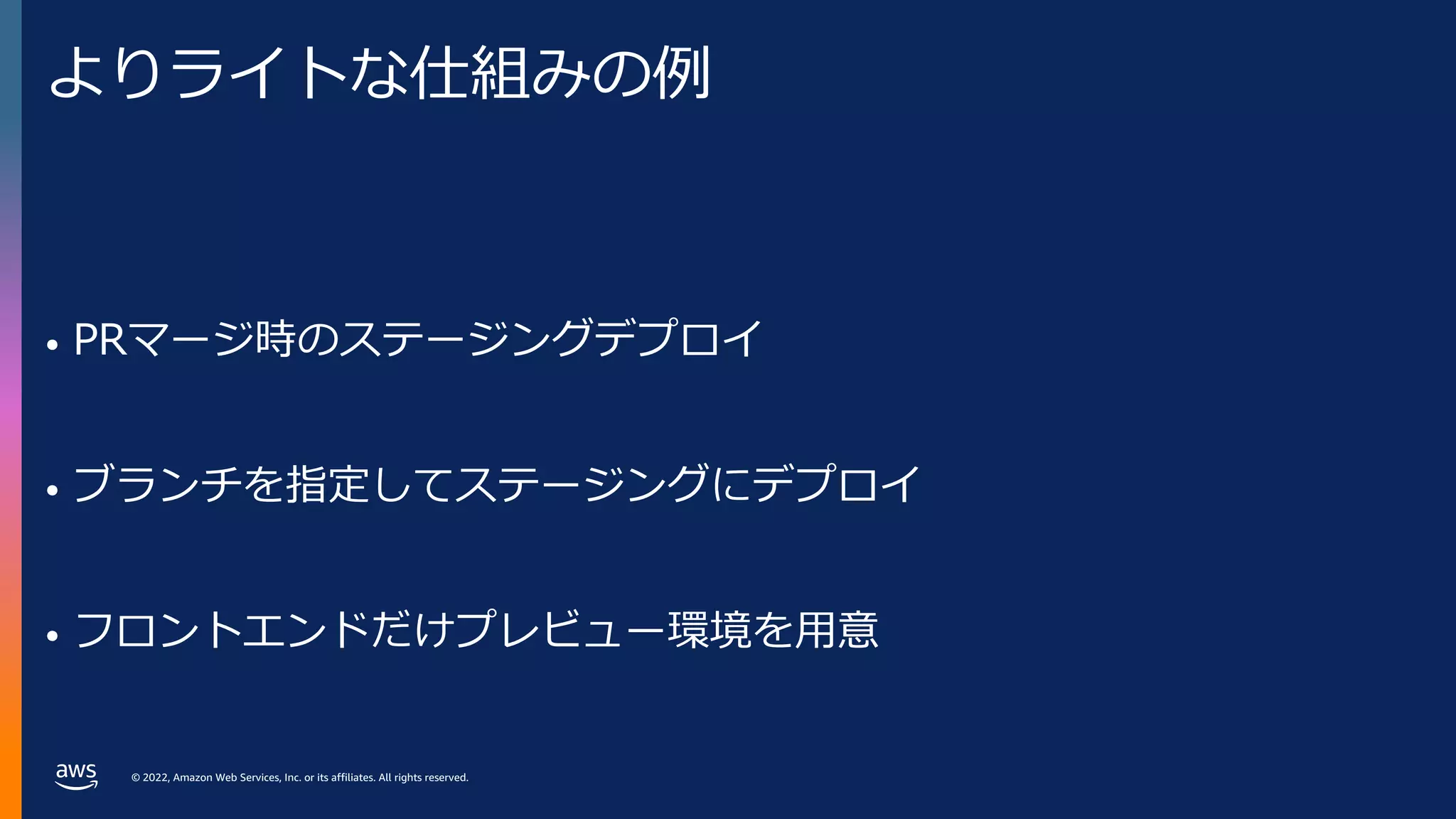
よりライトな仕組みの例
• PRマージ時のステージングデプロイ
• ブランチを指定してステージングにデプロイ
• フロントエンドだけプレビュー環境を⽤意
- 50.
© 2022, AmazonWeb Services, Inc. or its affiliates. All rights reserved.
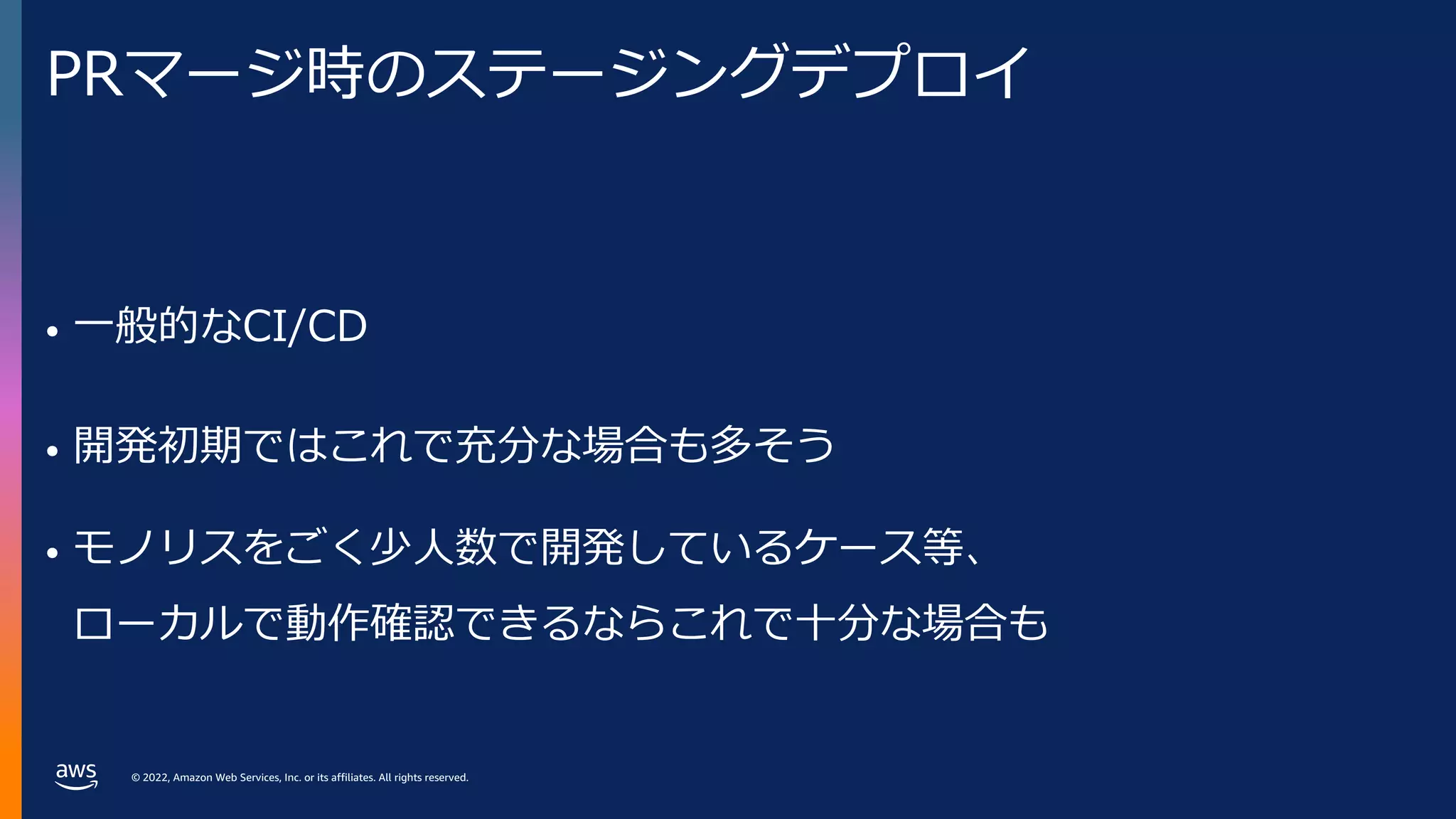
PRマージ時のステージングデプロイ
• ⼀般的なCI/CD
• 開発初期ではこれで充分な場合も多そう
• モノリスをごく少⼈数で開発しているケース等、
ローカルで動作確認できるならこれで⼗分な場合も
- 51.
© 2022, AmazonWeb Services, Inc. or its affiliates. All rights reserved.
ブランチを指定してステージングにデプロイ
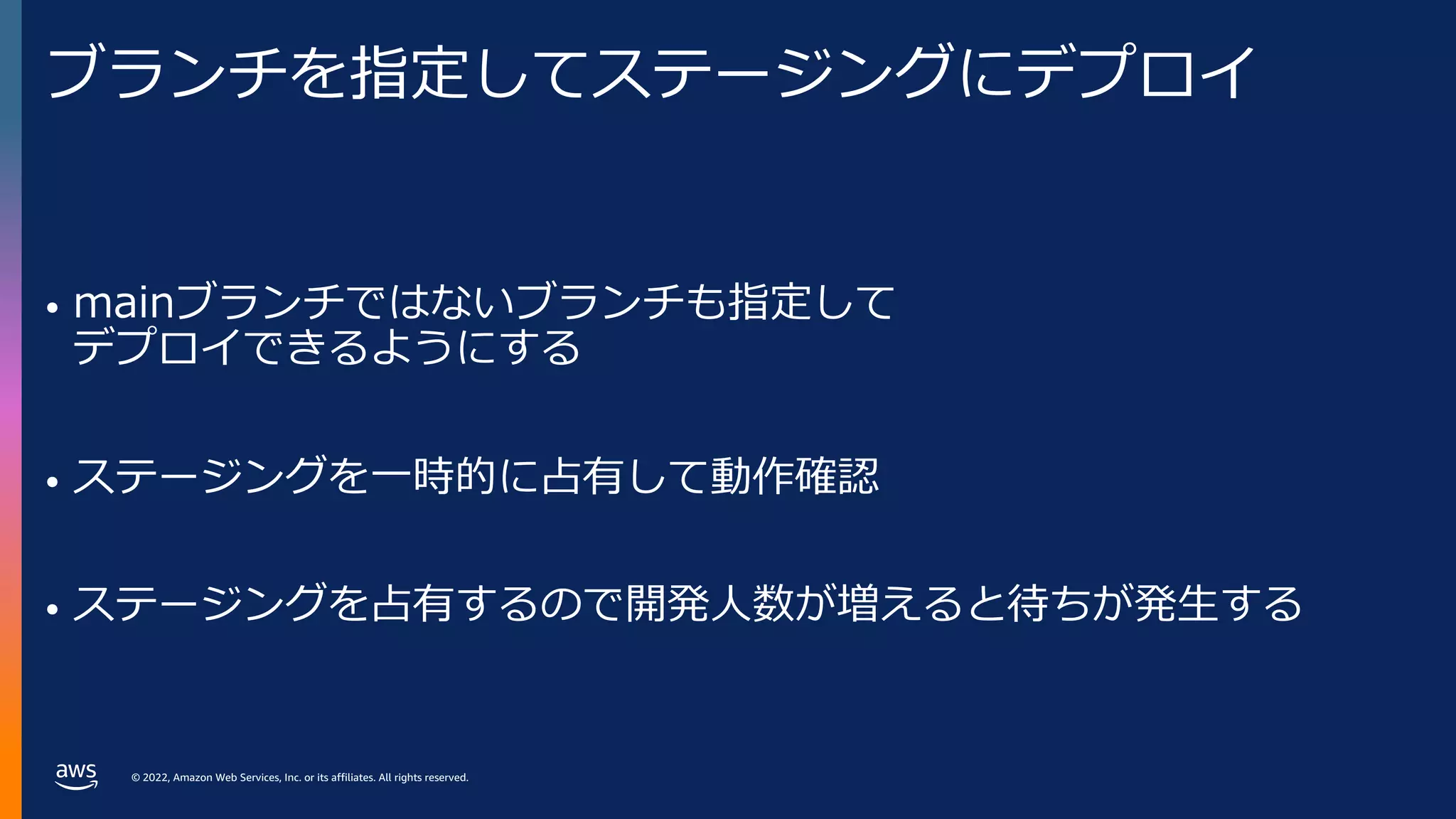
• mainブランチではないブランチも指定して
デプロイできるようにする
• ステージングを⼀時的に占有して動作確認
• ステージングを占有するので開発⼈数が増えると待ちが発⽣する
- 52.
© 2022, AmazonWeb Services, Inc. or its affiliates. All rights reserved.
フロントエンドにだけプレビュー環境を⽤意
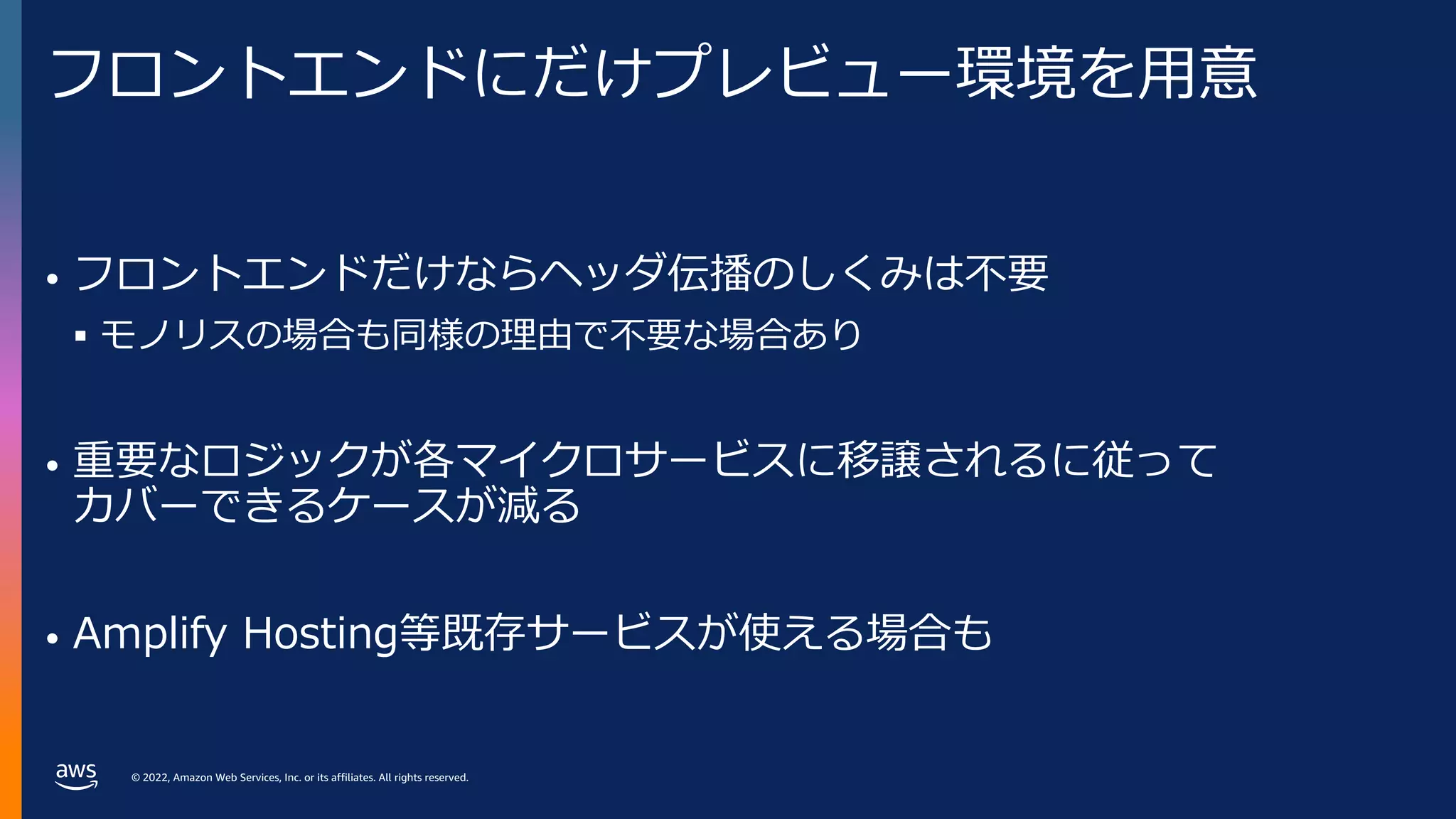
• フロントエンドだけならヘッダ伝播のしくみは不要
§ モノリスの場合も同様の理由で不要な場合あり
• 重要なロジックが各マイクロサービスに移譲されるに従って
カバーできるケースが減る
• Amplify Hosting等既存サービスが使える場合も
- 53.
© 2022, AmazonWeb Services, Inc. or its affiliates. All rights reserved.
ロードマップのスケッチ例
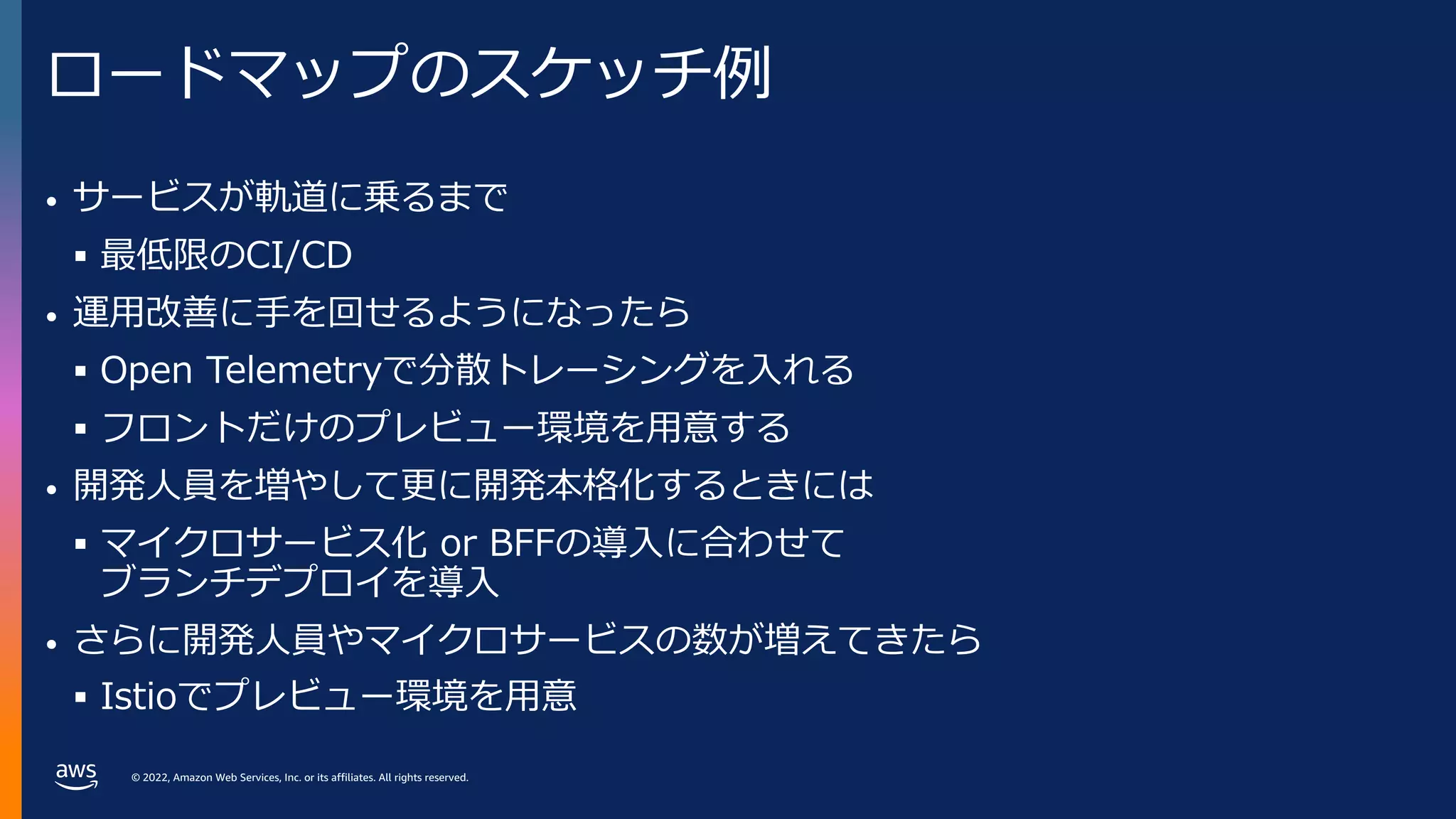
• サービスが軌道に乗るまで
§ 最低限のCI/CD
• 運⽤改善に⼿を回せるようになったら
§ Open Telemetryで分散トレーシングを⼊れる
§ フロントだけのプレビュー環境を⽤意する
• 開発⼈員を増やして更に開発本格化するときには
§ マイクロサービス化 or BFFの導⼊に合わせて
ブランチデプロイを導⼊
• さらに開発⼈員やマイクロサービスの数が増えてきたら
§ Istioでプレビュー環境を⽤意
- 54.
© 2022, AmazonWeb Services, Inc. or its affiliates. All rights reserved.
© 2022, Amazon Web Services, Inc. or its affiliates. All rights reserved.
まとめ
- 55.
© 2022, AmazonWeb Services, Inc. or its affiliates. All rights reserved.
まとめ
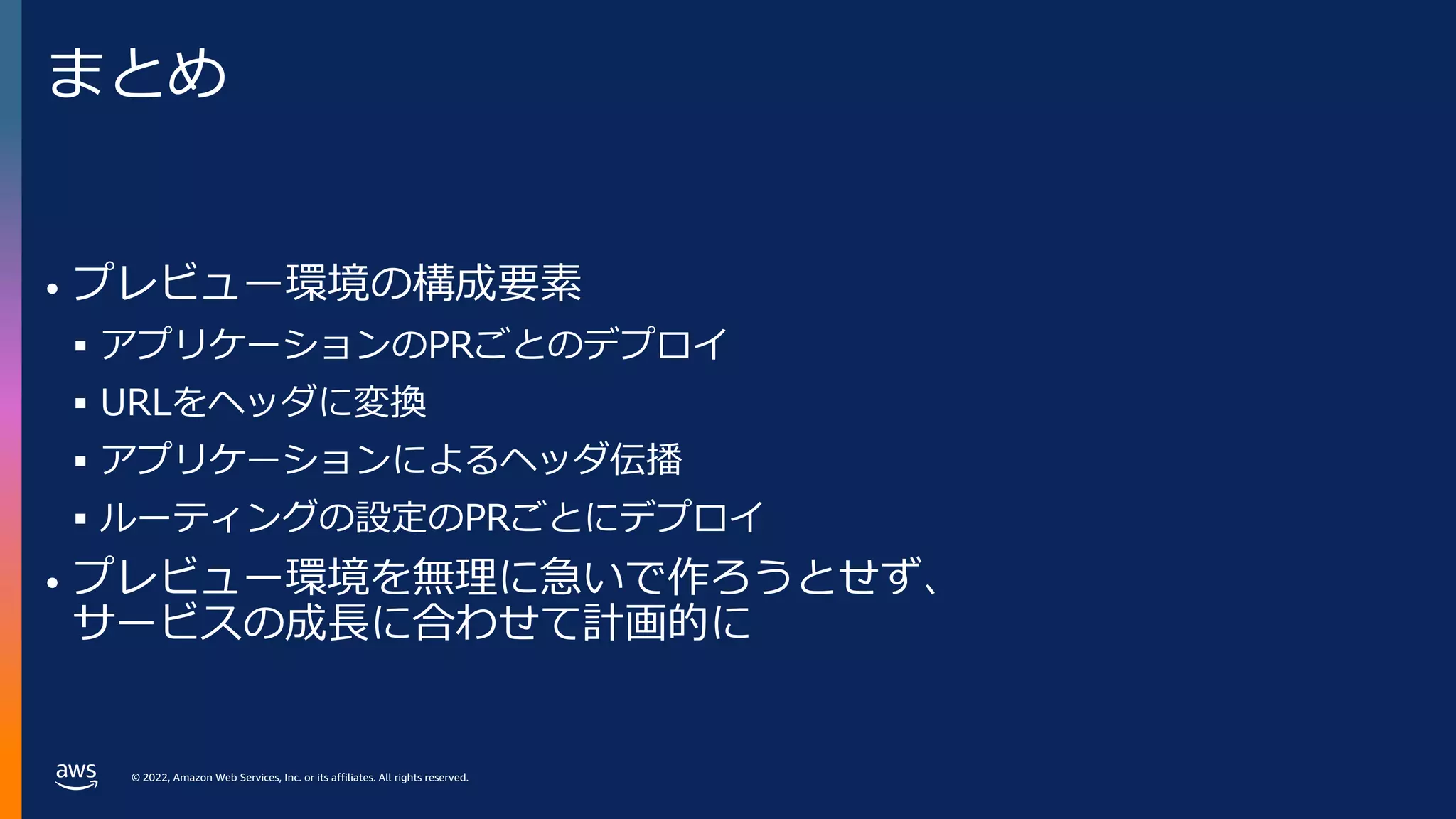
• プレビュー環境の構成要素
§ アプリケーションのPRごとのデプロイ
§ URLをヘッダに変換
§ アプリケーションによるヘッダ伝播
§ ルーティングの設定のPRごとにデプロイ
• プレビュー環境を無理に急いで作ろうとせず、
サービスの成⻑に合わせて計画的に
- 56.
© 2022, AmazonWeb Services, Inc. or its affiliates. All rights reserved.
Thank you!
© 2022, Amazon Web Services, Inc. or its affiliates. All rights reserved.





![© 2022, Amazon Web Services, Inc. or its affiliates. All rights reserved.
ルーティングの設定をPRごとにデプロイ
• Baggageヘッダを元に
ルーティング
• PRごとにデプロイした際に
優先順位で問題が⽣じない
Gateway APIを使⽤
apiVersion: gateway.networking.k8s.io/v1alpha2
kind: HTTPRoute
metadata:
name: {{ .Release.Name }}
spec:
parentRefs:
- kind: Mesh
name: istio
hostnames: ["{{ .Values.app }}.default.svc.cluster.local"]
rules:
- matches:
- headers:
- type: RegularExpression
name: baggage
value: ^(.*¥s*;)?branch¥s*=¥s*{{ .Values.branch }}(¥s*;.*)?$
backendRefs:
- name: {{ .Values.branch }}-{{ .Values.app }}
port: 80](https://image.slidesharecdn.com/awsdevday2022-221109082751-2a91a432/75/Amazon-EKS-40-2048.jpg)