AksiMata Studio
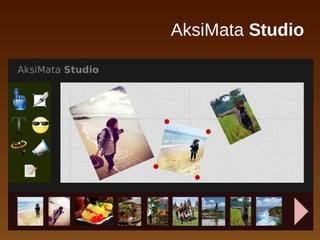
AksiMata Studio
Creative photo storytelling studio!
● Express your creativity in laying out photos of you and your friends
● Spice up your photo album with effects, texts, backgrounds, and
smileys
● Share your creative photo album with your Facebook and Twitter
friends
● View your finished photo album on the web, with cool visual
transitions on smartphones and tablets
● Fun with hand gestures using Intel-supported perceptual device!
An entry to the Intel Perceptual Computing Challenge
Hendy Irawan
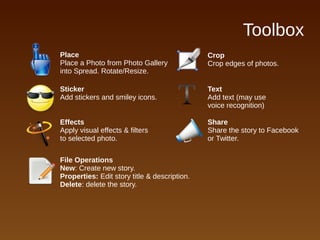
Toolbox
Sticker
Add stickers and smiley icons.
Place
Place a Photo from Photo Gallery
into Spread. Rotate/Resize.
Effects
Apply visual effects & filters
to selected photo.
Share
Share the story to Facebook
or Twitter.
File Operations
New: Create new story.
Properties: Edit story title & description.
Delete: delete the story.
Text
Add text (may use
voice recognition)
Crop
Crop edges of photos.
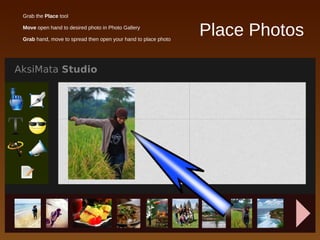
Place Photos
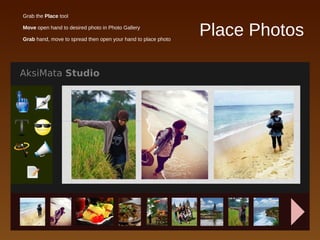
● Grab the Place tool
● Move open hand to desired photo in Photo Gallery
● Grab hand, move to spread then open your hand to place photo
Place Photos
● Grab the Place tool
● Move open hand to desired photo in Photo Gallery
● Grab hand, move to spread then open your hand to place photo
Navigate Spreads
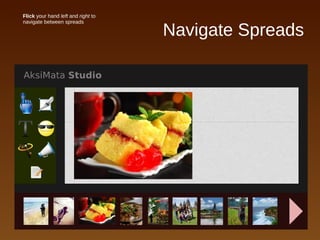
● Flick your hand left and right to
navigate between spreads
Change Spread
Background
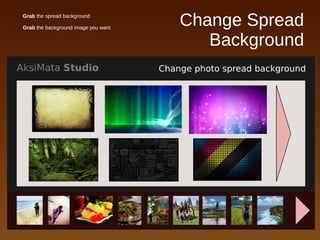
● Grab the spread background
● Grab the background image you want
Change Spread
Background
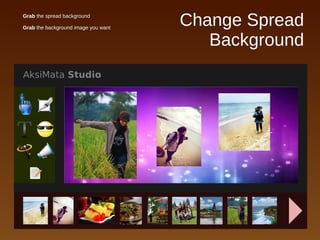
● Grab the spread background
● Grab the background image you want
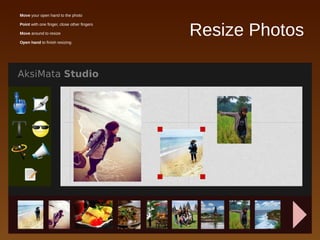
Resize Photos
● Move your open hand to the photo
● Point with one finger, close other fingers
● Move around to resize
● Open hand to finish resizing
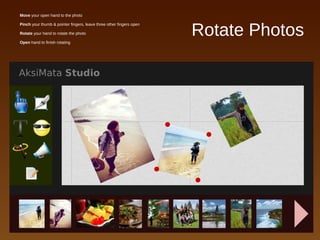
Rotate Photos
● Move your open hand to the photo
● Pinch your thumb & pointer fingers, leave three other fingers open
● Rotate your hand to rotate the photo
● Open hand to finish rotating
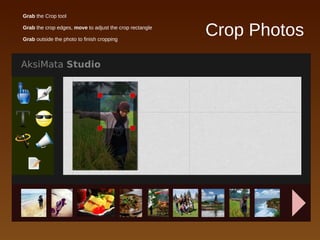
Crop Photos
● Grab the Crop tool
● Grab the crop edges, move to adjust the crop rectangle
● Grab outside the photo to finish cropping
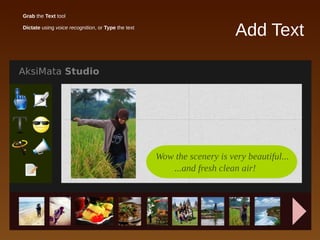
Add Text
● Grab the Text tool
● Dictate using voice recognition, or Type the text
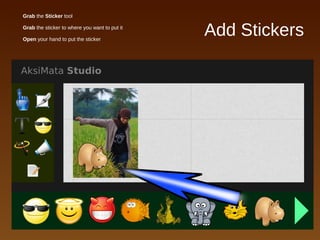
Add Stickers
● Grab the Sticker tool
● Grab the sticker to where you want to put it
● Open your hand to put the sticker
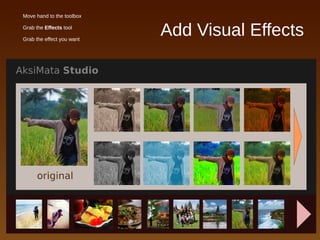
Add Visual Effects
● Move hand to the toolbox
● Grab the Effects tool
● Grab the effect you want
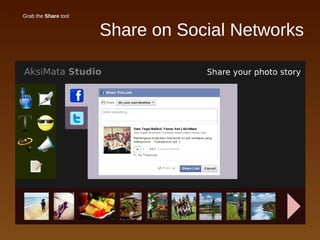
Share on Social Networks
● Grab the Share tool
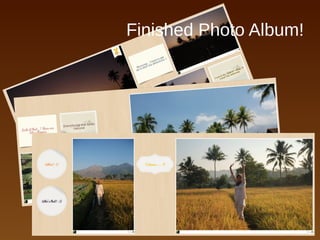
Finished Photo Album!
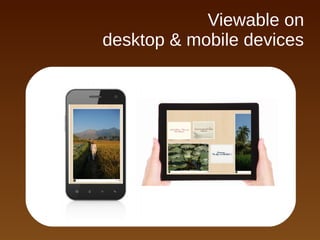
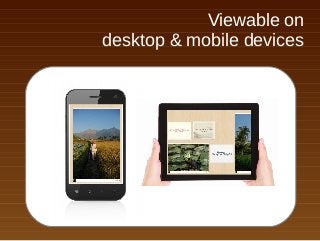
Viewable on
desktop & mobile devices
AksiMata Studio

AksiMata Studio

  • 1.
  • 2.
    AksiMata Studio Creative photostorytelling studio! ● Express your creativity in laying out photos of you and your friends ● Spice up your photo album with effects, texts, backgrounds, and smileys ● Share your creative photo album with your Facebook and Twitter friends ● View your finished photo album on the web, with cool visual transitions on smartphones and tablets ● Fun with hand gestures using Intel-supported perceptual device! An entry to the Intel Perceptual Computing Challenge Hendy Irawan
  • 3.
    Toolbox Sticker Add stickers andsmiley icons. Place Place a Photo from Photo Gallery into Spread. Rotate/Resize. Effects Apply visual effects & filters to selected photo. Share Share the story to Facebook or Twitter. File Operations New: Create new story. Properties: Edit story title & description. Delete: delete the story. Text Add text (may use voice recognition) Crop Crop edges of photos.
  • 4.
    Place Photos ● Grabthe Place tool ● Move open hand to desired photo in Photo Gallery ● Grab hand, move to spread then open your hand to place photo
  • 5.
    Place Photos ● Grabthe Place tool ● Move open hand to desired photo in Photo Gallery ● Grab hand, move to spread then open your hand to place photo
  • 6.
    Navigate Spreads ● Flickyour hand left and right to navigate between spreads
  • 7.
    Change Spread Background ● Grabthe spread background ● Grab the background image you want
  • 8.
    Change Spread Background ● Grabthe spread background ● Grab the background image you want
  • 9.
    Resize Photos ● Moveyour open hand to the photo ● Point with one finger, close other fingers ● Move around to resize ● Open hand to finish resizing
  • 10.
    Rotate Photos ● Moveyour open hand to the photo ● Pinch your thumb & pointer fingers, leave three other fingers open ● Rotate your hand to rotate the photo ● Open hand to finish rotating
  • 11.
    Crop Photos ● Grabthe Crop tool ● Grab the crop edges, move to adjust the crop rectangle ● Grab outside the photo to finish cropping
  • 12.
    Add Text ● Grabthe Text tool ● Dictate using voice recognition, or Type the text
  • 13.
    Add Stickers ● Grabthe Sticker tool ● Grab the sticker to where you want to put it ● Open your hand to put the sticker
  • 14.
    Add Visual Effects ●Move hand to the toolbox ● Grab the Effects tool ● Grab the effect you want
  • 15.
    Share on SocialNetworks ● Grab the Share tool
  • 16.
  • 17.
    Viewable on desktop &mobile devices