ADPATCH Options


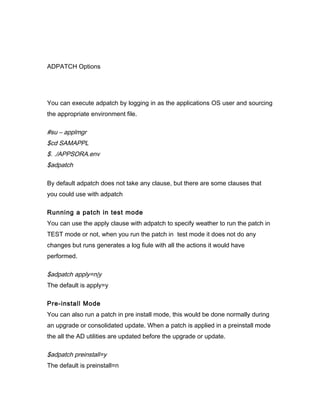
You can execute adpatch by logging in as the applications OS user and sourcing
the appropriate environment file.

#su – applmgr
$cd SAMAPPL
$. ./APPSORA.env
$adpatch

By default adpatch does not take any clause, but there are some clauses that
you could use with adpatch

Running a patch in test mode
You can use the apply clause with adpatch to specify weather to run the patch in
TEST mode or not, when you run the patch in test mode it does not do any
changes but runs generates a log fiule with all the actions it would have
performed.

$adpatch apply=n|y
The default is apply=y

Pre-install Mode
You can also run a patch in pre install mode, this would be done normally during
an upgrade or consolidated update. When a patch is applied in a preinstall mode
the all the AD utilities are updated before the upgrade or update.

$adpatch preinstall=y
The default is preinstall=n
Other Options with adpatch
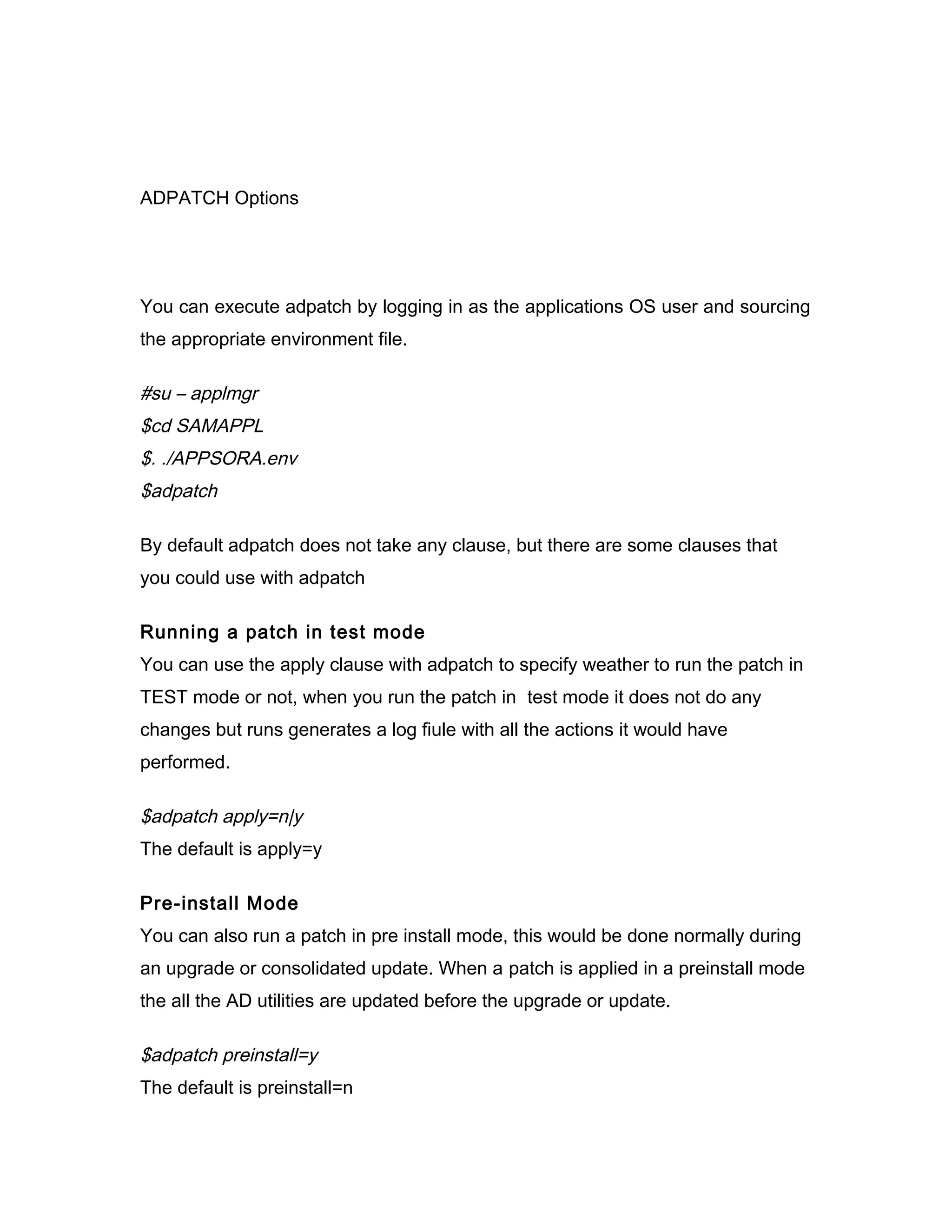
You can use the options clause to specify some of the other options available
with adpatch.

Autoconfig
You can use the options=noautoconfig top specify autopatch that you do not
wish to run autoconfig as a part of the patch application. This can be useful
when applying a large number of patches when they are not merged. By default
autoconfig is run as a part of adpatch.

$adpatch options=noautoconfig Checkfile
The chekfile option of adpatch tells adpathc to check for already executed exec,
SQL, and exectier commands.You can use options=nocheckfile skips this
check, however this can cause performance overheds so should be used only
when specified.

$adpatch options=nocheckfile

Compile Database
By defaulty autopatch compiles the invalid objects after the patch application, in
case you wish not to do so you can specify options=nocompiledb along with
autopatch.

$adpatch options=nocompiledb

Compile JSP
By defaulty autopatch compiles the java server pages (jsp) after the patch
application, in case you wish not to do so you can specify
options=nocompilejsp along with autopatch.

$adpatch options=nocompilejsp
Copy Portion
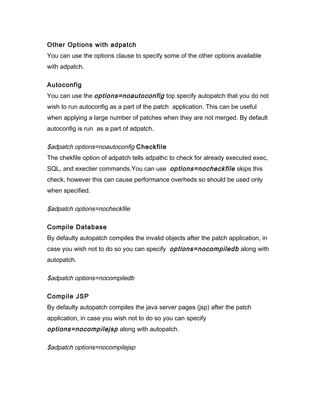
If you wish adpatch not to execute the commands present in the copy driver
portion of the patch you can use the options=nocopyportion .

$adpatch options=nocopyportion

Database Portion
If you wish adpatch not to execute the commands present in the database driver
portion of the patch you can use the options=nodatabaseportion .

$adpatch options=nodatabaseportion

Generate Portion
If you wish adpatch not to execute the commands present in the generate driver
portion of the patch you can use the options=nogenerateportion


$adpatch options=nogenerateportion

Maintenance                                                                Mode
If you wish to apply a patch regardless of the system being in maintenance mode
you can use options=hotpatch .

$adpatch options=hotpatch

Integrity                                                                 Check
If you wish to check the integrity of the patch you can use the options=integrity.
Since metalink patches are pre checked for their integrity it is generally not
required to do an explicit check and the default value is nointegrity.

$adpatch options=integrity

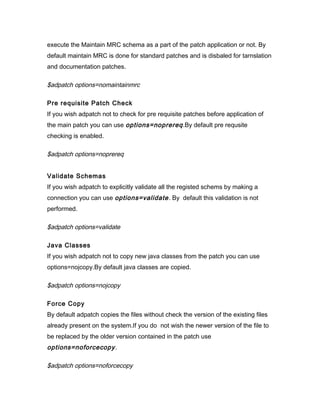
Maintain MRC
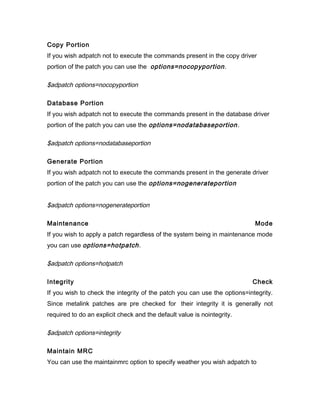
You can use the maintainmrc option to specify weather you wish adpatch to
execute the Maintain MRC schema as a part of the patch application or not. By
default maintain MRC is done for standard patches and is disbaled for tarnslation
and documentation patches.

$adpatch options=nomaintainmrc

Pre requisite Patch Check
If you wish adpatch not to check for pre requisite patches before application of
the main patch you can use options=noprereq .By default pre requsite
checking is enabled.

$adpatch options=noprereq


Validate Schemas
If you wish adpatch to explicitly validate all the registed schems by making a
connection you can use options=validate . By default this validation is not
performed.

$adpatch options=validate

Java Classes
If you wish adpatch not to copy new java classes from the patch you can use
options=nojcopy.By default java classes are copied.

$adpatch options=nojcopy

Force Copy
By default adpatch copies the files without check the version of the existing files
already present on the system.If you do not wish the newer version of the file to
be replaced by the older version contained in the patch use
options=noforcecopy .

$adpatch options=noforcecopy
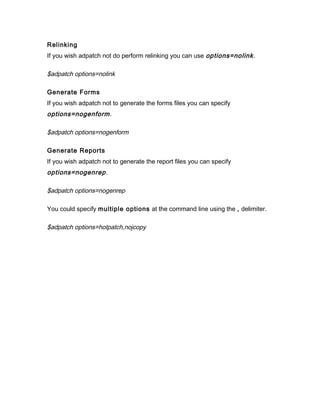
Relinking
If you wish adpatch not do perform relinking you can use options=nolink .

$adpatch options=nolink

Generate Forms
If you wish adpatch not to generate the forms files you can specify
options=nogenform .

$adpatch options=nogenform

Generate Reports
If you wish adpatch not to generate the report files you can specify
options=nogenrep .

$adpatch options=nogenrep

You could specify multiple options at the command line using the , delimiter.

$adpatch options=hotpatch,nojcopy
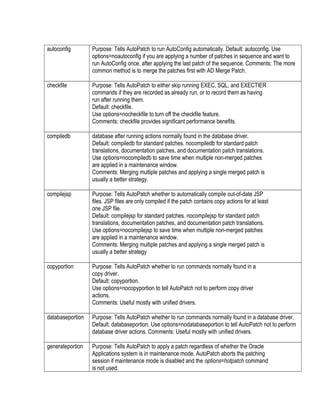
autoconfig        Purpose: Tells AutoPatch to run AutoConfig automatically. Default: autoconfig. Use
                  options=noautoconfig if you are applying a number of patches in sequence and want to
                  run AutoConfig once, after applying the last patch of the sequence. Comments: The more
                  common method is to merge the patches first with AD Merge Patch.

checkfile         Purpose: Tells AutoPatch to either skip running EXEC, SQL, and EXECTIER
                  commands if they are recorded as already run, or to record them as having
                  run after running them.
                  Default: checkfile.
                  Use options=nocheckfile to turn off the checkfile feature.
                  Comments: checkfile provides significant performance benefits.

compiledb         database after running actions normally found in the database driver.
                  Default: compiledb for standard patches. nocompiledb for standard patch
                  translations, documentation patches, and documentation patch translations.
                  Use options=nocompiledb to save time when multiple non-merged patches
                  are applied in a maintenance window.
                  Comments: Merging multiple patches and applying a single merged patch is
                  usually a better strategy.

compilejsp        Purpose: Tells AutoPatch whether to automatically compile out-of-date JSP
                  files. JSP files are only compiled if the patch contains copy actions for at least
                  one JSP file.
                  Default: compilejsp for standard patches. nocompilejsp for standard patch
                  translations, documentation patches, and documentation patch translations.
                  Use options=nocompilejsp to save time when multiple non-merged patches
                  are applied in a maintenance window.
                  Comments: Merging multiple patches and applying a single merged patch is
                  usually a better strategy

copyportion       Purpose: Tells AutoPatch whether to run commands normally found in a
                  copy driver.
                  Default: copyportion.
                  Use options=nocopyportion to tell AutoPatch not to perform copy driver
                  actions.
                  Comments: Useful mostly with unified drivers.

databaseportion   Purpose: Tells AutoPatch whether to run commands normally found in a database driver.
                  Default: databaseportion. Use options=nodatabaseportion to tell AutoPatch not to perform
                  database driver actions. Comments: Useful mostly with unified drivers.

generateportion   Purpose: Tells AutoPatch to apply a patch regardless of whether the Oracle
                  Applications system is in maintenance mode. AutoPatch aborts the patching
                  session if maintenance mode is disabled and the options=hotpatch command
                  is not used.
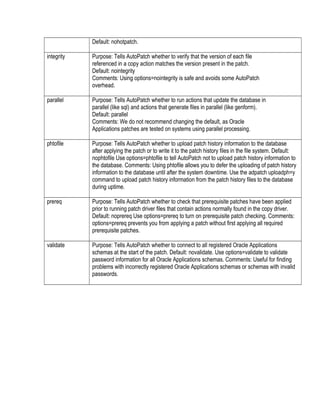
Default: nohotpatch.

integrity   Purpose: Tells AutoPatch whether to verify that the version of each file
            referenced in a copy action matches the version present in the patch.
            Default: nointegrity
            Comments: Using options=nointegrity is safe and avoids some AutoPatch
            overhead.

parallel    Purpose: Tells AutoPatch whether to run actions that update the database in
            parallel (like sql) and actions that generate files in parallel (like genform).
            Default: parallel
            Comments: We do not recommend changing the default, as Oracle
            Applications patches are tested on systems using parallel processing.

phtofile    Purpose: Tells AutoPatch whether to upload patch history information to the database
            after applying the patch or to write it to the patch history files in the file system. Default:
            nophtofile Use options=phtofile to tell AutoPatch not to upload patch history information to
            the database. Comments: Using phtofile allows you to defer the uploading of patch history
            information to the database until after the system downtime. Use the adpatch uploadph=y
            command to upload patch history information from the patch history files to the database
            during uptime.

prereq      Purpose: Tells AutoPatch whether to check that prerequisite patches have been applied
            prior to running patch driver files that contain actions normally found in the copy driver.
            Default: noprereq Use options=prereq to turn on prerequisite patch checking. Comments:
            options=prereq prevents you from applying a patch without first applying all required
            prerequisite patches.

validate    Purpose: Tells AutoPatch whether to connect to all registered Oracle Applications
            schemas at the start of the patch. Default: novalidate. Use options=validate to validate
            password information for all Oracle Applications schemas. Comments: Useful for finding
            problems with incorrectly registered Oracle Applications schemas or schemas with invalid
            passwords.

Adpatch options

  • 1.
    ADPATCH Options You canexecute adpatch by logging in as the applications OS user and sourcing the appropriate environment file. #su – applmgr $cd SAMAPPL $. ./APPSORA.env $adpatch By default adpatch does not take any clause, but there are some clauses that you could use with adpatch Running a patch in test mode You can use the apply clause with adpatch to specify weather to run the patch in TEST mode or not, when you run the patch in test mode it does not do any changes but runs generates a log fiule with all the actions it would have performed. $adpatch apply=n|y The default is apply=y Pre-install Mode You can also run a patch in pre install mode, this would be done normally during an upgrade or consolidated update. When a patch is applied in a preinstall mode the all the AD utilities are updated before the upgrade or update. $adpatch preinstall=y The default is preinstall=n
  • 2.
    Other Options withadpatch You can use the options clause to specify some of the other options available with adpatch. Autoconfig You can use the options=noautoconfig top specify autopatch that you do not wish to run autoconfig as a part of the patch application. This can be useful when applying a large number of patches when they are not merged. By default autoconfig is run as a part of adpatch. $adpatch options=noautoconfig Checkfile The chekfile option of adpatch tells adpathc to check for already executed exec, SQL, and exectier commands.You can use options=nocheckfile skips this check, however this can cause performance overheds so should be used only when specified. $adpatch options=nocheckfile Compile Database By defaulty autopatch compiles the invalid objects after the patch application, in case you wish not to do so you can specify options=nocompiledb along with autopatch. $adpatch options=nocompiledb Compile JSP By defaulty autopatch compiles the java server pages (jsp) after the patch application, in case you wish not to do so you can specify options=nocompilejsp along with autopatch. $adpatch options=nocompilejsp
  • 3.
    Copy Portion If youwish adpatch not to execute the commands present in the copy driver portion of the patch you can use the options=nocopyportion . $adpatch options=nocopyportion Database Portion If you wish adpatch not to execute the commands present in the database driver portion of the patch you can use the options=nodatabaseportion . $adpatch options=nodatabaseportion Generate Portion If you wish adpatch not to execute the commands present in the generate driver portion of the patch you can use the options=nogenerateportion $adpatch options=nogenerateportion Maintenance Mode If you wish to apply a patch regardless of the system being in maintenance mode you can use options=hotpatch . $adpatch options=hotpatch Integrity Check If you wish to check the integrity of the patch you can use the options=integrity. Since metalink patches are pre checked for their integrity it is generally not required to do an explicit check and the default value is nointegrity. $adpatch options=integrity Maintain MRC You can use the maintainmrc option to specify weather you wish adpatch to
  • 4.
    execute the MaintainMRC schema as a part of the patch application or not. By default maintain MRC is done for standard patches and is disbaled for tarnslation and documentation patches. $adpatch options=nomaintainmrc Pre requisite Patch Check If you wish adpatch not to check for pre requisite patches before application of the main patch you can use options=noprereq .By default pre requsite checking is enabled. $adpatch options=noprereq Validate Schemas If you wish adpatch to explicitly validate all the registed schems by making a connection you can use options=validate . By default this validation is not performed. $adpatch options=validate Java Classes If you wish adpatch not to copy new java classes from the patch you can use options=nojcopy.By default java classes are copied. $adpatch options=nojcopy Force Copy By default adpatch copies the files without check the version of the existing files already present on the system.If you do not wish the newer version of the file to be replaced by the older version contained in the patch use options=noforcecopy . $adpatch options=noforcecopy
  • 5.
    Relinking If you wishadpatch not do perform relinking you can use options=nolink . $adpatch options=nolink Generate Forms If you wish adpatch not to generate the forms files you can specify options=nogenform . $adpatch options=nogenform Generate Reports If you wish adpatch not to generate the report files you can specify options=nogenrep . $adpatch options=nogenrep You could specify multiple options at the command line using the , delimiter. $adpatch options=hotpatch,nojcopy
  • 6.
    autoconfig Purpose: Tells AutoPatch to run AutoConfig automatically. Default: autoconfig. Use options=noautoconfig if you are applying a number of patches in sequence and want to run AutoConfig once, after applying the last patch of the sequence. Comments: The more common method is to merge the patches first with AD Merge Patch. checkfile Purpose: Tells AutoPatch to either skip running EXEC, SQL, and EXECTIER commands if they are recorded as already run, or to record them as having run after running them. Default: checkfile. Use options=nocheckfile to turn off the checkfile feature. Comments: checkfile provides significant performance benefits. compiledb database after running actions normally found in the database driver. Default: compiledb for standard patches. nocompiledb for standard patch translations, documentation patches, and documentation patch translations. Use options=nocompiledb to save time when multiple non-merged patches are applied in a maintenance window. Comments: Merging multiple patches and applying a single merged patch is usually a better strategy. compilejsp Purpose: Tells AutoPatch whether to automatically compile out-of-date JSP files. JSP files are only compiled if the patch contains copy actions for at least one JSP file. Default: compilejsp for standard patches. nocompilejsp for standard patch translations, documentation patches, and documentation patch translations. Use options=nocompilejsp to save time when multiple non-merged patches are applied in a maintenance window. Comments: Merging multiple patches and applying a single merged patch is usually a better strategy copyportion Purpose: Tells AutoPatch whether to run commands normally found in a copy driver. Default: copyportion. Use options=nocopyportion to tell AutoPatch not to perform copy driver actions. Comments: Useful mostly with unified drivers. databaseportion Purpose: Tells AutoPatch whether to run commands normally found in a database driver. Default: databaseportion. Use options=nodatabaseportion to tell AutoPatch not to perform database driver actions. Comments: Useful mostly with unified drivers. generateportion Purpose: Tells AutoPatch to apply a patch regardless of whether the Oracle Applications system is in maintenance mode. AutoPatch aborts the patching session if maintenance mode is disabled and the options=hotpatch command is not used.
  • 7.
    Default: nohotpatch. integrity Purpose: Tells AutoPatch whether to verify that the version of each file referenced in a copy action matches the version present in the patch. Default: nointegrity Comments: Using options=nointegrity is safe and avoids some AutoPatch overhead. parallel Purpose: Tells AutoPatch whether to run actions that update the database in parallel (like sql) and actions that generate files in parallel (like genform). Default: parallel Comments: We do not recommend changing the default, as Oracle Applications patches are tested on systems using parallel processing. phtofile Purpose: Tells AutoPatch whether to upload patch history information to the database after applying the patch or to write it to the patch history files in the file system. Default: nophtofile Use options=phtofile to tell AutoPatch not to upload patch history information to the database. Comments: Using phtofile allows you to defer the uploading of patch history information to the database until after the system downtime. Use the adpatch uploadph=y command to upload patch history information from the patch history files to the database during uptime. prereq Purpose: Tells AutoPatch whether to check that prerequisite patches have been applied prior to running patch driver files that contain actions normally found in the copy driver. Default: noprereq Use options=prereq to turn on prerequisite patch checking. Comments: options=prereq prevents you from applying a patch without first applying all required prerequisite patches. validate Purpose: Tells AutoPatch whether to connect to all registered Oracle Applications schemas at the start of the patch. Default: novalidate. Use options=validate to validate password information for all Oracle Applications schemas. Comments: Useful for finding problems with incorrectly registered Oracle Applications schemas or schemas with invalid passwords.