WELCOME TO
TECH | IMMERSION
Track: Active Directory Cmdlets
Presenter: Brian McCann
Global Platforms Engineer - Brian@Intel.com
PowerShell Advantages
o Consistent vocabulary and syntax
– Verbs – Add, New, Get, Set, Remove, Clear…
– Nouns – ADObject, ADUser, ADComputer, ADDomain, ADGroup, …
o Easily discovered
– No need to find, install, or learn other tools, utilities or commands
o Flexible output
– Output from one cmdlet easily consumed by another
o Leverage .Net Framework
– All the capabilities of .Net Framework
o Common automation platform
– End-to-End manageability of AD with other roles such as Exchange,
Group Policy
o 76 Cmdlets for managing Active Directory
– get-command *-ad*
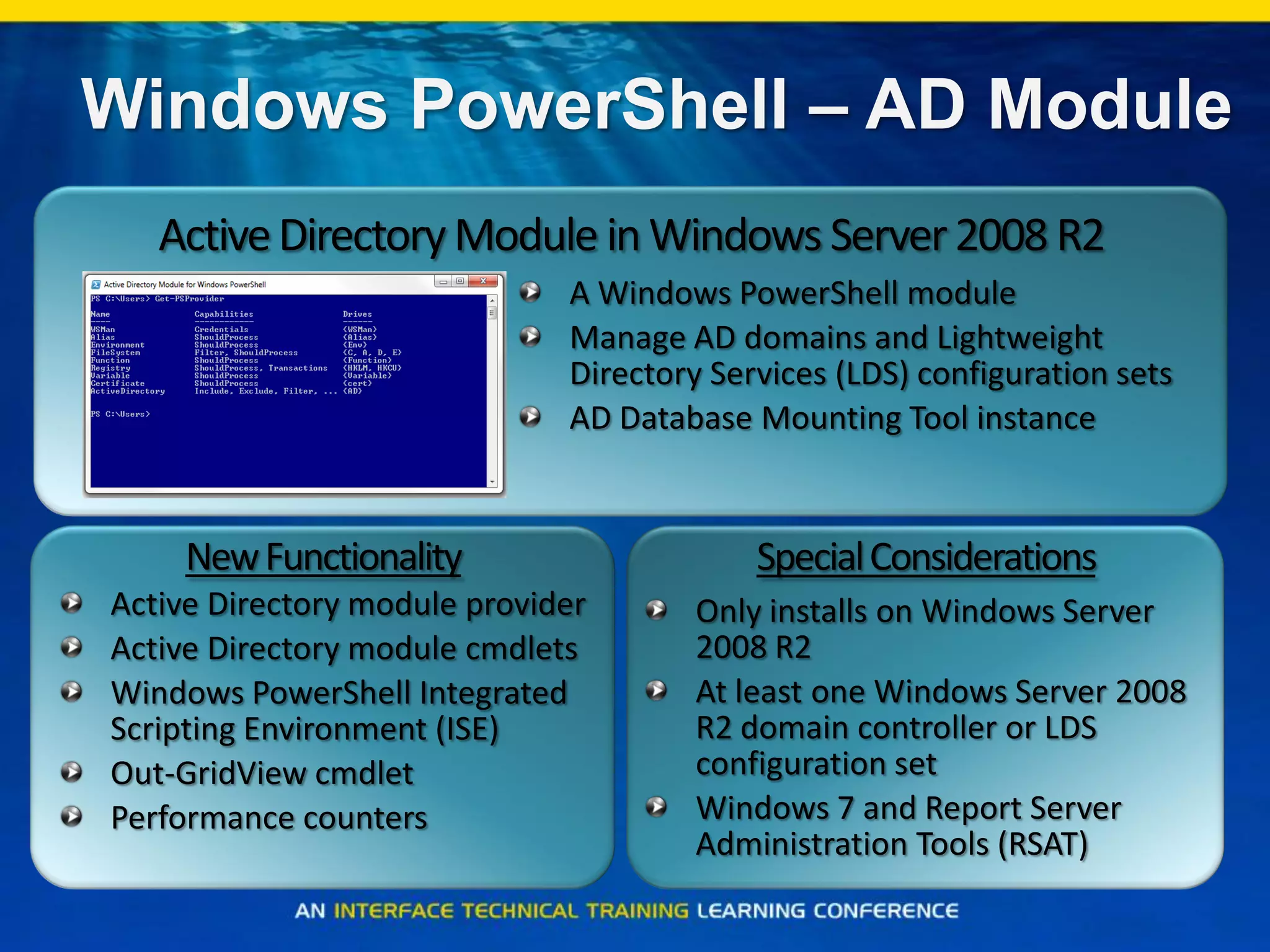
Windows PowerShell – AD Module
NewFunctionality
Active Directory module provider
Active Directory module cmdlets
Windows PowerShell Integrated
Scripting Environment (ISE)
Out-GridView cmdlet
Performance counters
Only installs on Windows Server
2008 R2
At least one Windows Server 2008
R2 domain controller or LDS
configuration set
Windows 7 and Report Server
Administration Tools (RSAT)
SpecialConsiderations
A Windows PowerShell module
Manage AD domains and Lightweight
Directory Services (LDS) configuration sets
AD Database Mounting Tool instance
ActiveDirectoryModule inWindows Server2008 R2
Active Directory Name Spaces
o Active Directory Users & Computers dumbs it
down
o We need to know the real names
– Active Directory Hierarchical structure
– LDAP Distinguished Name (DN) –
CN=John Doe,OU=Sales,DC=DomainName,DC=com
– LDAP Relative Distinguished Name (RDN) – John Doe
– Common Name (CN) – John Doe
– Canonical Name –
DC=com/DC=DomainName/OU=Sales/CN=John Doe
– User Principal Name (UPN) – John.Doe@DomainName.com
– Down level Name (SAM Account) – DomainNamejdoe -or- jdoe
Where to Start?
o Make sure your environment supports AD
Cmdlets
o Start with a purpose and goal
o Account Management
o Directory Management
o Forest/Domain Management
Active Directory Cmdlets
Requirements
o Server 2008 R2 Domain Controller or Lightweight
Directory Services
Or
o Active Directory Management Gateway Service
– Supported on Server 2003 SP2
– Server 2003 R2 SP2
– Server 2008 and above
– Domain and Forest functional levels do not matter
– DotNet 3.5 SP1
– Server 2003 SP2 hotfix
– Server 2003 SP2 and R2 SP2 hotfix
– Server 2008 hotfix
– Windows 7 Clients need RSAT
o Much easier if you have Server 2008 R2 DCs!!! 
How does PowerShell make my
life easier?
o Common automation platform
o Easy to create and understand scripts
o Great documentation!!!
o A great open community that thrives on sharing
ideas
Active Directory Cmdlets
Getting Started
o Open PowerShell and type
– import-module ActiveDirectory
o Now what is available
– get-command -module ActiveDirectory | Select Name
| Format-Wide
o How do we get the AD Cmdlets every time we
open PowerShell?
– Add it to your Windows PowerShell profile
– Open the Active Directory PowerShell executable
Active Directory
Account Management
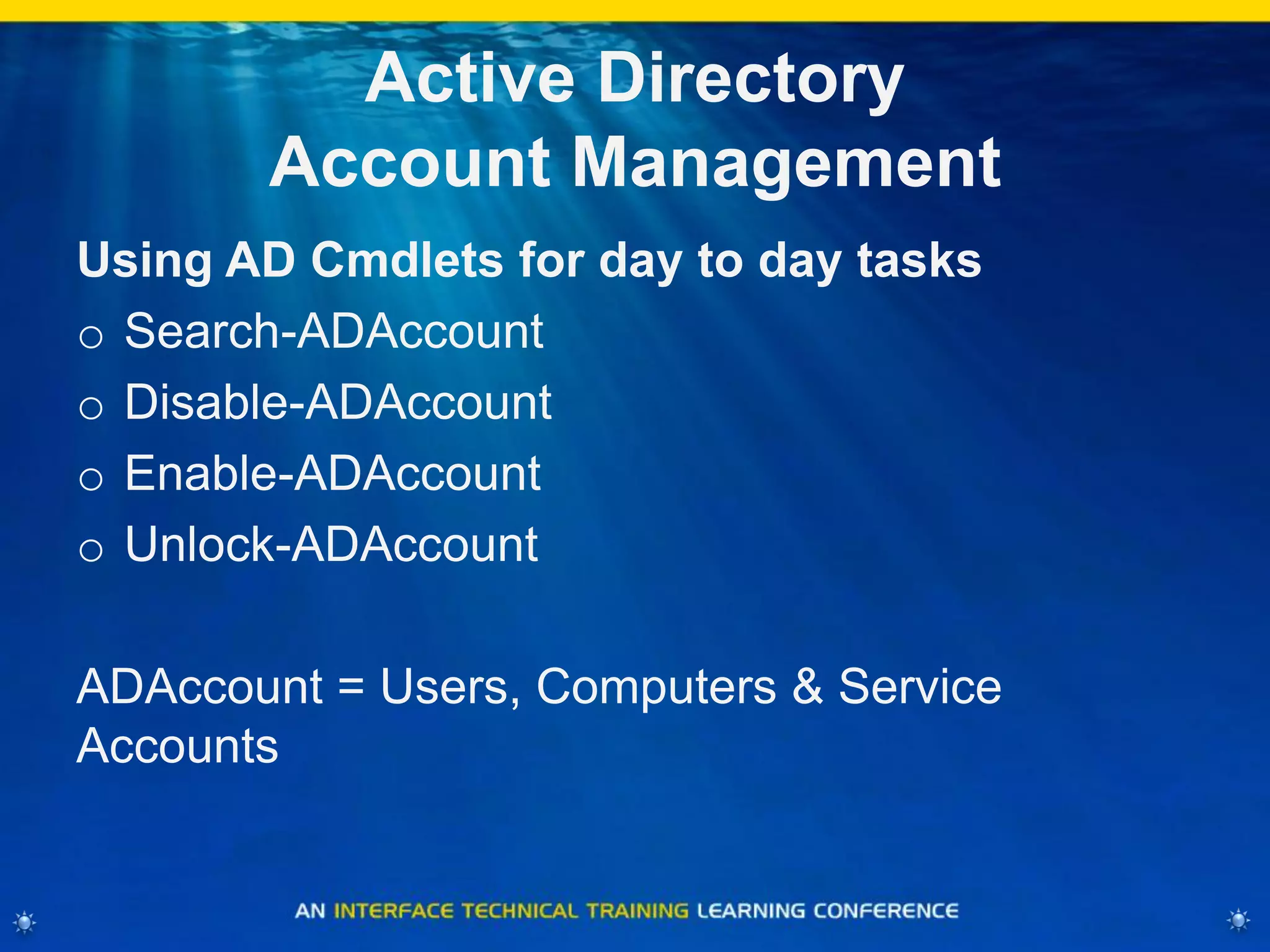
Using AD Cmdlets for day to day tasks
o Search-ADAccount
o Disable-ADAccount
o Enable-ADAccount
o Unlock-ADAccount
ADAccount = Users, Computers & Service
Accounts
Account Management
One Liners
Find Disabled Accounts
o Search-ADAccount -AccountDisabled | FT
Name,ObjectClass -A
Find Locked Accounts
o Search-ADAccount -LockedOut | FT
Name,ObjectClass -A
Find Passwords that never expire
Search-ADAccount -PasswordNeverExpires | FT
Name,ObjectClass -A
Account Management
One Liners
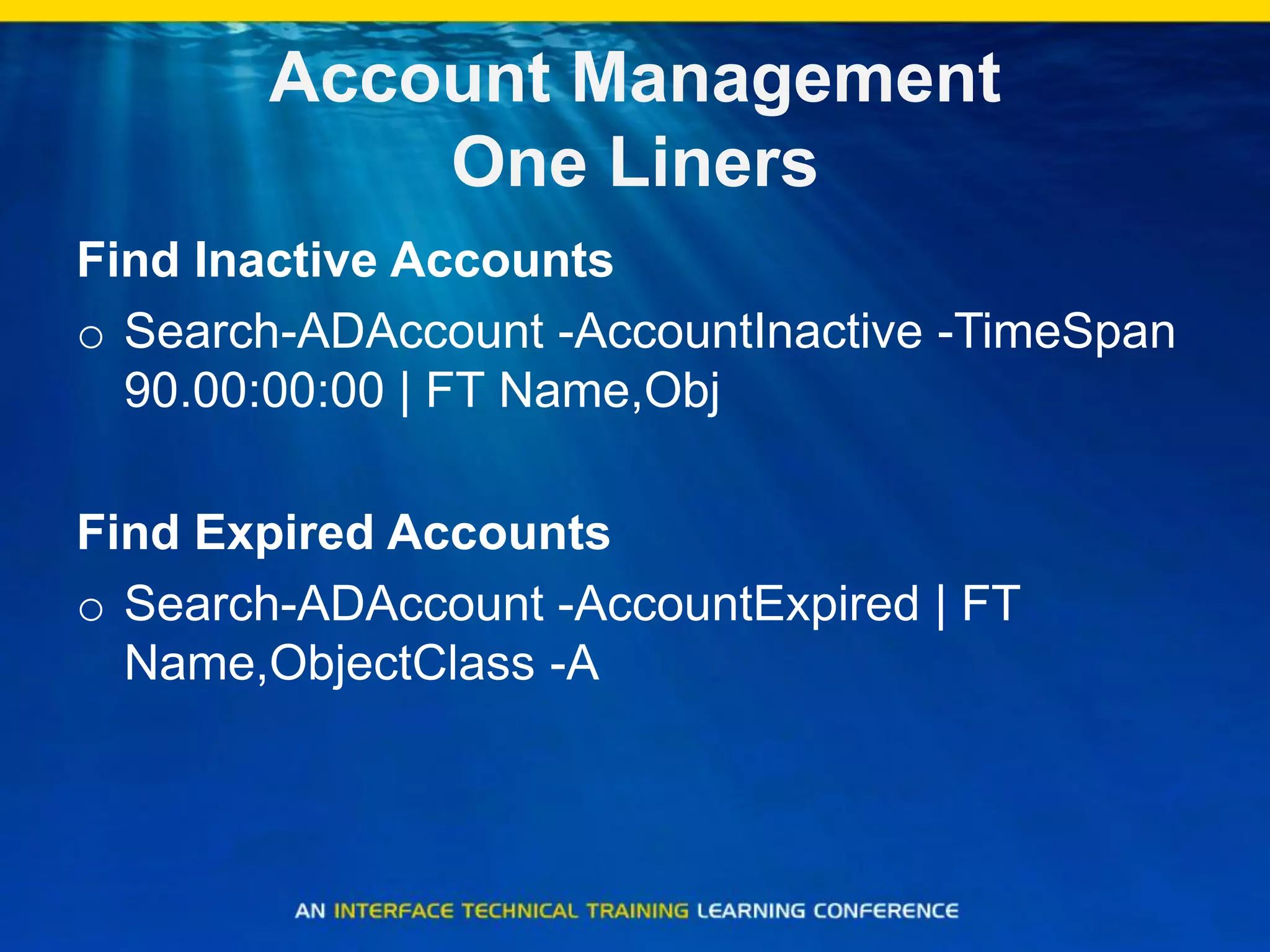
Find Inactive Accounts
o Search-ADAccount -AccountInactive -TimeSpan
90.00:00:00 | FT Name,Obj
Find Expired Accounts
o Search-ADAccount -AccountExpired | FT
Name,ObjectClass -A
Active Directory
Account Management (cont)
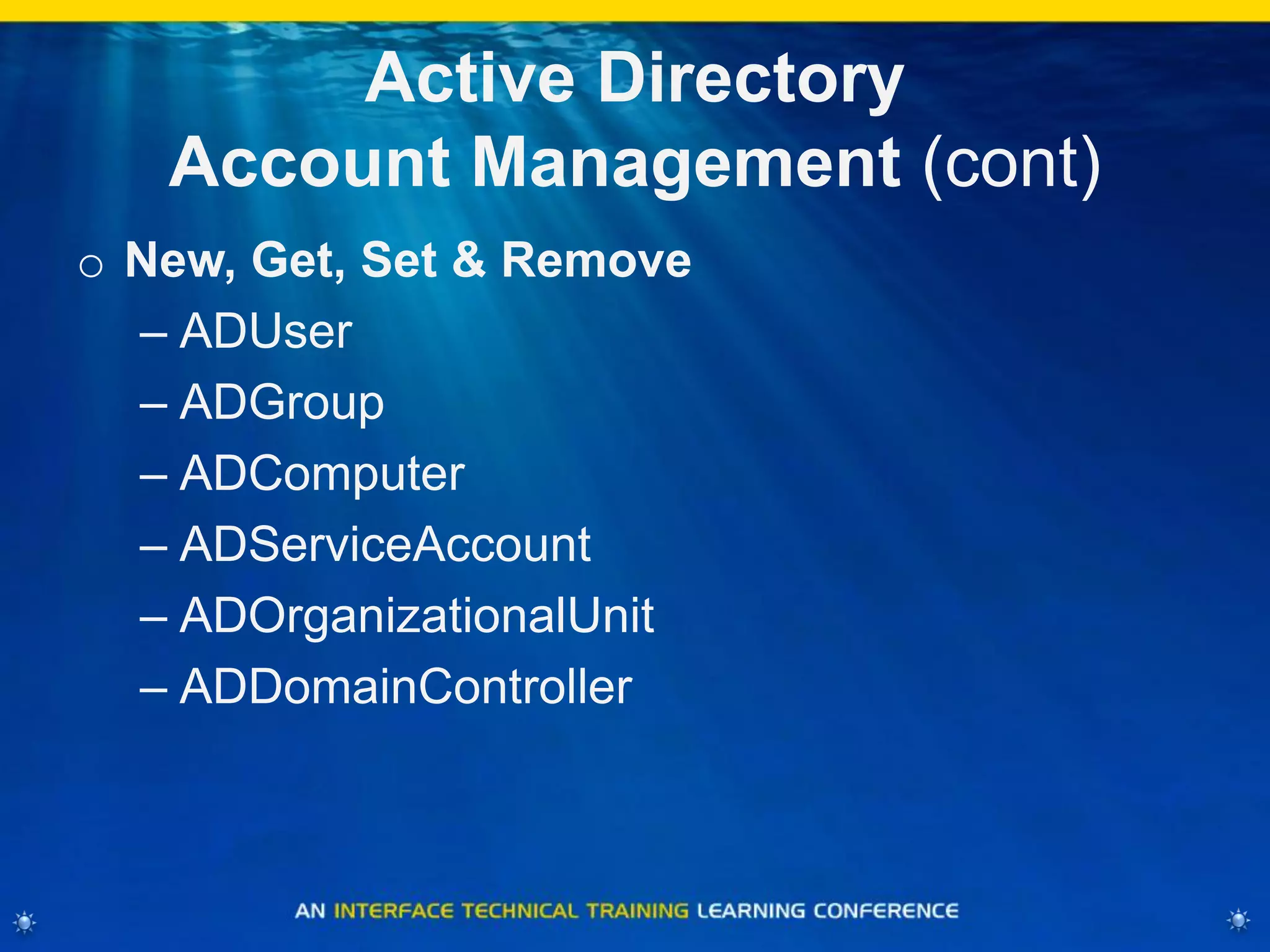
o New, Get, Set & Remove
– ADUser
– ADGroup
– ADComputer
– ADServiceAccount
– ADOrganizationalUnit
– ADDomainController
Active Directory
Account Management
Get User Info
o Get-ADUser -Identity „Administrator‟
Additional info can be found
o -Properties *
Get Domain Controller Info
o Get-ADDomainController
Active Directory
Account Management
Get Group Info
o Get-ADGroup -Identity “Administrators"
Get Group Membership
o Get-ADGroupMember -Identity “Administrators"
What is ADServiceAccount?
o It is a new type of Account that can be used for
Services on a single system
o It is a hybrid account that is part User and part
computer account
– Password changes every 30days and are 240
characters
o Requirements:
– Server 2008 R2 Schema
– Server 2008 R2 or Windows 7 system
What is ADServiceAccount?
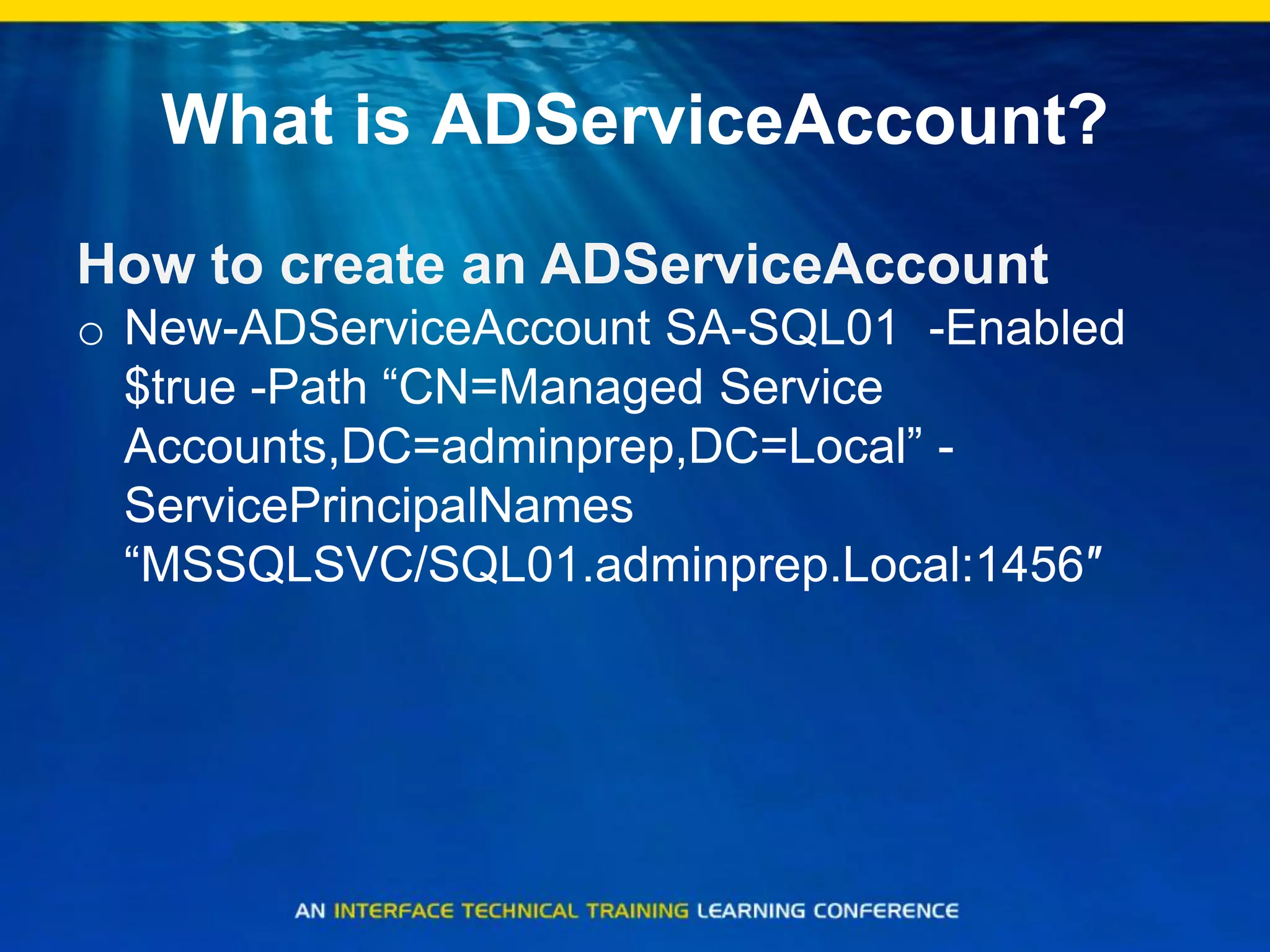
How to create an ADServiceAccount
o New-ADServiceAccount SA-SQL01 -Enabled
$true -Path “CN=Managed Service
Accounts,DC=adminprep,DC=Local” -
ServicePrincipalNames
“MSSQLSVC/SQL01.adminprep.Local:1456″
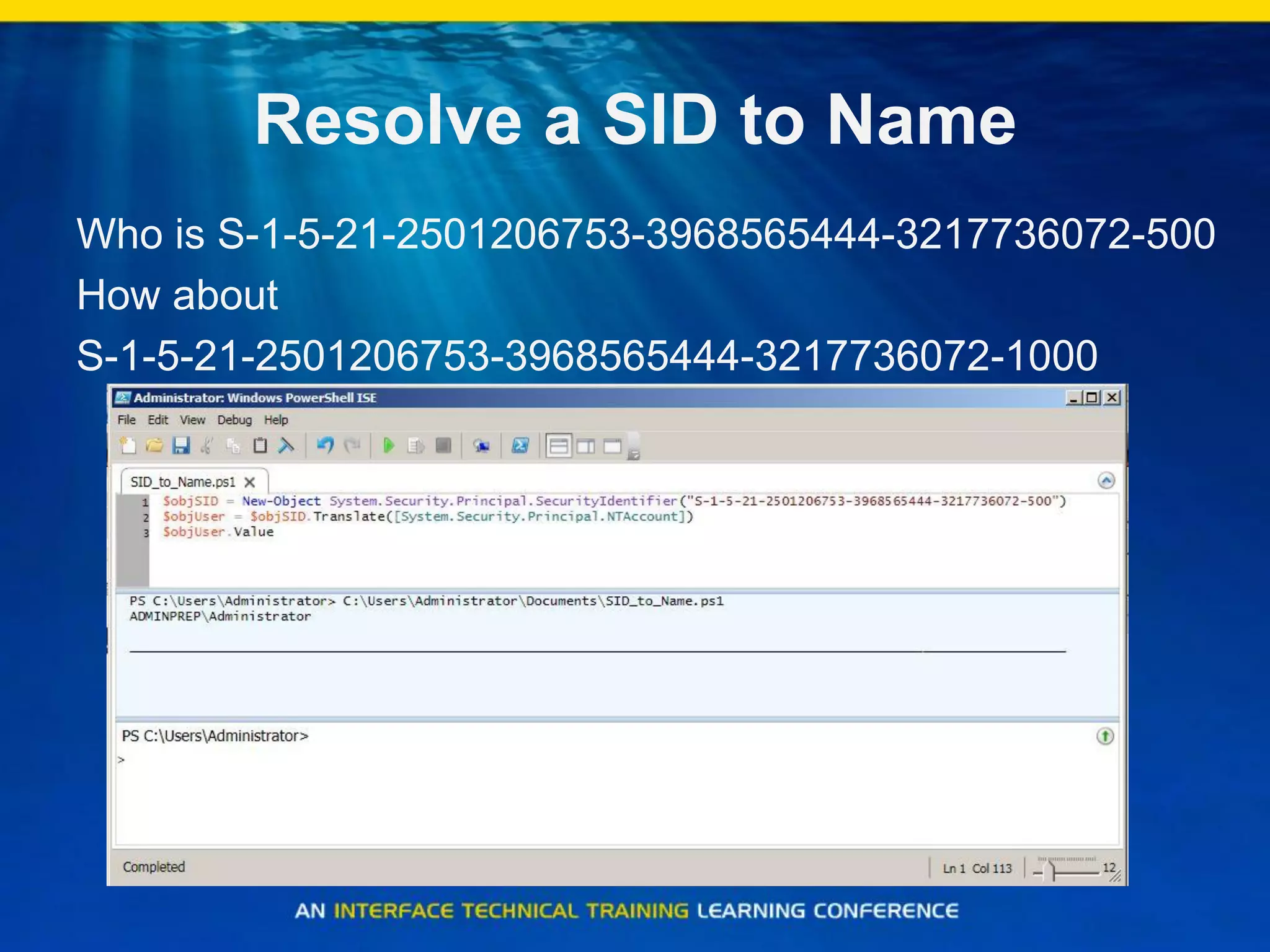
Resolve a SID to Name
Who is S-1-5-21-2501206753-3968565444-3217736072-500
How about
S-1-5-21-2501206753-3968565444-3217736072-1000
Active Directory
Directory Management
o New, Get, Set & Remove
o Move, Rename & Restore
–ADObject
Search Active Directory
Get-ADObject -Filter { CN -like "*bob*" }
Active Directory
Site Management One Liners
List all your Active Directory Sites
o Get-ADObject -LDAPFilter "(objectClass=site)" -
SearchBase
'CN=Configuration,DC=Adminprep,DC=local' -
Properties CanonicalName | FT
Name,CanonicalName –A
List all your Active Directory Subnets
o Get-ADObject -Filter 'ObjectClass -eq "site"' -
SearchBase
'CN=Configuration,DC=AdminPrep,DC=local' -
Properties siteObjectBL | foreach {$_.siteObjectBL}
Active Directory
Site Management Scripts
Scripts to get Site info:
o Get all Servers in a specified Active Directory site
o Get all Subnets in a specified Active Directory site
o Get a list of sites and their subnets
How do you like your
Tombstone?
Tombstone Lifetime
o (get-adobject "cn=Directory Service,cn=Windows
NT,cn=Services,cn=Configuration,dc=AdminPrep,DC=Local" -
properties "tombstonelifetime").tombstonelifetime
Set Tombstone Object Lifetime
o Set-ADObject -Identity “CN=Directory Service,CN=Windows
NT,CN=Services,CN=Configuration,DC=AdminPrep,DC=Local”
–Partition “CN=Configuration,DC=AdminPrep,DC=Local” –
Replace:@{“tombstoneLifetime” = 250}
Set Deleted Object Lifetime
o Set-ADObject -Identity “CN=Directory Service,CN=Windows
NT,CN=Services,CN=Configuration,DC=AdminPrep,DC=Local”
–Partition “CN=Configuration,DC=AdminPrep,DC=Local” –
Replace:@{“msDS-DeletedObjectLifetime” = 250}
Active Directory
Forest/Domain Management
o Functional Levels
o Password Policies
o FSMO Management
o Optional Features
Get Domain and Forest Info
Domain and Forest Configuration
o Get-ADForest adminprep.local
o Get-ADDomain adminprep.local
Raise Domain Functional Level
o Set-ADDomainMode –Identity adminprep.local –
forestmode Windows2008R2Domain
Raise Forest Functional Level
o Set-ADForestMode –Identity adminprep.local –
forestmode Windows2008R2Forest
Rollback Functional Levels
Server 2008 R2 PowerShell allows you to Revert
functional levels
o Set-ADDomainMode –Identity adminprep.local –
forestmode Windows2008Domain
Will not work if you enabled the Active Directory
Recycle Bin
Will not work if you are currently in Server 2008
R2 FFL
Fine Grained Password Policies
Much easier than Windows Server 2008
o Get-adfinegrainedpasswordpolicy –filter *
o New-ADFineGrainedPasswordPolicy
o Add-ADFineGrainedPasswordPolicySubject
View which users have been applied a FGPP
o Get-ADFineGrainedPasswordPolicySubject –identity
“group or user”
View Default Domain Password Policy
o Get-ADDefaultDomainPasswordPolicy
FSMO Management
FSMO Management
o Move-ADDirectoryServerOperationMasterRole
– PDCEmulator
– RIDMaster
– InfrastructureMaster
– SchemaMaster
– DomainNamingMaster
Enabling AD Recycle Bin
Enable the Active Directory Recycle Bin:
Enable-ADOptionalFeature -Identity "CN=Recycle Bin
Feature,CN=Optional Features,CN=Directory Service,
CN=Windows NT,CN=Services, CN=Configuration,
DC=AdminPrep,DC=Local" -Scope
ForestorConfigurationSet -Target "AdminPrep.local“
Restore a deleted object:
get-adobject –inc –f {samaccountname –like “bri*"} | restore-
adobject
Thank you.
http://blogs.msmvps.com/ad

AD Cmdlets

  • 1.
    WELCOME TO TECH |IMMERSION Track: Active Directory Cmdlets Presenter: Brian McCann Global Platforms Engineer - Brian@Intel.com
  • 2.
    PowerShell Advantages o Consistentvocabulary and syntax – Verbs – Add, New, Get, Set, Remove, Clear… – Nouns – ADObject, ADUser, ADComputer, ADDomain, ADGroup, … o Easily discovered – No need to find, install, or learn other tools, utilities or commands o Flexible output – Output from one cmdlet easily consumed by another o Leverage .Net Framework – All the capabilities of .Net Framework o Common automation platform – End-to-End manageability of AD with other roles such as Exchange, Group Policy o 76 Cmdlets for managing Active Directory – get-command *-ad*
  • 3.
    Windows PowerShell –AD Module NewFunctionality Active Directory module provider Active Directory module cmdlets Windows PowerShell Integrated Scripting Environment (ISE) Out-GridView cmdlet Performance counters Only installs on Windows Server 2008 R2 At least one Windows Server 2008 R2 domain controller or LDS configuration set Windows 7 and Report Server Administration Tools (RSAT) SpecialConsiderations A Windows PowerShell module Manage AD domains and Lightweight Directory Services (LDS) configuration sets AD Database Mounting Tool instance ActiveDirectoryModule inWindows Server2008 R2
  • 4.
    Active Directory NameSpaces o Active Directory Users & Computers dumbs it down o We need to know the real names – Active Directory Hierarchical structure – LDAP Distinguished Name (DN) – CN=John Doe,OU=Sales,DC=DomainName,DC=com – LDAP Relative Distinguished Name (RDN) – John Doe – Common Name (CN) – John Doe – Canonical Name – DC=com/DC=DomainName/OU=Sales/CN=John Doe – User Principal Name (UPN) – John.Doe@DomainName.com – Down level Name (SAM Account) – DomainNamejdoe -or- jdoe
  • 5.
    Where to Start? oMake sure your environment supports AD Cmdlets o Start with a purpose and goal o Account Management o Directory Management o Forest/Domain Management
  • 6.
    Active Directory Cmdlets Requirements oServer 2008 R2 Domain Controller or Lightweight Directory Services Or o Active Directory Management Gateway Service – Supported on Server 2003 SP2 – Server 2003 R2 SP2 – Server 2008 and above – Domain and Forest functional levels do not matter – DotNet 3.5 SP1 – Server 2003 SP2 hotfix – Server 2003 SP2 and R2 SP2 hotfix – Server 2008 hotfix – Windows 7 Clients need RSAT o Much easier if you have Server 2008 R2 DCs!!! 
  • 7.
    How does PowerShellmake my life easier? o Common automation platform o Easy to create and understand scripts o Great documentation!!! o A great open community that thrives on sharing ideas
  • 8.
    Active Directory Cmdlets GettingStarted o Open PowerShell and type – import-module ActiveDirectory o Now what is available – get-command -module ActiveDirectory | Select Name | Format-Wide o How do we get the AD Cmdlets every time we open PowerShell? – Add it to your Windows PowerShell profile – Open the Active Directory PowerShell executable
  • 9.
    Active Directory Account Management UsingAD Cmdlets for day to day tasks o Search-ADAccount o Disable-ADAccount o Enable-ADAccount o Unlock-ADAccount ADAccount = Users, Computers & Service Accounts
  • 10.
    Account Management One Liners FindDisabled Accounts o Search-ADAccount -AccountDisabled | FT Name,ObjectClass -A Find Locked Accounts o Search-ADAccount -LockedOut | FT Name,ObjectClass -A Find Passwords that never expire Search-ADAccount -PasswordNeverExpires | FT Name,ObjectClass -A
  • 11.
    Account Management One Liners FindInactive Accounts o Search-ADAccount -AccountInactive -TimeSpan 90.00:00:00 | FT Name,Obj Find Expired Accounts o Search-ADAccount -AccountExpired | FT Name,ObjectClass -A
  • 12.
    Active Directory Account Management(cont) o New, Get, Set & Remove – ADUser – ADGroup – ADComputer – ADServiceAccount – ADOrganizationalUnit – ADDomainController
  • 13.
    Active Directory Account Management GetUser Info o Get-ADUser -Identity „Administrator‟ Additional info can be found o -Properties * Get Domain Controller Info o Get-ADDomainController
  • 14.
    Active Directory Account Management GetGroup Info o Get-ADGroup -Identity “Administrators" Get Group Membership o Get-ADGroupMember -Identity “Administrators"
  • 15.
    What is ADServiceAccount? oIt is a new type of Account that can be used for Services on a single system o It is a hybrid account that is part User and part computer account – Password changes every 30days and are 240 characters o Requirements: – Server 2008 R2 Schema – Server 2008 R2 or Windows 7 system
  • 16.
    What is ADServiceAccount? Howto create an ADServiceAccount o New-ADServiceAccount SA-SQL01 -Enabled $true -Path “CN=Managed Service Accounts,DC=adminprep,DC=Local” - ServicePrincipalNames “MSSQLSVC/SQL01.adminprep.Local:1456″
  • 17.
    Resolve a SIDto Name Who is S-1-5-21-2501206753-3968565444-3217736072-500 How about S-1-5-21-2501206753-3968565444-3217736072-1000
  • 18.
    Active Directory Directory Management oNew, Get, Set & Remove o Move, Rename & Restore –ADObject
  • 19.
    Search Active Directory Get-ADObject-Filter { CN -like "*bob*" }
  • 20.
    Active Directory Site ManagementOne Liners List all your Active Directory Sites o Get-ADObject -LDAPFilter "(objectClass=site)" - SearchBase 'CN=Configuration,DC=Adminprep,DC=local' - Properties CanonicalName | FT Name,CanonicalName –A List all your Active Directory Subnets o Get-ADObject -Filter 'ObjectClass -eq "site"' - SearchBase 'CN=Configuration,DC=AdminPrep,DC=local' - Properties siteObjectBL | foreach {$_.siteObjectBL}
  • 21.
    Active Directory Site ManagementScripts Scripts to get Site info: o Get all Servers in a specified Active Directory site o Get all Subnets in a specified Active Directory site o Get a list of sites and their subnets
  • 22.
    How do youlike your Tombstone? Tombstone Lifetime o (get-adobject "cn=Directory Service,cn=Windows NT,cn=Services,cn=Configuration,dc=AdminPrep,DC=Local" - properties "tombstonelifetime").tombstonelifetime Set Tombstone Object Lifetime o Set-ADObject -Identity “CN=Directory Service,CN=Windows NT,CN=Services,CN=Configuration,DC=AdminPrep,DC=Local” –Partition “CN=Configuration,DC=AdminPrep,DC=Local” – Replace:@{“tombstoneLifetime” = 250} Set Deleted Object Lifetime o Set-ADObject -Identity “CN=Directory Service,CN=Windows NT,CN=Services,CN=Configuration,DC=AdminPrep,DC=Local” –Partition “CN=Configuration,DC=AdminPrep,DC=Local” – Replace:@{“msDS-DeletedObjectLifetime” = 250}
  • 23.
    Active Directory Forest/Domain Management oFunctional Levels o Password Policies o FSMO Management o Optional Features
  • 24.
    Get Domain andForest Info Domain and Forest Configuration o Get-ADForest adminprep.local o Get-ADDomain adminprep.local Raise Domain Functional Level o Set-ADDomainMode –Identity adminprep.local – forestmode Windows2008R2Domain Raise Forest Functional Level o Set-ADForestMode –Identity adminprep.local – forestmode Windows2008R2Forest
  • 25.
    Rollback Functional Levels Server2008 R2 PowerShell allows you to Revert functional levels o Set-ADDomainMode –Identity adminprep.local – forestmode Windows2008Domain Will not work if you enabled the Active Directory Recycle Bin Will not work if you are currently in Server 2008 R2 FFL
  • 26.
    Fine Grained PasswordPolicies Much easier than Windows Server 2008 o Get-adfinegrainedpasswordpolicy –filter * o New-ADFineGrainedPasswordPolicy o Add-ADFineGrainedPasswordPolicySubject View which users have been applied a FGPP o Get-ADFineGrainedPasswordPolicySubject –identity “group or user” View Default Domain Password Policy o Get-ADDefaultDomainPasswordPolicy
  • 27.
    FSMO Management FSMO Management oMove-ADDirectoryServerOperationMasterRole – PDCEmulator – RIDMaster – InfrastructureMaster – SchemaMaster – DomainNamingMaster
  • 28.
    Enabling AD RecycleBin Enable the Active Directory Recycle Bin: Enable-ADOptionalFeature -Identity "CN=Recycle Bin Feature,CN=Optional Features,CN=Directory Service, CN=Windows NT,CN=Services, CN=Configuration, DC=AdminPrep,DC=Local" -Scope ForestorConfigurationSet -Target "AdminPrep.local“ Restore a deleted object: get-adobject –inc –f {samaccountname –like “bri*"} | restore- adobject
  • 29.