Active Directory Single Sign-On
Worldwide Business Partner Technical Enablement 2016
Van Staub – North America Embedded Solution Agreement Technical Sales
1
Agenda
• review in a practical format configuring Active Directory and Active
Directory Federation Services
• configure SAML with WebSphere
• discuss SAML with Connections Cloud
• list notable resources at the end
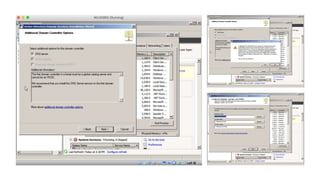
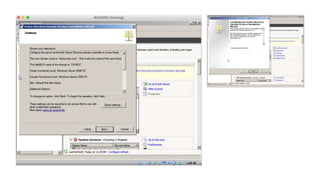
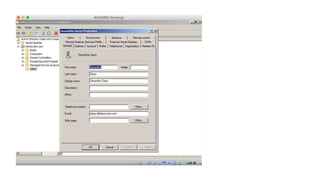
Installing and Configuring Active Directory
• the “directory” used to perform authentication with IBM software (e.g.
WebSphere Portal)
• provides a variety of authentication mechanisms almost out of the box
– namely SAML, SPNEGO, and LDAP
• very easy to get started
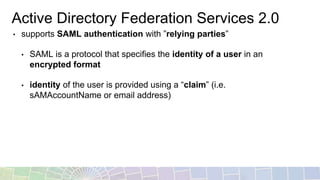
Active Directory Federation Services 2.0
• supports SAML authentication with ”relying parties”
• SAML is a protocol that specifies the identity of a user in an
encrypted format
• identity of the user is provided using a “claim” (i.e.
sAMAccountName or email address)
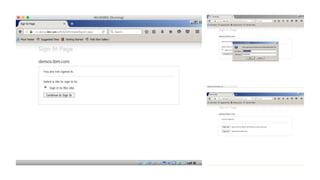
SAMLFlow
XML
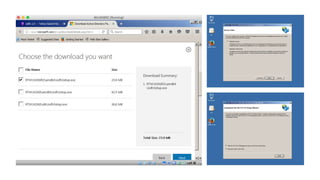
Installing and Configuring ADFS 2.0
• install the ADFS 2.0 software
• configure the first federation server
• manually add the SSL certificate to IIS if one is not listed as available
to use (I re-used a certificate; you can create a self-signed if needed)
• verify the SSL certificate you imported is also set as the Token-Signing
certificate
• also make sure it’s the primary certificate
manually importing
the SSL certificate
into IIS
Manually set the
Token-Signing
Certificate
Configuring WebSphere for SAML
• ensure that security is enabled and working with Active Directory
• install the SAML ACS enterprise application
• configure the SAML TAI to work with the ADFS IdP
• steps create a global configuration
• steps are shown manually for clarity
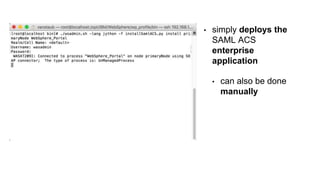
• simply deploys the
SAML ACS
enterprise
application
• can also be done
manually
• Using WAS Console go to
Security -> Global Security
-> Web and SIP security -
> Trust Association
• Uncheck Enable trust
association
• Click Interceptors
• com.ibm.ws.secu
rity.web.saml.AC
STrustAssociatio
nInterceptor
• add settings seen in
screenshot
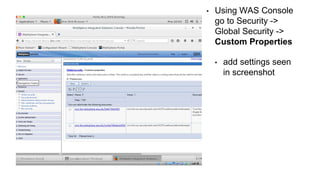
• Using WAS Console
go to Security ->
Global Security ->
Custom Properties
• add settings seen
in screenshot
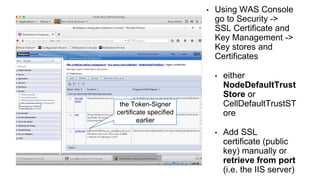
• Using WAS Console
go to Security ->
SSL Certificate and
Key Management ->
Key stores and
Certificates
• either
NodeDefaultTrust
Store or
CellDefaultTrustST
ore
• Add SSL
certificate (public
key) manually or
retrieve from port
(i.e. the IIS server)
the Token-Signer
certificate specified
earlier
certificate alias you
just added to the
TrustStore
• Using WAS Console
go to Security ->
Federated
Repositories ->
Configure
• Click Trusted
authentication
realms - inbound
• add external ream
settings seen in
screenshot
Federation Server
identifier seen
earlier
• Using WAS Console go
to Security -> Global
Security -> Web and SIP
security -> Trust
Association
• Check Enable trust
association
Creating the Partnership
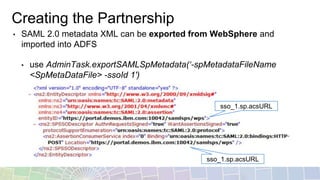
• SAML 2.0 metadata XML can be exported from WebSphere and
imported into ADFS
• use AdminTask.exportSAMLSpMetadata(‘-spMetadataFileName
<SpMetaDataFile> -ssoId 1′)
sso_1.sp.acsURL
sso_1.sp.acsURL
use defaults on next
screens
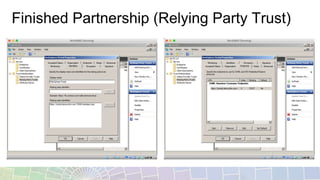
Finished Partnership (Relying Party Trust)
Resources
Understanding the WebSphere
Application Server SAML Trust
Association Interceptor
http://www.ibm.com/developerworks/websphere/techjournal/1307_lansche/1307_lansche.html
Step by step guide to
implement SAML 2.0 for Portal
8.5
https://developer.ibm.com/digexp/docs/docs/customization-administration/step-step-guide-implement-
saml-2-0-portal-8-5/
Front Side SAML SSO with
microsoft product (ADFS ->
WAS SAML TAI)
https://www.ibm.com/developerworks/community/blogs/8f2bc166-3bdc-4a9d-bad4-
3620dbb3e46c/entry/Front_Side_SAML_SSO_with_microsoft_product_ADFS_WAS_SAML_TAI?lang
=en
Step-by-Step guide to
Configure Single sign-on for
HTTP requests using SPNEGO
web authentication
https://www-10.lotus.com/ldd/portalwiki.nsf/dx/Step-by-Step_guide_to_Configure_Single_sign-
on_for_HTTP_requests_using_SPNEGO_web_authentication
AD + SAML + Kerberos + IBM
Notes and Domino = SSO!
http://www.andypedisich.com/blogs/andysblog.nsf/dx/robs-saml-presentation-from-mwlug-has-been-
posted.htm
BP104 Simplifying The S’s:
Single Sign-On, SPNEGO and
SAML (2014)
http://www.idonotes.com/IdoNotes/IdoConnect2013.nsf/dx/bp104-simplifying-the-ss-single-sign-on-
spnego-and-saml-2014.htm
Thank You
31

Active Directory Single Sign-On with IBM

  • 1.
    Active Directory SingleSign-On Worldwide Business Partner Technical Enablement 2016 Van Staub – North America Embedded Solution Agreement Technical Sales 1
  • 2.
    Agenda • review ina practical format configuring Active Directory and Active Directory Federation Services • configure SAML with WebSphere • discuss SAML with Connections Cloud • list notable resources at the end
  • 3.
    Installing and ConfiguringActive Directory • the “directory” used to perform authentication with IBM software (e.g. WebSphere Portal) • provides a variety of authentication mechanisms almost out of the box – namely SAML, SPNEGO, and LDAP • very easy to get started
  • 10.
    Active Directory FederationServices 2.0 • supports SAML authentication with ”relying parties” • SAML is a protocol that specifies the identity of a user in an encrypted format • identity of the user is provided using a “claim” (i.e. sAMAccountName or email address)
  • 11.
  • 12.
    Installing and ConfiguringADFS 2.0 • install the ADFS 2.0 software • configure the first federation server • manually add the SSL certificate to IIS if one is not listed as available to use (I re-used a certificate; you can create a self-signed if needed) • verify the SSL certificate you imported is also set as the Token-Signing certificate • also make sure it’s the primary certificate
  • 15.
    manually importing the SSLcertificate into IIS
  • 17.
  • 18.
    Configuring WebSphere forSAML • ensure that security is enabled and working with Active Directory • install the SAML ACS enterprise application • configure the SAML TAI to work with the ADFS IdP • steps create a global configuration • steps are shown manually for clarity
  • 19.
    • simply deploysthe SAML ACS enterprise application • can also be done manually
  • 20.
    • Using WASConsole go to Security -> Global Security -> Web and SIP security - > Trust Association • Uncheck Enable trust association
  • 21.
    • Click Interceptors •com.ibm.ws.secu rity.web.saml.AC STrustAssociatio nInterceptor • add settings seen in screenshot
  • 22.
    • Using WASConsole go to Security -> Global Security -> Custom Properties • add settings seen in screenshot
  • 23.
    • Using WASConsole go to Security -> SSL Certificate and Key Management -> Key stores and Certificates • either NodeDefaultTrust Store or CellDefaultTrustST ore • Add SSL certificate (public key) manually or retrieve from port (i.e. the IIS server) the Token-Signer certificate specified earlier
  • 24.
    certificate alias you justadded to the TrustStore
  • 25.
    • Using WASConsole go to Security -> Federated Repositories -> Configure • Click Trusted authentication realms - inbound • add external ream settings seen in screenshot Federation Server identifier seen earlier
  • 26.
    • Using WASConsole go to Security -> Global Security -> Web and SIP security -> Trust Association • Check Enable trust association
  • 27.
    Creating the Partnership •SAML 2.0 metadata XML can be exported from WebSphere and imported into ADFS • use AdminTask.exportSAMLSpMetadata(‘-spMetadataFileName <SpMetaDataFile> -ssoId 1′) sso_1.sp.acsURL sso_1.sp.acsURL
  • 28.
    use defaults onnext screens
  • 29.
  • 30.
    Resources Understanding the WebSphere ApplicationServer SAML Trust Association Interceptor http://www.ibm.com/developerworks/websphere/techjournal/1307_lansche/1307_lansche.html Step by step guide to implement SAML 2.0 for Portal 8.5 https://developer.ibm.com/digexp/docs/docs/customization-administration/step-step-guide-implement- saml-2-0-portal-8-5/ Front Side SAML SSO with microsoft product (ADFS -> WAS SAML TAI) https://www.ibm.com/developerworks/community/blogs/8f2bc166-3bdc-4a9d-bad4- 3620dbb3e46c/entry/Front_Side_SAML_SSO_with_microsoft_product_ADFS_WAS_SAML_TAI?lang =en Step-by-Step guide to Configure Single sign-on for HTTP requests using SPNEGO web authentication https://www-10.lotus.com/ldd/portalwiki.nsf/dx/Step-by-Step_guide_to_Configure_Single_sign- on_for_HTTP_requests_using_SPNEGO_web_authentication AD + SAML + Kerberos + IBM Notes and Domino = SSO! http://www.andypedisich.com/blogs/andysblog.nsf/dx/robs-saml-presentation-from-mwlug-has-been- posted.htm BP104 Simplifying The S’s: Single Sign-On, SPNEGO and SAML (2014) http://www.idonotes.com/IdoNotes/IdoConnect2013.nsf/dx/bp104-simplifying-the-ss-single-sign-on- spnego-and-saml-2014.htm
  • 31.