Socal UX Camp 2014
Accessible UX
Joseph Karr O’Connor
@AccessibleJoe
accessiblejoe.com/tools/
Accessible UX
★Create personas with disabilities
★Include people with disabilities in testing
★Find experienced assistive tech users
★“Nothing about us without us.”
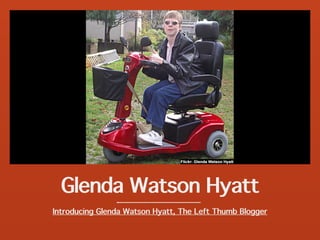
Glenda Watson Hyatt
Introducing Glenda Watson Hyatt, The Left Thumb Blogger
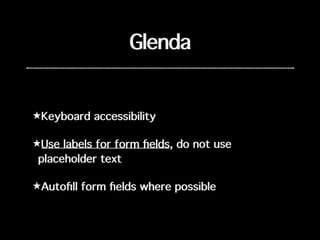
Glenda
★Keyboard accessibility
★Use labels for form fields, do not use
placeholder text
★Autofill form fields where possible
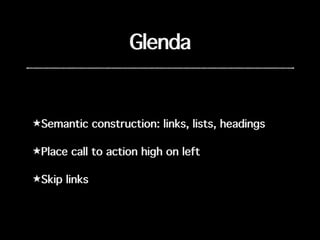
Glenda
★Semantic construction: links, lists, headings
★Place call to action high on left
★Skip links
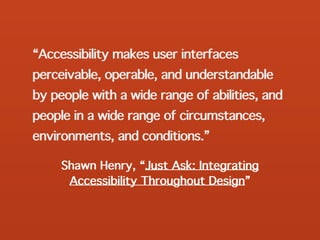
Shawn Henry, “Just Ask: Integrating
Accessibility Throughout Design”
“Accessibility makes user interfaces
perceivable, operable, and understandable
by people with a wide range of abilities, and
people in a wide range of circumstances,
environments, and conditions.”
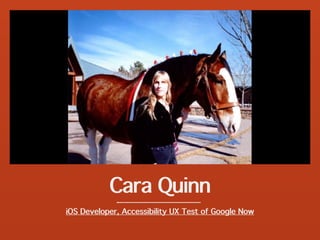
Cara Quinn
iOS Developer, Accessibility UX Test of Google Now
Cara
★Keyboard accessibility
★Use labels for form fields, do not use
placeholder text
★Autofill form fields where possible
★Use semantic structure: links, lists, headings
Cara
★Place call to action high on left
★Skip links
★Describe non-text content: alt description
★Structure buttons as buttons, not divs, name
the buttons semantically, not but1, but2
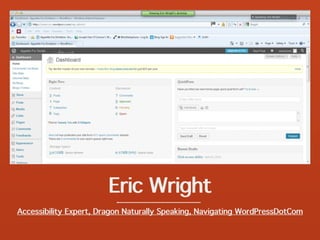
Eric Wright
Accessibility Expert, Dragon Naturally Speaking, Navigating WordPressDotCom
Eric
★Keyboard accessibility
★Use labels for form fields, do not use
placeholder text
★Autofill form fields where possible
★Use semantic structure: links, lists, headings
Eric
★Place call to action high on left
★Skip links
★Describe non-text content: alt description
★Structure buttons as buttons, not divs, name
the buttons semantically, not but1, but2
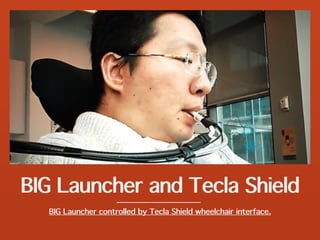
BIG Launcher and Tecla Shield
BIG Launcher controlled by Tecla Shield wheelchair interface.
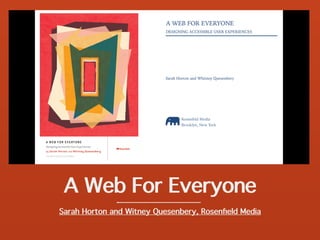
A Web For Everyone
Sarah Horton and Witney Quesenbery, Rosenfield Media
Socal UX Camp 2014
Accessible UX
Joseph Karr O’Connor
@AccessibleJoe
accessiblejoe.com/tools/

Accessible ux

  • 1.
    Socal UX Camp2014 Accessible UX Joseph Karr O’Connor @AccessibleJoe accessiblejoe.com/tools/
  • 2.
    Accessible UX ★Create personaswith disabilities ★Include people with disabilities in testing ★Find experienced assistive tech users ★“Nothing about us without us.”
  • 3.
    Glenda Watson Hyatt IntroducingGlenda Watson Hyatt, The Left Thumb Blogger
  • 4.
    Glenda ★Keyboard accessibility ★Use labelsfor form fields, do not use placeholder text ★Autofill form fields where possible
  • 5.
    Glenda ★Semantic construction: links,lists, headings ★Place call to action high on left ★Skip links
  • 6.
    Shawn Henry, “JustAsk: Integrating Accessibility Throughout Design” “Accessibility makes user interfaces perceivable, operable, and understandable by people with a wide range of abilities, and people in a wide range of circumstances, environments, and conditions.”
  • 7.
    Cara Quinn iOS Developer,Accessibility UX Test of Google Now
  • 8.
    Cara ★Keyboard accessibility ★Use labelsfor form fields, do not use placeholder text ★Autofill form fields where possible ★Use semantic structure: links, lists, headings
  • 9.
    Cara ★Place call toaction high on left ★Skip links ★Describe non-text content: alt description ★Structure buttons as buttons, not divs, name the buttons semantically, not but1, but2
  • 10.
    Eric Wright Accessibility Expert,Dragon Naturally Speaking, Navigating WordPressDotCom
  • 11.
    Eric ★Keyboard accessibility ★Use labelsfor form fields, do not use placeholder text ★Autofill form fields where possible ★Use semantic structure: links, lists, headings
  • 12.
    Eric ★Place call toaction high on left ★Skip links ★Describe non-text content: alt description ★Structure buttons as buttons, not divs, name the buttons semantically, not but1, but2
  • 13.
    BIG Launcher andTecla Shield BIG Launcher controlled by Tecla Shield wheelchair interface.
  • 14.
    A Web ForEveryone Sarah Horton and Witney Quesenbery, Rosenfield Media
  • 15.
    Socal UX Camp2014 Accessible UX Joseph Karr O’Connor @AccessibleJoe accessiblejoe.com/tools/