Nivi Morales
Accessibility for all
@nivims
Accessibility
Accessibility for all
Disclaimer
▸ I am not an accessibility expert
▸ Speaking from personal experience using assistive
technology for visual impairment
▸ Sharing my journey and some insights
▸ Aiming to dispel myths about accessibility
▸ Introduce new concepts
Accessibility for all
Background
▸ How does my sight work
▸ How does it affect me
▸ Why does this matter
Accessibility for all
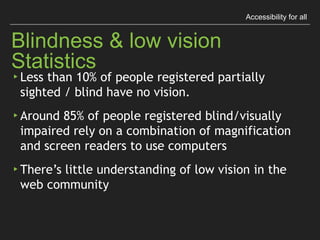
Blindness & Low Vision Statistics
▸ Less than 10% of people registered partially sighted

/ blind have no vision.
▸ Around 85% of people registered blind/visually
impaired rely on a combination of magnification

and screen readers to use computers
▸ There’s little understanding of low vision in the

web community
Accessibility for all
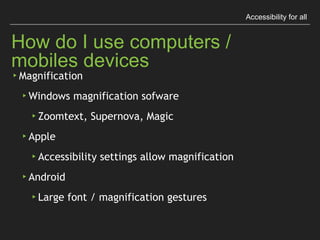
How do I use computers / mobiles devices
▸Magnification
▸Windows magnification sofware
▸Zoomtext, Supernova, Magic
▸Apple
▸Accessibility settings allow magnification
▸Android
▸Large font / magnification gestures
Accessibility for all
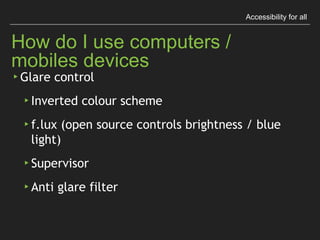
How do I use computers / mobiles devices
▸ Glare control
▸ Inverted colour scheme
▸ f.lux (open source controls brightness / blue light)
▸ Supervisor
▸ Anti glare filter
Accessibility for all
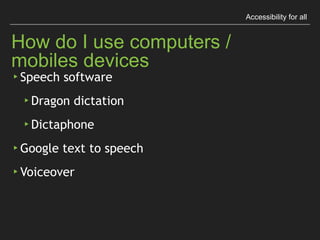
How do I use computers / mobiles devices
▸ Speech software
▸ Dragon dictation
▸ Dictaphone
▸ Google text to speech
▸ Voiceover
Accessibility for all
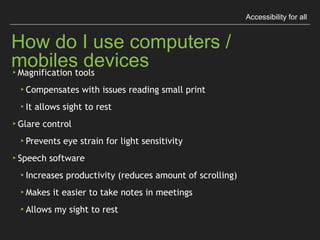
How do I use computers / mobiles devices
▸Magnification tools
▸Compensates with issues reading small print
▸It allows sight to rest
▸Glare control
▸Prevents eye strain for light sensitivity
▸Speech software
▸Increases productivity (reduces amount of scrolling)
▸Makes it easier to take notes in meetings
▸Allows my sight to rest
Accessibility for all
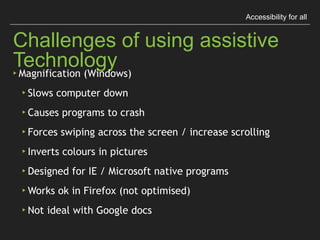
Challenges of using assistive Technology
▸Magnification (Windows)
▸Slows computer down
▸Causes programs to crash
▸Forces swiping across the screen / increase scrolling
▸Inverts colours in pictures
▸Designed for IE / Microsoft native programs
▸Works ok in Firefox (not optimised)
▸Not ideal with Google docs
Accessibility for all
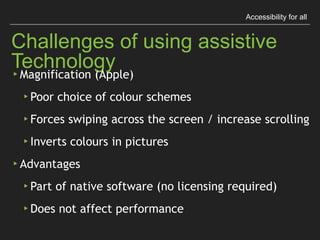
Challenges of using assistive Technology
▸ Magnification (Apple)
▸ Poor choice of colour schemes
▸ Forces swiping across the screen / increase scrolling
▸ Inverts colours in pictures
▸ Advantages
▸ Part of native software (no licensing required)
▸ Does not affect performance
Accessibility for all
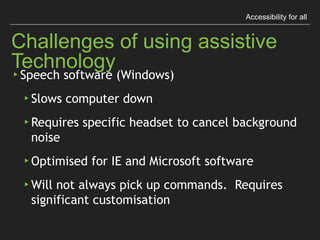
Challenges of using assistive Technology
▸ Speech software (Windows)
▸ Slows computer down
▸ Requires specific headset to cancel background noise
▸ Optimised for IE and Microsoft software
▸ Will not always pick up commands.

Requires significant customisation
Accessibility for all
Challenges of using assistive Technology
▸ Speech software (Apple)
▸ Takes time to learn. Can slow down productivity
▸ Issues picking up accents
▸ Advantages
▸ Part of native software (no licensing required)
▸ Does not affect performance
Accessibility for all
Disability is a spectrum
▸ Wheelchair users might be able to walk but not for

long distance
▸ People might be able to use a keyboard but get tired

/ feel pain after a short time
▸ Design for people of all abilities rather than for people
with disabilities
“The design of mainstream products
and/or services that are accessible to,
and usable by, as many people as
reasonably possible ...
without the need for special adaptation
or specialised design."
The British Standards Institute (2005)
Universal / Inclusive design
Accessibility for all
When we design for a wider range

of users, a world of possibilities

opens before our eyes.
Accessibility for all
Telephone
▸ Alexander Graham Bell developed it as part of his work
with the deaf community
▸ Both his mother and wife were profoundly deaf.

They influenced Bell’s work and life
▸ He became heavily interested in developing devices that
allowed the amplification of sound
▸ Interesting fact: he considered the telephone so intrusive
he refused to have one in his office
Accessibility for all
Speech Technology
▸Dragon software / speech software:
▸Designed for users who are blind, have mobility issues
or dyslexia
▸It’s gone mainstream
▸Drives Apple’s Siri
▸Google Talk (Android’s take on Siri) also allows

users to operate mobile devices without having to

user their hands
▸Managers are using it to dictate letters, take notes
▸Specialised versions have been developed for legal

/ medical professionals
Accessibility for all
Sonification of Data
▸Wanda Diaz Merced is an astronomer having difficulty
accessing specialised data sets due to sight loss
▸She developed a way of converting data into sounds
▸Whilst listening to the data she picked up changes that
would not have been visible on a graphic
Accessibility for all
Sonification of Data
▸In conjunction with NASA, she developed xSonify, an
open source data sonification software available on

http://www.ascl.net/1207.008
▸Sonification of astronomical data sets where the
inspiration behind Star Songs.

Jazz ballads using sounds from the stars

https://www.cfa.harvard.edu/sed/projects/star_songs/
Accessibility for all
Pinch Zoom
▸Allows enlarging content on websites when using a

mobile device
▸Native on every website before responsive web design
▸Essential for people living with low vision
▸Benefits people after 40, when our eyes lose ability to
read small print
▸Developers are actively disabling it on responsive websites
making them inaccessible
▸Mobile browsers like Opera and Chrome introduced a
feature that allows forcing pinch zoom
▸Force pinch zoom is now available on Firefox and Safari
Accessibility for all
10 principles of inclusive web content

Penny Everett. Net Magazine
▸Think about people for all abilities before

uploading content
▸Write link text that makes sense even when read

without context
▸Describe sounds to a deaf person and images to a

blind person as if they were sitting next to you
Accessibility for all
10 principles of inclusive web content

Penny Everett. Net Magazine
▸Explain what users need to do when input is required -

i.e. when filling in a form
▸Upload suitably-sized image using web resolution (72dpi
/ 150dpi for retina displays)
▸Add relevant images, with descriptive alternative text,
to illustrate a point
10 principles of inclusive web content

Penny Everett. Net Magazine
Accessibility for all
▸ Write bite-sized chunks in plain English aimed at the
reading level of the target audience
▸ Present content with enough contrast between
foreground and background for both sound and images
▸ Make sure that any items such as placeholders, or
interactive objects, can be navigated when only using
the keyboard and page navigation is in a sensible order
▸ Use correct web formatting for things such as headings,
data tables, numbering and bullets

Accessibility for all

  • 1.
  • 2.
  • 3.
    Accessibility for all Disclaimer ▸I am not an accessibility expert ▸ Speaking from personal experience using assistive technology for visual impairment ▸ Sharing my journey and some insights ▸ Aiming to dispel myths about accessibility ▸ Introduce new concepts
  • 4.
    Accessibility for all Background ▸How does my sight work ▸ How does it affect me ▸ Why does this matter
  • 5.
    Accessibility for all Blindness& Low Vision Statistics ▸ Less than 10% of people registered partially sighted
 / blind have no vision. ▸ Around 85% of people registered blind/visually impaired rely on a combination of magnification
 and screen readers to use computers ▸ There’s little understanding of low vision in the
 web community
  • 6.
    Accessibility for all Howdo I use computers / mobiles devices ▸Magnification ▸Windows magnification sofware ▸Zoomtext, Supernova, Magic ▸Apple ▸Accessibility settings allow magnification ▸Android ▸Large font / magnification gestures
  • 7.
    Accessibility for all Howdo I use computers / mobiles devices ▸ Glare control ▸ Inverted colour scheme ▸ f.lux (open source controls brightness / blue light) ▸ Supervisor ▸ Anti glare filter
  • 8.
    Accessibility for all Howdo I use computers / mobiles devices ▸ Speech software ▸ Dragon dictation ▸ Dictaphone ▸ Google text to speech ▸ Voiceover
  • 9.
    Accessibility for all Howdo I use computers / mobiles devices ▸Magnification tools ▸Compensates with issues reading small print ▸It allows sight to rest ▸Glare control ▸Prevents eye strain for light sensitivity ▸Speech software ▸Increases productivity (reduces amount of scrolling) ▸Makes it easier to take notes in meetings ▸Allows my sight to rest
  • 10.
    Accessibility for all Challengesof using assistive Technology ▸Magnification (Windows) ▸Slows computer down ▸Causes programs to crash ▸Forces swiping across the screen / increase scrolling ▸Inverts colours in pictures ▸Designed for IE / Microsoft native programs ▸Works ok in Firefox (not optimised) ▸Not ideal with Google docs
  • 11.
    Accessibility for all Challengesof using assistive Technology ▸ Magnification (Apple) ▸ Poor choice of colour schemes ▸ Forces swiping across the screen / increase scrolling ▸ Inverts colours in pictures ▸ Advantages ▸ Part of native software (no licensing required) ▸ Does not affect performance
  • 12.
    Accessibility for all Challengesof using assistive Technology ▸ Speech software (Windows) ▸ Slows computer down ▸ Requires specific headset to cancel background noise ▸ Optimised for IE and Microsoft software ▸ Will not always pick up commands.
 Requires significant customisation
  • 13.
    Accessibility for all Challengesof using assistive Technology ▸ Speech software (Apple) ▸ Takes time to learn. Can slow down productivity ▸ Issues picking up accents ▸ Advantages ▸ Part of native software (no licensing required) ▸ Does not affect performance
  • 14.
    Accessibility for all Disabilityis a spectrum ▸ Wheelchair users might be able to walk but not for
 long distance ▸ People might be able to use a keyboard but get tired
 / feel pain after a short time ▸ Design for people of all abilities rather than for people with disabilities
  • 15.
    “The design ofmainstream products and/or services that are accessible to, and usable by, as many people as reasonably possible ... without the need for special adaptation or specialised design." The British Standards Institute (2005) Universal / Inclusive design Accessibility for all
  • 16.
    When we designfor a wider range
 of users, a world of possibilities
 opens before our eyes.
  • 17.
    Accessibility for all Telephone ▸Alexander Graham Bell developed it as part of his work with the deaf community ▸ Both his mother and wife were profoundly deaf.
 They influenced Bell’s work and life ▸ He became heavily interested in developing devices that allowed the amplification of sound ▸ Interesting fact: he considered the telephone so intrusive he refused to have one in his office
  • 18.
    Accessibility for all SpeechTechnology ▸Dragon software / speech software: ▸Designed for users who are blind, have mobility issues or dyslexia ▸It’s gone mainstream ▸Drives Apple’s Siri ▸Google Talk (Android’s take on Siri) also allows
 users to operate mobile devices without having to
 user their hands ▸Managers are using it to dictate letters, take notes ▸Specialised versions have been developed for legal
 / medical professionals
  • 19.
    Accessibility for all Sonificationof Data ▸Wanda Diaz Merced is an astronomer having difficulty accessing specialised data sets due to sight loss ▸She developed a way of converting data into sounds ▸Whilst listening to the data she picked up changes that would not have been visible on a graphic
  • 20.
    Accessibility for all Sonificationof Data ▸In conjunction with NASA, she developed xSonify, an open source data sonification software available on
 http://www.ascl.net/1207.008 ▸Sonification of astronomical data sets where the inspiration behind Star Songs.
 Jazz ballads using sounds from the stars
 https://www.cfa.harvard.edu/sed/projects/star_songs/
  • 21.
    Accessibility for all PinchZoom ▸Allows enlarging content on websites when using a
 mobile device ▸Native on every website before responsive web design ▸Essential for people living with low vision ▸Benefits people after 40, when our eyes lose ability to read small print ▸Developers are actively disabling it on responsive websites making them inaccessible ▸Mobile browsers like Opera and Chrome introduced a feature that allows forcing pinch zoom ▸Force pinch zoom is now available on Firefox and Safari
  • 22.
    Accessibility for all 10principles of inclusive web content
 Penny Everett. Net Magazine ▸Think about people for all abilities before
 uploading content ▸Write link text that makes sense even when read
 without context ▸Describe sounds to a deaf person and images to a
 blind person as if they were sitting next to you
  • 23.
    Accessibility for all 10principles of inclusive web content
 Penny Everett. Net Magazine ▸Explain what users need to do when input is required -
 i.e. when filling in a form ▸Upload suitably-sized image using web resolution (72dpi / 150dpi for retina displays) ▸Add relevant images, with descriptive alternative text, to illustrate a point
  • 24.
    10 principles ofinclusive web content
 Penny Everett. Net Magazine Accessibility for all ▸ Write bite-sized chunks in plain English aimed at the reading level of the target audience ▸ Present content with enough contrast between foreground and background for both sound and images ▸ Make sure that any items such as placeholders, or interactive objects, can be navigated when only using the keyboard and page navigation is in a sensible order ▸ Use correct web formatting for things such as headings, data tables, numbering and bullets