SHARED HOSTING SERVICE
Common Issues After Migration
06
Aug
32 Views
Infinitive Host / 2 hours August 6, 2025
 6 min read

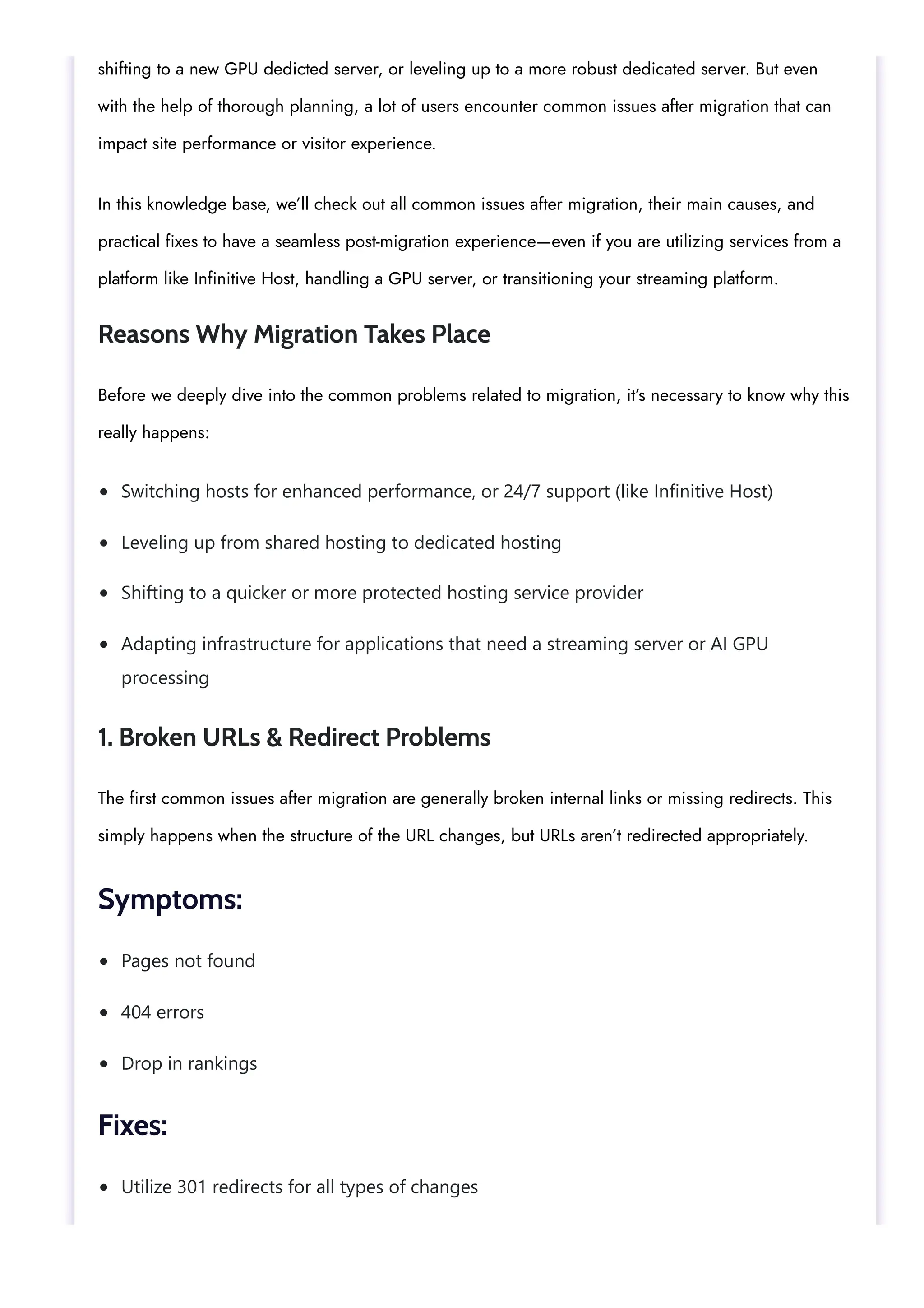
A Guide to Common Issues After Migration & How to Fix Them
Both website and server migration can be a crucial and huge step in terms of growth—even if you are
Privacy - Terms


Switching hosts for enhanced performance, or 24/7 support (like Infinitive Host)
Leveling up from shared hosting to dedicated hosting
Shifting to a quicker or more protected hosting service provider
Adapting infrastructure for applications that need a streaming server or AI GPU
processing
Pages not found
404 errors
Drop in rankings
Utilize 301 redirects for all types of changes
shifting to a new GPU dedicted server, or leveling up to a more robust dedicated server. But even
with the help of thorough planning, a lot of users encounter common issues after migration that can
impact site performance or visitor experience.
In this knowledge base, we’ll check out all common issues after migration, their main causes, and
practical fixes to have a seamless post-migration experience—even if you are utilizing services from a
platform like Infinitive Host, handling a GPU server, or transitioning your streaming platform.
Reasons Why Migration Takes Place
Before we deeply dive into the common problems related to migration, it’s necessary to know why this
really happens:
1. Broken URLs & Redirect Problems
The first common issues after migration are generally broken internal links or missing redirects. This
simply happens when the structure of the URL changes, but URLs aren’t redirected appropriately.
Symptoms:
Fixes:
Update sitemap.xml and then resubmit it to Google Search Console
Email services are not working properly.
The website shows old content infrequently.
The website is down for a lot of users.
Wait up to almost 48 hours for DNS to completely propagate
Utilize global DNS checker tools to track progress successfully
Stop making huge changes at the time of propagation
Corrupted images
Imperfect pages/posts
If you are migrating a site simply hosted on a GPU server or shifting huge datasets for AI apps,
missing URLs can break automation.
2. DNS Propagation Hold Up
After shifting your domain to the new chosen host, DNS propagation can usually take up to 48 hours
of time.
Symptoms:
Fixes:
This impacts users migrating between cloud hosting setups, mainly when migrating large-scale
applications on a GPU server or a streaming server.
3. File & Database Corruption
File corruption at the time of data transfer is also one of the common issues after migration, mainly
with huge databases or multimedia content.
Symptoms:
Errors connecting to the database
Utilize the right transfer protocols (like rsync, SFTP, or SCP).
Check file permissions after the migration process.
Run database repair and improvement scripts
Error 500: Internal Server Error
PHP version issues
Missing modules or extensions
Match the right setup of the old environment
Check PHP/Apache/Nginx settings
Utilize compatibility tools to find discrepancies
Fixes:
Even if you are running a media-intensive website on a streaming server or AI-based models on a
GPU hosting platform, ensuring file integrity is the main post-migration task.
4. Configuration Mismatches
Every single hosting environment is set up uniquely. Migrating from a shared host to a GPU dedicated
server or a cloud server might expose configuration differences.
Symptoms:
Fixes:
At Infinitive Host, these problems are proactively managed at the time of managed migrations, mainly
when shifting to high-performance environments such as an Nvidia GPU server.
5. SSL Certificate Errors
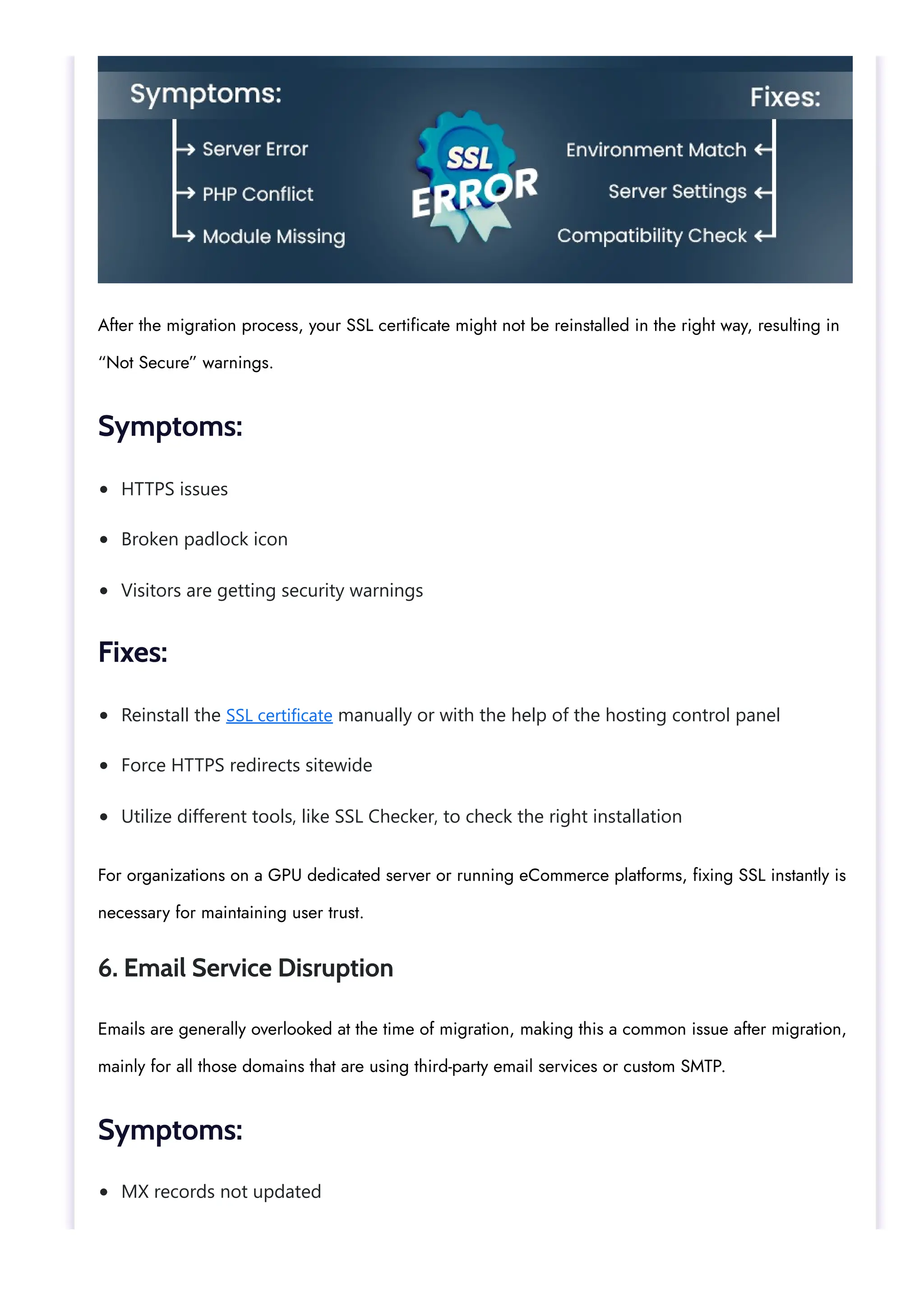
HTTPS issues
Broken padlock icon
Visitors are getting security warnings
Reinstall the SSL certificate manually or with the help of the hosting control panel
Force HTTPS redirects sitewide
Utilize different tools, like SSL Checker, to check the right installation
MX records not updated
After the migration process, your SSL certificate might not be reinstalled in the right way, resulting in
“Not Secure” warnings.
Symptoms:
Fixes:
For organizations on a GPU dedicated server or running eCommerce platforms, fixing SSL instantly is
necessary for maintaining user trust.
6. Email Service Disruption
Emails are generally overlooked at the time of migration, making this a common issue after migration,
mainly for all those domains that are using third-party email services or custom SMTP.
Symptoms:
Emails are not sending or receiving
SPF/DKIM/DMARC records are missing
Update DNS records (DKIM, MX, SPF, DMARC)
Check SMTP settings in your CMS or mail client
If utilizing webmail, make sure that the new server supports a similar stack
Slow loading speeds
Boosted TTFB (Time to First Byte)
Decreased PageSpeed scores
Allow server-side caching
Utilize a CDN to properly balance traffic
Improve media and script files
Fixes:
This is usually crucial for client-intensive businesses or developers choosing cloud hosting to handle
client data.
7. Performance Drops or Slow Loading
Any type of change in server architecture or location can lead to temporary drops.
Symptoms:
Fixes:
Users shifting to a GPU server or streaming servers may experience performance issues if not
enhanced for the new hosting environment. Hosting service providers like Infinitive Host provide pre-
optimization for GPU-based apps to stop all this.
8. Analytics and Tracking Issue
Zero data in Google Analytics
Pixel tracking is not working properly
Conversion aims not to fire
Reinstall every single tracking code manually
Try goal completions and pixel events
Validate with the help of Tag Assistant or Meta Pixel Helper
Take complete backups (files + databases)
Utilize a staging environment before simply going live
Audit SSL, DNS, and tracking properly after migration
The next common issue is broken or lost tracking, which impacts both performance reporting and
advertising.
Symptoms:
Fixes:
Without analytics, you are trusting blindly, mainly if you are scaling a website utilizing GPU hosting for
advanced AI or visual processing.
Best Practices to Avoid All These Common Issues After Migration
Collaborate with a trustworthy host like Infinitive Host
For advanced apps, consider a GPU server, cloud hosting, or dedicated server plans
Conclusion
Website migration can feel stressful—but knowing about the common issues after migration helps you
prepare better and fix them quickly. Even if you are shifting to a GPU server, migrating your platform
to cloud hosting, or configuring AI tasks on a GPU dedicated server, thorough post-migration audits
can save you a lot of valuable time, money, and visitors’ trust.
If you are planning to shift, consider working with professionals like Infinitive Host, who provide
enhanced GPU hosting, smooth transitions, and 24/7 support.
Share:    
Question Title :
– Select KB Category –
Email Address
Add A Knowledge Base Question !
Question Title: *
Knowledge Base Category : *
Email *
SUBMIT
Search
Search Product 
Recent Post
Common Issues After Migration
WordPress Plugin Settings
Best WordPress Plugins
Clear Web Browsers Cache
Troubleshooting WordPress Login Issues
Categories
Cloud Servers
Cloud-flare CDN
CMS
cPanel
CS Cart
Database
Dedicated Server
Digital Ocean
Direct Admin
DNS Issues
Email
How-Tos
Infinitivehost Client Area
Open Cart
Payment Options
Plesk
PrestaShop
Reseller Hosting
Shared Hosting
Shopping Cart
Softaculous
SSL Issues
Streaming Server
VPS
Web Hosting Manager
Windows
WordPress
Our Address:
Office No: 201-202, Second Floor, Elements Mall, DCM Ajmer Road, Jaipur,302021, Rajasthan,
India
   
Company
About Infinitive Host
Our Team
Our Clients
Work Culture
Payment Options
Legal
Privacy policy
Refund Policy
Disclaimer
Terms And Conditions
Resources
Blog
Knowledge Base
Solutions
Server Management
Backup Solution
Platforms
Aws
Google Cloud
Azure
Kubernetes
Odoo
Vtiger Solutions
© 2017 - 2024 – Best Web Hosting Service Provider In India.
Infinitive Host

A Guide to Common Issues After Migration and How to Fix Them.pdf

  • 1.
    SHARED HOSTING SERVICE CommonIssues After Migration 06 Aug 32 Views Infinitive Host / 2 hours August 6, 2025  6 min read  A Guide to Common Issues After Migration & How to Fix Them Both website and server migration can be a crucial and huge step in terms of growth—even if you are Privacy - Terms  
  • 2.
    Switching hosts forenhanced performance, or 24/7 support (like Infinitive Host) Leveling up from shared hosting to dedicated hosting Shifting to a quicker or more protected hosting service provider Adapting infrastructure for applications that need a streaming server or AI GPU processing Pages not found 404 errors Drop in rankings Utilize 301 redirects for all types of changes shifting to a new GPU dedicted server, or leveling up to a more robust dedicated server. But even with the help of thorough planning, a lot of users encounter common issues after migration that can impact site performance or visitor experience. In this knowledge base, we’ll check out all common issues after migration, their main causes, and practical fixes to have a seamless post-migration experience—even if you are utilizing services from a platform like Infinitive Host, handling a GPU server, or transitioning your streaming platform. Reasons Why Migration Takes Place Before we deeply dive into the common problems related to migration, it’s necessary to know why this really happens: 1. Broken URLs & Redirect Problems The first common issues after migration are generally broken internal links or missing redirects. This simply happens when the structure of the URL changes, but URLs aren’t redirected appropriately. Symptoms: Fixes:
  • 3.
    Update sitemap.xml andthen resubmit it to Google Search Console Email services are not working properly. The website shows old content infrequently. The website is down for a lot of users. Wait up to almost 48 hours for DNS to completely propagate Utilize global DNS checker tools to track progress successfully Stop making huge changes at the time of propagation Corrupted images Imperfect pages/posts If you are migrating a site simply hosted on a GPU server or shifting huge datasets for AI apps, missing URLs can break automation. 2. DNS Propagation Hold Up After shifting your domain to the new chosen host, DNS propagation can usually take up to 48 hours of time. Symptoms: Fixes: This impacts users migrating between cloud hosting setups, mainly when migrating large-scale applications on a GPU server or a streaming server. 3. File & Database Corruption File corruption at the time of data transfer is also one of the common issues after migration, mainly with huge databases or multimedia content. Symptoms:
  • 4.
    Errors connecting tothe database Utilize the right transfer protocols (like rsync, SFTP, or SCP). Check file permissions after the migration process. Run database repair and improvement scripts Error 500: Internal Server Error PHP version issues Missing modules or extensions Match the right setup of the old environment Check PHP/Apache/Nginx settings Utilize compatibility tools to find discrepancies Fixes: Even if you are running a media-intensive website on a streaming server or AI-based models on a GPU hosting platform, ensuring file integrity is the main post-migration task. 4. Configuration Mismatches Every single hosting environment is set up uniquely. Migrating from a shared host to a GPU dedicated server or a cloud server might expose configuration differences. Symptoms: Fixes: At Infinitive Host, these problems are proactively managed at the time of managed migrations, mainly when shifting to high-performance environments such as an Nvidia GPU server. 5. SSL Certificate Errors
  • 5.
    HTTPS issues Broken padlockicon Visitors are getting security warnings Reinstall the SSL certificate manually or with the help of the hosting control panel Force HTTPS redirects sitewide Utilize different tools, like SSL Checker, to check the right installation MX records not updated After the migration process, your SSL certificate might not be reinstalled in the right way, resulting in “Not Secure” warnings. Symptoms: Fixes: For organizations on a GPU dedicated server or running eCommerce platforms, fixing SSL instantly is necessary for maintaining user trust. 6. Email Service Disruption Emails are generally overlooked at the time of migration, making this a common issue after migration, mainly for all those domains that are using third-party email services or custom SMTP. Symptoms:
  • 6.
    Emails are notsending or receiving SPF/DKIM/DMARC records are missing Update DNS records (DKIM, MX, SPF, DMARC) Check SMTP settings in your CMS or mail client If utilizing webmail, make sure that the new server supports a similar stack Slow loading speeds Boosted TTFB (Time to First Byte) Decreased PageSpeed scores Allow server-side caching Utilize a CDN to properly balance traffic Improve media and script files Fixes: This is usually crucial for client-intensive businesses or developers choosing cloud hosting to handle client data. 7. Performance Drops or Slow Loading Any type of change in server architecture or location can lead to temporary drops. Symptoms: Fixes: Users shifting to a GPU server or streaming servers may experience performance issues if not enhanced for the new hosting environment. Hosting service providers like Infinitive Host provide pre- optimization for GPU-based apps to stop all this. 8. Analytics and Tracking Issue
  • 7.
    Zero data inGoogle Analytics Pixel tracking is not working properly Conversion aims not to fire Reinstall every single tracking code manually Try goal completions and pixel events Validate with the help of Tag Assistant or Meta Pixel Helper Take complete backups (files + databases) Utilize a staging environment before simply going live Audit SSL, DNS, and tracking properly after migration The next common issue is broken or lost tracking, which impacts both performance reporting and advertising. Symptoms: Fixes: Without analytics, you are trusting blindly, mainly if you are scaling a website utilizing GPU hosting for advanced AI or visual processing. Best Practices to Avoid All These Common Issues After Migration
  • 8.
    Collaborate with atrustworthy host like Infinitive Host For advanced apps, consider a GPU server, cloud hosting, or dedicated server plans Conclusion Website migration can feel stressful—but knowing about the common issues after migration helps you prepare better and fix them quickly. Even if you are shifting to a GPU server, migrating your platform to cloud hosting, or configuring AI tasks on a GPU dedicated server, thorough post-migration audits can save you a lot of valuable time, money, and visitors’ trust. If you are planning to shift, consider working with professionals like Infinitive Host, who provide enhanced GPU hosting, smooth transitions, and 24/7 support. Share:     Question Title : – Select KB Category – Email Address Add A Knowledge Base Question ! Question Title: * Knowledge Base Category : * Email * SUBMIT
  • 9.
  • 10.
    Recent Post Common IssuesAfter Migration WordPress Plugin Settings Best WordPress Plugins Clear Web Browsers Cache Troubleshooting WordPress Login Issues Categories Cloud Servers Cloud-flare CDN CMS cPanel CS Cart
  • 11.
    Database Dedicated Server Digital Ocean DirectAdmin DNS Issues Email How-Tos Infinitivehost Client Area Open Cart Payment Options Plesk PrestaShop Reseller Hosting Shared Hosting Shopping Cart Softaculous SSL Issues Streaming Server VPS Web Hosting Manager Windows WordPress
  • 12.
    Our Address: Office No:201-202, Second Floor, Elements Mall, DCM Ajmer Road, Jaipur,302021, Rajasthan, India     Company About Infinitive Host Our Team Our Clients Work Culture Payment Options Legal Privacy policy Refund Policy Disclaimer Terms And Conditions
  • 13.
    Resources Blog Knowledge Base Solutions Server Management BackupSolution Platforms Aws Google Cloud Azure Kubernetes Odoo Vtiger Solutions © 2017 - 2024 – Best Web Hosting Service Provider In India. Infinitive Host