8 Key Features to
Include in Your
Custom Data
Dashboard
A dashboard must expand to fit all your business intelligence
needs. This may not always be possible with off-the-shelf
applications. This is why companies hire custom dashboard
development company like us.
We build flexible custom dashboards that can be easily
customized to adapt to business needs.
Customizable Interface
Slides 07
Data visualization makes it very easy to identify patterns,
trends, and anomalies in any data set. This is especially
useful when working with large data sets. When building or
choosing a BI dashboard, ensure that it can convert data
into key visuals such as a variety of graphs, charts, and
heat maps
Interactive Visualization
Data filters are a standard feature of any good data
dashboard. These filters allow users to zero in on required
information by removing some scope of available data.
Common filter types include hierarchical filters, multi-tab
filters, advanced time filters, and negative filters.
Data Filters
There’s nothing more relevant than real-time data. Live
data is very valuable from a tactical standpoint as it makes
teams much more responsive to anomalies as soon as they
arise.
Real-time Updates
Slides 07
It’s not just your customers that are on mobile—your teams
are too! In fact, your teams may be logging into work or
analyzing data on a variety of devices. This is where cross-
device compatibility comes in handy.
Cross-Device Accessibility
The best dashboards don’t just improve decision-making
and efficiency but also reduce the need for human beings to
be involved at all. Unless necessary.
Perpetual data monitoring is susceptible to human error.
Custom Alerts
Functionality
Data security is of paramount importance when working
with dashboards. But security can be compromised when
dashboard access is shared across teams and departments.
This can be prevented with user accessibility management.
User Accessibility
Management
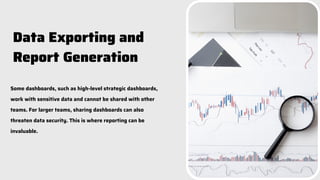
Some dashboards, such as high-level strategic dashboards,
work with sensitive data and cannot be shared with other
teams. For larger teams, sharing dashboards can also
threaten data security. This is where reporting can be
invaluable.
Data Exporting and
Report Generation
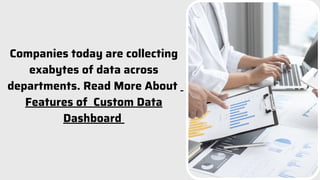
Companies today are collecting
exabytes of data across
departments. Read More About
Features of Custom Data
Dashboard

8 Key Features to Include in Your Custom Data Dashboard PPT.pdf

  • 1.
    8 Key Featuresto Include in Your Custom Data Dashboard
  • 2.
    A dashboard mustexpand to fit all your business intelligence needs. This may not always be possible with off-the-shelf applications. This is why companies hire custom dashboard development company like us. We build flexible custom dashboards that can be easily customized to adapt to business needs. Customizable Interface
  • 3.
    Slides 07 Data visualizationmakes it very easy to identify patterns, trends, and anomalies in any data set. This is especially useful when working with large data sets. When building or choosing a BI dashboard, ensure that it can convert data into key visuals such as a variety of graphs, charts, and heat maps Interactive Visualization
  • 4.
    Data filters area standard feature of any good data dashboard. These filters allow users to zero in on required information by removing some scope of available data. Common filter types include hierarchical filters, multi-tab filters, advanced time filters, and negative filters. Data Filters
  • 5.
    There’s nothing morerelevant than real-time data. Live data is very valuable from a tactical standpoint as it makes teams much more responsive to anomalies as soon as they arise. Real-time Updates
  • 6.
    Slides 07 It’s notjust your customers that are on mobile—your teams are too! In fact, your teams may be logging into work or analyzing data on a variety of devices. This is where cross- device compatibility comes in handy. Cross-Device Accessibility
  • 7.
    The best dashboardsdon’t just improve decision-making and efficiency but also reduce the need for human beings to be involved at all. Unless necessary. Perpetual data monitoring is susceptible to human error. Custom Alerts Functionality
  • 8.
    Data security isof paramount importance when working with dashboards. But security can be compromised when dashboard access is shared across teams and departments. This can be prevented with user accessibility management. User Accessibility Management
  • 9.
    Some dashboards, suchas high-level strategic dashboards, work with sensitive data and cannot be shared with other teams. For larger teams, sharing dashboards can also threaten data security. This is where reporting can be invaluable. Data Exporting and Report Generation
  • 10.
    Companies today arecollecting exabytes of data across departments. Read More About Features of Custom Data Dashboard