7 Tips on Getting
Your Theme Approved
The First Time
Dmitry Mayorov / www.themepatio.com
WordCamp London 2016
Why Release
Your Theme Publicly?
Why Release Your Theme Publicly
-- Give back to the community
-- Get real feedback
-- Become a better designer/developer
1. GPL License
With GPL Users are Free to :
-- Use the theme for any purpose
-- Study the source code
-- Modify the theme
-- Redistribute the theme
How To Make Sure Your
Theme is GPL-friendly?
/*
Theme Name:		Maker
Author:						ThemePatio
Text Domain:	maker
License:					GNU GPL v2 or later
License URI:	http://www.gnu.org/licenses/gpl-2
Declare the License in style.css
=== Maker ===
Contributors:	iamdmitrymayorov
Version:						0.2.0
License:						GNU GPL v2 or later
License URI:		http://www.gnu.org/licenses/gpl-
Tags:									black, gray, red, white, dark, l
Declare the License in readme.txt
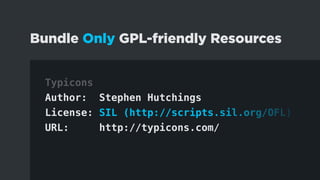
Typicons
Author: Stephen Hutchings
License: SIL (http://scripts.sil.org/OFL)
URL: http://typicons.com/
Bundle Only GPL-friendly Resources
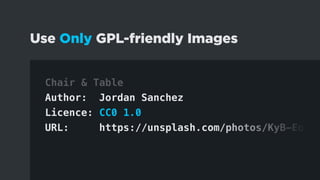
Chair & Table
Author: Jordan Sanchez
Licence: CC0 1.0
URL: https://unsplash.com/photos/KyB-Eo4xS
Use Only GPL-friendly Images
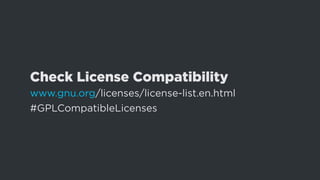
Check License Compatibility
www.gnu.org/licenses/license-list.en.html
#GPLCompatibleLicenses
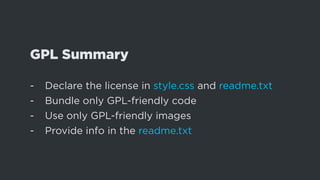
GPL Summary
-- Declare the license in style.css and readme.txt
-- Bundle only GPL-friendly code
-- Use only GPL-friendly images
-- Provide info in the readme.txt
2. Don’t Start From Scratch
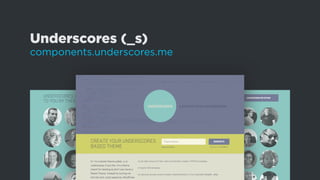
Underscores (_s)
components.underscores.me
Components
components.underscores.me
3. Requirements
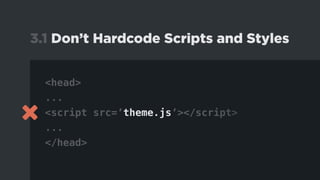
<head>
...
<script src=’theme.js’></script>
...
</head>
3.1 Don’t Hardcode Scripts and Styles
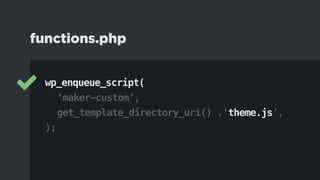
wp_enqueue_script(
		‘maker-custom’,
		get_template_directory_uri() .‘theme.js’,
);
functions.php
wp_enqueue_script(	‘jquery’ );
functions.php
Full List of Bundled Resources
developer.wordpress.org/reference/functions/
wp_enqueue_script/
3.2 Prefix Everything
-- Functions
-- Classes
-- Actions and filters
-- Global variables
-- Database entries
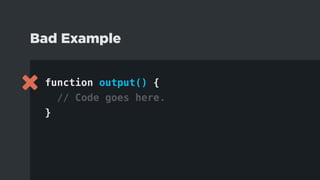
function output() {
// Code goes here.
}
Bad Example
function maker_entry_meta() {
// Code goes here.
}
Good Example
3.3 Validate & Sanitize
sanitize_text_field( $input )
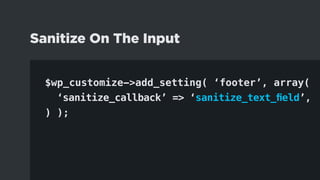
Sanitize On The Input
$wp_customize->add_setting( ‘footer’, array(
		‘sanitize_callback’ => ‘sanitize_text_field’,
) );
Sanitize On The Input
esc_html( $output );
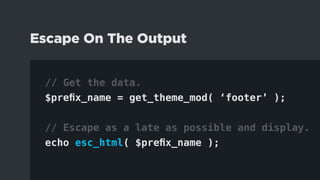
Escape On The Output
// Get the data.
$prefix_name = get_theme_mod( ‘footer’ );
// Escape as a late as possible and display.
echo esc_html( $prefix_name );
Escape On The Output
More Detailed Explanation
codex.wordpress.org/Data_Validation
3.4 Translatable Strings
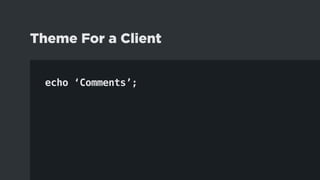
echo ‘Comments’;
Theme For a Client
echo __( ‘Comments’, ‘themeslug’ );
Public Theme
_e( ‘Comments’, ‘themeslug’ );
Public Theme
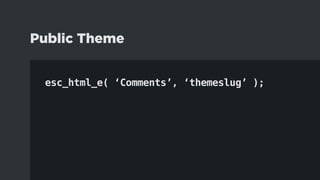
esc_html_e( ‘Comments’, ‘themeslug’ );
Public Theme
More Info On I18N
codex.wordpress.org/I18n_for_WordPress_Developers
3.5 Theme vs. Plugin Territory
More Info on Requirements
make.wordpress.org/themes/handbook/
review/required
4. Learn From Others
4.1. Study Default Themes
4.2 	Study Other Themes
					From the Repository
5. Test
define( ‘WP_DEBUG’, true );
5.1 wp-config.php
5.2 Theme Check Plugin
wordpress.org/plugins/theme-check
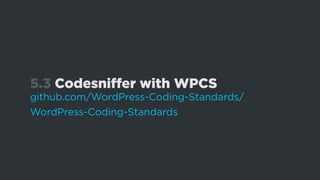
5.3 Codesniffer with WPCS
github.com/WordPress-Coding-Standards/
WordPress-Coding-Standards
5.4 Theme Unit Test
codex.wordpress.org/Theme_Unit_Test
5.5 Monster Widget Plugin
wordpress.org/plugins/theme-check
5.6 Real Content
6. Become a Reviewer
7. Keep It Simple
Questions?
Dmitry Mayorov / www.themepatio.com
WordCamp London 2016

7 Tips on Getting Your Theme Approved the First Time