7Differences Between Custom
Computer Workstations &
Custom Desktops
Ace Computers
575 Lively Blvd.
Elk Grove Village, IL 60007-2013
Contact
877-ACECOMP
(877-223-2667)
www.acecomputers.com
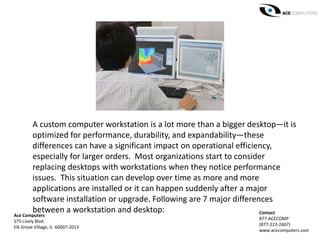
A custom computer workstation is a lot more than a bigger desktop—it is
optimized for performance, durability, and expandability—these
differences can have a significant impact on operational efficiency,
especially for larger orders. Most organizations start to consider
replacing desktops with workstations when they notice performance
issues. This situation can develop over time as more and more
applications are installed or it can happen suddenly after a major
software installation or upgrade. Following are 7 major differences
between a workstation and desktop:
Ace Computers
575 Lively Blvd.
Elk Grove Village, IL 60007-2013
Contact
877-ACECOMP
(877-223-2667)
www.acecomputers.com
1. Power: A desktop has enough power to do the basics such as email,
web surfing, and word processing. But a workstation can handle
animation, data analysis, CAD, video and audio creation and editing, and
even some simulations. A workstation can support multiple professional-
grade graphics cards, while a desktop typically supports only consumer-
grade cards.
2. Durability. The components of a workstation are higher grade than
those of a desktop—mainly because workstations have to work harder.
Each part (motherboard, CPU, RAM, internal drives, video cards, etc.)
is built with the expectation that users need peak performance all day
long; in many cases 24/7. Each component in a workstation is selected
and optimized with the goal of increasing the movement of that data
through the system.
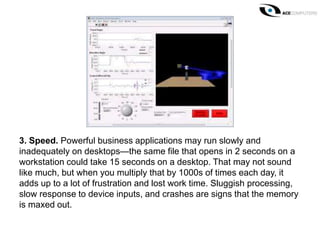
3. Speed. Powerful business applications may run slowly and
inadequately on desktops—the same file that opens in 2 seconds on a
workstation could take 15 seconds on a desktop. That may not sound
like much, but when you multiply that by 1000s of times each day, it
adds up to a lot of frustration and lost work time. Sluggish processing,
slow response to device inputs, and crashes are signs that the memory
is maxed out.
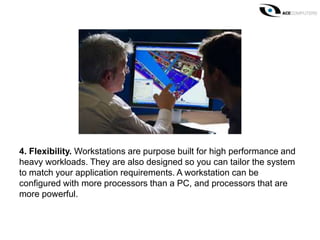
4. Flexibility. Workstations are purpose built for high performance and
heavy workloads. They are also designed so you can tailor the system
to match your application requirements. A workstation can be
configured with more processors than a PC, and processors that are
more powerful.
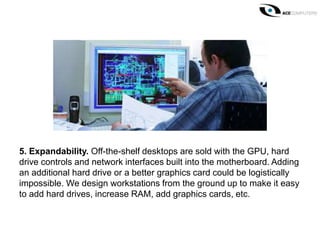
5. Expandability. Off-the-shelf desktops are sold with the GPU, hard
drive controls and network interfaces built into the motherboard. Adding
an additional hard drive or a better graphics card could be logistically
impossible. We design workstations from the ground up to make it easy
to add hard drives, increase RAM, add graphics cards, etc.
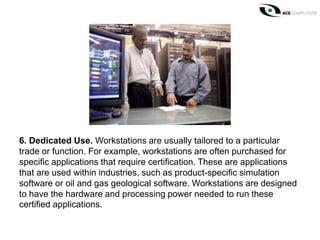
6. Dedicated Use. Workstations are usually tailored to a particular
trade or function. For example, workstations are often purchased for
specific applications that require certification. These are applications
that are used within industries, such as product-specific simulation
software or oil and gas geological software. Workstations are designed
to have the hardware and processing power needed to run these
certified applications.
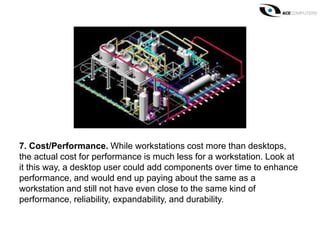
7. Cost/Performance. While workstations cost more than desktops,
the actual cost for performance is much less for a workstation. Look at
it this way, a desktop user could add components over time to enhance
performance, and would end up paying about the same as a
workstation and still not have even close to the same kind of
performance, reliability, expandability, and durability.
There will always be a place for desktops in schools and offices. But
engineers, designers, researchers, and financial analysts running
demanding applications, developing complex graphics, creating digital
content, performing financial computations, etc. will be more
productive, creative, and at ease using a workstation.
Thank you!
Any questions?
Contact Ace Computers
877-ACECOMP/(877-223-2667)
www.acecomputers.com

7 Differences Between Custom Computer Workstations & Custom Desktops

  • 1.
    7Differences Between Custom ComputerWorkstations & Custom Desktops Ace Computers 575 Lively Blvd. Elk Grove Village, IL 60007-2013 Contact 877-ACECOMP (877-223-2667) www.acecomputers.com
  • 2.
    A custom computerworkstation is a lot more than a bigger desktop—it is optimized for performance, durability, and expandability—these differences can have a significant impact on operational efficiency, especially for larger orders. Most organizations start to consider replacing desktops with workstations when they notice performance issues. This situation can develop over time as more and more applications are installed or it can happen suddenly after a major software installation or upgrade. Following are 7 major differences between a workstation and desktop: Ace Computers 575 Lively Blvd. Elk Grove Village, IL 60007-2013 Contact 877-ACECOMP (877-223-2667) www.acecomputers.com
  • 3.
    1. Power: Adesktop has enough power to do the basics such as email, web surfing, and word processing. But a workstation can handle animation, data analysis, CAD, video and audio creation and editing, and even some simulations. A workstation can support multiple professional- grade graphics cards, while a desktop typically supports only consumer- grade cards.
  • 4.
    2. Durability. Thecomponents of a workstation are higher grade than those of a desktop—mainly because workstations have to work harder. Each part (motherboard, CPU, RAM, internal drives, video cards, etc.) is built with the expectation that users need peak performance all day long; in many cases 24/7. Each component in a workstation is selected and optimized with the goal of increasing the movement of that data through the system.
  • 5.
    3. Speed. Powerfulbusiness applications may run slowly and inadequately on desktops—the same file that opens in 2 seconds on a workstation could take 15 seconds on a desktop. That may not sound like much, but when you multiply that by 1000s of times each day, it adds up to a lot of frustration and lost work time. Sluggish processing, slow response to device inputs, and crashes are signs that the memory is maxed out.
  • 6.
    4. Flexibility. Workstationsare purpose built for high performance and heavy workloads. They are also designed so you can tailor the system to match your application requirements. A workstation can be configured with more processors than a PC, and processors that are more powerful.
  • 7.
    5. Expandability. Off-the-shelfdesktops are sold with the GPU, hard drive controls and network interfaces built into the motherboard. Adding an additional hard drive or a better graphics card could be logistically impossible. We design workstations from the ground up to make it easy to add hard drives, increase RAM, add graphics cards, etc.
  • 8.
    6. Dedicated Use.Workstations are usually tailored to a particular trade or function. For example, workstations are often purchased for specific applications that require certification. These are applications that are used within industries, such as product-specific simulation software or oil and gas geological software. Workstations are designed to have the hardware and processing power needed to run these certified applications.
  • 9.
    7. Cost/Performance. Whileworkstations cost more than desktops, the actual cost for performance is much less for a workstation. Look at it this way, a desktop user could add components over time to enhance performance, and would end up paying about the same as a workstation and still not have even close to the same kind of performance, reliability, expandability, and durability.
  • 10.
    There will alwaysbe a place for desktops in schools and offices. But engineers, designers, researchers, and financial analysts running demanding applications, developing complex graphics, creating digital content, performing financial computations, etc. will be more productive, creative, and at ease using a workstation.
  • 11.
    Thank you! Any questions? ContactAce Computers 877-ACECOMP/(877-223-2667) www.acecomputers.com