Chapter 3.6
Debugging Games
2
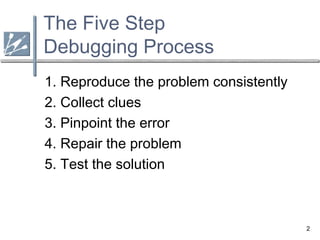
The Five Step
Debugging Process
1. Reproduce the problem consistently
2. Collect clues
3. Pinpoint the error
4. Repair the problem
5. Test the solution
3
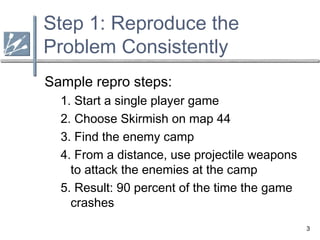
Step 1: Reproduce the
Problem Consistently
Sample repro steps:
1. Start a single player game
2. Choose Skirmish on map 44
3. Find the enemy camp
4. From a distance, use projectile weapons
to attack the enemies at the camp
5. Result: 90 percent of the time the game
crashes
4
Step 2:
Collect Clues
 Each clue a chance to rule out a cause
 Each clue a chance to narrow down the
list of suspects
 Realize that some clues can be
misleading and should be ignored
5
Step 3:
Pinpoint the Error
Two main methods:
1. Propose a Hypothesis

You have an idea what is causing the bug

Design tests to prove or disprove your
hypothesis
2. Divide and Conquer

Narrow down what could be causing the bug
 Eliminate possibilities from the top down or
 Backtrack from the point of failure upward
6
Step 4:
Repair the Problem
 Propose solution
 Consider implications at point in project
 Programmer who wrote the code should
ideally fix the problem (or at least be
consulted)
 Explore other ways the bug could occur
 Ensure underlying problem fixed and not
just a symptom of the problem
7
Step 5:
Test the Solution
 Verify the bug was fixed
 Check original repro steps
 Ideally have someone else
independently verify the fix
 Make sure no new bugs were
introduced
 At the very end of the project, have
other programmers review the fix
8
Expert Debugging Tips
 Question assumptions
 Minimize interactions and interference
 Minimize randomness
 Break complex calculations into steps
 Check boundary conditions
 Disrupt parallel computations
 Exploit tools in the debugger
 Check code that has recently changed
 Explain the bug to someone else
 Debug with a partner
 Take a break from the problem
 Get outside help
9
Tough Debugging Scenarios
 Bug exists in Release but not Debug
 Uninitialized data or optimization issue
 Bug exists on final hardware, not dev-kit
 Find out how they differ – usually memory size or disc emulation
 Bug disappears when changing something innocuous
 Timing or memory overwrite problem
 Intermittent problems
 Record as much info when it does happen
 Unexplainable behavior
 Retry, Rebuild, Reboot, Reinstall
 Internal compiler errors
 Full rebuild, divide and conquer, try other machines
 Suspect it’s not your code
 Check for patches, updates, or reported bugs
 Contact console maker, library maker, or compiler maker
10
Understanding the
Underlying System
 Knowing C or C++ not enough
 Know how the compiler implements code
 Know the details of your hardware

Especially important for console development
 Know how assembly works and be able to
read it

Helps with optimization bugs or compiler issues
11
Adding Infrastructure
to Assist in Debugging
 Alter game variables during gameplay
 Visual AI diagnostics
 Logging capability
 Recording and playback capability
 Track memory allocation
 Print as much information as possible on a
crash
 Educate your entire team
 testers, artists, designers, producers
12
Prevention of Bugs
 Set compiler to highest warning level
 Set compiler warnings to be errors
 Compiler on multiple compilers
 Write your own memory manager
 Use asserts to verify assumptions
 Initialize variables when they are declared
 Bracket loops and if statements
 Use cognitively different variable names
 Avoid identical code in multiple places
 Avoid magic (hardcoded) numbers
 Verify code coverage when testing

3.6 debugging games

  • 1.
  • 2.
    2 The Five Step DebuggingProcess 1. Reproduce the problem consistently 2. Collect clues 3. Pinpoint the error 4. Repair the problem 5. Test the solution
  • 3.
    3 Step 1: Reproducethe Problem Consistently Sample repro steps: 1. Start a single player game 2. Choose Skirmish on map 44 3. Find the enemy camp 4. From a distance, use projectile weapons to attack the enemies at the camp 5. Result: 90 percent of the time the game crashes
  • 4.
    4 Step 2: Collect Clues Each clue a chance to rule out a cause  Each clue a chance to narrow down the list of suspects  Realize that some clues can be misleading and should be ignored
  • 5.
    5 Step 3: Pinpoint theError Two main methods: 1. Propose a Hypothesis  You have an idea what is causing the bug  Design tests to prove or disprove your hypothesis 2. Divide and Conquer  Narrow down what could be causing the bug  Eliminate possibilities from the top down or  Backtrack from the point of failure upward
  • 6.
    6 Step 4: Repair theProblem  Propose solution  Consider implications at point in project  Programmer who wrote the code should ideally fix the problem (or at least be consulted)  Explore other ways the bug could occur  Ensure underlying problem fixed and not just a symptom of the problem
  • 7.
    7 Step 5: Test theSolution  Verify the bug was fixed  Check original repro steps  Ideally have someone else independently verify the fix  Make sure no new bugs were introduced  At the very end of the project, have other programmers review the fix
  • 8.
    8 Expert Debugging Tips Question assumptions  Minimize interactions and interference  Minimize randomness  Break complex calculations into steps  Check boundary conditions  Disrupt parallel computations  Exploit tools in the debugger  Check code that has recently changed  Explain the bug to someone else  Debug with a partner  Take a break from the problem  Get outside help
  • 9.
    9 Tough Debugging Scenarios Bug exists in Release but not Debug  Uninitialized data or optimization issue  Bug exists on final hardware, not dev-kit  Find out how they differ – usually memory size or disc emulation  Bug disappears when changing something innocuous  Timing or memory overwrite problem  Intermittent problems  Record as much info when it does happen  Unexplainable behavior  Retry, Rebuild, Reboot, Reinstall  Internal compiler errors  Full rebuild, divide and conquer, try other machines  Suspect it’s not your code  Check for patches, updates, or reported bugs  Contact console maker, library maker, or compiler maker
  • 10.
    10 Understanding the Underlying System Knowing C or C++ not enough  Know how the compiler implements code  Know the details of your hardware  Especially important for console development  Know how assembly works and be able to read it  Helps with optimization bugs or compiler issues
  • 11.
    11 Adding Infrastructure to Assistin Debugging  Alter game variables during gameplay  Visual AI diagnostics  Logging capability  Recording and playback capability  Track memory allocation  Print as much information as possible on a crash  Educate your entire team  testers, artists, designers, producers
  • 12.
    12 Prevention of Bugs Set compiler to highest warning level  Set compiler warnings to be errors  Compiler on multiple compilers  Write your own memory manager  Use asserts to verify assumptions  Initialize variables when they are declared  Bracket loops and if statements  Use cognitively different variable names  Avoid identical code in multiple places  Avoid magic (hardcoded) numbers  Verify code coverage when testing