Authors: Barry Crocock   Janet Copeland   Raewyn McKenna External Data Sources, Web Objects, Data Objects t44u User & Partner Conference 2009
External Data Sources What are External Sources? External  Data Sources SharePoint Alfresco Data Objects Database sources Web Objects URLs Why use External Sources? Add External Content to Site Manager t44u User & Partner Conference 2009
External Data Sources External Data Sources SharePoint Alfresco For use in the Media Library t44u User & Partner Conference 2009
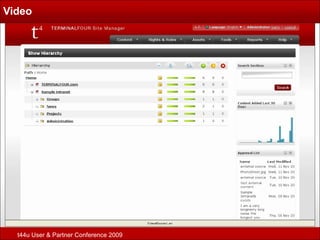
External Data Sources Video Demonstration t44u User & Partner Conference 2009
Video t44u User & Partner Conference 2009
Web Object Broker Available since version 6.1 Site Manager. Can be configured to follow links on the target URL to import more than one page. On publish – content pulled in from http/https location and  imbedded within the published HTML. t44u User & Partner Conference 2009
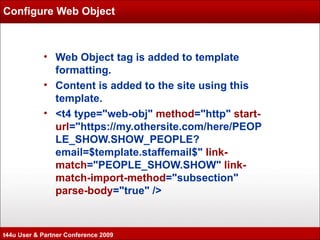
Configure Web Object Web Object tag is added to template formatting. Content is added to the site using this template. <t4 type=&quot;web-obj&quot;  method =&quot;http&quot;  start-url =&quot;https://my.othersite.com/here/PEOPLE_SHOW.SHOW_PEOPLE?email=$template.staffemail$&quot;  link-match =&quot;PEOPLE_SHOW.SHOW&quot;  link-match-import-method =&quot;subsection&quot;  parse-body =&quot;true&quot; /> t44u User & Partner Conference 2009
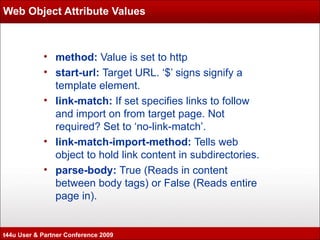
Web Object Attribute Values method:  Value is set to http start-url:  Target URL. ‘$’ signs signify a template element. link-match:  If set specifies links to follow and import on from target page. Not required? Set to ‘no-link-match’. link-match-import-method:  Tells web object to hold link content in subdirectories. parse-body:  True (Reads in content between body tags) or False (Reads entire page in). t44u User & Partner Conference 2009
Web Object Example Implement Web Object Example t44u User & Partner Conference 2009
Data Object Broker Available since version 6.2 Site Manager. Can be used to retrieve specific data from an external database or an RSS feed. On publish – data is pulled in from specified source and imbedded within the published HTML. t44u User & Partner Conference 2009
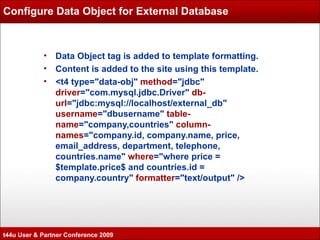
Configure Data Object for External Database Data Object tag is added to template formatting. Content is added to the site using this template. <t4 type=&quot;data-obj&quot;  method =&quot;jdbc&quot;  driver =&quot;com.mysql.jdbc.Driver&quot;  db-url =&quot;jdbc:mysql://localhost/external_db&quot;  username =&quot;dbusername&quot;  table-name =&quot;company,countries&quot;  column-names =&quot;company.id, company.name, price, email_address, department, telephone, countries.name&quot;  where =&quot;where price = $template.price$ and countries.id = company.country&quot;  formatter =&quot;text/output&quot; /> t44u User & Partner Conference 2009
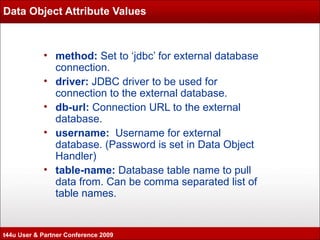
Data Object Attribute Values method:  Set to ‘jdbc’ for external database connection. driver:  JDBC driver to be used for connection to the external database. db-url:  Connection URL to the external database. username:  Username for external database. (Password is set in Data Object Handler) table-name:  Database table name to pull data from. Can be comma separated list of table names. t44u User & Partner Conference 2009
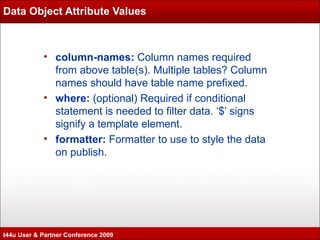
Data Object Attribute Values column-names:  Column names required from above table(s). Multiple tables? Column names should have table name prefixed. where:  (optional) Required if conditional statement is needed to filter data. ‘$’ signs signify a template element. formatter:  Formatter to use to style the data on publish. t44u User & Partner Conference 2009
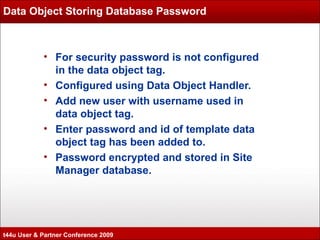
Data Object Storing Database Password For security password is not configured in the data object tag. Configured using Data Object Handler. Add new user with username used in data object tag.  Enter password and id of template data object tag has been added to. Password encrypted and stored in Site Manager database. t44u User & Partner Conference 2009
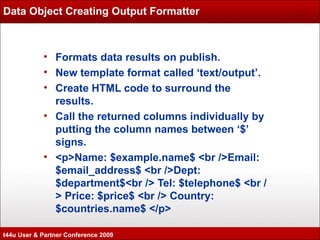
Data Object Creating Output Formatter Formats data results on publish. New template format called ‘text/output’. Create HTML code to surround the results. Call the returned columns individually by putting the column names between ‘$’ signs. <p>Name: $example.name$ <br />Email: $email_address$ <br />Dept: $department$<br /> Tel: $telephone$ <br /> Price: $price$ <br /> Country: $countries.name$ </p> t44u User & Partner Conference 2009
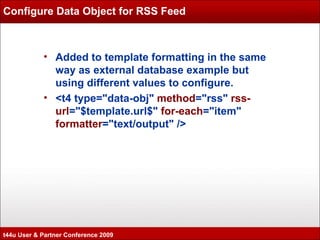
Configure Data Object for RSS Feed Added to template formatting in the same way as external database example but using different values to configure. <t4 type=&quot;data-obj&quot;  method =&quot;rss&quot;  rss-url =&quot;$template.url$&quot;  for-each =&quot;item&quot;  formatter =&quot;text/output&quot; /> t44u User & Partner Conference 2009
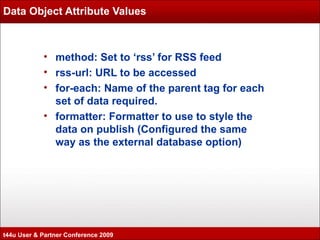
Data Object Attribute Values method: Set to ‘rss’ for RSS feed rss-url: URL to be accessed for-each: Name of the parent tag for each set of data required. formatter: Formatter to use to style the data on publish (Configured the same way as the external database option) t44u User & Partner Conference 2009
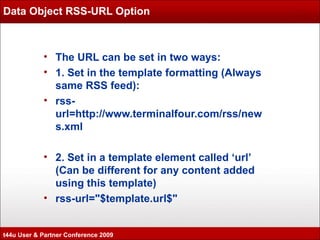
Data Object RSS-URL Option The URL can be set in two ways: 1. Set in the template formatting (Always same RSS feed): rss-url=http://www.terminalfour.com/rss/news.xml 2. Set in a template element called ‘url’ (Can be different for any content added using this template) rss-url=&quot;$template.url$&quot; t44u User & Partner Conference 2009
Data Object Example Implement Data Object Example t44u User & Partner Conference 2009
External Data Sources, Web Objects, Data Objects Questions t44u User & Partner Conference 2009

TERMINALFOUR t44u 2009 - Data objects, Web object & External Sources

  • 1.
    Authors: Barry Crocock Janet Copeland Raewyn McKenna External Data Sources, Web Objects, Data Objects t44u User & Partner Conference 2009
  • 2.
    External Data SourcesWhat are External Sources? External Data Sources SharePoint Alfresco Data Objects Database sources Web Objects URLs Why use External Sources? Add External Content to Site Manager t44u User & Partner Conference 2009
  • 3.
    External Data SourcesExternal Data Sources SharePoint Alfresco For use in the Media Library t44u User & Partner Conference 2009
  • 4.
    External Data SourcesVideo Demonstration t44u User & Partner Conference 2009
  • 5.
    Video t44u User& Partner Conference 2009
  • 6.
    Web Object BrokerAvailable since version 6.1 Site Manager. Can be configured to follow links on the target URL to import more than one page. On publish – content pulled in from http/https location and imbedded within the published HTML. t44u User & Partner Conference 2009
  • 7.
    Configure Web ObjectWeb Object tag is added to template formatting. Content is added to the site using this template. <t4 type=&quot;web-obj&quot; method =&quot;http&quot; start-url =&quot;https://my.othersite.com/here/PEOPLE_SHOW.SHOW_PEOPLE?email=$template.staffemail$&quot; link-match =&quot;PEOPLE_SHOW.SHOW&quot; link-match-import-method =&quot;subsection&quot; parse-body =&quot;true&quot; /> t44u User & Partner Conference 2009
  • 8.
    Web Object AttributeValues method: Value is set to http start-url: Target URL. ‘$’ signs signify a template element. link-match: If set specifies links to follow and import on from target page. Not required? Set to ‘no-link-match’. link-match-import-method: Tells web object to hold link content in subdirectories. parse-body: True (Reads in content between body tags) or False (Reads entire page in). t44u User & Partner Conference 2009
  • 9.
    Web Object ExampleImplement Web Object Example t44u User & Partner Conference 2009
  • 10.
    Data Object BrokerAvailable since version 6.2 Site Manager. Can be used to retrieve specific data from an external database or an RSS feed. On publish – data is pulled in from specified source and imbedded within the published HTML. t44u User & Partner Conference 2009
  • 11.
    Configure Data Objectfor External Database Data Object tag is added to template formatting. Content is added to the site using this template. <t4 type=&quot;data-obj&quot; method =&quot;jdbc&quot; driver =&quot;com.mysql.jdbc.Driver&quot; db-url =&quot;jdbc:mysql://localhost/external_db&quot; username =&quot;dbusername&quot; table-name =&quot;company,countries&quot; column-names =&quot;company.id, company.name, price, email_address, department, telephone, countries.name&quot; where =&quot;where price = $template.price$ and countries.id = company.country&quot; formatter =&quot;text/output&quot; /> t44u User & Partner Conference 2009
  • 12.
    Data Object AttributeValues method: Set to ‘jdbc’ for external database connection. driver: JDBC driver to be used for connection to the external database. db-url: Connection URL to the external database. username: Username for external database. (Password is set in Data Object Handler) table-name: Database table name to pull data from. Can be comma separated list of table names. t44u User & Partner Conference 2009
  • 13.
    Data Object AttributeValues column-names: Column names required from above table(s). Multiple tables? Column names should have table name prefixed. where: (optional) Required if conditional statement is needed to filter data. ‘$’ signs signify a template element. formatter: Formatter to use to style the data on publish. t44u User & Partner Conference 2009
  • 14.
    Data Object StoringDatabase Password For security password is not configured in the data object tag. Configured using Data Object Handler. Add new user with username used in data object tag. Enter password and id of template data object tag has been added to. Password encrypted and stored in Site Manager database. t44u User & Partner Conference 2009
  • 15.
    Data Object CreatingOutput Formatter Formats data results on publish. New template format called ‘text/output’. Create HTML code to surround the results. Call the returned columns individually by putting the column names between ‘$’ signs. <p>Name: $example.name$ <br />Email: $email_address$ <br />Dept: $department$<br /> Tel: $telephone$ <br /> Price: $price$ <br /> Country: $countries.name$ </p> t44u User & Partner Conference 2009
  • 16.
    Configure Data Objectfor RSS Feed Added to template formatting in the same way as external database example but using different values to configure. <t4 type=&quot;data-obj&quot; method =&quot;rss&quot; rss-url =&quot;$template.url$&quot; for-each =&quot;item&quot; formatter =&quot;text/output&quot; /> t44u User & Partner Conference 2009
  • 17.
    Data Object AttributeValues method: Set to ‘rss’ for RSS feed rss-url: URL to be accessed for-each: Name of the parent tag for each set of data required. formatter: Formatter to use to style the data on publish (Configured the same way as the external database option) t44u User & Partner Conference 2009
  • 18.
    Data Object RSS-URLOption The URL can be set in two ways: 1. Set in the template formatting (Always same RSS feed): rss-url=http://www.terminalfour.com/rss/news.xml 2. Set in a template element called ‘url’ (Can be different for any content added using this template) rss-url=&quot;$template.url$&quot; t44u User & Partner Conference 2009
  • 19.
    Data Object ExampleImplement Data Object Example t44u User & Partner Conference 2009
  • 20.
    External Data Sources,Web Objects, Data Objects Questions t44u User & Partner Conference 2009

Editor's Notes