Module 2.2
1
Module 2.2
2
Introduction
Techniques and tools of cybercrimes
Categories of computer crime
Protecting yourself against computer crime
Test and improve
3
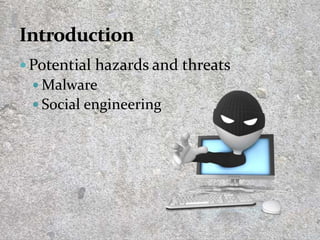
 Potential hazards and threats
 Malware
 Social engineering
4
Any attempt to manipulate or ‘con’ someone into
giving out confidential information (password or
account number) which can be used to impersonate
them, to install malware, etc.
5
Any software that is written with negative intentions.
6
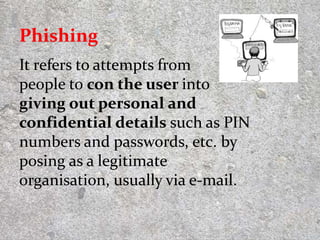
It refers to attempts from
people to con the user into
giving out personal and
confidential details such as PIN
numbers and passwords, etc. by
posing as a legitimate
organisation, usually via e-mail.
7
Phishing
Scamming practice where user is
redirected to another (fake) website even
when the user types in a ‘valid’ URL in
their browser. The criminal can then use
any data the user enters.
8
An attack where a site appears to one
thing but your clicks are redirected to do
something else.
9
CLICK
E-mail spoofing is the forgery
of an e-mail header so that
the e-mail appears to be from a
different origin (or person).
10
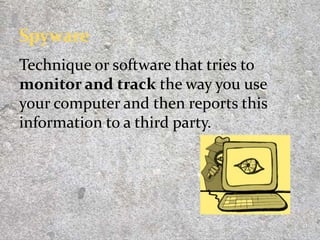
Technique or software that tries to
monitor and track the way you use
your computer and then reports this
information to a third party.
11
Kind of spyware that records your
keystrokes as you type (even the
movements of your mouse, screenshots
of what is displayed on your screen) in
an attempt to discover your usernames
and passwords.
12
Malware written to disrupt the normal
functioning of a person’s computer
without their knowledge or consent.
 Used to turn your computer into a ‘bot’
 to spread malware or
 to create security loopholes for other
programs to exploit.
13
A computer worm is malware that is able
to distribute itself over a network,
normally via e-mail, without a person
having run an infected program.
14
Type of malware which is a destructive
program disguised as a useful
application. Could delete files on your
computer, scan your computer
for personal information.
They rely on you to activate them.
15
Malware that encrypts data (making it
unavailable) until you pay a ransom fee.
16
PAY UP!
Software that downloads onto your
computer and bombards your computer
with adverts that pop-up whenever you
are connected to the internet.
17
! !
A computer that has been compromised
(or infected) and can be controlled
remotely when it is on and connected to
the internet. Also called a ‘zombie’.
18
19
20
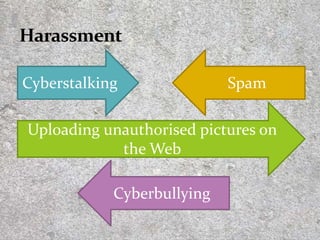
Cyberstalking Spam
Uploading unauthorised pictures on
the Web
Cyberbullying
21
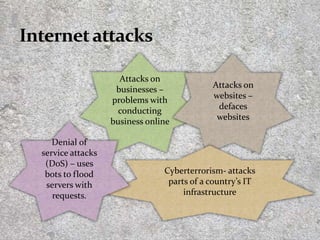
Attacks on
businesses –
problems with
conducting
business online
Attacks on
websites –
defaces
websites
Cyberterrorism- attacks
parts of a country’s IT
infrastructure
Denial of
service attacks
(DoS) – uses
bots to flood
servers with
requests.
22
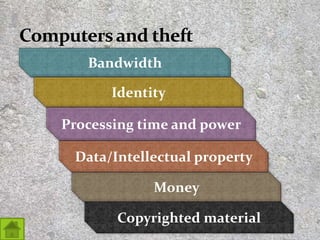
Bandwidth
Identity
Processing time and power
Money
Copyrighted material
Data/Intellectual property
23
24
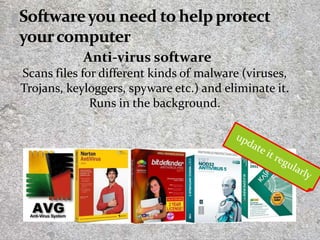
Anti-virus software
Scans files for different kinds of malware (viruses,
Trojans, keyloggers, spyware etc.) and eliminate it.
Runs in the background.
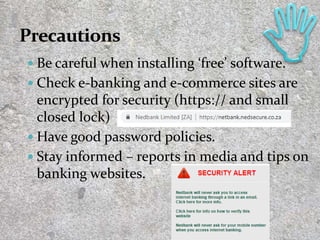
 Be careful when installing ‘free’ software.
 Check e-banking and e-commerce sites are
encrypted for security (https:// and small
closed lock)
 Have good password policies.
 Stay informed – reports in media and tips on
banking websites.
25
 Don’t give out personal information such as
ID number.
 Don’t click on links in pop-ups. Close it
immediately.
 Don’t click on links in phishing emails.
 Don’t open attachments or programs unless
you are sure of what they are.
 Don’t perform financial transactions on
public computers.
26
 If your workplace/school has computer usage
policy you have accepted, other people might
have access to your files
 If you work on someone else’s computer, they
can claim access to your data files
 Free online services can use your data as
adverts (Instagram, email).
 Online services such as Facebook own
everything you post to the site.
27
28
29


2_2 DangersComputerCrime.pptx

  • 1.
  • 2.
  • 3.
    Introduction Techniques and toolsof cybercrimes Categories of computer crime Protecting yourself against computer crime Test and improve 3
  • 4.
     Potential hazardsand threats  Malware  Social engineering 4
  • 5.
    Any attempt tomanipulate or ‘con’ someone into giving out confidential information (password or account number) which can be used to impersonate them, to install malware, etc. 5 Any software that is written with negative intentions.
  • 6.
  • 7.
    It refers toattempts from people to con the user into giving out personal and confidential details such as PIN numbers and passwords, etc. by posing as a legitimate organisation, usually via e-mail. 7 Phishing
  • 8.
    Scamming practice whereuser is redirected to another (fake) website even when the user types in a ‘valid’ URL in their browser. The criminal can then use any data the user enters. 8
  • 9.
    An attack wherea site appears to one thing but your clicks are redirected to do something else. 9 CLICK
  • 10.
    E-mail spoofing isthe forgery of an e-mail header so that the e-mail appears to be from a different origin (or person). 10
  • 11.
    Technique or softwarethat tries to monitor and track the way you use your computer and then reports this information to a third party. 11
  • 12.
    Kind of spywarethat records your keystrokes as you type (even the movements of your mouse, screenshots of what is displayed on your screen) in an attempt to discover your usernames and passwords. 12
  • 13.
    Malware written todisrupt the normal functioning of a person’s computer without their knowledge or consent.  Used to turn your computer into a ‘bot’  to spread malware or  to create security loopholes for other programs to exploit. 13
  • 14.
    A computer wormis malware that is able to distribute itself over a network, normally via e-mail, without a person having run an infected program. 14
  • 15.
    Type of malwarewhich is a destructive program disguised as a useful application. Could delete files on your computer, scan your computer for personal information. They rely on you to activate them. 15
  • 16.
    Malware that encryptsdata (making it unavailable) until you pay a ransom fee. 16 PAY UP!
  • 17.
    Software that downloadsonto your computer and bombards your computer with adverts that pop-up whenever you are connected to the internet. 17 ! !
  • 18.
    A computer thathas been compromised (or infected) and can be controlled remotely when it is on and connected to the internet. Also called a ‘zombie’. 18
  • 19.
  • 20.
    20 Cyberstalking Spam Uploading unauthorisedpictures on the Web Cyberbullying
  • 21.
    21 Attacks on businesses – problemswith conducting business online Attacks on websites – defaces websites Cyberterrorism- attacks parts of a country’s IT infrastructure Denial of service attacks (DoS) – uses bots to flood servers with requests.
  • 22.
    22 Bandwidth Identity Processing time andpower Money Copyrighted material Data/Intellectual property
  • 23.
  • 24.
    24 Anti-virus software Scans filesfor different kinds of malware (viruses, Trojans, keyloggers, spyware etc.) and eliminate it. Runs in the background.
  • 25.
     Be carefulwhen installing ‘free’ software.  Check e-banking and e-commerce sites are encrypted for security (https:// and small closed lock)  Have good password policies.  Stay informed – reports in media and tips on banking websites. 25
  • 26.
     Don’t giveout personal information such as ID number.  Don’t click on links in pop-ups. Close it immediately.  Don’t click on links in phishing emails.  Don’t open attachments or programs unless you are sure of what they are.  Don’t perform financial transactions on public computers. 26
  • 27.
     If yourworkplace/school has computer usage policy you have accepted, other people might have access to your files  If you work on someone else’s computer, they can claim access to your data files  Free online services can use your data as adverts (Instagram, email).  Online services such as Facebook own everything you post to the site. 27
  • 28.
  • 29.