





SharePoint & Office 365 Senior Consultant | Create IT
miguel.isidoro@create.pt / (+351) 96 252 15 50
https://www.linkedin.com/in/miguelisidoro/
2
Summary
SharePoint 2019
 SharePoint History
 What’s New for End Users
 What’s New for IT Pros
 What’s New for Developers
 What’s New for Business Process Management
 Hybrid Scenarios
 Deprecated and Removed Features
SharePoint
History
4
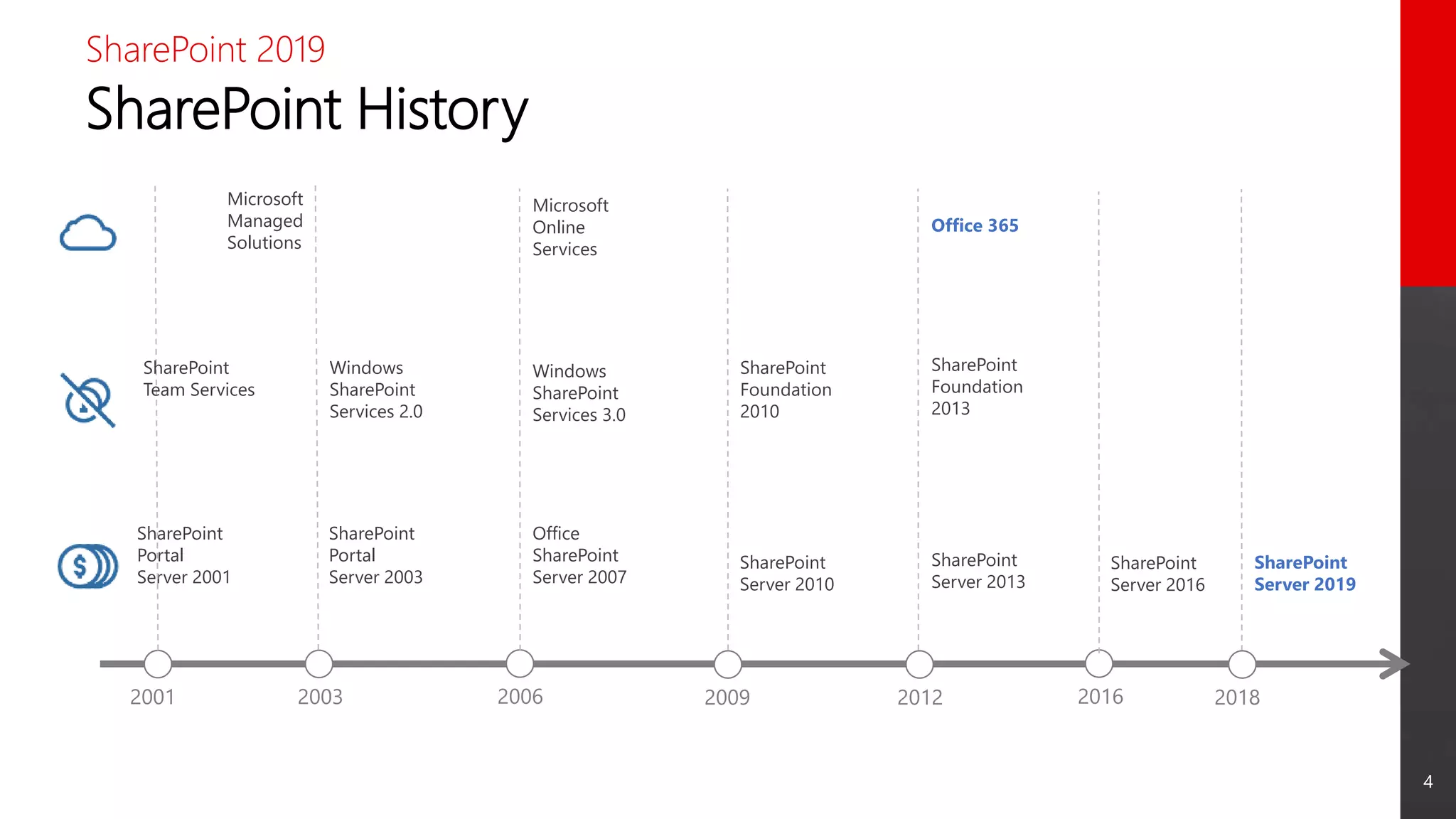
SharePoint History
SharePoint 2019
2001 2003 2006 2009 2012 2016
SharePoint
Portal
Server 2001
SharePoint
Portal
Server 2003
Office
SharePoint
Server 2007
SharePoint
Server 2010
SharePoint
Server 2013
SharePoint
Server 2019
Windows
SharePoint
Services 2.0
Windows
SharePoint
Services 3.0
SharePoint
Foundation
2010
SharePoint
Foundation
2013
Office 365
Microsoft
Online
Services
Microsoft
Managed
Solutions
SharePoint
Team Services
2018
SharePoint
Server 2016
What’s New for
End Users
6
New Features
SharePoint 2019: What’s New for End Users
 Fast Site Creation
 Modern Team Sites
 Modern Communication Sites
 Modern Lists
 Modern Libraries
 Modern Pages
 Modern Web Parts
 Mobile Friendly
 OneDrive Sync
 Search
7
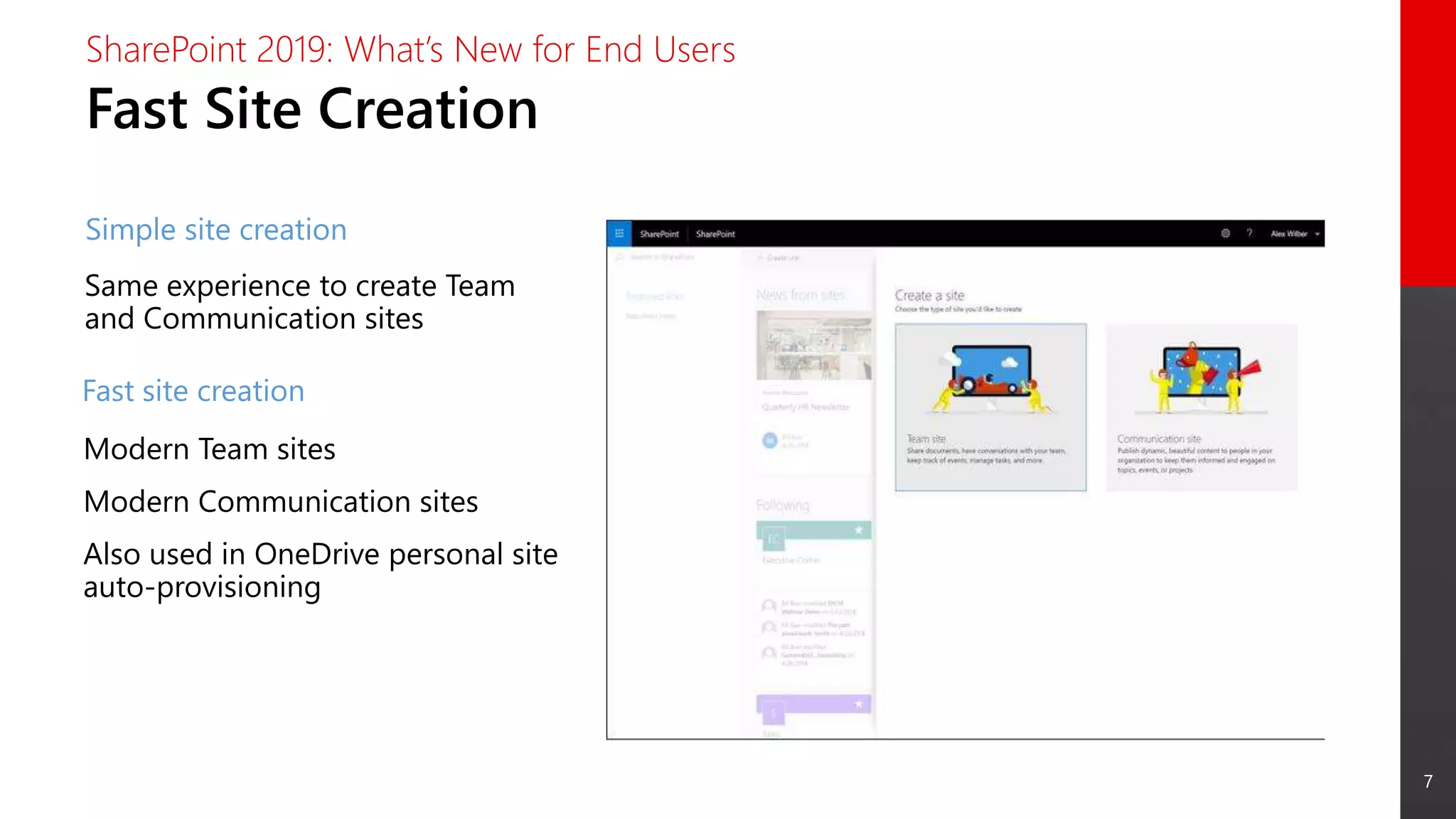
Fast Site Creation
SharePoint 2019: What’s New for End Users
Simple site creation
Modern Team sites
Modern Communication sites
Also used in OneDrive personal site
auto-provisioning
Fast site creation
Same experience to create Team
and Communication sites
8
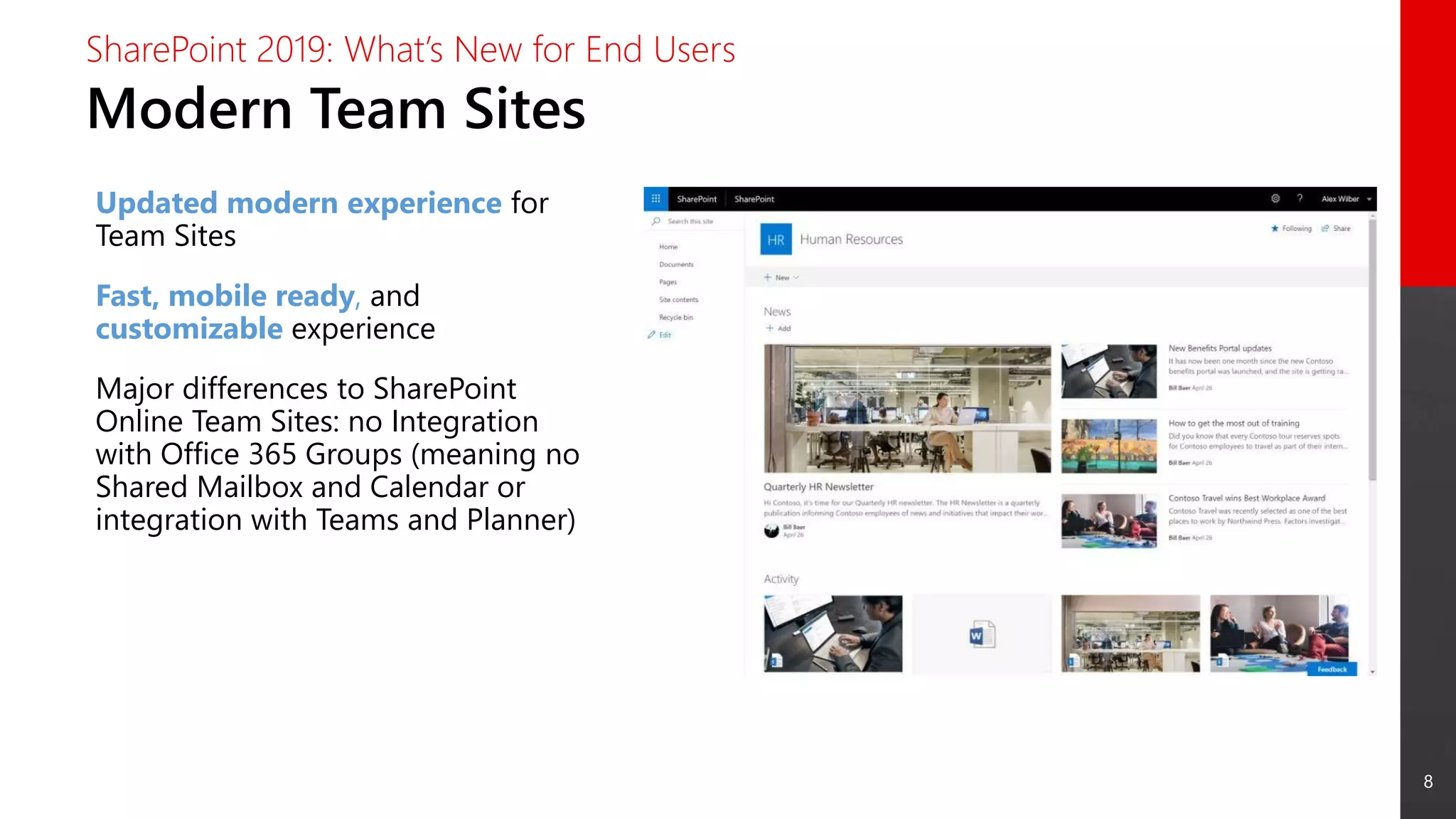
Modern Team Sites
SharePoint 2019: What’s New for End Users
Updated modern experience for
Team Sites
Fast, mobile ready, and
customizable experience
Major differences to SharePoint
Online Team Sites: no Integration
with Office 365 Groups (meaning no
Shared Mailbox and Calendar or
integration with Teams and Planner)
9
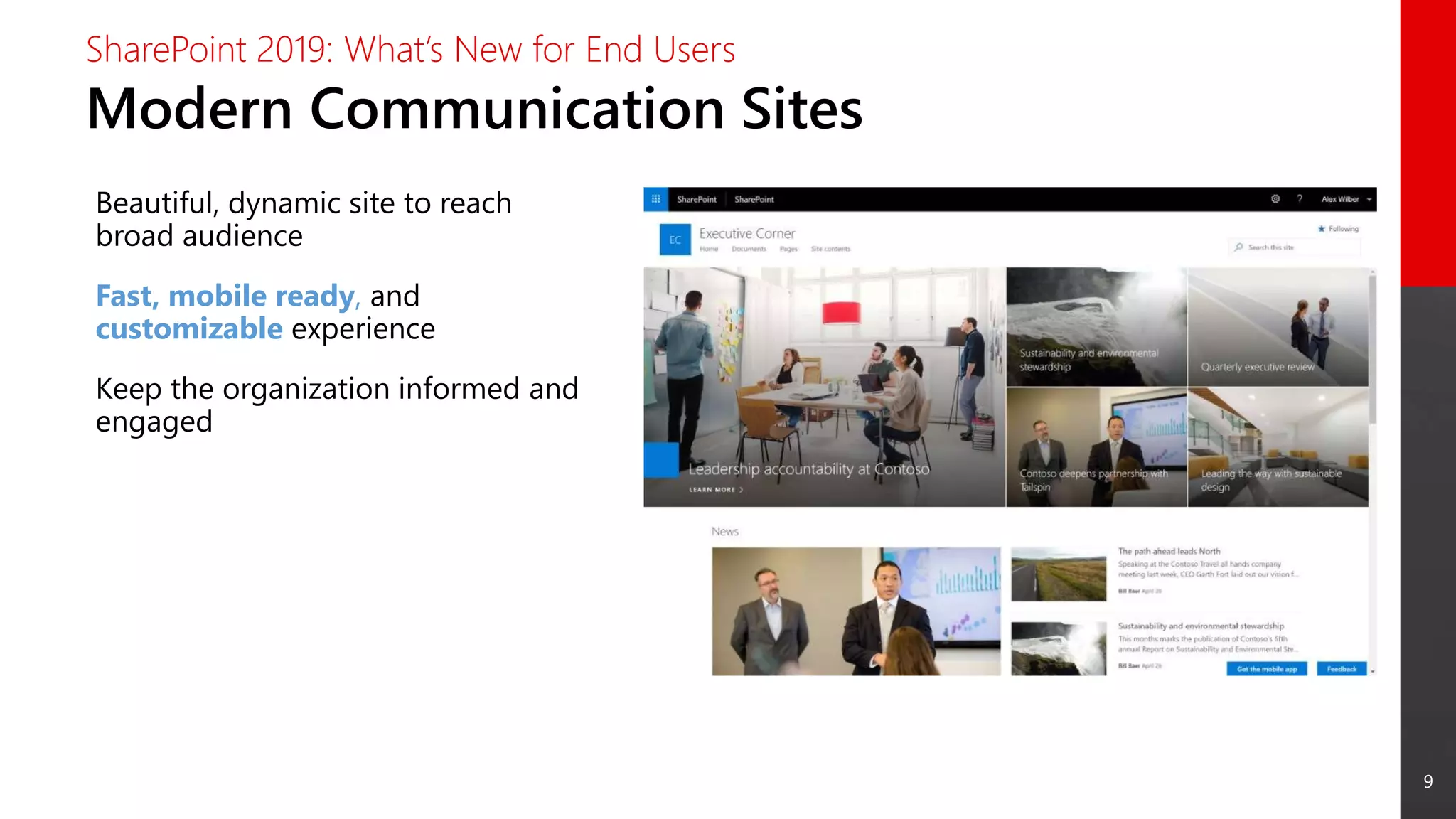
Modern Communication Sites
SharePoint 2019: What’s New for End Users
Beautiful, dynamic site to reach
broad audience
Fast, mobile ready, and
customizable experience
Keep the organization informed and
engaged
10
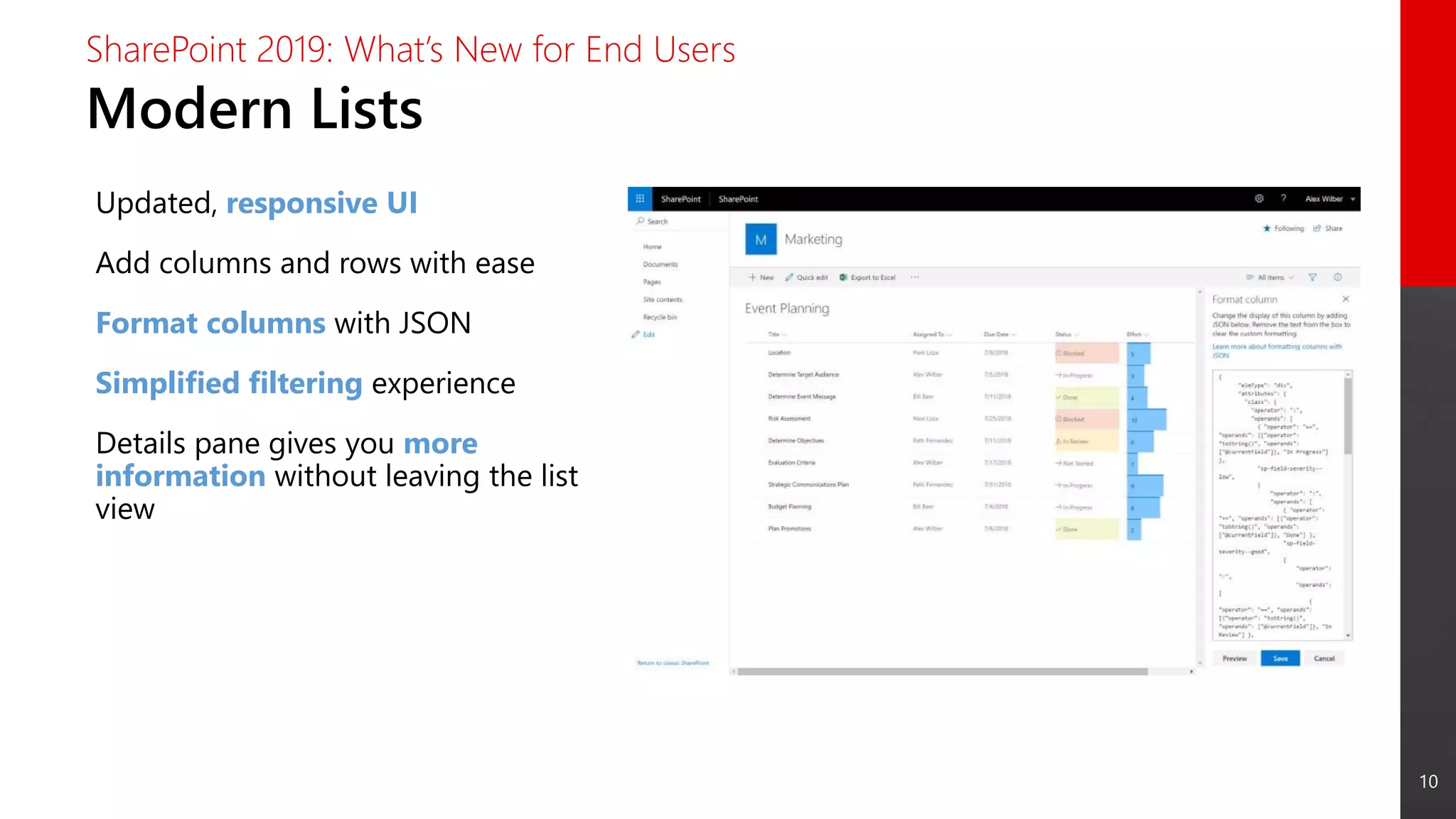
Modern Lists
SharePoint 2019: What’s New for End Users
Updated, responsive UI
Add columns and rows with ease
Format columns with JSON
Simplified filtering experience
Details pane gives you more
information without leaving the list
view
11
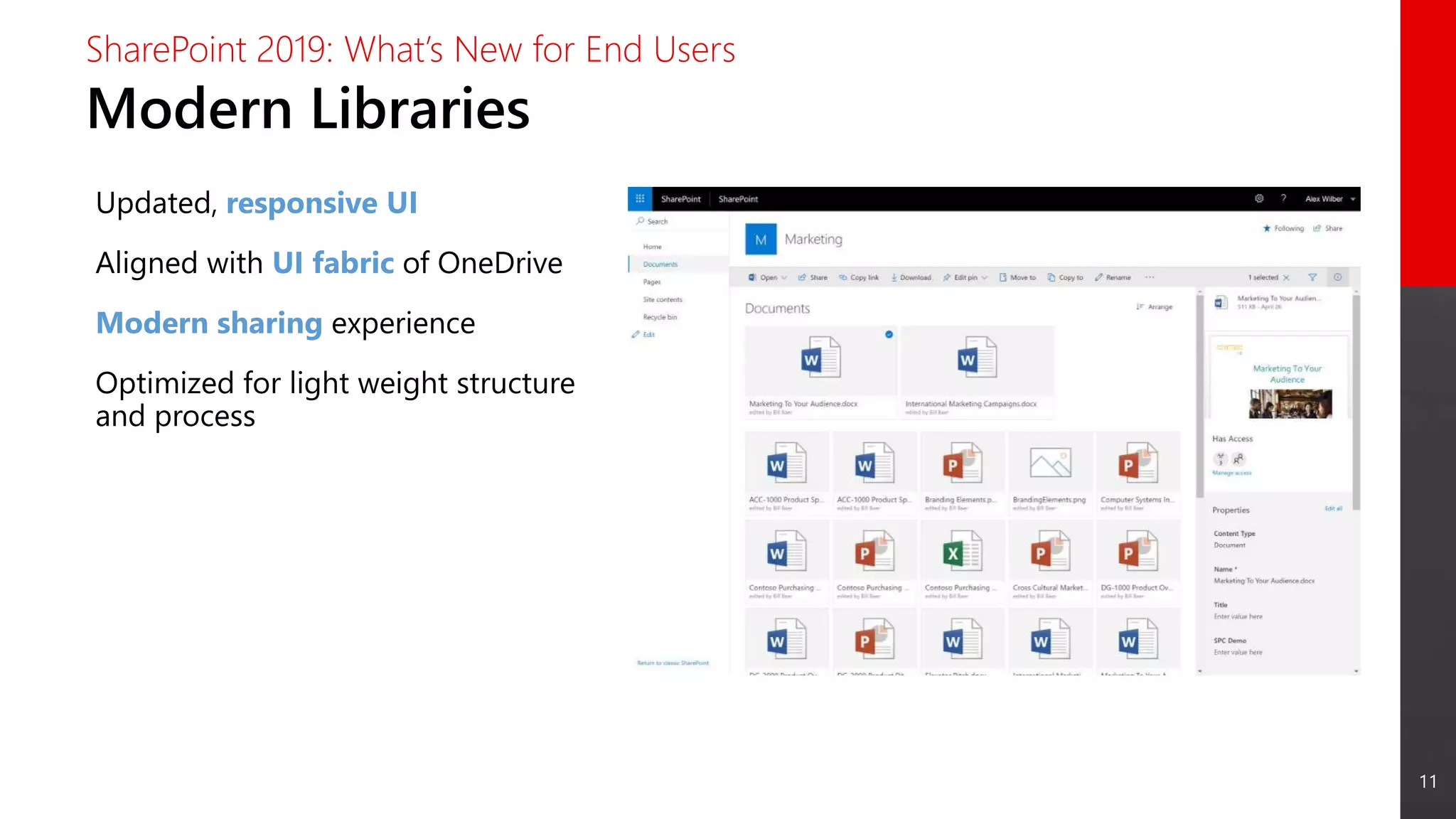
Modern Libraries
SharePoint 2019: What’s New for End Users
Updated, responsive UI
Aligned with UI fabric of OneDrive
Modern sharing experience
Optimized for light weight structure
and process
12
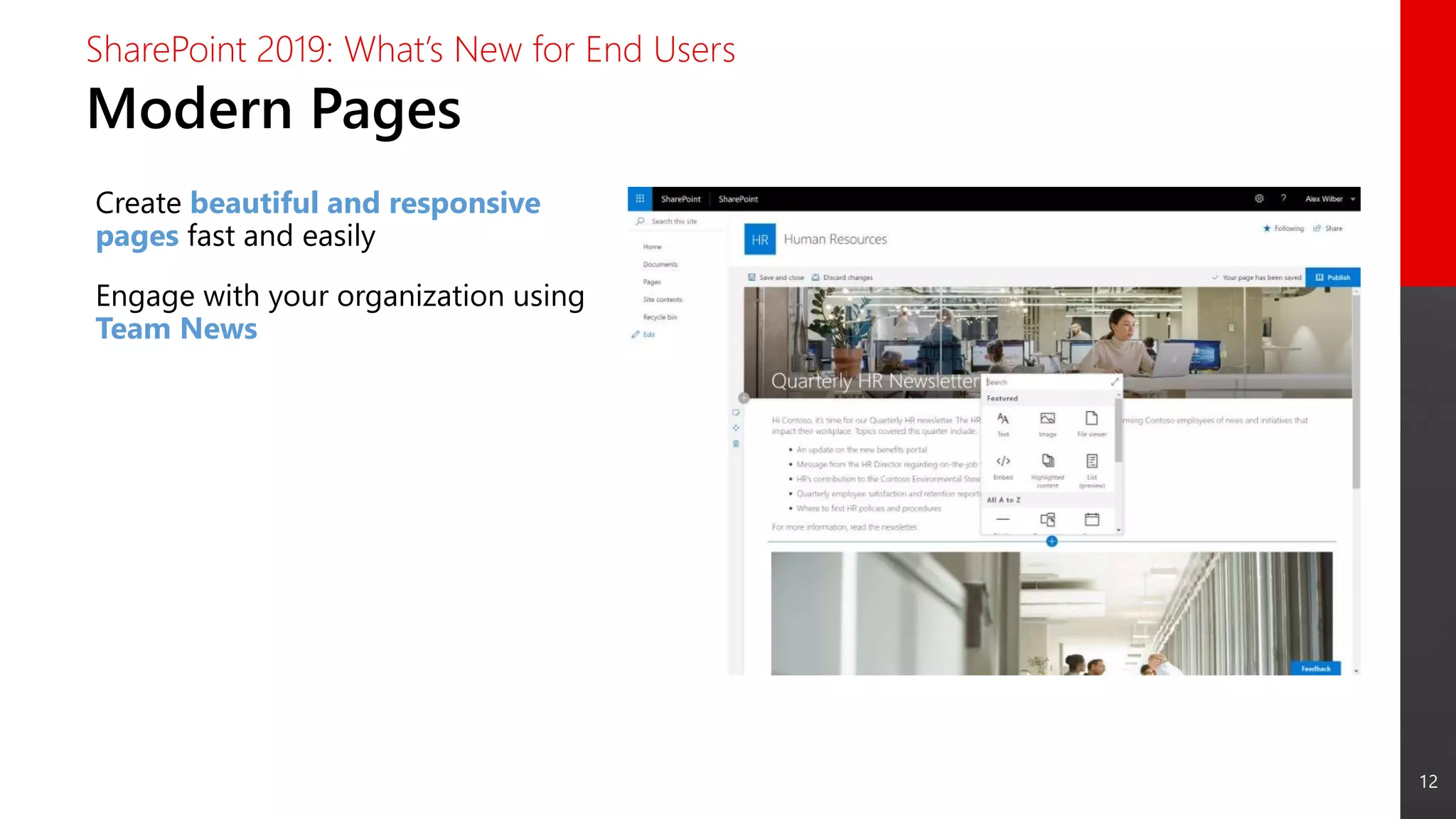
Modern Pages
SharePoint 2019: What’s New for End Users
Create beautiful and responsive
pages fast and easily
Engage with your organization using
Team News
13
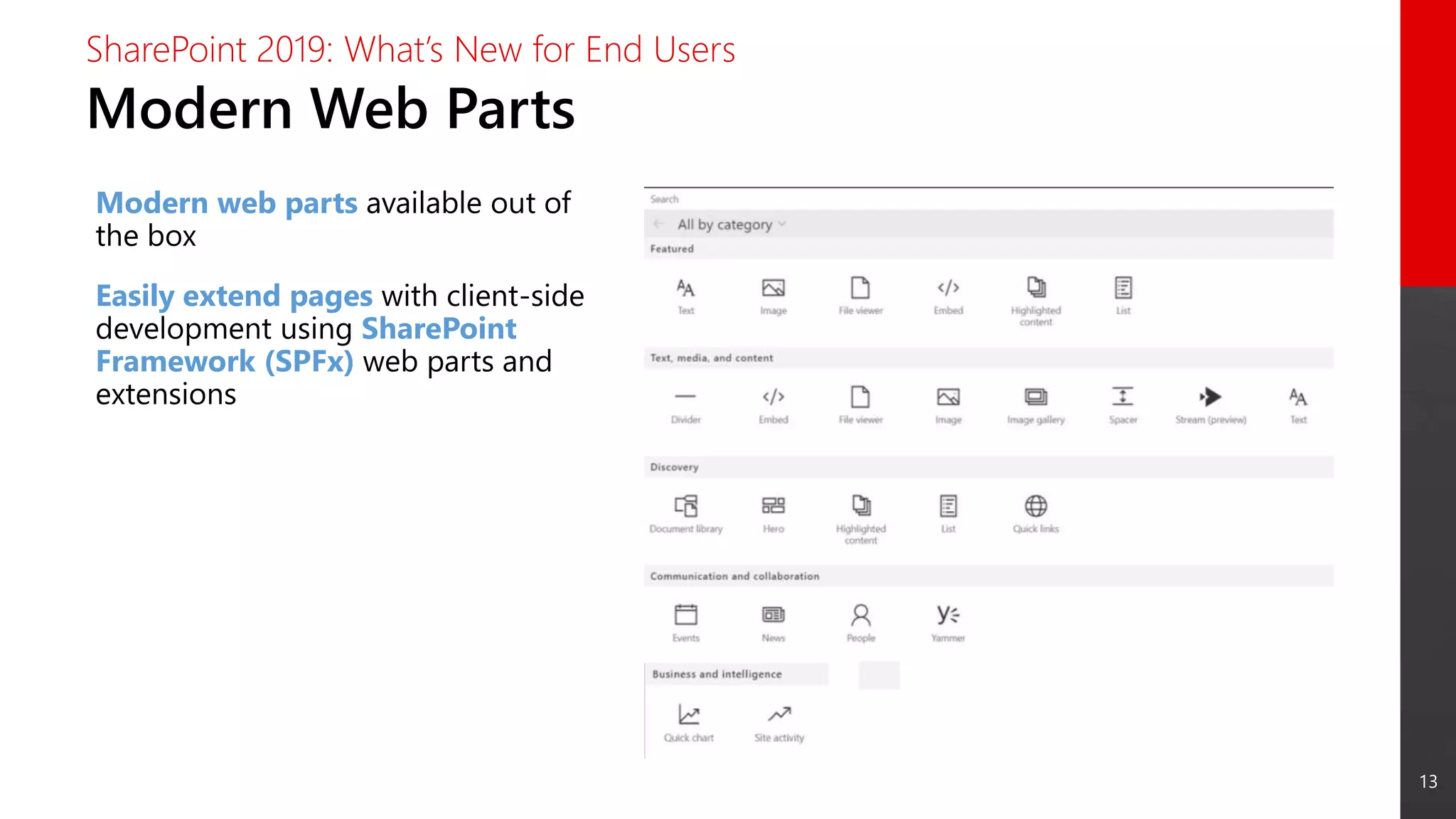
Modern Web Parts
SharePoint 2019: What’s New for End Users
Modern web parts available out of
the box
Easily extend pages with client-side
development using SharePoint
Framework (SPFx) web parts and
extensions
14
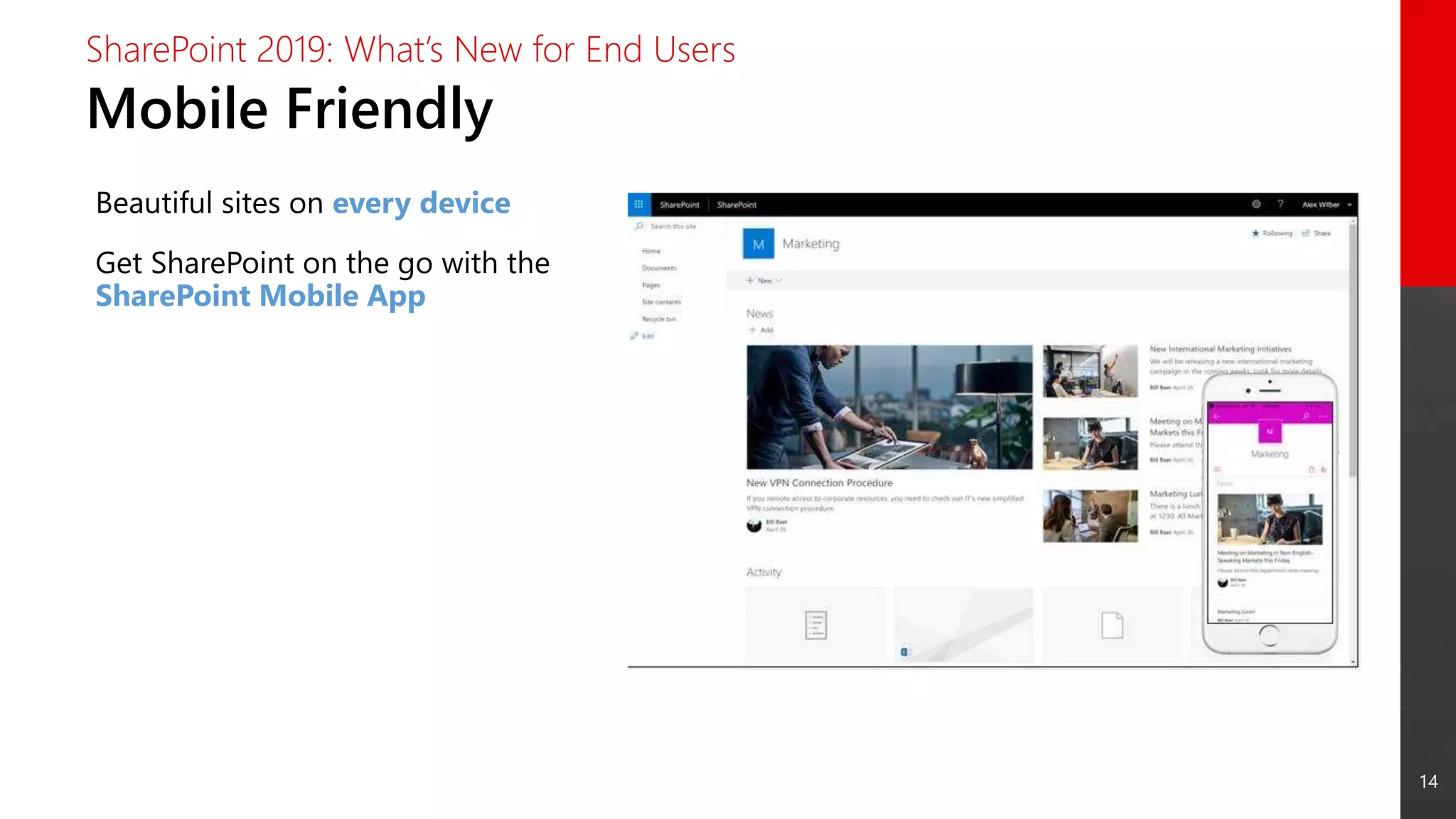
Mobile Friendly
SharePoint 2019: What’s New for End Users
Beautiful sites on every device
Get SharePoint on the go with the
SharePoint Mobile App
15
OneDrive Sync
SharePoint 2019: What’s New for End Users
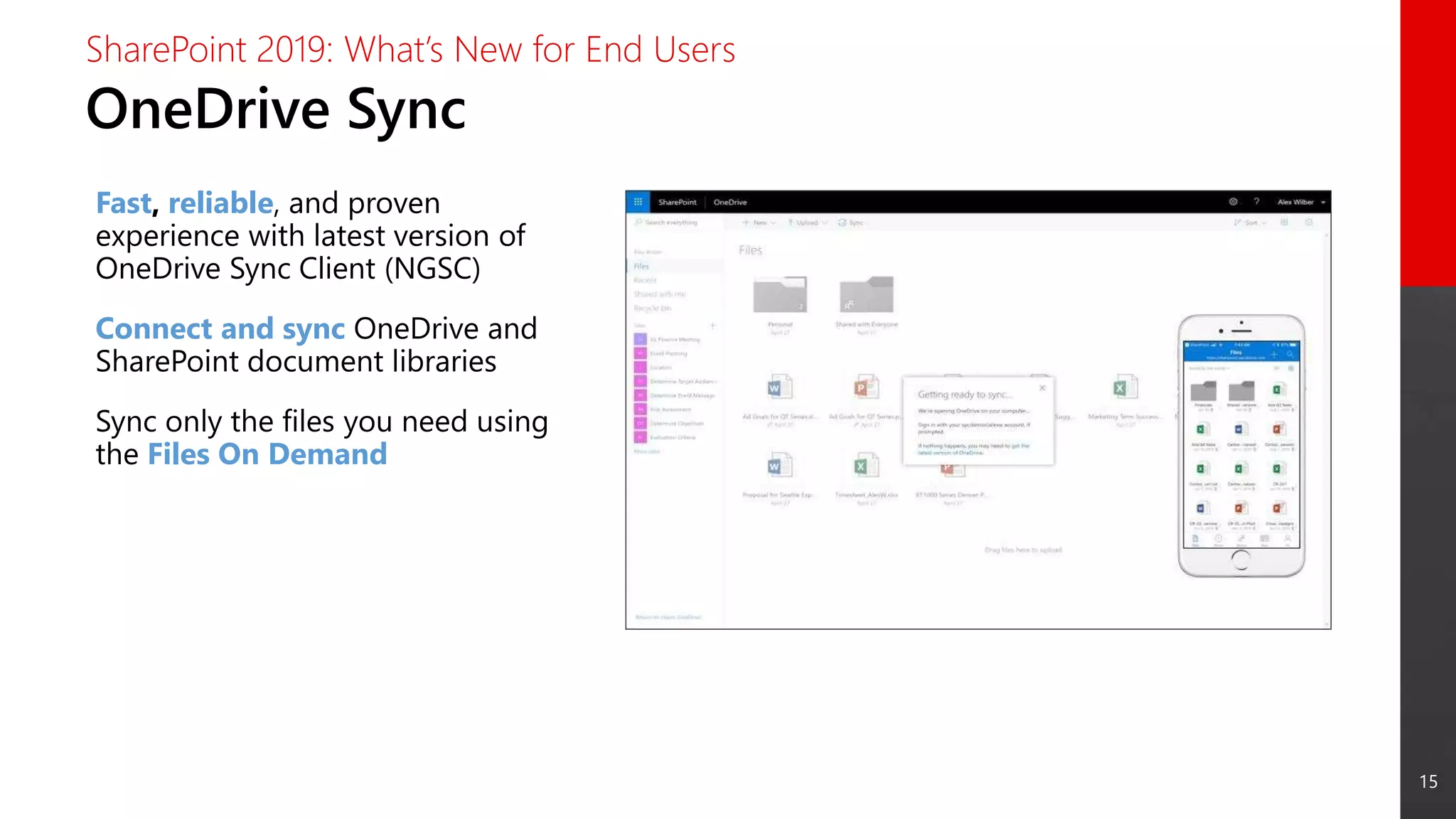
Fast, reliable, and proven
experience with latest version of
OneDrive Sync Client (NGSC)
Connect and sync OneDrive and
SharePoint document libraries
Sync only the files you need using
the Files On Demand
16
Search
SharePoint 2019: What’s New for End Users
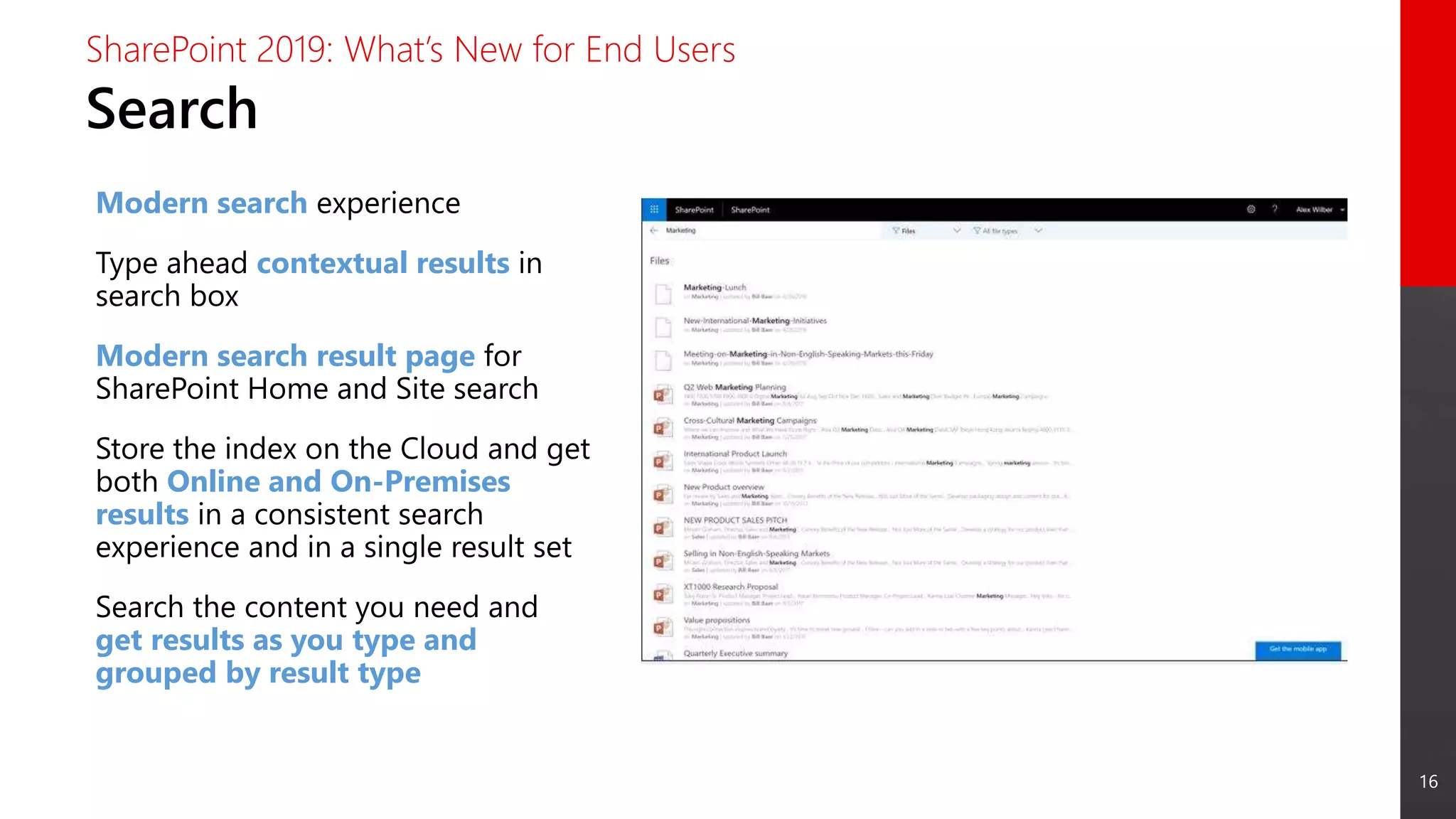
Modern search experience
Type ahead contextual results in
search box
Modern search result page for
SharePoint Home and Site search
Store the index on the Cloud and get
both Online and On-Premises
results in a consistent search
experience and in a single result set
Search the content you need and
get results as you type and
grouped by result type
What’s New for
IT Pros
18
New Features
SharePoint 2019: What’s New for IT Pros
 Improved Hybrid Support
 SMTP Server Authentication
 Infrastructure Improvements
19
Improved Hybrid Support
SharePoint 2019: What’s New for IT Pros
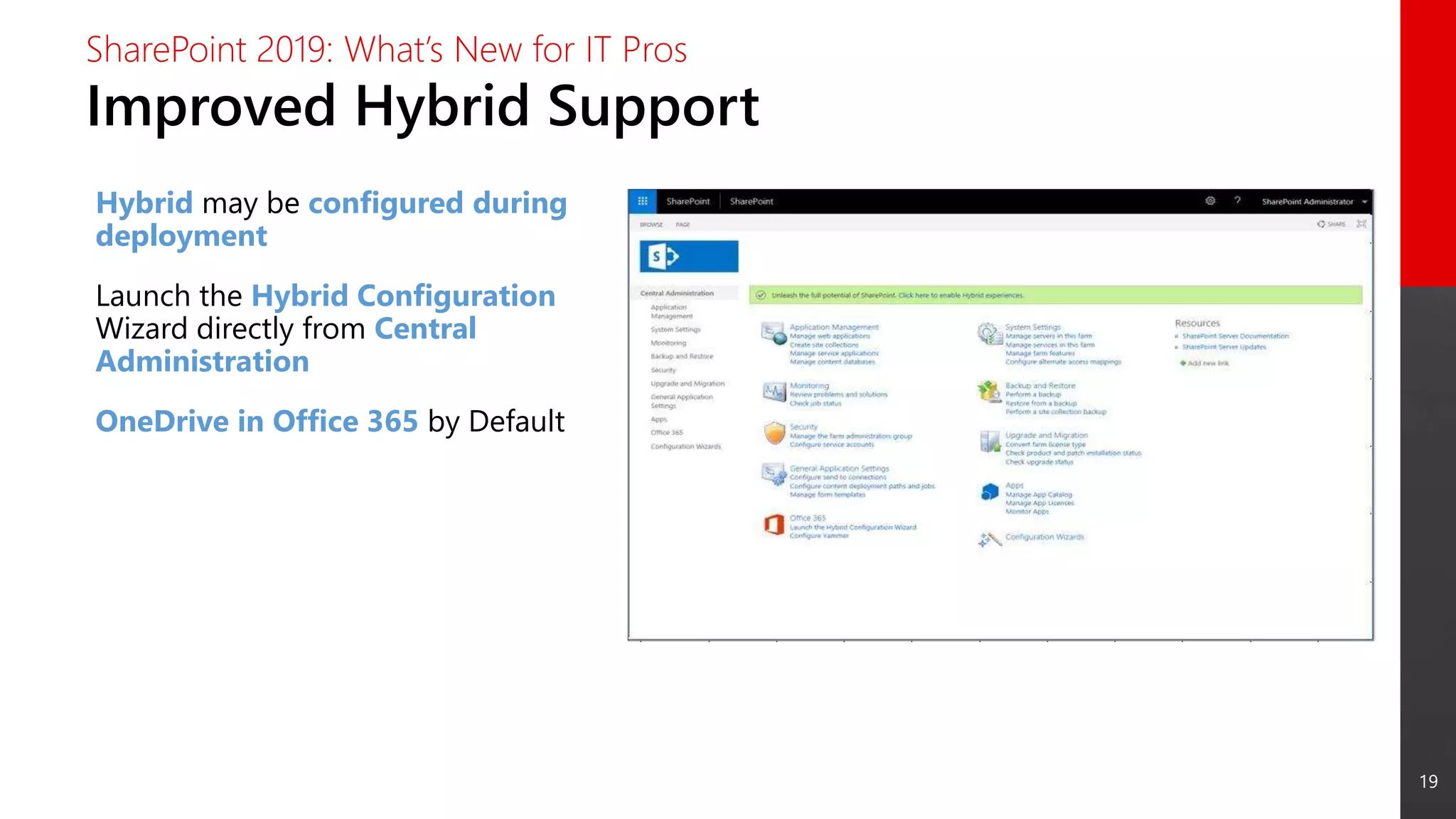
Hybrid may be configured during
deployment
Launch the Hybrid Configuration
Wizard directly from Central
Administration
OneDrive in Office 365 by Default
20
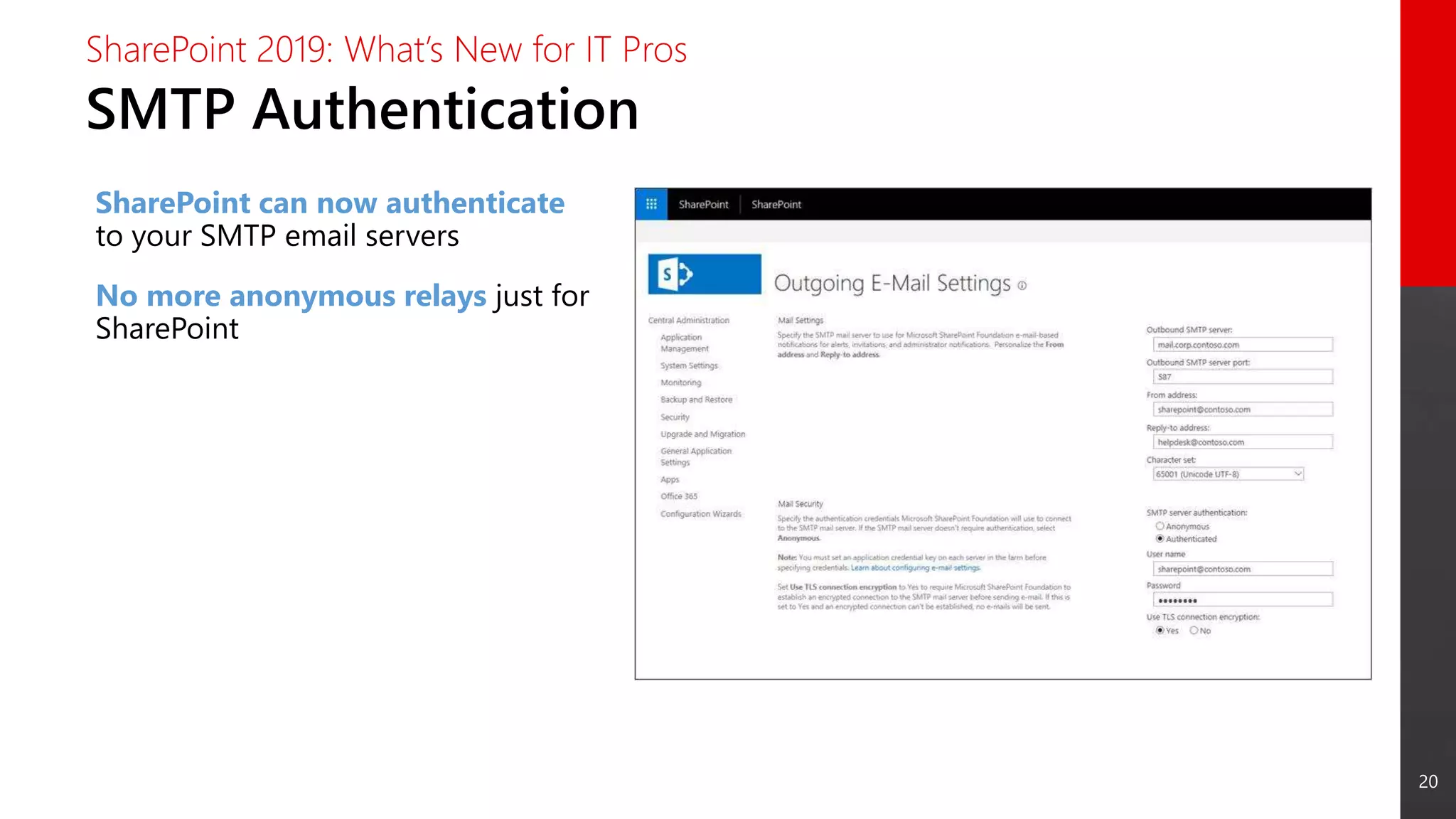
SMTP Authentication
SharePoint 2019: What’s New for IT Pros
SharePoint can now authenticate
to your SMTP email servers
No more anonymous relays just for
SharePoint
21
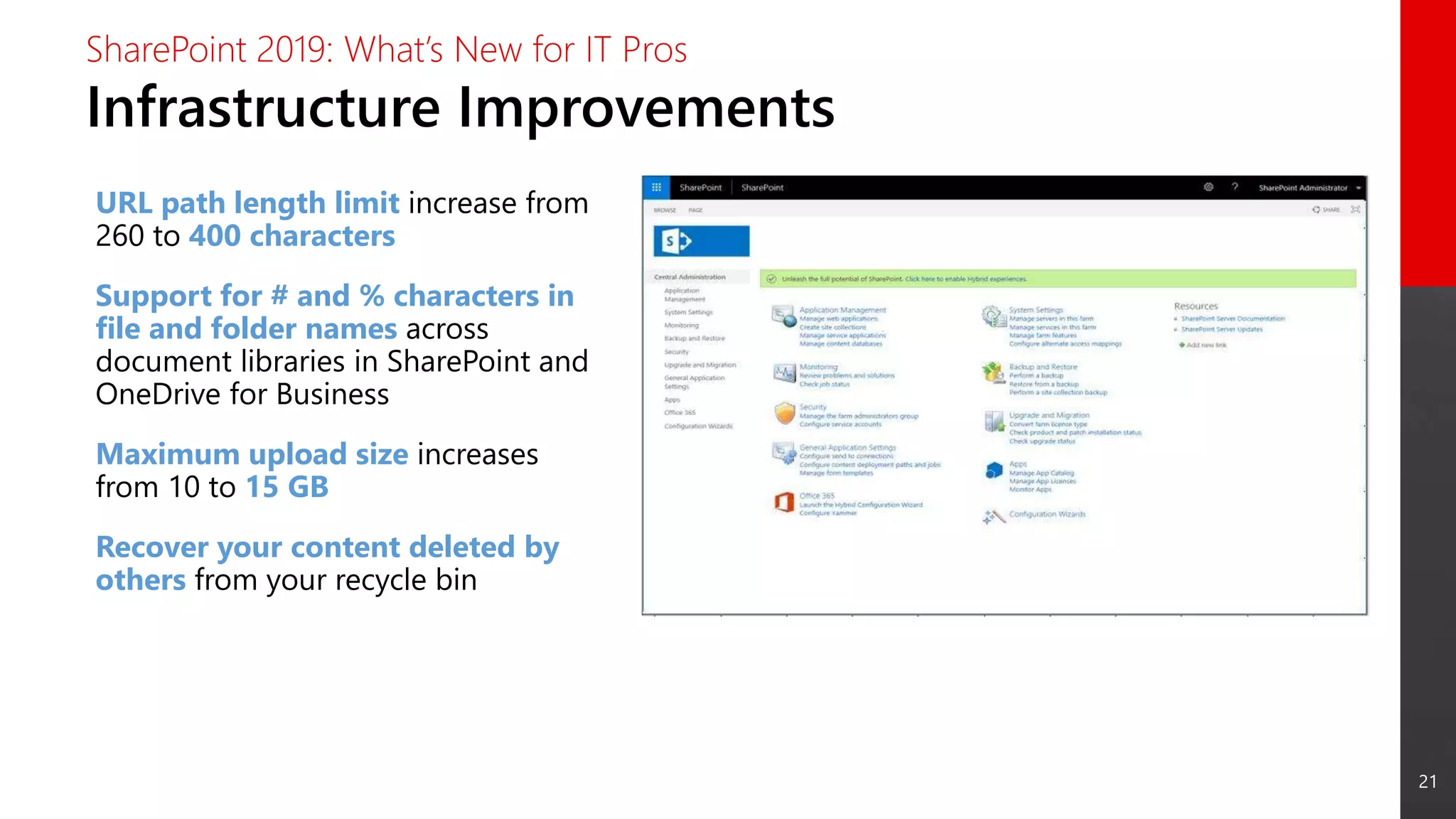
Infrastructure Improvements
SharePoint 2019: What’s New for IT Pros
URL path length limit increase from
260 to 400 characters
Support for # and % characters in
file and folder names across
document libraries in SharePoint and
OneDrive for Business
Maximum upload size increases
from 10 to 15 GB
Recover your content deleted by
others from your recycle bin
What’s New for
Developers
23
New Features
SharePoint 2019: What’s New for Developers
 SharePoint Framework Client-Side Web Parts
 SharePoint Framework Extensions
 Webhooks for List Items
 Column Formatting
Ref: https://docs.microsoft.com/en-us/sharepoint/dev/general-development/sharepoint-2019-
development-platform
24
Not Supported Features
SharePoint 2019: What’s New for Developers
 Site Designs and Site Scripts
 Site Collection app catalog
 Custom modern themes for communication site or modern
team site
Ref: https://docs.microsoft.com/en-us/sharepoint/dev/general-development/sharepoint-2019-
development-platform
25
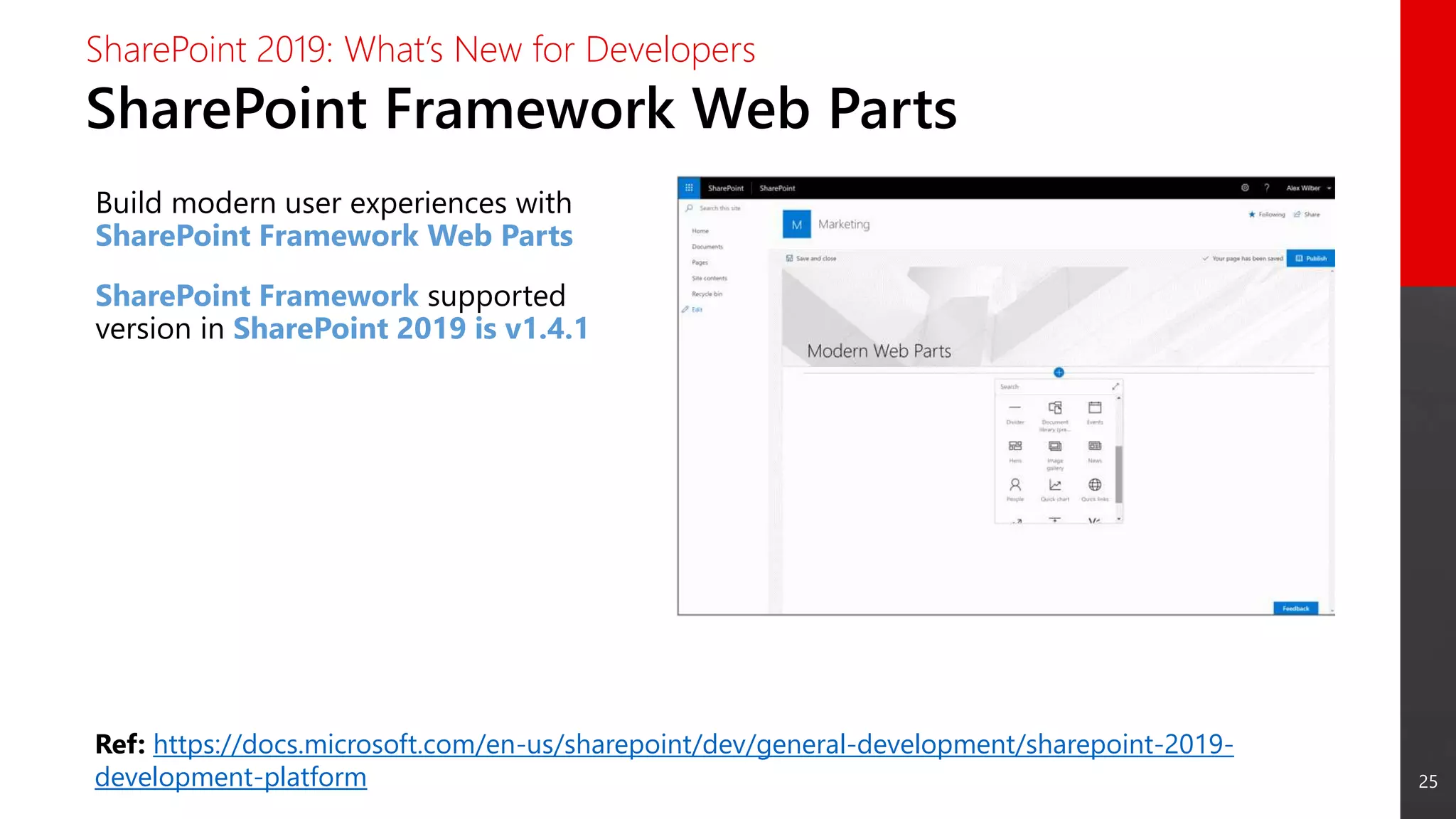
SharePoint Framework Web Parts
SharePoint 2019: What’s New for Developers
Build modern user experiences with
SharePoint Framework Web Parts
SharePoint Framework supported
version in SharePoint 2019 is v1.4.1
Ref: https://docs.microsoft.com/en-us/sharepoint/dev/general-development/sharepoint-2019-
development-platform
26
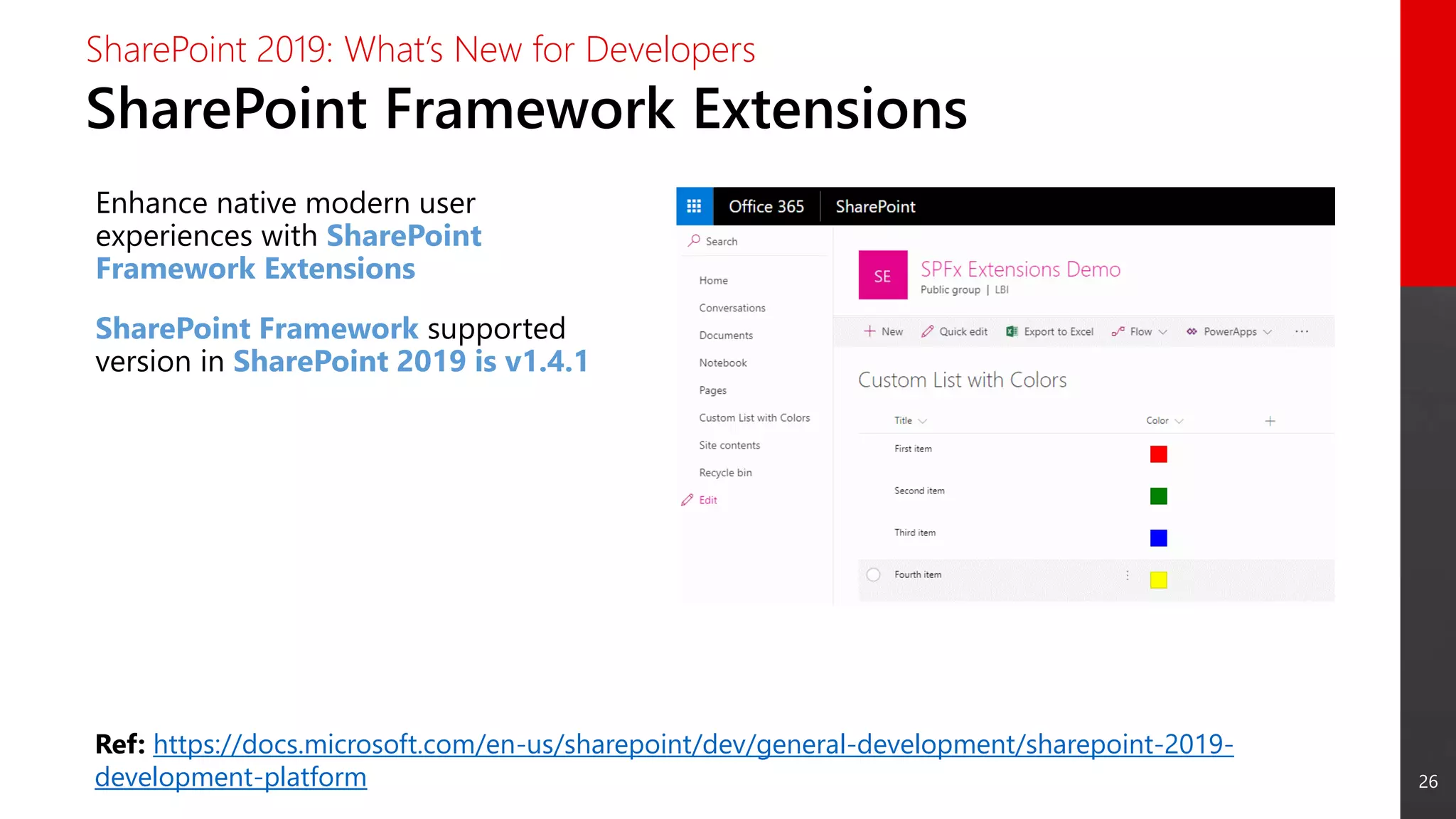
SharePoint Framework Extensions
SharePoint 2019: What’s New for Developers
Enhance native modern user
experiences with SharePoint
Framework Extensions
SharePoint Framework supported
version in SharePoint 2019 is v1.4.1
Ref: https://docs.microsoft.com/en-us/sharepoint/dev/general-development/sharepoint-2019-
development-platform
27
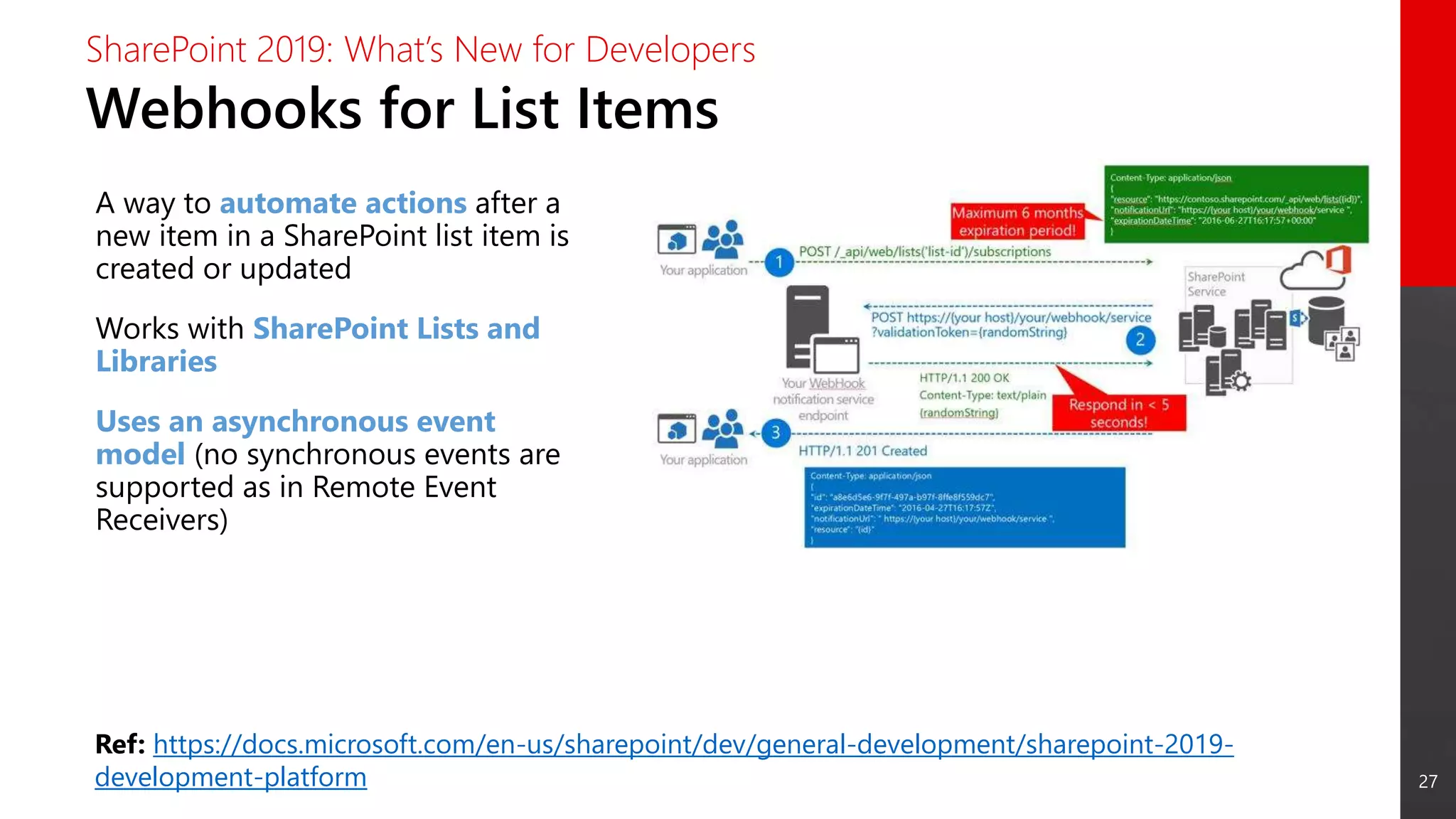
Webhooks for List Items
SharePoint 2019: What’s New for Developers
A way to automate actions after a
new item in a SharePoint list item is
created or updated
Works with SharePoint Lists and
Libraries
Uses an asynchronous event
model (no synchronous events are
supported as in Remote Event
Receivers)
Ref: https://docs.microsoft.com/en-us/sharepoint/dev/general-development/sharepoint-2019-
development-platform
28
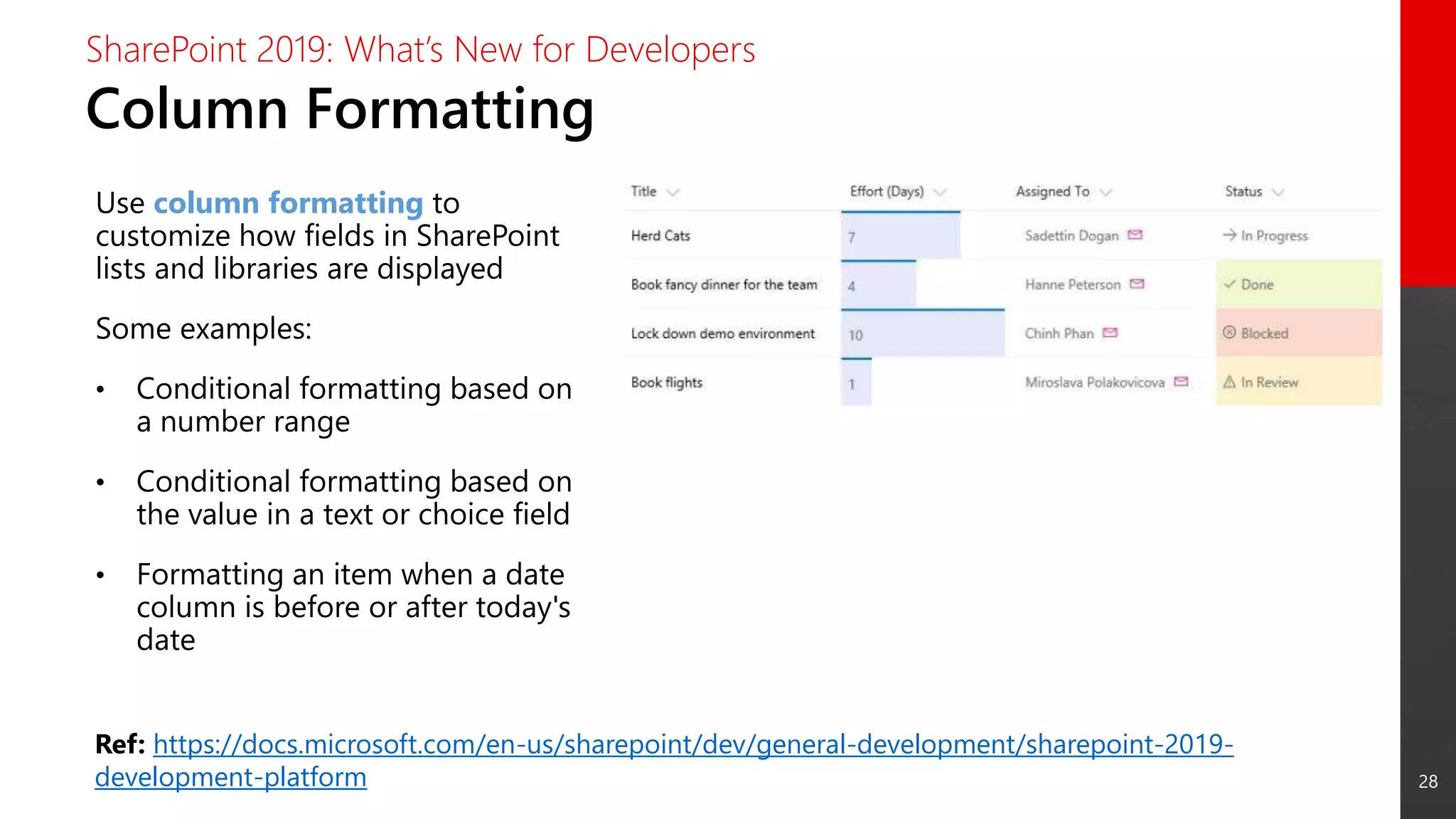
Column Formatting
SharePoint 2019: What’s New for Developers
Use column formatting to
customize how fields in SharePoint
lists and libraries are displayed
Some examples:
• Conditional formatting based on
a number range
• Conditional formatting based on
the value in a text or choice field
• Formatting an item when a date
column is before or after today's
date
Ref: https://docs.microsoft.com/en-us/sharepoint/dev/general-development/sharepoint-2019-
development-platform
What’s New for
Business Process
Management
30
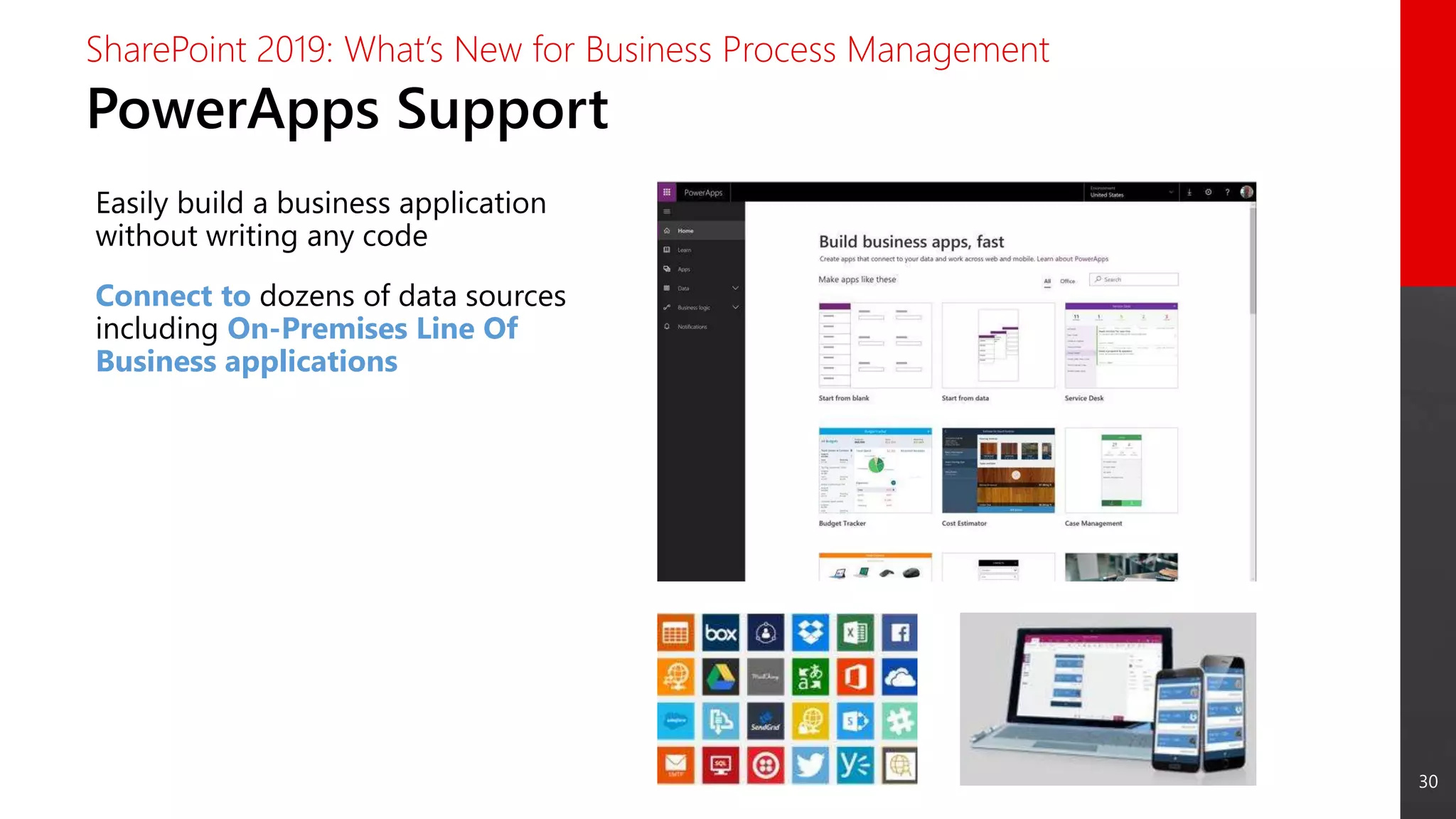
PowerApps Support
SharePoint 2019: What’s New for Business Process Management
Easily build a business application
without writing any code
Connect to dozens of data sources
including On-Premises Line Of
Business applications
31
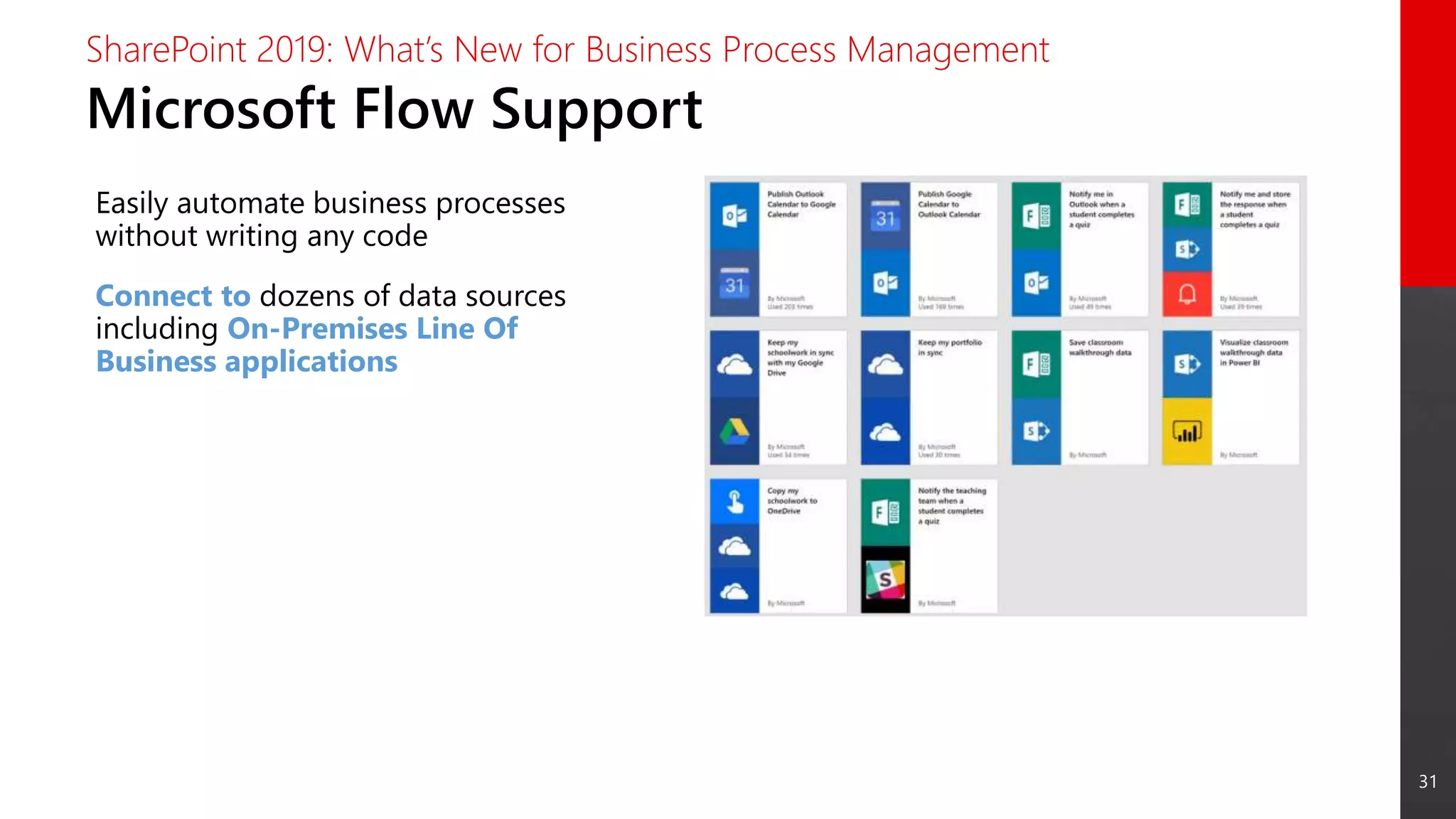
Microsoft Flow Support
SharePoint 2019: What’s New for Business Process Management
Easily automate business processes
without writing any code
Connect to dozens of data sources
including On-Premises Line Of
Business applications
32
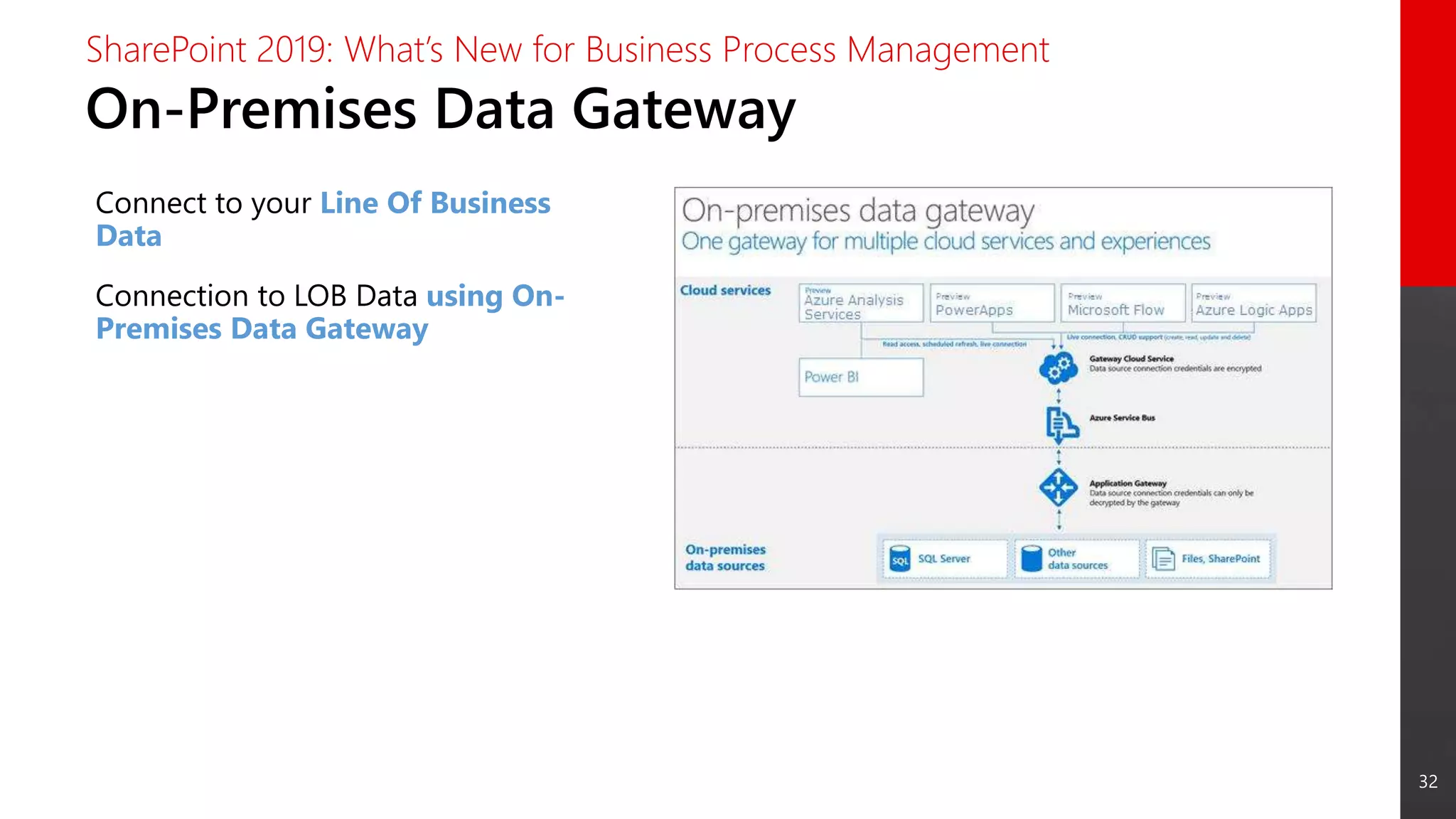
On-Premises Data Gateway
SharePoint 2019: What’s New for Business Process Management
Connect to your Line Of Business
Data
Connection to LOB Data using On-
Premises Data Gateway
Hybrid Scenarios
34
Hybrid: Main Benefits
SharePoint 2019: Hybrid Scenarios
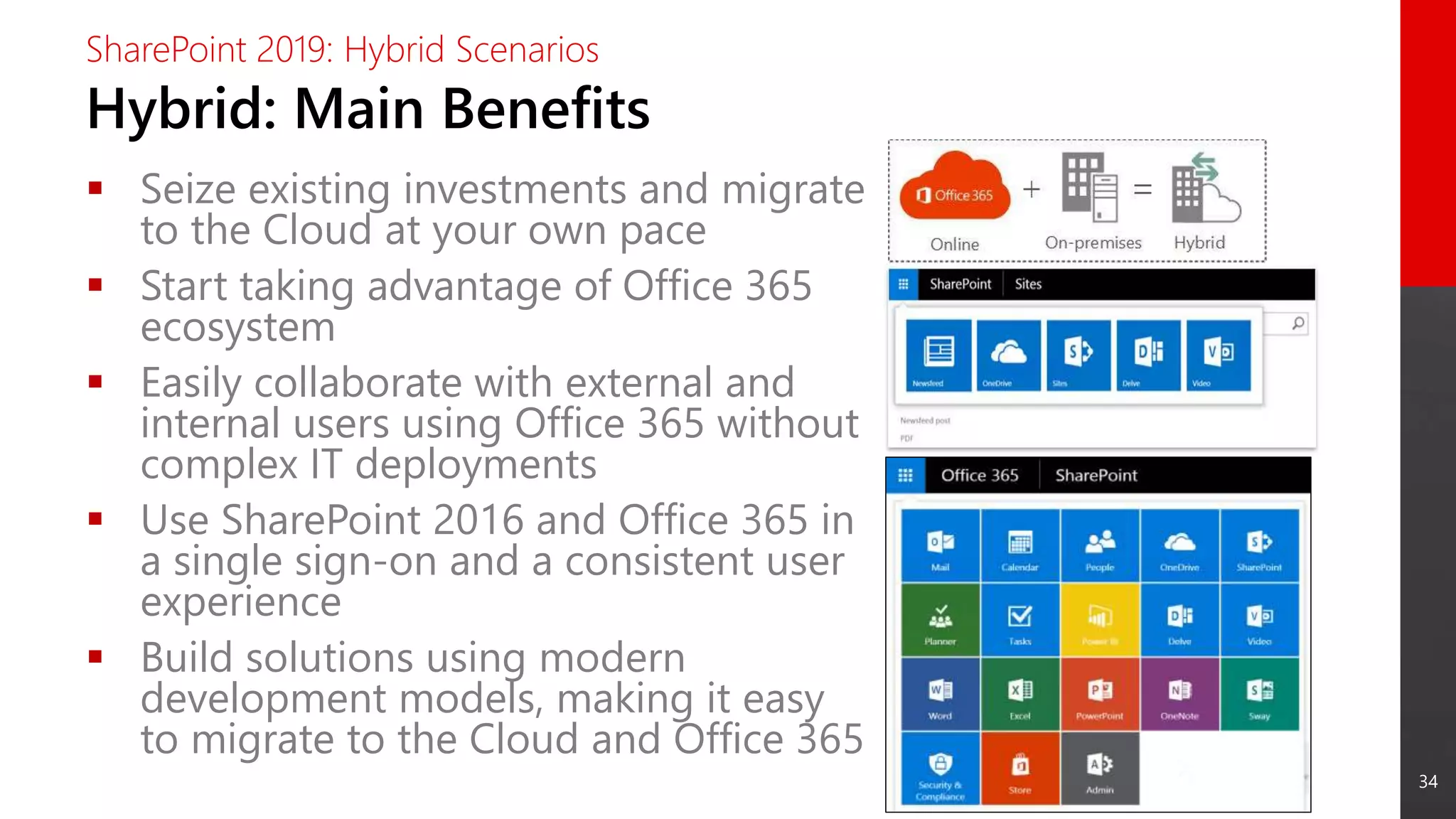
 Seize existing investments and migrate
to the Cloud at your own pace
 Start taking advantage of Office 365
ecosystem
 Easily collaborate with external and
internal users using Office 365 without
complex IT deployments
 Use SharePoint 2016 and Office 365 in
a single sign-on and a consistent user
experience
 Build solutions using modern
development models, making it easy
to migrate to the Cloud and Office 365
35
Hybrid in SharePoint 2019
SharePoint 2019: Hybrid Scenarios
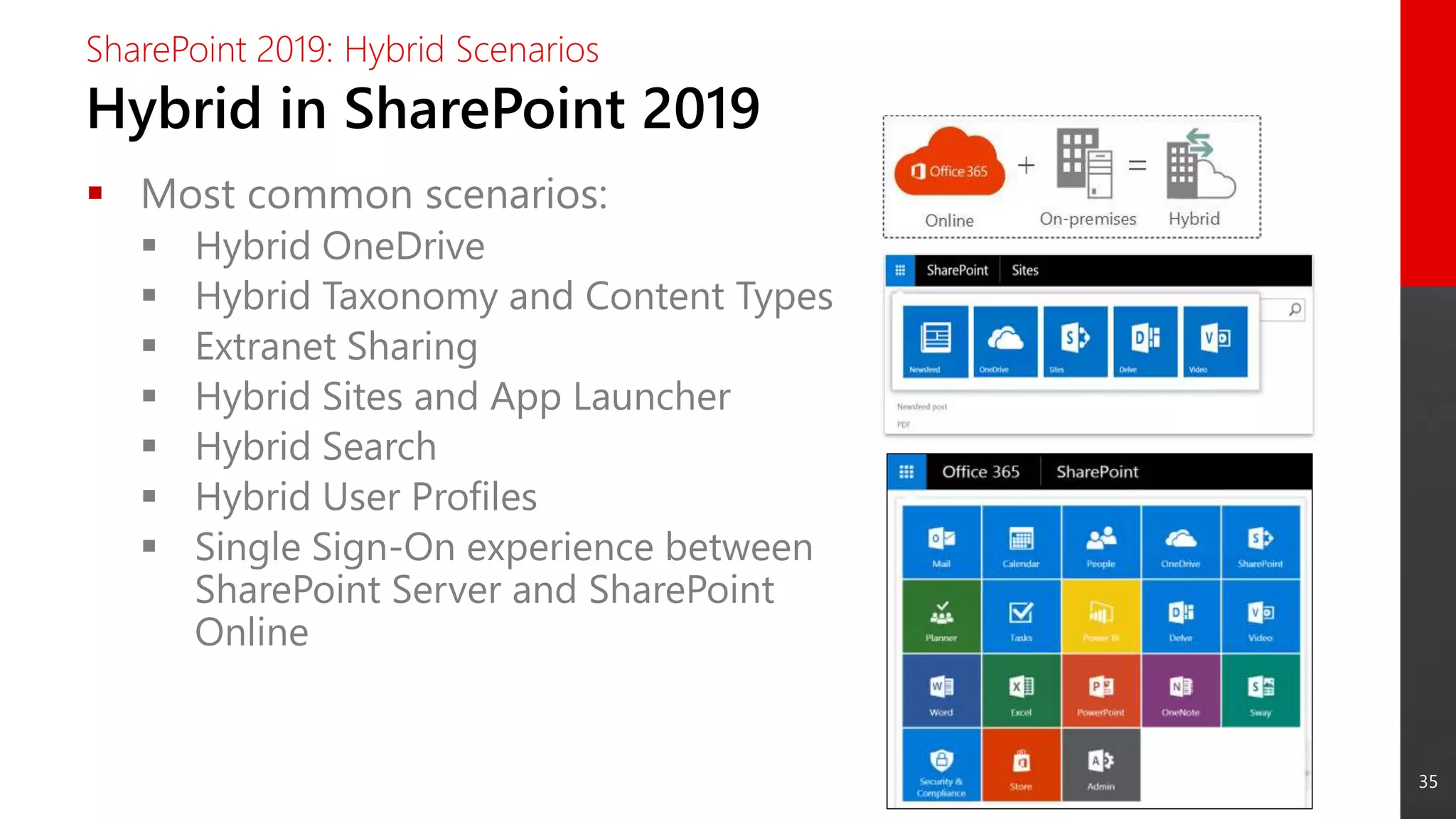
 Most common scenarios:
 Hybrid OneDrive
 Hybrid Taxonomy and Content Types
 Extranet Sharing
 Hybrid Sites and App Launcher
 Hybrid Search
 Hybrid User Profiles
 Single Sign-On experience between
SharePoint Server and SharePoint
Online
36
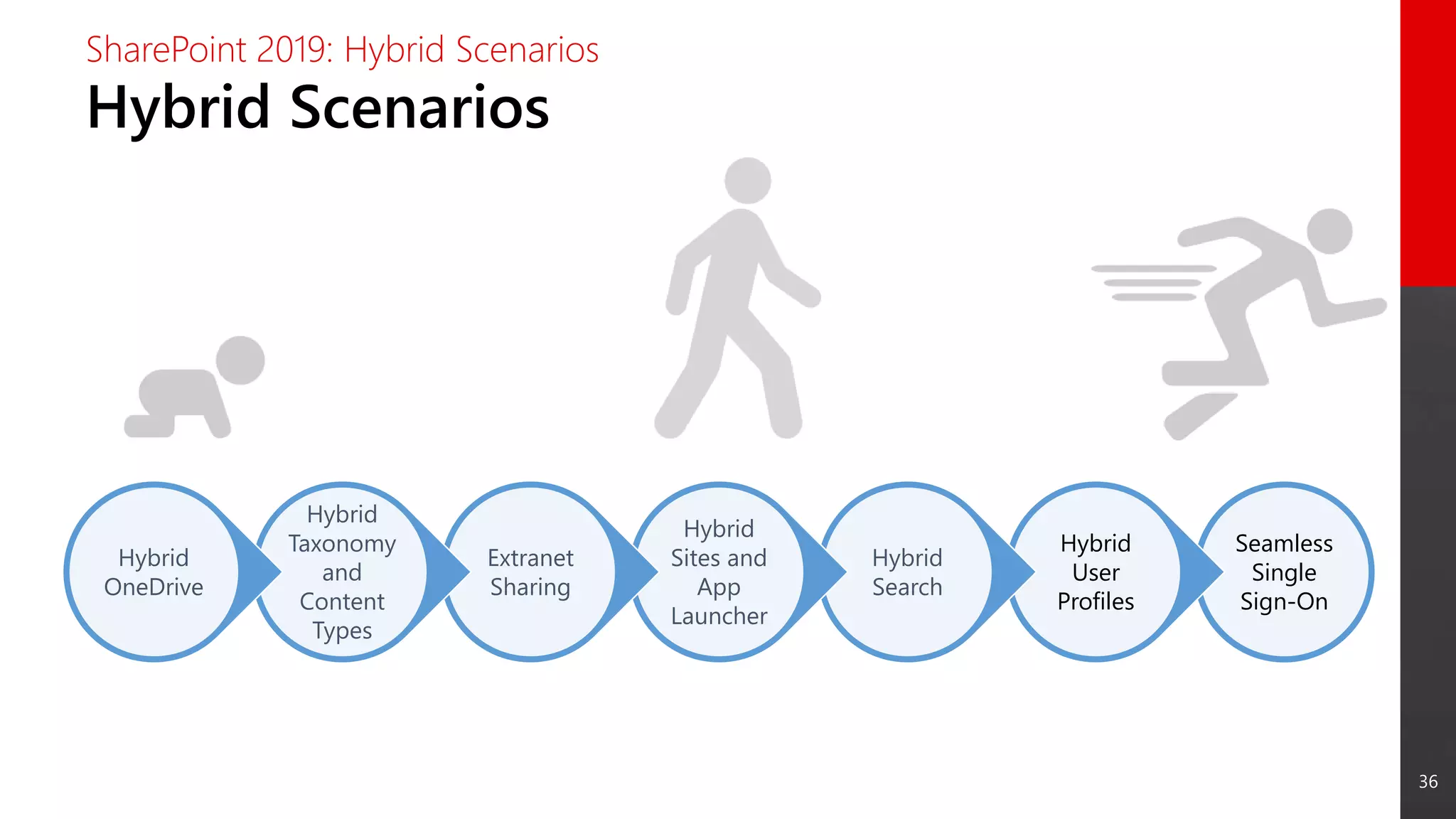
Hybrid Scenarios
SharePoint 2019: Hybrid Scenarios
Seamless
Single
Sign-On
Hybrid
User
Profiles
Hybrid
Search
Hybrid
Sites and
App
Launcher
Extranet
Sharing
Hybrid
Taxonomy
and
Content
Types
Hybrid
OneDrive
37
Seamless
Single
Sign-On
Hybrid
User
Profiles
Hybrid
Search
Hybrid
Sites and
App
Launcher
Extranet
Sharing
Hybrid
Taxonomy
and
Content
Types
Hybrid
OneDrive
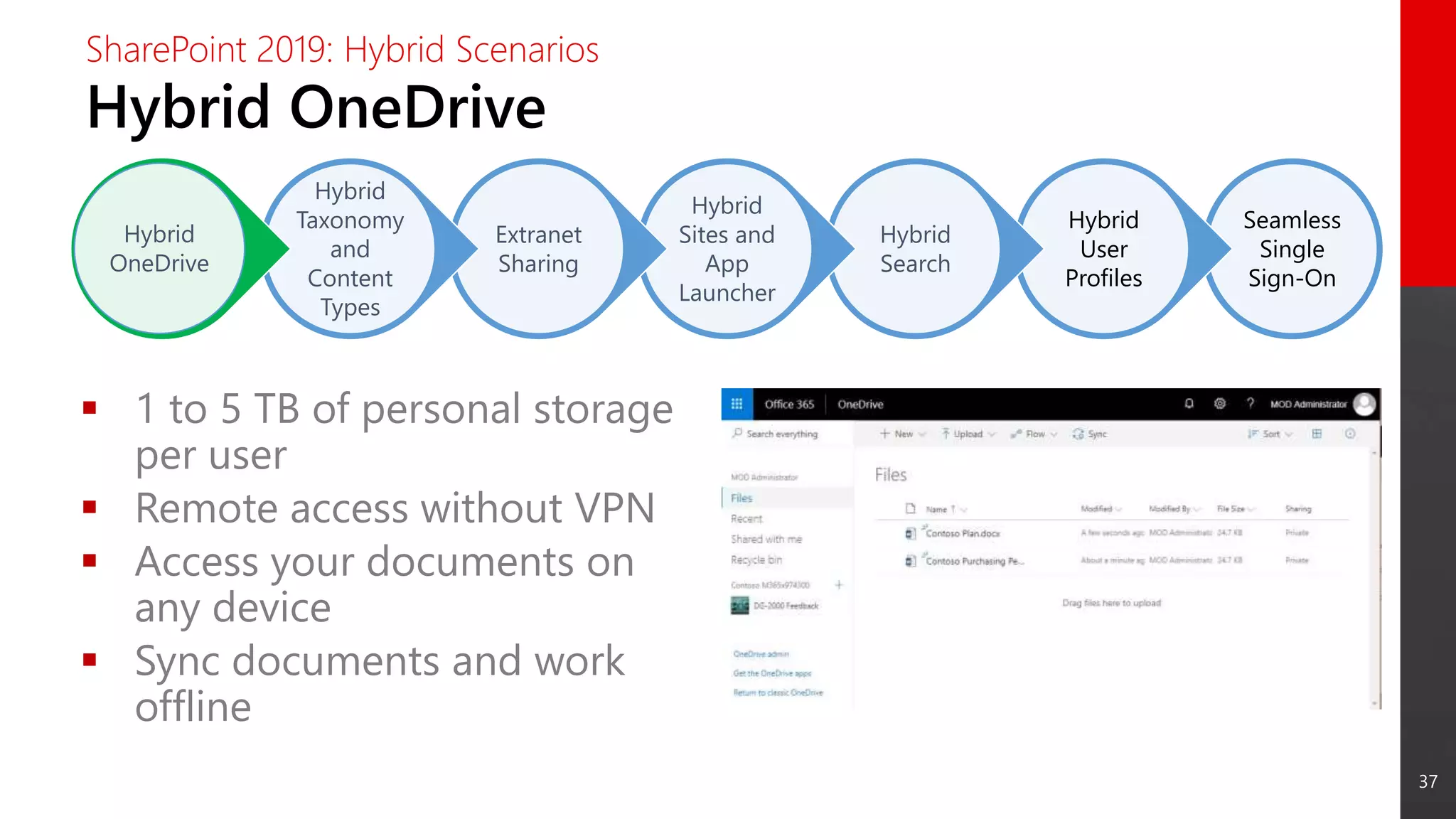
Hybrid OneDrive
SharePoint 2019: Hybrid Scenarios
 1 to 5 TB of personal storage
per user
 Remote access without VPN
 Access your documents on
any device
 Sync documents and work
offline
38
Seamless
Single
Sign-On
Hybrid
User
Profiles
Hybrid
Search
Hybrid
Sites and
App
Launcher
Extranet
Sharing
Hybrid
Taxonomy
and
Content
Types
Hybrid
OneDrive
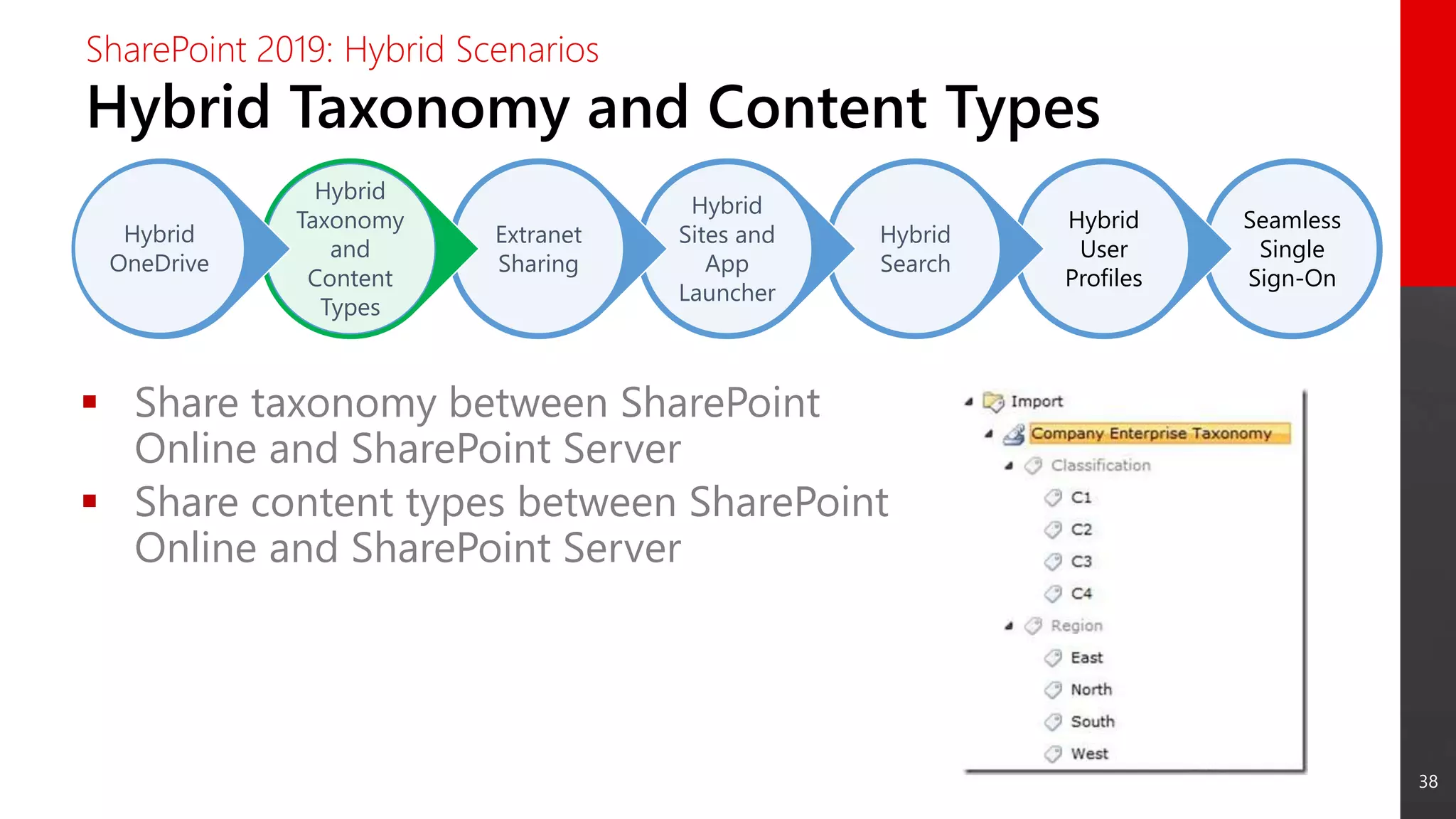
Hybrid Taxonomy and Content Types
SharePoint 2019: Hybrid Scenarios
 Share taxonomy between SharePoint
Online and SharePoint Server
 Share content types between SharePoint
Online and SharePoint Server
39
Seamless
Single
Sign-On
Hybrid
User
Profiles
Hybrid
Search
Hybrid
Sites and
App
Launcher
Extranet
Sharing
Hybrid
Taxonomy
and
Content
Types
Hybrid
OneDrive
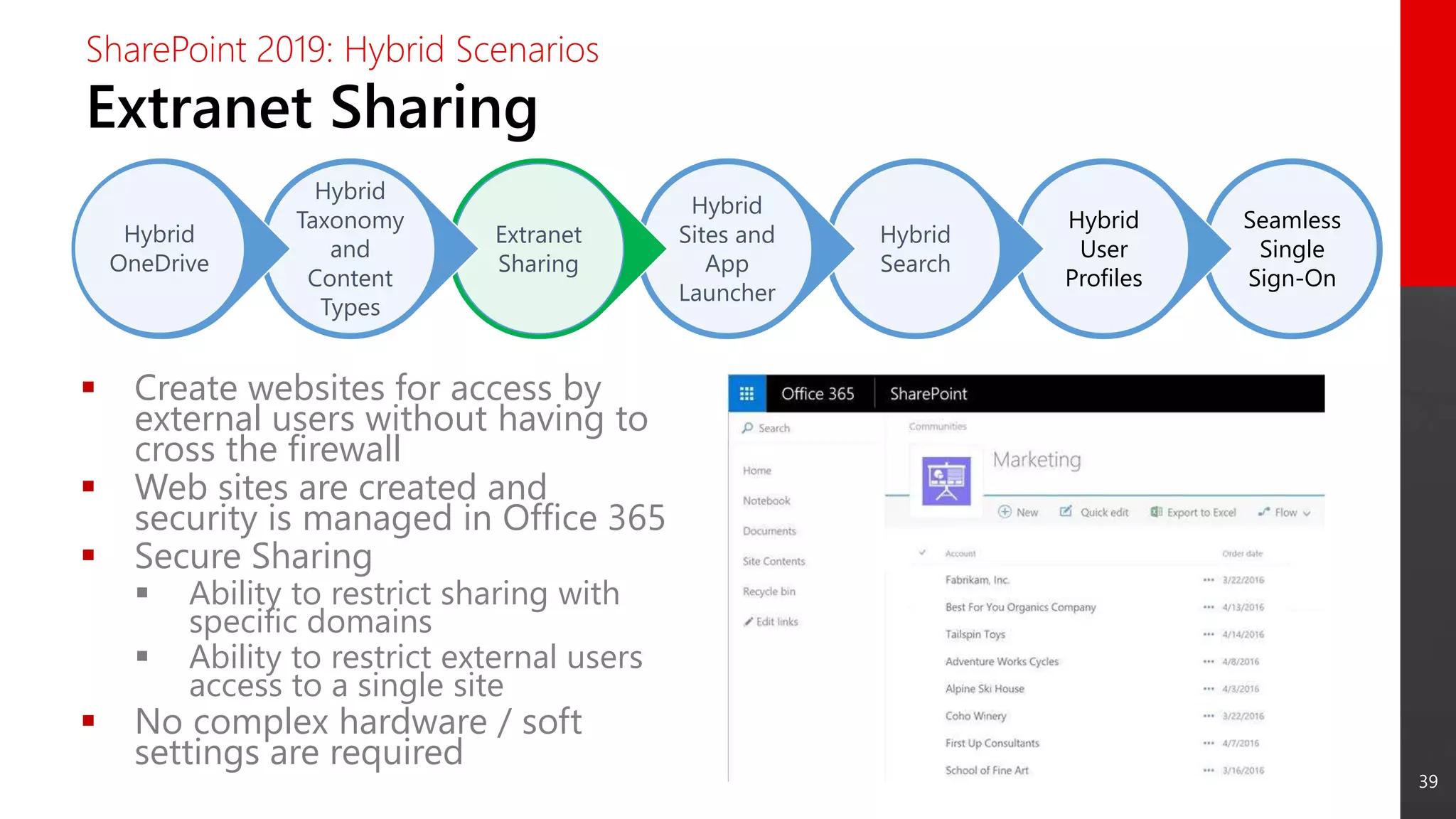
Extranet Sharing
SharePoint 2019: Hybrid Scenarios
 Create websites for access by
external users without having to
cross the firewall
 Web sites are created and
security is managed in Office 365
 Secure Sharing
 Ability to restrict sharing with
specific domains
 Ability to restrict external users
access to a single site
 No complex hardware / soft
settings are required
40
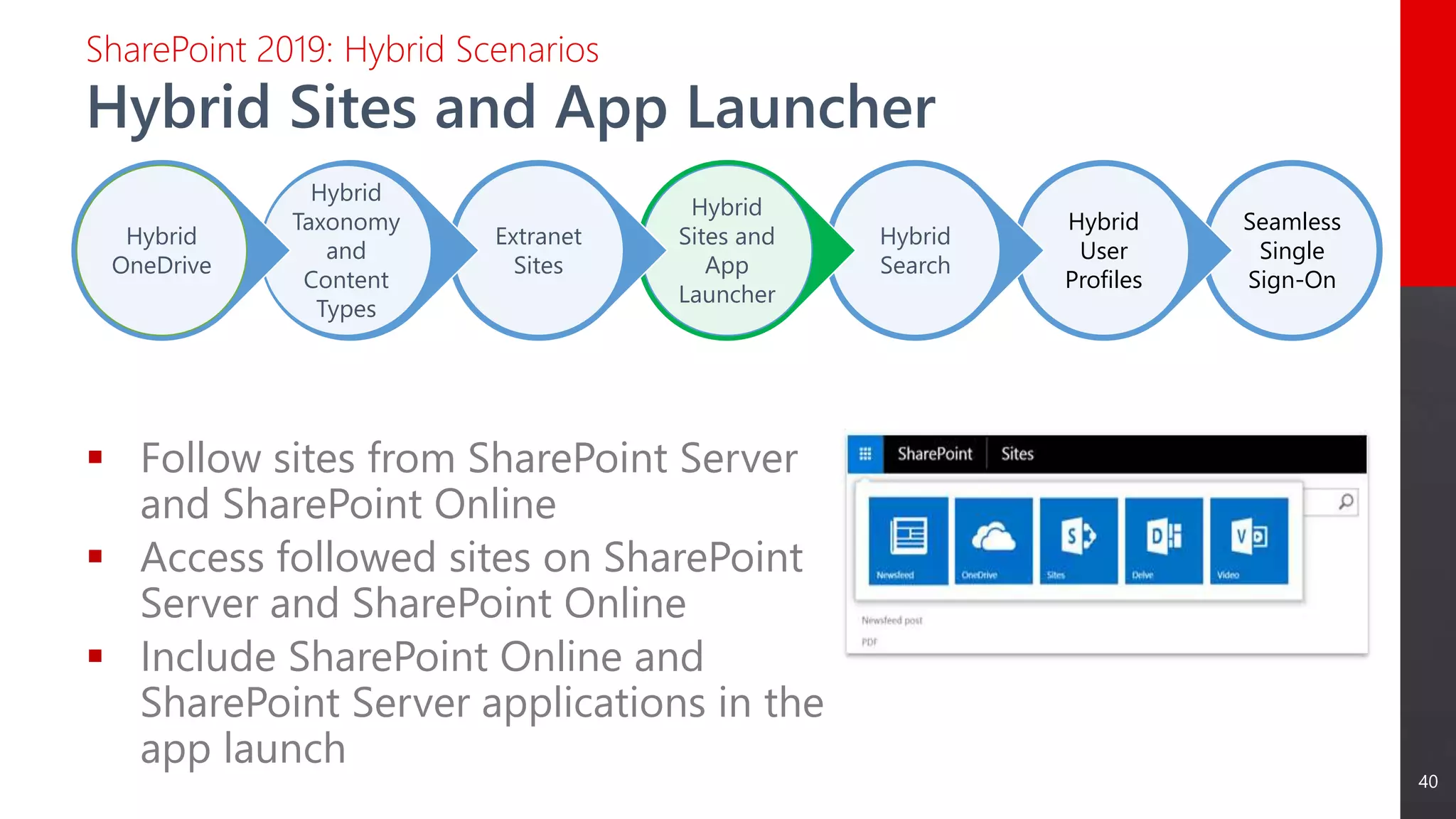
 Follow sites from SharePoint Server
and SharePoint Online
 Access followed sites on SharePoint
Server and SharePoint Online
 Include SharePoint Online and
SharePoint Server applications in the
app launch
Seamless
Single
Sign-On
Hybrid
User
Profiles
Hybrid
Search
Hybrid
Sites and
App
Launcher
Extranet
Sites
Hybrid
Taxonomy
and
Content
Types
Hybrid
OneDrive
Hybrid Sites and App Launcher
SharePoint 2019: Hybrid Scenarios
41
Seamless
Single
Sign-On
Hybrid
User
Profiles
Hybrid
Search
Hybrid
Sites and
App
Launcher
Extranet
Sites
Hybrid
Taxonomy
and
Content
Types
Hybrid
OneDrive
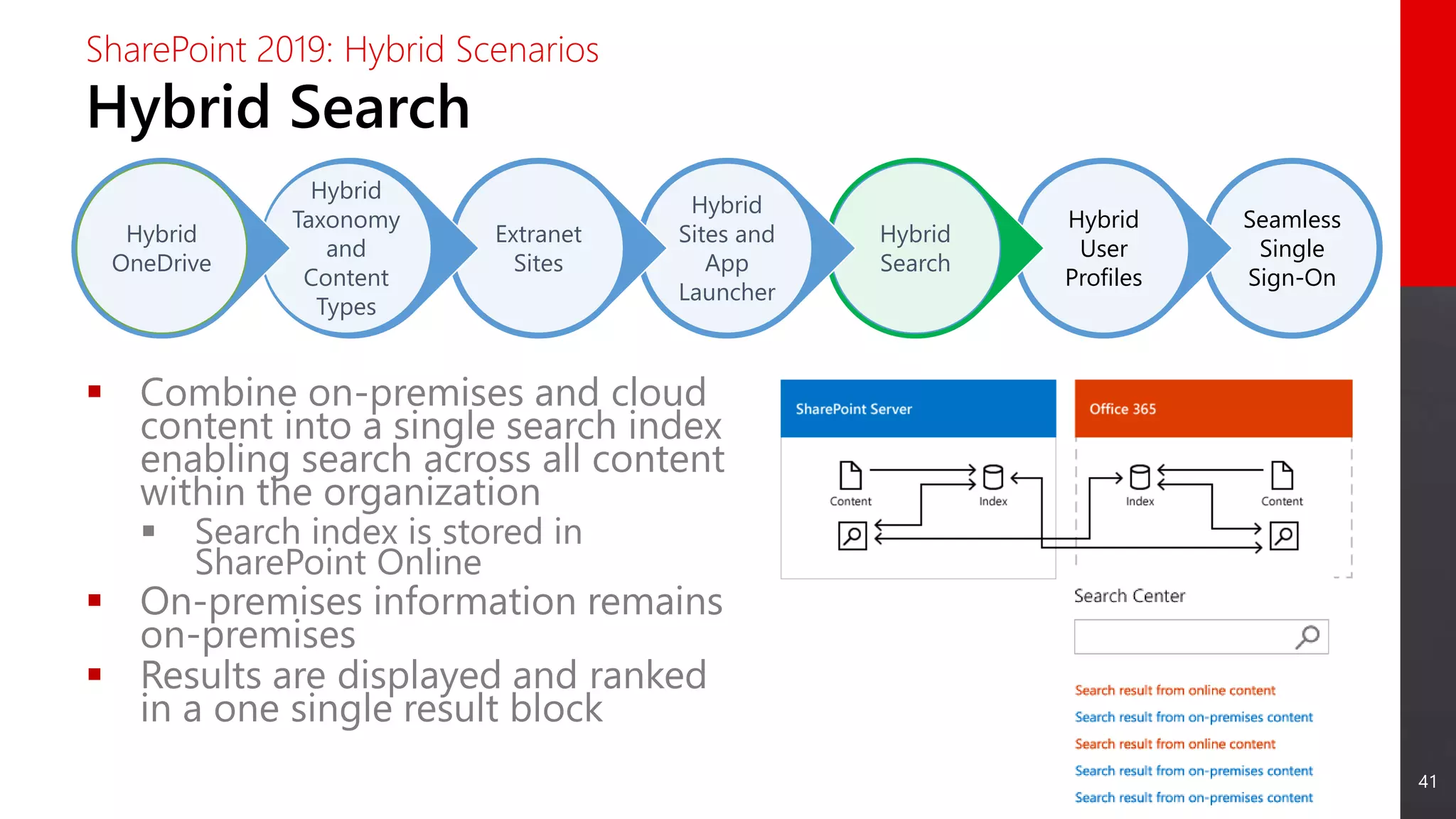
Hybrid Search
SharePoint 2019: Hybrid Scenarios
 Combine on-premises and cloud
content into a single search index
enabling search across all content
within the organization
 Search index is stored in
SharePoint Online
 On-premises information remains
on-premises
 Results are displayed and ranked
in a one single result block
42
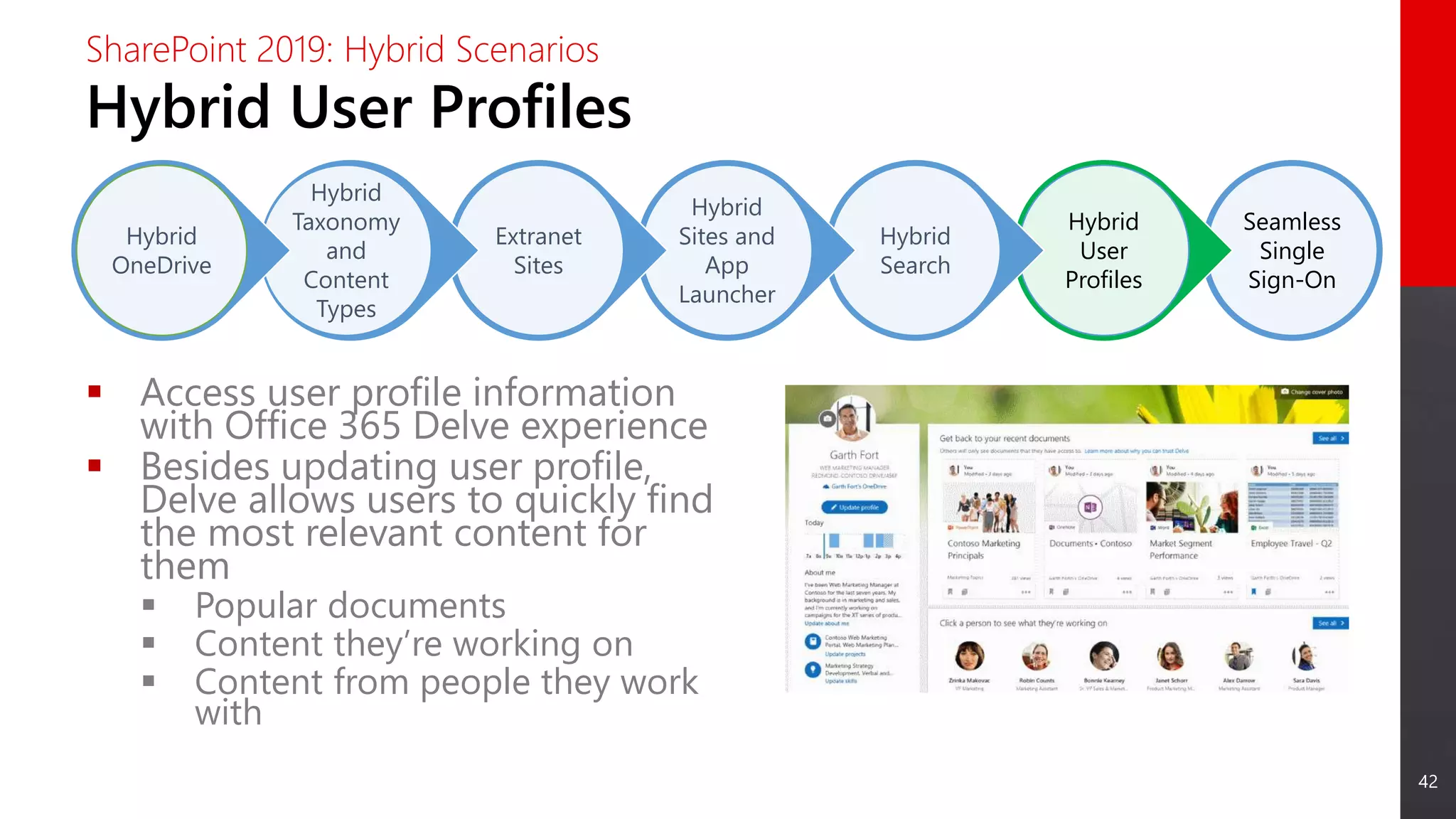
 Access user profile information
with Office 365 Delve experience
 Besides updating user profile,
Delve allows users to quickly find
the most relevant content for
them
 Popular documents
 Content they’re working on
 Content from people they work
with
Seamless
Single
Sign-On
Hybrid
User
Profiles
Hybrid
Search
Hybrid
Sites and
App
Launcher
Extranet
Sites
Hybrid
Taxonomy
and
Content
Types
Hybrid
OneDrive
Hybrid User Profiles
SharePoint 2019: Hybrid Scenarios
43
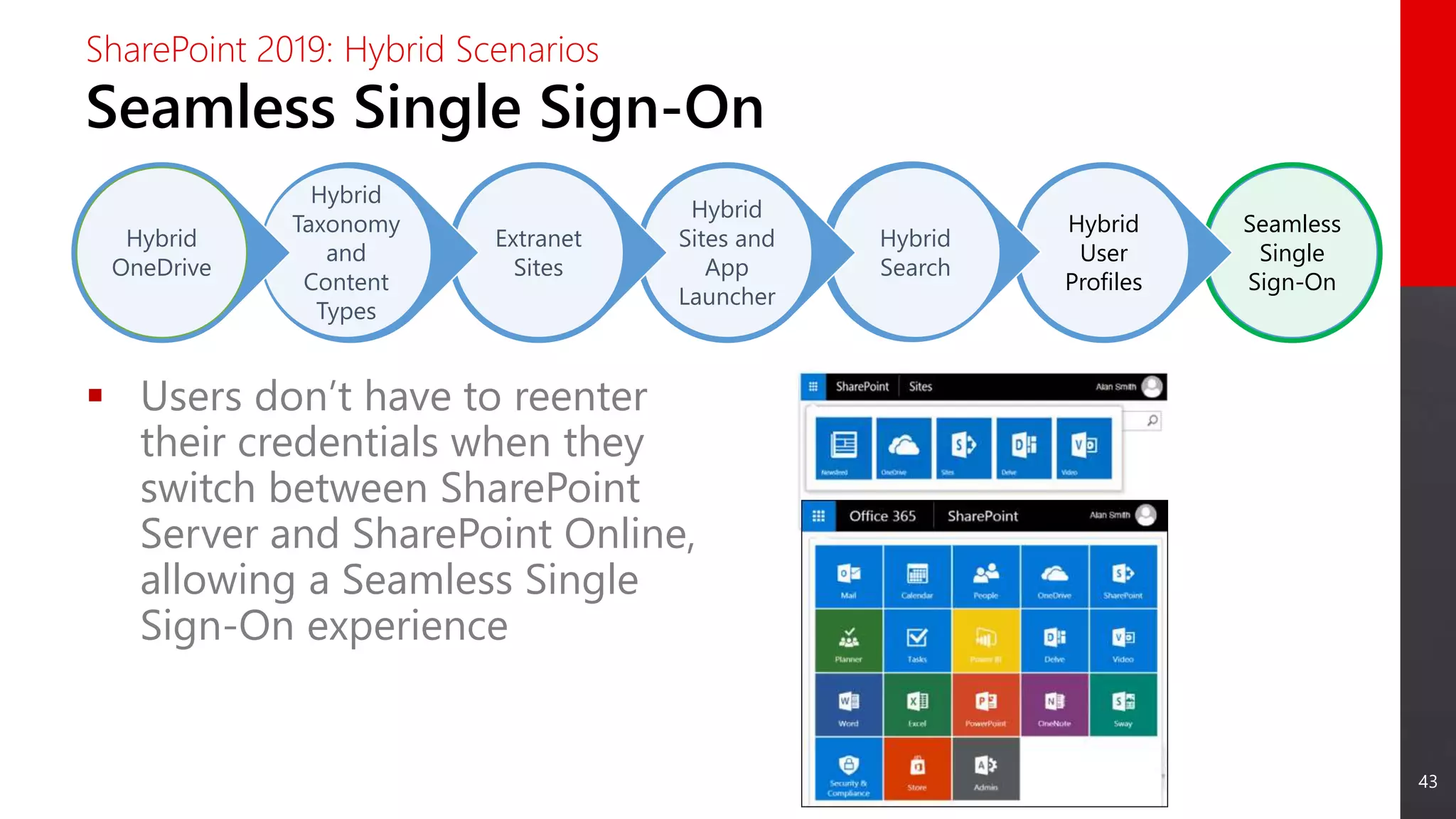
 Users don’t have to reenter
their credentials when they
switch between SharePoint
Server and SharePoint Online,
allowing a Seamless Single
Sign-On experience
Seamless
Single
Sign-On
Hybrid
User
Profiles
Hybrid
Search
Hybrid
Sites and
App
Launcher
Extranet
Sites
Hybrid
Taxonomy
and
Content
Types
Hybrid
OneDrive
Seamless Single Sign-On
SharePoint 2019: Hybrid Scenarios
Deprecated and
Removed Features
45
Removed Features
SharePoint 2019: Removed and Deprecated Features
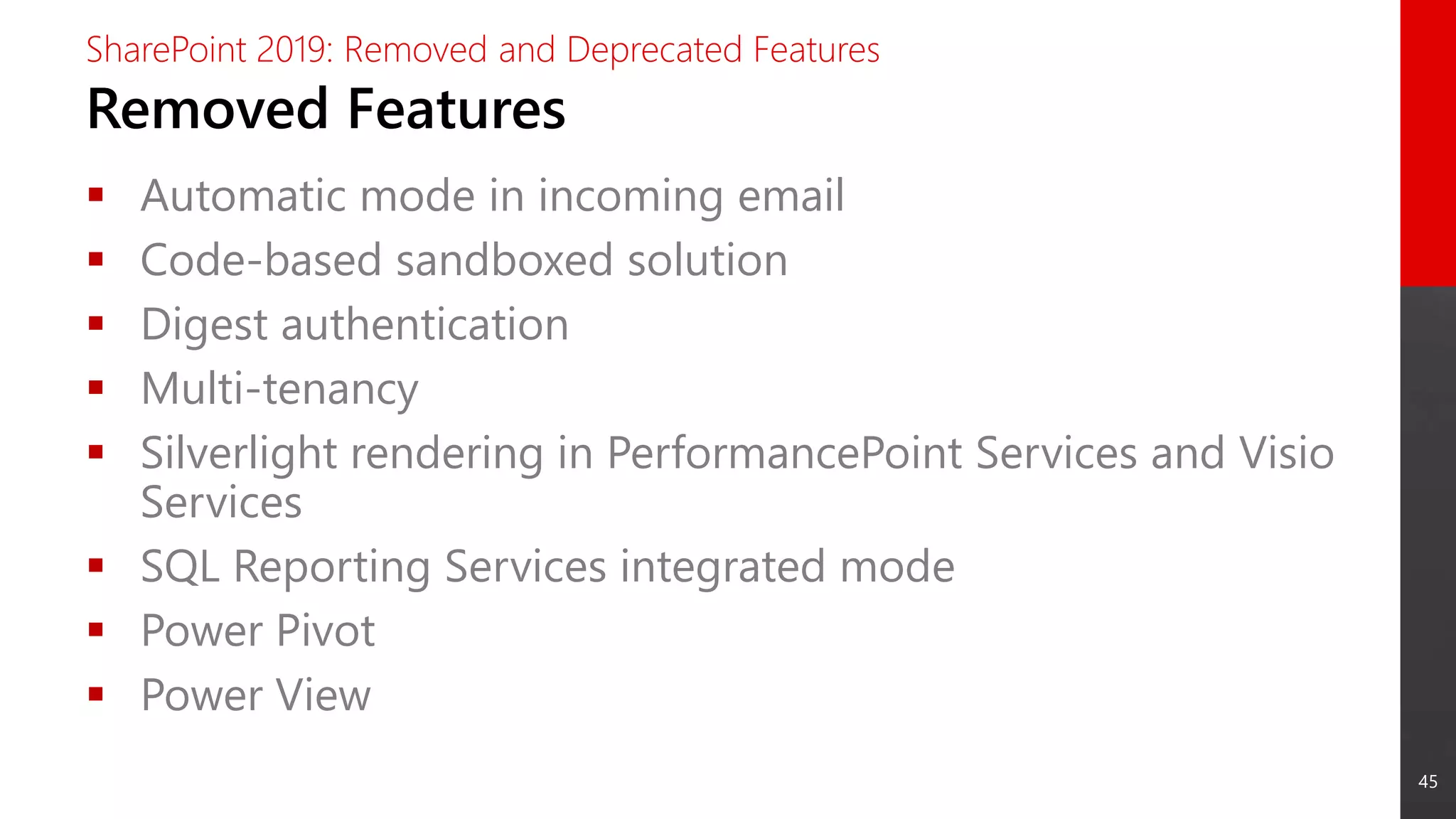
 Automatic mode in incoming email
 Code-based sandboxed solution
 Digest authentication
 Multi-tenancy
 Silverlight rendering in PerformancePoint Services and Visio
Services
 SQL Reporting Services integrated mode
 Power Pivot
 Power View
46
Deprecated Features
SharePoint 2019: Removed and Deprecated Features
 Access Services 2010 & 2013
 Aggregated Newsfeed
 Custom Help
 InfoPath Client / InfoPath Services (replaced by PowerApps,
supported until 2026)
 Lists web service
 Machine Translation service
 PerformancePoint Services
 SharePoint Designer (no new investments on SharePoint
Designer, supported until 2026)
 Site Mailbox
 Site Manager
47
2018 11-29 - Future Of SharePoint - SharePoint 2019

2018 11-29 - Future Of SharePoint - SharePoint 2019

  • 1.
    SharePoint & Office365 Senior Consultant | Create IT miguel.isidoro@create.pt / (+351) 96 252 15 50 https://www.linkedin.com/in/miguelisidoro/
  • 2.
    2 Summary SharePoint 2019  SharePointHistory  What’s New for End Users  What’s New for IT Pros  What’s New for Developers  What’s New for Business Process Management  Hybrid Scenarios  Deprecated and Removed Features
  • 3.
  • 4.
    4 SharePoint History SharePoint 2019 20012003 2006 2009 2012 2016 SharePoint Portal Server 2001 SharePoint Portal Server 2003 Office SharePoint Server 2007 SharePoint Server 2010 SharePoint Server 2013 SharePoint Server 2019 Windows SharePoint Services 2.0 Windows SharePoint Services 3.0 SharePoint Foundation 2010 SharePoint Foundation 2013 Office 365 Microsoft Online Services Microsoft Managed Solutions SharePoint Team Services 2018 SharePoint Server 2016
  • 5.
  • 6.
    6 New Features SharePoint 2019:What’s New for End Users  Fast Site Creation  Modern Team Sites  Modern Communication Sites  Modern Lists  Modern Libraries  Modern Pages  Modern Web Parts  Mobile Friendly  OneDrive Sync  Search
  • 7.
    7 Fast Site Creation SharePoint2019: What’s New for End Users Simple site creation Modern Team sites Modern Communication sites Also used in OneDrive personal site auto-provisioning Fast site creation Same experience to create Team and Communication sites
  • 8.
    8 Modern Team Sites SharePoint2019: What’s New for End Users Updated modern experience for Team Sites Fast, mobile ready, and customizable experience Major differences to SharePoint Online Team Sites: no Integration with Office 365 Groups (meaning no Shared Mailbox and Calendar or integration with Teams and Planner)
  • 9.
    9 Modern Communication Sites SharePoint2019: What’s New for End Users Beautiful, dynamic site to reach broad audience Fast, mobile ready, and customizable experience Keep the organization informed and engaged
  • 10.
    10 Modern Lists SharePoint 2019:What’s New for End Users Updated, responsive UI Add columns and rows with ease Format columns with JSON Simplified filtering experience Details pane gives you more information without leaving the list view
  • 11.
    11 Modern Libraries SharePoint 2019:What’s New for End Users Updated, responsive UI Aligned with UI fabric of OneDrive Modern sharing experience Optimized for light weight structure and process
  • 12.
    12 Modern Pages SharePoint 2019:What’s New for End Users Create beautiful and responsive pages fast and easily Engage with your organization using Team News
  • 13.
    13 Modern Web Parts SharePoint2019: What’s New for End Users Modern web parts available out of the box Easily extend pages with client-side development using SharePoint Framework (SPFx) web parts and extensions
  • 14.
    14 Mobile Friendly SharePoint 2019:What’s New for End Users Beautiful sites on every device Get SharePoint on the go with the SharePoint Mobile App
  • 15.
    15 OneDrive Sync SharePoint 2019:What’s New for End Users Fast, reliable, and proven experience with latest version of OneDrive Sync Client (NGSC) Connect and sync OneDrive and SharePoint document libraries Sync only the files you need using the Files On Demand
  • 16.
    16 Search SharePoint 2019: What’sNew for End Users Modern search experience Type ahead contextual results in search box Modern search result page for SharePoint Home and Site search Store the index on the Cloud and get both Online and On-Premises results in a consistent search experience and in a single result set Search the content you need and get results as you type and grouped by result type
  • 17.
  • 18.
    18 New Features SharePoint 2019:What’s New for IT Pros  Improved Hybrid Support  SMTP Server Authentication  Infrastructure Improvements
  • 19.
    19 Improved Hybrid Support SharePoint2019: What’s New for IT Pros Hybrid may be configured during deployment Launch the Hybrid Configuration Wizard directly from Central Administration OneDrive in Office 365 by Default
  • 20.
    20 SMTP Authentication SharePoint 2019:What’s New for IT Pros SharePoint can now authenticate to your SMTP email servers No more anonymous relays just for SharePoint
  • 21.
    21 Infrastructure Improvements SharePoint 2019:What’s New for IT Pros URL path length limit increase from 260 to 400 characters Support for # and % characters in file and folder names across document libraries in SharePoint and OneDrive for Business Maximum upload size increases from 10 to 15 GB Recover your content deleted by others from your recycle bin
  • 22.
  • 23.
    23 New Features SharePoint 2019:What’s New for Developers  SharePoint Framework Client-Side Web Parts  SharePoint Framework Extensions  Webhooks for List Items  Column Formatting Ref: https://docs.microsoft.com/en-us/sharepoint/dev/general-development/sharepoint-2019- development-platform
  • 24.
    24 Not Supported Features SharePoint2019: What’s New for Developers  Site Designs and Site Scripts  Site Collection app catalog  Custom modern themes for communication site or modern team site Ref: https://docs.microsoft.com/en-us/sharepoint/dev/general-development/sharepoint-2019- development-platform
  • 25.
    25 SharePoint Framework WebParts SharePoint 2019: What’s New for Developers Build modern user experiences with SharePoint Framework Web Parts SharePoint Framework supported version in SharePoint 2019 is v1.4.1 Ref: https://docs.microsoft.com/en-us/sharepoint/dev/general-development/sharepoint-2019- development-platform
  • 26.
    26 SharePoint Framework Extensions SharePoint2019: What’s New for Developers Enhance native modern user experiences with SharePoint Framework Extensions SharePoint Framework supported version in SharePoint 2019 is v1.4.1 Ref: https://docs.microsoft.com/en-us/sharepoint/dev/general-development/sharepoint-2019- development-platform
  • 27.
    27 Webhooks for ListItems SharePoint 2019: What’s New for Developers A way to automate actions after a new item in a SharePoint list item is created or updated Works with SharePoint Lists and Libraries Uses an asynchronous event model (no synchronous events are supported as in Remote Event Receivers) Ref: https://docs.microsoft.com/en-us/sharepoint/dev/general-development/sharepoint-2019- development-platform
  • 28.
    28 Column Formatting SharePoint 2019:What’s New for Developers Use column formatting to customize how fields in SharePoint lists and libraries are displayed Some examples: • Conditional formatting based on a number range • Conditional formatting based on the value in a text or choice field • Formatting an item when a date column is before or after today's date Ref: https://docs.microsoft.com/en-us/sharepoint/dev/general-development/sharepoint-2019- development-platform
  • 29.
    What’s New for BusinessProcess Management
  • 30.
    30 PowerApps Support SharePoint 2019:What’s New for Business Process Management Easily build a business application without writing any code Connect to dozens of data sources including On-Premises Line Of Business applications
  • 31.
    31 Microsoft Flow Support SharePoint2019: What’s New for Business Process Management Easily automate business processes without writing any code Connect to dozens of data sources including On-Premises Line Of Business applications
  • 32.
    32 On-Premises Data Gateway SharePoint2019: What’s New for Business Process Management Connect to your Line Of Business Data Connection to LOB Data using On- Premises Data Gateway
  • 33.
  • 34.
    34 Hybrid: Main Benefits SharePoint2019: Hybrid Scenarios  Seize existing investments and migrate to the Cloud at your own pace  Start taking advantage of Office 365 ecosystem  Easily collaborate with external and internal users using Office 365 without complex IT deployments  Use SharePoint 2016 and Office 365 in a single sign-on and a consistent user experience  Build solutions using modern development models, making it easy to migrate to the Cloud and Office 365
  • 35.
    35 Hybrid in SharePoint2019 SharePoint 2019: Hybrid Scenarios  Most common scenarios:  Hybrid OneDrive  Hybrid Taxonomy and Content Types  Extranet Sharing  Hybrid Sites and App Launcher  Hybrid Search  Hybrid User Profiles  Single Sign-On experience between SharePoint Server and SharePoint Online
  • 36.
    36 Hybrid Scenarios SharePoint 2019:Hybrid Scenarios Seamless Single Sign-On Hybrid User Profiles Hybrid Search Hybrid Sites and App Launcher Extranet Sharing Hybrid Taxonomy and Content Types Hybrid OneDrive
  • 37.
    37 Seamless Single Sign-On Hybrid User Profiles Hybrid Search Hybrid Sites and App Launcher Extranet Sharing Hybrid Taxonomy and Content Types Hybrid OneDrive Hybrid OneDrive SharePoint2019: Hybrid Scenarios  1 to 5 TB of personal storage per user  Remote access without VPN  Access your documents on any device  Sync documents and work offline
  • 38.
    38 Seamless Single Sign-On Hybrid User Profiles Hybrid Search Hybrid Sites and App Launcher Extranet Sharing Hybrid Taxonomy and Content Types Hybrid OneDrive Hybrid Taxonomyand Content Types SharePoint 2019: Hybrid Scenarios  Share taxonomy between SharePoint Online and SharePoint Server  Share content types between SharePoint Online and SharePoint Server
  • 39.
    39 Seamless Single Sign-On Hybrid User Profiles Hybrid Search Hybrid Sites and App Launcher Extranet Sharing Hybrid Taxonomy and Content Types Hybrid OneDrive Extranet Sharing SharePoint2019: Hybrid Scenarios  Create websites for access by external users without having to cross the firewall  Web sites are created and security is managed in Office 365  Secure Sharing  Ability to restrict sharing with specific domains  Ability to restrict external users access to a single site  No complex hardware / soft settings are required
  • 40.
    40  Follow sitesfrom SharePoint Server and SharePoint Online  Access followed sites on SharePoint Server and SharePoint Online  Include SharePoint Online and SharePoint Server applications in the app launch Seamless Single Sign-On Hybrid User Profiles Hybrid Search Hybrid Sites and App Launcher Extranet Sites Hybrid Taxonomy and Content Types Hybrid OneDrive Hybrid Sites and App Launcher SharePoint 2019: Hybrid Scenarios
  • 41.
    41 Seamless Single Sign-On Hybrid User Profiles Hybrid Search Hybrid Sites and App Launcher Extranet Sites Hybrid Taxonomy and Content Types Hybrid OneDrive Hybrid Search SharePoint2019: Hybrid Scenarios  Combine on-premises and cloud content into a single search index enabling search across all content within the organization  Search index is stored in SharePoint Online  On-premises information remains on-premises  Results are displayed and ranked in a one single result block
  • 42.
    42  Access userprofile information with Office 365 Delve experience  Besides updating user profile, Delve allows users to quickly find the most relevant content for them  Popular documents  Content they’re working on  Content from people they work with Seamless Single Sign-On Hybrid User Profiles Hybrid Search Hybrid Sites and App Launcher Extranet Sites Hybrid Taxonomy and Content Types Hybrid OneDrive Hybrid User Profiles SharePoint 2019: Hybrid Scenarios
  • 43.
    43  Users don’thave to reenter their credentials when they switch between SharePoint Server and SharePoint Online, allowing a Seamless Single Sign-On experience Seamless Single Sign-On Hybrid User Profiles Hybrid Search Hybrid Sites and App Launcher Extranet Sites Hybrid Taxonomy and Content Types Hybrid OneDrive Seamless Single Sign-On SharePoint 2019: Hybrid Scenarios
  • 44.
  • 45.
    45 Removed Features SharePoint 2019:Removed and Deprecated Features  Automatic mode in incoming email  Code-based sandboxed solution  Digest authentication  Multi-tenancy  Silverlight rendering in PerformancePoint Services and Visio Services  SQL Reporting Services integrated mode  Power Pivot  Power View
  • 46.
    46 Deprecated Features SharePoint 2019:Removed and Deprecated Features  Access Services 2010 & 2013  Aggregated Newsfeed  Custom Help  InfoPath Client / InfoPath Services (replaced by PowerApps, supported until 2026)  Lists web service  Machine Translation service  PerformancePoint Services  SharePoint Designer (no new investments on SharePoint Designer, supported until 2026)  Site Mailbox  Site Manager
  • 47.

Editor's Notes

  • #5 Antes de falarmos nas novidades do SharePoint ou do roadmap, é importante fazermos uma breve resenha histórica para percebermos onde tudo começou e como chegámos aqui. Tudo começou em 2001, quando a Microsoft lançou o SharePoint Portal Server 2001 cujo foco era a colaboração, a pesquisa e a gestão documental. Era uma aplicação comercial on-premises. Mais ou menos na mesma altura, lançou uma versão gratuita e mais básica do SharePoint a que chamou de SharePoint Team Services. Em 2002 apareceu a primeira versão de uma oferta cloud de produtividade da Microsoft – Microsoft Managed Solutions Em 2003 foi lançada a versão 2003 do SharePoint, com dois produtos: WSS 2.0, a versão base gratuita, e o SPS 2003, comercial, que acrescentar vários serviços e funcionalidades ao WSS Em 2006, a Microsoft pegou no Microsoft CMS 2002 e juntou-o ao SPS 2003 para criar o MOSS 2007. Nesta altura saiu também o WSS 3.0 e o BPOS Em 2009, lançaram o SPF 2010 (evolução do WSS 3.0) e o SharePoint Server 2010. Em 2012, aparece o Office 365 e o SharePoint Online. Aparece também o SPF 2013 e o SP Server 2013. Em 2016, a Microsoft lança o SP Server 2016. Em 2018, a Microsoft lança o SP Server 2016.
  • #8 SPEAKER NOTES Create sites in seconds… Fast site creation in SharePoint Server 2019 allows users create new sites in a few seconds. Fast site creation is only supported with the following site templates: OneDrive personal site [SPSPERS#10] Team site (modern only) [STS#3] Communication site [SITEPAGEPUBLISHING#0] Fast site creation is used when creating sites in the following entry points: OneDrive personal site auto-provisioning The Create Site button in SharePoint Home The New-SPSite PowerShell cmdlet with the -CreateFromSiteMaster switch parameter#
  • #9 SPEAKER NOTES Modern Team Sites A SharePoint team site connects you and your team to the content, information, and apps you rely on every day. Team sites have always been at the heart of collaboration with SharePoint. They connect your team with the content, the information and the apps you rely on and they enable sharing and communication within the team and across the organization. In SharePoint Server 2019 you’ll find a modern team site experience, with an engaging home page personalized by the power of SharePoint search.
  • #10 SPEAKER NOTES Communication Sites SharePoint has always been at the core of collaboration – people working together on files, lists, and libraries. SharePoint Server 2019 embraces and provides a new generation of the mobile and intelligent intranet, allowing you to communicate to people throughout your organization with beautiful, dynamic, mobile-ready communication sites and pages that keep everyone informed and engaged. It is easy to move from working on the details of a project or campaign collaboratively in team sites to create broad-reach communication sites. Like SharePoint team sites, new communication sites are created in seconds by clicking Create site on SharePoint home in SharePoint Server 2019.  It is then easy to adjust page layouts and add web parts and to pull in valuable data and content from other services, like conversations from Yammer and videos from Microsoft Stream. The result is a vibrant, interactive, dynamic experiences for your site visitors.
  • #11 SPEAKER NOTES Manage documents and information with ease… Modern Lists SharePoint lists provide individual and teams the ability to access, share, and collaborate around structured data and to bring information from other systems into SharePoint to support business process. SharePoint Server 2019 introduces a modern list experience that simplifies how people create, curate, and interact with information with a rich set of capabilities that work across devices and browsers.
  • #12 SPEAKER NOTES Modern Libraries Helping people share files and collaborate on content has always been central to SharePoint. SharePoint Server 2019 provides a better experience for document libraries that’s faster, more intuitive and responsive with modern document libraries. Modern document libraries combine the power of SharePoint with OneDrive usability - Modern document libraries have an updated user interface that offers an experience similar to OneDrive, so it’s more intuitive to create a new folder and upload files in the browser. The ribbon has been replaced with a trim command bar, which provides intelligent commands relevant to the tasks at hand.
  • #16 SPEAKER NOTES OneDrive Making decisions faster and keeping in contact are critical capabilities for increasing effectiveness in any organization. Users’ ability to access information while on the go is now a workplace necessity. SharePoint Server 2019 provides improved mobile access to content, people, and applications along with engaging and responsive experiences across devices and screen sizes. It makes file storage and document collaboration more people-centric with new support for the latest generation of sync clients with OneDrive for Business.
  • #17 SPEAKER NOTES Search Improvements SharePoint Server 2019 provides powerful search and intelligent ways to discover information, expertise, and insights to inform decisions and guide action. SharePoint’s rich content management, along with valuable connections and conversations enable your organization to maximize the velocity of knowledge. SharePoint Server 2019 provides a modern search experience with type ahead contextual results in search box, modern search result page for SharePoint Home and site search, and more.
  • #24 SPEAKER NOTES SharePoint Framework SharePoint Server 2019 provides native support the SharePoint Framework, a page and part model that enables fully supported client-side development, easy integration with the Microsoft Graph and support for open source tooling. The SharePoint Framework delivers a new client-side rendering framework leveraging open source JavaScript technologies. The client-side development framework will allow developers to use modern JavaScript and web templating frameworks across cloud and on-premises SharePoint. The SharePoint Framework embraces the tools, frameworks and open source initiatives that developers rely on today, and it extends the scope of solutions that can be built on SharePoint, on-premises and in the cloud. Extensions The ability to build responsive, fluid web parts using modern web developer tools and techniques expands the audience and opportunities for all developers to tailor their SharePoint sites. SharePoint Framework Extensions add new capabilities to extend the user experience of SharePoint within modern pages and document libraries, while leveraging the familiar tools and libraries for client-side development coming from the SharePoint Framework. Through support for SharePoint Framework Extensions in SharePoint Server 2019 it’s now possible to more deeply tailor your SharePoint sites to provide enhanced status and notification updates within banners, or perhaps display extended metadata relevant to a site. For items within a list, you can adjust both the presentation, as well as add new options for users to work with list items and more.