Towards GDPR Compliance with LINDDUN
Aram Hovsepyan
Kim Wuyts
https://www.facebook.com/LINDDUN.privacy/
https://twitter.com/linddun
https://linddun.org
2
2
Large team of
professionals
§ 12 faculty members
§ 8 research managers
§ 15 postdocs
§ 50 PhD Students
§ Business office
Project-centric research
§ fundamental research at the
core
§ strategic basic research
§ applied research
with industry
§ contract research
Distributed
Software
Software
engineering
Secure
Software
GDPR Compliance
3
COMPLIANCE LEGALLEGALTECHNICAL
COMPLIANCE
GDPR Compliance
4
LEGALLEGALTECHNICAL
LIN
DDUN
› Functional
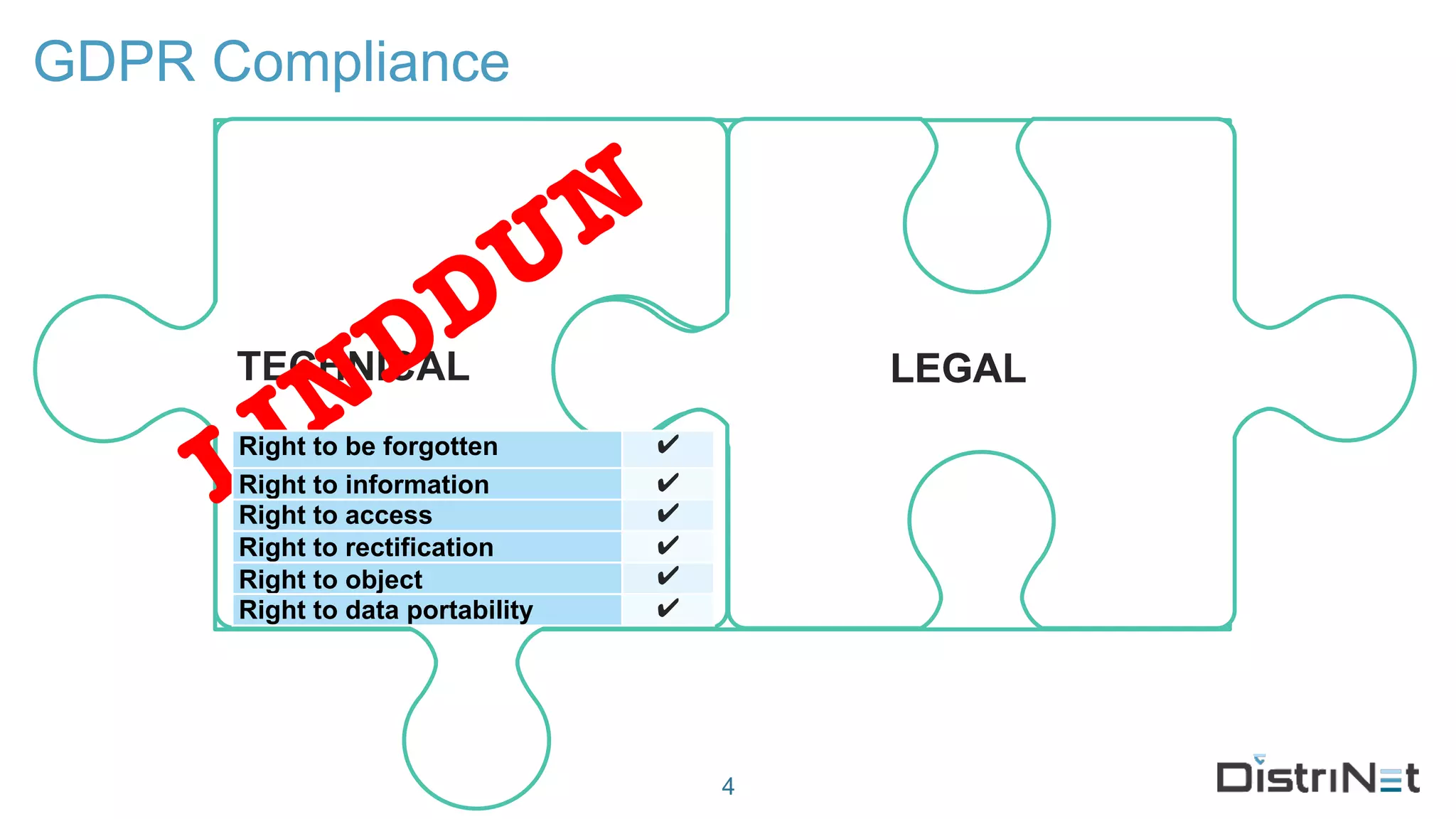
› “Appropriate technical
measures…”
Right to be forgotten ✔
Right to information ✔
Right to access ✔
Right to rectification ✔
Right to object ✔
Right to data portability ✔
LINDDUN background
› Developed before the GDPR hysteria
› Scientifically renown
› Industrially accepted (ISO27550)
5
LINDDUN
› Technical data protection impact assessment methodology
› Threat modeling framework
› System description
› Threat elicitation
› Threat management / mitigation
6
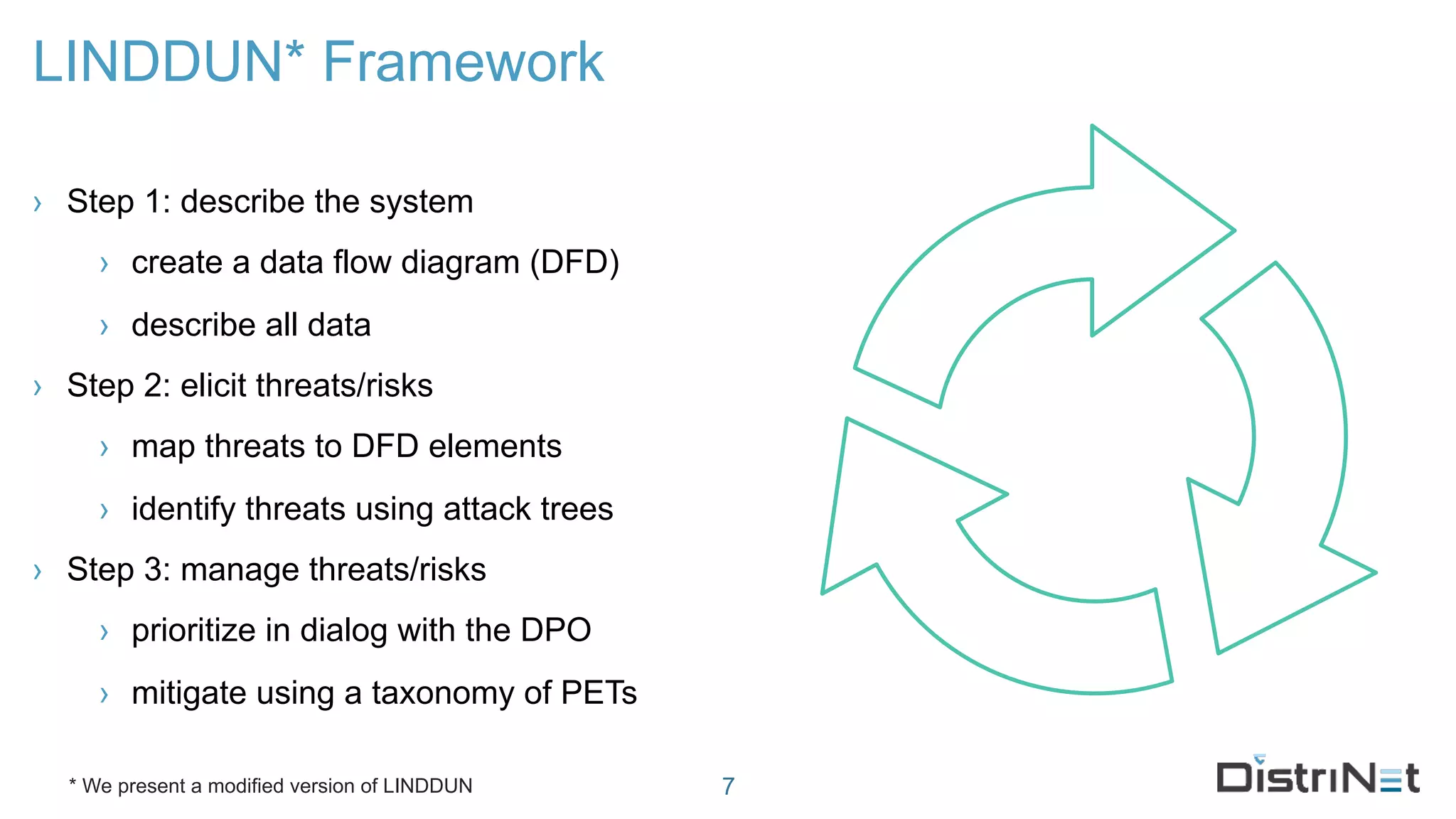
LINDDUN* Framework
› Step 1: describe the system
› create a data flow diagram (DFD)
› describe all data
› Step 2: elicit threats/risks
› map threats to DFD elements
› identify threats using attack trees
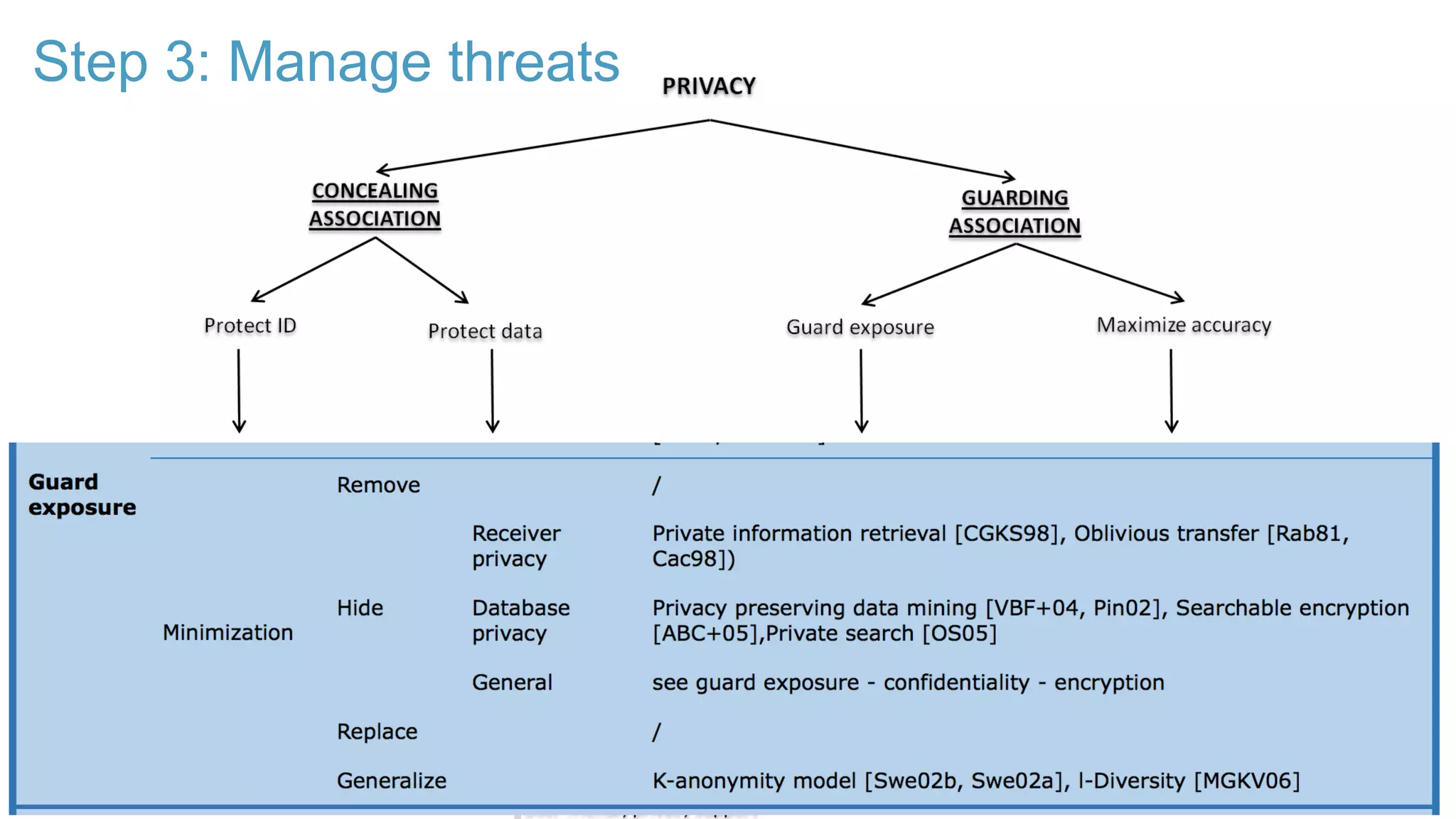
› Step 3: manage threats/risks
› prioritize in dialog with the DPO
› mitigate using a taxonomy of PETs
7* We present a modified version of LINDDUN
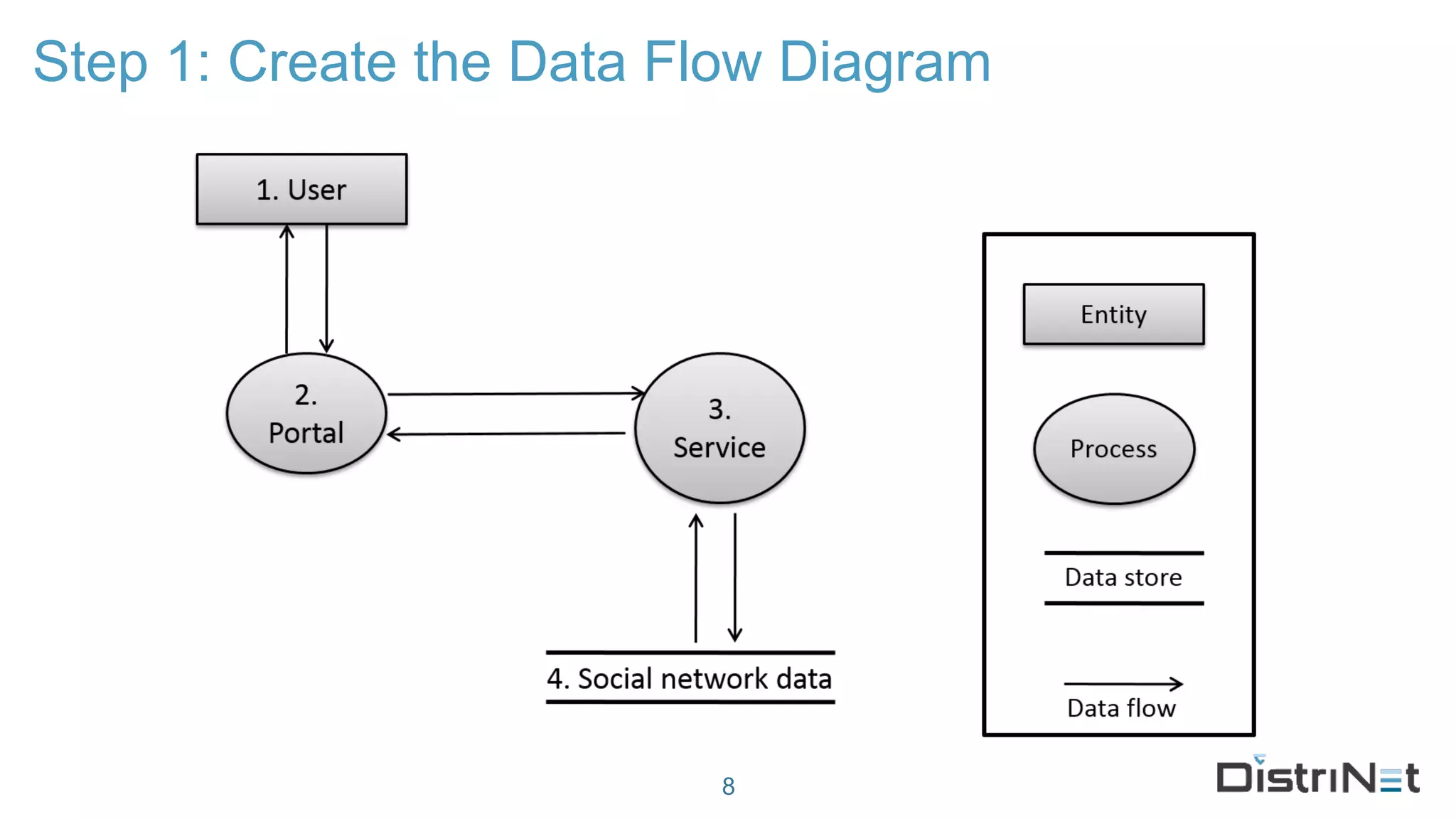
Step 1: Create the Data Flow Diagram
8
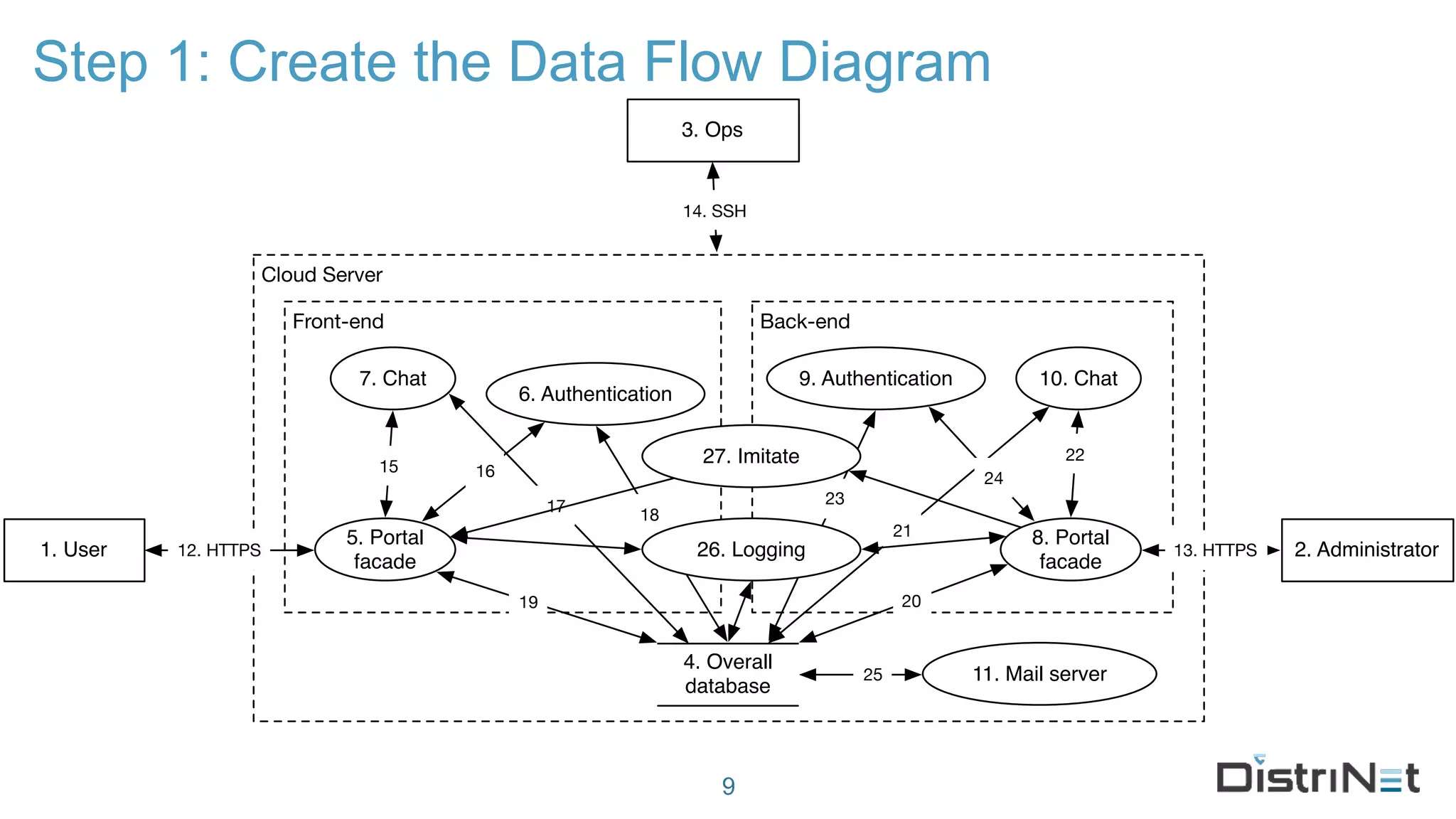
Step 1: Create the Data Flow Diagram
9
Cloud Server
1. User 2. Administrator
Back-endFront-end
9. Authentication
4. Overall
database
6. Authentication
5. Portal
facade
8. Portal
facade
11. Mail server
7. Chat 10. Chat
13. HTTPS12. HTTPS
3. Ops
14. SSH
15 16
17 18
19 20
21
22
23
24
25
26. Logging
27. Imitate
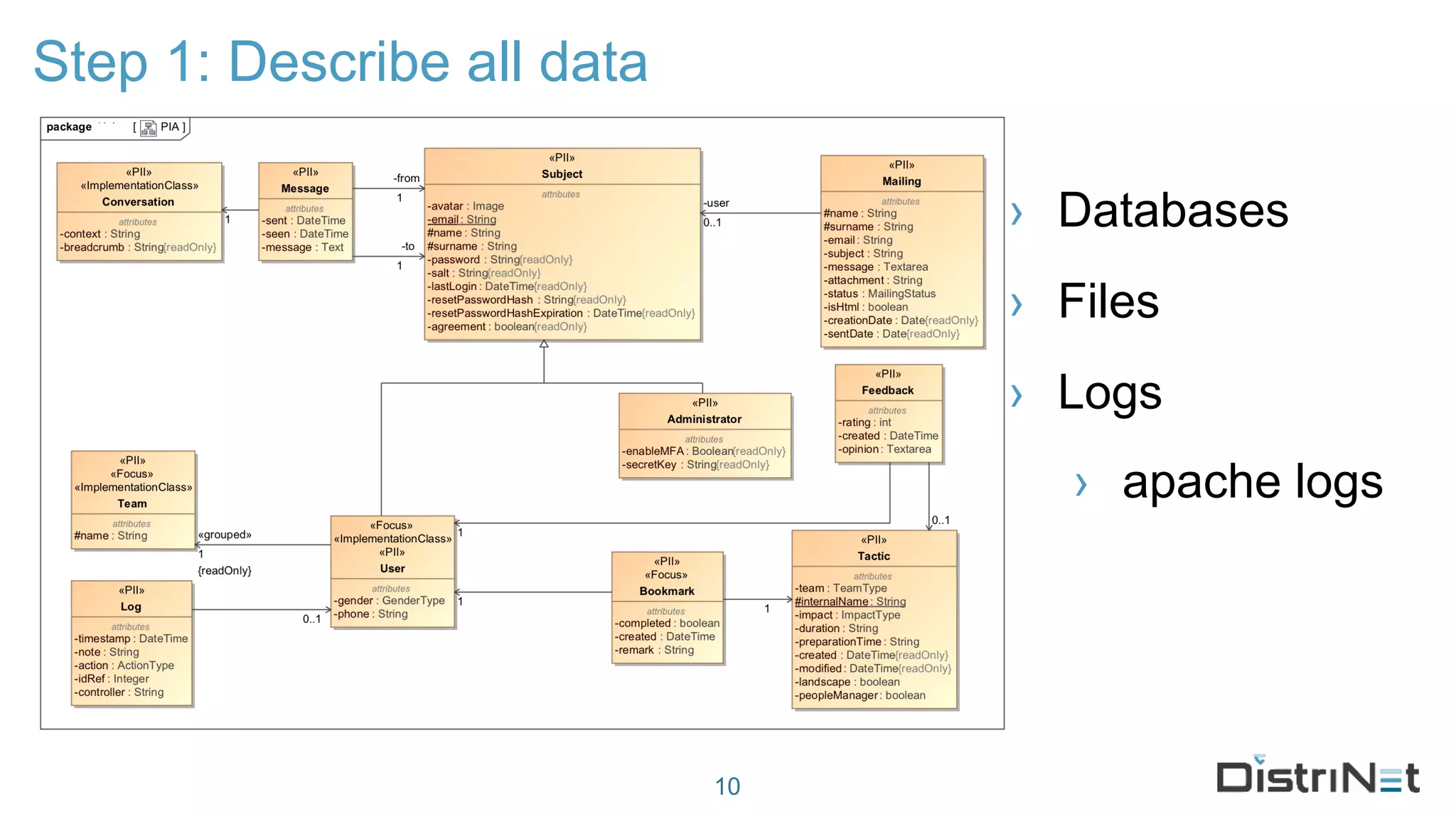
Step 1: Describe all data
› Databases
› Files
› Logs
› apache logs
10
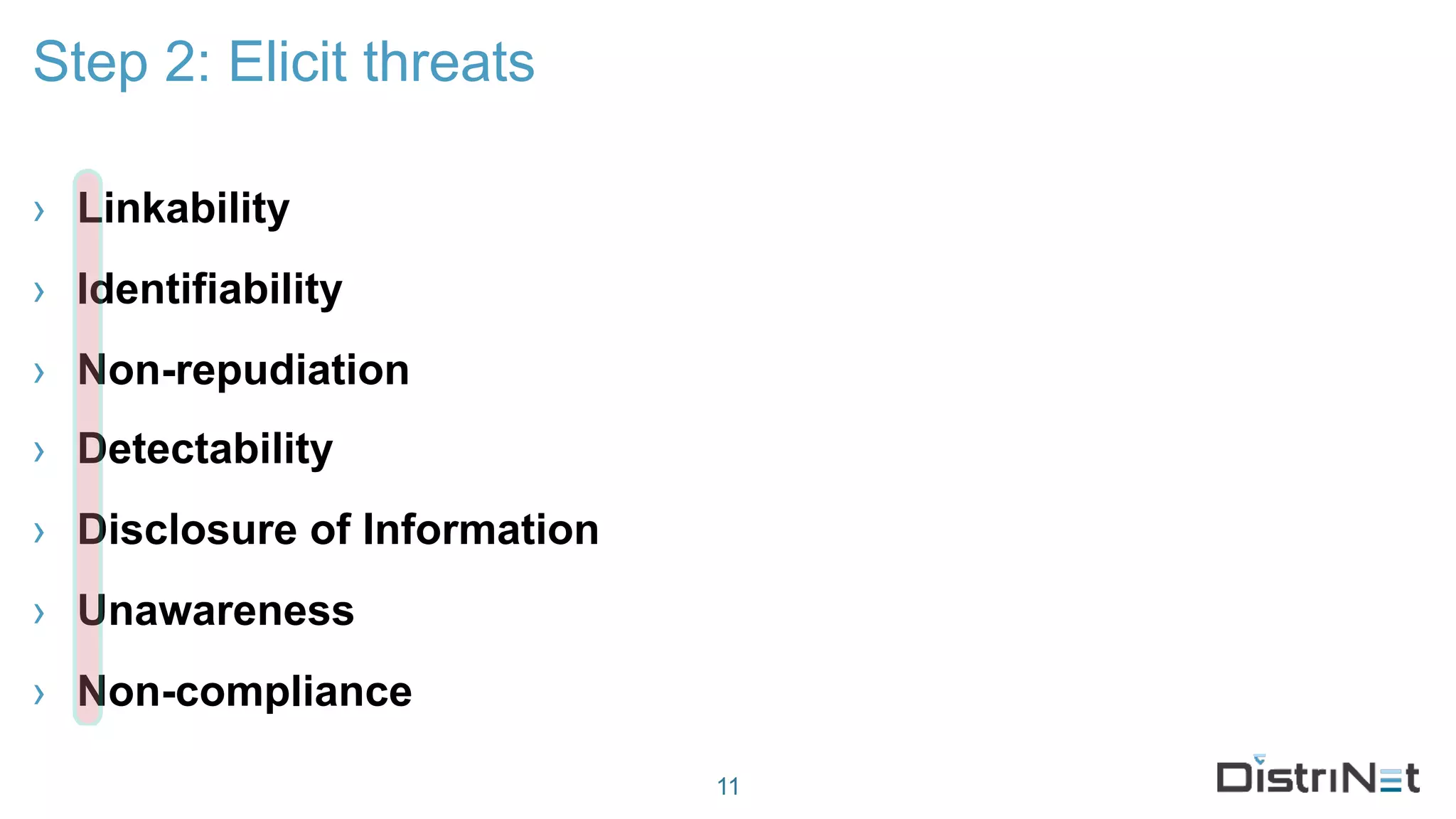
› Linkability
› Identifiability
› Non-repudiation
› Detectability
› Disclosure of Information
› Unawareness
› Non-compliance
Step 2: Elicit threats
11
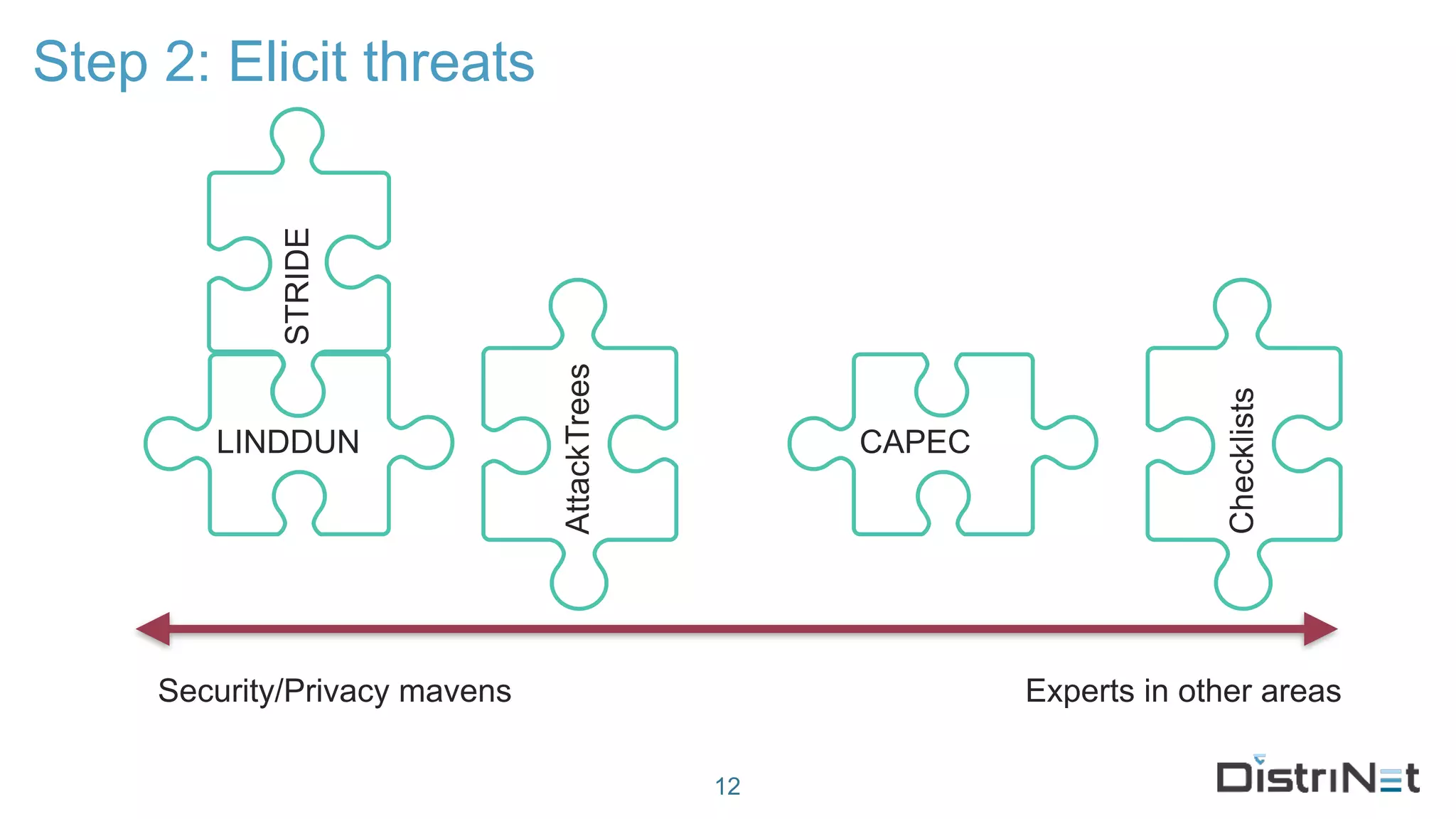
Step 2: Elicit threats
12
Security/Privacy mavens Experts in other areas
LINDDUN
AttackTrees
Checklists
CAPEC
STRIDE
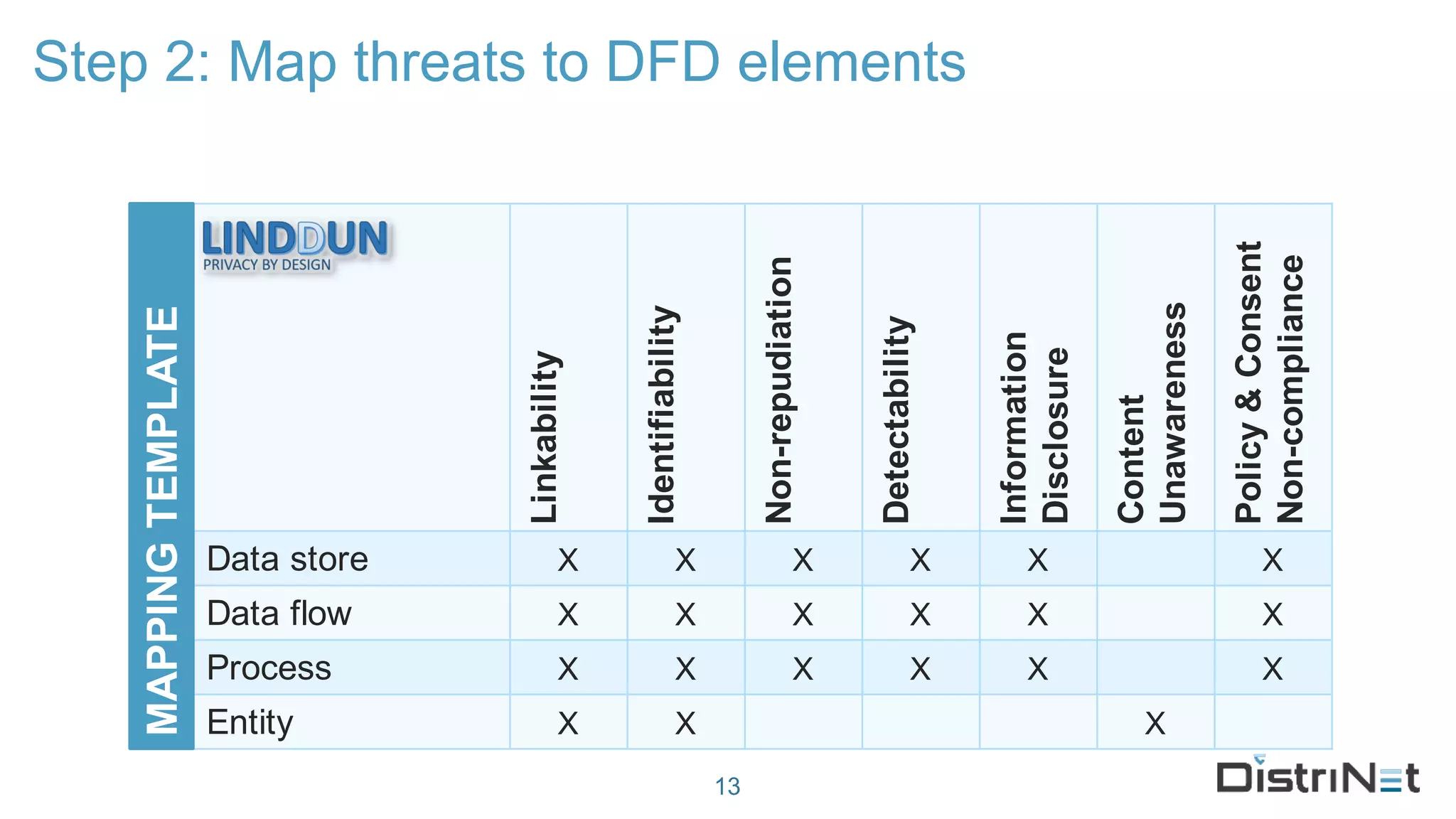
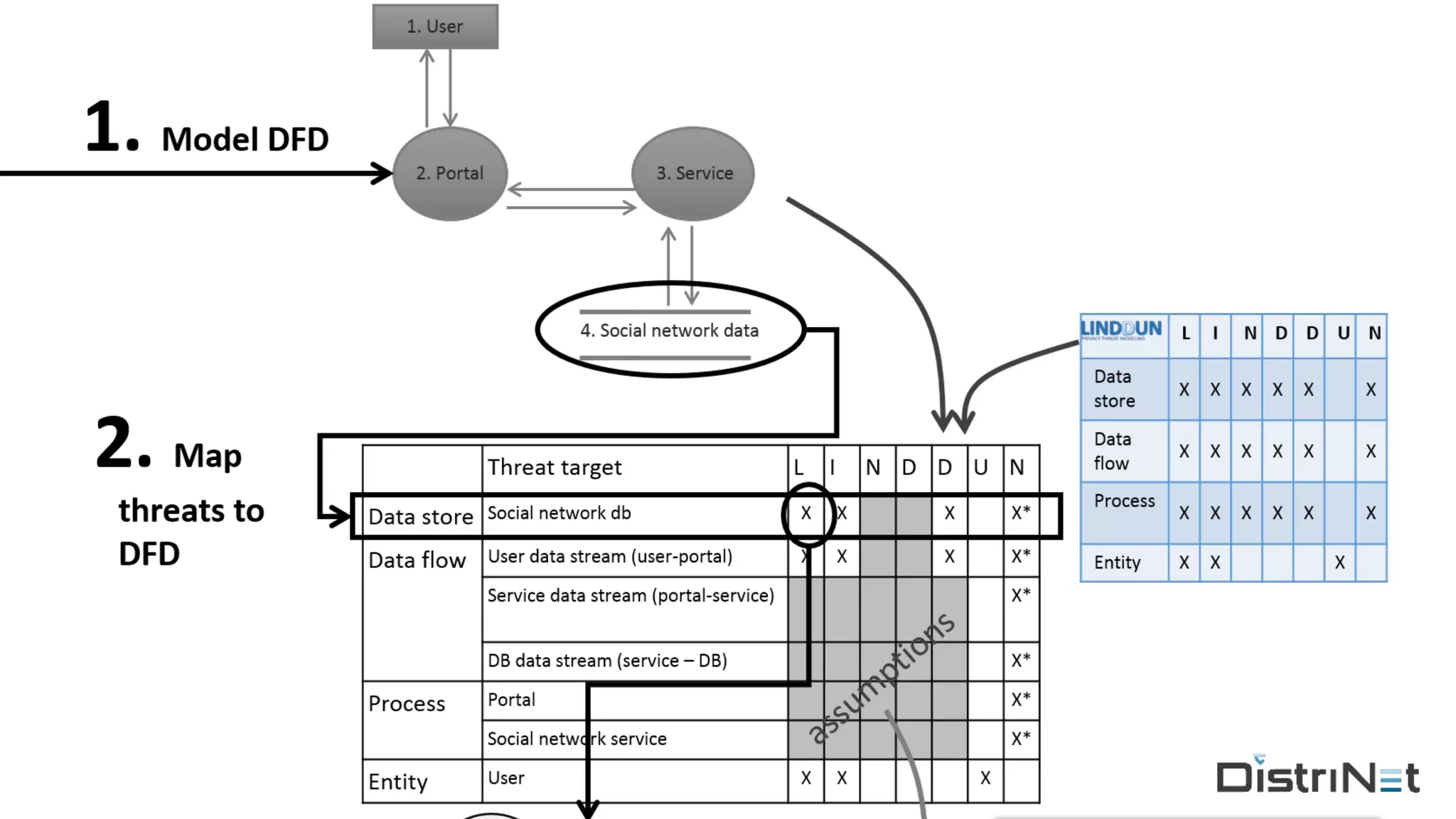
Step 2: Map threats to DFD elements
13
Linkability
Identifiability
Non-repudiation
Detectability
Information
Disclosure
Content
Unawareness
Policy&Consent
Non-compliance
Data store X X X X X X
Data flow X X X X X X
Process X X X X X X
Entity X X X
MAPPINGTEMPLATE
Assumptions
› Pre-conditions / invariants that invalidate threats, e.g.:
› non-repudiation threats often not applicable
› secure communication (https A+ grade)
› identifiability and linkability threats not be applicable to
closed systems
14
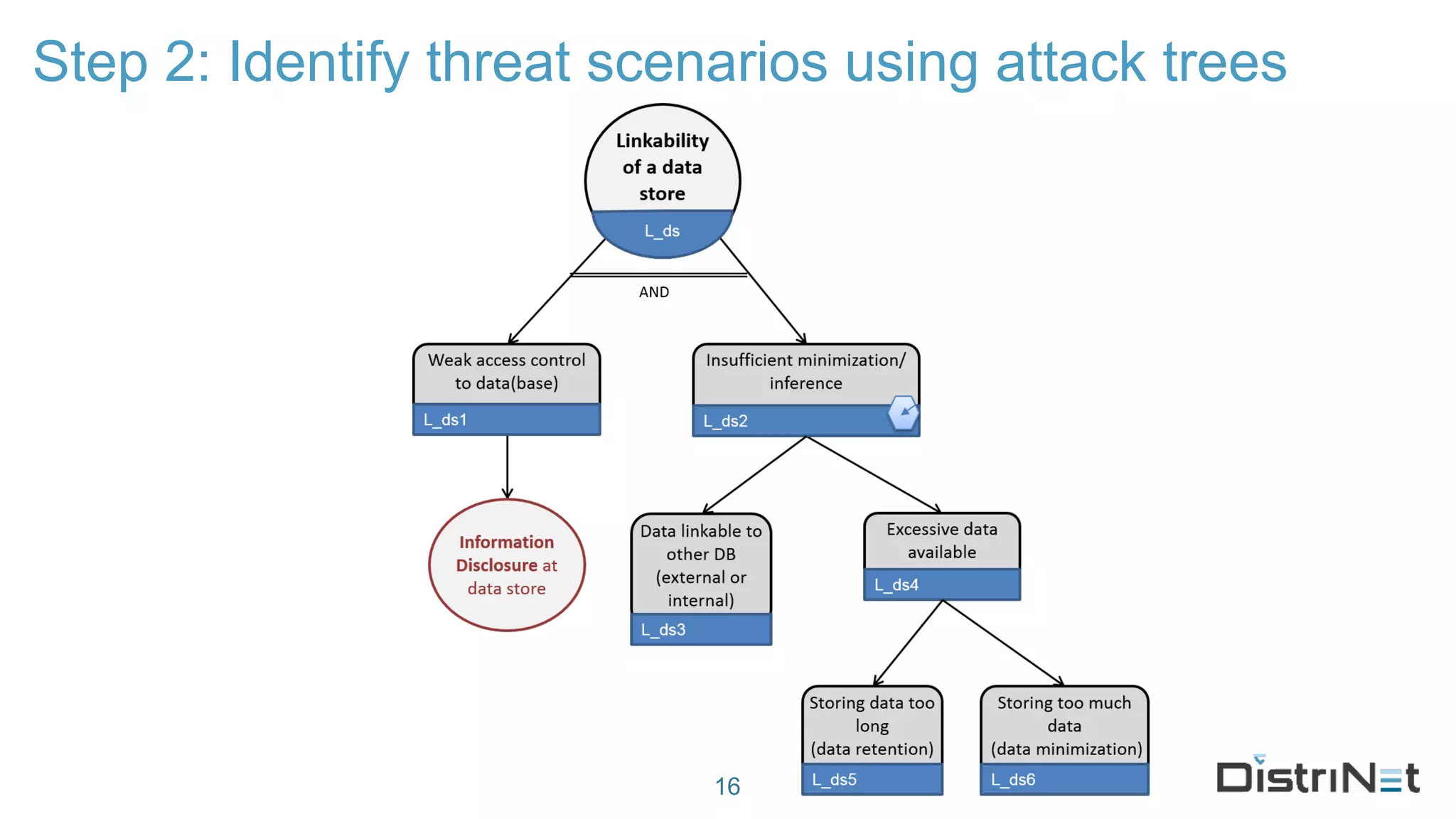
Step 2: Identify threat scenarios using attack trees
16
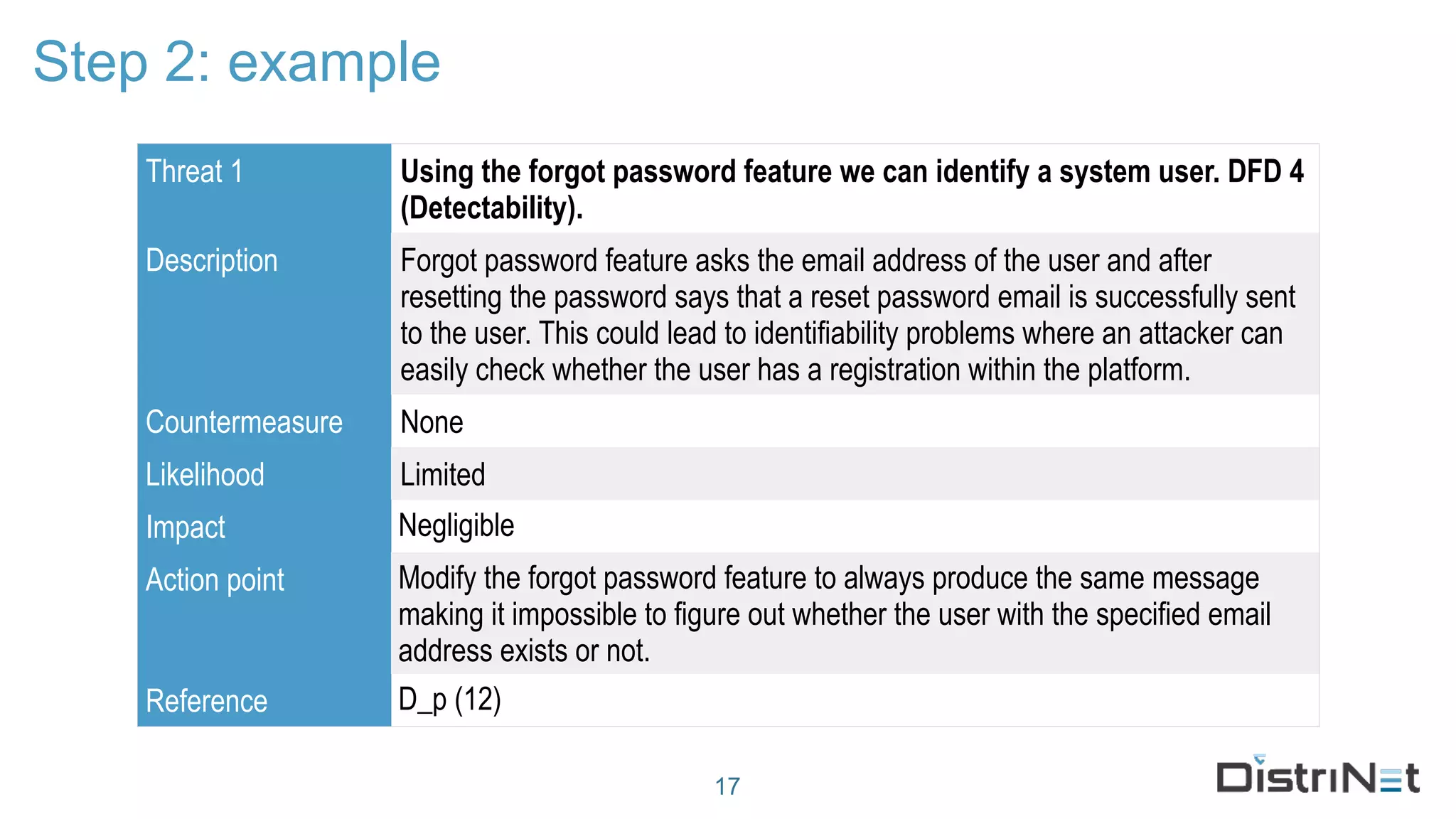
Step 2: example
17
Threat 1 Using the forgot password feature we can identify a system user. DFD 4
(Detectability).
Description Forgot password feature asks the email address of the user and after
resetting the password says that a reset password email is successfully sent
to the user. This could lead to identifiability problems where an attacker can
easily check whether the user has a registration within the platform.
Countermeasure None
Likelihood Limited
Impact Negligible
Action point Modify the forgot password feature to always produce the same message
making it impossible to figure out whether the user with the specified email
address exists or not.
Reference D_p (12)
Step 2: example
18
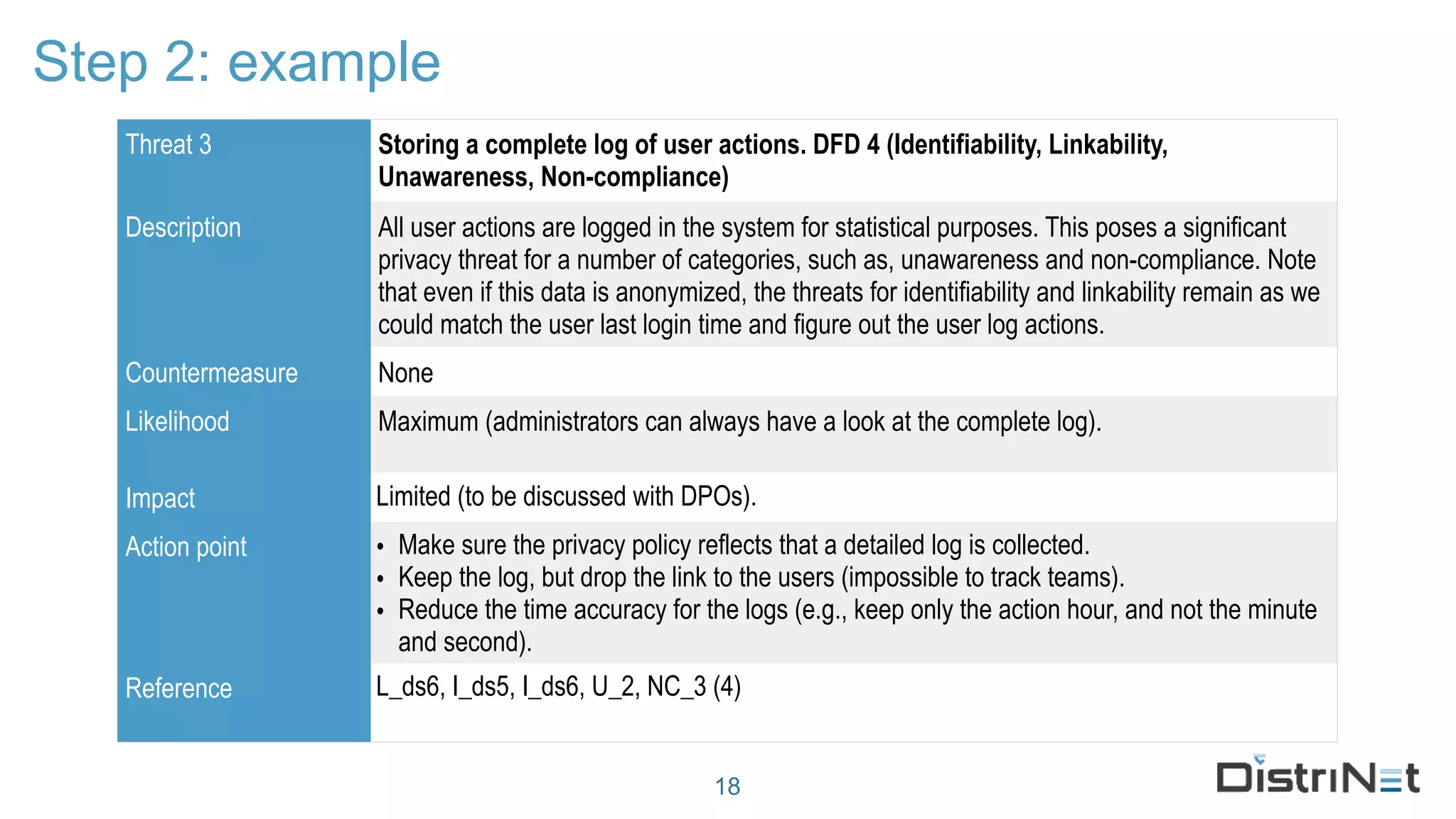
Threat 3 Storing a complete log of user actions. DFD 4 (Identifiability, Linkability,
Unawareness, Non-compliance)
Description All user actions are logged in the system for statistical purposes. This poses a significant
privacy threat for a number of categories, such as, unawareness and non-compliance. Note
that even if this data is anonymized, the threats for identifiability and linkability remain as we
could match the user last login time and figure out the user log actions.
Countermeasure None
Likelihood Maximum (administrators can always have a look at the complete log).
Impact Limited (to be discussed with DPOs).
Action point • Make sure the privacy policy reflects that a detailed log is collected.
• Keep the log, but drop the link to the users (impossible to track teams).
• Reduce the time accuracy for the logs (e.g., keep only the action hour, and not the minute
and second).
Reference L_ds6, I_ds5, I_ds6, U_2, NC_3 (4)
Step 3: Manage threats
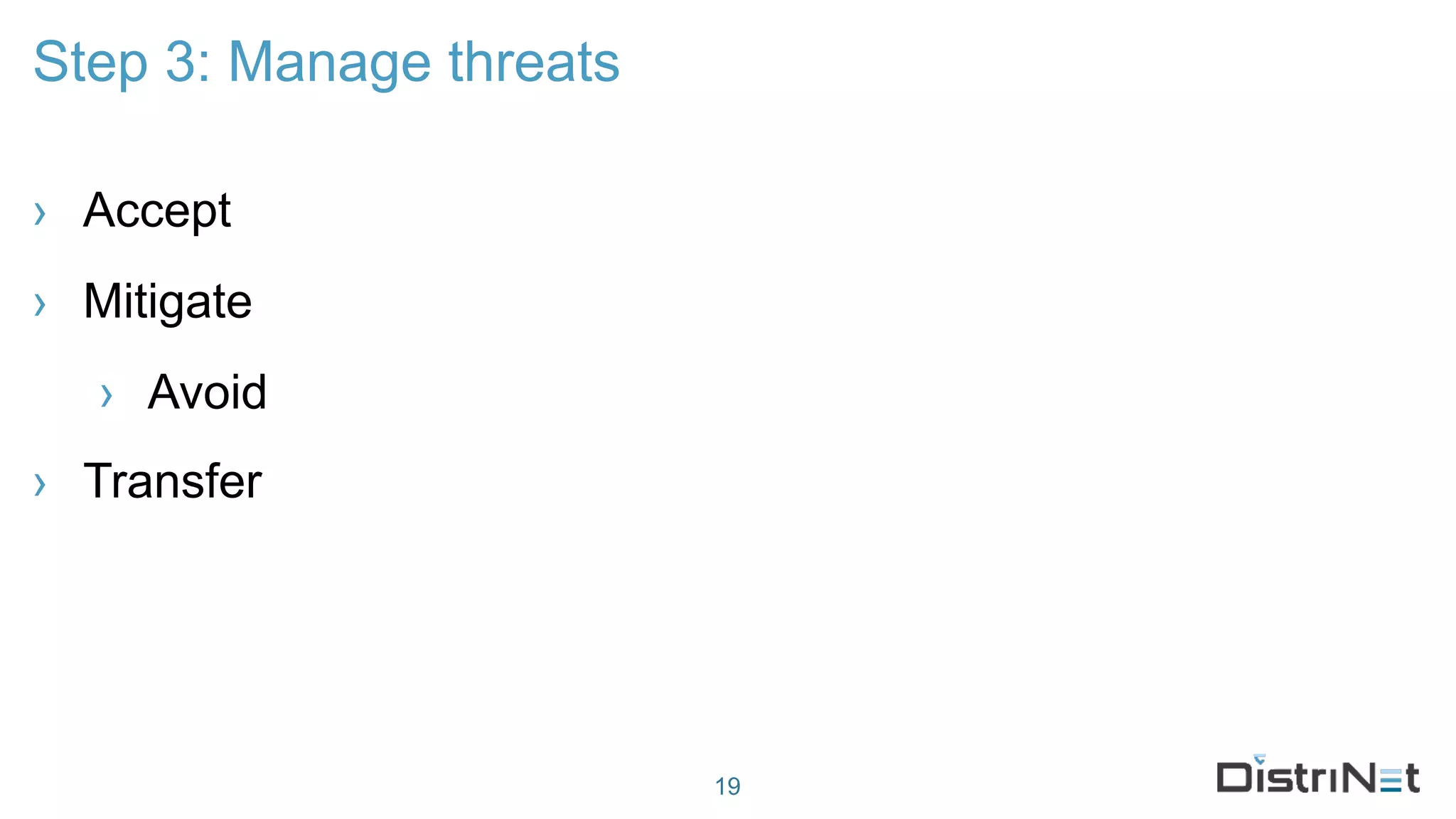
› Accept
› Mitigate
› Avoid
› Transfer
19
Step 3: Manage threats
20
Step 3: Manage threats
LINDDUN
› Systematic technical data privacy impact assessment framework
› Solid scientific foundation
› 30 years security research
› 10 years privacy research
› Collaborative effort with COSIC and CiTiP
› Validated through empirical studies and pilot projects
23
https://linddun.org

20171106 - Privacy Design Lab - LINDDUN

  • 1.
    Towards GDPR Compliancewith LINDDUN Aram Hovsepyan Kim Wuyts https://www.facebook.com/LINDDUN.privacy/ https://twitter.com/linddun https://linddun.org
  • 2.
    2 2 Large team of professionals §12 faculty members § 8 research managers § 15 postdocs § 50 PhD Students § Business office Project-centric research § fundamental research at the core § strategic basic research § applied research with industry § contract research Distributed Software Software engineering Secure Software
  • 3.
  • 4.
    COMPLIANCE GDPR Compliance 4 LEGALLEGALTECHNICAL LIN DDUN › Functional ›“Appropriate technical measures…” Right to be forgotten ✔ Right to information ✔ Right to access ✔ Right to rectification ✔ Right to object ✔ Right to data portability ✔
  • 5.
    LINDDUN background › Developedbefore the GDPR hysteria › Scientifically renown › Industrially accepted (ISO27550) 5
  • 6.
    LINDDUN › Technical dataprotection impact assessment methodology › Threat modeling framework › System description › Threat elicitation › Threat management / mitigation 6
  • 7.
    LINDDUN* Framework › Step1: describe the system › create a data flow diagram (DFD) › describe all data › Step 2: elicit threats/risks › map threats to DFD elements › identify threats using attack trees › Step 3: manage threats/risks › prioritize in dialog with the DPO › mitigate using a taxonomy of PETs 7* We present a modified version of LINDDUN
  • 8.
    Step 1: Createthe Data Flow Diagram 8
  • 9.
    Step 1: Createthe Data Flow Diagram 9 Cloud Server 1. User 2. Administrator Back-endFront-end 9. Authentication 4. Overall database 6. Authentication 5. Portal facade 8. Portal facade 11. Mail server 7. Chat 10. Chat 13. HTTPS12. HTTPS 3. Ops 14. SSH 15 16 17 18 19 20 21 22 23 24 25 26. Logging 27. Imitate
  • 10.
    Step 1: Describeall data › Databases › Files › Logs › apache logs 10
  • 11.
    › Linkability › Identifiability ›Non-repudiation › Detectability › Disclosure of Information › Unawareness › Non-compliance Step 2: Elicit threats 11
  • 12.
    Step 2: Elicitthreats 12 Security/Privacy mavens Experts in other areas LINDDUN AttackTrees Checklists CAPEC STRIDE
  • 13.
    Step 2: Mapthreats to DFD elements 13 Linkability Identifiability Non-repudiation Detectability Information Disclosure Content Unawareness Policy&Consent Non-compliance Data store X X X X X X Data flow X X X X X X Process X X X X X X Entity X X X MAPPINGTEMPLATE
  • 14.
    Assumptions › Pre-conditions /invariants that invalidate threats, e.g.: › non-repudiation threats often not applicable › secure communication (https A+ grade) › identifiability and linkability threats not be applicable to closed systems 14
  • 16.
    Step 2: Identifythreat scenarios using attack trees 16
  • 17.
    Step 2: example 17 Threat1 Using the forgot password feature we can identify a system user. DFD 4 (Detectability). Description Forgot password feature asks the email address of the user and after resetting the password says that a reset password email is successfully sent to the user. This could lead to identifiability problems where an attacker can easily check whether the user has a registration within the platform. Countermeasure None Likelihood Limited Impact Negligible Action point Modify the forgot password feature to always produce the same message making it impossible to figure out whether the user with the specified email address exists or not. Reference D_p (12)
  • 18.
    Step 2: example 18 Threat3 Storing a complete log of user actions. DFD 4 (Identifiability, Linkability, Unawareness, Non-compliance) Description All user actions are logged in the system for statistical purposes. This poses a significant privacy threat for a number of categories, such as, unawareness and non-compliance. Note that even if this data is anonymized, the threats for identifiability and linkability remain as we could match the user last login time and figure out the user log actions. Countermeasure None Likelihood Maximum (administrators can always have a look at the complete log). Impact Limited (to be discussed with DPOs). Action point • Make sure the privacy policy reflects that a detailed log is collected. • Keep the log, but drop the link to the users (impossible to track teams). • Reduce the time accuracy for the logs (e.g., keep only the action hour, and not the minute and second). Reference L_ds6, I_ds5, I_ds6, U_2, NC_3 (4)
  • 19.
    Step 3: Managethreats › Accept › Mitigate › Avoid › Transfer 19
  • 20.
    Step 3: Managethreats 20
  • 21.
  • 22.
  • 23.
    LINDDUN › Systematic technicaldata privacy impact assessment framework › Solid scientific foundation › 30 years security research › 10 years privacy research › Collaborative effort with COSIC and CiTiP › Validated through empirical studies and pilot projects 23 https://linddun.org