Follow these simple steps
to create your own TMM 2018
fundraising page now!
www.unitedwaymumbai.org/tmm
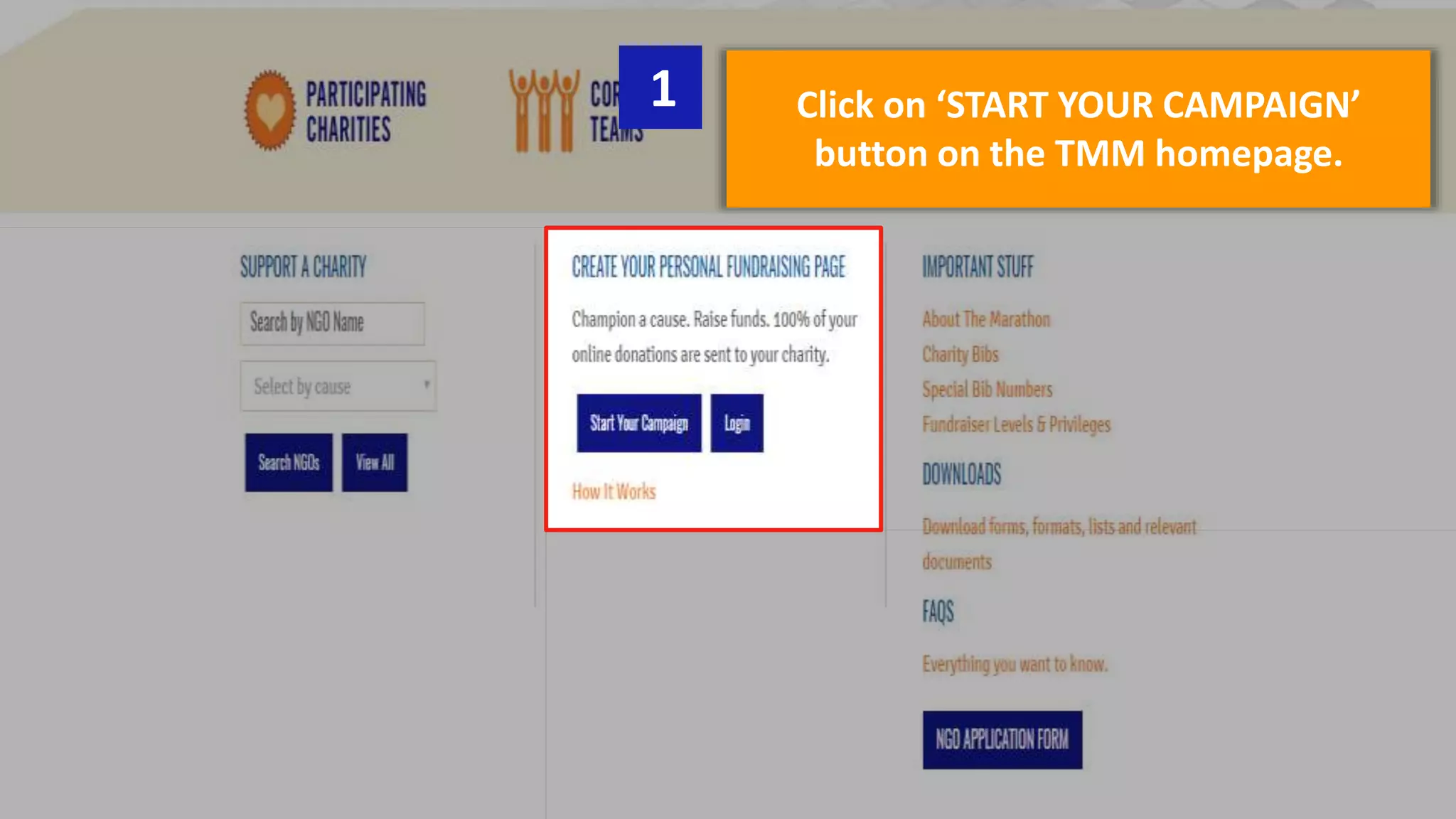
Click on ‘START YOUR CAMPAIGN’
button on the TMM homepage.
1
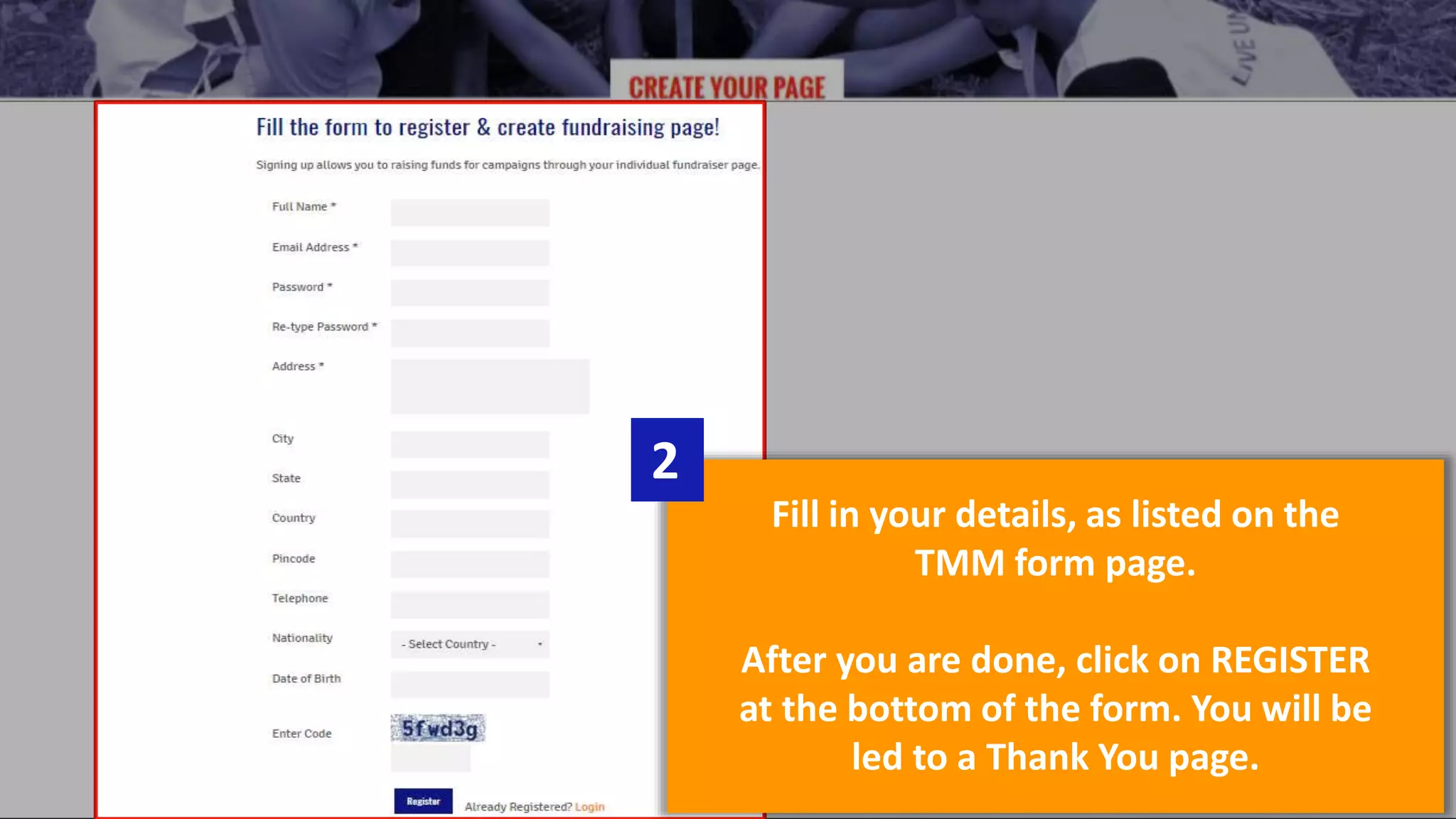
Fill in your details, as listed on the
TMM form page.
After you are done, click on REGISTER
at the bottom of the form. You will be
led to a Thank You page.
2
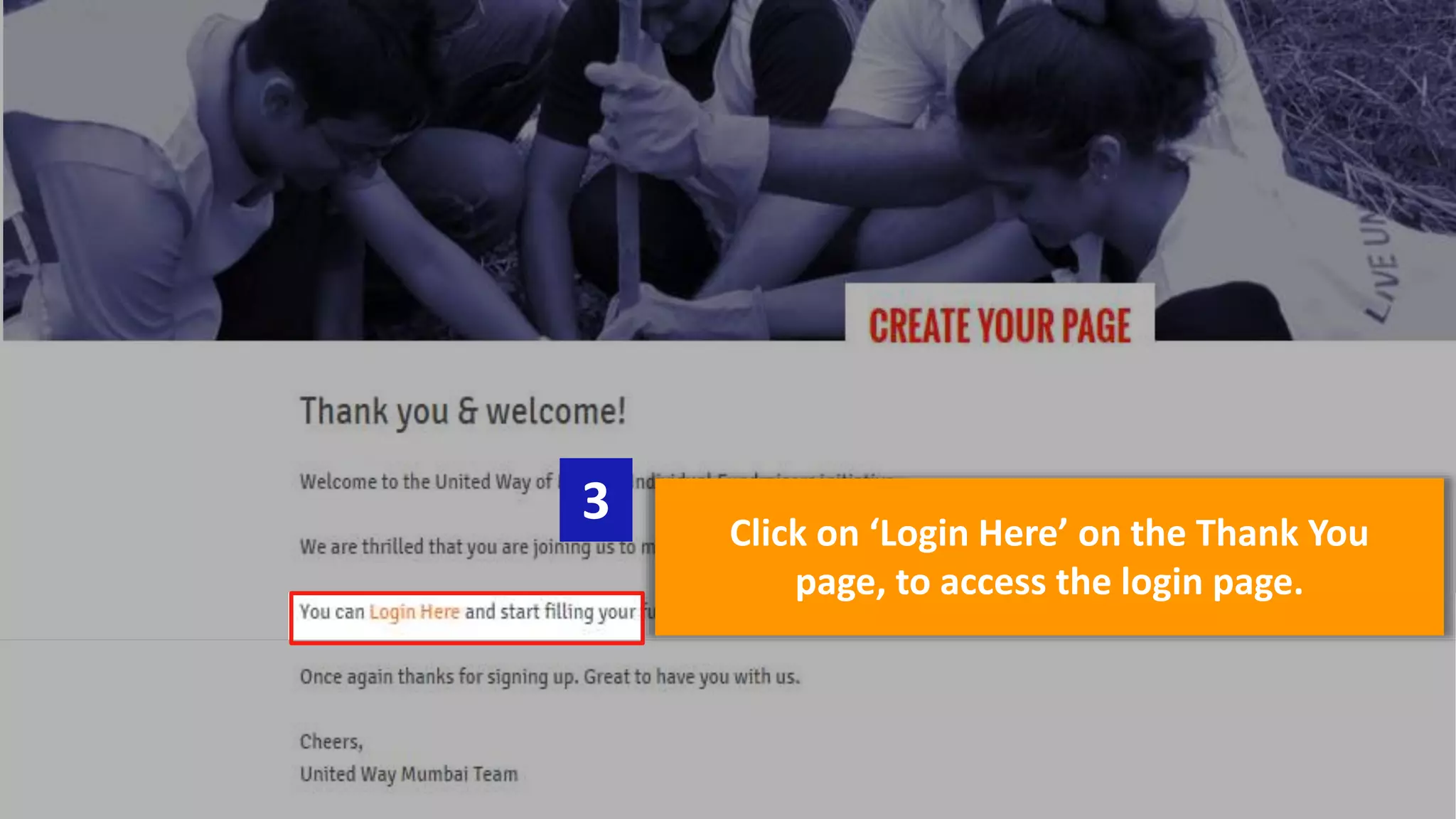
Click on ‘Login Here’ on the Thank You
page, to access the login page.
3
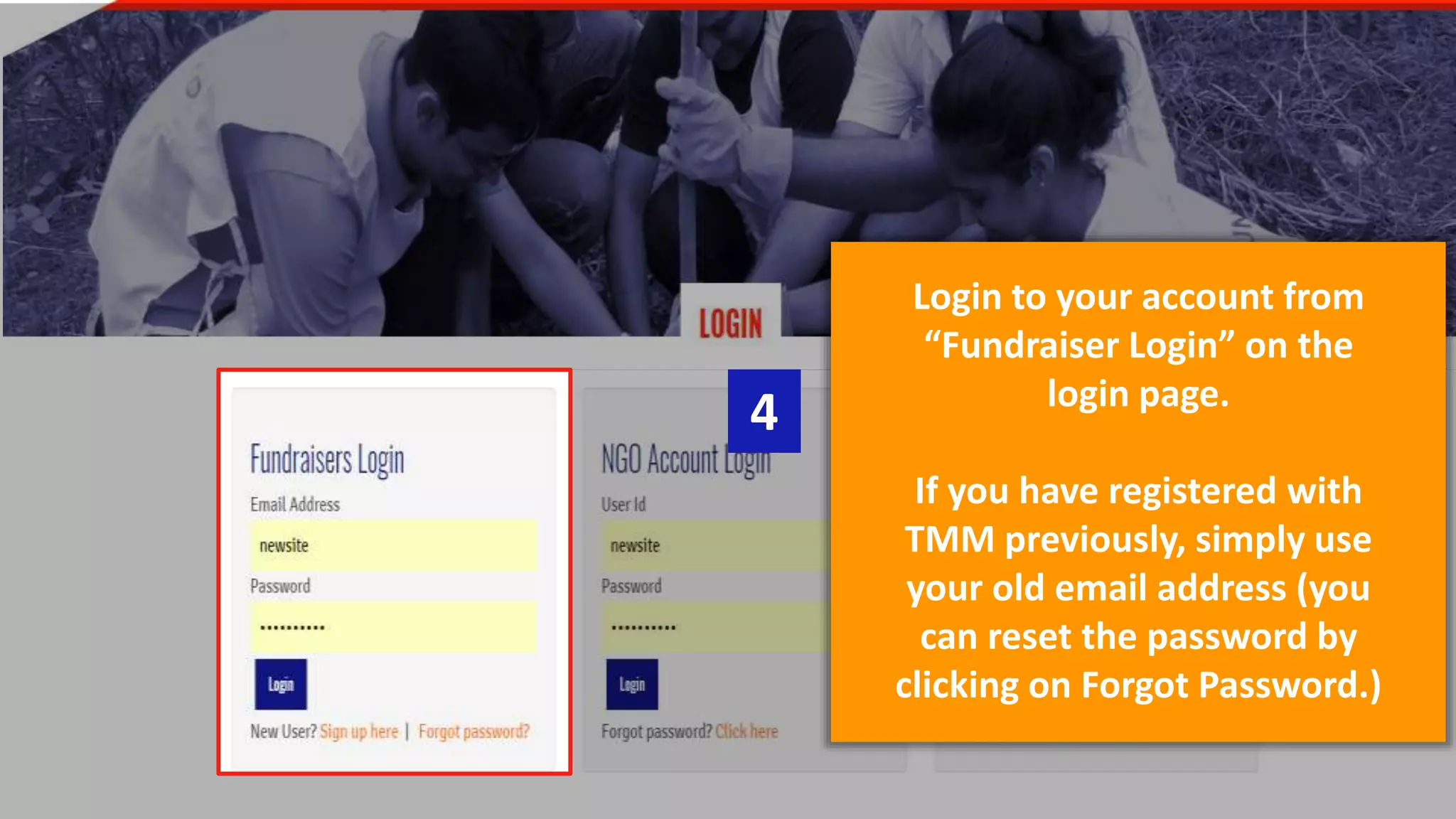
Login to your account from
“Fundraiser Login” on the
login page.
If you have registered with
TMM previously, simply use
your old email address (you
can reset the password by
clicking on Forgot Password.)
4
This is your account dashboard. Edit
your page by clicking on ‘Edit My SCMM
2017 page’ link on the right side.
5
Thank You!
For any additional queries, email us at:
tmm@unitedwaymumbai.org
www.unitedwaymumbai.org/tmm

2015 10-12 how-it_works

  • 1.
    Follow these simplesteps to create your own TMM 2018 fundraising page now! www.unitedwaymumbai.org/tmm
  • 2.
    Click on ‘STARTYOUR CAMPAIGN’ button on the TMM homepage. 1
  • 3.
    Fill in yourdetails, as listed on the TMM form page. After you are done, click on REGISTER at the bottom of the form. You will be led to a Thank You page. 2
  • 4.
    Click on ‘LoginHere’ on the Thank You page, to access the login page. 3
  • 5.
    Login to youraccount from “Fundraiser Login” on the login page. If you have registered with TMM previously, simply use your old email address (you can reset the password by clicking on Forgot Password.) 4
  • 6.
    This is youraccount dashboard. Edit your page by clicking on ‘Edit My SCMM 2017 page’ link on the right side. 5 Thank You! For any additional queries, email us at: tmm@unitedwaymumbai.org www.unitedwaymumbai.org/tmm