Follow these simple steps
to edit your SCMM 2017
fundraising page now!
www.unitedwaymumbai.org/scmm
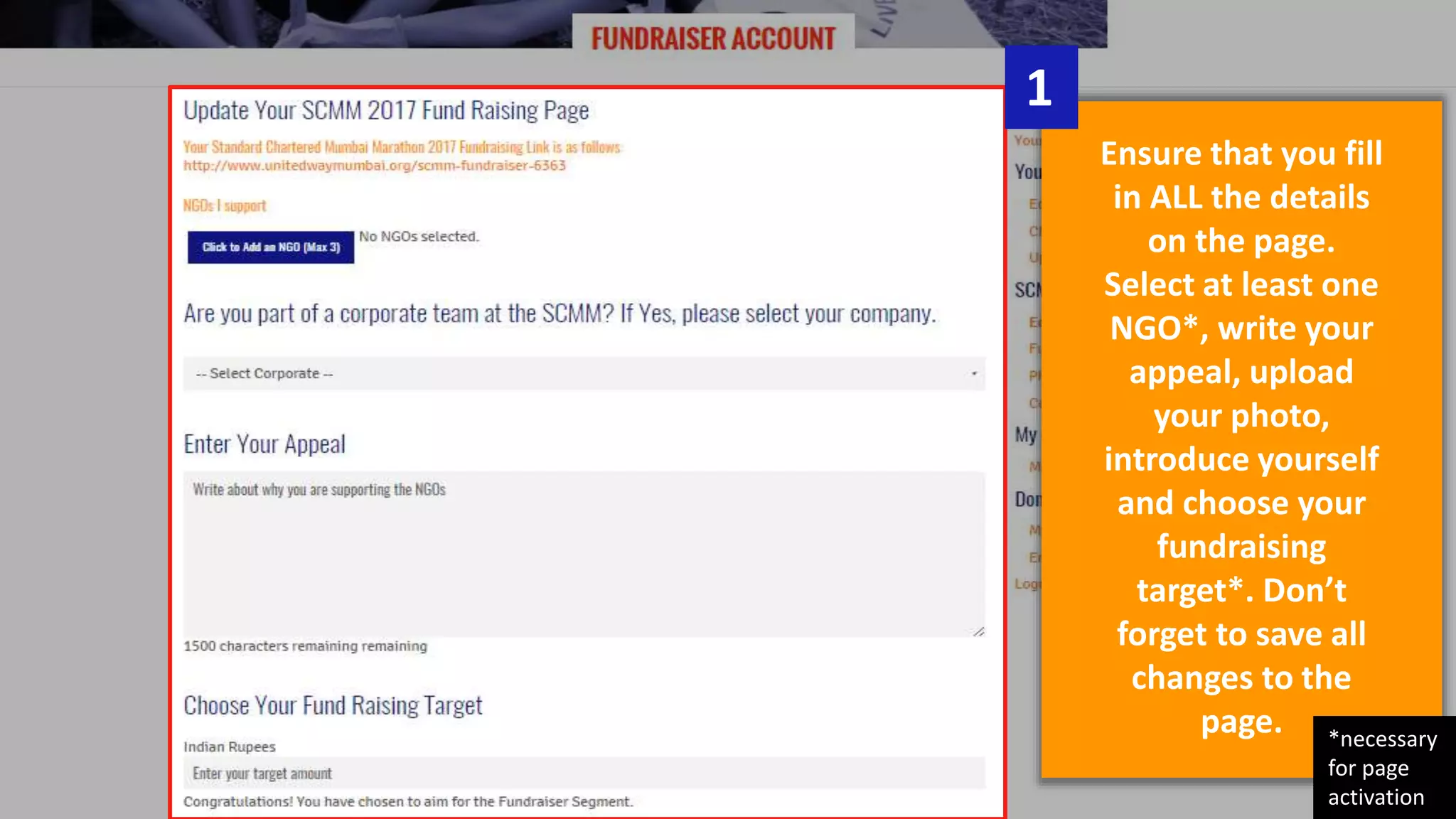
Ensure that you fill
in ALL the details
on the page.
Select at least one
NGO*, write your
appeal, upload
your photo,
introduce yourself
and choose your
fundraising
target*. Don’t
forget to save all
changes to the
page.
1
*necessary
for page
activation
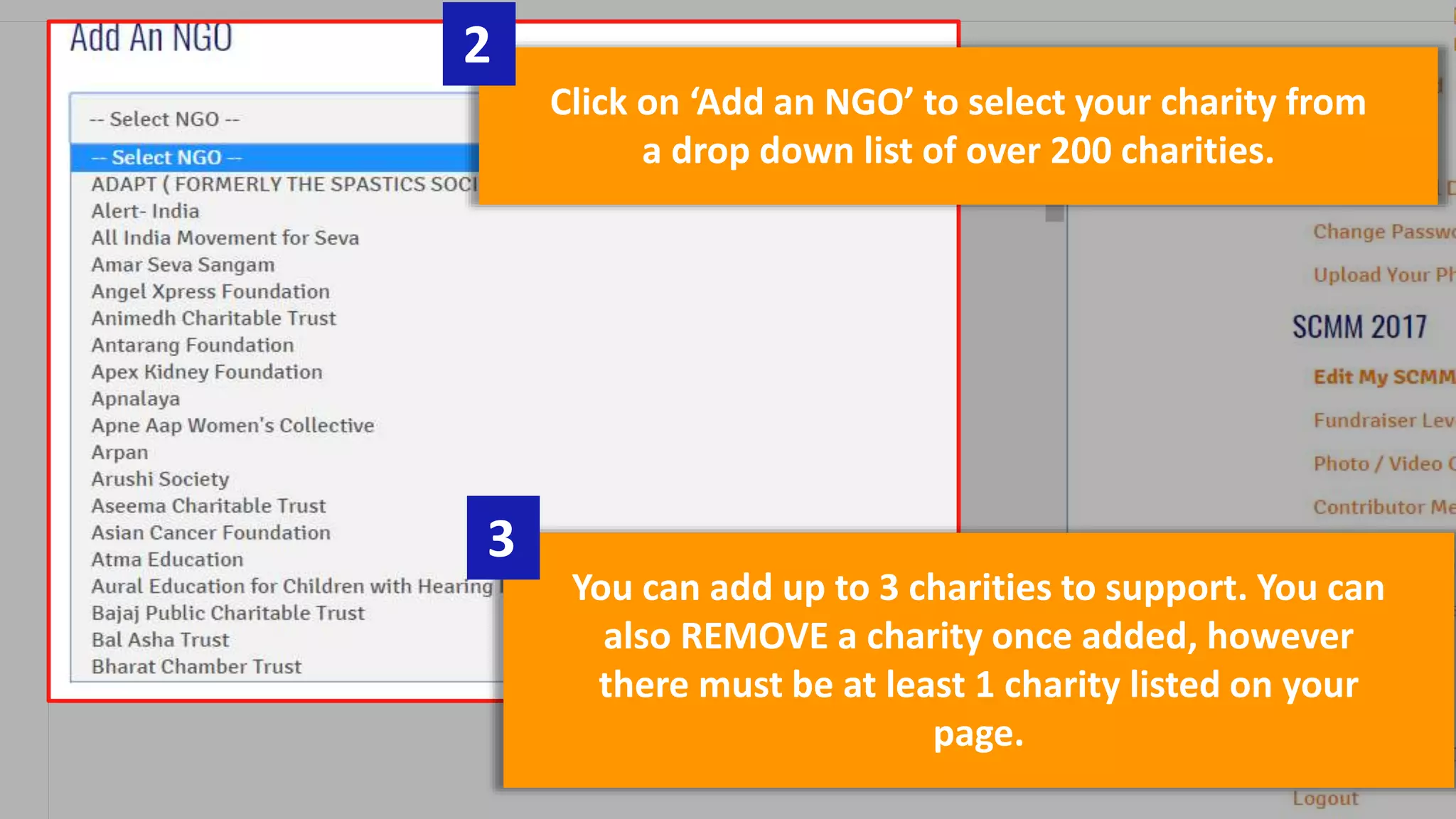
Click on ‘Add an NGO’ to select your charity from
a drop down list of over 200 charities.
2
You can add up to 3 charities to support. You can
also REMOVE a charity once added, however
there must be at least 1 charity listed on your
page.
3
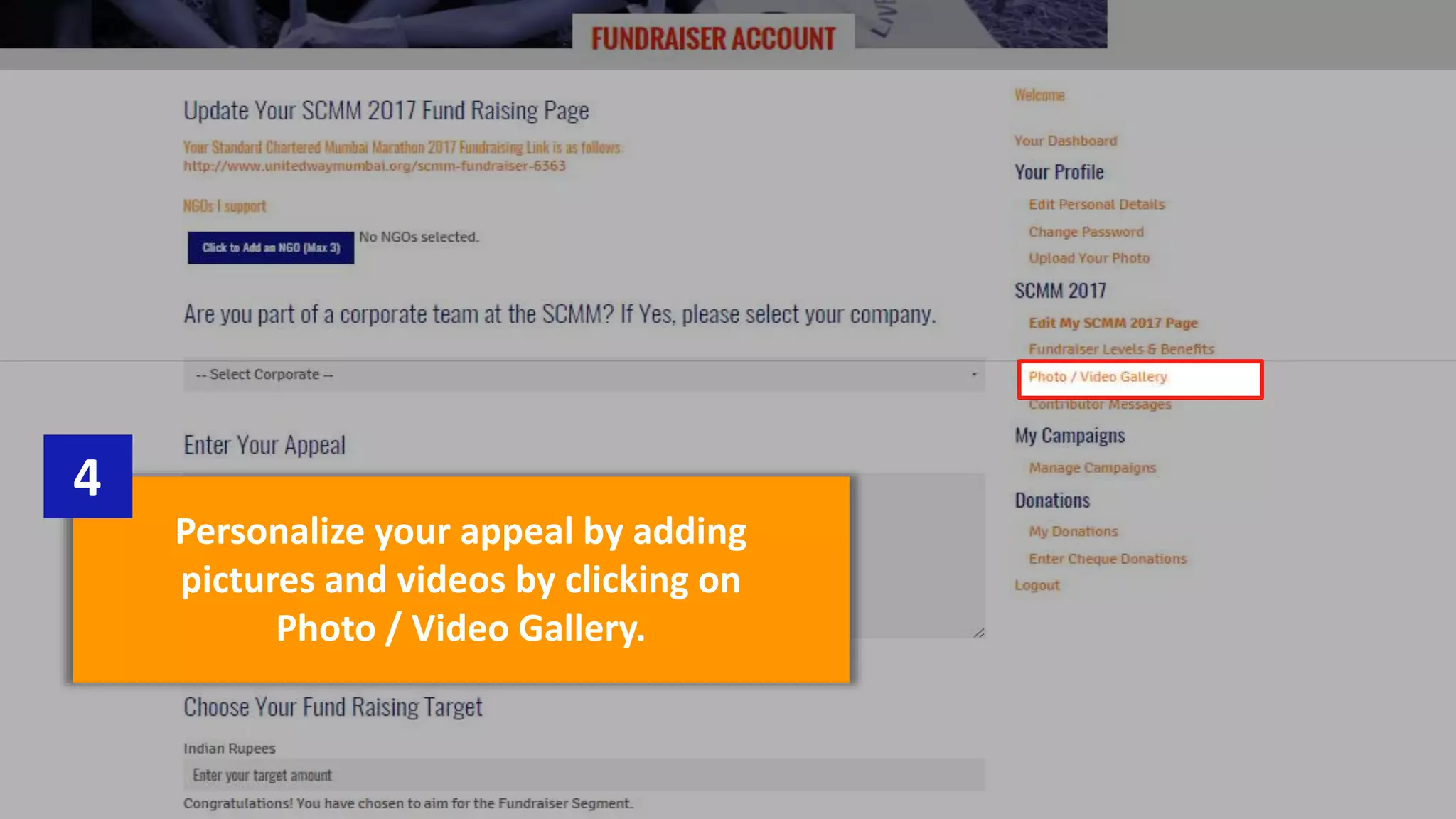
Personalize your appeal by adding
pictures and videos by clicking on
Photo / Video Gallery.
4
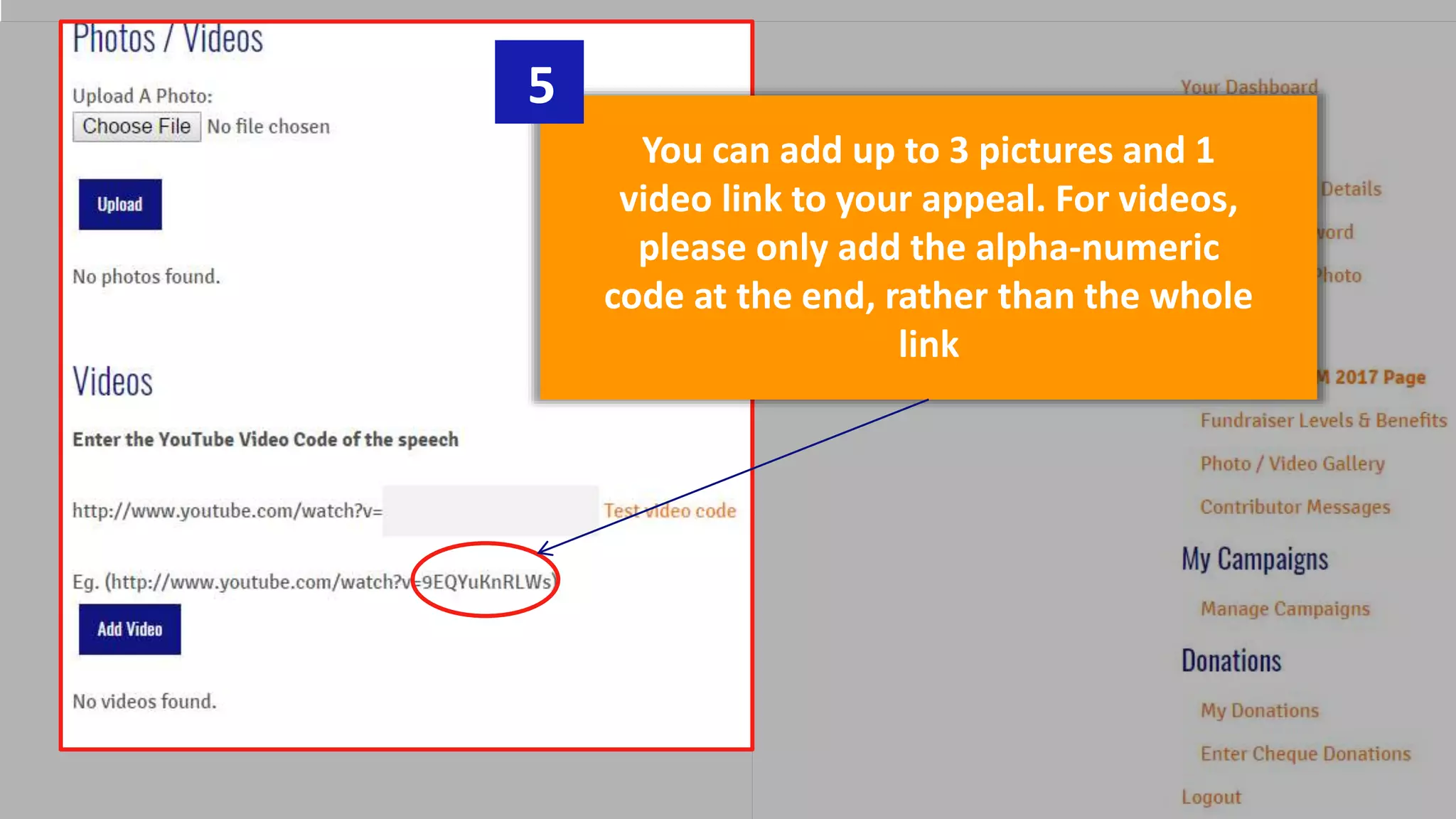
You can add up to 3 pictures and 1
video link to your appeal. For videos,
please only add the alpha-numeric
code at the end, rather than the whole
link
5
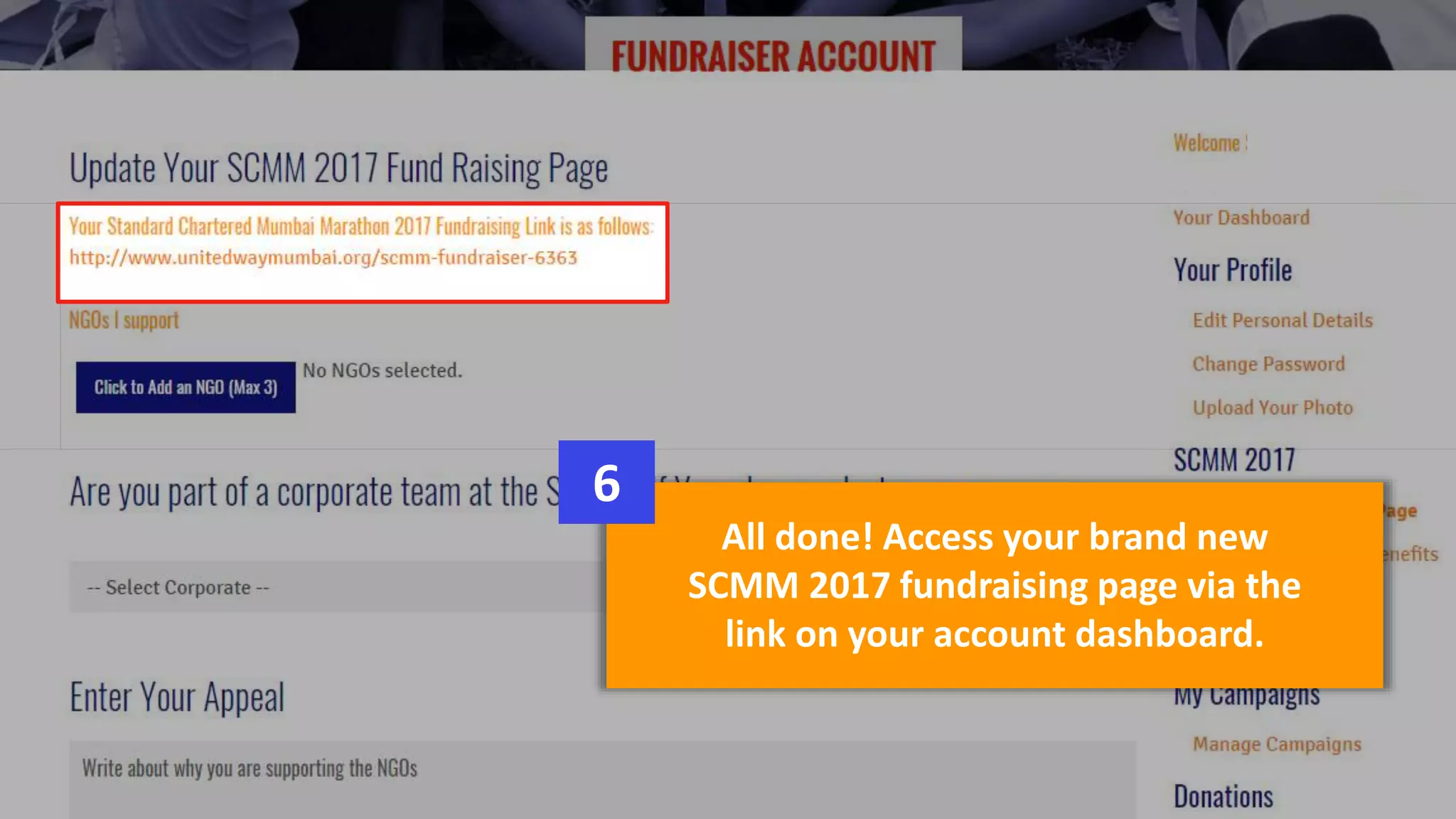
All done! Access your brand new
SCMM 2017 fundraising page via the
link on your account dashboard.
6
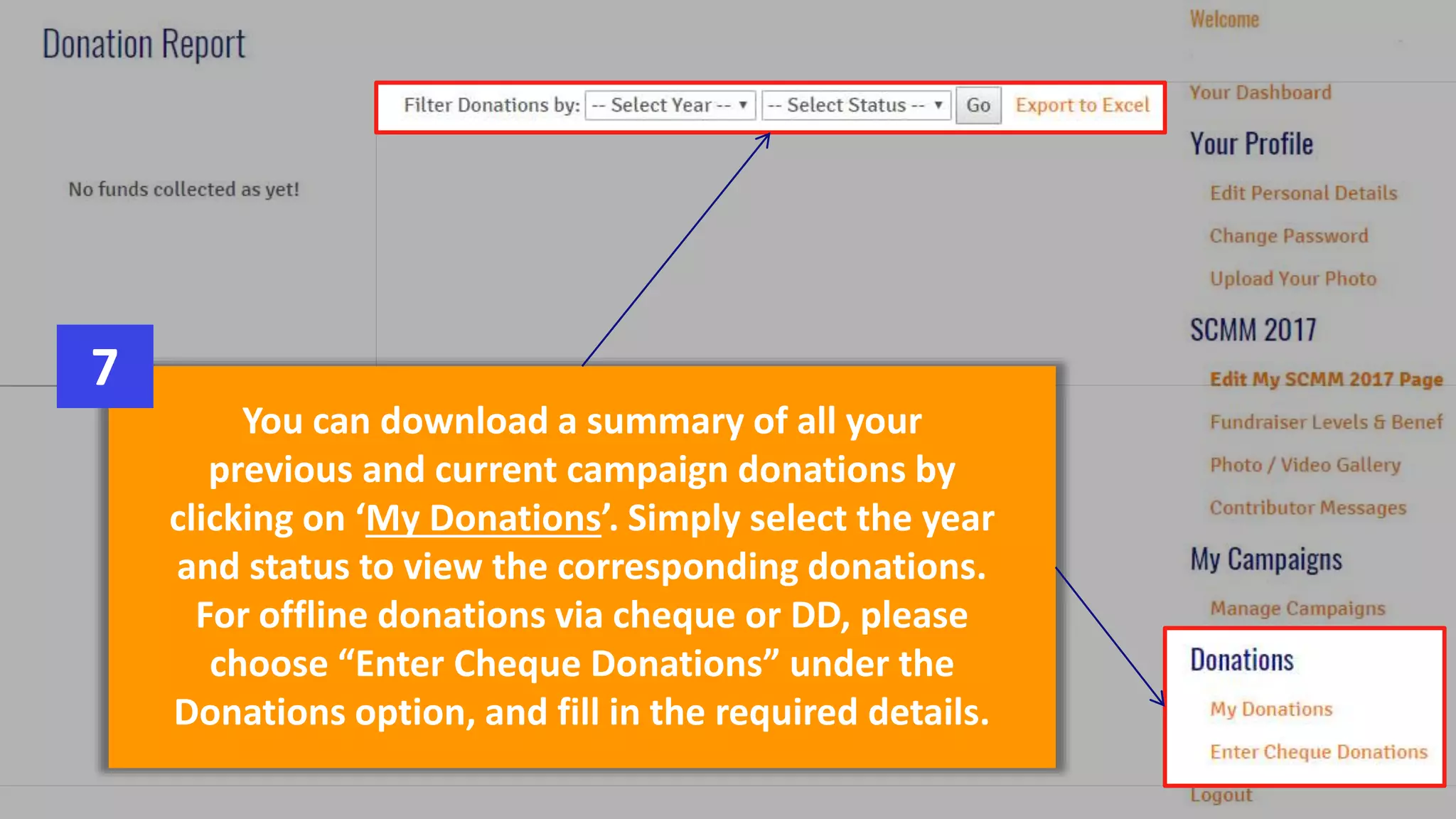
You can download a summary of all your
previous and current campaign donations by
clicking on ‘My Donations’. Simply select the year
and status to view the corresponding donations.
For offline donations via cheque or DD, please
choose “Enter Cheque Donations” under the
Donations option, and fill in the required details.
7
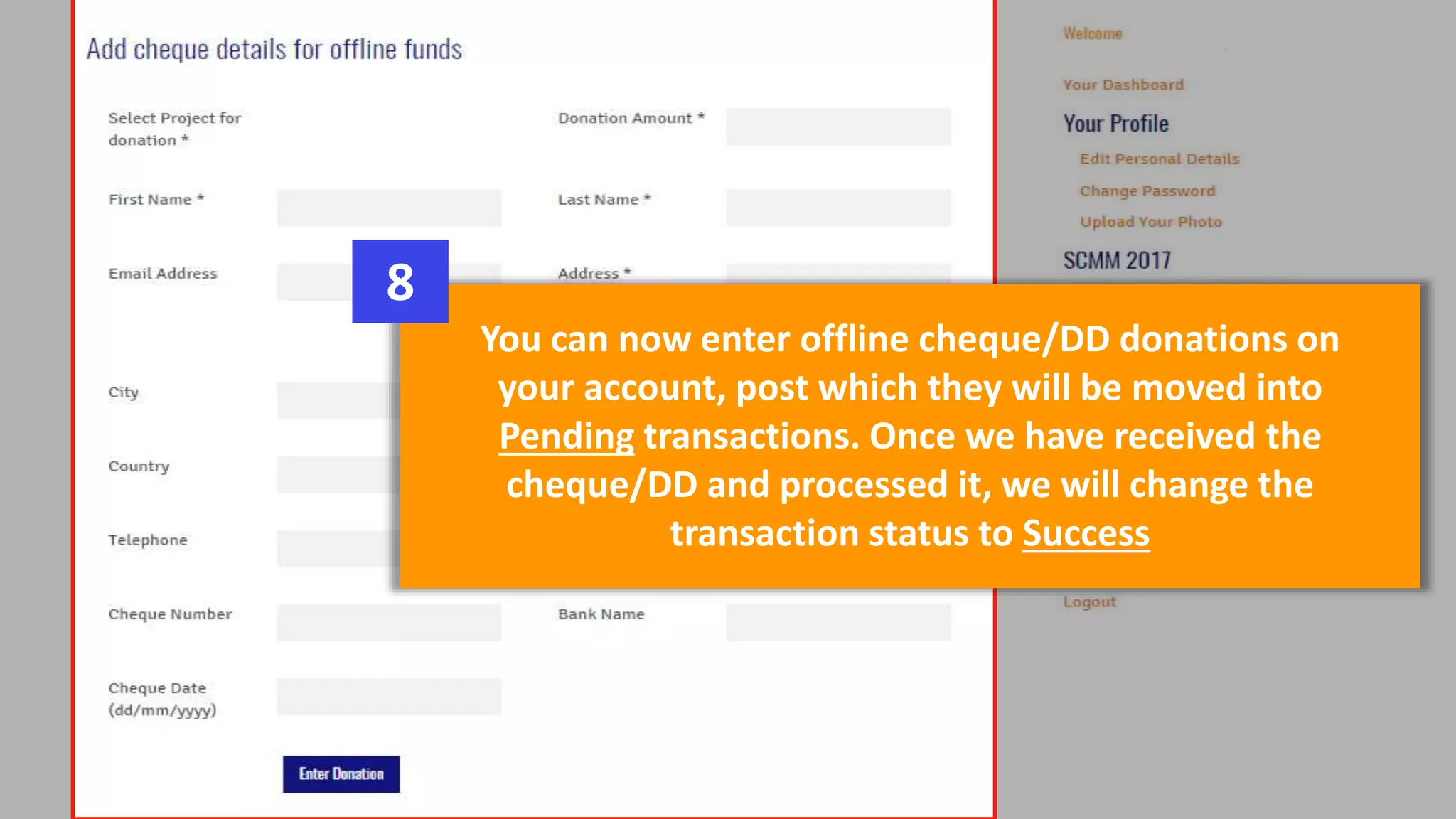
You can now enter offline cheque/DD donations on
your account, post which they will be moved into
Pending transactions. Once we have received the
cheque/DD and processed it, we will change the
transaction status to Success
8
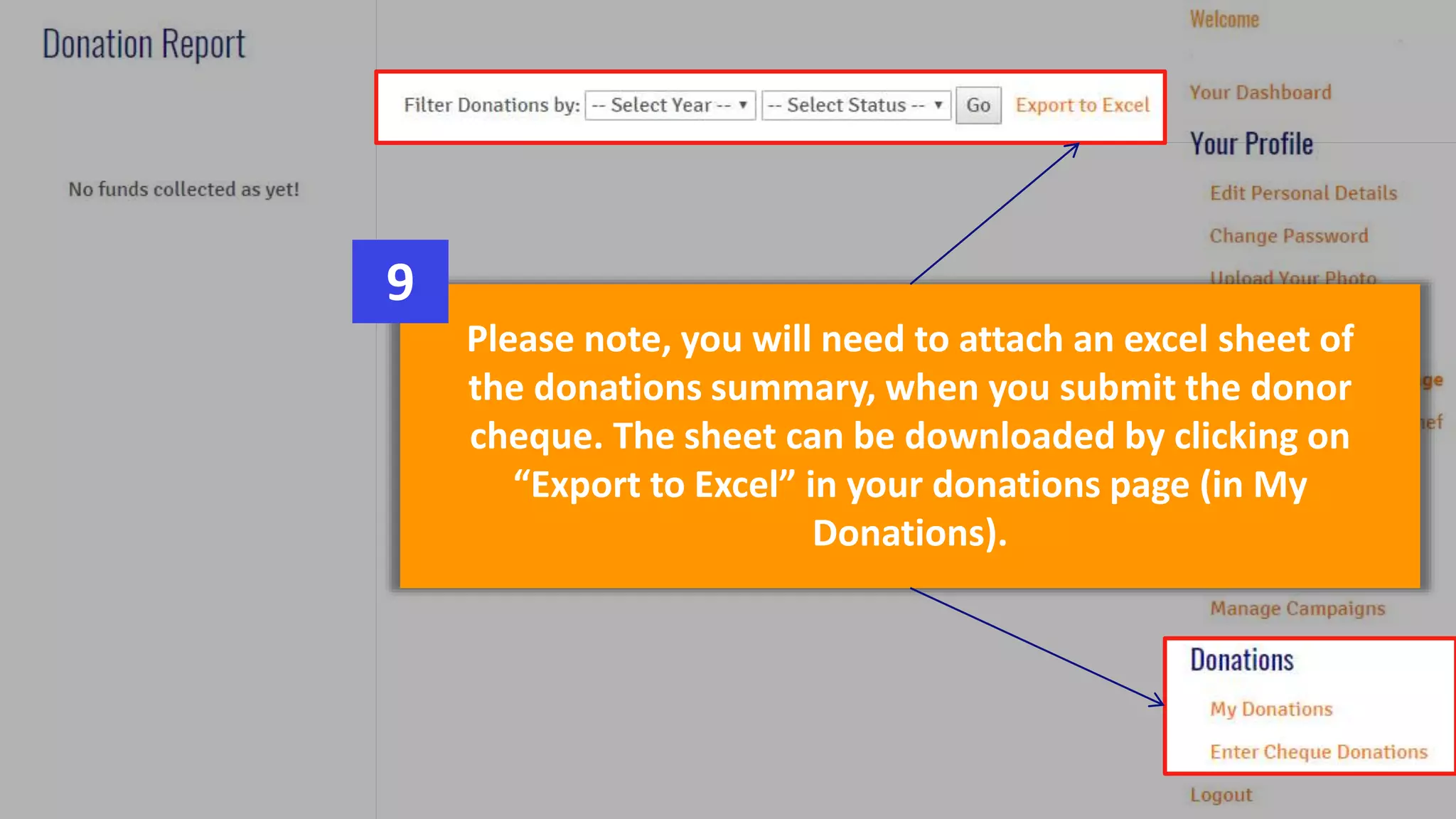
Please note, you will need to attach an excel sheet of
the donations summary, when you submit the donor
cheque. The sheet can be downloaded by clicking on
“Export to Excel” in your donations page (in My
Donations).
9
Thank You!
For any additional queries, email us at:
scmm@unitedwaymumbai.org
www.unitedwaymumbai.org/scmm

2016 09-02 how-it_works

  • 1.
    Follow these simplesteps to edit your SCMM 2017 fundraising page now! www.unitedwaymumbai.org/scmm
  • 2.
    Ensure that youfill in ALL the details on the page. Select at least one NGO*, write your appeal, upload your photo, introduce yourself and choose your fundraising target*. Don’t forget to save all changes to the page. 1 *necessary for page activation
  • 3.
    Click on ‘Addan NGO’ to select your charity from a drop down list of over 200 charities. 2 You can add up to 3 charities to support. You can also REMOVE a charity once added, however there must be at least 1 charity listed on your page. 3
  • 4.
    Personalize your appealby adding pictures and videos by clicking on Photo / Video Gallery. 4
  • 5.
    You can addup to 3 pictures and 1 video link to your appeal. For videos, please only add the alpha-numeric code at the end, rather than the whole link 5
  • 6.
    All done! Accessyour brand new SCMM 2017 fundraising page via the link on your account dashboard. 6
  • 7.
    You can downloada summary of all your previous and current campaign donations by clicking on ‘My Donations’. Simply select the year and status to view the corresponding donations. For offline donations via cheque or DD, please choose “Enter Cheque Donations” under the Donations option, and fill in the required details. 7
  • 8.
    You can nowenter offline cheque/DD donations on your account, post which they will be moved into Pending transactions. Once we have received the cheque/DD and processed it, we will change the transaction status to Success 8
  • 9.
    Please note, youwill need to attach an excel sheet of the donations summary, when you submit the donor cheque. The sheet can be downloaded by clicking on “Export to Excel” in your donations page (in My Donations). 9
  • 10.
    Thank You! For anyadditional queries, email us at: scmm@unitedwaymumbai.org www.unitedwaymumbai.org/scmm