http://netponto.org#netponto 
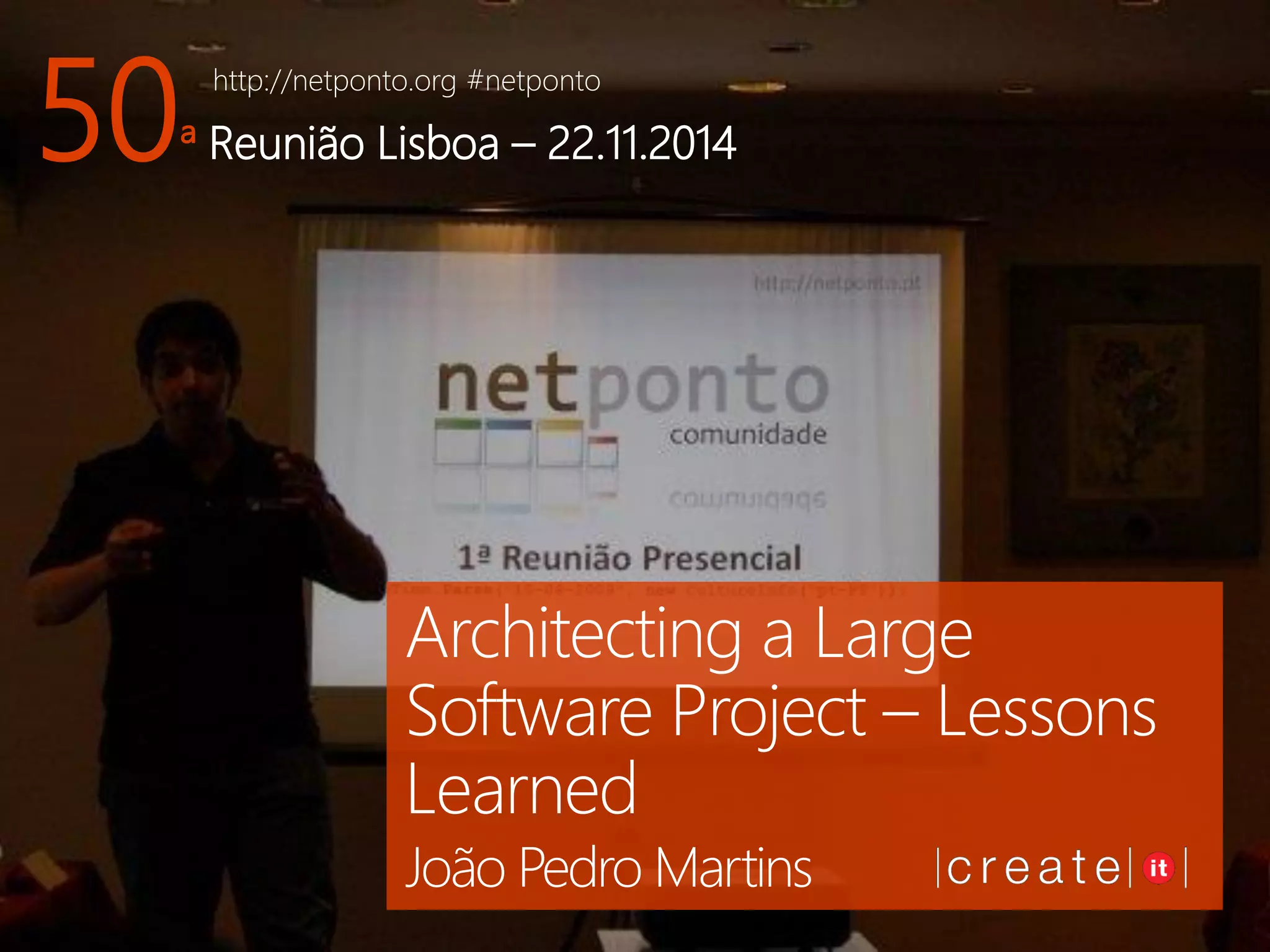
50ª Reunião Lisboa –22.11.2014 
Architecting a Large Software Project –Lessons Learned 
João Pedro Martins
João Pedro “jota” Martins 
CTO @ |create|it| 
Software Architect 
TechEd 2006 –“Iron Architect” Winner 
BizTalk Server MVP 2006-2011 
Co-founder -GASP + APPU 
Windows Azure Insider
|create|it| 
Founded 2001 @ Lisboa 
(Gourmet) Systems Integrator 
Team of (proud) 26 
Azure -BizTalk -Office 365 –SharePoint 
Umbraco-NopCommerce
What’s this session about? 
Architecting a 
Large 
Software Project – 
Lessons Learned
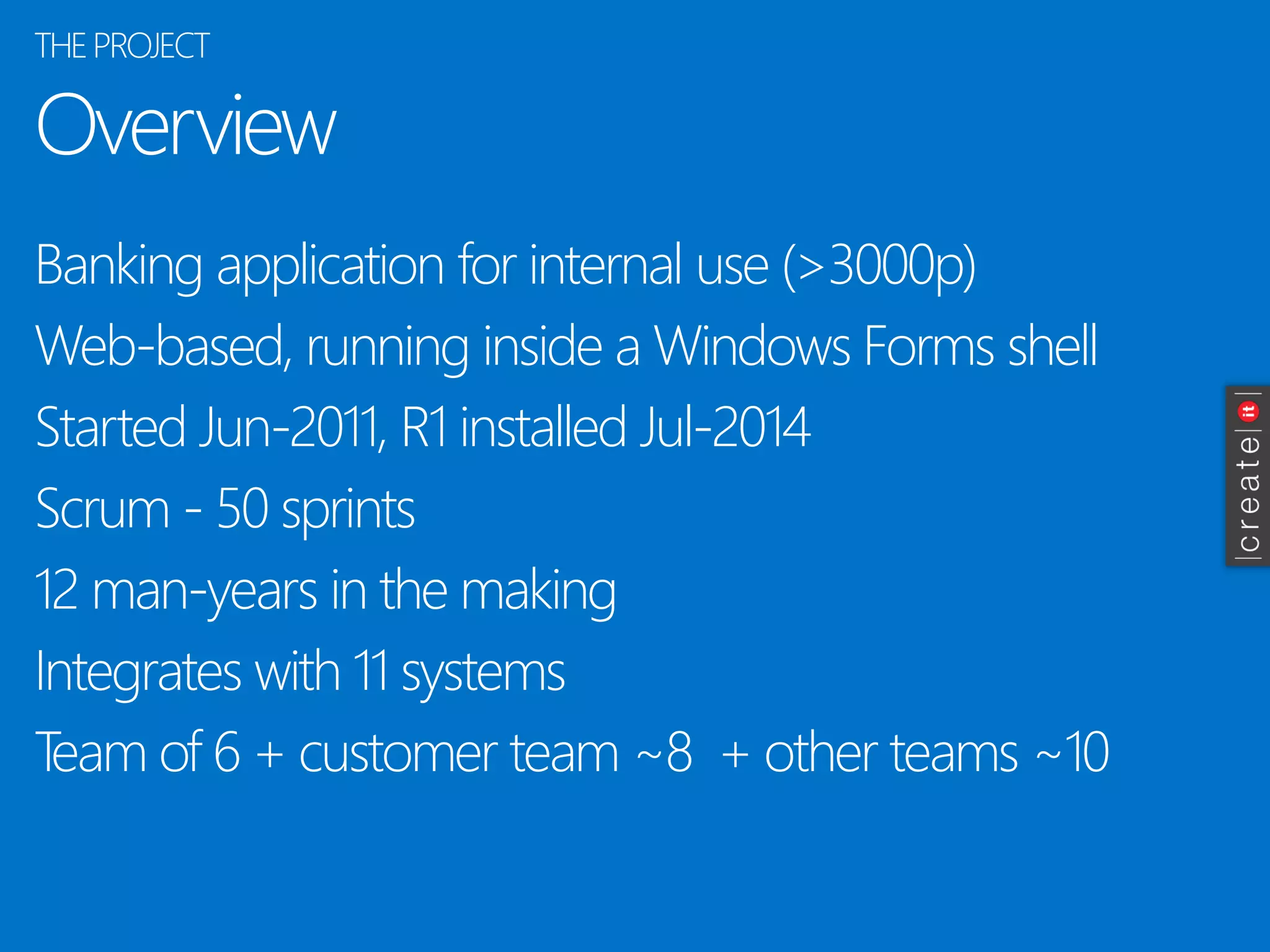
Overview 
Banking application for internal use (>3000p) 
Web-based, running inside a Windows Forms shell 
Started Jun-2011, R1 installed Jul-2014 
Scrum -50 sprints 
12 man-years in the making 
Integrates with 11 systems 
Team of 6 + customer team ~8 + other teams ~10 
THE PROJECT
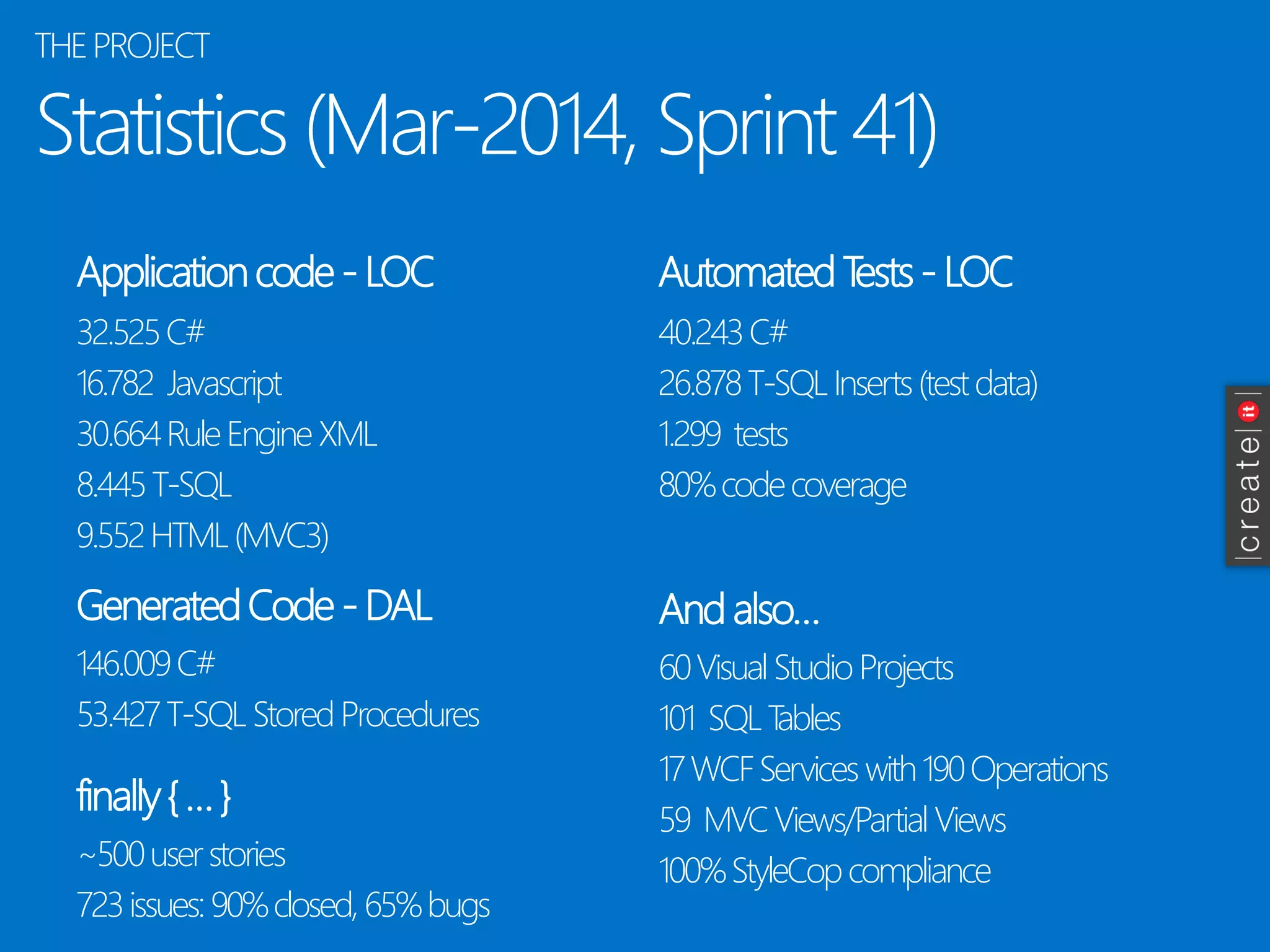
Statistics(Mar-2014, Sprint 41) 
Applicationcode-LOC 
32.525 C# 
16.782 Javascript 
30.664 Rule EngineXML 
8.445 T-SQL 
9.552 HTML (MVC3) 
AutomatedTests-LOC 
GeneratedCode-DAL 
And also… 
40.243 C# 
26.878 T-SQL Inserts(testdata) 
1.299 tests 
80% codecoverage 
146.009 C# 
53.427 T-SQL StoredProcedures 
60 Visual StudioProjects 
101 SQL Tables 
17 WCF Serviceswith190 Operations 
59 MVC Views/PartialViews 
100% StyleCopcompliance 
THE PROJECT 
finally{ … } 
~500 userstories 
723 issues: 90% closed, 65% bugs
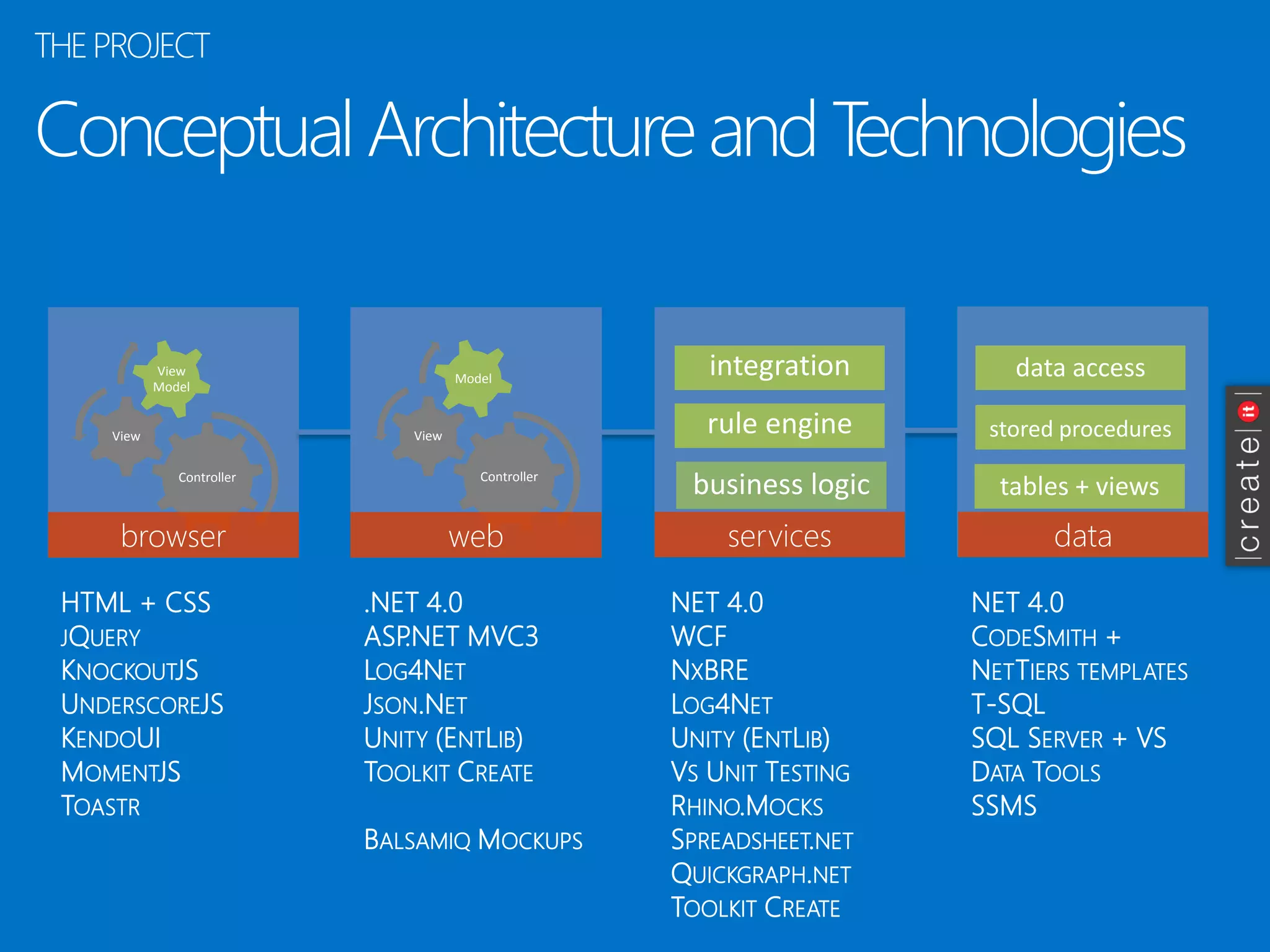
Conceptual Architectureand Technologies 
THE PROJECT 
browser 
Controller 
View 
ViewModel 
dados 
serviços 
web 
Controller 
View 
Model 
business logic 
rule engine 
integration 
tables+ views 
data access 
storedprocedures 
browser 
web 
services 
data 
NET 4.0 
CODESMITH+ 
NETTIERSTEMPLATES 
T-SQL 
SQL SERVER+ VS DATATOOLS 
SSMS 
NET 4.0 
WCF 
NXBRE 
LOG4NET 
UNITY(ENTLIB) 
VSUNITTESTING 
RHINO.MOCKS 
SPREADSHEET.NET 
QUICKGRAPH.NET 
TOOLKITCREATE 
.NET 4.0 
ASP.NET MVC3 
LOG4NET 
JSON.NET 
UNITY(ENTLIB) 
TOOLKITCREATE 
BALSAMIQMOCKUPS 
HTML + CSS JQUERY 
KNOCKOUTJS 
UNDERSCOREJS 
KENDOUI 
MOMENTJS 
TOASTR
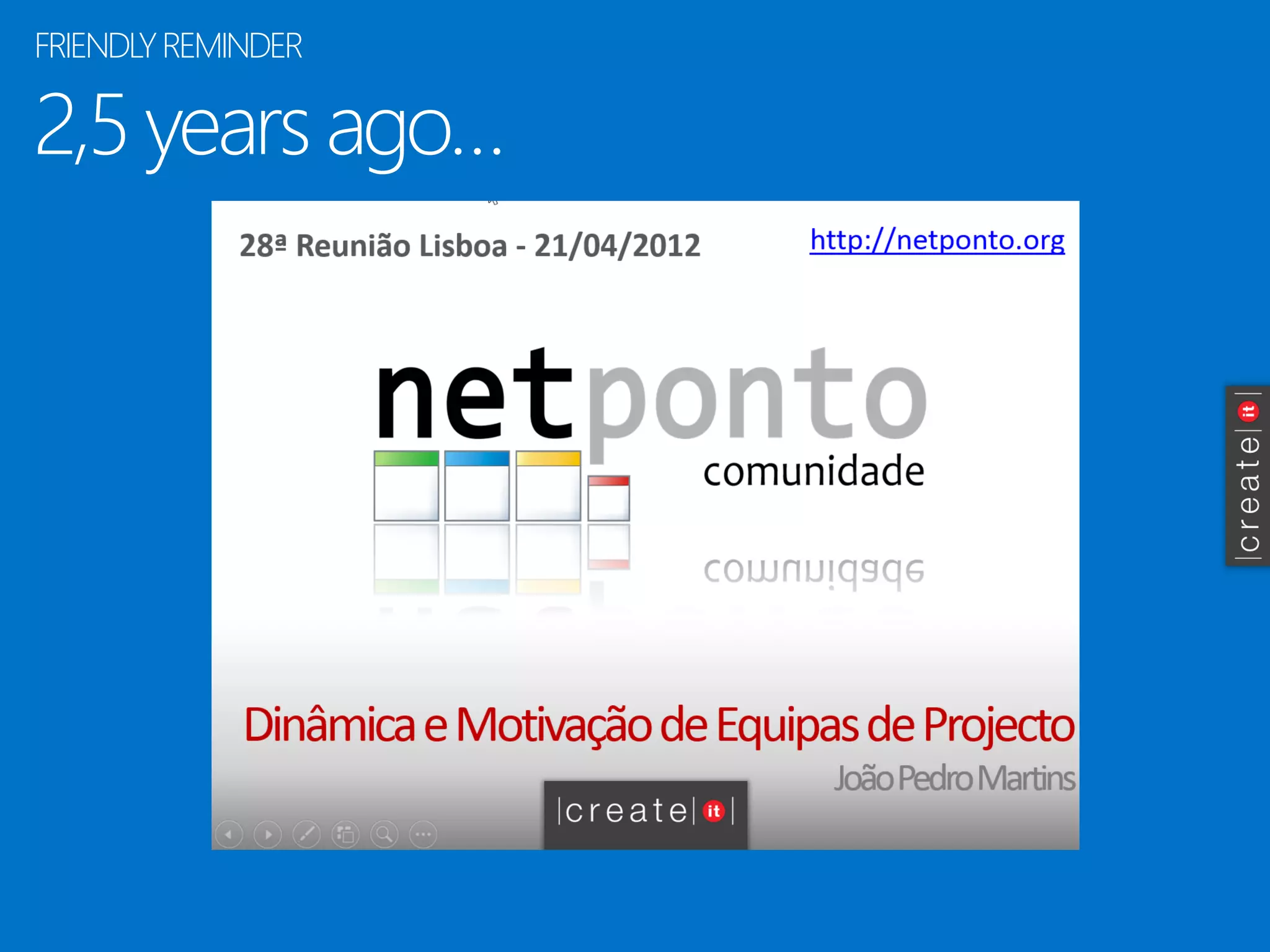
2,5 yearsago… 
FRIENDLYREMINDER
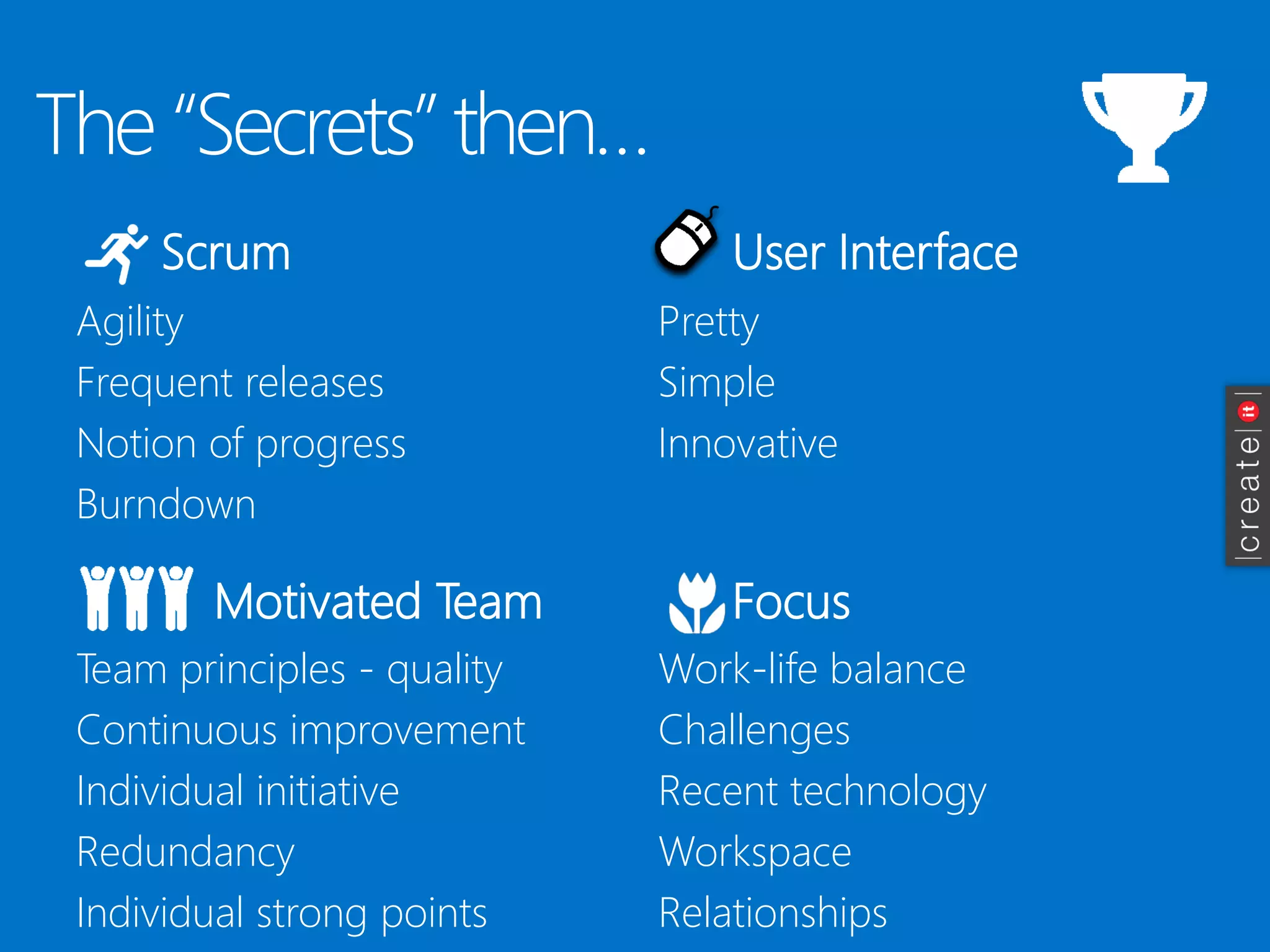
The “Secrets” then… 
Scrum 
Agility 
Frequent releases 
Notion of progress 
Burndown 
User Interface 
Motivated Team 
Focus 
Pretty 
Simple 
Innovative 
Team principles -quality 
Continuous improvement 
Individual initiative 
Redundancy 
Individual strong points 
Work-life balance 
Challenges 
Recent technology 
Workspace 
Relationships
Enoughcontext! Now, thelessons…
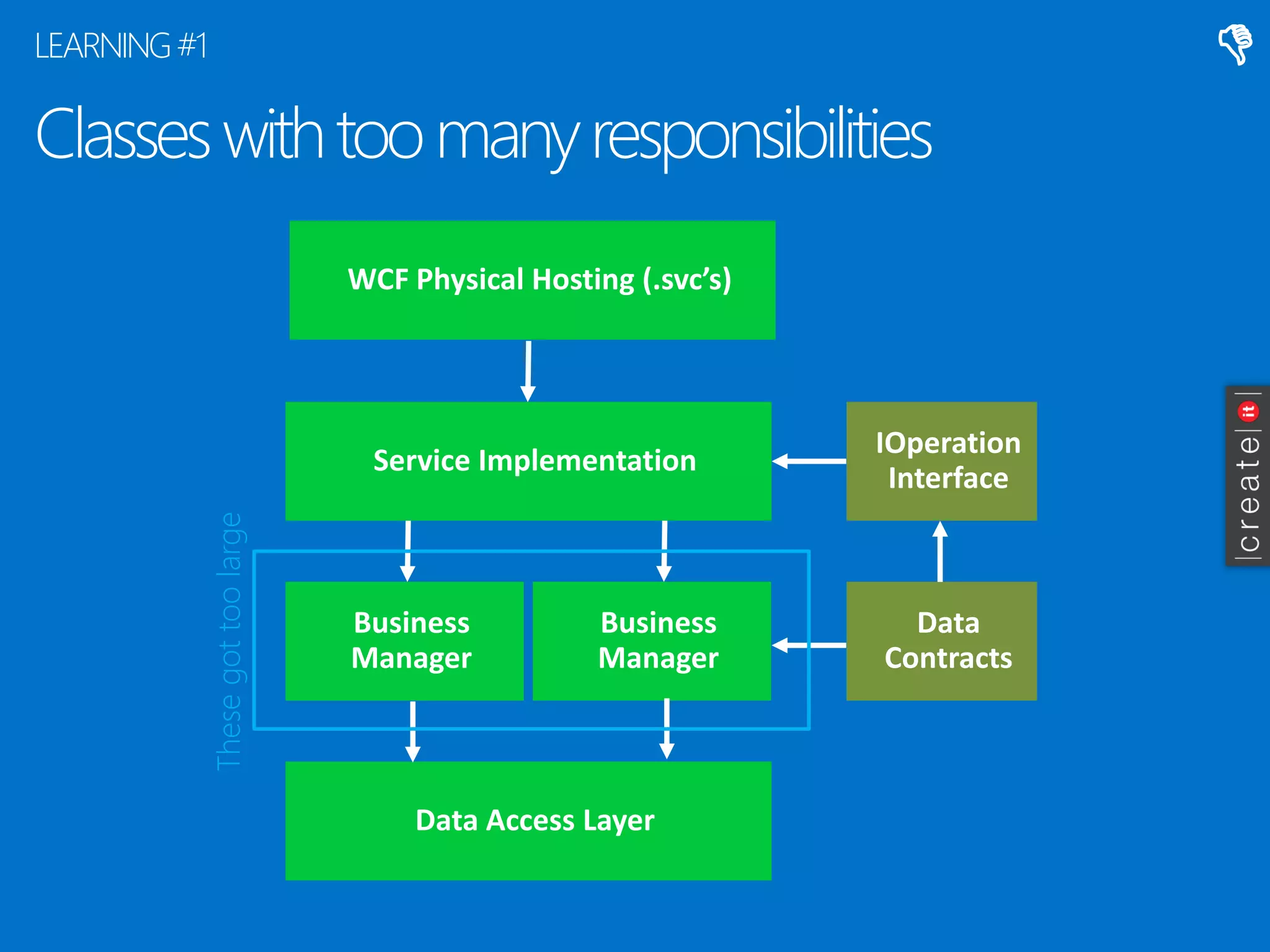
Classes withtoo manyresponsibilities 
LEARNING #1 
Service Implementation 
Business Manager 
Data Access Layer 
IOperationInterface 
Data Contracts 
Business Manager 
Thesegottoo large 
 
WCF Physical Hosting (.svc’s)
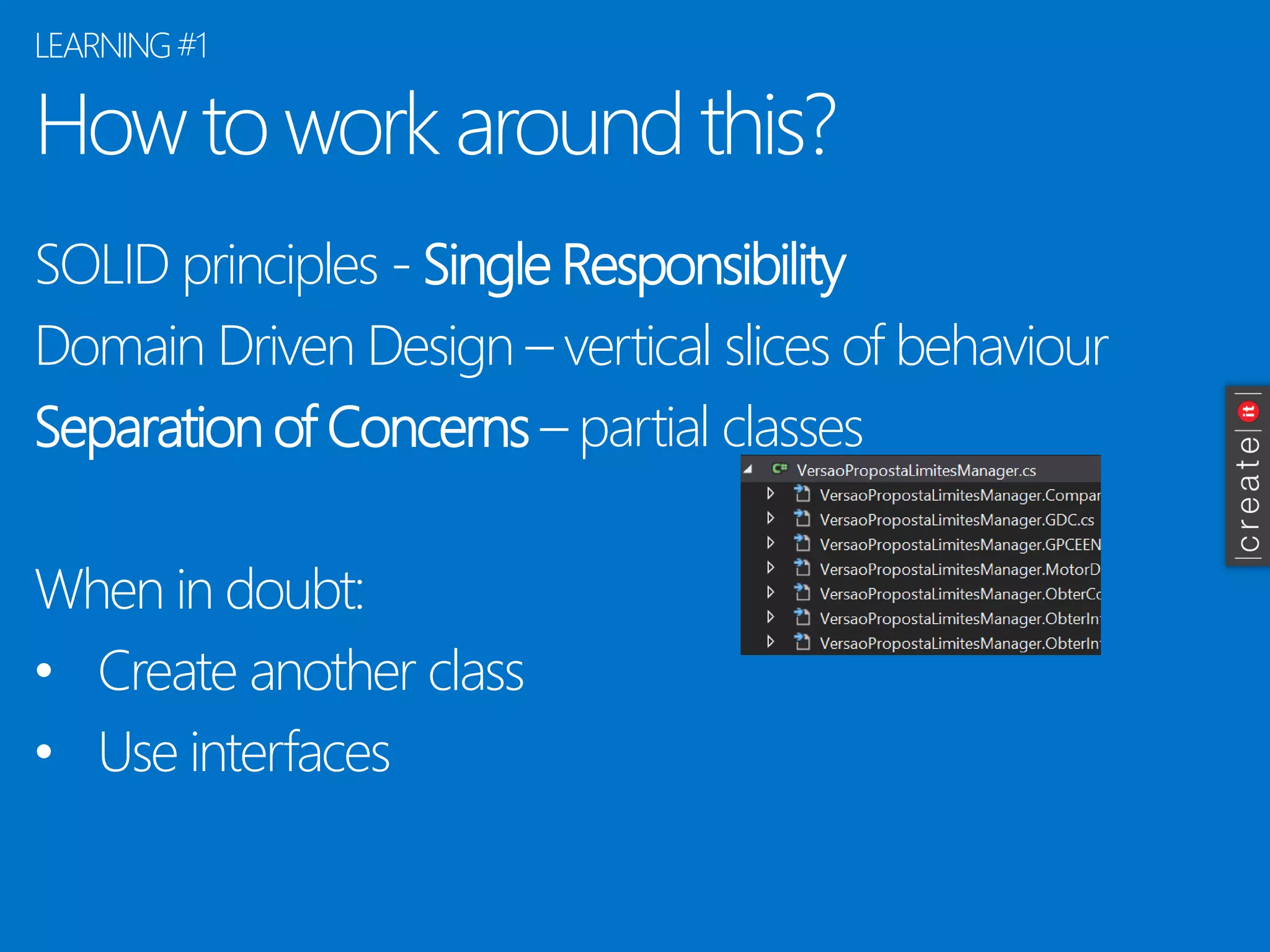
How to work around this? 
SOLID principles -Single Responsibility 
Domain Driven Design –vertical slices of behaviour 
Separation of Concerns–partial classes 
When in doubt: 
•Create another class 
•Use interfaces 
LEARNING#1
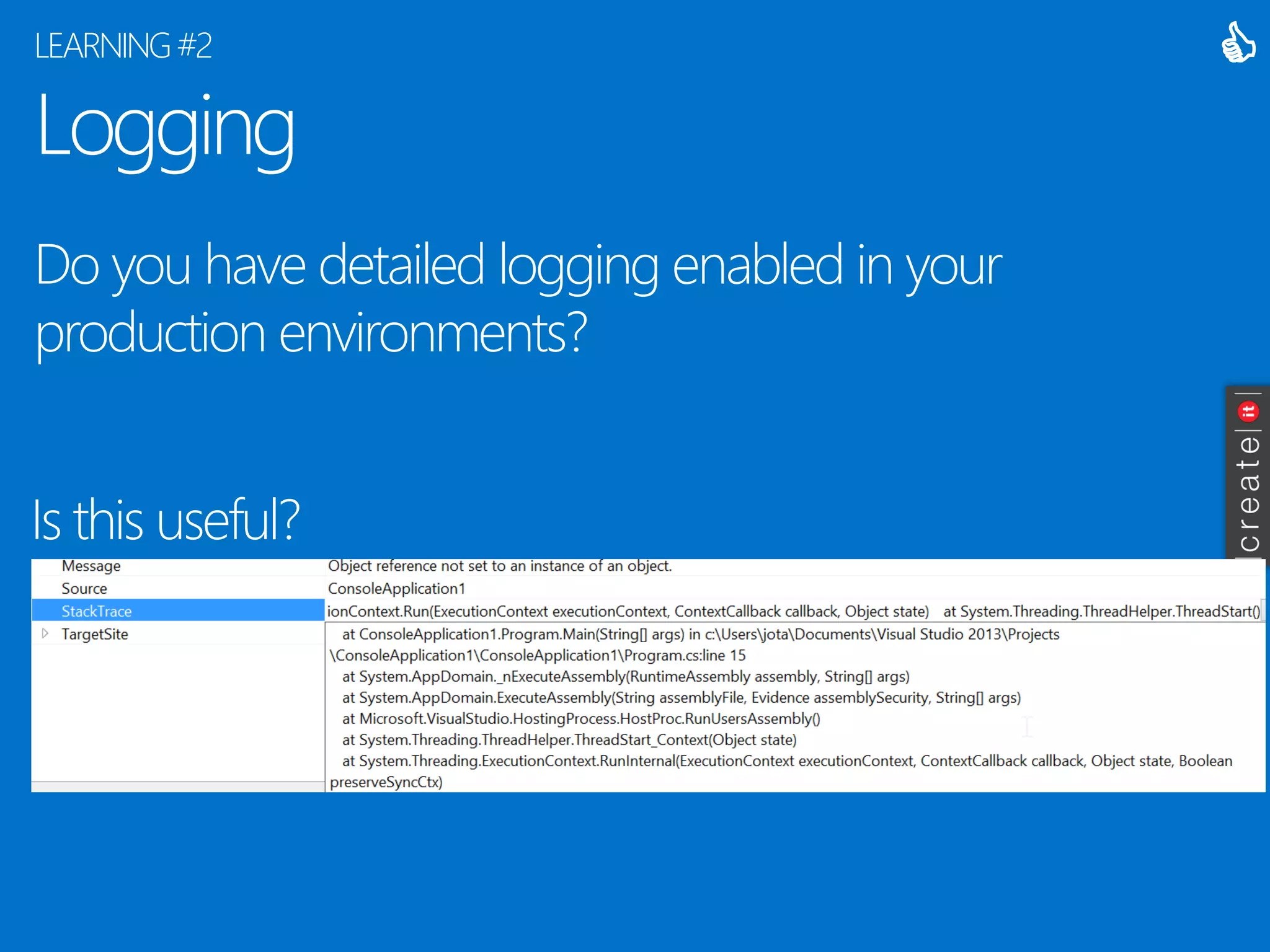
Logging 
Do you have detailed logging enabled in your production environments? 
LEARNING#2 
Is this useful? 

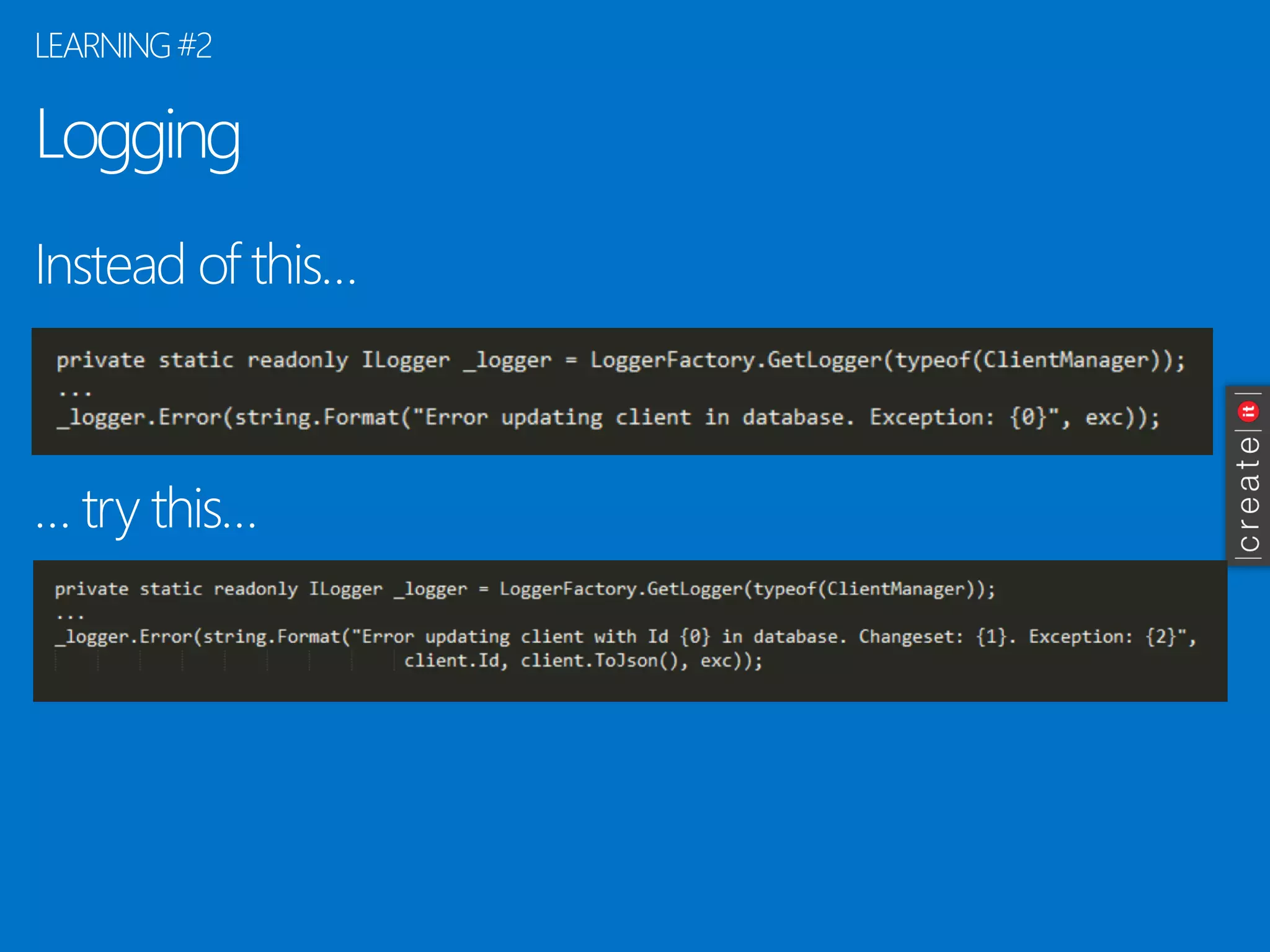
Logging 
Instead of this… 
… try this… 
LEARNING #2
Logging -hints 
In some cases, you can’t log details of the operation. 
Use correlation -relate log entries in the same context. 
Beware of impact on performance. 
Beware of storage space required. DO cleanup. 
*not a problem on the cloud 
To read text logs, try this tool: LogExpert 
LEARNING #2
Interfaces vs Inheritance 
“Why extends is evil -Improve your code by replacing concrete base classes with interfaces” (Allen Holub) 
http://www.javaworld.com/article/2073649/core-java/why-extends-is-evil.html 
LEARNING #3 
 
Dependency injection interfaces. 
Very limited use of OO inheritance 
-Base Data Contracts with minimum property set (e.g., id + name) 
-Less than a handful of uses in total 
The bad part? F12 navigates to the interface, not the implementation
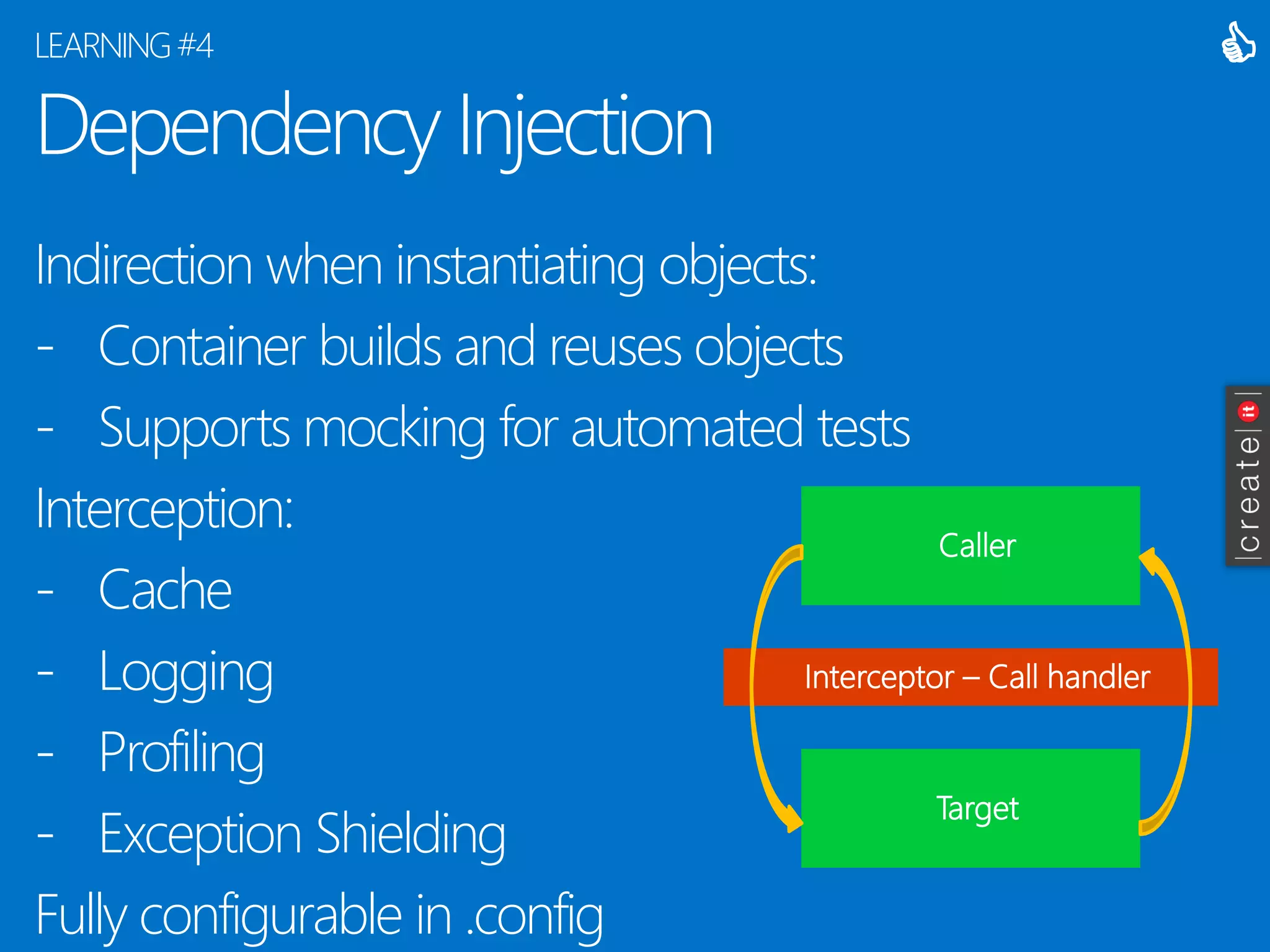
Dependency Injection 
Indirection when instantiating objects: 
-Container builds and reuses objects 
-Supports mocking for automated tests 
Interception: 
-Cache 
-Logging 
-Profiling 
-Exception Shielding 
Fully configurable in .config 
LEARNING #4 
 
Caller 
Target 
Interceptor –Call handler
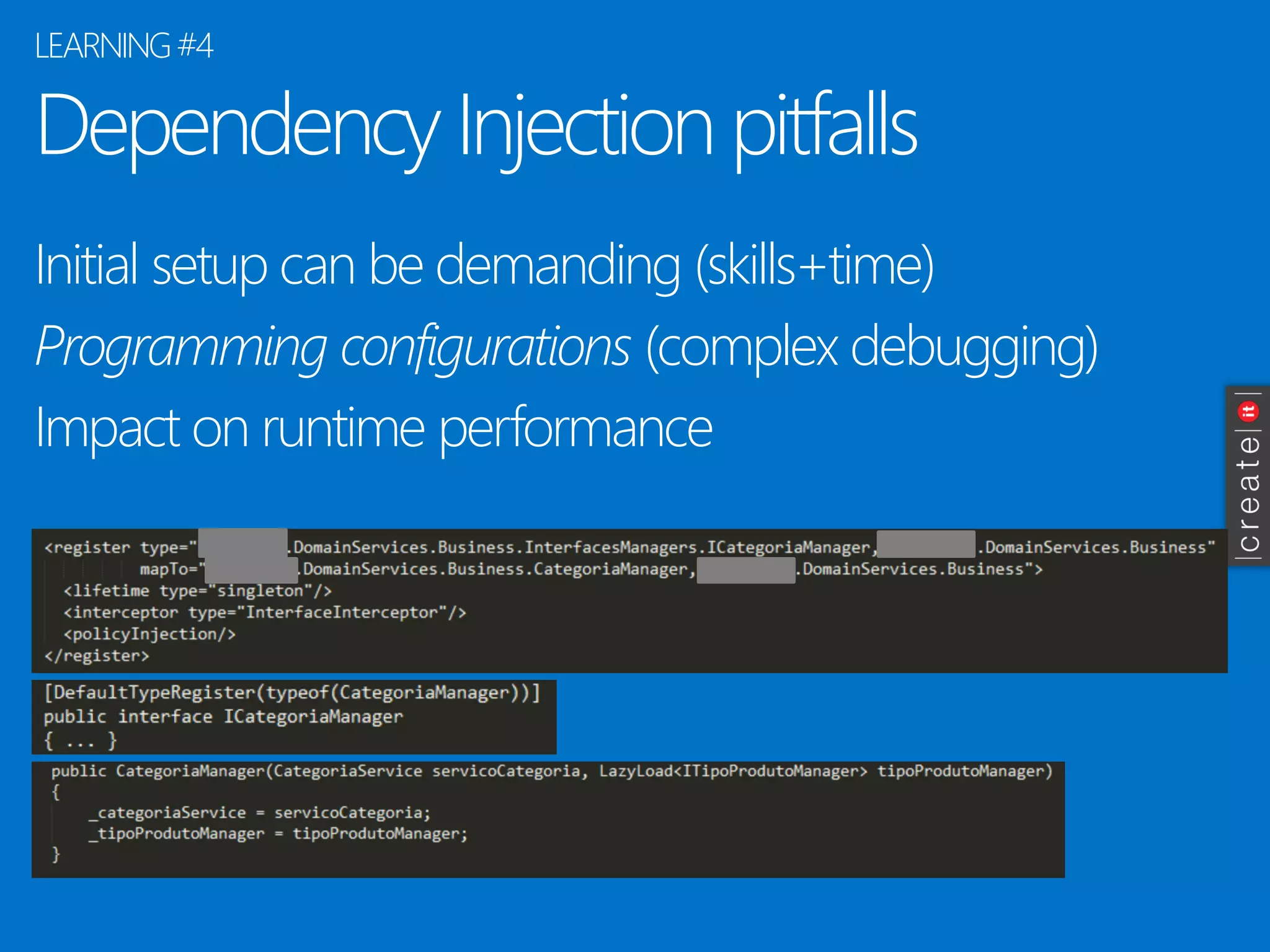
Dependency Injection pitfalls 
Initial setup can be demanding (skills+time) 
Programming configurations (complex debugging) 
Impact on runtime performance 
LEARNING #4
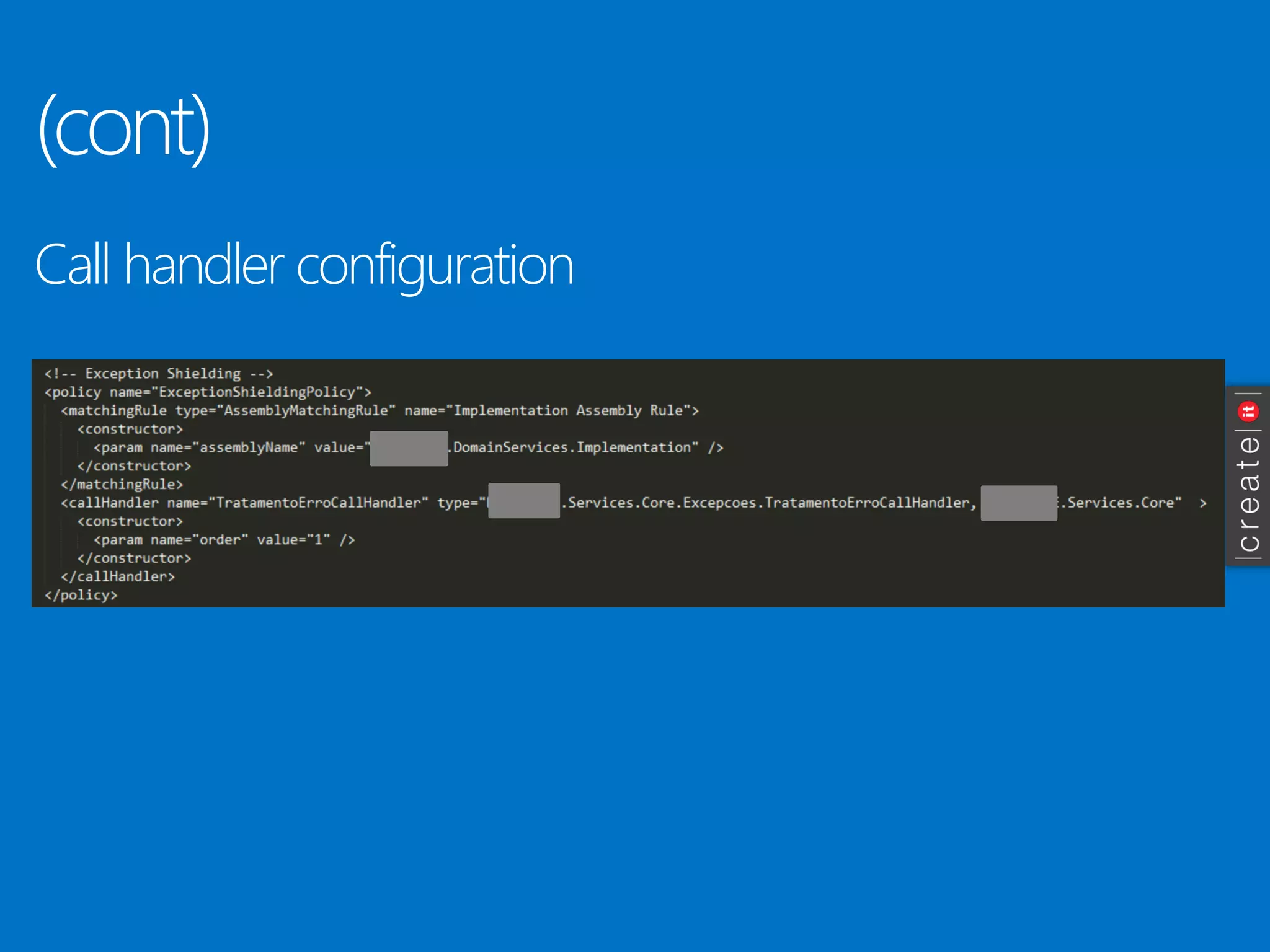
(cont) 
Callhandlerconfiguration
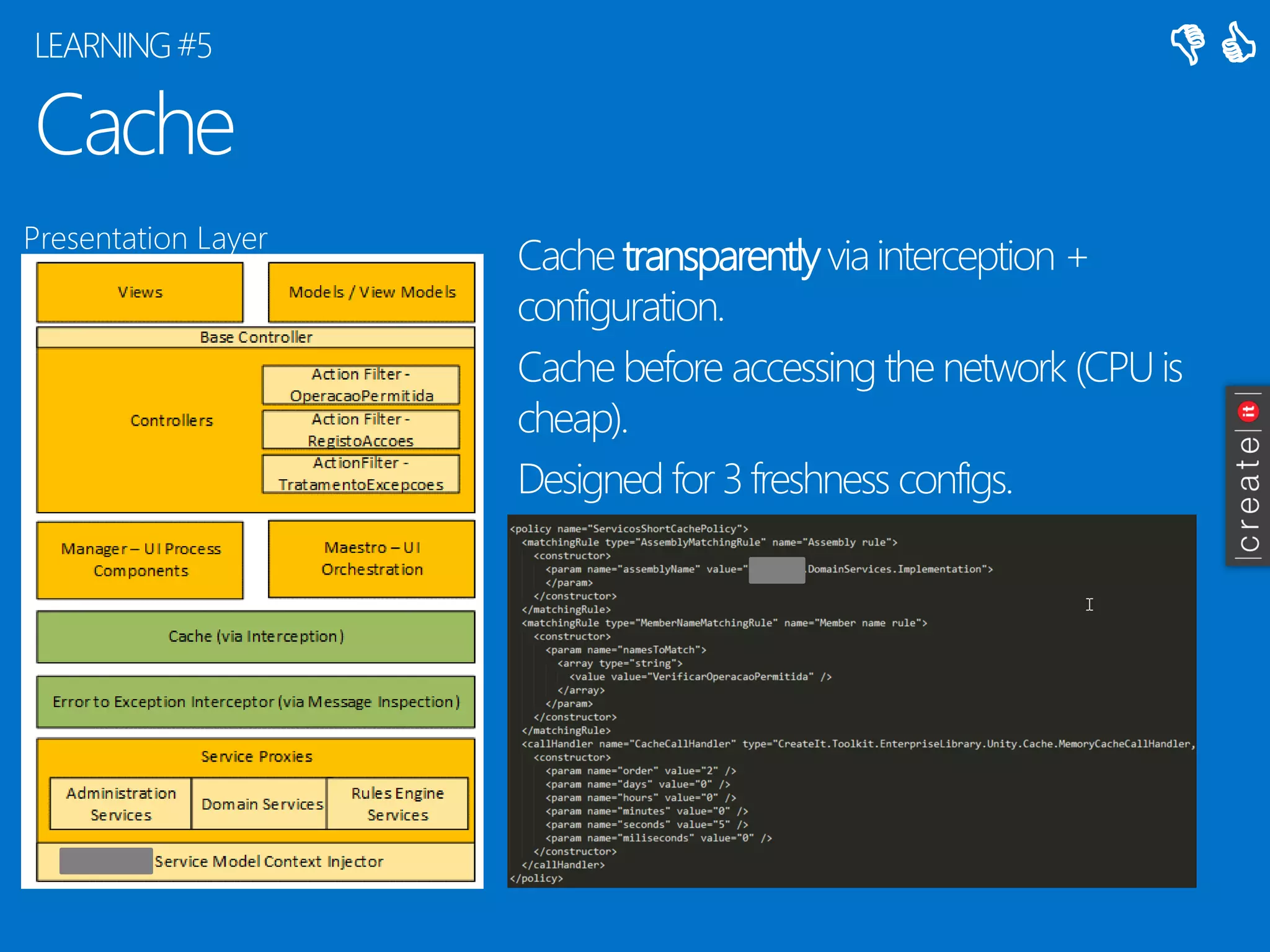
Cache 
Cache transparentlyvia interception + configuration. 
Cache before accessing the network (CPU is cheap). 
Designed for 3 freshness configs. 
LEARNING #5 
PresentationLayer 
 

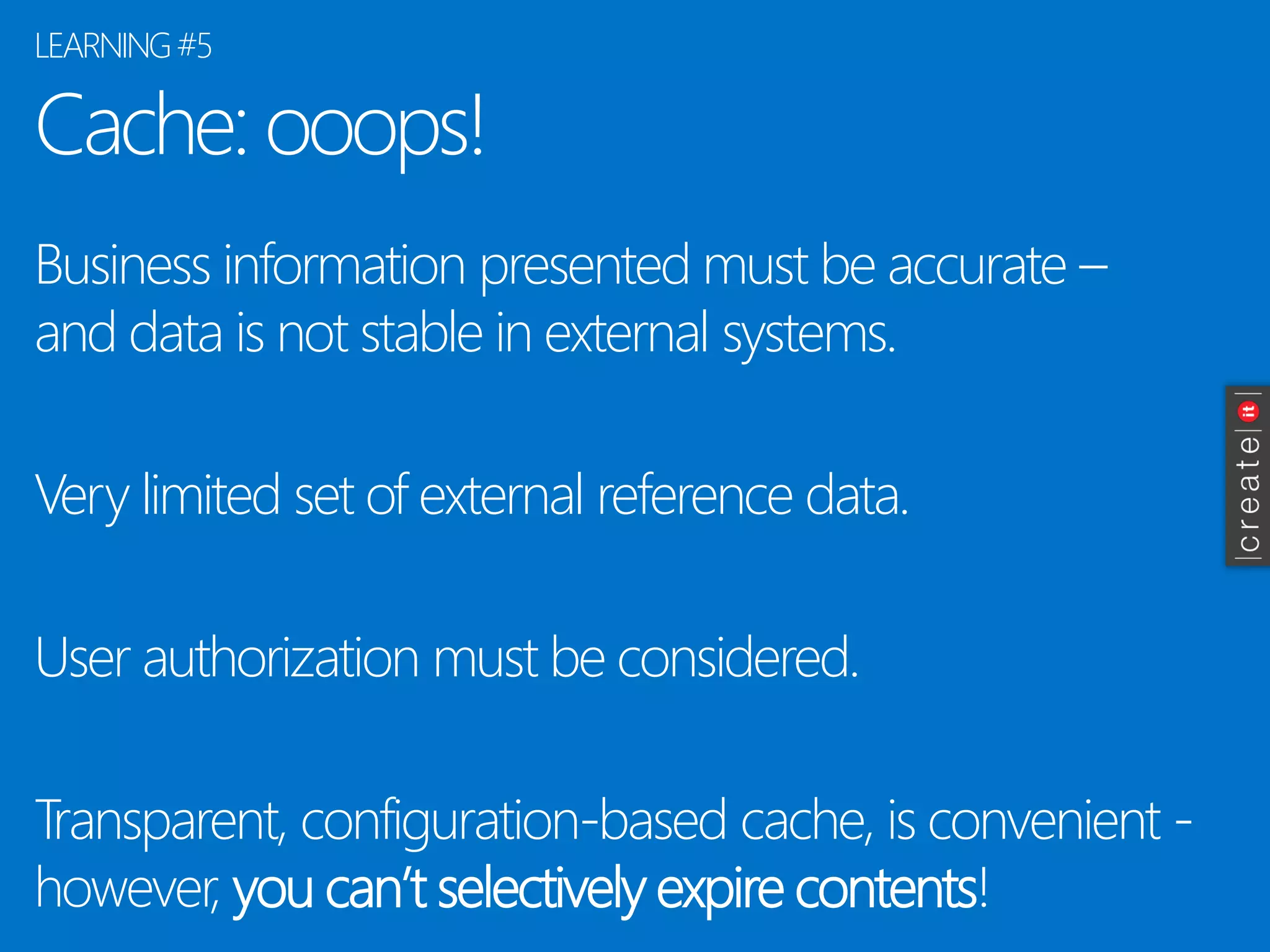
Cache: ooops! 
Business information presented must be accurate – and data is not stable in external systems. 
Very limited set of external reference data. 
User authorization must be considered. 
Transparent, configuration-based cache, is convenient - however, you can’t selectively expire contents! 
LEARNING #5
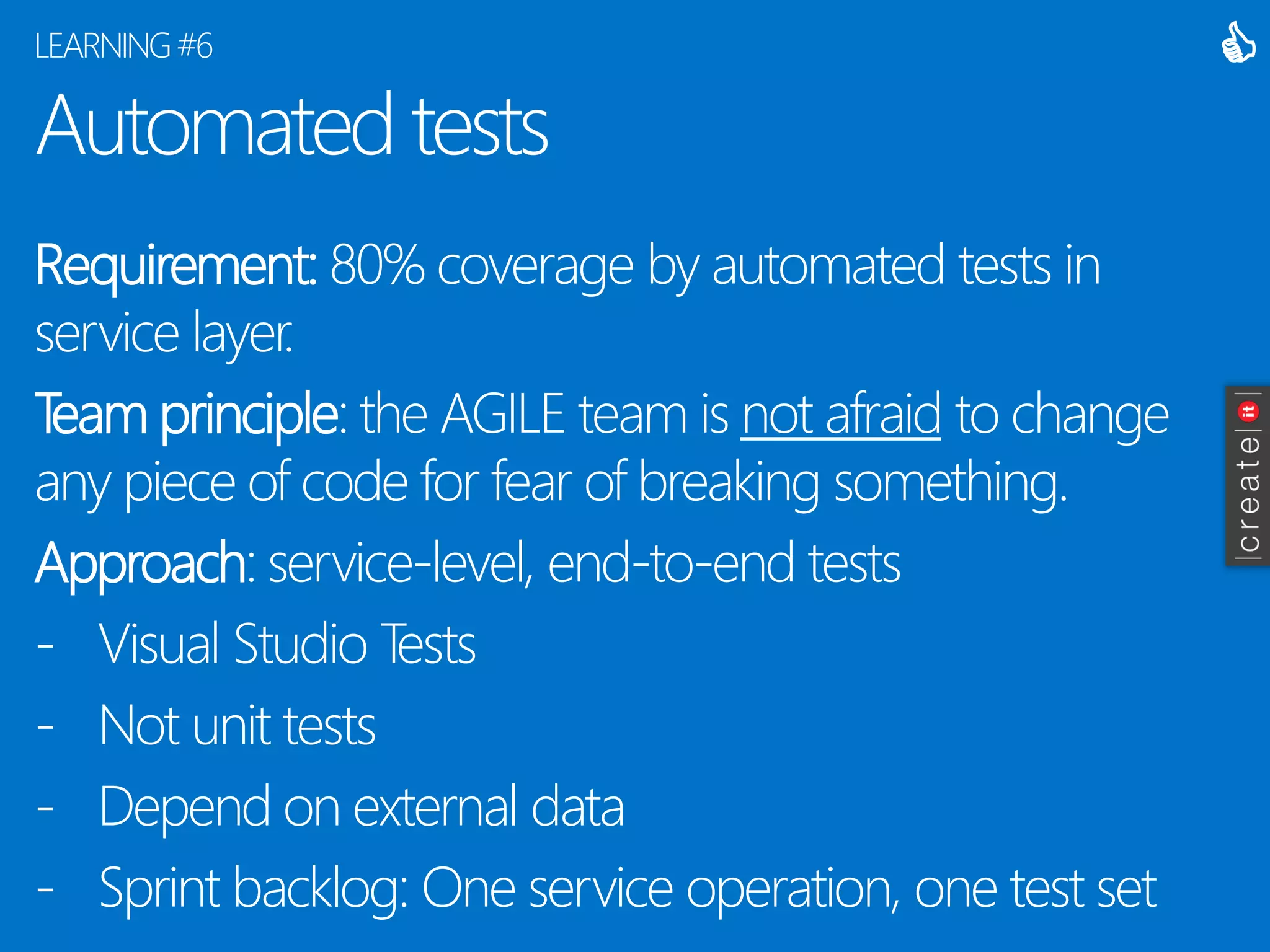
Automated tests 
Requirement:80% coverage by automated tests in service layer. 
Team principle: the AGILE team is not afraidto change any piece of code for fear of breaking something. 
Approach: service-level, end-to-end tests 
-Visual Studio Tests 
-Not unit tests 
-Depend on external data 
-Sprint backlog: One service operation, one test set 
LEARNING #6 

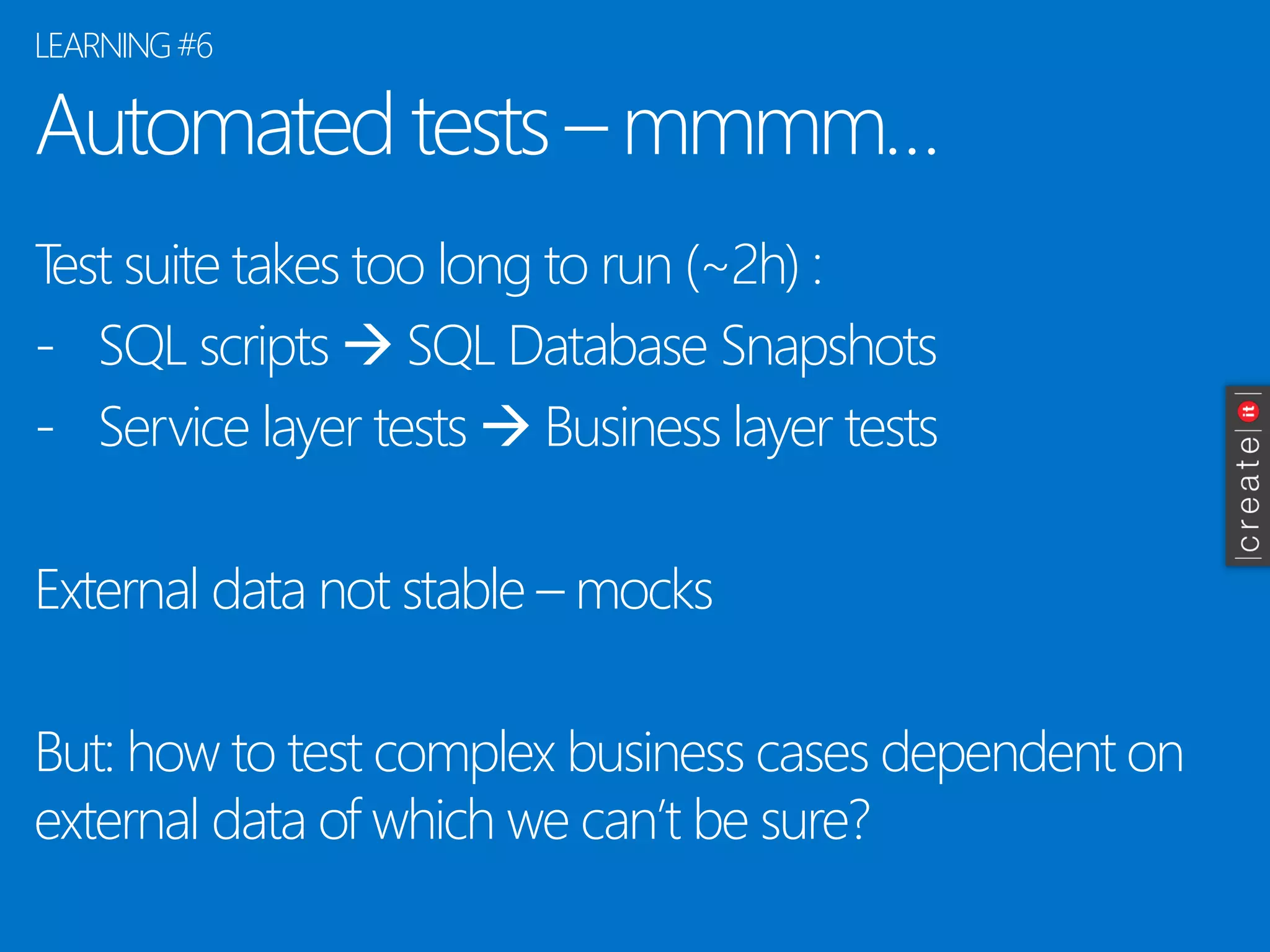
Automatedtests–mmmm… 
Testsuite takes too longto run(~2h) : 
-SQL scripts SQL DatabaseSnapshots 
-ServicelayertestsBusiness layertests 
Externaldata notstable–mocks 
But: howto testcomplexbusiness cases dependenton externaldata of whichwecan’tbesure? 
LEARNING #6
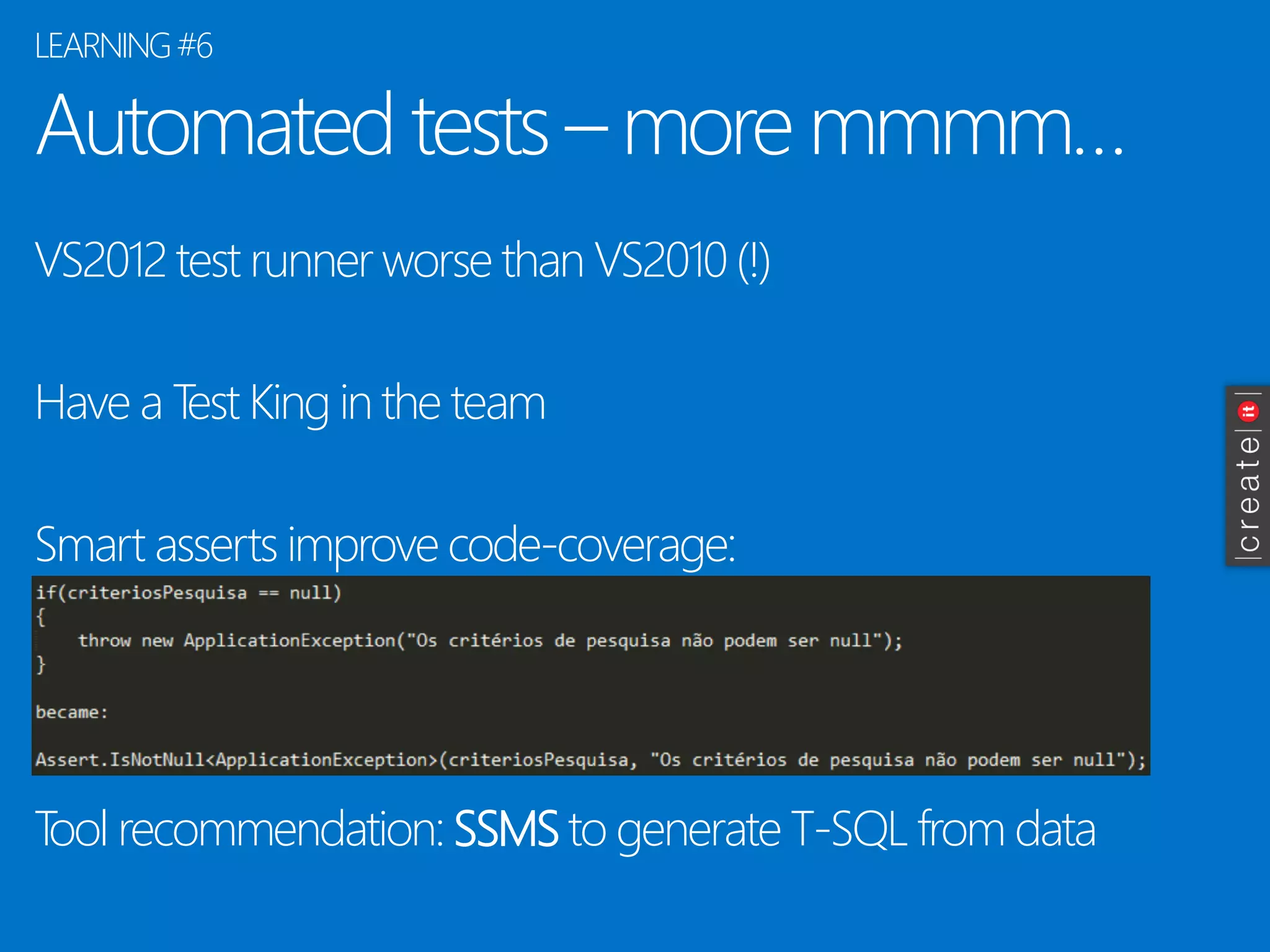
Automated tests –more mmmm… 
VS2012 test runner worse than VS2010 (!) 
Have a Test King in the team 
Smart asserts improve code-coverage: 
Tool recommendation: SSMSto generate T-SQL from data 
LEARNING #6
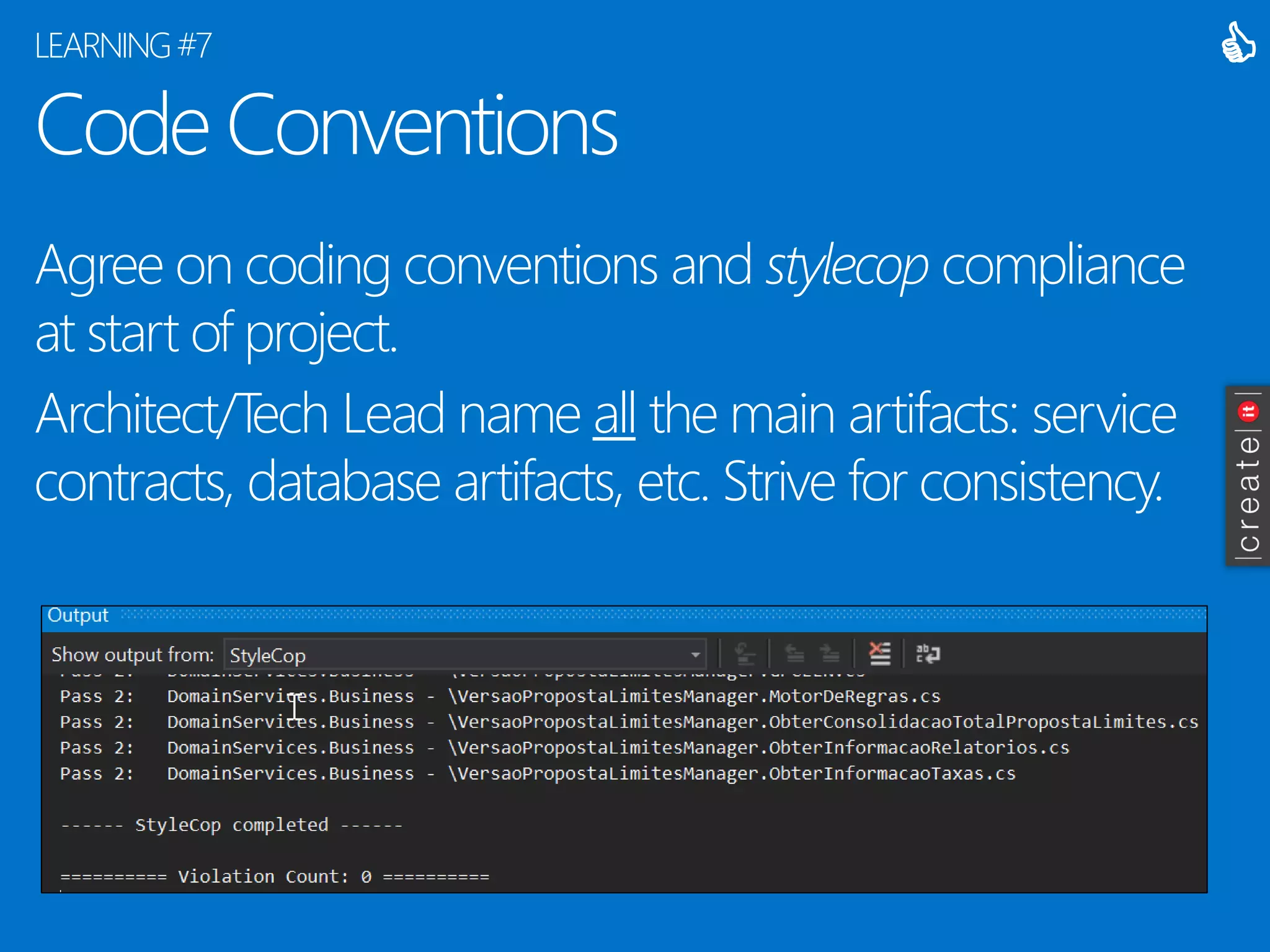
Code Conventions 
Agree on coding conventions and stylecopcompliance at start of project. 
Architect/Tech Lead name allthe main artifacts: service contracts, database artifacts, etc. Strive for consistency. 
LEARNING #7 

Code Conventions notes 
Focus on code legibility: 
-Don’t use varfor non-anonymous types 
-Don’t overdo Linqstatements 
-Comment your code 
Mistakes will happen, and renames will be needed (mixing PT with EN is frequent). 
Uniformizeverbs in services/methods. 
Do NOTargue tab size. In doubt, use defaults. 
LEARNING #7
Negotiation… with your team, and with the customer 
Always voice your opinion, focusing on what’s best for the project. Create a trust relationship. 
When your approach is not followed, and you are sure you are right, present objective arguments –don’t be emotional. Argue for as long as you must, but not longer. 
Accept defeat, make compromises. 
LEARNING #8 
 

Negotiation… some more notes 
Be attentive of the other’s possible hidden motivations, but be careful in exposing them. 
Consensus is not always possible. Your options willbe questioned, and sometimes you will be wrong. 
Remember the 3 views of architecture: theoretical, pragmatic, implementable 
Ask open questions. 
LEARNING #8
Functional team/domain experts 
They are your peers, and part of the team. You dependon well written and clear user stories. 
Domain experts that understand Scrum and team/time constraints make the difference. 
Rely heavily on them and their tools. When you don’t understand, ask questions until you do. 
LEARNING #9 

Functional Team do’s and don’ts 
Sometimes the way a story is written crystalizes a way of implementation. 
Some stories willbe hard to understand and decompose into tasks. Ask for clarifications and don’t implement blindly. 
Business context is sometimes missing. 
Tendency to “follow the old ways”. 
Tendency to abide to single-user/hierarchical requests.
Use Your Brain: design elegantly 
You are not paid to write code, you are paid to thinkand communicate. 
Think things through before committing to a solution. 
Try to isolate and design autonomous and change- tolerant components. 
Step back, look at the larger picture. As an Architect, you DO NOThave to be a technical expert in everything: focus on capabilities and structure. 
LEARNING #10 

Impediments to using your brain 
Interruptions, no whiteboard, too much noise, lack of natural light, music on headphones, time or budget pressure, too much coffee, personal problems, lack of sleep, … 
What’s your style: collaborate then design, or design and then collaborate? Isolate yourself to design. Make drawings, and the document your proposed solution.
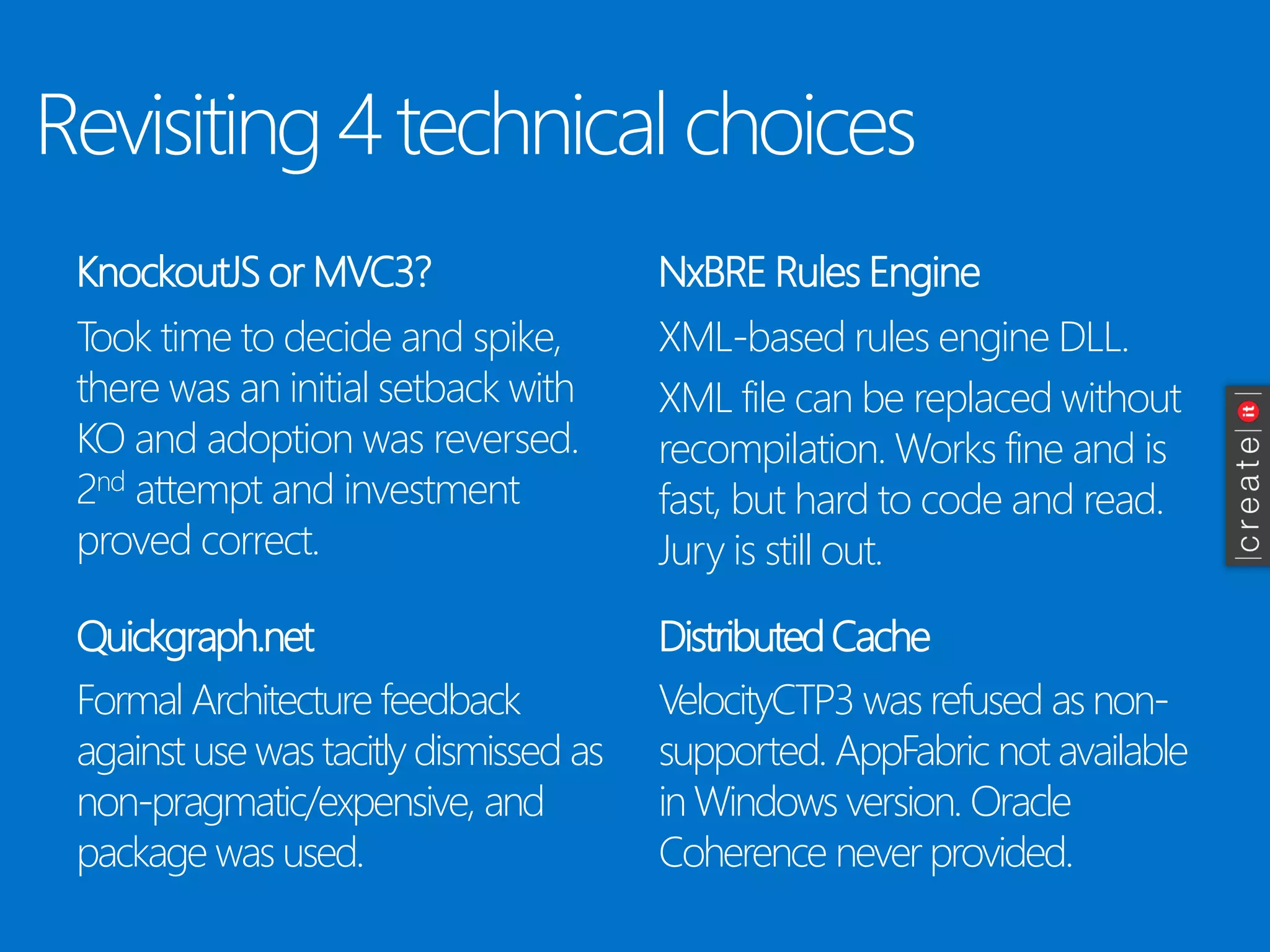
Revisiting 4 technical choices 
KnockoutJSor MVC3? 
Took time to decide and spike, there was an initial setback with KO and adoption was reversed. 2ndattempt and investment proved correct. 
NxBRERules Engine 
Quickgraph.net 
Distributed Cache 
XML-based rules engine DLL. 
XML file can be replaced without recompilation. Works fine and is fast, but hard to code and read. Jury is still out. 
Formal Architecture feedback against use was tacitly dismissed as non-pragmatic/expensive, and package was used. 
VelocityCTP3 was refused as non- supported. AppFabricnot available in Windows version. Oracle Coherence never provided.
Lightninground
Your team is an extension of your body.
3 (physical) layers & no distributed cache mean no real-time features(e.g., SignalR)
Knowthyuser’spc: 
@start, 1GB RAM, IE8, WinXp, 1024px 
Javascript, IE8, 1GB RAM recipefor disaster.
Use extension methods –don’t pollute your classes with internal –auxiliary -methods 
* and kill those «helper» classes, too
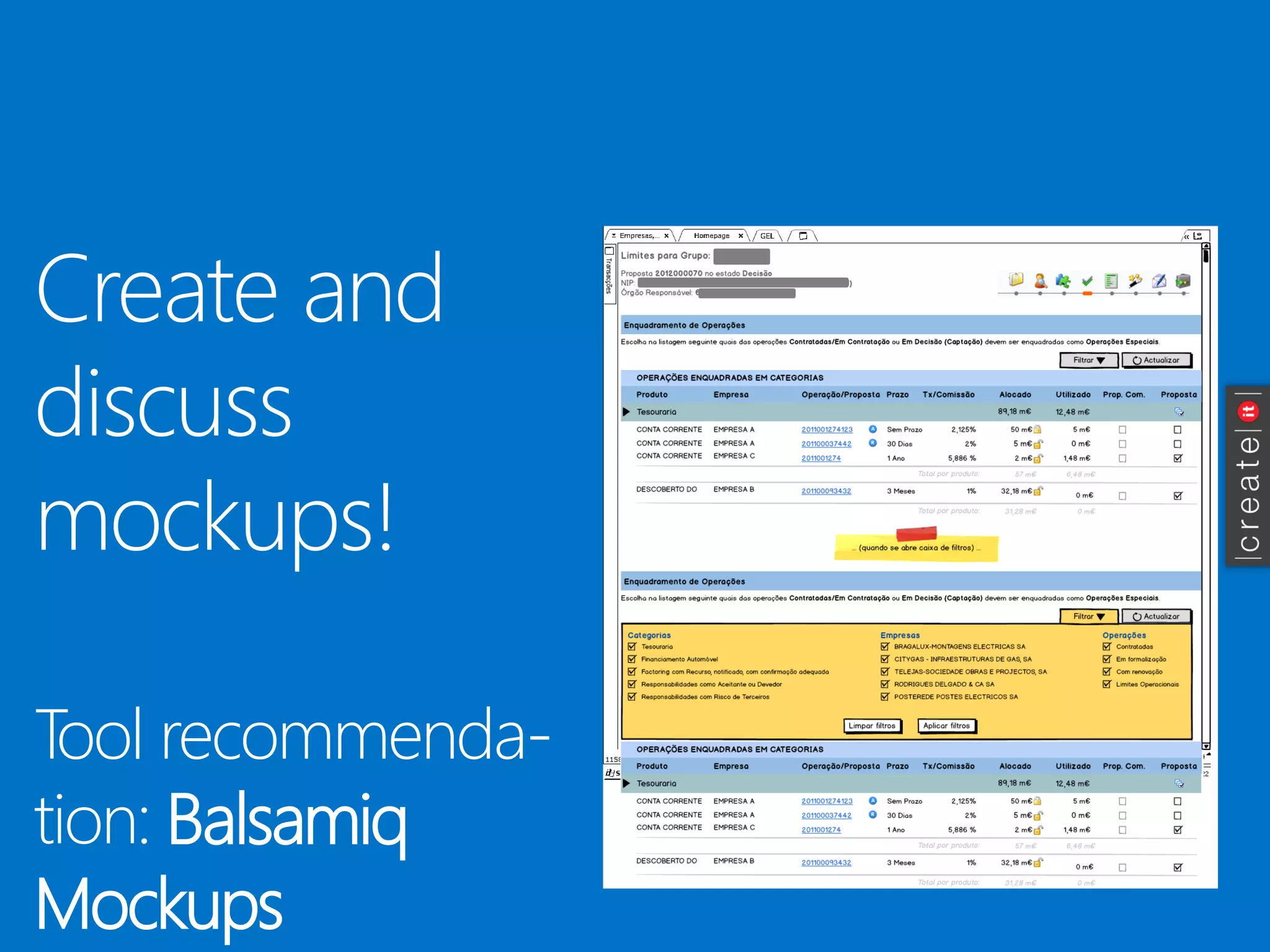
Create and discuss mockups! 
Tool recommenda- tion: Balsamiq Mockups
Be lazy. Don’t waste precious time coding your own, special, data-access layer/.... 
* also, scavenge codeplex+github+npm+… for assets to buy or reuse
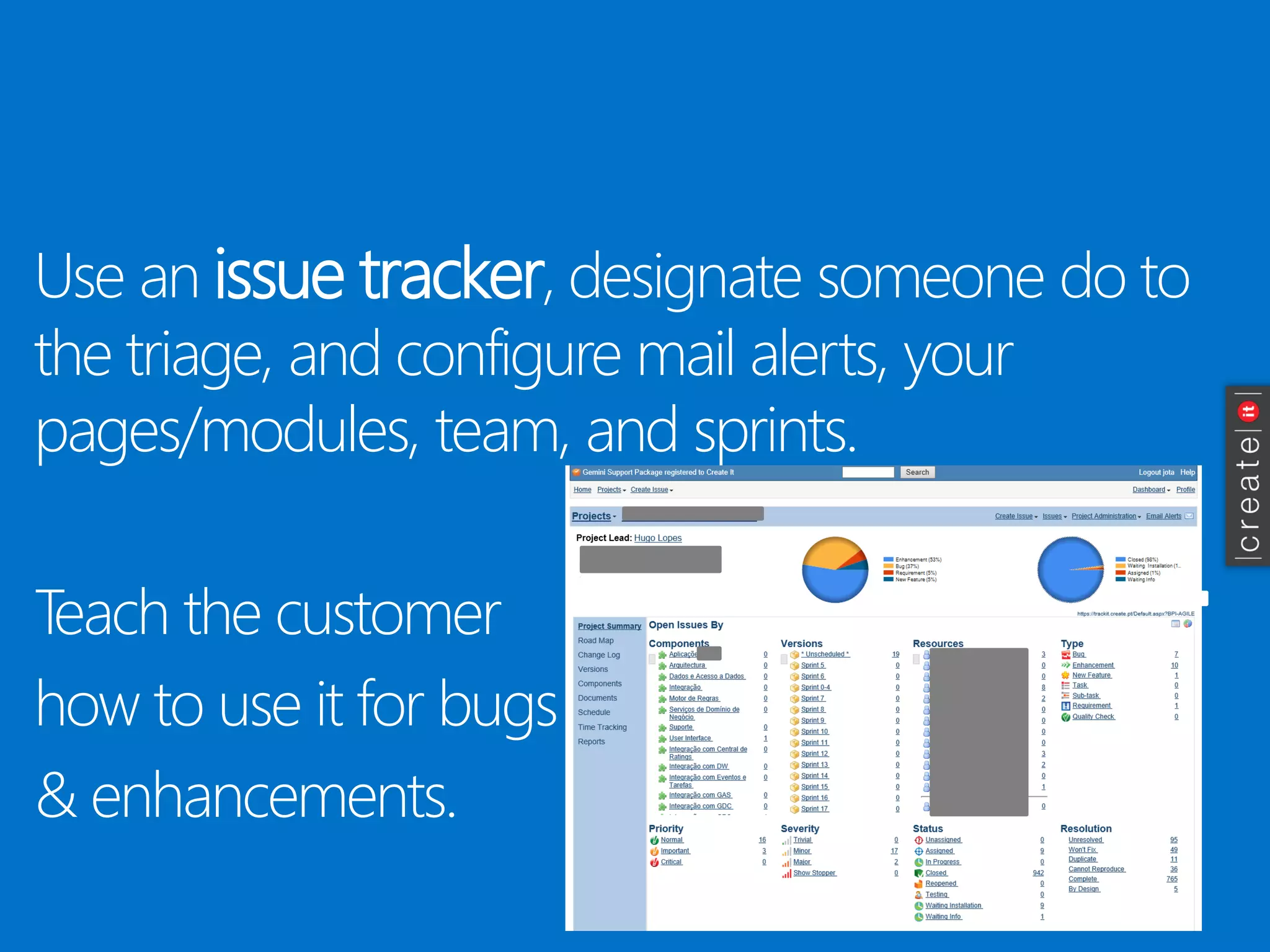
Use an issue tracker, designate someone do to the triage, and configure mail alerts, your pages/modules, team, and sprints. 
Teach the customer 
how to use it for bugs 
& enhancements.
Visual Studio Database Projects and Schema Compare are priceless features. Use them. 
* start today
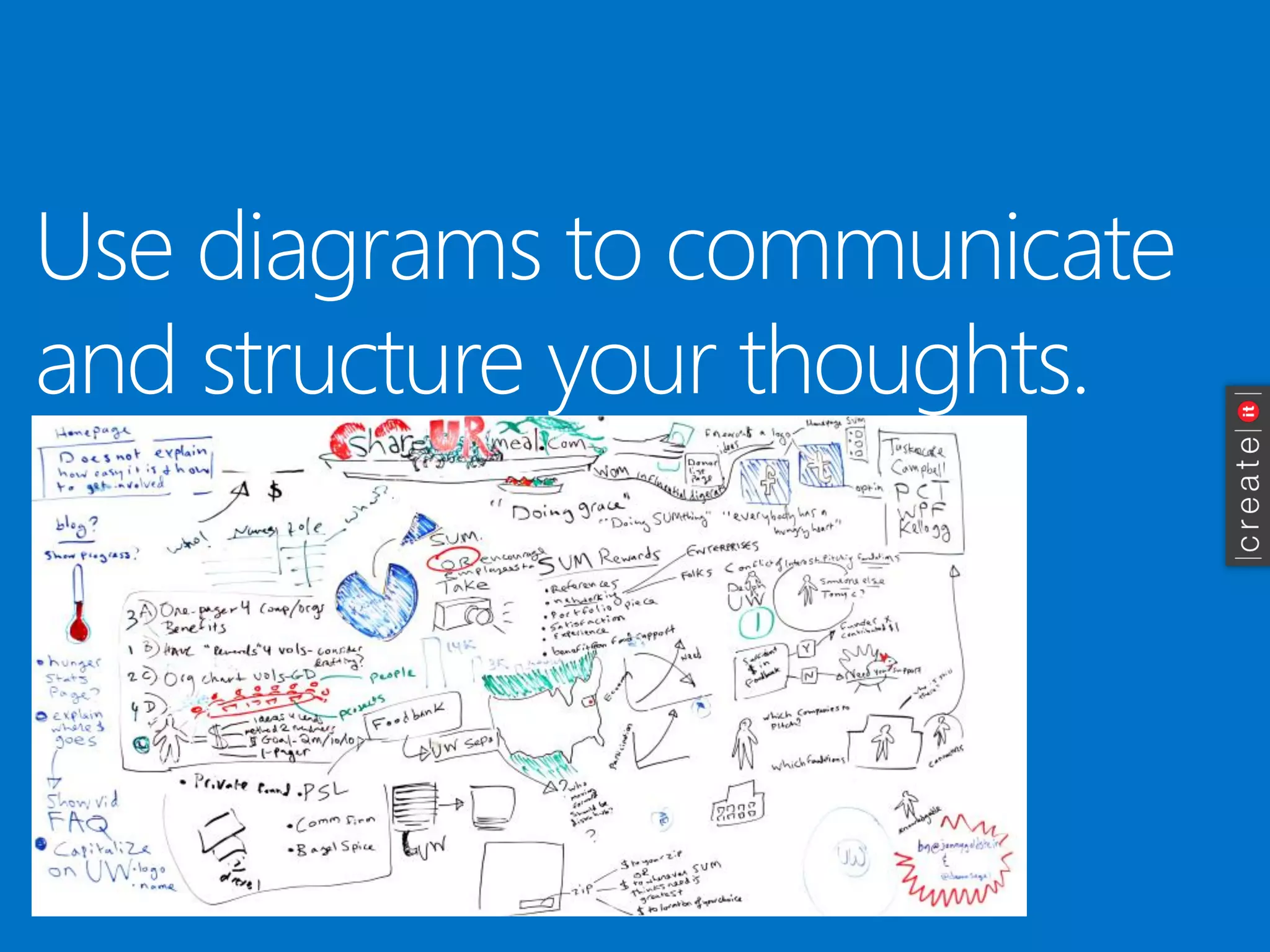
Use diagrams to communicate and structure your thoughts.
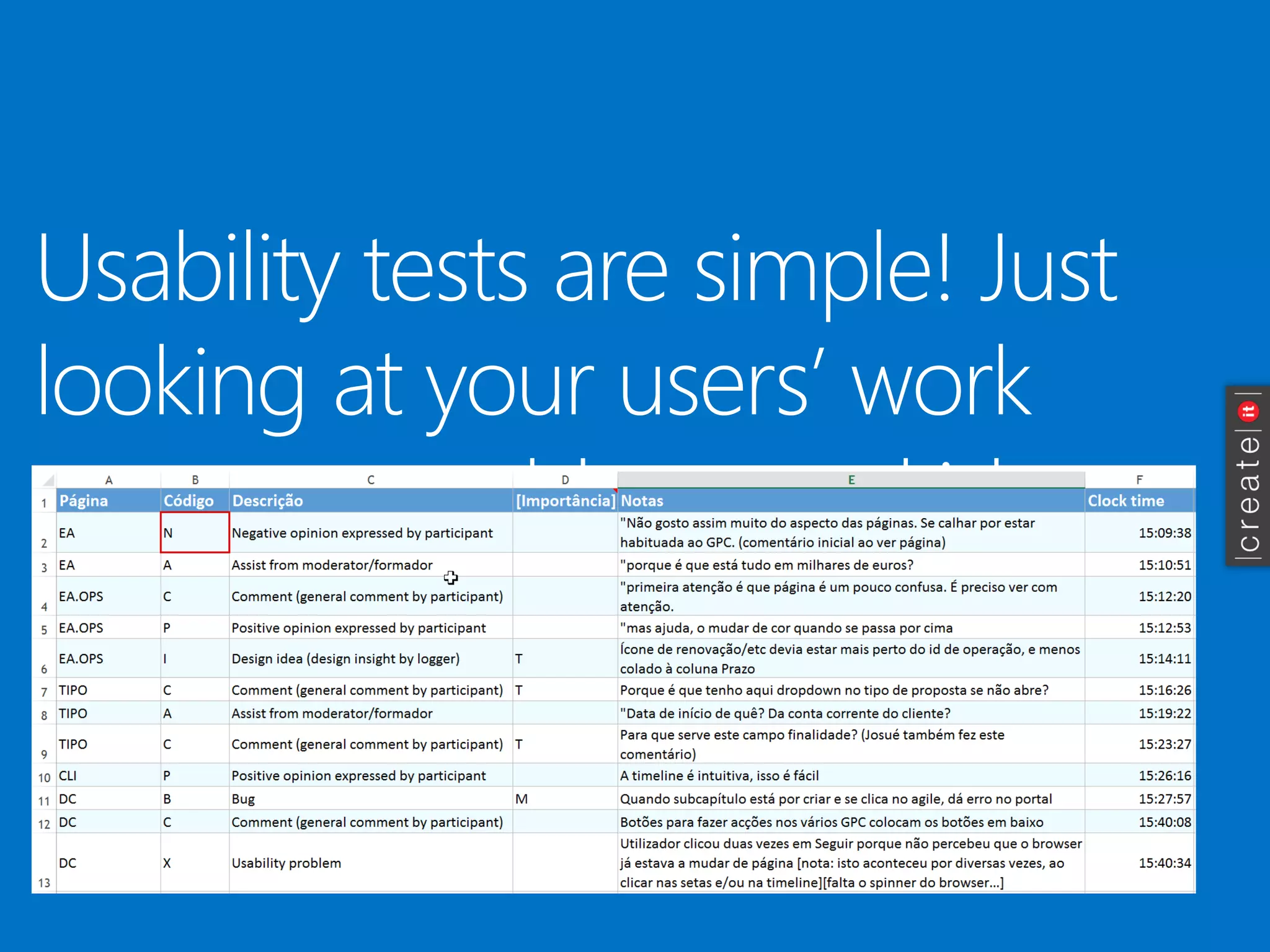
Usabilitytestsare simple! Justlookingat yourusers’ workuncoversproblemsand ideasfor improvement.
Just3 more beforeI go…  
Humans make mistakes. Scripts don’t. Use scripts and obsessively automate repetitive tasks or installations. 
Know your branches protocol, shelves, labels, versioning (just use Microsoft’s recommendation). 
Innovating and surprising your customer, and the cherry on the cake, makes a world of difference.
Closing message 
It’s an architect jobto address the customers’ needs, deliver quality (build cathedrals), and learn constantly. 
Hope I helped.
ideas, questions, experiences?
Thanksfor havingme! 
(+351) 96 782 5537jota@create.pt 
blogit.create.pt/joaomartins/ 
twitter.com/lokijota 
pt.linkedin.com/in/joaopedromartins/
Patrocinadores “GOLD” Twitter: @PTMicrosofthttp://www.microsoft.com/portugalTwitter: @FindMoreChttp://www.findmore.eu
Patrocinadores “Silver”
Patrocinadores “Bronze”
http://bit.ly/netponto-aval-50 
* Para quem não puder preencher durante a reunião, 
iremos enviar um email com o link à tarde
Próximas reuniões presenciais 
22/11/2014 –Novembro –50ª Reunião! (Lisboa) 
13/12/2014 –Dezembro (Lisboa) 
24/01/2015 –Janeiro (Lisboa) 
Reserva estes dias na agenda! :)
Architecting a Large Software Project - Lessons Learned

Architecting a Large Software Project - Lessons Learned

  • 1.
    http://netponto.org#netponto 50ª ReuniãoLisboa –22.11.2014 Architecting a Large Software Project –Lessons Learned João Pedro Martins
  • 2.
    João Pedro “jota”Martins CTO @ |create|it| Software Architect TechEd 2006 –“Iron Architect” Winner BizTalk Server MVP 2006-2011 Co-founder -GASP + APPU Windows Azure Insider
  • 3.
    |create|it| Founded 2001@ Lisboa (Gourmet) Systems Integrator Team of (proud) 26 Azure -BizTalk -Office 365 –SharePoint Umbraco-NopCommerce
  • 4.
    What’s this sessionabout? Architecting a Large Software Project – Lessons Learned
  • 5.
    Overview Banking applicationfor internal use (>3000p) Web-based, running inside a Windows Forms shell Started Jun-2011, R1 installed Jul-2014 Scrum -50 sprints 12 man-years in the making Integrates with 11 systems Team of 6 + customer team ~8 + other teams ~10 THE PROJECT
  • 6.
    Statistics(Mar-2014, Sprint 41) Applicationcode-LOC 32.525 C# 16.782 Javascript 30.664 Rule EngineXML 8.445 T-SQL 9.552 HTML (MVC3) AutomatedTests-LOC GeneratedCode-DAL And also… 40.243 C# 26.878 T-SQL Inserts(testdata) 1.299 tests 80% codecoverage 146.009 C# 53.427 T-SQL StoredProcedures 60 Visual StudioProjects 101 SQL Tables 17 WCF Serviceswith190 Operations 59 MVC Views/PartialViews 100% StyleCopcompliance THE PROJECT finally{ … } ~500 userstories 723 issues: 90% closed, 65% bugs
  • 7.
    Conceptual Architectureand Technologies THE PROJECT browser Controller View ViewModel dados serviços web Controller View Model business logic rule engine integration tables+ views data access storedprocedures browser web services data NET 4.0 CODESMITH+ NETTIERSTEMPLATES T-SQL SQL SERVER+ VS DATATOOLS SSMS NET 4.0 WCF NXBRE LOG4NET UNITY(ENTLIB) VSUNITTESTING RHINO.MOCKS SPREADSHEET.NET QUICKGRAPH.NET TOOLKITCREATE .NET 4.0 ASP.NET MVC3 LOG4NET JSON.NET UNITY(ENTLIB) TOOLKITCREATE BALSAMIQMOCKUPS HTML + CSS JQUERY KNOCKOUTJS UNDERSCOREJS KENDOUI MOMENTJS TOASTR
  • 8.
  • 9.
    The “Secrets” then… Scrum Agility Frequent releases Notion of progress Burndown User Interface Motivated Team Focus Pretty Simple Innovative Team principles -quality Continuous improvement Individual initiative Redundancy Individual strong points Work-life balance Challenges Recent technology Workspace Relationships
  • 10.
  • 11.
    Classes withtoo manyresponsibilities LEARNING #1 Service Implementation Business Manager Data Access Layer IOperationInterface Data Contracts Business Manager Thesegottoo large  WCF Physical Hosting (.svc’s)
  • 12.
    How to workaround this? SOLID principles -Single Responsibility Domain Driven Design –vertical slices of behaviour Separation of Concerns–partial classes When in doubt: •Create another class •Use interfaces LEARNING#1
  • 13.
    Logging Do youhave detailed logging enabled in your production environments? LEARNING#2 Is this useful? 
  • 14.
    Logging Instead ofthis… … try this… LEARNING #2
  • 15.
    Logging -hints Insome cases, you can’t log details of the operation. Use correlation -relate log entries in the same context. Beware of impact on performance. Beware of storage space required. DO cleanup. *not a problem on the cloud To read text logs, try this tool: LogExpert LEARNING #2
  • 16.
    Interfaces vs Inheritance “Why extends is evil -Improve your code by replacing concrete base classes with interfaces” (Allen Holub) http://www.javaworld.com/article/2073649/core-java/why-extends-is-evil.html LEARNING #3  Dependency injection interfaces. Very limited use of OO inheritance -Base Data Contracts with minimum property set (e.g., id + name) -Less than a handful of uses in total The bad part? F12 navigates to the interface, not the implementation
  • 17.
    Dependency Injection Indirectionwhen instantiating objects: -Container builds and reuses objects -Supports mocking for automated tests Interception: -Cache -Logging -Profiling -Exception Shielding Fully configurable in .config LEARNING #4  Caller Target Interceptor –Call handler
  • 18.
    Dependency Injection pitfalls Initial setup can be demanding (skills+time) Programming configurations (complex debugging) Impact on runtime performance LEARNING #4
  • 19.
  • 20.
    Cache Cache transparentlyviainterception + configuration. Cache before accessing the network (CPU is cheap). Designed for 3 freshness configs. LEARNING #5 PresentationLayer  
  • 21.
    Cache: ooops! Businessinformation presented must be accurate – and data is not stable in external systems. Very limited set of external reference data. User authorization must be considered. Transparent, configuration-based cache, is convenient - however, you can’t selectively expire contents! LEARNING #5
  • 22.
    Automated tests Requirement:80%coverage by automated tests in service layer. Team principle: the AGILE team is not afraidto change any piece of code for fear of breaking something. Approach: service-level, end-to-end tests -Visual Studio Tests -Not unit tests -Depend on external data -Sprint backlog: One service operation, one test set LEARNING #6 
  • 23.
    Automatedtests–mmmm… Testsuite takestoo longto run(~2h) : -SQL scripts SQL DatabaseSnapshots -ServicelayertestsBusiness layertests Externaldata notstable–mocks But: howto testcomplexbusiness cases dependenton externaldata of whichwecan’tbesure? LEARNING #6
  • 24.
    Automated tests –moremmmm… VS2012 test runner worse than VS2010 (!) Have a Test King in the team Smart asserts improve code-coverage: Tool recommendation: SSMSto generate T-SQL from data LEARNING #6
  • 25.
    Code Conventions Agreeon coding conventions and stylecopcompliance at start of project. Architect/Tech Lead name allthe main artifacts: service contracts, database artifacts, etc. Strive for consistency. LEARNING #7 
  • 26.
    Code Conventions notes Focus on code legibility: -Don’t use varfor non-anonymous types -Don’t overdo Linqstatements -Comment your code Mistakes will happen, and renames will be needed (mixing PT with EN is frequent). Uniformizeverbs in services/methods. Do NOTargue tab size. In doubt, use defaults. LEARNING #7
  • 27.
    Negotiation… with yourteam, and with the customer Always voice your opinion, focusing on what’s best for the project. Create a trust relationship. When your approach is not followed, and you are sure you are right, present objective arguments –don’t be emotional. Argue for as long as you must, but not longer. Accept defeat, make compromises. LEARNING #8  
  • 28.
    Negotiation… some morenotes Be attentive of the other’s possible hidden motivations, but be careful in exposing them. Consensus is not always possible. Your options willbe questioned, and sometimes you will be wrong. Remember the 3 views of architecture: theoretical, pragmatic, implementable Ask open questions. LEARNING #8
  • 29.
    Functional team/domain experts They are your peers, and part of the team. You dependon well written and clear user stories. Domain experts that understand Scrum and team/time constraints make the difference. Rely heavily on them and their tools. When you don’t understand, ask questions until you do. LEARNING #9 
  • 30.
    Functional Team do’sand don’ts Sometimes the way a story is written crystalizes a way of implementation. Some stories willbe hard to understand and decompose into tasks. Ask for clarifications and don’t implement blindly. Business context is sometimes missing. Tendency to “follow the old ways”. Tendency to abide to single-user/hierarchical requests.
  • 31.
    Use Your Brain:design elegantly You are not paid to write code, you are paid to thinkand communicate. Think things through before committing to a solution. Try to isolate and design autonomous and change- tolerant components. Step back, look at the larger picture. As an Architect, you DO NOThave to be a technical expert in everything: focus on capabilities and structure. LEARNING #10 
  • 32.
    Impediments to usingyour brain Interruptions, no whiteboard, too much noise, lack of natural light, music on headphones, time or budget pressure, too much coffee, personal problems, lack of sleep, … What’s your style: collaborate then design, or design and then collaborate? Isolate yourself to design. Make drawings, and the document your proposed solution.
  • 33.
    Revisiting 4 technicalchoices KnockoutJSor MVC3? Took time to decide and spike, there was an initial setback with KO and adoption was reversed. 2ndattempt and investment proved correct. NxBRERules Engine Quickgraph.net Distributed Cache XML-based rules engine DLL. XML file can be replaced without recompilation. Works fine and is fast, but hard to code and read. Jury is still out. Formal Architecture feedback against use was tacitly dismissed as non-pragmatic/expensive, and package was used. VelocityCTP3 was refused as non- supported. AppFabricnot available in Windows version. Oracle Coherence never provided.
  • 34.
  • 35.
    Your team isan extension of your body.
  • 36.
    3 (physical) layers& no distributed cache mean no real-time features(e.g., SignalR)
  • 37.
    Knowthyuser’spc: @start, 1GBRAM, IE8, WinXp, 1024px Javascript, IE8, 1GB RAM recipefor disaster.
  • 38.
    Use extension methods–don’t pollute your classes with internal –auxiliary -methods * and kill those «helper» classes, too
  • 39.
    Create and discussmockups! Tool recommenda- tion: Balsamiq Mockups
  • 40.
    Be lazy. Don’twaste precious time coding your own, special, data-access layer/.... * also, scavenge codeplex+github+npm+… for assets to buy or reuse
  • 41.
    Use an issuetracker, designate someone do to the triage, and configure mail alerts, your pages/modules, team, and sprints. Teach the customer how to use it for bugs & enhancements.
  • 42.
    Visual Studio DatabaseProjects and Schema Compare are priceless features. Use them. * start today
  • 43.
    Use diagrams tocommunicate and structure your thoughts.
  • 44.
    Usabilitytestsare simple! Justlookingatyourusers’ workuncoversproblemsand ideasfor improvement.
  • 45.
    Just3 more beforeIgo…  Humans make mistakes. Scripts don’t. Use scripts and obsessively automate repetitive tasks or installations. Know your branches protocol, shelves, labels, versioning (just use Microsoft’s recommendation). Innovating and surprising your customer, and the cherry on the cake, makes a world of difference.
  • 46.
    Closing message It’san architect jobto address the customers’ needs, deliver quality (build cathedrals), and learn constantly. Hope I helped.
  • 47.
  • 48.
    Thanksfor havingme! (+351)96 782 5537jota@create.pt blogit.create.pt/joaomartins/ twitter.com/lokijota pt.linkedin.com/in/joaopedromartins/
  • 49.
    Patrocinadores “GOLD” Twitter:@PTMicrosofthttp://www.microsoft.com/portugalTwitter: @FindMoreChttp://www.findmore.eu
  • 50.
  • 51.
  • 52.
    http://bit.ly/netponto-aval-50 * Paraquem não puder preencher durante a reunião, iremos enviar um email com o link à tarde
  • 53.
    Próximas reuniões presenciais 22/11/2014 –Novembro –50ª Reunião! (Lisboa) 13/12/2014 –Dezembro (Lisboa) 24/01/2015 –Janeiro (Lisboa) Reserva estes dias na agenda! :)