THE ORBIT GT APPROACH TO
     MOBILE MAPPING
  SOFTWARE SOLUTIONS
CHALLENGE 1

MANAGE DATA
GeoSpatial Technologies


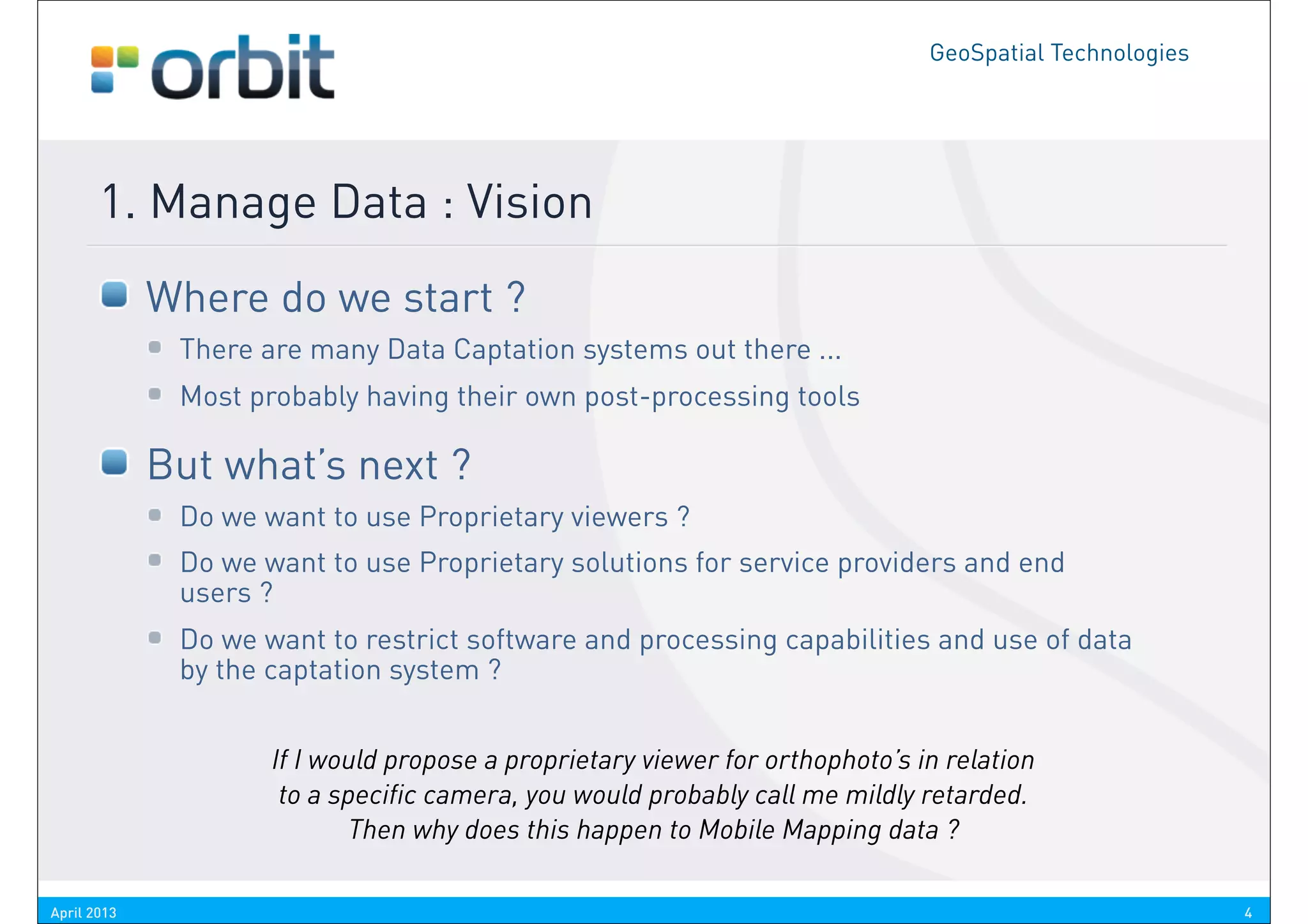
       1. Manage Data : Vision
             Where do we start ?
              There are many Data Captation systems out there ...
              Most probably having their own post-processing tools

             But what’s next ?
              Do we want to use Proprietary viewers ?
              Do we want to use Proprietary solutions for service providers and end
              users ?
              Do we want to restrict software and processing capabilities and use of data
              by the captation system ?


                     If I would propose a proprietary viewer for orthophoto’s in relation
                      to a specific camera, you would probably call me mildly retarded.
                            Then why does this happen to Mobile Mapping data ?

April 2013                                                                                               4
GeoSpatial Technologies


       1. Manage Data : Vision
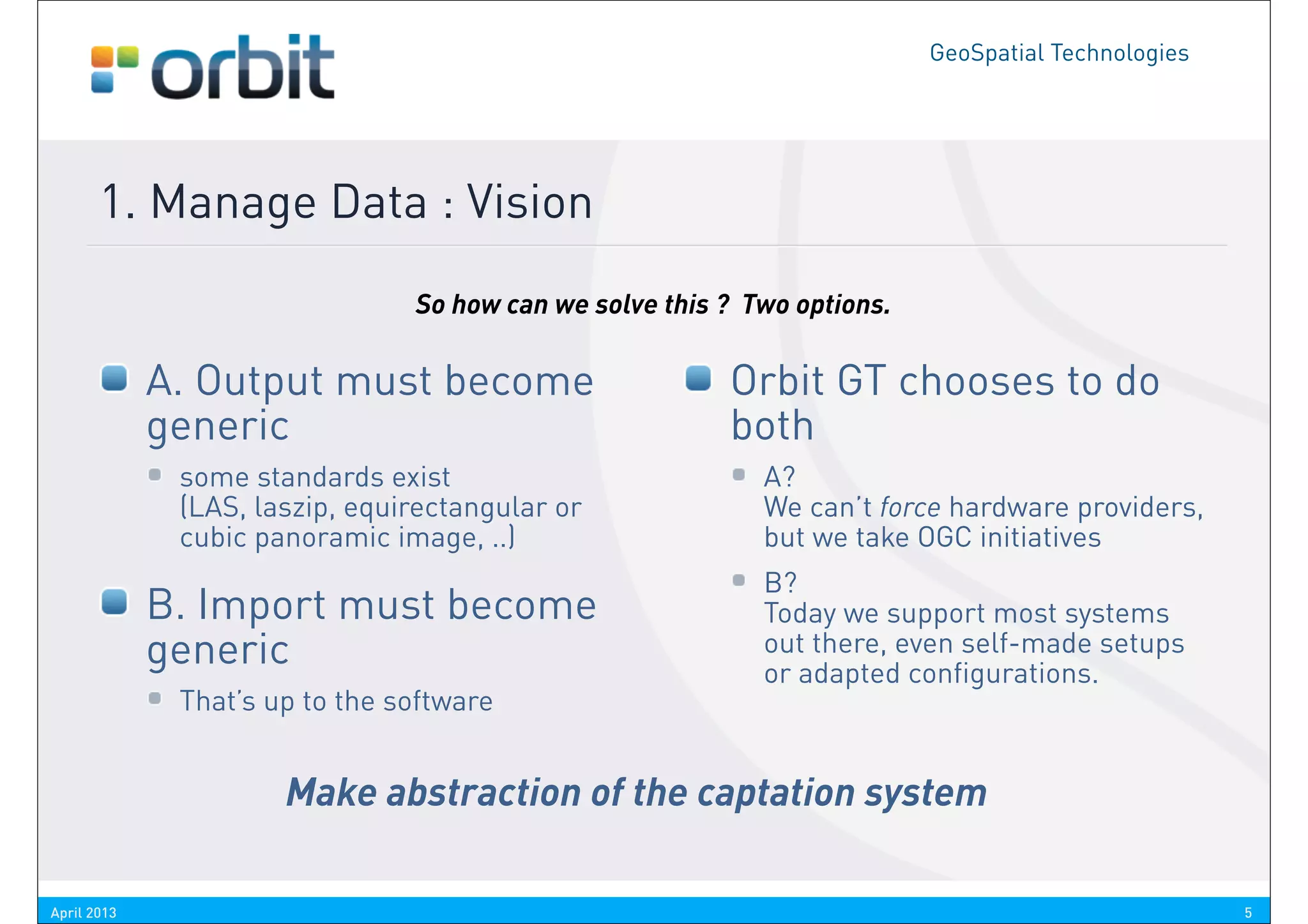
                                So how can we solve this ? Two options.

             A. Output must become                       Orbit GT chooses to do
             generic                                     both
              some standards exist                          A?
              (LAS, laszip, equirectangular or              We can’t force hardware providers,
              cubic panoramic image, ..)                    but we take OGC initiatives
                                                            B?
             B. Import must become                          Today we support most systems
             generic                                        out there, even self-made setups
                                                            or adapted configurations.
              That’s up to the software


                      Make abstraction of the captation system

April 2013                                                                                          5
GeoSpatial Technologies


       1. Manage Data : Tools
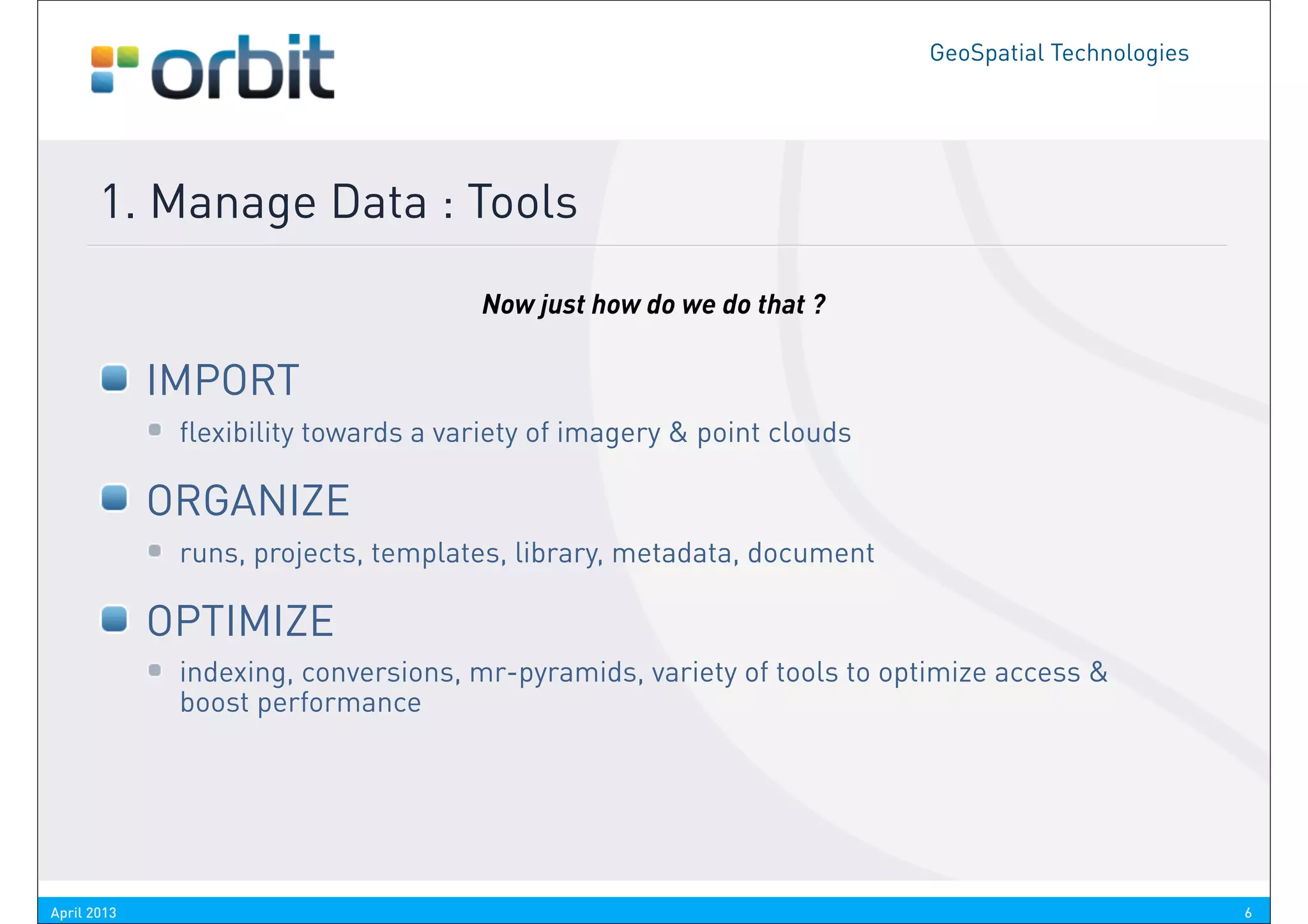
                                      Now just how do we do that ?

             IMPORT
              flexibility towards a variety of imagery & point clouds

             ORGANIZE
              runs, projects, templates, library, metadata, document

             OPTIMIZE
              indexing, conversions, mr-pyramids, variety of tools to optimize access &
              boost performance


April 2013                                                                                        6
GeoSpatial Technologies


       2. Manage Data : Tools
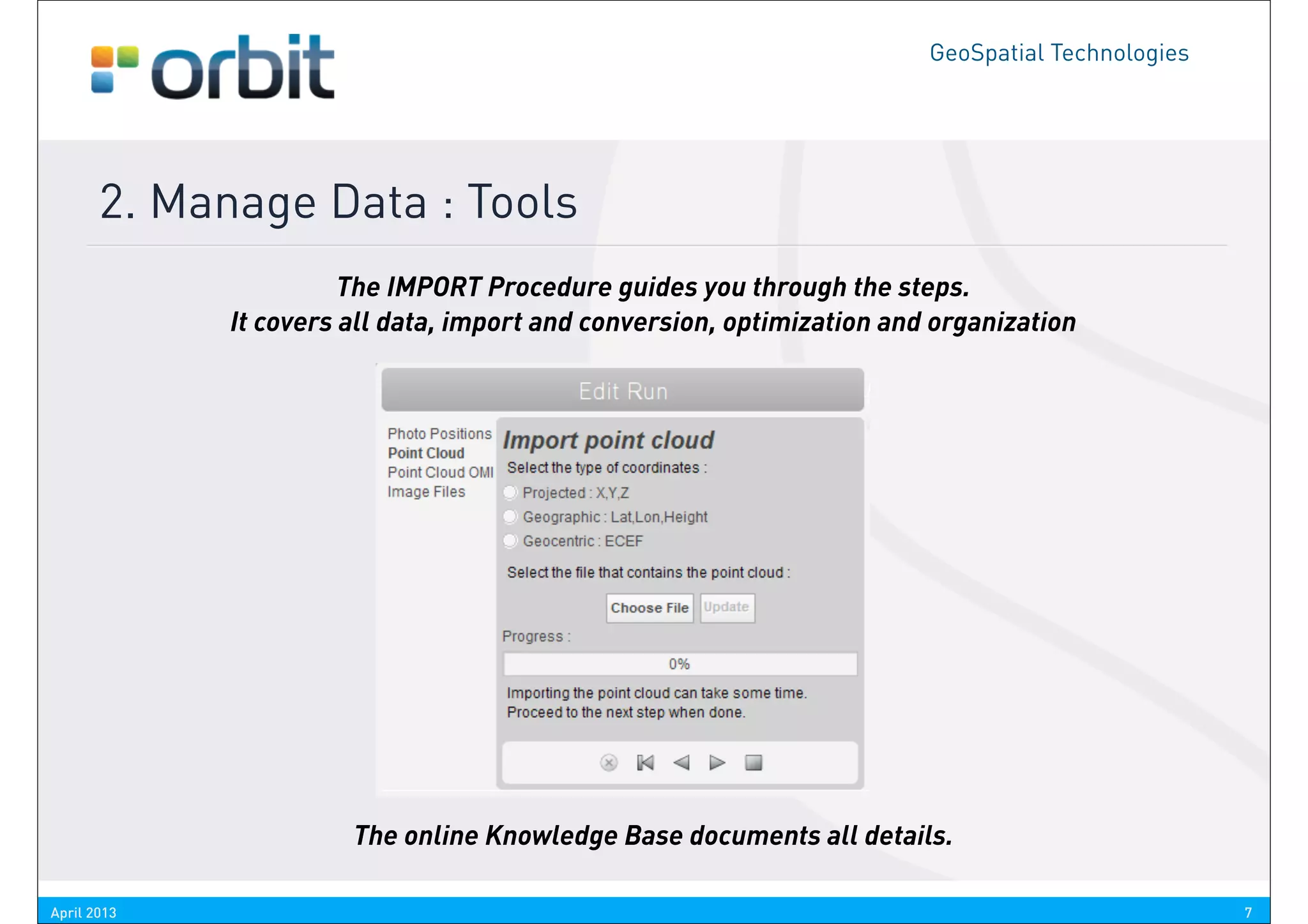
                       The IMPORT Procedure guides you through the steps.
             It covers all data, import and conversion, optimization and organization


                       The online Knowledge Base documents all details.

April 2013                                                                                        7
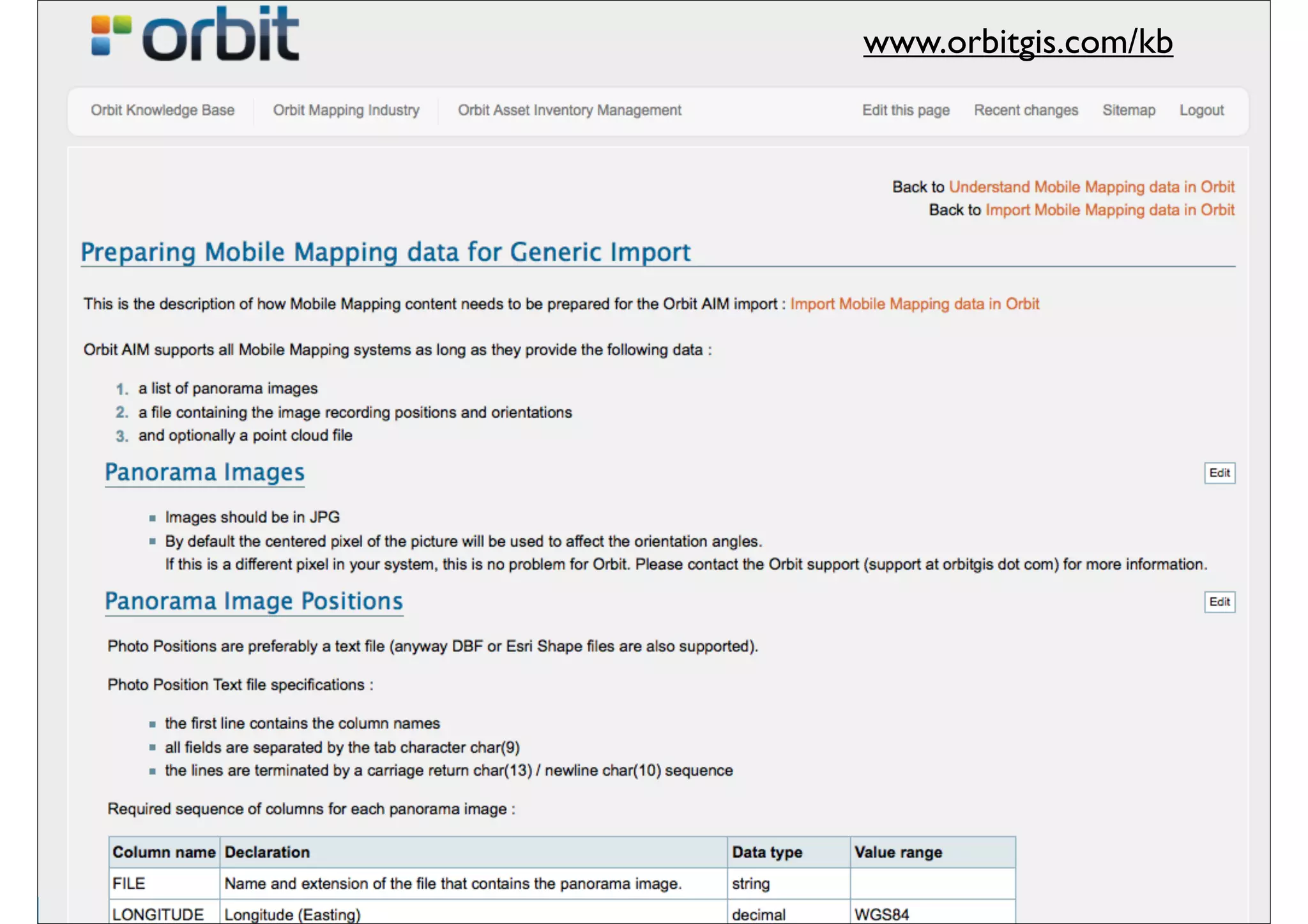
www.orbitgis.com/kb
                                       GeoSpatial Technologies


       2. Manage Data : Tools
             For example : IMPORT


April 2013                                                       8
CHALLENGE 2

ACCESS DATA
GeoSpatial Technologies


       2. Access Data : Vision

             Data Volumes are Massive
             High Server demands
             Manage High End versus Low End users
             Desktop / Enterprise / Web & Mobile
             GIS / CAD Content Integration


                   Why use a viewer for e.g. LiDAR only ? What are the most valued
                       deliverables ? Isn’t that geodata, vector, GIS content ?
                                 Well then, let’s bring that together.


April 2013                                                                                         10
GeoSpatial Technologies


       2. Access Data : Tools
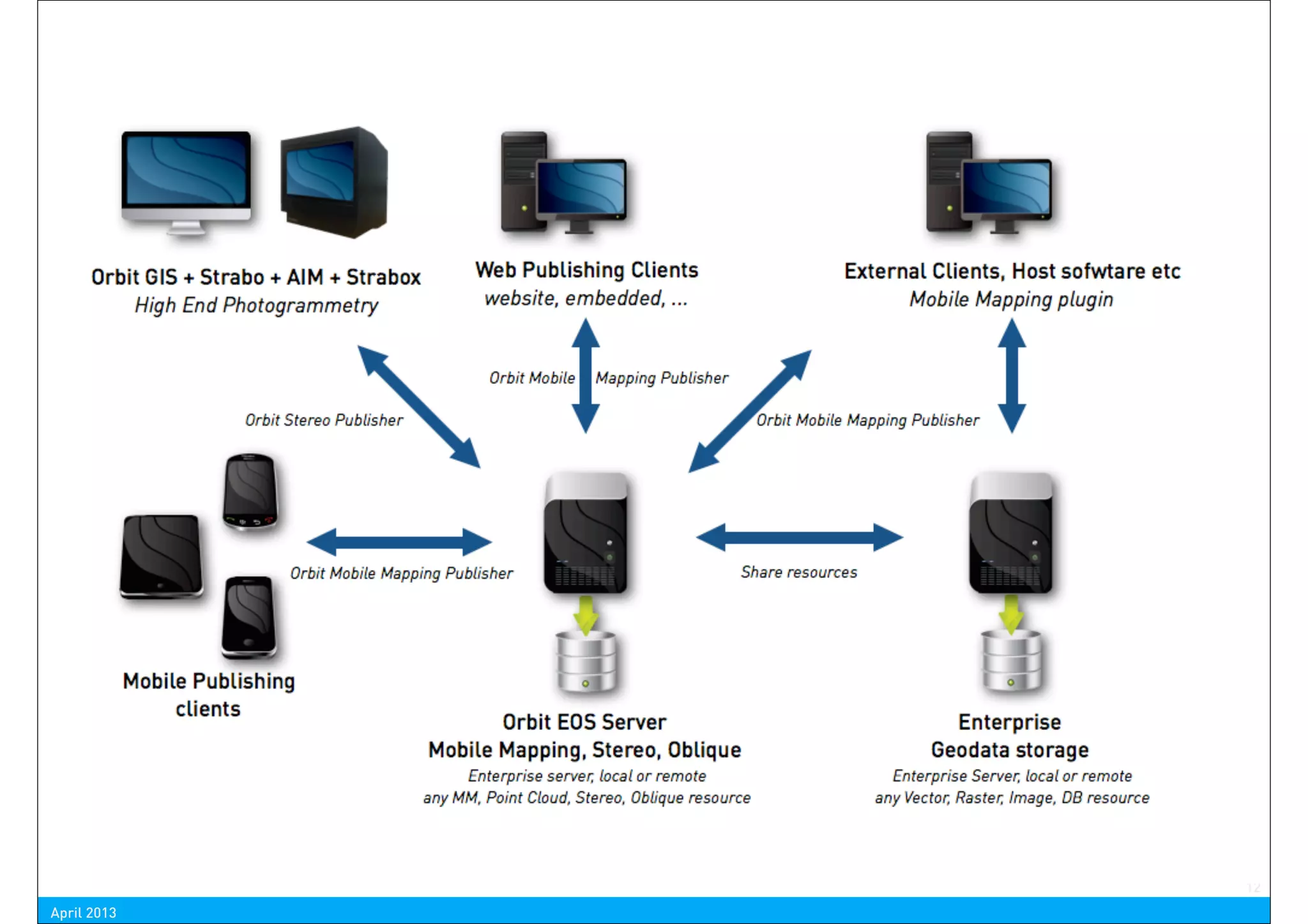
             The Solution is a proper Software Architecture
              Desktop workstation for smaller businesses
              Central Server for all storage
              Client-Server workstations for larger enterprise
              Remote clients

             and Get it into your workflow


                        So let’s build an architecture that meets all of our needs,
                     from low end to high end, single desktop user to corporate wide
                              workflows, onto the web and mobile devices.


April 2013                                                                                           11
12
April 2013
GeoSpatial Technologies


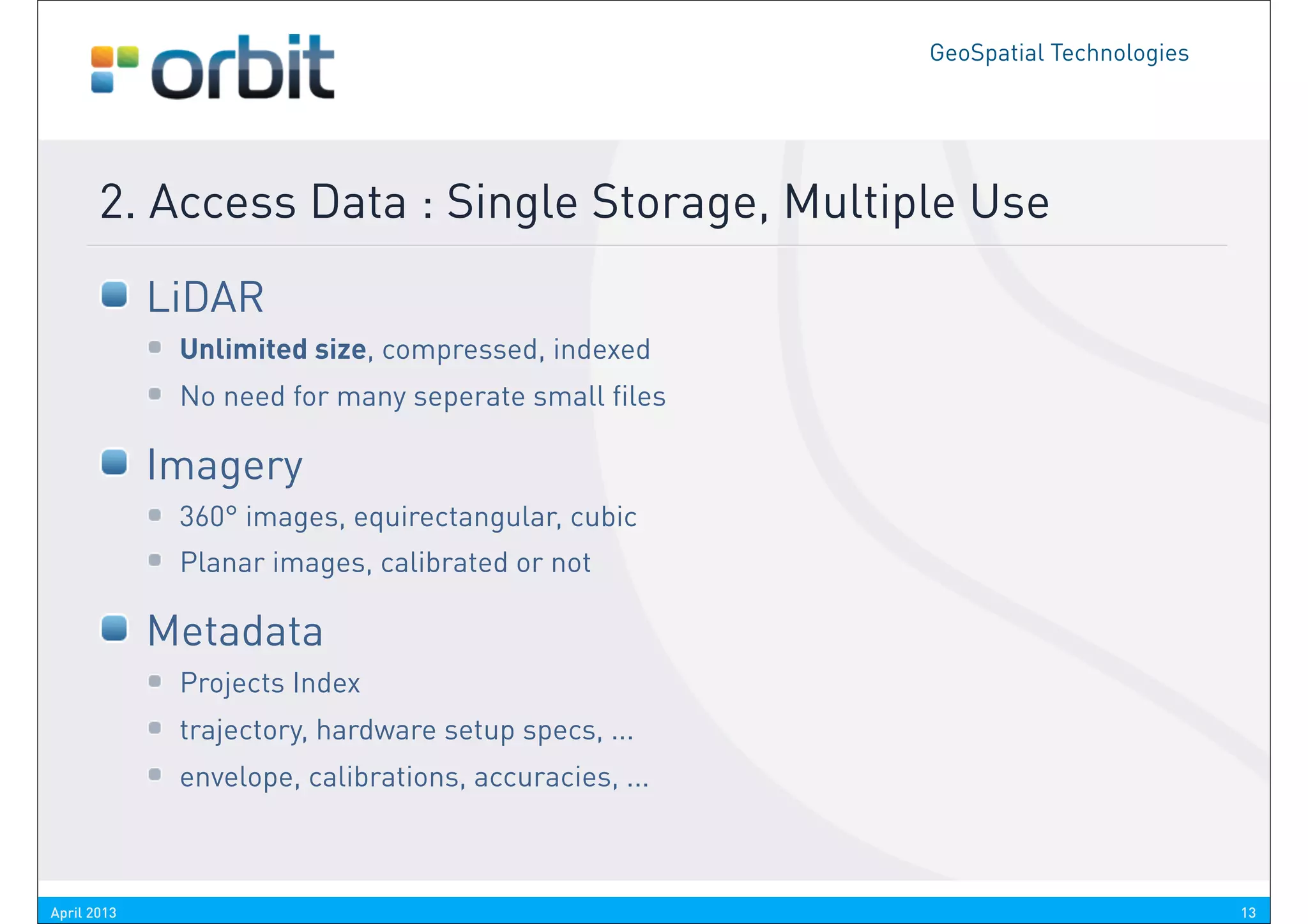
       2. Access Data : Single Storage, Multiple Use
             LiDAR
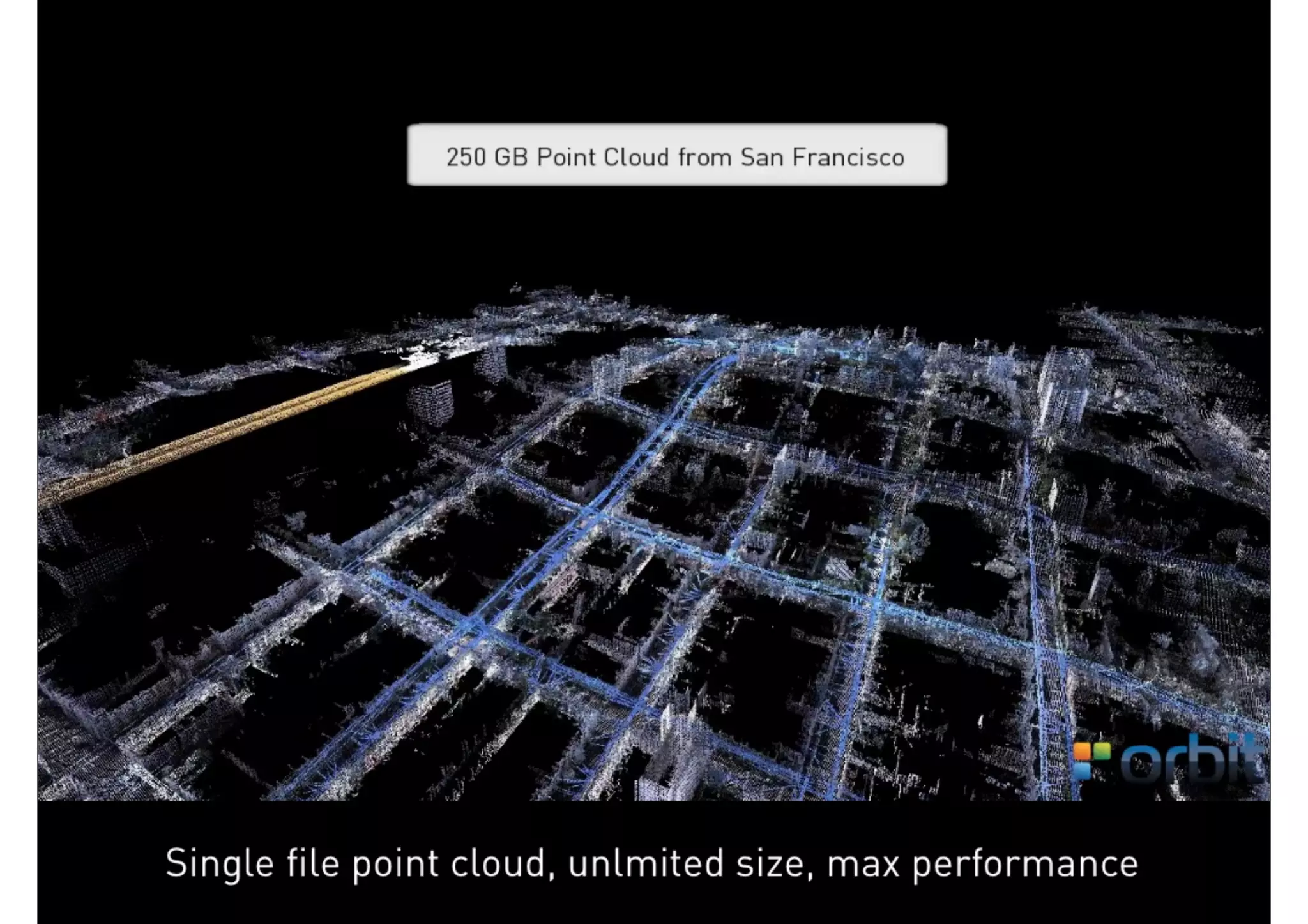
              Unlimited size, compressed, indexed
              No need for many seperate small files

             Imagery
              360° images, equirectangular, cubic
              Planar images, calibrated or not

             Metadata
              Projects Index
              trajectory, hardware setup specs, ...
              envelope, calibrations, accuracies, ...


April 2013                                                                        13
CHALLENGE 3

EXTRACT FEATURES
GeoSpatial Technologies


       3. Extract Features : Vision
             Extracting Features is not a single person job, so :
             Keep it simple
              Use the same procedures independent from content type

             Minimize phases :
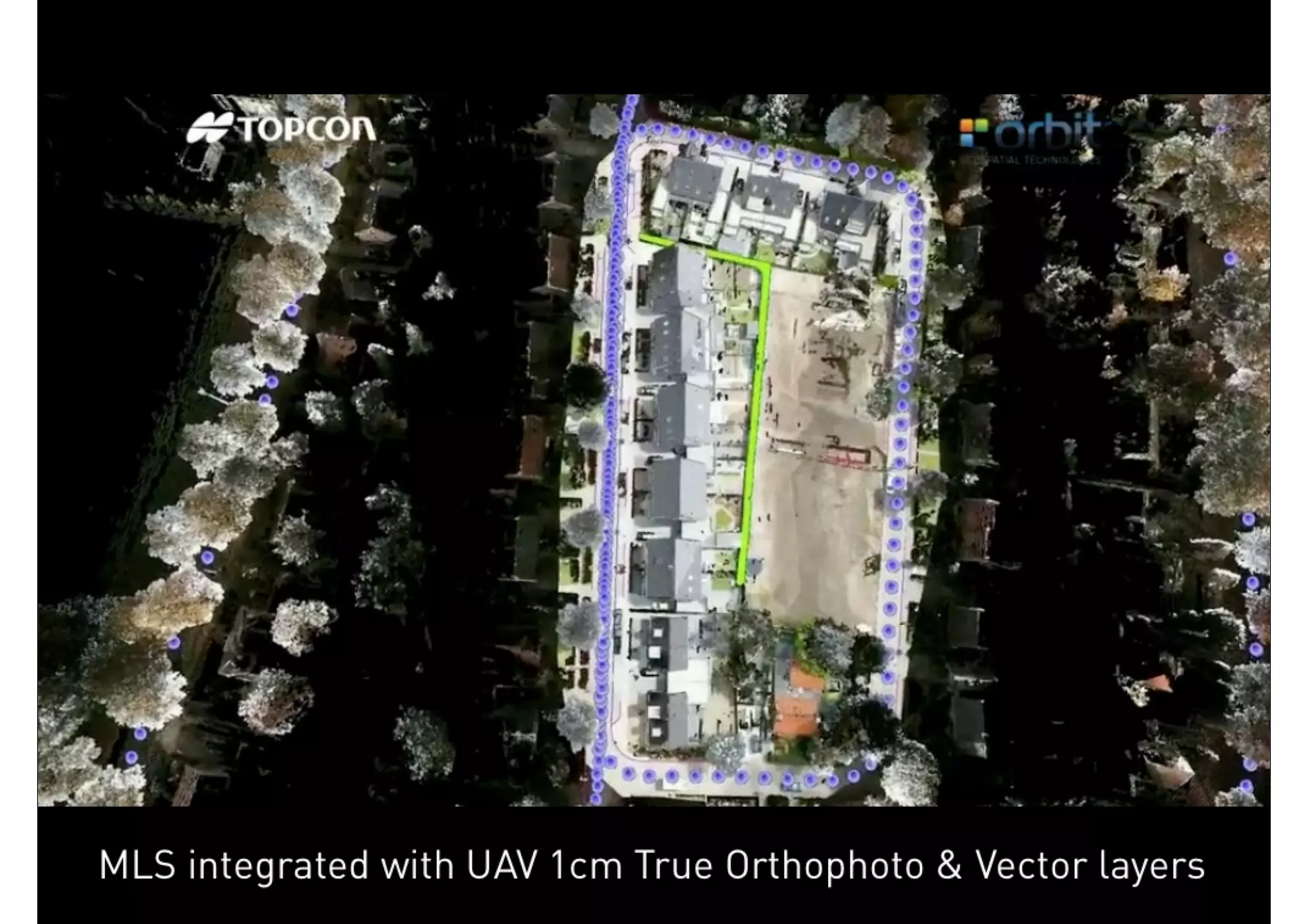
              Directly into your workflow
              Directly into you CAD / GIS


                      Isn’t it still the most important reason to use Mobile Mapping ?
    It’s about how we can improve the knowledge of the reality around us without having to go to the
                                       spot all the time over and over again.
          But basically, we still keep on drawing CAD or GIS maps. That’s why we integrate them.

April 2013                                                                                             18
GeoSpatial Technologies


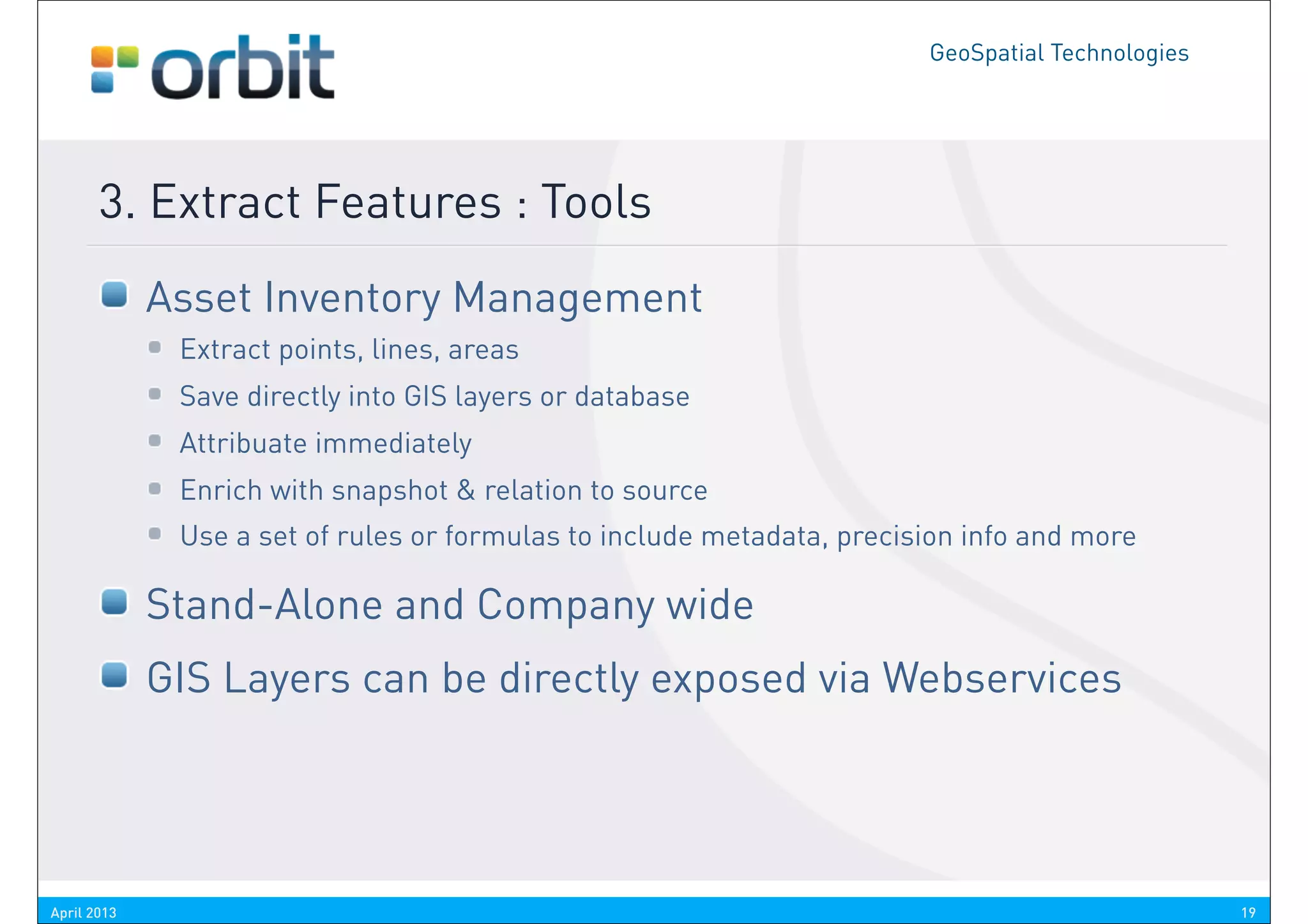
       3. Extract Features : Tools
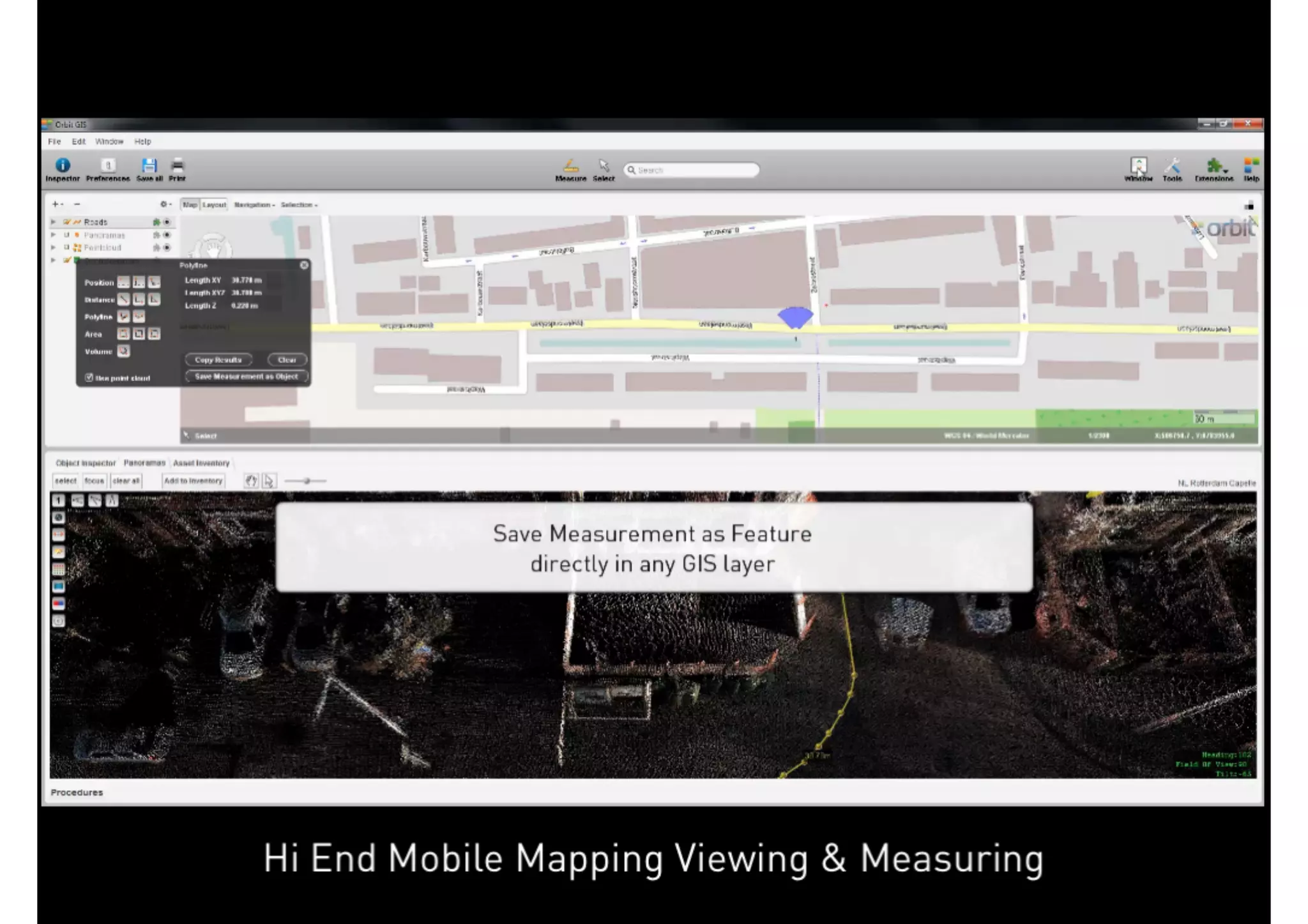
             Asset Inventory Management
              Extract points, lines, areas
              Save directly into GIS layers or database
              Attribuate immediately
              Enrich with snapshot & relation to source
              Use a set of rules or formulas to include metadata, precision info and more

             Stand-Alone and Company wide
             GIS Layers can be directly exposed via Webservices


April 2013                                                                                        19
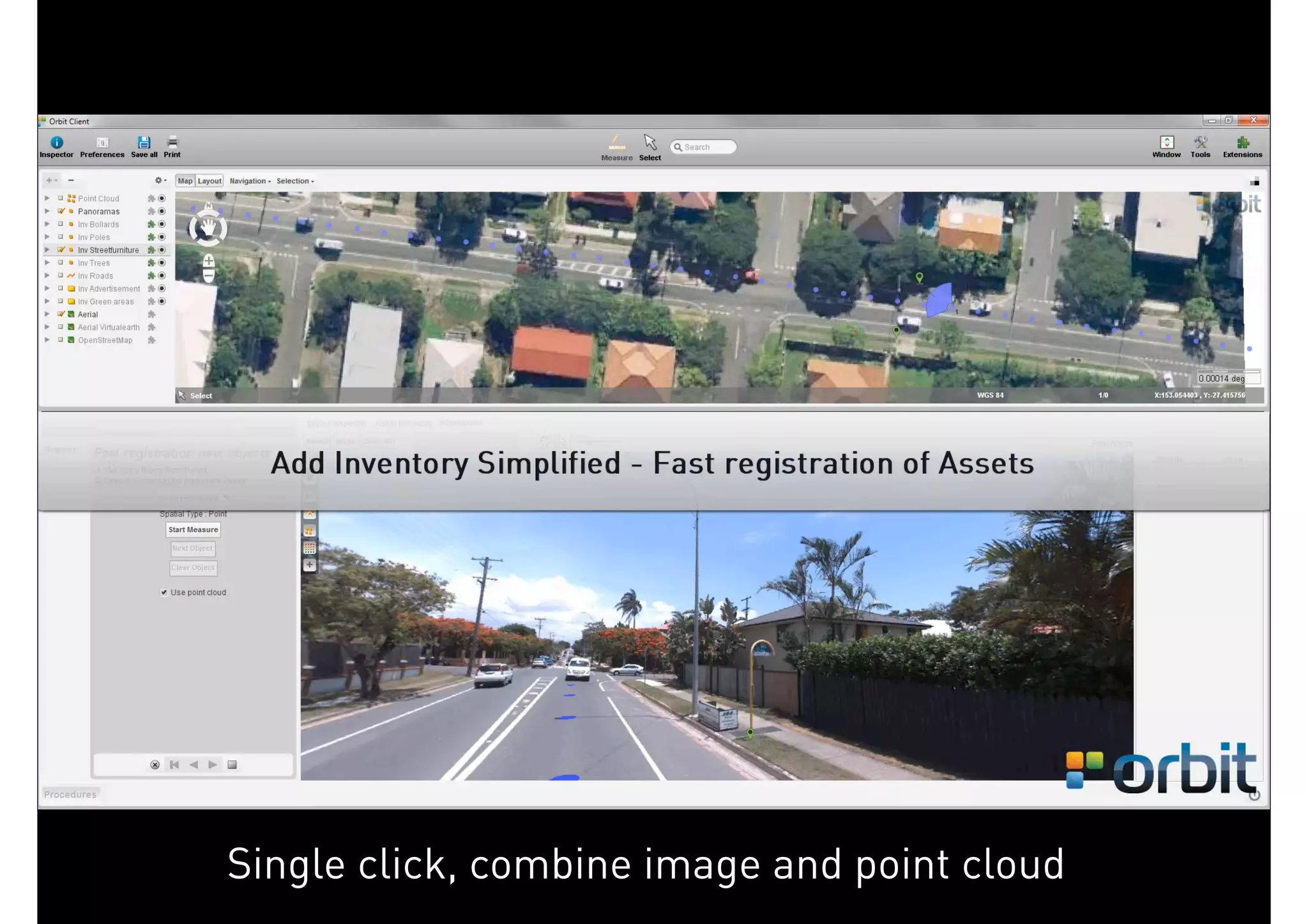
Single click, combine image and point cloud
April 2013                                                 20
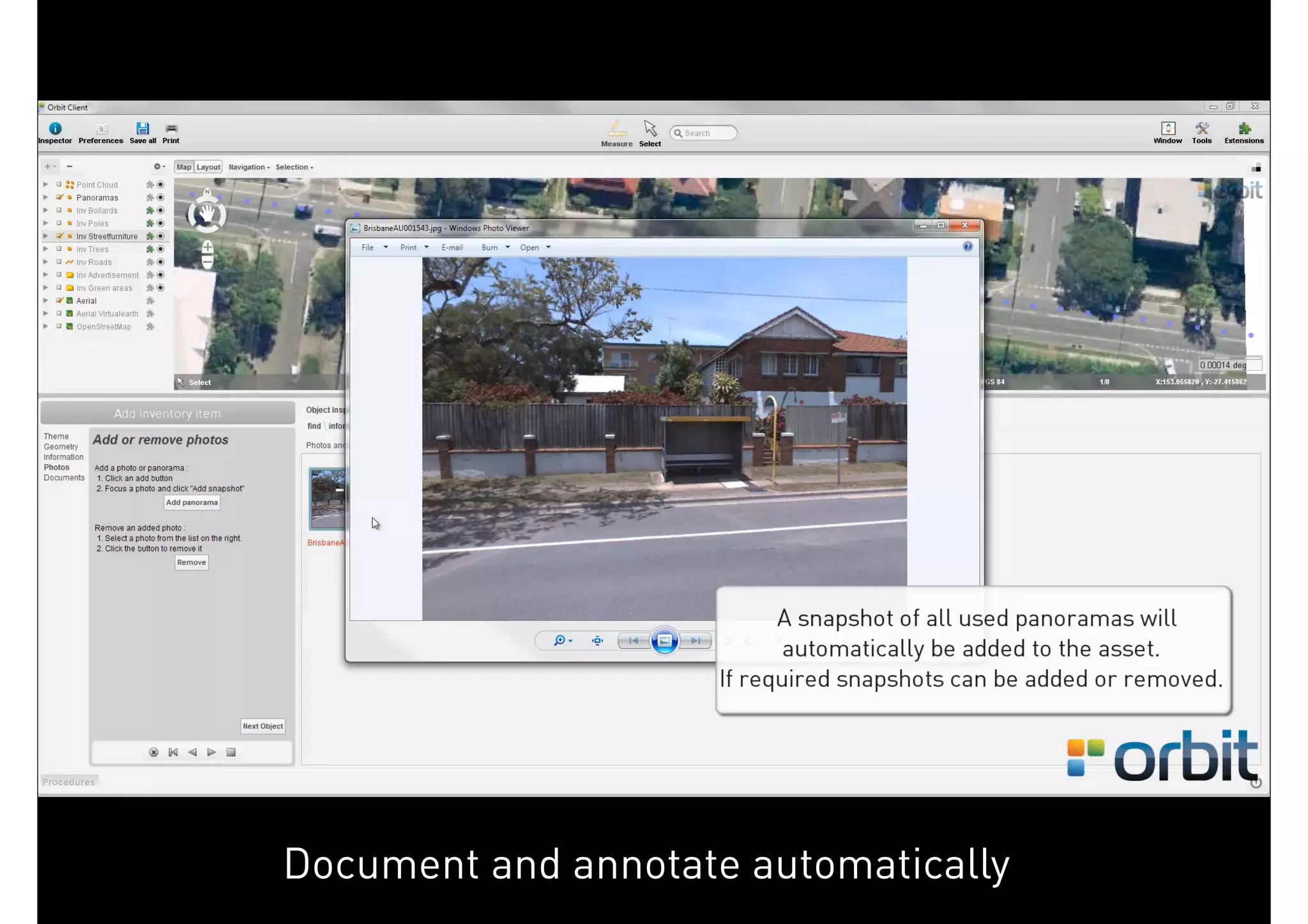
Document and annotate automatically
April 2013                                         21
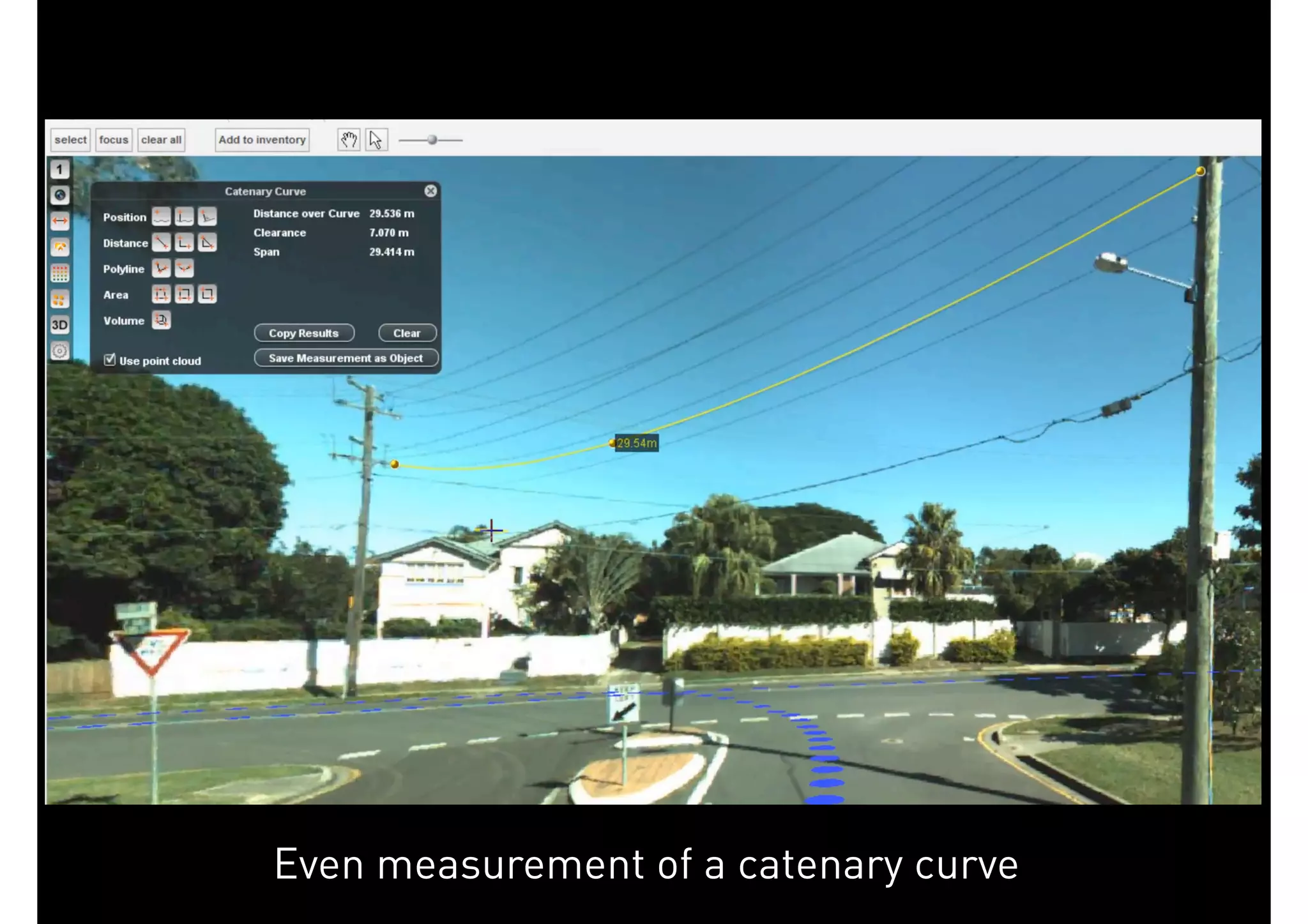
Even measurement of a catenary curve
April 2013                                          22
GeoSpatial Technologies


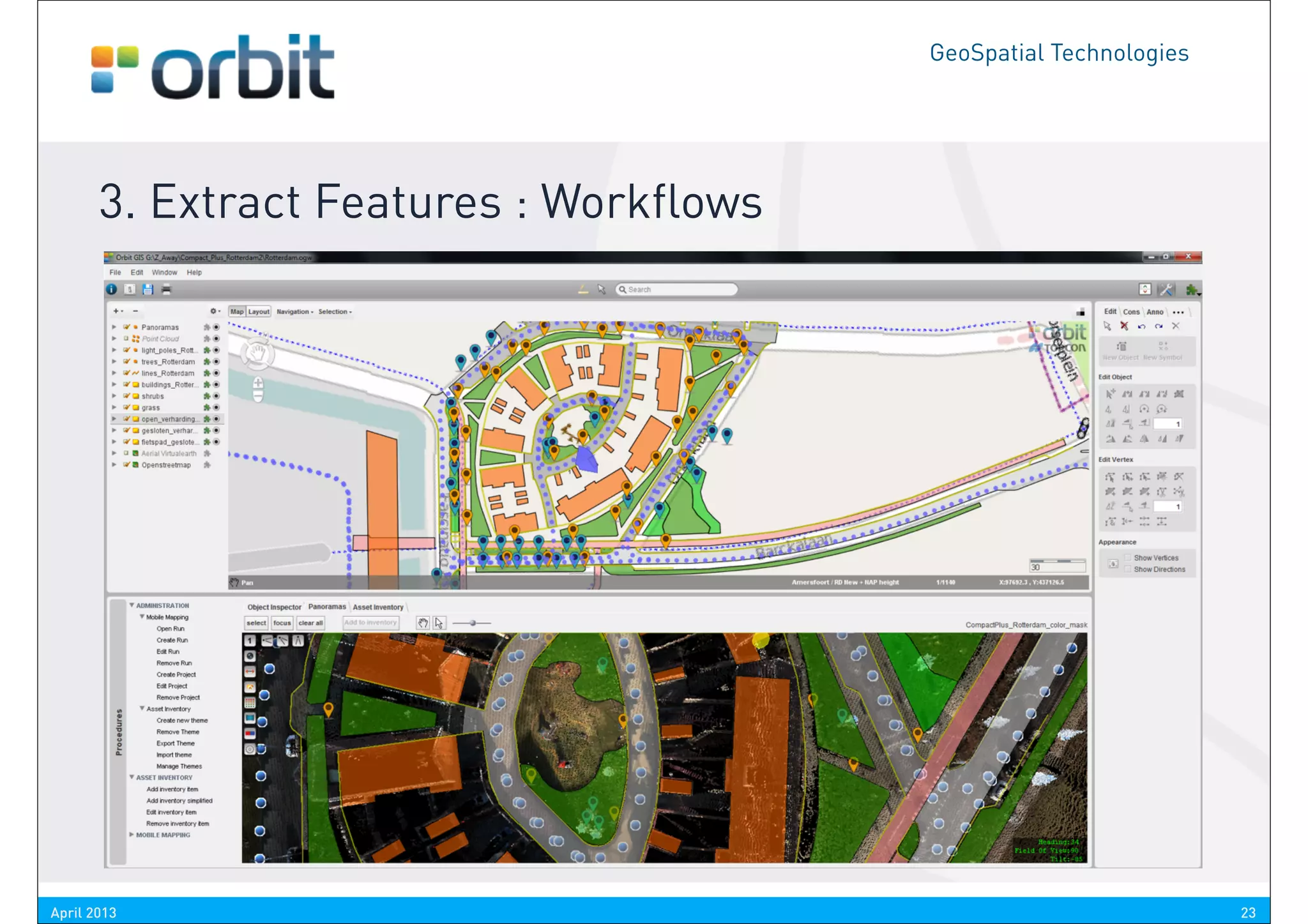
       3. Extract Features : Workflows


April 2013                                                         23
CHALLENGE 4

SHARE - PUBLISH - EMBED
GeoSpatial Technologies


       4. Share - Publish - Embed : Vision
             Reuse your massive data to the fullest
             Publish to a variety of clients
              Desktop, Web, Mobile Device, Enterprise systems

             Embed in your favorite GIS / CAD host
             Create new revenue from your data
              Host your professional streetview WITH content


                           Get it our there. No extra efforts, just configure it.
                                  The hard work has already been done !


April 2013                                                                                              25
GeoSpatial Technologies


       4. Share - Publish - Embed : Tools
             Mobile Mapping Publisher
              Couldn’t be easier
              Control content, use permissions, traffic, ...

             Low Bandwith clients
             SDK’s to embed
              Flex API
              JavaScript API
              DotNet API


April 2013                                                                               26
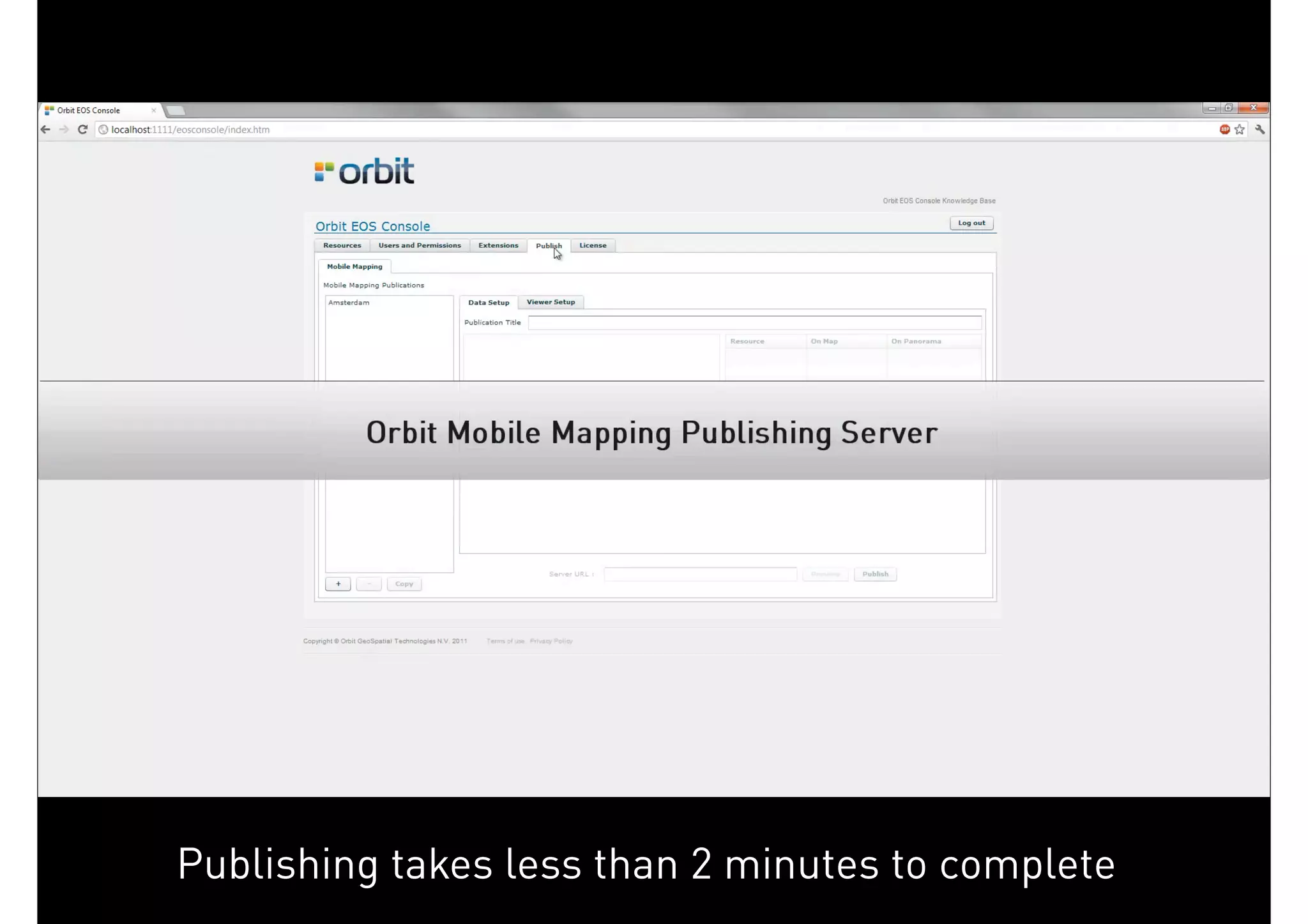
Publishing takes less than 2 minutes to complete
April 2013                                                      27
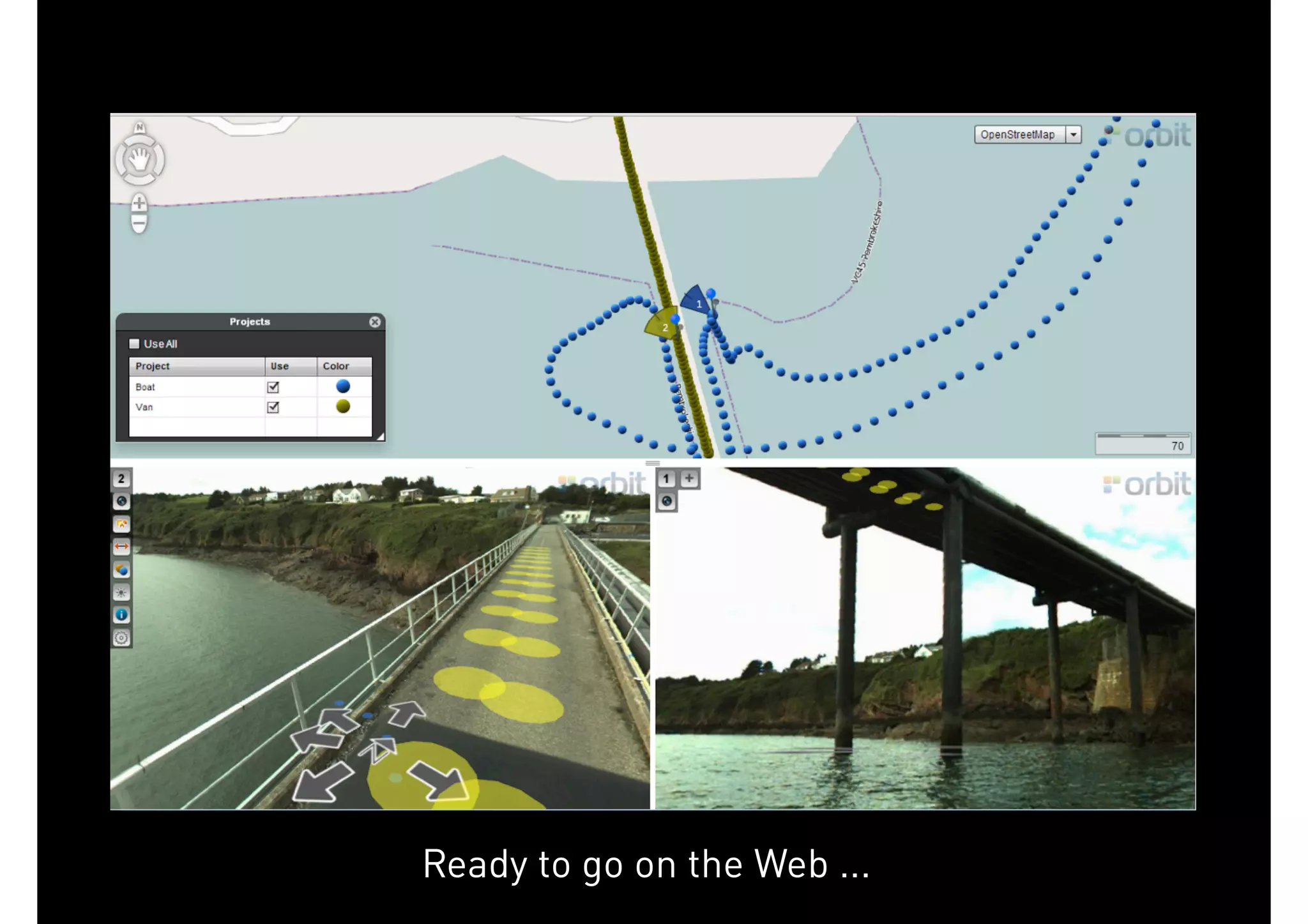
Ready to go on the Web ...
April 2013                                28
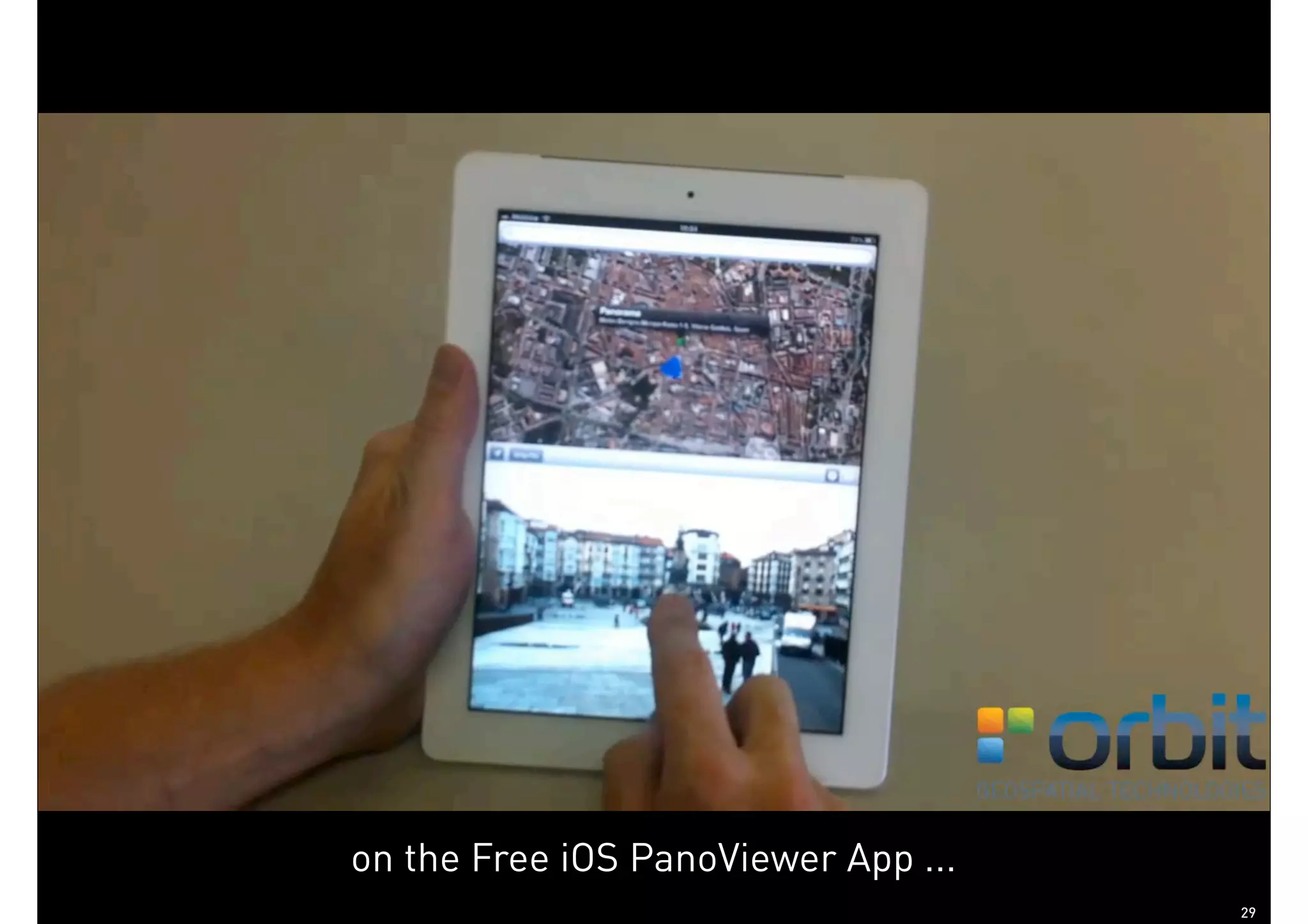
on the Free iOS PanoViewer App ...
April 2013                                        29
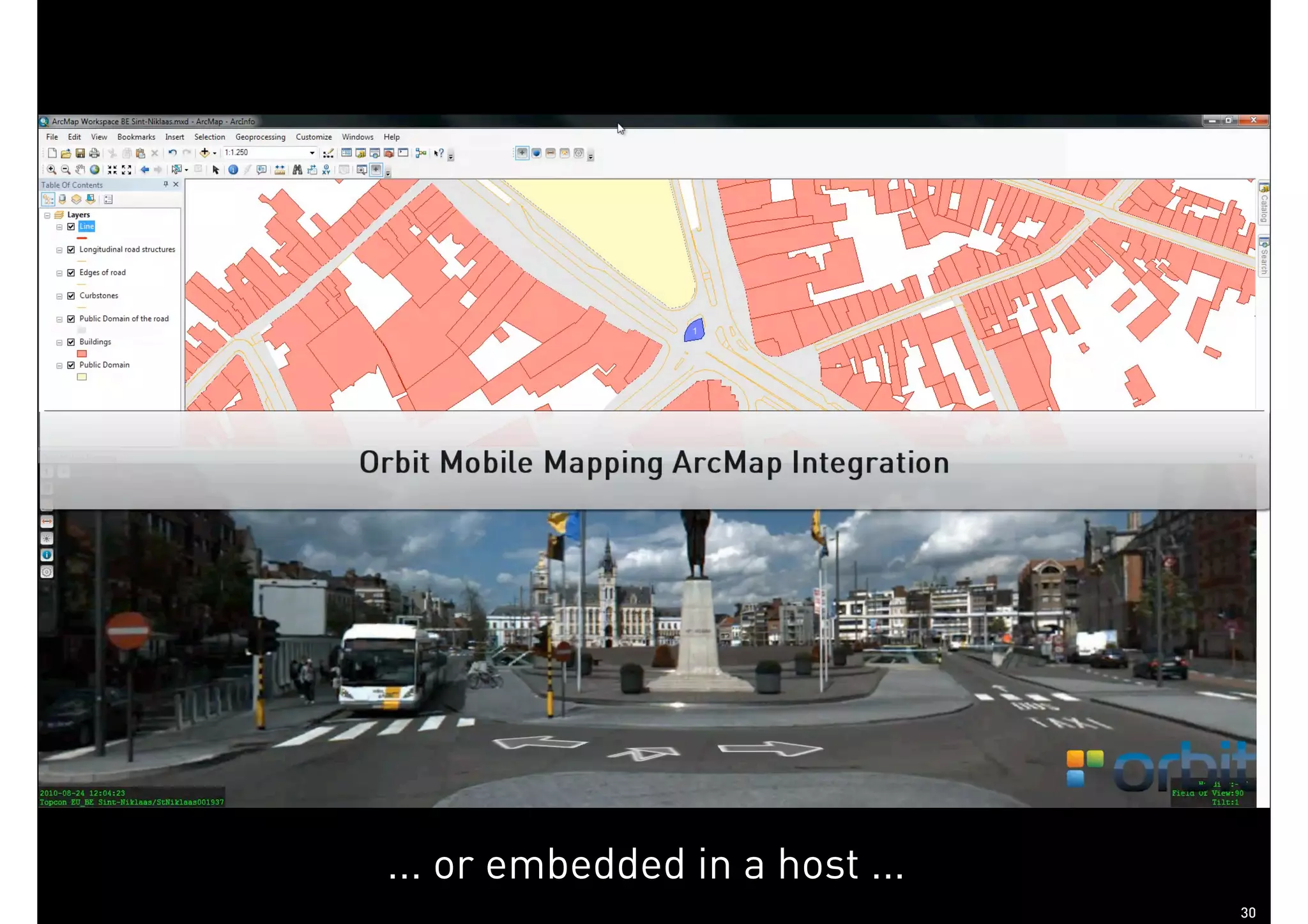
... or embedded in a host ...
April 2013                                   30
SO ...
GeoSpatial Technologies


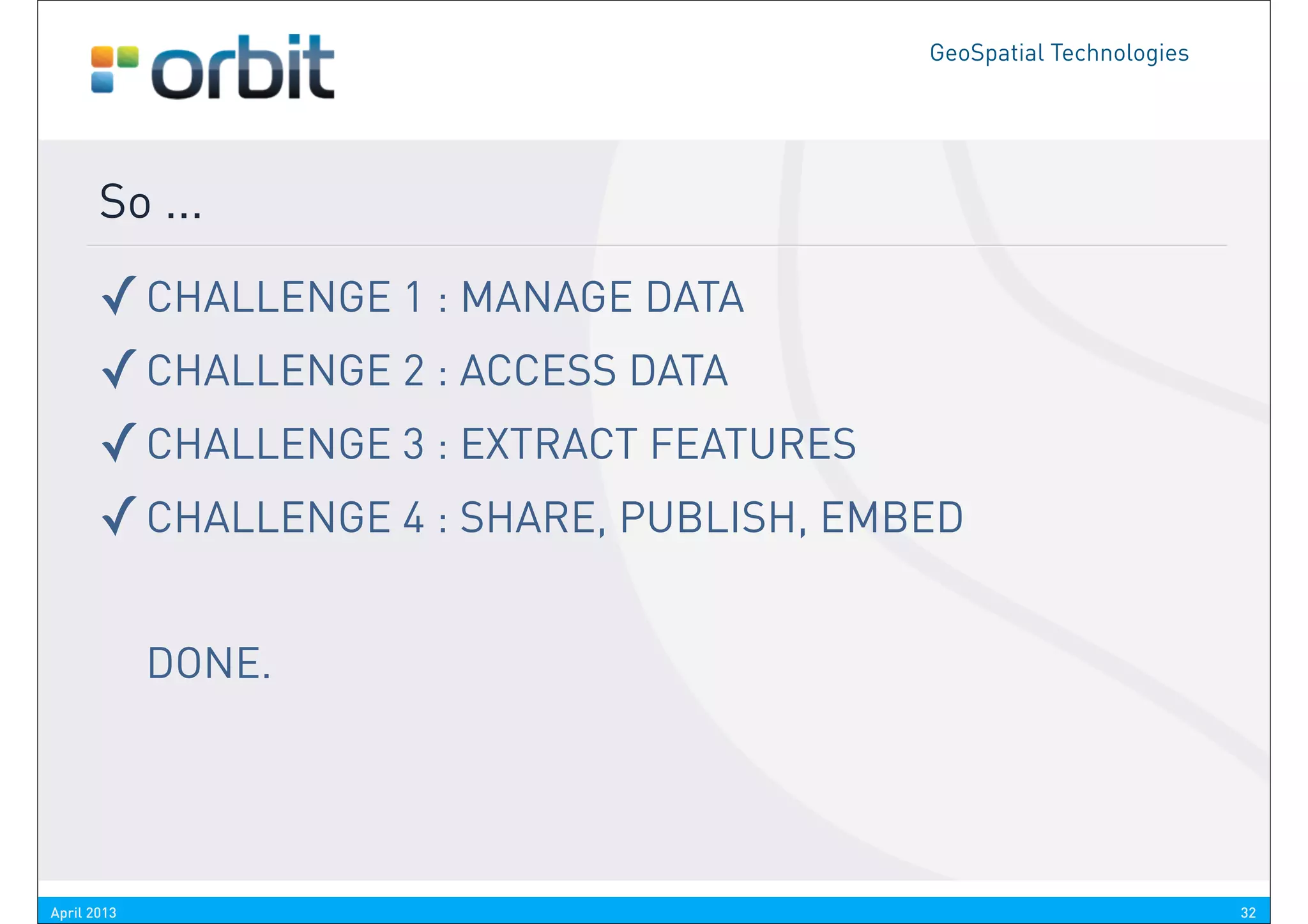
       So ...

       ✓ CHALLENGE 1 : MANAGE DATA
       ✓ CHALLENGE 2 : ACCESS DATA
       ✓ CHALLENGE 3 : EXTRACT FEATURES
       ✓ CHALLENGE 4 : SHARE, PUBLISH, EMBED

             DONE.


April 2013                                                          32
GeoSpatial Technologies


       ICT-analysts:     “Everything is Information”
      Project Leaders: “It’s about the Process and Workflow”
        To get results, one needs solutions that can organize the
      information in such“It’s about the Organization”
      Managers:            a way that processes and workflows are
                    optimized, efficient and effective.
      Sales Men:          “We don’t sell tools, we sell solutions”
       CEO’s:            “It’s about the result, not the technique”


                                                 courtesy R. Takken, GIS-Magazine


April 2013                                                                          33
GeoSpatial Technologies


                                               Peter Bonne
                                        VP Business Development
                                        peter.bonne@orbitgis.com

watch the videos on youtube and vimeo        www.orbitgis.com

Orbit GT Mobile Mapping Solutions

  • 2.
    THE ORBIT GTAPPROACH TO MOBILE MAPPING SOFTWARE SOLUTIONS
  • 3.
  • 4.
    GeoSpatial Technologies 1. Manage Data : Vision Where do we start ? There are many Data Captation systems out there ... Most probably having their own post-processing tools But what’s next ? Do we want to use Proprietary viewers ? Do we want to use Proprietary solutions for service providers and end users ? Do we want to restrict software and processing capabilities and use of data by the captation system ? If I would propose a proprietary viewer for orthophoto’s in relation to a specific camera, you would probably call me mildly retarded. Then why does this happen to Mobile Mapping data ? April 2013 4
  • 5.
    GeoSpatial Technologies 1. Manage Data : Vision So how can we solve this ? Two options. A. Output must become Orbit GT chooses to do generic both some standards exist A? (LAS, laszip, equirectangular or We can’t force hardware providers, cubic panoramic image, ..) but we take OGC initiatives B? B. Import must become Today we support most systems generic out there, even self-made setups or adapted configurations. That’s up to the software Make abstraction of the captation system April 2013 5
  • 6.
    GeoSpatial Technologies 1. Manage Data : Tools Now just how do we do that ? IMPORT flexibility towards a variety of imagery & point clouds ORGANIZE runs, projects, templates, library, metadata, document OPTIMIZE indexing, conversions, mr-pyramids, variety of tools to optimize access & boost performance April 2013 6
  • 7.
    GeoSpatial Technologies 2. Manage Data : Tools The IMPORT Procedure guides you through the steps. It covers all data, import and conversion, optimization and organization The online Knowledge Base documents all details. April 2013 7
  • 8.
    www.orbitgis.com/kb GeoSpatial Technologies 2. Manage Data : Tools For example : IMPORT April 2013 8
  • 9.
  • 10.
    GeoSpatial Technologies 2. Access Data : Vision Data Volumes are Massive High Server demands Manage High End versus Low End users Desktop / Enterprise / Web & Mobile GIS / CAD Content Integration Why use a viewer for e.g. LiDAR only ? What are the most valued deliverables ? Isn’t that geodata, vector, GIS content ? Well then, let’s bring that together. April 2013 10
  • 11.
    GeoSpatial Technologies 2. Access Data : Tools The Solution is a proper Software Architecture Desktop workstation for smaller businesses Central Server for all storage Client-Server workstations for larger enterprise Remote clients and Get it into your workflow So let’s build an architecture that meets all of our needs, from low end to high end, single desktop user to corporate wide workflows, onto the web and mobile devices. April 2013 11
  • 12.
  • 13.
    GeoSpatial Technologies 2. Access Data : Single Storage, Multiple Use LiDAR Unlimited size, compressed, indexed No need for many seperate small files Imagery 360° images, equirectangular, cubic Planar images, calibrated or not Metadata Projects Index trajectory, hardware setup specs, ... envelope, calibrations, accuracies, ... April 2013 13
  • 17.
  • 18.
    GeoSpatial Technologies 3. Extract Features : Vision Extracting Features is not a single person job, so : Keep it simple Use the same procedures independent from content type Minimize phases : Directly into your workflow Directly into you CAD / GIS Isn’t it still the most important reason to use Mobile Mapping ? It’s about how we can improve the knowledge of the reality around us without having to go to the spot all the time over and over again. But basically, we still keep on drawing CAD or GIS maps. That’s why we integrate them. April 2013 18
  • 19.
    GeoSpatial Technologies 3. Extract Features : Tools Asset Inventory Management Extract points, lines, areas Save directly into GIS layers or database Attribuate immediately Enrich with snapshot & relation to source Use a set of rules or formulas to include metadata, precision info and more Stand-Alone and Company wide GIS Layers can be directly exposed via Webservices April 2013 19
  • 20.
    Single click, combineimage and point cloud April 2013 20
  • 21.
    Document and annotateautomatically April 2013 21
  • 22.
    Even measurement ofa catenary curve April 2013 22
  • 23.
    GeoSpatial Technologies 3. Extract Features : Workflows April 2013 23
  • 24.
    CHALLENGE 4 SHARE -PUBLISH - EMBED
  • 25.
    GeoSpatial Technologies 4. Share - Publish - Embed : Vision Reuse your massive data to the fullest Publish to a variety of clients Desktop, Web, Mobile Device, Enterprise systems Embed in your favorite GIS / CAD host Create new revenue from your data Host your professional streetview WITH content Get it our there. No extra efforts, just configure it. The hard work has already been done ! April 2013 25
  • 26.
    GeoSpatial Technologies 4. Share - Publish - Embed : Tools Mobile Mapping Publisher Couldn’t be easier Control content, use permissions, traffic, ... Low Bandwith clients SDK’s to embed Flex API JavaScript API DotNet API April 2013 26
  • 27.
    Publishing takes lessthan 2 minutes to complete April 2013 27
  • 28.
    Ready to goon the Web ... April 2013 28
  • 29.
    on the FreeiOS PanoViewer App ... April 2013 29
  • 30.
    ... or embeddedin a host ... April 2013 30
  • 31.
  • 32.
    GeoSpatial Technologies So ... ✓ CHALLENGE 1 : MANAGE DATA ✓ CHALLENGE 2 : ACCESS DATA ✓ CHALLENGE 3 : EXTRACT FEATURES ✓ CHALLENGE 4 : SHARE, PUBLISH, EMBED DONE. April 2013 32
  • 33.
    GeoSpatial Technologies ICT-analysts: “Everything is Information” Project Leaders: “It’s about the Process and Workflow” To get results, one needs solutions that can organize the information in such“It’s about the Organization” Managers: a way that processes and workflows are optimized, efficient and effective. Sales Men: “We don’t sell tools, we sell solutions” CEO’s: “It’s about the result, not the technique” courtesy R. Takken, GIS-Magazine April 2013 33
  • 34.
    GeoSpatial Technologies Peter Bonne VP Business Development peter.bonne@orbitgis.com watch the videos on youtube and vimeo www.orbitgis.com