Using a Private Git Server
for Packaging Software
Git for fun and profit at iThemes
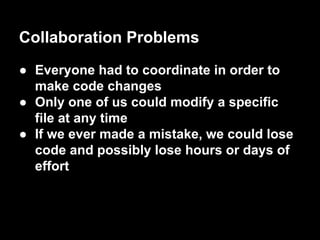
Collaboration Problems
● Everyone had to coordinate in order to
make code changes
● Only one of us could modify a specific
file at any time
● If we ever made a mistake, we could lose
code and possibly lose hours or days of
effort
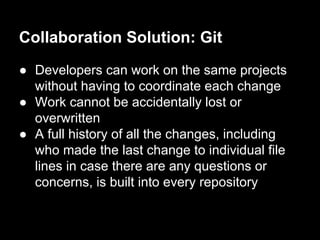
Collaboration Solution: Git
● Developers can work on the same projects
without having to coordinate each change
● Work cannot be accidentally lost or
overwritten
● A full history of all the changes, including
who made the last change to individual file
lines in case there are any questions or
concerns, is built into every repository
Git Workflow Example
$ git init
Initialized empty Git repository in git-
test/.git/
$ echo "Testing" > new-file
$ git add new-file
$ git commit -m 'Added new-file'
[master (root-commit) c6ecaa7] Added new-
file
1 file changed, 1 insertion(+)
create mode 100644 new-file
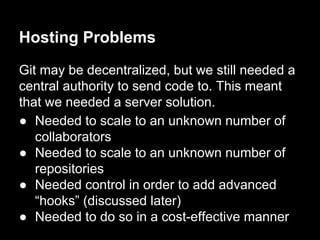
Hosting Problems
Git may be decentralized, but we still needed a
central authority to send code to. This meant
that we needed a server solution.
● Needed to scale to an unknown number of
collaborators
● Needed to scale to an unknown number of
repositories
● Needed control in order to add advanced
“hooks” (discussed later)
● Needed to do so in a cost-effective manner
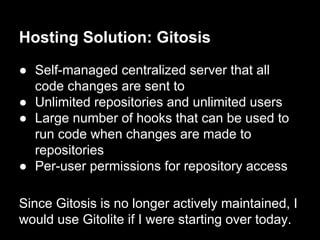
Hosting Solution: Gitosis
● Self-managed centralized server that all
code changes are sent to
● Unlimited repositories and unlimited users
● Large number of hooks that can be used to
run code when changes are made to
repositories
● Per-user permissions for repository access
Since Gitosis is no longer actively maintained, I
would use Gitolite if I were starting over today.
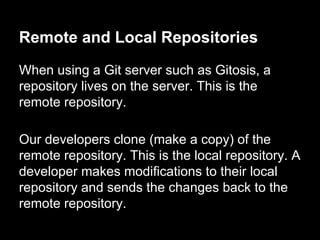
Remote and Local Repositories
When using a Git server such as Gitosis, a
repository lives on the server. This is the
remote repository.
Our developers clone (make a copy) of the
remote repository. This is the local repository. A
developer makes modifications to their local
repository and sends the changes back to the
remote repository.
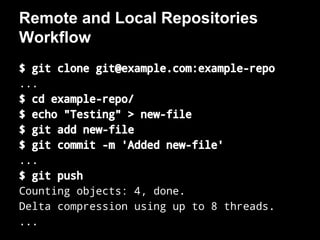
Remote and Local Repositories
Workflow
$ git clone git@example.com:example-repo
...
$ cd example-repo/
$ echo "Testing" > new-file
$ git add new-file
$ git commit -m 'Added new-file'
...
$ git push
Counting objects: 4, done.
Delta compression using up to 8 threads.
...
As developers of WordPress plugins and
themes, our products are given to customers as
zip files.
We used to create these manually.
There had to be a better way.
Packaging Problems
Packaging Solution: Git Hooks
Git provides a large number of hooks that can
execute code when a repository changes.
The post-receive hook runs after changes
have been pushed to a remote repository (the
repository hosted by the Git server, Gitosis). By
modifying this hook, we can perform actions
after changes are received by the server.
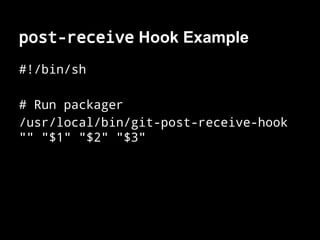
post-receive Hook Example
#!/bin/sh
# Run packager
/usr/local/bin/git-post-receive-hook
"" "$1" "$2" "$3"
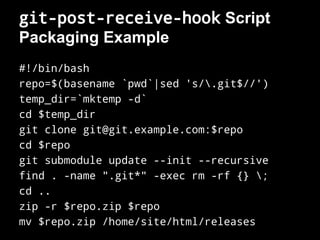
git-post-receive-hook Script
Packaging Example
#!/bin/bash
repo=$(basename `pwd`|sed 's/.git$//')
temp_dir=`mktemp -d`
cd $temp_dir
git clone git@git.example.com:$repo
cd $repo
git submodule update --init --recursive
find . -name ".git*" -exec rm -rf {} ;
cd ..
zip -r $repo.zip $repo
mv $repo.zip /home/site/html/releases
Deployment Problems
Just as we used to generate zip files manually,
we used to upload files for our customers
manually as well.
Since we now had an automated system to
generate zip files, it only made sense to also
automate the distribution of these files.
Deployment Solution: Git Hooks
With some modifications to our git-post-
receive-hook script, we could easily send
the files anywhere we needed them.
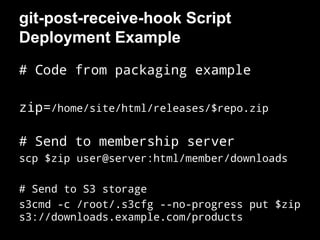
git-post-receive-hook Script
Deployment Example
# Code from packaging example
zip=/home/site/html/releases/$repo.zip
# Send to membership server
scp $zip user@server:html/member/downloads
# Send to S3 storage
s3cmd -c /root/.s3cfg --no-progress put $zip
s3://downloads.example.com/products
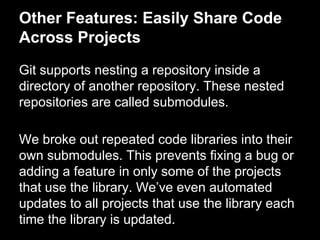
Other Features: Easily Share Code
Across Projects
Git supports nesting a repository inside a
directory of another repository. These nested
repositories are called submodules.
We broke out repeated code libraries into their
own submodules. This prevents fixing a bug or
adding a feature in only some of the projects
that use the library. We’ve even automated
updates to all projects that use the library each
time the library is updated.
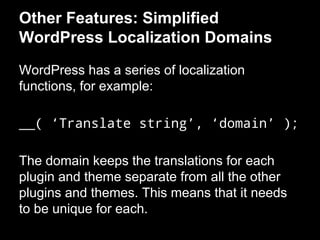
Other Features: Simplified
WordPress Localization Domains
WordPress has a series of localization
functions, for example:
__( ‘Translate string’, ‘domain’ );
The domain keeps the translations for each
plugin and theme separate from all the other
plugins and themes. This means that it needs
to be unique for each.
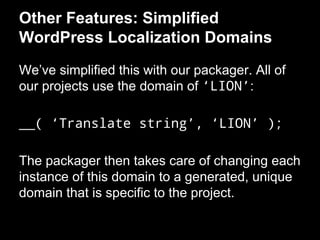
Other Features: Simplified
WordPress Localization Domains
We’ve simplified this with our packager. All of
our projects use the domain of ‘LION’:
__( ‘Translate string’, ‘LION’ );
The packager then takes care of changing each
instance of this domain to a generated, unique
domain that is specific to the project.
Future Feature: Unit Testing
The next feature to be integrated into our
packing system is an automated unit testing
platform. This will feature global unit tests that
apply to all projects and project-specific unit
tests.
In order for a commit to be accepted by the
remote repository, it must pass all the unit
tests.
Hosted Git Server Solutions
If you prefer to have someone else host the Git
server, you have options. Both GitHub and
Bitbucket offer great hosted solutions and
provide access to hooks for adding automated
features to your remote repositories.
Thanks
Find this presentation at chrisjean.com/200ok
Chris Jean
chrisjean.com
@chrisjean

Using a Private Git Server for Packaging Software

  • 1.
    Using a PrivateGit Server for Packaging Software Git for fun and profit at iThemes
  • 2.
    Collaboration Problems ● Everyonehad to coordinate in order to make code changes ● Only one of us could modify a specific file at any time ● If we ever made a mistake, we could lose code and possibly lose hours or days of effort
  • 3.
    Collaboration Solution: Git ●Developers can work on the same projects without having to coordinate each change ● Work cannot be accidentally lost or overwritten ● A full history of all the changes, including who made the last change to individual file lines in case there are any questions or concerns, is built into every repository
  • 4.
    Git Workflow Example $git init Initialized empty Git repository in git- test/.git/ $ echo "Testing" > new-file $ git add new-file $ git commit -m 'Added new-file' [master (root-commit) c6ecaa7] Added new- file 1 file changed, 1 insertion(+) create mode 100644 new-file
  • 5.
    Hosting Problems Git maybe decentralized, but we still needed a central authority to send code to. This meant that we needed a server solution. ● Needed to scale to an unknown number of collaborators ● Needed to scale to an unknown number of repositories ● Needed control in order to add advanced “hooks” (discussed later) ● Needed to do so in a cost-effective manner
  • 6.
    Hosting Solution: Gitosis ●Self-managed centralized server that all code changes are sent to ● Unlimited repositories and unlimited users ● Large number of hooks that can be used to run code when changes are made to repositories ● Per-user permissions for repository access Since Gitosis is no longer actively maintained, I would use Gitolite if I were starting over today.
  • 7.
    Remote and LocalRepositories When using a Git server such as Gitosis, a repository lives on the server. This is the remote repository. Our developers clone (make a copy) of the remote repository. This is the local repository. A developer makes modifications to their local repository and sends the changes back to the remote repository.
  • 8.
    Remote and LocalRepositories Workflow $ git clone git@example.com:example-repo ... $ cd example-repo/ $ echo "Testing" > new-file $ git add new-file $ git commit -m 'Added new-file' ... $ git push Counting objects: 4, done. Delta compression using up to 8 threads. ...
  • 9.
    As developers ofWordPress plugins and themes, our products are given to customers as zip files. We used to create these manually. There had to be a better way. Packaging Problems
  • 10.
    Packaging Solution: GitHooks Git provides a large number of hooks that can execute code when a repository changes. The post-receive hook runs after changes have been pushed to a remote repository (the repository hosted by the Git server, Gitosis). By modifying this hook, we can perform actions after changes are received by the server.
  • 11.
    post-receive Hook Example #!/bin/sh #Run packager /usr/local/bin/git-post-receive-hook "" "$1" "$2" "$3"
  • 12.
    git-post-receive-hook Script Packaging Example #!/bin/bash repo=$(basename`pwd`|sed 's/.git$//') temp_dir=`mktemp -d` cd $temp_dir git clone git@git.example.com:$repo cd $repo git submodule update --init --recursive find . -name ".git*" -exec rm -rf {} ; cd .. zip -r $repo.zip $repo mv $repo.zip /home/site/html/releases
  • 13.
    Deployment Problems Just aswe used to generate zip files manually, we used to upload files for our customers manually as well. Since we now had an automated system to generate zip files, it only made sense to also automate the distribution of these files.
  • 14.
    Deployment Solution: GitHooks With some modifications to our git-post- receive-hook script, we could easily send the files anywhere we needed them.
  • 15.
    git-post-receive-hook Script Deployment Example #Code from packaging example zip=/home/site/html/releases/$repo.zip # Send to membership server scp $zip user@server:html/member/downloads # Send to S3 storage s3cmd -c /root/.s3cfg --no-progress put $zip s3://downloads.example.com/products
  • 16.
    Other Features: EasilyShare Code Across Projects Git supports nesting a repository inside a directory of another repository. These nested repositories are called submodules. We broke out repeated code libraries into their own submodules. This prevents fixing a bug or adding a feature in only some of the projects that use the library. We’ve even automated updates to all projects that use the library each time the library is updated.
  • 17.
    Other Features: Simplified WordPressLocalization Domains WordPress has a series of localization functions, for example: __( ‘Translate string’, ‘domain’ ); The domain keeps the translations for each plugin and theme separate from all the other plugins and themes. This means that it needs to be unique for each.
  • 18.
    Other Features: Simplified WordPressLocalization Domains We’ve simplified this with our packager. All of our projects use the domain of ‘LION’: __( ‘Translate string’, ‘LION’ ); The packager then takes care of changing each instance of this domain to a generated, unique domain that is specific to the project.
  • 19.
    Future Feature: UnitTesting The next feature to be integrated into our packing system is an automated unit testing platform. This will feature global unit tests that apply to all projects and project-specific unit tests. In order for a commit to be accepted by the remote repository, it must pass all the unit tests.
  • 20.
    Hosted Git ServerSolutions If you prefer to have someone else host the Git server, you have options. Both GitHub and Bitbucket offer great hosted solutions and provide access to hooks for adding automated features to your remote repositories.
  • 21.
    Thanks Find this presentationat chrisjean.com/200ok Chris Jean chrisjean.com @chrisjean