2. INTRODUCTION TO COMPUTER
SYSTEMS; COMPUTER SYSTEMS
ARCHITECTURE
D. Serikbayev East Kazakhstan Technical
University
ICT 2020/2021
1
Copyright
Notice
 This presentation is presented as is. Most
of the information is from:
🞑 The Architecture of Computer Hardware, Systems
Software & Networking: An Information
Technology Approach
 5th Edition, Irv Englander; John Wiley and Sons ©2013
 Other information was collected from various
websites or sources across the web.
🞑 This presentation uses Creative Commons
Attribution 4.0 International (CC BY 4.0). © 2021
2
1. : Computers and Systems
2.: System Concepts and
Architecture 2.3: IT System
Architecture
2.1: Computers and Systems
3
Learning
Objectives
4
 Understand the Input-Process-Output
Model (IPO)
 List the components of a computer system
 Explain the purpose of each component
 Describe virtualization
 Explain the purpose of standards
Modern
Computing
5
 Personal computing is ubiquitous
🞑 It is everywhere and anywhere
🞑 No longer limited to a traditional ‘computer’
🞑 Greater variety of computing platforms exist now
 Computing is widespread
🞑 Embedded in many other types of devices
such as appliances and automobiles
🞑 Users no longer have to understand the details
of how they
work to operate the device
Why Study Computer System
Architecture?
6
 Understand system capabilities, strengths,
and limitations
 Make better informed decisions
 Improve communications with information
technology professionals
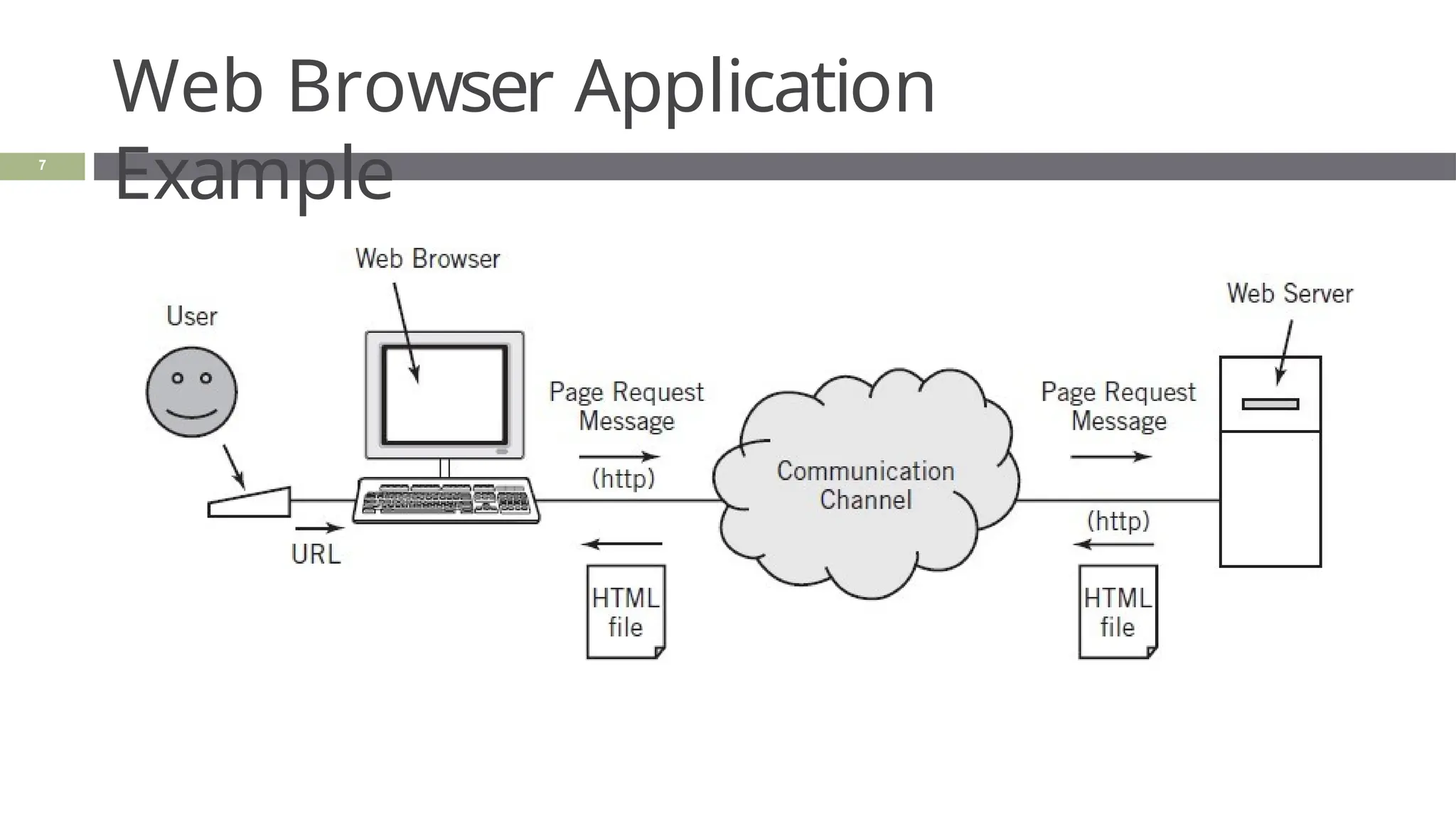
Web Browser Application
Example
7
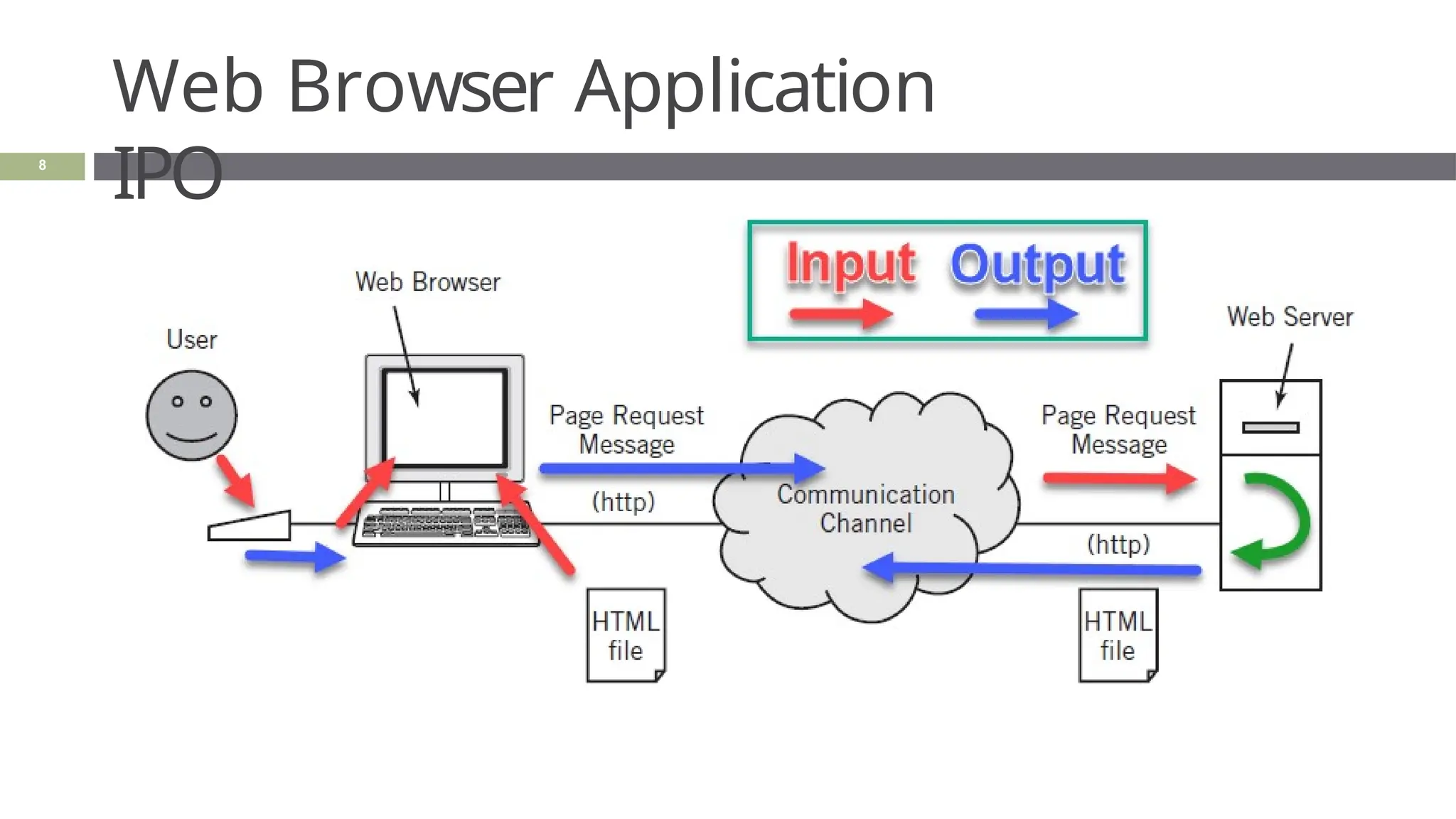
Web Browser Application
IPO
8
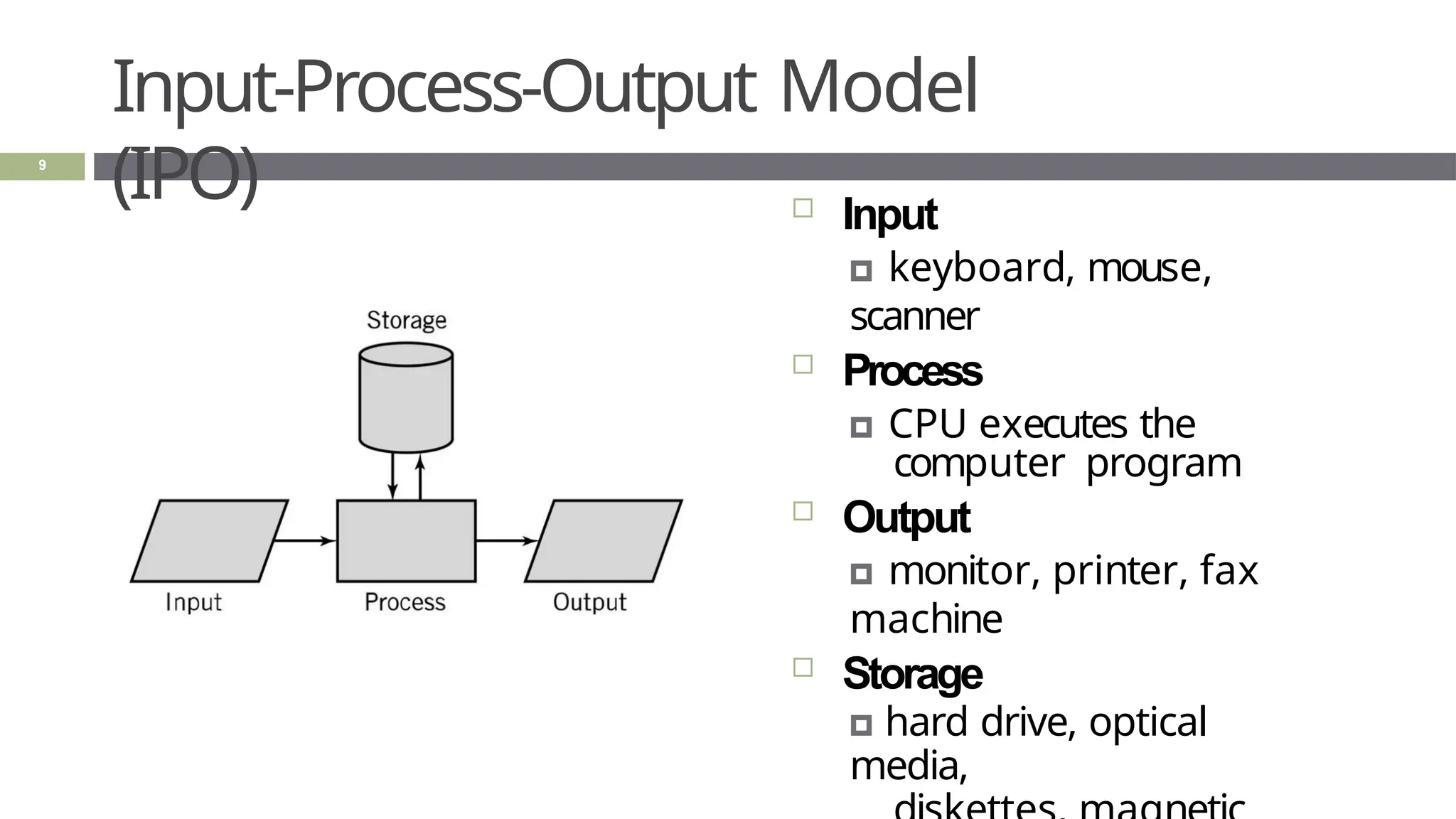
Input-Process-Output Model
(IPO)  Input
🞑 keyboard, mouse,
scanner
 Process
🞑 CPU executes the
computer program
 Output
🞑 monitor, printer, fax
machine
 Storage
🞑 hard drive, optical
media,
9
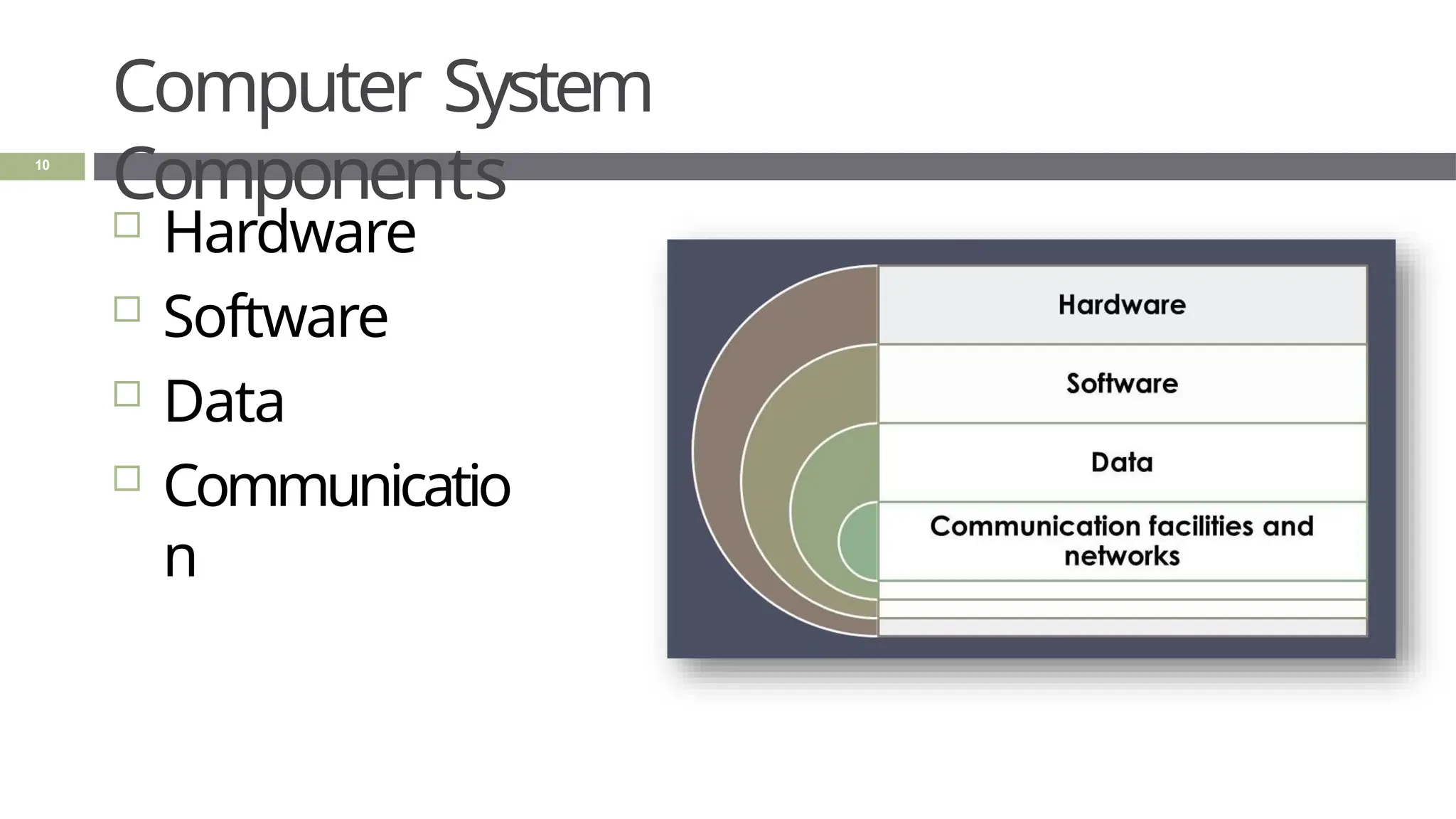
Computer System
Components
 Hardware
 Software
 Data
 Communicatio
n
10
Computer System
Components
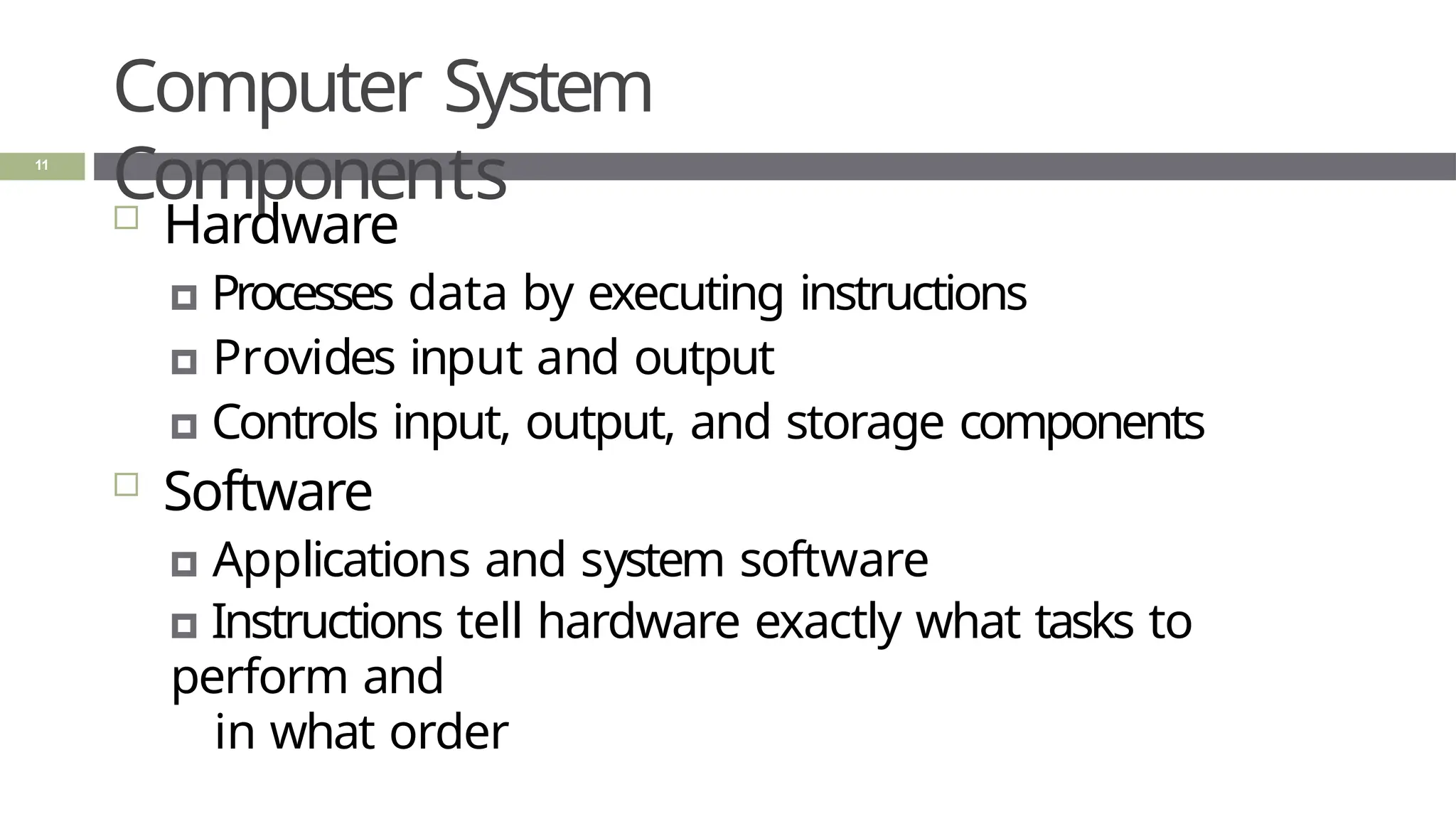
11
 Hardware
🞑 Processes data by executing instructions
🞑 Provides input and output
🞑 Controls input, output, and storage components
 Software
🞑 Applications and system software
🞑 Instructions tell hardware exactly what tasks to
perform and
in what order
Computer System
Components
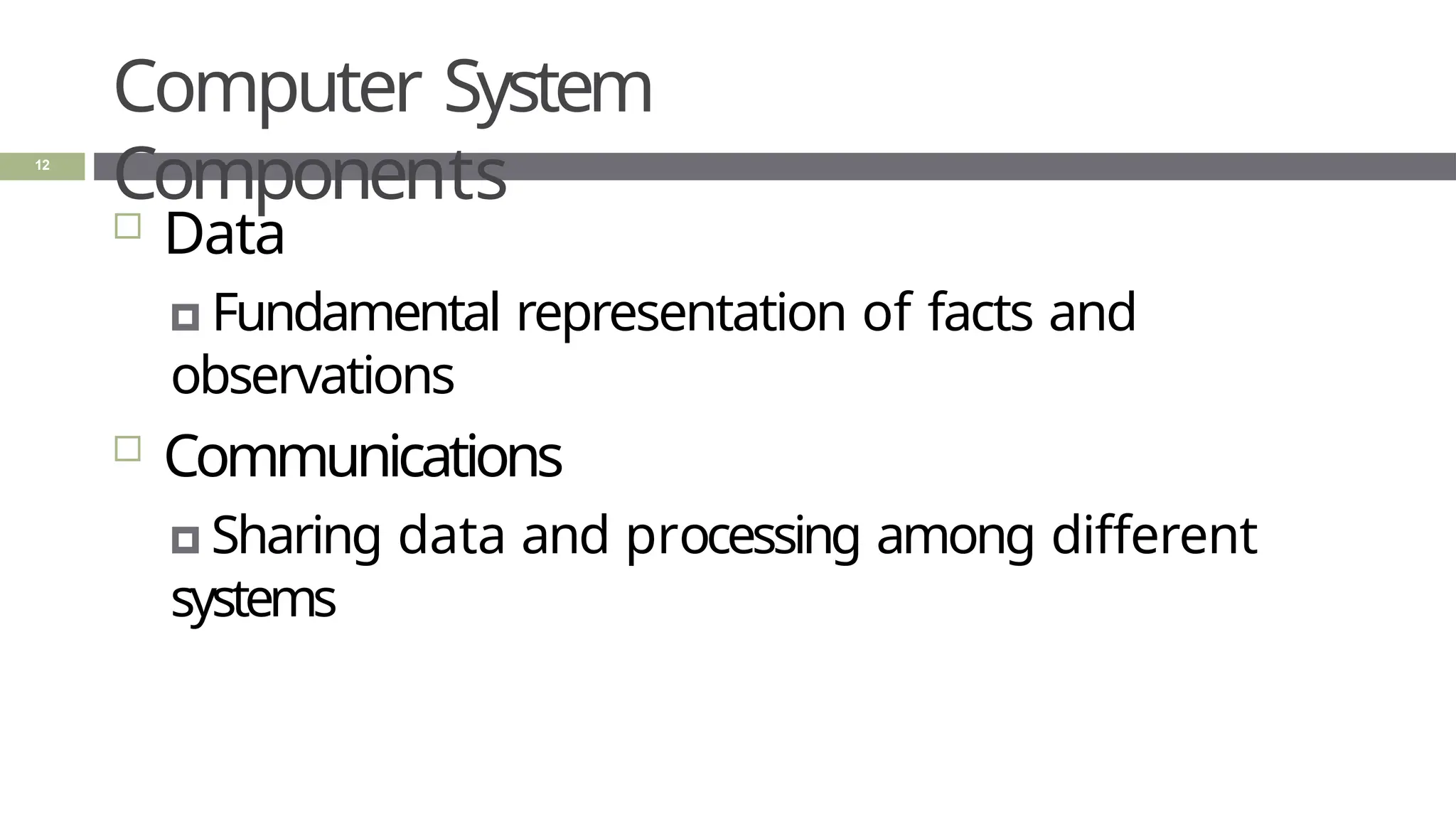
12
 Data
🞑 Fundamental representation of facts and
observations
 Communications
🞑 Sharing data and processing among different
systems
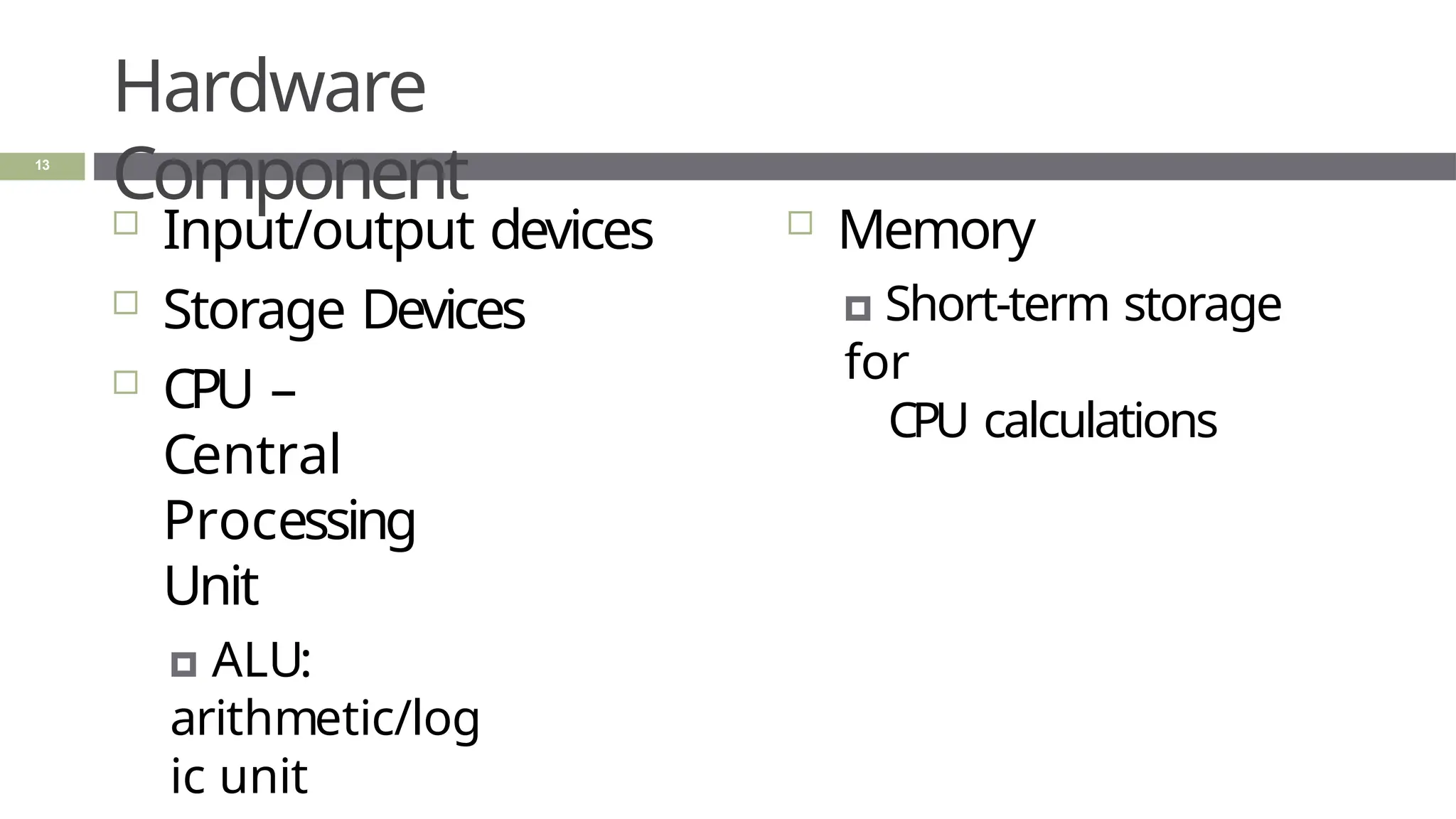
Hardware
Component
 Input/output devices
 Storage Devices
 CPU –
Central
Processing
Unit
🞑 ALU:
arithmetic/log
ic unit
 Memory
🞑 Short-term storage
for
CPU calculations
13
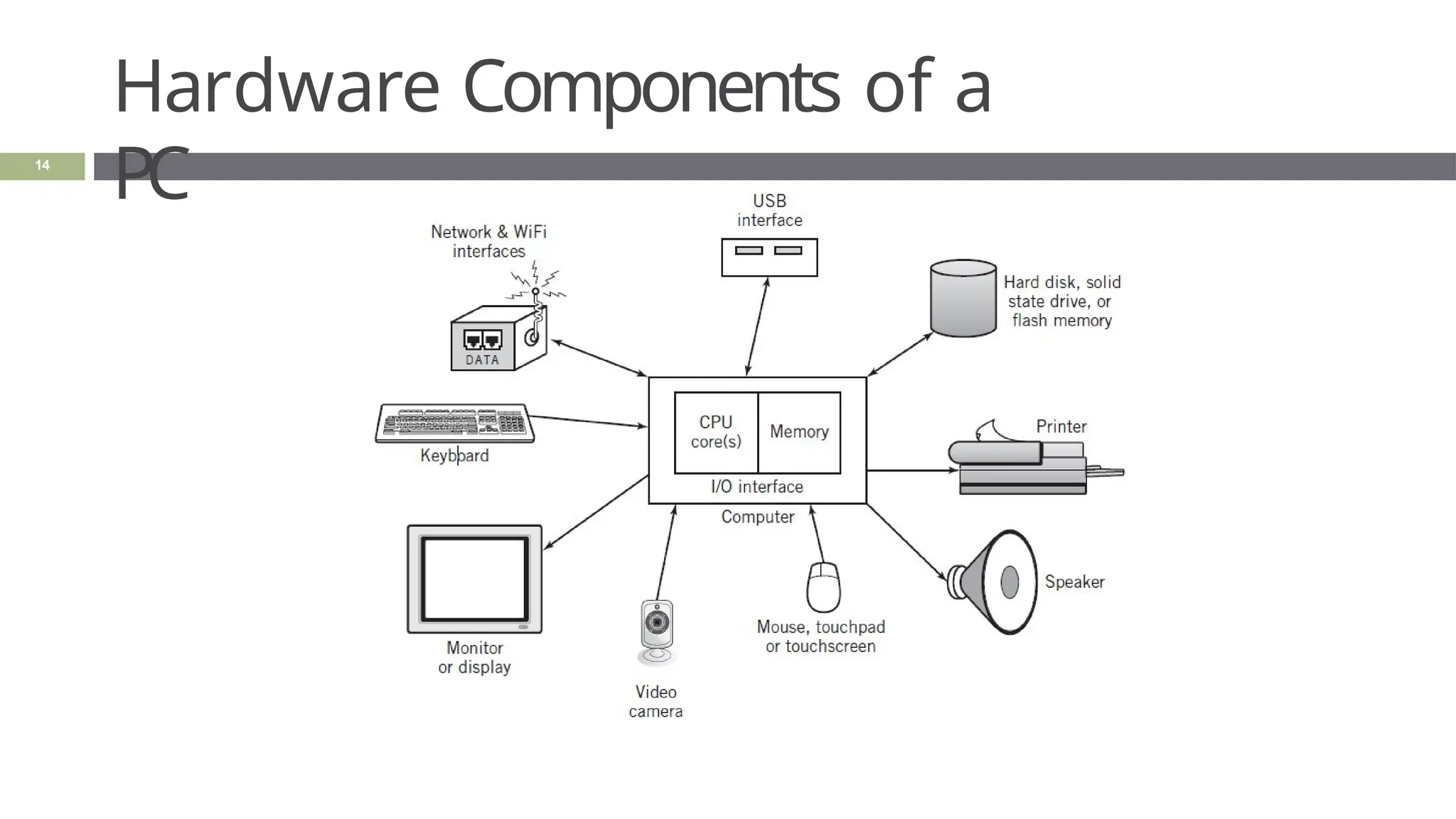
Hardware Components of a
PC
14
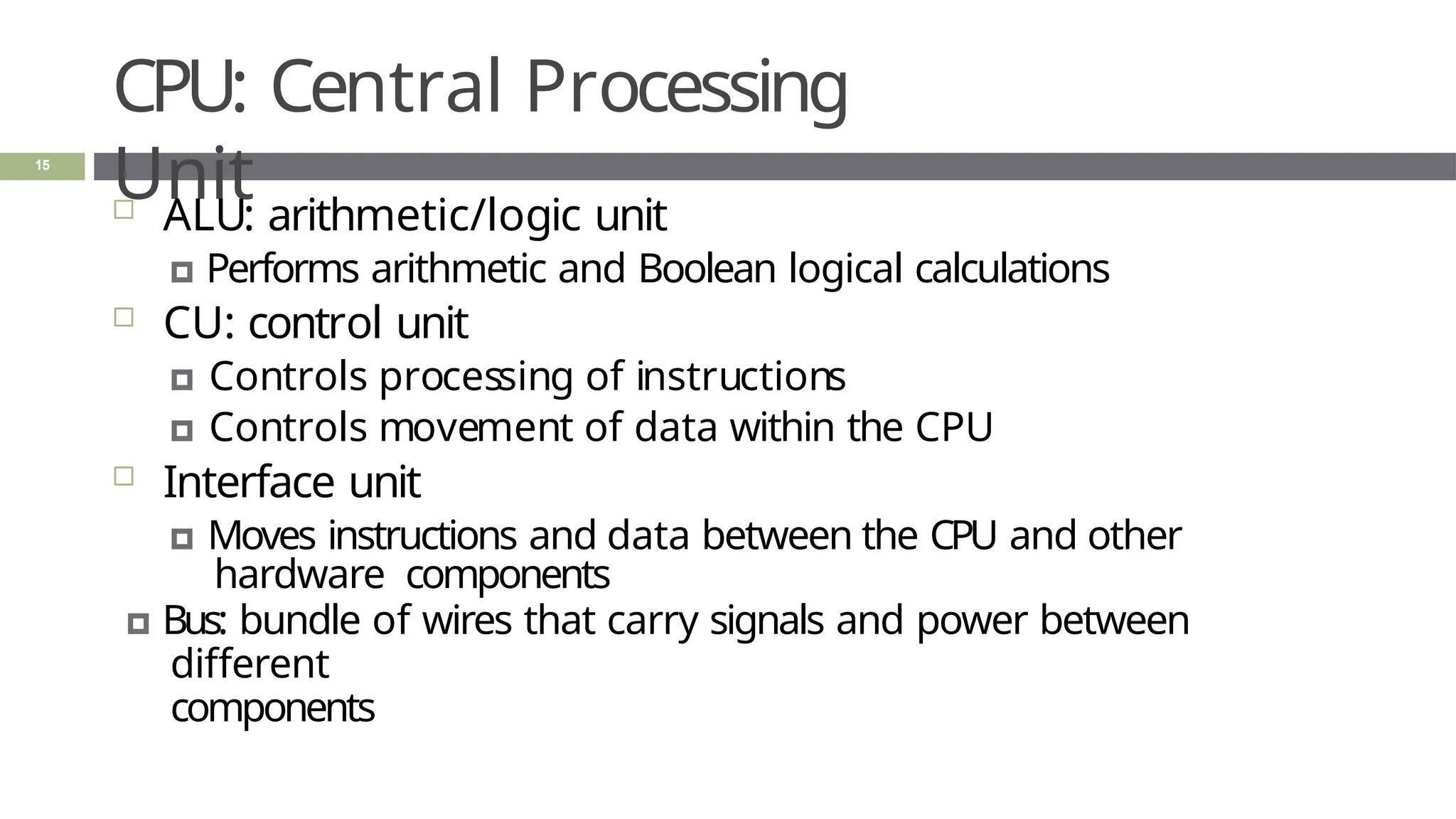
CPU: Central Processing
Unit
15
 ALU: arithmetic/logic unit
🞑 Performs arithmetic and Boolean logical calculations
 CU: control unit
🞑 Controls processing of instructions
🞑 Controls movement of data within the CPU
 Interface unit
🞑 Moves instructions and data between the CPU and other
hardware components
🞑 Bus: bundle of wires that carry signals and power between
different
components
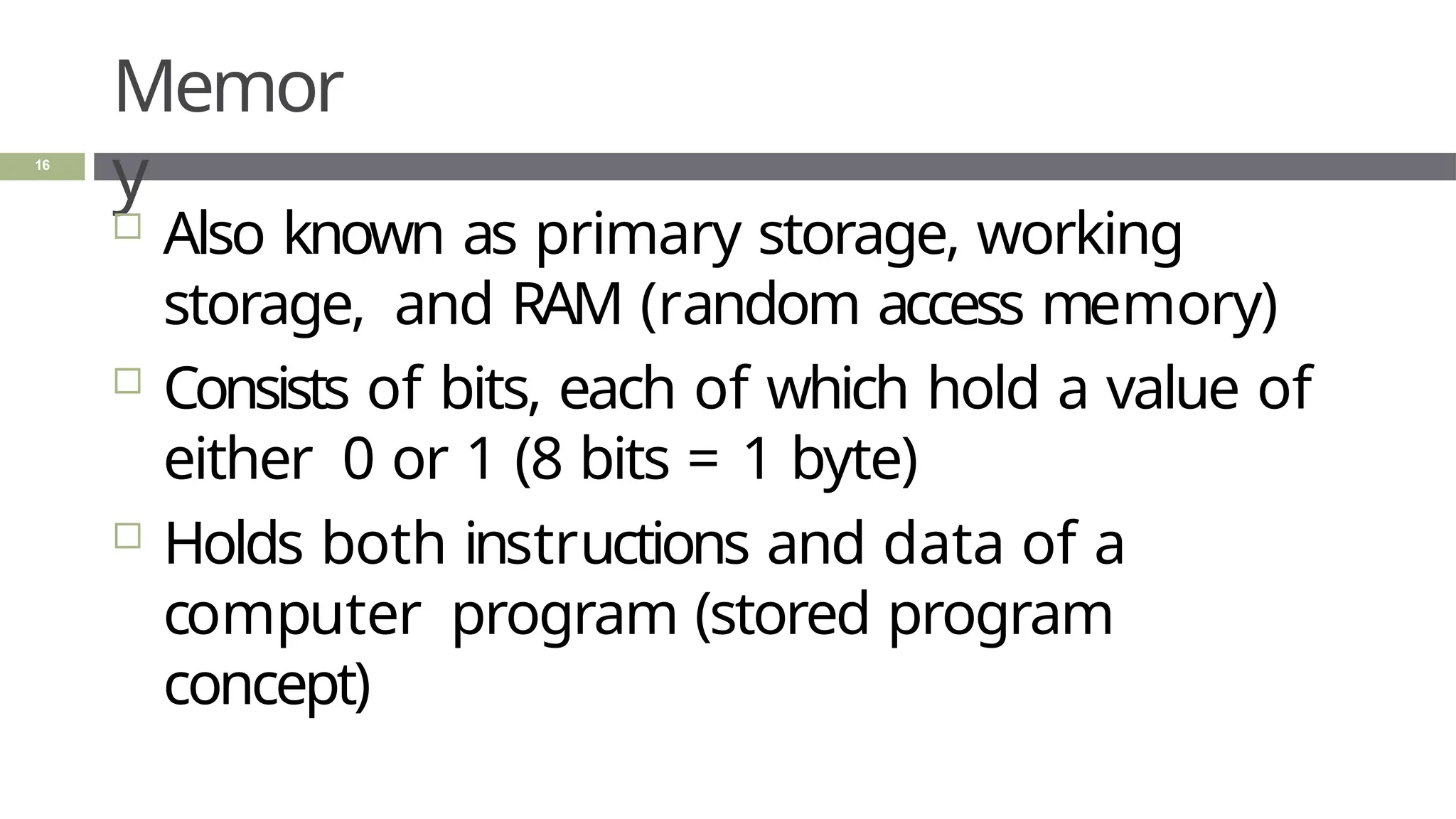
Memor
y
16
 Also known as primary storage, working
storage, and RAM (random access memory)
 Consists of bits, each of which hold a value of
either 0 or 1 (8 bits = 1 byte)
 Holds both instructions and data of a
computer program (stored program
concept)
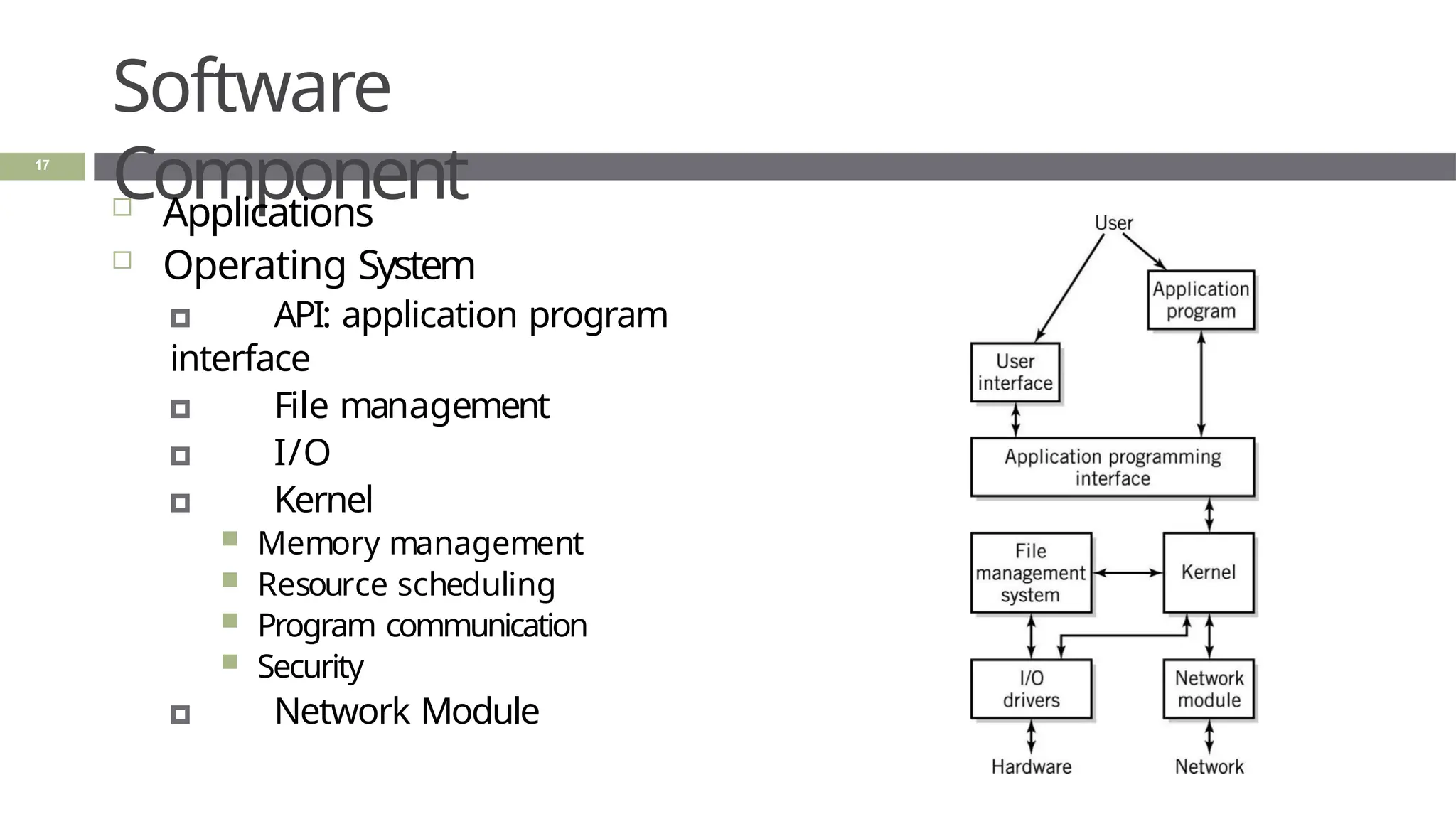
Software
Component
 Applications
 Operating System
🞑 API: application program
interface
🞑 File management
🞑 I/O
🞑 Kernel
 Memory management
 Resource scheduling
 Program communication
 Security
🞑 Network Module
17
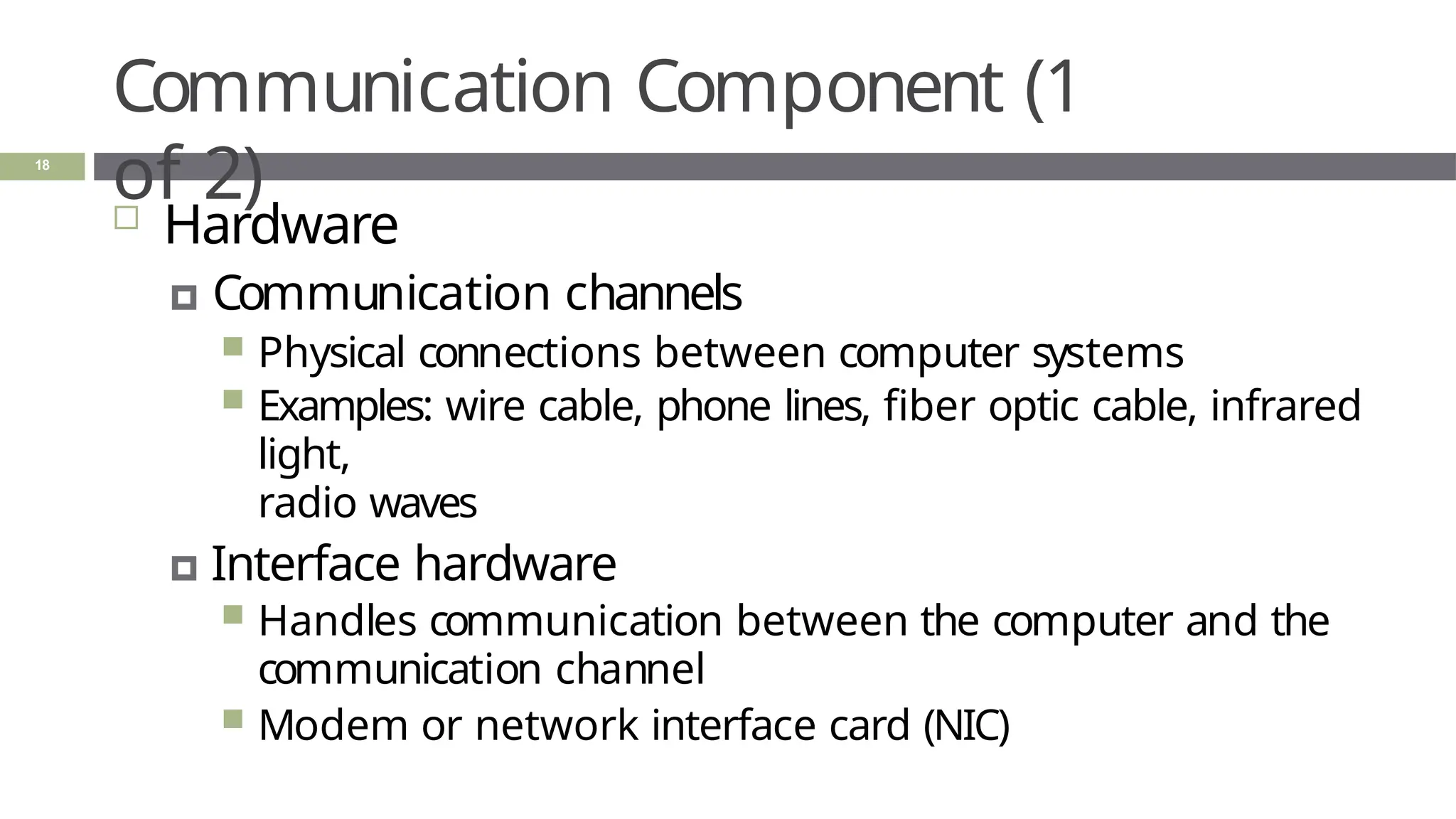
Communication Component (1
of 2)
18
 Hardware
🞑 Communication channels
 Physical connections between computer systems
 Examples: wire cable, phone lines, fiber optic cable, infrared
light,
radio waves
🞑 Interface hardware
 Handles communication between the computer and the
communication channel
 Modem or network interface card (NIC)
Communication Component (2
of 2)
19
 Software
🞑 Establish connections
🞑 Control flow of data
🞑 Directs data to the proper applications
for use
Computer
Systems
20
 All computer systems, no matter how
complex, consists of the following:
🞑 At least one CPU
🞑 Memory to hold programs and data
🞑 I/O devices
🞑 Long-term storage
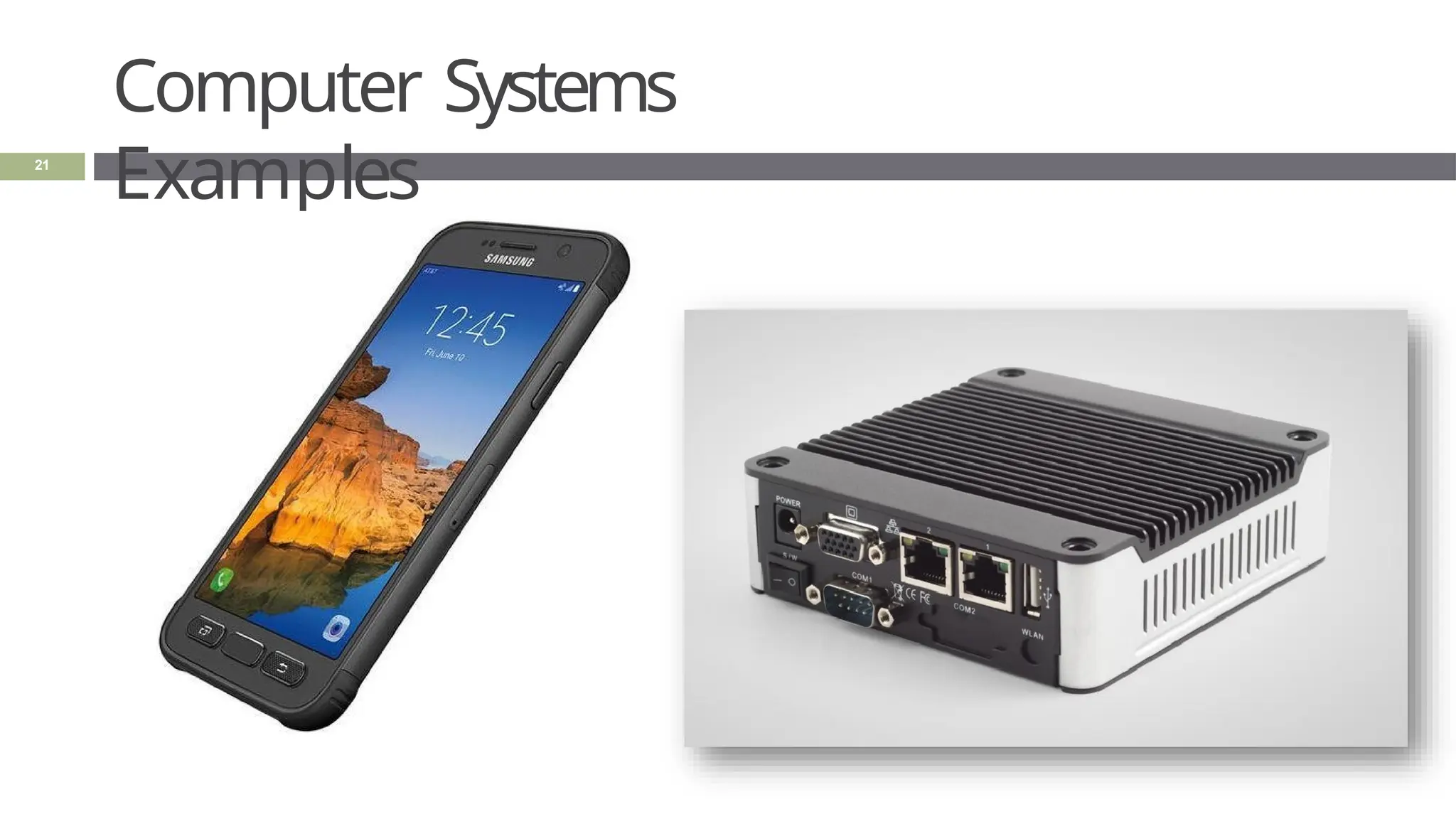
Computer Systems
Examples
21
Virtualizatio
n
22
 Virtual
🞑 not physically existing as such but made by
software to appear to do so
🞑 Created, simulated, or carried on by means
of a computer or computer network
 Virtual computer systems examples
🞑 memory, networks, and operating
systems
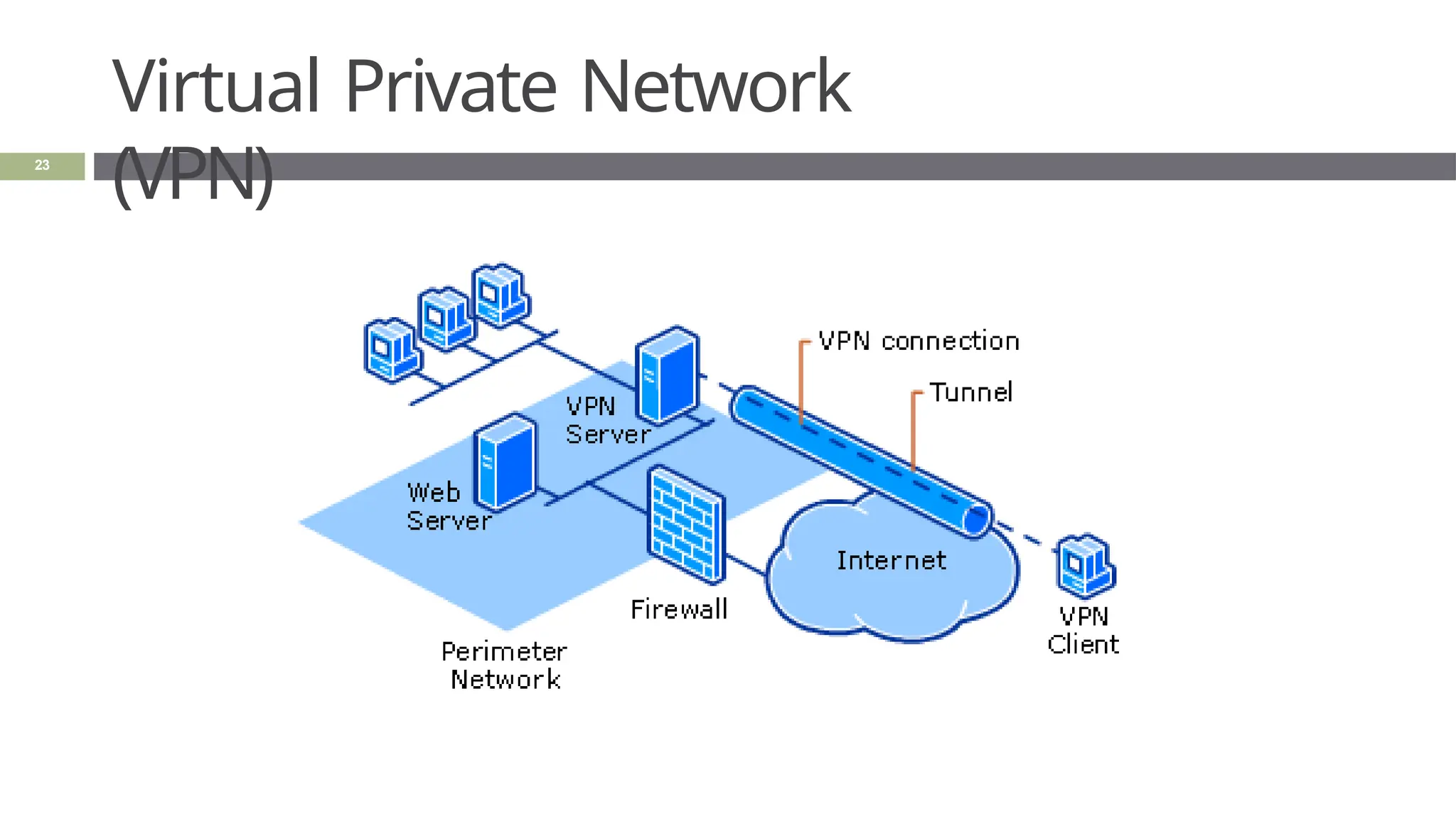
Virtual Private Network
(VPN)
23
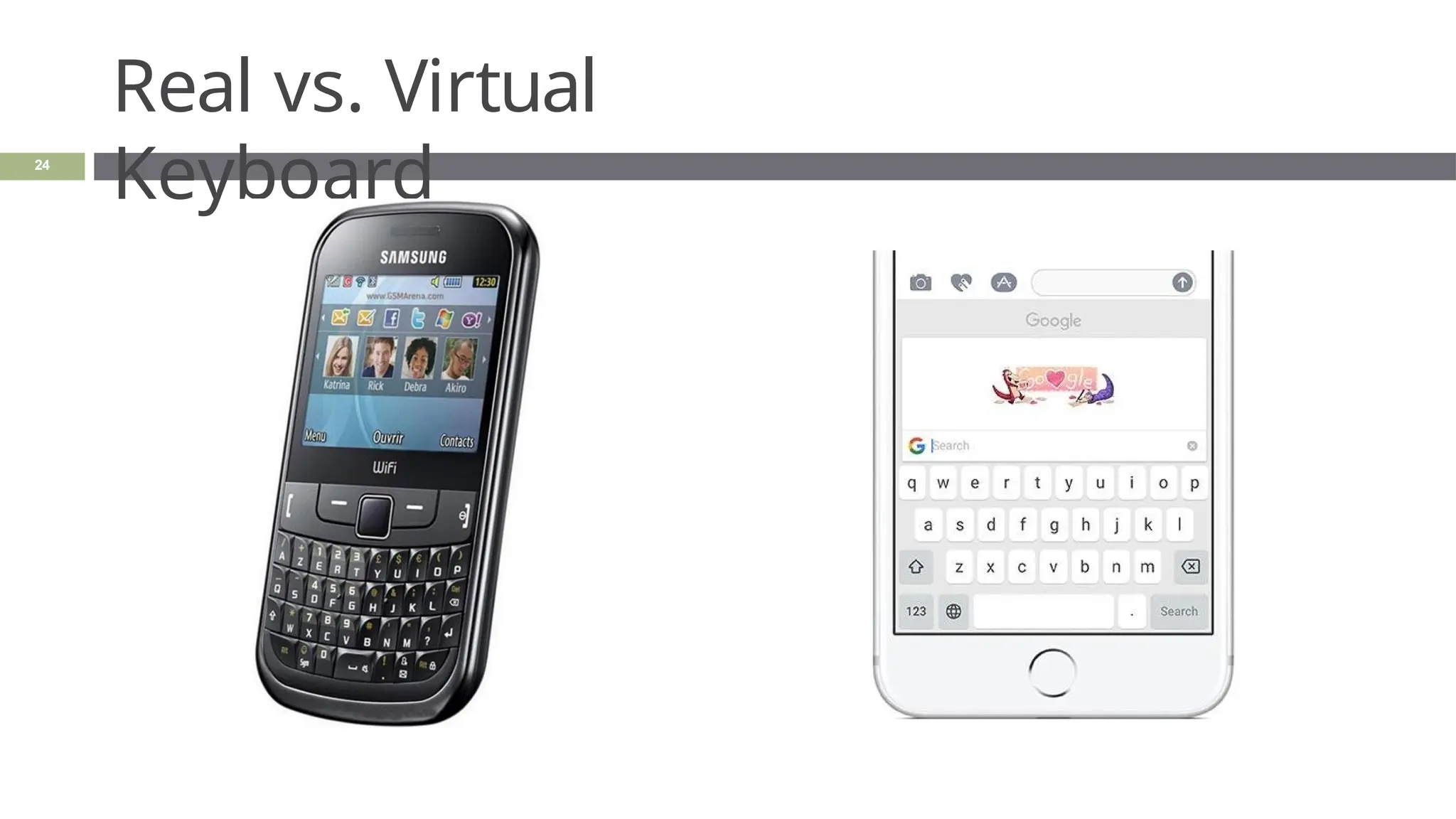
Real vs. Virtual
Keyboard
24
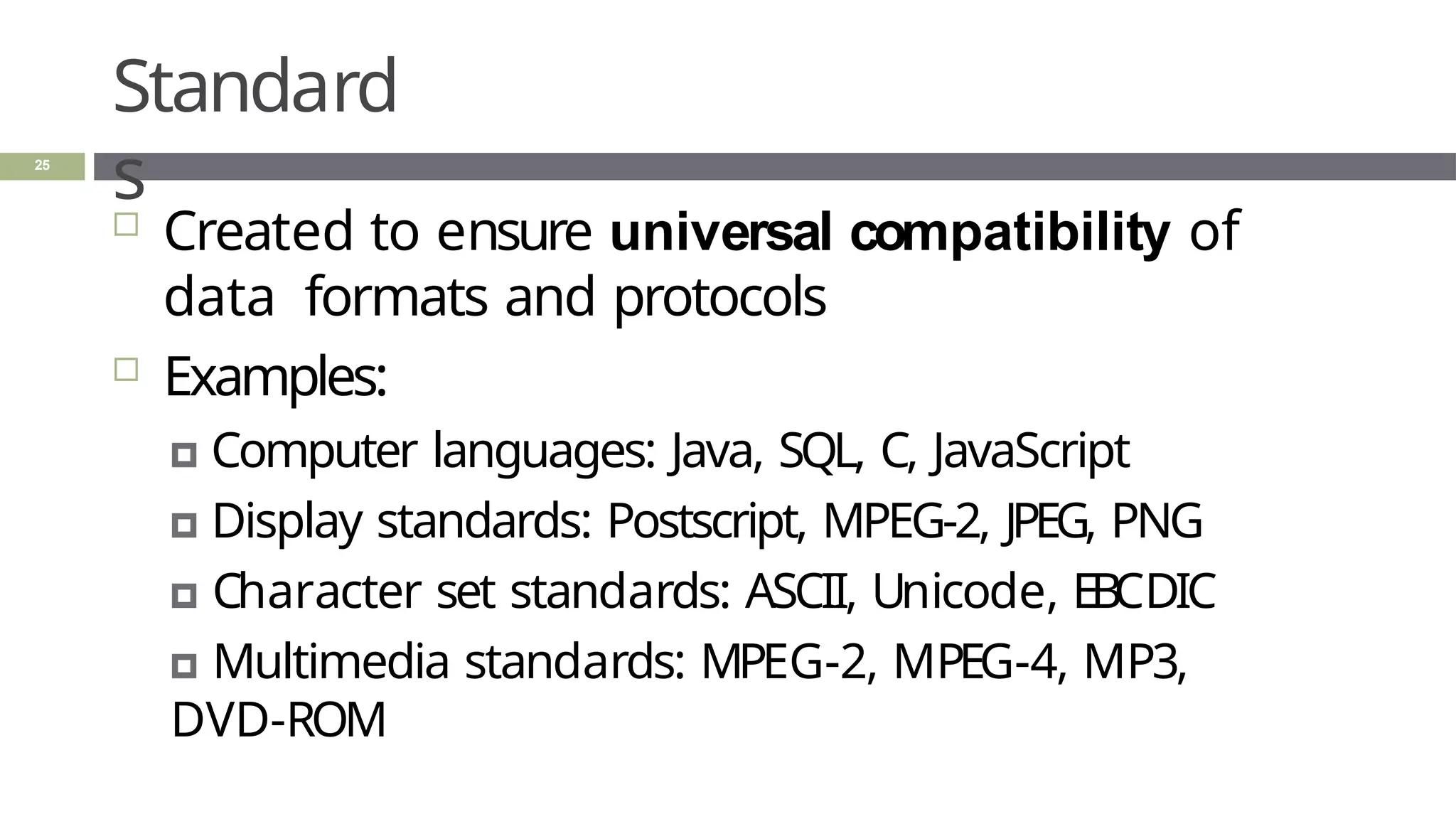
Standard
s
25
 Created to ensure universal compatibility of
data formats and protocols
 Examples:
🞑 Computer languages: Java, SQL, C, JavaScript
🞑 Display standards: Postscript, MPEG-2, JPEG, PNG
🞑 Character set standards: ASCII, Unicode, EBCDIC
🞑 Multimedia standards: MPEG-2, MPEG-4, MP3,
DVD-ROM
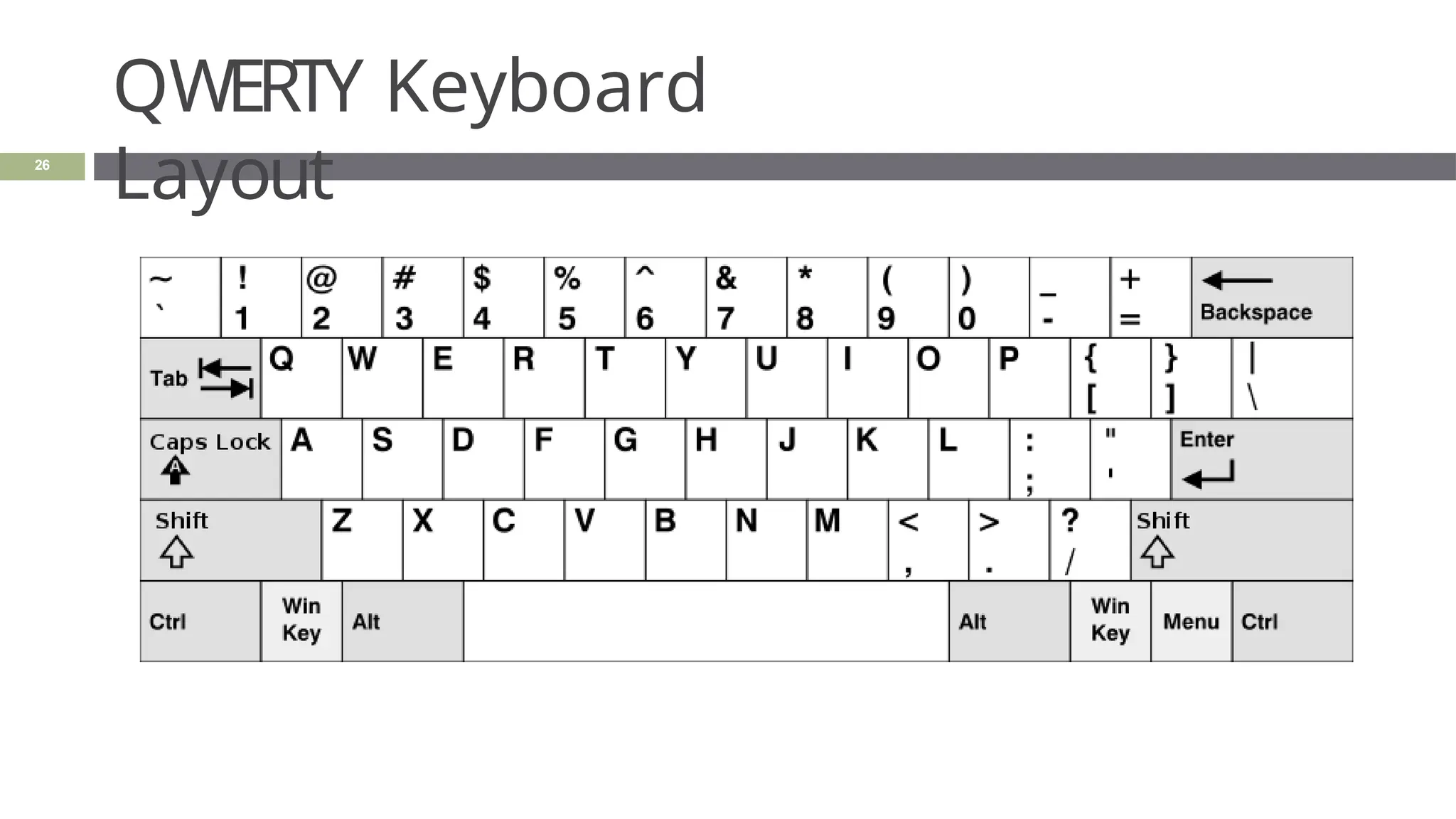
QWERTY Keyboard
Layout
26
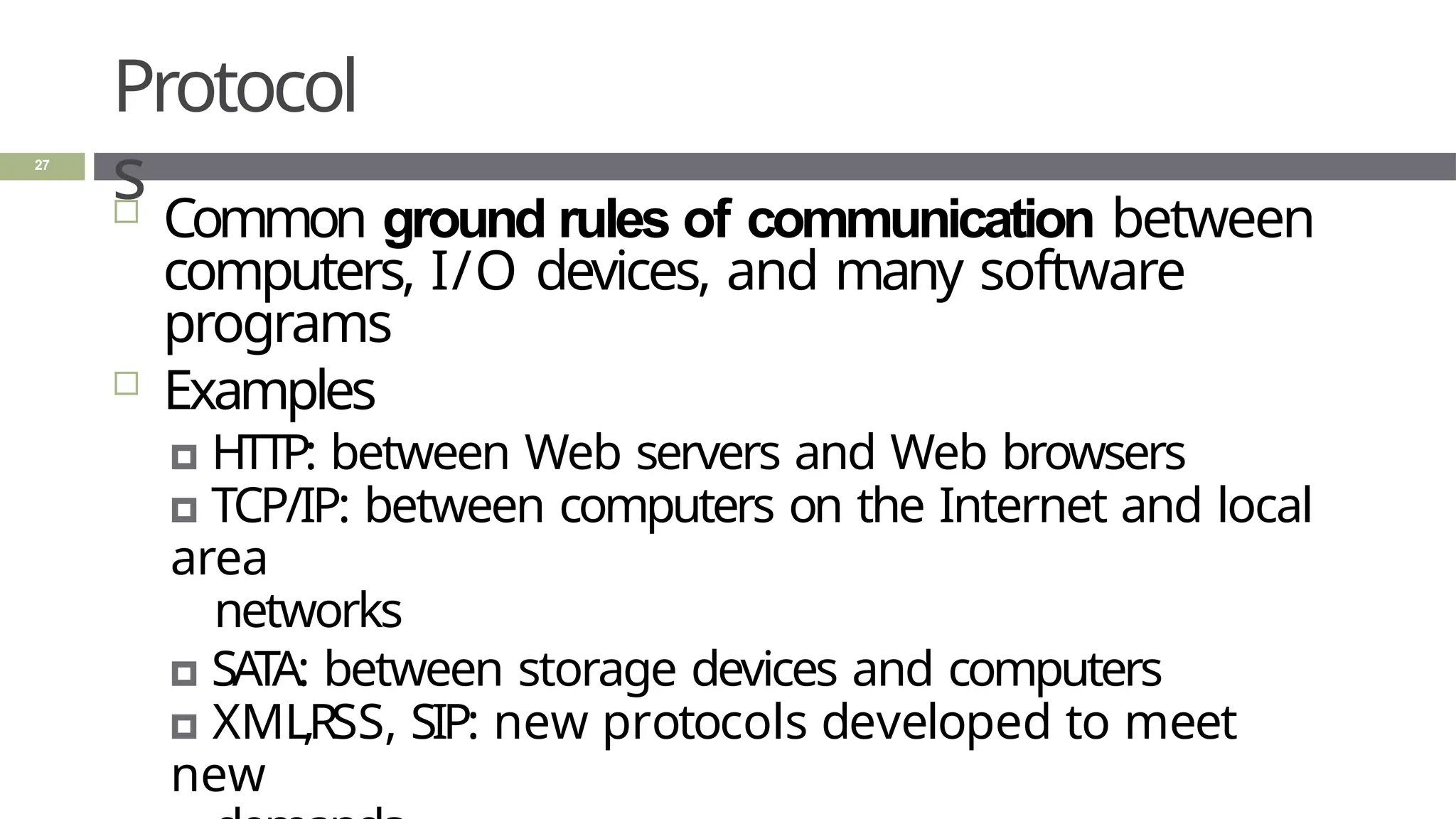
Protocol
s
27
 Common ground rules of communication between
computers, I/O devices, and many software
programs
 Examples
🞑 HTTP: between Web servers and Web browsers
🞑 TCP/IP: between computers on the Internet and local
area
networks
🞑 SATA: between storage devices and computers
🞑 XML,RSS, SIP: new protocols developed to meet
new
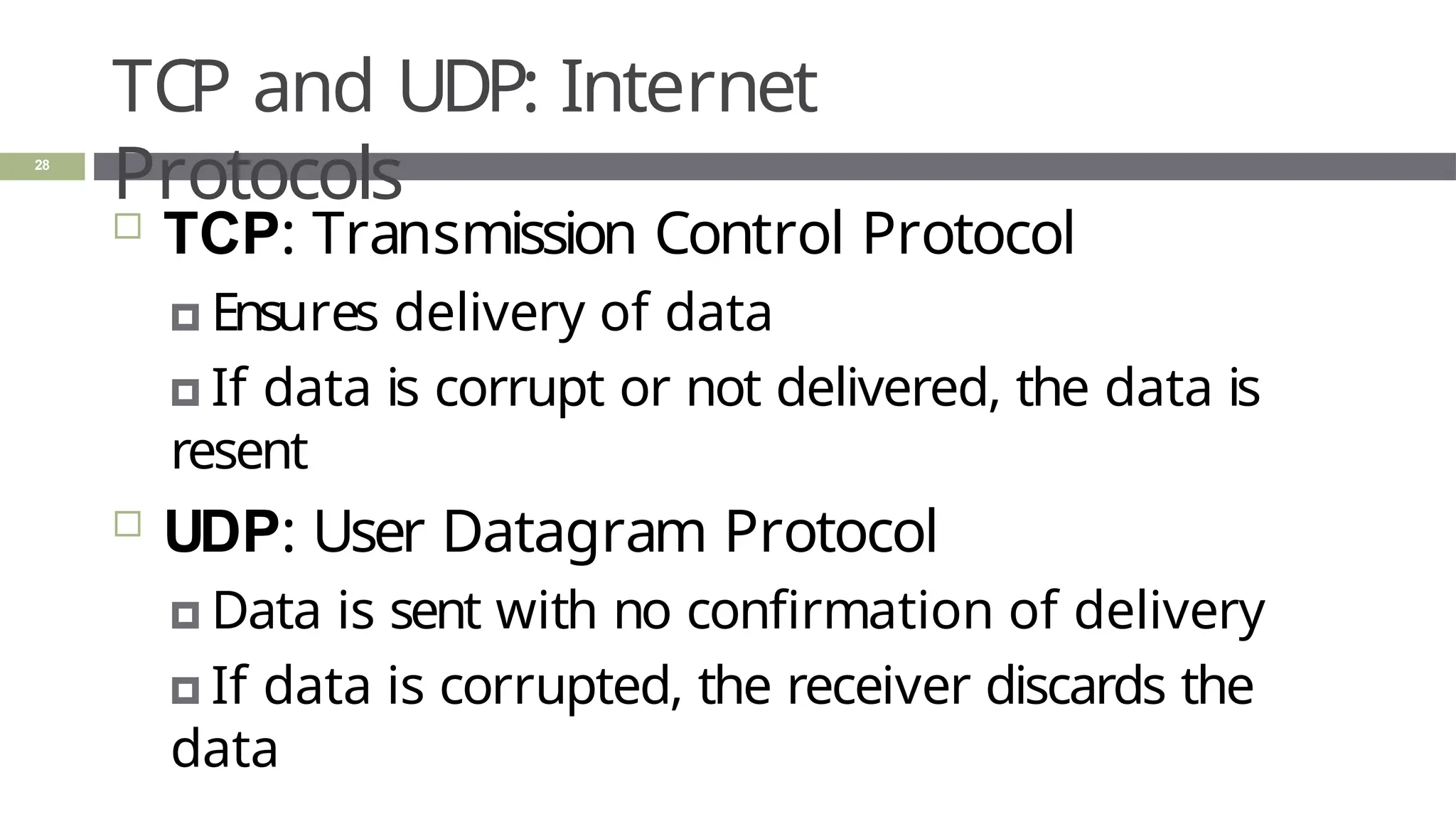
TCP and UDP: Internet
Protocols
28
 TCP: Transmission Control Protocol
🞑 Ensures delivery of data
🞑 If data is corrupt or not delivered, the data is
resent
 UDP: User Datagram Protocol
🞑 Data is sent with no confirmation of delivery
🞑 If data is corrupted, the receiver discards the
data
Summar
y
29
 Input-process-output (IPO) model is a
fundamental design of computer system
architecture
 A computer is a self-contained system
composed of hardware, software, and data
that communicates
🞑 CPU, memory, input/output devices, and
storage
 Virtualization is a software-based computer
1. : Computers and Systems
2. : System Concepts and
Architecture
3. : IT System Architecture
2.2: System Concepts and Architecture
30
Learning
Objectives
31
 Describe a system
 List the components of a system
 Describe each component in detail
 Explain system decomposition
 Discuss the difference between system
architecture and abstraction
What is a
system?
32
 What do the following systems have in
common?
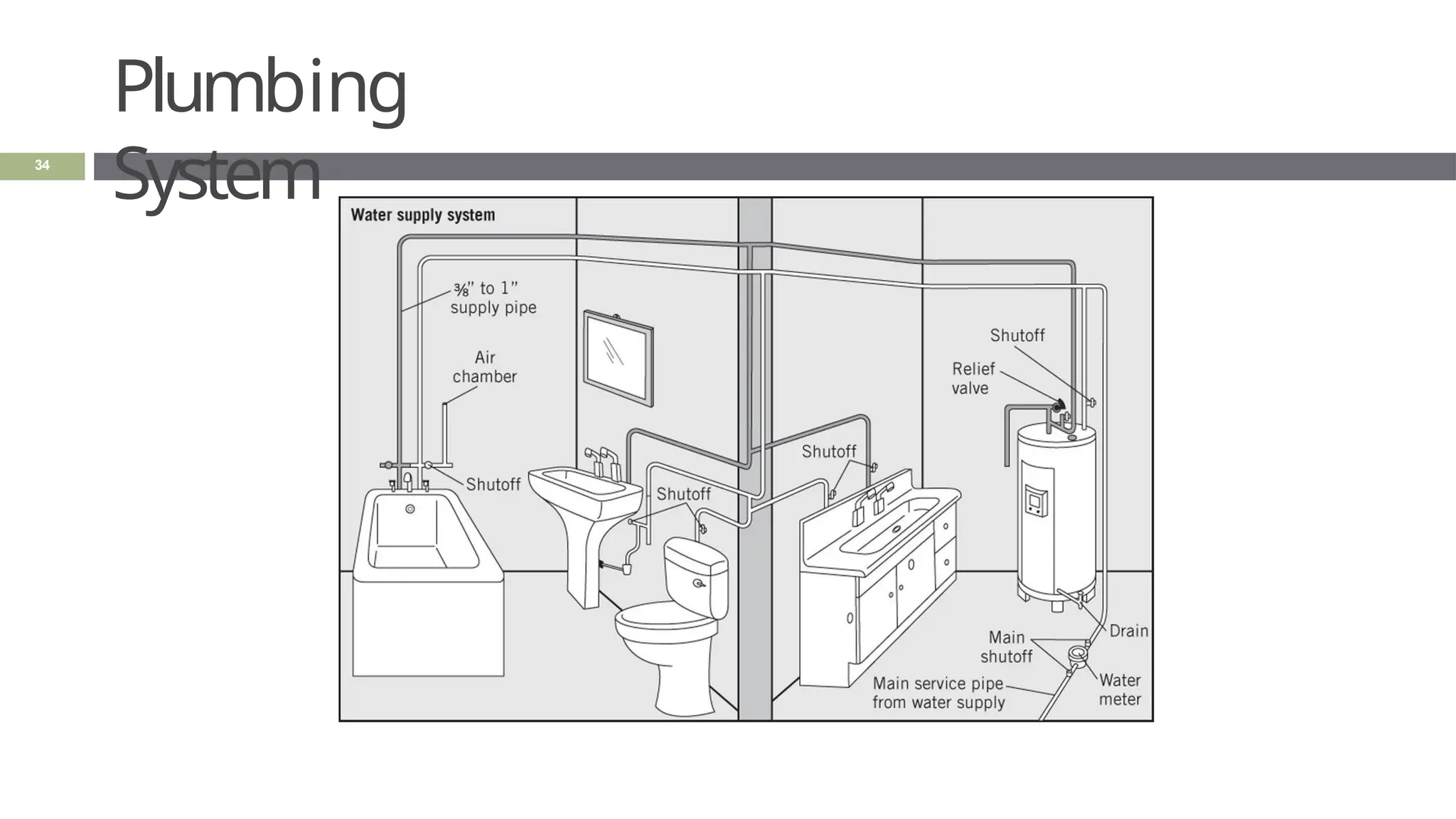
🞑 Plumbing system
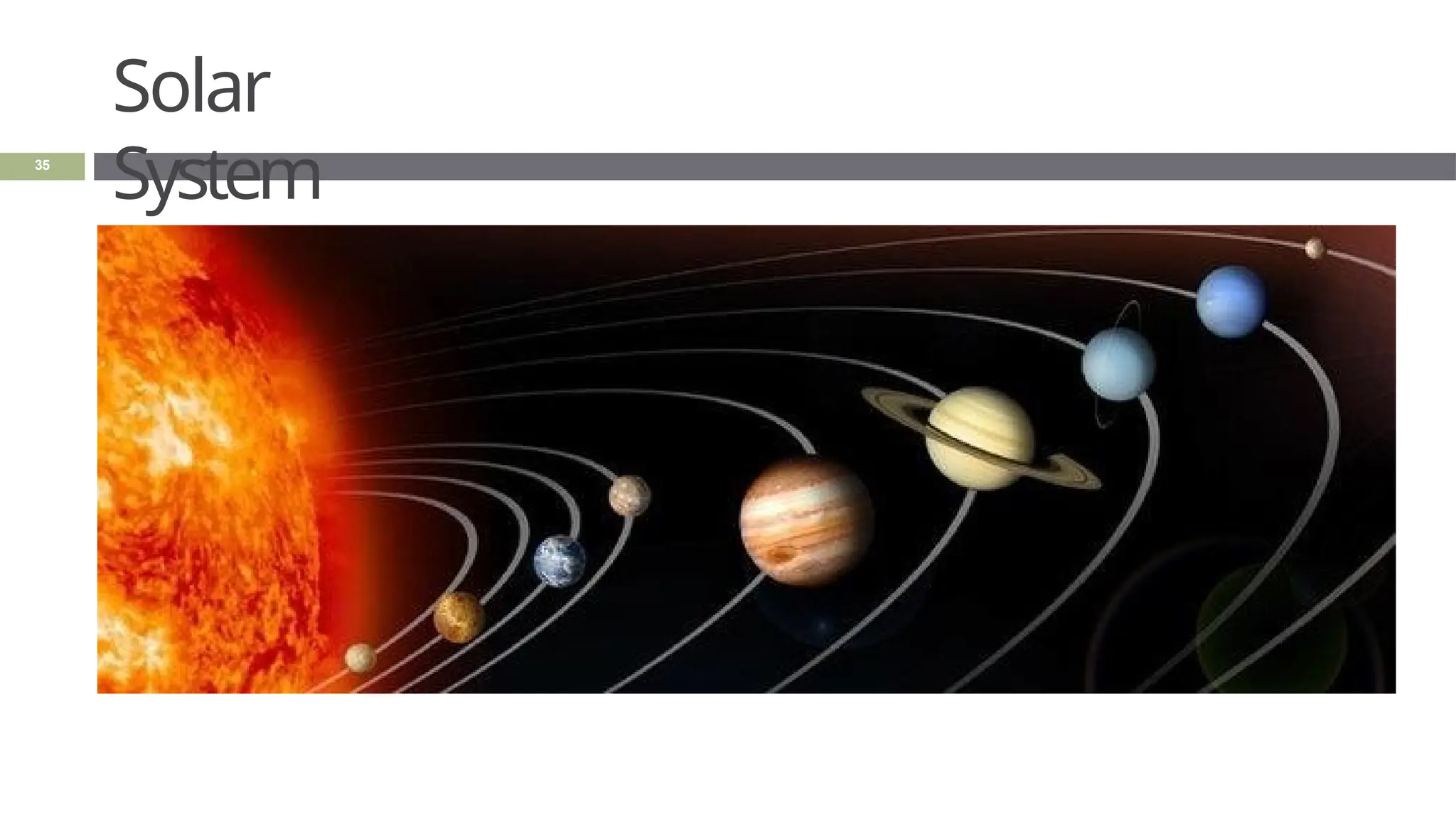
🞑 Solar system
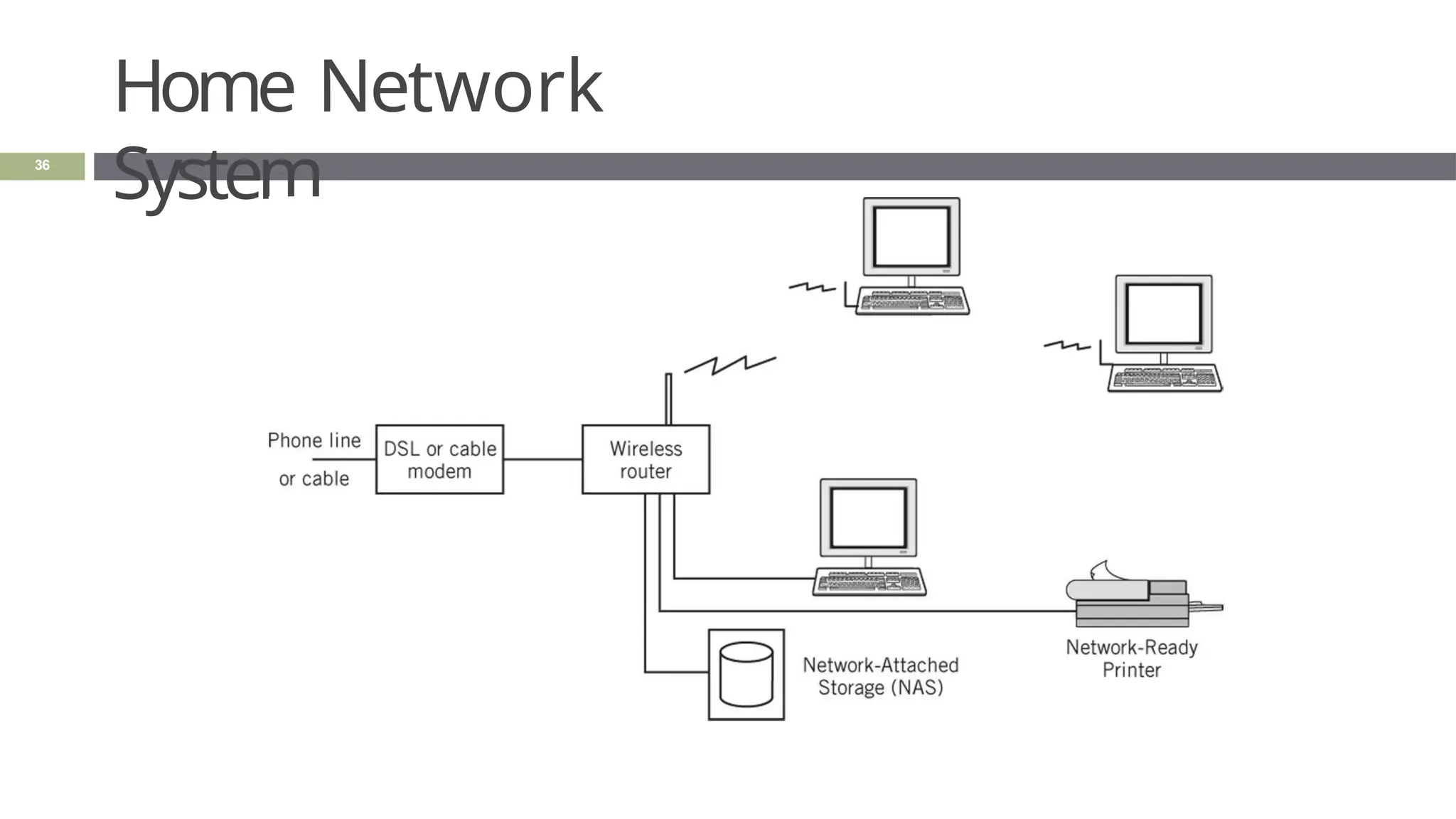
🞑 Home network system
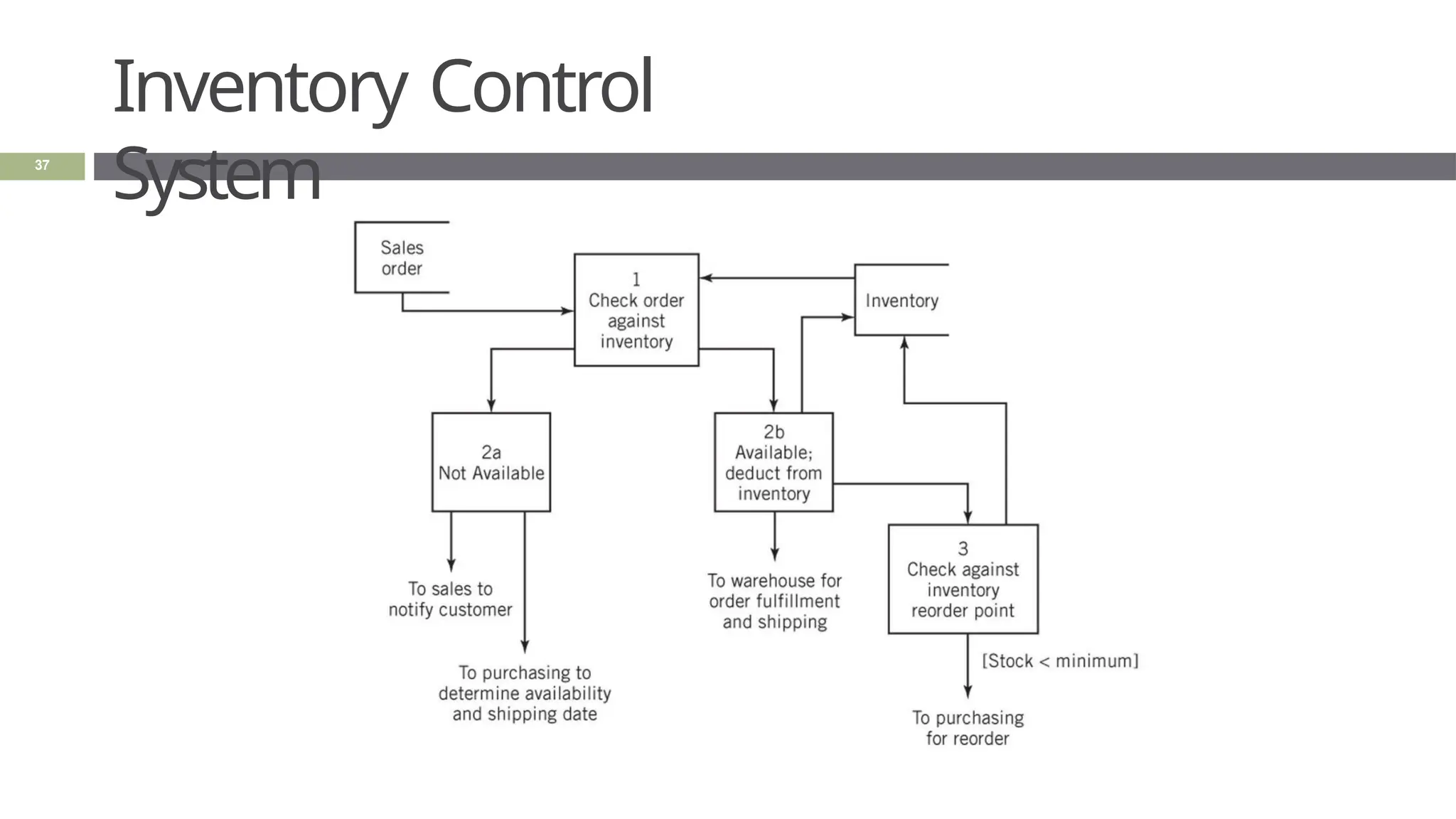
🞑 Inventory control system
What is a
system?
33
 What do the following systems have in
common?
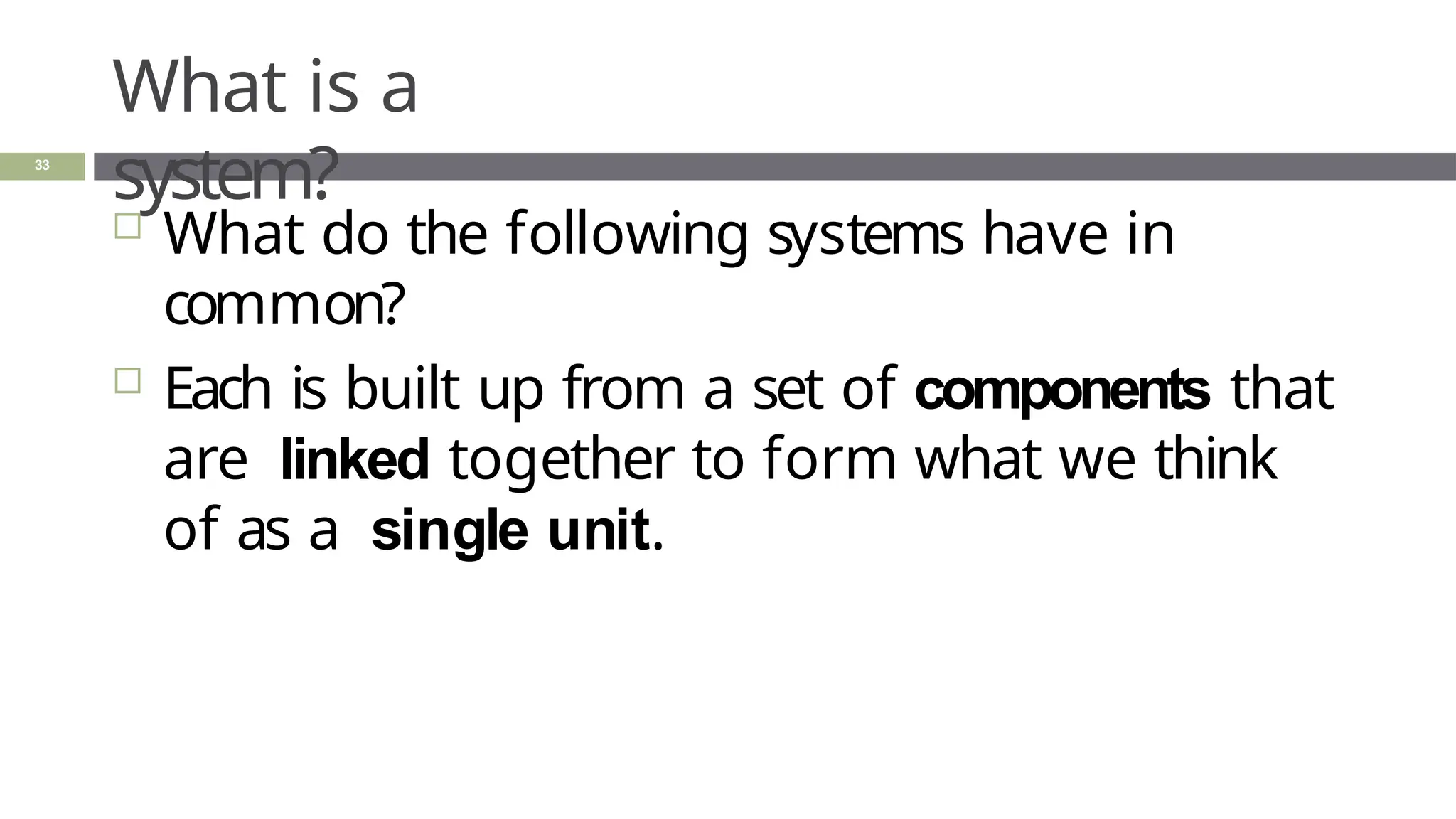
 Each is built up from a set of components that
are linked together to form what we think
of as a single unit.
Plumbing
System
34
Solar
System
35
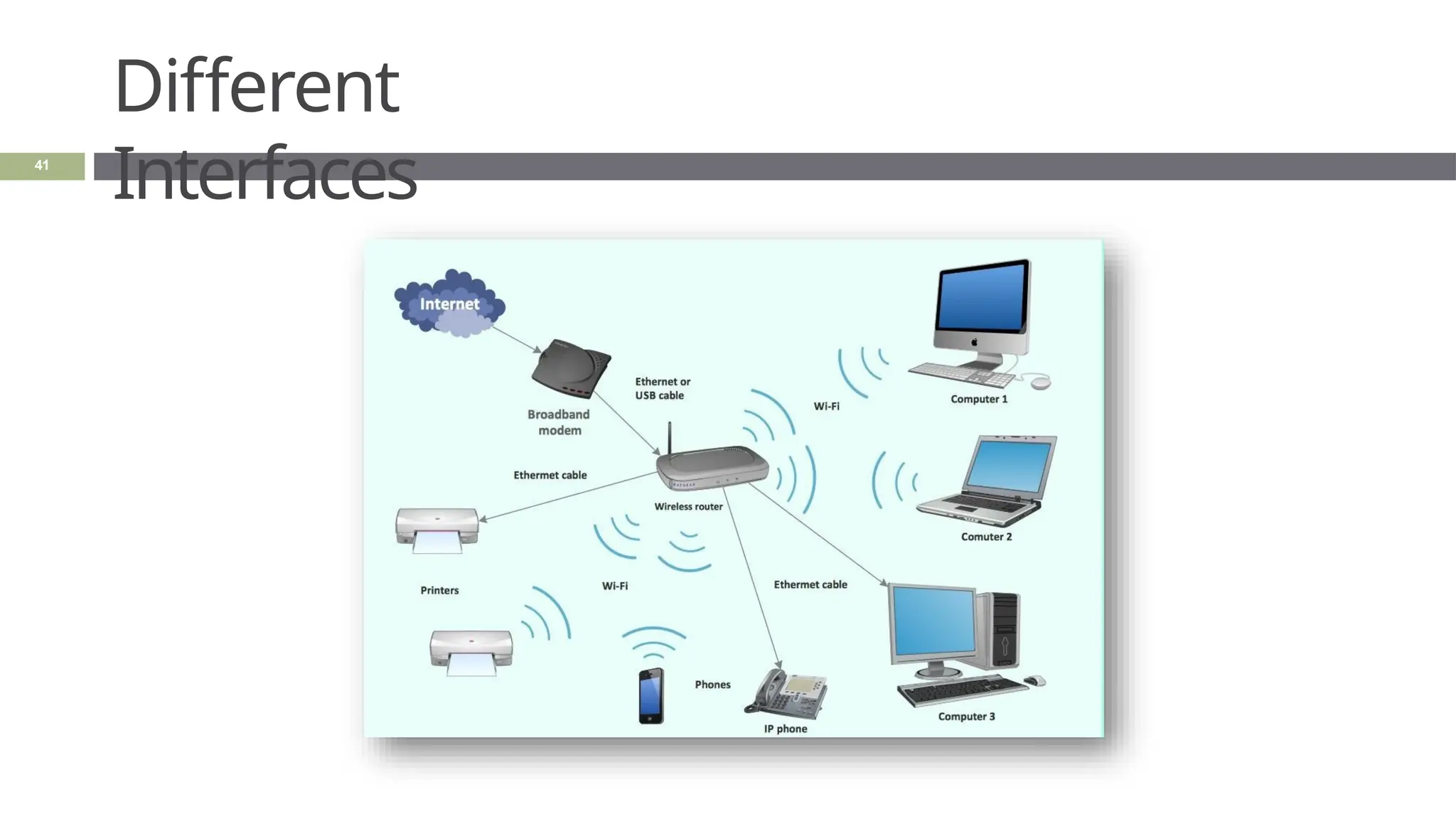
Home Network
System
36
Inventory Control
System
37
Definition of a
System
38
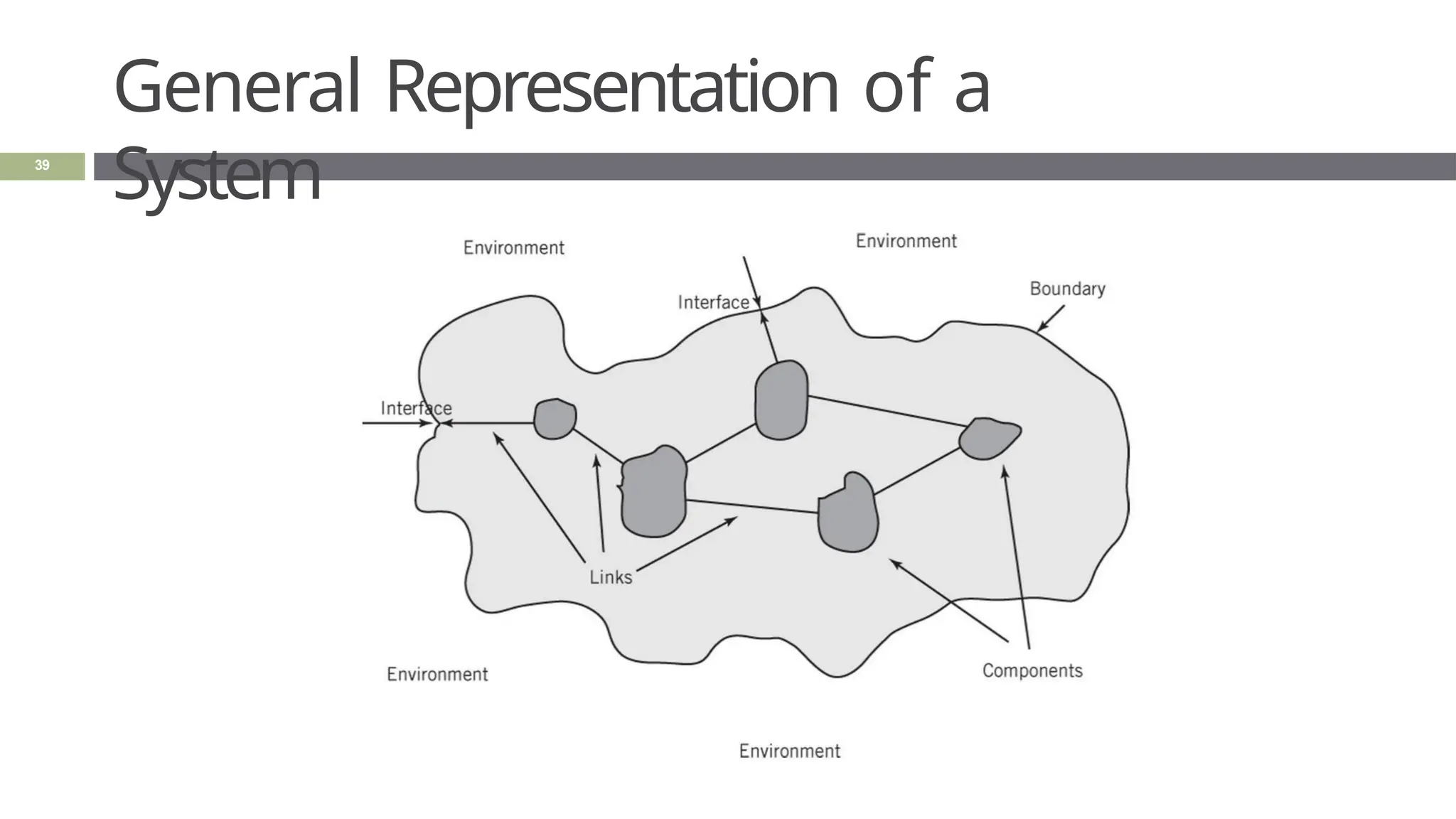
 “A system is a collection of components
linked together and organized in such a
way as to be recognizable as a single
unit”
 Linked components of a system also
define a
boundary for the system
 The environment is anything outside of the
General Representation of a
System
39
Definition of an
Interface
40
 In computing, an interface is a shared
boundary across which two or more
separate components of a computer system
exchange information.
Different
Interfaces
41
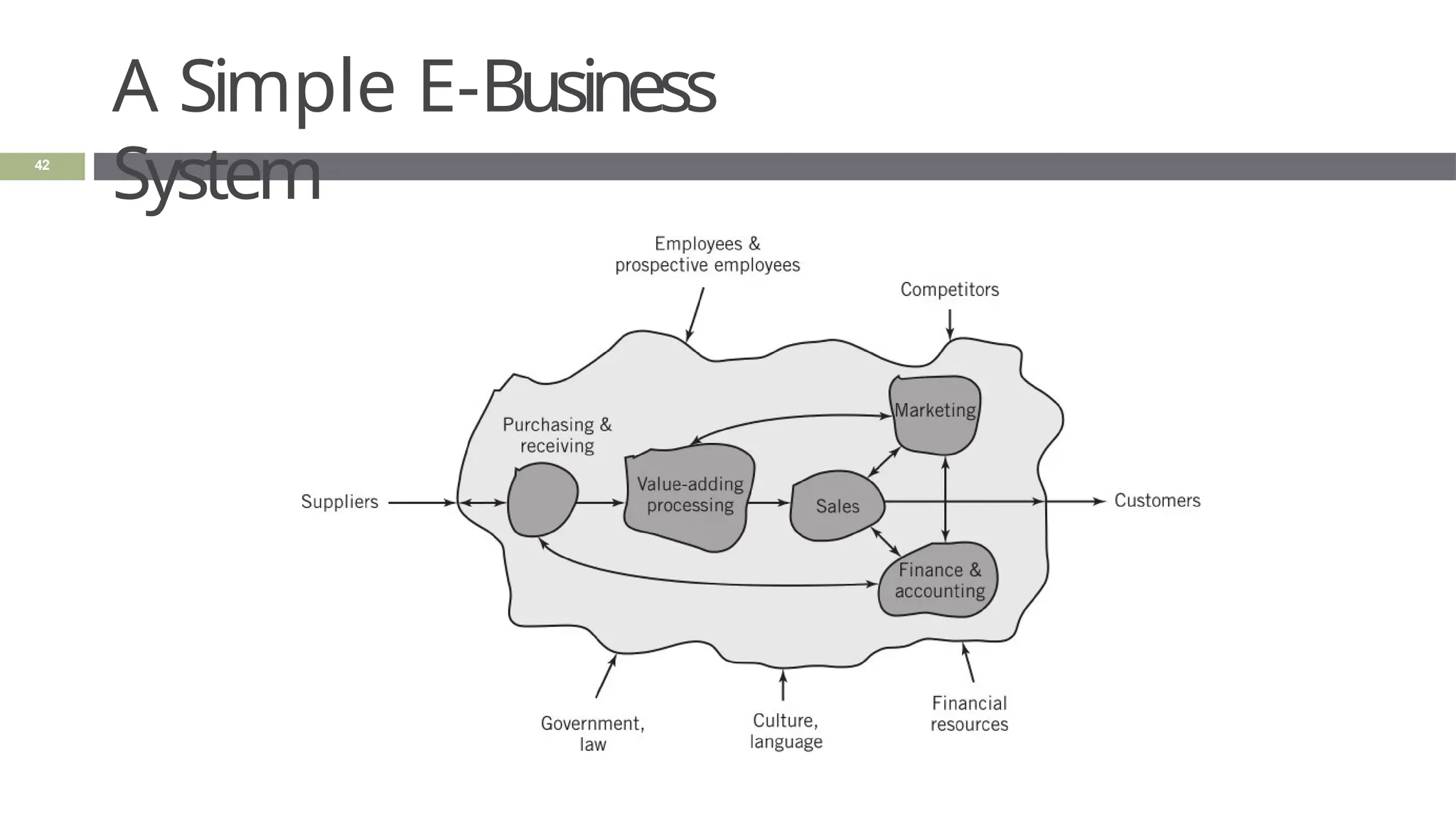
A Simple E-Business
System
42
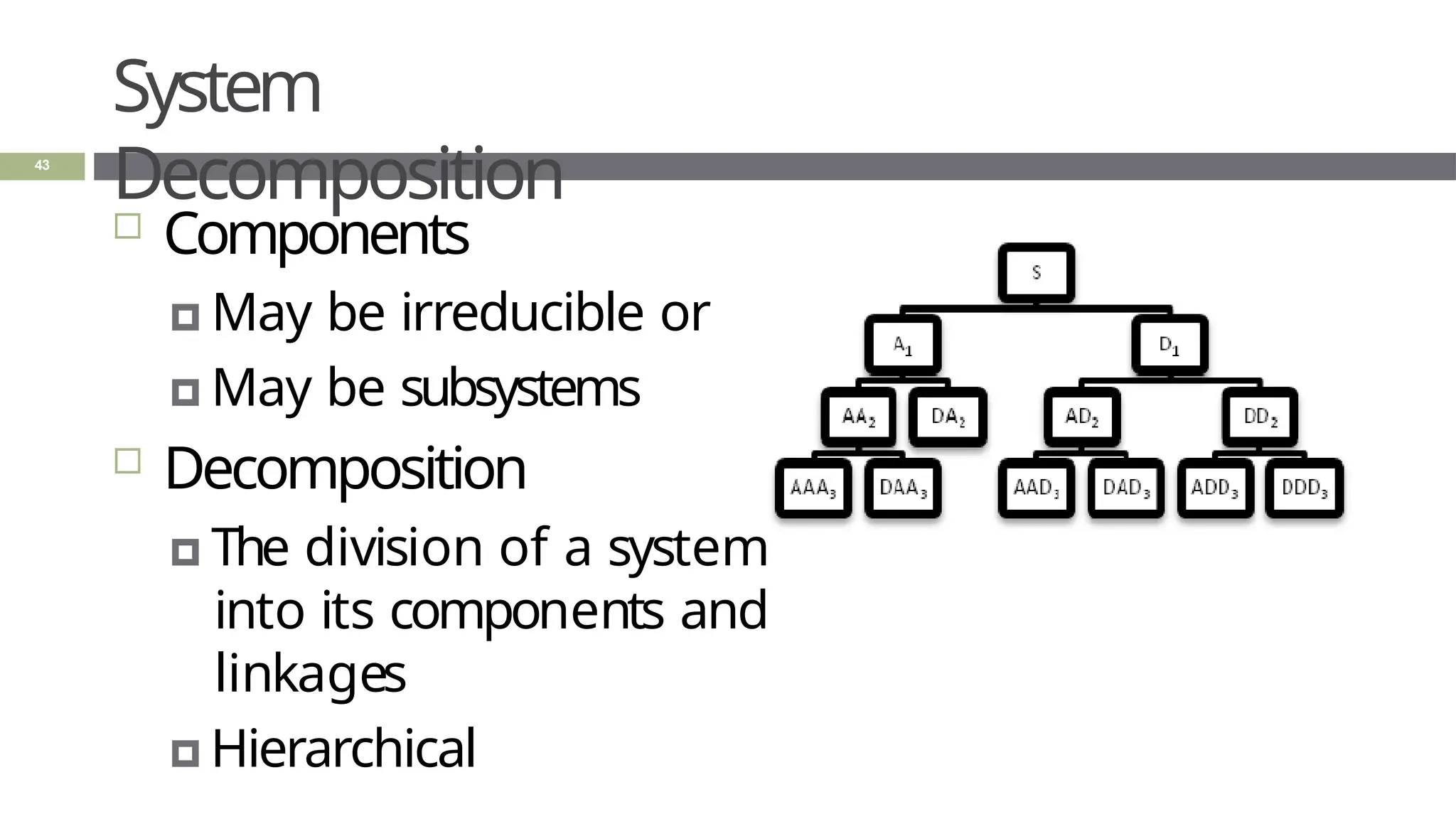
System
Decomposition
43
 Components
🞑 May be irreducible or
🞑 May be subsystems
 Decomposition
🞑 The division of a system
into its components and
linkages
🞑 Hierarchical
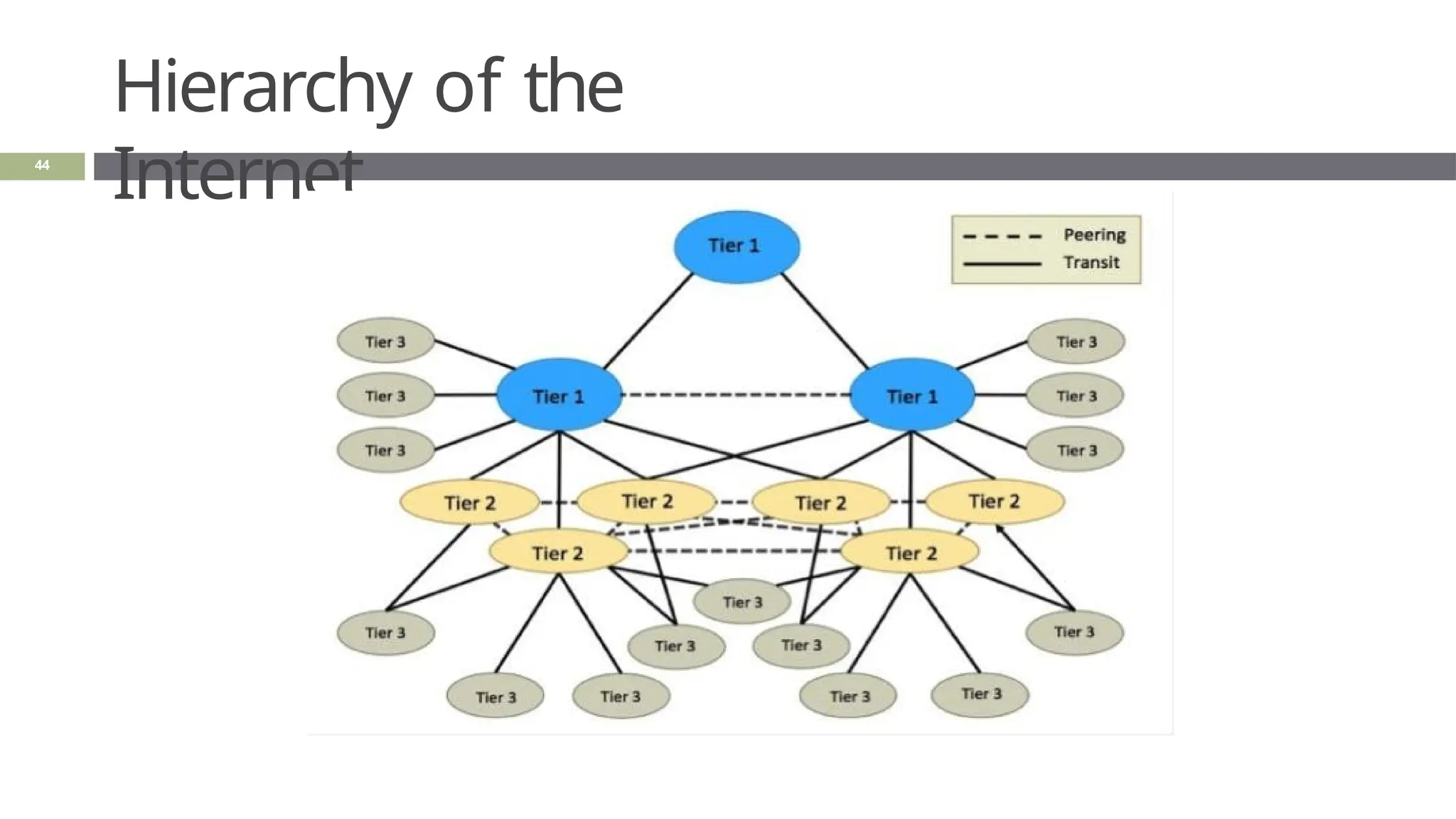
Hierarchy of the
Internet
44
System
Architecture
45
 “The fundamental properties and the patterns
of relationships, connections, constraints, and
linkages among the components and between
the system and its environment are known
collectively as the architecture of the system”
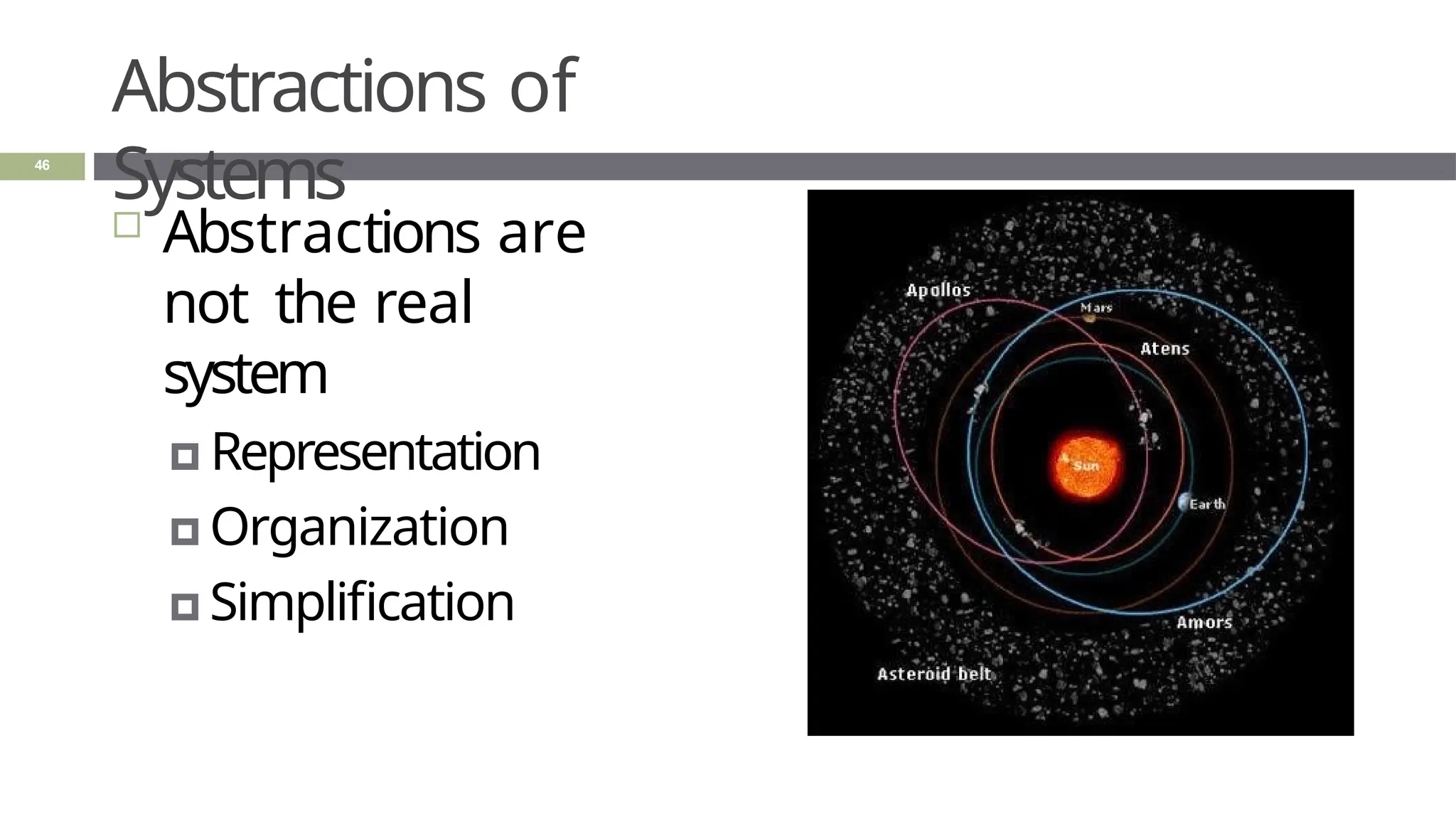
Abstractions of
Systems
 Abstractions are
not the real
system
🞑 Representation
🞑 Organization
🞑 Simplification
46
Abstractions of
Systems
47
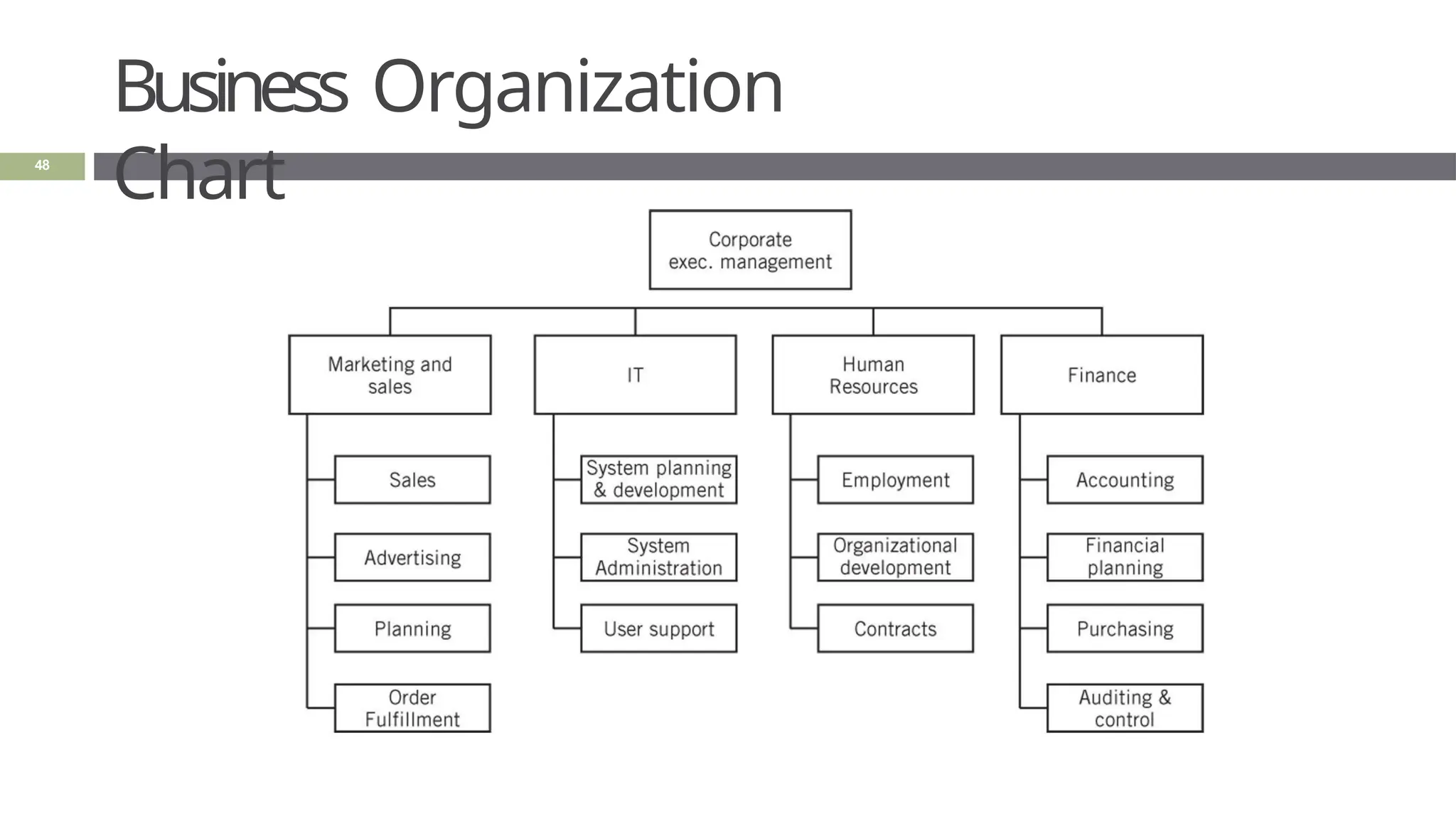
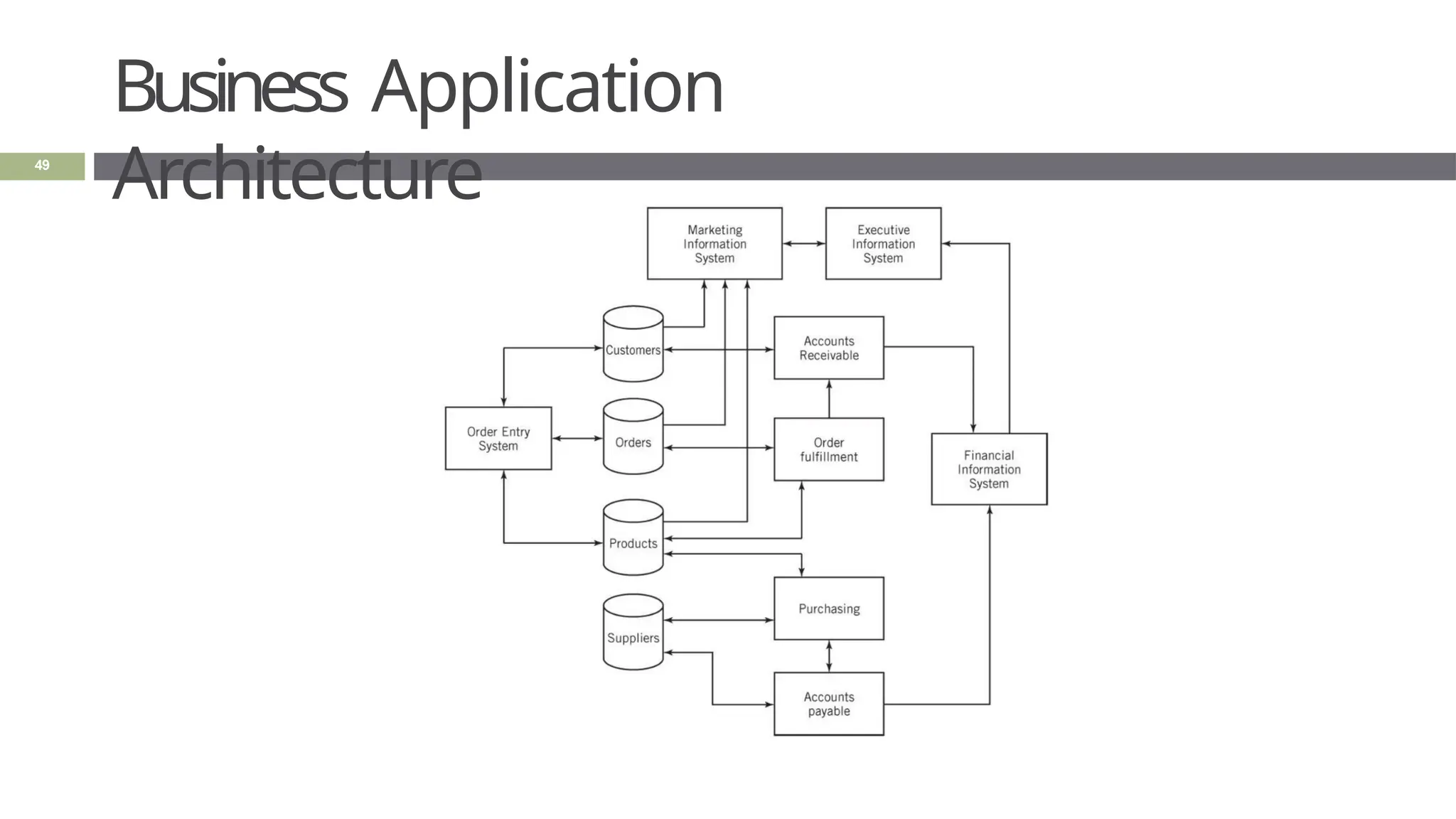
 How are the following two
abstractions of a business system
different from one another?
 How are these abstractions different from the
real business system?
Business Organization
Chart
48
Business Application
Architecture
49
Summar
y
50
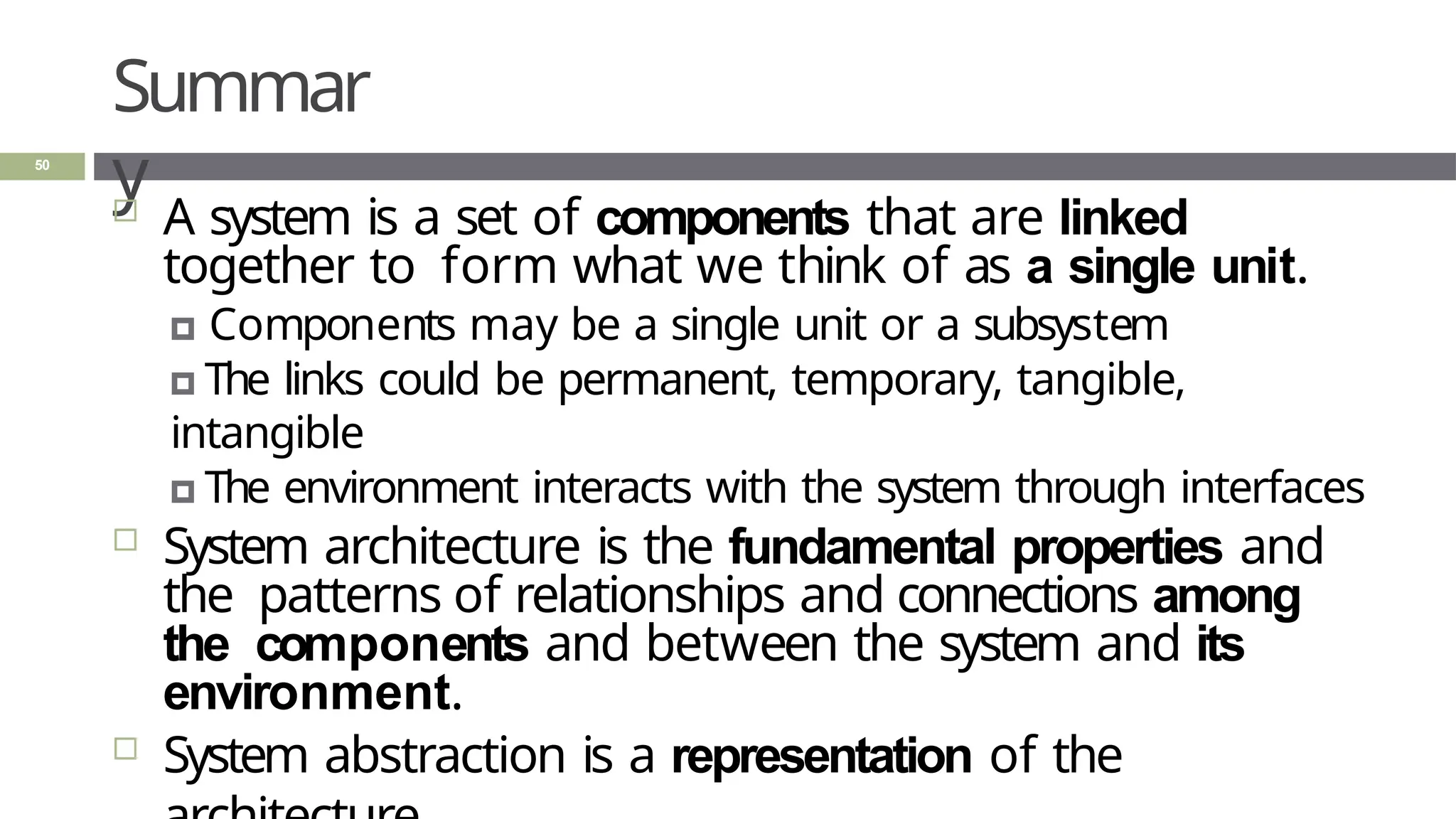
 A system is a set of components that are linked
together to form what we think of as a single unit.
🞑 Components may be a single unit or a subsystem
🞑 The links could be permanent, temporary, tangible,
intangible
🞑 The environment interacts with the system through interfaces
 System architecture is the fundamental properties and
the patterns of relationships and connections among
the components and between the system and its
environment.
 System abstraction is a representation of the
1. : Computers and Systems
2. System Concepts and
Architecture
3. : IT System Architecture
2.3: IT System Architecture
51
Learning
Objectives
52
 Explain the purpose IT system architectures
 List three types of distributed processing
systems
 Describe client-server, cloud, and peer-to-
peer computing
 Gives examples of client-server
architecture
 Compare the three types of cloud-
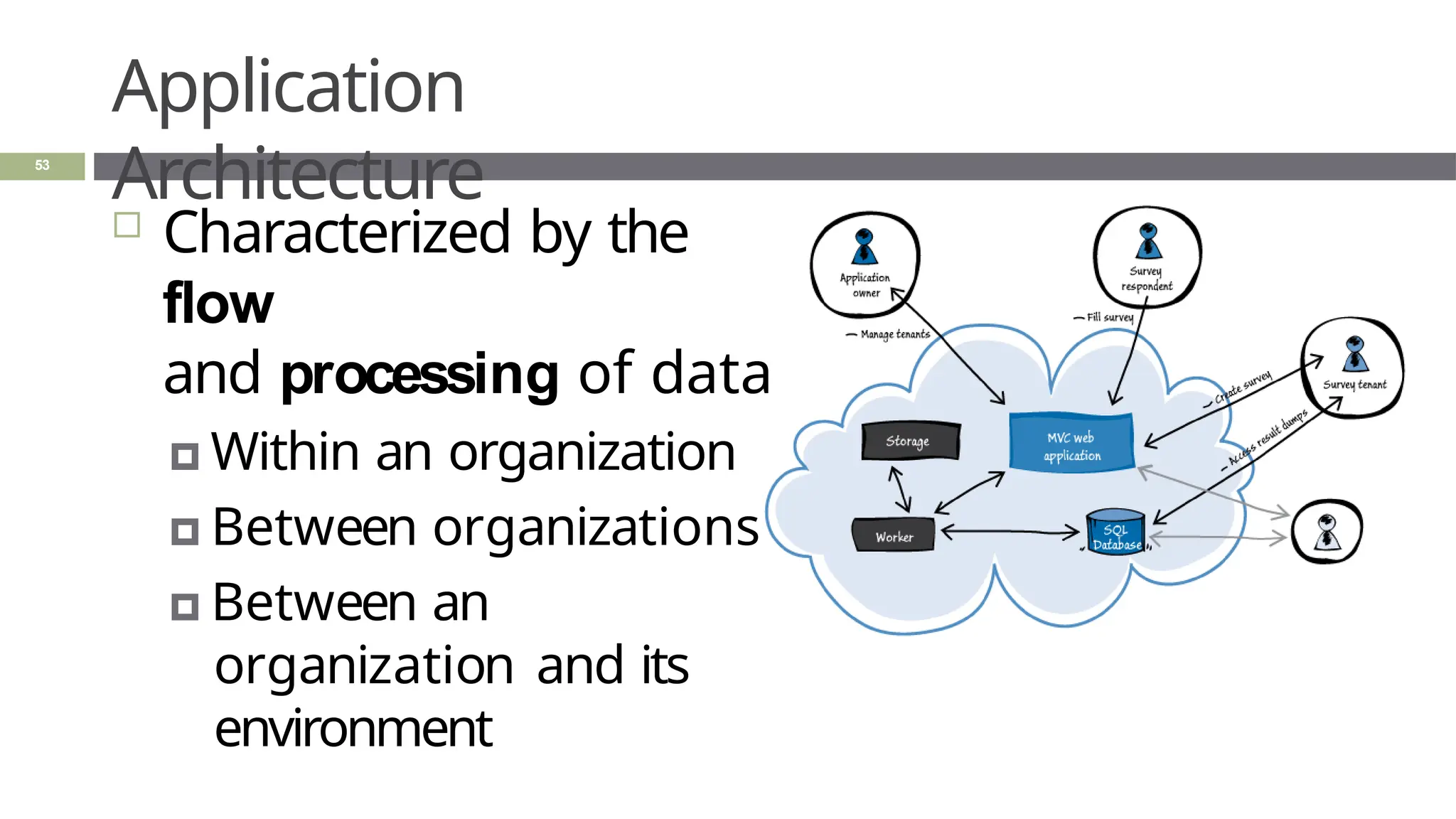
Application
Architecture
 Characterized by the
flow
and processing of data
🞑 Within an organization
🞑 Between organizations
🞑 Between an
organization and its
environment
53
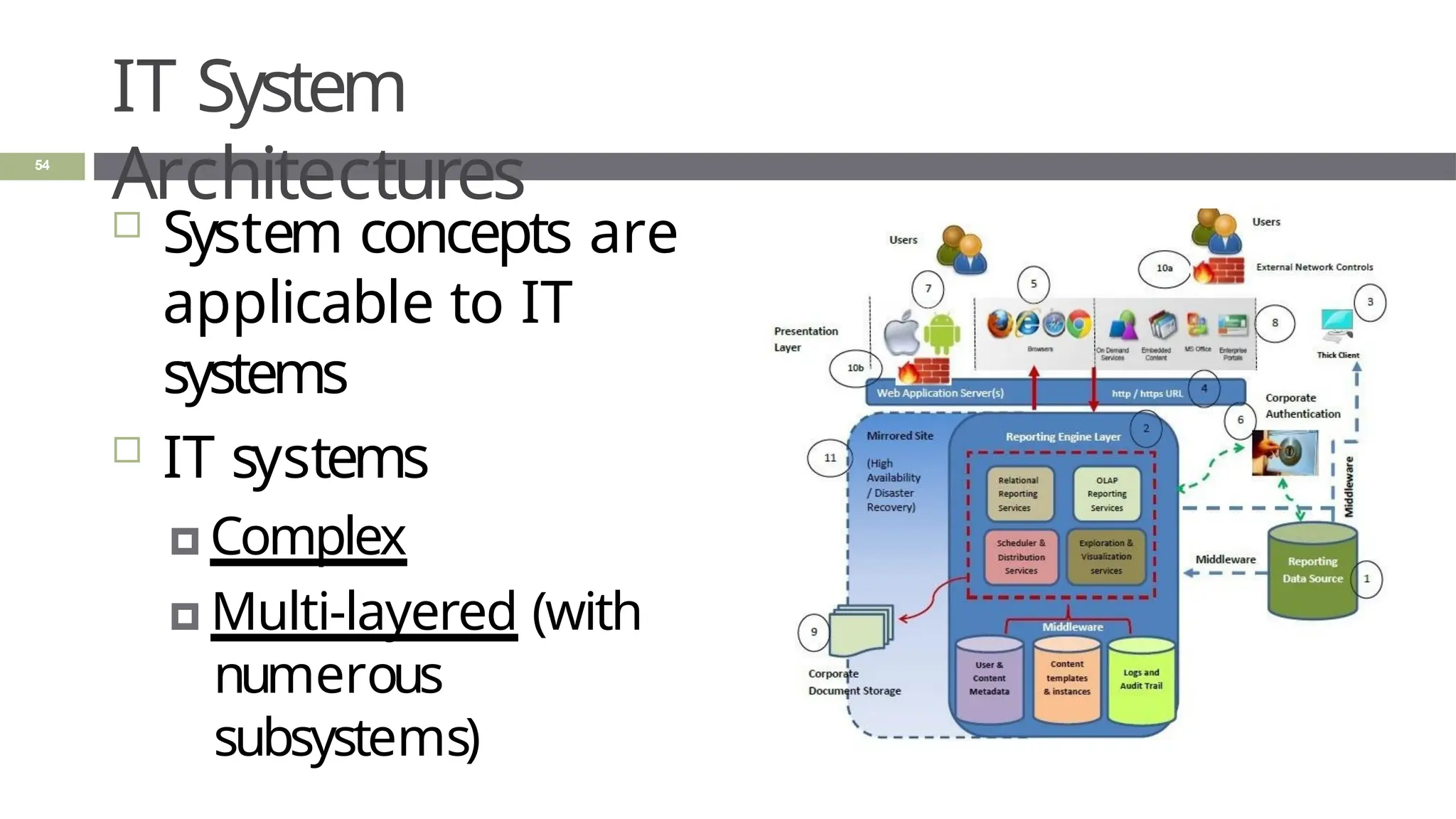
IT System
Architectures
 System concepts are
applicable to IT
systems
 IT systems
🞑 Complex
🞑 Multi-layered (with
numerous
subsystems)
54
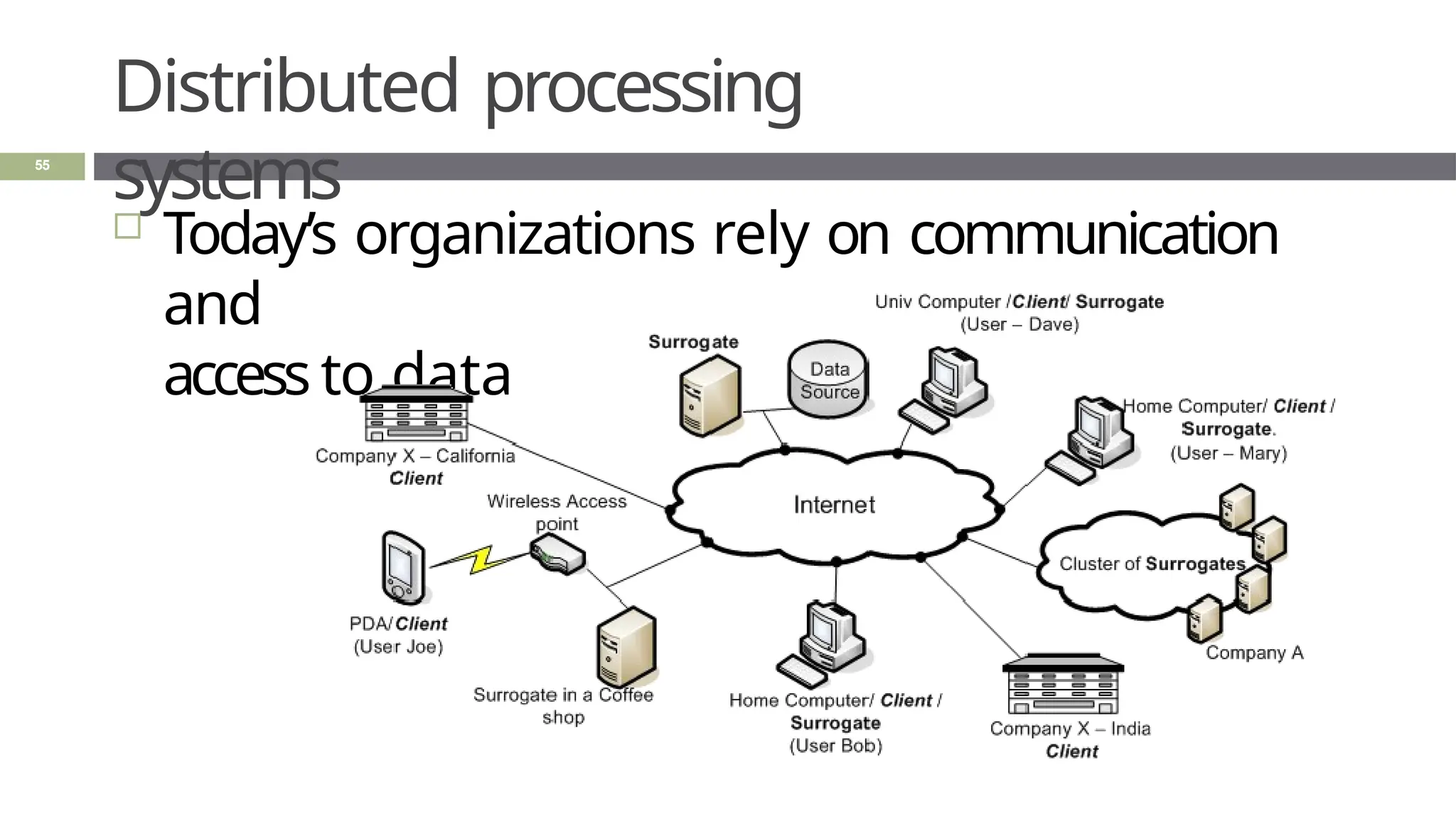
Distributed processing
systems
55
 Today’s organizations rely on communication
and
access to data
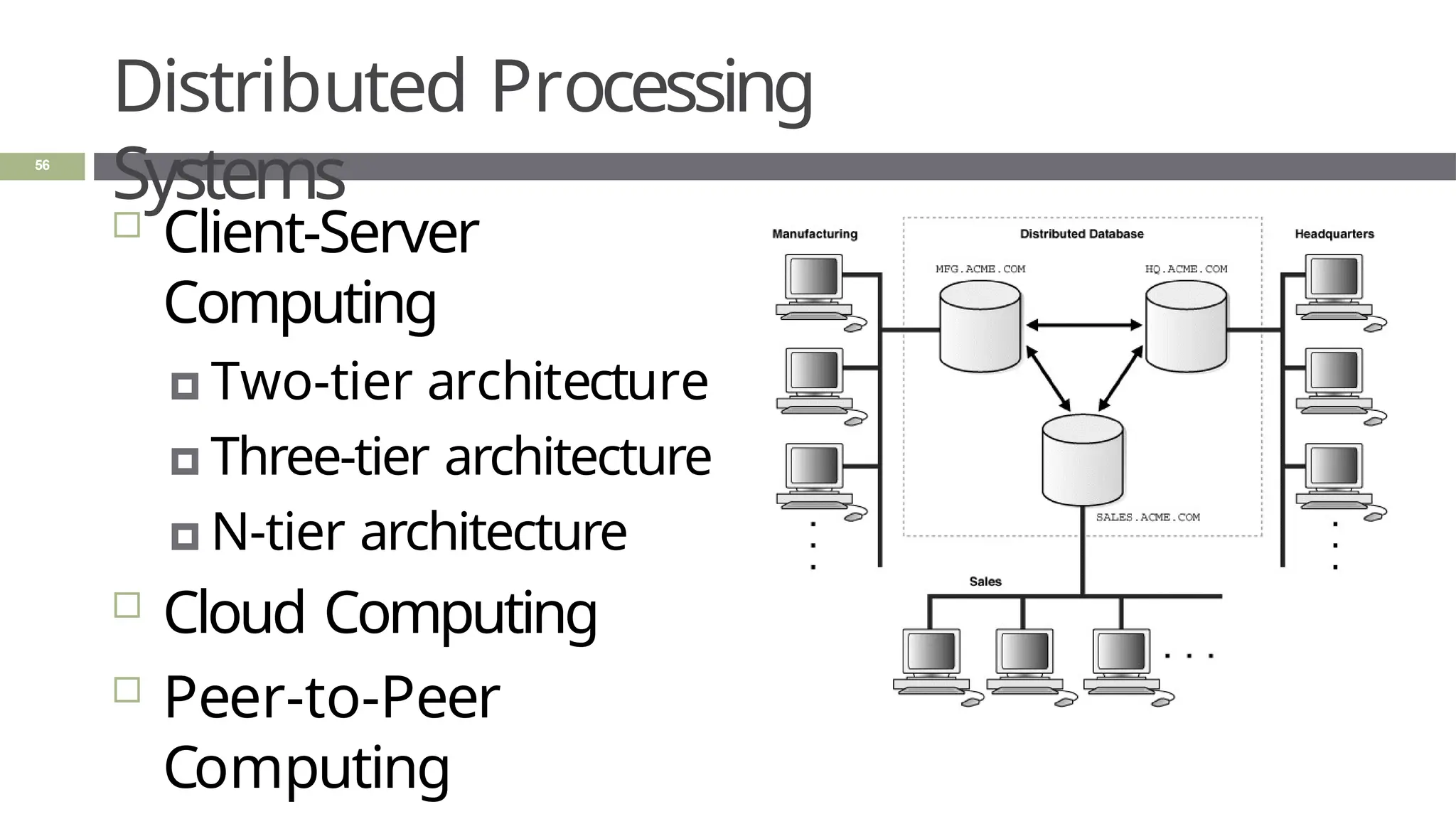
Distributed Processing
Systems
 Client-Server
Computing
🞑 Two-tier architecture
🞑 Three-tier architecture
🞑 N-tier architecture
 Cloud Computing
 Peer-to-Peer
Computing
56
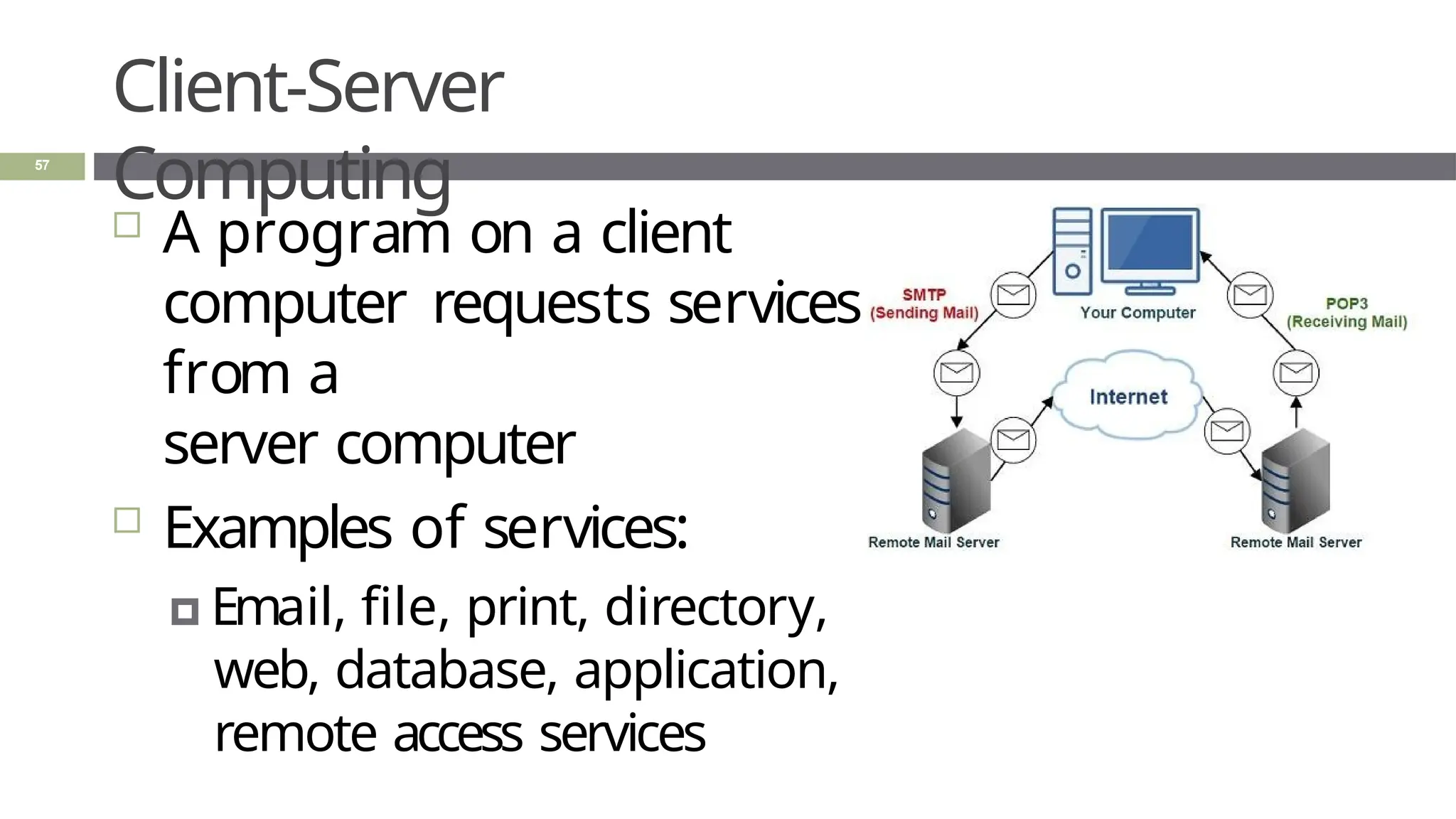
Client-Server
Computing
 A program on a client
computer requests services
from a
server computer
 Examples of services:
🞑 Email, file, print, directory,
web, database, application,
remote access services
57
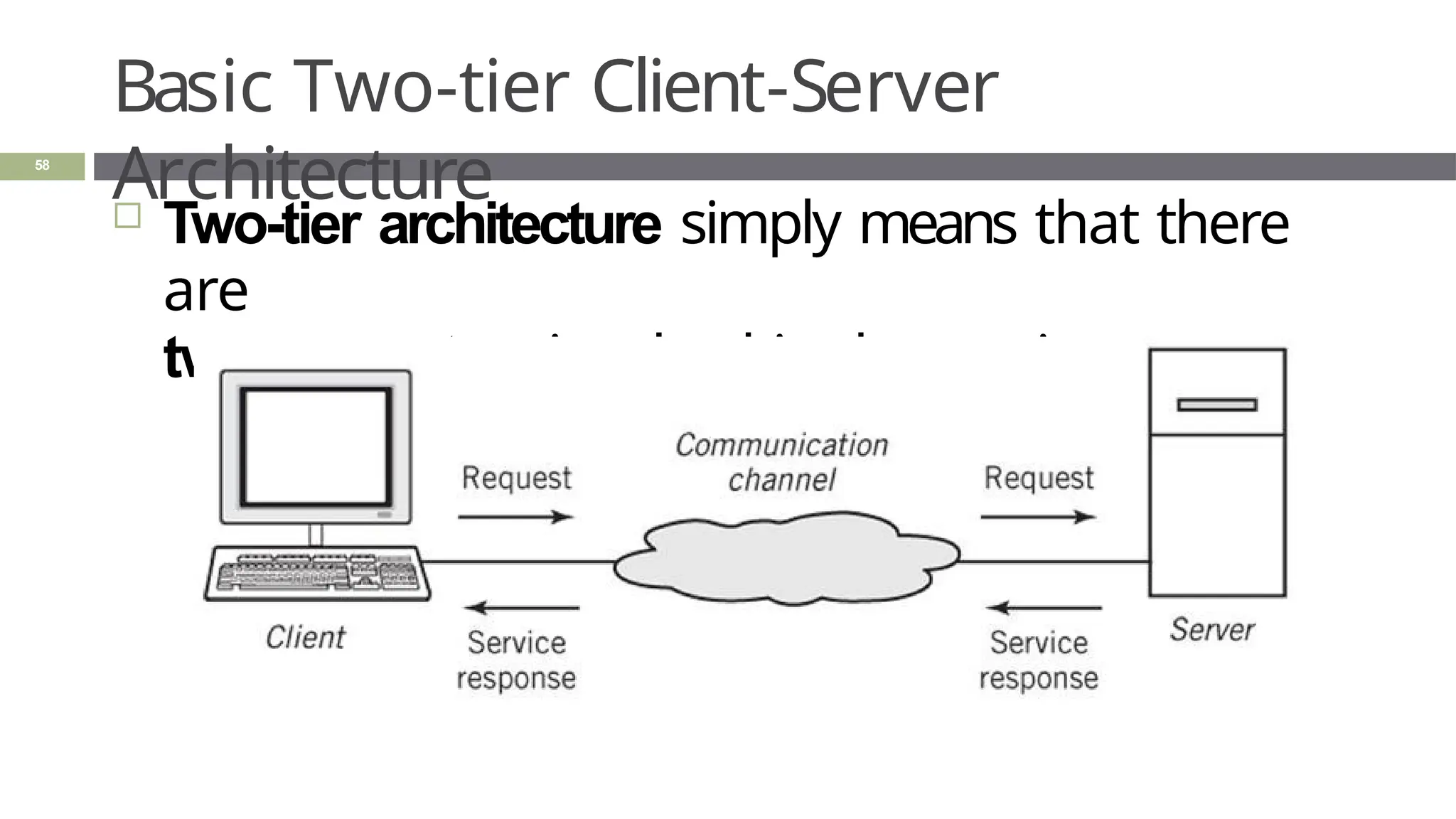
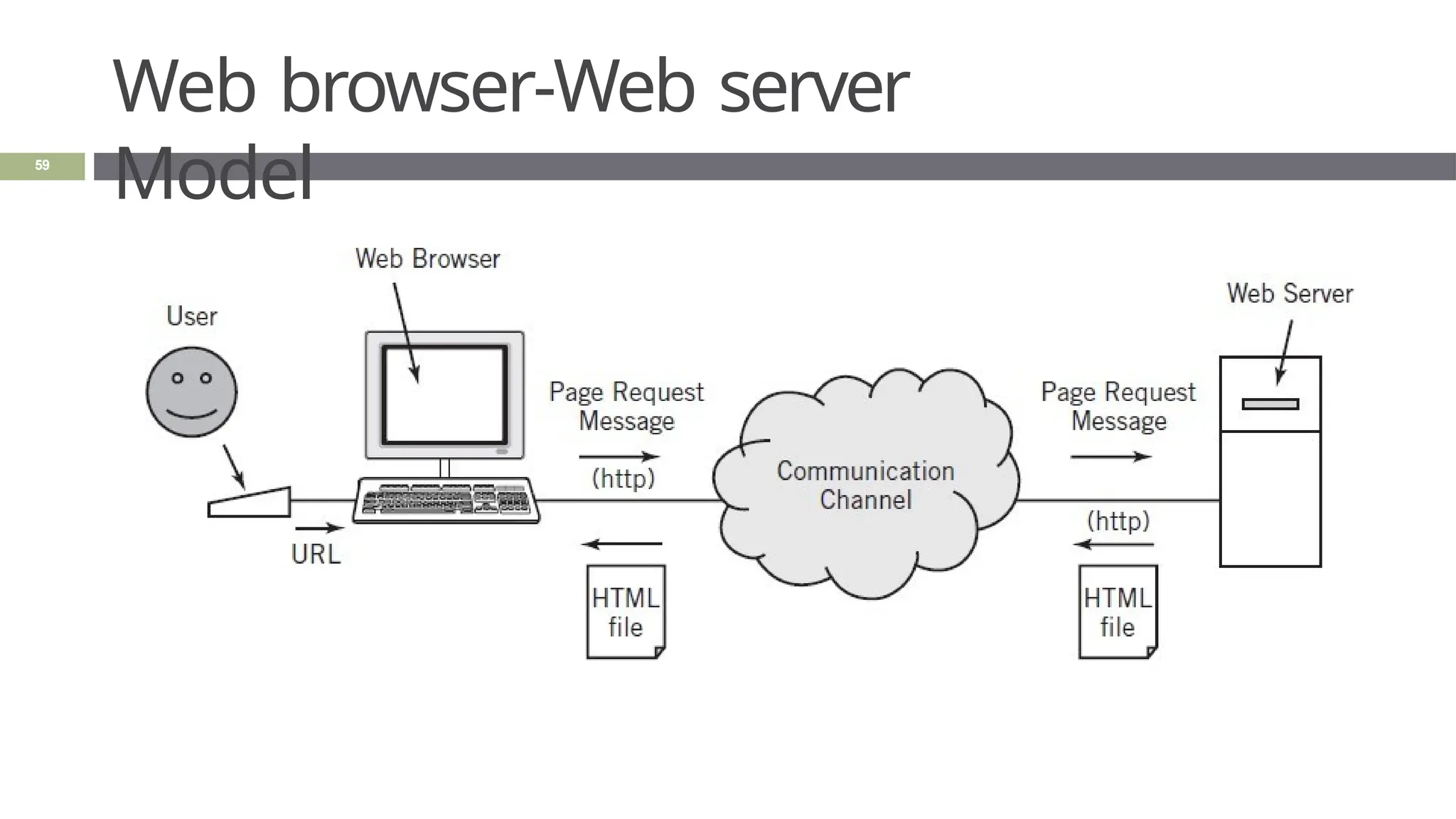
Basic Two-tier Client-Server
Architecture
58
 Two-tier architecture simply means that there
are
two computers involved in the service.
Web browser-Web server
Model
59
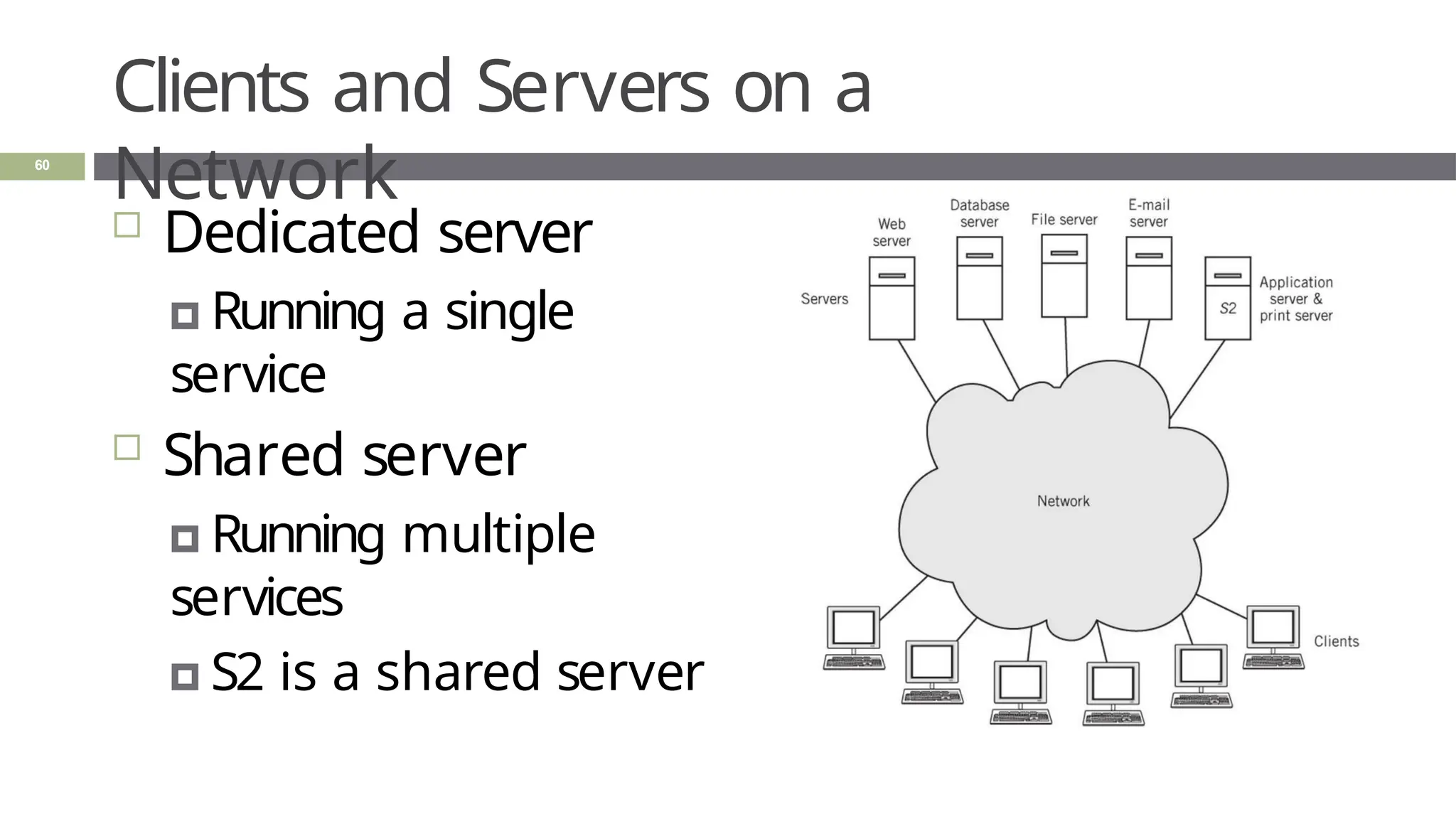
Clients and Servers on a
Network
60
 Dedicated server
🞑 Running a single
service
 Shared server
🞑 Running multiple
services
🞑 S2 is a shared server
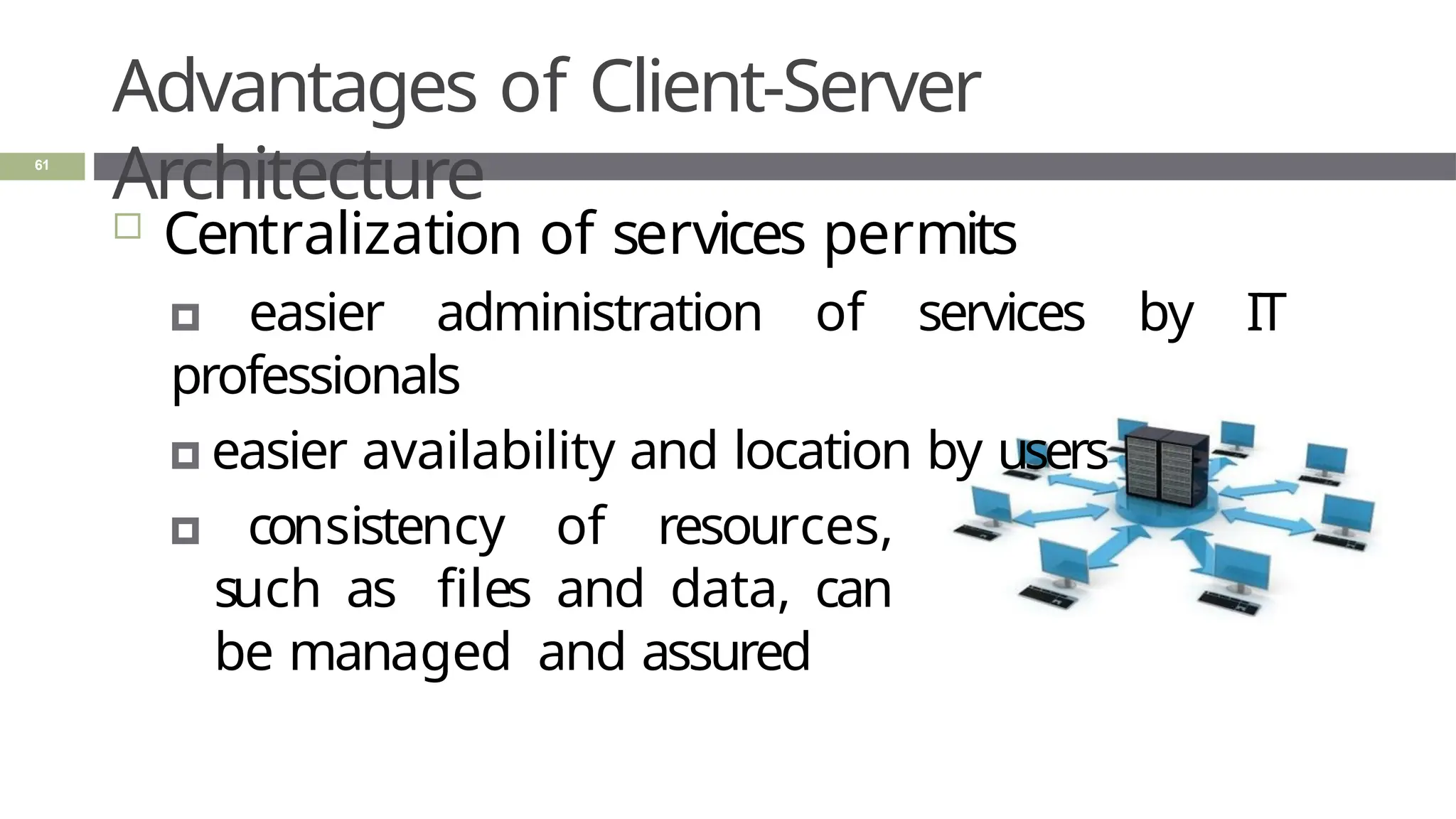
Advantages of Client-Server
Architecture
61
 Centralization of services permits
🞑 easier administration of services by IT
professionals
🞑 easier availability and location by users
🞑 consistency of resources,
such as files and data, can
be managed and assured
Multi-tier
Architectures
62
 Two-tier architecture
🞑 Two computers are involved in a service
 Three-tier architecture
🞑 Three computers are involved in a
service
 N-tier architecture
🞑 N number of computers involved in a
service
Multi-tier Architectures: Two-
tier
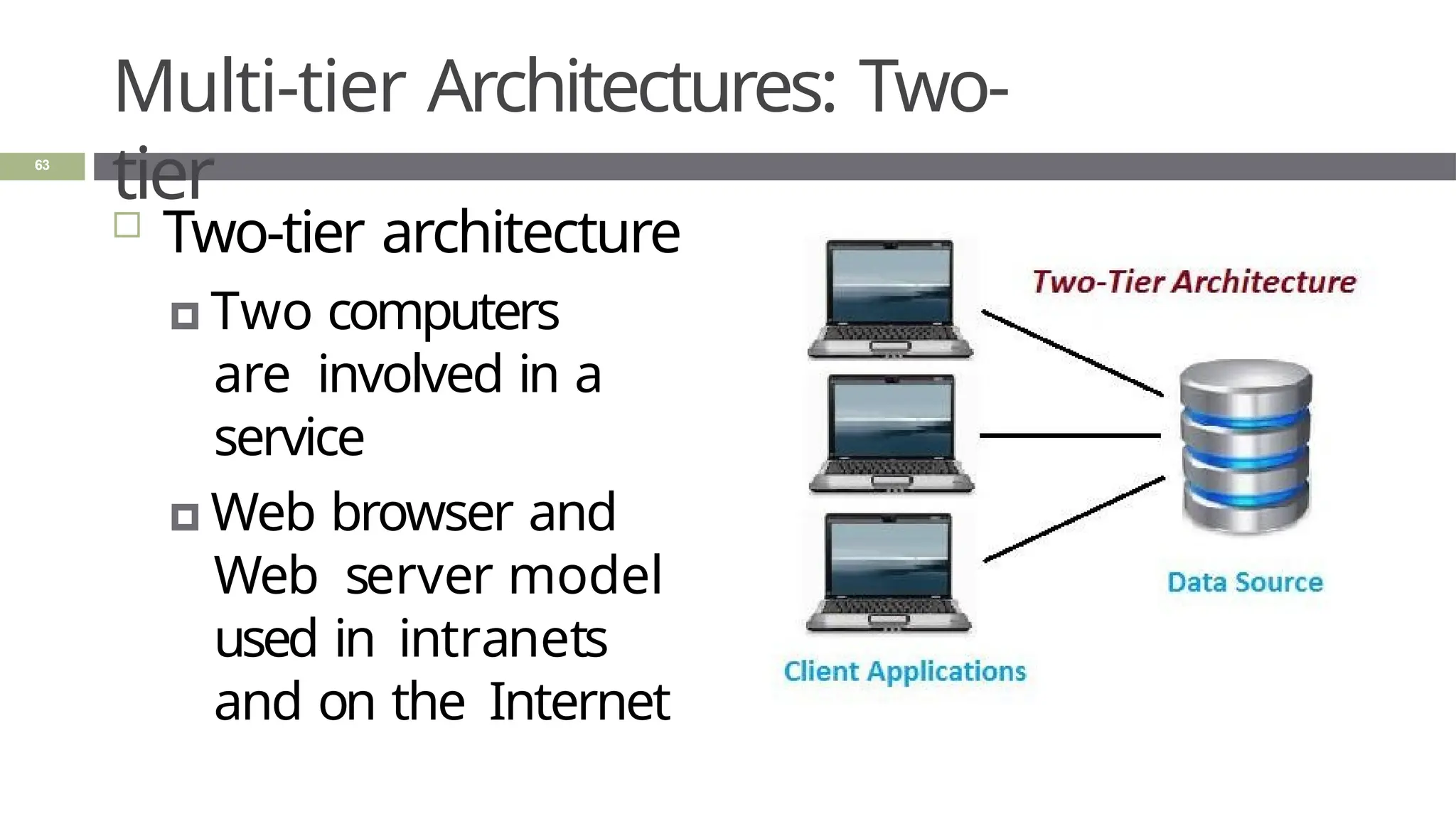
 Two-tier architecture
🞑 Two computers
are involved in a
service
🞑 Web browser and
Web server model
used in intranets
and on the Internet
63
Multi-tier Architectures: Three-
tier
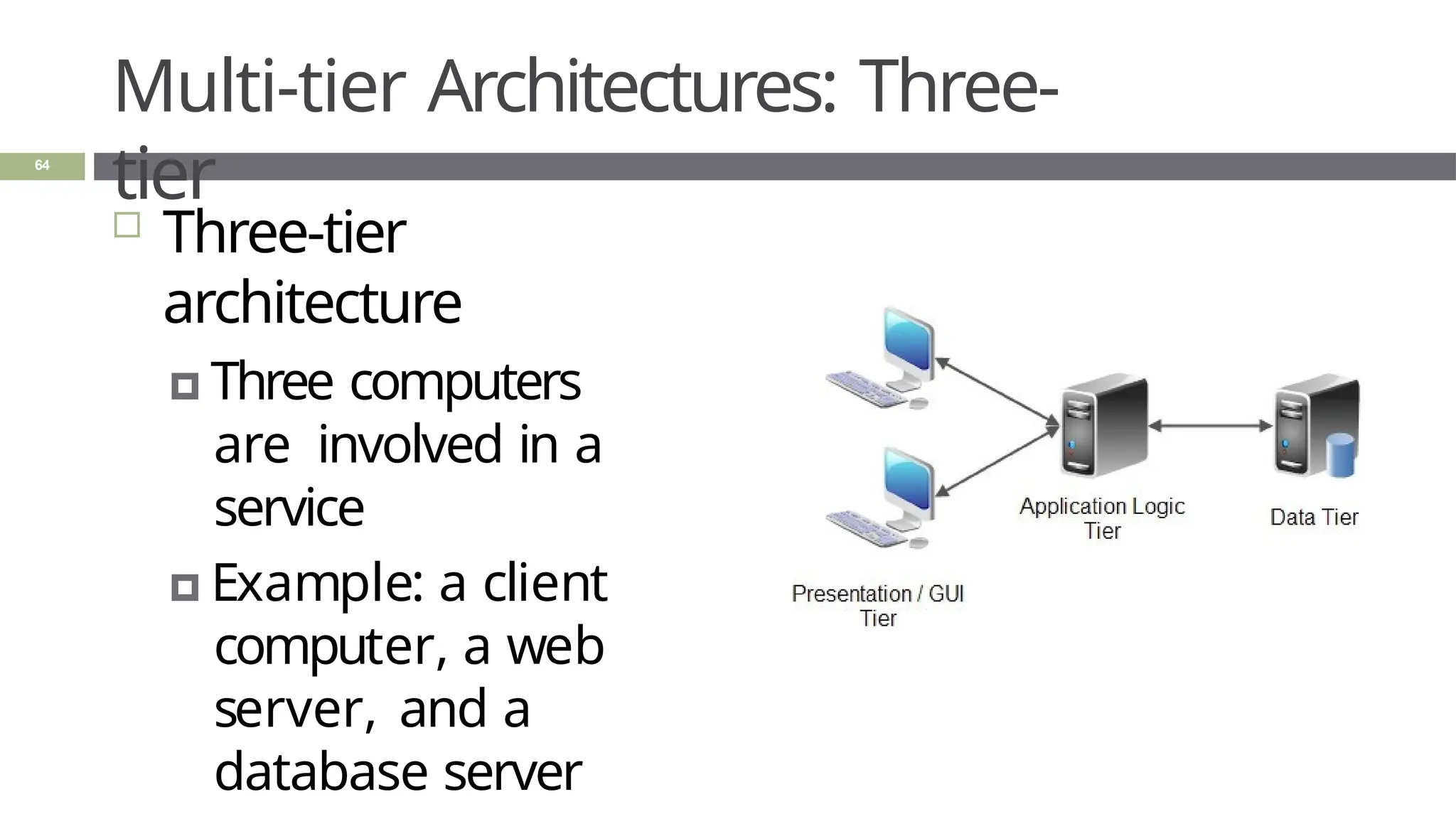
 Three-tier
architecture
🞑 Three computers
are involved in a
service
🞑 Example: a client
computer, a web
server, and a
database server
64
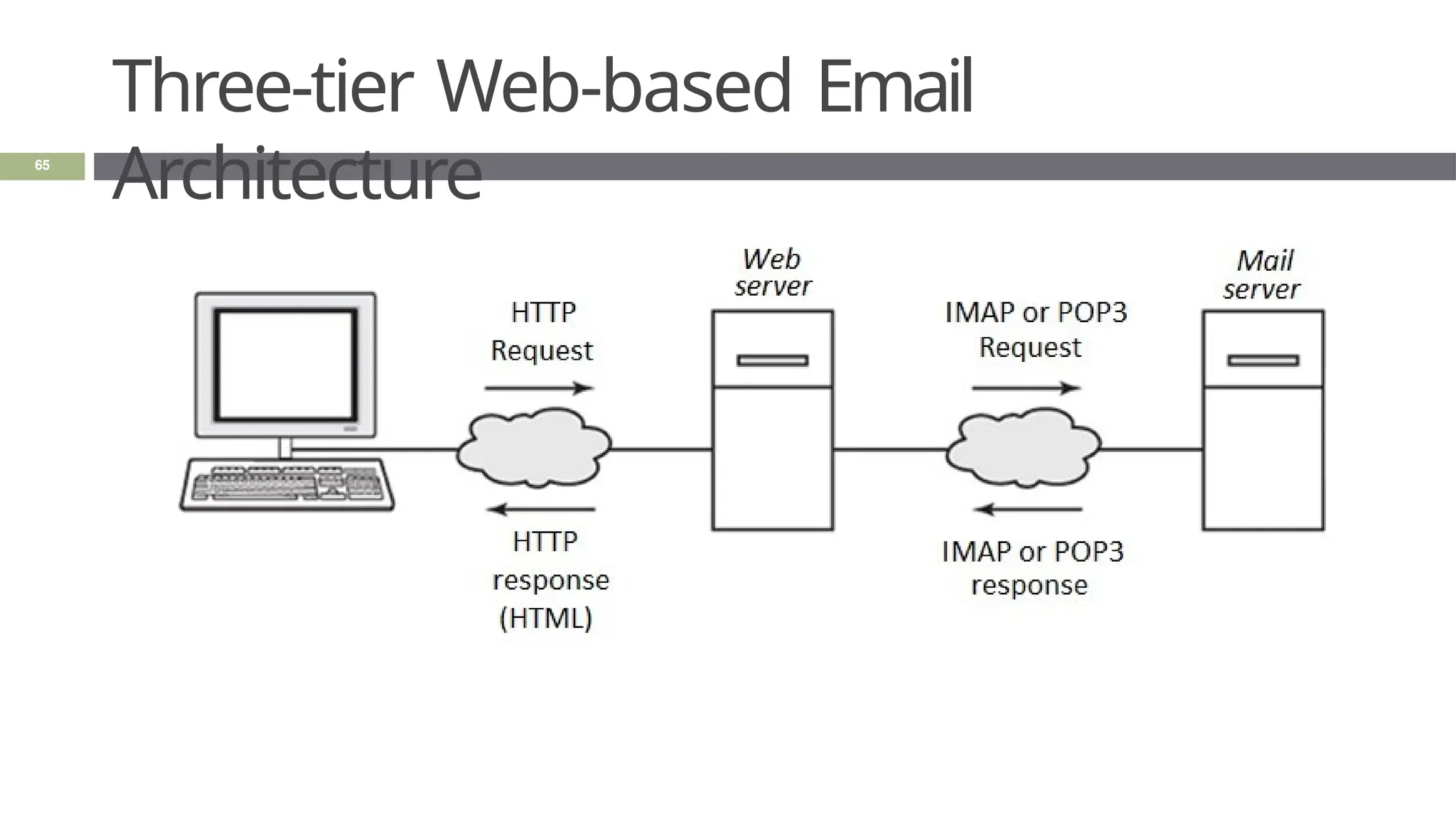
Three-tier Web-based Email
Architecture
65
Multi-tier Architectures: N-
tier
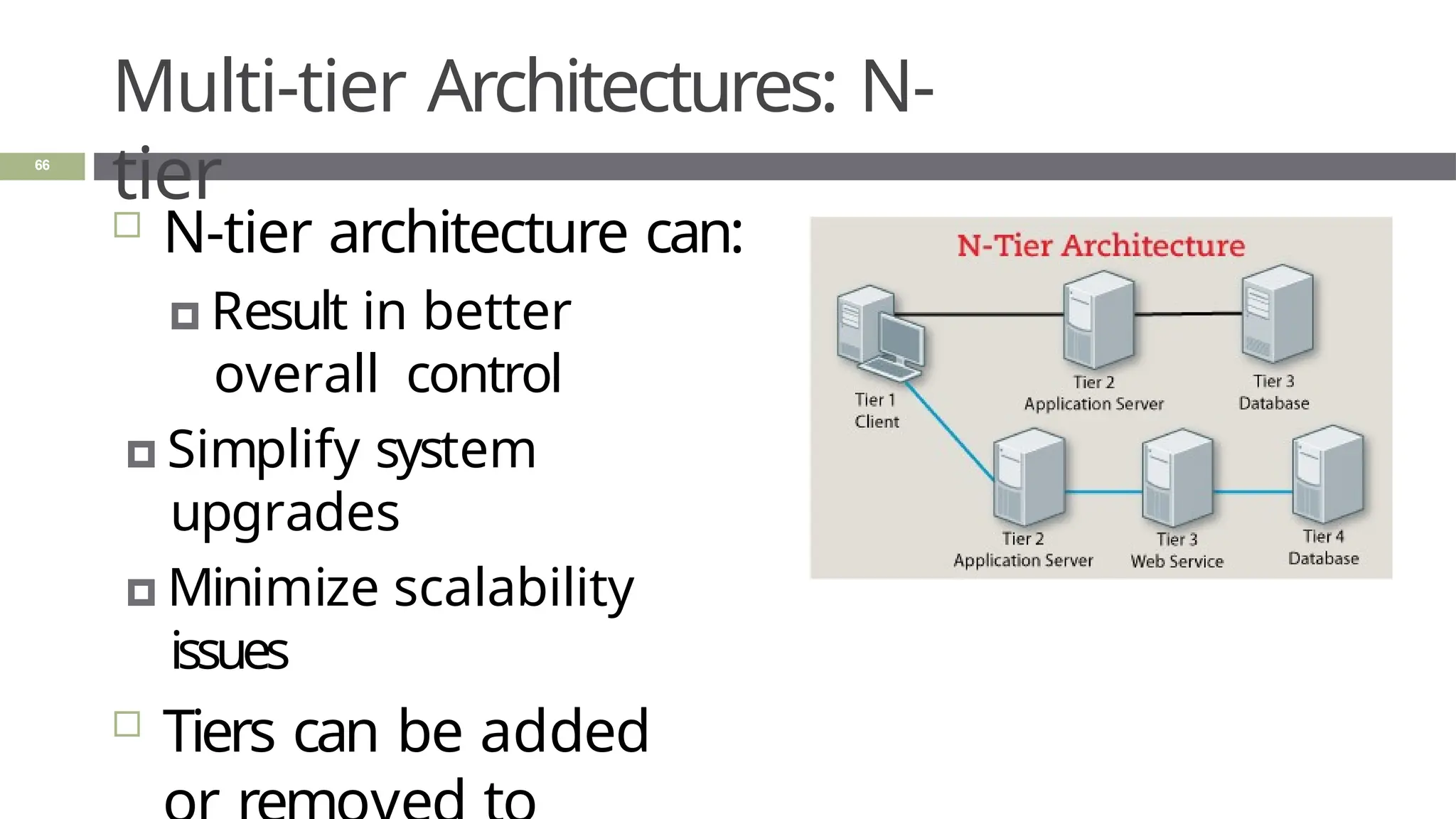
 N-tier architecture can:
🞑 Result in better
overall control
🞑 Simplify system
upgrades
🞑 Minimize scalability
issues
 Tiers can be added
66
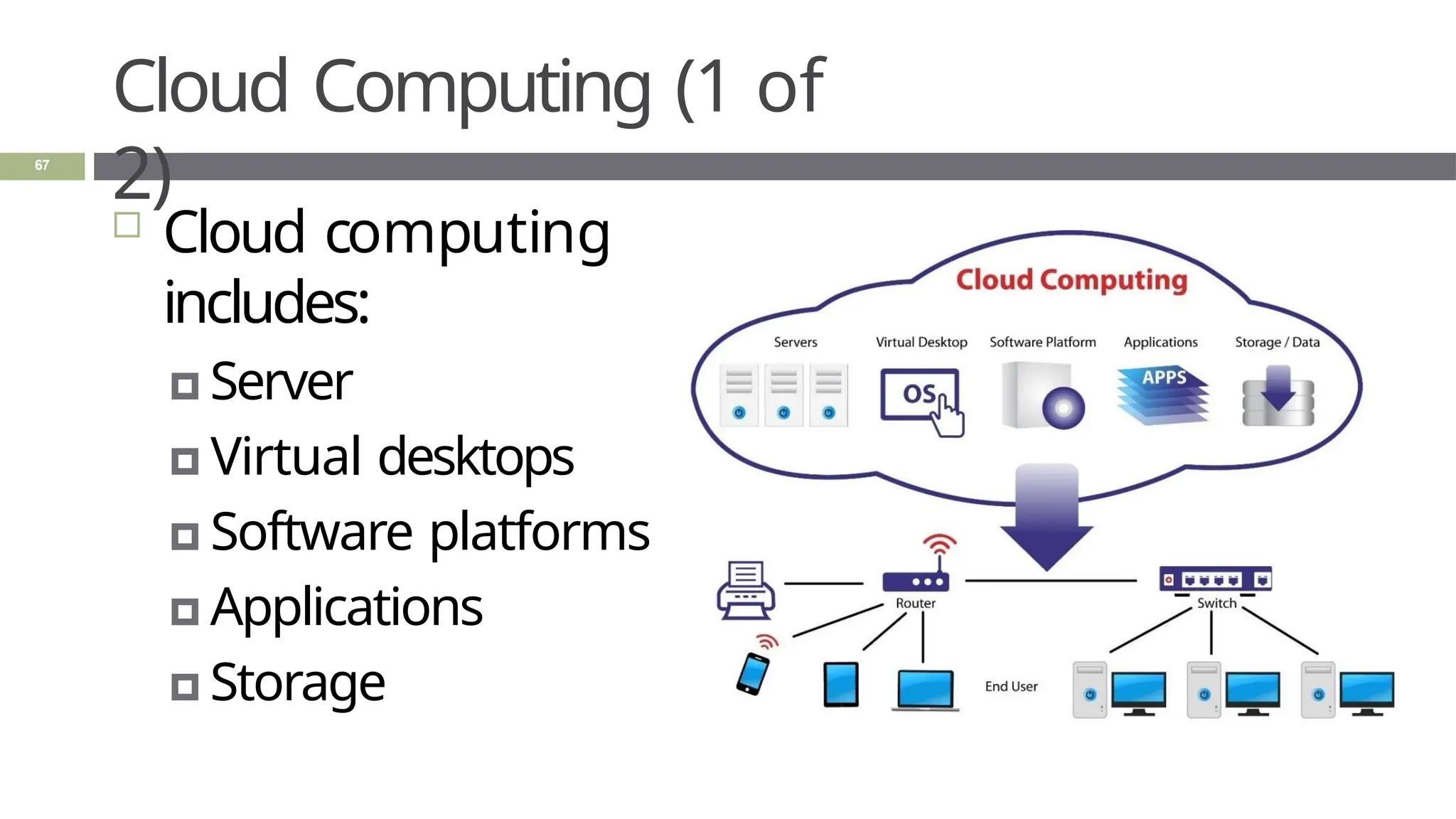
Cloud Computing (1 of
2)
 Cloud computing
includes:
🞑 Server
🞑 Virtual desktops
🞑 Software platforms
🞑 Applications
🞑 Storage
67
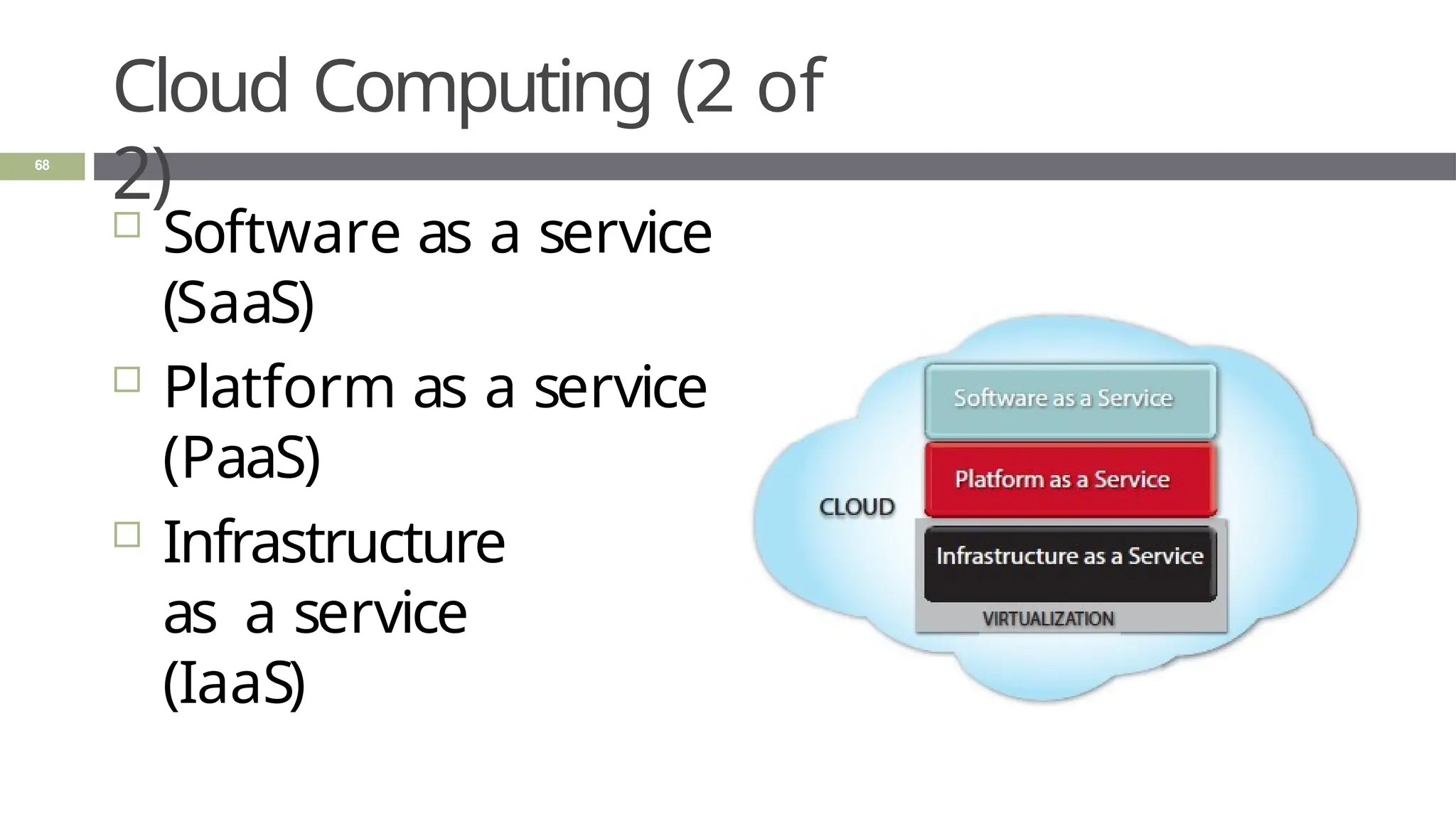
Cloud Computing (2 of
2)
 Software as a service
(SaaS)
 Platform as a service
(PaaS)
 Infrastructure
as a service
(IaaS)
68
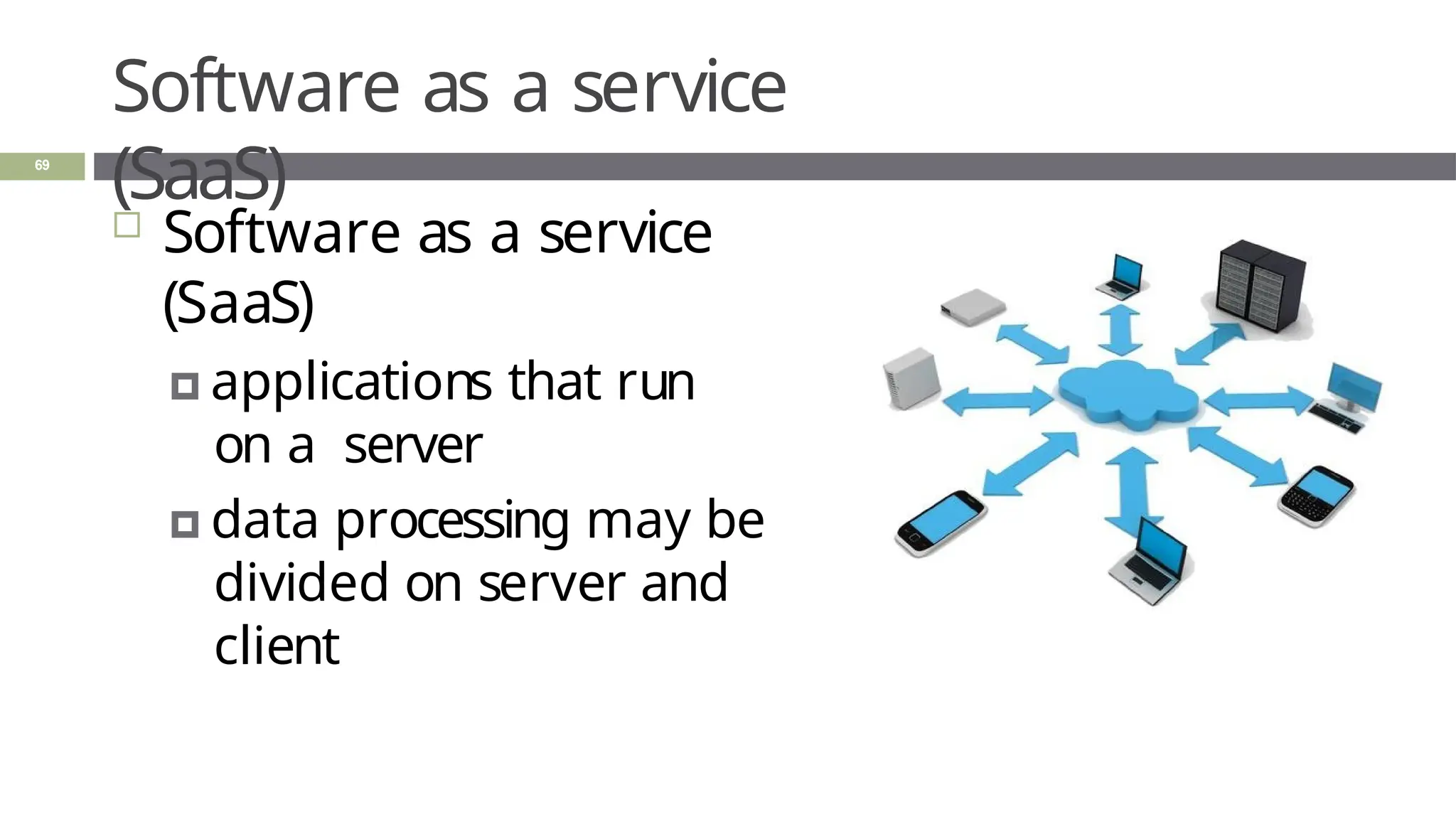
Software as a service
(SaaS)
 Software as a service
(SaaS)
🞑 applications that run
on a server
🞑 data processing may be
divided on server and
client
69
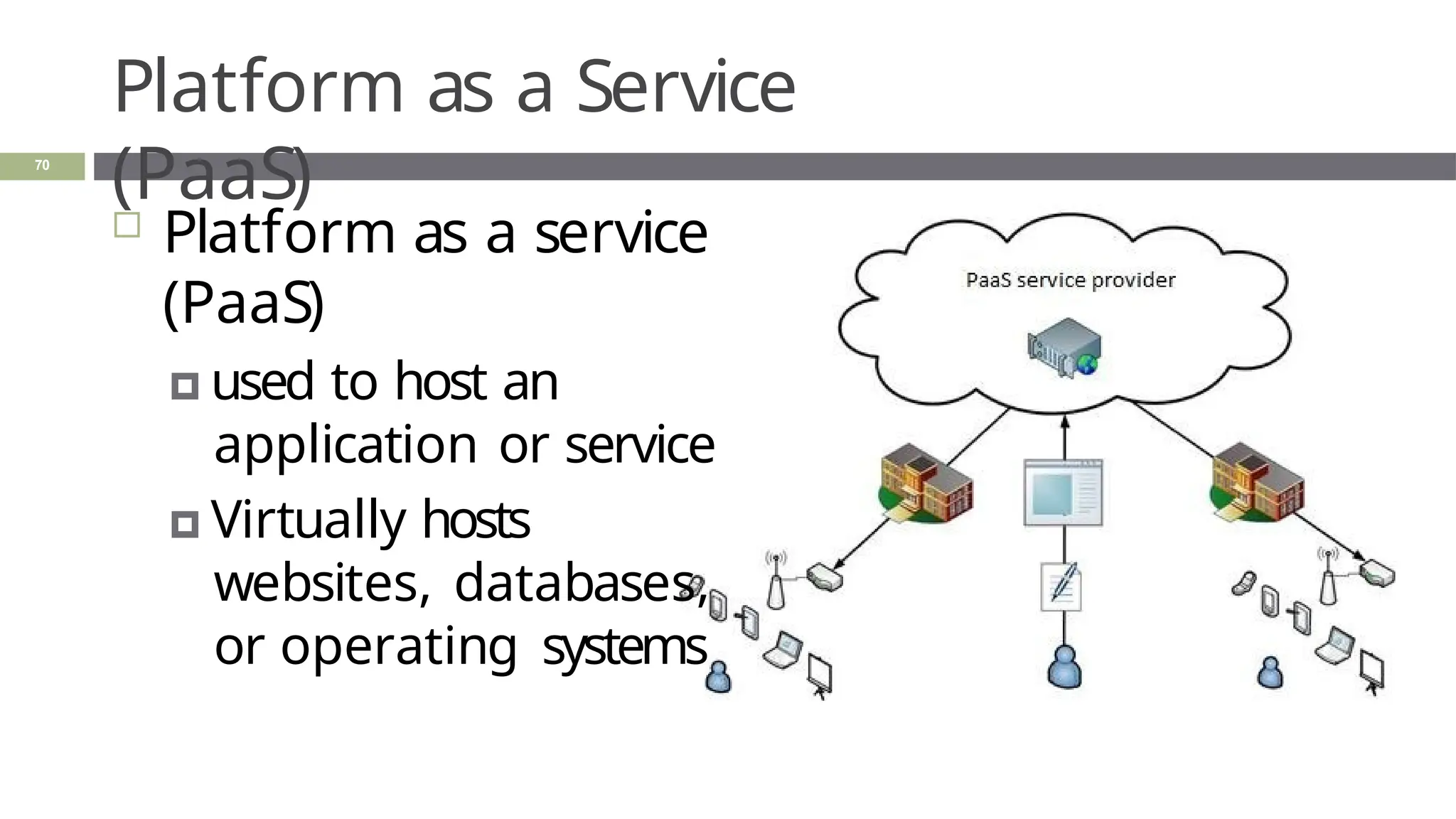
Platform as a Service
(PaaS)
 Platform as a service
(PaaS)
🞑 used to host an
application or service
🞑 Virtually hosts
websites, databases,
or operating systems
70
Infrastructure as a Service
(IaaS)
71
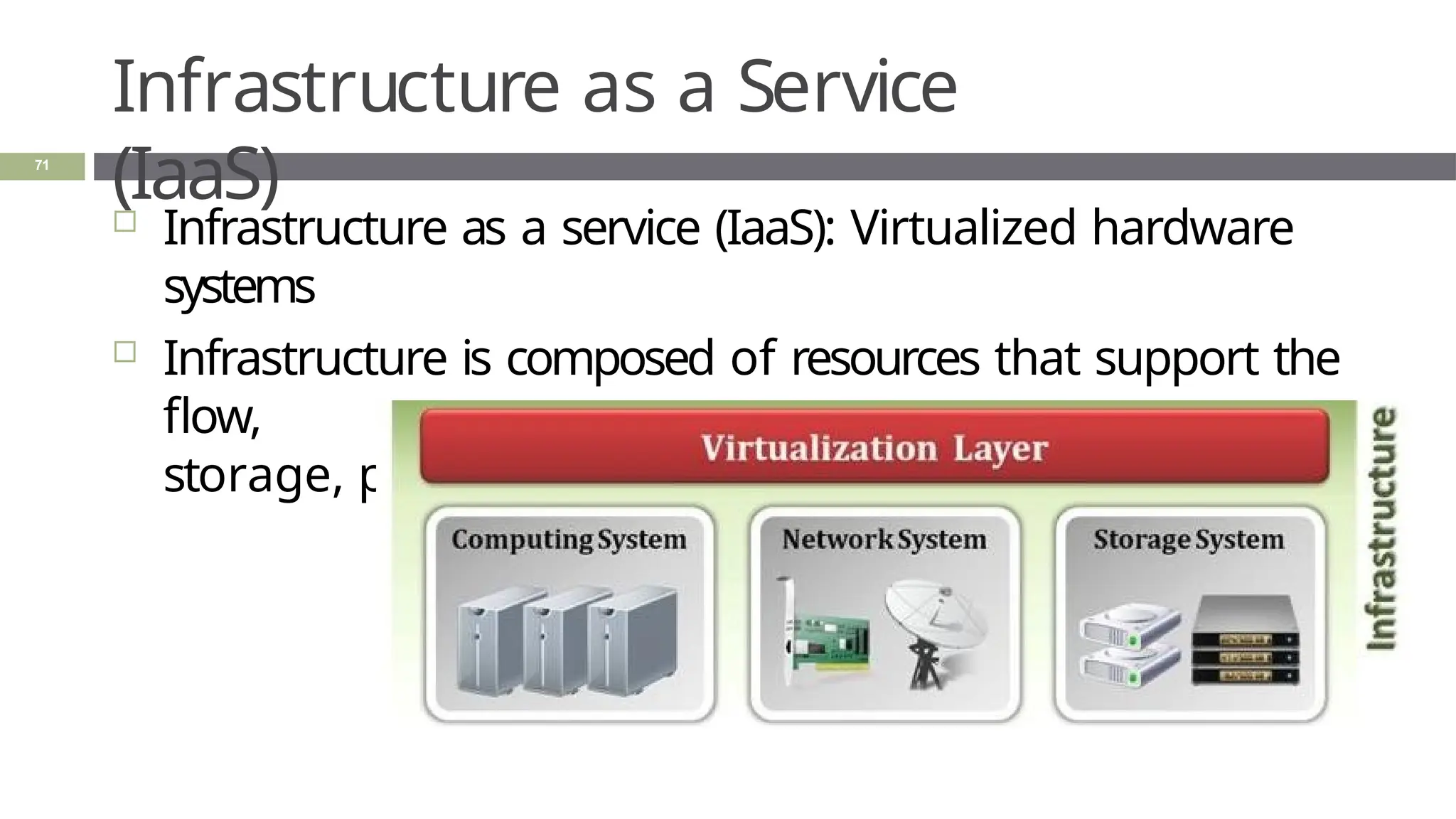
 Infrastructure as a service (IaaS): Virtualized hardware
systems
 Infrastructure is composed of resources that support the
flow,
storage, processing, and analysis of data.
Infrastructure as a Service
(IaaS)
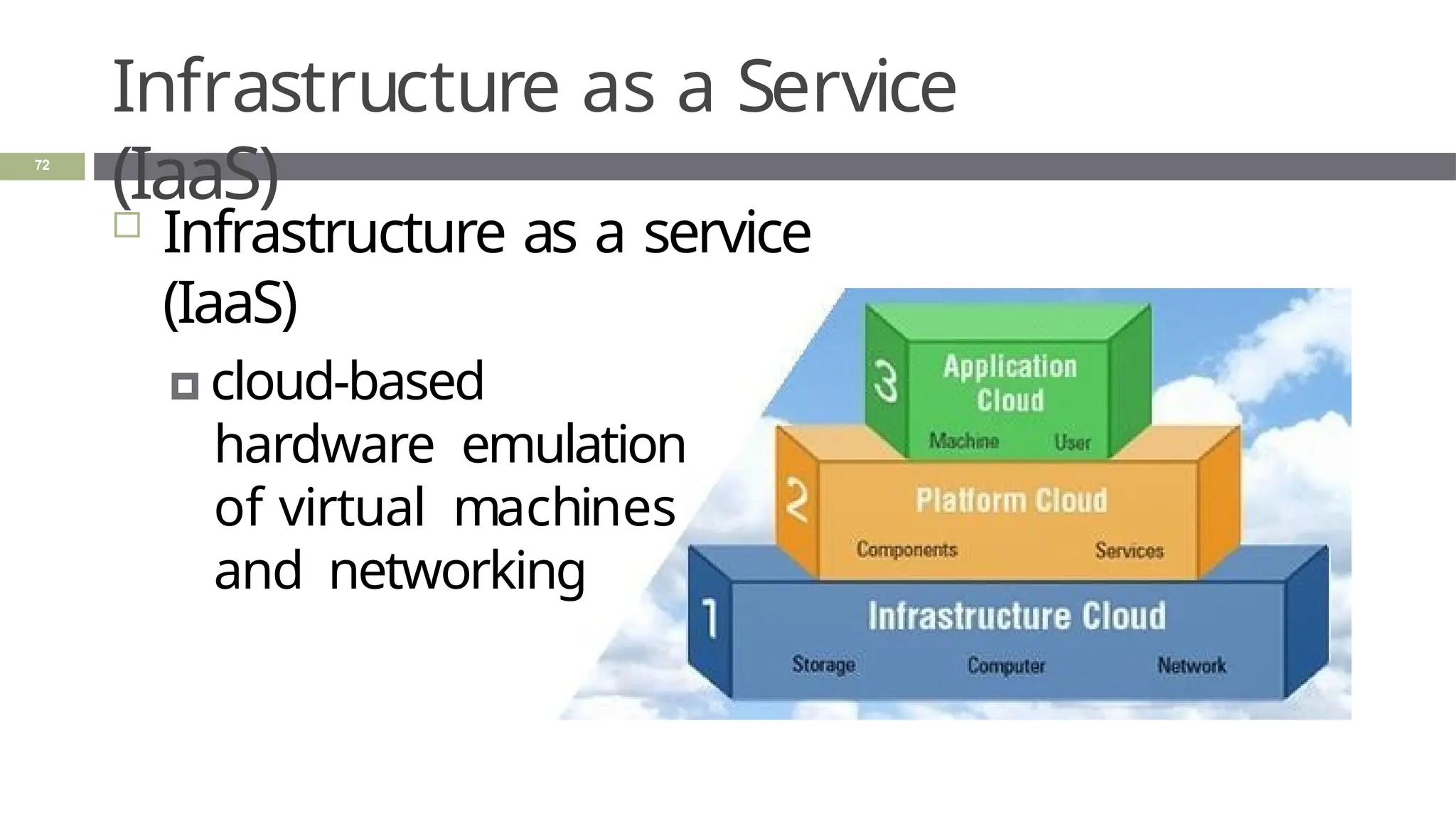
 Infrastructure as a service
(IaaS)
🞑 cloud-based
hardware emulation
of virtual machines
and networking
72
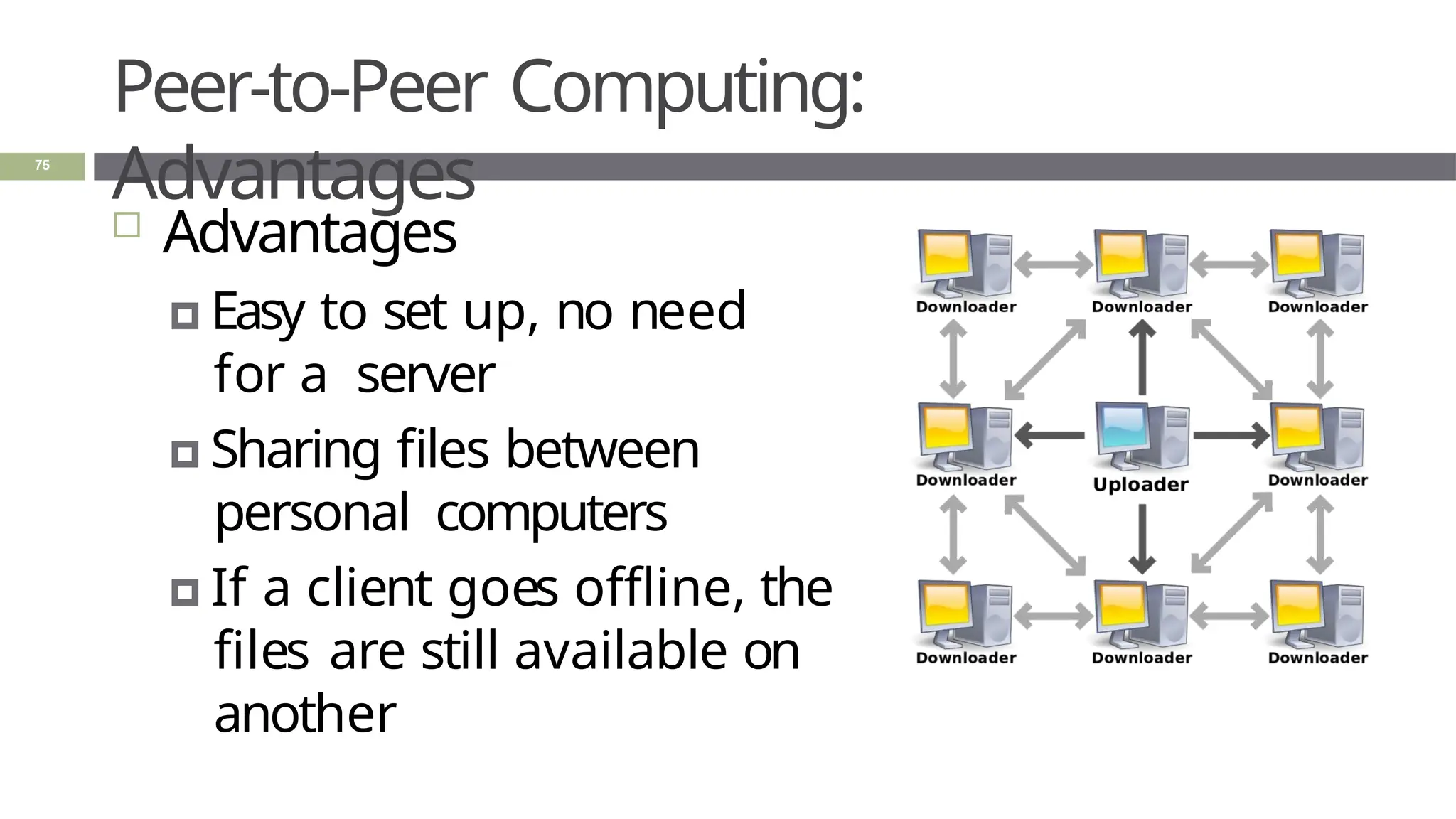
Peer-to-Peer
Computing
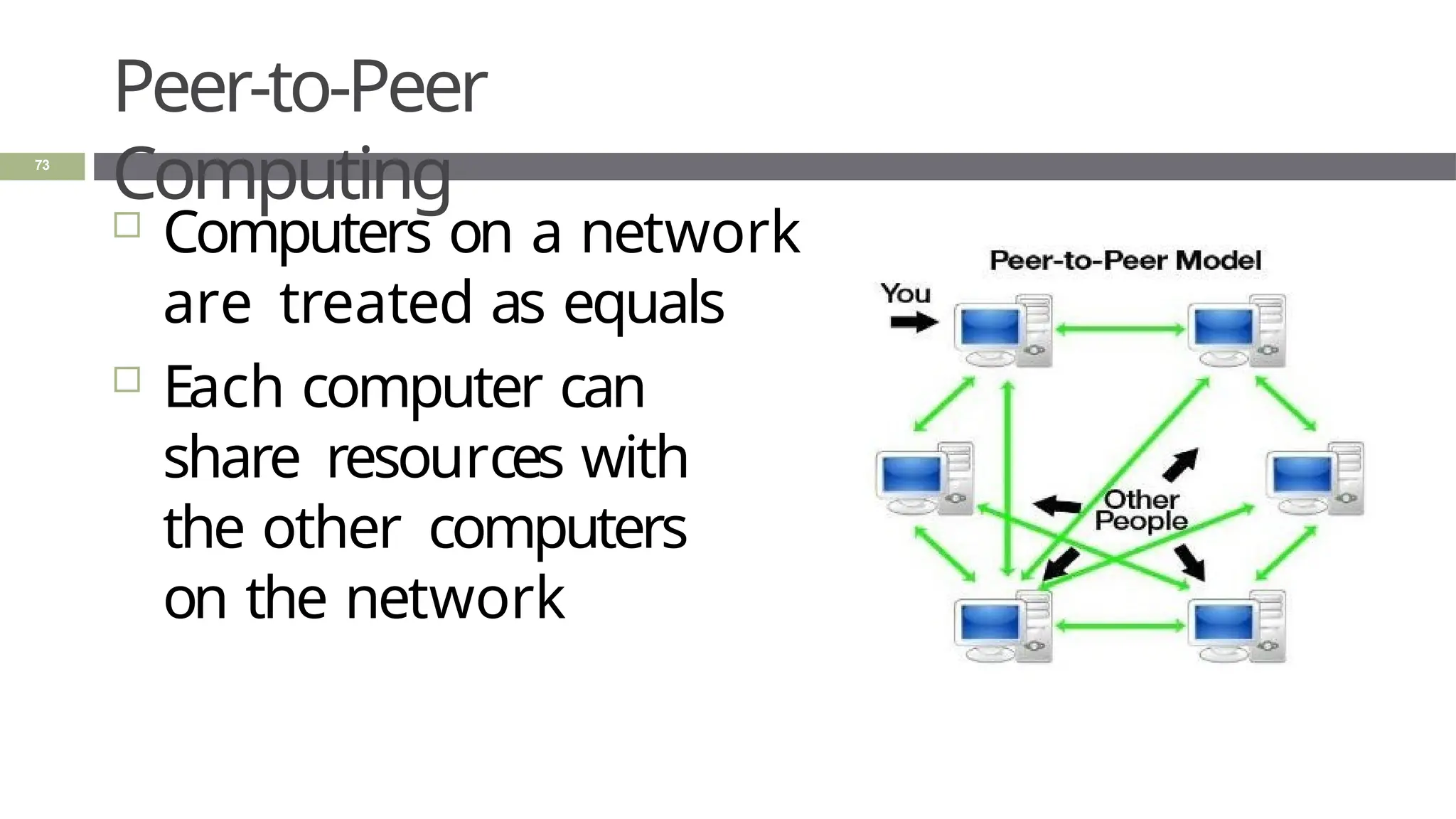
 Computers on a network
are treated as equals
 Each computer can
share resources with
the other computers
on the network
73
Peer-to-Peer Computing:
Disadvantages
74
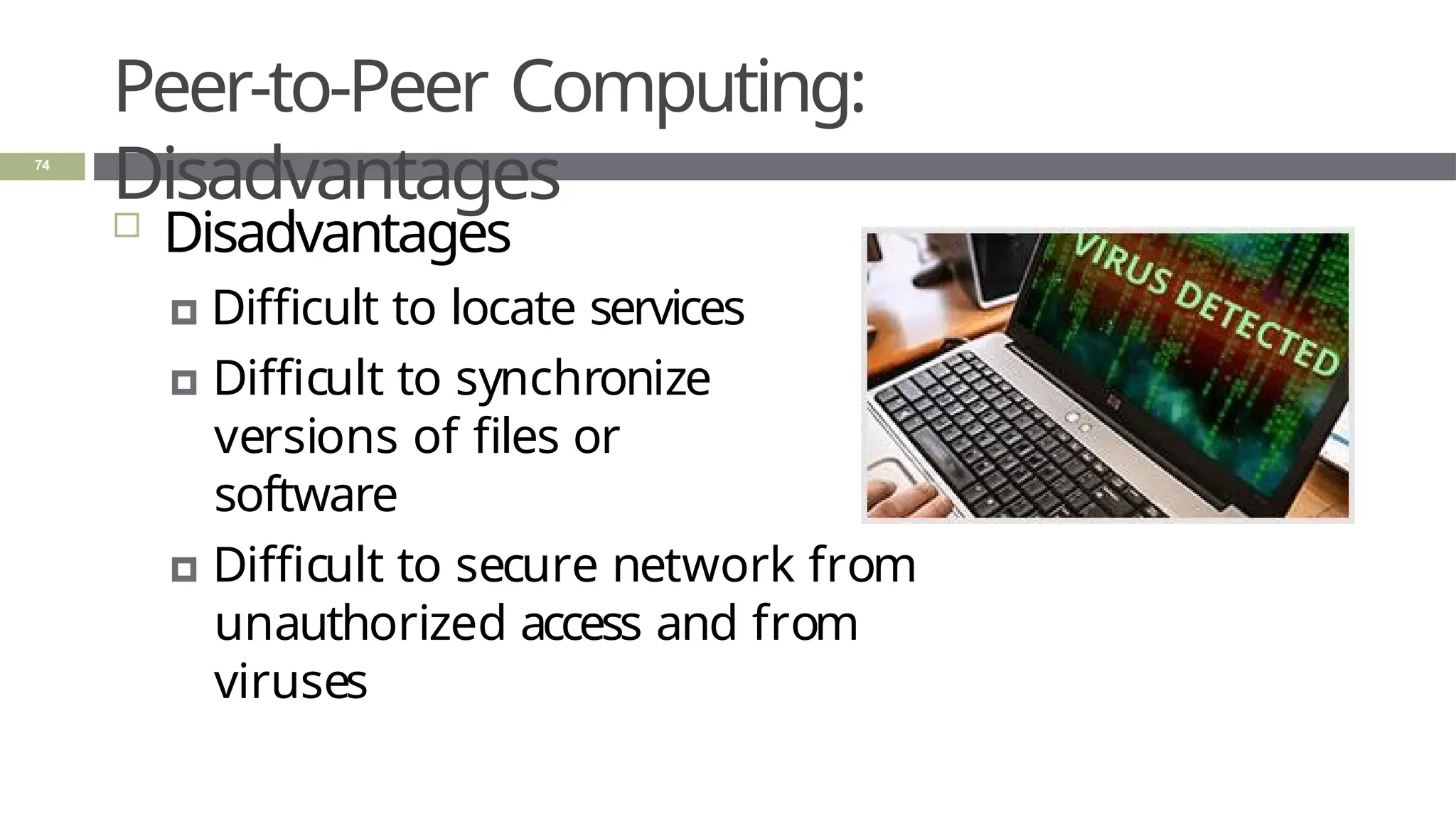
 Disadvantages
🞑 Difficult to locate services
🞑 Difficult to synchronize
versions of files or
software
🞑 Difficult to secure network from
unauthorized access and from
viruses
Peer-to-Peer Computing:
Advantages
 Advantages
🞑 Easy to set up, no need
for a server
🞑 Sharing files between
personal computers
🞑 If a client goes offline, the
files are still available on
another
75
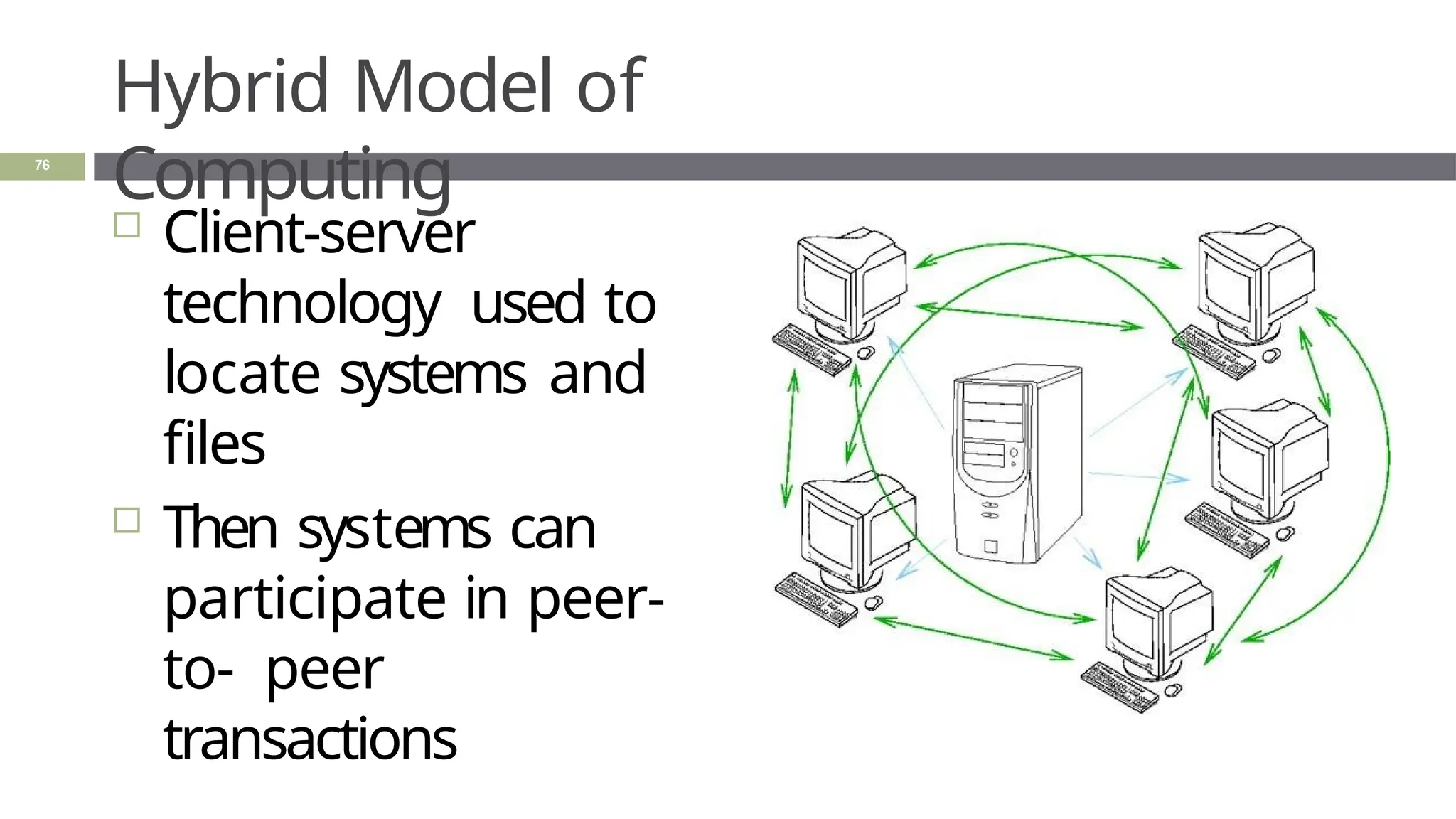
Hybrid Model of
Computing
 Client-server
technology used to
locate systems and
files
 Then systems can
participate in peer-
to- peer
transactions
76
Summar
y
77
 Application architecture is characterized by the
flow
and processing of data
 Distributed processing systems are examples
of application architecture. DPS Computing
models:
🞑 Client-server: a client requesting information
from a server
🞑 Cloud: using virtualized servers and systems on
the internet
Attribution
Notice
78
This presentation was assembled using
information found online and referenced
materials. Attribution is provided of borrowed
materials if the author is clearly identified.
Unreferenced materials are common knowledge
or commonly found online without knowing the
original author
.

2._Introduction _to_systems.pptx

  • 1.
    2. INTRODUCTION TOCOMPUTER SYSTEMS; COMPUTER SYSTEMS ARCHITECTURE D. Serikbayev East Kazakhstan Technical University ICT 2020/2021 1
  • 2.
    Copyright Notice  This presentationis presented as is. Most of the information is from: 🞑 The Architecture of Computer Hardware, Systems Software & Networking: An Information Technology Approach  5th Edition, Irv Englander; John Wiley and Sons ©2013  Other information was collected from various websites or sources across the web. 🞑 This presentation uses Creative Commons Attribution 4.0 International (CC BY 4.0). © 2021 2
  • 3.
    1. : Computersand Systems 2.: System Concepts and Architecture 2.3: IT System Architecture 2.1: Computers and Systems 3
  • 4.
    Learning Objectives 4  Understand theInput-Process-Output Model (IPO)  List the components of a computer system  Explain the purpose of each component  Describe virtualization  Explain the purpose of standards
  • 5.
    Modern Computing 5  Personal computingis ubiquitous 🞑 It is everywhere and anywhere 🞑 No longer limited to a traditional ‘computer’ 🞑 Greater variety of computing platforms exist now  Computing is widespread 🞑 Embedded in many other types of devices such as appliances and automobiles 🞑 Users no longer have to understand the details of how they work to operate the device
  • 6.
    Why Study ComputerSystem Architecture? 6  Understand system capabilities, strengths, and limitations  Make better informed decisions  Improve communications with information technology professionals
  • 7.
  • 8.
  • 9.
    Input-Process-Output Model (IPO) Input 🞑 keyboard, mouse, scanner  Process 🞑 CPU executes the computer program  Output 🞑 monitor, printer, fax machine  Storage 🞑 hard drive, optical media, 9
  • 10.
    Computer System Components  Hardware Software  Data  Communicatio n 10
  • 11.
    Computer System Components 11  Hardware 🞑Processes data by executing instructions 🞑 Provides input and output 🞑 Controls input, output, and storage components  Software 🞑 Applications and system software 🞑 Instructions tell hardware exactly what tasks to perform and in what order
  • 12.
    Computer System Components 12  Data 🞑Fundamental representation of facts and observations  Communications 🞑 Sharing data and processing among different systems
  • 13.
    Hardware Component  Input/output devices Storage Devices  CPU – Central Processing Unit 🞑 ALU: arithmetic/log ic unit  Memory 🞑 Short-term storage for CPU calculations 13
  • 14.
  • 15.
    CPU: Central Processing Unit 15 ALU: arithmetic/logic unit 🞑 Performs arithmetic and Boolean logical calculations  CU: control unit 🞑 Controls processing of instructions 🞑 Controls movement of data within the CPU  Interface unit 🞑 Moves instructions and data between the CPU and other hardware components 🞑 Bus: bundle of wires that carry signals and power between different components
  • 16.
    Memor y 16  Also knownas primary storage, working storage, and RAM (random access memory)  Consists of bits, each of which hold a value of either 0 or 1 (8 bits = 1 byte)  Holds both instructions and data of a computer program (stored program concept)
  • 17.
    Software Component  Applications  OperatingSystem 🞑 API: application program interface 🞑 File management 🞑 I/O 🞑 Kernel  Memory management  Resource scheduling  Program communication  Security 🞑 Network Module 17
  • 18.
    Communication Component (1 of2) 18  Hardware 🞑 Communication channels  Physical connections between computer systems  Examples: wire cable, phone lines, fiber optic cable, infrared light, radio waves 🞑 Interface hardware  Handles communication between the computer and the communication channel  Modem or network interface card (NIC)
  • 19.
    Communication Component (2 of2) 19  Software 🞑 Establish connections 🞑 Control flow of data 🞑 Directs data to the proper applications for use
  • 20.
    Computer Systems 20  All computersystems, no matter how complex, consists of the following: 🞑 At least one CPU 🞑 Memory to hold programs and data 🞑 I/O devices 🞑 Long-term storage
  • 21.
  • 22.
    Virtualizatio n 22  Virtual 🞑 notphysically existing as such but made by software to appear to do so 🞑 Created, simulated, or carried on by means of a computer or computer network  Virtual computer systems examples 🞑 memory, networks, and operating systems
  • 23.
  • 24.
  • 25.
    Standard s 25  Created toensure universal compatibility of data formats and protocols  Examples: 🞑 Computer languages: Java, SQL, C, JavaScript 🞑 Display standards: Postscript, MPEG-2, JPEG, PNG 🞑 Character set standards: ASCII, Unicode, EBCDIC 🞑 Multimedia standards: MPEG-2, MPEG-4, MP3, DVD-ROM
  • 26.
  • 27.
    Protocol s 27  Common groundrules of communication between computers, I/O devices, and many software programs  Examples 🞑 HTTP: between Web servers and Web browsers 🞑 TCP/IP: between computers on the Internet and local area networks 🞑 SATA: between storage devices and computers 🞑 XML,RSS, SIP: new protocols developed to meet new
  • 28.
    TCP and UDP:Internet Protocols 28  TCP: Transmission Control Protocol 🞑 Ensures delivery of data 🞑 If data is corrupt or not delivered, the data is resent  UDP: User Datagram Protocol 🞑 Data is sent with no confirmation of delivery 🞑 If data is corrupted, the receiver discards the data
  • 29.
    Summar y 29  Input-process-output (IPO)model is a fundamental design of computer system architecture  A computer is a self-contained system composed of hardware, software, and data that communicates 🞑 CPU, memory, input/output devices, and storage  Virtualization is a software-based computer
  • 30.
    1. : Computersand Systems 2. : System Concepts and Architecture 3. : IT System Architecture 2.2: System Concepts and Architecture 30
  • 31.
    Learning Objectives 31  Describe asystem  List the components of a system  Describe each component in detail  Explain system decomposition  Discuss the difference between system architecture and abstraction
  • 32.
    What is a system? 32 What do the following systems have in common? 🞑 Plumbing system 🞑 Solar system 🞑 Home network system 🞑 Inventory control system
  • 33.
    What is a system? 33 What do the following systems have in common?  Each is built up from a set of components that are linked together to form what we think of as a single unit.
  • 34.
  • 35.
  • 36.
  • 37.
  • 38.
    Definition of a System 38 “A system is a collection of components linked together and organized in such a way as to be recognizable as a single unit”  Linked components of a system also define a boundary for the system  The environment is anything outside of the
  • 39.
  • 40.
    Definition of an Interface 40 In computing, an interface is a shared boundary across which two or more separate components of a computer system exchange information.
  • 41.
  • 42.
  • 43.
    System Decomposition 43  Components 🞑 Maybe irreducible or 🞑 May be subsystems  Decomposition 🞑 The division of a system into its components and linkages 🞑 Hierarchical
  • 44.
  • 45.
    System Architecture 45  “The fundamentalproperties and the patterns of relationships, connections, constraints, and linkages among the components and between the system and its environment are known collectively as the architecture of the system”
  • 46.
    Abstractions of Systems  Abstractionsare not the real system 🞑 Representation 🞑 Organization 🞑 Simplification 46
  • 47.
    Abstractions of Systems 47  Howare the following two abstractions of a business system different from one another?  How are these abstractions different from the real business system?
  • 48.
  • 49.
  • 50.
    Summar y 50  A systemis a set of components that are linked together to form what we think of as a single unit. 🞑 Components may be a single unit or a subsystem 🞑 The links could be permanent, temporary, tangible, intangible 🞑 The environment interacts with the system through interfaces  System architecture is the fundamental properties and the patterns of relationships and connections among the components and between the system and its environment.  System abstraction is a representation of the
  • 51.
    1. : Computersand Systems 2. System Concepts and Architecture 3. : IT System Architecture 2.3: IT System Architecture 51
  • 52.
    Learning Objectives 52  Explain thepurpose IT system architectures  List three types of distributed processing systems  Describe client-server, cloud, and peer-to- peer computing  Gives examples of client-server architecture  Compare the three types of cloud-
  • 53.
    Application Architecture  Characterized bythe flow and processing of data 🞑 Within an organization 🞑 Between organizations 🞑 Between an organization and its environment 53
  • 54.
    IT System Architectures  Systemconcepts are applicable to IT systems  IT systems 🞑 Complex 🞑 Multi-layered (with numerous subsystems) 54
  • 55.
    Distributed processing systems 55  Today’sorganizations rely on communication and access to data
  • 56.
    Distributed Processing Systems  Client-Server Computing 🞑Two-tier architecture 🞑 Three-tier architecture 🞑 N-tier architecture  Cloud Computing  Peer-to-Peer Computing 56
  • 57.
    Client-Server Computing  A programon a client computer requests services from a server computer  Examples of services: 🞑 Email, file, print, directory, web, database, application, remote access services 57
  • 58.
    Basic Two-tier Client-Server Architecture 58 Two-tier architecture simply means that there are two computers involved in the service.
  • 59.
  • 60.
    Clients and Serverson a Network 60  Dedicated server 🞑 Running a single service  Shared server 🞑 Running multiple services 🞑 S2 is a shared server
  • 61.
    Advantages of Client-Server Architecture 61 Centralization of services permits 🞑 easier administration of services by IT professionals 🞑 easier availability and location by users 🞑 consistency of resources, such as files and data, can be managed and assured
  • 62.
    Multi-tier Architectures 62  Two-tier architecture 🞑Two computers are involved in a service  Three-tier architecture 🞑 Three computers are involved in a service  N-tier architecture 🞑 N number of computers involved in a service
  • 63.
    Multi-tier Architectures: Two- tier Two-tier architecture 🞑 Two computers are involved in a service 🞑 Web browser and Web server model used in intranets and on the Internet 63
  • 64.
    Multi-tier Architectures: Three- tier Three-tier architecture 🞑 Three computers are involved in a service 🞑 Example: a client computer, a web server, and a database server 64
  • 65.
  • 66.
    Multi-tier Architectures: N- tier N-tier architecture can: 🞑 Result in better overall control 🞑 Simplify system upgrades 🞑 Minimize scalability issues  Tiers can be added 66
  • 67.
    Cloud Computing (1of 2)  Cloud computing includes: 🞑 Server 🞑 Virtual desktops 🞑 Software platforms 🞑 Applications 🞑 Storage 67
  • 68.
    Cloud Computing (2of 2)  Software as a service (SaaS)  Platform as a service (PaaS)  Infrastructure as a service (IaaS) 68
  • 69.
    Software as aservice (SaaS)  Software as a service (SaaS) 🞑 applications that run on a server 🞑 data processing may be divided on server and client 69
  • 70.
    Platform as aService (PaaS)  Platform as a service (PaaS) 🞑 used to host an application or service 🞑 Virtually hosts websites, databases, or operating systems 70
  • 71.
    Infrastructure as aService (IaaS) 71  Infrastructure as a service (IaaS): Virtualized hardware systems  Infrastructure is composed of resources that support the flow, storage, processing, and analysis of data.
  • 72.
    Infrastructure as aService (IaaS)  Infrastructure as a service (IaaS) 🞑 cloud-based hardware emulation of virtual machines and networking 72
  • 73.
    Peer-to-Peer Computing  Computers ona network are treated as equals  Each computer can share resources with the other computers on the network 73
  • 74.
    Peer-to-Peer Computing: Disadvantages 74  Disadvantages 🞑Difficult to locate services 🞑 Difficult to synchronize versions of files or software 🞑 Difficult to secure network from unauthorized access and from viruses
  • 75.
    Peer-to-Peer Computing: Advantages  Advantages 🞑Easy to set up, no need for a server 🞑 Sharing files between personal computers 🞑 If a client goes offline, the files are still available on another 75
  • 76.
    Hybrid Model of Computing Client-server technology used to locate systems and files  Then systems can participate in peer- to- peer transactions 76
  • 77.
    Summar y 77  Application architectureis characterized by the flow and processing of data  Distributed processing systems are examples of application architecture. DPS Computing models: 🞑 Client-server: a client requesting information from a server 🞑 Cloud: using virtualized servers and systems on the internet
  • 78.
    Attribution Notice 78 This presentation wasassembled using information found online and referenced materials. Attribution is provided of borrowed materials if the author is clearly identified. Unreferenced materials are common knowledge or commonly found online without knowing the original author .