Computer Programming in C
Introduction to C
By: Rahul Sharma
Subscribe channel on YouTube
Follow us on Facebook
Basics
❑ Computer are very dumb machines; they only do what they are told to do.
❑ To solve a problem using a computer , you must provide a solution to the problem by
sending instructions .
❑ This approach or method that is used to solve the problem is known as an
algorithm.
❑ To write a program , you need to write the instructions necessary to implement the
algorithm.
❑ These instructions would be expressed in the statement of a particular computer
language, such as java , C++, C.
❑ C is a High-Level Language that describes actions in a more abstract form.
❑ High-Level Languages are much easier to learn and much easier to program in than
are machine languages.
For more information & Practical implementation , visit our YouTube channel.
History
❑ C initially known as the development language of the UNIX operating system.
❑ C evolved from a previous programming language named B.
❑ C is also Hardware independent Language.
❑ C was invented in 1972 by Dennis Ritchie in Bell Laboratories.
Importance of C Language
❑ C has become popular for programming embedded system.
❑ Core Libraries of android are written in C.
❑ MySQL is written in C.
❑ Oracle in written in C.
❑ Almost every device driver is written in C.
❑ Major part of web browser is written in C.(Google chrome, Firefox, safari,)
❑ Unix operating system is developed in C(C language is made to develop Unix
OS).
❑ Currently, it is the most widely used programming languages of all time.
❑ C language is important to build programming skills.
❑ C covers basic features of all programming language.
❑ C language is the most popular language for Hardware independent language.
For more information & Practical implementation , visit our YouTube channel.
Computer
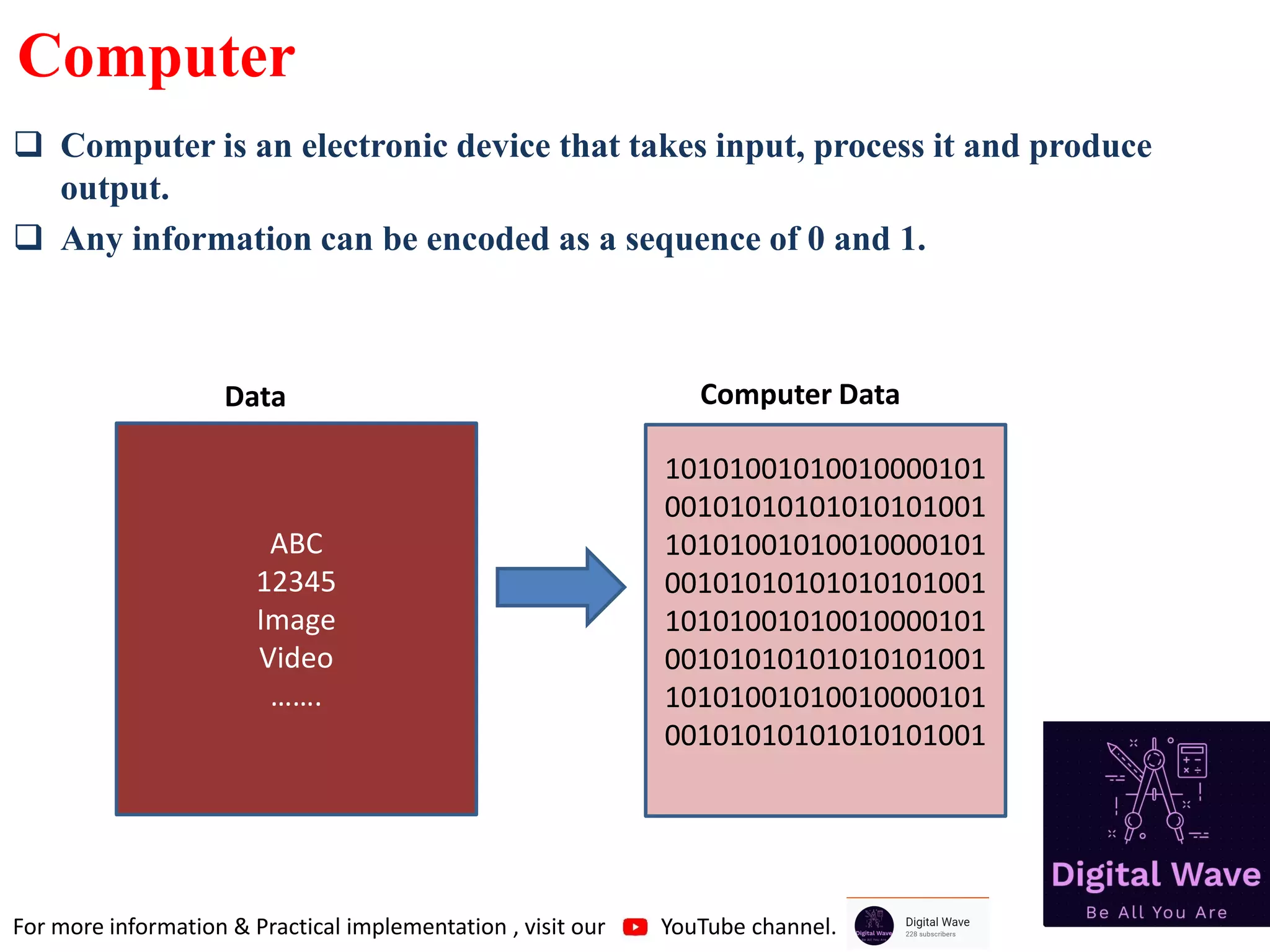
❑ Computer is an electronic device that takes input, process it and produce
output.
❑ Any information can be encoded as a sequence of 0 and 1.
ABC
12345
Image
Video
…….
10101001010010000101
00101010101010101001
10101001010010000101
00101010101010101001
10101001010010000101
00101010101010101001
10101001010010000101
00101010101010101001
Data Computer Data
For more information & Practical implementation , visit our YouTube channel.
Terminology
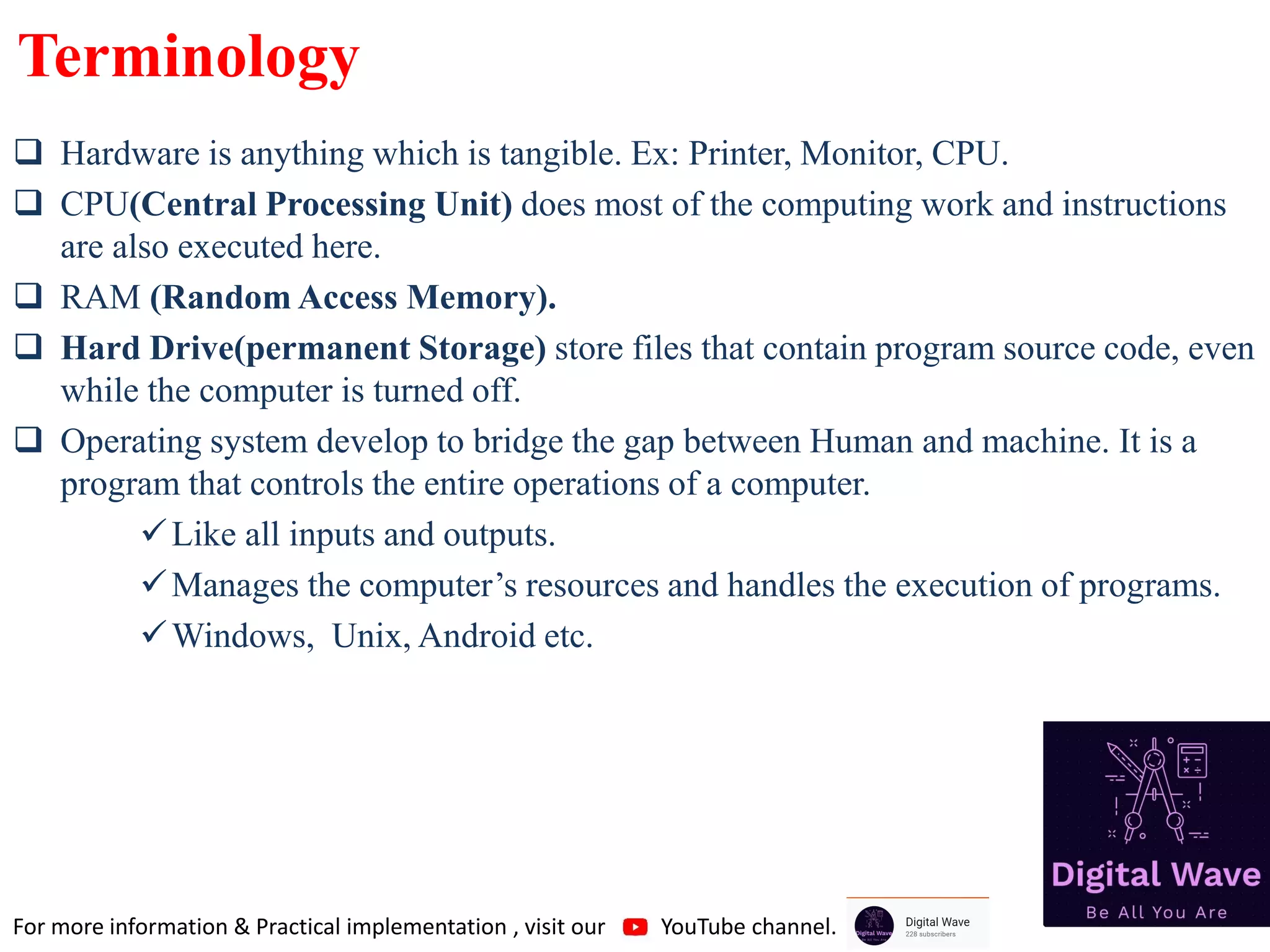
❑ Hardware is anything which is tangible. Ex: Printer, Monitor, CPU.
❑ CPU(Central Processing Unit) does most of the computing work and instructions
are also executed here.
❑ RAM (Random Access Memory).
❑ Hard Drive(permanent Storage) store files that contain program source code, even
while the computer is turned off.
❑ Operating system develop to bridge the gap between Human and machine. It is a
program that controls the entire operations of a computer.
✓Like all inputs and outputs.
✓Manages the computer’s resources and handles the execution of programs.
✓Windows, Unix, Android etc.
For more information & Practical implementation , visit our YouTube channel.
Compiler
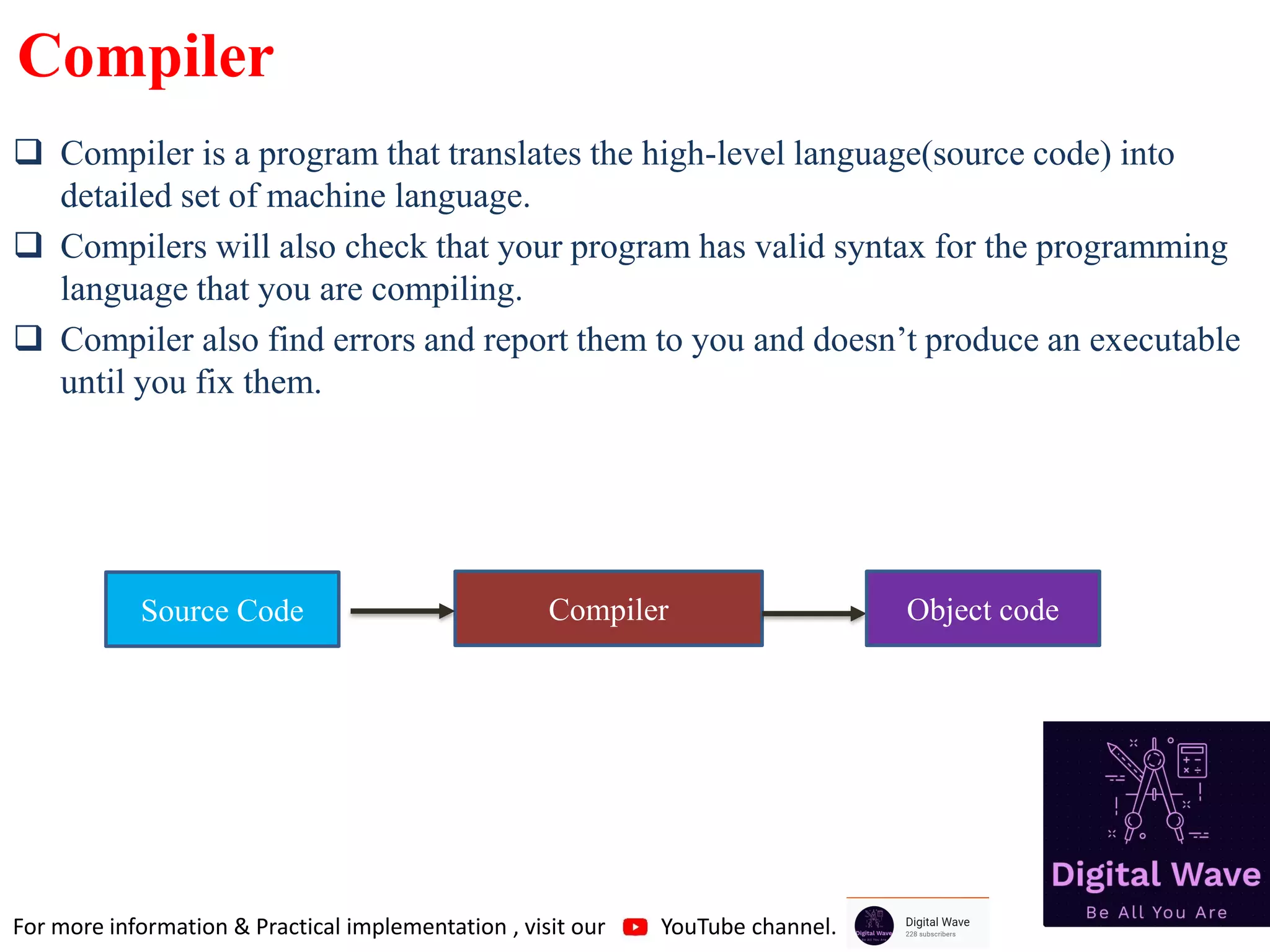
❑ Compiler is a program that translates the high-level language(source code) into
detailed set of machine language.
❑ Compilers will also check that your program has valid syntax for the programming
language that you are compiling.
❑ Compiler also find errors and report them to you and doesn’t produce an executable
until you fix them.
Compiler
Source Code Object code
For more information & Practical implementation , visit our YouTube channel.
File and Extension
❑ File is a data bundle.
101010
101010
101010
101010
101010
101010
101010
101010
101010
101010
101010
101010
101010
101010
101010
101010
101010
101010
101010
101010
Track02.mp3 IMG.jpg List.txt test.exe
File name File Extension
For more information & Practical implementation , visit our YouTube channel.
Software
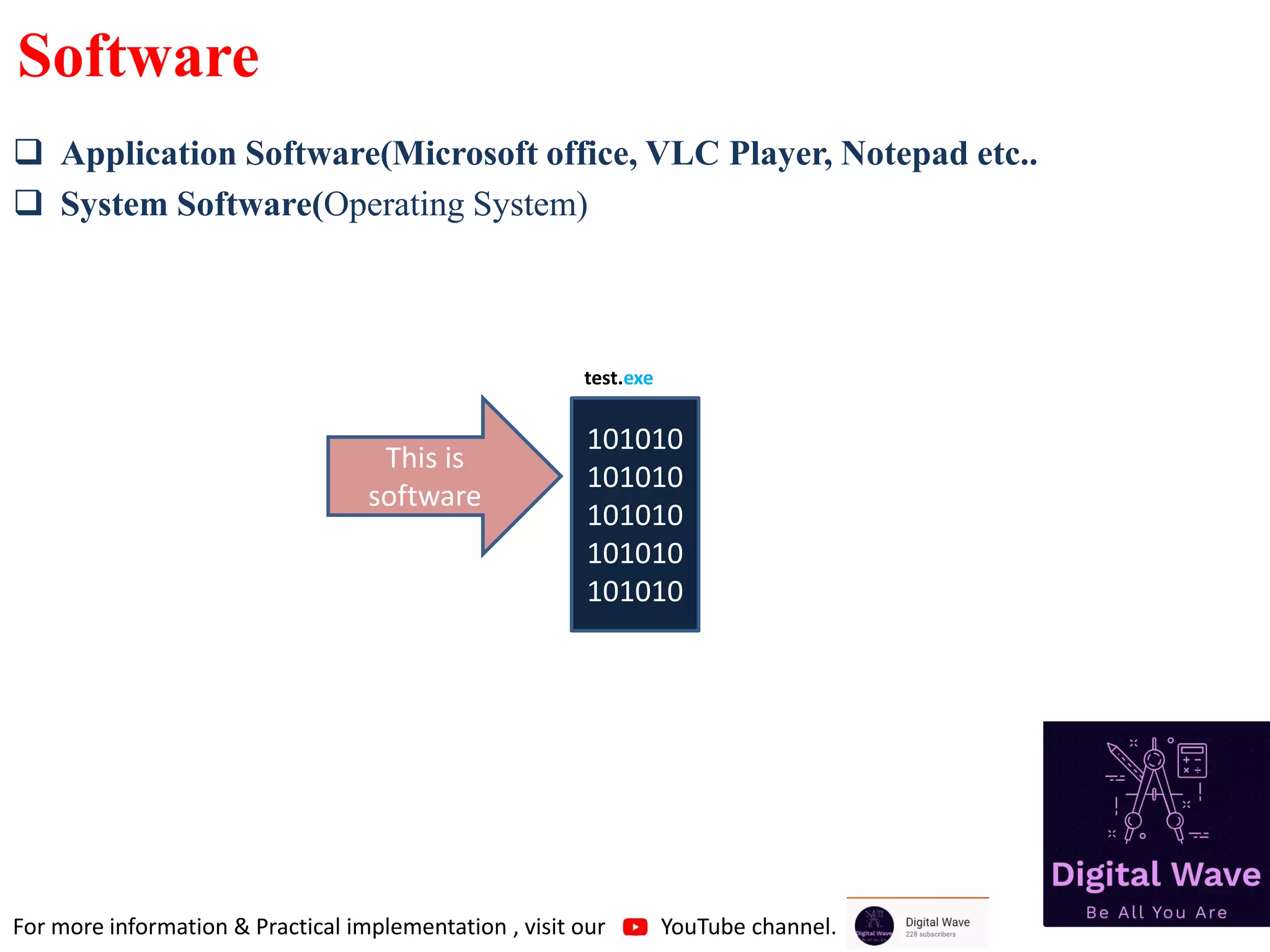
❑ Application Software(Microsoft office, VLC Player, Notepad etc..
❑ System Software(Operating System)
101010
101010
101010
101010
101010
test.exe
This is
software
For more information & Practical implementation , visit our YouTube channel.
Program and process
❑Group of instruction is called Program.
❑Active state of a program is known as Process.
For more information & Practical implementation , visit our YouTube channel.
Memory
❑ Computer memory is any physical device capable of storing information
temporarily or permanently. For example, Random Access Memory (RAM), is
a volatile memory that stores information on an integrated circuit used by the
operating system, software, and hardware.
For more information & Practical implementation , visit our YouTube channel.
Execution:
Memory Unit
Control Unit
ALU
PROCESSOR
010101010
101110101
011101010
101010101
001010
01010101010111010101
11010101010101010010
10
RAM
HARD DISK
SET OF
REGISTERS
Circuit that reads
instructions and
decode them and
give signal to ALU,
to finish this task
Responsible for all
arithmetic and logical
calculations
Understanding of Program’s Execution
For more information & Practical implementation , visit our YouTube channel.
Execution Cycle
Control Unit
ALU
Registers
RAM
Fetch
For more information & Practical implementation , visit our YouTube channel.
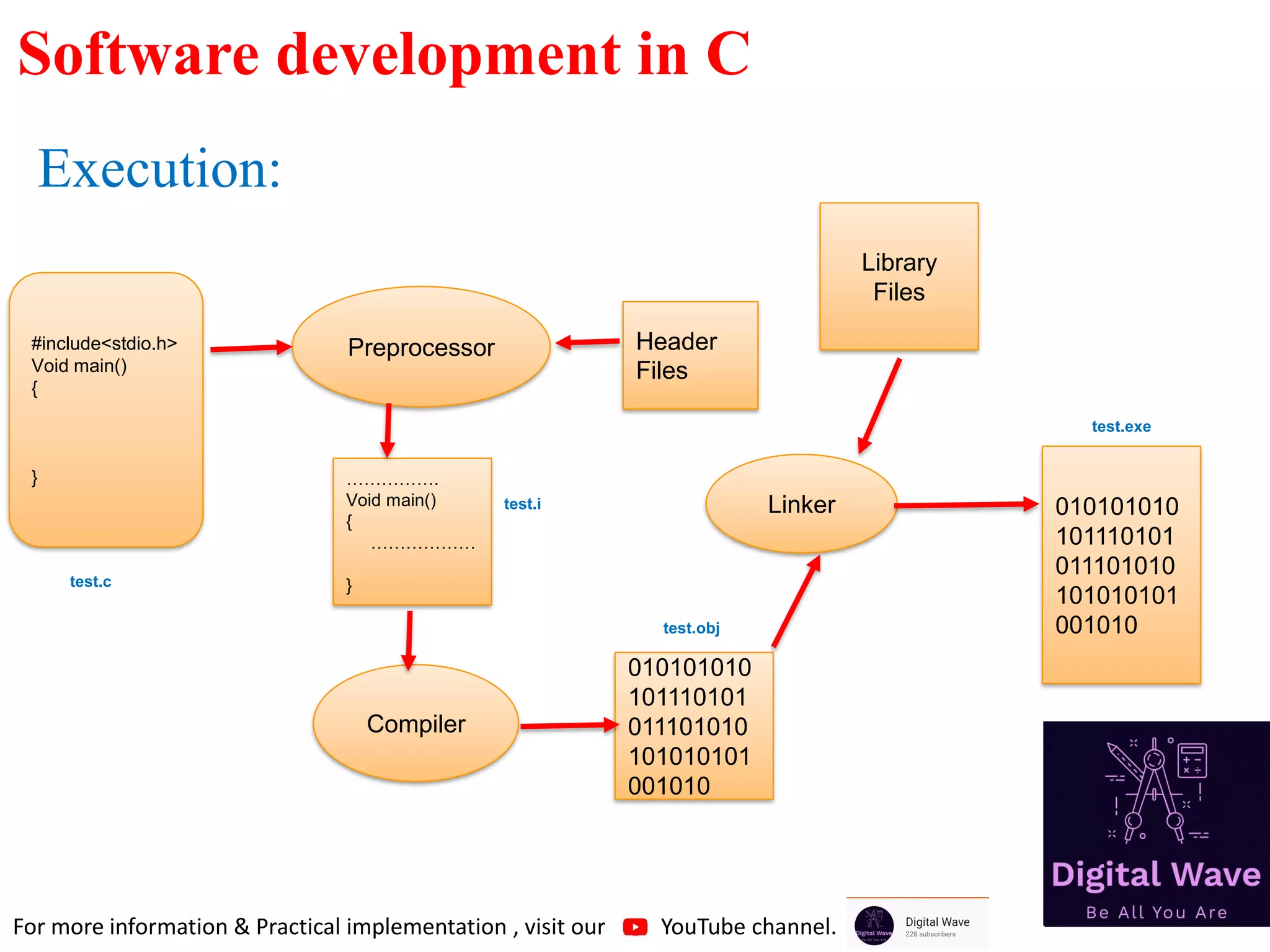
Execution:
#include<stdio.h>
Void main()
{
}
Preprocessor
…………….
Void main()
{
………………
}
Compiler
010101010
101110101
011101010
101010101
001010
Linker
Header
Files
Library
Files
010101010
101110101
011101010
101010101
001010
test.c
test.obj
test.exe
Software development in C
test.i
For more information & Practical implementation , visit our YouTube channel.
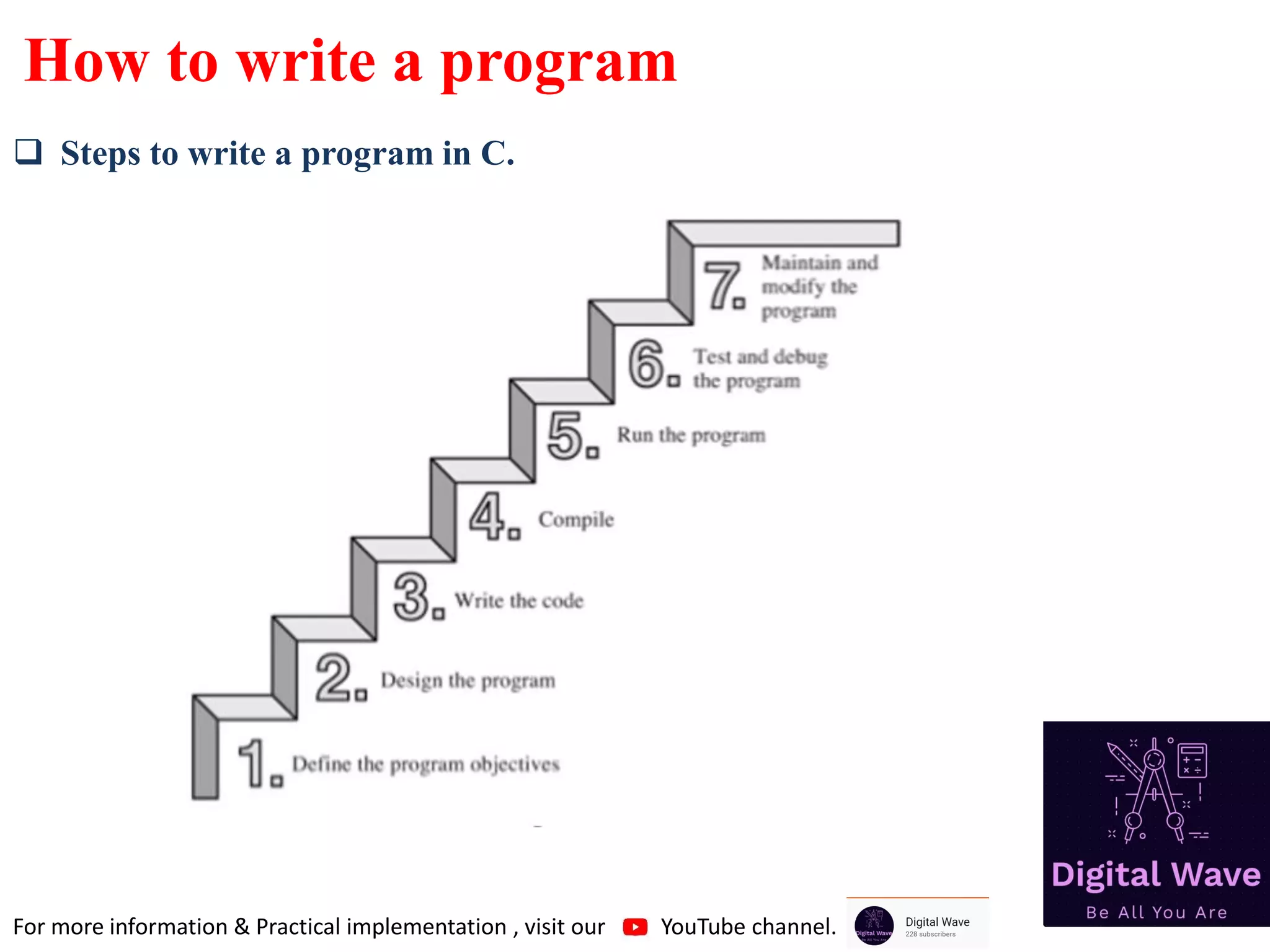
How to write a program
❑ Steps to write a program in C.
For more information & Practical implementation , visit our YouTube channel.
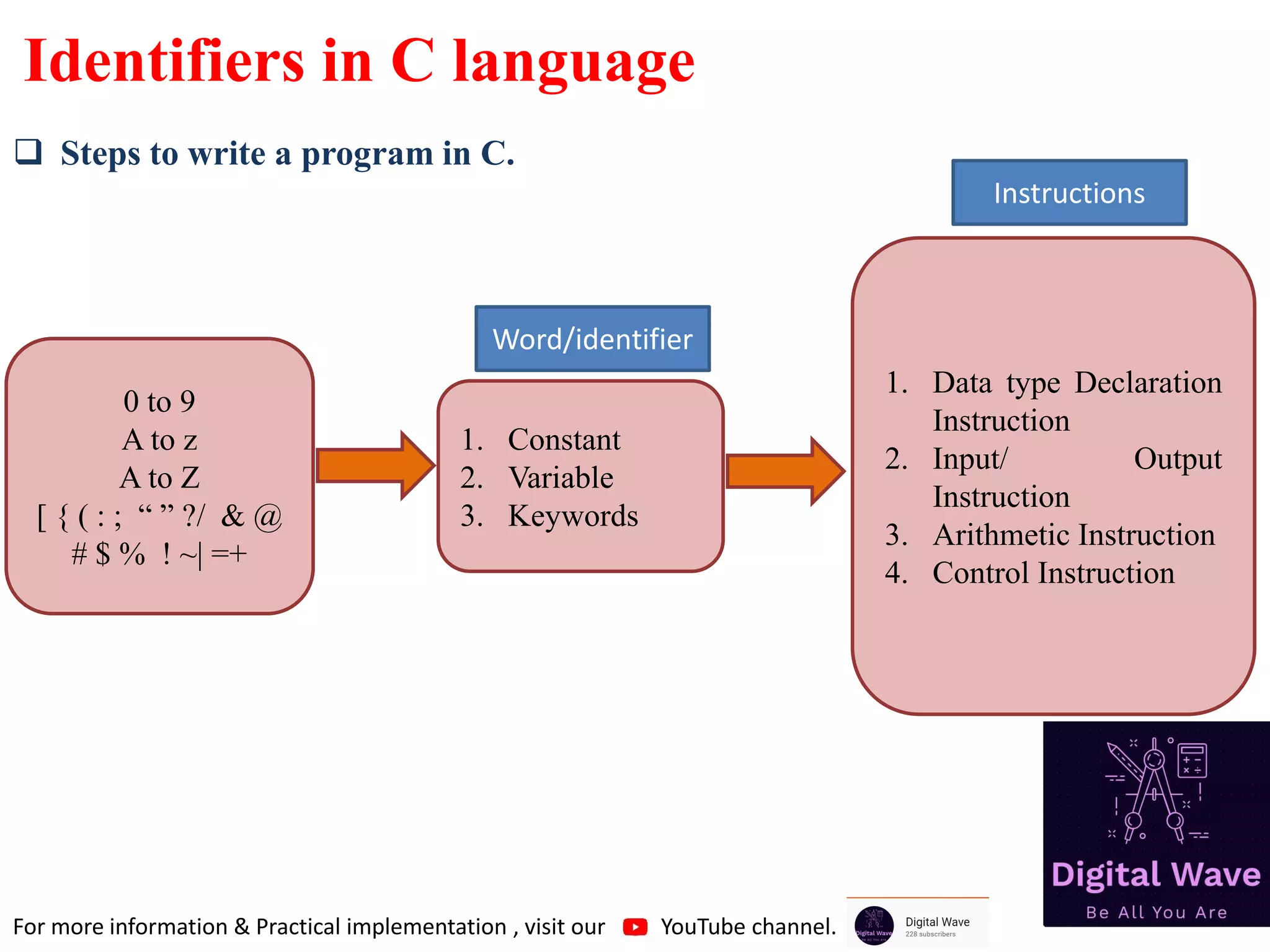
Identifiers in C language
❑ Steps to write a program in C.
0 to 9
A to z
A to Z
[ { ( : ; “ ” ?/ & @
# $ % ! ~| =+
1. Constant
2. Variable
3. Keywords
1. Data type Declaration
Instruction
2. Input/ Output
Instruction
3. Arithmetic Instruction
4. Control Instruction
Word/identifier
Instructions
For more information & Practical implementation , visit our YouTube channel.
THANK YOU
❑ For more information & Practical implementation , visit our YouTube channel.

1.introduction to c programming

  • 1.
    Computer Programming inC Introduction to C By: Rahul Sharma Subscribe channel on YouTube Follow us on Facebook
  • 2.
    Basics ❑ Computer arevery dumb machines; they only do what they are told to do. ❑ To solve a problem using a computer , you must provide a solution to the problem by sending instructions . ❑ This approach or method that is used to solve the problem is known as an algorithm. ❑ To write a program , you need to write the instructions necessary to implement the algorithm. ❑ These instructions would be expressed in the statement of a particular computer language, such as java , C++, C. ❑ C is a High-Level Language that describes actions in a more abstract form. ❑ High-Level Languages are much easier to learn and much easier to program in than are machine languages. For more information & Practical implementation , visit our YouTube channel.
  • 3.
    History ❑ C initiallyknown as the development language of the UNIX operating system. ❑ C evolved from a previous programming language named B. ❑ C is also Hardware independent Language. ❑ C was invented in 1972 by Dennis Ritchie in Bell Laboratories.
  • 4.
    Importance of CLanguage ❑ C has become popular for programming embedded system. ❑ Core Libraries of android are written in C. ❑ MySQL is written in C. ❑ Oracle in written in C. ❑ Almost every device driver is written in C. ❑ Major part of web browser is written in C.(Google chrome, Firefox, safari,) ❑ Unix operating system is developed in C(C language is made to develop Unix OS). ❑ Currently, it is the most widely used programming languages of all time. ❑ C language is important to build programming skills. ❑ C covers basic features of all programming language. ❑ C language is the most popular language for Hardware independent language. For more information & Practical implementation , visit our YouTube channel.
  • 5.
    Computer ❑ Computer isan electronic device that takes input, process it and produce output. ❑ Any information can be encoded as a sequence of 0 and 1. ABC 12345 Image Video ……. 10101001010010000101 00101010101010101001 10101001010010000101 00101010101010101001 10101001010010000101 00101010101010101001 10101001010010000101 00101010101010101001 Data Computer Data For more information & Practical implementation , visit our YouTube channel.
  • 6.
    Terminology ❑ Hardware isanything which is tangible. Ex: Printer, Monitor, CPU. ❑ CPU(Central Processing Unit) does most of the computing work and instructions are also executed here. ❑ RAM (Random Access Memory). ❑ Hard Drive(permanent Storage) store files that contain program source code, even while the computer is turned off. ❑ Operating system develop to bridge the gap between Human and machine. It is a program that controls the entire operations of a computer. ✓Like all inputs and outputs. ✓Manages the computer’s resources and handles the execution of programs. ✓Windows, Unix, Android etc. For more information & Practical implementation , visit our YouTube channel.
  • 7.
    Compiler ❑ Compiler isa program that translates the high-level language(source code) into detailed set of machine language. ❑ Compilers will also check that your program has valid syntax for the programming language that you are compiling. ❑ Compiler also find errors and report them to you and doesn’t produce an executable until you fix them. Compiler Source Code Object code For more information & Practical implementation , visit our YouTube channel.
  • 8.
    File and Extension ❑File is a data bundle. 101010 101010 101010 101010 101010 101010 101010 101010 101010 101010 101010 101010 101010 101010 101010 101010 101010 101010 101010 101010 Track02.mp3 IMG.jpg List.txt test.exe File name File Extension For more information & Practical implementation , visit our YouTube channel.
  • 9.
    Software ❑ Application Software(Microsoftoffice, VLC Player, Notepad etc.. ❑ System Software(Operating System) 101010 101010 101010 101010 101010 test.exe This is software For more information & Practical implementation , visit our YouTube channel.
  • 10.
    Program and process ❑Groupof instruction is called Program. ❑Active state of a program is known as Process. For more information & Practical implementation , visit our YouTube channel.
  • 11.
    Memory ❑ Computer memoryis any physical device capable of storing information temporarily or permanently. For example, Random Access Memory (RAM), is a volatile memory that stores information on an integrated circuit used by the operating system, software, and hardware. For more information & Practical implementation , visit our YouTube channel.
  • 12.
    Execution: Memory Unit Control Unit ALU PROCESSOR 010101010 101110101 011101010 101010101 001010 01010101010111010101 11010101010101010010 10 RAM HARDDISK SET OF REGISTERS Circuit that reads instructions and decode them and give signal to ALU, to finish this task Responsible for all arithmetic and logical calculations Understanding of Program’s Execution For more information & Practical implementation , visit our YouTube channel.
  • 13.
    Execution Cycle Control Unit ALU Registers RAM Fetch Formore information & Practical implementation , visit our YouTube channel.
  • 14.
  • 15.
    How to writea program ❑ Steps to write a program in C. For more information & Practical implementation , visit our YouTube channel.
  • 16.
    Identifiers in Clanguage ❑ Steps to write a program in C. 0 to 9 A to z A to Z [ { ( : ; “ ” ?/ & @ # $ % ! ~| =+ 1. Constant 2. Variable 3. Keywords 1. Data type Declaration Instruction 2. Input/ Output Instruction 3. Arithmetic Instruction 4. Control Instruction Word/identifier Instructions For more information & Practical implementation , visit our YouTube channel.
  • 17.
    THANK YOU ❑ Formore information & Practical implementation , visit our YouTube channel.