C Programming Language
 Chapter 1:
Introduction To Computer and
C Language
ABDULLAHI ALI ABDULLAHI (SOOYAAL)
BCS. MICTM. Certified Trainer.
Outlines
• Computer Systems
• Computing Environments
• Computer Languages
 What is C language
 History of C Language
 Features of C Language
 compilers available for c
 Compilation process in c
 printf() and scanf() in C
 The getche() function
 Statements
Definition of a Computer
 A computer is an electronic device used to process
data, converting the data into information that is
useful to people.
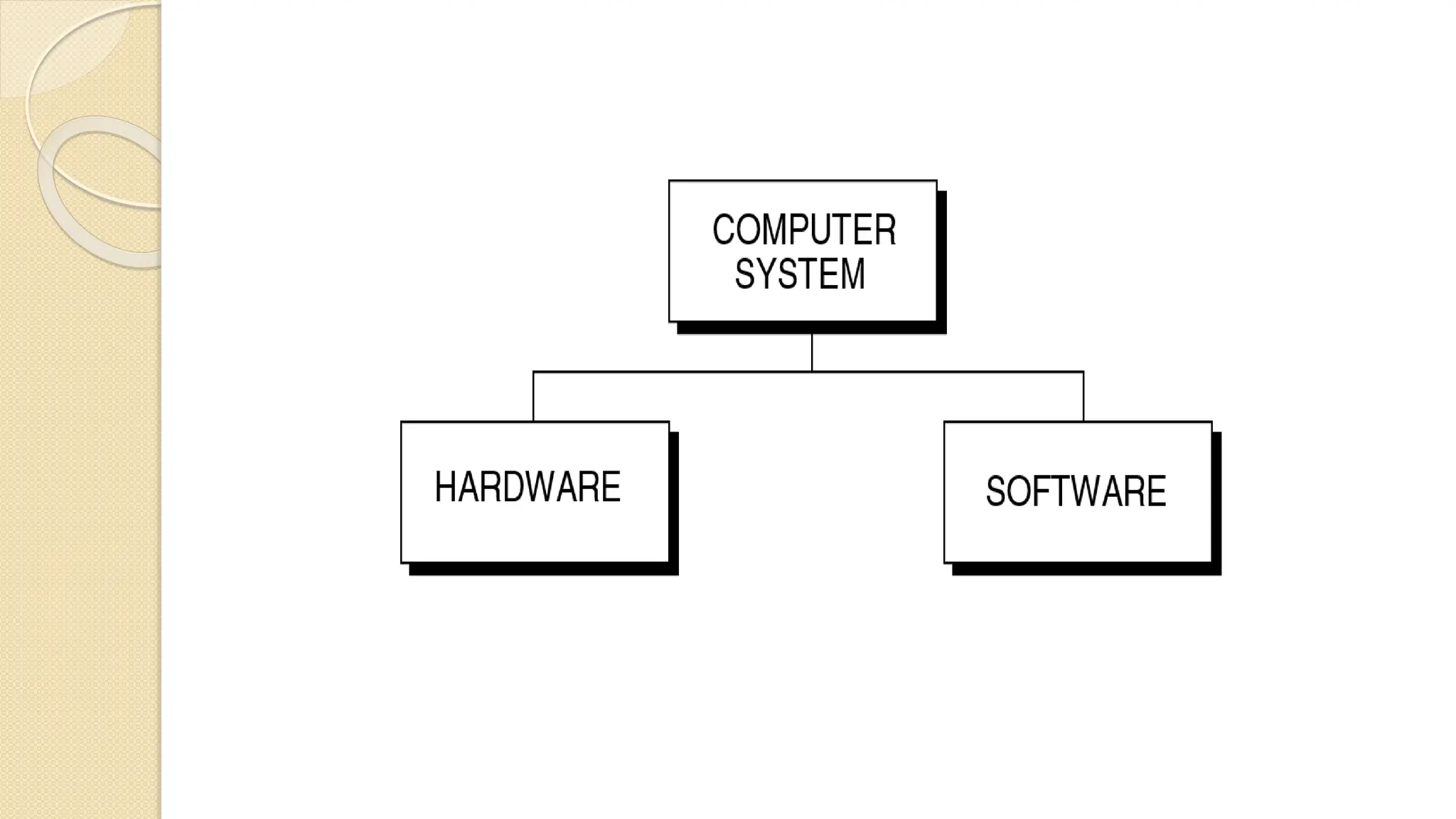
 A computer is a system made of two major
components:
• hardware and software.
• The hardware is the physical equipment.
• The software is the collection of programs (instruction)
that allow the hardware to do the job.
Computer Hardware
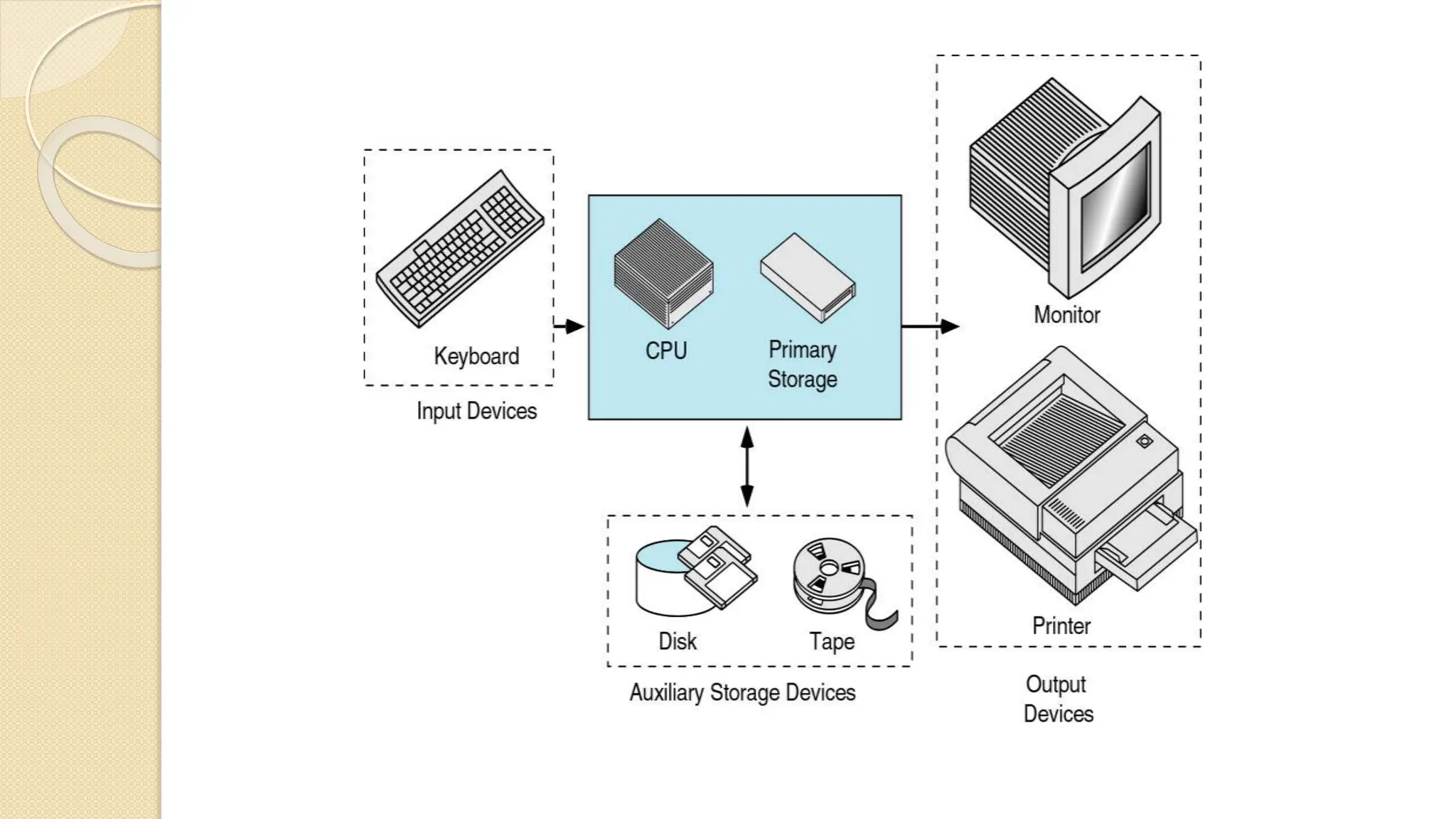
 The hardware component of the computer system
contains five parts
◦ Input devices
 The input device is usually a keyboard where programs and
data are entered into the computer.
◦ Central Processing Unit ( CPU )
 The CPU is responsible for executing instruction such as
arithmetic calculation, comparison among data, and
movement of data inside the system.
◦ Primary storage,
 Also known as main memory, is a place where the programs and
data are stored temporarily during processing. The data in
primary storage are erased when running off a personal computer
or where log off from a time-sharing computer.
◦ Output devices
 The output device is usually a monitor or a printer to show output.
If the output is shown on the monitor, we say we have a softcopy.
Is it is printed on the printer, we say we have a hard copy.
 Auxiliary Storage devices
 Auxiliary storage or secondary storage is used for both
input and output. It is the place where the programs and
data are stored permanently. When you turn off the
computer, your programs and data remain in the secondary
storage ready for the next time you need them.
Computer Software
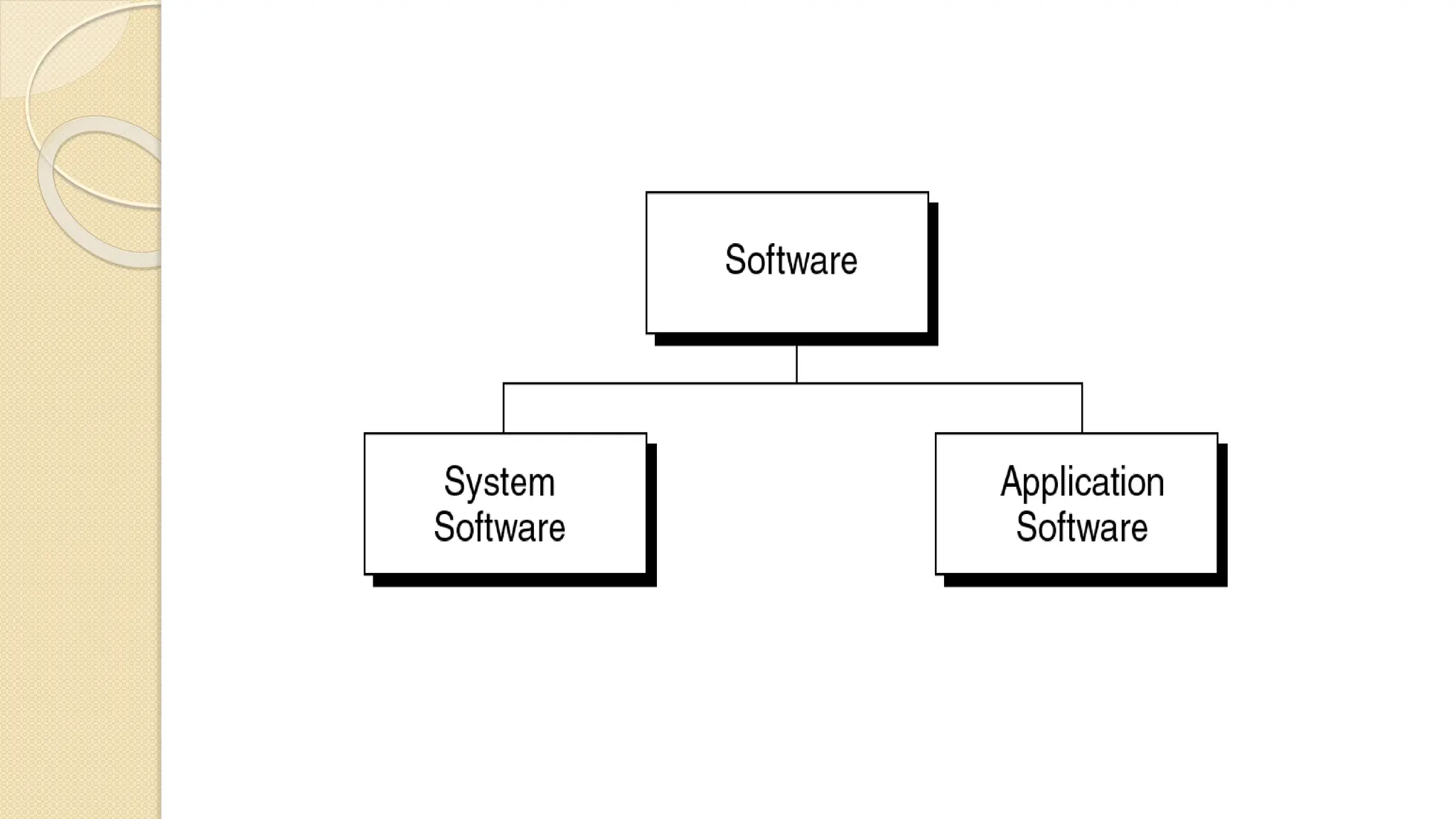
 Computer software is divided into two broad
categories:
◦ system software and application software.
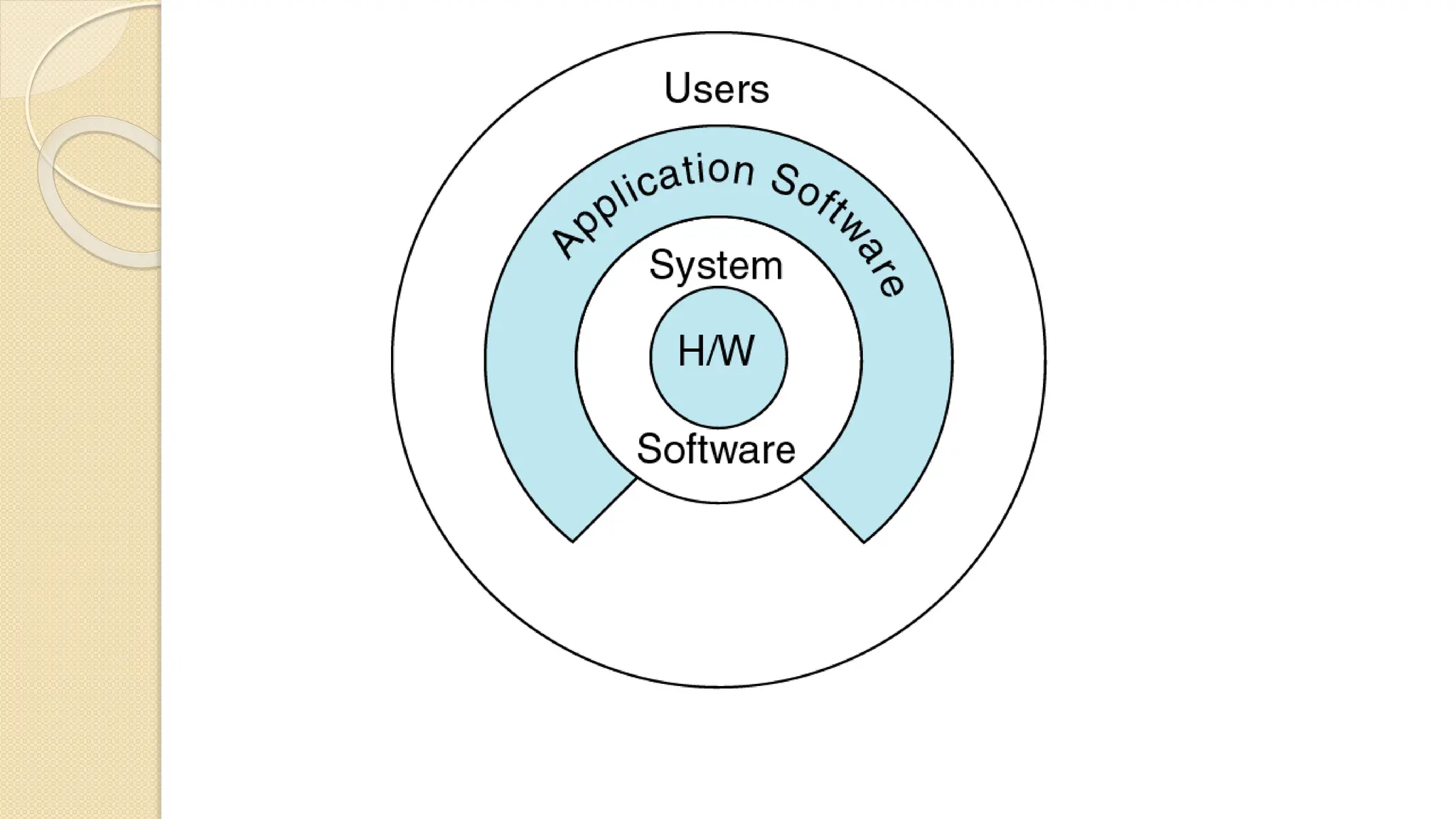
 System software manages the computer resources.
It provides the interface between the hardware and
the users but does nothing to directly serve the
user’s needs.
 Application software, on the other hand, is directly
responsible for helping users solve their problems.
Programming languages
 Various programming languages
 Some understandable directly by computers
 Others require “translation” steps
◦ Machine language
 Natural language of a particular computer
 Consists of strings of numbers(1s, 0s)
 Instruct computer to perform elementary operations one at a time
What is C language
 C programming is considered as the base for other
programming languages, that is why it is known as
mother language.
 It can be defined by the following ways:
 Mother language
 System programming language
 Procedure-oriented programming language
 Structured programming language
 Mid-level programming language
History of C Language
 C programming language was developed in 1972 by
Dennis Ritchie at bell laboratories of AT&T (American
Telephone & Telegraph), located in the U.S.A.
 Dennis Ritchie is known as the founder of the c
language.
 It was developed to overcome the problems of previous
languages such as B, BCPL, etc.
 Initially, C language was developed to be used in UNIX
operating system. It inherits many features of previous
languages such as B and BCPL.
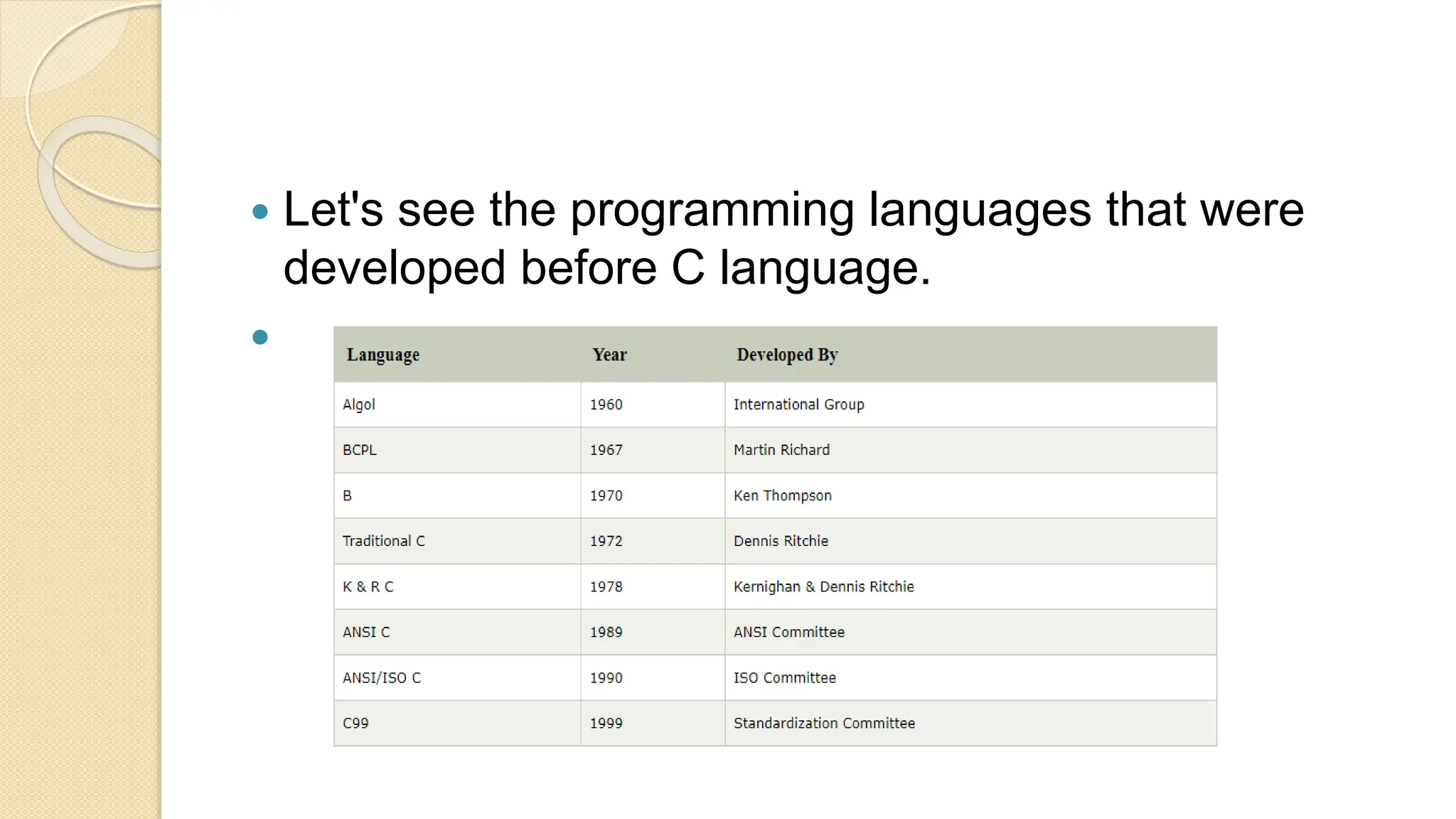
 Let's see the programming languages that were
developed before C language.

Features of C Language
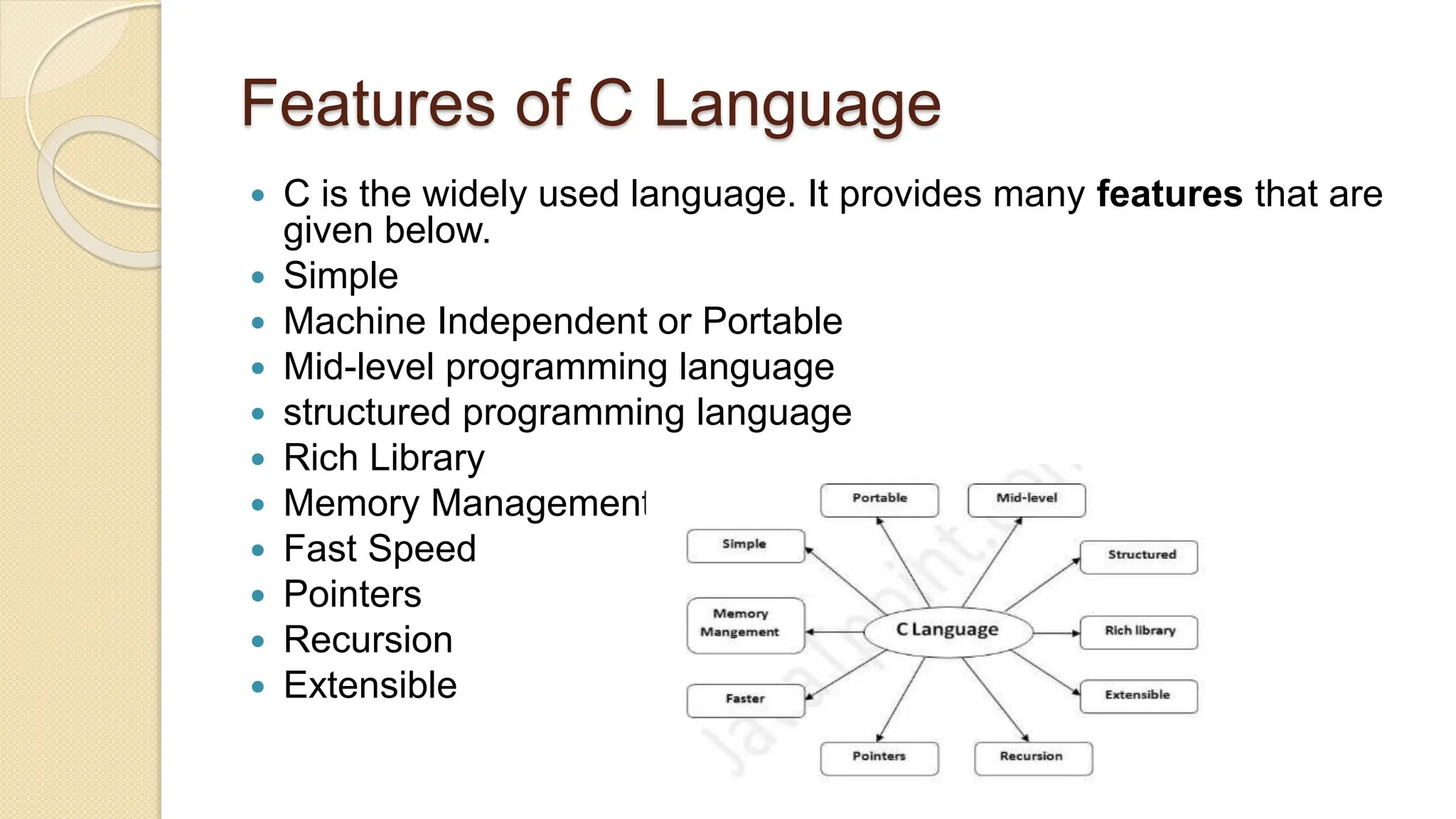
 C is the widely used language. It provides many features that are
given below.
 Simple
 Machine Independent or Portable
 Mid-level programming language
 structured programming language
 Rich Library
 Memory Management
 Fast Speed
 Pointers
 Recursion
 Extensible
 1) Simple
 C is a simple language in the sense that it provides
a structured approach (to break the problem into parts), the
rich set of library functions, data types, etc.
 2) Machine Independent or Portable
 Unlike assembly language, c programs can be executed on
different machines with some machine specific changes.
Therefore, C is a machine independent language.
 3) Mid-level programming language
 Although, C is intended to do low-level programming. It is
used to develop system applications such as kernel, driver,
etc. It also supports the features of a high-level language.
That is why it is known as mid-level language.
 4) Structured programming language
 C is a structured programming language in the sense that we
can break the program into parts using functions. So, it is
easy to understand and modify. Functions also provide code
reusability.
 5) Rich Library
 C provides a lot of inbuilt functions that make the
development fast.
 6) Memory Management
 It supports the feature of dynamic memory allocation. In C
language, we can free the allocated memory at any time by
calling the free() function.
 7) Speed
 The compilation and execution time of C language is fast since
there are lesser inbuilt functions and hence the lesser overhead.
 8) Pointer
 C provides the feature of pointers. We can directly interact with the
memory by using the pointers. We can use pointers for memory,
structures, functions, array, etc.
 9) Recursion
 In C, we can call the function within the function. It provides
code reusability for every function. Recursion enables us to use the
approach of backtracking.
 10) Extensible
 C language is extensible because it can easily adopt new
features.
COMPILERS AVAILABLE FOR C
 Turbo C
 Borland C
 Microsoft C
 devcpp-4.9.9.2
First C Program
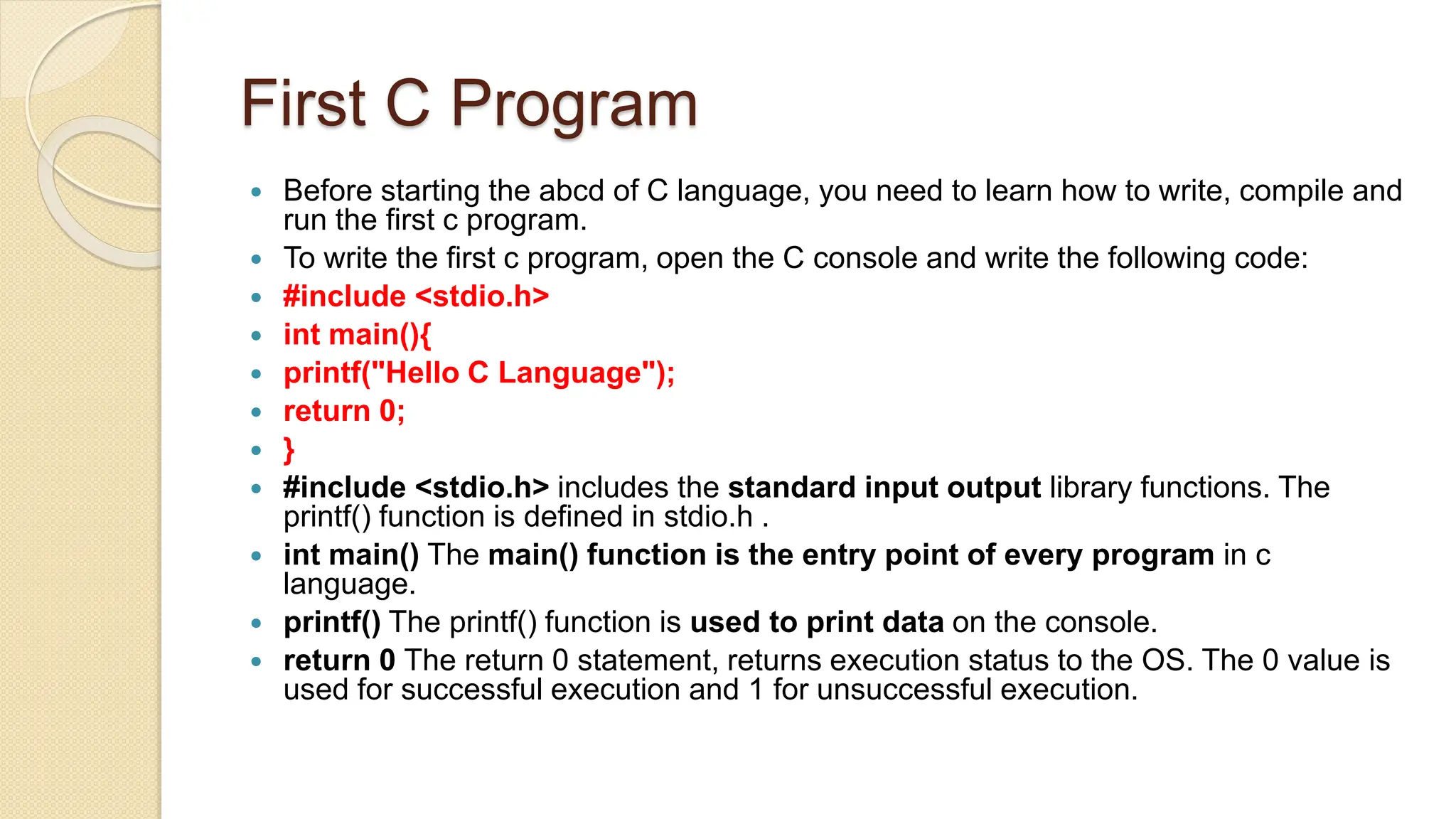
 Before starting the abcd of C language, you need to learn how to write, compile and
run the first c program.
 To write the first c program, open the C console and write the following code:
 #include <stdio.h>
 int main(){
 printf("Hello C Language");
 return 0;
 }
 #include <stdio.h> includes the standard input output library functions. The
printf() function is defined in stdio.h .
 int main() The main() function is the entry point of every program in c
language.
 printf() The printf() function is used to print data on the console.
 return 0 The return 0 statement, returns execution status to the OS. The 0 value is
used for successful execution and 1 for unsuccessful execution.
How to compile and run the c program
 There are 2 ways to compile and run the c program, by
menu and by shortcut.
 By menu
 Now click on the compile menu then compile sub
menu to compile the c program.
 Then click on the run menu then run sub menu to
run the c program.
 By shortcut
 Or, press ctrl+f9 keys compile and run the program
directly.
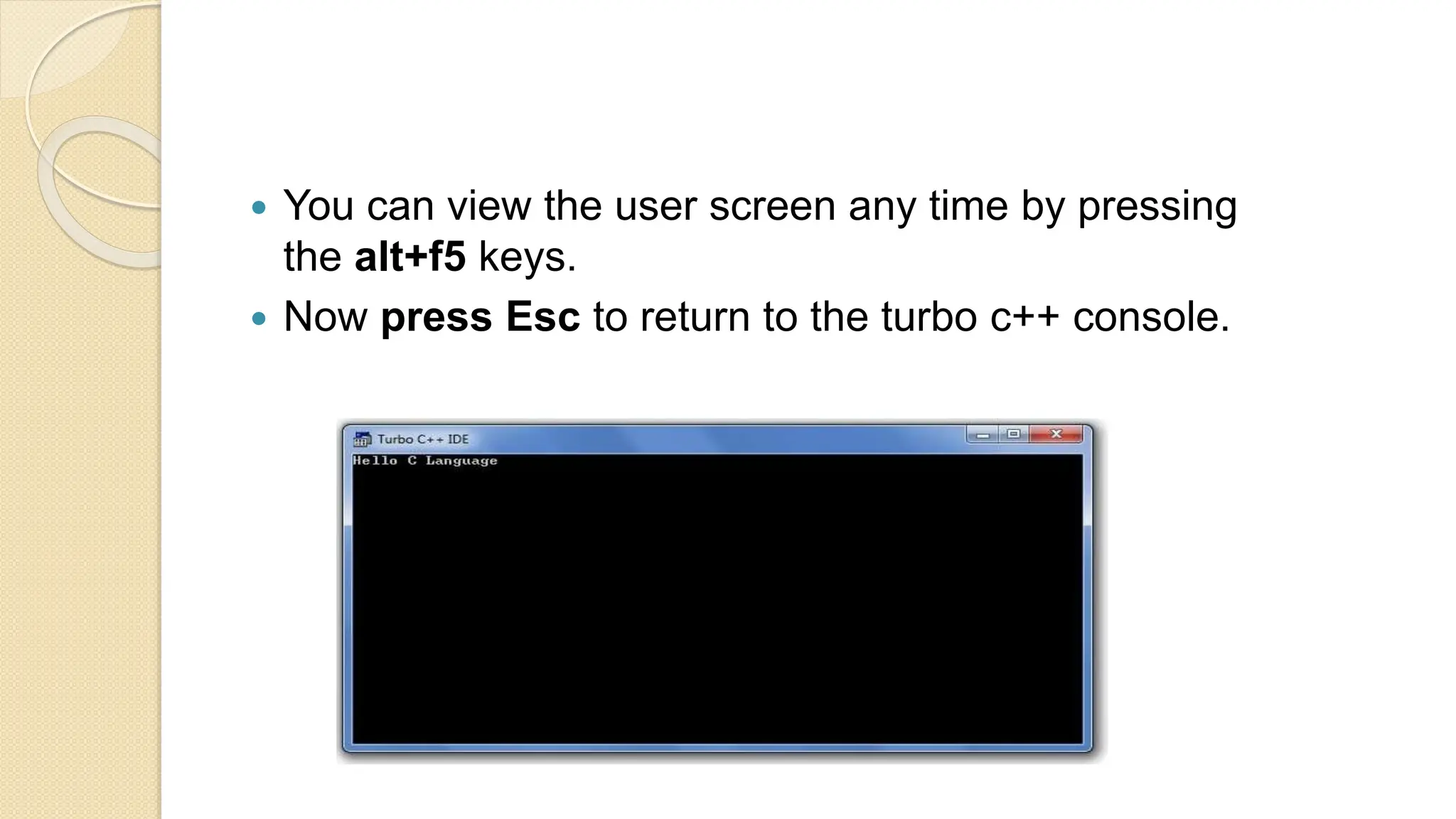
 You will see the following output on user screen.
 You can view the user screen any time by pressing
the alt+f5 keys.
 Now press Esc to return to the turbo c++ console.
printf() and scanf() in C
 The printf() and scanf() functions are used for input and output in C language. Both
functions are inbuilt library functions, defined in stdio.h (header file).
 printf() function
 The printf() function is used for output. It prints the given statement to the console.
 The syntax of printf() function is given below:
 printf("format string",argument_list);
 The format string can be %d (integer), %c (character), %s (string), %f (float) etc.
 scanf() function
 The scanf() function is used for input. It reads the input data from the console.
 scanf("format string",argument_list);

STATEMENTS
 A statement is
◦ a complete direction instructing the computer to carry out
some task. In C, statements are usually written one per
line, although some statements span multiple lines.
◦ C statements always end with a semicolon (except for
preprocessor directives such as #define and #include)
◦ example:
 x = 2 + 3;
Testing and Debugging
 Bug
◦ A mistake in a program
 Debugging
◦ Eliminating mistakes in programs
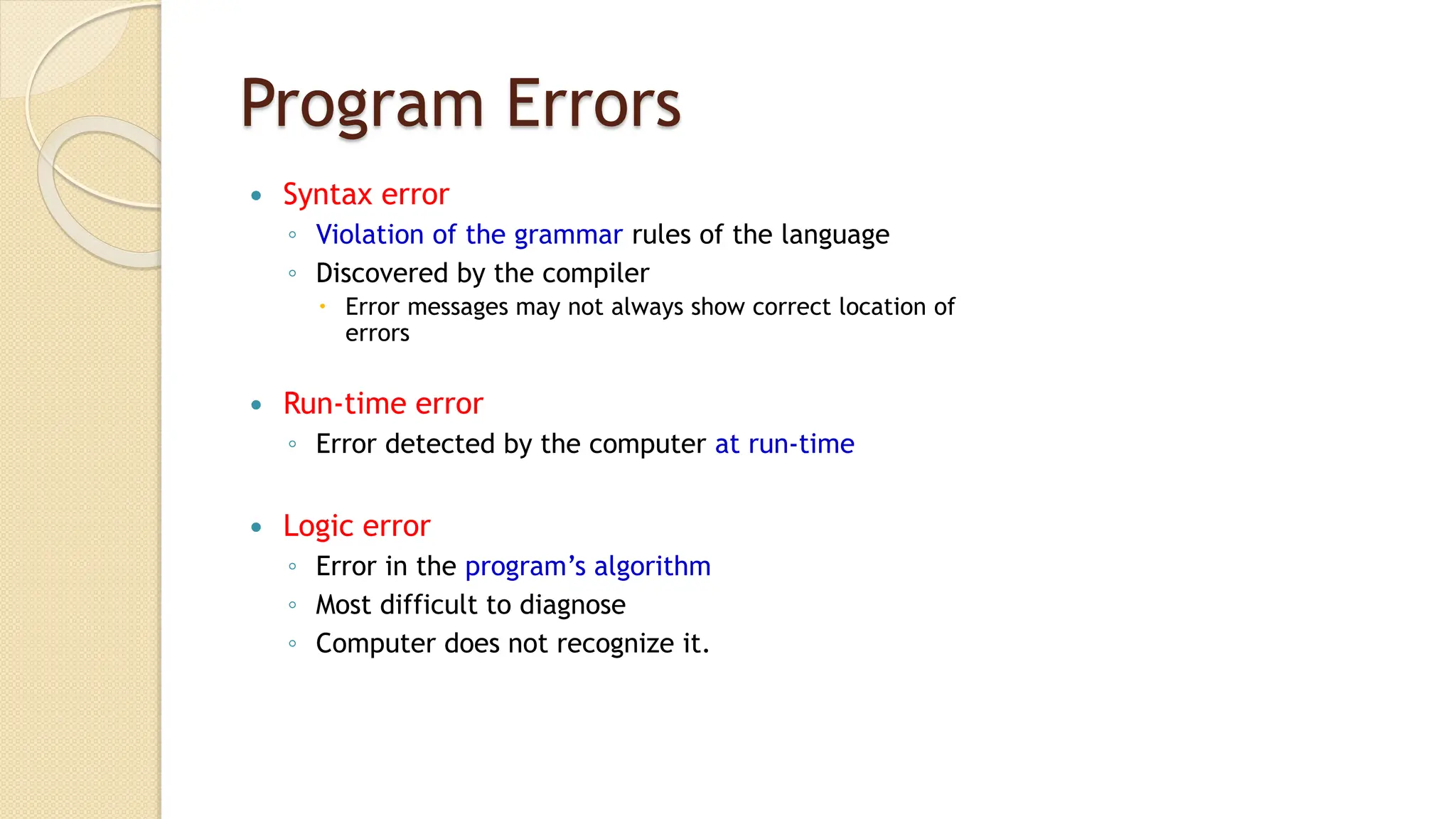
Program Errors
 Syntax error
◦ Violation of the grammar rules of the language
◦ Discovered by the compiler
 Error messages may not always show correct location of
errors
 Run-time error
◦ Error detected by the computer at run-time
 Logic error
◦ Error in the program’s algorithm
◦ Most difficult to diagnose
◦ Computer does not recognize it.
 END

Chapter 1 Introduction to C .pptx

  • 1.
    C Programming Language Chapter 1: Introduction To Computer and C Language ABDULLAHI ALI ABDULLAHI (SOOYAAL) BCS. MICTM. Certified Trainer.
  • 2.
    Outlines • Computer Systems •Computing Environments • Computer Languages  What is C language  History of C Language  Features of C Language  compilers available for c  Compilation process in c  printf() and scanf() in C  The getche() function  Statements
  • 3.
    Definition of aComputer  A computer is an electronic device used to process data, converting the data into information that is useful to people.  A computer is a system made of two major components: • hardware and software. • The hardware is the physical equipment. • The software is the collection of programs (instruction) that allow the hardware to do the job.
  • 5.
    Computer Hardware  Thehardware component of the computer system contains five parts ◦ Input devices  The input device is usually a keyboard where programs and data are entered into the computer. ◦ Central Processing Unit ( CPU )  The CPU is responsible for executing instruction such as arithmetic calculation, comparison among data, and movement of data inside the system.
  • 6.
    ◦ Primary storage, Also known as main memory, is a place where the programs and data are stored temporarily during processing. The data in primary storage are erased when running off a personal computer or where log off from a time-sharing computer. ◦ Output devices  The output device is usually a monitor or a printer to show output. If the output is shown on the monitor, we say we have a softcopy. Is it is printed on the printer, we say we have a hard copy.
  • 7.
     Auxiliary Storagedevices  Auxiliary storage or secondary storage is used for both input and output. It is the place where the programs and data are stored permanently. When you turn off the computer, your programs and data remain in the secondary storage ready for the next time you need them.
  • 9.
    Computer Software  Computersoftware is divided into two broad categories: ◦ system software and application software.  System software manages the computer resources. It provides the interface between the hardware and the users but does nothing to directly serve the user’s needs.  Application software, on the other hand, is directly responsible for helping users solve their problems.
  • 12.
    Programming languages  Variousprogramming languages  Some understandable directly by computers  Others require “translation” steps ◦ Machine language  Natural language of a particular computer  Consists of strings of numbers(1s, 0s)  Instruct computer to perform elementary operations one at a time
  • 13.
    What is Clanguage  C programming is considered as the base for other programming languages, that is why it is known as mother language.  It can be defined by the following ways:  Mother language  System programming language  Procedure-oriented programming language  Structured programming language  Mid-level programming language
  • 14.
    History of CLanguage  C programming language was developed in 1972 by Dennis Ritchie at bell laboratories of AT&T (American Telephone & Telegraph), located in the U.S.A.  Dennis Ritchie is known as the founder of the c language.  It was developed to overcome the problems of previous languages such as B, BCPL, etc.  Initially, C language was developed to be used in UNIX operating system. It inherits many features of previous languages such as B and BCPL.
  • 15.
     Let's seethe programming languages that were developed before C language. 
  • 16.
    Features of CLanguage  C is the widely used language. It provides many features that are given below.  Simple  Machine Independent or Portable  Mid-level programming language  structured programming language  Rich Library  Memory Management  Fast Speed  Pointers  Recursion  Extensible
  • 17.
     1) Simple C is a simple language in the sense that it provides a structured approach (to break the problem into parts), the rich set of library functions, data types, etc.  2) Machine Independent or Portable  Unlike assembly language, c programs can be executed on different machines with some machine specific changes. Therefore, C is a machine independent language.  3) Mid-level programming language  Although, C is intended to do low-level programming. It is used to develop system applications such as kernel, driver, etc. It also supports the features of a high-level language. That is why it is known as mid-level language.
  • 18.
     4) Structuredprogramming language  C is a structured programming language in the sense that we can break the program into parts using functions. So, it is easy to understand and modify. Functions also provide code reusability.  5) Rich Library  C provides a lot of inbuilt functions that make the development fast.  6) Memory Management  It supports the feature of dynamic memory allocation. In C language, we can free the allocated memory at any time by calling the free() function.
  • 19.
     7) Speed The compilation and execution time of C language is fast since there are lesser inbuilt functions and hence the lesser overhead.  8) Pointer  C provides the feature of pointers. We can directly interact with the memory by using the pointers. We can use pointers for memory, structures, functions, array, etc.  9) Recursion  In C, we can call the function within the function. It provides code reusability for every function. Recursion enables us to use the approach of backtracking.  10) Extensible  C language is extensible because it can easily adopt new features.
  • 20.
    COMPILERS AVAILABLE FORC  Turbo C  Borland C  Microsoft C  devcpp-4.9.9.2
  • 21.
    First C Program Before starting the abcd of C language, you need to learn how to write, compile and run the first c program.  To write the first c program, open the C console and write the following code:  #include <stdio.h>  int main(){  printf("Hello C Language");  return 0;  }  #include <stdio.h> includes the standard input output library functions. The printf() function is defined in stdio.h .  int main() The main() function is the entry point of every program in c language.  printf() The printf() function is used to print data on the console.  return 0 The return 0 statement, returns execution status to the OS. The 0 value is used for successful execution and 1 for unsuccessful execution.
  • 22.
    How to compileand run the c program  There are 2 ways to compile and run the c program, by menu and by shortcut.  By menu  Now click on the compile menu then compile sub menu to compile the c program.  Then click on the run menu then run sub menu to run the c program.  By shortcut  Or, press ctrl+f9 keys compile and run the program directly.  You will see the following output on user screen.
  • 23.
     You canview the user screen any time by pressing the alt+f5 keys.  Now press Esc to return to the turbo c++ console.
  • 24.
    printf() and scanf()in C  The printf() and scanf() functions are used for input and output in C language. Both functions are inbuilt library functions, defined in stdio.h (header file).  printf() function  The printf() function is used for output. It prints the given statement to the console.  The syntax of printf() function is given below:  printf("format string",argument_list);  The format string can be %d (integer), %c (character), %s (string), %f (float) etc.  scanf() function  The scanf() function is used for input. It reads the input data from the console.  scanf("format string",argument_list); 
  • 25.
    STATEMENTS  A statementis ◦ a complete direction instructing the computer to carry out some task. In C, statements are usually written one per line, although some statements span multiple lines. ◦ C statements always end with a semicolon (except for preprocessor directives such as #define and #include) ◦ example:  x = 2 + 3;
  • 26.
    Testing and Debugging Bug ◦ A mistake in a program  Debugging ◦ Eliminating mistakes in programs
  • 27.
    Program Errors  Syntaxerror ◦ Violation of the grammar rules of the language ◦ Discovered by the compiler  Error messages may not always show correct location of errors  Run-time error ◦ Error detected by the computer at run-time  Logic error ◦ Error in the program’s algorithm ◦ Most difficult to diagnose ◦ Computer does not recognize it.
  • 28.