14- Azure Data Factory
 Tumbling Window Trigger dependency in Azure Data Factory
 Demo – Create Tumbling Window Trigger dependency
 Self dependency trigger
 Advantage of tumbling window trigger dependency
Welcome in BPCloudLearningInHindi
1
Azure Data Factory
Tumbling Window Trigger dependency :
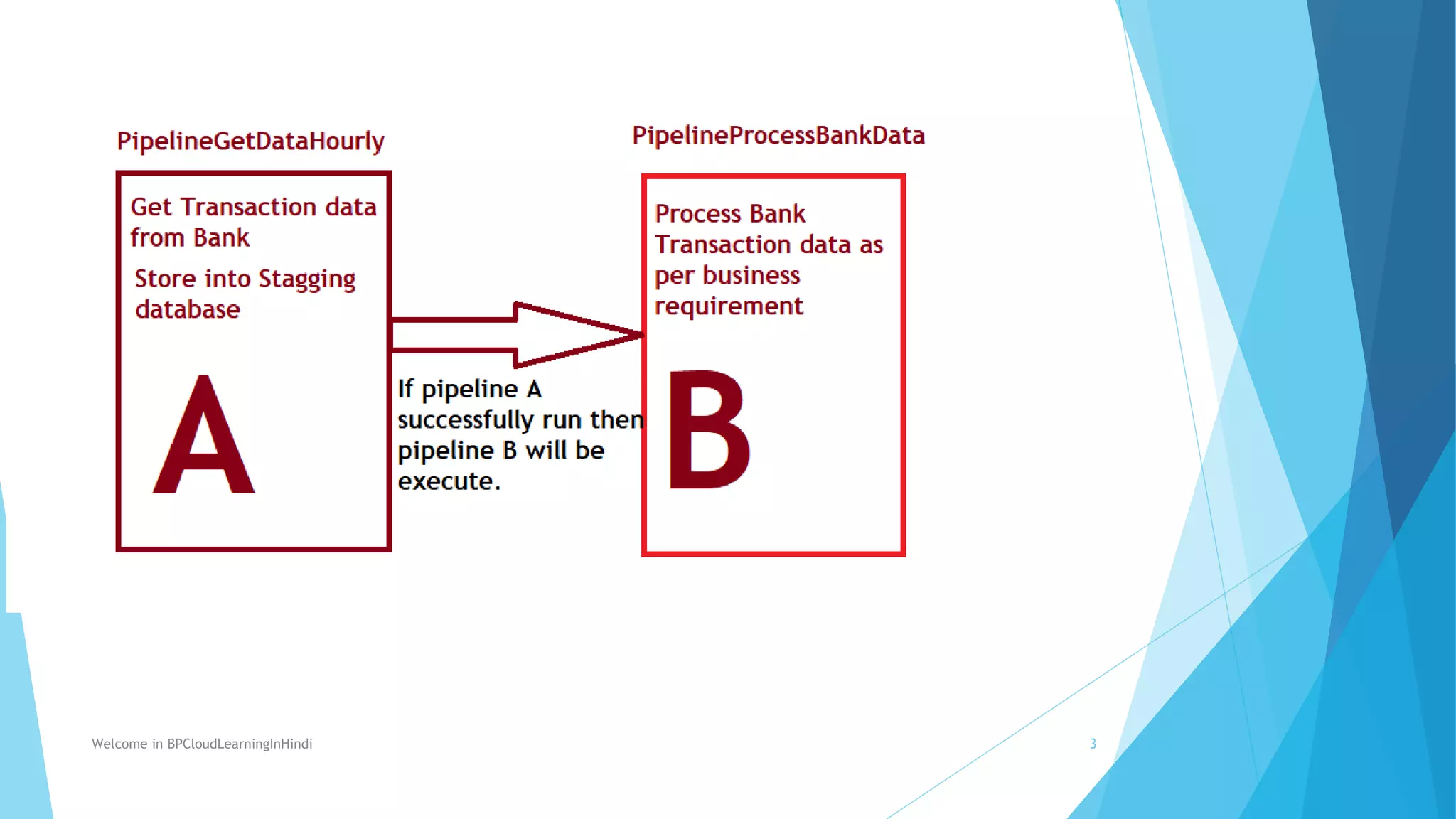
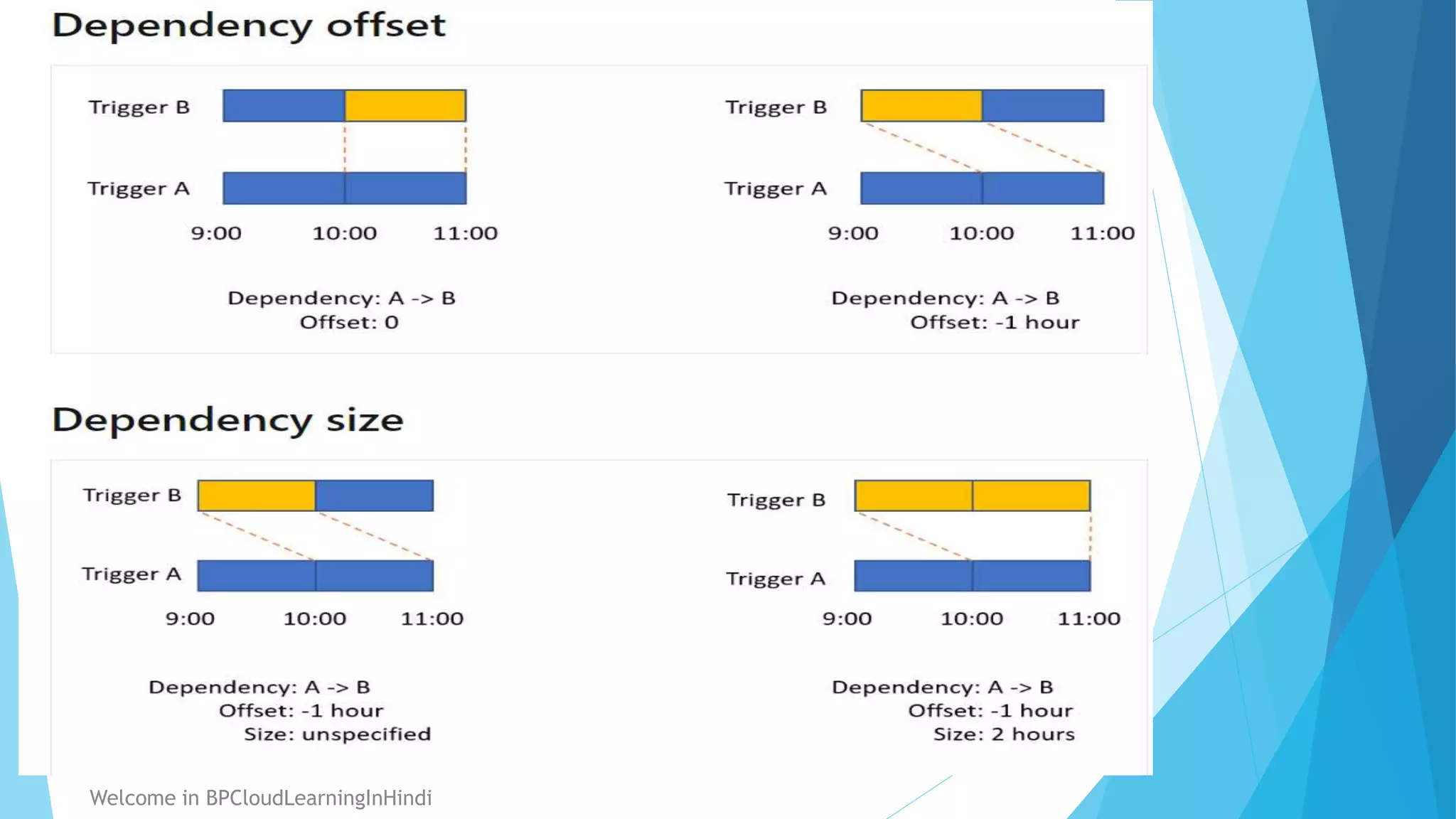
In order to build a dependency chain and make sure that a trigger is executed only
after the successful execution of another trigger within the service, use this advanced
feature to create a tumbling window dependency.
You will be having access to widow start time and window end time values using below
system properties
trigger().outputs.windowStartTime
trigger().outputs.windowEndTime
2
Welcome in BPCloudLearningInHindi
https://learn.microsoft.com/en-us/azure/data-factory/tumbling-window-trigger-dependency
Welcome in BPCloudLearningInHindi 3
4
Welcome in BPCloudLearningInHindi
Azure Data Factory
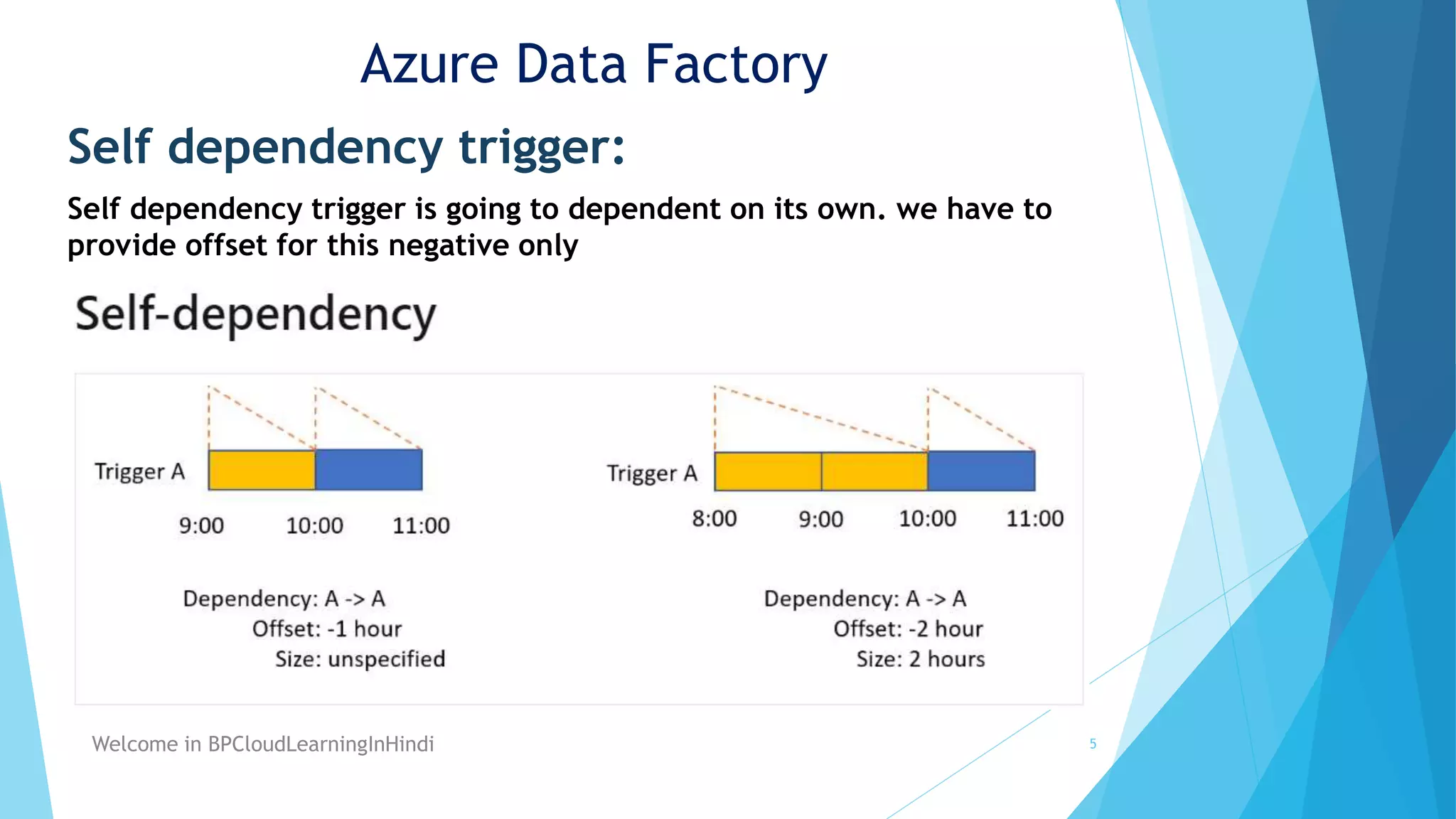
Self dependency trigger:
Self dependency trigger is going to dependent on its own. we have to
provide offset for this negative only
5
Welcome in BPCloudLearningInHindi
Azure Data Factory
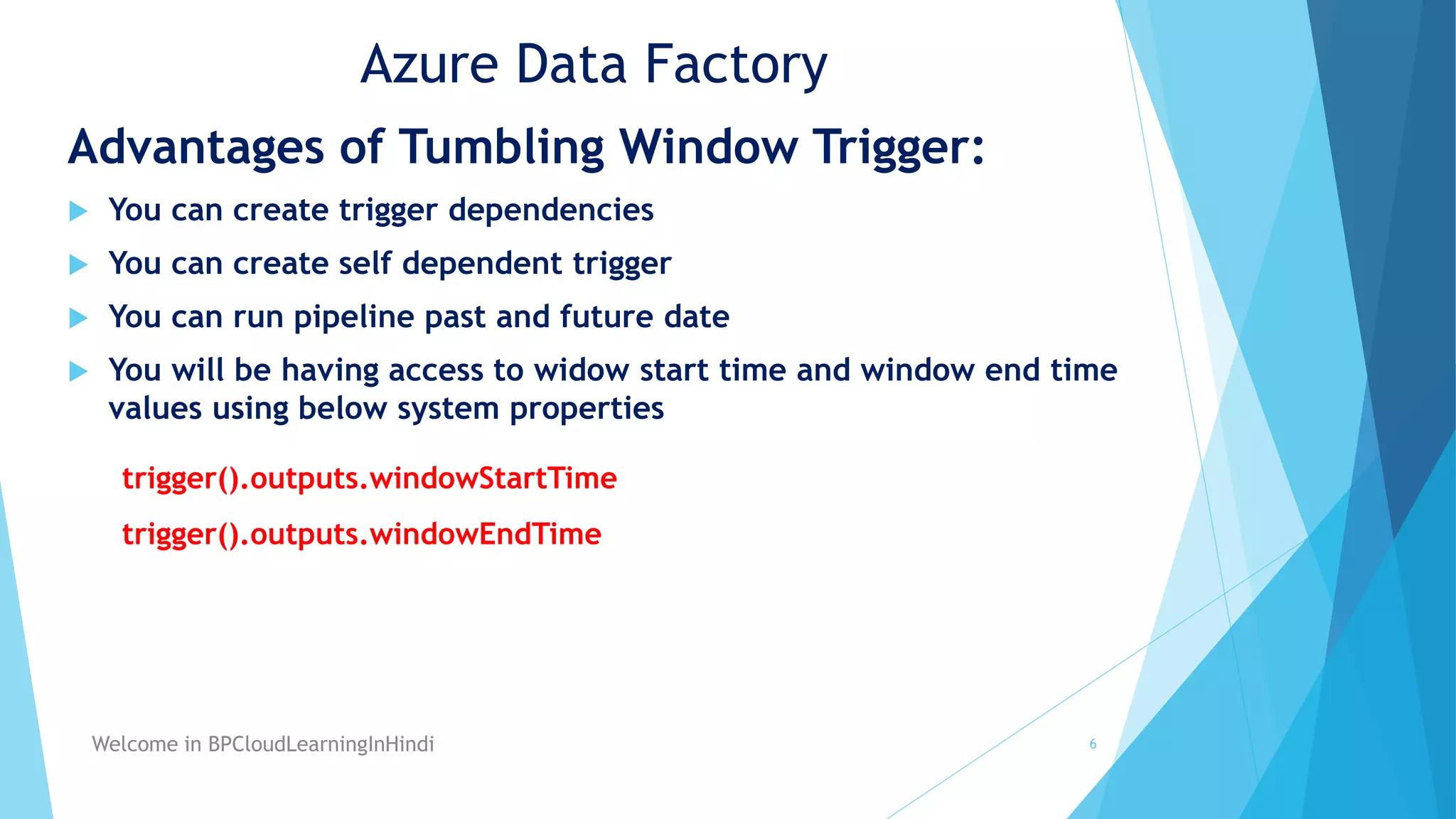
Advantages of Tumbling Window Trigger:
 You can create trigger dependencies
 You can create self dependent trigger
 You can run pipeline past and future date
 You will be having access to widow start time and window end time
values using below system properties
trigger().outputs.windowStartTime
trigger().outputs.windowEndTime
6
Welcome in BPCloudLearningInHindi
Azure Data Factory
Demo
Creation of Tumbling window trigger dependency
in azure data factory
https://portal.azure.com/
Welcome in BPCloudLearningInHindi 7
Thank You
Welcome in BPCloudLearningInHindi 8

14- Tumbling Window Trigger dependency in Azure Data Factory.pptx

  • 1.
    14- Azure DataFactory  Tumbling Window Trigger dependency in Azure Data Factory  Demo – Create Tumbling Window Trigger dependency  Self dependency trigger  Advantage of tumbling window trigger dependency Welcome in BPCloudLearningInHindi 1
  • 2.
    Azure Data Factory TumblingWindow Trigger dependency : In order to build a dependency chain and make sure that a trigger is executed only after the successful execution of another trigger within the service, use this advanced feature to create a tumbling window dependency. You will be having access to widow start time and window end time values using below system properties trigger().outputs.windowStartTime trigger().outputs.windowEndTime 2 Welcome in BPCloudLearningInHindi https://learn.microsoft.com/en-us/azure/data-factory/tumbling-window-trigger-dependency
  • 3.
  • 4.
  • 5.
    Azure Data Factory Selfdependency trigger: Self dependency trigger is going to dependent on its own. we have to provide offset for this negative only 5 Welcome in BPCloudLearningInHindi
  • 6.
    Azure Data Factory Advantagesof Tumbling Window Trigger:  You can create trigger dependencies  You can create self dependent trigger  You can run pipeline past and future date  You will be having access to widow start time and window end time values using below system properties trigger().outputs.windowStartTime trigger().outputs.windowEndTime 6 Welcome in BPCloudLearningInHindi
  • 7.
    Azure Data Factory Demo Creationof Tumbling window trigger dependency in azure data factory https://portal.azure.com/ Welcome in BPCloudLearningInHindi 7
  • 8.
    Thank You Welcome inBPCloudLearningInHindi 8