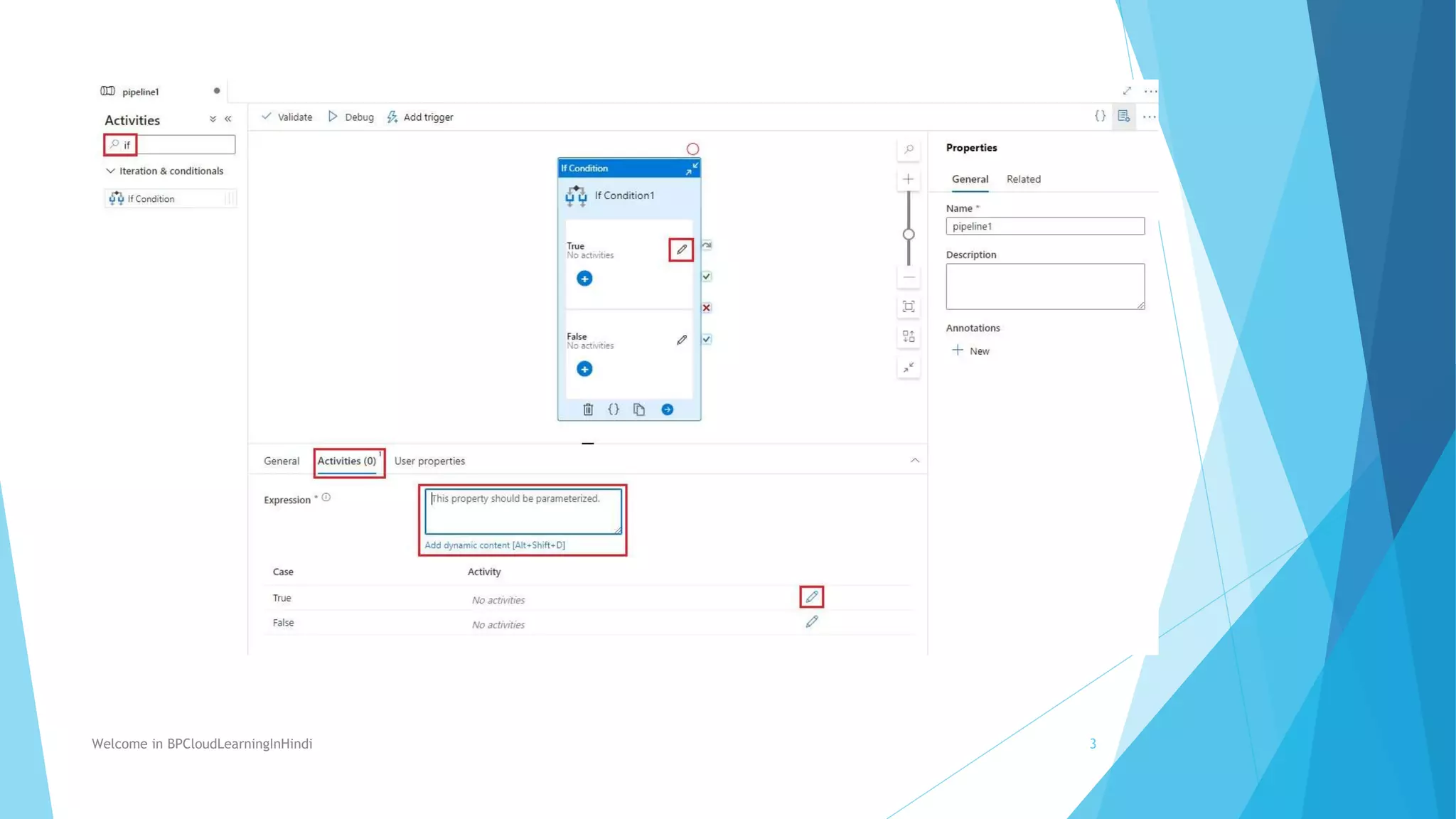
The If Condition activity in Azure Data Factory allows conditional execution of activities based on expression evaluations, similar to if statements in programming languages. It will execute the activities in the "If True" section if the expression is true, and activities in the "If False" section if the expression is false. To use it, drag the If Condition activity onto the pipeline canvas, define an expression to evaluate, and select the activities to execute for the true and false conditions. This provides a way to conditionally control data flow based on expression results in Azure Data Factory pipelines.