1.1 introduction to the basic prolog programming .pptx
1.
Database Systems: A
ComprehensiveOverview
This presentation explores the fundamental concepts and components
of database systems, highlighting their key characteristics, data
modeling principles, and real-world applications.
2.
What is aDatabase?
Organized Collection
A database is a structured collection of data, organized to
facilitate efficient storage, retrieval, and management. It
enables users to access and manipulate data in a controlled
and organized manner.
Purposeful Structure
Databases are designed to store and manage specific types
of information, enabling applications to access and process
data effectively. This structure helps ensure data integrity
and consistency.
3.
Introduction to Database
ManagementSystems
(DBMS)
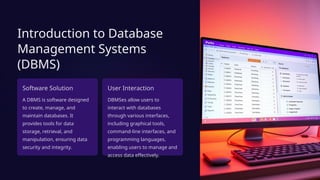
Software Solution
A DBMS is software designed
to create, manage, and
maintain databases. It
provides tools for data
storage, retrieval, and
manipulation, ensuring data
security and integrity.
User Interaction
DBMSes allow users to
interact with databases
through various interfaces,
including graphical tools,
command-line interfaces, and
programming languages,
enabling users to manage and
access data effectively.
4.
Key Components ofa DBMS
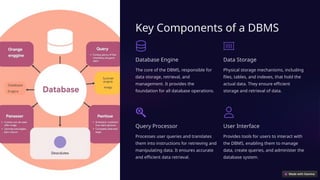
Database Engine
The core of the DBMS, responsible for
data storage, retrieval, and
management. It provides the
foundation for all database operations.
Data Storage
Physical storage mechanisms, including
files, tables, and indexes, that hold the
actual data. They ensure efficient
storage and retrieval of data.
Query Processor
Processes user queries and translates
them into instructions for retrieving and
manipulating data. It ensures accurate
and efficient data retrieval.
User Interface
Provides tools for users to interact with
the DBMS, enabling them to manage
data, create queries, and administer the
database system.
5.
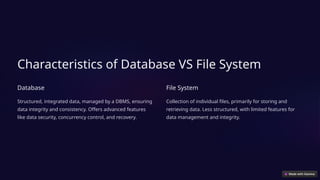
Characteristics of DatabaseVS File System
Database
Structured, integrated data, managed by a DBMS, ensuring
data integrity and consistency. Offers advanced features
like data security, concurrency control, and recovery.
File System
Collection of individual files, primarily for storing and
retrieving data. Less structured, with limited features for
data management and integrity.
6.
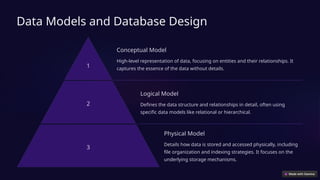
Data Models andDatabase Design
1
Conceptual Model
High-level representation of data, focusing on entities and their relationships. It
captures the essence of the data without details.
2
Logical Model
Defines the data structure and relationships in detail, often using
specific data models like relational or hierarchical.
3
Physical Model
Details how data is stored and accessed physically, including
file organization and indexing strategies. It focuses on the
underlying storage mechanisms.
7.
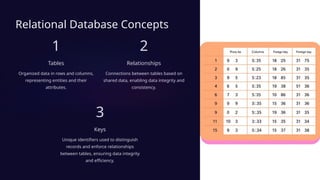
Relational Database Concepts
1
Tables
Organizeddata in rows and columns,
representing entities and their
attributes.
2
Relationships
Connections between tables based on
shared data, enabling data integrity and
consistency.
3
Keys
Unique identifiers used to distinguish
records and enforce relationships
between tables, ensuring data integrity
and efficiency.
8.
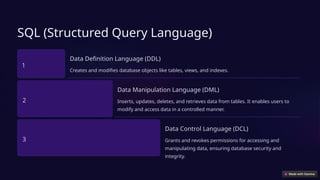
SQL (Structured QueryLanguage)
1
Data Definition Language (DDL)
Creates and modifies database objects like tables, views, and indexes.
2
Data Manipulation Language (DML)
Inserts, updates, deletes, and retrieves data from tables. It enables users to
modify and access data in a controlled manner.
3
Data Control Language (DCL)
Grants and revokes permissions for accessing and
manipulating data, ensuring database security and
integrity.
9.
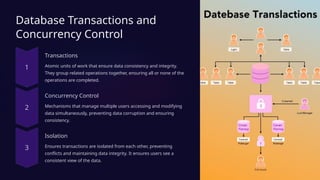
Database Transactions and
ConcurrencyControl
Transactions
Atomic units of work that ensure data consistency and integrity.
They group related operations together, ensuring all or none of the
operations are completed.
Concurrency Control
Mechanisms that manage multiple users accessing and modifying
data simultaneously, preventing data corruption and ensuring
consistency.
Isolation
Ensures transactions are isolated from each other, preventing
conflicts and maintaining data integrity. It ensures users see a
consistent view of the data.
10.
Database Security andBackup/Recovery
Database security measures are essential to protect sensitive data from unauthorized access. Regular backups and recovery
strategies are crucial for preventing data loss and ensuring business continuity.
11.
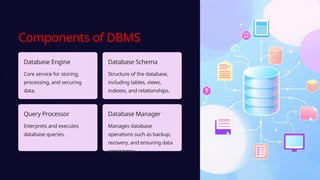
Components of DBMS
DatabaseEngine
Core service for storing,
processing, and securing
data.
Database Schema
Structure of the database,
including tables, views,
indexes, and relationships.
Query Processor
Interprets and executes
database queries.
Database Manager
Manages database
operations such as backup,
recovery, and ensuring data
consistency.
12.
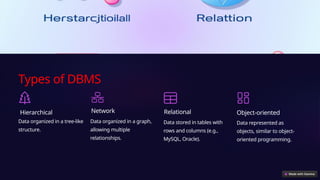
Types of DBMS
Hierarchical
Dataorganized in a tree-like
structure.
Network
Data organized in a graph,
allowing multiple
relationships.
Relational
Data stored in tables with
rows and columns (e.g.,
MySQL, Oracle).
Object-oriented
Data represented as
objects, similar to object-
oriented programming.
13.
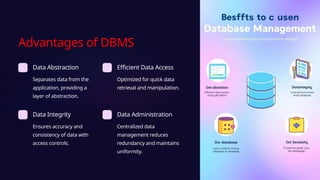
Advantages of DBMS
DataAbstraction
Separates data from the
application, providing a
layer of abstraction.
Efficient Data Access
Optimized for quick data
retrieval and manipulation.
Data Integrity
Ensures accuracy and
consistency of data with
access controls.
Data Administration
Centralized data
management reduces
redundancy and maintains
uniformity.
14.
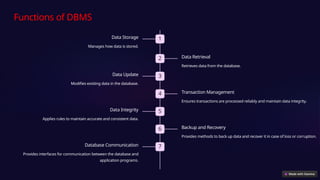
Functions of DBMS
1
DataStorage
Manages how data is stored.
2 Data Retrieval
Retrieves data from the database.
3
Data Update
Modifies existing data in the database.
4 Transaction Management
Ensures transactions are processed reliably and maintain data integrity.
5
Data Integrity
Applies rules to maintain accurate and consistent data.
6 Backup and Recovery
Provides methods to back up data and recover it in case of loss or corruption.
7
Database Communication
Provides interfaces for communication between the database and
application programs.
15.
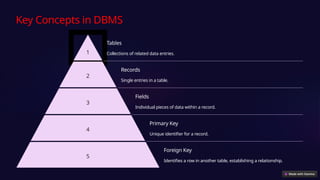
Key Concepts inDBMS
1
Tables
Collections of related data entries.
2
Records
Single entries in a table.
3
Fields
Individual pieces of data within a record.
4
Primary Key
Unique identifier for a record.
5
Foreign Key
Identifies a row in another table, establishing a relationship.
16.
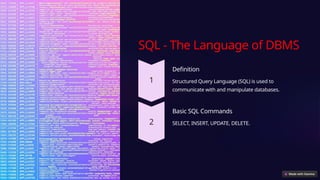
SQL - TheLanguage of DBMS
Definition
Structured Query Language (SQL) is used to
communicate with and manipulate databases.
Basic SQL Commands
SELECT, INSERT, UPDATE, DELETE.
17.
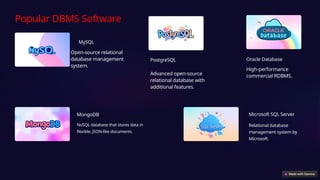
Popular DBMS Software
MySQL
Open-sourcerelational
database management
system.
PostgreSQL
Advanced open-source
relational database with
additional features.
Oracle Database
High-performance
commercial RDBMS.
Microsoft SQL Server
Relational database
management system by
Microsoft.
MongoDB
NoSQL database that stores data in
flexible, JSON-like documents.
18.
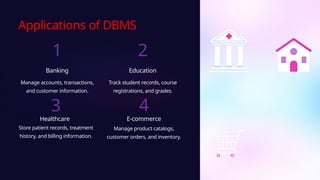
Applications of DBMS
1
Banking
Manageaccounts, transactions,
and customer information.
2
Education
Track student records, course
registrations, and grades.
3
Healthcare
Store patient records, treatment
history, and billing information.
4
E-commerce
Manage product catalogs,
customer orders, and inventory.
19.
Future Trends inDBMS
Leveraging cloud technology, exploring non-relational databases, and
integrating with big data and AI are crucial for efficient data
management and unlocking insights.
20.
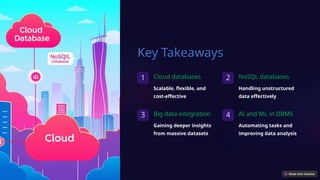
Key Takeaways
1 Clouddatabases
Scalable, flexible, and
cost-effective
2 NoSQL databases
Handling unstructured
data effectively
3 Big data integration
Gaining deeper insights
from massive datasets
4 AI and ML in DBMS
Automating tasks and
improving data analysis