FREE ACCESSIBILITY TESTING
TOOLS
ROB PORTER
Plone Conference 2017
Work Experience: Worked for Penn State 13 years. Helped start the WebLion Project

Work for Wildcard for about 3 years now. 

Passion for UI and how computers talk to different interfaces like screen readers. Mobile devices

Blind people get around your site with headings, lists, links, form bindings
WHY USE ACCESSIBILITY TOOLS TO TEST YOUR WEBSITES?
▸ You want the most people to understand your awesome
content.
▸ Sooner or later…
▸ Sooner or later you may get sued
1.) You may know someone who could use your help. It only takes a little bit of time to get in some good habits. Also you may know someone who is colorblind and
hiding that fact.. it is frustrating when someone can’t see your awesome content because of color choices or font sizes.

2. Sooner or later you will need some kind of help. Like me, As you get over 40. You may need bifocals
WCAG 2.0
▸ Web Content Accessibility Guidelines (WCAG) is
developed through the W3C process
▸ There are 3 levels of WCAG: A, AA, AAA
America- we have 508 accessibility standards.. for the web they are called WCAG

LEVELS- each additional “A” level fulfills all the requirements of the level below it. So AAA has to follow the rules of both A and AA
YEAH…WCAG 2.0 AAA IS
“UNOBTAINIUM” AND
MYTHICAL
Paul Roeland
TEXT
Many of the requirements of AAA is just impossible so we will focus on AA. 


Here is a list
PAUL J ADAM’S WCAG CHECKLIST
▸ http://pauljadam.com/wcag20checklist.html
This checklist made by Paul J Adam. He works for is a great resource of all things accessibility wise.
CAN YOU NAVIGATE YOUR
WEBSITE WITH ONLY THE
KEYBOARD?
Did you or some bootstrap take away the normal :focus styles

Bad example: https://www.usatoday.com/

Good Example: cnn, wildcardcorp, REALLY good https://www.w3.org/WAI/demos/bad/
BUILT IN TOOLS.
BUILT IN TOOLS
MAC VOICE OVER
▸ Mac Shortcuts: https://webaim.org/articles/voiceover/
▸ Best to use with the safari browser
Demo Mac will be demoed at the end
BUILT IN TOOLS
IPHONE VOICE OVER
▸ iPhone voice over: https://www.apple.com/lae/
accessibility/iphone/vision/
Demo Iphone video will be shown at end
BUILT IN TOOLS
WINDOWS AND LINUX
▸ No default tools.
These will need to be added. Like NVDA and
BROWSER ADD
ONS
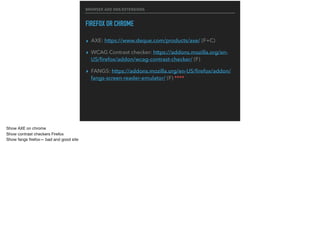
BROWSER ADD ONS/EXTENSIONS
FIREFOX OR CHROME
▸ AXE: https://www.deque.com/products/axe/ (F+C)
▸ WCAG Contrast checker: https://addons.mozilla.org/en-
US/firefox/addon/wcag-contrast-checker/ (F)
▸ FANGS: https://addons.mozilla.org/en-US/firefox/addon/
fangs-screen-reader-emulator/ (F) ****
Show AXE on chrome

Show contrast checkers Firefox

Show fangs firefox— bad and good site
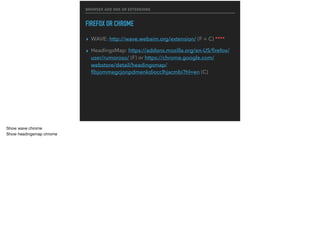
BROWSER ADD ONS OR EXTENSIONS
FIREFOX OR CHROME
▸ WAVE: http://wave.webaim.org/extension/ (F + C) ****
▸ HeadingsMap: https://addons.mozilla.org/en-US/firefox/
user/rumoroso/ (F) or https://chrome.google.com/
webstore/detail/headingsmap/
flbjommegcjonpdmenkdiocclhjacmbi?hl=en (C)
Show wave chrome

Show headingsmap chrome
EXTERNAL TEST
EXTERNAL TEST
▸ http://wave.webaim.org/
You add your webpage and it kind of does what the wave browser extension does
DESKTOP
APPLICATIONS
DESKTOP APPLICATIONS
▸ Colour Contrast Analyzer: https://
developer.paciellogroup.com/resources/contrastanalyser/
(Mac and Windows)
▸ Color Oracle: http://colororacle.org/index.html (Mac,
Windows, Linux
▸ SIm Daltonism
These are more for designers…

Oracle is a simulator http://www.color-blindness.com/ishihara-38-plates-cvd-test/#prettyPhoto/0/
AUTOMATED
TESTING
AUTOMATED TESTING
▸ aXe-core: https://www.deque.com/products/axe-core
aXe-core is an open source, portable JavaScript library that executes automated accessibility testing inside your testing framework or browser of choice and outputs
reports.. so does the axe
BOOKMARKLETS
These will get you there faster. I would say these could be your initial go to for testing. Especially the html_sniffer one. These work in most browsers even mobile
BOOKMARKLETS
HTML_CODESNIFFER
▸ https://squizlabs.github.io/HTML_CodeSniffer/ ****
* Code sniffer is one of my all time favorites. Show both bad and good

* Aria sample https://webaim.org/resources/shortcuts/nvda

*
BOOKMARKLETS
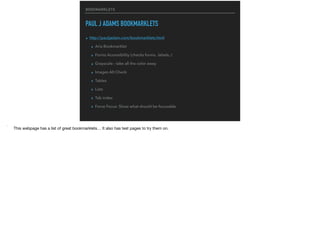
PAUL J ADAMS BOOKMARKLETS
▸ http://pauljadam.com/bookmarklets.html
▸ Aria Bookmarklet
▸ Forms Accessibility (checks forms.. labels..)
▸ Grayscale - take all the color away
▸ Images Alt Check
▸ Tables
▸ Lists
▸ Tab index
▸ Force Focus: Show what should be focusable
* This webpage has a list of great bookmarklets… It also has test pages to try them on.
FREE SCREEN
READERS
These will get you there faster. I would say these could be your initial go to for testing. Especially the html_sniffer one. These work in most browsers even mobile. 

This is the real stuff. JAWS would be nice.. but we are going free here.. JAWS is almost 1000 bucks

Also better test for things like modals and aria live areas
SCREEN READERS
VOICE OVER IPHONE
* If you have a iphone, it is pretty easy to get started.
SCREEN READERS
VOICE OVER MAC
Live Demo
https://webaim.org/articles/
voiceover/ shortcuts
Best Browser: Safari
* Start Voice Over

* Open Safari

* Use control + option + command THEN H for heading L for links J for forms

*
SCREEN READERS
NVDA WINDOWS
Live Demo
https://webaim.org/articles/
voiceover/ shortcuts
Best Browser: Firefox
* Python based..

* Start NVDA

* Open firefox

* Use capslock(since Mac doesn’t have “insert”

* H for heading L for links F for forms

*
SCREEN READERS
10 OTHER FREE ONES
https://usabilitygeek.com/10-free-
screen-reader-blind-visually-impaired-
users/
CASTLE
ADVANTAGE
We know that content people sometimes make mistakes.. Plone is good out of the box.. What if I told you we got axe-core into the castle advantage version. 

Let me show you.
THANK YOU, ANY
QUESTIONS?
Rob Porter @RobZoneNet twitter/github
TEXT
PAUL’S ADDITION
open-source, heavy duty, http://asqatasun.org/ (can run as a Docker container or on
Linux)
Twitter just opensourced their testing tool yesterday, so not tested by me:
https://github.com/github/accessibilityjs/blob/master/README.md
and I also use https://desktop.opquast.com/en/
and Paypal's command line tool:
https://github.com/paypal/AATT

Accessibility testing-tools

  • 1.
    FREE ACCESSIBILITY TESTING TOOLS ROBPORTER Plone Conference 2017 Work Experience: Worked for Penn State 13 years. Helped start the WebLion Project Work for Wildcard for about 3 years now. Passion for UI and how computers talk to different interfaces like screen readers. Mobile devices Blind people get around your site with headings, lists, links, form bindings
  • 2.
    WHY USE ACCESSIBILITYTOOLS TO TEST YOUR WEBSITES? ▸ You want the most people to understand your awesome content. ▸ Sooner or later… ▸ Sooner or later you may get sued 1.) You may know someone who could use your help. It only takes a little bit of time to get in some good habits. Also you may know someone who is colorblind and hiding that fact.. it is frustrating when someone can’t see your awesome content because of color choices or font sizes. 2. Sooner or later you will need some kind of help. Like me, As you get over 40. You may need bifocals
  • 3.
    WCAG 2.0 ▸ WebContent Accessibility Guidelines (WCAG) is developed through the W3C process ▸ There are 3 levels of WCAG: A, AA, AAA America- we have 508 accessibility standards.. for the web they are called WCAG LEVELS- each additional “A” level fulfills all the requirements of the level below it. So AAA has to follow the rules of both A and AA
  • 4.
    YEAH…WCAG 2.0 AAAIS “UNOBTAINIUM” AND MYTHICAL Paul Roeland TEXT Many of the requirements of AAA is just impossible so we will focus on AA. 
 Here is a list
  • 5.
    PAUL J ADAM’SWCAG CHECKLIST ▸ http://pauljadam.com/wcag20checklist.html This checklist made by Paul J Adam. He works for is a great resource of all things accessibility wise.
  • 6.
    CAN YOU NAVIGATEYOUR WEBSITE WITH ONLY THE KEYBOARD? Did you or some bootstrap take away the normal :focus styles Bad example: https://www.usatoday.com/ Good Example: cnn, wildcardcorp, REALLY good https://www.w3.org/WAI/demos/bad/
  • 7.
  • 8.
    BUILT IN TOOLS MACVOICE OVER ▸ Mac Shortcuts: https://webaim.org/articles/voiceover/ ▸ Best to use with the safari browser Demo Mac will be demoed at the end
  • 9.
    BUILT IN TOOLS IPHONEVOICE OVER ▸ iPhone voice over: https://www.apple.com/lae/ accessibility/iphone/vision/ Demo Iphone video will be shown at end
  • 10.
    BUILT IN TOOLS WINDOWSAND LINUX ▸ No default tools. These will need to be added. Like NVDA and
  • 11.
  • 12.
    BROWSER ADD ONS/EXTENSIONS FIREFOXOR CHROME ▸ AXE: https://www.deque.com/products/axe/ (F+C) ▸ WCAG Contrast checker: https://addons.mozilla.org/en- US/firefox/addon/wcag-contrast-checker/ (F) ▸ FANGS: https://addons.mozilla.org/en-US/firefox/addon/ fangs-screen-reader-emulator/ (F) **** Show AXE on chrome Show contrast checkers Firefox Show fangs firefox— bad and good site
  • 13.
    BROWSER ADD ONSOR EXTENSIONS FIREFOX OR CHROME ▸ WAVE: http://wave.webaim.org/extension/ (F + C) **** ▸ HeadingsMap: https://addons.mozilla.org/en-US/firefox/ user/rumoroso/ (F) or https://chrome.google.com/ webstore/detail/headingsmap/ flbjommegcjonpdmenkdiocclhjacmbi?hl=en (C) Show wave chrome Show headingsmap chrome
  • 14.
  • 15.
    EXTERNAL TEST ▸ http://wave.webaim.org/ Youadd your webpage and it kind of does what the wave browser extension does
  • 16.
  • 17.
    DESKTOP APPLICATIONS ▸ ColourContrast Analyzer: https:// developer.paciellogroup.com/resources/contrastanalyser/ (Mac and Windows) ▸ Color Oracle: http://colororacle.org/index.html (Mac, Windows, Linux ▸ SIm Daltonism These are more for designers… Oracle is a simulator http://www.color-blindness.com/ishihara-38-plates-cvd-test/#prettyPhoto/0/
  • 18.
  • 19.
    AUTOMATED TESTING ▸ aXe-core:https://www.deque.com/products/axe-core aXe-core is an open source, portable JavaScript library that executes automated accessibility testing inside your testing framework or browser of choice and outputs reports.. so does the axe
  • 20.
    BOOKMARKLETS These will getyou there faster. I would say these could be your initial go to for testing. Especially the html_sniffer one. These work in most browsers even mobile
  • 21.
    BOOKMARKLETS HTML_CODESNIFFER ▸ https://squizlabs.github.io/HTML_CodeSniffer/ **** *Code sniffer is one of my all time favorites. Show both bad and good * Aria sample https://webaim.org/resources/shortcuts/nvda *
  • 22.
    BOOKMARKLETS PAUL J ADAMSBOOKMARKLETS ▸ http://pauljadam.com/bookmarklets.html ▸ Aria Bookmarklet ▸ Forms Accessibility (checks forms.. labels..) ▸ Grayscale - take all the color away ▸ Images Alt Check ▸ Tables ▸ Lists ▸ Tab index ▸ Force Focus: Show what should be focusable * This webpage has a list of great bookmarklets… It also has test pages to try them on.
  • 23.
    FREE SCREEN READERS These willget you there faster. I would say these could be your initial go to for testing. Especially the html_sniffer one. These work in most browsers even mobile. This is the real stuff. JAWS would be nice.. but we are going free here.. JAWS is almost 1000 bucks Also better test for things like modals and aria live areas
  • 24.
    SCREEN READERS VOICE OVERIPHONE * If you have a iphone, it is pretty easy to get started.
  • 25.
    SCREEN READERS VOICE OVERMAC Live Demo https://webaim.org/articles/ voiceover/ shortcuts Best Browser: Safari * Start Voice Over * Open Safari * Use control + option + command THEN H for heading L for links J for forms *
  • 26.
    SCREEN READERS NVDA WINDOWS LiveDemo https://webaim.org/articles/ voiceover/ shortcuts Best Browser: Firefox * Python based.. * Start NVDA * Open firefox * Use capslock(since Mac doesn’t have “insert” * H for heading L for links F for forms *
  • 27.
    SCREEN READERS 10 OTHERFREE ONES https://usabilitygeek.com/10-free- screen-reader-blind-visually-impaired- users/
  • 28.
    CASTLE ADVANTAGE We know thatcontent people sometimes make mistakes.. Plone is good out of the box.. What if I told you we got axe-core into the castle advantage version. Let me show you.
  • 29.
    THANK YOU, ANY QUESTIONS? RobPorter @RobZoneNet twitter/github
  • 30.
    TEXT PAUL’S ADDITION open-source, heavyduty, http://asqatasun.org/ (can run as a Docker container or on Linux) Twitter just opensourced their testing tool yesterday, so not tested by me: https://github.com/github/accessibilityjs/blob/master/README.md and I also use https://desktop.opquast.com/en/ and Paypal's command line tool: https://github.com/paypal/AATT