Jonathan Bossenger
Let’s Code
Learn.WordPress.org
Developing Blocks without React! - Part 2
2
👋🏽
Welcome!
As you join, please make sure you have your local
development environment ready:
• A local WordPress installation
• A code editor like VSCode or Sublime
• The part 1 block code -
https://github.com/jonathanbossenger/wp-
learn-javascript/releases/download/0.0.2/wp-
learn-javascript.0.0.2.zip
Then, let everyone know in the chat where you’re
joining us from…
Hello!
○ My name is Jonathan Bossenger
○ From Cape Town, South Africa
○ Ex-developer turned code instructor
○ Sponsored contributor at Automattic
○ @jon_bossenger in Twitter
Learn.WordPress.org
Let's code!
Developing Blocks
without React!
Jonathan Bossenger
Announcements
○ Welcome, and thank you to Alvaro for co-hosting today!
○ We’ll be presenting in focus mode, but please consider enabling your video.
○ You are welcome to ask questions.
○ You are welcome to post questions in the chat, or unmute to ask questions.
Announcements
○ Please consider taking the Learn WordPress Learner Survey
• https://learn.wordpress.org/individual-learner-survey/
○ Make sure your local install is ready
• https://github.com/jonathanbossenger/wp-learn-
javascript/releases/download/0.0.2/wp-learn-javascript.0.0.2.zip
○ If I am going too fast, please let me know!
○ We will be posting this session to https://wordpress.tv/ afterwards
○ For more WordPress focused content please visit https://learn.wordpress.org/
Learning Outcomes
1. Review of last week’s block code
2. Cover some general developer tools/principles for block development
3. Add an attribute to the block
4. Make it possible to edit and save the block attributes
5. Implement the RichText component for a better user experience
Objectives 1
1. Review developer tools and clearing the browser cache
2. Change the element for the edit function.
3. Add the string attribute to the block
4. Learn about the difference between the block props and blockProps
5. Make use of the attribute’s content in the edit function
a. Access the object items manually
b. Access the object items by using the destructuring assignment syntax
7
Objectives 2
1. Update the save function to access the same attribute
2. Add the onChange functionality to the element in the edit function
3. Implement the RichText component to provide a better user experience
8
9
Let’s code.
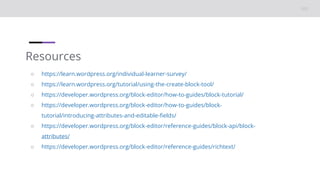
Resources
○ https://learn.wordpress.org/individual-learner-survey/
○ https://learn.wordpress.org/tutorial/using-the-create-block-tool/
○ https://developer.wordpress.org/block-editor/how-to-guides/block-tutorial/
○ https://developer.wordpress.org/block-editor/how-to-guides/block-
tutorial/introducing-attributes-and-editable-fields/
○ https://developer.wordpress.org/block-editor/reference-guides/block-api/block-
attributes/
○ https://developer.wordpress.org/block-editor/reference-guides/richtext/
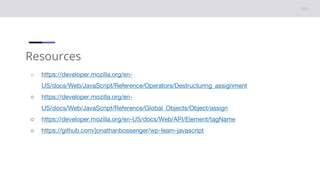
Resources
○ https://developer.mozilla.org/en-
US/docs/Web/JavaScript/Reference/Operators/Destructuring_assignment
○ https://developer.mozilla.org/en-
US/docs/Web/JavaScript/Reference/Global_Objects/Object/assign
○ https://developer.mozilla.org/en-US/docs/Web/API/Element/tagName
○ https://github.com/jonathanbossenger/wp-learn-javascript

Developing Blocks without React - Part 2

Editor's Notes

  • #2 TITLE SLIDE: Make a copy of this presentation to your Google Drive, and edit to replace with your details.