
Jonathan Bossenger
Let’s Code
Learn.WordPress.org
WordPress Coding Standards
2
👋🏽
Welcome!
As you join, please let us know in the chat where
you’re joining us from, and what the weather’s like in
your part of the world…
Hello!
○ My name is Jonathan Bossenger
○ From Cape Town, South Africa
○ Developer educator at Automattic
○ Sponsored to work with the Training Team
○ jonathanbossenger.com
Learn.WordPress.org
WordPress Coding
Standards
Jonathan Bossenger
Announcements
○ A note on today’s presentation…
Announcements
○ Welcome, and thanks to Laura for co-hosting.
○ Please let me know if you can’t see this slide!
○ We are presenting in focus mode, but please feel free to enable your video.
○ You are welcome to ask questions.
○ You are welcome to post questions in the chat, or unmute to ask questions.
Announcements
○ The example code from today’s presentation
• https://github.com/jonathanbossenger/wp-learn-coding-
standards/releases/download/1.0.0/wp-learn-coding-standards.1.0.0.zip
• https://www.howtogeek.com/789559/how-to-stop-safari-from-automatically-
unzipping-downloaded-files-on-mac/
○ If I am going too fast, please let me know!
○ We will be posting this session to https://wordpress.tv/ afterwards
○ For more WordPress focused content please visit https://learn.wordpress.org/
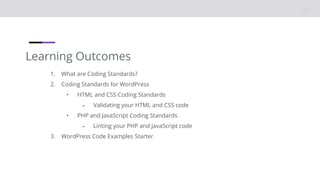
Learning Outcomes
1. What are Coding Standards?
2. Coding Standards for WordPress
• HTML and CSS Coding Standards
⁃ Validating your HTML and CSS code
• PHP and JavaScript Coding Standards
⁃ Linting your PHP and JavaScript code
3. WordPress Code Examples Starter
Let’s code lint.
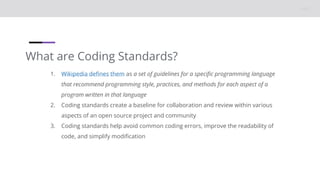
What are Coding Standards?
1. Wikipedia defines them as a set of guidelines for a specific programming language
that recommend programming style, practices, and methods for each aspect of a
program written in that language
2. Coding standards create a baseline for collaboration and review within various
aspects of an open source project and community
3. Coding standards help avoid common coding errors, improve the readability of
code, and simplify modification
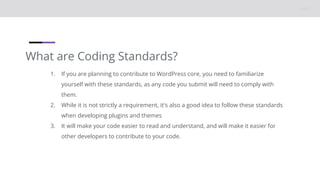
What are Coding Standards?
1. If you are planning to contribute to WordPress core, you need to familiarize
yourself with these standards, as any code you submit will need to comply with
them.
2. While it is not strictly a requirement, it's also a good idea to follow these standards
when developing plugins and themes
3. It will make your code easier to read and understand, and will make it easier for
other developers to contribute to your code.
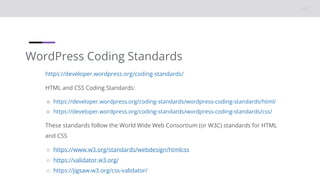
WordPress Coding Standards
https://developer.wordpress.org/coding-standards/
HTML and CSS Coding Standards:
○ https://developer.wordpress.org/coding-standards/wordpress-coding-standards/html/
○ https://developer.wordpress.org/coding-standards/wordpress-coding-standards/css/
These standards follow the World Wide Web Consortium (or W3C) standards for HTML
and CSS
○ https://www.w3.org/standards/webdesign/htmlcss
○ https://validator.w3.org/
○ https://jigsaw.w3.org/css-validator/
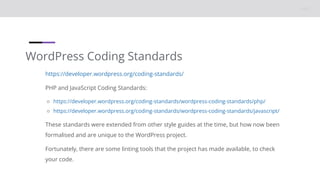
WordPress Coding Standards
https://developer.wordpress.org/coding-standards/
PHP and JavaScript Coding Standards:
○ https://developer.wordpress.org/coding-standards/wordpress-coding-standards/php/
○ https://developer.wordpress.org/coding-standards/wordpress-coding-standards/javascript/
These standards were extended from other style guides at the time, but how now been
formalised and are unique to the WordPress project.
Fortunately, there are some linting tools that the project has made available, to check
your code.
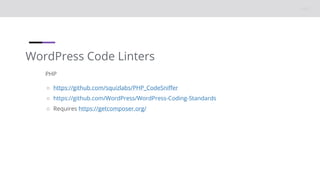
WordPress Code Linters
PHP
○ https://github.com/squizlabs/PHP_CodeSniffer
○ https://github.com/WordPress/WordPress-Coding-Standards
○ Requires https://getcomposer.org/
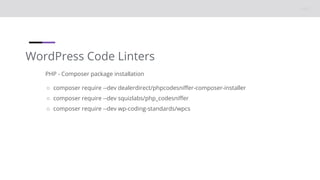
WordPress Code Linters
PHP - Composer package installation
○ composer require --dev dealerdirect/phpcodesniffer-composer-installer
○ composer require --dev squizlabs/php_codesniffer
○ composer require --dev wp-coding-standards/wpcs
WordPress Code Linters
PHP - phpcs.xml configuration
<?xml version="1.0"?>
<ruleset name="WordPress Coding Standards">
<rule ref="WordPress"/>
<arg name="extensions" value="php"/>
<file>.</file>
<!-- Exclude Vendor directory -->
<exclude-pattern>*/vendor/*</exclude-pattern>
<exclude-pattern>*/node_modules/*</exclude-pattern>
</ruleset>
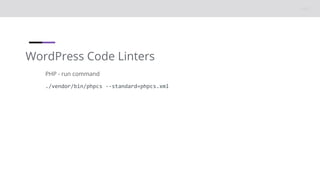
WordPress Code Linters
PHP - run command
./vendor/bin/phpcs --standard=phpcs.xml
WordPress Code Linters
JavaScript
○ https://developer.wordpress.org/block-editor/reference-guides/packages/packages-
scripts/
○ Requires https://nodejs.org/en
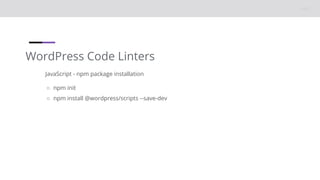
WordPress Code Linters
JavaScript - npm package installation
○ npm init
○ npm install @wordpress/scripts --save-dev
WordPress Code Linters
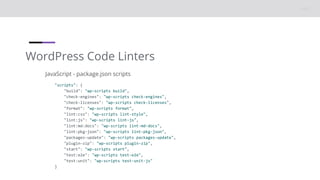
JavaScript - package.json scripts
"scripts": {
"build": "wp-scripts build",
"check-engines": "wp-scripts check-engines",
"check-licenses": "wp-scripts check-licenses",
"format": "wp-scripts format",
"lint:css": "wp-scripts lint-style",
"lint:js": "wp-scripts lint-js",
"lint:md:docs": "wp-scripts lint-md-docs",
"lint:pkg-json": "wp-scripts lint-pkg-json",
"packages-update": "wp-scripts packages-update",
"plugin-zip": "wp-scripts plugin-zip",
"start": "wp-scripts start",
"test:e2e": "wp-scripts test-e2e",
"test:unit": "wp-scripts test-unit-js"
}
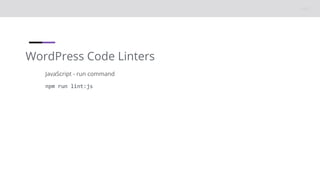
WordPress Code Linters
JavaScript - run command
npm run lint:js
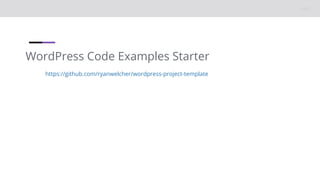
WordPress Code Examples Starter
https://github.com/ryanwelcher/wordpress-project-template
Resources
○ https://github.com/jonathanbossenger/wp-learn-coding-standards/releases/download/1.0.0/wp-
learn-coding-standards.1.0.0.zip
○ https://en.wikipedia.org/wiki/Coding_conventions
○ https://developer.wordpress.org/coding-standards/
○ https://developer.wordpress.org/coding-standards/wordpress-coding-standards/html/
○ https://developer.wordpress.org/coding-standards/wordpress-coding-standards/css/
○ https://www.w3.org/standards/webdesign/htmlcss
○ https://validator.w3.org/
○ https://jigsaw.w3.org/css-validator/
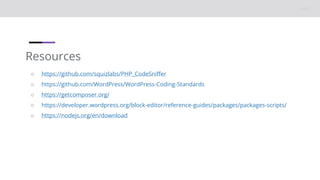
Resources
○ https://github.com/squizlabs/PHP_CodeSniffer
○ https://github.com/WordPress/WordPress-Coding-Standards
○ https://getcomposer.org/
○ https://developer.wordpress.org/block-editor/reference-guides/packages/packages-scripts/
○ https://nodejs.org/en/download

WordPress Coding Standards

  • 1.
  • 2.
    2 👋🏽 Welcome! As you join,please let us know in the chat where you’re joining us from, and what the weather’s like in your part of the world… Hello! ○ My name is Jonathan Bossenger ○ From Cape Town, South Africa ○ Developer educator at Automattic ○ Sponsored to work with the Training Team ○ jonathanbossenger.com
  • 3.
  • 4.
    Announcements ○ A noteon today’s presentation…
  • 5.
    Announcements ○ Welcome, andthanks to Laura for co-hosting. ○ Please let me know if you can’t see this slide! ○ We are presenting in focus mode, but please feel free to enable your video. ○ You are welcome to ask questions. ○ You are welcome to post questions in the chat, or unmute to ask questions.
  • 6.
    Announcements ○ The examplecode from today’s presentation • https://github.com/jonathanbossenger/wp-learn-coding- standards/releases/download/1.0.0/wp-learn-coding-standards.1.0.0.zip • https://www.howtogeek.com/789559/how-to-stop-safari-from-automatically- unzipping-downloaded-files-on-mac/ ○ If I am going too fast, please let me know! ○ We will be posting this session to https://wordpress.tv/ afterwards ○ For more WordPress focused content please visit https://learn.wordpress.org/
  • 7.
    Learning Outcomes 1. Whatare Coding Standards? 2. Coding Standards for WordPress • HTML and CSS Coding Standards ⁃ Validating your HTML and CSS code • PHP and JavaScript Coding Standards ⁃ Linting your PHP and JavaScript code 3. WordPress Code Examples Starter
  • 8.
  • 9.
    What are CodingStandards? 1. Wikipedia defines them as a set of guidelines for a specific programming language that recommend programming style, practices, and methods for each aspect of a program written in that language 2. Coding standards create a baseline for collaboration and review within various aspects of an open source project and community 3. Coding standards help avoid common coding errors, improve the readability of code, and simplify modification
  • 10.
    What are CodingStandards? 1. If you are planning to contribute to WordPress core, you need to familiarize yourself with these standards, as any code you submit will need to comply with them. 2. While it is not strictly a requirement, it's also a good idea to follow these standards when developing plugins and themes 3. It will make your code easier to read and understand, and will make it easier for other developers to contribute to your code.
  • 11.
    WordPress Coding Standards https://developer.wordpress.org/coding-standards/ HTMLand CSS Coding Standards: ○ https://developer.wordpress.org/coding-standards/wordpress-coding-standards/html/ ○ https://developer.wordpress.org/coding-standards/wordpress-coding-standards/css/ These standards follow the World Wide Web Consortium (or W3C) standards for HTML and CSS ○ https://www.w3.org/standards/webdesign/htmlcss ○ https://validator.w3.org/ ○ https://jigsaw.w3.org/css-validator/
  • 12.
    WordPress Coding Standards https://developer.wordpress.org/coding-standards/ PHPand JavaScript Coding Standards: ○ https://developer.wordpress.org/coding-standards/wordpress-coding-standards/php/ ○ https://developer.wordpress.org/coding-standards/wordpress-coding-standards/javascript/ These standards were extended from other style guides at the time, but how now been formalised and are unique to the WordPress project. Fortunately, there are some linting tools that the project has made available, to check your code.
  • 13.
    WordPress Code Linters PHP ○https://github.com/squizlabs/PHP_CodeSniffer ○ https://github.com/WordPress/WordPress-Coding-Standards ○ Requires https://getcomposer.org/
  • 14.
    WordPress Code Linters PHP- Composer package installation ○ composer require --dev dealerdirect/phpcodesniffer-composer-installer ○ composer require --dev squizlabs/php_codesniffer ○ composer require --dev wp-coding-standards/wpcs
  • 15.
    WordPress Code Linters PHP- phpcs.xml configuration <?xml version="1.0"?> <ruleset name="WordPress Coding Standards"> <rule ref="WordPress"/> <arg name="extensions" value="php"/> <file>.</file> <!-- Exclude Vendor directory --> <exclude-pattern>*/vendor/*</exclude-pattern> <exclude-pattern>*/node_modules/*</exclude-pattern> </ruleset>
  • 16.
    WordPress Code Linters PHP- run command ./vendor/bin/phpcs --standard=phpcs.xml
  • 17.
    WordPress Code Linters JavaScript ○https://developer.wordpress.org/block-editor/reference-guides/packages/packages- scripts/ ○ Requires https://nodejs.org/en
  • 18.
    WordPress Code Linters JavaScript- npm package installation ○ npm init ○ npm install @wordpress/scripts --save-dev
  • 19.
    WordPress Code Linters JavaScript- package.json scripts "scripts": { "build": "wp-scripts build", "check-engines": "wp-scripts check-engines", "check-licenses": "wp-scripts check-licenses", "format": "wp-scripts format", "lint:css": "wp-scripts lint-style", "lint:js": "wp-scripts lint-js", "lint:md:docs": "wp-scripts lint-md-docs", "lint:pkg-json": "wp-scripts lint-pkg-json", "packages-update": "wp-scripts packages-update", "plugin-zip": "wp-scripts plugin-zip", "start": "wp-scripts start", "test:e2e": "wp-scripts test-e2e", "test:unit": "wp-scripts test-unit-js" }
  • 20.
    WordPress Code Linters JavaScript- run command npm run lint:js
  • 21.
    WordPress Code ExamplesStarter https://github.com/ryanwelcher/wordpress-project-template
  • 22.
    Resources ○ https://github.com/jonathanbossenger/wp-learn-coding-standards/releases/download/1.0.0/wp- learn-coding-standards.1.0.0.zip ○ https://en.wikipedia.org/wiki/Coding_conventions ○https://developer.wordpress.org/coding-standards/ ○ https://developer.wordpress.org/coding-standards/wordpress-coding-standards/html/ ○ https://developer.wordpress.org/coding-standards/wordpress-coding-standards/css/ ○ https://www.w3.org/standards/webdesign/htmlcss ○ https://validator.w3.org/ ○ https://jigsaw.w3.org/css-validator/
  • 23.
    Resources ○ https://github.com/squizlabs/PHP_CodeSniffer ○ https://github.com/WordPress/WordPress-Coding-Standards ○https://getcomposer.org/ ○ https://developer.wordpress.org/block-editor/reference-guides/packages/packages-scripts/ ○ https://nodejs.org/en/download

Editor's Notes

  • #2 TITLE SLIDE: Make a copy of this presentation to your Google Drive, and edit to replace with your details.