1
Common WordPress APIs:
Settings API
Jonathan Bossenger
Learn.WordPress.org
2
👋🏽 Welcome!
As you join, let everyone know in the chat where you’re
joining us from, and feel free to share a little about what
you do with WordPress.
Hello!
○ My name is Jonathan Bossenger
○ From Cape Town, South Africa
○ Developer educator at Automattic
○ Sponsored to work with the Training Team
○ jonathanbossenger.com
Learn.WordPress.org
Settings API
Jonathan Bossenger
Announcements
○ Welcome and thanks to Tracy for co-hosting.
○ Please let me know if you can’t see this slide!
○ We are presenting in focus mode, but please feel free to enable your video.
○ You are welcome to ask questions.
○ You are welcome to post questions in the chat, or unmute to ask questions.
Announcements
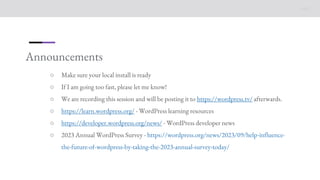
○ Make sure your local install is ready
○ If I am going too fast, please let me know!
○ We are recording this session and will be posting it to https://wordpress.tv/ afterwards.
○ https://learn.wordpress.org/ - WordPress learning resources
○ https://developer.wordpress.org/news/ - WordPress developer news
○ 2023 Annual WordPress Survey - https://wordpress.org/news/2023/09/help-influence-
the-future-of-wordpress-by-taking-the-2023-annual-survey-today/
Learning outcomes
○ The Settings API
• What is the Settings API?
• What should the Settings API be used for?
• Adding new settings to existing settings pages.
• Creating new settings pages.
• Add settings error messages.
• Advantages and disadvantages of using the Settings API.
Question time
○ On a scale of 1 to 5, how well do you know this topic?
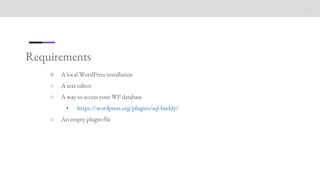
Requirements
○ A local WordPress installation
○ A text editor
○ A way to access your WP database
• https://wordpress.org/plugins/sql-buddy/
○ An empty plugin file
Let’s go!
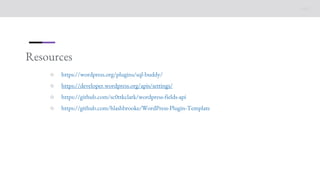
Resources
○ https://wordpress.org/plugins/sql-buddy/
○ https://developer.wordpress.org/apis/settings/
○ https://github.com/sc0ttkclark/wordpress-fields-api
○ https://github.com/hlashbrooke/WordPress-Plugin-Template

Common WordPress APIs_ Settings API

  • 1.
    1 Common WordPress APIs: SettingsAPI Jonathan Bossenger Learn.WordPress.org
  • 2.
    2 👋🏽 Welcome! As youjoin, let everyone know in the chat where you’re joining us from, and feel free to share a little about what you do with WordPress. Hello! ○ My name is Jonathan Bossenger ○ From Cape Town, South Africa ○ Developer educator at Automattic ○ Sponsored to work with the Training Team ○ jonathanbossenger.com
  • 3.
  • 4.
    Announcements ○ Welcome andthanks to Tracy for co-hosting. ○ Please let me know if you can’t see this slide! ○ We are presenting in focus mode, but please feel free to enable your video. ○ You are welcome to ask questions. ○ You are welcome to post questions in the chat, or unmute to ask questions.
  • 5.
    Announcements ○ Make sureyour local install is ready ○ If I am going too fast, please let me know! ○ We are recording this session and will be posting it to https://wordpress.tv/ afterwards. ○ https://learn.wordpress.org/ - WordPress learning resources ○ https://developer.wordpress.org/news/ - WordPress developer news ○ 2023 Annual WordPress Survey - https://wordpress.org/news/2023/09/help-influence- the-future-of-wordpress-by-taking-the-2023-annual-survey-today/
  • 6.
    Learning outcomes ○ TheSettings API • What is the Settings API? • What should the Settings API be used for? • Adding new settings to existing settings pages. • Creating new settings pages. • Add settings error messages. • Advantages and disadvantages of using the Settings API.
  • 7.
    Question time ○ Ona scale of 1 to 5, how well do you know this topic?
  • 8.
    Requirements ○ A localWordPress installation ○ A text editor ○ A way to access your WP database • https://wordpress.org/plugins/sql-buddy/ ○ An empty plugin file
  • 9.
  • 10.
    Resources ○ https://wordpress.org/plugins/sql-buddy/ ○ https://developer.wordpress.org/apis/settings/ ○https://github.com/sc0ttkclark/wordpress-fields-api ○ https://github.com/hlashbrooke/WordPress-Plugin-Template