Jonathan Bossenger
Let’s Code
Learn.WordPress.org
Using the WordPress REST API
2
👋🏽
Welcome!
As you join, please make sure you have your local
development environment ready:
• A local WordPress installation
• A code editor like VSCode or Sublime
• The admin-ajax example plugin
• https://github.com/jonathanbossenger/wp-learn-
rest-api/releases/download/0.0.1/wp-learn-rest-
api.0.0.1.zip
Then, let everyone know in the chat where you’re joining
us from…
Hello!
○ My name is Jonathan Bossenger
○ From Cape Town, South Africa
○ Ex-developer turned code instructor
○ Sponsored contributor at Automattic
○ @jon_bossenger in Twitter
Learn.WordPress.org
Let's code!
Using the
WordPress REST
API
Jonathan Bossenger
Announcements
○ Welcome, and thanks to Thelma for co-hosting!
○ We are presenting in focus mode, but please feel free to enable your video.
○ You are welcome to ask questions.
○ You are welcome to post questions in the chat, or unmute to ask questions.
Announcements
○ Make sure your local install is ready
○ https://github.com/jonathanbossenger/wp-learn-rest-api/releases/download/0.0.1/wp-
learn-rest-api.0.0.1.zip
○ If I am going too fast, please let me know!
○ We will be posting this session to https://wordpress.tv/ afterwards
○ For more WordPress focused content please visit https://learn.wordpress.org/
Learning Outcomes
1. Using the WordPress REST API (aka WP REST API)
• What is the WP REST API
2. All about Routes and Endpoints
3. Using Global Parameters
• Limiting fields
• Implementing Pagination and Ordering
4. WP REST API Authentication overview
5. Using the WP REST API in a WordPress plugin
Objectives 1
1. Setup and review the example plugin
2. Learn what the words REST and API mean
3. Understand the difference between an endpoint and a route
4. Learn how to alter REST API response data
5. Update the example plugin to replace the admin-ajax with a REST API call
7
8
Let’s code.
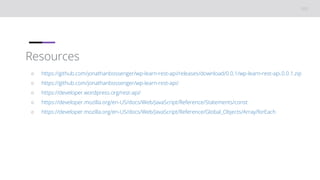
Resources
○ https://github.com/jonathanbossenger/wp-learn-rest-api/releases/download/0.0.1/wp-learn-rest-api.0.0.1.zip
○ https://github.com/jonathanbossenger/wp-learn-rest-api/
○ https://developer.wordpress.org/rest-api/
○ https://developer.mozilla.org/en-US/docs/Web/JavaScript/Reference/Statements/const
○ https://developer.mozilla.org/en-US/docs/Web/JavaScript/Reference/Global_Objects/Array/forEach

Using the WP REST API

  • 1.
  • 2.
    2 👋🏽 Welcome! As you join,please make sure you have your local development environment ready: • A local WordPress installation • A code editor like VSCode or Sublime • The admin-ajax example plugin • https://github.com/jonathanbossenger/wp-learn- rest-api/releases/download/0.0.1/wp-learn-rest- api.0.0.1.zip Then, let everyone know in the chat where you’re joining us from… Hello! ○ My name is Jonathan Bossenger ○ From Cape Town, South Africa ○ Ex-developer turned code instructor ○ Sponsored contributor at Automattic ○ @jon_bossenger in Twitter
  • 3.
  • 4.
    Announcements ○ Welcome, andthanks to Thelma for co-hosting! ○ We are presenting in focus mode, but please feel free to enable your video. ○ You are welcome to ask questions. ○ You are welcome to post questions in the chat, or unmute to ask questions.
  • 5.
    Announcements ○ Make sureyour local install is ready ○ https://github.com/jonathanbossenger/wp-learn-rest-api/releases/download/0.0.1/wp- learn-rest-api.0.0.1.zip ○ If I am going too fast, please let me know! ○ We will be posting this session to https://wordpress.tv/ afterwards ○ For more WordPress focused content please visit https://learn.wordpress.org/
  • 6.
    Learning Outcomes 1. Usingthe WordPress REST API (aka WP REST API) • What is the WP REST API 2. All about Routes and Endpoints 3. Using Global Parameters • Limiting fields • Implementing Pagination and Ordering 4. WP REST API Authentication overview 5. Using the WP REST API in a WordPress plugin
  • 7.
    Objectives 1 1. Setupand review the example plugin 2. Learn what the words REST and API mean 3. Understand the difference between an endpoint and a route 4. Learn how to alter REST API response data 5. Update the example plugin to replace the admin-ajax with a REST API call 7
  • 8.
  • 9.
    Resources ○ https://github.com/jonathanbossenger/wp-learn-rest-api/releases/download/0.0.1/wp-learn-rest-api.0.0.1.zip ○ https://github.com/jonathanbossenger/wp-learn-rest-api/ ○https://developer.wordpress.org/rest-api/ ○ https://developer.mozilla.org/en-US/docs/Web/JavaScript/Reference/Statements/const ○ https://developer.mozilla.org/en-US/docs/Web/JavaScript/Reference/Global_Objects/Array/forEach

Editor's Notes

  • #2 TITLE SLIDE: Make a copy of this presentation to your Google Drive, and edit to replace with your details.