Oscar Merida
January 21, 2014
Building with Virtual
Development Environments
Musketeers.me
What will we look at?
• Benefits of using a Virtual Machine
• Setting up a virtual environment
• Updating your workflow
Musketeers.me
Who uses…
• XAMP, MAMP?
• Acquia Dev Desktop?
• Homebrew, Ports, etc?
• Shared development environment?
• Production?!
Musketeers.me
Early Tools were Crude
• “One-size-fits-all”
• Difficult to customize per
site, or may not support
multiple projects
• Tricky to update
• Inconsistent across
individuals
Musketeers.me
Projects are special
snowflakes
• Different PHP versions / extensions
• Different databases / versions
• What about additional services
• Redis?
• Memcached?
Musketeers.me
Common pitfalls
• Mismatches between development,
staging, QA, & production environments
• bugs that “only happen on live”
• Setup can be tedious and fragile
• Setup is poorly documented
Musketeers.me
Virtualization
• Use a Virtual Machine (VM) identical
to production environment.
• Automate setting up the VM, aka
“Provisioning”
• Share setup more easily with
collaborators.
Musketeers.me
Virtualization?
• “Hardware virtualization or platform virtualization
refers to the creation of a virtual machine that acts
like a real computer with an operating system.
Software executed on these virtual machines is
separated from the underlying hardware resources.
For example, a computer that is running Microsoft
Windows may host a virtual machine that looks like
a computer with the Ubuntu Linux operating
system; Ubuntu-based software can be run on the
virtual machine.”
• http://en.wikipedia.org/wiki/Virtualization
Musketeers.me
Virtualbox
• Free & Open Source Virtualization
software
• https://www.virtualbox.org
• Runs on Windows, Linux, Mac (+more)
• https://www.virtualbox.org/wiki/Downloads
• There’s also VMWare, Parallels, and others…
Musketeers.me
Hardware
• Memory helps — a lot
• need enough to dedicate to the
Guest OS
• Disk space
• use files to represent and persist
virtual hard disk storage
Musketeers.me
Vagrant
• “A tool for building complete
development environments”
• https://www.vagrantup.com/
• A Vagrantfile + provisioner
automatically configures a VM Box for
you.
• … but someone has to make it
Musketeers.me
OK, let’s get to the
good stuff already!
• Assuming you’ve installed Vagrant &
Virtualbox…
• What’s the easiest way to get a VM
working?
Musketeers.me
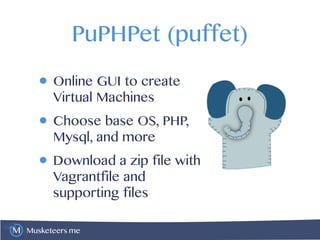
PuPHPet (puffet)
• Online GUI to create
Virtual Machines
• Choose base OS, PHP,
Mysql, and more
• Download a zip file with
Vagrantfile and
supporting files
Musketeers.me
Musketeers.me
Using your Vagrantfile
• Tip: extract the zip file to your
project’s root directory
• Basic vagrant commands:
• vagrant up - start up the VM
• vagrant ssh - SSH to the VM
Musketeers.me
Other Vagrant commands
• vagrant suspend - put the VM to sleep,
use this between work sessions.
• vagrant stop - turn off the VM.
• vagrant destroy - delete the VM,
CAUTION!
Musketeers.me
Musketeers.me
Ooooh, A VM…
• working with files
• viewing your development site in a
browser
• running drush
Musketeers.me
Mapped folders
• By default Vagrant maps your project’s
folder on the Host OS to

/vagrant on the Guest OS.
• For example
• If your project is /home/omerida/drupal8
• The same files are in /vagrant on your VM
Musketeers.me
File permissions gotcha
• Need to insure web server can write
to /sites/default/files
• mount with “anyone can write” file
permissions
• run apache as the vagrant user
• add apache to the vagrant group
• https://www.drupal.org/node/2055947
Musketeers.me
This means…
• Work on PHP, CSS, image, and other files
locally with your favorite IDE, text editor,
and other programs.
• … and the changes are automatically
reflected in your Virtual Environment
• I’ve found default shared maps fine,
some people recommend using NSF but
that involves more setup
Musketeers.me
Browsing your site
• Your Vagrantfile will setup networking so that
the VM is accessible from the Guest OS,
Usually a private address like 192.168.33.10
• Add this IP to your /etc/hosts file
•192.168.33.10 project.dev
• On windows Hosts file is trickier to find.
• You’ll need admin privileges to edit
• Go to “http://project.dev” in your browser
Musketeers.me
Running drush
• vagrant ssh to login to the VM
• > cd /web
• > drush status
• Can install drush from your Guest OS
package repository
Musketeers.me
Vagrant Drupal
Development
• https://www.drupal.org/project/vdd
• Fully configured Linux based VM
• Ubuntu 12.04 LTS
Musketeers.me
Collaboration tips
• One person responsible for initial
setup and configuration
• Commit your Vagrantfile + related
files to your code repository
• Standardize on Virtualbox & Vagrant
versions
Musketeers.me
Provisioners
• You might outgrow PuPHPet (or
phansible.com)
• Various options for automating
• Puppet
• Chef
• Ansible
• Shell Scripts
Musketeers.me
Other Use Cases
• Will my code run with PHP 5.6?
• What if I switch Mysql for Percona,
MariaDB, etc
• Redis or memcached for caching?
• How do I setup Varnish for my site?
Musketeers.me
Testing Drupal 8
• Get Drupal 8 running:
• https://github.com/omerida/drupal8-
vm
• https://github.com/SandyS1/d8ansible
Musketeers.me
Thank You!
• Twitter: @omerida
• Editor-in-Chief php[architect] magazine
• plus Conferences, Training, and books
• www.phparch.com
• Any Questions?

Building with Virtual Development Environments

  • 1.
    Oscar Merida January 21,2014 Building with Virtual Development Environments
  • 2.
    Musketeers.me What will welook at? • Benefits of using a Virtual Machine • Setting up a virtual environment • Updating your workflow
  • 3.
    Musketeers.me Who uses… • XAMP,MAMP? • Acquia Dev Desktop? • Homebrew, Ports, etc? • Shared development environment? • Production?!
  • 4.
    Musketeers.me Early Tools wereCrude • “One-size-fits-all” • Difficult to customize per site, or may not support multiple projects • Tricky to update • Inconsistent across individuals
  • 5.
    Musketeers.me Projects are special snowflakes •Different PHP versions / extensions • Different databases / versions • What about additional services • Redis? • Memcached?
  • 6.
    Musketeers.me Common pitfalls • Mismatchesbetween development, staging, QA, & production environments • bugs that “only happen on live” • Setup can be tedious and fragile • Setup is poorly documented
  • 7.
    Musketeers.me Virtualization • Use aVirtual Machine (VM) identical to production environment. • Automate setting up the VM, aka “Provisioning” • Share setup more easily with collaborators.
  • 8.
    Musketeers.me Virtualization? • “Hardware virtualizationor platform virtualization refers to the creation of a virtual machine that acts like a real computer with an operating system. Software executed on these virtual machines is separated from the underlying hardware resources. For example, a computer that is running Microsoft Windows may host a virtual machine that looks like a computer with the Ubuntu Linux operating system; Ubuntu-based software can be run on the virtual machine.” • http://en.wikipedia.org/wiki/Virtualization
  • 9.
    Musketeers.me Virtualbox • Free &Open Source Virtualization software • https://www.virtualbox.org • Runs on Windows, Linux, Mac (+more) • https://www.virtualbox.org/wiki/Downloads • There’s also VMWare, Parallels, and others…
  • 10.
    Musketeers.me Hardware • Memory helps— a lot • need enough to dedicate to the Guest OS • Disk space • use files to represent and persist virtual hard disk storage
  • 11.
    Musketeers.me Vagrant • “A toolfor building complete development environments” • https://www.vagrantup.com/ • A Vagrantfile + provisioner automatically configures a VM Box for you. • … but someone has to make it
  • 12.
    Musketeers.me OK, let’s getto the good stuff already! • Assuming you’ve installed Vagrant & Virtualbox… • What’s the easiest way to get a VM working?
  • 13.
    Musketeers.me PuPHPet (puffet) • OnlineGUI to create Virtual Machines • Choose base OS, PHP, Mysql, and more • Download a zip file with Vagrantfile and supporting files
  • 14.
  • 15.
    Musketeers.me Using your Vagrantfile •Tip: extract the zip file to your project’s root directory • Basic vagrant commands: • vagrant up - start up the VM • vagrant ssh - SSH to the VM
  • 16.
    Musketeers.me Other Vagrant commands •vagrant suspend - put the VM to sleep, use this between work sessions. • vagrant stop - turn off the VM. • vagrant destroy - delete the VM, CAUTION!
  • 17.
  • 18.
    Musketeers.me Ooooh, A VM… •working with files • viewing your development site in a browser • running drush
  • 19.
    Musketeers.me Mapped folders • Bydefault Vagrant maps your project’s folder on the Host OS to
 /vagrant on the Guest OS. • For example • If your project is /home/omerida/drupal8 • The same files are in /vagrant on your VM
  • 20.
    Musketeers.me File permissions gotcha •Need to insure web server can write to /sites/default/files • mount with “anyone can write” file permissions • run apache as the vagrant user • add apache to the vagrant group • https://www.drupal.org/node/2055947
  • 21.
    Musketeers.me This means… • Workon PHP, CSS, image, and other files locally with your favorite IDE, text editor, and other programs. • … and the changes are automatically reflected in your Virtual Environment • I’ve found default shared maps fine, some people recommend using NSF but that involves more setup
  • 22.
    Musketeers.me Browsing your site •Your Vagrantfile will setup networking so that the VM is accessible from the Guest OS, Usually a private address like 192.168.33.10 • Add this IP to your /etc/hosts file •192.168.33.10 project.dev • On windows Hosts file is trickier to find. • You’ll need admin privileges to edit • Go to “http://project.dev” in your browser
  • 23.
    Musketeers.me Running drush • vagrantssh to login to the VM • > cd /web • > drush status • Can install drush from your Guest OS package repository
  • 24.
  • 25.
    Musketeers.me Collaboration tips • Oneperson responsible for initial setup and configuration • Commit your Vagrantfile + related files to your code repository • Standardize on Virtualbox & Vagrant versions
  • 26.
    Musketeers.me Provisioners • You mightoutgrow PuPHPet (or phansible.com) • Various options for automating • Puppet • Chef • Ansible • Shell Scripts
  • 27.
    Musketeers.me Other Use Cases •Will my code run with PHP 5.6? • What if I switch Mysql for Percona, MariaDB, etc • Redis or memcached for caching? • How do I setup Varnish for my site?
  • 28.
    Musketeers.me Testing Drupal 8 •Get Drupal 8 running: • https://github.com/omerida/drupal8- vm • https://github.com/SandyS1/d8ansible
  • 29.
    Musketeers.me Thank You! • Twitter:@omerida • Editor-in-Chief php[architect] magazine • plus Conferences, Training, and books • www.phparch.com • Any Questions?