Solutions Architect, MongoDB
Marc Schwering
#MongoDBBasics @MongoDB
Applikationsentwicklung mit MongoDB
Schema-Design und
Applikations Architektur
Agenda
• Working with documents
• Application requirements
• Schema design iteration
• ‘myCMS’ sample application architecture and code snippets
• ‘Genius Bar’ Q&Awith the MongoDB EMEASolution
Architects
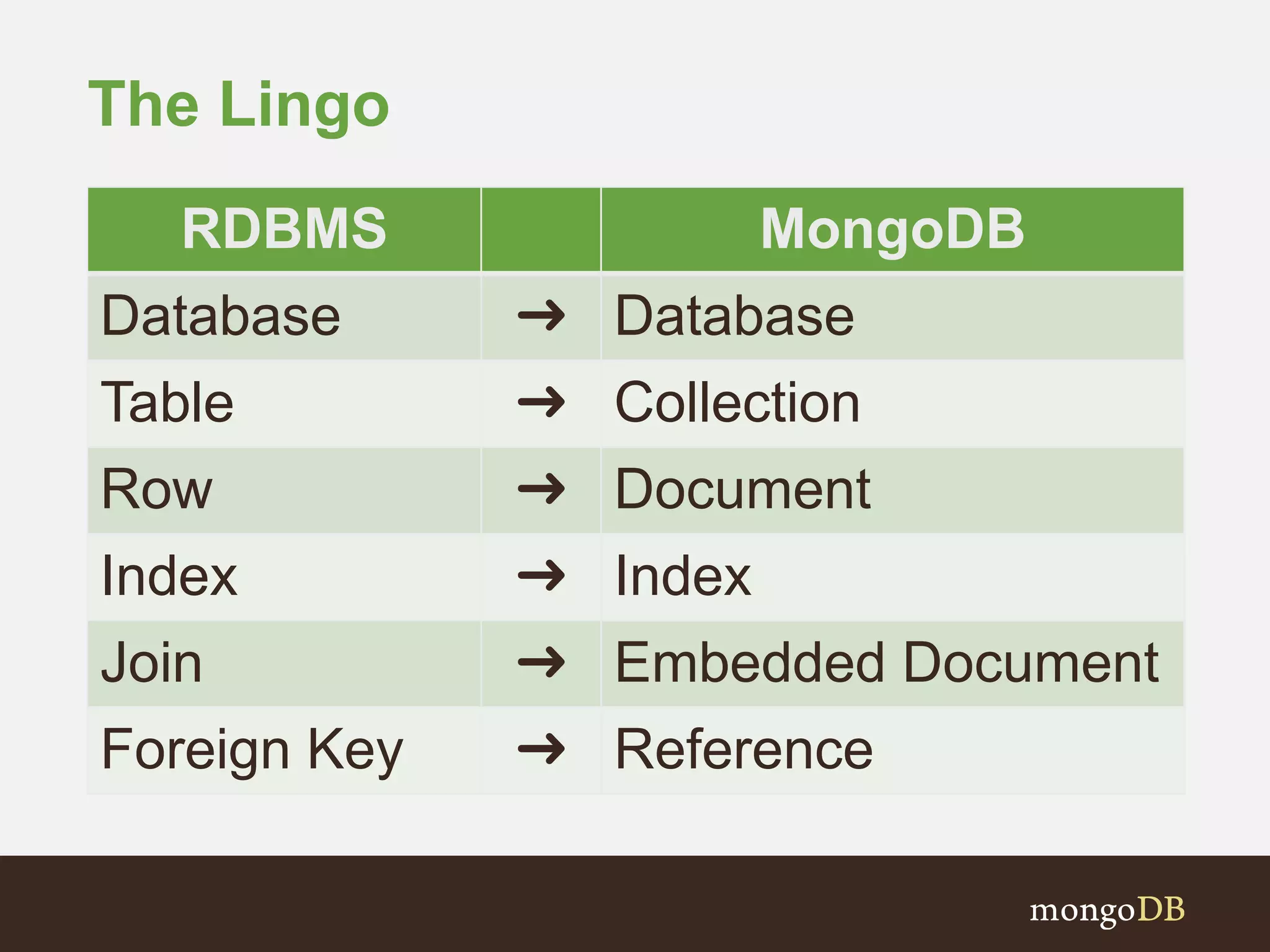
The Lingo
RDBMS MongoDB
Database ➜ Database
Table ➜ Collection
Row ➜ Document
Index ➜ Index
Join ➜ Embedded Document
Foreign Key ➜ Reference
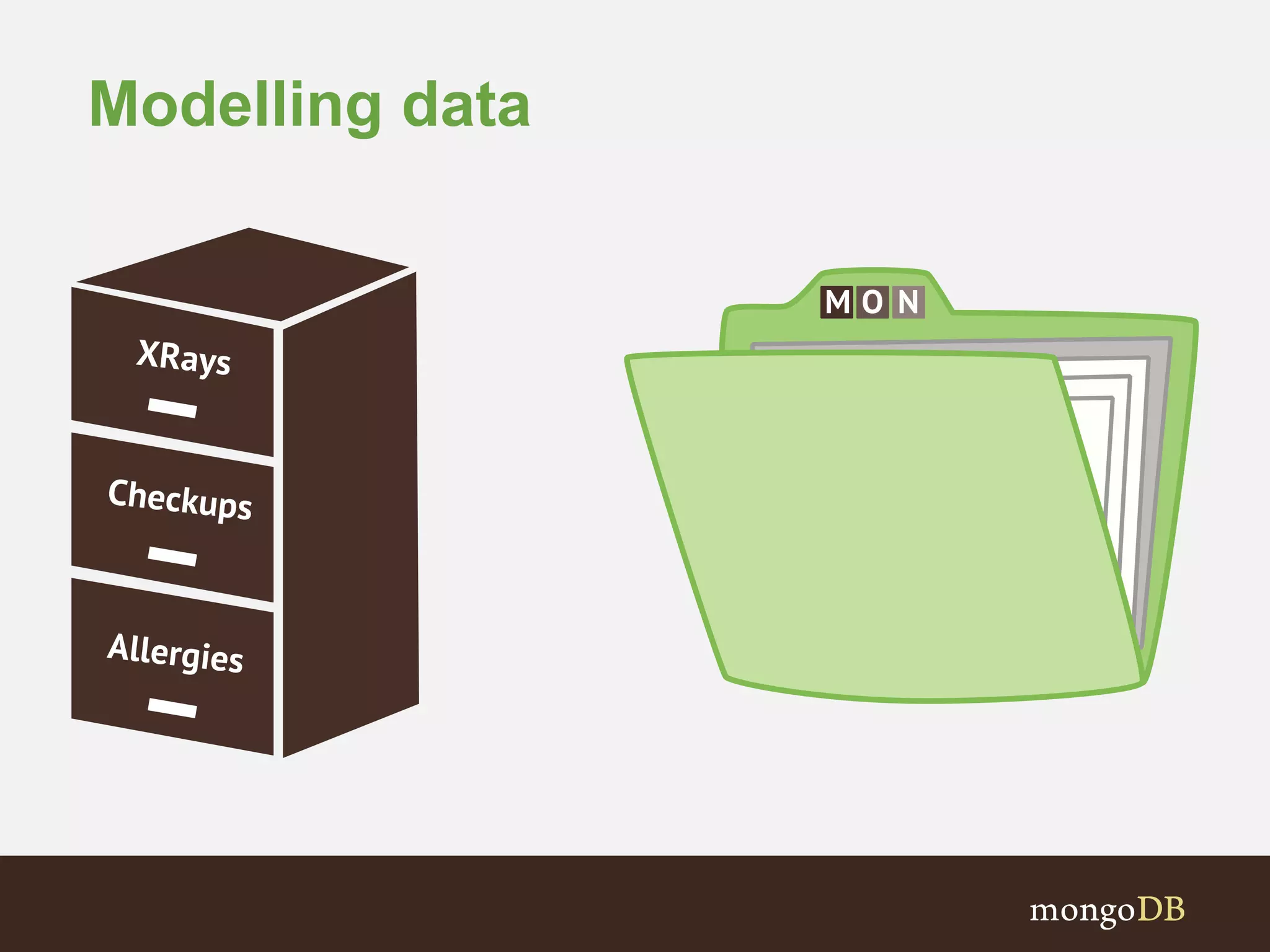
Modelling data
Example document
{
‘_id’ : ObjectId(..),
‘title’ : ‘Schema design in MongoDB’,
‘author’ : ‘mattbates’,
‘text’ : ‘Data in MongoDB has a flexible schema..’,
‘date’ : ISODate(..),
‘tags’ : [‘MongoDB’, ‘schema’],
‘comments’: [ { ‘text ‘ : ‘Really useful..’, ts: ISODate(..) } ]
}
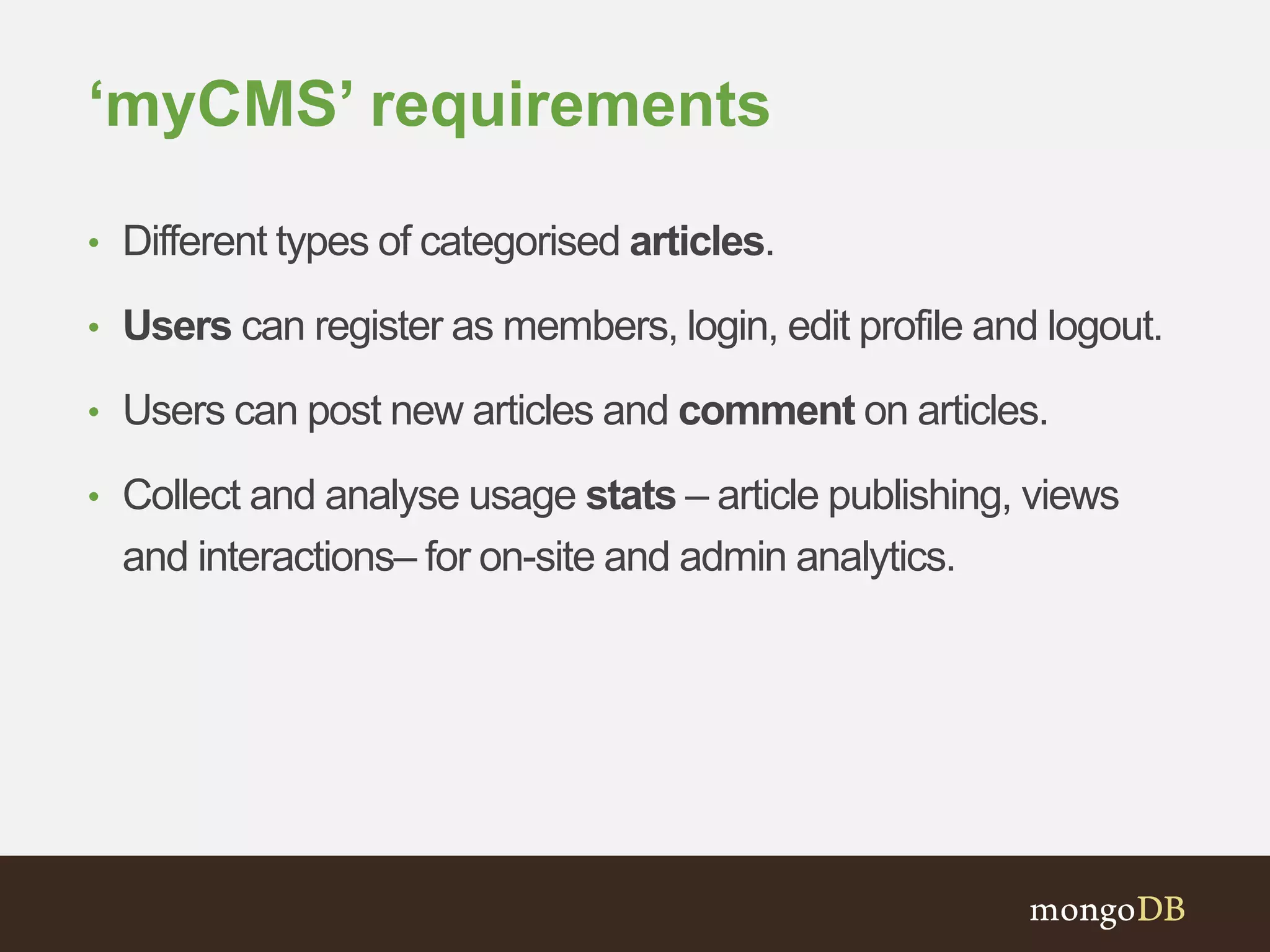
‘myCMS’ requirements
• Different types of categorised articles.
• Users can register as members, login, edit profile and logout.
• Users can post new articles and comment on articles.
• Collect and analyse usage stats – article publishing, views
and interactions– for on-site and admin analytics.
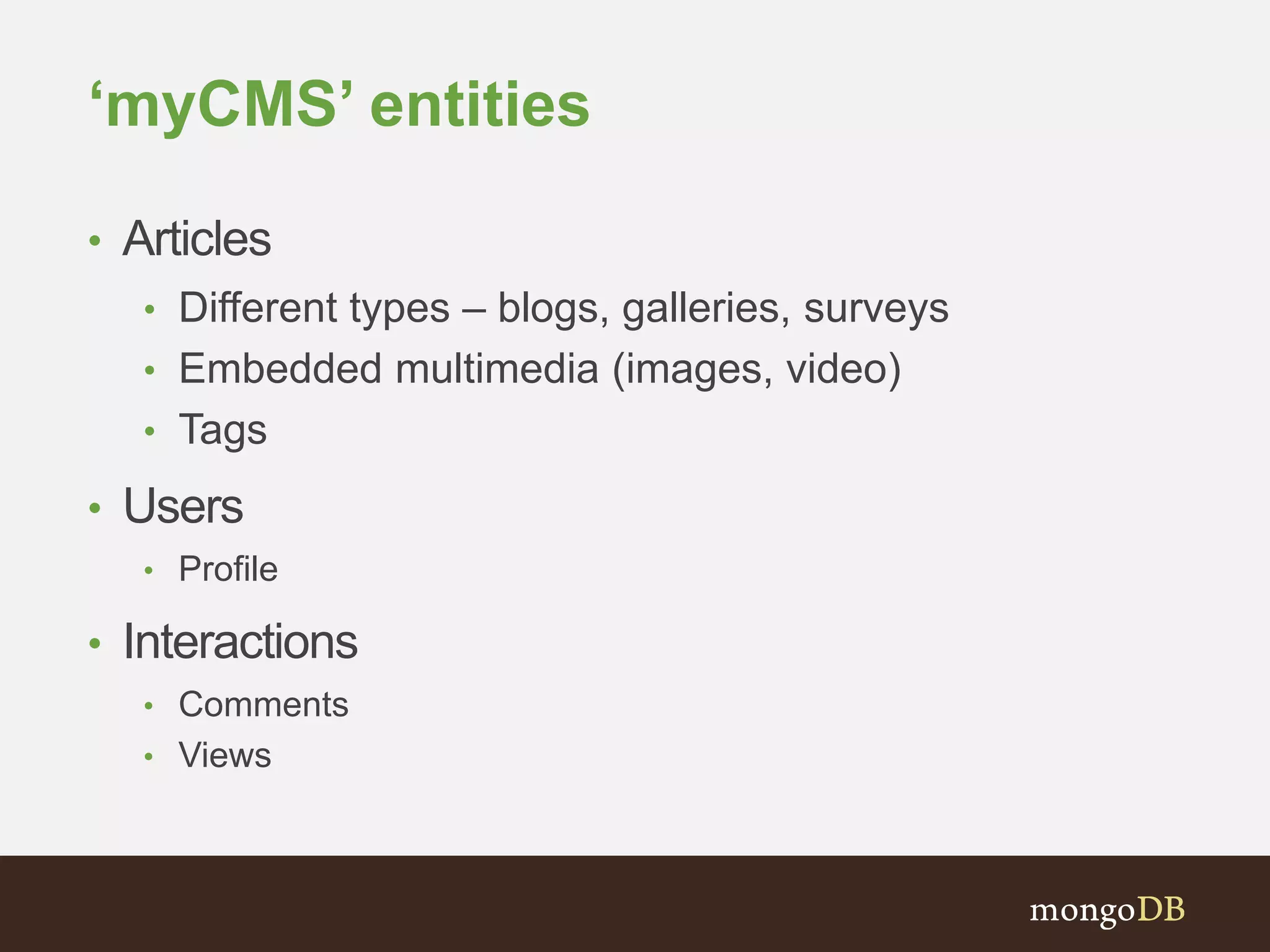
‘myCMS’ entities
• Articles
• Different types – blogs, galleries, surveys
• Embedded multimedia (images, video)
• Tags
• Users
• Profile
• Interactions
• Comments
• Views
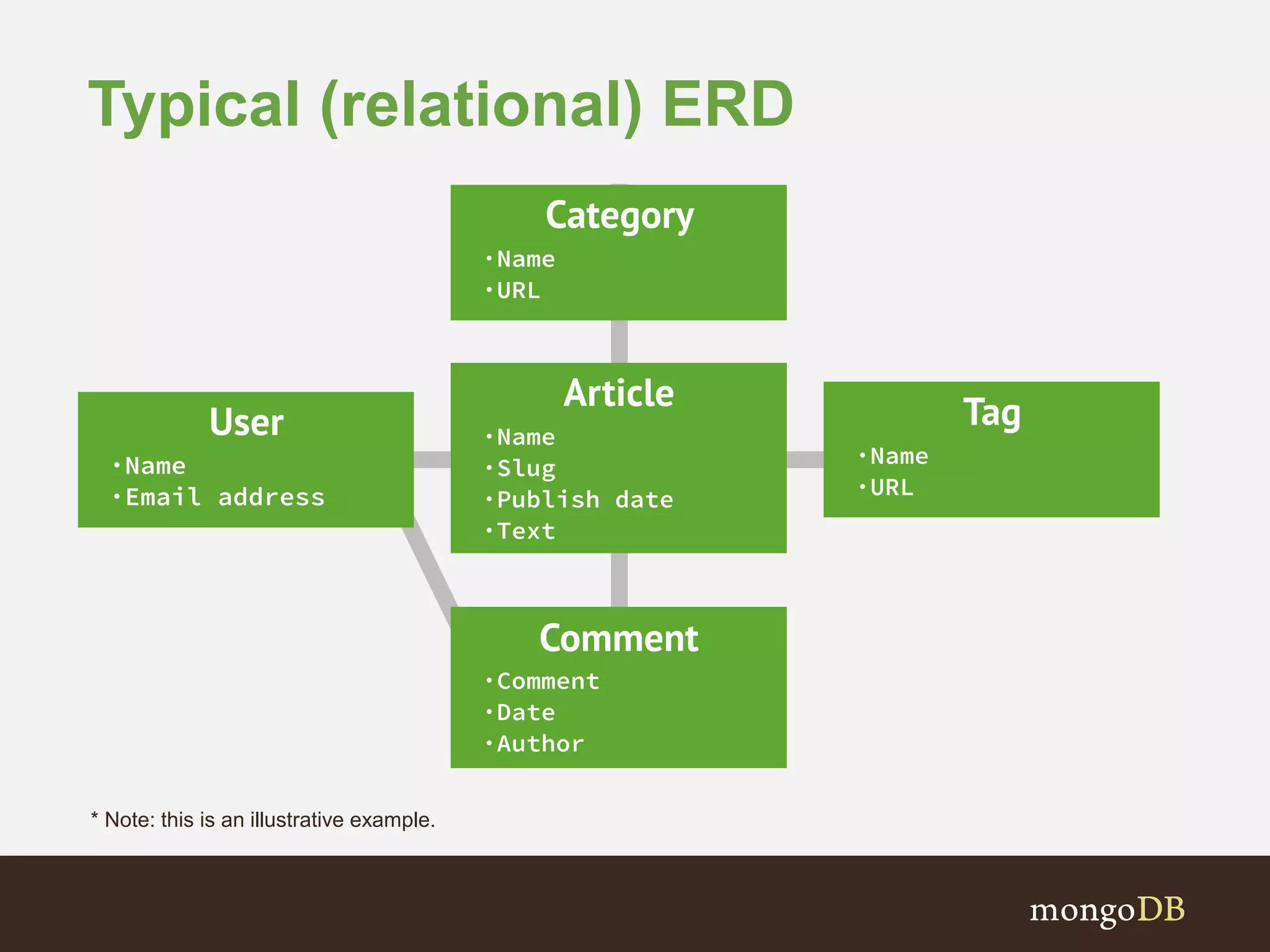
Typical (relational) ERD
* Note: this is an illustrative example.
# Python dictionary (or object)
>>> article = { ‘title’ : ‘Schema design in MongoDB’,
‘author’ : ‘mattbates’,
‘section’ : ‘schema’,
‘slug’ : ‘schema-design-in-mongodb’,
‘text’ : ‘Data in MongoDB has a flexible schema..’,
‘date’ : datetime.datetime.utcnow(),
‘tags’ : [‘MongoDB’, ‘schema’] }
>>> db[‘articles’].insert(article)
Design schema.. In application code
>>> img_data = Binary(open(‘article_img.jpg’).read())
>>> article = { ‘title’ : ‘Schema design in MongoDB’,
‘author’ : ‘mattbates’,
‘section’ : ‘schema’,
‘slug’ : ‘schema-design-in-mongodb’,
‘text’ : ‘Data in MongoDB has a flexible schema..’,
‘date’ : datetime.datetime.utcnow(),
‘tags’ : [‘MongoDB’, ‘schema’],
‘headline_img’ : {
‘img’ : img_data,
‘caption’ : ‘A sample document at the shell’
}}
>>> db[‘articles’].insert(article)
Let’s add a headline image
>>> article = { ‘title’ : ‘Favourite web application framework’,
‘author’ : ‘mattbates’,
‘section’ : ‘web-dev’,
‘slug’ : ‘web-app-frameworks’,
‘gallery’ : [
{ ‘img_url’ : ‘http://x.com/45rty’, ‘caption’ : ‘Flask’, ..}, ..
]
‘date’ : datetime.datetime.utcnow(),
‘tags’ : [‘MongoDB’, ‘schema’],
}
>>> db[‘articles’].insert(article)
And different types of article
>>> user= { ‘user’ : ‘mattbates’,
‘email’ : ‘matt.bates@mongodb.com’,
‘password’ : ‘xh4sh3dx’,
‘joined’ : datetime.datetime.utcnow()
‘location’ : { ‘city’ : ‘London’ },
}
>>> db[‘users’].insert(user)
Users and profiles
Modelling comments (1)
• Two collections – articles and comments
• Use a reference (i.e. foreign key) to link together
• But.. N+1 queries to retrieve article and comments
{
‘_id’: ObjectId(..),
‘title’: ‘Schema design in MongoDB’,
‘author’: ‘mattbates’,
‘date’: ISODate(..),
‘tags’: [‘MongoDB’, ‘schema’],
‘section’: ‘schema’,
‘slug’: ‘schema-design-in-mongodb’,
‘comments’: [ ObjectId(..),…]
}
{ ‘_id’: ObjectId(..),
‘article_id’: 1,
‘text’: ‘Agreat article, helped me
understand schema design’,
‘date’: ISODate(..),,
‘author’: ‘johnsmith’
}
Modelling comments (2)
• Single articles collection –
embed comments in article
documents
• Pros
• Single query, document
designed for the access pattern
• Locality (disk, shard)
• Cons
• Comments array is unbounded;
documents will grow in size
(remember 16MB document
limit)
{
‘_id’: ObjectId(..),
‘title’: ‘Schema design in MongoDB’,
‘author’: ‘mattbates’,
‘date’: ISODate(..),
‘tags’: [‘MongoDB’, ‘schema’],
…
‘comments’: [
{
‘text’: ‘Agreat article,
helped me
understandschema design’,
‘date’: ISODate(..),
‘author’: ‘johnsmith’
},
…
]
}
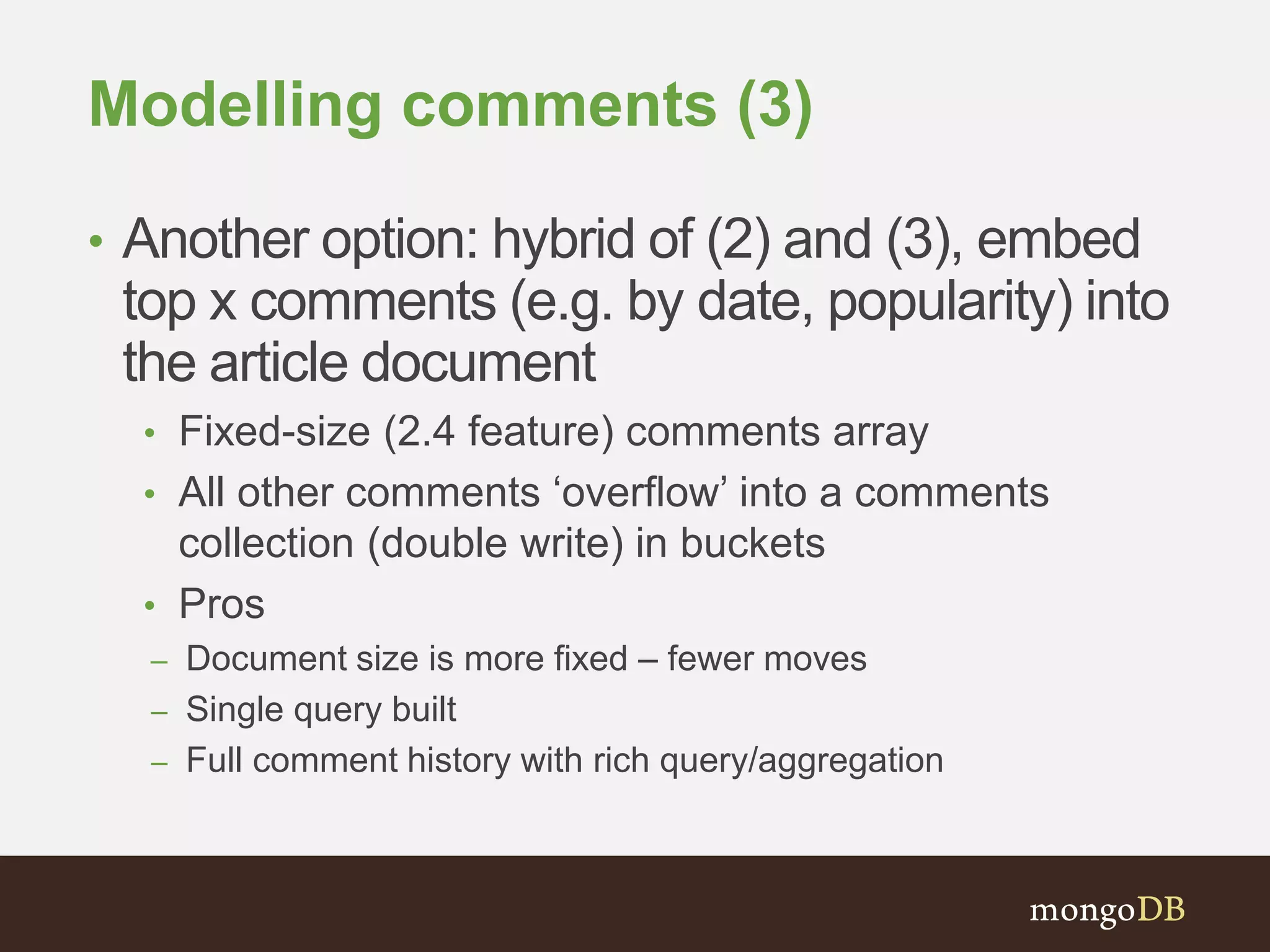
Modelling comments (3)
• Another option: hybrid of (2) and (3), embed
top x comments (e.g. by date, popularity) into
the article document
• Fixed-size (2.4 feature) comments array
• All other comments ‘overflow’ into a comments
collection (double write) in buckets
• Pros
– Document size is more fixed – fewer moves
– Single query built
– Full comment history with rich query/aggregation
Modelling comments (3)
{
‘_id’: ObjectId(..),
‘title’: ‘Schemadesignin MongoDB’,
‘author’: ‘mattbates’,
‘date’: ISODate(..),
‘tags’:[‘MongoDB’,‘schema’],
…
‘comments_count’: 45,
‘comments_pages’: 1
‘comments’: [
{
‘text’: ‘Agreat article, helped me
understandschema design’,
‘date’: ISODate(..),
‘author’: ‘johnsmith’
},
…
]
}
Total number of comments
• Integer counter updated by
update operation as
comments added/removed
Number of pages
• Page is a bucket of 100
comments (see next slide..)
Fixed-size comments array
• 10 most recent
• Sorted by date on insertion
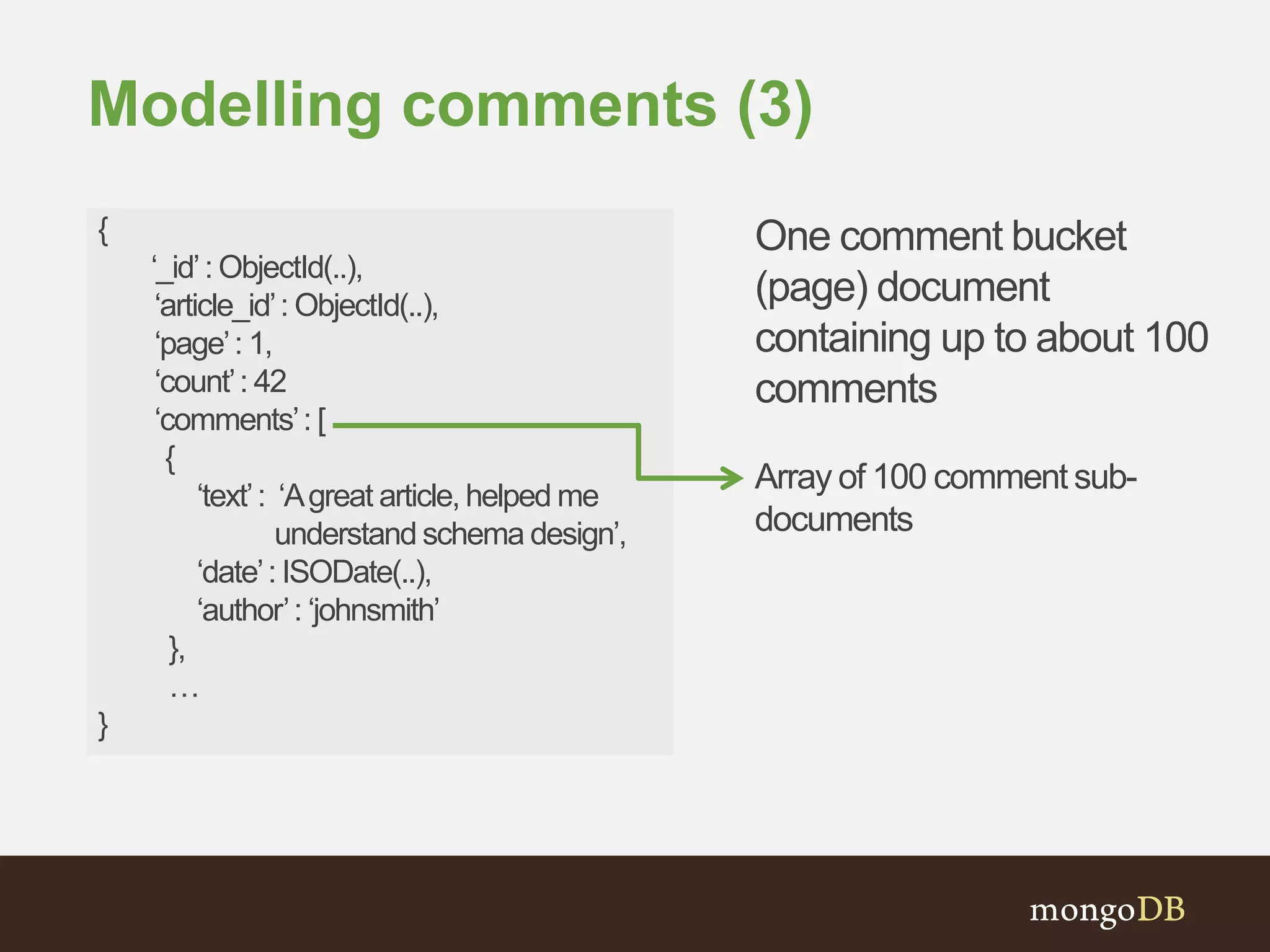
Modelling comments (3)
{
‘_id’: ObjectId(..),
‘article_id’: ObjectId(..),
‘page’: 1,
‘count’: 42
‘comments’: [
{
‘text’: ‘Agreat article, helped me
understand schema design’,
‘date’: ISODate(..),
‘author’: ‘johnsmith’
},
…
}
One comment bucket
(page) document
containing up to about 100
comments
Array of 100 comment sub-
documents
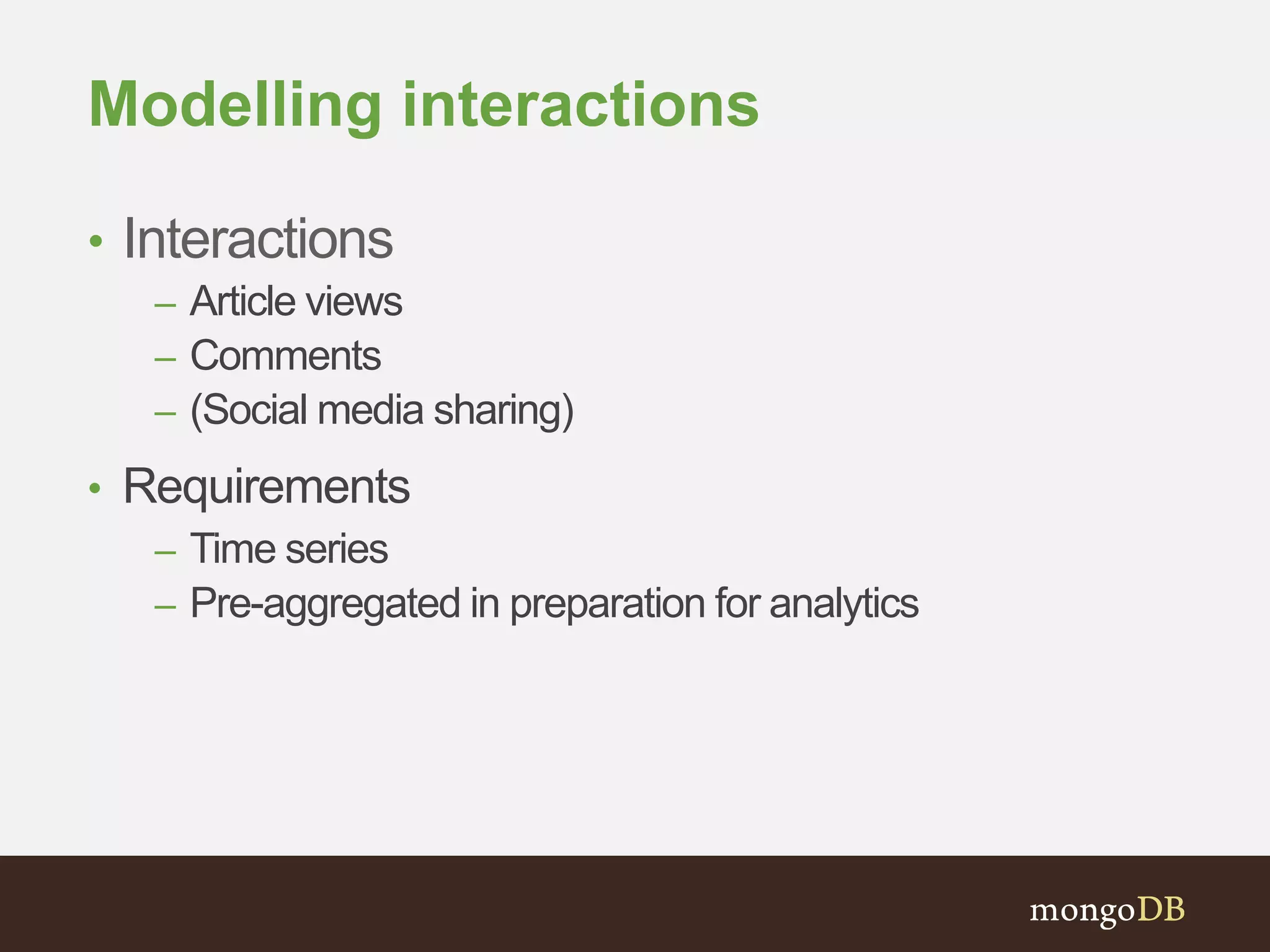
Modelling interactions
• Interactions
– Article views
– Comments
– (Social media sharing)
• Requirements
– Time series
– Pre-aggregated in preparation for analytics
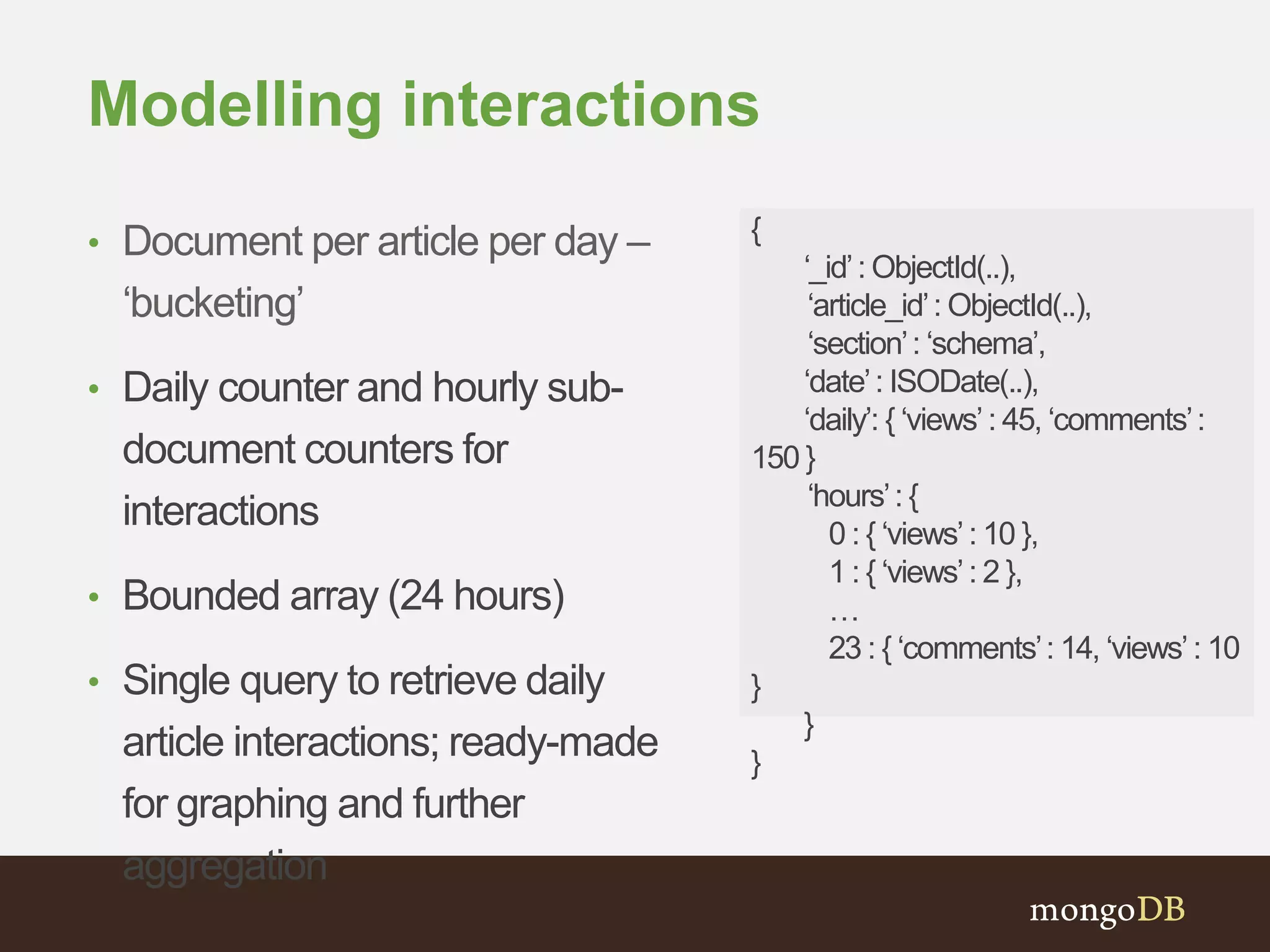
Modelling interactions
• Document per article per day –
‘bucketing’
• Daily counter and hourly sub-
document counters for
interactions
• Bounded array (24 hours)
• Single query to retrieve daily
article interactions; ready-made
for graphing and further
aggregation
{
‘_id’: ObjectId(..),
‘article_id’: ObjectId(..),
‘section’: ‘schema’,
‘date’: ISODate(..),
‘daily’: { ‘views’: 45, ‘comments’:
150 }
‘hours’: {
0 : { ‘views’: 10 },
1 : { ‘views’: 2 },
…
23 : { ‘comments’: 14, ‘views’: 10
}
}
}
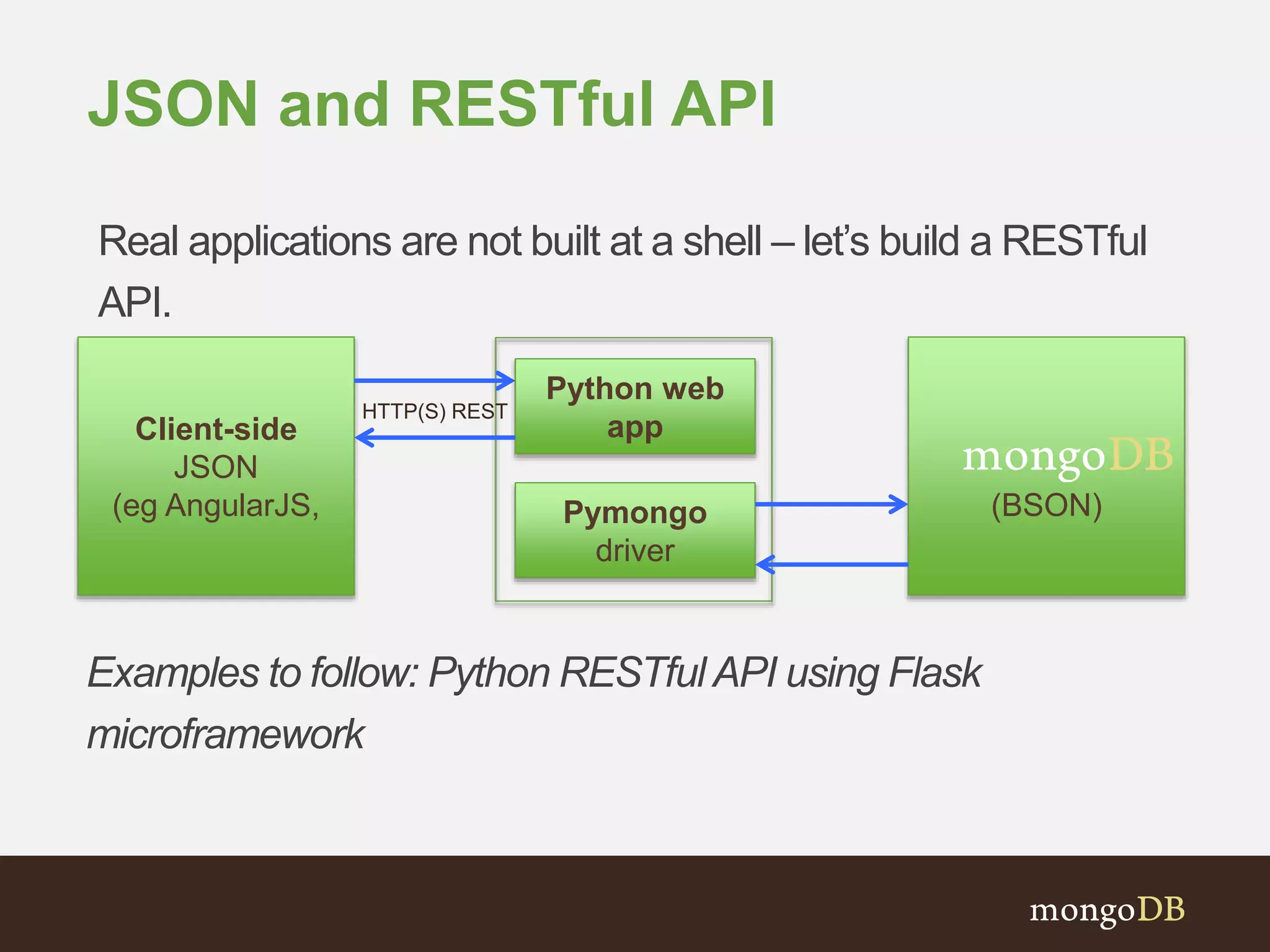
JSON and RESTful API
Client-side
JSON
(eg AngularJS, (BSON)
Real applications are not built at a shell – let’s build a RESTful
API.
Pymongo
driver
Python web
app
HTTP(S) REST
Examples to follow: Python RESTfulAPI using Flask
microframework
myCMS REST endpoints
Method URI Action
GET /articles Retrieve all articles
GET /articles-by-tag/[tag] Retrieve all articles by tag
GET /articles/[article_id] Retrieve a specific article by article_id
POST /articles Add a new article
GET /articles/[article_id]/comments Retrieve all article comments by
article_id
POST /articles/[article_id]/comments Add a new comment to an article.
POST /users Register a user user
GET /users/[username] Retrieve user’s profile
PUT /users/[username] Update a user’s profile
$ git clone http://www.github.com/mattbates/mycms_mongodb
$ cd mycms-mongodb
$ virtualenv venv
$ source venv/bin/activate
$ pip install –r requirements.txt
$ mkdir –p data/db
$ mongod --dbpath=data/db --fork --logpath=mongod.log
$ python web.py
[$ deactivate]
Getting started with the skeleton
code
@app.route('/cms/api/v1.0/articles', methods=['GET'])
def get_articles():
"""Retrieves all articles in the collection
sorted by date
"""
# query all articles and return a cursor sorted by date
cur = db['articles'].find().sort('date’)
if not cur:
abort(400)
# iterate the cursor and add docs to a dict
articles = [article for article in cur]
return jsonify({'articles' : json.dumps(articles, default=json_util.default)})
RESTful API methods in Python +
Flask
@app.route('/cms/api/v1.0/articles/<string:article_id>/comments', methods = ['POST'])
def add_comment(article_id):
"""Adds a comment to the specified article and a
bucket, as well as updating a view counter
"””
…
page_id = article['last_comment_id'] // 100
…
# push the comment to the latest bucket and $inc the count
page = db['comments'].find_and_modify(
{ 'article_id' : ObjectId(article_id),
'page' : page_id},
{ '$inc' : { 'count' : 1 },
'$push' : {
'comments' : comment } },
fields= {'count' : 1},
upsert=True,
new=True)
RESTful API methods in Python +
Flask
# $inc the page count if bucket size (100) is exceeded
if page['count'] > 100:
db.articles.update(
{ '_id' : article_id,
'comments_pages': article['comments_pages'] },
{ '$inc': { 'comments_pages': 1 } } )
# let's also add to the article itself
# most recent 10 comments only
res = db['articles'].update(
{'_id' : ObjectId(article_id)},
{'$push' : {'comments' : { '$each' : [comment],
'$sort' : {’date' : 1 },
'$slice' : -10}},
'$inc' : {'comment_count' : 1}})
…
RESTful API methods in Python +
Flask
def add_interaction(article_id, type):
"""Record the interaction (view/comment) for the
specified article into the daily bucket and
update an hourly counter
"""
ts = datetime.datetime.utcnow()
# $inc daily and hourly view counters in day/article stats bucket
# note the unacknowledged w=0 write concern for performance
db['interactions'].update(
{ 'article_id' : ObjectId(article_id),
'date' : datetime.datetime(ts.year, ts.month, ts.day)},
{ '$inc' : {
'daily.{}’.format(type) : 1,
'hourly.{}.{}'.format(ts.hour, type) : 1
}},
upsert=True,
w=0)
RESTful API methods in Python +
Flask
$ curl -i http://localhost:5000/cms/api/v1.0/articles
HTTP/1.0 200 OK
Content-Type: application/json
Content-Length: 20
Server: Werkzeug/0.9.4 Python/2.7.6
Date: Sat, 01 Feb 2014 09:52:57 GMT
{
"articles": "[{"author": "mattbates", "title": "Schema design in MongoDB",
"text": "Data in MongoDB has a flexible schema..", "tags": ["MongoDB",
"schema"], "date": {"$date": 1391293347408}, "_id": {"$oid":
"52ed73a30bd031362b3c6bb3"}}]"
}
Testing the API – retrieve articles
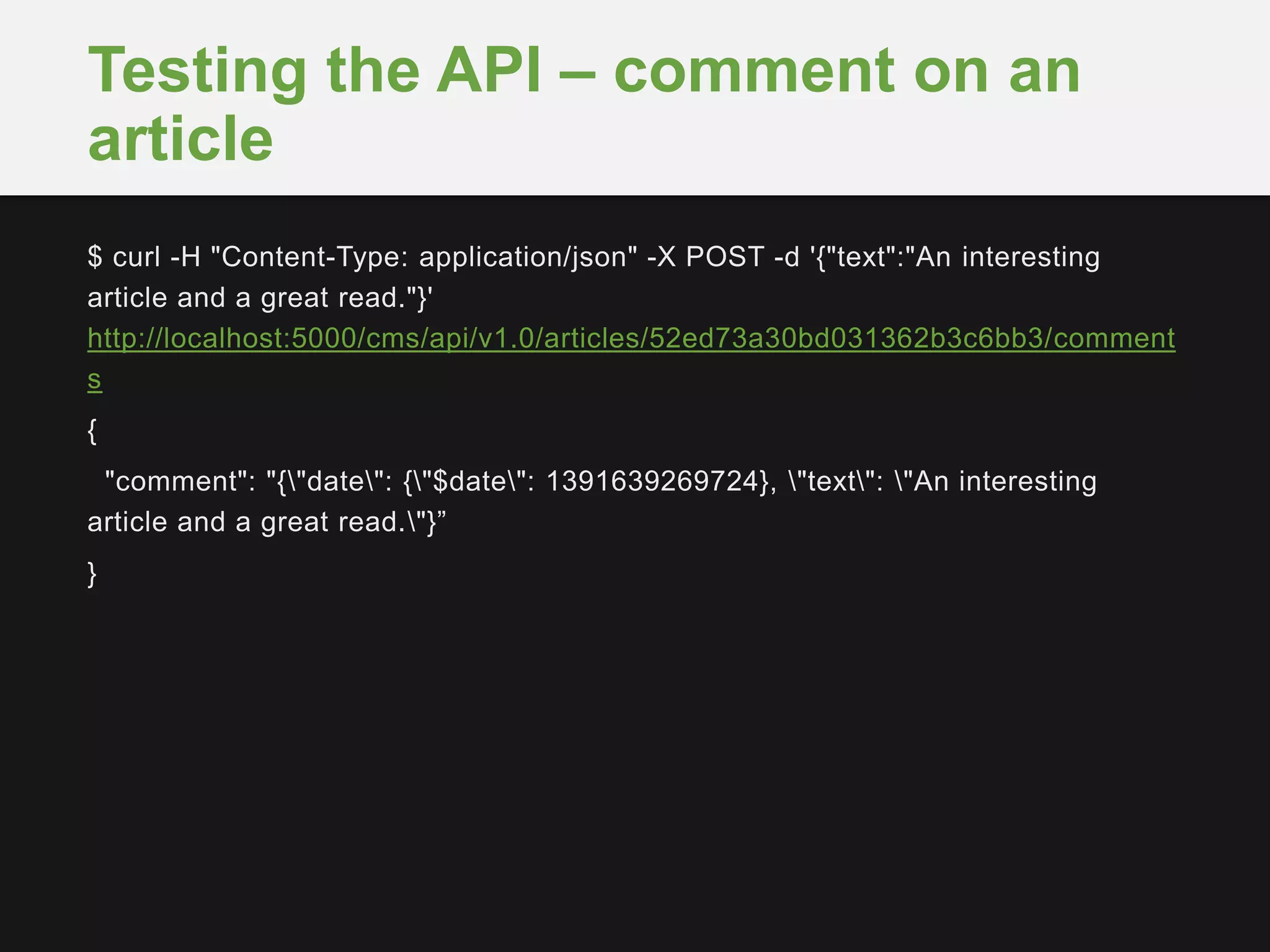
$ curl -H "Content-Type: application/json" -X POST -d '{"text":"An interesting
article and a great read."}'
http://localhost:5000/cms/api/v1.0/articles/52ed73a30bd031362b3c6bb3/comment
s
{
"comment": "{"date": {"$date": 1391639269724}, "text": "An interesting
article and a great read."}”
}
Testing the API – comment on an
article
Schema iteration
New feature in the backlog?
Documents have dynamic schema so we just iterate
the object schema.
>>> user = { ‘username’: ‘matt’,
‘first’ : ‘Matt’,
‘last’ : ‘Bates’,
‘preferences’: { ‘opt_out’: True } }
>>> user.save(user)
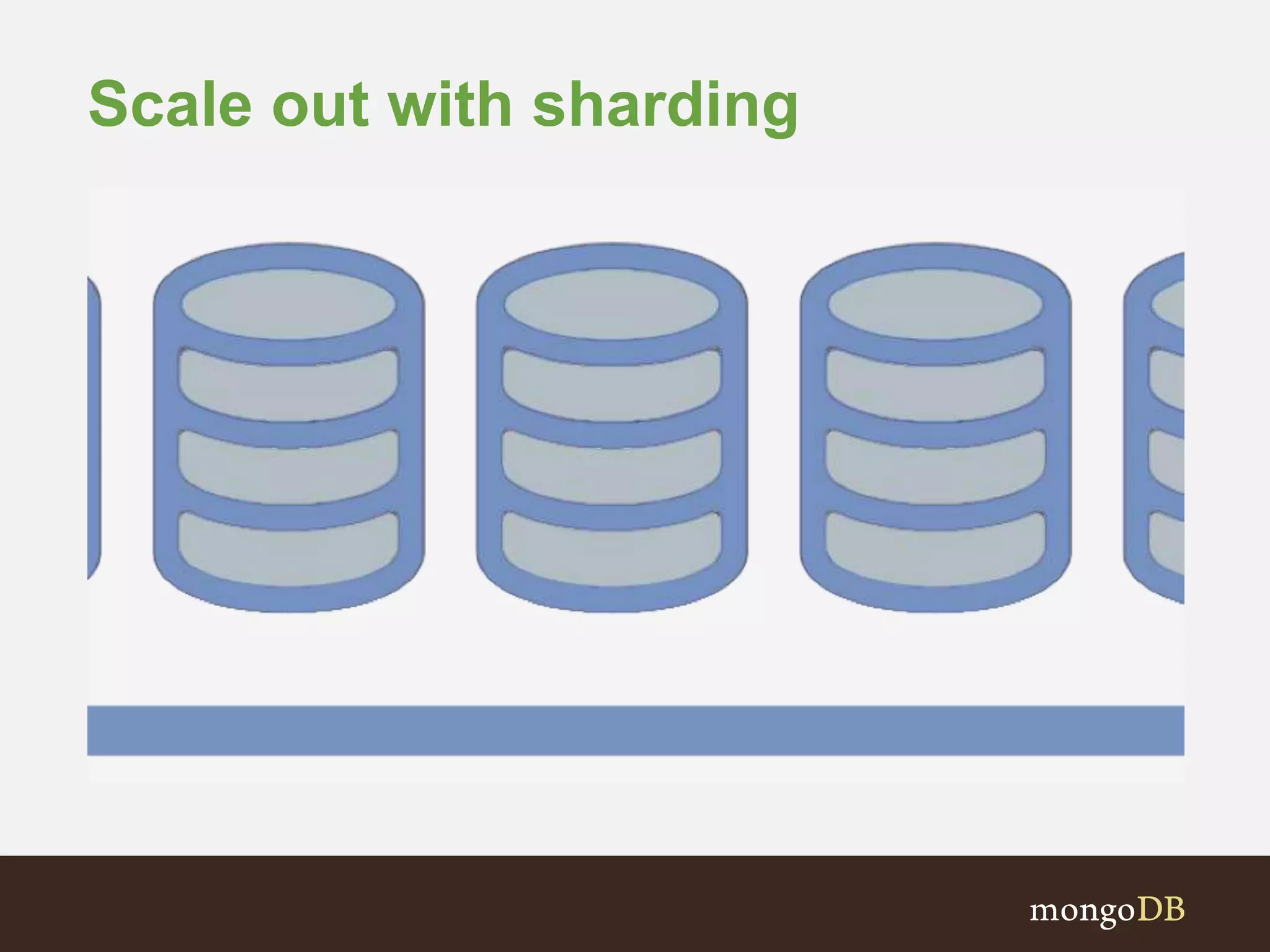
Scale out with sharding
Summary
• Flexible schema documents with ability to embed
rich and complex data structures for performance
• Schema is designed around data access patterns –
and not data storage
• Referencing for more flexibility
• Develop schema with scale out in mind; shard key
consideration is important (more to come)
Further reading
• ‘myCMS’ skeleton source code:
http://www.github.com/mattbates/mycms_mongodb
• Data Models
http://docs.mongodb.org/manual/data-modeling/
• Use case - metadata and asset management:
http://docs.mongodb.org/ecosystem/use-cases/metadata-
and-asset-management/
• Use case - storing
comments:http://docs.mongodb.org/ecosystem/use-
cases/storing-comments/
Next Session– 22th May
• Marc Schwering
– Interacting with the database
• Query and Update Language
• Interactions between the application and database
– Code Examples
#MongoDBBasics @MongoDB
Thank You
Q&A with the team

S01 e01 schema-design

  • 1.
    Solutions Architect, MongoDB MarcSchwering #MongoDBBasics @MongoDB Applikationsentwicklung mit MongoDB Schema-Design und Applikations Architektur
  • 2.
    Agenda • Working withdocuments • Application requirements • Schema design iteration • ‘myCMS’ sample application architecture and code snippets • ‘Genius Bar’ Q&Awith the MongoDB EMEASolution Architects
  • 3.
    The Lingo RDBMS MongoDB Database➜ Database Table ➜ Collection Row ➜ Document Index ➜ Index Join ➜ Embedded Document Foreign Key ➜ Reference
  • 4.
  • 5.
    Example document { ‘_id’ :ObjectId(..), ‘title’ : ‘Schema design in MongoDB’, ‘author’ : ‘mattbates’, ‘text’ : ‘Data in MongoDB has a flexible schema..’, ‘date’ : ISODate(..), ‘tags’ : [‘MongoDB’, ‘schema’], ‘comments’: [ { ‘text ‘ : ‘Really useful..’, ts: ISODate(..) } ] }
  • 6.
    ‘myCMS’ requirements • Differenttypes of categorised articles. • Users can register as members, login, edit profile and logout. • Users can post new articles and comment on articles. • Collect and analyse usage stats – article publishing, views and interactions– for on-site and admin analytics.
  • 7.
    ‘myCMS’ entities • Articles •Different types – blogs, galleries, surveys • Embedded multimedia (images, video) • Tags • Users • Profile • Interactions • Comments • Views
  • 8.
    Typical (relational) ERD *Note: this is an illustrative example.
  • 9.
    # Python dictionary(or object) >>> article = { ‘title’ : ‘Schema design in MongoDB’, ‘author’ : ‘mattbates’, ‘section’ : ‘schema’, ‘slug’ : ‘schema-design-in-mongodb’, ‘text’ : ‘Data in MongoDB has a flexible schema..’, ‘date’ : datetime.datetime.utcnow(), ‘tags’ : [‘MongoDB’, ‘schema’] } >>> db[‘articles’].insert(article) Design schema.. In application code
  • 10.
    >>> img_data =Binary(open(‘article_img.jpg’).read()) >>> article = { ‘title’ : ‘Schema design in MongoDB’, ‘author’ : ‘mattbates’, ‘section’ : ‘schema’, ‘slug’ : ‘schema-design-in-mongodb’, ‘text’ : ‘Data in MongoDB has a flexible schema..’, ‘date’ : datetime.datetime.utcnow(), ‘tags’ : [‘MongoDB’, ‘schema’], ‘headline_img’ : { ‘img’ : img_data, ‘caption’ : ‘A sample document at the shell’ }} >>> db[‘articles’].insert(article) Let’s add a headline image
  • 11.
    >>> article ={ ‘title’ : ‘Favourite web application framework’, ‘author’ : ‘mattbates’, ‘section’ : ‘web-dev’, ‘slug’ : ‘web-app-frameworks’, ‘gallery’ : [ { ‘img_url’ : ‘http://x.com/45rty’, ‘caption’ : ‘Flask’, ..}, .. ] ‘date’ : datetime.datetime.utcnow(), ‘tags’ : [‘MongoDB’, ‘schema’], } >>> db[‘articles’].insert(article) And different types of article
  • 12.
    >>> user= {‘user’ : ‘mattbates’, ‘email’ : ‘matt.bates@mongodb.com’, ‘password’ : ‘xh4sh3dx’, ‘joined’ : datetime.datetime.utcnow() ‘location’ : { ‘city’ : ‘London’ }, } >>> db[‘users’].insert(user) Users and profiles
  • 13.
    Modelling comments (1) •Two collections – articles and comments • Use a reference (i.e. foreign key) to link together • But.. N+1 queries to retrieve article and comments { ‘_id’: ObjectId(..), ‘title’: ‘Schema design in MongoDB’, ‘author’: ‘mattbates’, ‘date’: ISODate(..), ‘tags’: [‘MongoDB’, ‘schema’], ‘section’: ‘schema’, ‘slug’: ‘schema-design-in-mongodb’, ‘comments’: [ ObjectId(..),…] } { ‘_id’: ObjectId(..), ‘article_id’: 1, ‘text’: ‘Agreat article, helped me understand schema design’, ‘date’: ISODate(..),, ‘author’: ‘johnsmith’ }
  • 14.
    Modelling comments (2) •Single articles collection – embed comments in article documents • Pros • Single query, document designed for the access pattern • Locality (disk, shard) • Cons • Comments array is unbounded; documents will grow in size (remember 16MB document limit) { ‘_id’: ObjectId(..), ‘title’: ‘Schema design in MongoDB’, ‘author’: ‘mattbates’, ‘date’: ISODate(..), ‘tags’: [‘MongoDB’, ‘schema’], … ‘comments’: [ { ‘text’: ‘Agreat article, helped me understandschema design’, ‘date’: ISODate(..), ‘author’: ‘johnsmith’ }, … ] }
  • 15.
    Modelling comments (3) •Another option: hybrid of (2) and (3), embed top x comments (e.g. by date, popularity) into the article document • Fixed-size (2.4 feature) comments array • All other comments ‘overflow’ into a comments collection (double write) in buckets • Pros – Document size is more fixed – fewer moves – Single query built – Full comment history with rich query/aggregation
  • 16.
    Modelling comments (3) { ‘_id’:ObjectId(..), ‘title’: ‘Schemadesignin MongoDB’, ‘author’: ‘mattbates’, ‘date’: ISODate(..), ‘tags’:[‘MongoDB’,‘schema’], … ‘comments_count’: 45, ‘comments_pages’: 1 ‘comments’: [ { ‘text’: ‘Agreat article, helped me understandschema design’, ‘date’: ISODate(..), ‘author’: ‘johnsmith’ }, … ] } Total number of comments • Integer counter updated by update operation as comments added/removed Number of pages • Page is a bucket of 100 comments (see next slide..) Fixed-size comments array • 10 most recent • Sorted by date on insertion
  • 17.
    Modelling comments (3) { ‘_id’:ObjectId(..), ‘article_id’: ObjectId(..), ‘page’: 1, ‘count’: 42 ‘comments’: [ { ‘text’: ‘Agreat article, helped me understand schema design’, ‘date’: ISODate(..), ‘author’: ‘johnsmith’ }, … } One comment bucket (page) document containing up to about 100 comments Array of 100 comment sub- documents
  • 18.
    Modelling interactions • Interactions –Article views – Comments – (Social media sharing) • Requirements – Time series – Pre-aggregated in preparation for analytics
  • 19.
    Modelling interactions • Documentper article per day – ‘bucketing’ • Daily counter and hourly sub- document counters for interactions • Bounded array (24 hours) • Single query to retrieve daily article interactions; ready-made for graphing and further aggregation { ‘_id’: ObjectId(..), ‘article_id’: ObjectId(..), ‘section’: ‘schema’, ‘date’: ISODate(..), ‘daily’: { ‘views’: 45, ‘comments’: 150 } ‘hours’: { 0 : { ‘views’: 10 }, 1 : { ‘views’: 2 }, … 23 : { ‘comments’: 14, ‘views’: 10 } } }
  • 20.
    JSON and RESTfulAPI Client-side JSON (eg AngularJS, (BSON) Real applications are not built at a shell – let’s build a RESTful API. Pymongo driver Python web app HTTP(S) REST Examples to follow: Python RESTfulAPI using Flask microframework
  • 21.
    myCMS REST endpoints MethodURI Action GET /articles Retrieve all articles GET /articles-by-tag/[tag] Retrieve all articles by tag GET /articles/[article_id] Retrieve a specific article by article_id POST /articles Add a new article GET /articles/[article_id]/comments Retrieve all article comments by article_id POST /articles/[article_id]/comments Add a new comment to an article. POST /users Register a user user GET /users/[username] Retrieve user’s profile PUT /users/[username] Update a user’s profile
  • 22.
    $ git clonehttp://www.github.com/mattbates/mycms_mongodb $ cd mycms-mongodb $ virtualenv venv $ source venv/bin/activate $ pip install –r requirements.txt $ mkdir –p data/db $ mongod --dbpath=data/db --fork --logpath=mongod.log $ python web.py [$ deactivate] Getting started with the skeleton code
  • 23.
    @app.route('/cms/api/v1.0/articles', methods=['GET']) def get_articles(): """Retrievesall articles in the collection sorted by date """ # query all articles and return a cursor sorted by date cur = db['articles'].find().sort('date’) if not cur: abort(400) # iterate the cursor and add docs to a dict articles = [article for article in cur] return jsonify({'articles' : json.dumps(articles, default=json_util.default)}) RESTful API methods in Python + Flask
  • 24.
    @app.route('/cms/api/v1.0/articles/<string:article_id>/comments', methods =['POST']) def add_comment(article_id): """Adds a comment to the specified article and a bucket, as well as updating a view counter "”” … page_id = article['last_comment_id'] // 100 … # push the comment to the latest bucket and $inc the count page = db['comments'].find_and_modify( { 'article_id' : ObjectId(article_id), 'page' : page_id}, { '$inc' : { 'count' : 1 }, '$push' : { 'comments' : comment } }, fields= {'count' : 1}, upsert=True, new=True) RESTful API methods in Python + Flask
  • 25.
    # $inc thepage count if bucket size (100) is exceeded if page['count'] > 100: db.articles.update( { '_id' : article_id, 'comments_pages': article['comments_pages'] }, { '$inc': { 'comments_pages': 1 } } ) # let's also add to the article itself # most recent 10 comments only res = db['articles'].update( {'_id' : ObjectId(article_id)}, {'$push' : {'comments' : { '$each' : [comment], '$sort' : {’date' : 1 }, '$slice' : -10}}, '$inc' : {'comment_count' : 1}}) … RESTful API methods in Python + Flask
  • 26.
    def add_interaction(article_id, type): """Recordthe interaction (view/comment) for the specified article into the daily bucket and update an hourly counter """ ts = datetime.datetime.utcnow() # $inc daily and hourly view counters in day/article stats bucket # note the unacknowledged w=0 write concern for performance db['interactions'].update( { 'article_id' : ObjectId(article_id), 'date' : datetime.datetime(ts.year, ts.month, ts.day)}, { '$inc' : { 'daily.{}’.format(type) : 1, 'hourly.{}.{}'.format(ts.hour, type) : 1 }}, upsert=True, w=0) RESTful API methods in Python + Flask
  • 27.
    $ curl -ihttp://localhost:5000/cms/api/v1.0/articles HTTP/1.0 200 OK Content-Type: application/json Content-Length: 20 Server: Werkzeug/0.9.4 Python/2.7.6 Date: Sat, 01 Feb 2014 09:52:57 GMT { "articles": "[{"author": "mattbates", "title": "Schema design in MongoDB", "text": "Data in MongoDB has a flexible schema..", "tags": ["MongoDB", "schema"], "date": {"$date": 1391293347408}, "_id": {"$oid": "52ed73a30bd031362b3c6bb3"}}]" } Testing the API – retrieve articles
  • 28.
    $ curl -H"Content-Type: application/json" -X POST -d '{"text":"An interesting article and a great read."}' http://localhost:5000/cms/api/v1.0/articles/52ed73a30bd031362b3c6bb3/comment s { "comment": "{"date": {"$date": 1391639269724}, "text": "An interesting article and a great read."}” } Testing the API – comment on an article
  • 29.
    Schema iteration New featurein the backlog? Documents have dynamic schema so we just iterate the object schema. >>> user = { ‘username’: ‘matt’, ‘first’ : ‘Matt’, ‘last’ : ‘Bates’, ‘preferences’: { ‘opt_out’: True } } >>> user.save(user)
  • 30.
  • 33.
    Summary • Flexible schemadocuments with ability to embed rich and complex data structures for performance • Schema is designed around data access patterns – and not data storage • Referencing for more flexibility • Develop schema with scale out in mind; shard key consideration is important (more to come)
  • 34.
    Further reading • ‘myCMS’skeleton source code: http://www.github.com/mattbates/mycms_mongodb • Data Models http://docs.mongodb.org/manual/data-modeling/ • Use case - metadata and asset management: http://docs.mongodb.org/ecosystem/use-cases/metadata- and-asset-management/ • Use case - storing comments:http://docs.mongodb.org/ecosystem/use- cases/storing-comments/
  • 35.
    Next Session– 22thMay • Marc Schwering – Interacting with the database • Query and Update Language • Interactions between the application and database – Code Examples
  • 36.