I/O,Process,
Control &
Flowchart
INTRODUCTION (PART 1)
Lesson
Objectives
To enable students to understand :-
Control Technology
The term Input, Process and Output
Flowchart symbols
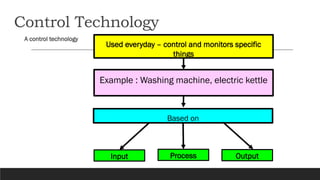
Control Technology
A control technology
Used everyday – control and monitors specific
things
Based on
Input Process Output
Example : Washing machine, electric kettle
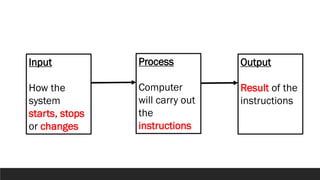
Input
How the
system
starts, stops
or changes
Process
Computer
will carry out
the
instructions
Output
Result of the
instructions
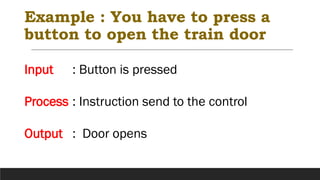
Example : You have to press a
button to open the train door
Input : Button is pressed
Process : Instruction send to the control
Output : Door opens
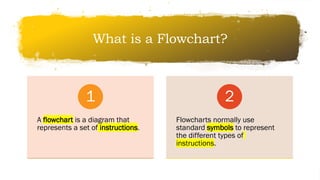
What is a Flowchart?
A flowchart is a diagram that
represents a set of instructions.
1
Flowcharts normally use
standard symbols to represent
the different types of
instructions.
2
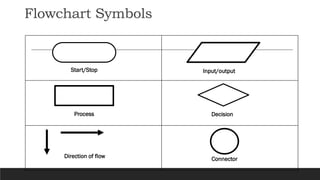
Flowchart Symbols
Start/Stop Input/output
Process Decision
Direction of flow Connector
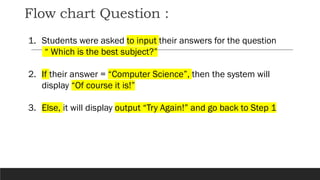
Flow chart Question :
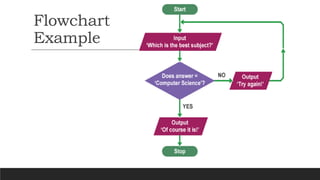
1. Students were asked to input their answers for the question
“ Which is the best subject?”
2. If their answer = “Computer Science”, then the system will
display “Of course it is!”
3. Else, it will display output “Try Again!” and go back to Step 1
Flowchart
Example
Exercise 1
Create a flowchart that will determine if car’s
headlights are ON.
If they are ON, then do nothing. If they are OFF,
then turn them ON.
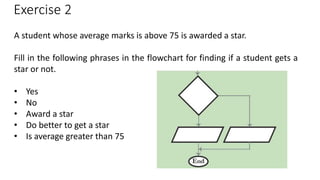
Exercise 2
A student whose average marks is above 75 is awarded a star.
Fill in the following phrases in the flowchart for finding if a student gets a
star or not.
• Yes
• No
• Award a star
• Do better to get a star
• Is average greater than 75
THE END

Introduction to Flowchart Part 1.pdf

  • 1.
  • 2.
    Lesson Objectives To enable studentsto understand :- Control Technology The term Input, Process and Output Flowchart symbols
  • 3.
    Control Technology A controltechnology Used everyday – control and monitors specific things Based on Input Process Output Example : Washing machine, electric kettle
  • 4.
    Input How the system starts, stops orchanges Process Computer will carry out the instructions Output Result of the instructions
  • 5.
    Example : Youhave to press a button to open the train door Input : Button is pressed Process : Instruction send to the control Output : Door opens
  • 6.
    What is aFlowchart? A flowchart is a diagram that represents a set of instructions. 1 Flowcharts normally use standard symbols to represent the different types of instructions. 2
  • 7.
    Flowchart Symbols Start/Stop Input/output ProcessDecision Direction of flow Connector
  • 8.
    Flow chart Question: 1. Students were asked to input their answers for the question “ Which is the best subject?” 2. If their answer = “Computer Science”, then the system will display “Of course it is!” 3. Else, it will display output “Try Again!” and go back to Step 1
  • 9.
  • 10.
    Exercise 1 Create aflowchart that will determine if car’s headlights are ON. If they are ON, then do nothing. If they are OFF, then turn them ON.
  • 11.
    Exercise 2 A studentwhose average marks is above 75 is awarded a star. Fill in the following phrases in the flowchart for finding if a student gets a star or not. • Yes • No • Award a star • Do better to get a star • Is average greater than 75
  • 12.