5/3/2023
Optimizing Application Performance
• Senior Software Engineer working on every stack since 2009
• Spent my career working as a full stack developer and have been involved in all aspects
of delivering high quality software
• Started with Daugherty in February of 2015
– Since then I have been working for many different brand name clients in the Saint Louis area
developing and delivering pragmatic solutions for their business needs
• Clients
– AEP River Operations
– Anheuser Busch
– New Balance
– Bryan Cave
– Express Scripts
– Bayer
2
Instructor Biography
3
What does application
performance mean to you?
4
How is application performance
different from optimization?
5
• Performance
– Application Design
– User Interface Requirements
– Caching
• Optimizations
– I/O Bound
– CPU Bound
• Database Query Optimizations
– Indexes
– Execution Plans
– Common Problems
– Optimization Demo
Presentation Outline
6
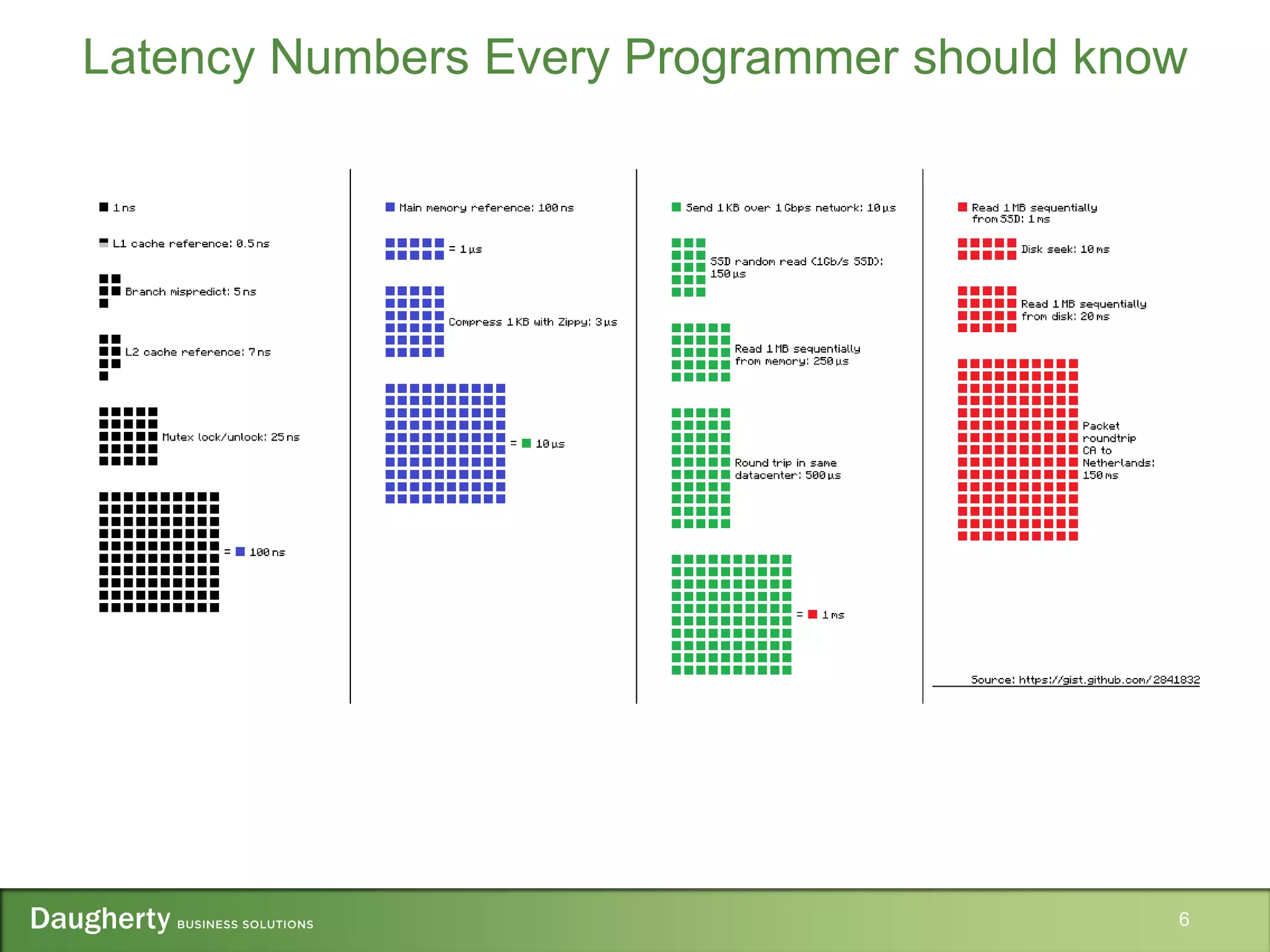
Latency Numbers Every Programmer should know
• Highest impact activity on application performance
• Smart design decisions avoid performance problems
• Code optimizations will likely only be able to attain incremental improvements
• Using a layered design helps to build a more scalable and maintainable application
7
Application Design
• How coarse should the services layer be?
• Which use cases are the most frequently occurring?
• Can the use case be fulfilled asynchronously? Would message queuing be appropriate?
• What will the deployment environment for the application be?
• Set objective performance goals
– How long should an average request take?
– How many concurrent users should the application support?
– What is the peak load the application must handle?
8
Application Design Considerations
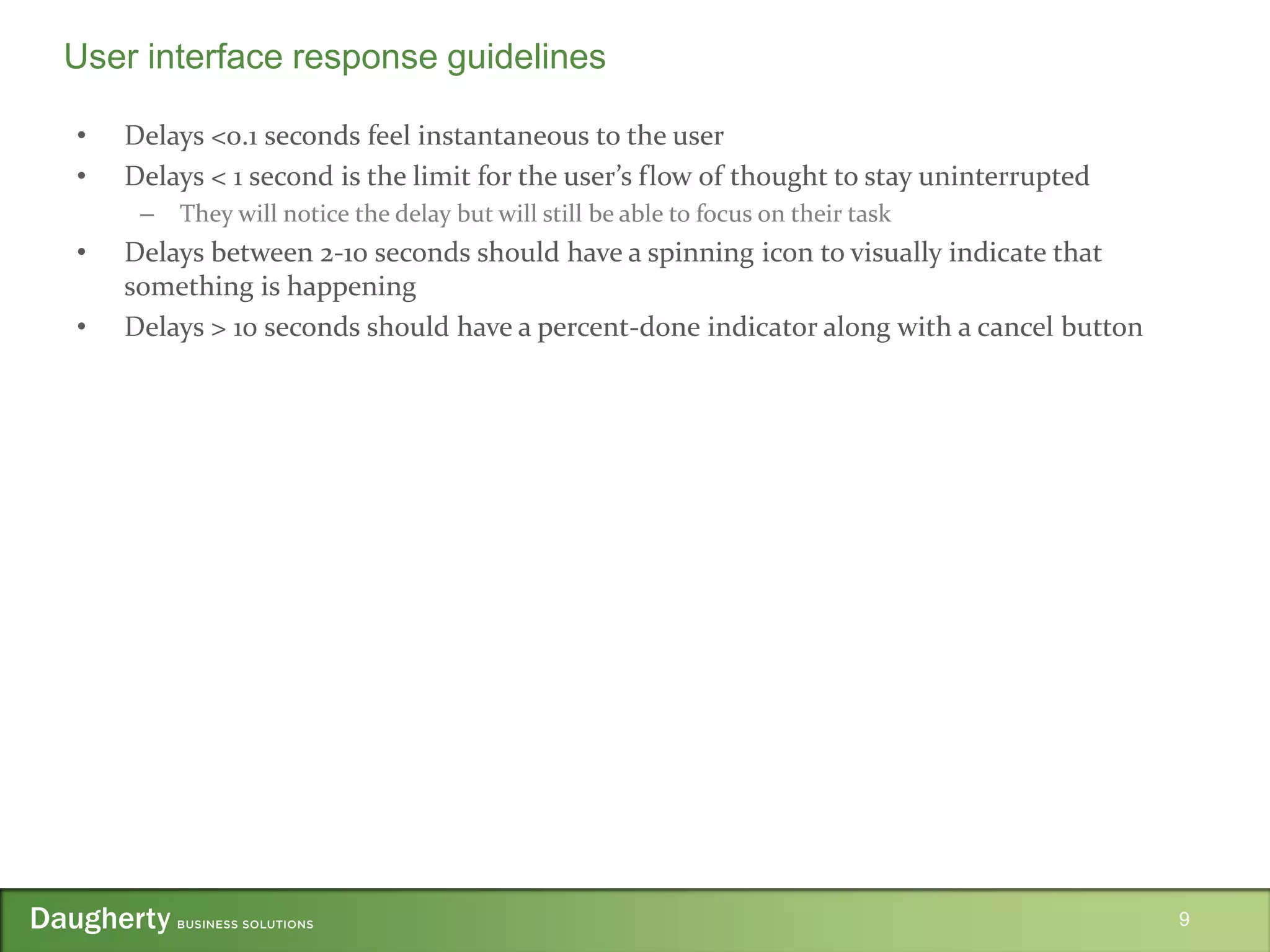
• Delays <0.1 seconds feel instantaneous to the user
• Delays < 1 second is the limit for the user’s flow of thought to stay uninterrupted
– They will notice the delay but will still be able to focus on their task
• Delays between 2-10 seconds should have a spinning icon to visually indicate that
something is happening
• Delays > 10 seconds should have a percent-done indicator along with a cancel button
9
User interface response guidelines
10
Caching guidelines
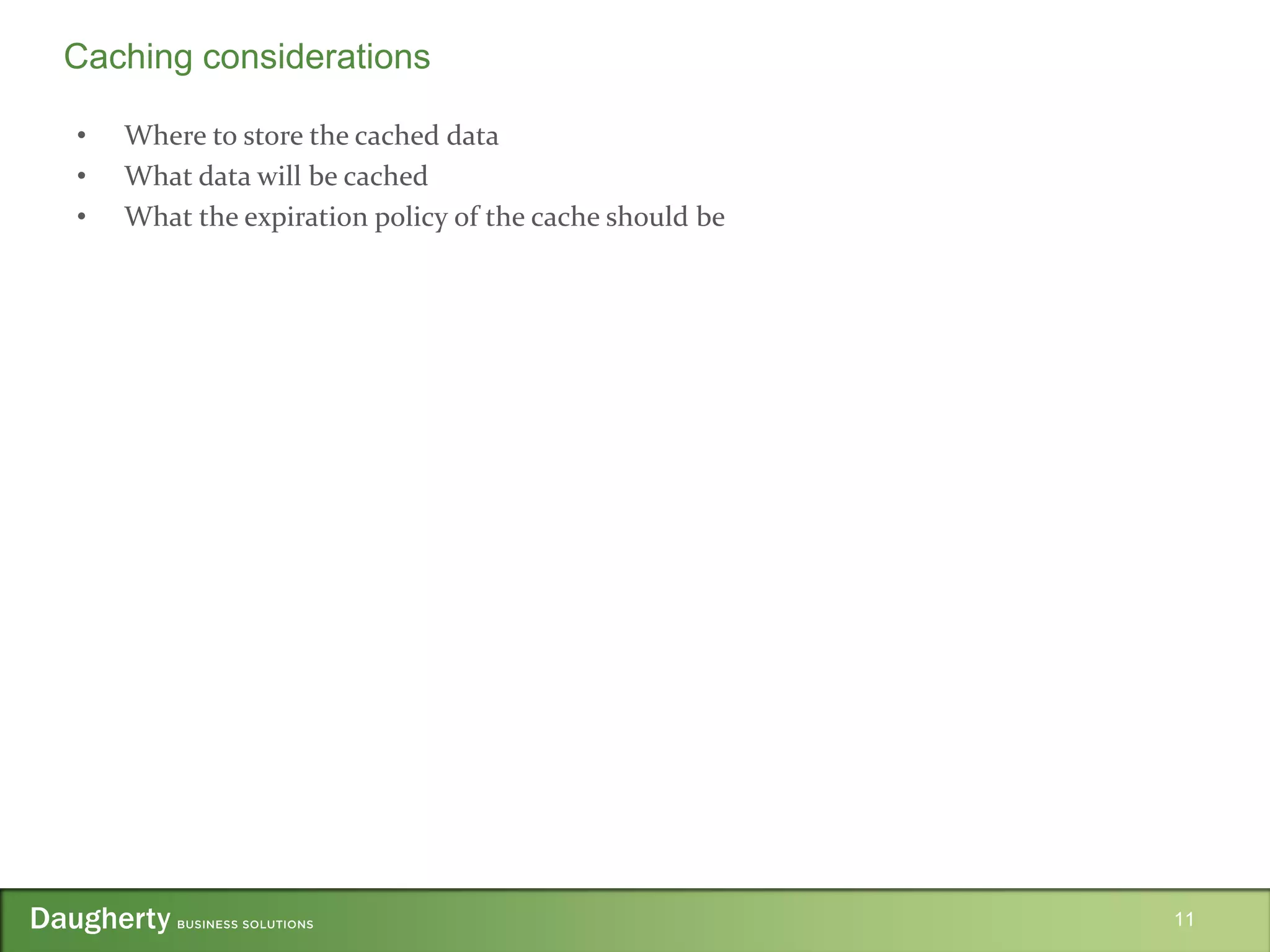
• Where to store the cached data
• What data will be cached
• What the expiration policy of the cache should be
11
Caching considerations
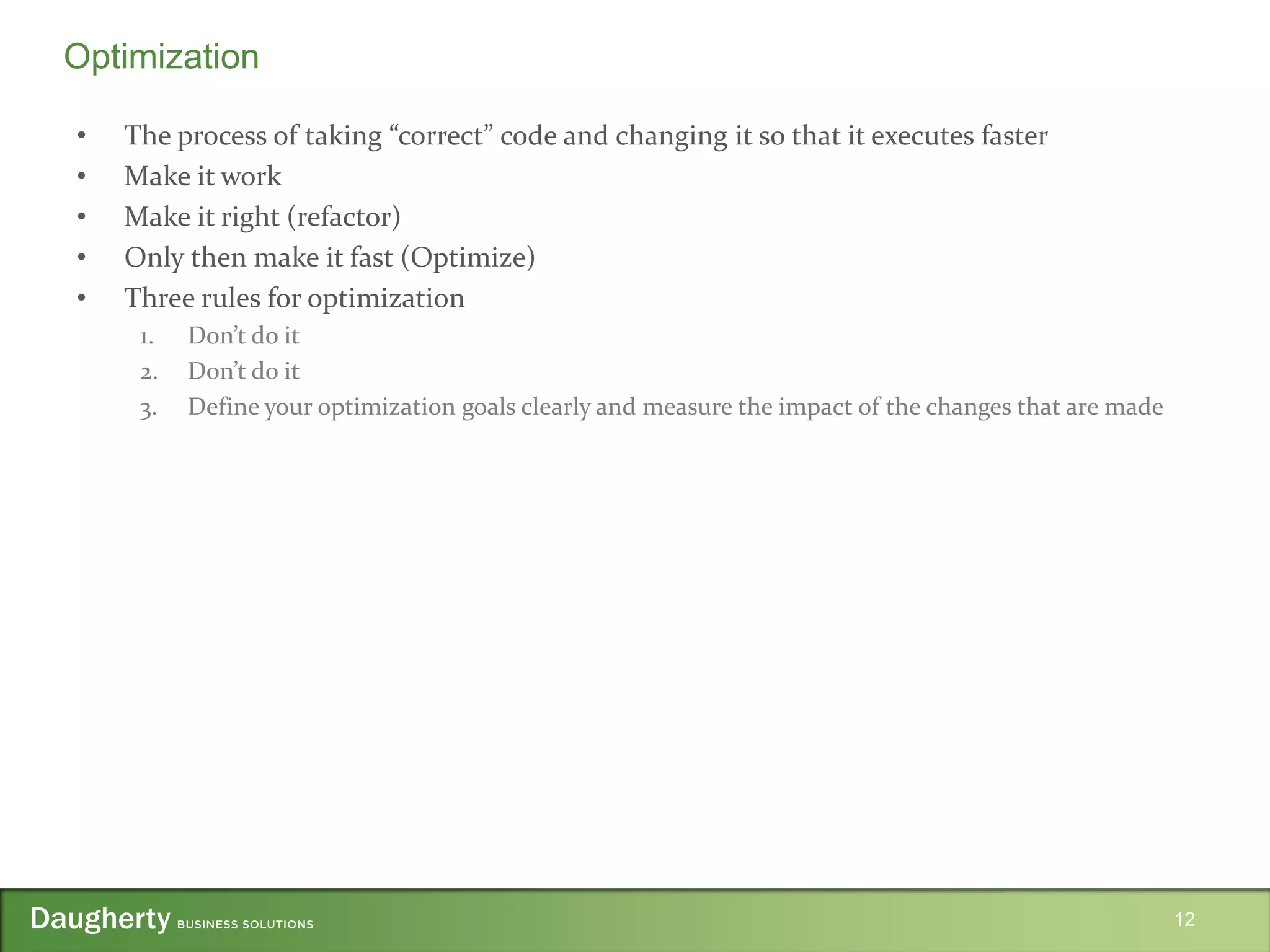
• The process of taking “correct” code and changing it so that it executes faster
• Make it work
• Make it right (refactor)
• Only then make it fast (Optimize)
• Three rules for optimization
1. Don’t do it
2. Don’t do it
3. Define your optimization goals clearly and measure the impact of the changes that are made
12
Optimization
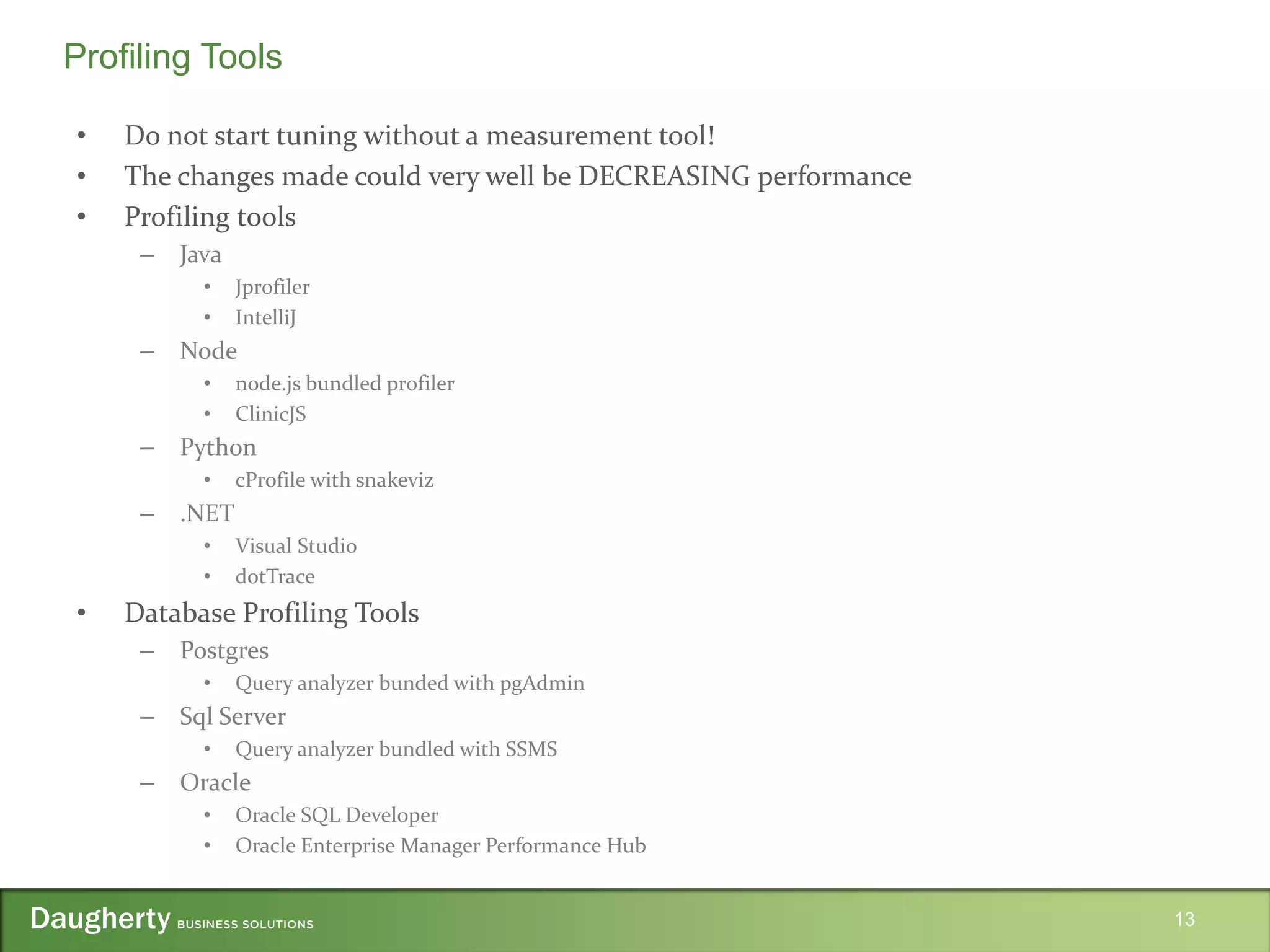
• Do not start tuning without a measurement tool!
• The changes made could very well be DECREASING performance
• Profiling tools
– Java
• Jprofiler
• IntelliJ
– Node
• node.js bundled profiler
• ClinicJS
– Python
• cProfile with snakeviz
– .NET
• Visual Studio
• dotTrace
• Database Profiling Tools
– Postgres
• Query analyzer bunded with pgAdmin
– Sql Server
• Query analyzer bundled with SSMS
– Oracle
• Oracle SQL Developer
• Oracle Enterprise Manager Performance Hub
13
Profiling Tools
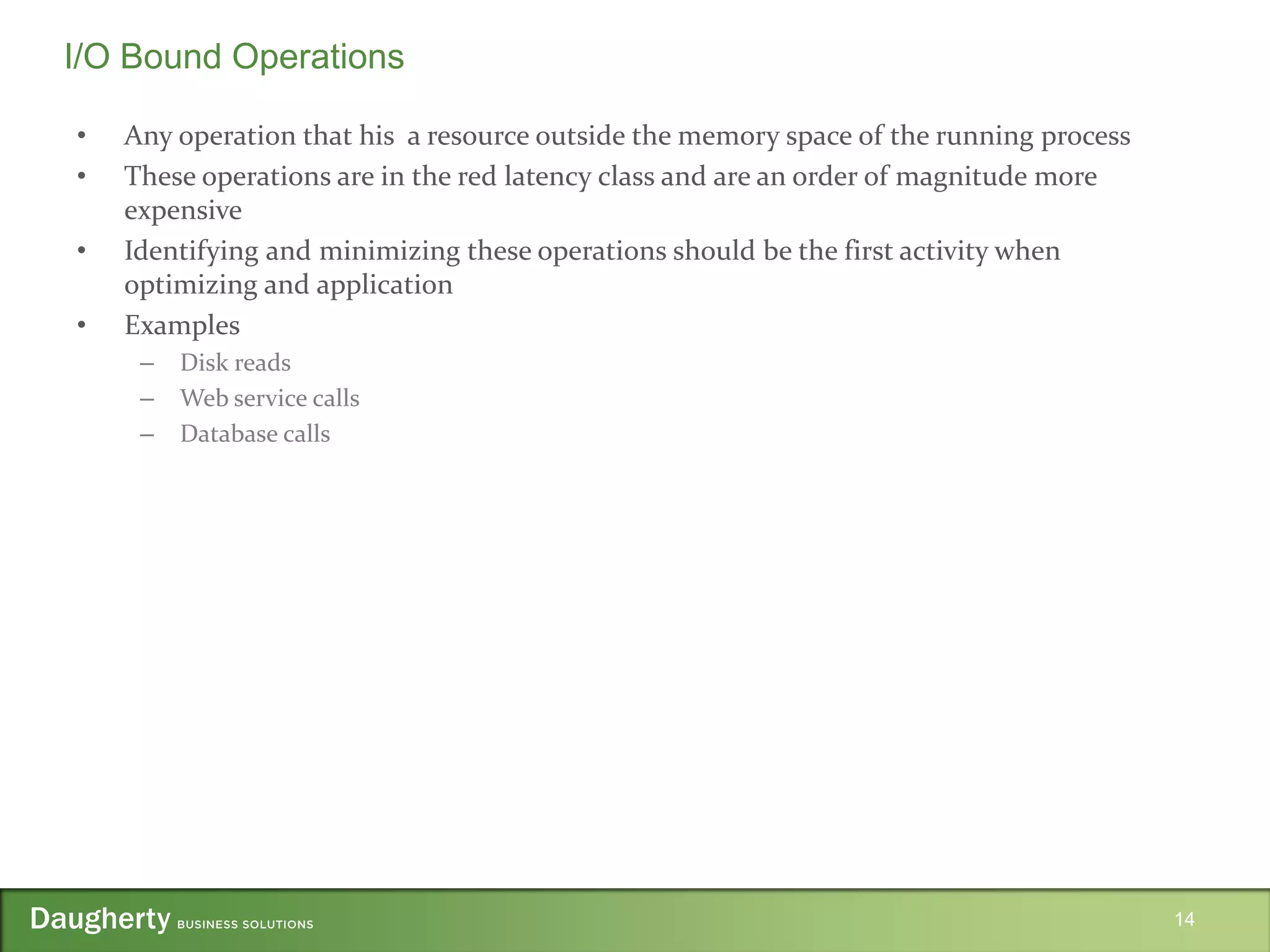
• Any operation that his a resource outside the memory space of the running process
• These operations are in the red latency class and are an order of magnitude more
expensive
• Identifying and minimizing these operations should be the first activity when
optimizing and application
• Examples
– Disk reads
– Web service calls
– Database calls
14
I/O Bound Operations
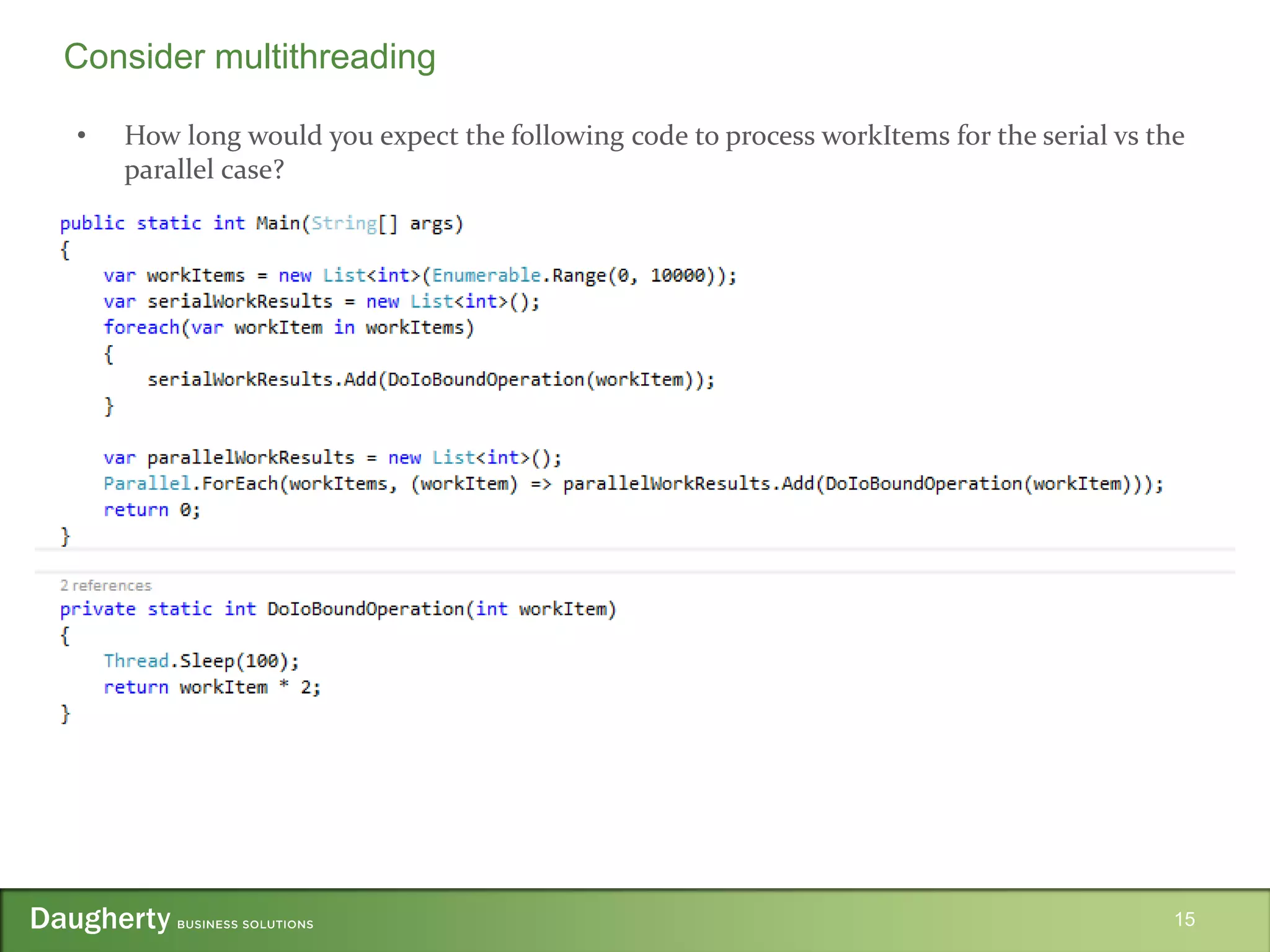
• How long would you expect the following code to process workItems for the serial vs the
parallel case?
15
Consider multithreading
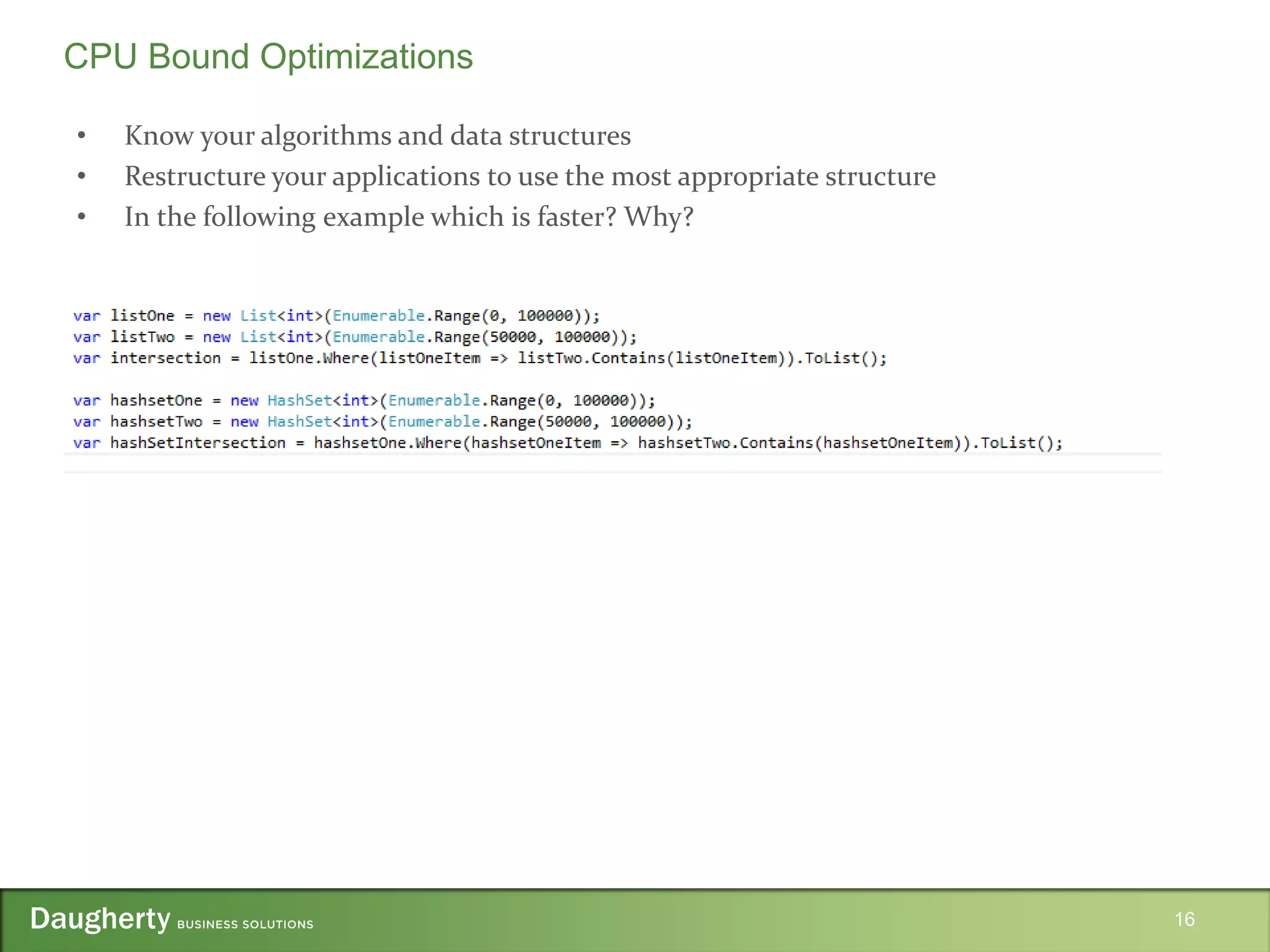
• Know your algorithms and data structures
• Restructure your applications to use the most appropriate structure
• In the following example which is faster? Why?
16
CPU Bound Optimizations
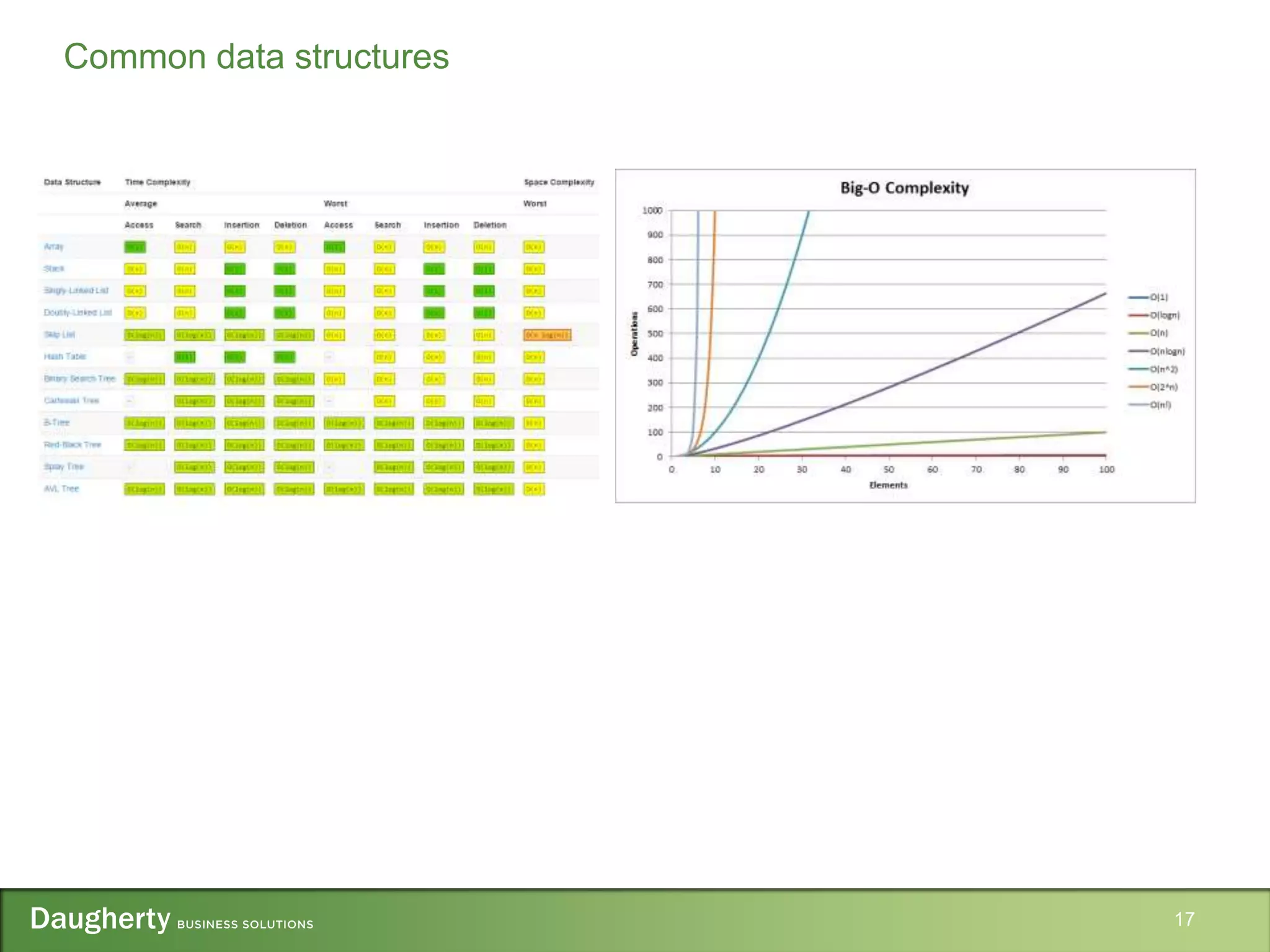
17
Common data structures
• The high level goal of any query optimizations will be to maximize the use of an index
for the query
• Make sure that you are optimizing the right query
– ORM’s and poorly written dynamic SQL can obfuscate which query really requires optimizing
– Don’t optimize queries that are executed infrequently or query small datasets
– Having a dedicated data layer within your application helps tremendously with separating
query problems from application problems
– If you do not have the luxury of working on a well structured application you can use the
database profiler in order to inspect the SQL that is being sent to the database
18
Query Optimizations
• Distinct structure in the database that provides an ordered representation of the
indexed data
• A clustered index will physically store the data in the order of the index
• A non-clustered index will store a separate copy of the table data that refers to the table.
19
Database Indexes
• When a query is submitted to the database engine
– The relational engine will parse the query and generate the estimated execution plan for the
query
– The execution plan is the ordered set of steps used to access the data and is generated by
comparing the query and data statistics
– After the relational engine has generated the estimated execution plan this plan is passed to the
storage engine which will retrieve the data
– After retrieving the data the storage engine will create the actual execution plan and will store it
in the plan cache for future queries
20
Query Execution Plans
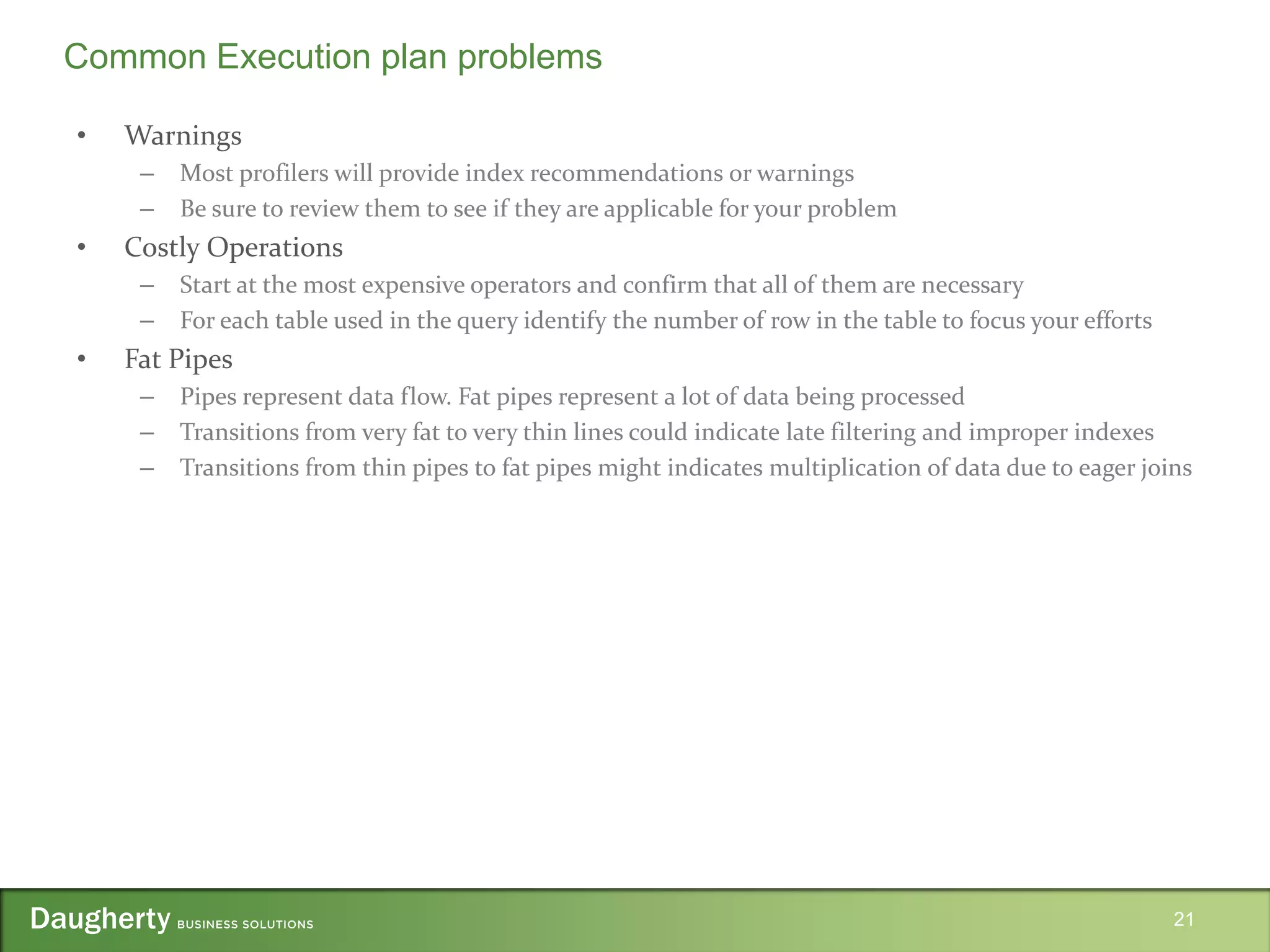
• Warnings
– Most profilers will provide index recommendations or warnings
– Be sure to review them to see if they are applicable for your problem
• Costly Operations
– Start at the most expensive operators and confirm that all of them are necessary
– For each table used in the query identify the number of row in the table to focus your efforts
• Fat Pipes
– Pipes represent data flow. Fat pipes represent a lot of data being processed
– Transitions from very fat to very thin lines could indicate late filtering and improper indexes
– Transitions from thin pipes to fat pipes might indicates multiplication of data due to eager joins
21
Common Execution plan problems
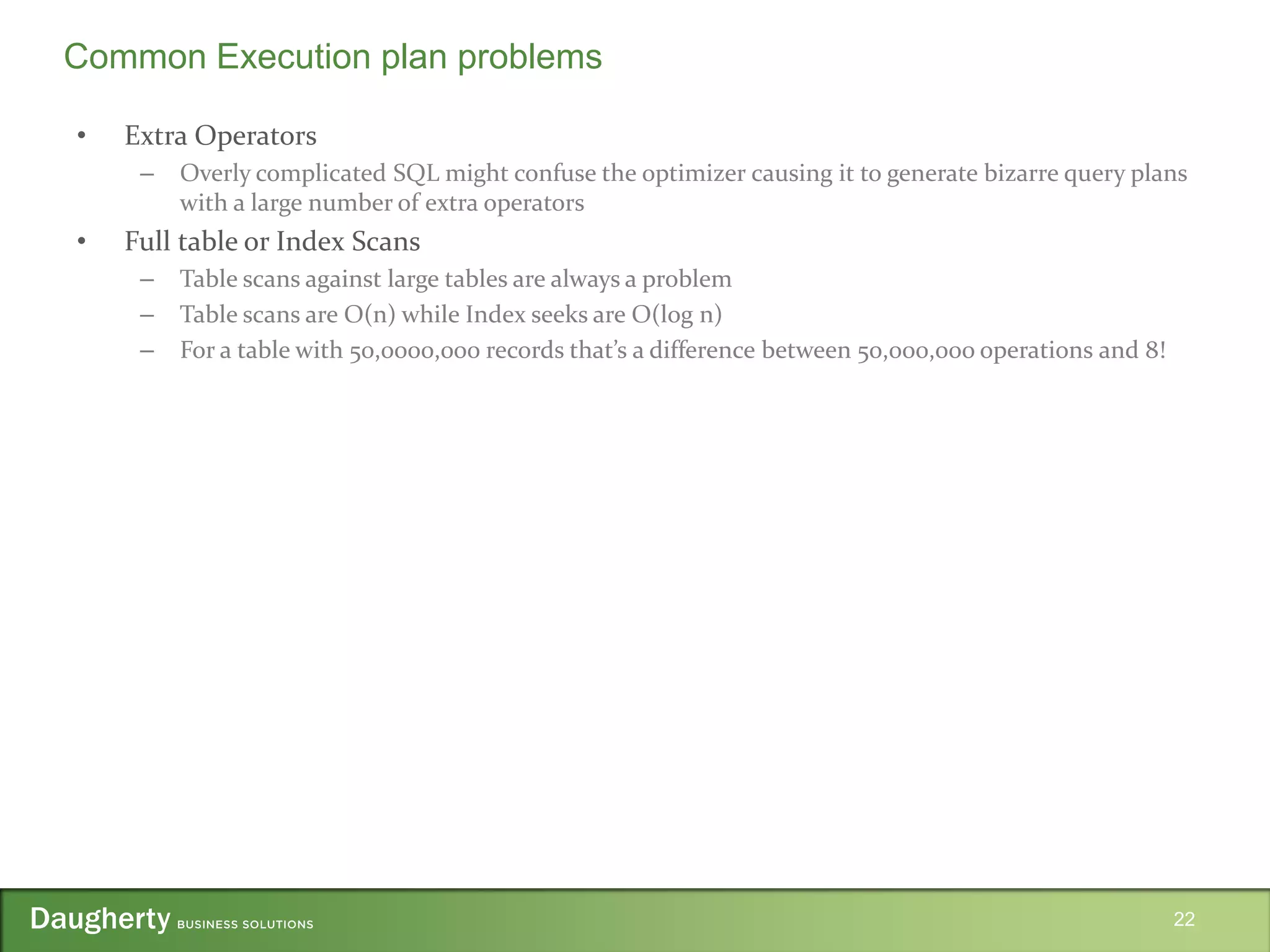
• Extra Operators
– Overly complicated SQL might confuse the optimizer causing it to generate bizarre query plans
with a large number of extra operators
• Full table or Index Scans
– Table scans against large tables are always a problem
– Table scans are O(n) while Index seeks are O(log n)
– For a table with 50,0000,000 records that’s a difference between 50,000,000 operations and 8!
22
Common Execution plan problems
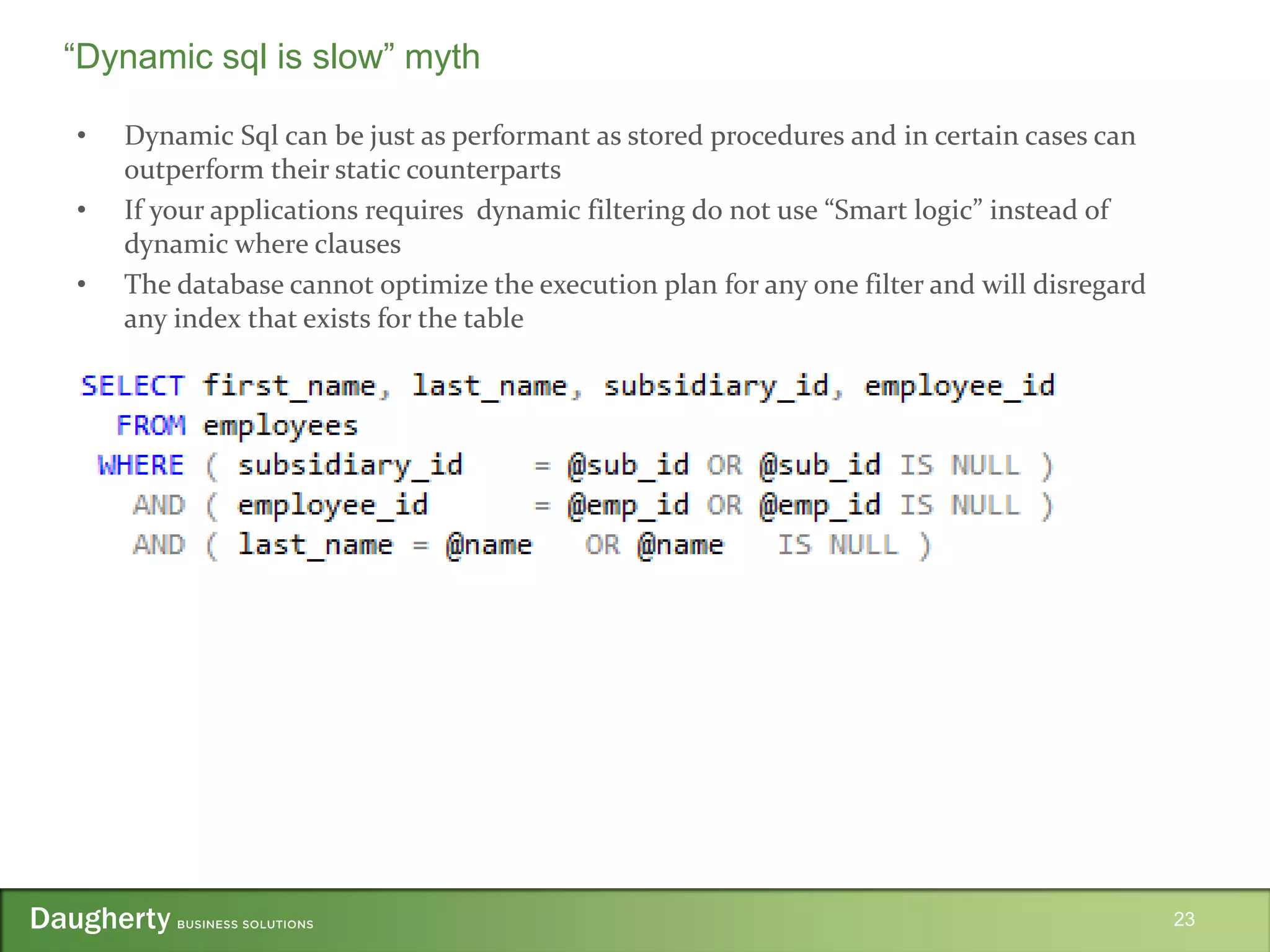
• Dynamic Sql can be just as performant as stored procedures and in certain cases can
outperform their static counterparts
• If your applications requires dynamic filtering do not use “Smart logic” instead of
dynamic where clauses
• The database cannot optimize the execution plan for any one filter and will disregard
any index that exists for the table
23
“Dynamic sql is slow” myth
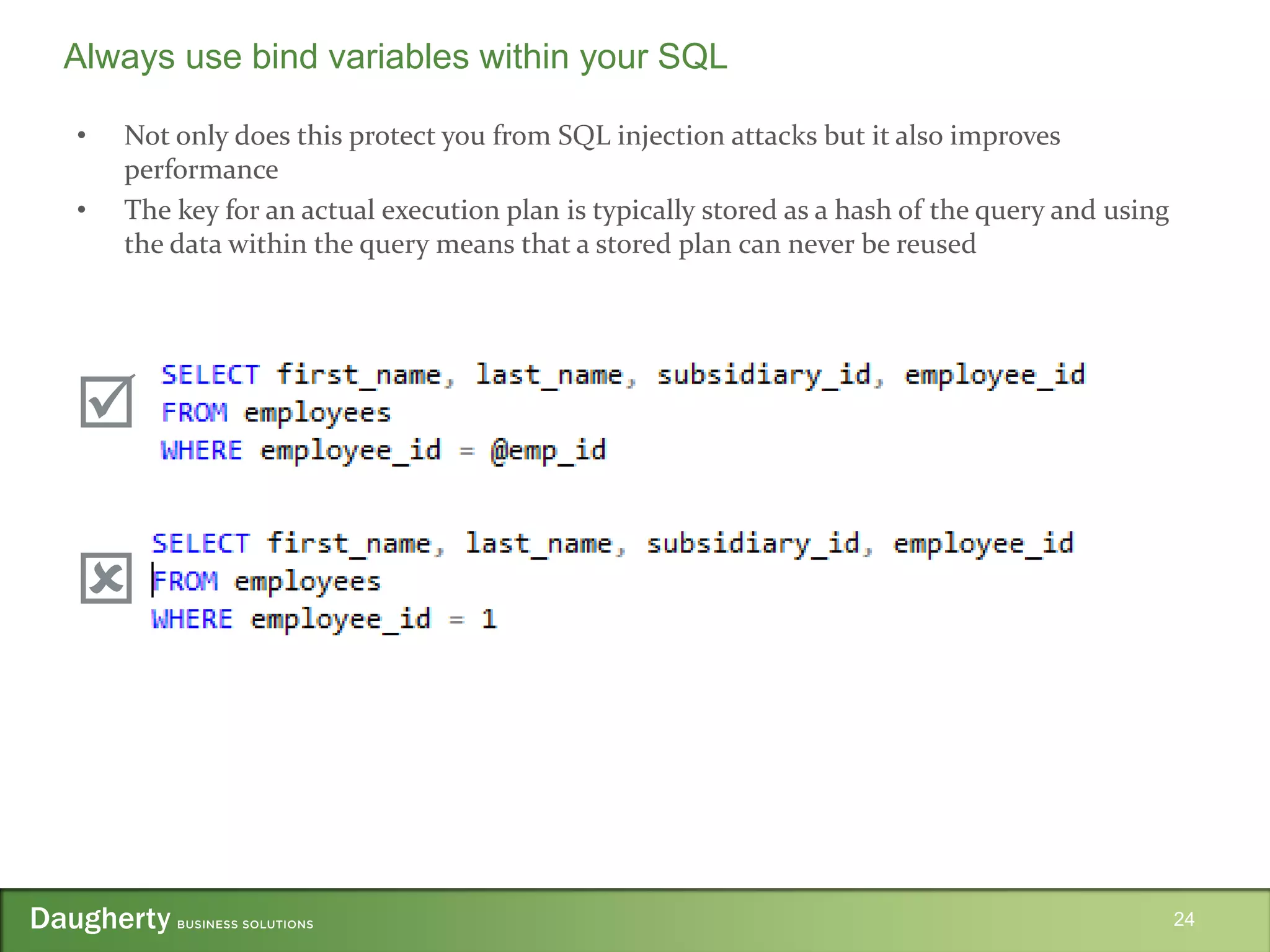
• Not only does this protect you from SQL injection attacks but it also improves
performance
• The key for an actual execution plan is typically stored as a hash of the query and using
the data within the query means that a stored plan can never be reused
24
Always use bind variables within your SQL


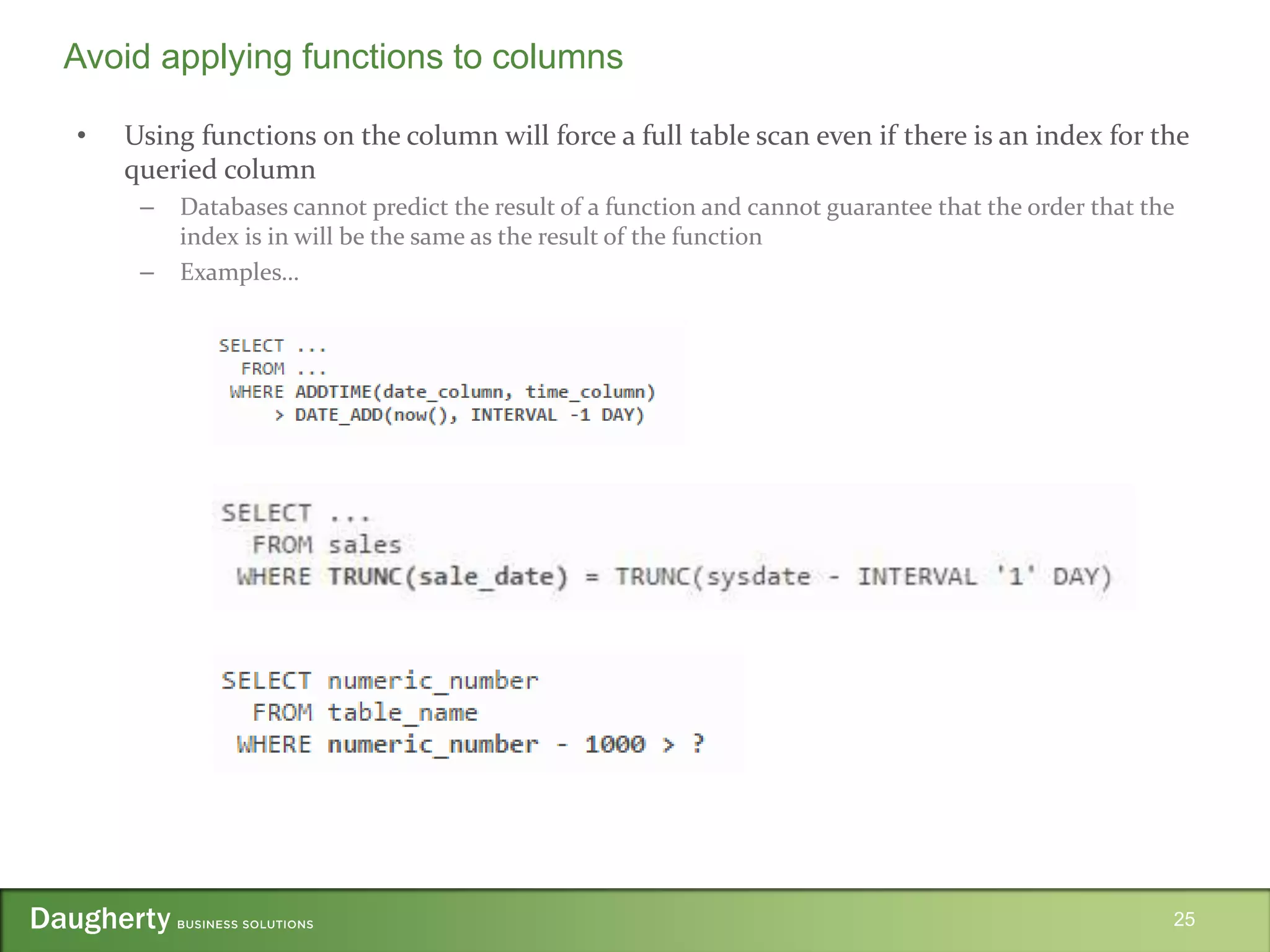
• Using functions on the column will force a full table scan even if there is an index for the
queried column
– Databases cannot predict the result of a function and cannot guarantee that the order that the
index is in will be the same as the result of the function
– Examples…
25
Avoid applying functions to columns
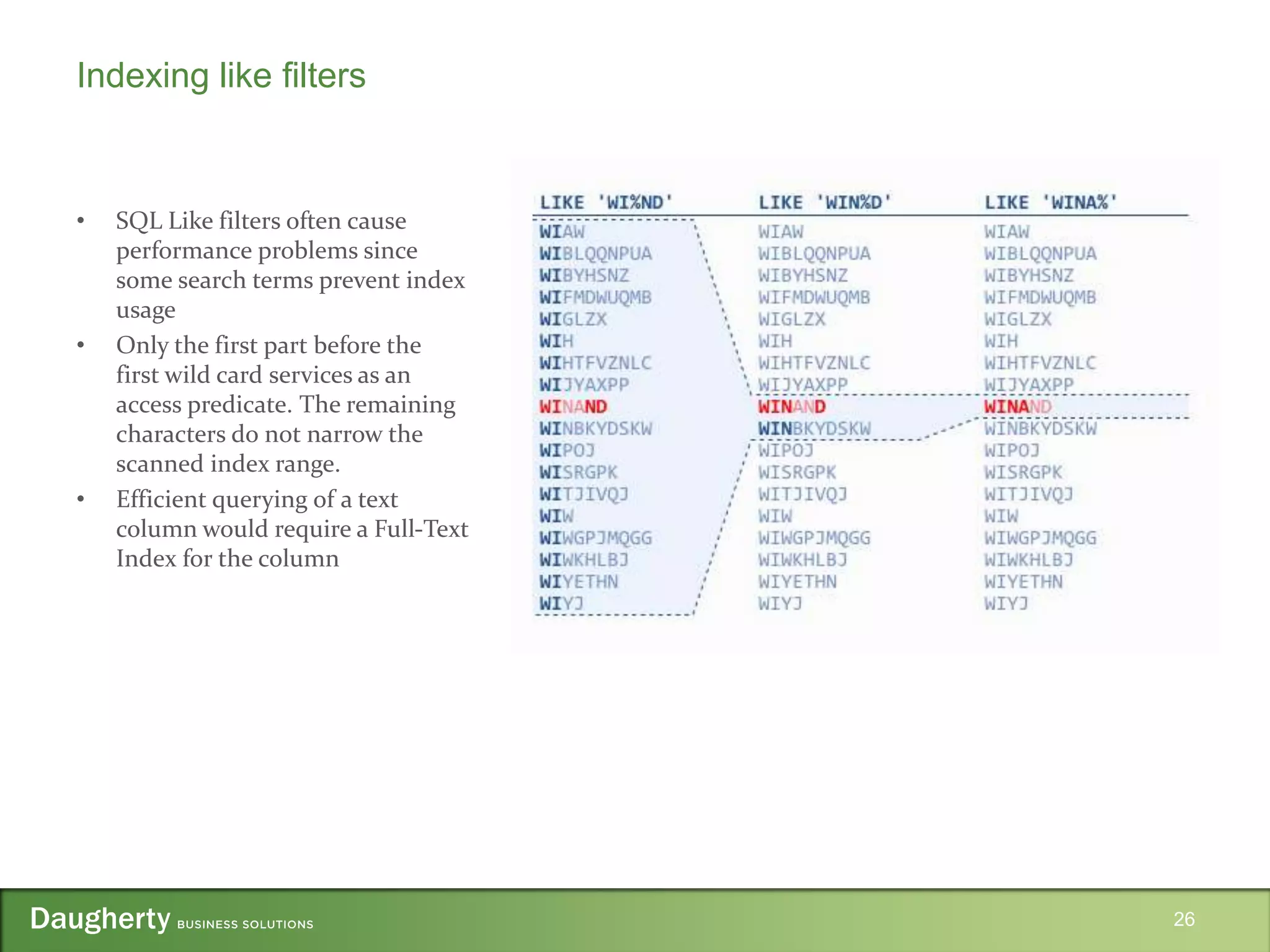
Indexing like filters
• SQL Like filters often cause
performance problems since
some search terms prevent index
usage
• Only the first part before the
first wild card services as an
access predicate. The remaining
characters do not narrow the
scanned index range.
• Efficient querying of a text
column would require a Full-Text
Index for the column
26
• Use a clustered index if the table only needs to support a single index
– A clustered index changes the table from an unordered heap to a B-Tree
– The access time changes from O(1) to O(log n) when using a secondary index
• For multi-column indexes order the columns for equality then by ranges
– This allows for all predicates in the where clause to be used as access predicates
• Include every column needed by the query in the index
– This will prevent a table fetch per row
• Be selective with the indexes that you create
– Every index adds overhead to every operation on the table
– Always aim to index the original data as that is often the most useful information
27
Index best practices
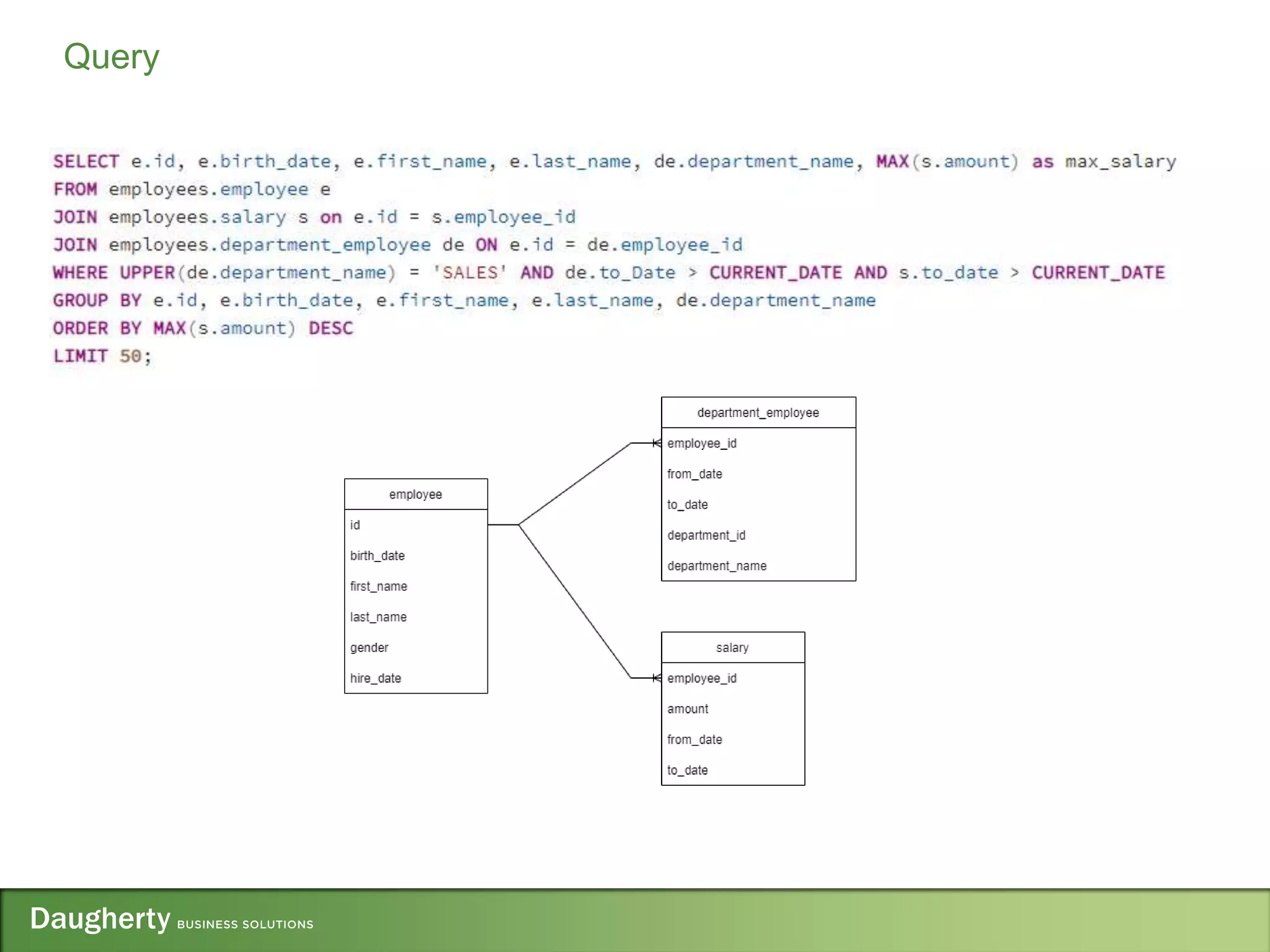
Query Optimization Demo
28
Query
• Winand, M. (n.d.). SQL Indexing and Tuning e-Book. Retrieved March 13, 2016, from
http://use-the-index-luke.com/
• Meier, J., Vasireddy, S., Babbar, A., & Mackman, A. (2004, April 01). Improving .NET
Application Performance and Scalability. Retrieved from
https://msdn.microsoft.com/en-us/library/ff649152.aspx
• McConnell, S. (2005). Code complete 2nd Edition. Redmond: Microsoft Press.
30
References
https://www.slideshare.net/JasonTuran2/optimizing-application-performance-2022pptx-252632853
Questions?
31

Optimizing Application Performance - 2022.pptx

  • 1.
  • 2.
    • Senior SoftwareEngineer working on every stack since 2009 • Spent my career working as a full stack developer and have been involved in all aspects of delivering high quality software • Started with Daugherty in February of 2015 – Since then I have been working for many different brand name clients in the Saint Louis area developing and delivering pragmatic solutions for their business needs • Clients – AEP River Operations – Anheuser Busch – New Balance – Bryan Cave – Express Scripts – Bayer 2 Instructor Biography
  • 3.
  • 4.
    4 How is applicationperformance different from optimization?
  • 5.
    5 • Performance – ApplicationDesign – User Interface Requirements – Caching • Optimizations – I/O Bound – CPU Bound • Database Query Optimizations – Indexes – Execution Plans – Common Problems – Optimization Demo Presentation Outline
  • 6.
    6 Latency Numbers EveryProgrammer should know
  • 7.
    • Highest impactactivity on application performance • Smart design decisions avoid performance problems • Code optimizations will likely only be able to attain incremental improvements • Using a layered design helps to build a more scalable and maintainable application 7 Application Design
  • 8.
    • How coarseshould the services layer be? • Which use cases are the most frequently occurring? • Can the use case be fulfilled asynchronously? Would message queuing be appropriate? • What will the deployment environment for the application be? • Set objective performance goals – How long should an average request take? – How many concurrent users should the application support? – What is the peak load the application must handle? 8 Application Design Considerations
  • 9.
    • Delays <0.1seconds feel instantaneous to the user • Delays < 1 second is the limit for the user’s flow of thought to stay uninterrupted – They will notice the delay but will still be able to focus on their task • Delays between 2-10 seconds should have a spinning icon to visually indicate that something is happening • Delays > 10 seconds should have a percent-done indicator along with a cancel button 9 User interface response guidelines
  • 10.
  • 11.
    • Where tostore the cached data • What data will be cached • What the expiration policy of the cache should be 11 Caching considerations
  • 12.
    • The processof taking “correct” code and changing it so that it executes faster • Make it work • Make it right (refactor) • Only then make it fast (Optimize) • Three rules for optimization 1. Don’t do it 2. Don’t do it 3. Define your optimization goals clearly and measure the impact of the changes that are made 12 Optimization
  • 13.
    • Do notstart tuning without a measurement tool! • The changes made could very well be DECREASING performance • Profiling tools – Java • Jprofiler • IntelliJ – Node • node.js bundled profiler • ClinicJS – Python • cProfile with snakeviz – .NET • Visual Studio • dotTrace • Database Profiling Tools – Postgres • Query analyzer bunded with pgAdmin – Sql Server • Query analyzer bundled with SSMS – Oracle • Oracle SQL Developer • Oracle Enterprise Manager Performance Hub 13 Profiling Tools
  • 14.
    • Any operationthat his a resource outside the memory space of the running process • These operations are in the red latency class and are an order of magnitude more expensive • Identifying and minimizing these operations should be the first activity when optimizing and application • Examples – Disk reads – Web service calls – Database calls 14 I/O Bound Operations
  • 15.
    • How longwould you expect the following code to process workItems for the serial vs the parallel case? 15 Consider multithreading
  • 16.
    • Know youralgorithms and data structures • Restructure your applications to use the most appropriate structure • In the following example which is faster? Why? 16 CPU Bound Optimizations
  • 17.
  • 18.
    • The highlevel goal of any query optimizations will be to maximize the use of an index for the query • Make sure that you are optimizing the right query – ORM’s and poorly written dynamic SQL can obfuscate which query really requires optimizing – Don’t optimize queries that are executed infrequently or query small datasets – Having a dedicated data layer within your application helps tremendously with separating query problems from application problems – If you do not have the luxury of working on a well structured application you can use the database profiler in order to inspect the SQL that is being sent to the database 18 Query Optimizations
  • 19.
    • Distinct structurein the database that provides an ordered representation of the indexed data • A clustered index will physically store the data in the order of the index • A non-clustered index will store a separate copy of the table data that refers to the table. 19 Database Indexes
  • 20.
    • When aquery is submitted to the database engine – The relational engine will parse the query and generate the estimated execution plan for the query – The execution plan is the ordered set of steps used to access the data and is generated by comparing the query and data statistics – After the relational engine has generated the estimated execution plan this plan is passed to the storage engine which will retrieve the data – After retrieving the data the storage engine will create the actual execution plan and will store it in the plan cache for future queries 20 Query Execution Plans
  • 21.
    • Warnings – Mostprofilers will provide index recommendations or warnings – Be sure to review them to see if they are applicable for your problem • Costly Operations – Start at the most expensive operators and confirm that all of them are necessary – For each table used in the query identify the number of row in the table to focus your efforts • Fat Pipes – Pipes represent data flow. Fat pipes represent a lot of data being processed – Transitions from very fat to very thin lines could indicate late filtering and improper indexes – Transitions from thin pipes to fat pipes might indicates multiplication of data due to eager joins 21 Common Execution plan problems
  • 22.
    • Extra Operators –Overly complicated SQL might confuse the optimizer causing it to generate bizarre query plans with a large number of extra operators • Full table or Index Scans – Table scans against large tables are always a problem – Table scans are O(n) while Index seeks are O(log n) – For a table with 50,0000,000 records that’s a difference between 50,000,000 operations and 8! 22 Common Execution plan problems
  • 23.
    • Dynamic Sqlcan be just as performant as stored procedures and in certain cases can outperform their static counterparts • If your applications requires dynamic filtering do not use “Smart logic” instead of dynamic where clauses • The database cannot optimize the execution plan for any one filter and will disregard any index that exists for the table 23 “Dynamic sql is slow” myth
  • 24.
    • Not onlydoes this protect you from SQL injection attacks but it also improves performance • The key for an actual execution plan is typically stored as a hash of the query and using the data within the query means that a stored plan can never be reused 24 Always use bind variables within your SQL  
  • 25.
    • Using functionson the column will force a full table scan even if there is an index for the queried column – Databases cannot predict the result of a function and cannot guarantee that the order that the index is in will be the same as the result of the function – Examples… 25 Avoid applying functions to columns
  • 26.
    Indexing like filters •SQL Like filters often cause performance problems since some search terms prevent index usage • Only the first part before the first wild card services as an access predicate. The remaining characters do not narrow the scanned index range. • Efficient querying of a text column would require a Full-Text Index for the column 26
  • 27.
    • Use aclustered index if the table only needs to support a single index – A clustered index changes the table from an unordered heap to a B-Tree – The access time changes from O(1) to O(log n) when using a secondary index • For multi-column indexes order the columns for equality then by ranges – This allows for all predicates in the where clause to be used as access predicates • Include every column needed by the query in the index – This will prevent a table fetch per row • Be selective with the indexes that you create – Every index adds overhead to every operation on the table – Always aim to index the original data as that is often the most useful information 27 Index best practices
  • 28.
  • 29.
  • 30.
    • Winand, M.(n.d.). SQL Indexing and Tuning e-Book. Retrieved March 13, 2016, from http://use-the-index-luke.com/ • Meier, J., Vasireddy, S., Babbar, A., & Mackman, A. (2004, April 01). Improving .NET Application Performance and Scalability. Retrieved from https://msdn.microsoft.com/en-us/library/ff649152.aspx • McConnell, S. (2005). Code complete 2nd Edition. Redmond: Microsoft Press. 30 References
  • 31.

Editor's Notes

  • #10 Human limitations, especially in the areas of memory and attention (as further discussed in our seminar on The Human Mind and Usability). We simply don't perform as well if we have to wait and suffer the inevitable decay of information stored in short-term memory. Human aspirations. We like to feel in control of our destiny rather than subjugated to a computer's whims. Also, when companies make us wait instead of providing responsive service, they seem either arrogant or incompetent. A snappy user experience beats a glamorous one, for the simple reason that people engage more with a site when they can move freely and focus on the content instead of on their endless wait.
  • #16 Hint each call takes 100 ms and there are 10000 items. Serially we would expect 100 * 10000 milliseconds = 16.6667 minutes. Parallel we would expect that to be a fraction depending on how many threads can be created.