





Ruby on Rails In Practice
Apartment List and Thoughtbot
San Francisco, September 2012


                    Getting started with
               Command Line Applications
Ruby on Rails In Practice
Apartment List and Thoughtbot
San Francisco, September 2012


                    Getting started with
               Command Line Applications


                                Nikhil Mungel
                                    @hyfather
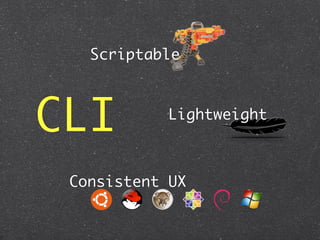
Why CLI ?
CLI
Scriptable


CLI        Lightweight


 Consistent UX
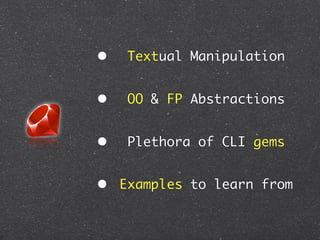
Why Ruby?
•   Textual Manipulation


•   OO & FP Abstractions


•   Plethora of CLI gems


• Examples to learn from
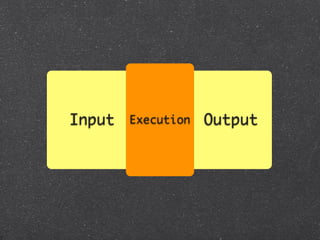
The Structure
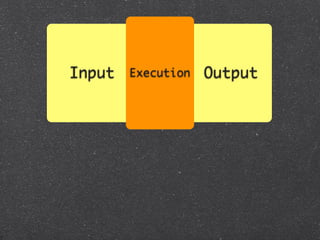
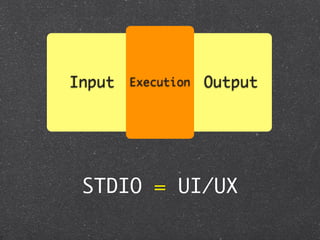
Input   Execution   Output


 STDIO = UI/UX
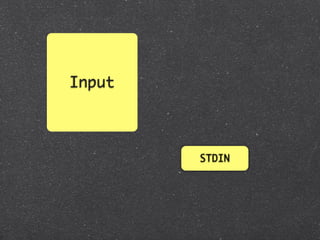
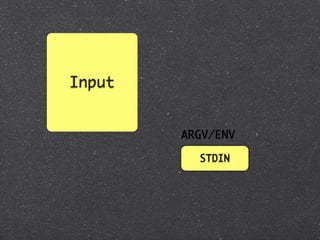
Input


        STDIN
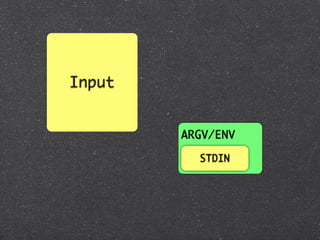
Input


        ARGV/ENV

          STDIN
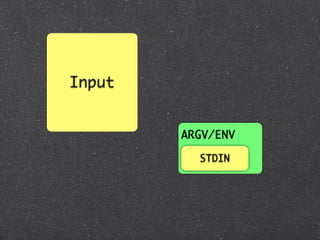
Input


        ARGV/ENV

          STDIN
Input


        ARGV/ENV

          STDIN
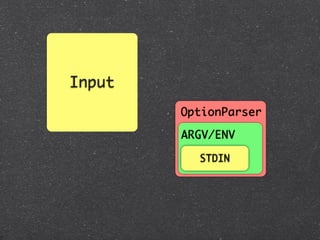
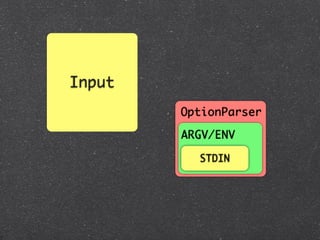
Input
        OptionParser

        ARGV/ENV

          STDIN
Input
        OptionParser

        ARGV/ENV

          STDIN
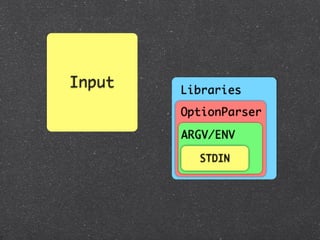
Input   Libraries
        OptionParser

        ARGV/ENV

          STDIN
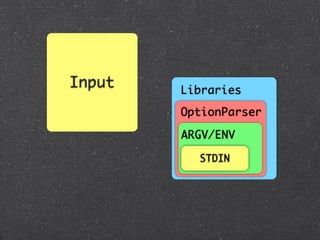
Input   Libraries
        OptionParser

        ARGV/ENV

          STDIN
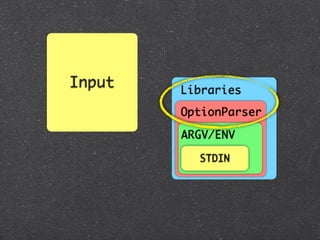
Input   Libraries
        OptionParser

        ARGV/ENV

          STDIN
options = {}
OptionParser.new do |opts|
  opts.banner = "Usage: example.rb [options]"

  opts.on("-v", "--[no-]verbose", "Run verbosely") do |v|
    options[:verbose] = v
  end
end.parse!
options = {}
OptionParser.new do |opts|
  opts.banner = "Usage: example.rb [options]"

  opts.on("-v", "--[no-]verbose", "Run verbosely") do |v|
    options[:verbose] = v
  end
end.parse!


~ > ./opt.rb --help
Usage: example.rb [options]
   -v, --[no-]verbose               Run verbosely
options = {}
OptionParser.new do |opts|
  opts.banner = "Usage: example.rb [options]"

  opts.on("-v", "--[no-]verbose", "Run verbosely") do |v|
    options[:verbose] = v
  end
end.parse!


~ > ./opt.rb --help
Usage: example.rb [options]
   -v, --[no-]verbose               Run verbosely
options = {}
OptionParser.new do |opts|
  opts.banner = "Usage: example.rb [options]"

  opts.on("-v", "--[no-]verbose", "Run verbosely") do |v|
    options[:verbose] = v
  end
end.parse!


~ > ./opt.rb --help
Usage: example.rb [options]
   -v, --[no-]verbose               Run verbosely
options = {}
OptionParser.new do |opts|
  opts.banner = "Usage: example.rb [options]"

  opts.on("-v", "--[no-]verbose", "Run verbosely") do |v|
    options[:verbose] = v
  end
end.parse!


~ > ./opt.rb --help
Usage: example.rb [options]
   -v, --[no-]verbose               Run verbosely
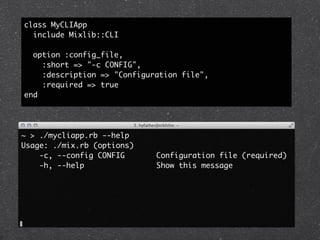
The Mixlib Suite
class MyCLIApp
  include Mixlib::CLI

  option :config_file,
    :short => "-c CONFIG",
    :description => "Configuration file",
    :required => true
end


~ > ./mycliapp.rb --help
Usage: ./mix.rb (options)
    -c, --config CONFIG      Configuration file (required)
    -h, --help               Show this message
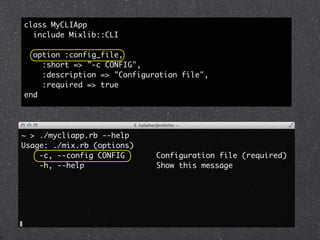
class MyCLIApp
  include Mixlib::CLI

  option :config_file,
    :short => "-c CONFIG",
    :description => "Configuration file",
    :required => true
end


~ > ./mycliapp.rb --help
Usage: ./mix.rb (options)
    -c, --config CONFIG      Configuration file (required)
    -h, --help               Show this message
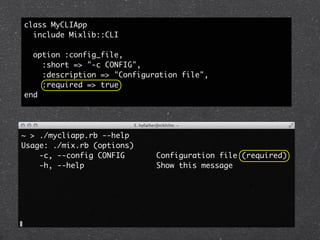
class MyCLIApp
  include Mixlib::CLI

  option :config_file,
    :short => "-c CONFIG",
    :description => "Configuration file",
    :required => true
end


~ > ./mycliapp.rb --help
Usage: ./mix.rb (options)
    -c, --config CONFIG      Configuration file (required)
    -h, --help               Show this message
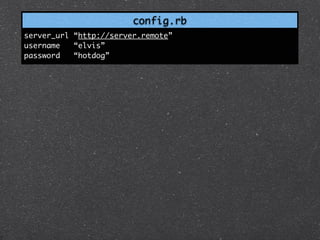
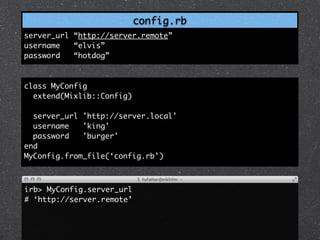
config.rb
server_url “http://server.remote”
username   “elvis”
password   “hotdog”
config.rb
server_url “http://server.remote”
username   “elvis”
password   “hotdog”


class MyConfig
  extend(Mixlib::Config)

  server_url 'http://server.local'
  username   'king'
  password   'burger'
end
MyConfig.from_file(‘config.rb’)


irb> MyConfig.server_url
# ‘http://server.remote’
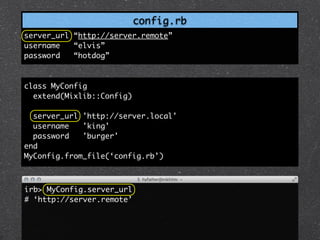
config.rb
server_url “http://server.remote”
username   “elvis”
password   “hotdog”


class MyConfig
  extend(Mixlib::Config)

  server_url 'http://server.local'
  username   'king'
  password   'burger'
end
MyConfig.from_file(‘config.rb’)


irb> MyConfig.server_url
# ‘http://server.remote’
Thor
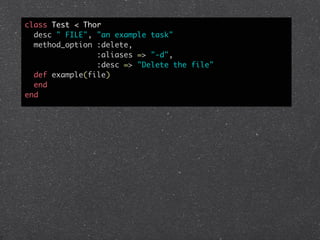
class Test < Thor
  desc " FILE", "an example task"
  method_option :delete,
                :aliases => "-d",
                :desc => "Delete the file"
  def example(file)
  end
end
class Test < Thor
  desc " FILE", "an example task"
  method_option :delete,
                :aliases => "-d",
                :desc => "Delete the file"
  def example(file)
  end
end


~ > myapp help test:example
Usage:
  thor test:example FILE

Options:
  -d, [--delete=DELETE]   # Delete the file after parsing it

an example task
class Test < Thor
  desc " FILE", "an example task"
  method_option :delete,
                :aliases => "-d",
                :desc => "Delete the file"
  def example(file)
  end
end


~ > myapp help test:example
Usage:
  thor test:example FILE

Options:
  -d, [--delete=DELETE]   # Delete the file after parsing it

an example task
class Test < Thor
  desc " FILE", "an example task"
  method_option :delete,
                :aliases => "-d",
                :desc => "Delete the file"
  def example(file)
  end
end


~ > myapp help test:example
Usage:
  thor test:example FILE

Options:
  -d, [--delete=DELETE]   # Delete the file after parsing it

an example task
class Test < Thor
  desc " FILE", "an example task"
  method_option :delete,
                :aliases => "-d",
                :desc => "Delete the file"
  def example(file)
  end
end


~ > myapp help test:example
Usage:
  thor test:example FILE

Options:
  -d, [--delete=DELETE]   # Delete the file after parsing it

an example task
class Test < Thor
  desc " FILE", "an example task"
  method_option :delete,
                :aliases => "-d",
                :desc => "Delete the file"
  def example(file)
  end
end


~ > myapp help test:example
Usage:
  thor test:example FILE

Options:
  -d, [--delete=DELETE]   # Delete the file after parsing it

an example task
class Test < Thor
  desc " FILE", "an example task"
  method_option :delete,
                :aliases => "-d",
                :desc => "Delete the file"
  def example(file)
  end
end


~ > myapp help test:example
Usage:
  thor test:example FILE

Options:
  -d, [--delete=DELETE]   # Delete the file after parsing it

an example task
class Test < Thor
  desc " FILE", "an example task"
  method_option :delete,
                :aliases => "-d",
                :desc => "Delete the file"
  def example(file)
  end
end


~ > myapp help test:example
Usage:
  thor test:example FILE

Options:
  -d, [--delete=DELETE]   # Delete the file after parsing it

an example task
Testing!
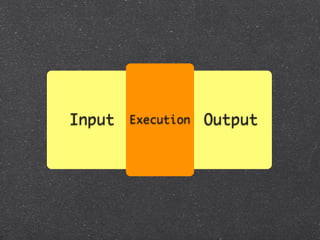
Input   Execution   Output


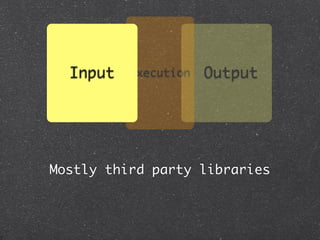
Mostly third party libraries
Input   Execution   Output


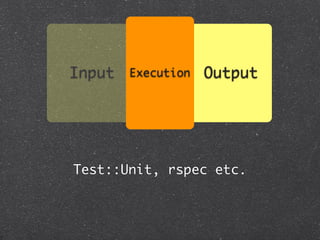
Test::Unit, rspec etc.
Input   Execution   Output

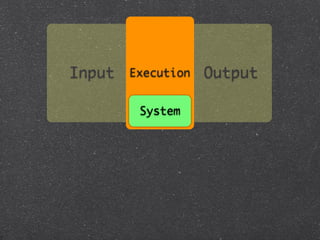
         System
System
System


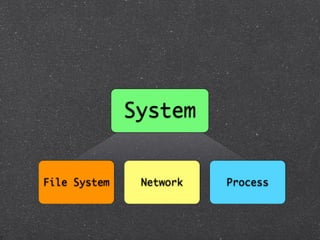
File System    Network   Process
Isolated
 Environments


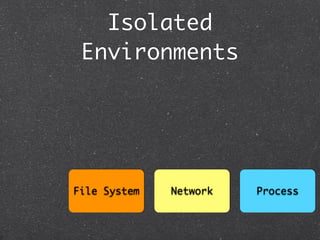
File System   Network   Process
Isolated
        Environments
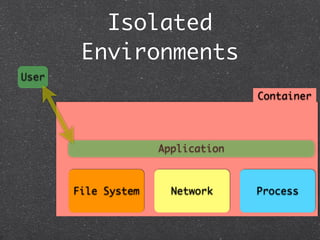
User
                                   Container


                     Application


       File System     Network     Process
Streams & Signals
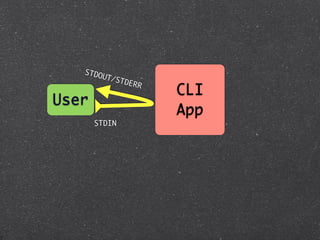
STDO
          UT/S
                 TDER
                        R
                            CLI
User
                            App
       STDIN
STDO
          UT/S
                 TDER
                        R
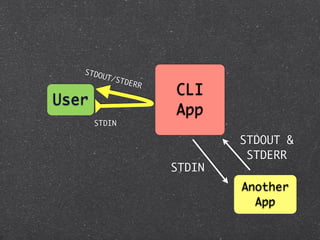
                            CLI
User
                            App
       STDIN

                                    STDOUT &
                                     STDERR
                            STDIN
                                    Another
                                      App
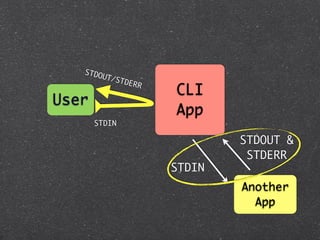
STDO
          UT/S
                 TDER
                        R
                            CLI
User
                            App
       STDIN

                                    STDOUT &
                                     STDERR
                            STDIN
                                    Another
                                      App
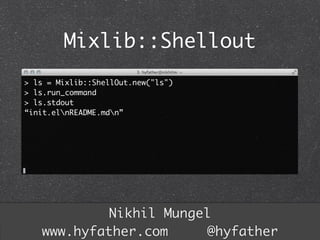
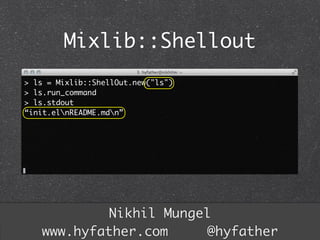
Mixlib::Shellout
> ls = Mixlib::ShellOut.new("ls")
> ls.run_command
> ls.stdout
“init.elnREADME.mdn”


           Nikhil Mungel
   www.hyfather.com     @hyfather
Mixlib::Shellout
> ls = Mixlib::ShellOut.new("ls")
> ls.run_command
> ls.stdout
“init.elnREADME.mdn”


           Nikhil Mungel
   www.hyfather.com     @hyfather
Nikhil Mungel
www.hyfather.com     @hyfather
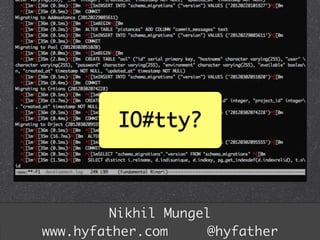
IO#tty?


        Nikhil Mungel
www.hyfather.com     @hyfather
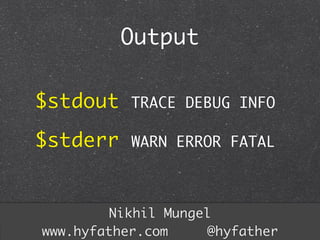
Output

$stdout    TRACE DEBUG INFO

$stderr    WARN ERROR FATAL


        Nikhil Mungel
www.hyfather.com     @hyfather
Thanks!
I am currently a Grad Student at
         San Jose State

Formerly at ThoughtWorks Studios

       slidesha.re/rubycli
         Nikhil Mungel
 www.hyfather.com     @hyfather

Introducing Command Line Applications with Ruby

  • 1.
    Ruby on RailsIn Practice Apartment List and Thoughtbot San Francisco, September 2012 Getting started with Command Line Applications
  • 2.
    Ruby on RailsIn Practice Apartment List and Thoughtbot San Francisco, September 2012 Getting started with Command Line Applications Nikhil Mungel @hyfather
  • 3.
  • 4.
  • 5.
    Scriptable CLI Lightweight Consistent UX
  • 6.
  • 8.
    Textual Manipulation • OO & FP Abstractions • Plethora of CLI gems • Examples to learn from
  • 9.
  • 11.
    Input Execution Output
  • 12.
    Input Execution Output STDIO = UI/UX
  • 13.
    Input STDIN
  • 14.
    Input ARGV/ENV STDIN
  • 15.
    Input ARGV/ENV STDIN
  • 16.
    Input ARGV/ENV STDIN
  • 17.
    Input OptionParser ARGV/ENV STDIN
  • 18.
    Input OptionParser ARGV/ENV STDIN
  • 19.
    Input Libraries OptionParser ARGV/ENV STDIN
  • 20.
    Input Libraries OptionParser ARGV/ENV STDIN
  • 21.
    Input Libraries OptionParser ARGV/ENV STDIN
  • 22.
    options = {} OptionParser.newdo |opts| opts.banner = "Usage: example.rb [options]" opts.on("-v", "--[no-]verbose", "Run verbosely") do |v| options[:verbose] = v end end.parse!
  • 23.
    options = {} OptionParser.newdo |opts| opts.banner = "Usage: example.rb [options]" opts.on("-v", "--[no-]verbose", "Run verbosely") do |v| options[:verbose] = v end end.parse! ~ > ./opt.rb --help Usage: example.rb [options]    -v, --[no-]verbose               Run verbosely
  • 24.
    options = {} OptionParser.newdo |opts| opts.banner = "Usage: example.rb [options]" opts.on("-v", "--[no-]verbose", "Run verbosely") do |v| options[:verbose] = v end end.parse! ~ > ./opt.rb --help Usage: example.rb [options]    -v, --[no-]verbose               Run verbosely
  • 25.
    options = {} OptionParser.newdo |opts| opts.banner = "Usage: example.rb [options]" opts.on("-v", "--[no-]verbose", "Run verbosely") do |v| options[:verbose] = v end end.parse! ~ > ./opt.rb --help Usage: example.rb [options]    -v, --[no-]verbose               Run verbosely
  • 26.
    options = {} OptionParser.newdo |opts| opts.banner = "Usage: example.rb [options]" opts.on("-v", "--[no-]verbose", "Run verbosely") do |v| options[:verbose] = v end end.parse! ~ > ./opt.rb --help Usage: example.rb [options]    -v, --[no-]verbose               Run verbosely
  • 27.
  • 28.
    class MyCLIApp include Mixlib::CLI option :config_file, :short => "-c CONFIG", :description => "Configuration file", :required => true end ~ > ./mycliapp.rb --help Usage: ./mix.rb (options) -c, --config CONFIG Configuration file (required) -h, --help Show this message
  • 29.
    class MyCLIApp include Mixlib::CLI option :config_file, :short => "-c CONFIG", :description => "Configuration file", :required => true end ~ > ./mycliapp.rb --help Usage: ./mix.rb (options) -c, --config CONFIG Configuration file (required) -h, --help Show this message
  • 30.
    class MyCLIApp include Mixlib::CLI option :config_file, :short => "-c CONFIG", :description => "Configuration file", :required => true end ~ > ./mycliapp.rb --help Usage: ./mix.rb (options) -c, --config CONFIG Configuration file (required) -h, --help Show this message
  • 31.
  • 32.
    config.rb server_url “http://server.remote” username “elvis” password “hotdog” class MyConfig extend(Mixlib::Config) server_url 'http://server.local' username 'king' password 'burger' end MyConfig.from_file(‘config.rb’) irb> MyConfig.server_url # ‘http://server.remote’
  • 33.
    config.rb server_url “http://server.remote” username “elvis” password “hotdog” class MyConfig extend(Mixlib::Config) server_url 'http://server.local' username 'king' password 'burger' end MyConfig.from_file(‘config.rb’) irb> MyConfig.server_url # ‘http://server.remote’
  • 34.
  • 35.
    class Test <Thor desc " FILE", "an example task" method_option :delete, :aliases => "-d", :desc => "Delete the file" def example(file) end end
  • 36.
    class Test <Thor desc " FILE", "an example task" method_option :delete, :aliases => "-d", :desc => "Delete the file" def example(file) end end ~ > myapp help test:example Usage: thor test:example FILE Options: -d, [--delete=DELETE] # Delete the file after parsing it an example task
  • 37.
    class Test <Thor desc " FILE", "an example task" method_option :delete, :aliases => "-d", :desc => "Delete the file" def example(file) end end ~ > myapp help test:example Usage: thor test:example FILE Options: -d, [--delete=DELETE] # Delete the file after parsing it an example task
  • 38.
    class Test <Thor desc " FILE", "an example task" method_option :delete, :aliases => "-d", :desc => "Delete the file" def example(file) end end ~ > myapp help test:example Usage: thor test:example FILE Options: -d, [--delete=DELETE] # Delete the file after parsing it an example task
  • 39.
    class Test <Thor desc " FILE", "an example task" method_option :delete, :aliases => "-d", :desc => "Delete the file" def example(file) end end ~ > myapp help test:example Usage: thor test:example FILE Options: -d, [--delete=DELETE] # Delete the file after parsing it an example task
  • 40.
    class Test <Thor desc " FILE", "an example task" method_option :delete, :aliases => "-d", :desc => "Delete the file" def example(file) end end ~ > myapp help test:example Usage: thor test:example FILE Options: -d, [--delete=DELETE] # Delete the file after parsing it an example task
  • 41.
    class Test <Thor desc " FILE", "an example task" method_option :delete, :aliases => "-d", :desc => "Delete the file" def example(file) end end ~ > myapp help test:example Usage: thor test:example FILE Options: -d, [--delete=DELETE] # Delete the file after parsing it an example task
  • 42.
    class Test <Thor desc " FILE", "an example task" method_option :delete, :aliases => "-d", :desc => "Delete the file" def example(file) end end ~ > myapp help test:example Usage: thor test:example FILE Options: -d, [--delete=DELETE] # Delete the file after parsing it an example task
  • 43.
  • 45.
    Input Execution Output
  • 46.
    Input Execution Output
  • 47.
    Input Execution Output Mostly third party libraries
  • 48.
    Input Execution Output Test::Unit, rspec etc.
  • 49.
    Input Execution Output System
  • 50.
  • 51.
    System File System Network Process
  • 52.
  • 53.
    Isolated Environments User Container Application File System Network Process
  • 54.
  • 55.
    STDO UT/S TDER R CLI User App STDIN
  • 56.
    STDO UT/S TDER R CLI User App STDIN STDOUT & STDERR STDIN Another App
  • 57.
    STDO UT/S TDER R CLI User App STDIN STDOUT & STDERR STDIN Another App
  • 58.
    Mixlib::Shellout > ls =Mixlib::ShellOut.new("ls") > ls.run_command > ls.stdout “init.elnREADME.mdn” Nikhil Mungel www.hyfather.com @hyfather
  • 59.
    Mixlib::Shellout > ls =Mixlib::ShellOut.new("ls") > ls.run_command > ls.stdout “init.elnREADME.mdn” Nikhil Mungel www.hyfather.com @hyfather
  • 60.
  • 61.
    IO#tty? Nikhil Mungel www.hyfather.com @hyfather
  • 62.
    Output $stdout TRACE DEBUG INFO $stderr WARN ERROR FATAL Nikhil Mungel www.hyfather.com @hyfather
  • 63.
    Thanks! I am currentlya Grad Student at San Jose State Formerly at ThoughtWorks Studios slidesha.re/rubycli Nikhil Mungel www.hyfather.com @hyfather

Editor's Notes

  • #2 \n
  • #3 \n
  • #4 \n
  • #5 \n
  • #6 \n
  • #7 \n
  • #8 \n
  • #9 \n
  • #10 \n
  • #11 \n
  • #12 \n
  • #13 Input - command line -&gt; Option Parsing\n\nOutput - status code, stdout, stderr\n
  • #14 Input - command line -&gt; Option Parsing\n\nOutput - status code, stdout, stderr\n
  • #15 Input - command line -&gt; Option Parsing\n\nOutput - status code, stdout, stderr\n
  • #16 Input - command line -&gt; Option Parsing\n\nOutput - status code, stdout, stderr\n
  • #17 Input - command line -&gt; Option Parsing\n\nOutput - status code, stdout, stderr\n
  • #18 Input - command line -&gt; Option Parsing\n\nOutput - status code, stdout, stderr\n
  • #19 Input - command line -&gt; Option Parsing\n\nOutput - status code, stdout, stderr\n
  • #20 Input - command line -&gt; Option Parsing\n\nOutput - status code, stdout, stderr\n
  • #21 Input - command line -&gt; Option Parsing\n\nOutput - status code, stdout, stderr\n
  • #22 Input - command line -&gt; Option Parsing\n\nOutput - status code, stdout, stderr\n
  • #23 Input - command line -&gt; Option Parsing\n\nOutput - status code, stdout, stderr\n
  • #24 \n
  • #25 \n
  • #26 \n
  • #27 \n
  • #28 \n
  • #29 \n
  • #30 \n
  • #31 \n
  • #32 \n
  • #33 \n
  • #34 \n
  • #35 \n
  • #36 \n
  • #37 \n
  • #38 \n
  • #39 \n
  • #40 \n
  • #41 \n
  • #42 \n
  • #43 \n
  • #44 Enforces OO\nAutomatic rake style tasks\n
  • #45 Enforces OO\nAutomatic rake style tasks\n
  • #46 Enforces OO\nAutomatic rake style tasks\n
  • #47 Convention -- \nfirst arg to the description becomes the input \nsecond arg is the banner\n
  • #48 Convention -- \nfirst arg to the description becomes the input \nsecond arg is the banner\n
  • #49 Convention -- \nfirst arg to the description becomes the input \nsecond arg is the banner\n
  • #50 Option Parsing\nInbuilt support for help and banners\nSupports standard invocations of help on the shell\n
  • #51 Option Parsing\nInbuilt support for help and banners\nSupports standard invocations of help on the shell\n
  • #52 \n
  • #53 \n
  • #54 \n
  • #55 \n
  • #56 Input - mostly handled by the third party library.\nTesting that would be testing the gem. Not a good idea.\n\n
  • #57 Input - mostly handled by the third party library.\nTesting that would be testing the gem. Not a good idea.\n\n
  • #58 Standard Ruby classes. Libraries like test/unit, rspec.\nMocking and proxy layers for 3rd party services etc.\nLike any other app.\n\n
  • #59 \n
  • #60 Mocking\n&amp;#xA0; mocha works out well.&amp;#xA0;\n&amp;#xA0; For filesystem, MockFS lets you mock the entire file system.&amp;#xA0;\n\nTesting CLI apps that manipulate filesystem. Mocking is good. But if we mock every call to FileUtils, test becomes very tightly coupled. So even if behaviour doesn&apos;t change but the command changes the test breaks.\n&amp;#xA0;- one use FakeFS\n\n
  • #61 Mocking\n&amp;#xA0; mocha works out well.&amp;#xA0;\n&amp;#xA0; For filesystem, MockFS lets you mock the entire file system.&amp;#xA0;\n\nTesting CLI apps that manipulate filesystem. Mocking is good. But if we mock every call to FileUtils, test becomes very tightly coupled. So even if behaviour doesn&apos;t change but the command changes the test breaks.\n&amp;#xA0;- one use FakeFS\n\n
  • #62 Isolate environment of its own.\nIf its is cheap and scriptable to spin up the environment. Then we can have behaviour testing&amp;#xA0;\n&amp;#xA0; - powerful machines.\n&amp;#xA0; - strong virtualizations (inbuilt)\nvagrant, lxc, openvz\n
  • #63 Isolate environment of its own.\nIf its is cheap and scriptable to spin up the environment. Then we can have behaviour testing&amp;#xA0;\n&amp;#xA0; - powerful machines.\n&amp;#xA0; - strong virtualizations (inbuilt)\nvagrant, lxc, openvz\n
  • #64 Isolate environment of its own.\nIf its is cheap and scriptable to spin up the environment. Then we can have behaviour testing&amp;#xA0;\n&amp;#xA0; - powerful machines.\n&amp;#xA0; - strong virtualizations (inbuilt)\nvagrant, lxc, openvz\n
  • #65 Isolate environment of its own.\nIf its is cheap and scriptable to spin up the environment. Then we can have behaviour testing&amp;#xA0;\n&amp;#xA0; - powerful machines.\n&amp;#xA0; - strong virtualizations (inbuilt)\nvagrant, lxc, openvz\n
  • #66 Isolate environment of its own.\nIf its is cheap and scriptable to spin up the environment. Then we can have behaviour testing&amp;#xA0;\n&amp;#xA0; - powerful machines.\n&amp;#xA0; - strong virtualizations (inbuilt)\nvagrant, lxc, openvz\n
  • #67 2 distinct sections -- your and subprocesses\n\nbackticks and system ruby calls not versatile. Doesn&amp;#x2019;t give you full control over the Input/Output/Error stream\nMixLib::Shellout and POpen3 are better alternatives.\nRespect exit status 0 -for success, rest all failures while writing your CLI.\nYour CLI should write error to stderr and not stdout. ruby provides $stdout, $stdin, $stderr\n\n
  • #68 backticks and system ruby calls not versatile. Doesn&amp;#x2019;t give you full control over the Input/Output/Error stream\nMixLib::Shellout and POpen3 are better alternatives.\n\nRespect exit status 0 -for success, rest all failures while writing your CLI.\nYour CLI should write error to stderr and not stdout. ruby provides $stdout, $stdin, $stderr\n
  • #69 backticks and system ruby calls not versatile. Doesn&amp;#x2019;t give you full control over the Input/Output/Error stream\nMixLib::Shellout and POpen3 are better alternatives.\n\nRespect exit status 0 -for success, rest all failures while writing your CLI.\nYour CLI should write error to stderr and not stdout. ruby provides $stdout, $stdin, $stderr\n
  • #70 Compatible with windows.\nUses the select(2) system call. \nGives abstractions over umask, cwd etc.\n
  • #71 Compatible with windows.\nUses the select(2) system call. \nGives abstractions over umask, cwd etc.\n
  • #72 \n
  • #73 STDOUT could be the default. But should be configurable to a file. \n\nLog at correct level. Apply to all apps but worth mentioning.\n\nyou may want to support -v and -vv for falling back to :info or :debug and -q falls back fatal.\n
  • #74 \n