Web in Extreme Environment: Beyond Cross-Browsing Greg Shin LG Electronics / Corporate Learning Center LG 전자 러닝센터 신승식 http://gregshin.pe.kr/ November 3, 2008 민간부문의 장애인 웹 접근성 제고 세미나  대한상공회의소 국제회의실
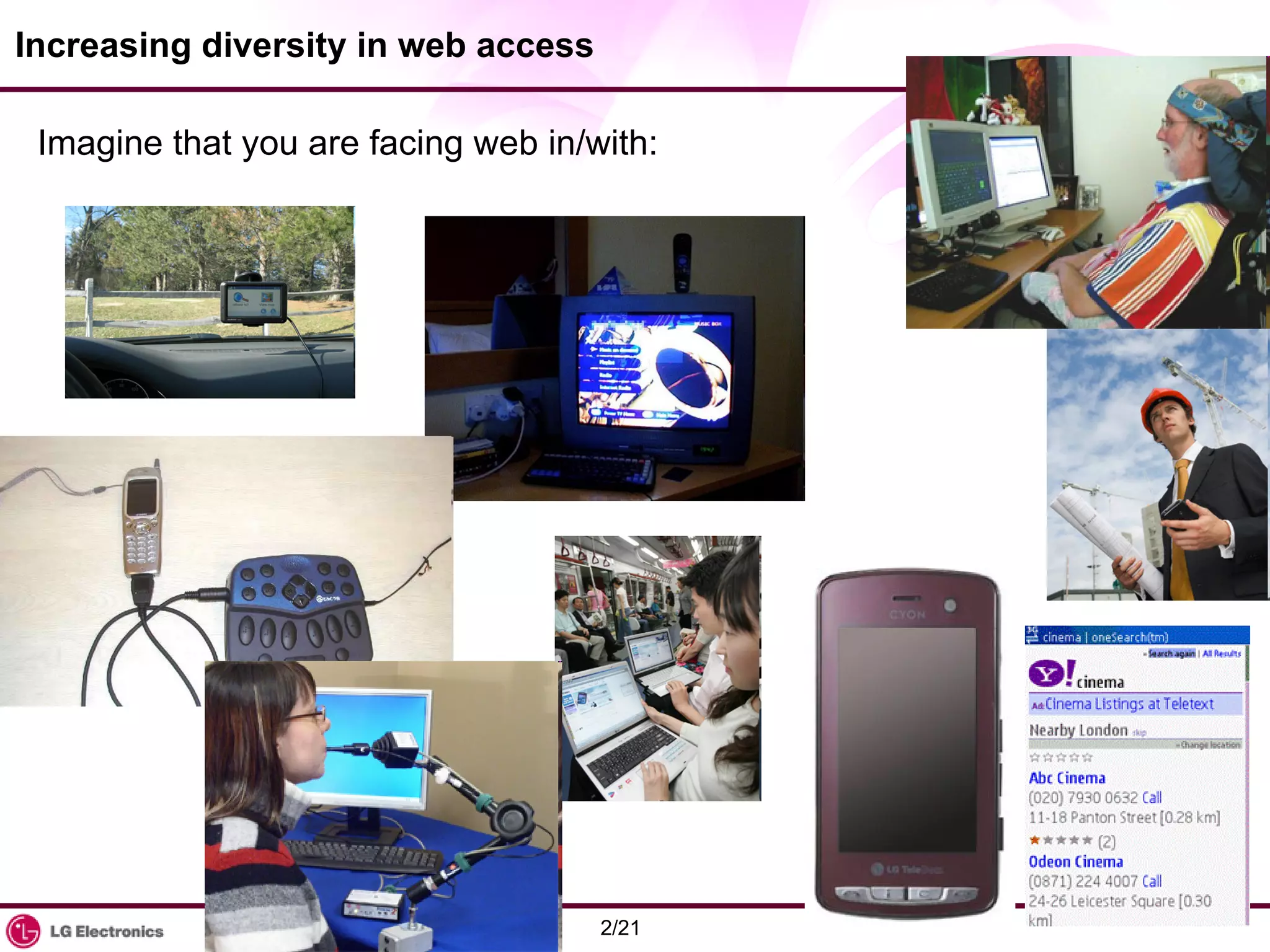
Increasing diversity in web access Imagine that you are facing web in/with:
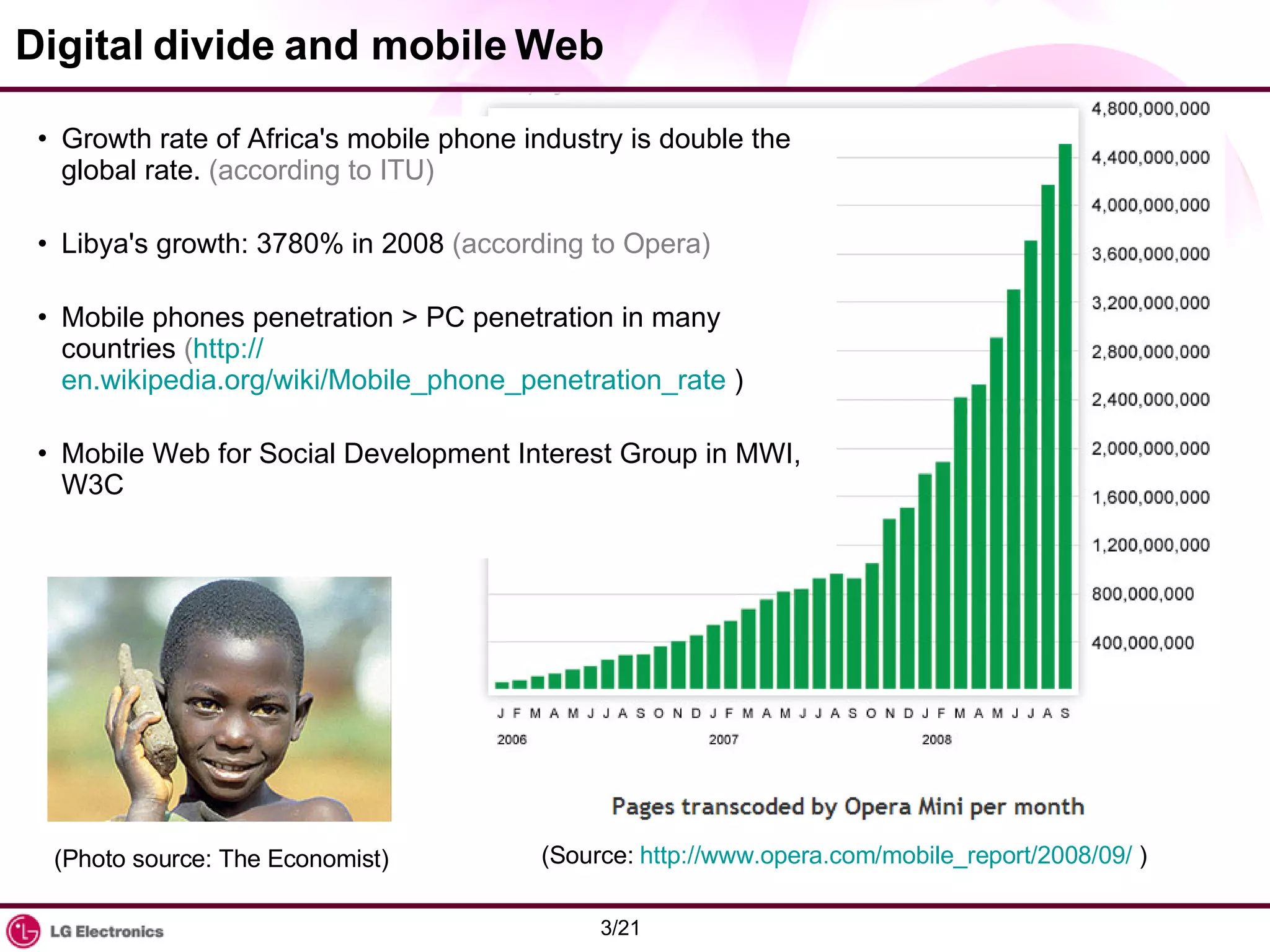
Digital divide and mobile Web Growth rate of Africa's mobile phone industry is double the global rate.  (according to ITU) Libya's growth: 3780% in 2008  (according to Opera) Mobile phones penetration > PC penetration in many countries  ( http:// en.wikipedia.org/wiki/Mobile_phone_penetration_rate  ) Mobile Web for Social Development Interest Group in MWI, W3C (Photo source: The Economist) (Source:  http://www.opera.com/mobile_report/2008/09/  )
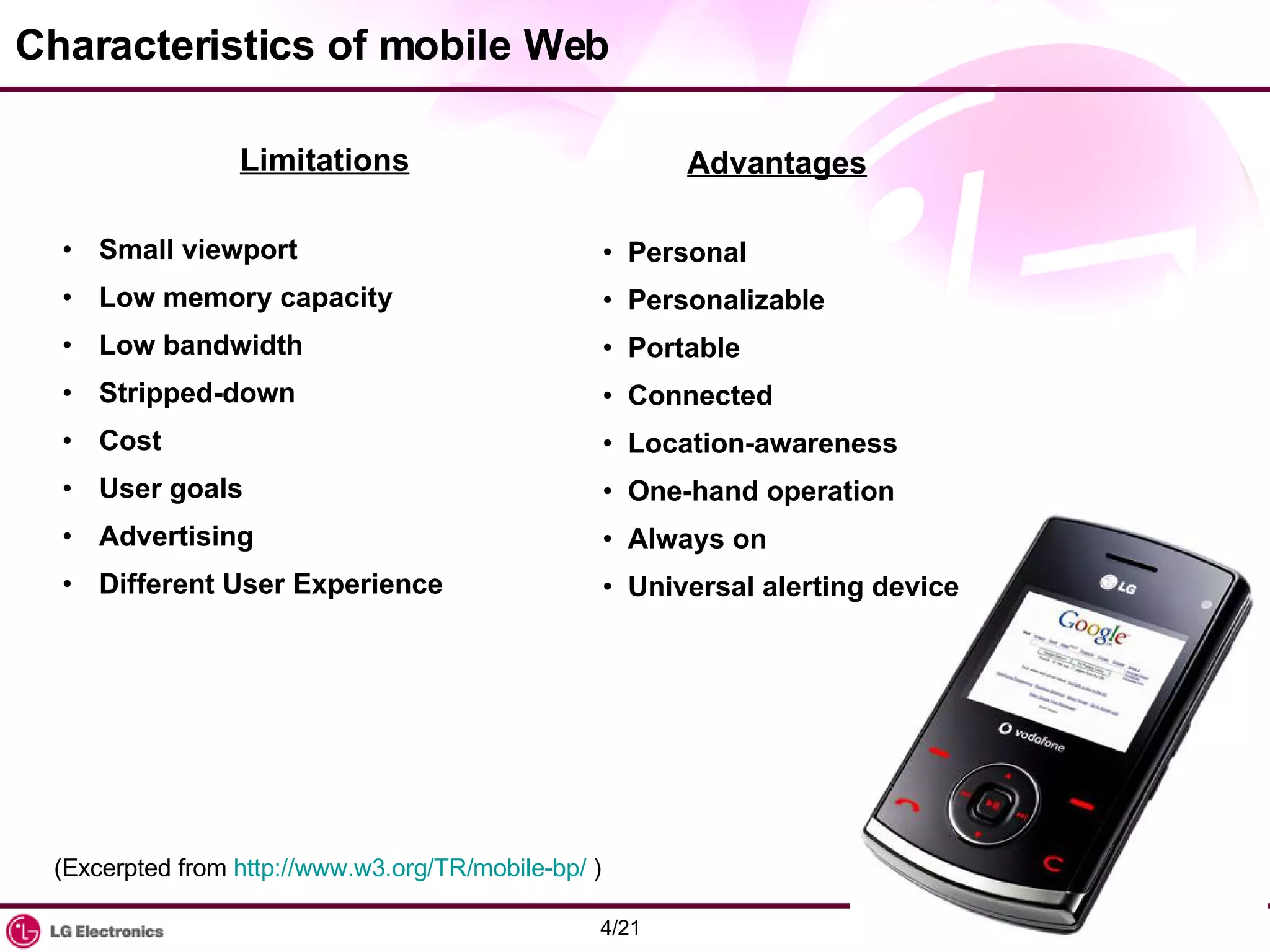
Characteristics of mobile Web Limitations Small viewport Low memory capacity Low bandwidth Stripped-down Cost User goals Advertising Different User Experience Advantages Personal Personalizable Portable Connected Location-awareness One-hand operation Always on Universal alerting device (Excerpted from  http://www.w3.org/TR/mobile-bp/  )
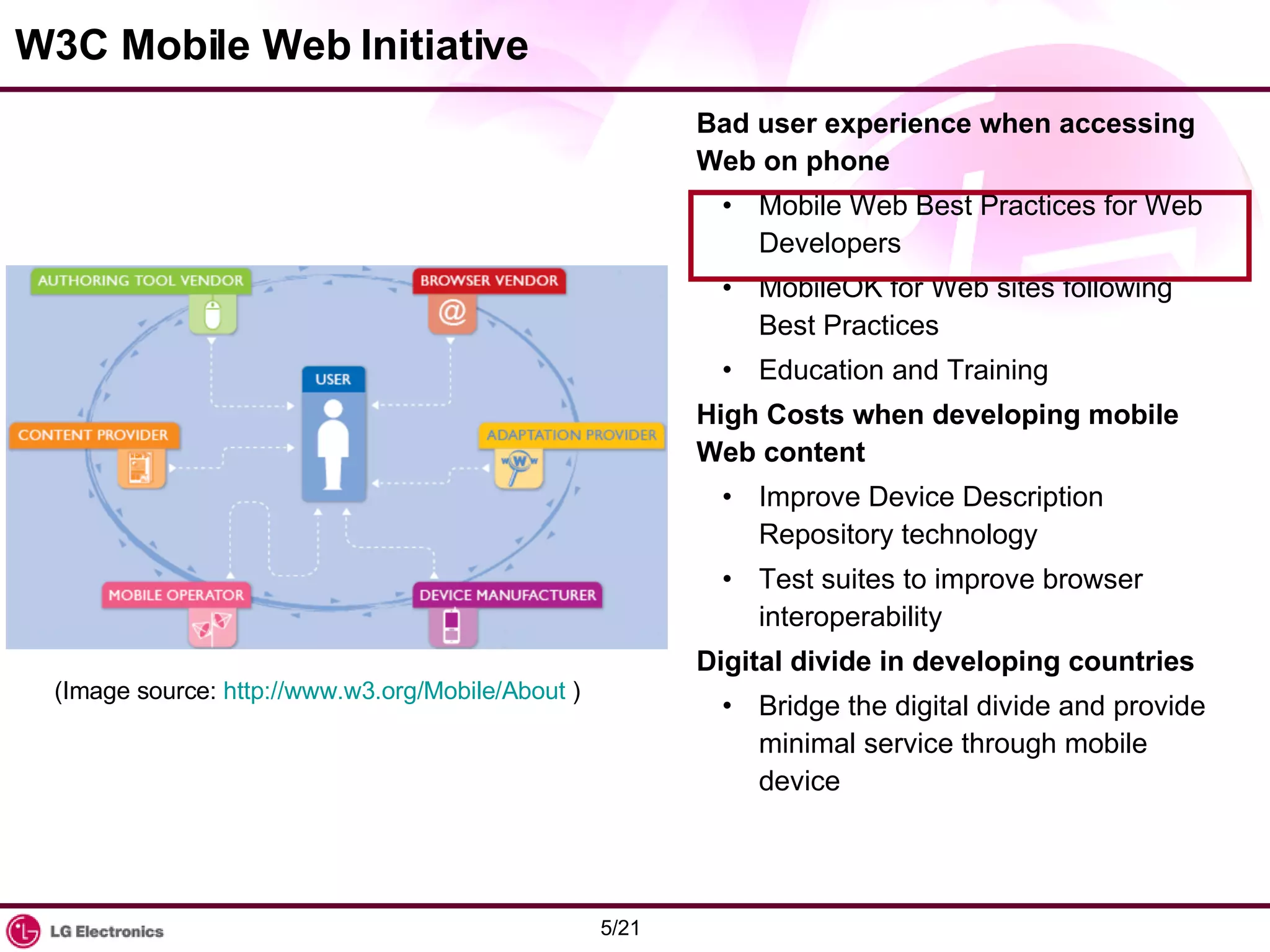
W3C Mobile Web Initiative Bad user experience when accessing Web on phone Mobile Web Best Practices for Web Developers MobileOK for Web sites following Best Practices Education and Training High Costs when developing mobile Web content Improve Device Description Repository technology Test suites to improve browser interoperability Digital divide in developing countries Bridge the digital divide and provide minimal service through mobile device (Image source:  http://www.w3.org/Mobile/About  )
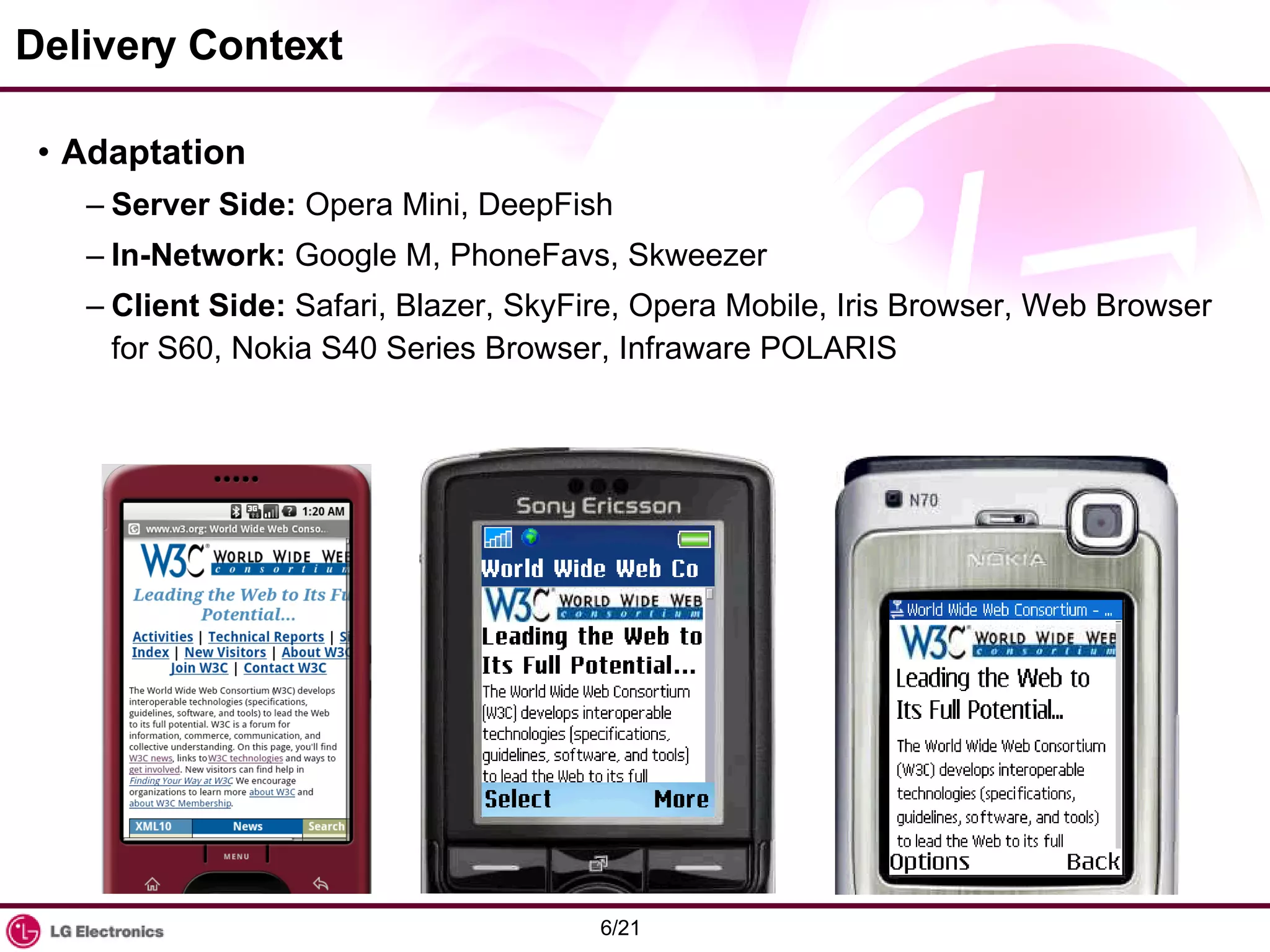
Delivery Context Adaptation Server Side:  Opera Mini, DeepFish In-Network:  Google M, PhoneFavs, Skweezer Client Side:  Safari, Blazer, SkyFire, Opera Mobile, Iris Browser, Web Browser for S60, Nokia S40 Series Browser, Infraware POLARIS
Establishing Context CC/PP (Composite Capability/Preference Profiles) UAProf CSS3 Media Queries Choice of User Experience Desktop focused Mobile focused Default Delivery Context Source:  http://www.w3.org/TR/mobile-bp/  and more.
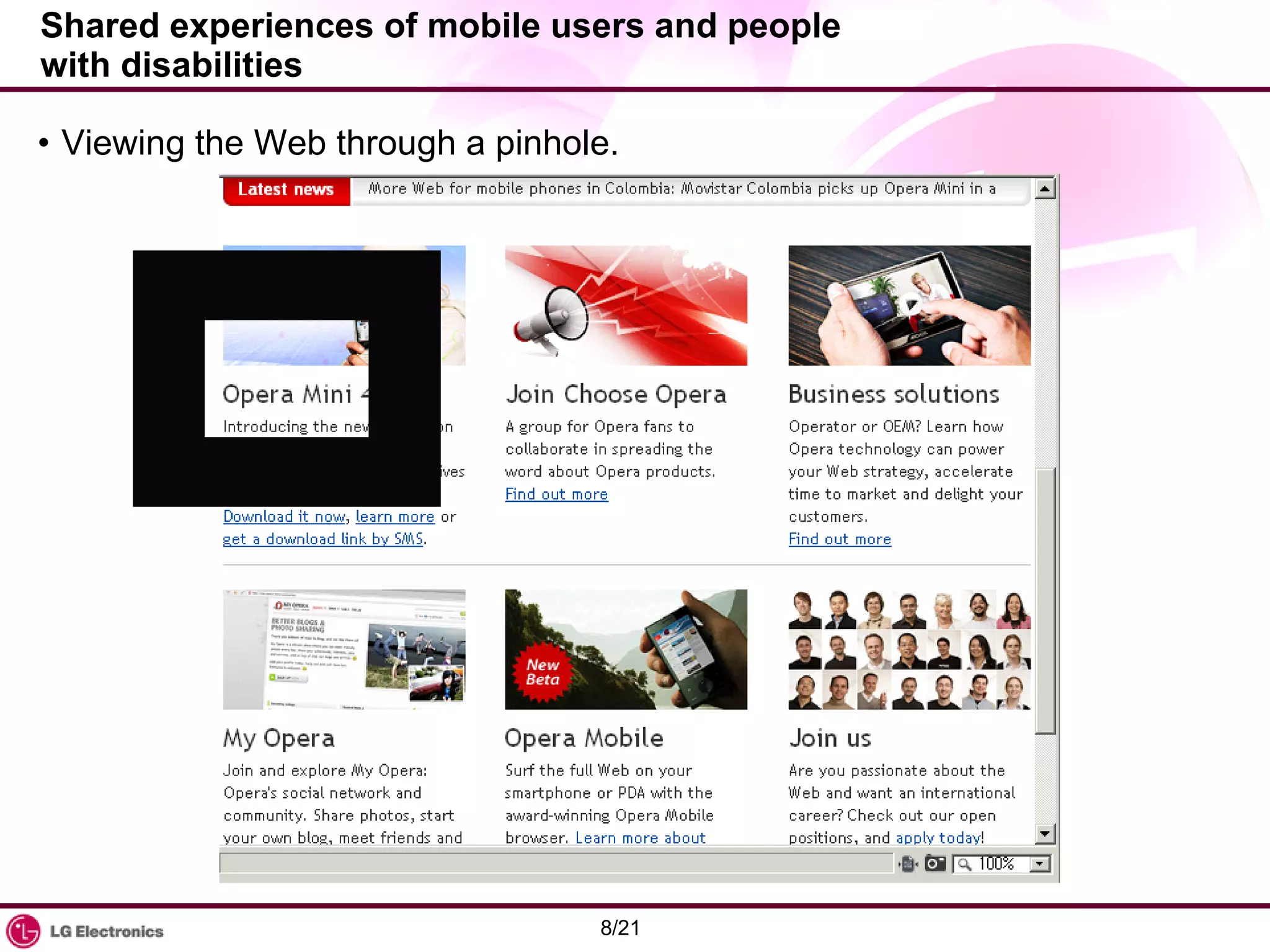
Shared experiences of mobile users and people with disabilities  Viewing the Web through a pinhole.
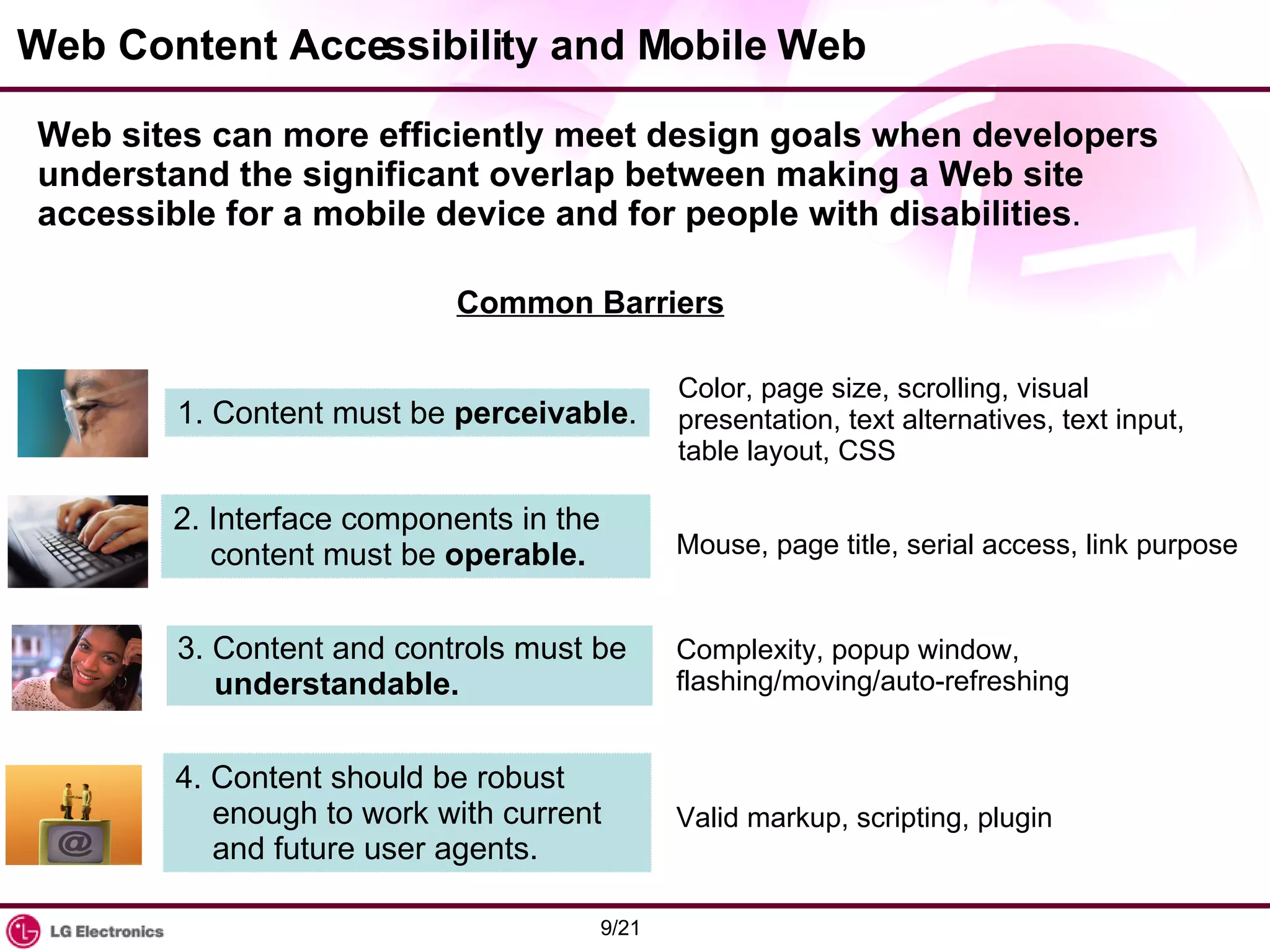
Web Content Accessibility and Mobile Web  Web sites can more efficiently meet design goals when developers understand the significant overlap between making a Web site accessible for a mobile device and for people with disabilities .  Common Barriers 1. Content must be  perceivable . 2. Interface components in the content must be  operable. 3. Content and controls must be  understandable. 4. Content should be robust enough to work with current and future user agents. Color, page size, scrolling, visual presentation, text alternatives, text input, table layout, CSS Mouse, page title, serial access, link purpose Complexity, popup window, flashing/moving/auto-refreshing Valid markup, scripting, plugin
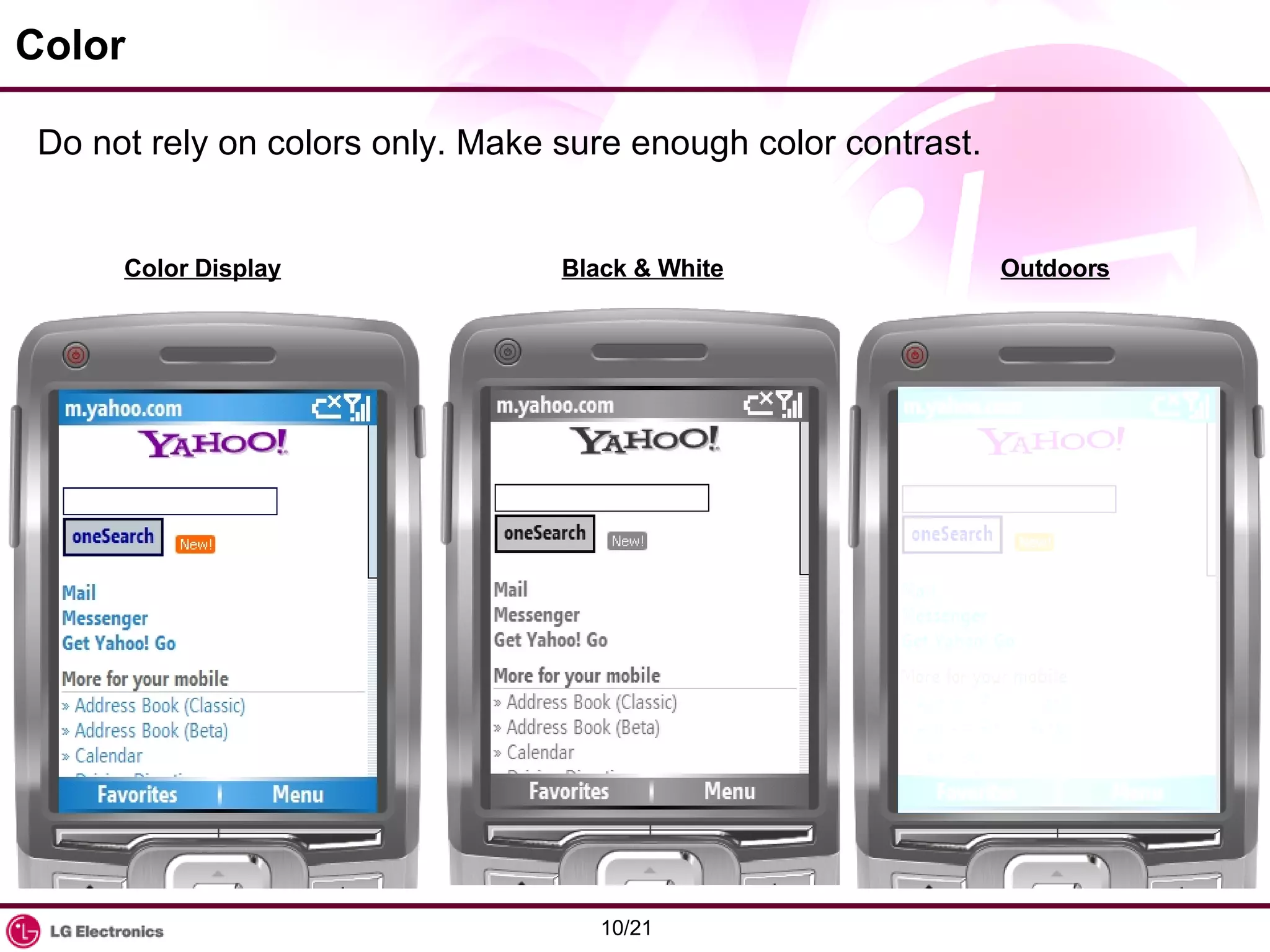
Color Do not rely on colors only. Make sure enough color contrast. Color Display Black & White Outdoors
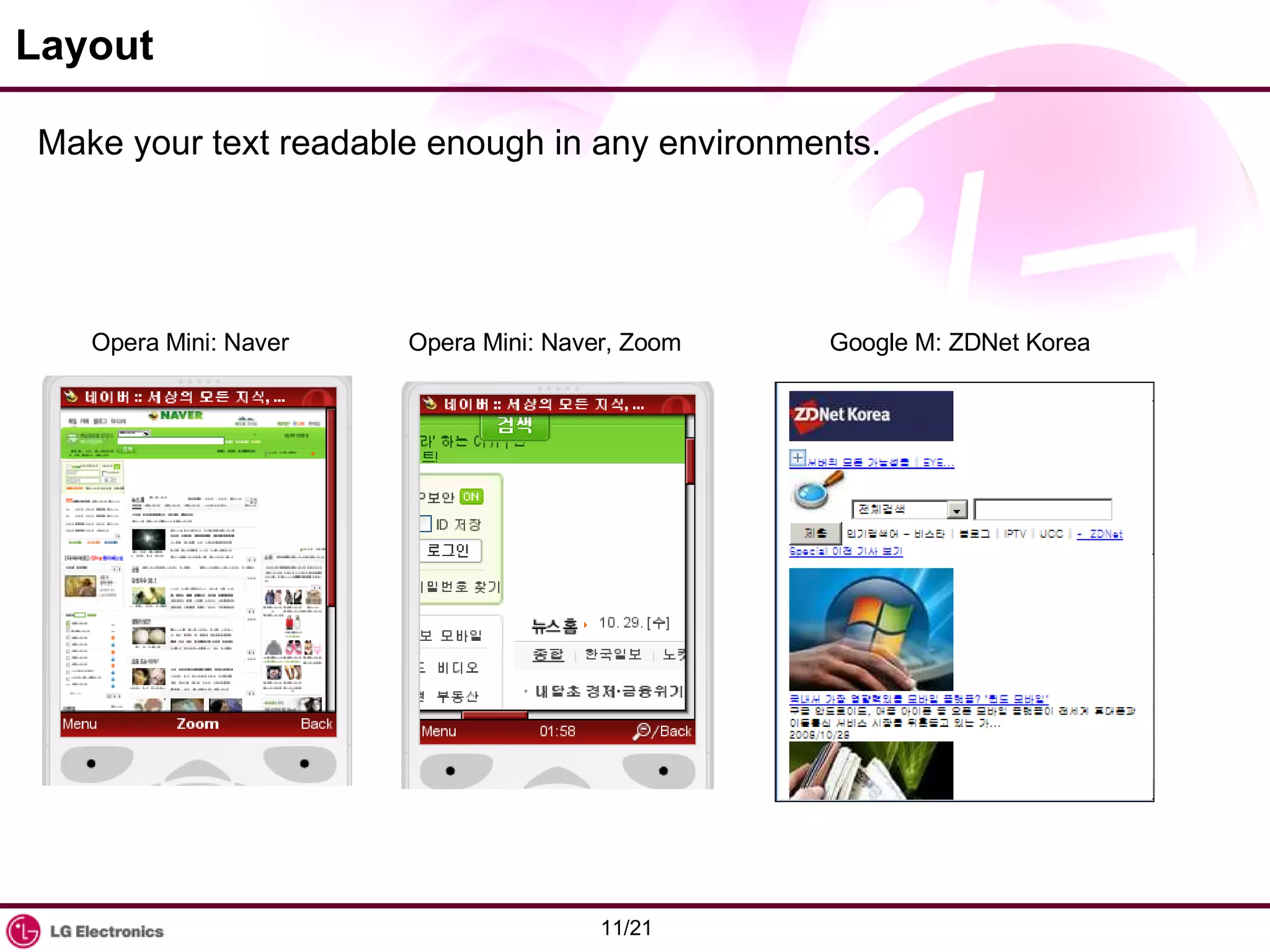
Layout Make your text readable enough in any environments. Opera Mini: Naver Opera Mini: Naver, Zoom Google M: ZDNet Korea
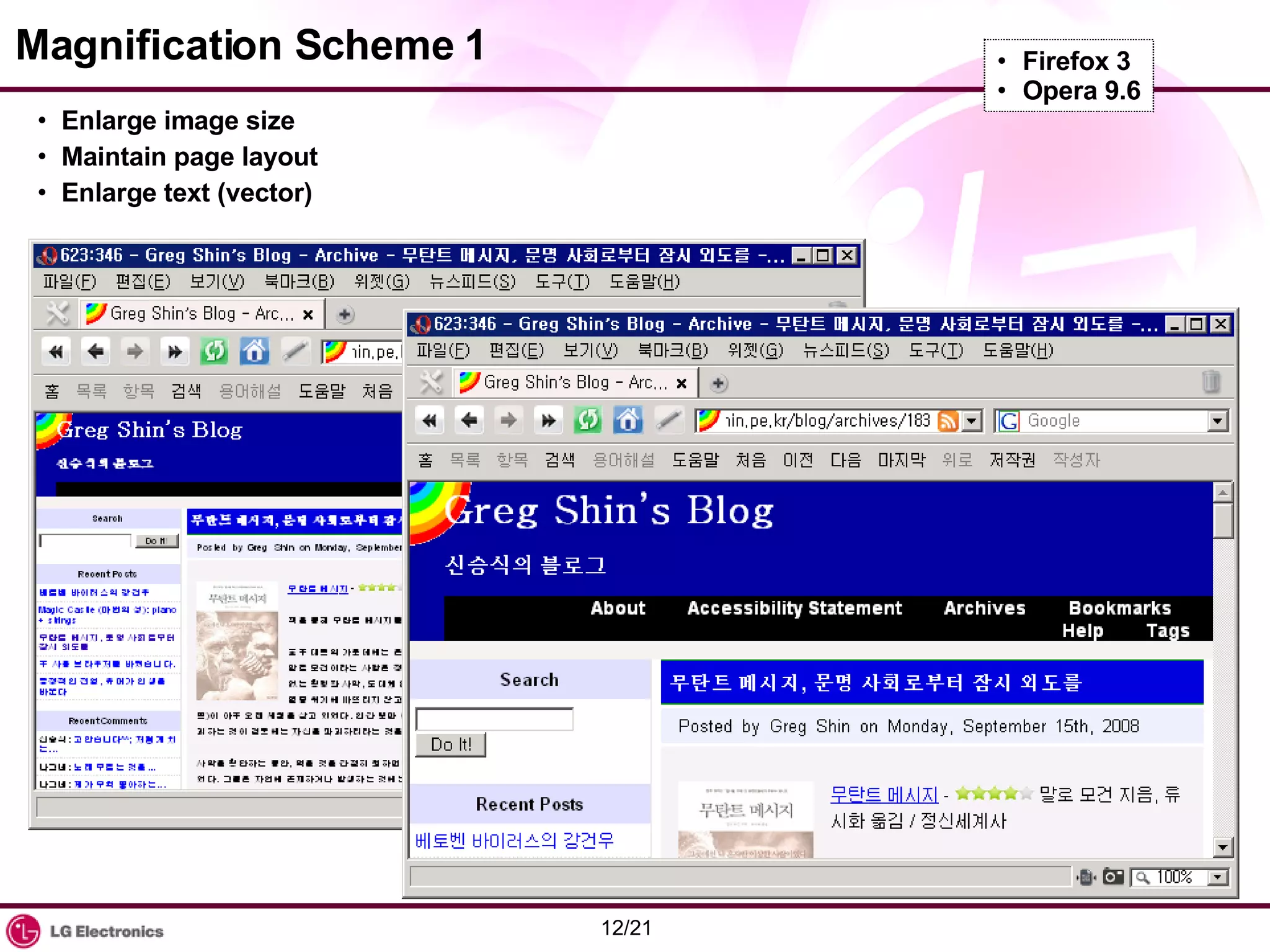
Magnification Scheme 1 Enlarge image size Maintain page layout Enlarge text (vector) Firefox 3 Opera 9.6
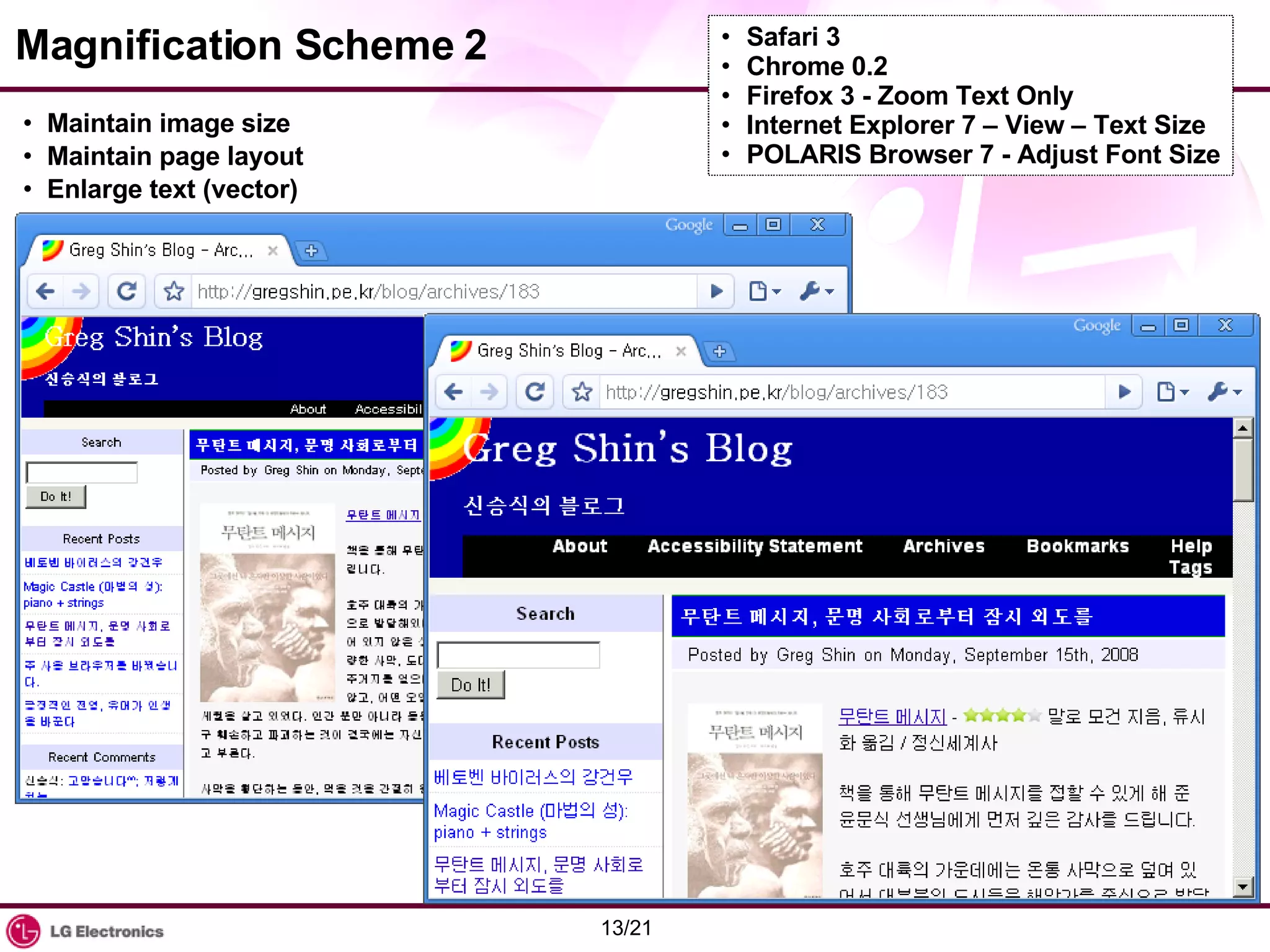
Magnification Scheme 2 Maintain image size Maintain page layout Enlarge text (vector) Safari 3 Chrome 0.2 Firefox 3 - Zoom Text Only Internet Explorer 7 – View – Text Size POLARIS Browser 7 - Adjust Font Size
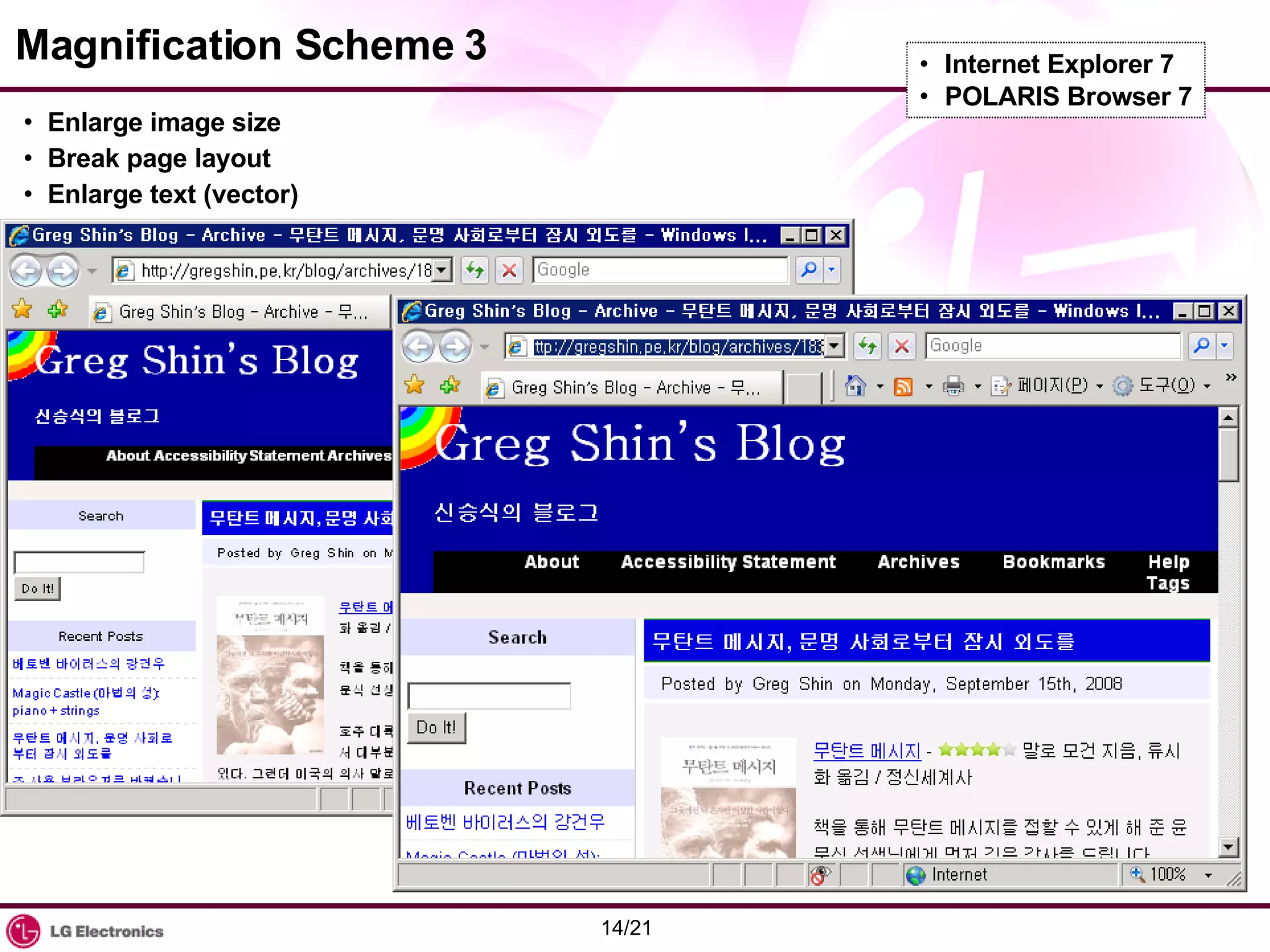
Magnification Scheme 3 Enlarge image size Break page layout Enlarge text (vector) Internet Explorer 7 POLARIS Browser 7
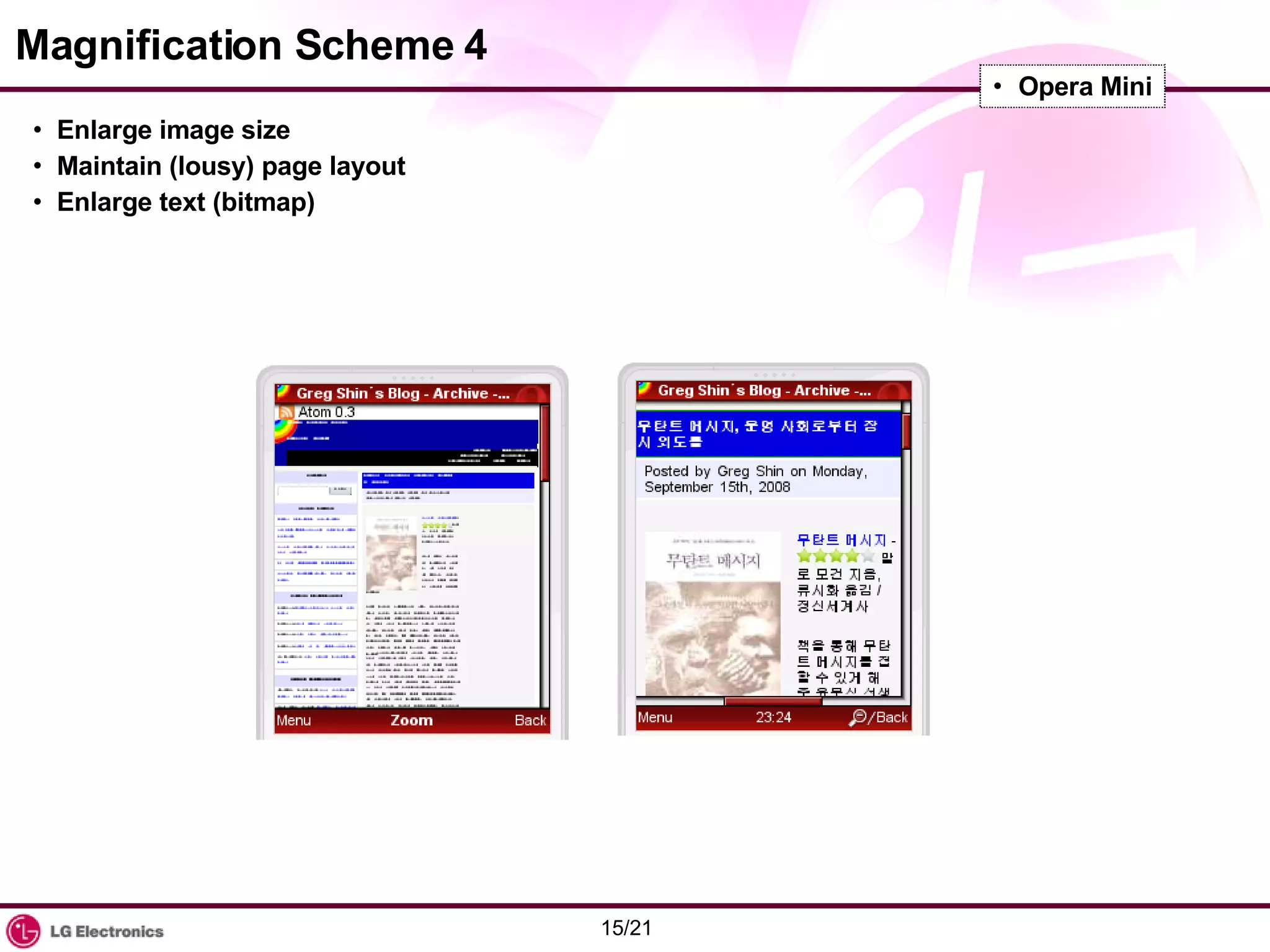
Magnification Scheme 4 Enlarge image size Maintain (lousy) page layout Enlarge text (bitmap) Opera Mini
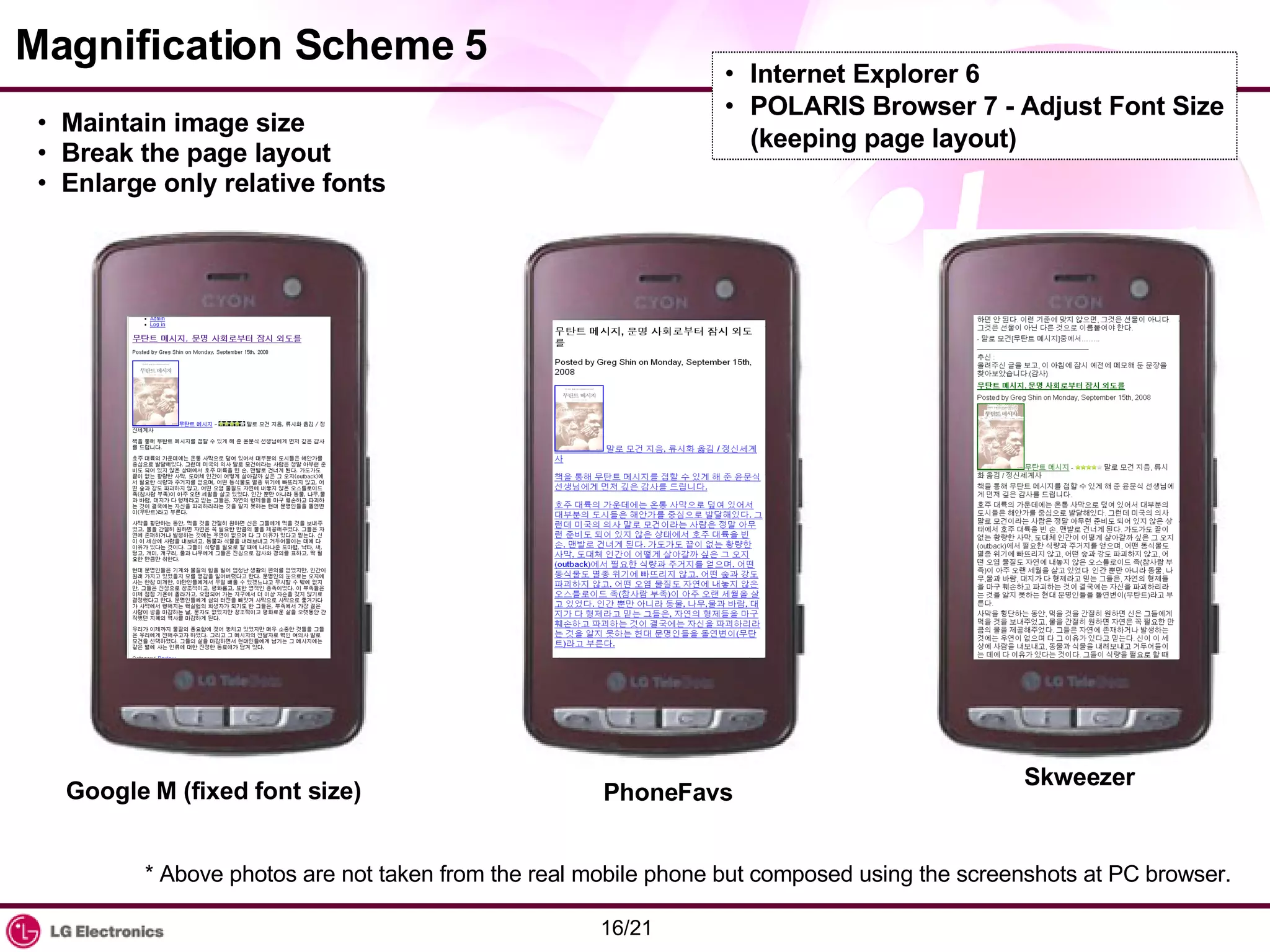
Magnification Scheme 5 Maintain image size Break the page layout Enlarge only relative fonts Internet Explorer 6 POLARIS Browser 7 - Adjust Font Size (keeping page layout) Google M (fixed font size) PhoneFavs Skweezer * Above photos are not taken from the real mobile phone but composed using the screenshots at PC browser.
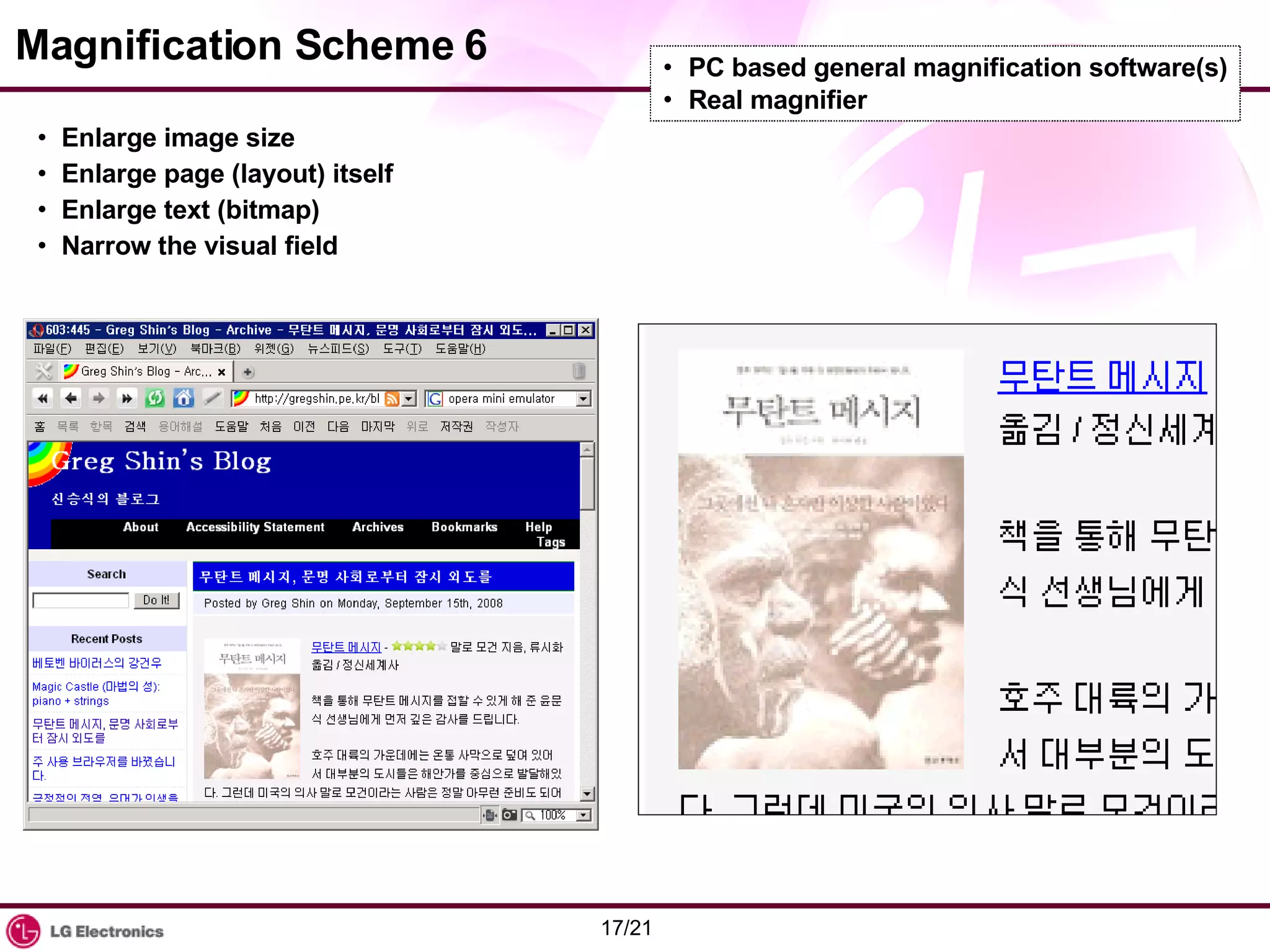
Magnification Scheme 6 Enlarge image size Enlarge page (layout) itself Enlarge text (bitmap) Narrow the visual field PC based general magnification software(s) Real magnifier
Suggestions for the "better" magnification Content developers should: Avoid horizontal scroll as much as possible even in the worst condition Use fluid / elastic layout (instead of fixed pixel-precision design) Use relative font size Apply max-width, max-height CSS properties for a large image Make the page as simple as possible (eg. Two-column layout is better than three-column layout) User agent developers should: Provide magnifying options Provide handy ways to magnify Mobile phone developers should: Provide handy ways to magnify Provide handy ways to scroll
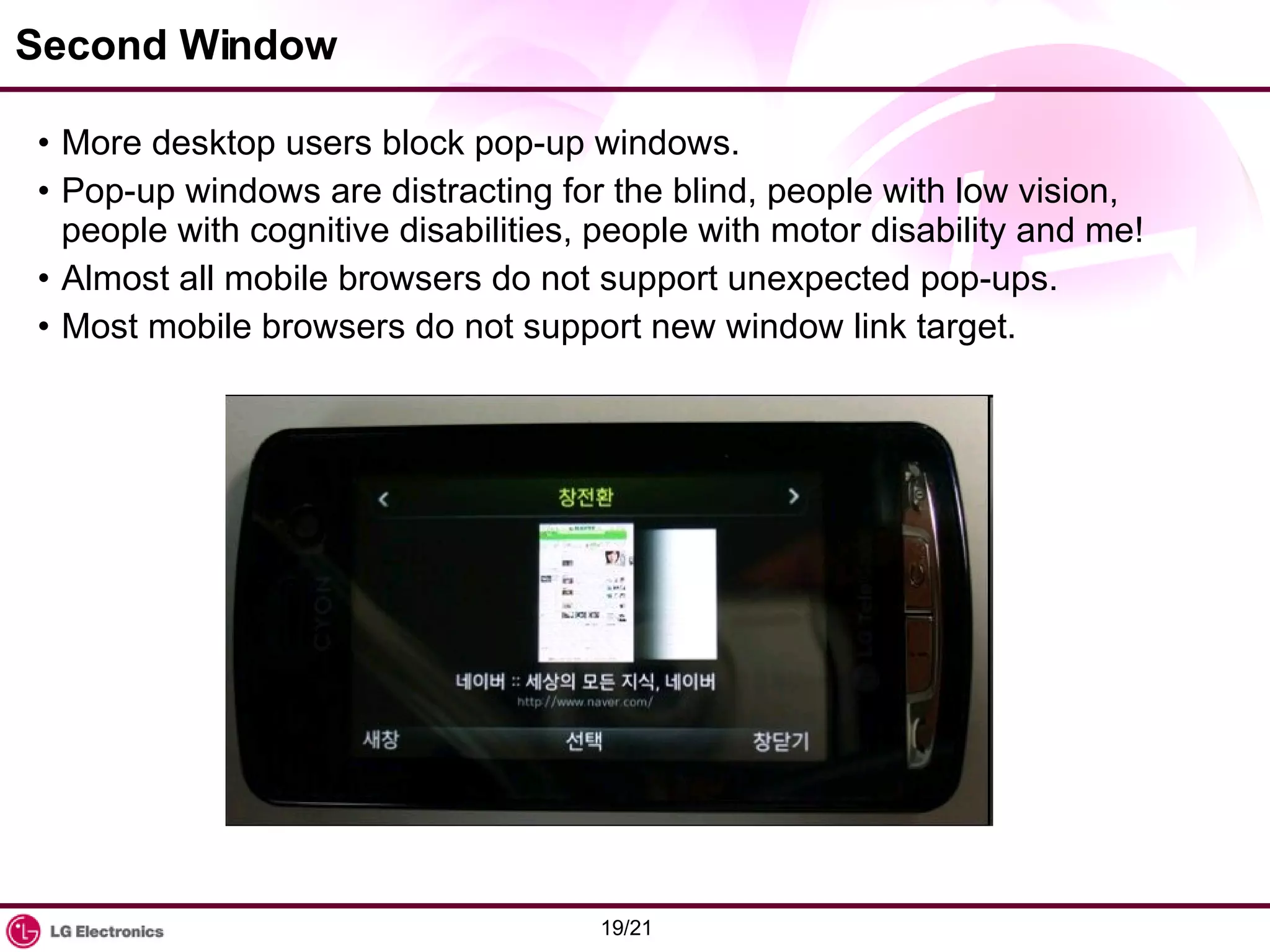
Second Window More desktop users block pop-up windows. Pop-up windows are distracting for the blind, people with low vision, people with cognitive disabilities, people with motor disability and me! Almost all mobile browsers do not support unexpected pop-ups. Most mobile browsers do not support new window link target.
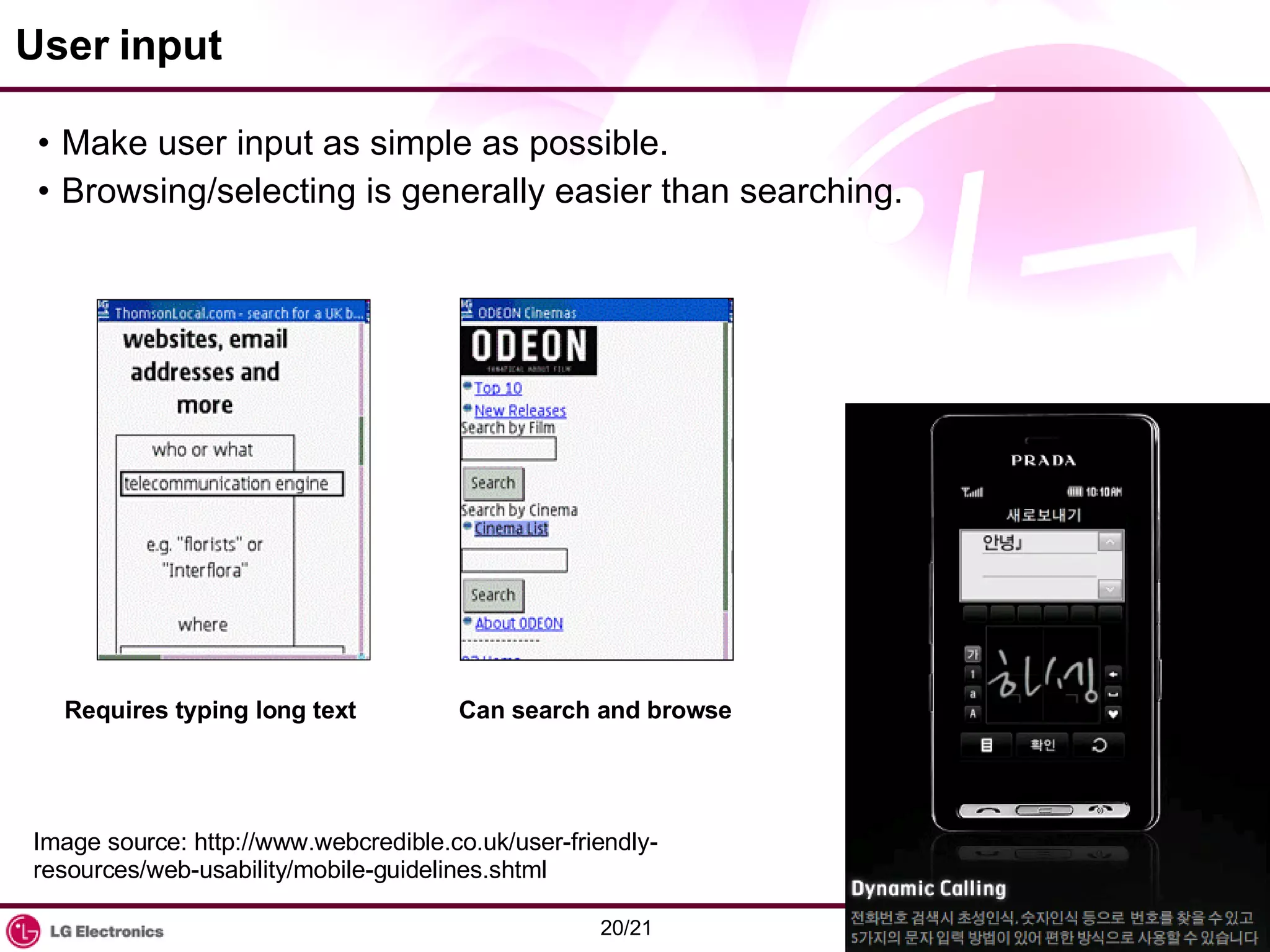
User input Make user input as simple as possible. Browsing/selecting is generally easier than searching. Requires typing long text Can search and browse Image source: http://www.webcredible.co.uk/user-friendly-resources/web-usability/mobile-guidelines.shtml
Conclusion Web sites can more efficiently meet both goals when developers understand the significant overlap between making a Web site accessible for a mobile device and for people with disabilities.  Users of mobile devices and people with disabilities experience similar barriers when interacting with Web content.  Following two guidelines (Web Content Accessibility Guidelines and Mobile Web Best Practices) makes your Web content more accessible to everyone regardless of situation, environment, or device. Try to be inclusive of extreme environment and users when developing a Website to guarantee accessibility from people with disability and people with a brand new mobile device. Source:  http://www.w3.org/WAI/mobile/

Web In Extreme Environment: Beyond Cross Browsing

  • 1.
    Web in ExtremeEnvironment: Beyond Cross-Browsing Greg Shin LG Electronics / Corporate Learning Center LG 전자 러닝센터 신승식 http://gregshin.pe.kr/ November 3, 2008 민간부문의 장애인 웹 접근성 제고 세미나 대한상공회의소 국제회의실
  • 2.
    Increasing diversity inweb access Imagine that you are facing web in/with:
  • 3.
    Digital divide andmobile Web Growth rate of Africa's mobile phone industry is double the global rate. (according to ITU) Libya's growth: 3780% in 2008 (according to Opera) Mobile phones penetration > PC penetration in many countries ( http:// en.wikipedia.org/wiki/Mobile_phone_penetration_rate ) Mobile Web for Social Development Interest Group in MWI, W3C (Photo source: The Economist) (Source: http://www.opera.com/mobile_report/2008/09/ )
  • 4.
    Characteristics of mobileWeb Limitations Small viewport Low memory capacity Low bandwidth Stripped-down Cost User goals Advertising Different User Experience Advantages Personal Personalizable Portable Connected Location-awareness One-hand operation Always on Universal alerting device (Excerpted from http://www.w3.org/TR/mobile-bp/ )
  • 5.
    W3C Mobile WebInitiative Bad user experience when accessing Web on phone Mobile Web Best Practices for Web Developers MobileOK for Web sites following Best Practices Education and Training High Costs when developing mobile Web content Improve Device Description Repository technology Test suites to improve browser interoperability Digital divide in developing countries Bridge the digital divide and provide minimal service through mobile device (Image source: http://www.w3.org/Mobile/About )
  • 6.
    Delivery Context AdaptationServer Side: Opera Mini, DeepFish In-Network: Google M, PhoneFavs, Skweezer Client Side: Safari, Blazer, SkyFire, Opera Mobile, Iris Browser, Web Browser for S60, Nokia S40 Series Browser, Infraware POLARIS
  • 7.
    Establishing Context CC/PP(Composite Capability/Preference Profiles) UAProf CSS3 Media Queries Choice of User Experience Desktop focused Mobile focused Default Delivery Context Source: http://www.w3.org/TR/mobile-bp/ and more.
  • 8.
    Shared experiences ofmobile users and people with disabilities Viewing the Web through a pinhole.
  • 9.
    Web Content Accessibilityand Mobile Web Web sites can more efficiently meet design goals when developers understand the significant overlap between making a Web site accessible for a mobile device and for people with disabilities . Common Barriers 1. Content must be perceivable . 2. Interface components in the content must be operable. 3. Content and controls must be understandable. 4. Content should be robust enough to work with current and future user agents. Color, page size, scrolling, visual presentation, text alternatives, text input, table layout, CSS Mouse, page title, serial access, link purpose Complexity, popup window, flashing/moving/auto-refreshing Valid markup, scripting, plugin
  • 10.
    Color Do notrely on colors only. Make sure enough color contrast. Color Display Black & White Outdoors
  • 11.
    Layout Make yourtext readable enough in any environments. Opera Mini: Naver Opera Mini: Naver, Zoom Google M: ZDNet Korea
  • 12.
    Magnification Scheme 1Enlarge image size Maintain page layout Enlarge text (vector) Firefox 3 Opera 9.6
  • 13.
    Magnification Scheme 2Maintain image size Maintain page layout Enlarge text (vector) Safari 3 Chrome 0.2 Firefox 3 - Zoom Text Only Internet Explorer 7 – View – Text Size POLARIS Browser 7 - Adjust Font Size
  • 14.
    Magnification Scheme 3Enlarge image size Break page layout Enlarge text (vector) Internet Explorer 7 POLARIS Browser 7
  • 15.
    Magnification Scheme 4Enlarge image size Maintain (lousy) page layout Enlarge text (bitmap) Opera Mini
  • 16.
    Magnification Scheme 5Maintain image size Break the page layout Enlarge only relative fonts Internet Explorer 6 POLARIS Browser 7 - Adjust Font Size (keeping page layout) Google M (fixed font size) PhoneFavs Skweezer * Above photos are not taken from the real mobile phone but composed using the screenshots at PC browser.
  • 17.
    Magnification Scheme 6Enlarge image size Enlarge page (layout) itself Enlarge text (bitmap) Narrow the visual field PC based general magnification software(s) Real magnifier
  • 18.
    Suggestions for the"better" magnification Content developers should: Avoid horizontal scroll as much as possible even in the worst condition Use fluid / elastic layout (instead of fixed pixel-precision design) Use relative font size Apply max-width, max-height CSS properties for a large image Make the page as simple as possible (eg. Two-column layout is better than three-column layout) User agent developers should: Provide magnifying options Provide handy ways to magnify Mobile phone developers should: Provide handy ways to magnify Provide handy ways to scroll
  • 19.
    Second Window Moredesktop users block pop-up windows. Pop-up windows are distracting for the blind, people with low vision, people with cognitive disabilities, people with motor disability and me! Almost all mobile browsers do not support unexpected pop-ups. Most mobile browsers do not support new window link target.
  • 20.
    User input Makeuser input as simple as possible. Browsing/selecting is generally easier than searching. Requires typing long text Can search and browse Image source: http://www.webcredible.co.uk/user-friendly-resources/web-usability/mobile-guidelines.shtml
  • 21.
    Conclusion Web sitescan more efficiently meet both goals when developers understand the significant overlap between making a Web site accessible for a mobile device and for people with disabilities. Users of mobile devices and people with disabilities experience similar barriers when interacting with Web content. Following two guidelines (Web Content Accessibility Guidelines and Mobile Web Best Practices) makes your Web content more accessible to everyone regardless of situation, environment, or device. Try to be inclusive of extreme environment and users when developing a Website to guarantee accessibility from people with disability and people with a brand new mobile device. Source: http://www.w3.org/WAI/mobile/