



Dinusha Kumarasiri
•
•
•
•
•
•

Excel 2010
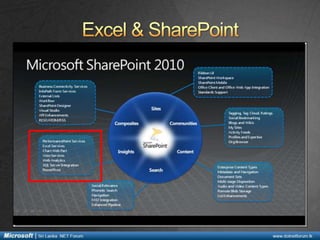
Excel & SharePoint
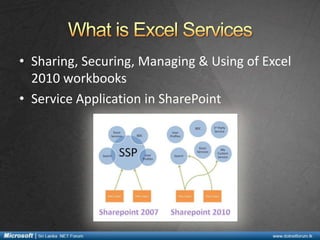
What is Excel Services
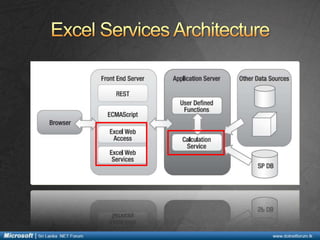
Excel Services Architecture
Components of Excel Services
What’s new in Excel Services 2010
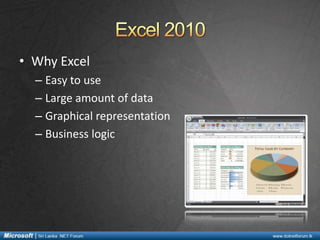
• Why Excel
– Easy to use
– Large amount of data
– Graphical representation
– Business logic
• New Features in Excel
– Ribbon UI
– Improvements in integrating with Outlook
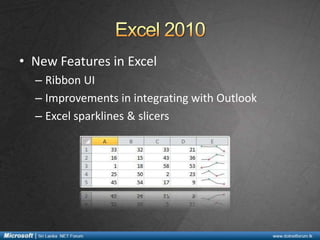
– Excel sparklines & slicers
• Sharing, Securing, Managing & Using of Excel
2010 workbooks
• Service Application in SharePoint
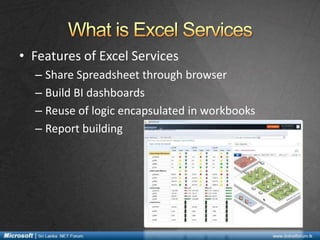
• Features of Excel Services
– Share Spreadsheet through browser
– Build BI dashboards
– Reuse of logic encapsulated in workbooks
– Report building
• Excel Calculation Service (ECS)
– Roles
•
•
•
•
•

Load spreadsheets & workbooks
Calculate spreadsheets
Call User Defined Functions (UDF)
Refresh external data
Maintain session state for interactivity
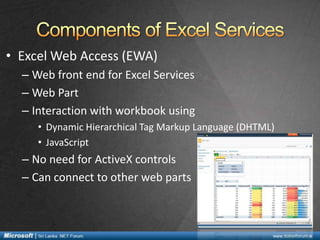
• Excel Web Access (EWA)
– Web front end for Excel Services
– Web Part
– Interaction with workbook using
• Dynamic Hierarchical Tag Markup Language (DHTML)
• JavaScript

– No need for ActiveX controls
– Can connect to other web parts
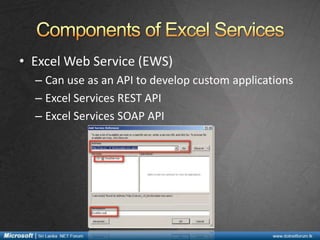
• Excel Web Service (EWS)
– Can use as an API to develop custom applications
– Excel Services REST API
– Excel Services SOAP API
•
•
•
•
•
•
•
•
•

Security using Unattended Service Account
Windows PowerShell capabilities
As a Service Application
Trusted locations
Delegate service permissions
Multi user collaboration
PowerPivot add-on
REST & JSOM APIs
Slicers & Sparklines
http://dinushaonline.blogspot.com

Introduction to Excel services 2010

  • 1.
  • 2.
    • • • • • • Excel 2010 Excel &SharePoint What is Excel Services Excel Services Architecture Components of Excel Services What’s new in Excel Services 2010
  • 3.
    • Why Excel –Easy to use – Large amount of data – Graphical representation – Business logic
  • 4.
    • New Featuresin Excel – Ribbon UI – Improvements in integrating with Outlook – Excel sparklines & slicers
  • 6.
    • Sharing, Securing,Managing & Using of Excel 2010 workbooks • Service Application in SharePoint
  • 7.
    • Features ofExcel Services – Share Spreadsheet through browser – Build BI dashboards – Reuse of logic encapsulated in workbooks – Report building
  • 10.
    • Excel CalculationService (ECS) – Roles • • • • • Load spreadsheets & workbooks Calculate spreadsheets Call User Defined Functions (UDF) Refresh external data Maintain session state for interactivity
  • 11.
    • Excel WebAccess (EWA) – Web front end for Excel Services – Web Part – Interaction with workbook using • Dynamic Hierarchical Tag Markup Language (DHTML) • JavaScript – No need for ActiveX controls – Can connect to other web parts
  • 12.
    • Excel WebService (EWS) – Can use as an API to develop custom applications – Excel Services REST API – Excel Services SOAP API
  • 14.
    • • • • • • • • • Security using UnattendedService Account Windows PowerShell capabilities As a Service Application Trusted locations Delegate service permissions Multi user collaboration PowerPivot add-on REST & JSOM APIs Slicers & Sparklines
  • 16.

Editor's Notes

  • #15 Excel Services JavaScript Object Model