#gdsteam@timpaul @cjforms
Design patterns
for government
services
Caroline Jarrett
Forms specialist
Government Digital Service
@cjforms
Tim Paul
Lead designer
Government Digital Service
@timpaul
4
Ask:
Who are you?
What is your job title?
What is your main role?
Are you working on design of a government
service, and if so which one?
#gdsteam@timpaul @cjforms
Introduction
#gdsteam@timpaul @cjforms
Government
Digital Service
#gdsteam@timpaul @cjforms
12 million visitors every week
Home to over 330 departments and organisations
Saving more than £62 million a year
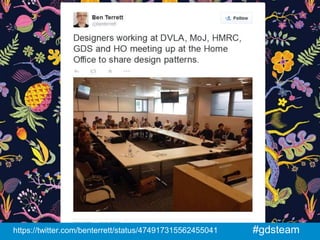
#gdsteam@timpaul @cjforms
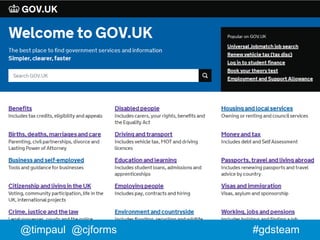
Information on
GOV.UK
#gdsteam@timpaul @cjforms
Services on
GOV.UK
Ask:
Which government service did you
use most recently?
(in everyday life, not for work)
14
#gdsteam
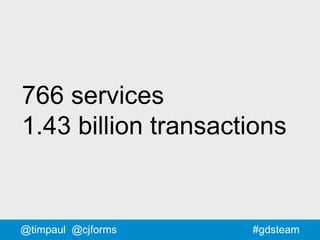
766 services
1.43 billion transactions
@timpaul @cjforms
#gdsteam
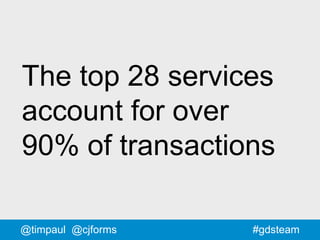
The top 28 services
account for over
90% of transactions
@timpaul @cjforms
#gdsteam@timpaul @cjforms
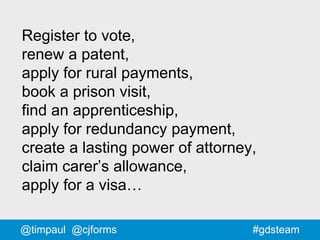
Register to vote,
renew a patent,
apply for rural payments,
book a prison visit,
find an apprenticeship,
apply for redundancy payment,
create a lasting power of attorney,
claim carer’s allowance,
apply for a visa…
#gdsteam@timpaul @cjforms
#gdsteam
Carer’s Allowance
@timpaul @cjforms
20
Video about Carer’s allowance
https://www.youtube.com/watch?v=IYBLX3V8ek4
Most important change:
Removing 49% of the questions
#gdsteam@timpaul @cjforms
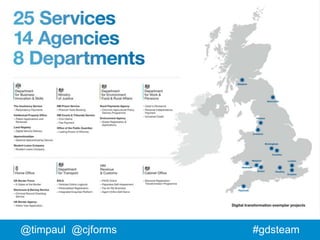
The challenge
How do you
simultaneously design
25 services for the same
website?
Well designed
Consistent
In 2 years
How do you do
design at
scale?
#gdsteam@timpaul @cjforms
GOV.UK Beta
#gdsteamwww.flickr.com/photos/benterrett/7309046368
#gdsteam@timpaul @cjforms
GOV.UK Live
#gdsteamhttps://twitter.com/benterrett/status/474917315562455041
#gdsteam@timpaul @cjforms
There are more people
designing GOV.UK
outside GDS than
inside GDS
#gdsteam@timpaul @cjforms
The solution
#gdsteam@timpaul @cjforms
Resources
+
Community
#gdsteam@timpaul @cjforms
www.gov.uk/service-manual
35
ASK
What do YOU need?
#gdsteam@timpaul @cjforms
1. Principles
https://www.gov.uk/design-principles #gdsteam
#gdsteam@timpaul @cjforms
2. Templates
#gdsteam@timpaul @cjforms
3. Elements
#gdsteamgovuk-elements.herokuapp.com
#gdsteamrural-payments-styleguide.herokuapp.com/
#gdsteam
#gdsteam
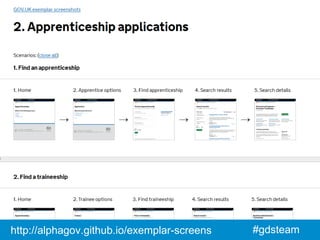
4. Screenshots
@timpaul @cjforms
#gdsteamhttp://alphagov.github.io/exemplar-screens
#gdsteam@timpaul @cjforms
5. Mailing list
The mailing list is (currently)
by invitation from
people who are already on it.
#gdsteam@timpaul @cjforms
6. Patterns
#gdsteam@timpaul @cjforms
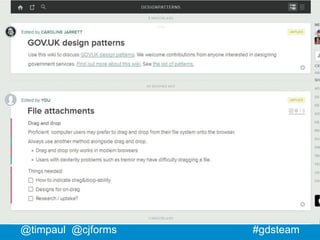
designpatterns.hackpad.com
#gdsteam@timpaul @cjforms
#gdsteam
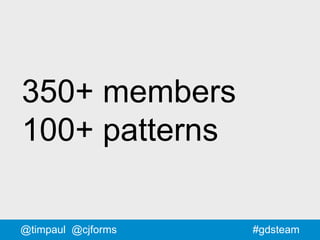
350+ members
100+ patterns
@timpaul @cjforms
#gdsteam@timpaul @cjforms
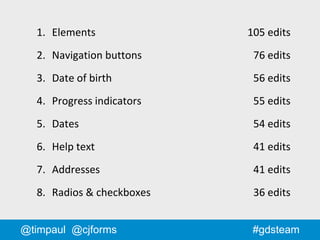
1. Elements 105 edits
2. Navigation buttons 76 edits
3. Date of birth 56 edits
4. Progress indicators 55 edits
5. Dates 54 edits
6. Help text 41 edits
7. Addresses 41 edits
8. Radios & checkboxes 36 edits
#gdsteam
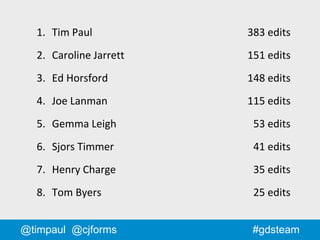
1. Tim Paul 383 edits
2. Caroline Jarrett 151 edits
3. Ed Horsford 148 edits
4. Joe Lanman 115 edits
5. Gemma Leigh 53 edits
6. Sjors Timmer 41 edits
7. Henry Charge 35 edits
8. Tom Byers 25 edits
@timpaul @cjforms
#gdsteam@timpaul @cjforms
designpatterns.hackpad.com
#gdsteam@timpaul @cjforms
Did it work?
58#gdsteam@timpaul @cjforms
59
ASK
let's vote on the questions we
most want to look at today
60
Make groups to work on a
question you want to answer
61
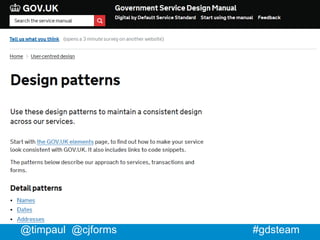
Search for:
Service Manual Design Patterns
#gdsteam@timpaul @cjforms
Is your question answered?
If it is, join another team or try another question!
If not, try the hackpad
Is your question answered on
the hackpad?
If it is, join another team or try another question!
If not, try editing it.
63
General discussion and
feedback
64
#gdsteam
Lessons learned
@timpaul @cjforms
#gdsteam
What design
patterns can’t do
@timpaul @cjforms
#gdsteam@timpaul @cjforms
Design patterns
can’t be imposed
on people
#gdsteam@timpaul @cjforms
Design patterns
can’t replace
designers
#gdsteam@timpaul @cjforms
Design patterns
can’t negotiate
with the business
70#gdsteam@timpaul @cjforms
What design
patterns can do
71#gdsteam@timpaul @cjforms
Design patterns save time
because you don't have to keep
answering the same question
72#gdsteam@timpaul
Design patterns can help to
provide consistency for users
73#gdsteam@timpaul @cjforms
Design patterns help
to provide known answers
to common problems
74#gdsteam@timpaul @cjforms
Design patterns help to provide
a focus for the community
75
What would we do differently if
we started again?
76
If you're starting your own
design patterns...
77
What's happening next?
78
Caroline is mostly working on
creating candidate patterns to
go into the Service Manual
79
There's a big Service Manual
project that's just started
#gdsteam@timpaul @cjforms
Thank you and
please join in
#gdsteam
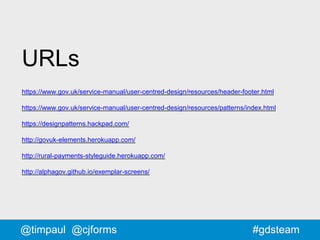
URLs
https://www.gov.uk/service-manual/user-centred-design/resources/header-footer.html
https://www.gov.uk/service-manual/user-centred-design/resources/patterns/index.html
https://designpatterns.hackpad.com/
http://govuk-elements.herokuapp.com/
http://rural-payments-styleguide.herokuapp.com/
http://alphagov.github.io/exemplar-screens/
@timpaul @cjforms
Tim Paul
Lead Designer
Government Digital Service
@timpaul

Design patterns for government services

Editor's Notes

  • #2 This is the name of this session. We’re going to talk about: How we approached design patterns and why Specific design patterns we like And we’re going to have a go later at crowdsourcing some new patterns using a wiki. So, whilst we’re talking - have a think about any specific patterns you’re interested in, or design challenges you’re facing.
  • #4 I’m one of the lead designers at GDS. I’ve been there 3 years - working mainly on transactions and services.
  • #7 GDS is part of the Cabinet Office. We’re a department of about 450 people. We work with government departments to help make their digital services and information simpler, clearer and faster. We’re responsible for GOV.UK
  • #8 GOV.UK A single website for people interacting with the UK Government
  • #9 That saving is based on what it would have cost to maintain all the different websites that existed before. GOV.UK is a mixture of information and services. Information like…
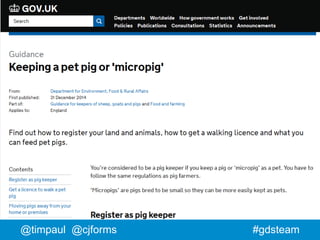
  • #10 We’ve transferred information from over 300 old websites onto GOV.UK Some of it’s quite niche…
  • #11 A guide to keeping a pet pig or ‘micro pig’. Did you know you needed a licence to walk your pet micro pig?
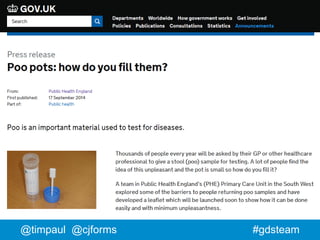
  • #12 Poo pots. Not totally sure we needed to publish that one.
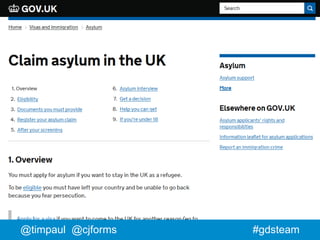
  • #13 How to claim asylum in the UK
  • #14 So, lots of information. But also, lots of services…
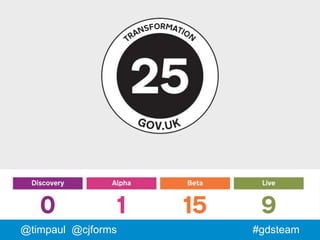
  • #18 2 years ago we asked departments to pick some of their highest volume transactions and created a list of 25 that we would help them to transform into modern digital services. We gave ourselves 2 years to do it.
  • #19 This is how we did. These are the 4 development phases we defined. We’ve got all but one in to beta (half of which are public betas), and over a third are live.
  • #20  Over 138,000 Carer’s have used the service so far Real social impact - Carer’s have very little time for anything else and the service is 24hr
  • #21 Transcript of video: GOV.UK Transformation You can now apply for Carer's Allowance using a simple online service. Pete Desmond, Service Manager, Carer's Allowance Digital Service: "Carer's allowance is a benefit that's provided to people who are really deserving in society. These are people who are looking after friends and family that are very ill, in some cases terminally ill, and it's providing them with an income to help support the cost of caring for that individual. When having to deal with all these problems and all the other strife that's going on in their lives, being able to claim Carer's Allowance should be the least of their worries." Kathryn Baxendale, Subject Matter Expert, Carer's Allowance Digital Service: "The new service is to enable people to claim Carer's Allowance online which is a much quicker and easier process than using the paper form." Pete Desmond: "We've been able to remove 170 questions from the process; that's 49%, and we've done that because we've challenged the way that policy's been interpreted on the claim form." Kathryn Baxendale: "Make sure that the customer can understand and progess through the claim, giving us the right information to make a quick decision on their application." Pete Desmond: "We've simplified things and cut things back to just the bare information that customers need, and we've done that via our user testing and research. The service would not be up and running without the user research, to make sure that the participants, the carers' voice is at the heart of everything that we do. We've had people, less confident users, who by the time they get from the start of the claim through to the end, you can see them, they say this, 'That's so much better than I expected. I could go away and do that on my own now, it's been so good'." Kathryn Baxendale: "Carers are busy people and these are some of the most vulernable people in society, so if we're supporting them by providing a really easy method of claiming Carer's Allowance, then that to me has got to be a good thing because that's what we're here to do." www.gov.uk/apply-carers-allowance
  • #23 So, back to our original challenge: “How do you simultaneously design 25 services for the same website?” But more to the point…
  • #24 Well designed: How do we make sure that all of those services are usable? Consistent: Builds trust - very important for gov. Makes it easier to learn - good for our less confident users Makes it easier to integrate - global nav, links etc. Quickly: We’d given ourselves 2 and a bit years We can’t waste time designing the same things over and over again Or making the same mistakes multiple time
  • #25 But what this all really boils down to is this. How do you scale design? Design as an activity. To explain the problem I need to go back to 2012…
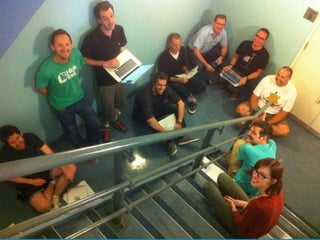
  • #26 May 2012 GOV.UK was in Public Beta. No services - just information. GDS was less than 100 people. We had a small design team of around 10 people, all co-located in Holborn We were a small enough team to all fit in a room.
  • #27 And here we all are - in a stairwell. The great thing about a team of this size was: Easy to share and discuss ideas - Quality and consistency emerged naturally
  • #28 Now fast forward a few years GOV.UK has been live for a while GDS is 400+ people
  • #29  Twice as many GDS designers, but half of them are out working with the departments. That’s a photo of one of our regular design meet-ups. 30 designers from 5 departments, and that’s just the ones who could make it to London.
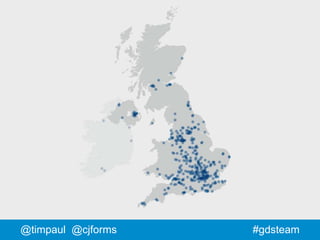
  • #30 Actually, services are being developed in 13 sites around the UK. In fact - some of those services have teams in other countries as well.
  • #31 And each service makes use of multiple suppliers from the private sector. This is a map showing all the agencies and SMEs working on GOV.UK services. So we’ve gone from stairwell - to this.
  • #34 Resources: People need practical tools to do their job Community: People need to be able to share and discuss their work Recreate the ‘stairwell’ but at scale. Let good consistent design emerge from the teams rather than imposed from GDS.
  • #35 All of these tools are available via the GDS service manual, which is the place for guidance for anyone making services for GOV.UK.
  • #36 Before I describe what we made and why - what kinds of things would you like?
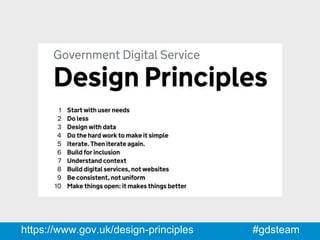
  • #38 So first, we created a set of design principles. 1. Start with user needs 2. Do less 3. Design with data 4. Do the hard work ot make it simple. 5. Iterate. Then iterate again. 6. Build for inclusion 7. Understand context 8. Build digital services, not websites 9. Be consistent, not uniform 10. Make things open: it makes things better This let everyone know how we like to approach design and what we valued. 1, 4 and 9. ‘Be consistent, not uniform’ No cookie-cutter off-the-peg solutions. No stone tablets handed on down. Make the best thing for YOUR users.
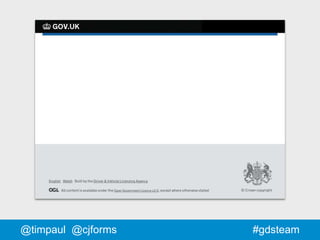
  • #40 Then, we deliberately made the template as minimal as possible: Header, footer, logo, New Johnston typeface That way: it could accommodate lots of different kinds of service we wouldn’t have to keep updating it minimising dependencies (bad experience at tfl.gov.uk)
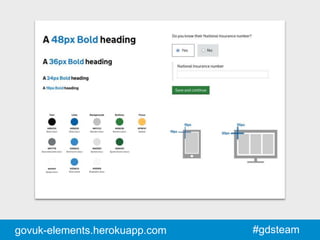
  • #42 Then we created a set of common design elements. Building blocks. Grids, typography, colours, basic form styles etc. All credit to Gemma Leigh and George Sheldrake for their work on this. Yes, there’s CSS - but it’s not Bootstrap. Use it as a starting point - then extend it.
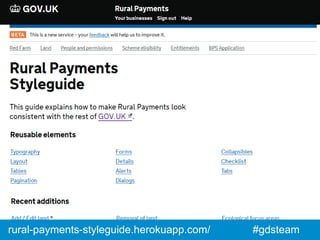
  • #43 …Which is exactly what Trevor Saint has done Trevor Saint is a front-end developer from Kainos. He’s working on the rural payments service in Reading.
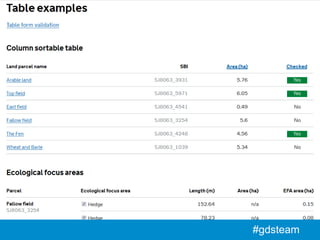
  • #44 Rural payments involves a lot of tabular data, so his extended style guide has loads of examples of nested tables sortable tables tables with form elements and validation All of this is open and on GitHub - so now everyone can benefit from his work. This is crucial - this is how we scale.
  • #46 We created a site where you could share screenshots of the service you were developing. We did this because it’s often hard to share your work on transactional services. Screens are hidden behind logins or payment systems or just hard to replicate. It’s pretty low tech but it does the job.
  • #47 No image, because a picture of a mailing list is really dull. But they’re crucial - they’re the glue that binds all the other stuff. Often what starts out as a discussion on the list will end up as new content in one of the other resources.
  • #49 Finally - patterns.
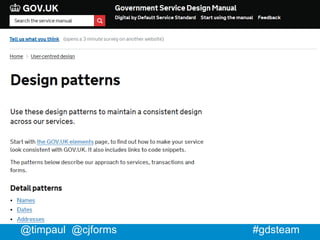
  • #50 On the service manual we’ve got a small set of the most commonly requested patterns.
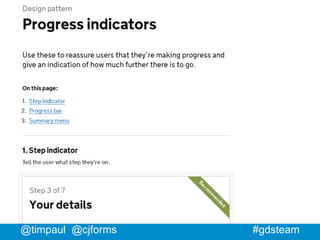
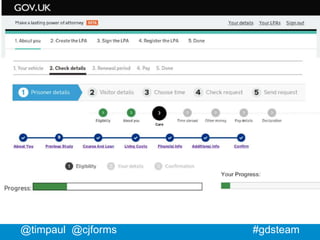
  • #51 For example - we noticed a lot of variation in how we were indicating progress through a transaction. So one of the first patterns we made was for progress indicators. Before a pattern gets written up here, we discuss it in our patterns wiki…
  • #52 We use a free service called Hackpad. It’s now owned by Dropbox.
  • #53 I’m afraid Hackpad is really dull to look at. But it’s perfect for collaborating on ideas. It’s just a wiki, but it’s a good one: real-time you can ‘follow’ pages you can ‘at’ people you can paste images from the clipboard it’s got an API
  • #54 It’s be around for just over a year and it’s still growing. There’s some kind of activity most days. About half the members are designers About half the members are from GDS
  • #55 Lets have a look at the most edited patterns. So - at number one are the basic elements themselves (grids, colours, typography etc.) This makes sense, as this is what all the other patterns are made of. But you can see below, the other things that people are most interested in talking about.
  • #56 These are the people who’ve made the most edits. This isn’t here just for the bragging rights - there are some points to make: If you take on the editor role, expect to do twice as much as the biggest contributor It’s not just GDS people: Sjors is a designer with the Ministry Of Justice Henry works with the agency Valtech
  • #57 We use a free service called Hackpad. It’s now owned by Dropbox.
  • #58 We think so. The services look remarkably consistent. Over half are now public and the rest are in Beta. Quality is variable - but when it’s good it’s REALLY good.
  • #59 Well, we don’t see this any more. This is what I found a year and a half ago when I did an audit of progress indicators across the exemplars. This was before the Hackpad and elements. [Use the screenshots site to show how things are more consistent]
  • #63 On the service manual we’ve got a small set of the most commonly requested patterns.
  • #67 Before I end - a quick sanity check. A vibrant community centred around sharing and discussing different design patterns is a great thing. Having those patterns available to all is also fantastic. But they’re not a magic bullet.
  • #68 Well, maybe they can a bit - but it’s time consuming and not much fun and everyone ends up hating you. Much better to develop the patterns from the ground up - that way you get consensus, because the people who need the patterns got to create them.
  • #69 I’ve heard people say “Well eventually the developers will just be able to go straight to the pattern library”. You can use really good design patterns and still create a terrible service. It's in the patterns you choose, how you combine them and how you customise them. We especially see this with typographic design. GOV.UK services that use the templates, elements and patterns but just look wrong somehow. The spacing and rhythm is all out.
  • #70 Designing for government can be really frustrating. Often you know exactly what needs to happen. But making it happen is the tricky bit. You need to be persistent, you need to be able to explain, influence and negotiate. Design patterns don’t help much with that. It can feel like a least half of the usability gains come from successfully negotiating with the business rather than coming up with some amazing innovative design. Carer’s Allowance video: 170 questions removed. 49%
  • #76 I’d do the Elements work sooner. There was a long period where people were having to make everything from scratch. I’d secure the editorial role for the Hackpad. It doesn’t need to be one person but there needs to be someone always working on it. I’d find a way to integrate research more closely. We’ve done it where we can, but: Not always possible to share research Research on patterns is often anecdotal When you’re researching a whole service, once a pattern is ‘good enough’ you typically move on to the next thing. GDS could help here.
  • #77 Try this out! Let us know how it goes Share your work publicly