
Office 365 and Cloud Identity
What does it mean for me?
Scott Hoag
Dan Usher
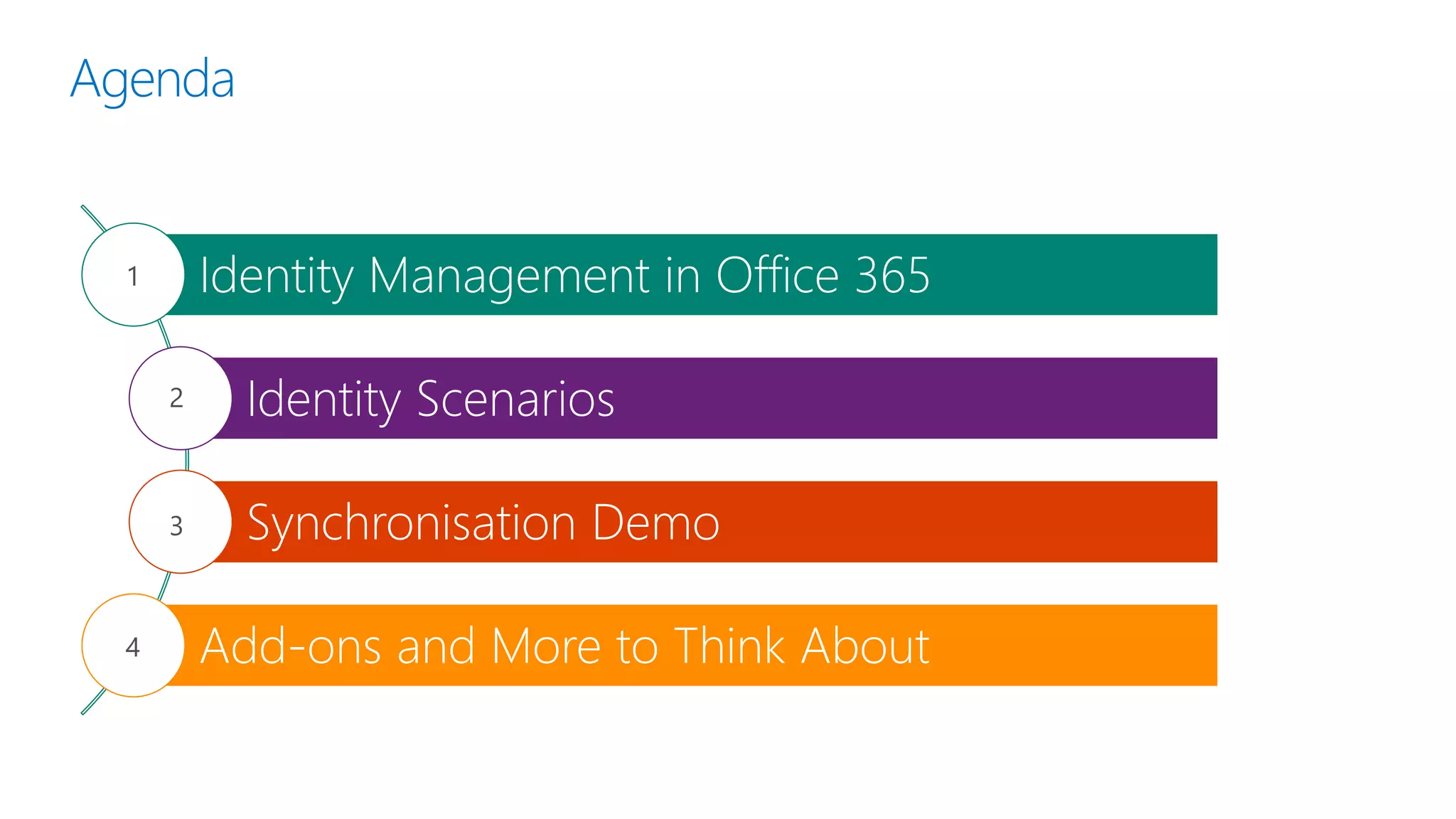
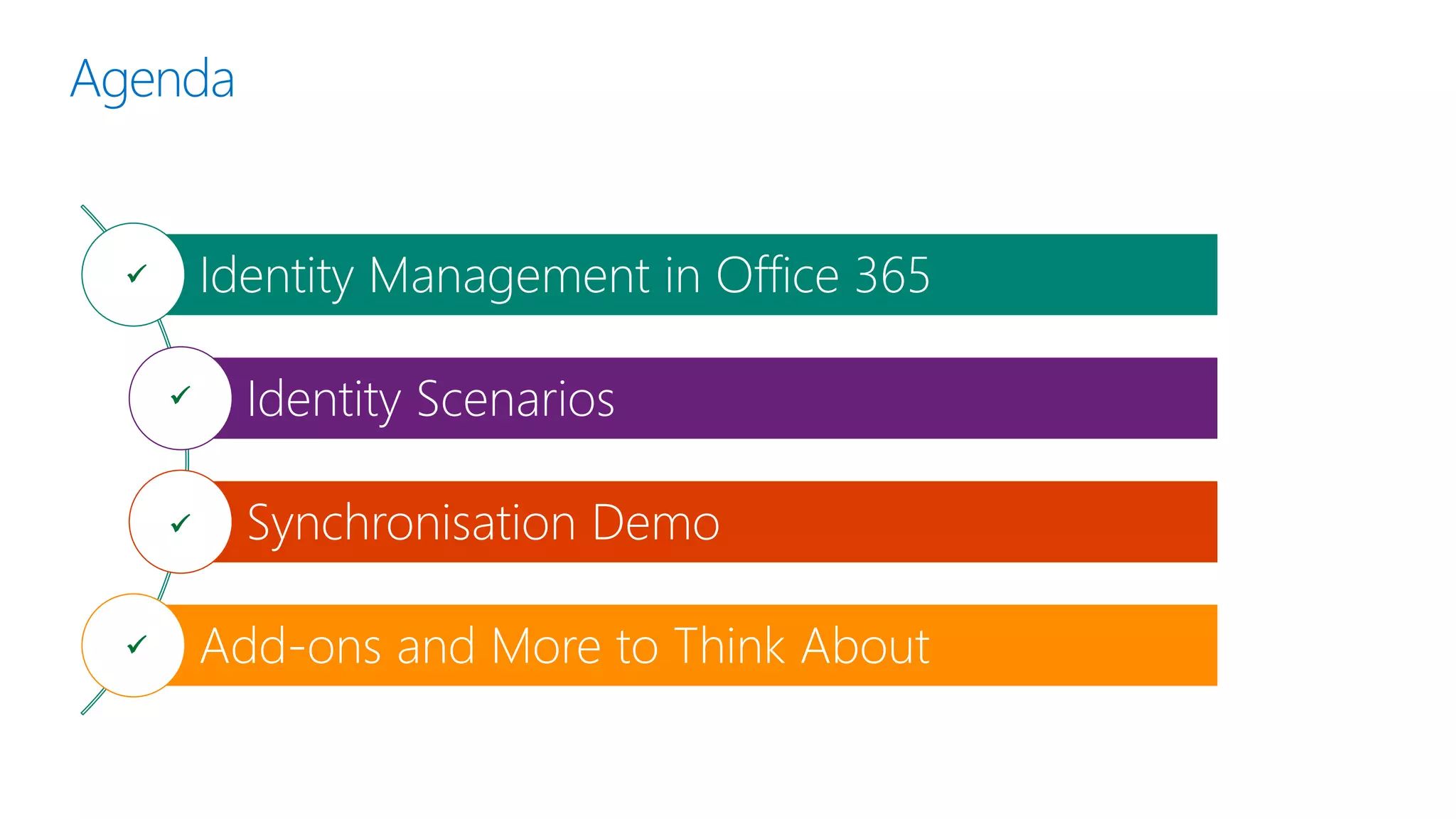
Agenda
Identity Management in Office 365
Identity Scenarios
Synchronisation Demo
Add-ons and More to Think About
1
2
3
4
Identity Management Overview
Terminology
What is Identity Management?
“Identity management (IdM) describes the
management of individual principals, their
authentication, authorisation, and privileges within
or across system and enterprise boundaries with
the goal of increasing security and productivity
while decreasing cost, downtime and repetitive
tasks.”
https://en.wikipedia.org/wiki/Identity_management
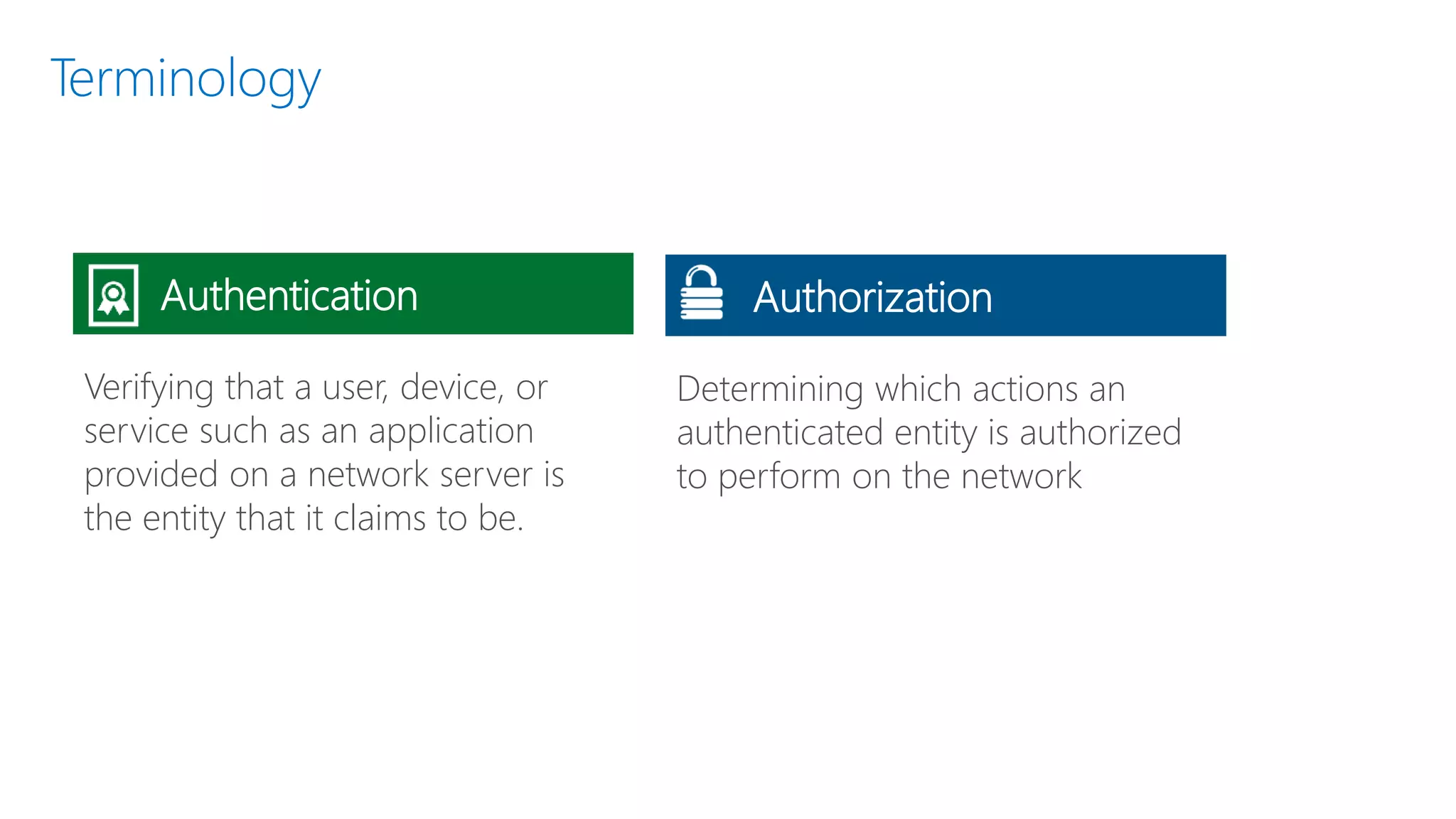
Determining which actions an
authenticated entity is authorized
to perform on the network
Terminology
Verifying that a user, device, or
service such as an application
provided on a network server is
the entity that it claims to be.
Authentication Authorization
Terminology
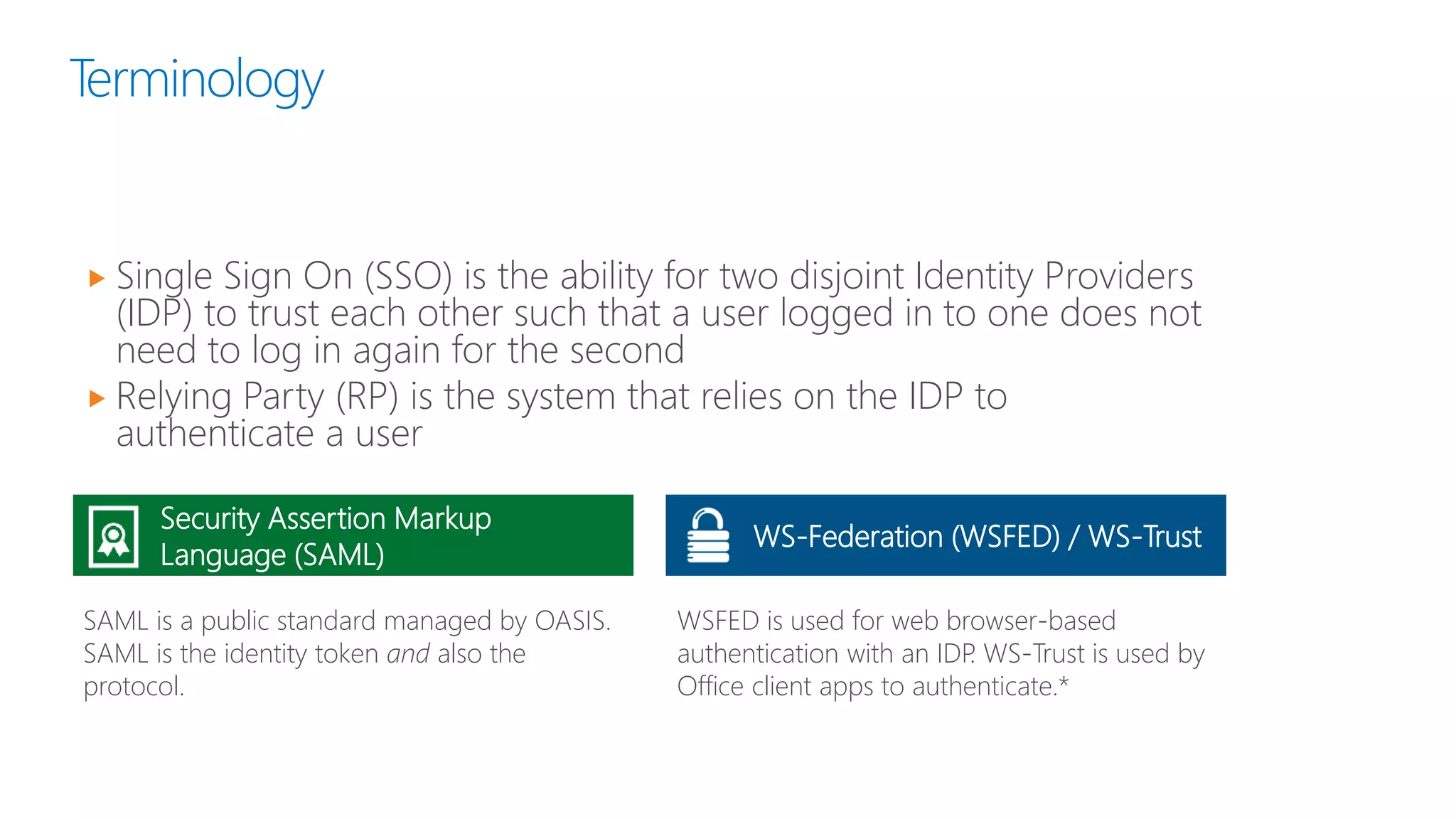
 Single Sign On (SSO) is the ability for two disjoint Identity Providers
(IDP) to trust each other such that a user logged in to one does not
need to log in again for the second
 Relying Party (RP) is the system that relies on the IDP to
authenticate a user
Security Assertion Markup
Language (SAML)
SAML is a public standard managed by OASIS.
SAML is the identity token and also the
protocol.
WSFED is used for web browser-based
authentication with an IDP. WS-Trust is used by
Office client apps to authenticate.*
WS-Federation (WSFED) / WS-Trust
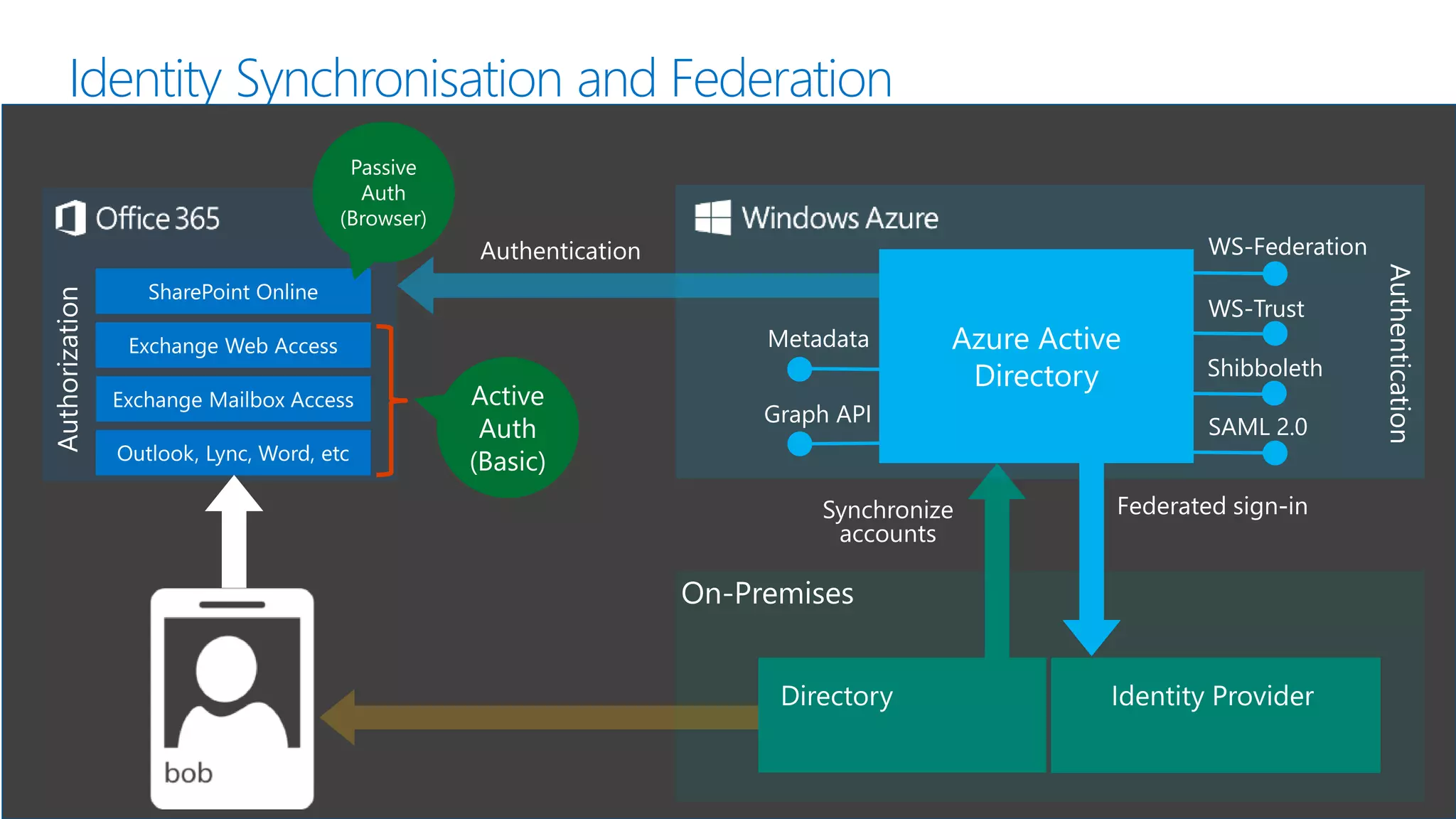
Identity Synchronisation and Federation
WS-Federation
WS-Trust
SAML 2.0
Metadata
Shibboleth
Graph API
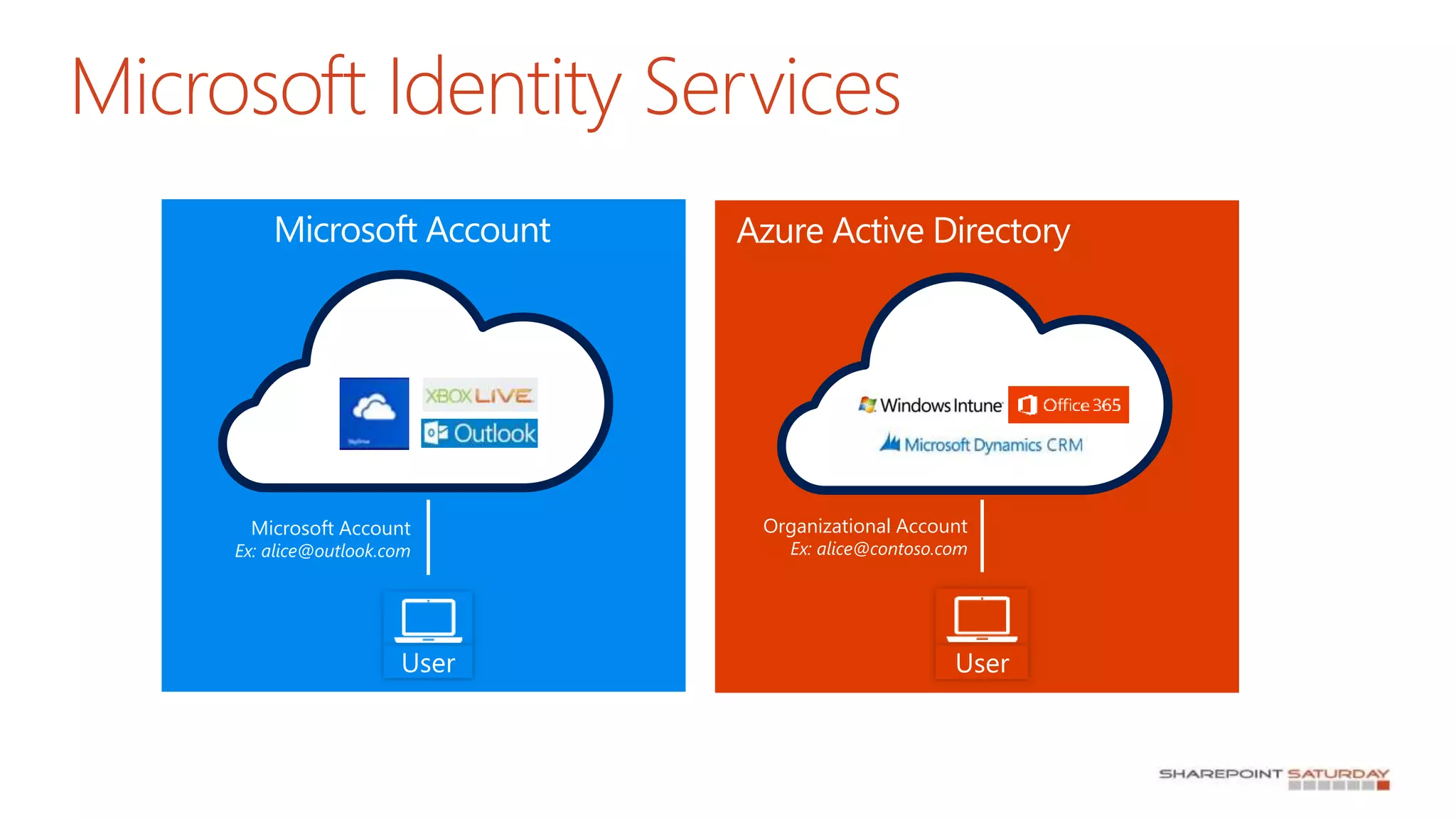
Microsoft Identity Services
User
Microsoft Account
Ex: alice@outlook.com
User
Organizational Account
Ex: alice@contoso.com
Microsoft Account Azure Active Directory
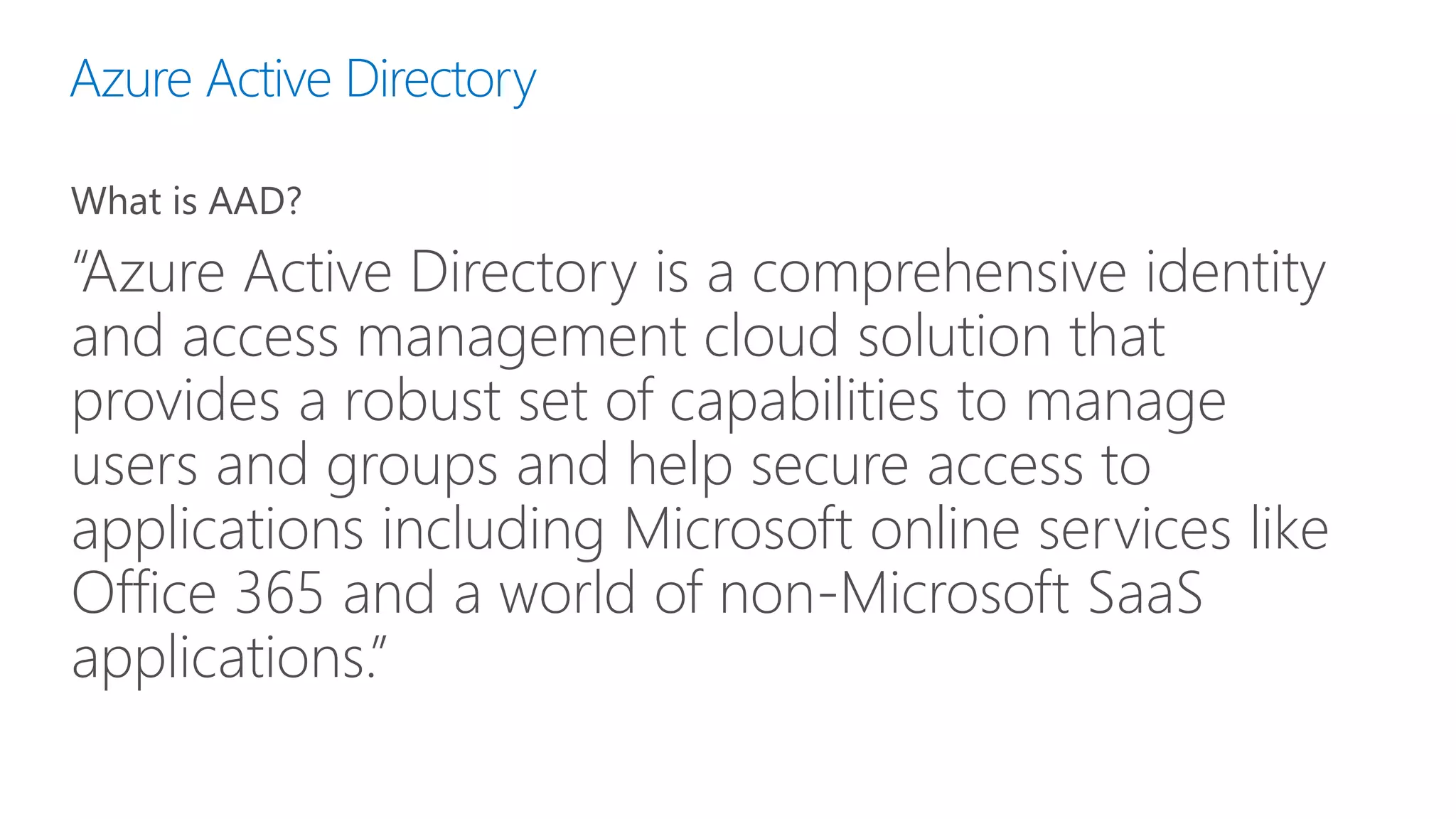
Azure Active Directory
What is AAD?
“Azure Active Directory is a comprehensive identity
and access management cloud solution that
provides a robust set of capabilities to manage
users and groups and help secure access to
applications including Microsoft online services like
Office 365 and a world of non-Microsoft SaaS
applications.”
Identity Scenarios
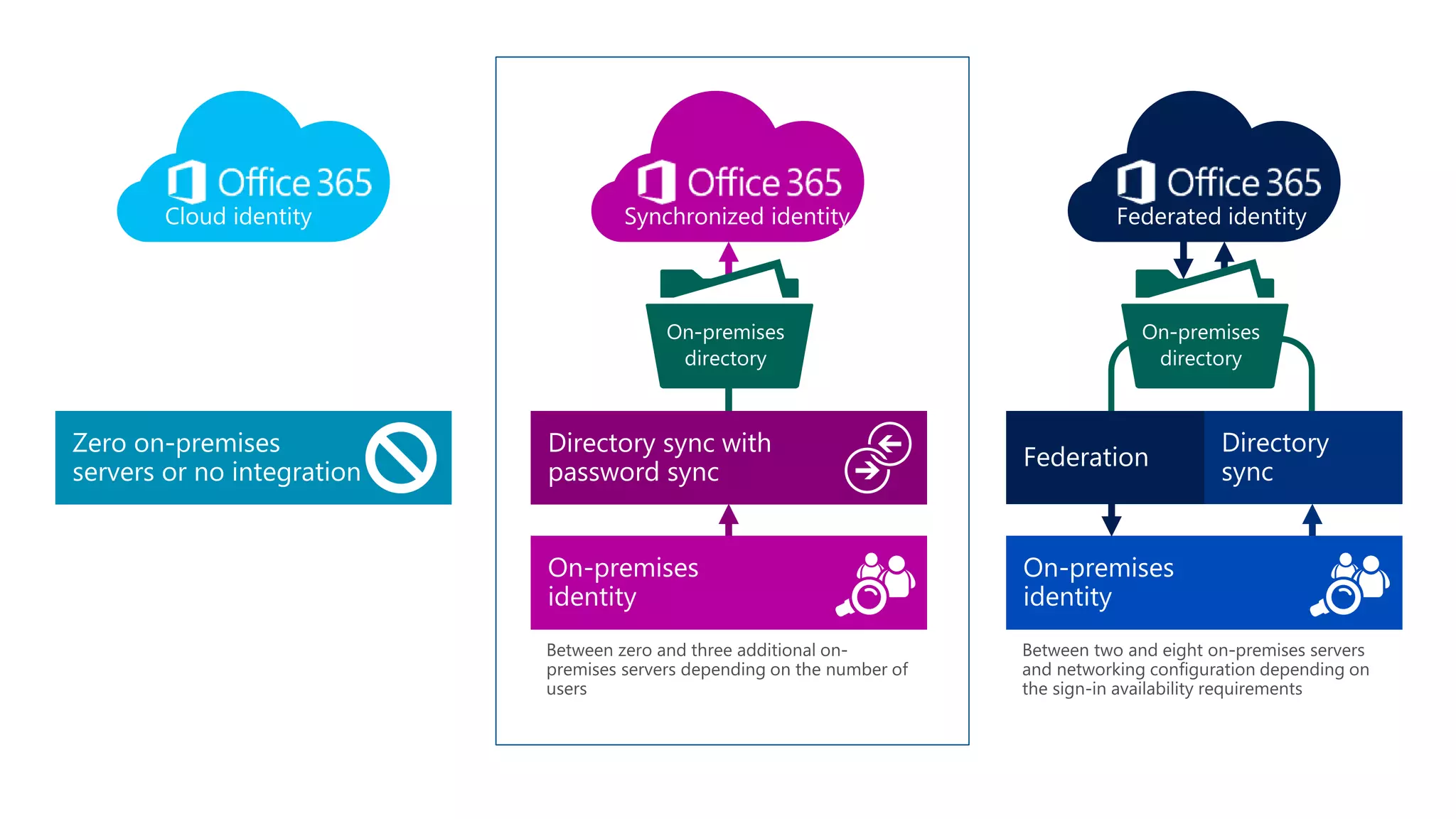
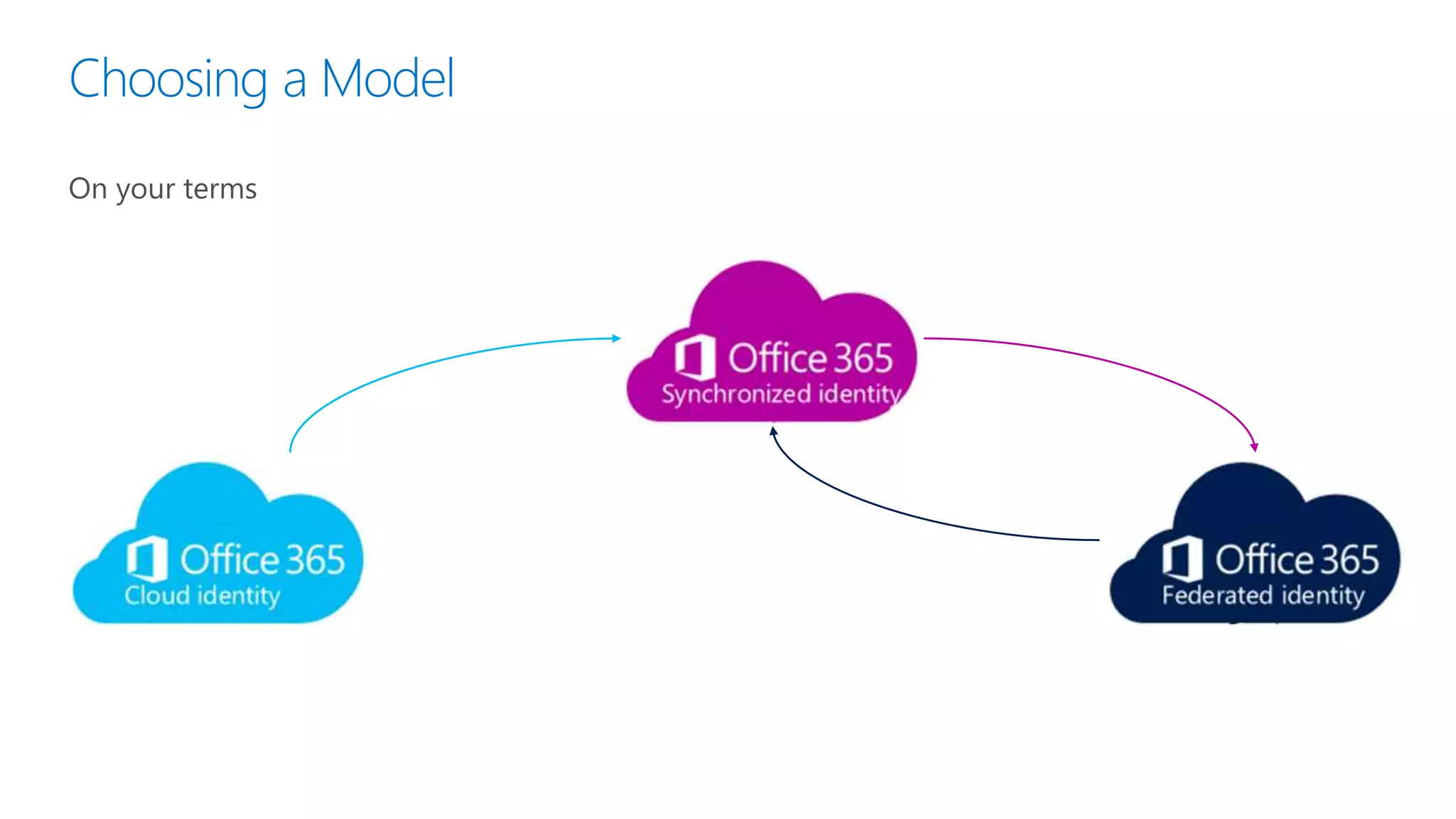
Choosing a Model
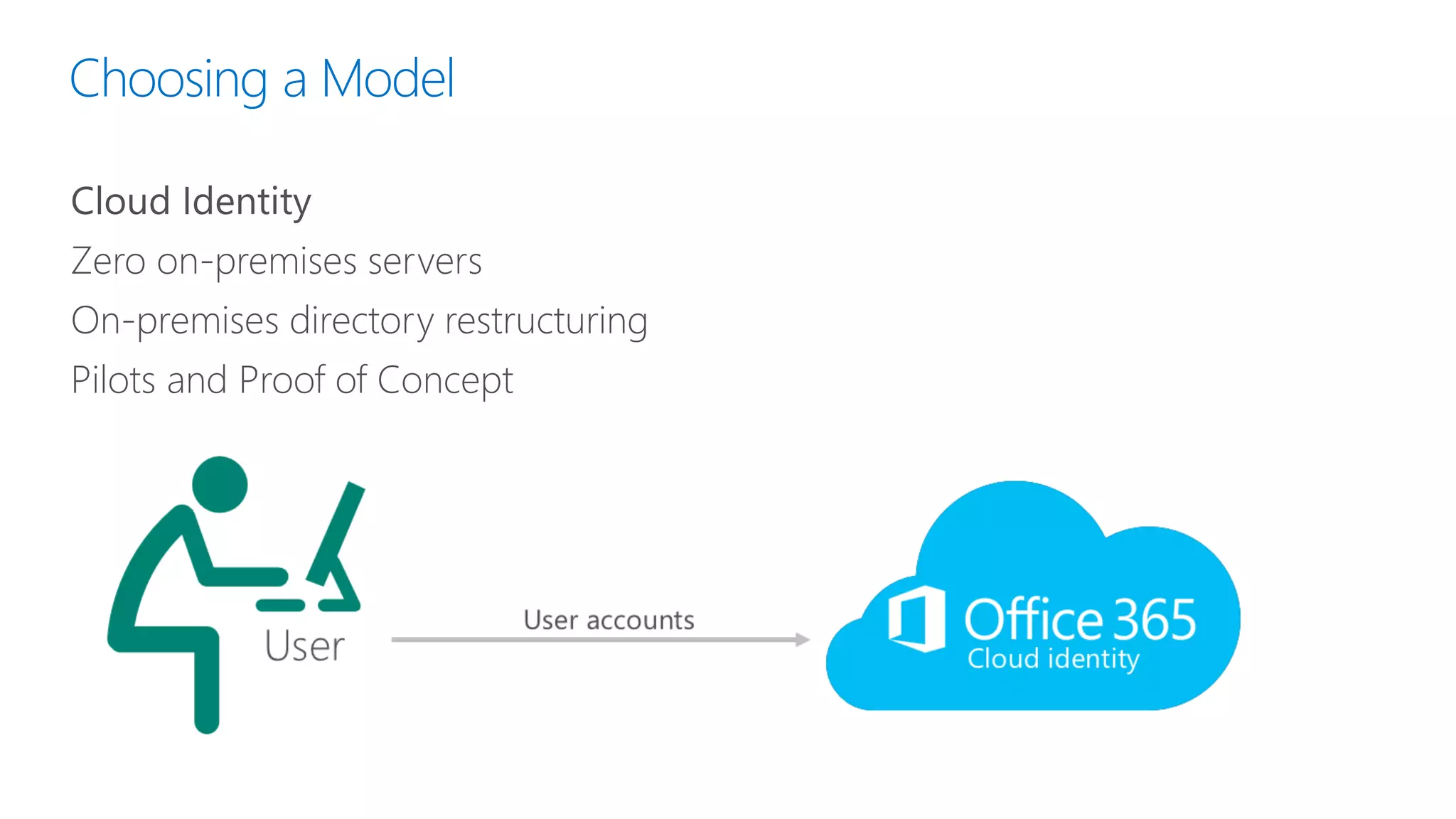
Cloud Identity
Zero on-premises servers
On-premises directory restructuring
Pilots and Proof of Concept
Choosing a Model
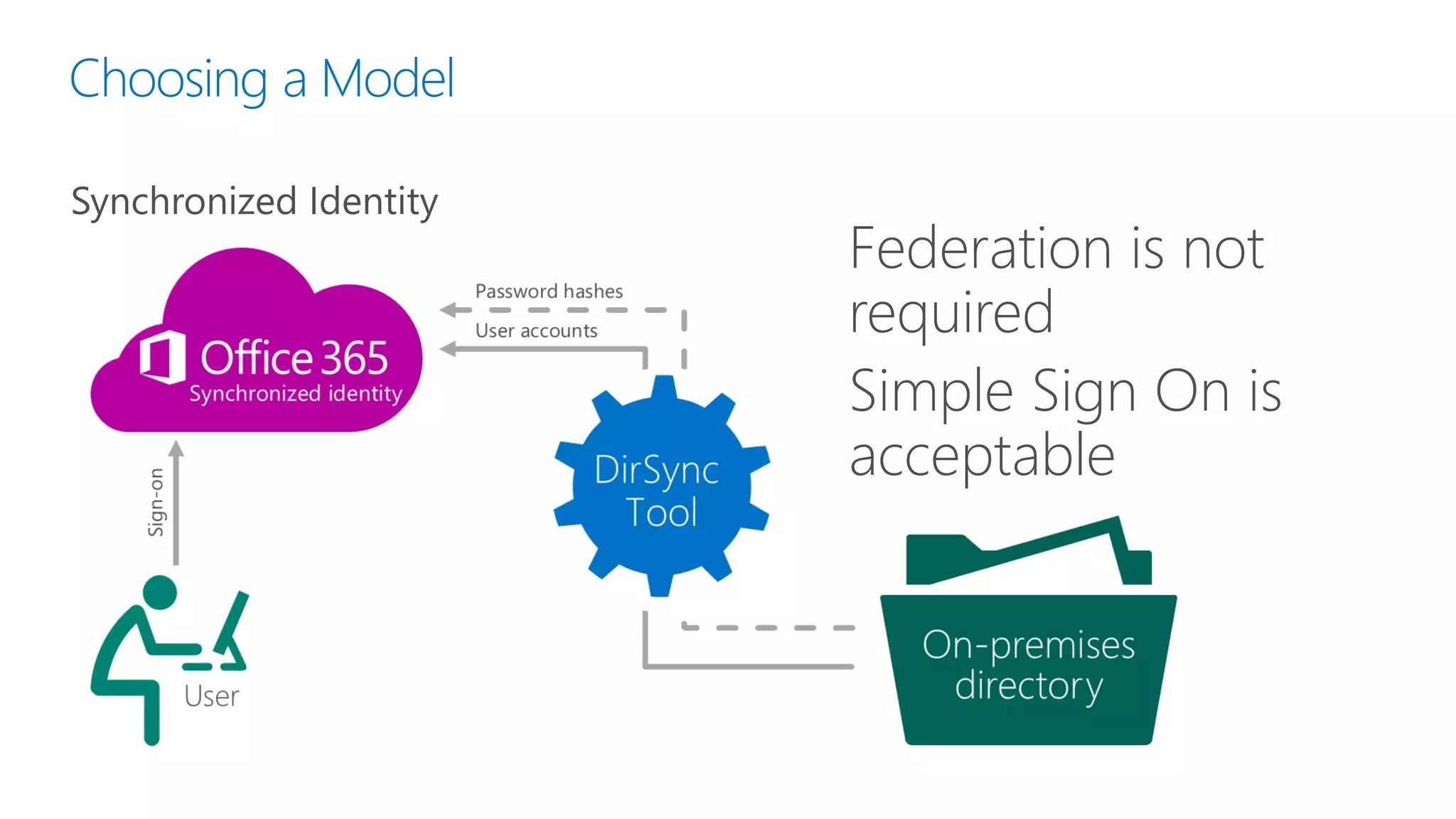
Synchronized Identity
Federation is not
required
Simple Sign On is
acceptable
Choosing a Model
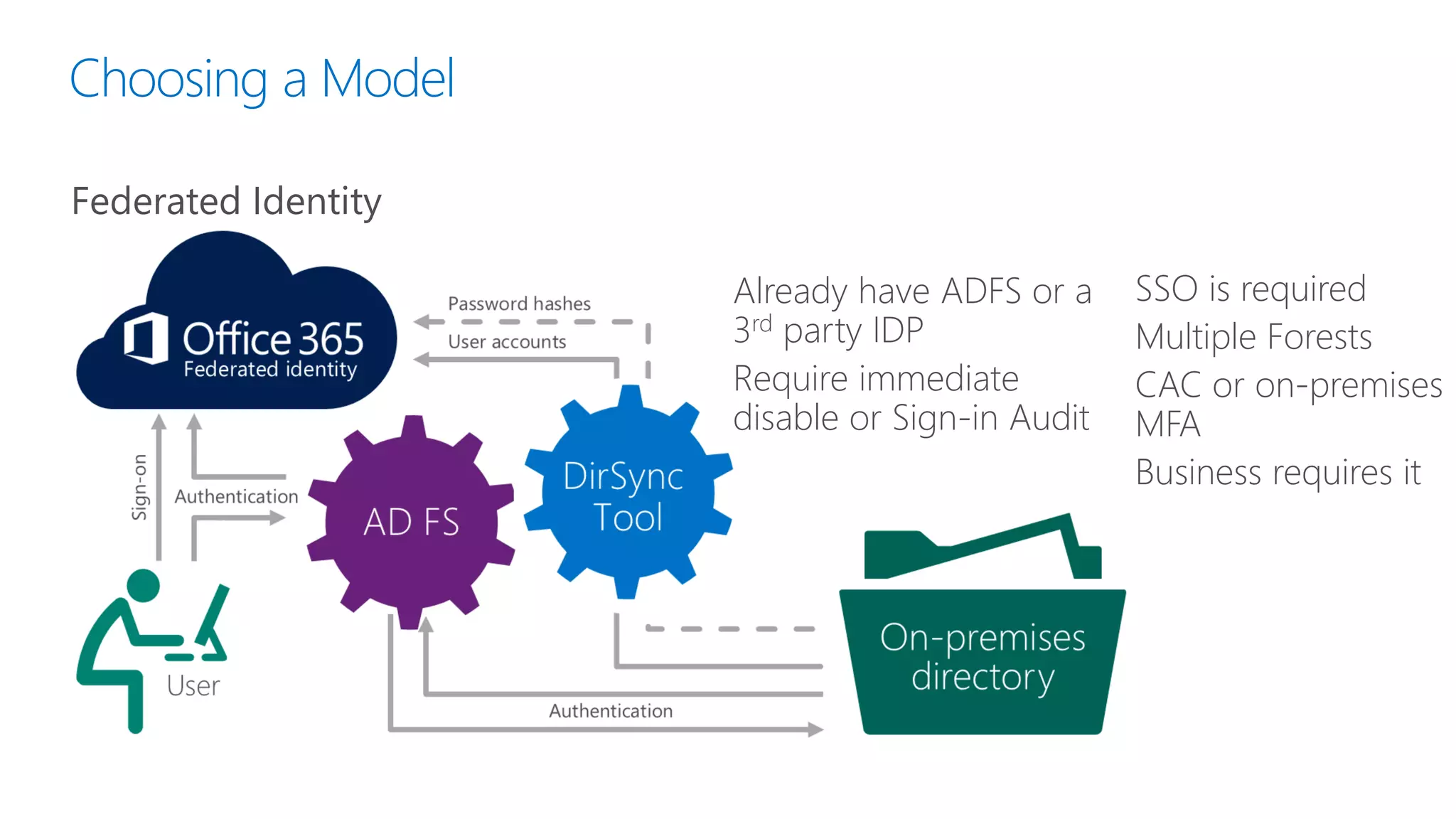
Federated Identity
Already have ADFS or a
3rd party IDP
Require immediate
disable or Sign-in Audit
SSO is required
Multiple Forests
CAC or on-premises
MFA
Business requires it
Choosing a Model
On your terms
Directory Sync Demonstration
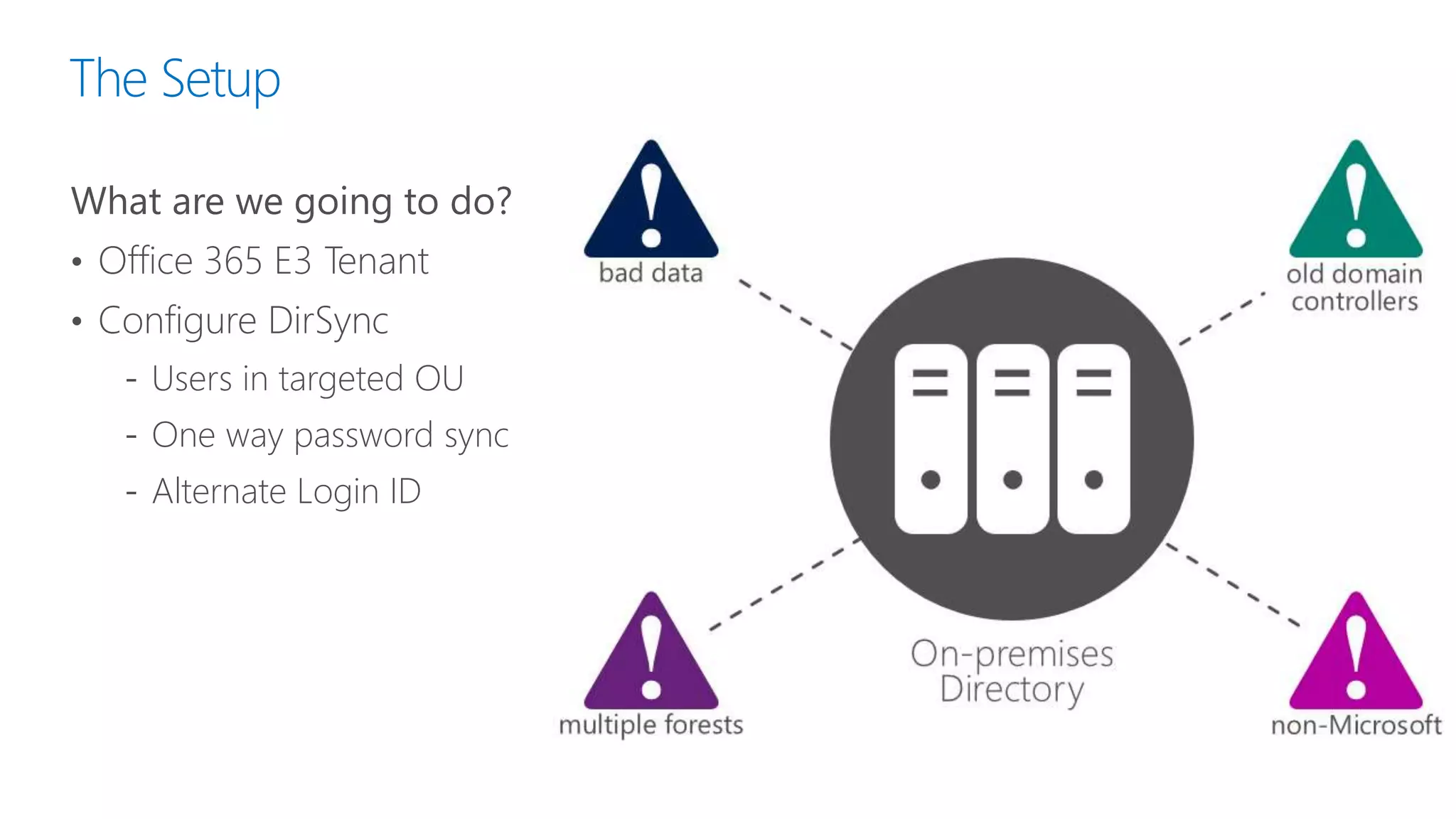
The Setup
What are we going to do?
• Office 365 E3 Tenant
• Configure DirSync
‐ Users in targeted OU
‐ One way password sync
‐ Alternate Login ID
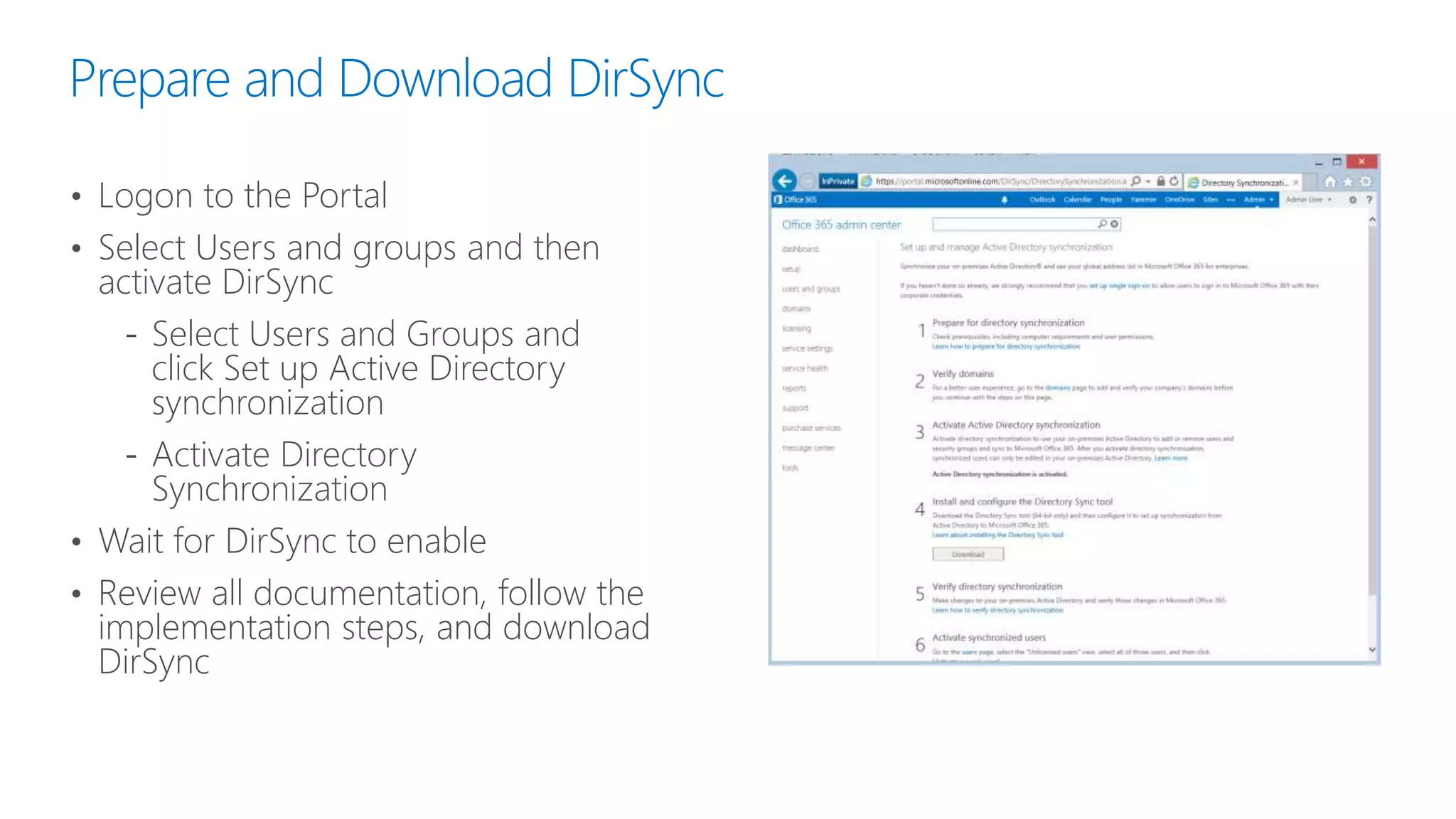
Prepare and Download DirSync
• Logon to the Portal
• Select Users and groups and then
activate DirSync
‐ Select Users and Groups and
click Set up Active Directory
synchronization
‐ Activate Directory
Synchronization
• Wait for DirSync to enable
• Review all documentation, follow the
implementation steps, and download
DirSync
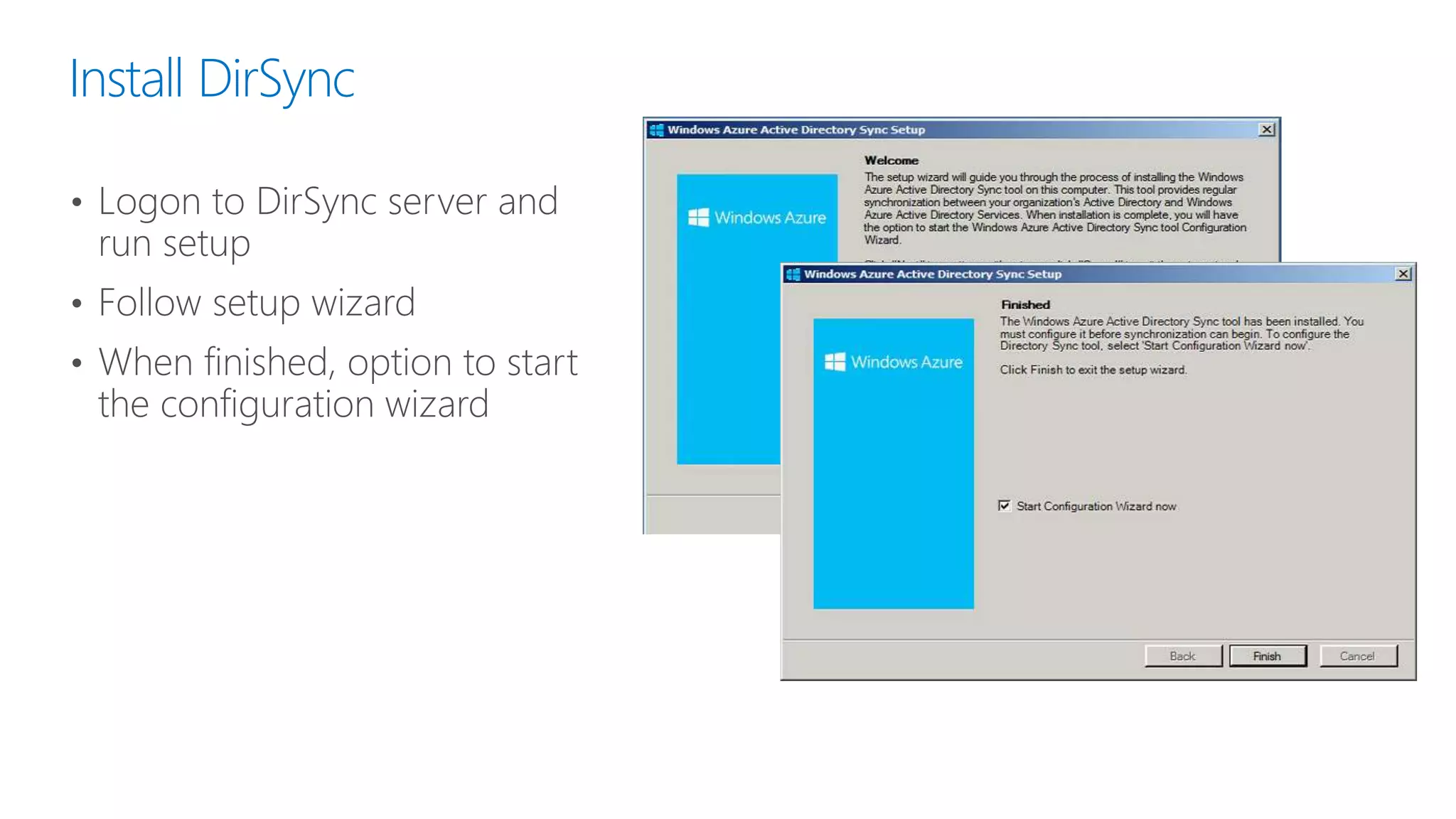
Install DirSync
• Logon to DirSync server and
run setup
• Follow setup wizard
• When finished, option to start
the configuration wizard
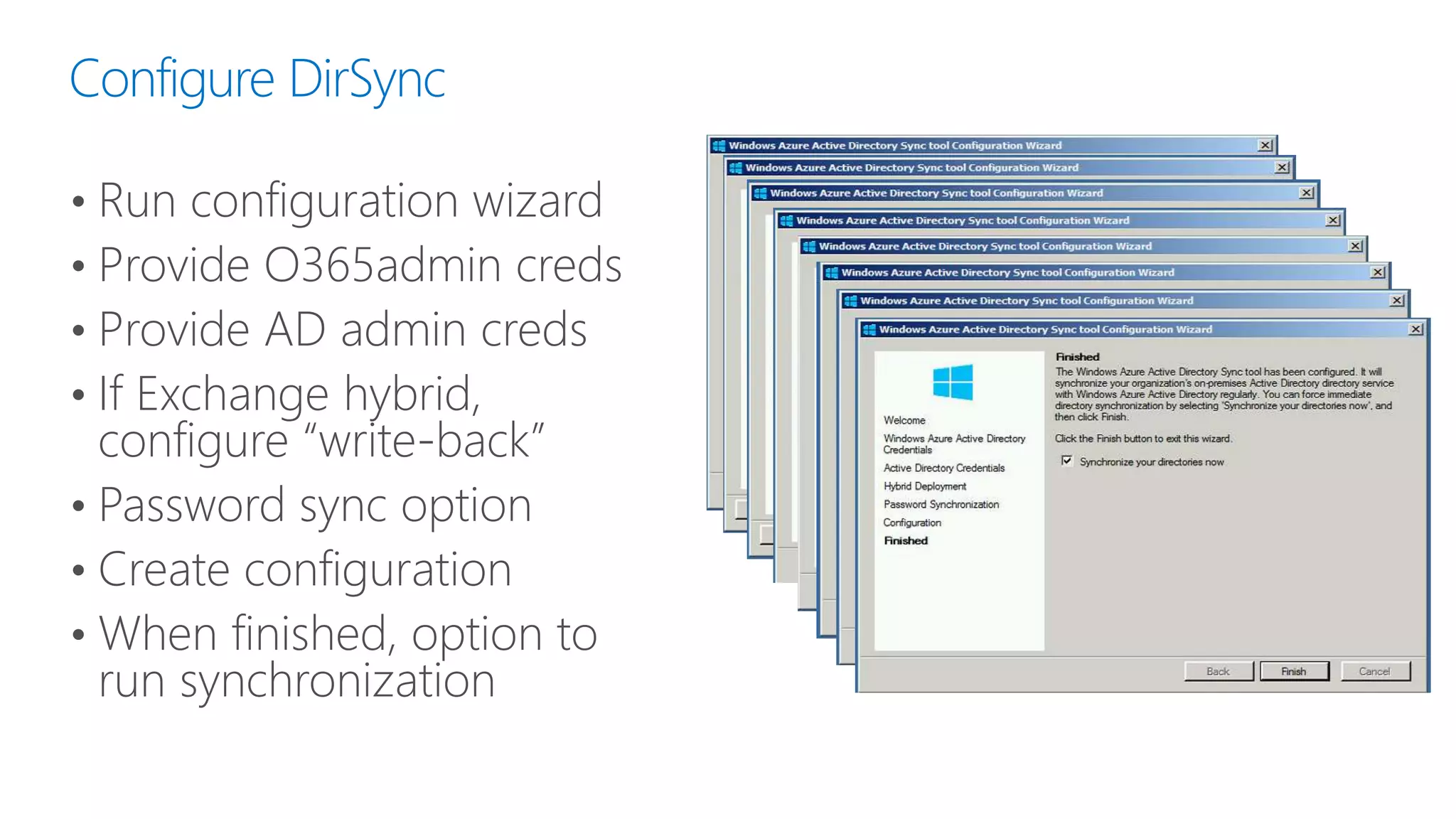
Configure DirSync
• Run configuration wizard
• Provide O365admin creds
• Provide AD admin creds
• If Exchange hybrid,
configure “write-back”
• Password sync option
• Create configuration
• When finished, option to
run synchronization
Other Considerations
Alternate Login ID
When your on-premises UPN is non-routable on the public internet and you
can’t easily update UPN suffixes
Requires Windows Server 2012 R2 for AD FS*
Requires comfort with FIM and editing Management Agents
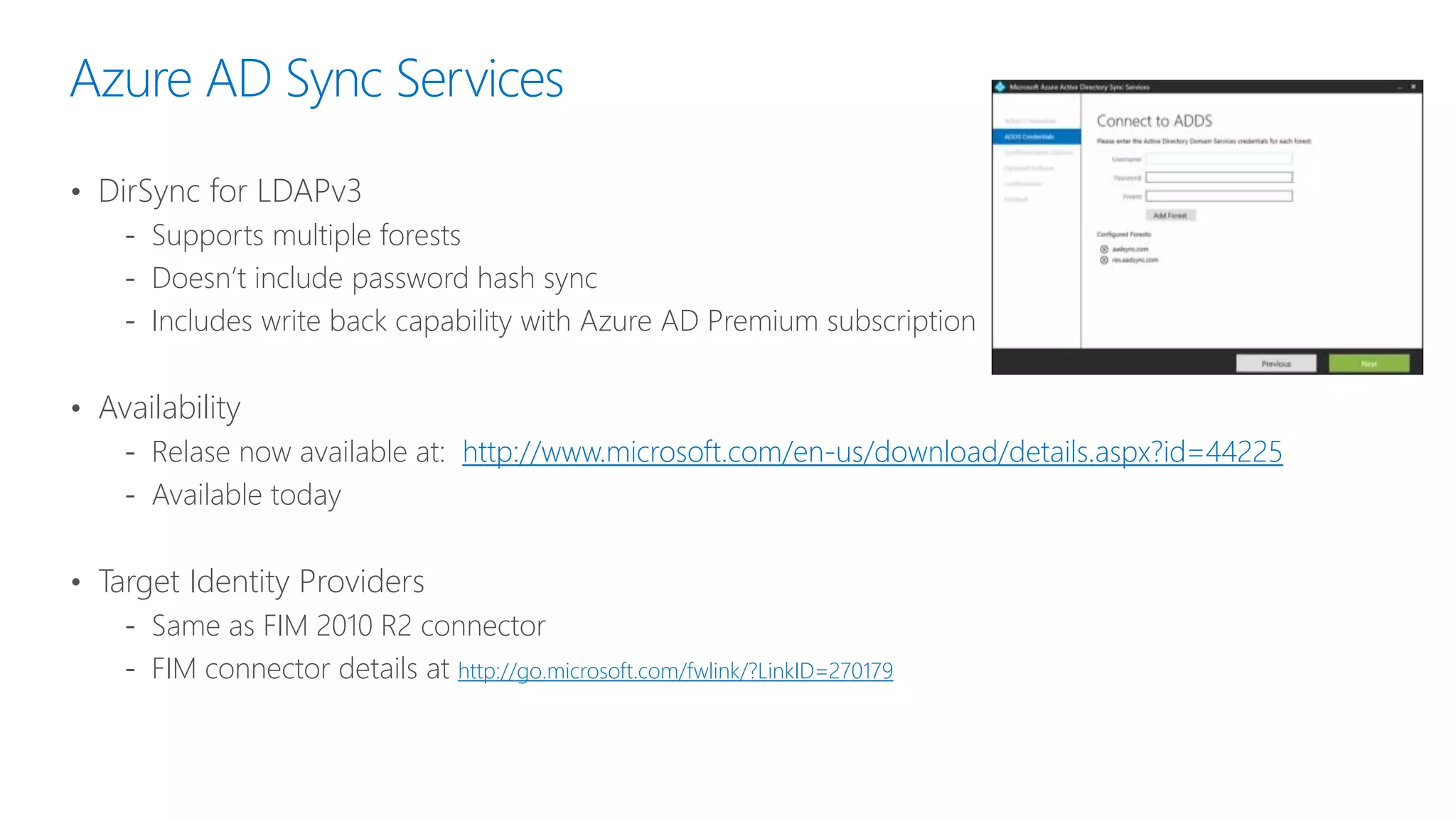
Azure AD Sync Services
• DirSync for LDAPv3
‐ Supports multiple forests
‐ Doesn’t include password hash sync
‐ Includes write back capability with Azure AD Premium subscription
• Availability
‐ Relase now available at: http://www.microsoft.com/en-us/download/details.aspx?id=44225
‐ Available today
• Target Identity Providers
‐ Same as FIM 2010 R2 connector
‐ FIM connector details at http://go.microsoft.com/fwlink/?LinkID=270179
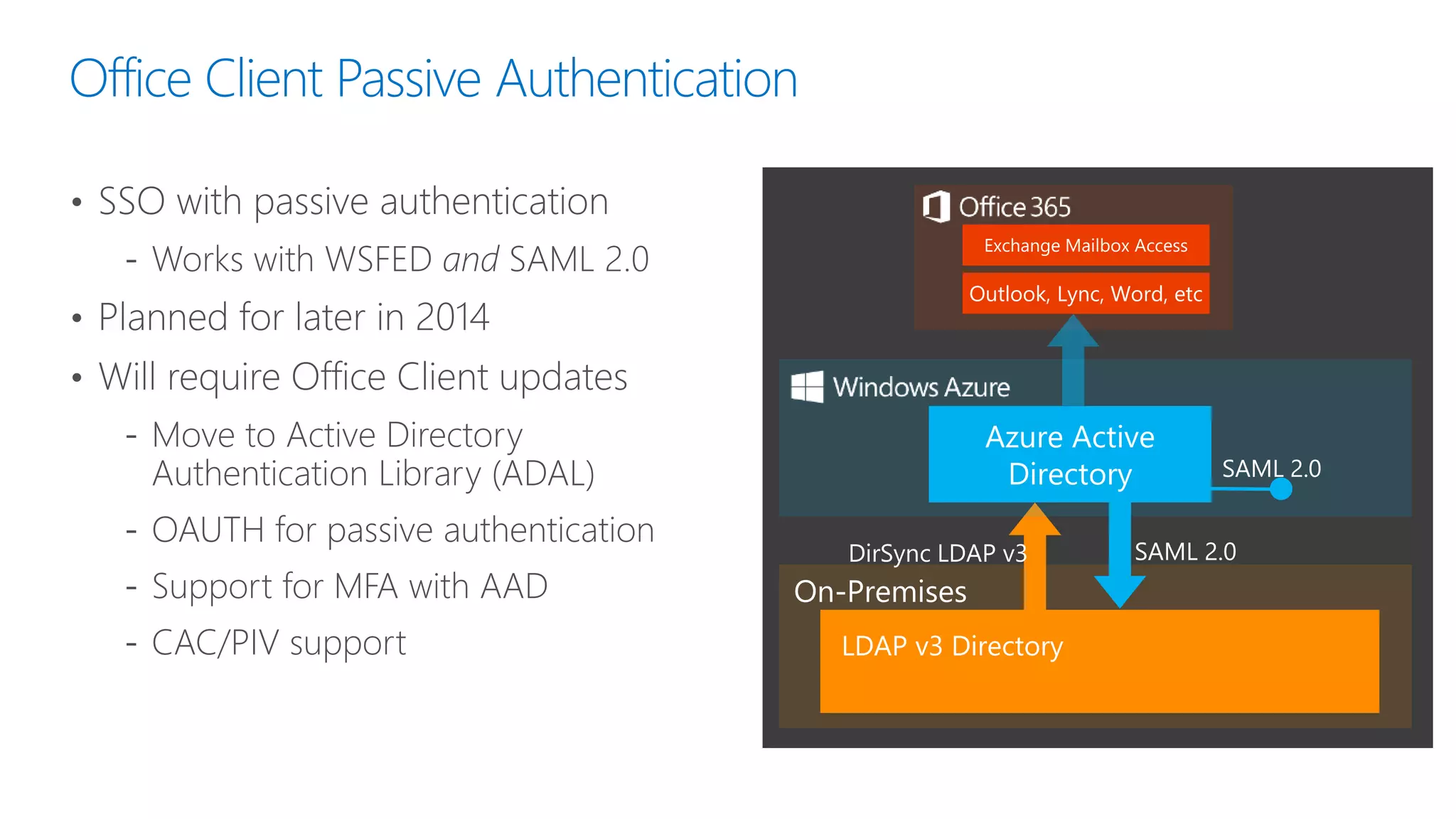
Office Client Passive Authentication
• SSO with passive authentication
‐ Works with WSFED and SAML 2.0
• Planned for later in 2014
• Will require Office Client updates
‐ Move to Active Directory
Authentication Library (ADAL)
‐ OAUTH for passive authentication
‐ Support for MFA with AAD
‐ CAC/PIV support
SAML 2.0
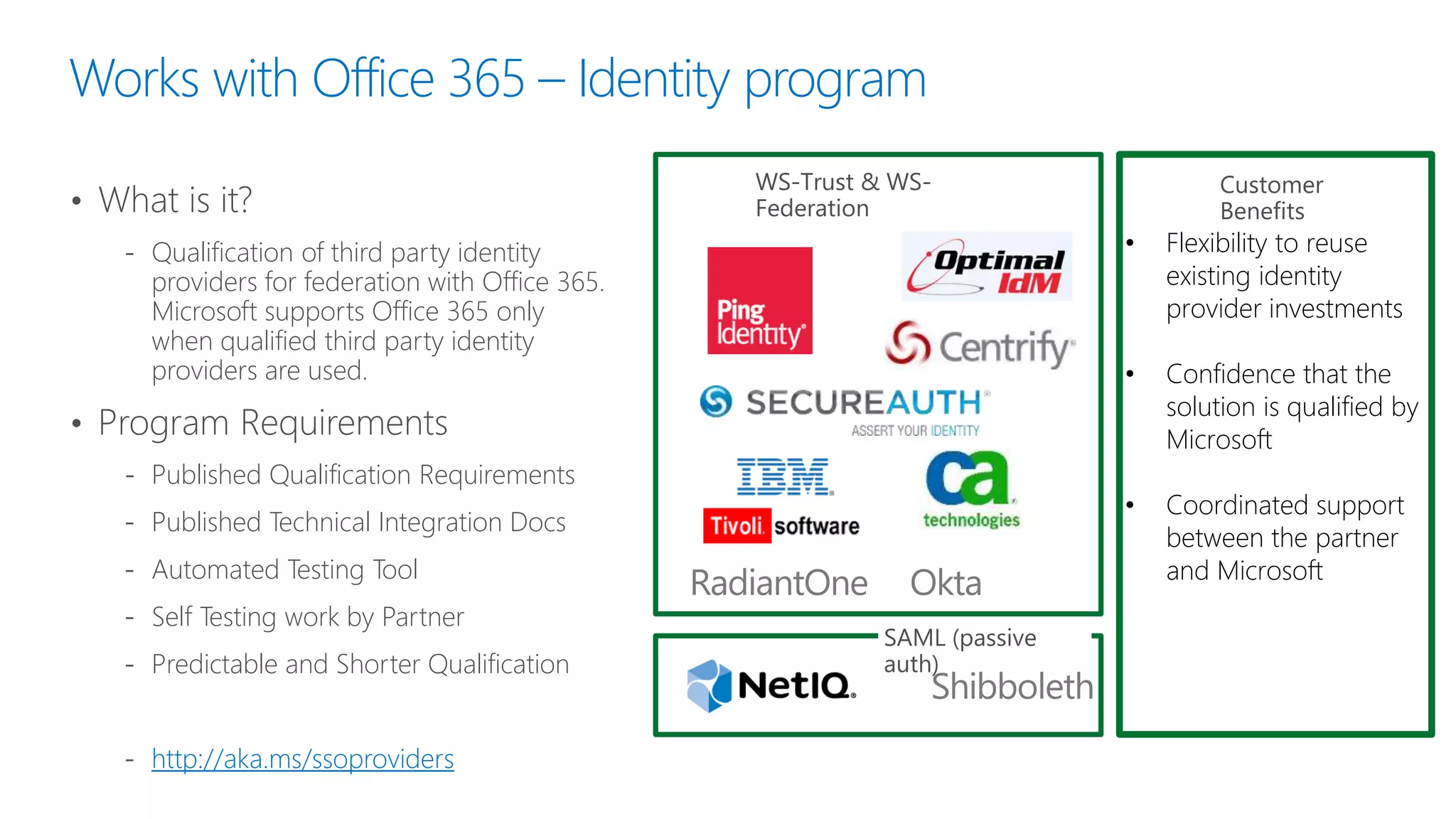
Works with Office 365 – Identity program
• What is it?
‐ Qualification of third party identity
providers for federation with Office 365.
Microsoft supports Office 365 only
when qualified third party identity
providers are used.
• Program Requirements
‐ Published Qualification Requirements
‐ Published Technical Integration Docs
‐ Automated Testing Tool
‐ Self Testing work by Partner
‐ Predictable and Shorter Qualification
‐ http://aka.ms/ssoproviders
*For representative purposes
only.
WS-Trust & WS-
Federation
SAML (passive
auth)
• Flexibility to reuse
existing identity
provider investments
• Confidence that the
solution is qualified by
Microsoft
• Coordinated support
between the partner
and Microsoft
Customer
Benefits
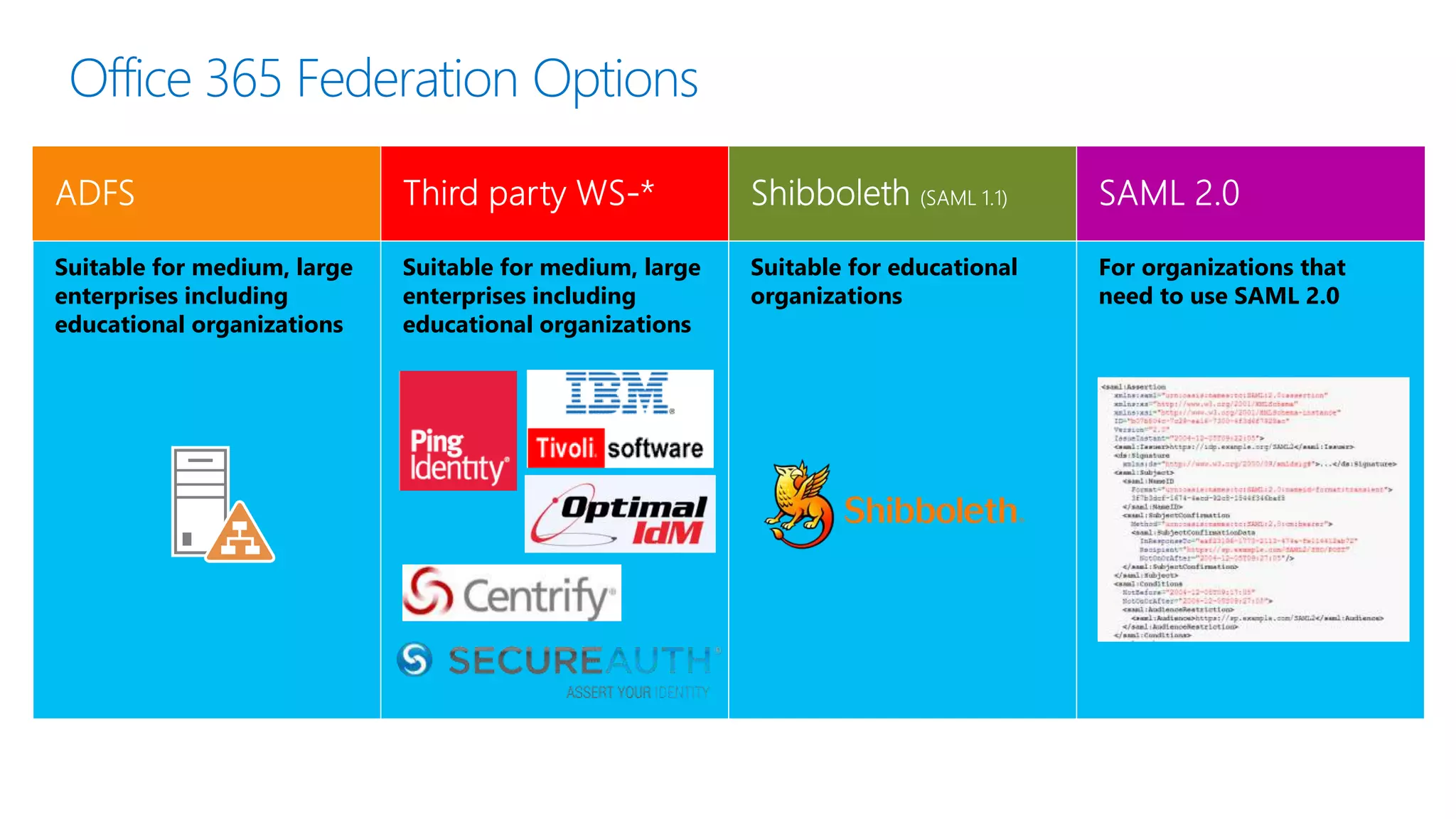
Office 365 Federation Options
Suitable for medium, large
enterprises including
educational organizations
Suitable for medium, large
enterprises including
educational organizations
Suitable for educational
organizations
For organizations that
need to use SAML 2.0
Closing Thoughts
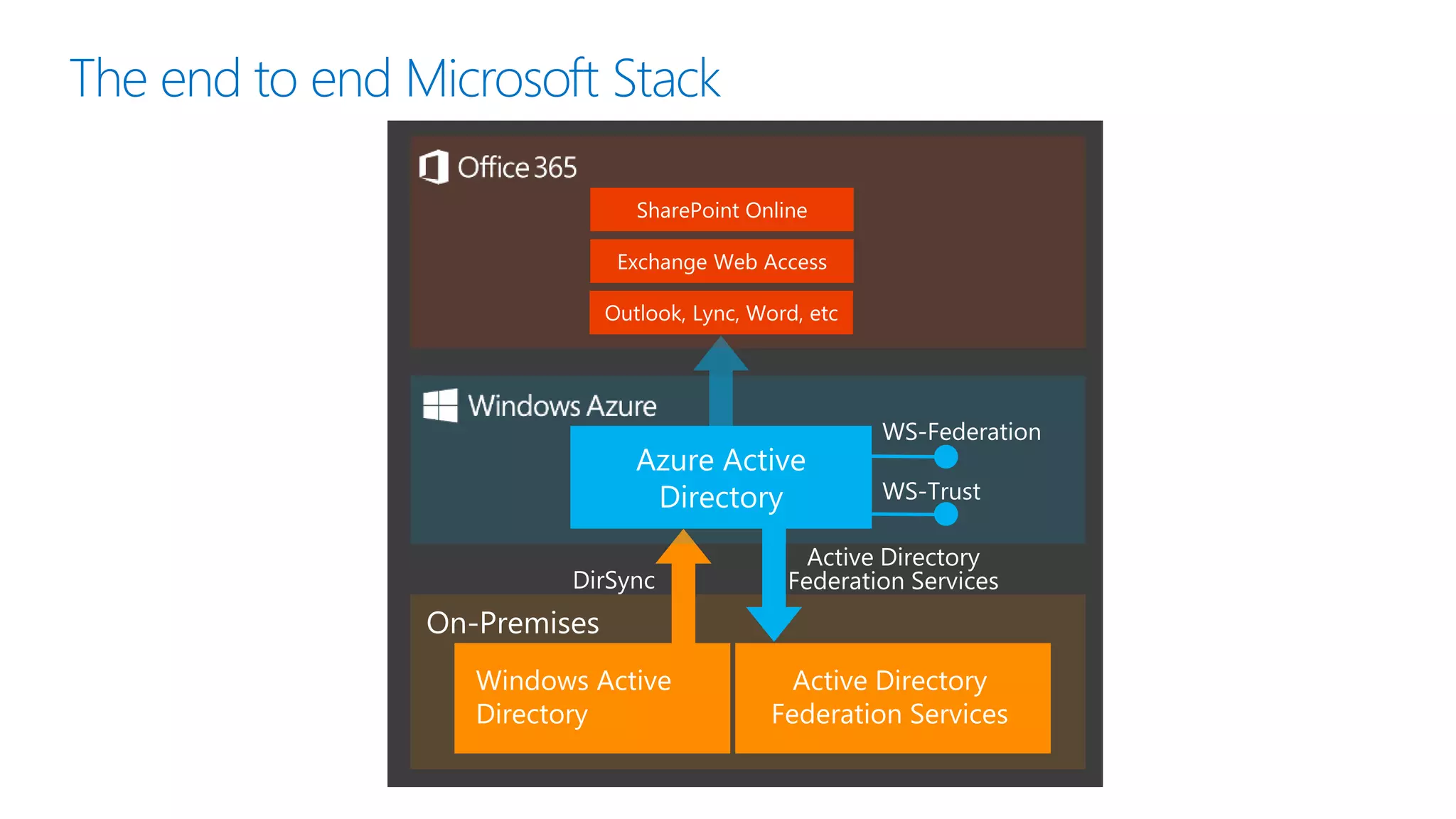
The end to end Microsoft Stack
WS-Federation
WS-Trust
Agenda
Identity Management in Office 365
Identity Scenarios
Synchronisation Demo
Add-ons and More to Think About




Resources
• Use third-party identity providers to
implement single sign-on
• Deployment scenarios for Office 365
with single sign-on and Azure
• Choosing a sign-in model for Office
365
• Password hash sync simplifies user
management for Office 365
• Using Alternate Login IDs with
Azure Active Directory
• Office 365 SAML 2.0 Federation
Implementer’s Guide
• Simplified login to Yammer from
Office 365
• Multi-Factor Authentication for
Office 365
• Office 365 User Account
Management

SPSVB - Office 365 and Cloud Identity - What Does It Mean for Me?

  • 1.
    Office 365 andCloud Identity What does it mean for me? Scott Hoag Dan Usher
  • 4.
    Agenda Identity Management inOffice 365 Identity Scenarios Synchronisation Demo Add-ons and More to Think About 1 2 3 4
  • 5.
  • 6.
    Terminology What is IdentityManagement? “Identity management (IdM) describes the management of individual principals, their authentication, authorisation, and privileges within or across system and enterprise boundaries with the goal of increasing security and productivity while decreasing cost, downtime and repetitive tasks.” https://en.wikipedia.org/wiki/Identity_management
  • 7.
    Determining which actionsan authenticated entity is authorized to perform on the network Terminology Verifying that a user, device, or service such as an application provided on a network server is the entity that it claims to be. Authentication Authorization
  • 8.
    Terminology  Single SignOn (SSO) is the ability for two disjoint Identity Providers (IDP) to trust each other such that a user logged in to one does not need to log in again for the second  Relying Party (RP) is the system that relies on the IDP to authenticate a user Security Assertion Markup Language (SAML) SAML is a public standard managed by OASIS. SAML is the identity token and also the protocol. WSFED is used for web browser-based authentication with an IDP. WS-Trust is used by Office client apps to authenticate.* WS-Federation (WSFED) / WS-Trust
  • 9.
    Identity Synchronisation andFederation WS-Federation WS-Trust SAML 2.0 Metadata Shibboleth Graph API
  • 10.
    Microsoft Identity Services User MicrosoftAccount Ex: alice@outlook.com User Organizational Account Ex: alice@contoso.com Microsoft Account Azure Active Directory
  • 11.
    Azure Active Directory Whatis AAD? “Azure Active Directory is a comprehensive identity and access management cloud solution that provides a robust set of capabilities to manage users and groups and help secure access to applications including Microsoft online services like Office 365 and a world of non-Microsoft SaaS applications.”
  • 12.
  • 14.
    Choosing a Model CloudIdentity Zero on-premises servers On-premises directory restructuring Pilots and Proof of Concept
  • 15.
    Choosing a Model SynchronizedIdentity Federation is not required Simple Sign On is acceptable
  • 16.
    Choosing a Model FederatedIdentity Already have ADFS or a 3rd party IDP Require immediate disable or Sign-in Audit SSO is required Multiple Forests CAC or on-premises MFA Business requires it
  • 17.
  • 18.
  • 19.
    The Setup What arewe going to do? • Office 365 E3 Tenant • Configure DirSync ‐ Users in targeted OU ‐ One way password sync ‐ Alternate Login ID
  • 20.
    Prepare and DownloadDirSync • Logon to the Portal • Select Users and groups and then activate DirSync ‐ Select Users and Groups and click Set up Active Directory synchronization ‐ Activate Directory Synchronization • Wait for DirSync to enable • Review all documentation, follow the implementation steps, and download DirSync
  • 21.
    Install DirSync • Logonto DirSync server and run setup • Follow setup wizard • When finished, option to start the configuration wizard
  • 22.
    Configure DirSync • Runconfiguration wizard • Provide O365admin creds • Provide AD admin creds • If Exchange hybrid, configure “write-back” • Password sync option • Create configuration • When finished, option to run synchronization
  • 23.
  • 24.
    Alternate Login ID Whenyour on-premises UPN is non-routable on the public internet and you can’t easily update UPN suffixes Requires Windows Server 2012 R2 for AD FS* Requires comfort with FIM and editing Management Agents
  • 25.
    Azure AD SyncServices • DirSync for LDAPv3 ‐ Supports multiple forests ‐ Doesn’t include password hash sync ‐ Includes write back capability with Azure AD Premium subscription • Availability ‐ Relase now available at: http://www.microsoft.com/en-us/download/details.aspx?id=44225 ‐ Available today • Target Identity Providers ‐ Same as FIM 2010 R2 connector ‐ FIM connector details at http://go.microsoft.com/fwlink/?LinkID=270179
  • 26.
    Office Client PassiveAuthentication • SSO with passive authentication ‐ Works with WSFED and SAML 2.0 • Planned for later in 2014 • Will require Office Client updates ‐ Move to Active Directory Authentication Library (ADAL) ‐ OAUTH for passive authentication ‐ Support for MFA with AAD ‐ CAC/PIV support SAML 2.0
  • 27.
    Works with Office365 – Identity program • What is it? ‐ Qualification of third party identity providers for federation with Office 365. Microsoft supports Office 365 only when qualified third party identity providers are used. • Program Requirements ‐ Published Qualification Requirements ‐ Published Technical Integration Docs ‐ Automated Testing Tool ‐ Self Testing work by Partner ‐ Predictable and Shorter Qualification ‐ http://aka.ms/ssoproviders *For representative purposes only. WS-Trust & WS- Federation SAML (passive auth) • Flexibility to reuse existing identity provider investments • Confidence that the solution is qualified by Microsoft • Coordinated support between the partner and Microsoft Customer Benefits
  • 28.
    Office 365 FederationOptions Suitable for medium, large enterprises including educational organizations Suitable for medium, large enterprises including educational organizations Suitable for educational organizations For organizations that need to use SAML 2.0
  • 29.
  • 30.
    The end toend Microsoft Stack WS-Federation WS-Trust
  • 31.
    Agenda Identity Management inOffice 365 Identity Scenarios Synchronisation Demo Add-ons and More to Think About    
  • 33.
    Resources • Use third-partyidentity providers to implement single sign-on • Deployment scenarios for Office 365 with single sign-on and Azure • Choosing a sign-in model for Office 365 • Password hash sync simplifies user management for Office 365 • Using Alternate Login IDs with Azure Active Directory • Office 365 SAML 2.0 Federation Implementer’s Guide • Simplified login to Yammer from Office 365 • Multi-Factor Authentication for Office 365 • Office 365 User Account Management