




Enterprise PowerApps – Rich Apps
with Offline Support and On-
Premises Data
Chris O’Brien (MVP)
Independent/Content and Code
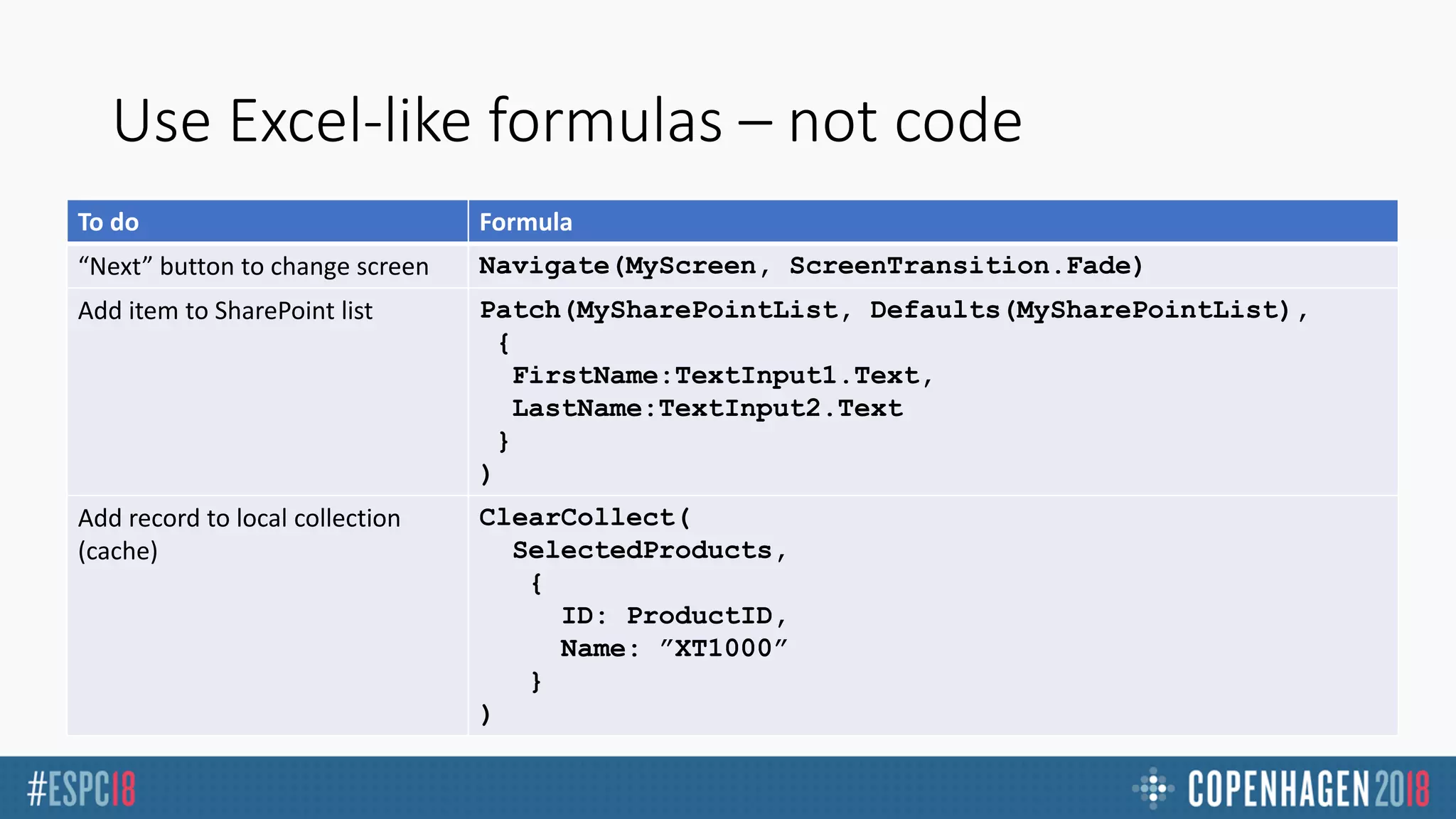
Use Excel-like formulas – not code
To do Formula
“Next” button to change screen Navigate(MyScreen, ScreenTransition.Fade)
Add item to SharePoint list Patch(MySharePointList, Defaults(MySharePointList),
{
FirstName:TextInput1.Text,
LastName:TextInput2.Text
}
)
Add record to local collection
(cache)
ClearCollect(
SelectedProducts,
{
ID: ProductID,
Name: ”XT1000”
}
)
Not required
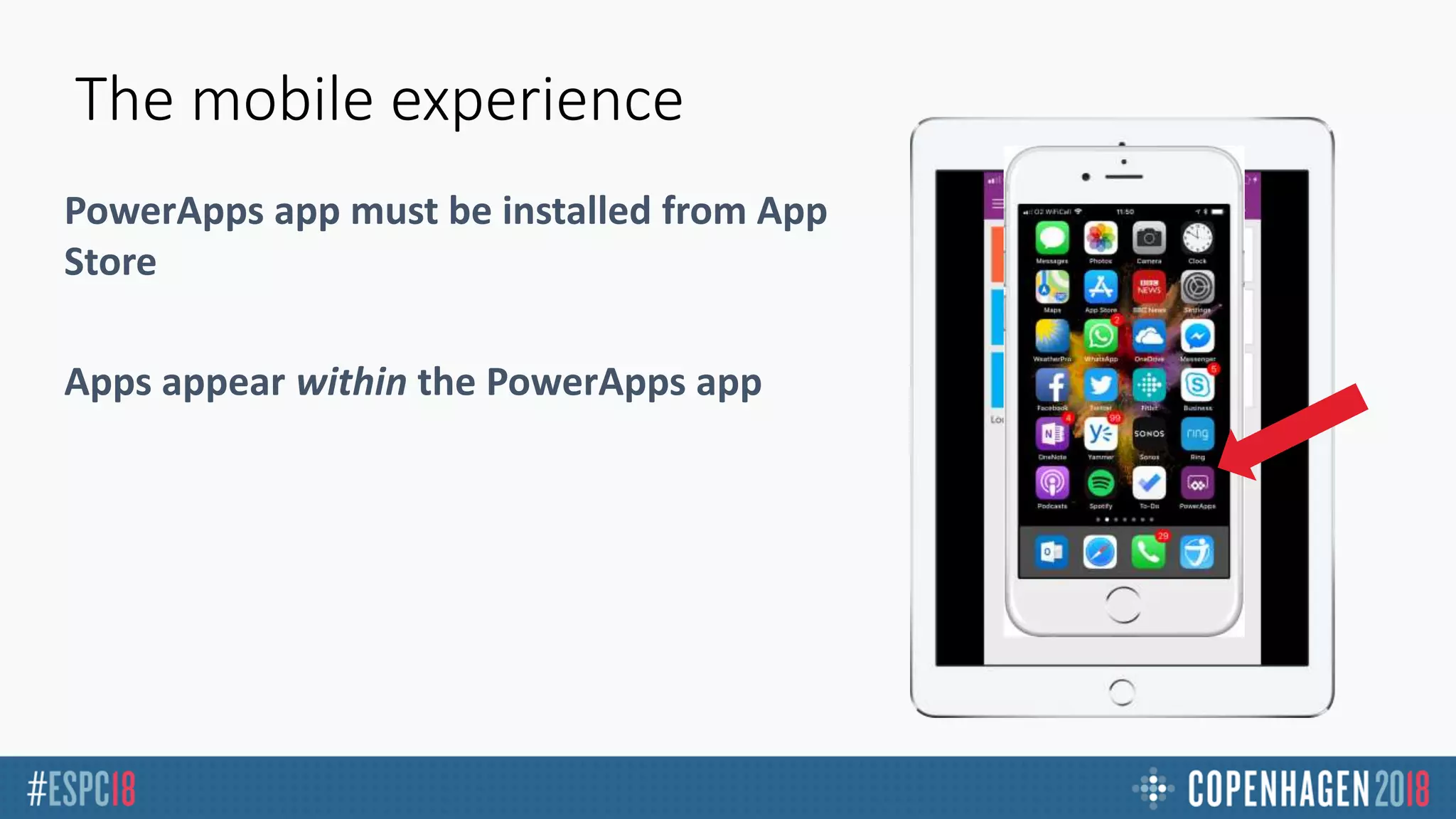
The mobile experience
PowerApps app must be installed from App
Store
Apps appear within the PowerApps app
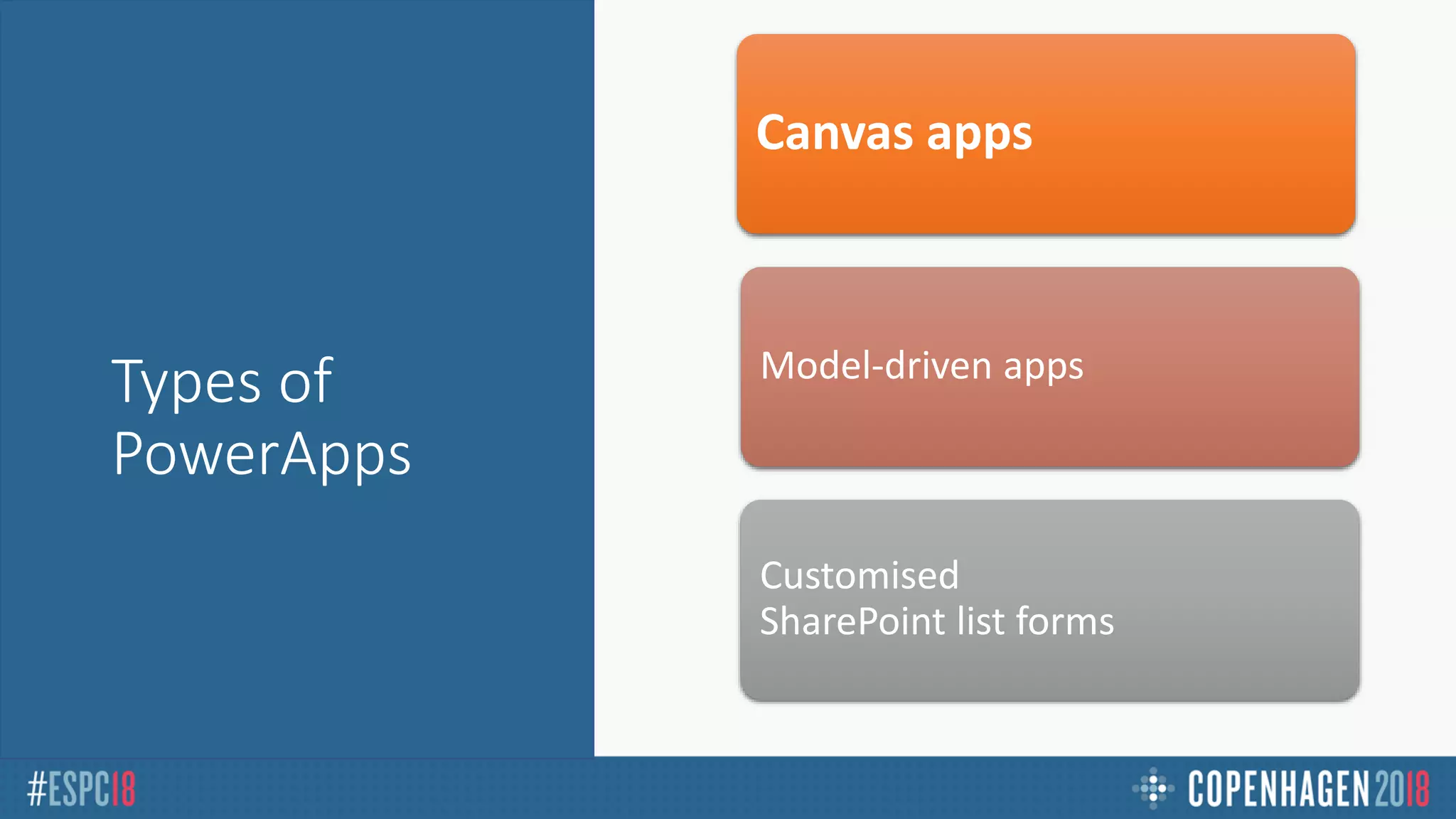
Types of
PowerApps
Canvas apps
Model-driven apps
Customised
SharePoint list forms
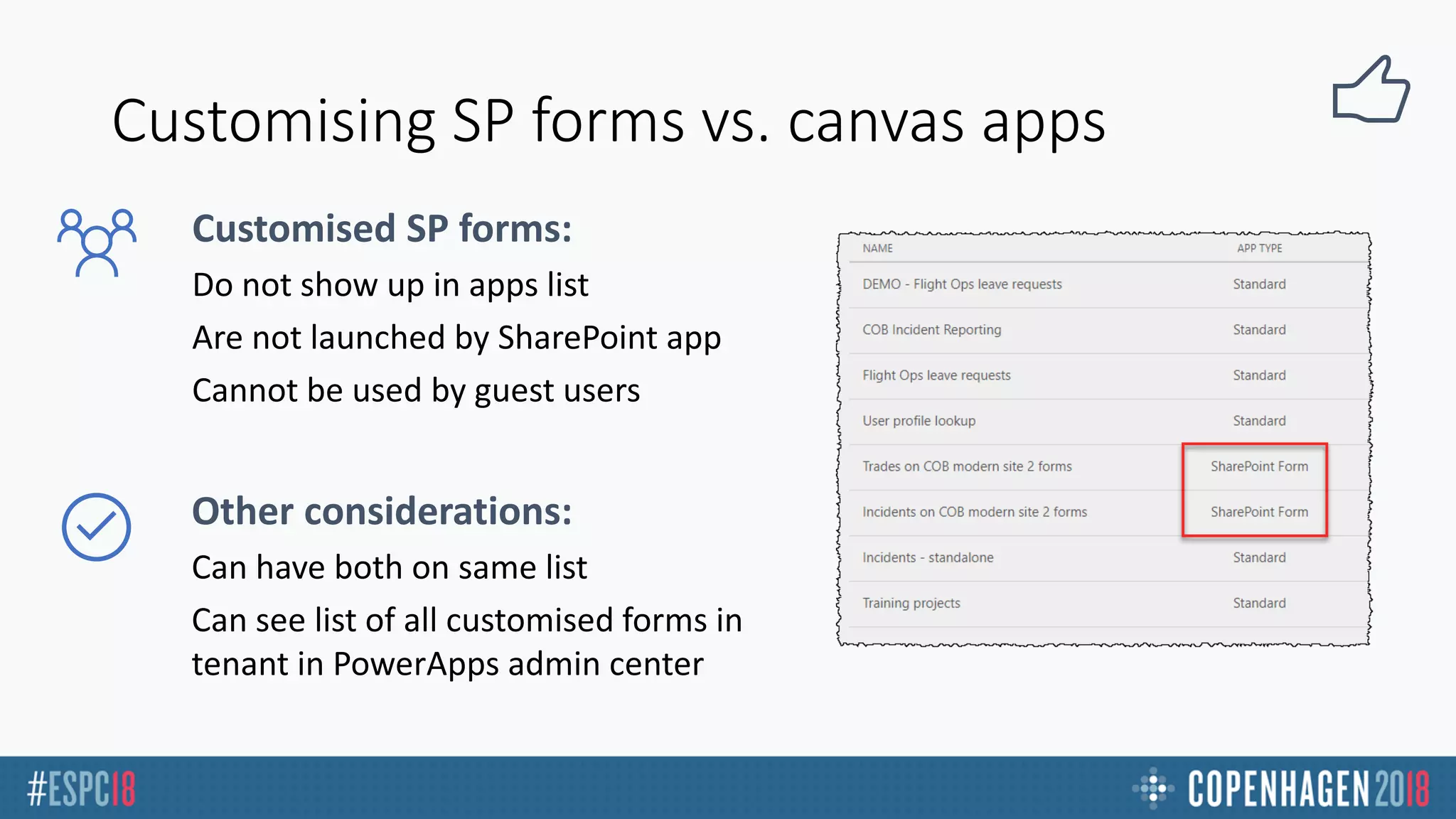
Customising SP forms vs. canvas apps
Customised SP forms:
Other considerations:
CASE STUDY APP
Pilot/crew leave requests
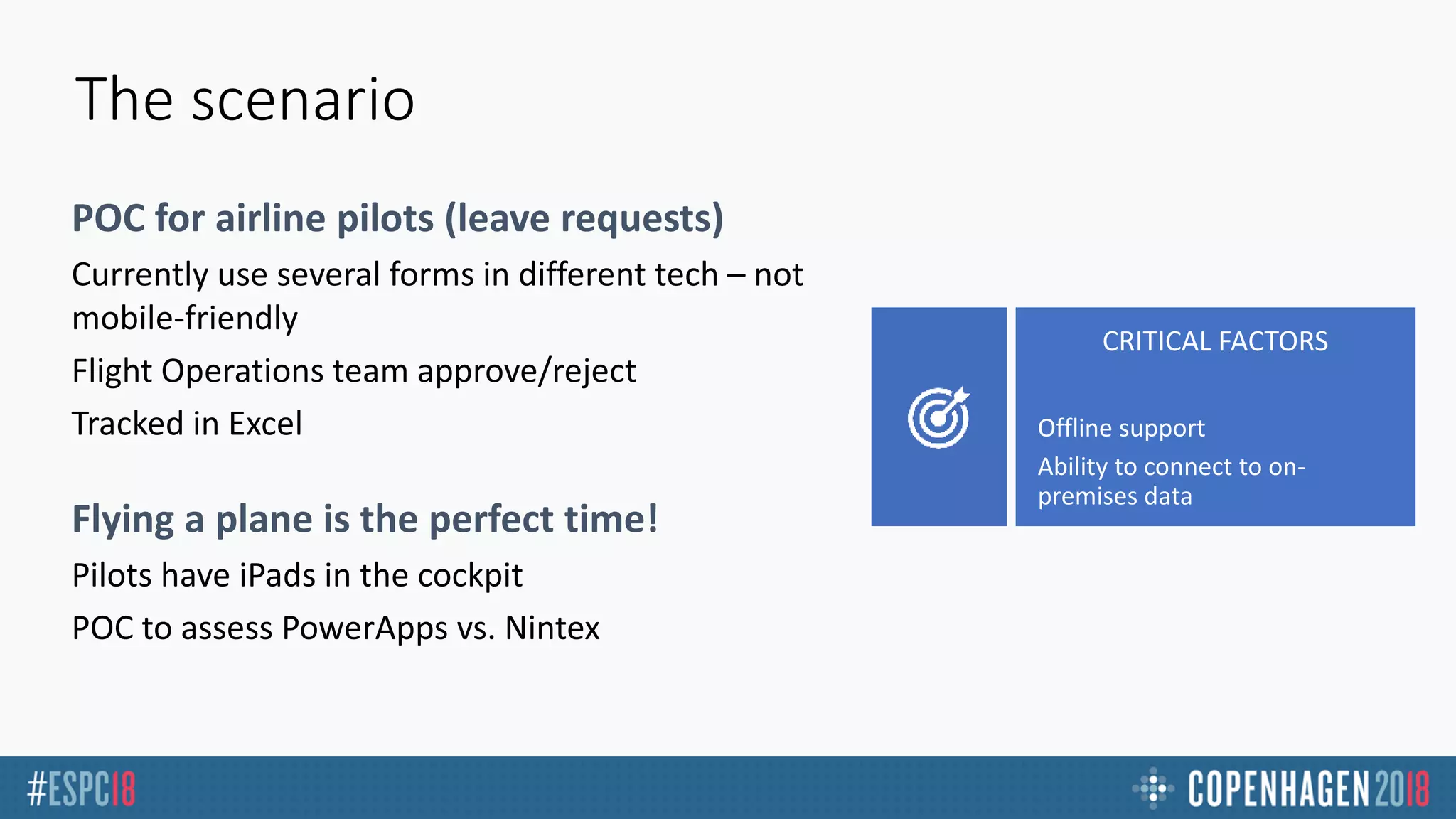
The scenario
POC for airline pilots (leave requests)
Flying a plane is the perfect time!
Offline support
Ability to connect to on-
premises data
DEMO – Leave
Requests
PowerApp
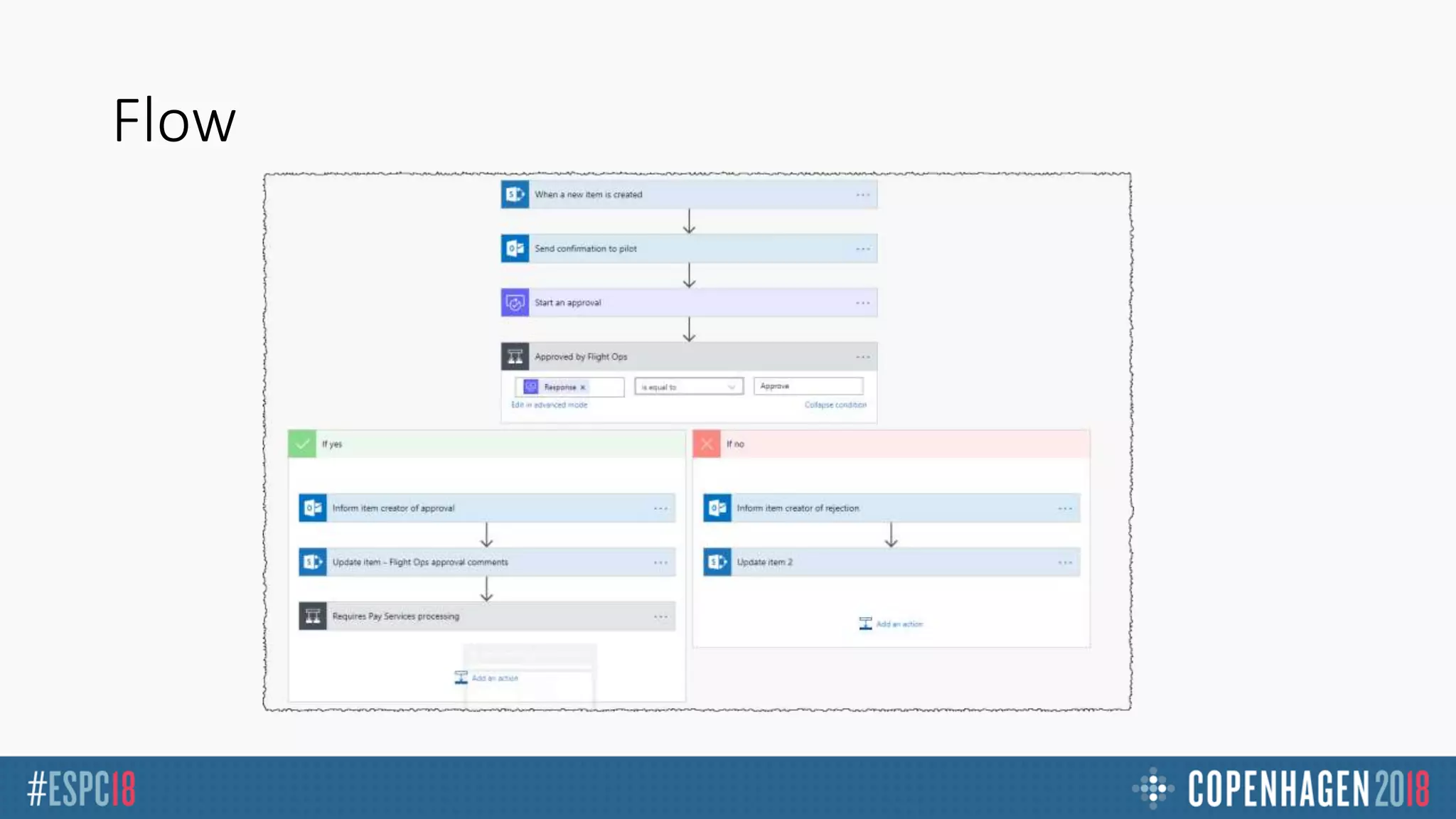
Flow
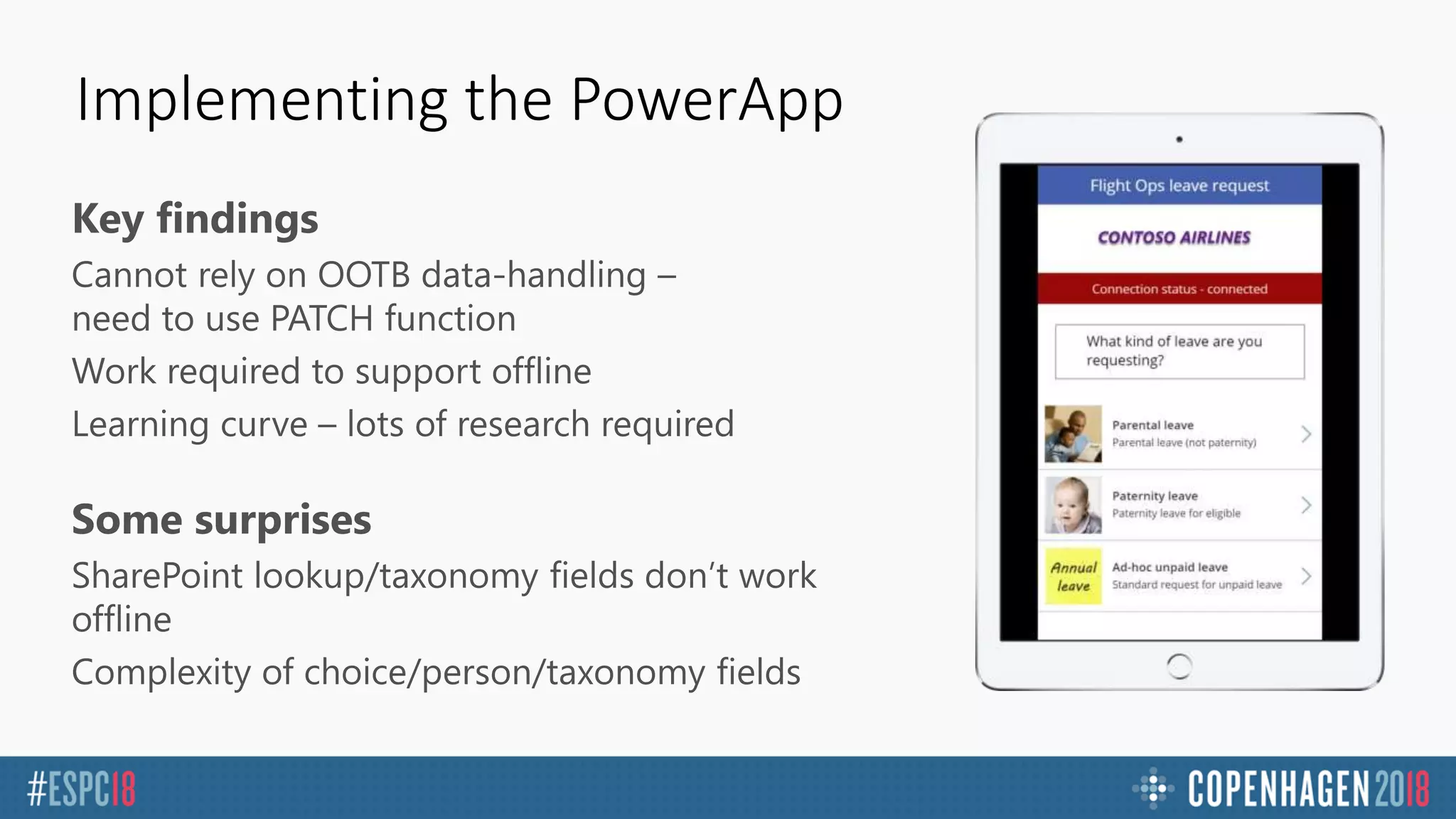
Implementing the PowerApp
Key findings
Some surprises
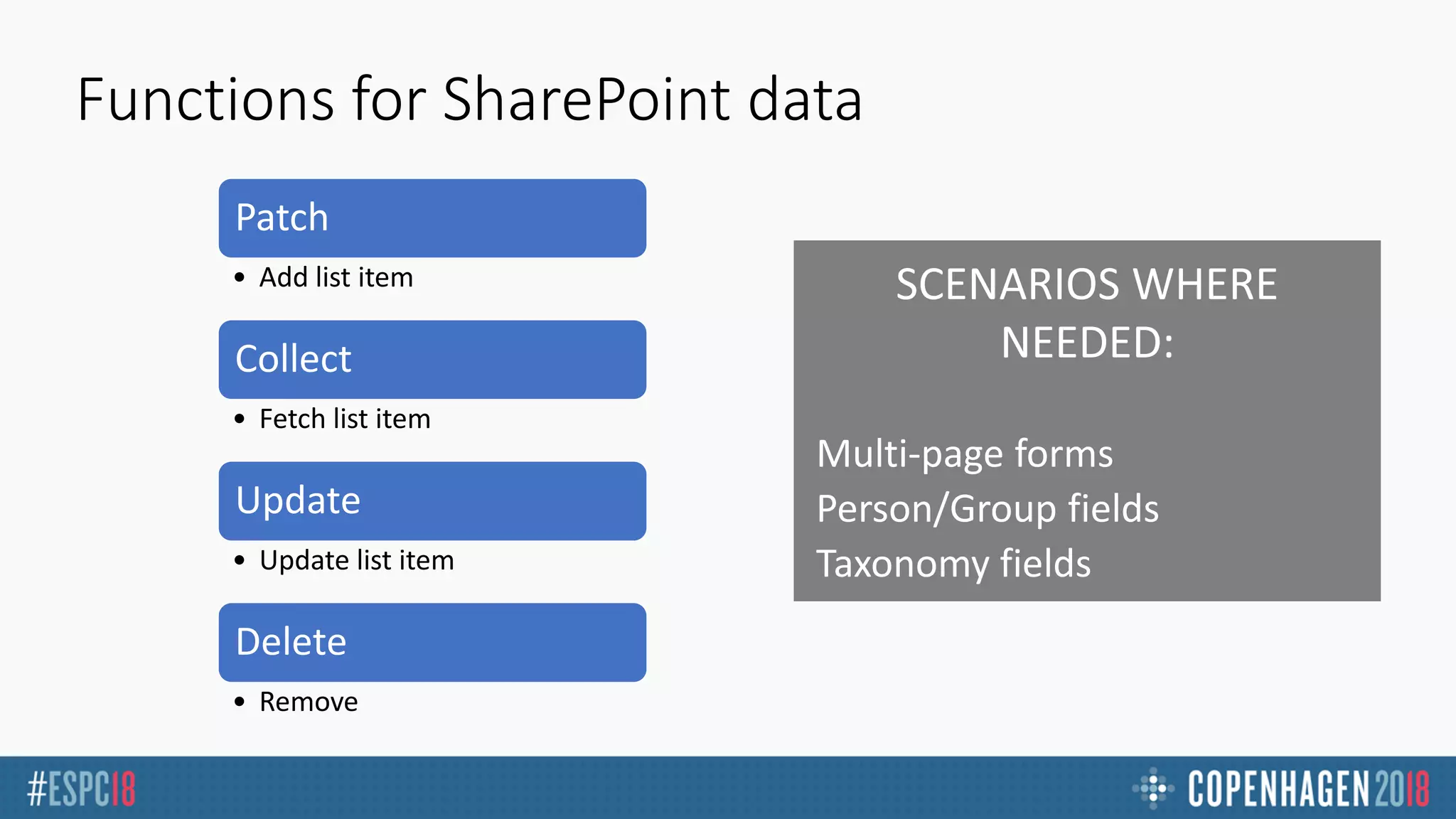
Functions for SharePoint data
Patch
• Add list item
Collect
• Fetch list item
Update
• Update list item
Delete
• Remove
Multi-page forms
Person/Group fields
Taxonomy fields
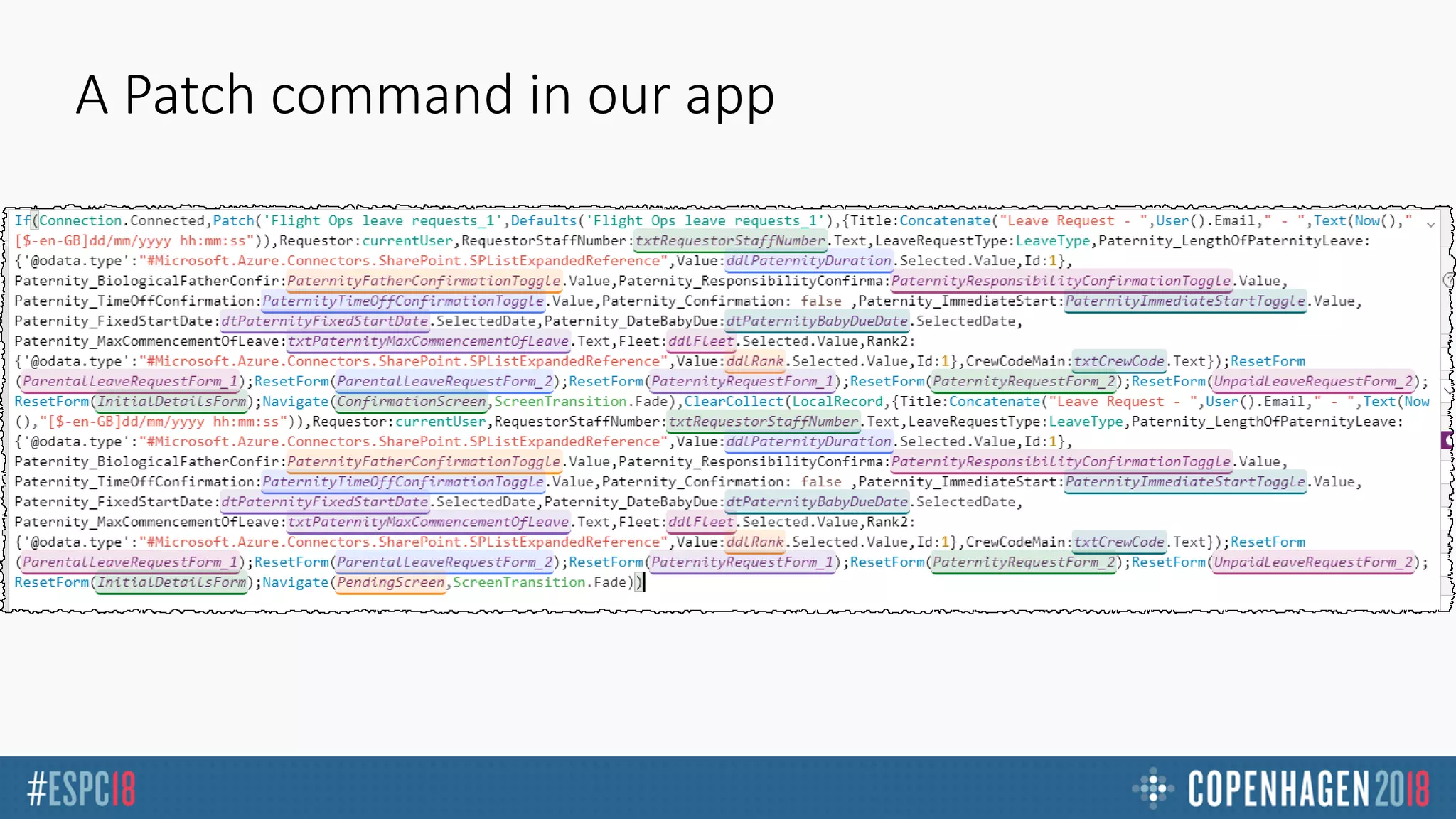
A Patch command in our app
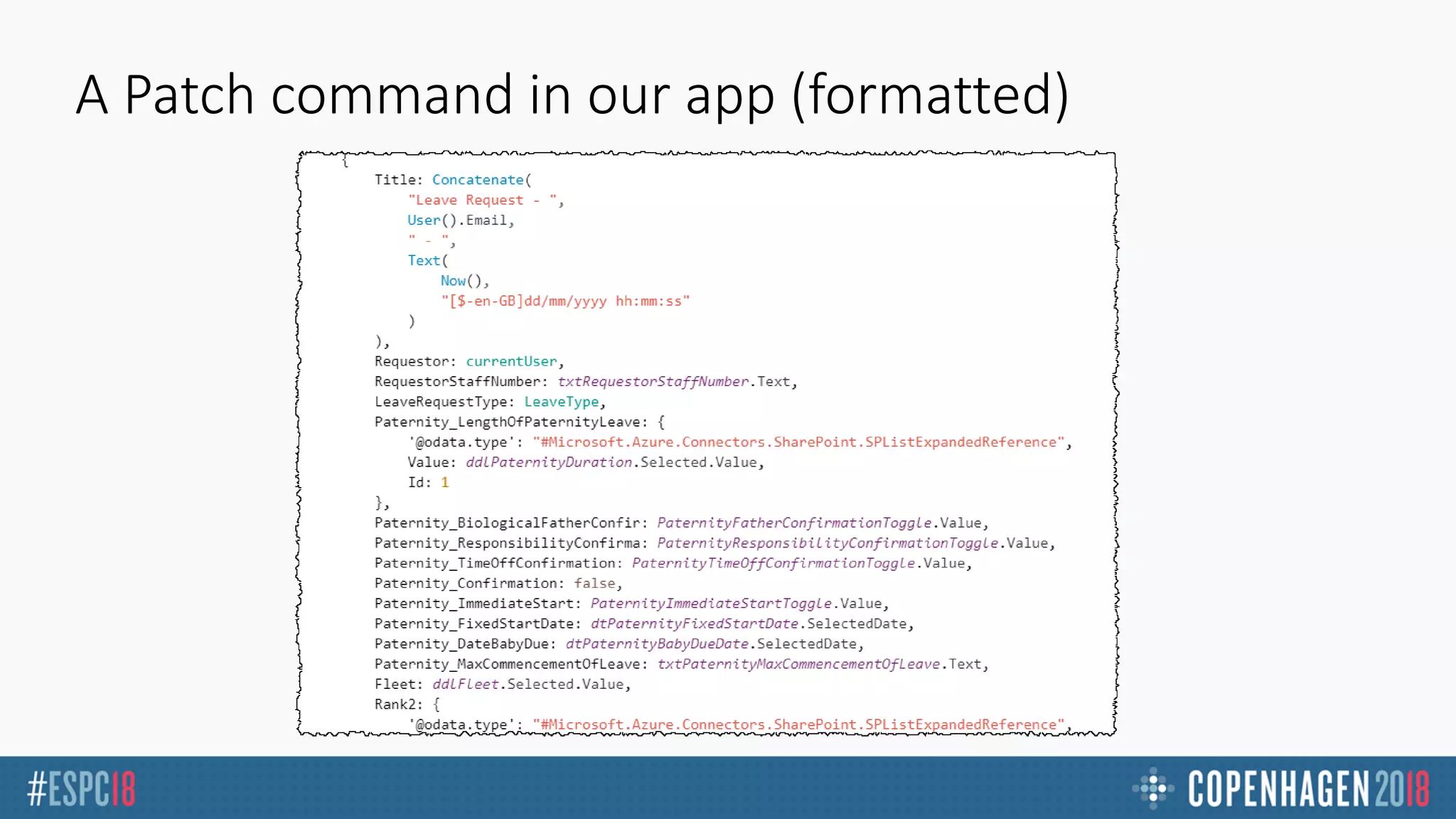
A Patch command in our app (formatted)
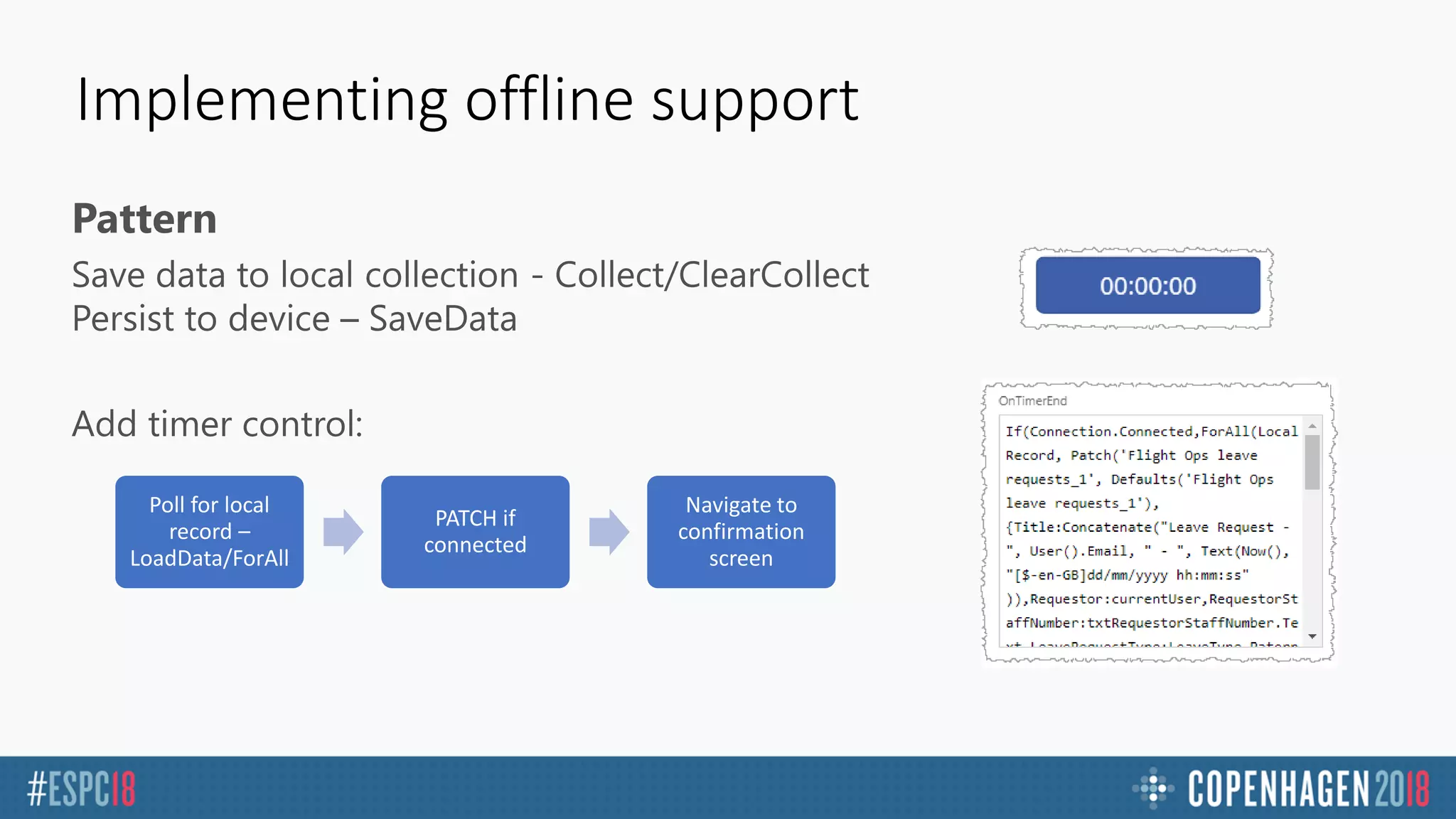
Implementing offline support
Pattern
Poll for local
record –
LoadData/ForAll
PATCH if
connected
Navigate to
confirmation
screen
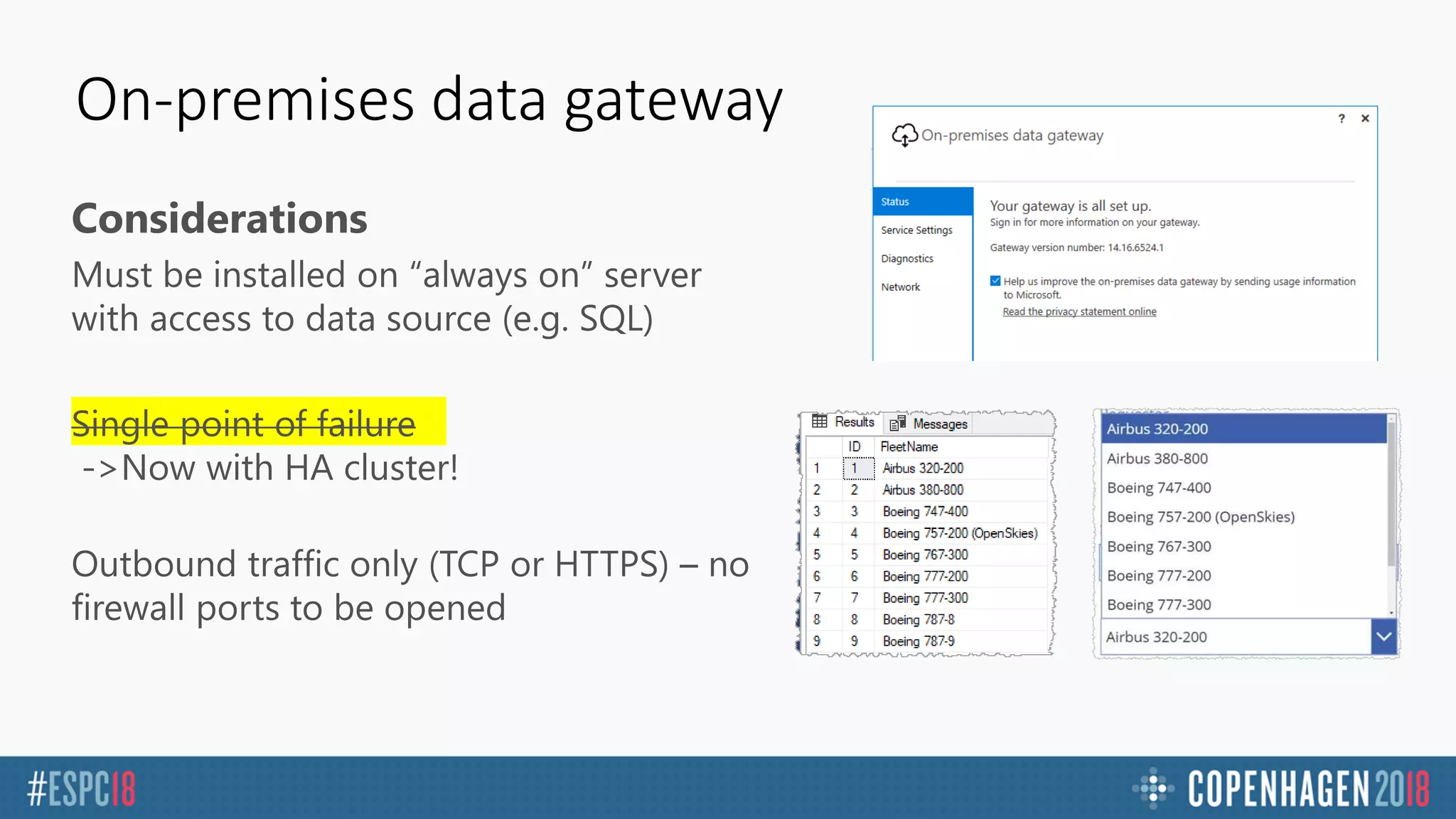
On-premises data gateway
Considerations
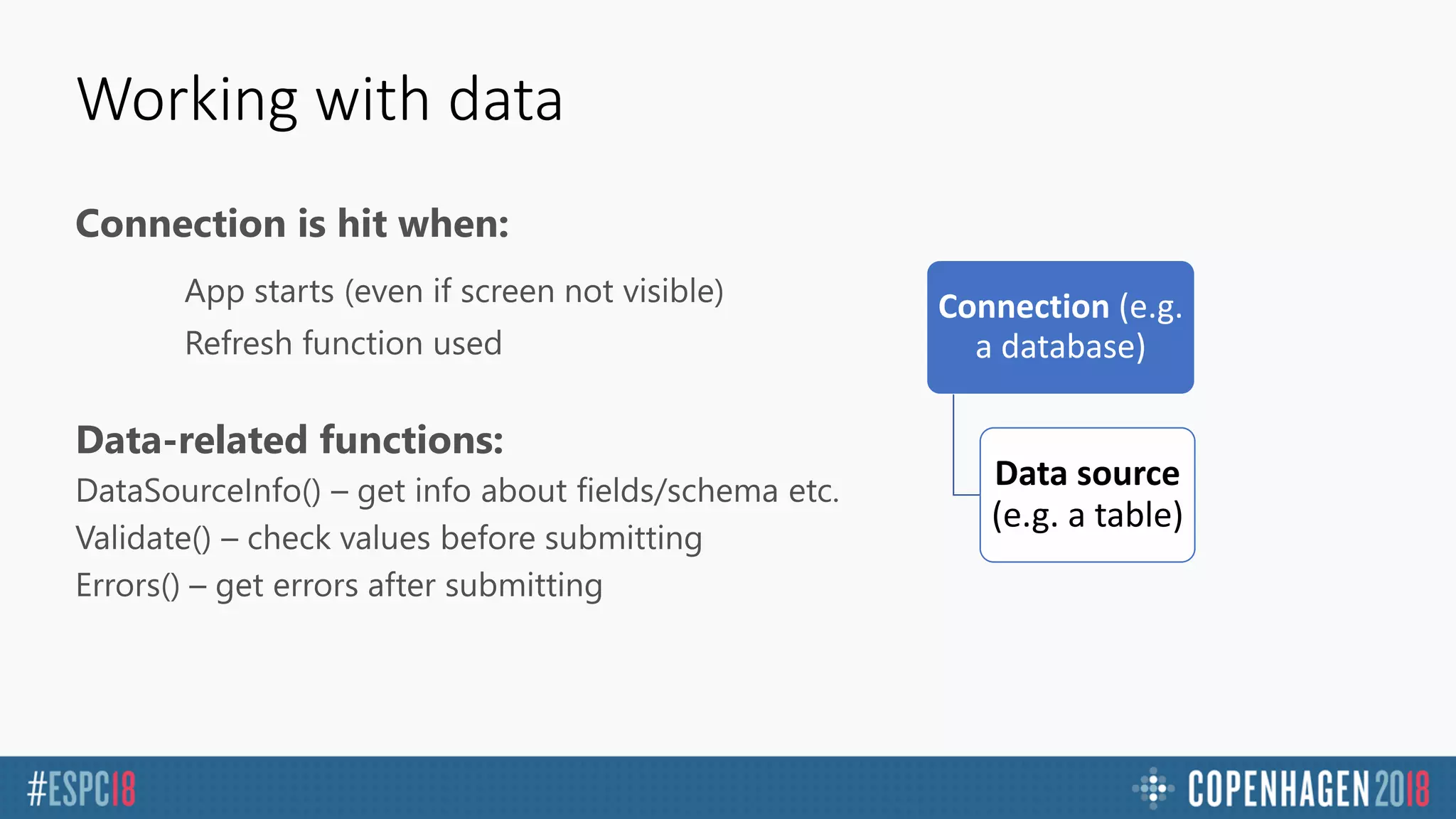
Working with data
Connection is hit when:
Data-related functions:
Connection (e.g.
a database)
Data source
(e.g. a table)
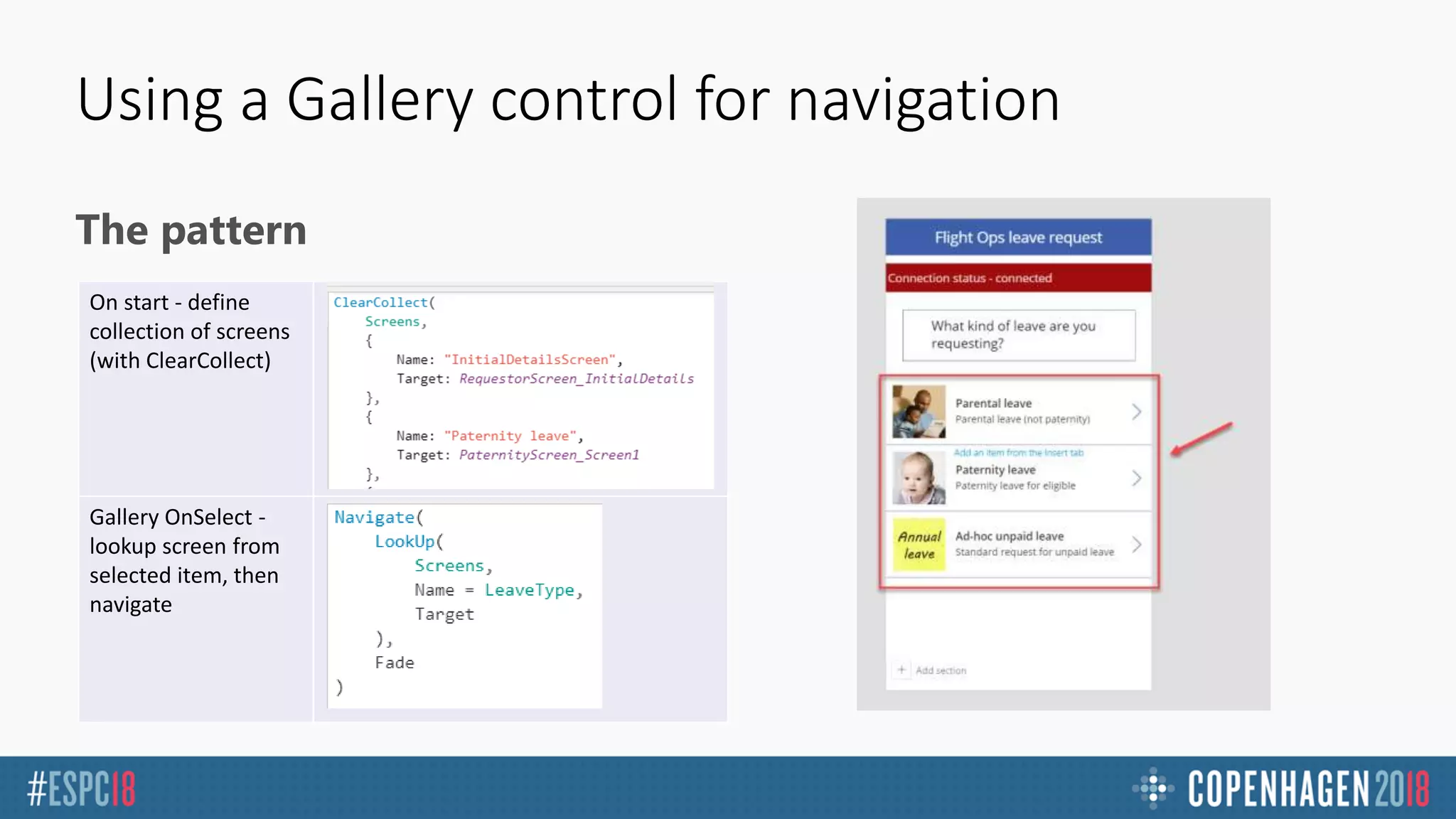
Using a Gallery control for navigation
The pattern
On start - define
collection of screens
(with ClearCollect)
Gallery OnSelect -
lookup screen from
selected item, then
navigate
DEMO –
Implementing
offline and
integrating data
PowerApps tips
Performance, key functions, responsive apps
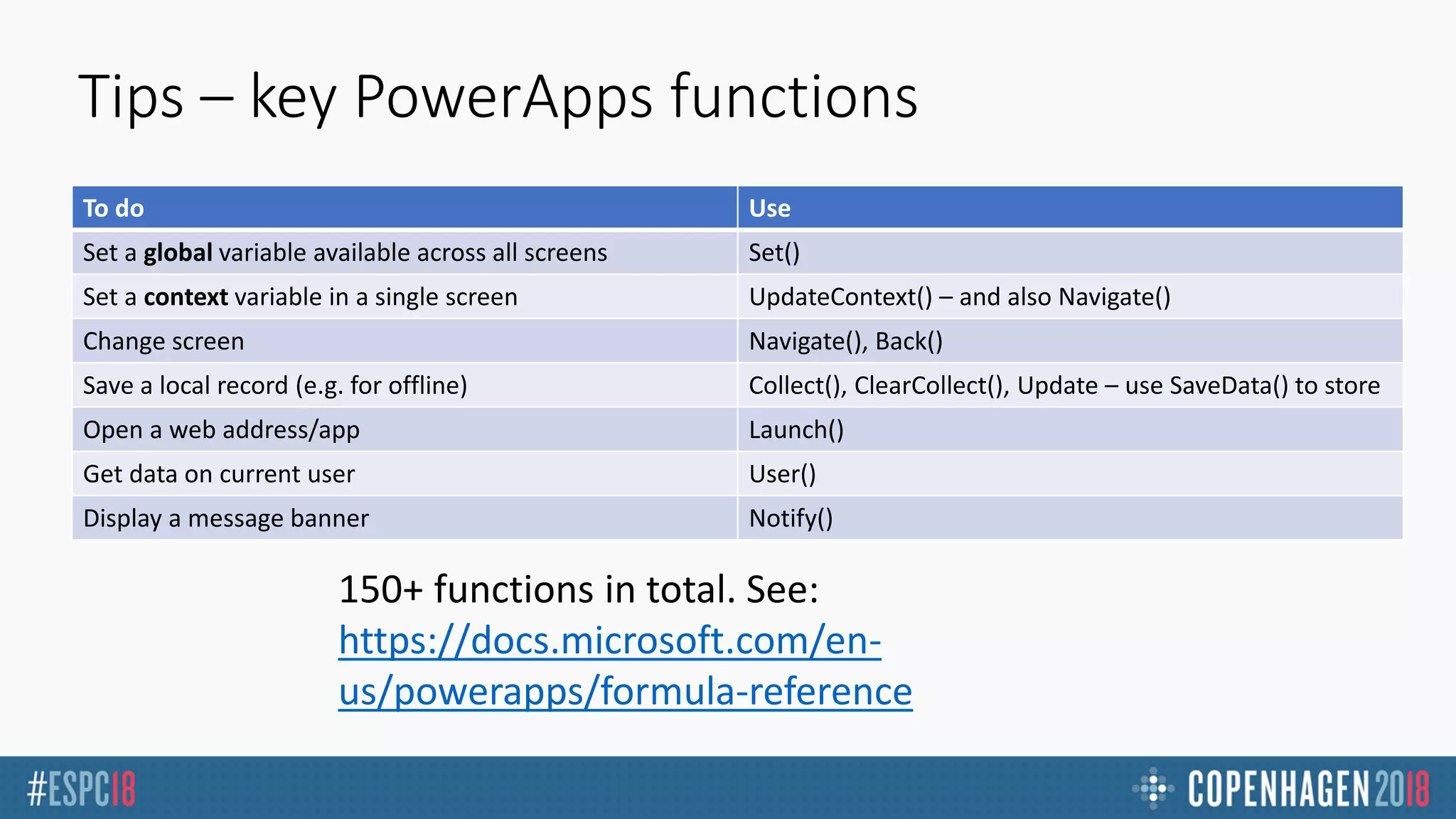
Tips – key PowerApps functions
To do Use
Set a global variable available across all screens Set()
Set a context variable in a single screen UpdateContext() – and also Navigate()
Change screen Navigate(), Back()
Save a local record (e.g. for offline) Collect(), ClearCollect(), Update – use SaveData() to store
Open a web address/app Launch()
Get data on current user User()
Display a message banner Notify()
150+ functions in total. See:
https://docs.microsoft.com/en-
us/powerapps/formula-reference
Tips
Get used to:
Lots of fiddly work to generate PATCH command 
Adding a “debug screen” with labels showing variables etc
“Declarative” variables
Variables and If statements
NOT:OnLoad-If(X){Label1.Visible=true}else{Label1.Visible=false}
INSTEAD:Label1.Visible=if(X,false,true)
Conditional display
Adda“rule”tocontrol,usepaneltoconfigurewhatpropertieswhichshouldbeset(e.g.Visible=false)
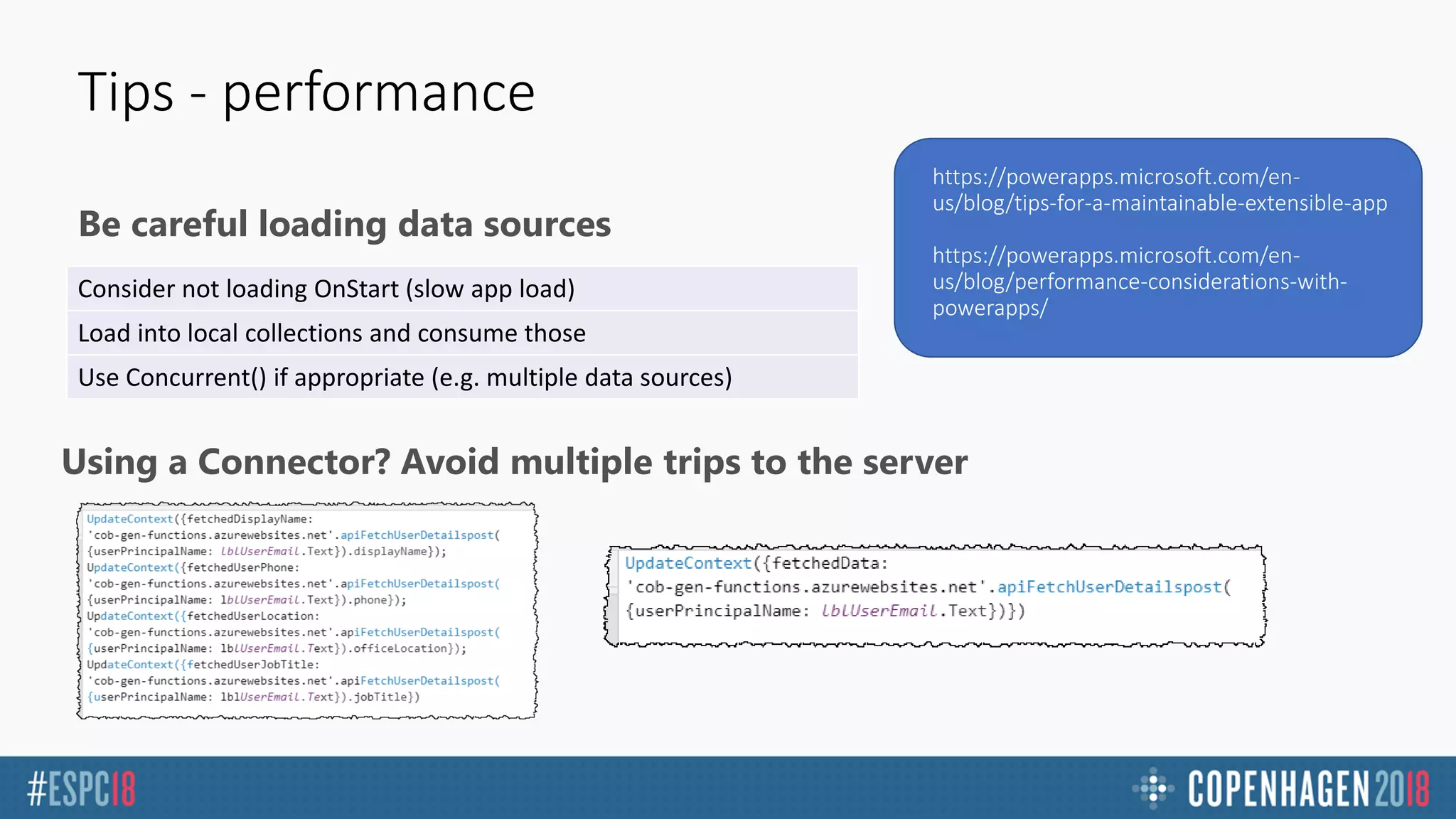
Be careful loading data sources
Tips - performance
https://powerapps.microsoft.com/en-
us/blog/tips-for-a-maintainable-extensible-app
https://powerapps.microsoft.com/en-
us/blog/performance-considerations-with-
powerapps/
Consider not loading OnStart (slow app load)
Load into local collections and consume those
Use Concurrent() if appropriate (e.g. multiple data sources)
Using a Connector? Avoid multiple trips to the server
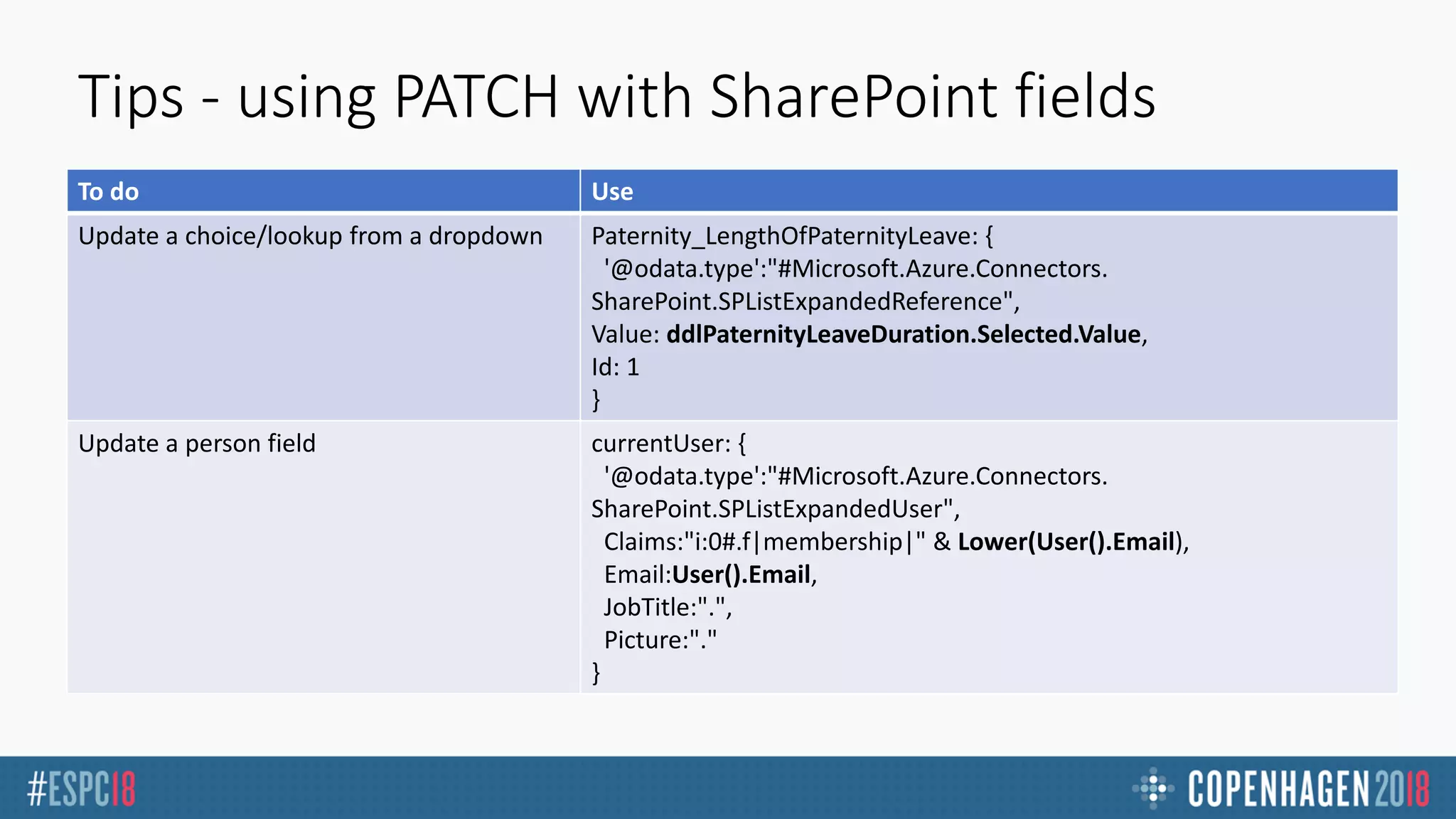
Tips - using PATCH with SharePoint fields
To do Use
Update a choice/lookup from a dropdown Paternity_LengthOfPaternityLeave: {
'@odata.type':"#Microsoft.Azure.Connectors.
SharePoint.SPListExpandedReference",
Value: ddlPaternityLeaveDuration.Selected.Value,
Id: 1
}
Update a person field currentUser: {
'@odata.type':"#Microsoft.Azure.Connectors.
SharePoint.SPListExpandedUser",
Claims:"i:0#.f|membership|" & Lower(User().Email),
Email:User().Email,
JobTitle:".",
Picture:"."
}
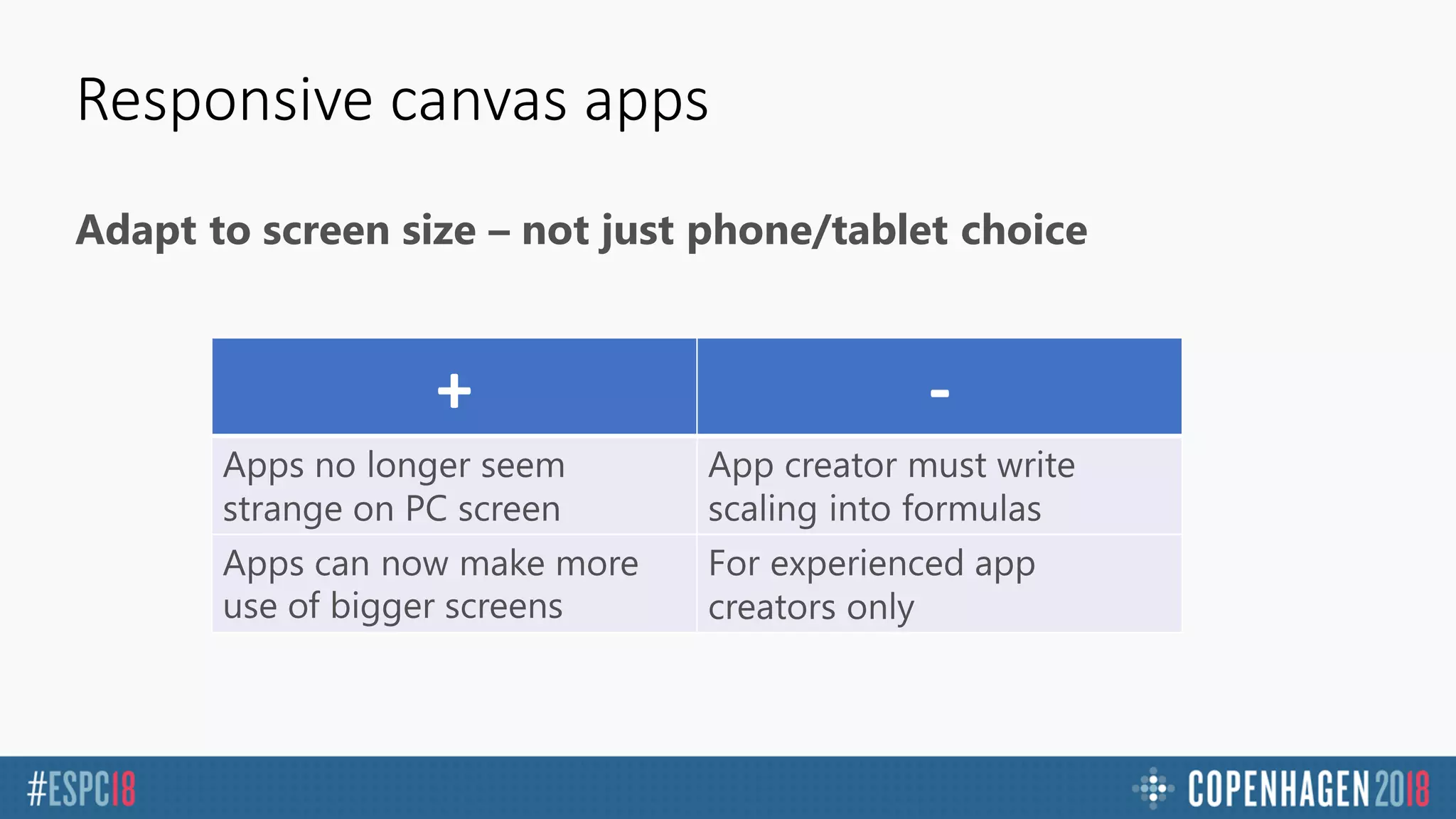
Responsive canvas apps
Adapt to screen size – not just phone/tablet choice
+ -
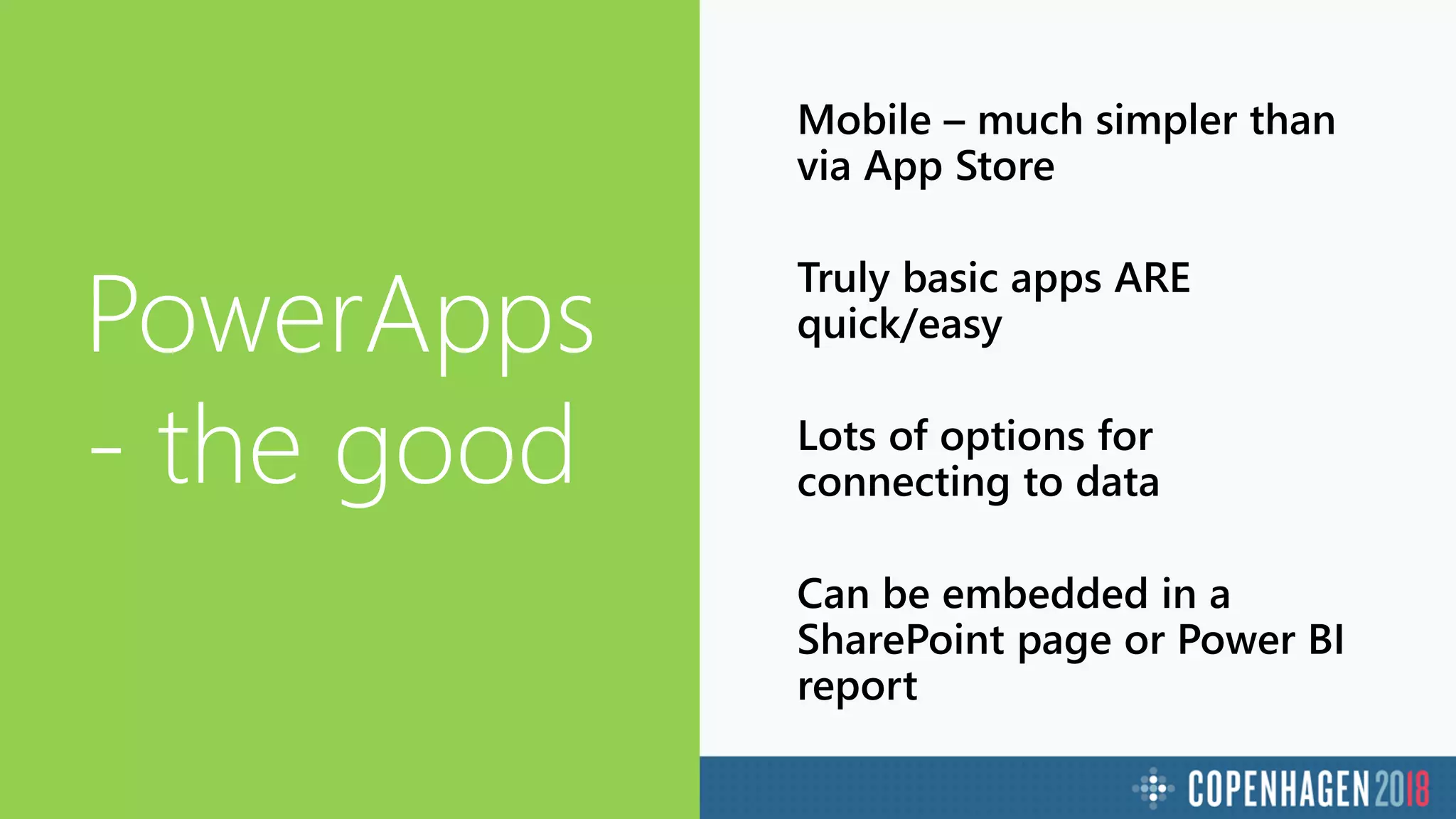
PowerApps
- the good
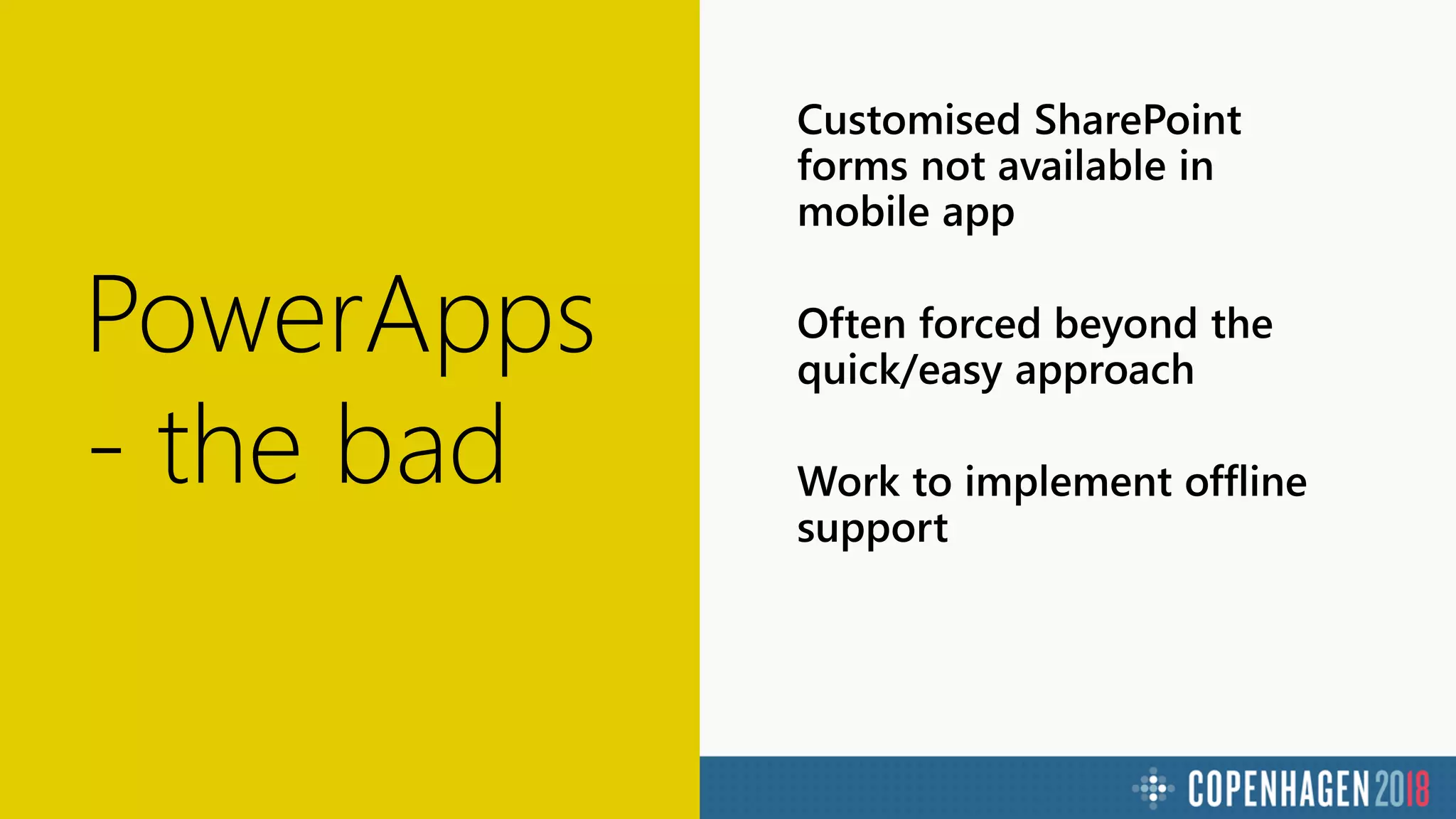
PowerApps
- the bad
PowerApps
- the ugly
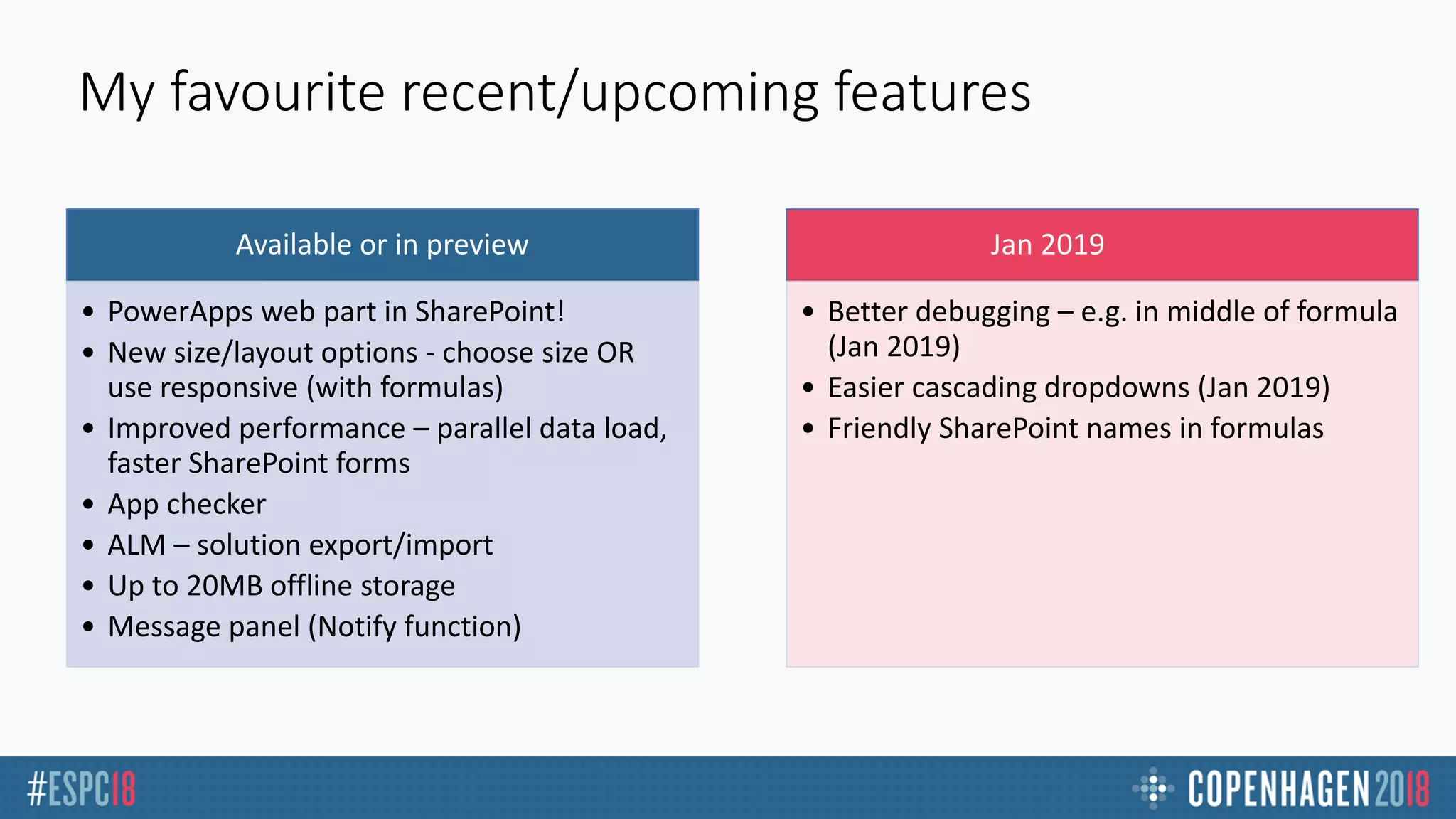
My favourite recent/upcoming features
Available or in preview
• PowerApps web part in SharePoint!
• New size/layout options - choose size OR
use responsive (with formulas)
• Improved performance – parallel data load,
faster SharePoint forms
• App checker
• ALM – solution export/import
• Up to 20MB offline storage
• Message panel (Notify function)
Jan 2019
• Better debugging – e.g. in middle of formula
(Jan 2019)
• Easier cascading dropdowns (Jan 2019)
• Friendly SharePoint names in formulas
Takeaways
PowerApps can be VERY transformative for an org with lots of forms/processes
Very easy to get apps onto mobile devices
“Simple” requirements can sometimes be
difficult to implement
1
2
3
4 PowerApps are going to continue to evolve!
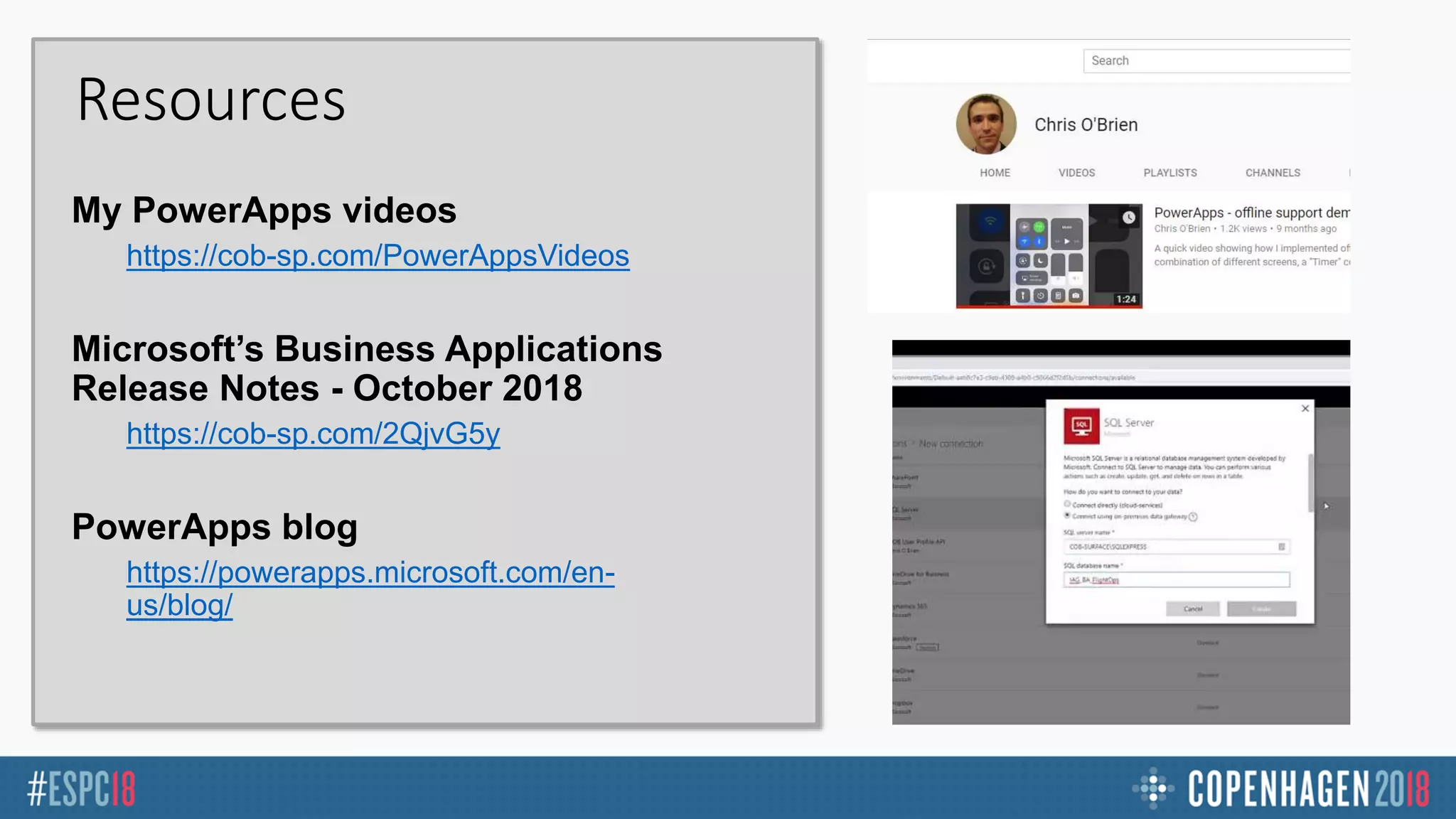
Resources
https://cob-sp.com/PowerAppsVideos
https://cob-sp.com/2QjvG5y
https://powerapps.microsoft.com/en-
us/blog/
Thank you!! 
Any questions?
www.sharepointnutsandbolts.com
@ChrisO_Brien

COB ESPC18 - Rich PowerApps with offline support

  • 1.
    Enterprise PowerApps –Rich Apps with Offline Support and On- Premises Data Chris O’Brien (MVP) Independent/Content and Code
  • 3.
    Use Excel-like formulas– not code To do Formula “Next” button to change screen Navigate(MyScreen, ScreenTransition.Fade) Add item to SharePoint list Patch(MySharePointList, Defaults(MySharePointList), { FirstName:TextInput1.Text, LastName:TextInput2.Text } ) Add record to local collection (cache) ClearCollect( SelectedProducts, { ID: ProductID, Name: ”XT1000” } )
  • 4.
  • 5.
    The mobile experience PowerAppsapp must be installed from App Store Apps appear within the PowerApps app
  • 6.
    Types of PowerApps Canvas apps Model-drivenapps Customised SharePoint list forms
  • 7.
    Customising SP formsvs. canvas apps Customised SP forms: Other considerations:
  • 8.
  • 9.
    The scenario POC forairline pilots (leave requests) Flying a plane is the perfect time! Offline support Ability to connect to on- premises data
  • 10.
  • 11.
  • 12.
    Implementing the PowerApp Keyfindings Some surprises
  • 13.
    Functions for SharePointdata Patch • Add list item Collect • Fetch list item Update • Update list item Delete • Remove Multi-page forms Person/Group fields Taxonomy fields
  • 14.
    A Patch commandin our app
  • 15.
    A Patch commandin our app (formatted)
  • 16.
    Implementing offline support Pattern Pollfor local record – LoadData/ForAll PATCH if connected Navigate to confirmation screen
  • 17.
  • 18.
    Working with data Connectionis hit when: Data-related functions: Connection (e.g. a database) Data source (e.g. a table)
  • 19.
    Using a Gallerycontrol for navigation The pattern On start - define collection of screens (with ClearCollect) Gallery OnSelect - lookup screen from selected item, then navigate
  • 20.
  • 21.
    PowerApps tips Performance, keyfunctions, responsive apps
  • 22.
    Tips – keyPowerApps functions To do Use Set a global variable available across all screens Set() Set a context variable in a single screen UpdateContext() – and also Navigate() Change screen Navigate(), Back() Save a local record (e.g. for offline) Collect(), ClearCollect(), Update – use SaveData() to store Open a web address/app Launch() Get data on current user User() Display a message banner Notify() 150+ functions in total. See: https://docs.microsoft.com/en- us/powerapps/formula-reference
  • 23.
    Tips Get used to: Lotsof fiddly work to generate PATCH command  Adding a “debug screen” with labels showing variables etc “Declarative” variables Variables and If statements NOT:OnLoad-If(X){Label1.Visible=true}else{Label1.Visible=false} INSTEAD:Label1.Visible=if(X,false,true) Conditional display Adda“rule”tocontrol,usepaneltoconfigurewhatpropertieswhichshouldbeset(e.g.Visible=false)
  • 24.
    Be careful loadingdata sources Tips - performance https://powerapps.microsoft.com/en- us/blog/tips-for-a-maintainable-extensible-app https://powerapps.microsoft.com/en- us/blog/performance-considerations-with- powerapps/ Consider not loading OnStart (slow app load) Load into local collections and consume those Use Concurrent() if appropriate (e.g. multiple data sources) Using a Connector? Avoid multiple trips to the server
  • 25.
    Tips - usingPATCH with SharePoint fields To do Use Update a choice/lookup from a dropdown Paternity_LengthOfPaternityLeave: { '@odata.type':"#Microsoft.Azure.Connectors. SharePoint.SPListExpandedReference", Value: ddlPaternityLeaveDuration.Selected.Value, Id: 1 } Update a person field currentUser: { '@odata.type':"#Microsoft.Azure.Connectors. SharePoint.SPListExpandedUser", Claims:"i:0#.f|membership|" & Lower(User().Email), Email:User().Email, JobTitle:".", Picture:"." }
  • 26.
    Responsive canvas apps Adaptto screen size – not just phone/tablet choice + -
  • 27.
  • 28.
  • 29.
  • 30.
    My favourite recent/upcomingfeatures Available or in preview • PowerApps web part in SharePoint! • New size/layout options - choose size OR use responsive (with formulas) • Improved performance – parallel data load, faster SharePoint forms • App checker • ALM – solution export/import • Up to 20MB offline storage • Message panel (Notify function) Jan 2019 • Better debugging – e.g. in middle of formula (Jan 2019) • Easier cascading dropdowns (Jan 2019) • Friendly SharePoint names in formulas
  • 31.
    Takeaways PowerApps can beVERY transformative for an org with lots of forms/processes Very easy to get apps onto mobile devices “Simple” requirements can sometimes be difficult to implement 1 2 3 4 PowerApps are going to continue to evolve!
  • 32.
  • 33.
    Thank you!!  Anyquestions? www.sharepointnutsandbolts.com @ChrisO_Brien

Editor's Notes

  • #2 To add your image, please insert your picture and scale it to be bigger than the size of the white box shown.