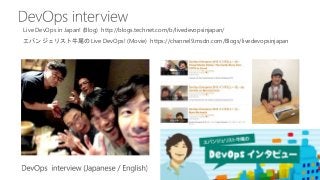
エバンジェリスト牛尾の Live DevOps!(Movie) https://channel9.msdn.com/Blogs/livedevopsinjapan
Live DevOps in Japan! (Blog) http://blogs.technet.com/b/livedevopsinjapan/
58.
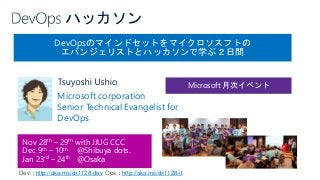
DevOpsのマインドセットをマイクロソスフトの
エバンジェリストとハッカソンで学ぶ2日間
Nov 28th –29th with JJUG CCC
Dec 9th – 10th @Shibuya dots.
Jan 23rd – 24th @Osaka
Microsoft corporation
Senior Technical Evangelist for
DevOps
Microsoft 月次イベント
Dev:http://aka.ms/dx1128-dev Ops:http://aka.ms/dx1128-it
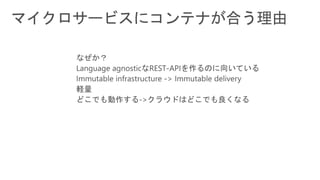
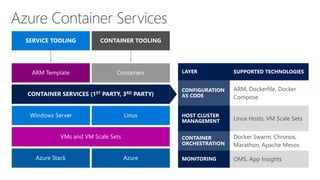
#22 · We've been working with containers for a long time
· Out story is an open one
· Community defined APIs and tools
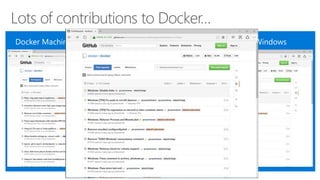
· We are in the communities contributing to this ecosystem
· Linux first as that's what customers want today
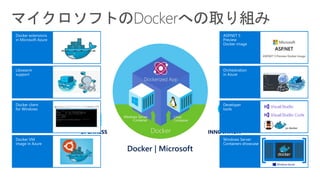
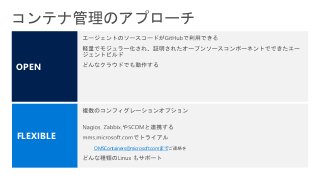
#42 · We've been working with containers for a long time
· Out story is an open one
· Community defined APIs and tools
· We are in the communities contributing to this ecosystem
· Linux first as that's what customers want today
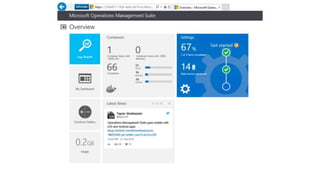
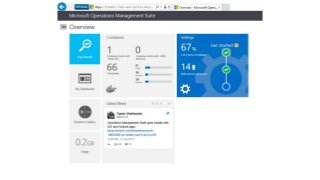
#43 Operations Management Suite is a software-as-a-service offering that allows you to manage Linux and Windows computers in any cloud – AWS, Azure, OpenStack, or VMWare. It has services for log analytics, performance metrics, automation, backup and recovery, and security and compliance. As of a week ago, it now supports Docker containers as well (private preview).
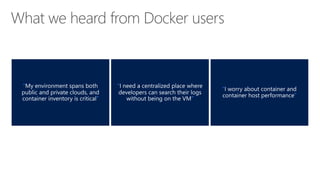
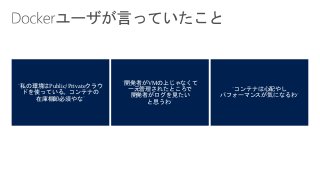
#44 These are quotes from users we talked with during our research who were using containers in production, about what some of their biggest pain points were.
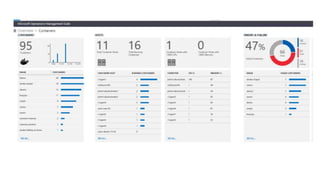
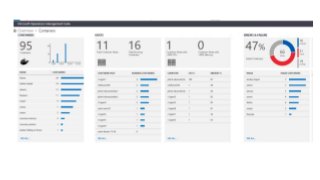
No grand surprise here, but these are what we built – visibility into where your containers and hosts are, including sorting by images and how many containers of specific images are running, as well as tag and versioning information. Log collection, so logs are centralized and searchable, and a slew of perf metrics –memory, cpu, network usage, storage, and many more. Everything is searchable so it’s highly flexible and query-able.
#45 Please call out the email for people to write us at – it’s mostly because we need to expose the workspace to their free trial, and not everyone can see it.

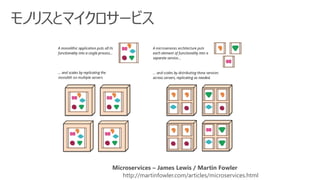
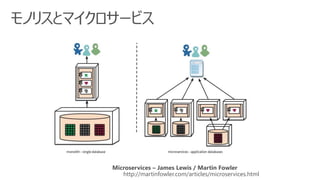
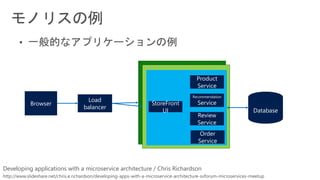
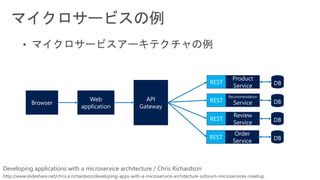
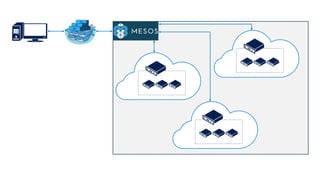
![master:~$export TOKEN=$(docker run --rm swarm create)
master:~$docker run -d -p 3375:2375 swarm manage token://$TOKEN
master:~$docker run -d swarm join --addr=<node_1_private_ip:2375> token://$TOKEN node-
0:~$docker run -d swarm join --addr=<node_2_private_ip:2375> token://$TOKEN
staging$ sudo systemctl enable docker-tcp.socket
staging$ sudo systemctl enable docker.socket
staging$ sudo systemctl stop docker
staging$ sudo systemctl start docker-tcp.socket
staging$ sudo systemctl start dockerz
master$ docker -H tcp://0.0.0.0:3375 info
staging$ sudo vi /etc/systemd/system/docker-tcp.socket [Unit]
Description=Docker Socket for the
API [Socket]
ListenStream=2375
BindIPv6Only=both
Service=docker.service
[Install]
WantedBy=sockets.target
/etc/systemd/system/docker-tcp.socket](https://image.slidesharecdn.com/containermicroservices-151127105546-lva1-app6891/85/Container-microservices-33-320.jpg)




![[DI01] 窓は開かれた! SQL Server on Linux で拡がる可能性](https://cdn.slidesharecdn.com/ss_thumbnails/di01-170605023800-thumbnail.jpg?width=640&height=640&fit=bounds)
![[SC02] シチュエーション別 Active Directory デザインパターン](https://cdn.slidesharecdn.com/ss_thumbnails/sc02-170614044138-thumbnail.jpg?width=640&height=640&fit=bounds)


![[AC07] 米国マイクロソフト本社で体験したノウハウを伝授!マイクロサービス実行基盤Azure Service Fabricの勘所](https://cdn.slidesharecdn.com/ss_thumbnails/ac07-170602093741-thumbnail.jpg?width=640&height=640&fit=bounds)


![[TL04] .NET 15 周年の今こそ考えるクラウドネイティブ アプリケーションと .NET の活用](https://cdn.slidesharecdn.com/ss_thumbnails/tl04-170614050632-thumbnail.jpg?width=640&height=640&fit=bounds)


![[DO09] 獲れたて OSS x DevOps!自動化三昧を満喫セヨ](https://cdn.slidesharecdn.com/ss_thumbnails/do09-170616021522-thumbnail.jpg?width=640&height=640&fit=bounds)


![[TL02] "Shift Left" で問題の早期発見を実現する、最新 Visual Studio の品質チェック・テスト機能の使い方](https://cdn.slidesharecdn.com/ss_thumbnails/tl02-170614050626-thumbnail.jpg?width=640&height=640&fit=bounds)
![[MW06] PaaS を活用した、ハイコストパフォーマンスなウェブサイト構築・運用・メンテナンス](https://cdn.slidesharecdn.com/ss_thumbnails/mw06-170614050053-thumbnail.jpg?width=640&height=640&fit=bounds)


